


Ten tools are actually free knowledge base software in 2026, and they split into two very different groups. BookStack, Wiki.js, Docusaurus and Outline cost nothing forever because you host them yourself, and all four can serve a public help center that anonymous visitors read. Notion, GitBook, Confluence, Slab, Nuclino and Help Scout all have real $0 tiers, but each one caps something load-bearing: 1 GitBook user, 10 Confluence users, 50 Nuclino items, 10 Help Scout articles.
The thing that decides which shortlist is yours is not article count. It is whether anybody outside your team can read the result. Confluence Free, Slab Free and Nuclino Free cannot publish publicly at any setting, and Zoho Desk's free plan gives you a private agent-only article store while the public knowledge base sits two tiers up at $14 per agent. Free plans almost all stop at the same rung: publish publicly, put it on your own domain, see what people searched for, let AI answer from it.
That last one is where the money actually goes. I have spent the last few years at eesel putting AI agents on live support queues, and the AI layer is nearly always metered separately from the knowledge base itself: $0.75 per resolution on Help Scout, $49 per 100 sessions on Freshdesk, $9 per 1,000 credits on HubSpot. If you want AI answers without migrating off the free knowledge base you already built, eesel points at what exists (Confluence, Notion, a help center, past tickets) instead of asking you to buy a new one.
How I checked this
Every number below comes from the vendor's own pricing page or plan comparison table, read on 30 July 2026. I read the feature matrix, not the plan card, because those two documents disagree more often than you would expect. Zoho Desk's free-plan landing page promises customers "FAQs and help articles" while its plan comparison table marks public knowledge base as excluded on Free. When they conflict, the per-tier table wins.
I also scored each free tier on four questions rather than on feature-count, because those are the four that decide whether a free knowledge base survives contact with real use:
- Can an anonymous visitor read it, with no login?
- How many people can write in it before you pay?
- Can it live on your own domain?
- Can AI answer from it, and at what cost?
The reason I read pricing pages that way is the job: at eesel I plug AI into whatever knowledge a support team already has, and the two things that break a rollout are a knowledge base nobody outside the company can reach and a knowledge base the AI is not allowed to index. A free plan that fails both is a text editor with extra steps.
The 10 best free knowledge base software tools in 2026
| # | Tool | Best for | Free cap | Public on free? | Own domain on free? | AI on free | Self-host | Licence | Next paid price |
|---|---|---|---|---|---|---|---|---|---|
| 1 | BookStack | A free public help center you own | No seat or article cap | Yes | Yes (your server) | None | Required | MIT | $0 forever |
| 2 | Wiki.js | Mixed public and private trees | No seat or article cap | Yes | Yes (your server) | None | Required | AGPL-3.0 | $0 forever |
| 3 | Docusaurus | Public product docs, git workflow | No cap | Yes, public only | Yes (static host) | None | Required | MIT | $0 forever |
| 4 | Outline | A modern self-hosted team wiki | No seat cap self-hosted | Yes | Yes | Cloud tiers only | Required for $0 | BSL 1.1 | $10/mo (1-10 users) |
| 5 | Notion | A solo operator who needs a public page | Unlimited solo, blocks capped at 2+ members | Yes, indexable | No, $8/mo per domain | Limited trial | No | Proprietary | $10/member/mo |
| 6 | GitBook | A solo maintainer publishing docs | 1 user | Yes | No | 10 Agent messages/week | No | Proprietary | $65/site/mo + $12/user |
| 7 | Help Scout | A free KB attached to a real inbox | 5 users, 1 site, 10 articles | Yes | Not on free | AI Answers $0.75/resolution | No | Proprietary | $25/user/mo |
| 8 | Confluence | Teams already living in Jira | 10 users, 2 GB | No | No | None | No | Proprietary | ~$5.42/user/mo est. |
| 9 | Slab | Internal docs that people actually read | 10 users, 10 MB files | No | No | None | No | Proprietary | $6.67/user/mo |
| 10 | Nuclino | A tiny fast internal wiki | 50 items total, 2 GB | No | No | None | No | Proprietary | $8/user/mo |
Two columns in that table do most of the work. Public on free splits the list almost exactly in half, and AI on free is empty nearly all the way down. Everything else is negotiable.
What "free" actually means here
"Free knowledge base software" describes three different business models that happen to share a price, and picking between them is really picking what you would rather spend instead of money.
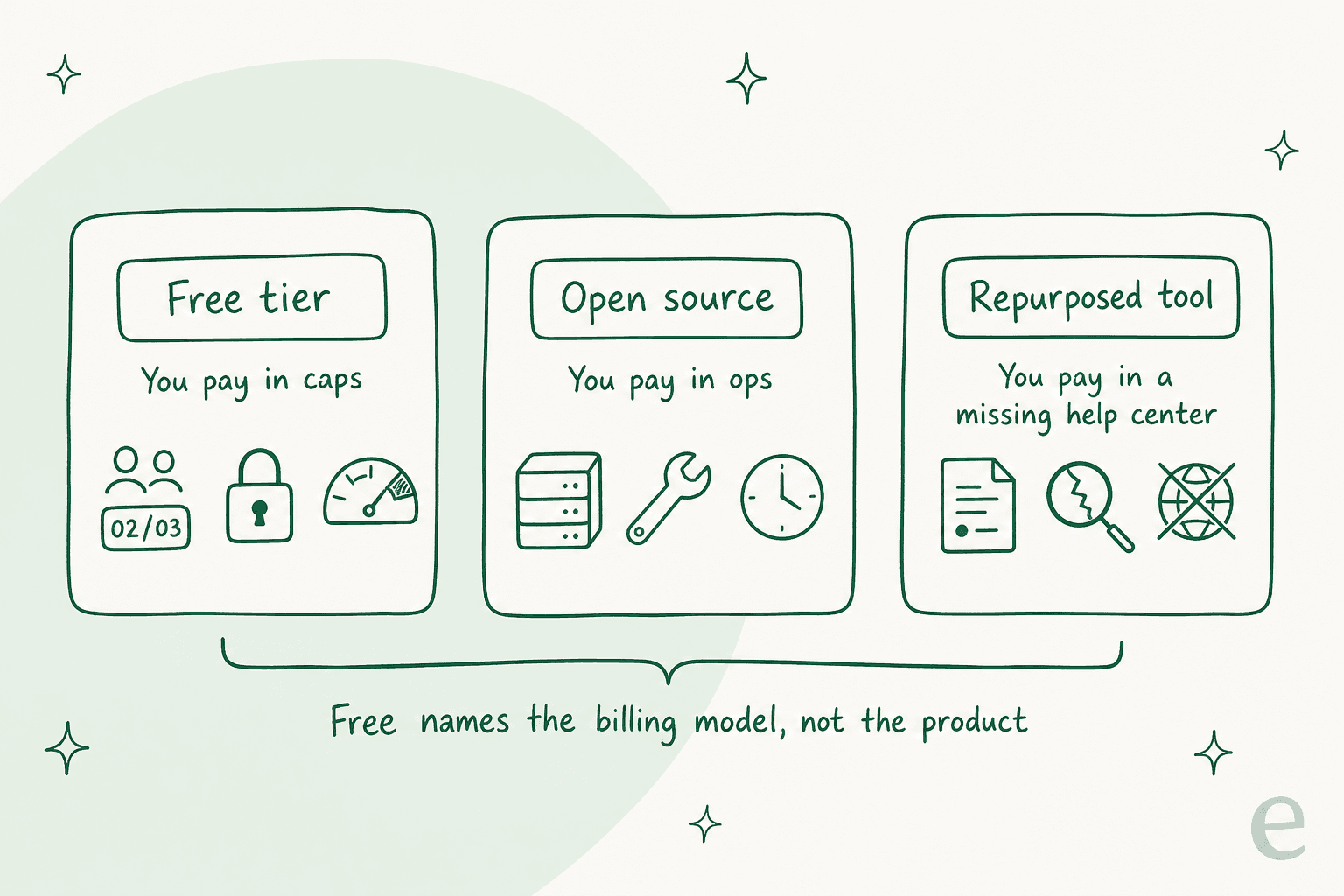
A free tier of a commercial product. Notion, GitBook, Confluence, Slab, Nuclino, Help Scout. Somebody else runs the servers, patches the security holes and keeps the search index warm. You pay in caps, and the caps are placed with real skill: they sit exactly where a hobby project turns into a work project. GitBook's is the cleanest example, one user, which is fine until a second person needs to edit.
Open source you host. BookStack, Wiki.js, Docusaurus. The licence really is free and nobody can raise your price. You pay in ops: a VPS, a database, TLS certificates, backups, and the upgrade cadence. Three of BookStack's last four release posts in July 2026 were security releases. That patch treadmill is now yours.
A general tool doing knowledge base cosplay. A Google Docs folder, a Slack canvas, a Notion workspace with no public page turned on. It is free and it holds text, and it is missing the thing that makes a knowledge base a knowledge base: a stable public URL a customer can land on. If your "help center" is a link people have to ask for, you have a filing cabinet.
The honest framing is that free names the billing model, not the product. Nobody is giving away a branded, uncapped, analytics-carrying, AI-answering help center, because that combination is the product every vendor on this list sells.
Pick the one thing you refuse to give up
Most people arrive at this decision with five requirements and a $0 budget, and the fastest way through it is to name the single requirement you will not trade away, then see who is still standing. Choose one:
Still free: BookStack, Wiki.js and Docusaurus publish to anonymous visitors by default. Outline can share publicly when self-hosted. Notion publishes an indexable notion.site page. GitBook publishes a site on the 1-user Free tier. Help Scout gives you one live Docs site, capped at 10 articles.
Now paid: Confluence Free has no anonymous access at all (Standard, roughly $5.42/user/mo on Atlassian's estimator). Nuclino's "publish as website" starts on Starter, $8/user/mo. Slab has no public sharing row on any tier, at any price.
Still free: the three self-hosted ones, BookStack, Wiki.js and Docusaurus, have no seat licence at all. Outline self-hosted is the same.
Now paid: GitBook stops at 1 user. Help Scout Free stops at 5. Confluence Free and Slab Free both stop at exactly 10. Notion technically lets everyone in, then switches on an unpublished block cap the moment a second member joins, and you keep reading and editing but cannot add new blocks.
Still free: anything you host. BookStack, Wiki.js, Docusaurus and self-hosted Outline sit on whatever hostname you point at them.
Now paid: Notion charges per domain, $8/mo billed annually or $10/mo monthly. GitBook's custom domain starts at Premium, $65 per site a month. Nuclino gates custom domains to Business. Slab gates them to Business at $12.50/user/mo. Zoho Desk's free plan cannot map a domain, so a free help center stays on a Zoho URL.
Still free, barely: GitBook gives 10 Agent messages a week. Notion gives a limited AI trial. That is the whole free AI market in this roundup.
Now paid: Slab's AI Ask starts at Business, $12.50/user/mo. Confluence's Rovo starts at Standard with 25 credits per user a month. Outline bundles AI question answering into its cloud tiers from $10/mo. Help Scout AI Answers is $0.75 per resolution. Freshdesk's Freddy sessions are $49 per 100. HubSpot credits are $9 per 1,000.
Still free: Notion, GitBook, Confluence, Slab, Nuclino and Help Scout are all hosted for you at $0.
Now your problem: BookStack wants PHP 8.2 and MySQL 8.0 with no official Docker image. Wiki.js wants Node 22 and PostgreSQL, and cannot run in a subfolder. Outline wants PostgreSQL and Redis and says it needs dev-ops experience. Docusaurus needs no server but needs a git workflow to publish.
Notice what happens on the fourth option. Every other requirement has at least one free answer. AI answers have almost none, which is the single most useful thing to know before you start comparing free plans.
1. BookStack: best free public help center you own
Best for: a small team that wants a real, public, uncapped help center and has somebody willing to run a Linux box.
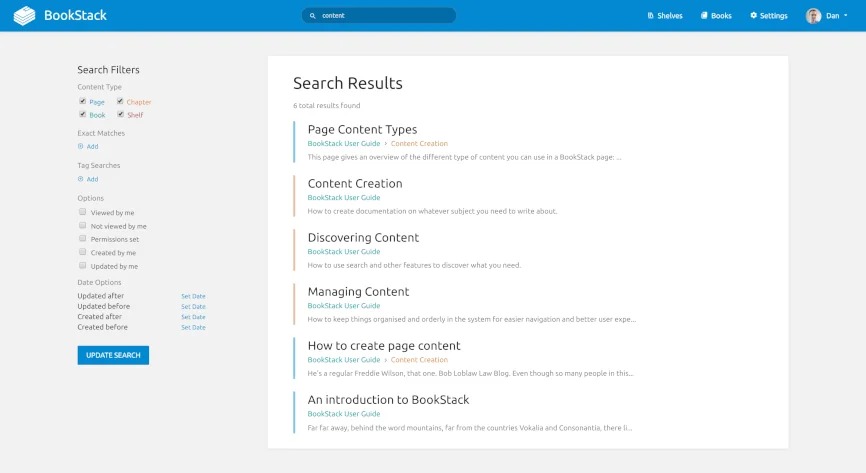
BookStack organises everything into a fixed three-level hierarchy of books, chapters and pages, which sounds restrictive until you have tried to find an article in a free-form wiki that grew for two years. It has been going for over a decade, and the project celebrated 11 years of BookStack with the current release line at v26.05.x.
That hierarchy is also the thing people argue about most, and both sides are worth hearing:
"I have used Bookstack for years. Love it.
People complain about its 'limited' hierarchy, but that is a strength. Forces you to be logical."

The counter-argument, from the same thread, is that three layers is not enough for a large docs tree: one r/selfhosted user called the shelf-book-page limit "completely useless for me" when comparing it against Wiki.js. Which camp you land in depends entirely on how deep your content actually nests.
What free gets you. Everything. BookStack is MIT licensed, which means no seat cap, no article cap, no feature gate, and no restriction on commercial use or resale. You can make the whole instance publicly viewable, or use its role and permission system to run a public tree next to a private one. Search is built in, works across all books, and any paragraph can be deep-linked. There is a live demo that resets every half hour if you want to poke at it first.
Where it breaks. The install is a real PHP install: PHP 8.2 or later on Laravel, MySQL 8.0+ or MariaDB 10.6+ (no PostgreSQL, no SQLite), Composer, and a webserver pointed at the public folder. Docker is community-only, from LinuxServer.io or solidnerd, and the project's own docs stamp third-party managed hosts as "not tested, vetted nor supported". Shared PHP hosting is explicitly unsupported. And there is no AI: no chatbot, no answer generation, nothing. The fact that SiteSpeakAI sponsors the project specifically to bolt a chatbot on tells you the core product has none.
Pricing. $0, permanently. The project runs on donations and claims it "can run happily on a £2.50 IONOS VPS", which is the only server-size figure the docs give.
One more limit is worth knowing before you commit a growing team to it, because it is the kind of thing you only discover on a deadline:
"BookStack is great if you're small. There's no file locking/conduct management when two people are editing the same page and there's no co-authoring. I used it for docs at a startup I was in around 2018 and this lack of feature really got in our way once we grew to more than 10 people."

My take: if the goal is a free public help center that stays free, this is the one I would reach for, and the £2.50 VPS line is not marketing. Just be honest about two things: you are signing up for the security-patch cadence, and two people editing one page at once is not a solved problem here. Pair it with something else for AI, because BookStack will never grow an answer engine on its own.
2. Wiki.js: best free option for mixed public and private docs
Best for: a team that needs /help public and everything else locked, without paying per reader.
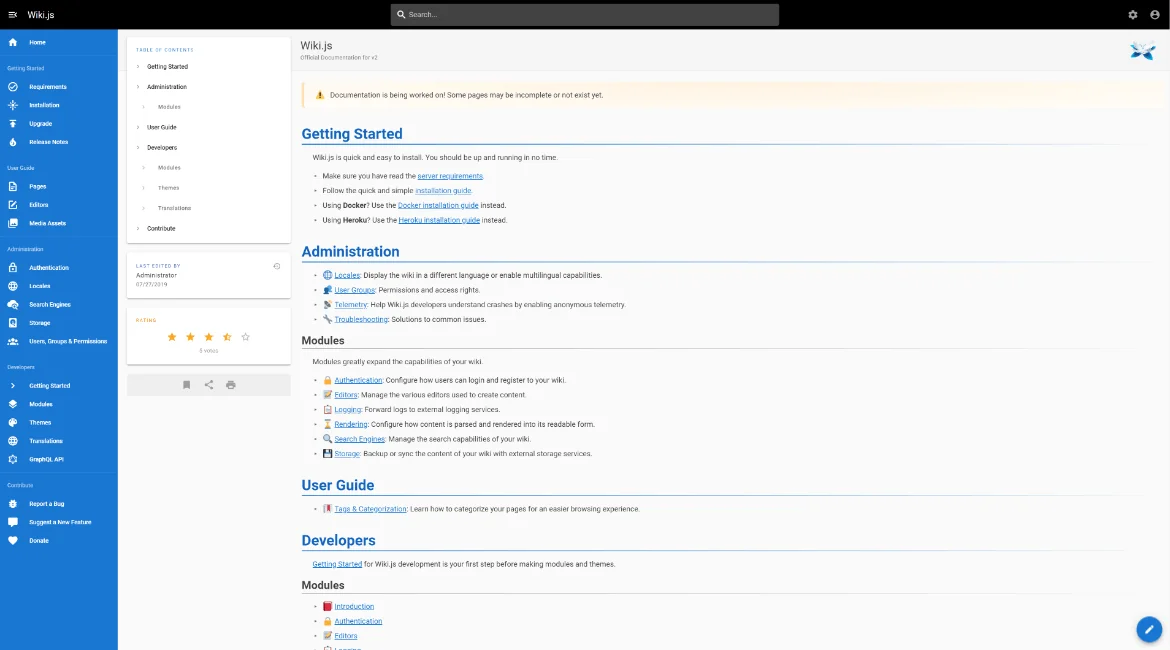
Wiki.js is a Node.js wiki from Requarks with a modular design, where auth, editors, search and storage are each a module you switch on. Its homepage claims 100M+ downloads and 28,600+ GitHub stars, and its permissions model is the reason it is on this list: Page Rules apply group permissions by exact path, starts-with, ends-with, or regex, so a public /help/* tree living beside a private internal tree is a supported configuration rather than a hack.
What free gets you. All of it, under AGPL-3.0. Search ships built in with zero setup on the database engine, and swaps out for Elasticsearch, Algolia or Azure Search if you outgrow it. Docker and Kubernetes are officially supported platforms, unlike BookStack.
Where it breaks. Two constraints matter. First, the requirements are firm: Node.js 22+ or 24+, PostgreSQL 9.5+ recommended, and the docs warn that MySQL, MariaDB, MS SQL Server and SQLite "will NOT be supported in the next major version". If you install on MySQL today you are signing up for a migration. Second, Wiki.js requires a dedicated domain or subdomain and cannot be mapped to a subfolder, so yoursite.com/help is off the table. A meaningful slice of the advertised feature grid is also still marked "Coming Soon" on the homepage, including the tabular editor and custom themes, so read it as part roadmap.
Pricing. $0, and there is no cloud, no paid tier, and no paid support at all. The one-click route is the DigitalOcean Marketplace image, where you pay DigitalOcean for the droplet.
My take: the best permissions model of any free tool here, and the one I would pick when the same knowledge base has to serve customers and staff. AGPL is worth a glance from your legal team if you plan to fork and embed it, but for running an unmodified help center it is a non-issue.
3. Docusaurus: best free public docs site for a technical product
Best for: a product whose docs live next to the code and whose writers are comfortable with git.
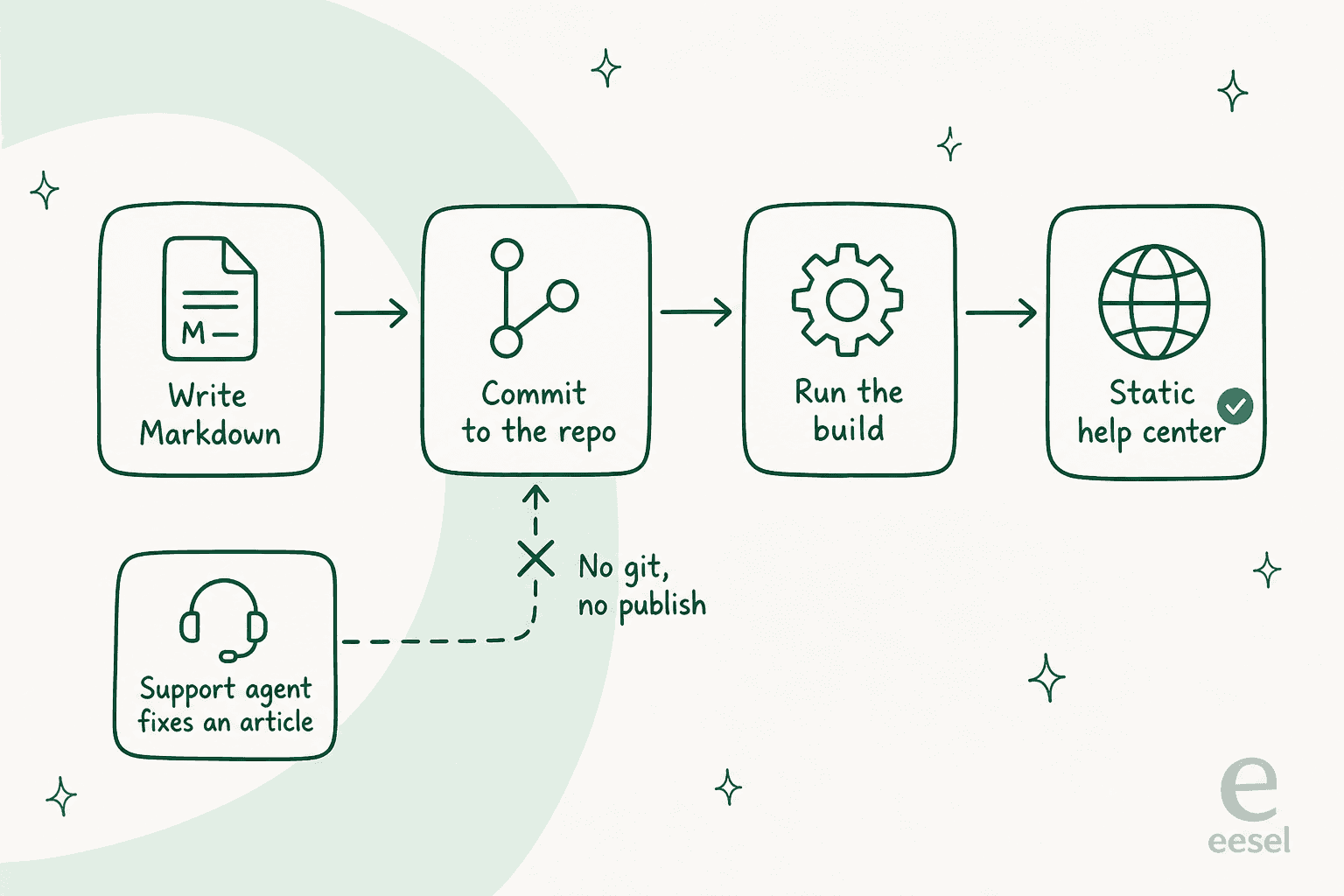
Docusaurus is a Meta-maintained static site generator, currently at Docusaurus 3.10 with 65,758 stars. The category distinction matters more than any feature: this is a build tool, not an application. There is no database, no login, and no browser editor. Content is Markdown in a repo, publishing is a build and a deploy.
What free gets you. MIT licensed, Node.js 20+, no database, no server-side runtime. Every page is static HTML, so it is SEO friendly by construction and readable by anonymous visitors by default. It ships doc versioning that tracks product releases, and i18n through git or Crowdin. Hosting the output on GitHub Pages, Netlify or Vercel is usually free at documentation scale, so the total bill really can be $0.
Where it breaks. No auth, no accounts, no roles, no permissions, which means no private section next to the public one (Wiki.js and BookStack both do this; Docusaurus structurally cannot). Search is not really native either: the homepage says it "proudly support[s] Algolia documentation search", so you are integrating an external service or a community local-search plugin, because there is no server of yours doing the indexing. No comments, no realtime editing, no per-edit history beyond git, no article-helpfulness voting, no analytics.
Pricing. $0, and there is no commercial Docusaurus at all. No cloud, no enterprise SKU, nobody to buy from.
My take: brilliant for developer docs and the wrong shape for a support team. The dealbreaker is not a missing feature, it is that a support agent cannot publish an article without a git workflow, which is exactly the person who most needs to fix a wrong article at 4pm on a Friday.
4. Outline: best free self-hosted wiki that feels modern
Best for: a team that wants a fast, good-looking wiki with real-time editing and is willing to self-host to skip the bill.
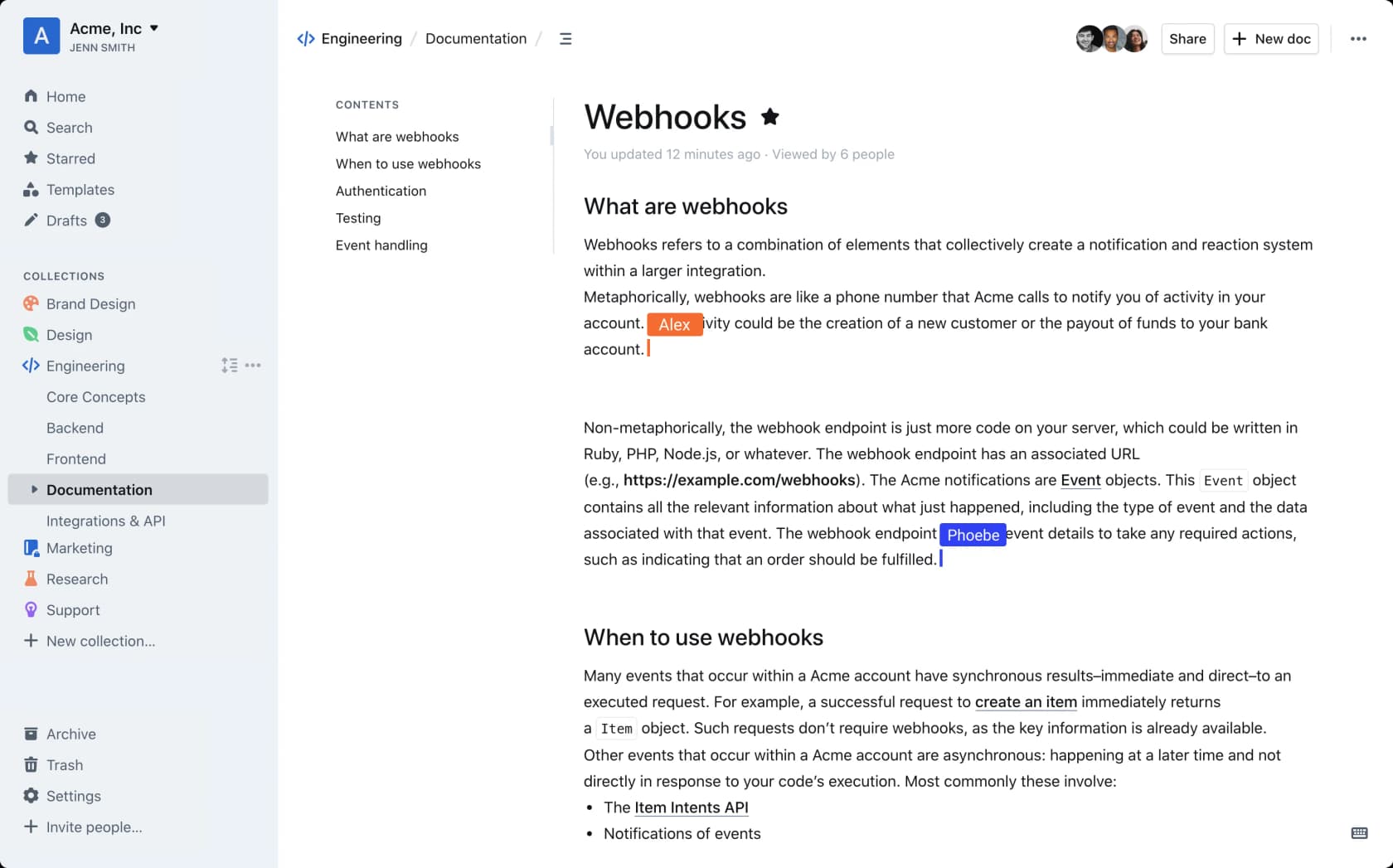
Outline is the only tool in this group that ships both a hosted cloud product and a self-hostable community edition, and the only one with built-in AI question answering on its paid tiers. The editor is a pleasure to write in, comments and threads work, and its own hosting documentation runs on Outline, which is a useful live sample.
What free gets you. The self-hosted community edition, with no seat cap. Public link sharing, custom domains, white-labelling with your own colours and logo, groups and guest users. Its search is fast.
Where it breaks. Two things, and the first is the correction most roundups get wrong. Outline's marketing says "Open source", but the actual licence is Business Source License 1.1, which is source-available, not open source. Its own docs are blunt about the restriction: "selling, reselling, or hosting Outline as a service is a breach of the terms and automatically terminates your rights under the license." Self-host it for your own team, fine. Build a product on it, not fine. Second, it is the heaviest install here: PostgreSQL 12+ and Redis 4+, 512 MB RAM minimum, a dedicated domain, an auth provider (there is no local email and password fallback), Unix only, and the project's own warning that it "requires dev-ops experience to successfully install and run in a production environment".
Someone who actually runs the community edition put both halves of that in one sentence:
"The one I mentioned at the top Outline is similar to confluence but it does force oidc for auth (wasn't an issue for me as I specifically wanted oidc), and it's not really open source, there is a premium version etc though I've found the free and open source community version has been fine for me"
Pricing. Outline Cloud is flat monthly bands by team size, not per seat: $10/month for 1 to 10 members, $79/month for 11 to 100, $249/month for 101 to 200, each including AI question answering, SSO and the audit log. The first 30 days are free and then the knowledge base goes read-only until you add a card. Above 200 users, and self-hosted Business or Enterprise, are quote-gated.
My take: the $10 to $79 jump at the eleventh member is the sharpest cliff in this whole roundup, and it is worth planning around: an 11-person team pays 8x what a 10-person one does. If you have the dev-ops, self-host it. If you do not, $10/month for up to 10 people with AI answers included is one of the better-value paid tiers on this page, and cheaper than most per-seat alternatives.
5. Notion: best free knowledge base for a solo operator
Best for: one person who needs an indexable public page today and has no server and no budget.

I keep expecting to knock Notion off these lists and it keeps earning its place, for one specific reason: its free plan can publish. Notion Sites lets you publish an unlimited number of pages to the web where "anyone on the web can view it", and the Sites availability page confirms the Free plan can claim one notion.site domain and turn on search engine indexing. That combination, free, public and indexable, is rarer than it should be.
What free gets you. $0 per member. Unlimited pages and blocks for a solo workspace. One notion.site domain, basic SEO indexing, 10 external guests, and an editor that non-technical people will actually use. My Notion review goes deeper on the AI side, and Notion pricing covers the paid tiers.
Where it breaks. The moment a second member joins, the block cap switches on. The pricing table says pages and blocks are "Unlimited for individuals" and "limited for 2+ members", and Notion publishes no numeric figure anywhere, so do not trust any roundup that quotes one. What is documented is the behaviour at the ceiling: you keep reading, editing and organising existing blocks, but you cannot add new ones. Given Notion defines a block as any single piece of content, one long help article eats dozens. On top of that: 5 MB per file upload (which rules out most screen recordings), 7 days of page history, no custom domain on free ($8/month per domain annually, $10 monthly), a fixed slug, and AI as a limited trial only. One footnote worth knowing before you publish a customer-facing page: the page metadata "will include the names, profile photos, and email addresses associated with any Notion users that have contributed to the page".
And then there is search, which is the complaint that follows Notion everywhere it gets used as a knowledge base:
"Another example is when I try to search for a specific word or phrase in the text of a page. Sometimes it works; sometimes, it doesn't. Sometimes it only finds the word if it's in the title or the first 500 characters of the page."
A commenter in the same thread reported escalating it and being told, in their words, that "it's working the way it's designed". Treat that as one user's account of a support reply rather than an official position, but the direction of travel matters: if the reason you want a knowledge base is that people cannot find answers, search quality is the whole product.
Pricing. Plus is $10 per member a month, Business is $20. Custom Agents are metered at $10 per 1,000 Notion credits. Students and educators get a 1-member Plus plan free.
My take: the strongest free tier here for a team of one, and a trap for a team of three. If you are already writing in Notion, adding AI for Notion is a much cheaper move than migrating to a dedicated knowledge base tool, and it is worth comparing against Confluence before you commit either way.
6. GitBook: best free hosted docs site for a solo maintainer
Best for: one person publishing product or API docs who wants git sync without running anything.
GitBook's Free plan is real and indefinite, at $0 per site a month, positioned "For individuals". What surprised me is how much survives on it: the block editor, two-way Git Sync with GitHub or GitLab, interactive API playgrounds, full-text search, change requests, version history, importing from Confluence, Notion, Word or Markdown, built-in SEO, and ISO 27001 plus SOC 2 certification that is not tier-gated.
What free gets you. Unlimited page views, with GitBook stating it never limits traffic to published docs, and no published page or article cap. Publishing works.
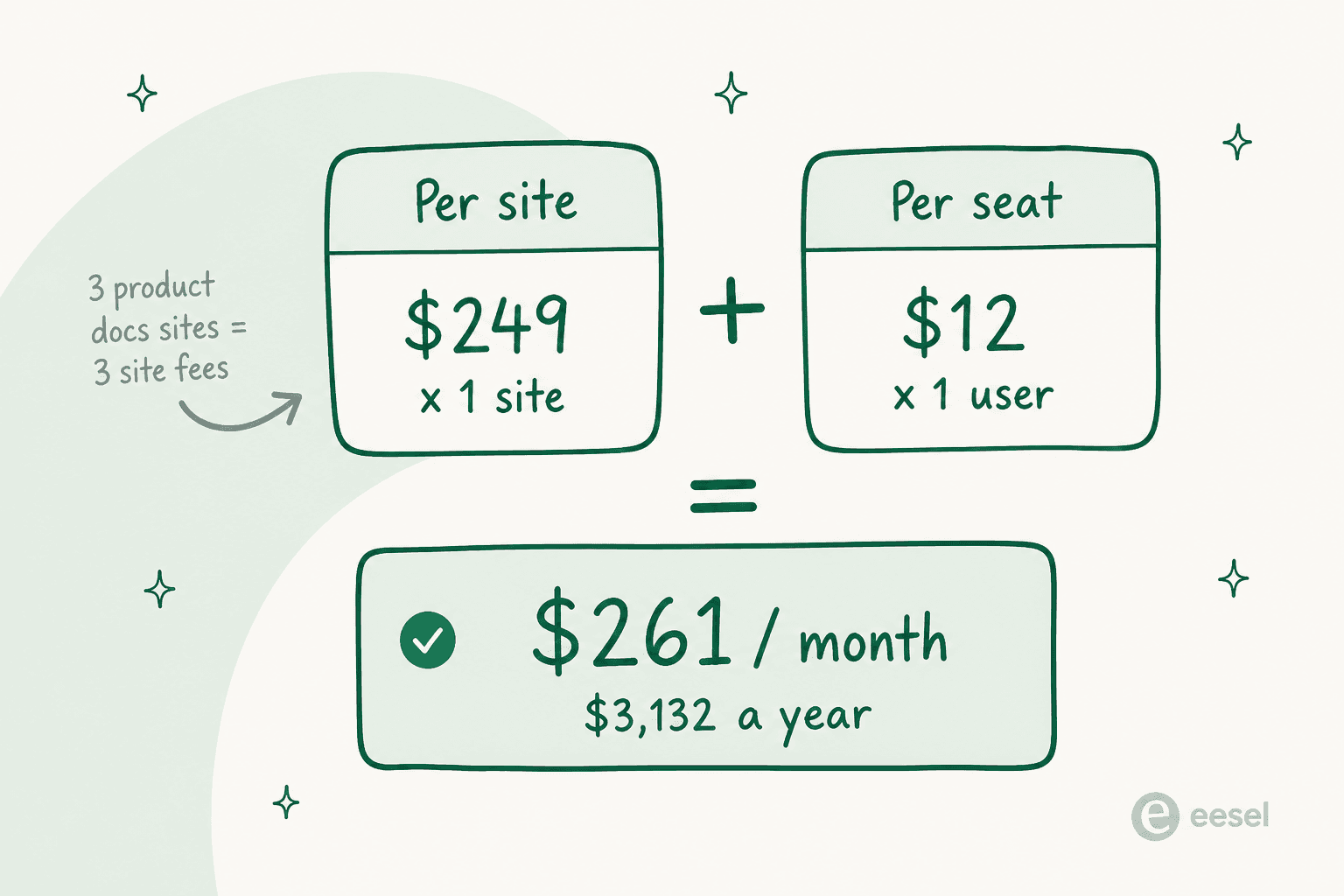
Where it breaks. 1 user. That is the hard stop, and it is placed exactly where a project becomes a team. No custom domain (so no docs.yourcompany.com), no real-time collaboration, no review-and-approve, no search analytics, no user feedback ratings, no PDF export. AI is 10 GitBook Agent messages per week and nothing else: no AI search, no AI writing, no Assistant. Note also that GitBook bills per site plus per seat, so its own calculator shows 1 Ultimate site with 1 user at $261/month, or $3,132/year, and public readers are free but anyone in your organisation needs a paid seat even view-only.
A G2 reviewer documenting college projects named exactly which absences hurt:
"A lot of good features, like advanced visual customization, private spaces, and mapping custom domains, are completely locked behind their expensive premium plans which a college student obviously cannot afford."

Pricing. Premium is $65 per site a month plus $12 per user; Ultimate is $249 per site plus $12 per user; Enterprise is quote-only. Open-source projects, nonprofits and educational users can apply for the free Community plan when Free is too tight. My GitBook pricing breakdown has the full picture, and GitBook alternatives covers the escape routes.
My take: the best free hosted docs experience for exactly one person, and I would happily use it for a side project. The per-site billing is the thing to model before you commit, because a company with three product docs sites pays three site fees. If you are weighing it against Atlassian, my Confluence and GitBook comparison is the direct head-to-head.
7. Help Scout Docs: best free knowledge base attached to a real helpdesk
Best for: a tiny support team that wants a live help center and a shared inbox on the same $0 bill.
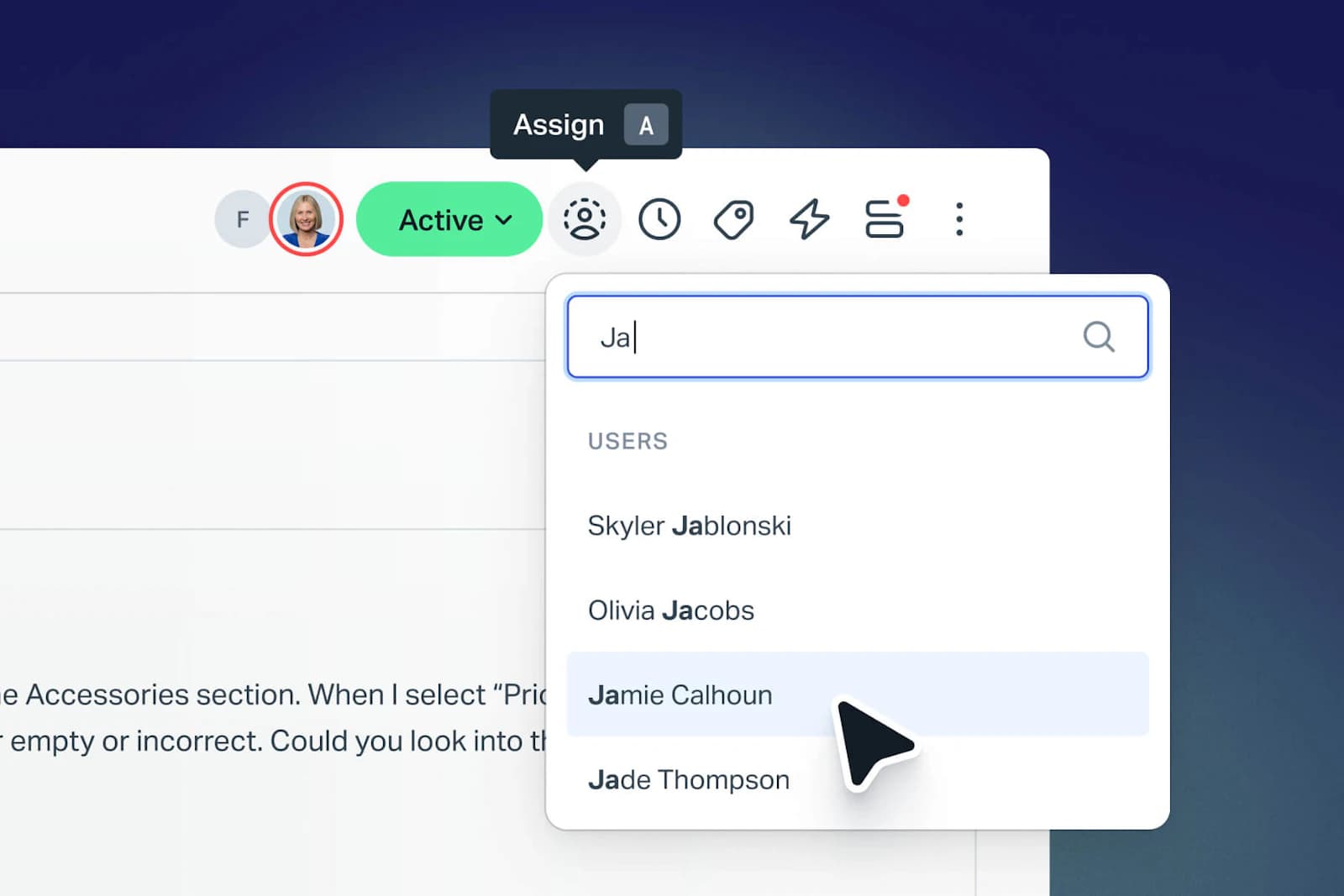
Of the mainstream helpdesks, Help Scout is the honest one. Its pricing page says plainly that the Free plan includes 5 users, 1 Inbox and 1 Docs site, and Docs is its actual knowledge base product, described as a way to build "a searchable and branded help center or knowledge base". Free means free, not trial.
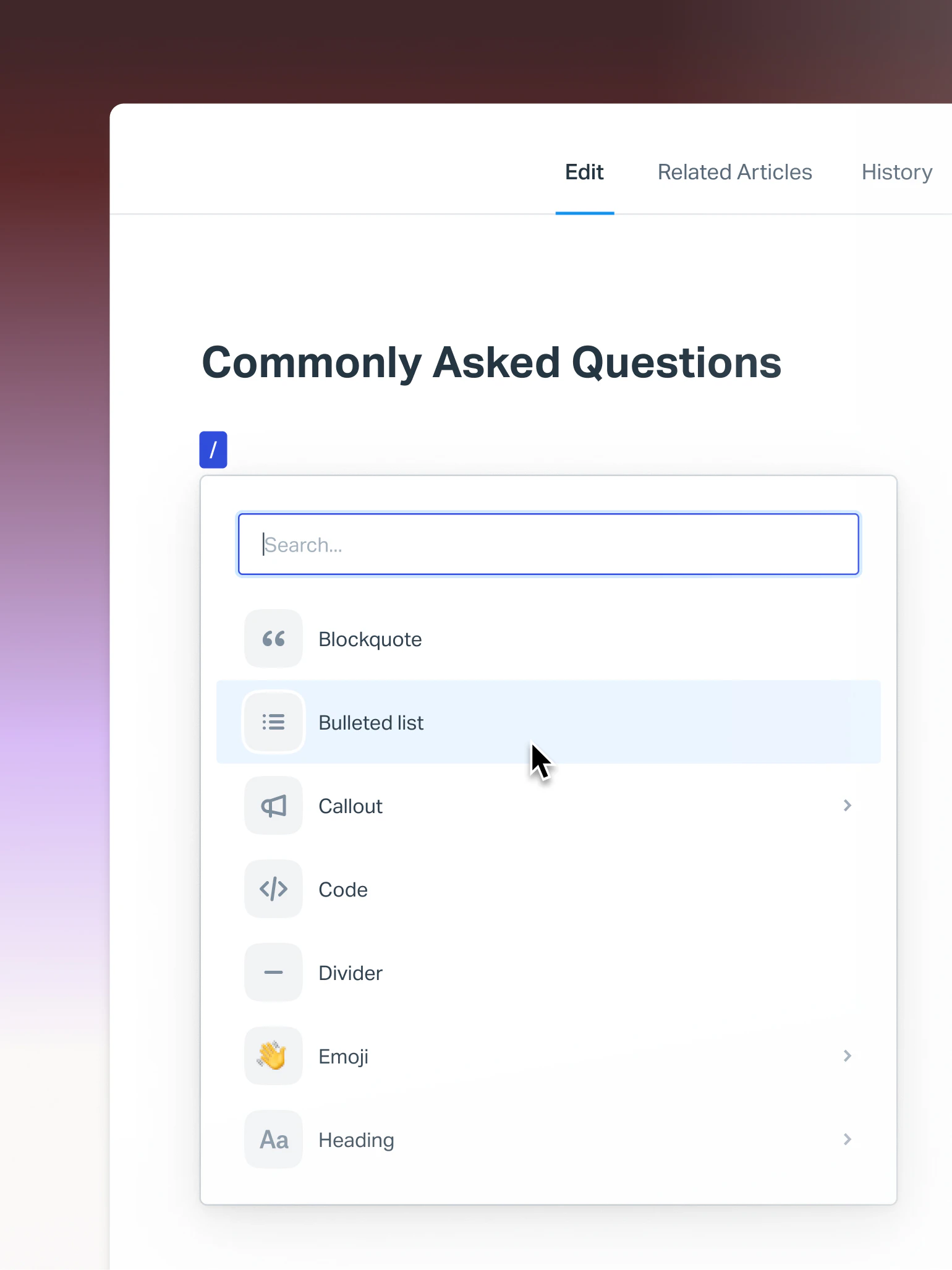
What free gets you. A live, public, searchable help center, plus a shared inbox, for five people, at $0. The Docs editor itself is block-based, with a / menu for callouts, code and dividers, and tabs for related articles and version history:
Where it breaks. The cap is articles, not sites: the Articles row reads 10 on Free and Unlimited on every paid plan. Ten articles is a starter FAQ, not a help center. Contacts are capped at 100 a month, where a contact is anyone who received a reply from your team or had a question resolved by the AI assistant. And the AI is a separate meter: AI Answers is an add-on at $0.75 per resolution, with a 3-month unlimited-resolutions trial from account creation.
Pricing. Standard is $25 per user a month and unlocks unlimited articles plus 2 Docs sites; Plus is $45; Pro is $75 and demo-only. Extra Docs sites are $20/month annually. There is more in my Help Scout self-service write-up and in Help Scout's AI approach.
My take: the most useful free plan on this list for an actual support team, precisely because the knowledge base is wired to the inbox rather than sitting in a different tab. Ten articles will cover your top FAQs and nothing else, so treat it as a real evaluation rather than a permanent home. If you are shopping the category, my top helpdesk software roundup and best AI helpdesk software list run the same comparison on paid tiers.
8. Confluence: best free internal wiki if you already live in Jira
Best for: a team of ten or fewer that is already on Atlassian and wants internal docs next to their tickets.
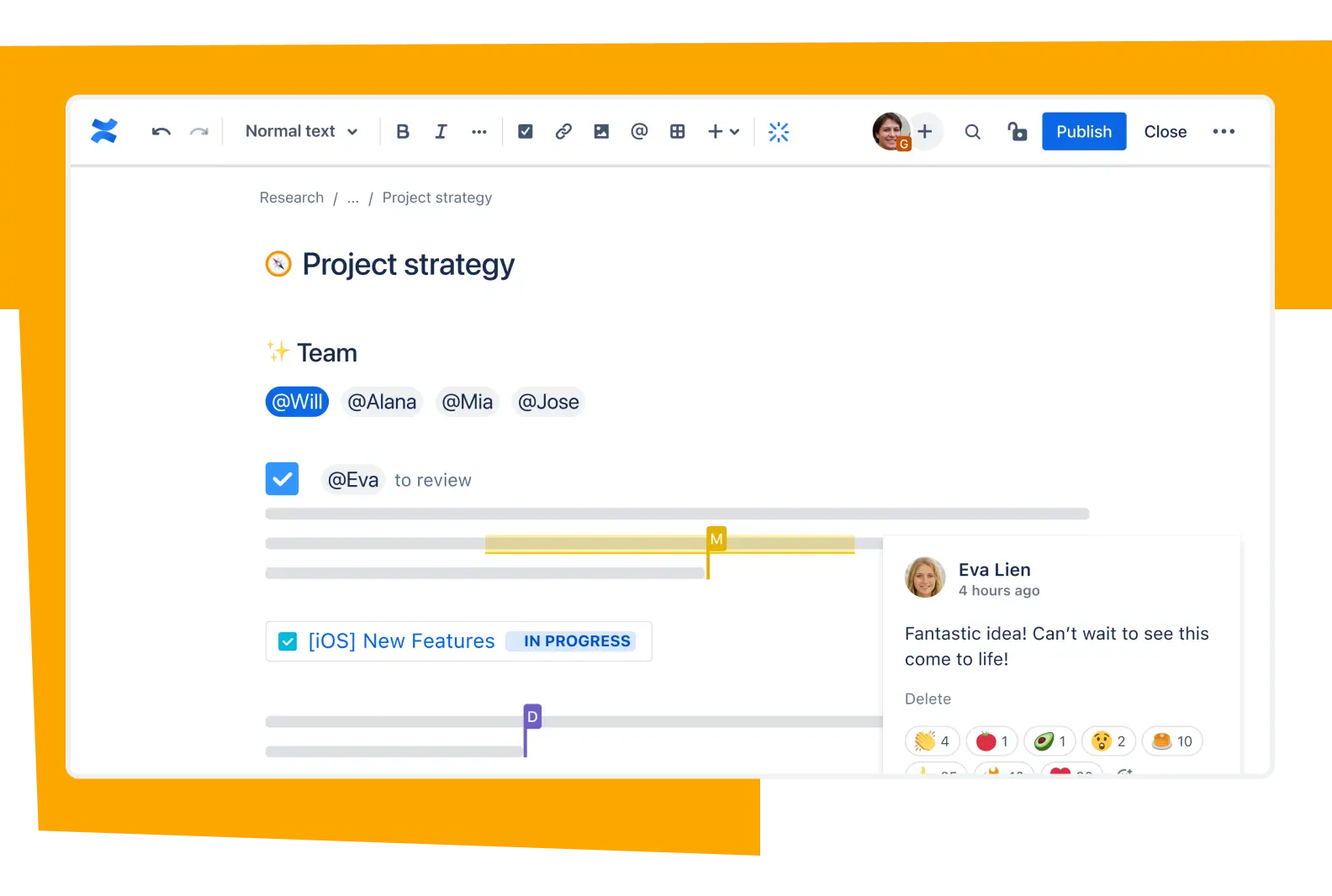
Confluence Free gives you 10 users, 2 GB of file storage and one site, per Atlassian's pricing page, with pages and spaces truly unlimited. If your engineering team is in Jira, the adjacency is worth real money, and my Atlassian knowledge base guide covers what that looks like in practice.
What free gets you. Unlimited pages, the editor, templates, and the Atlassian ecosystem. That is a lot for $0.
Where it breaks. Three things, and the first is disqualifying for a help center. Confluence Free has no public access. Anonymous access and public links are both Standard-and-up features, so nothing on a free site is readable by a non-user, and no Confluence plan has a custom-domain row at all. Second, Atlassian's own feature note says Free "doesn't allow permission settings for spaces or pages", so everyone who can see the site can see everything. Third, AI is zero on Free: all of it is Rovo, starting at Standard with 25 credits per user a month. Throttles worth knowing: 3 active whiteboards per user and 10 automation rule runs a month. Support on Free is community forum only, and there is no uptime SLA on Free or Standard, since the 99.9% SLA starts at Premium.
Pricing. Standard shows around $5.42 and Premium around $10.44 per user a month, and those are estimator-derived figures rather than posted list prices, because Atlassian's page runs a live team-size calculator. Treat them as estimates.
My take: a good free internal wiki and a non-starter as a public knowledge base, and that distinction is the whole review. If Confluence is where your knowledge already lives, the cheaper next step is usually adding AI for Confluence rather than migrating, and Confluence AI knowledge base covers the mechanics. Worth reading next to Confluence, Guru and Slite if you are shortlisting.
9. Slab: best free internal wiki for docs people actually read
Best for: a sub-10-person team that cares about writing quality and internal search more than about publishing.
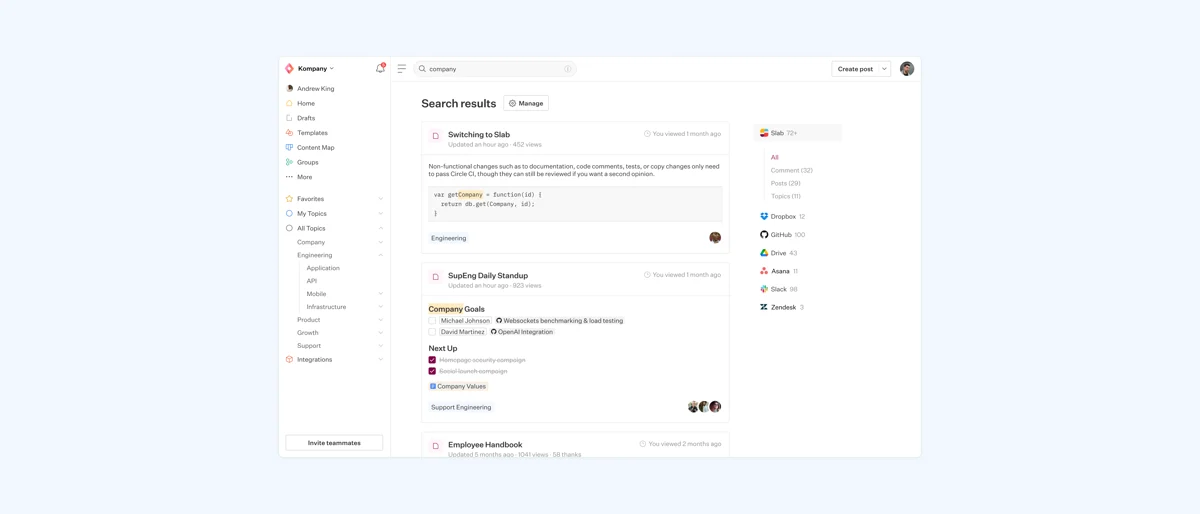
Slab is the tool on this list I most enjoy using and least often recommend for a help center, which is a strange combination to hold. Its free plan is 10 users forever with no credit card, unlimited posts and topics, realtime collaboration, templates, verification, and Unified Search across integrated tools. The core editor is not crippled at all: Free includes the same "Essentials" block as every paid tier.
What free gets you. A pleasant 10-person internal wiki with real search and no page cap.
Where it breaks. Slab has no public sharing row on any tier, Free through Enterprise. The product is an internal wiki by design, and its own help center runs on different software, which tells you something. Free also strips Private Topics (so content visibility is effectively workspace-wide), allows zero guests, clips attachments to 10 MB, keeps 90 days of version history, and includes none of the three AI features. Analytics exist on Free but with a 30-day window. One that surprised me: Audit Logs are Enterprise-only, blank on Startup and Business too, so paying $12.50 a seat still does not get you an audit trail.
Pricing. Startup is $6.67 and Business is $12.50 per user a month billed annually, and those are real posted rates rather than calculator output. AI Ask, the feature that would make Slab behave like an AI knowledge base, starts at Business. Non-profits and schools get the Startup plan free.
My take: if the job is internal documentation for a small team, Slab Free is the nicest thing on this list. If the job is a customer-facing help center, Slab is the wrong shape of tool, not just the wrong plan, and no amount of money fixes that.
10. Nuclino: best free option for a very small internal wiki
Best for: a handful of people who want a fast, minimal wiki and will really stay under 50 documents.
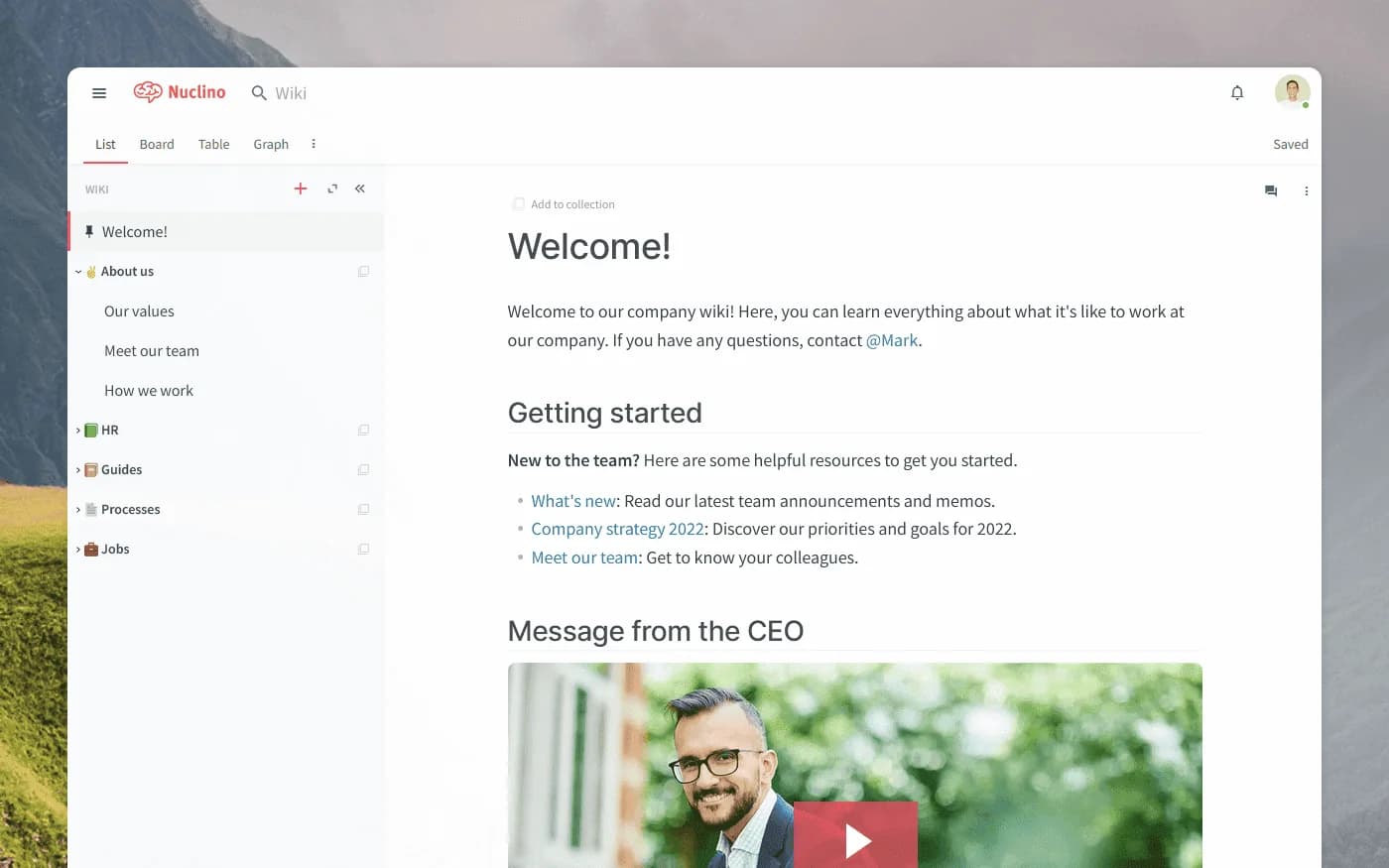
Nuclino is deliberately lightweight and fast, and its free tier is the tightest here in a way that is at least honest about itself.
What free gets you. 50 items total across all workspaces, not per workspace, and the cap is not relaxed for solo users. Plus 3 canvases and 2 GB of pooled storage.
Where it breaks. Beyond the item cap: no version history at all on Free, no guest or read-only roles (those start on Starter), and no publishing. "Publish as website" begins on Starter, indexing rides along with publishing, and custom domains are Business-only with no add-on price. Sidekick, Nuclino's AI, is Business-only, absent on Free and Starter alike, with no per-credit price published.
Pricing. Starter is $8 per user a month monthly, or $72 per user a year, which works out at $6. Business is $12 per user a month monthly, or $120 a year. Note that Nuclino counts guests and read-only members as users, so they become billable seats on paid plans.
My take: 50 items is roughly a month of note-taking for an active team, so treat Nuclino Free as an extended trial with a nice editor rather than a home for your knowledge base. If you want a free tier you will not hit a wall in, the self-hosted three at the top of this list are a better bet.
Where every free plan stops
Line all ten up and the pattern is almost eerie. Free tiers are generous about the thing that costs the vendor nothing (articles, pages, storage-ish) and strict about the thing that turns a wiki into a product.
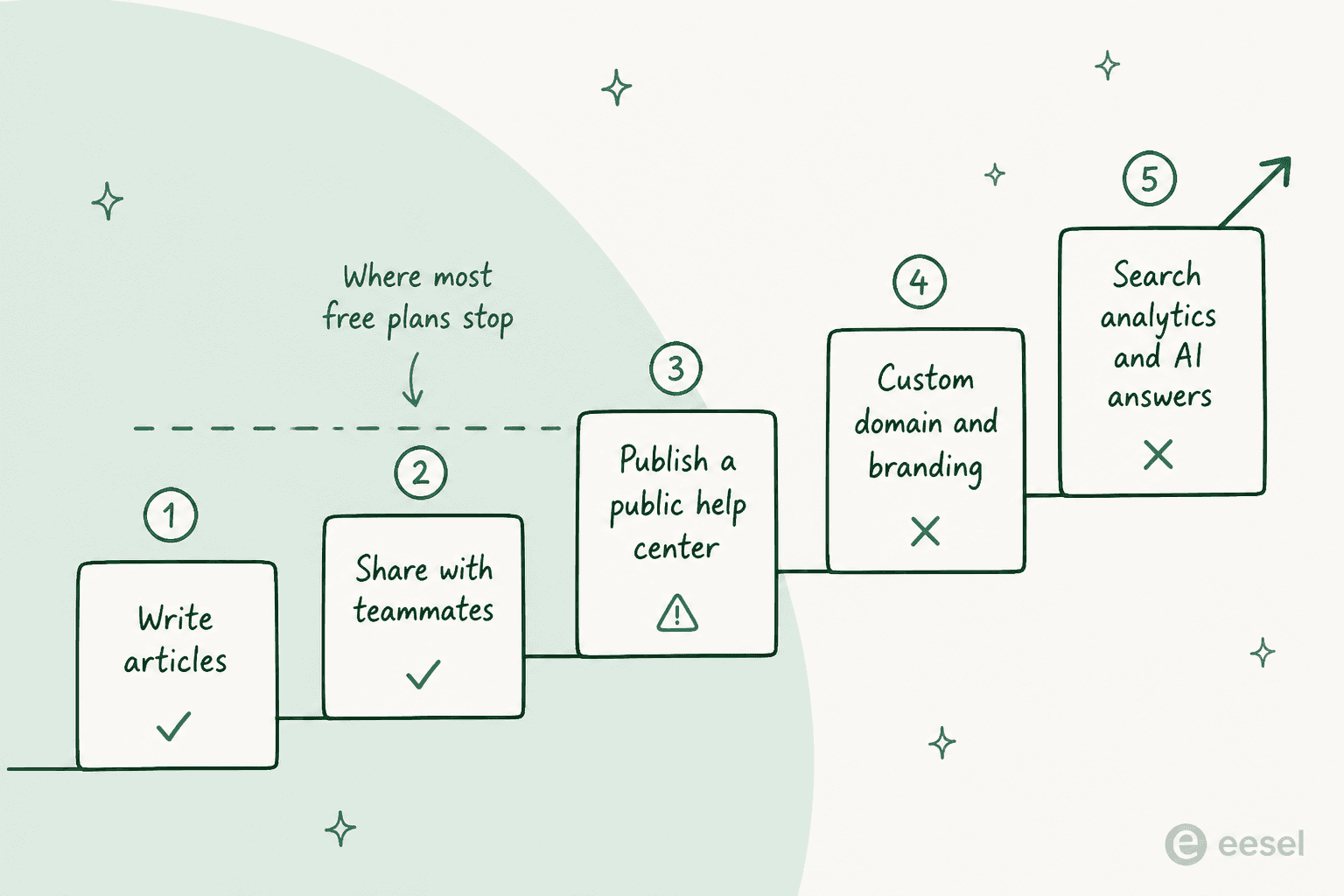
Writing articles is free everywhere. Sharing with teammates is free up to 5, 10 or 1 depending on the tool. Publishing publicly is where about half the list drops out. Custom domains and branding are paid almost universally. And search analytics plus AI answers, the two things that tell you whether the knowledge base is working and make it worth reading, are behind a wall on eight of the ten.
That last rung matters more than it looks. Without search analytics you cannot see which questions your articles fail to answer, which is the entire feedback loop of knowledge base management. That is the gap help center gap mapping and outdated content detection exist to close, and it is the difference between a help center that improves and one that decays.
What the people actually running these say
I went looking for the real running cost of a free knowledge base in the places where people admit things, and the answer had almost nothing to do with servers. It was about who tidies up. The line that gets quoted back at every one of these threads:
"Long time wiki user here. Your problem isn't Confluence it's "years of garbage built up". Wikis are amazing for team documentation but you need someone who's job it is to tidy up, organise, fix things etc.
As the old saying goes, "it's not a library unless there's a librarian"."
Another reply in that thread put the same point in one sentence: "Regardless of the technology, quality control isn't free." That is the cost nobody puts in the comparison table, and it is the one that decides whether your free knowledge base is worth anything in eighteen months.
The infrastructure side is more forgiving than the horror stories suggest, though, and it is worth hearing the boring version too. One long-time self-hoster quantified it:
"Also, Dokuwiki updates once a year, Some critical updates are pushed here and there. I look at the vm once a week on cockpit and run updates. I spend, maybe, 10 hours a year on it. For me It does not get better than that."
Ten hours a year is a very good deal. But note the other number people quote when they describe a "free" self-hosted setup honestly: one sysadmin's BookStack install on AWS with RDS and S3 came in at under $20 a month, which is still cheap and still not $0.
And the failure that hurts most is not technical at all. It is the wiki nobody reads:
"I set up and used Dokuwiki at my last job and loved it. I was the only person on the team who contributed, though, and the other two rarely even looked at it. I thought it was user-friendly and pretty slick."
That failure mode does not care what you paid, and it is the argument for a knowledge base that answers questions where people already ask them, whether that is Slack or a ticket, rather than one that waits politely in a browser tab.
The tools that market "free" but do not include a knowledge base
This is the section I most wanted to write, because it is where the search results are wrong. Several tools rank for free knowledge base software while giving you no knowledge base at $0, and a few no longer have a free plan at all.
| Tool | Free plan in 2026? | Where the knowledge base actually starts | Real cost |
|---|---|---|---|
| Zoho Desk | Yes, 3 agents, "Free Forever" | Public KB starts on Standard; Free gets a private agent-only article store | $14/agent/mo annual ($20 monthly) |
| Freshdesk | No, removed | Growth, the cheapest paid plan | $19/agent/mo annual, $228/year for one agent |
| Zendesk | No, 14-day trial | Suite Team, not the $19 Support Team | $55/agent/mo annual, 2.9x the headline price |
| HubSpot Service Hub | Yes, $0 up to 2 users | Professional; blank on Free and Starter | $90/seat/mo + required $1,500 onboarding = $2,580 year one |
| Crisp | Yes, free forever, 2 seats | Essentials | $95/mo flat per workspace (10 seats) |
| Tidio | Yes, $0 | No knowledge base product on any tier | n/a, its FAQ tools only ingest a KB you host elsewhere |
| Slite | No, 14-day trial then you must buy | Basic | $10/user/mo billed yearly |
| Guru | No, and no published price at all | Quote-gated platform engagement | Unpublished |
| Document360 | No, 14-day trial | Quote configurator, no dollar figures | Unpublished |
| Helpjuice | No, 14-day trial then the account goes inactive | Starter, with AI explicitly excluded | $249/mo (30 users); $449/mo for the cheapest AI plan |
Four things in that table are worth saying out loud.
Zoho Desk's free plan is email ticketing, not a knowledge base. The comparison table marks public knowledge base as excluded on both Free and Express, and the only thing Free gets is a private repository for agents plus a portal for submitting tickets. Custom domain mapping is the single row in the re-branding section and Free is the only tier excluded, so a free Zoho help center cannot live on your domain. Zia's article generation is Express-and-up, and the answer bot is Standard, so on the free tier no AI can read your knowledge base at all. If you are already on Zoho, training Zia on your knowledge base is the paid path.
HubSpot has the widest free-to-knowledge-base gap of anything here. Free is real, generous-looking and covers 2 users. The Knowledge base row is blank on Free and blank on Starter, and fills in only from Professional at $90 per seat a month, where the card also carries a required one-time $1,500 Professional Onboarding fee. That is $0 to $2,580 in year one for a single seat. My HubSpot knowledge base software piece has the detail, and HubSpot's AI pricing calculator covers the credit maths.
Zendesk's $19 plan does not include a knowledge base. Support Team at $19 per agent lists email, ticketing, routing, dashboards, pre-written responses and automations, and no knowledge base. Knowledge Base appears one tier up on Suite Team at $55. Full numbers in my Zendesk pricing breakdown, plus Zendesk knowledge base basics if you are already on it.
Freshdesk's free tier is gone. Two independent signals: the pricing page lists exactly three plans, none at $0, and the old free-helpdesk landing page now returns "Sorry, page not found." The knowledge base is on Growth, the cheapest paid plan, so Freshdesk gates it behind paying at all rather than behind a mid-tier. See Freshservice knowledge base for the ITSM sibling and Freshdesk's knowledge base API for the developer path.
And on Guru, Document360 and Helpjuice: if you read a 2026 roundup quoting a Guru free plan or a per-user Guru price, that data is stale. Its pricing page has zero dollar figures and the only call to action is talking to sales. My Guru pricing and Document360 pricing pages track what is actually knowable. If you are choosing between the last two, Document360 versus Helpjuice runs that head-to-head.
The mistake that costs more than any licence
Here is the thing I did not expect to learn from putting AI on live support queues, and it has nothing to do with which tool you pick.
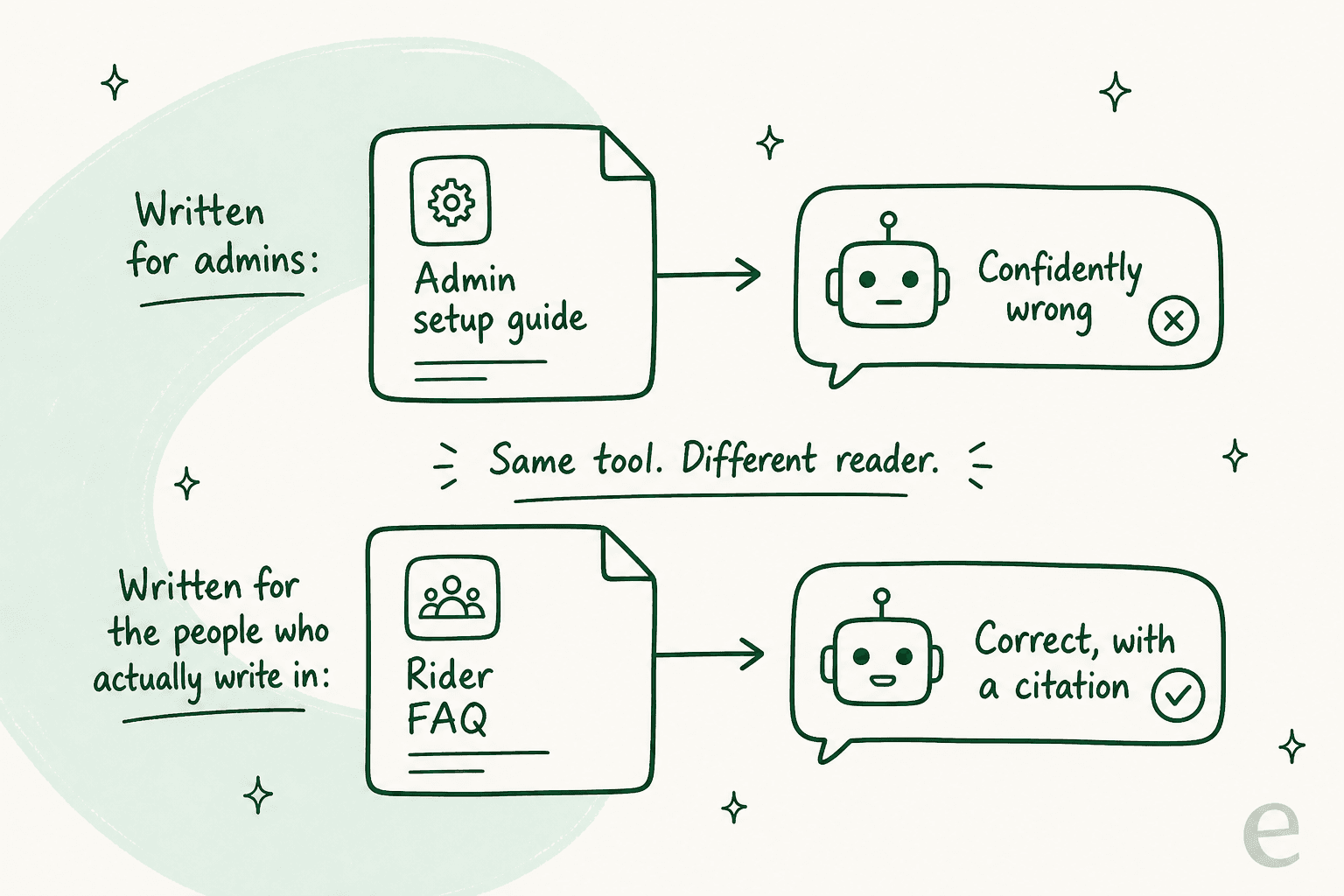
On one rollout, a support manager at a bus-tracking service came to me because his AI answers were confusing customers. The knowledge base was fine. It was well organised, current, and thorough. It was also written entirely for administrators, while every ticket came from riders. Same articles, wrong reader, and no tool on this page would have flagged it.
I have seen the sharper version of the same failure too. A technical support team worried their bot would over-confidently confirm unsupported products, and they were right to worry: it told a customer "yes, we support your car model" for a brand not in their database, because a knowledge base article said the company supports all models. And when retrieval finds nothing at all, an AI without a hard fallback fills the gap from training data. Paying customers have had bots invent product claims and send them to real people.
Three practical consequences, in the order they will bite you:
- Write for the person who writes in, not the person who configures. Read your last 50 tickets, then read your five most-viewed articles. If the vocabulary does not match, no upgrade fixes that.
- Cover your gaps before you add AI. An AI knowledge base chatbot makes a good knowledge base faster and a thin one dangerous. My notes on preventing AI hallucinations in support and RAG for help centers are the mechanics.
- Simulate before you go live. I now run every rollout against historical tickets first, because a confident bot giving a wrong answer costs more trust than no bot at all. That is also how you find out your real deflection rate instead of guessing it.
The reason this belongs in a post about free tools is the sequencing. A free knowledge base plus good articles beats a paid knowledge base plus articles written for the wrong reader, every time, and the free option leaves you the budget to fix the articles.
Try eesel on the knowledge base you already have
Most people reading this already have knowledge somewhere: a Confluence space, a Notion workspace, a help center, and a few thousand resolved tickets that contain the real answers. The expensive mistake is deciding you need to migrate all of that into a paid knowledge base before AI can use it.

That is the part eesel does. You point it at the sources you already keep, tick which ones the agent may read (a help center, macros, past tickets, a Confluence space, a Notion workspace), and it answers from those with citations instead of asking you to rewrite anything. Then you simulate it on historical tickets before it touches a live queue, which is the step that turns "we tried an AI bot once" into a rollout you trust. It is free to try, and it does not care whether your knowledge base cost $0 or $249 a month.
If you want the shopping-list version, my roundups of AI knowledge base tools and knowledge base management tools cover the paid category. For the mechanics, connecting AI to knowledge bases walks through the setup.
Frequently Asked Questions
What is the best free knowledge base software in 2026?
notion.site page for a solo workspace. My wider roundup of AI knowledge base tools covers the paid end, and knowledge base management covers keeping it current once it exists.