What is a support knowledge gap analysis?
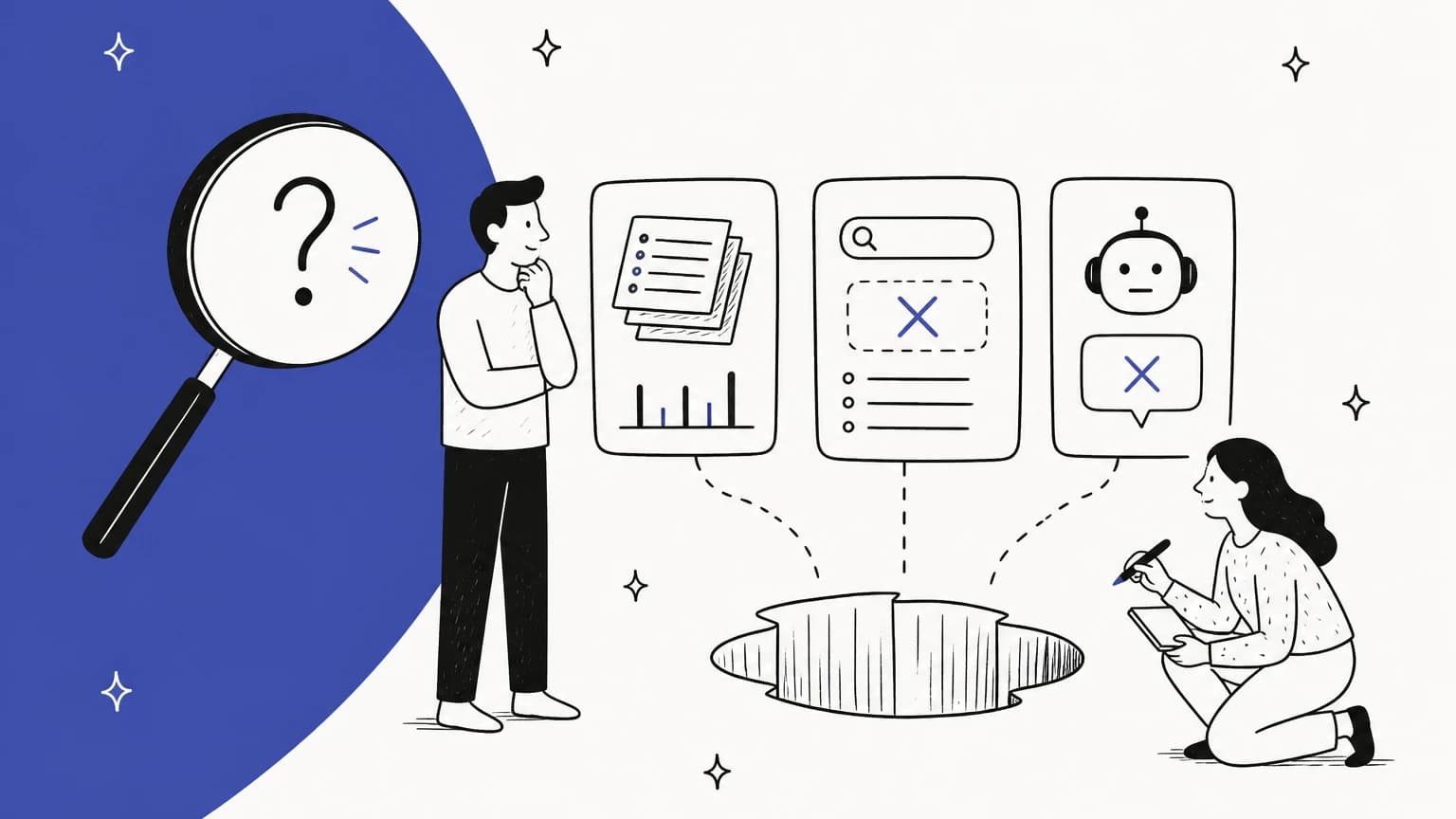
A support knowledge gap analysis compares two lists: what customers actually ask your support team, and what your knowledge base actually answers. The difference is your gap list. Done well, it ends with a short, ranked backlog of articles to write or fix, not a 300-row spreadsheet nobody opens.
I build AI agents at eesel, and that work has made me think about gaps differently. An AI agent reads your help center more closely than any customer does, so the first thing it surfaces isn't a clever answer. It's every topic where your docs had nothing, or had the wrong thing. That's useful, because a gap rarely looks like an empty page. It usually looks like one of three things.
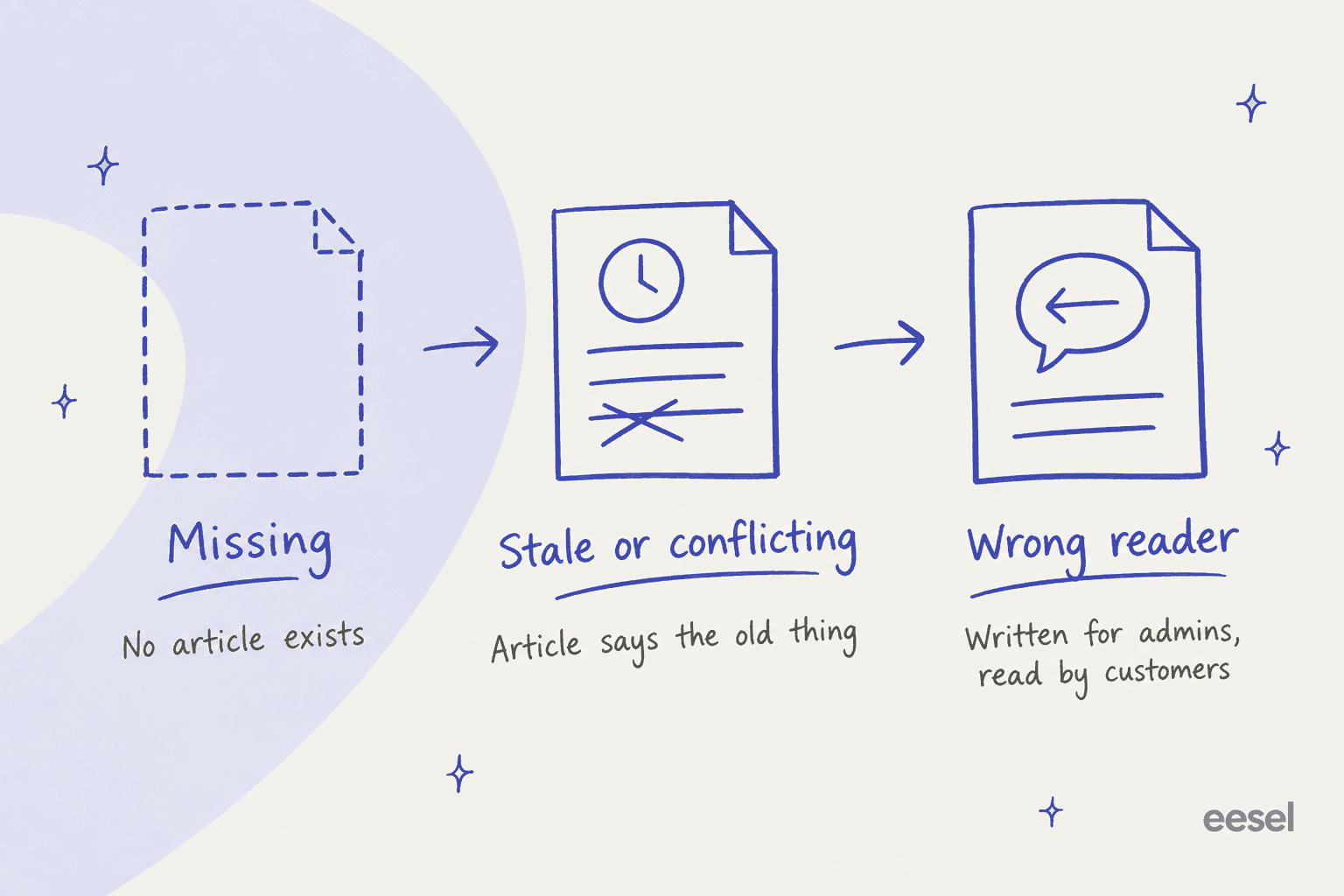
- Missing. No article covers the topic at all. These are the easy ones to spot and the easiest to fix.
- Stale or conflicting. An article exists but says the old refund window, or two articles disagree. Gorgias even names this as a separate type, "Resolve knowledge conflict", in its Opportunities feed.
- Written for the wrong reader. The article is accurate but answers a different person's question. One support manager who came to eesel from a bus-tracking service handling 200 to 250 Zendesk tickets a month, found their entire knowledge base was written for admins, while the tickets came from riders. Every answer was technically there, and none of it helped.
The third kind is the one a search report will never show you, because the customer's search does return a result. It's just the wrong one. That's why a gap analysis has to look at tickets, not only at searches. I covered the search-only approach in my guide to search query gap mapping, and it's a fine start. It isn't the whole picture.
Why failed searches undercount your gaps
Failed searches are the classic gap signal, and every guide starts there. The problem is who they count. A failed search only happens when a customer opens your help center, types a query and gets nothing back. The customer who goes straight to the contact form, replies to an order email, or opens chat never shows up in that report.
Help Scout is refreshingly upfront about another blind spot. Its Docs report excludes searches from the Docs search bar in the reply editor and searches made through the API, so your own agents' failed lookups don't count either. Agents searching the help center mid-ticket and finding nothing is one of the strongest gap signals you have, and it's invisible in the standard report.
Tickets tell a bigger story. In the sample report on Zendesk's own automation potential help page, the account analyzed 5,791 conversations and flagged 719 of them as knowledge gaps, more than the 592 its existing articles already covered. That's a demo account, not a benchmark, but the shape matches what I see: the ticket queue holds more unanswered topics than the search log does.
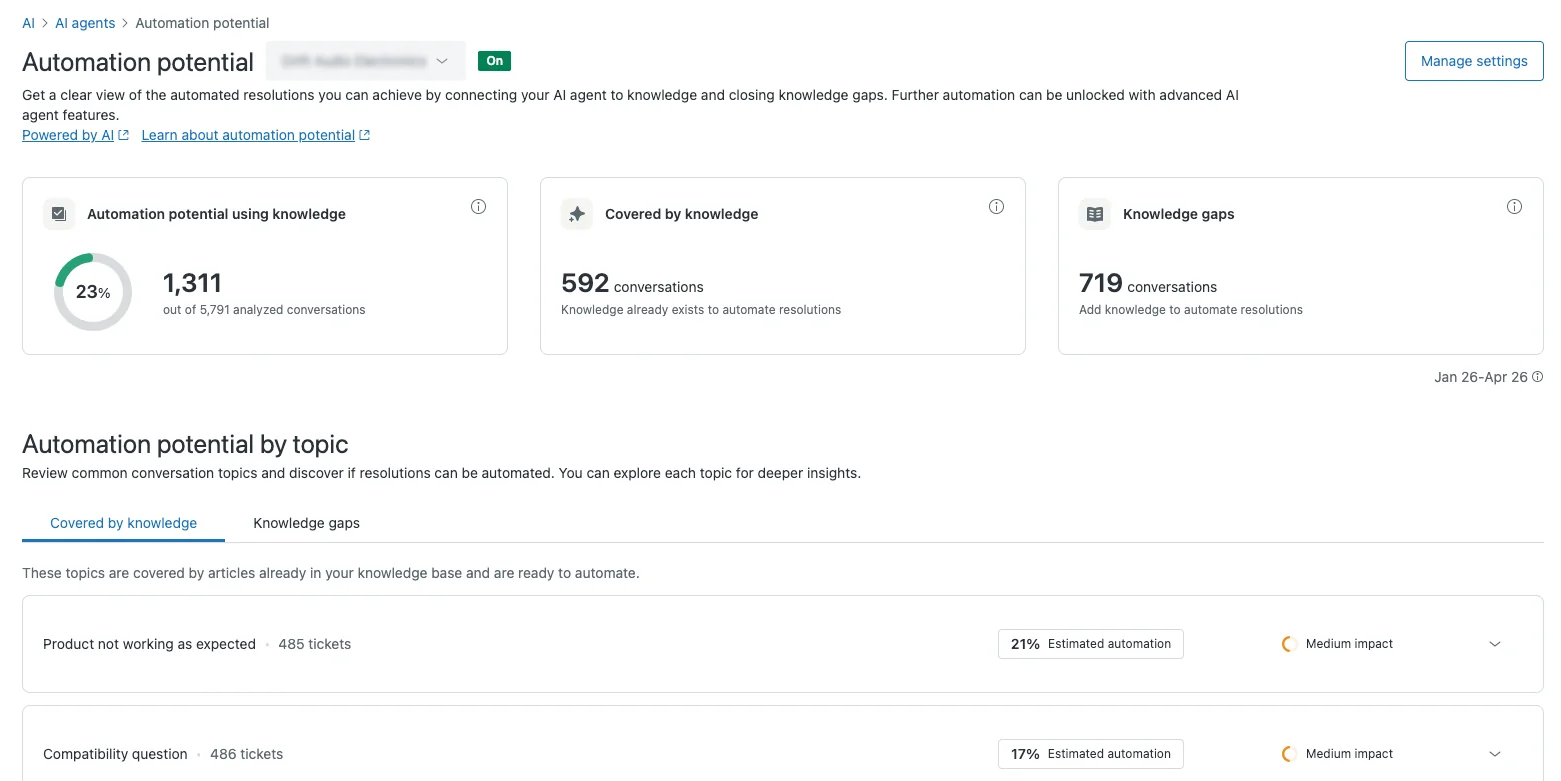
So failed searches stay in the analysis. They just become one of four inputs, each with its own blind spot.
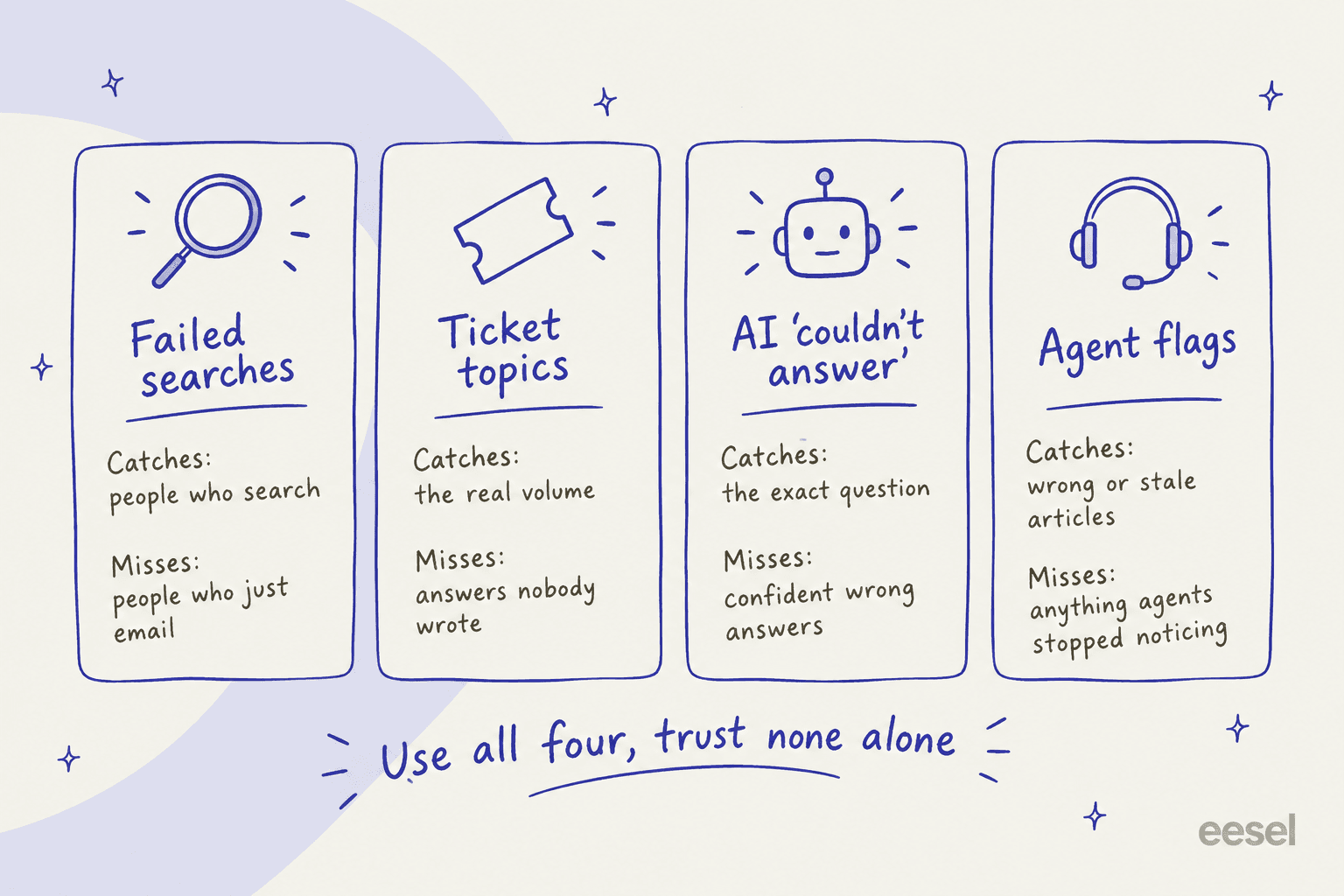
The four signals to pull
Each signal below comes with what it catches, what it misses, and where to find it. You don't need all four on day one. Two is enough for a first pass, as long as one of them comes from tickets.
1. Searches with no results
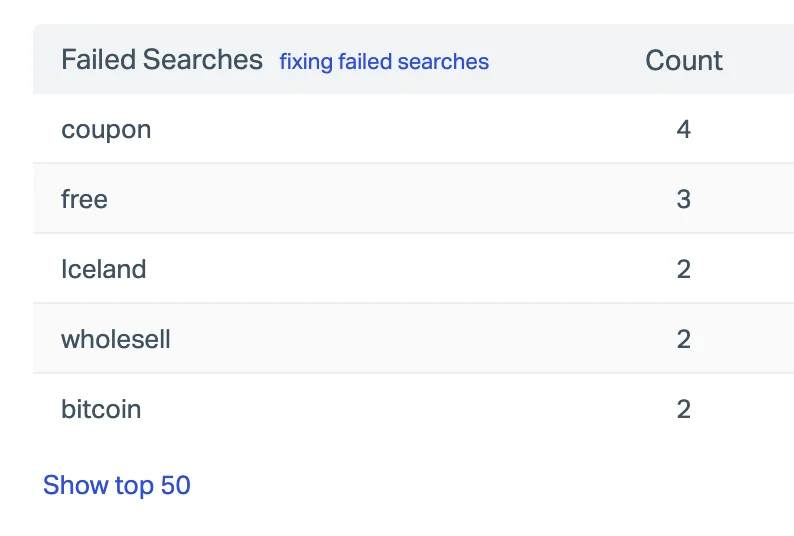
This is the customer telling you, in their own words, what they expected to find. It's great for vocabulary: customers search "cancel" while your article is titled "Manage your subscription". Help Scout's guide to fixing failed searches suggests exactly that fix, adding alternate words to an article's Keywords field or writing a new article when the topic isn't covered.
Where it lives:
- Zendesk: the prebuilt Search dashboard has a "Searches with no results" KPI and a top 5 chart, with up to 390 days of data, per its search results guide. It needs a Suite plan, or Support with Knowledge Professional or Enterprise.
- Help Scout: Reports, then Docs, then the Failed searches table. Standard plans keep 2 years of data; Plus and Pro keep it for the life of the account.
- HubSpot: knowledge base analytics shows "Search terms with no results" on Service Hub Professional and Enterprise, per HubSpot's knowledge base analytics guide.
- Gorgias: the Help Center report has a "No-result searches" KPI, and filtering the Search terms table by "Has results is false" gives you a backlog. Gorgias also notes that a high no-result count in one language usually means articles were never translated.
- Zoho Desk and Front: Zoho's knowledge base dashboard splits keywords into Popular and Failed. Front's knowledge base report has no "failed" label, so look for keywords with high searches and a low average result count.
Freshdesk is the exception. I couldn't find a failed-search report anywhere in its knowledge base analytics, so on Freshdesk this signal means adding your own analytics to the help center or leaning harder on the other three. My Freshdesk knowledge base examples post covers what its reports do show.
2. Ticket topics with no article
This is the biggest signal and the one most teams skip, because it used to mean exporting tickets and tagging them by hand. If your team already uses ticket tagging consistently, you can still do it that way: group last quarter's tickets by tag, then check whether each top tag has an article. Tags drift, though, so I'd treat a hand-built tag report as a starting point. My guide to working with ticket tags covers how to clean them up first.
The helpdesks have caught up here. Zendesk's automation potential report, launched on April 30, 2026, reads the last 90 days of solved tickets every week and sorts them into "Covered by knowledge" and "Knowledge gaps", each topic marked high, medium or low impact. Hover a gap and click Generate article draft. It's included on all Suite and Support plans, admin only.
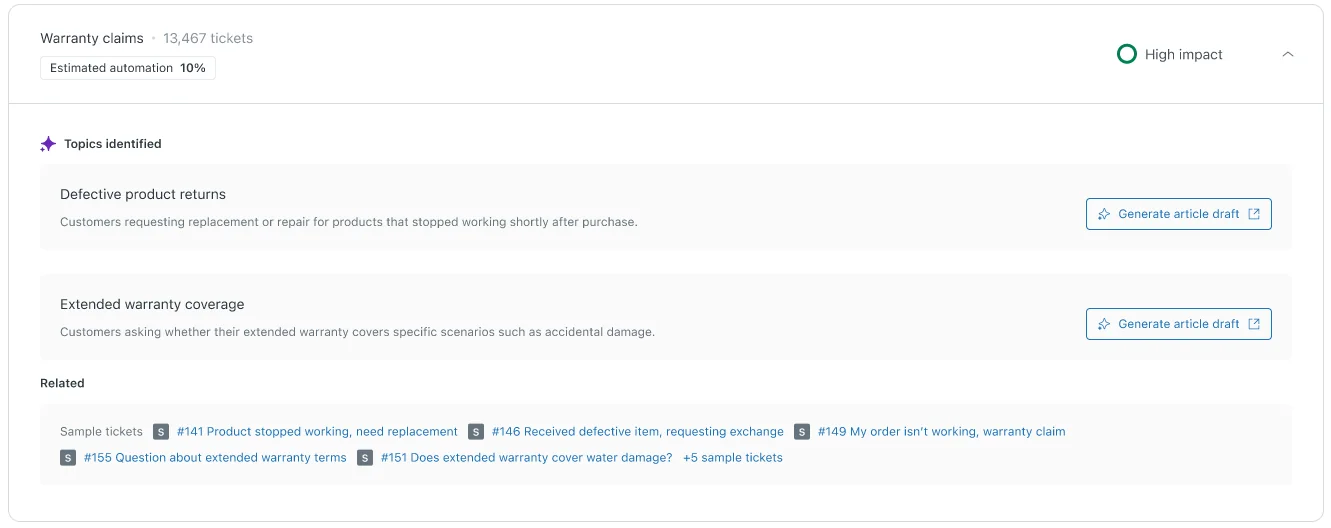
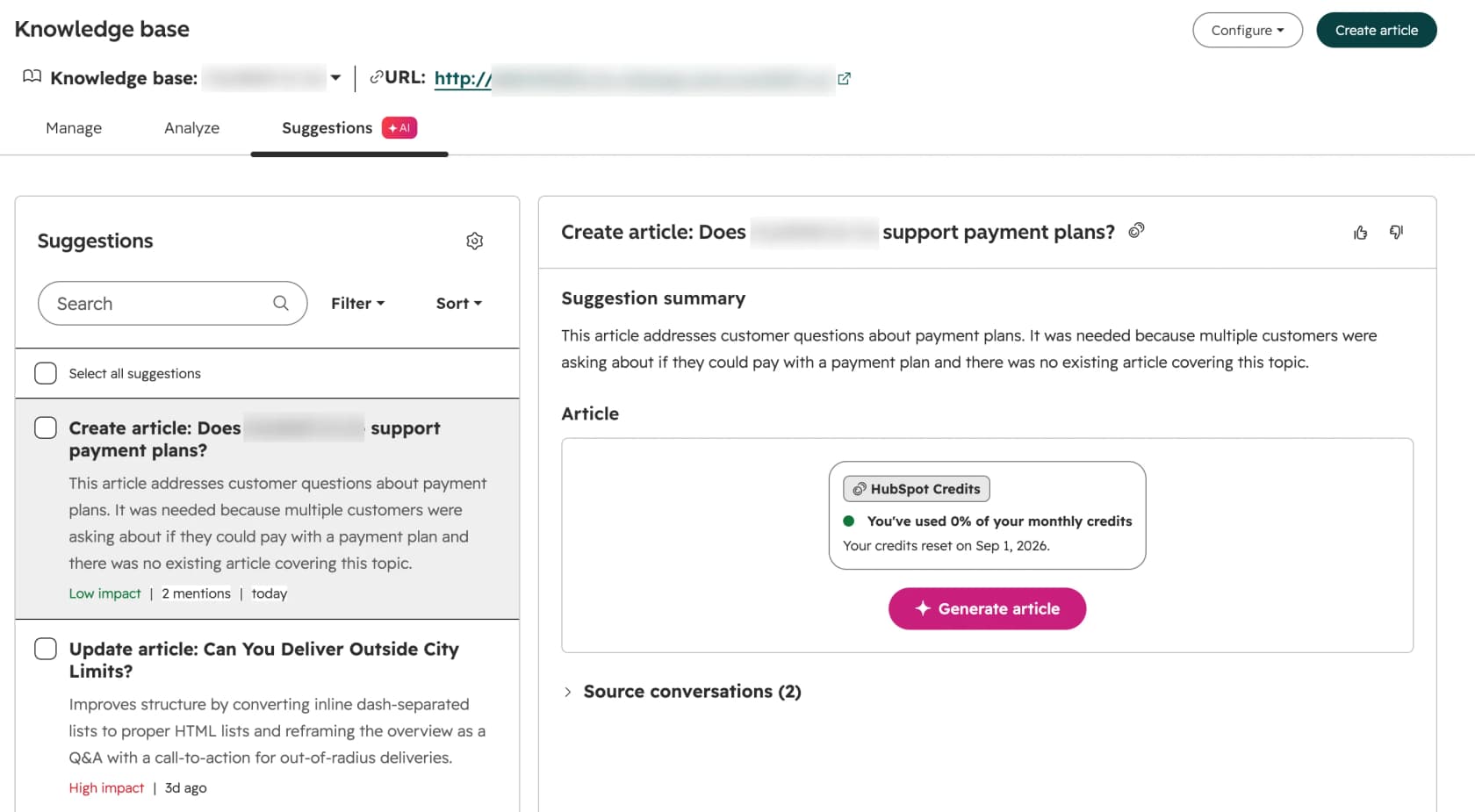
HubSpot's knowledge base agent, in beta on Service Hub Professional and Enterprise, scans closed tickets and suggests both "Create article" and "Update article" drafts. It needs at least five closed tickets and costs 200 HubSpot Credits per generated article, which matters when Professional includes 3,000 credits a month. Gorgias has a slower version called AI Library that suggests articles every 3 to 6 months based on ticket volume, English only. Zoho's Zia Ticket to Article turns 1 to 10 conversations from a single ticket into a draft, which is capture rather than detection.
What this signal misses: answers that live in your senior agents' heads. If an experienced agent closes the same tricky question twice a week from memory, the tickets look solved and the topic can look "covered". A support lead at a public-sector IT services firm told the eesel team they were losing two senior agents that year and wanted to get that knowledge written down before they left. No ticket report would have flagged it. I wrote more about that problem in offshore support knowledge transfer.
3. Questions your AI agent couldn't answer
If an AI agent answers part of your queue, this is the most precise signal you have. A customer search tells you what words they typed. A ticket tag tells you a topic. An AI agent that tried and failed tells you the exact question, the docs it searched, and that none of them had the answer.
Freshdesk's Improve tab in AI Agent Studio is a good example. Per its help article, it builds two kinds of insight from conversations the AI didn't resolve: "New content" when no article covers the topic, and "Edit content" when one exists but is outdated or misleading. Each card shows how many tickets it's based on, so you can work the biggest ones first. Freshdesk offered Improve to all customers through September 30, 2026; its pricing page now lists it under Freddy AI Agent, with the first 500 sessions included and $49 per 100 after that.
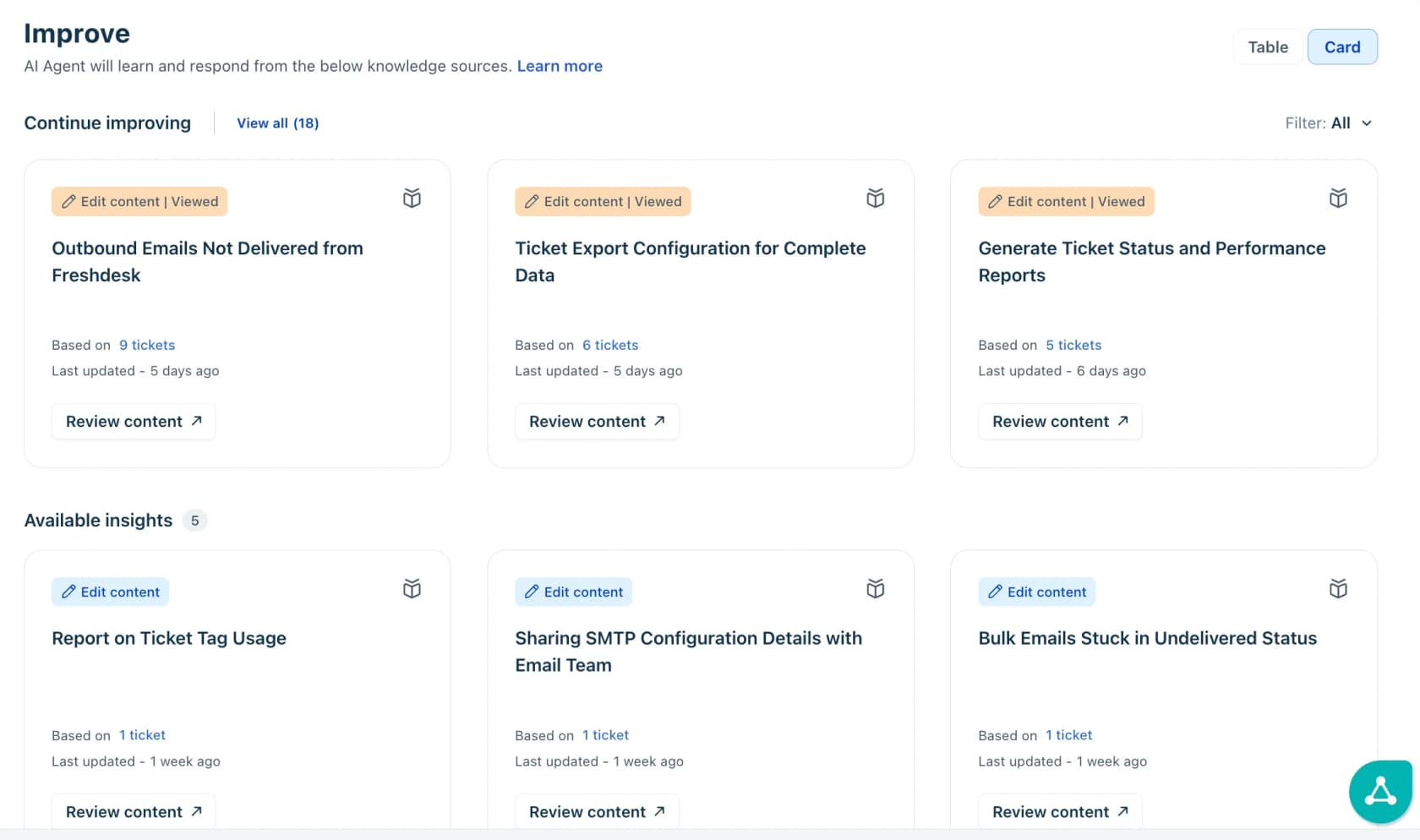
The others:
- Gorgias Opportunities (beta, all plans with AI Agent) raises "Fill knowledge gap" when AI Agent keeps handing a topic over, with the ticket count and a CSV export of the tickets behind it.
- HubSpot customer agent lists "Coaching opportunities" with a Knowledge reason and types like "Knowledge gap" and "Knowledge conflict", per its performance guide.
- Zoho Desk's Support Specialist agent leaves a private comment, "Stepped away from ticket due to lack of available help article", when it can't find one, per Zoho's digital agents page. There's no report on it, but you can search tickets for that exact phrase.
- Help Scout has no gap report for AI Answers. Its best practices page points you to the Beacon Sessions tab and the Insights split between "Contact helped" and "Contact not helped", which you review by hand.
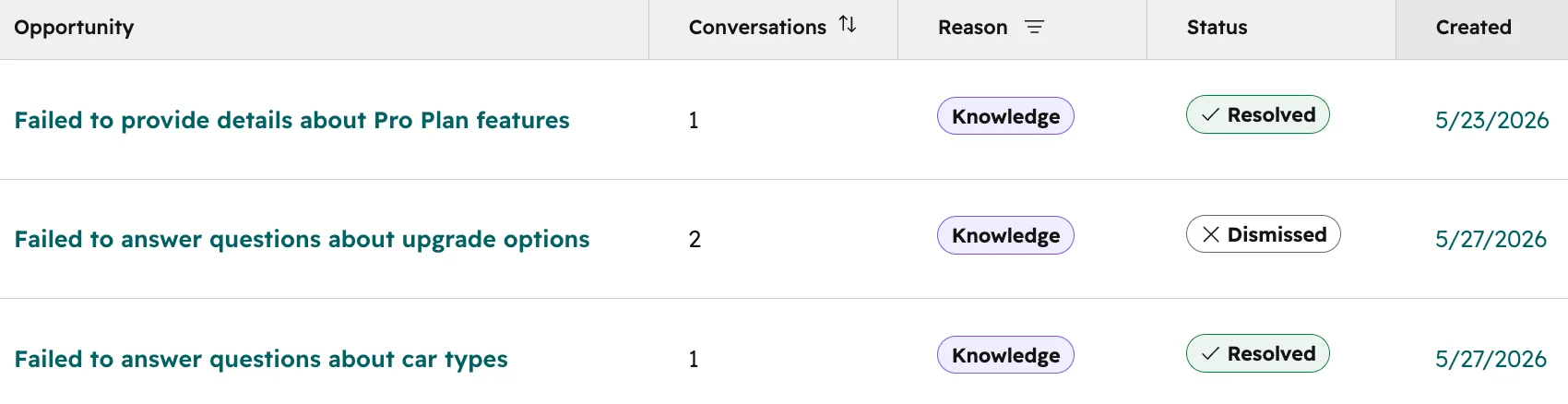
What this signal misses: confident wrong answers. An AI agent only flags a gap when it knows it doesn't know. When an article is vague, it can answer anyway. One vehicle-telematics team on Zendesk worried about exactly this: their help center said they supported "all models", so a bot would happily confirm car models they didn't support. That's a stale-or-wrong gap, and you catch it with signal four or a simulation against past tickets, not with an "unanswered" count. The broader version of this risk is AI hallucination.
4. Agent flags on wrong or stale articles
Your agents read help center articles all day and know which ones are wrong. The trick is making it one click for them to say so. Zendesk lets agents open the Knowledge panel in a ticket, highlight a paragraph and add feedback, which creates a ticket with the article link and the source ticket, per its article flagging guide. That needs Suite Growth or higher. Front's AI replies hub shows the sources behind each AI reply, with inline actions to fix stale or incorrect content one reply at a time.
If your helpdesk has neither, a shared Slack channel or a "KB fix" ticket tag works fine. The format matters less than the habit. The weakness of this signal is that agents stop noticing the articles they've learned to work around, which is why new hires are your best flaggers. My customer support agent onboarding guide suggests making "flag three articles" part of week one.
Where each helpdesk shows knowledge gaps
Here's the side-by-side. Plan prices are per agent or seat per month, billed annually, from each vendor's pricing page.
| Helpdesk | Failed searches | Ticket topics with no article | AI "couldn't answer" | Drafts the missing article? | Entry price for the gap features |
|---|---|---|---|---|---|
| Zendesk | Search dashboard, 390 days | Automation potential, Knowledge gaps tab (90 days) | AI agent reporting (Unresolved tab) | Yes, Generate article draft | All Suite and Support plans; Suite Team $55 |
| Freshdesk | None | Via AI Agent only | Improve tab (New content, Edit content) and Test tab Unanswered | Yes, suggested draft per insight | Growth $19 plus AI Agent sessions |
| Gorgias | Help Center report, No-result searches | AI Library, every 3 to 6 months | Opportunities, Fill knowledge gap | AI Library drafts (English only) | All plans; AI from $0.85 per automated interaction |
| HubSpot Service Hub | Search terms with no results | Knowledge base agent (beta) | Coaching opportunities, Knowledge gap type | Yes, 200 credits per article | Professional $90 |
| Help Scout | Docs report, Failed searches | None | Manual review of Beacon Sessions | No | Standard $25; AI Answers $0.75 per resolution |
| Zoho Desk | KB dashboard, Failed keywords | Zia Ticket to Article (one ticket at a time) | "Stepped away" private comment, no report | Single-ticket drafts | Standard $14 |
| Front | Search keyword detail (no failed label) | None found | AI replies hub, one reply at a time | No | Professional $65 |
Two things jump out. First, the AI-flag column is new: almost all of it shipped in 2026, so if you last looked at your helpdesk's reports a year ago, look again. Zendesk's old Content Cues feature, which used to suggest articles, was removed on May 1, 2025, and the automation potential report is its replacement. Second, the gap features follow the AI. Freshdesk and Gorgias only find ticket-based gaps through their AI agents, so a team that doesn't run one gets far less.
Zendesk also has a knowledge copilot in early access on Suite Professional and above, with Coverage, Freshness and AI readability scores. Freshness drops for articles not updated in six months, which is a handy built-in check for stale content. If you're on Zendesk specifically, my Zendesk knowledge gap analysis and finding missing Zendesk articles posts go deeper.
How to run a support knowledge gap analysis in an afternoon
This is the version I'd run with a team of five to fifty agents. It takes about three hours the first time and under an hour each month after that.
Step 1: Pull 90 days of all four signals
Ninety days is long enough to smooth out a bad week and short enough that the answers haven't changed. Export failed searches, your top 30 ticket tags or topics, the AI agent's gap or unanswered list, and any agent flags. Put them in one sheet with a column for the source.
Step 2: Group by topic, not by wording
"Cancel subscription", "stop my plan" and "how do I quit" are one gap. Group the rows into topics and add up the counts across sources. A topic that shows up in three of the four signals is real. A topic that only shows up as two failed searches for "bitcoin" probably isn't. If you have hundreds of rows, an LLM is good at this clustering step, as long as you check its groupings.
Step 3: Rank by volume and by how fixed the answer is
This is where most gap lists go wrong. Teams rank by volume alone, then write an article for "where is my order", which no article can answer because the answer is different for every customer.
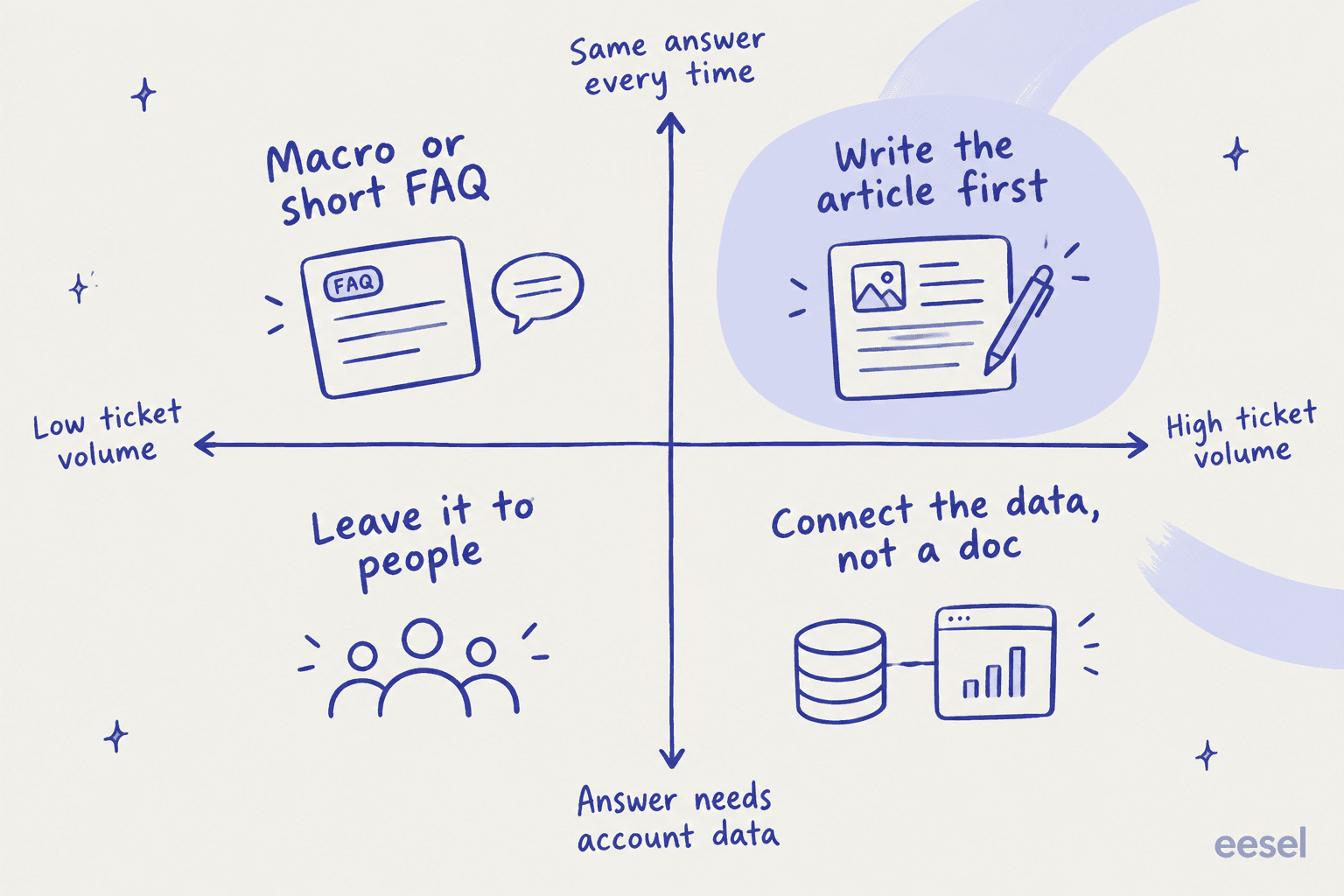
- High volume, same answer every time: write the article first. Refund windows, plan limits, setup steps. One article here can close hundreds of tickets a quarter.
- High volume, needs account data: don't write a doc. Order status, billing dates and account changes need a data connection or an action, not an article. Gorgias's own knowledge optimization guide makes the same split: a skill when shoppers ask the agent to do something, an article when they ask for information.
- Low volume, same answer: a macro or a short FAQ entry is enough. My guide to building macros from past tickets covers that.
- Low volume, case-specific: leave it to people. Not every ticket should become content.
Step 4: Write for the person asking
Before writing, open five real tickets from the topic and read how customers phrase it. Use their words in the title. Then check who's asking: the rider or the admin, the end user or the account owner. The bus-tracking team above didn't need more articles. They needed the same answers rewritten for a different reader.
HubSpot's knowledge base agent does a version of this automatically, attaching the "Source conversations" behind each suggestion. Whatever tool drafts the article, keep the source tickets next to the draft while you edit.
Step 5: Fix stale and conflicting articles in the same pass
New articles get the attention, but a wrong article does more damage than a missing one, especially once an AI agent reads it. While you're in the sheet, take every "Edit content" or "knowledge conflict" item and fix or delete the old version. If two articles answer the same question, merge them. My guide to detecting outdated help center content has a checklist for this.
Step 6: Re-check the same topics in 30 days
Close the loop. A month after publishing, check whether the topic's ticket count, failed searches or AI gap flags went down. If they didn't, the article exists but isn't being found or isn't answering the real question. Zendesk's report refreshes weekly, and Gorgias opportunities don't update when you change knowledge, so compare fresh data rather than waiting for an old item to clear itself.
A good outcome measure here is your deflection rate on that topic, or the AI's resolution rate on it. My ticket deflection guide covers how to measure it without fooling yourself.
What support teams say about finding gaps
The lowest-tech version of this analysis is still one of the best I've seen. An IT manager on Reddit added a mandatory field to every closed ticket and turned it into a weekly gap report:
"I have two fields in my ticket resolutions that I draw from: Self Service Possible? Drop down menu with three options. Mandatory. Yes - KB Exists Yes - KB Needed No ... I run a report every Friday for any tickets that have either of the "Yes" answers selected and use that list to either make documentation tickets or notify Line Managers that their staff are raising tickets for well documented issues. Takes me about 15 minutes all in."

That field captures signal two and signal four in one click, and it works in any helpdesk that supports custom ticket fields. The point about search analytics not being enough is older than most of today's tools. Someone working on Dropbox's help center made it on Hacker News back in 2011:
"Improving it is a bit more complicated than just getting analytics around how many hits on /help end up searching, reading help articles, and maybe filing tickets. There is a lot more needed to understand which areas of the help center aren't getting enough prominence, which topics are just missing..."

Some teams have already wired up the AI version themselves. One Zendesk admin built an automation that tries to answer each new ticket from the knowledge base and, when it can't, drafts the missing article:
"If it can't it drafts me an article that would cover it, as well as tells me why."
And the stale side of the problem is usually the harder one. One team on r/startups described its help center falling behind across iOS, Android and web:
"I feel that a big part of the challenge is to track which legacy articles are broken by a new feature."
That's the case for running a short gap check after every release, not just once a quarter.
Mistakes that waste a knowledge gap analysis
- Treating failed searches as the whole list. They count searchers, not customers. Always pair them with a ticket-based signal.
- Writing articles for account-specific questions. "Where is my order" needs a lookup, not a page. Writing it as an article just adds a page that says "contact us".
- Only adding, never fixing. A stale article that an AI agent quotes confidently is worse than no article. Fix conflicts in the same pass.
- Publishing AI drafts unread. Every tool in the table above saves drafts, and none of them knows your policy better than your team. Read each draft against its source tickets before it goes live.
- Running it once. Gaps reopen every time pricing, policy or the product changes. A monthly check on the top ten topics catches them early.
- Ignoring the knowledge outside the help center. Answers in Confluence, Google Docs, Slack threads and old macros count as knowledge too. If your AI or your agents can't reach them, they're a gap for the customer. My guide to AI knowledge management for support teams covers connecting them.
eesel for support knowledge gap analysis
If you want the gap list to build itself, the simplest route is to let an AI teammate work the queue and tell you where it got stuck. eesel's AI helpdesk teammate joins Zendesk, Freshdesk, Gorgias, Front, Help Scout and the rest, learns from your help center, macros, past tickets and docs in Confluence, Notion or Google Drive, and drafts or sends replies. Every task it can't answer from your docs is logged as a knowledge gap.
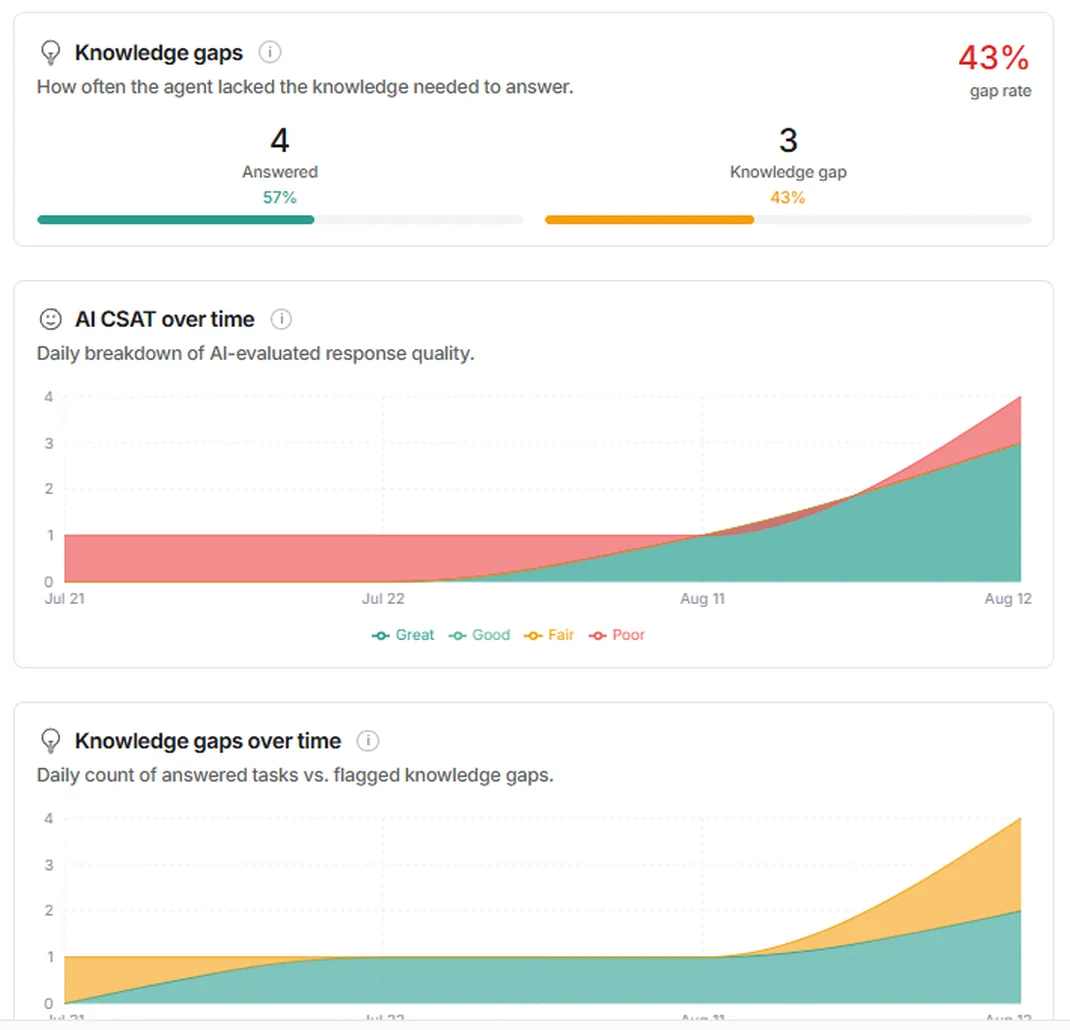
The Reports page shows how often the agent lacked the knowledge to answer, and how that changes day by day. The docs put it simply: "A knowledge gap is your agent telling you something is missing from your documentation." Open any task on the Activity page and you see what it searched, what it found, and whether it hit a gap, so you can trace a wrong answer back to the doc that caused it.
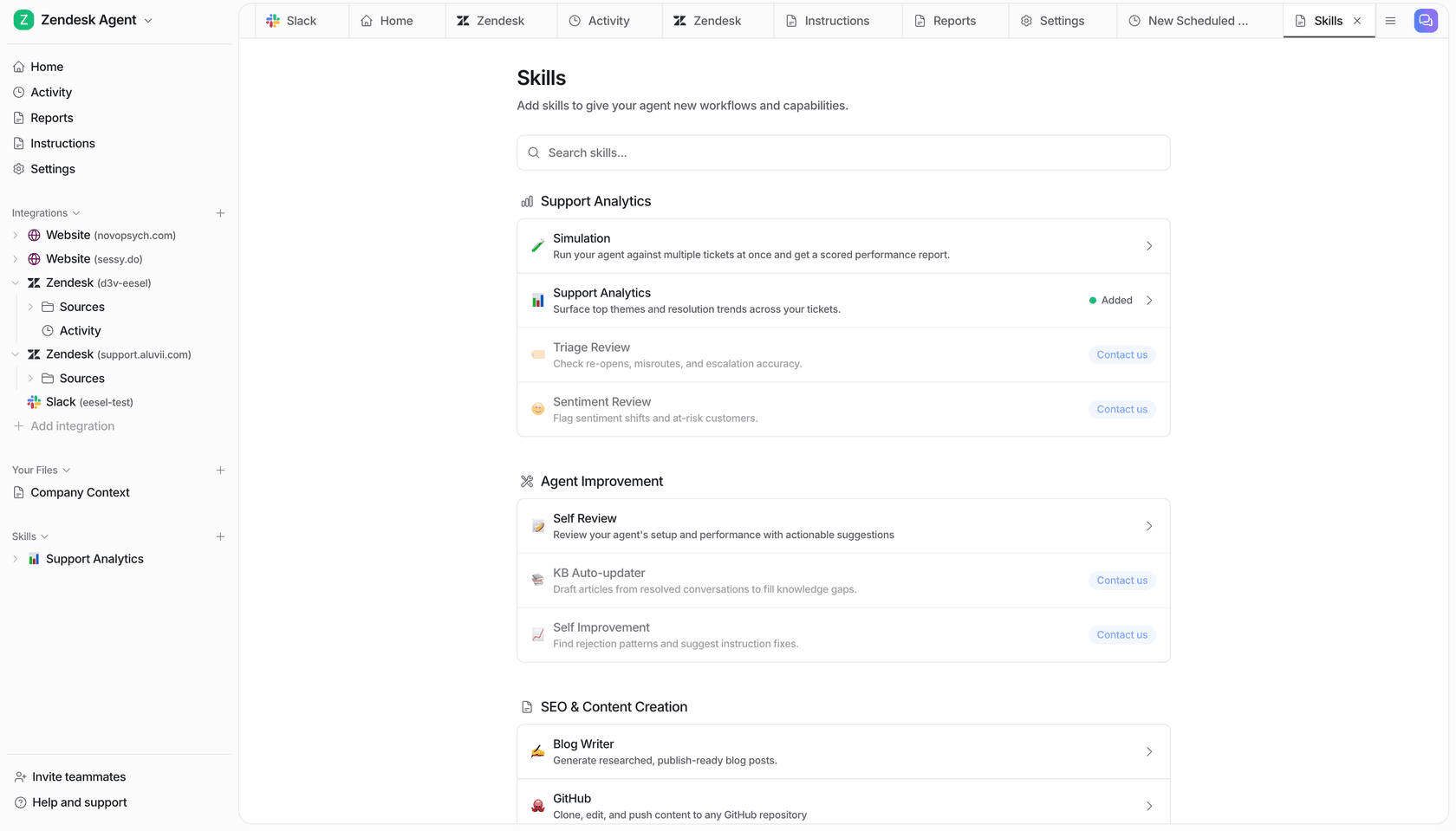
From there, the Update knowledge base skill (listed as KB Auto-updater on the Skills page) finds the questions your help center doesn't answer and drafts the missing articles for your team to review. It's switched on per workspace, so if the tile says "Contact us", the eesel team turns it on for you. You can also run a simulation over your past tickets before going live, which scores each answer against what your team actually sent and lists the gaps by ticket theme.
One B2B SaaS team on Front, running about 200 to 300 tickets a month in English and French, asked eesel for exactly this pairing: answers drawn from their user guide, Slack, internal knowledge base and past tickets, plus gap detection and drafted articles for whatever was missing. To be clear about the lane: eesel isn't a help center editor or a search analytics tool, so keep your helpdesk's failed-search report for signal one. What it adds is signal three, on every ticket, without anyone tagging anything. Plans start at $299 a month for 500 credits on the pricing page, and you can try eesel free with 100 credits on your own tickets.
Frequently Asked Questions
What is a support knowledge gap analysis?
How do you identify knowledge gaps in customer support?
How often should I run a knowledge gap analysis?
Does Zendesk have a knowledge gap report?
What is the difference between a failed search and a knowledge gap?
Can AI find knowledge gaps automatically?
What should I fix first after a knowledge gap analysis?


Article by
Kira
Kira is a writer at eesel AI with a Computer Science background and over a year of hands-on experience evaluating AI-powered customer service tools. She focuses on breaking down how helpdesk platforms and AI agents actually work so that support teams can make better buying decisions.