


Every tool here ships a competent editor. So the editor is not the variable. What decides whether an internal knowledge base survives a real team is duller than the feature grid: can anyone find a page, and is anyone on the hook when it rots. Three of the ten have a real staleness mechanic, and that is all of them: Guru expires cards into a review queue, Tettra lists stale and unowned pages, and Slite tracks doc verification. The other seven show you a last-edited date and hope for the best.
Price is where I expected more spread. There isn't much. Nuclino is $6 per user, Slab $6.67, Tettra $8 with a 10-seat floor, and Slite and Notion both sit at $10. Confluence Standard goes under all of them at $5.42, though SSO gets billed on its own. Outline ignores seats entirely and charges a flat $79 a month for 11 to 100 people. Guru publishes no number anywhere in 2026.
I work eesel's support queue. The pattern comes up constantly: the wiki is fine, the retrieval is broken. People ask a human because asking the wiki costs more effort than asking you. No migration needed to fix that. eesel reads the Confluence, Notion, Drive and help center you already have and answers in Slack from $299/month for 500 credits, no seat fees, which turns the choice below into a documentation decision and not an answer-delivery one.
How I picked these
Every price and limit below comes off the vendor's own pricing page or plan comparison table, read on 30 July 2026. Where a plan card and the feature matrix disagreed, I went with the matrix. Where nothing is published at all, I say that, instead of repeating a number some roundup invented three years ago. This is the employee-facing shortlist, which is why it looks nothing like my free knowledge base software roundup. That one is about publishing to customers.
I also went hunting for what people say after twelve months of use, not on day one. The clearest thread I found is an Ask HN post asking whether every company's internal wiki is broken by default. The replies there shaped the ranking more than any feature grid did.
"I feel like I spend hours each week sifting through Confluence, I know there's valuable stuff in there, but the search is impressively useless, and the people who actually know how anything works are either impossible to reach or long-gone contractors."

One sentence, and it covers the whole category. Note that it is not a content problem. A commenter further down the same thread put the causal chain together better than most vendor blogs manage.
"Exactly, If I can't find 90% of the docs, chances are most other people can't either, therefore no ones maintaining them."
Weak search is not only an annoyance. It quietly removes the reason to maintain anything, and then the next search is worse than the last one.
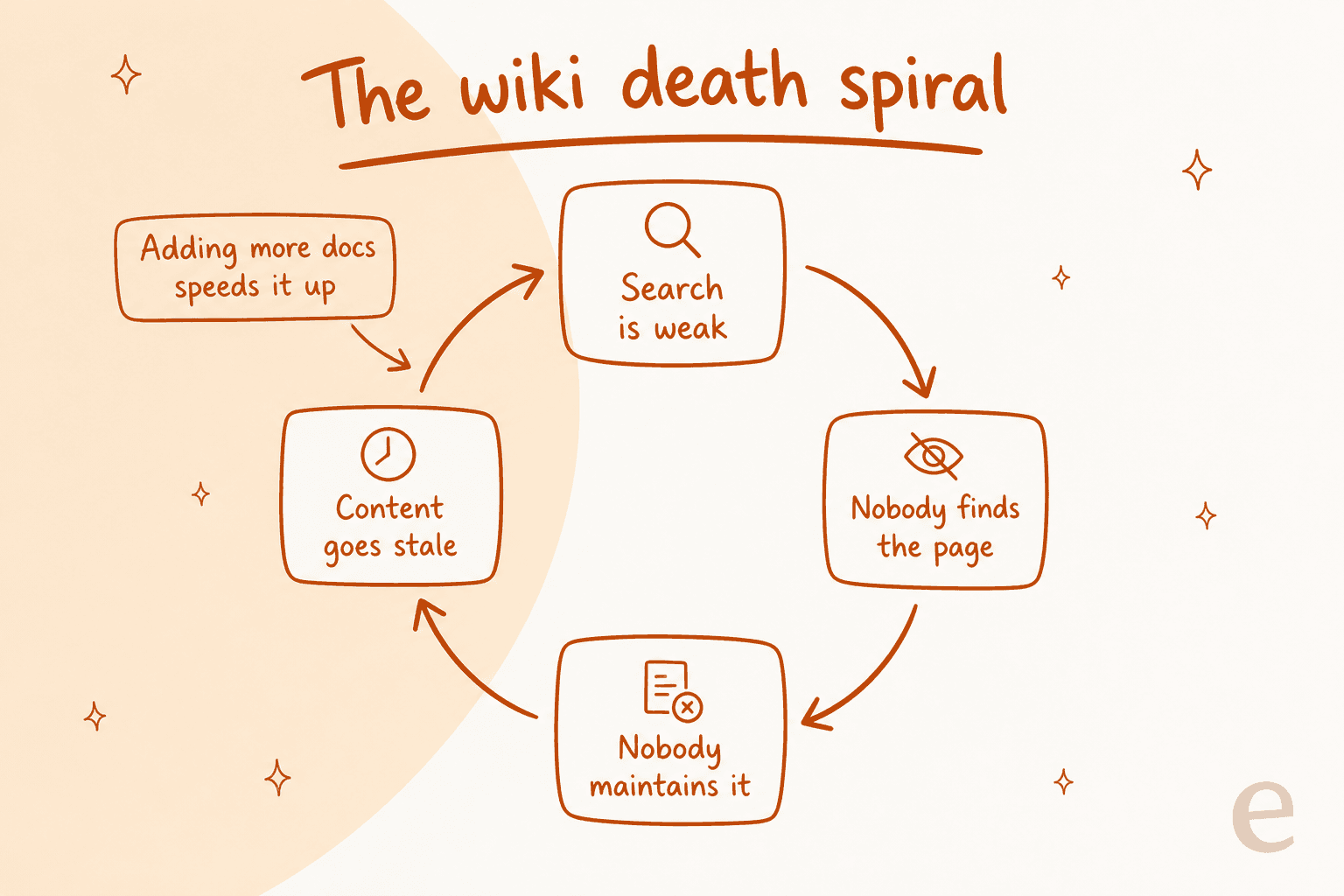
So the scoring came down to four things. How the tool handles retrieval. Whether it has any mechanic at all for chasing stale pages. Where the answer gets delivered, since a wiki tab is about the weakest surface available. And what the thing actually costs once SSO and AI get counted as line items. If the answer layer is all you care about, and not the wiki underneath it, the best AI knowledge base tools list covers that end instead.
The 10 tools at a glance
| Tool | Best for | Free plan | Entry paid price | AI answers | Answers in Slack | Stale-page mechanic | Self-host | SSO on entry plan |
|---|---|---|---|---|---|---|---|---|
| eesel | Answers off docs you already have | Free plan (100 credits) | From $299/mo (500 credits) | Yes | Yes, native | Reads the live source | No | Paid add-on |
| Guru | Verification with teeth | No | Not published | Yes | Yes, native | Card expiry plus review queue | No | Not published |
| Notion | Docs and projects in one place | Yes, capped | $10 per member | Business tier | Via connector | No | No | Enterprise |
| Confluence | Engineering orgs on Jira | Yes, 10 users | $5.42 per user | Rovo credits | Via app | No | Data Center | Atlassian Guard add-on |
| Slite | Ownership without admin work | No | $10 per member | 30 questions per seat | Yes, native | Doc verification | No | Enterprise |
| Tettra | Slack-first teams under 50 | No | $8 per user, 10 min | Yes, included | Yes, native | Stale and unowned lists | No | Paid add-on |
| Slab | Reading experience | Yes, 10 users | $6.67 per user | Business tier | Integration | No | No | Business |
| Nuclino | Speed and low friction | Yes, 50 items | $6 per user | Business tier | Integration | No | No | Business |
| Outline | Flat-rate cloud wiki | 30-day trial | $79 per month flat | Yes, all tiers | Yes, native | No | Yes, BSL 1.1 | All tiers |
| BookStack | Free self-hosted | Self-hosted, free | $0 plus server | No | No | No | Yes, MIT | Via SAML or LDAP |
Two things jump out of that grid. Half of these tools cannot get an answer to a person outside their own app, and that gap is exactly what AI enterprise search exists to fill. Then the bigger one: seven of the ten have no mechanic at all for chasing a page that has gone wrong.
Before the list itself, the cost question, since per-seat pricing hides how fast this compounds. Plug in your headcount:
1. eesel: best for answering off docs you already have
Best for: teams whose knowledge is already written and already scattered across Confluence, Notion, Drive and a help center.

Upfront, because it matters: I work at eesel, on the support side. Read the placement as a disclosure and not a ranking. Judge the argument by itself.
eesel is not a wiki. No editor, no page tree, nothing to migrate. It joins your Slack workspace as an agent you can @mention in a channel or a DM, reads whatever sources you already keep, then answers out of them. Setup runs about 30 minutes. Indexed sources include Google Drive, Confluence, Notion and Zendesk, so the "where do we keep docs" argument stays unresolved and just stops mattering.
Where it fits the problem in this post: the HN thread above is about retrieval, and this attacks retrieval without asking anyone to touch the content. A support team at a meeting-productivity SaaS put the before-and-after plainly in our own notes: their agents no longer dig through Notion, Google Docs and the help center to answer, the AI does that lookup instead. Teams on the Slack integration report up to 80% time savings finding answers. The same shape works for employee support questions that never make it to a helpdesk at all.
Where it falls short: it will not organise anything for you. If the real problem is that nobody has written the runbook, an answer layer has nothing to retrieve, and the honest behaviour is to say so instead of guessing. I have seen the version where it guesses: a customer's bot once confidently confirmed support for car models that were not in their database, because the source article said "all models". Hence the rule that every rollout gets simulated against real historical questions before it answers anyone live.
Pricing: from $299/month for 500 credits (1 credit per conversation), no seat fees and no platform fee. Dashboard questions are mostly free, and paying a year upfront gets two months free. SSO and MFA (from $199/mo) are available as add-ons, and HIPAA is available on request.
Verdict: the right pick when the wiki exists and nobody reads it. It is also the usual starting point for an internal IT helpdesk. Wrong pick if you have no documentation yet. In that case buy something from the rest of this list first, then add the answer layer later.
2. Guru: best for verification with teeth
Best for: teams where a wrong answer costs real money, and someone has to own each page.
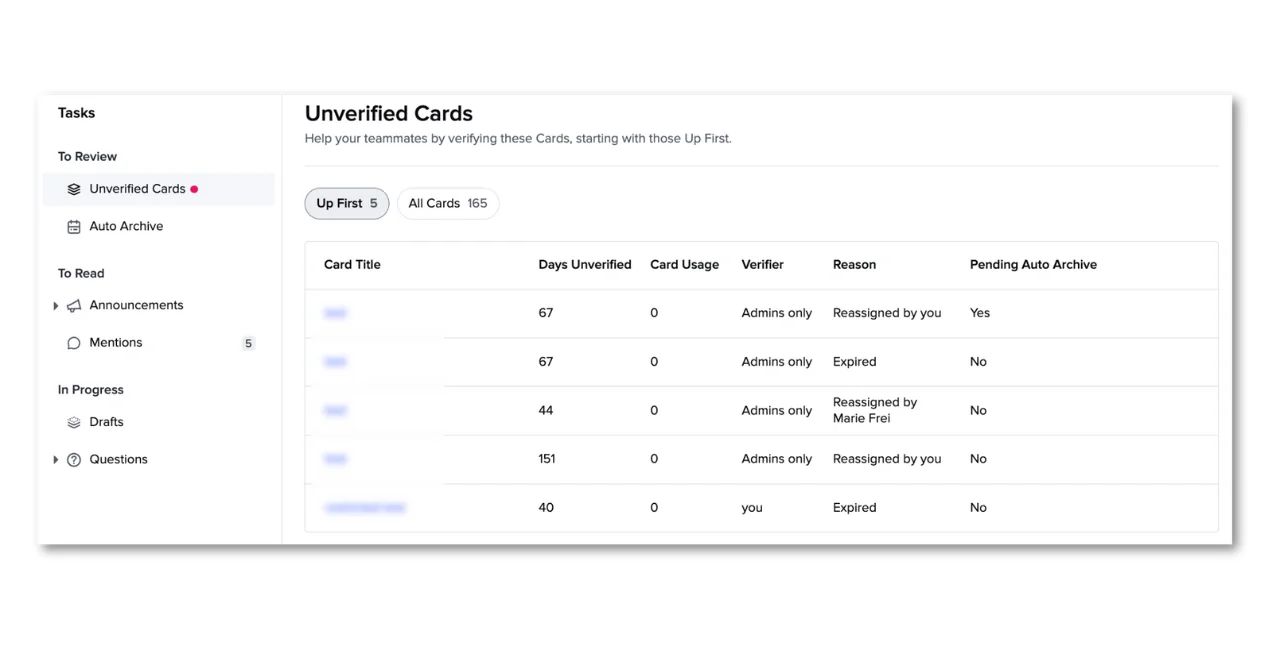
Guru built its whole product around the part most wikis skip. Content lives in cards. Each card has a named verifier, and the verification expires on a schedule. Once it expires, the card drops into an Unverified Cards queue with the days-unverified count sitting next to it, which turns staleness into a task instead of a vibe.
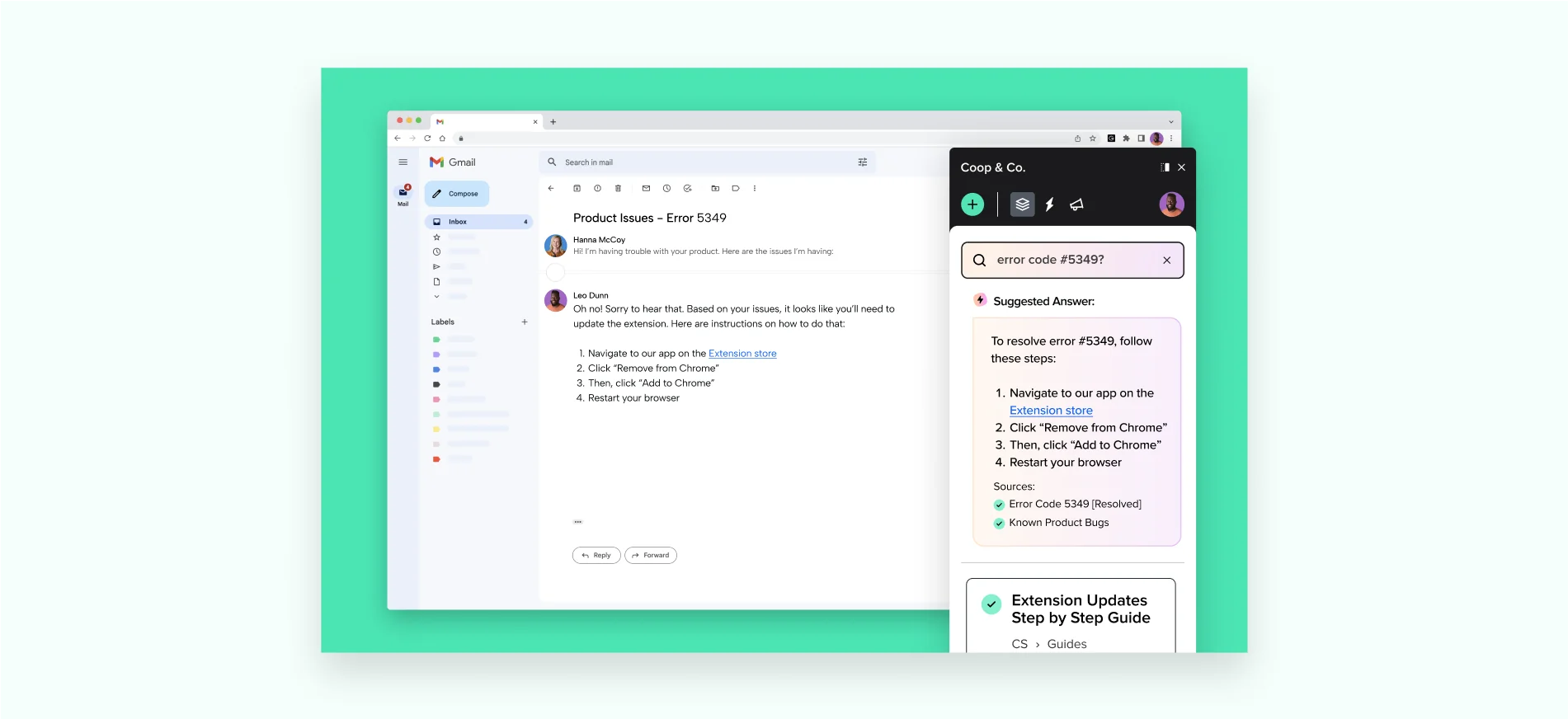
Answers reach people where they already are: Guru search, Slack, a browser extension, per-page defaults, plus external tools through MCP and the API. The screenshot above shows the extension answering inside Gmail. That surface matters far more than a wiki tab does.
Where it falls short: two details are worth knowing before you buy. Guru flipped its verification default in January 2026, so Collections created after that date default to "Does not expire" with auto-verify switched on. That quietly undoes the exact mechanic you are paying for, unless somebody notices and changes it. Second, unverified cards still show up in search and in answers, so expiry flags the problem without withholding the bad answer. Users hit the retrieval limits as well.
"I have no major concerns; however, at times, the search bar doesn't display the specific article needed to process a client's request."

That comes from a 4.8 out of 5 review, on a purpose-built internal knowledge base. Useful reminder that switching vendors does not, on its own, fix search.
Pricing: none published. Guru's pricing page carries no plan cards, no per-seat rate, no trial length. Just "Book a call with our team", and an FAQ explaining that the package is tailored to "scale, knowledge complexity, and AI maturity". You cannot even self-serve a workspace. The one public concession is a nonprofit discount of unstated size. My Guru pricing breakdown has the longer history, and Guru alternatives covers the escape routes.
Verdict: the strongest verification model in the category, sold in the most annoying way possible. Worth the sales call when your content is compliance-shaped. Skip it if you just want a wiki running this quarter. My Guru review goes deeper on the product itself, and Guru vs Confluence is the comparison most buyers end up at.
3. Notion: best for docs and projects in one place
Best for: teams who would otherwise run a wiki, a project tracker and a spreadsheet in three tools.
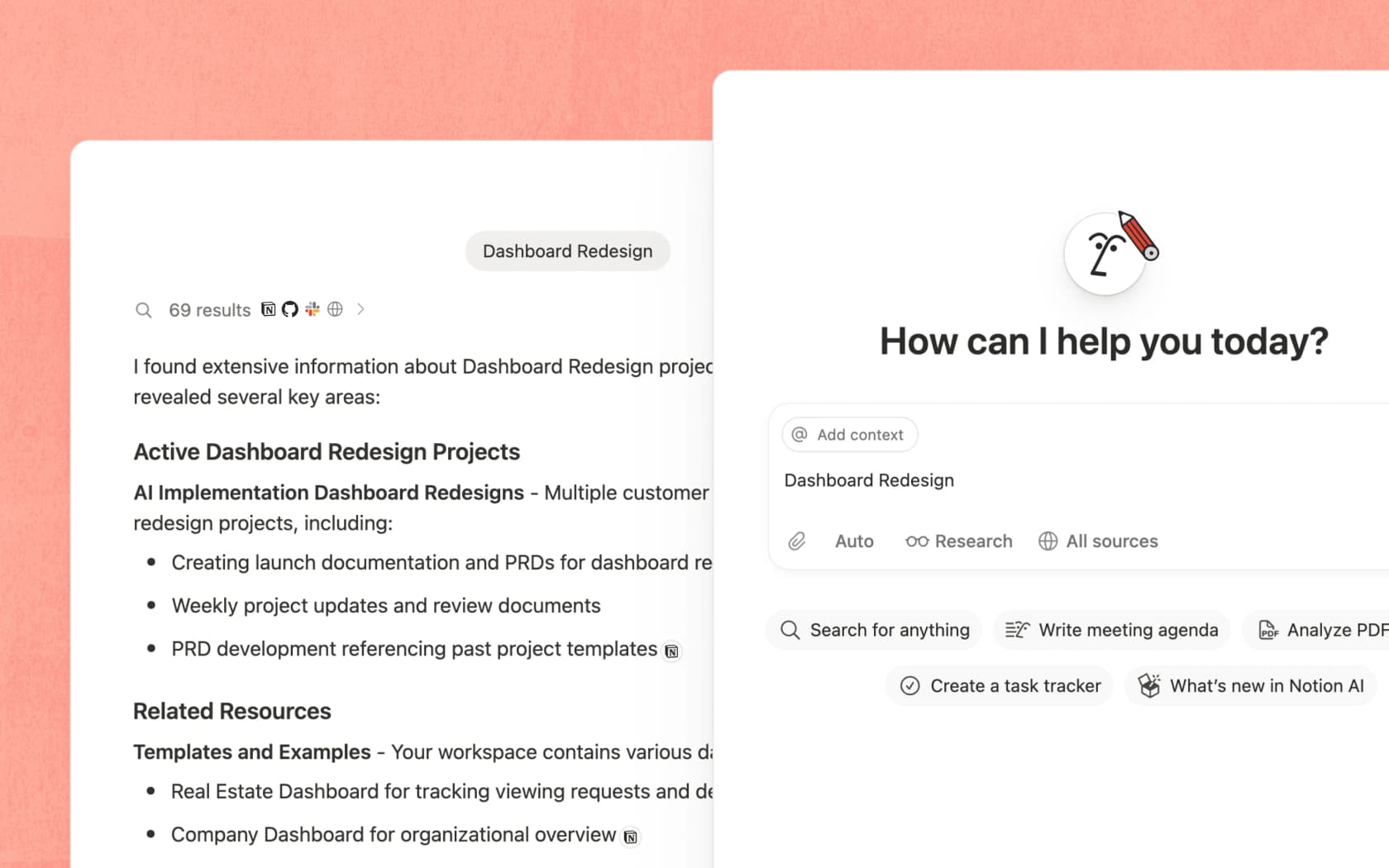
Notion is the default answer, and for good reason. Databases, docs and projects all share one object model, so a runbook can sit right next to the sprint board it describes. Adoption is usually easy too, since half your team already uses it for personal stuff.
The upgrade that matters for a knowledge base is Enterprise Search. It reads across connected tools like Slack and GitHub, not only Notion pages. It sits on the Business plan at $20 per member, and it was still marked beta when I checked. Worth remembering before you build the knowledge hub around it.
Where it falls short: the flexibility is the cost. Nothing in Notion will tell you a page is wrong. Ownership is a convention, never a feature. And the same freedom that makes it pleasant is what makes it sprawl. The free plan is also less generous for teams than it first looks: pages and blocks are unlimited for individuals, then explicitly limited the moment a second member joins, page history drops to 7 days, and file uploads cap at 5 MB.
Pricing: Free, Plus at $10 per member, Business at $20, Enterprise on quote. Notion pricing has the per-feature breakdown. Notion AI review covers whether the AI tier earns the jump. And Notion vs Confluence is the head-to-head most teams are really deciding.
Verdict: buy it for the workspace. Not for the knowledge base. If documentation quality is the problem you have, pair it with a verification habit you enforce yourself, or with an answer layer that reads it for you. The Notion review has the long version, and best AI for Notion covers what bolts on top.
4. Confluence: best for engineering orgs already on Jira
Best for: companies where Jira is already the system of record and the wiki needs to link to it.
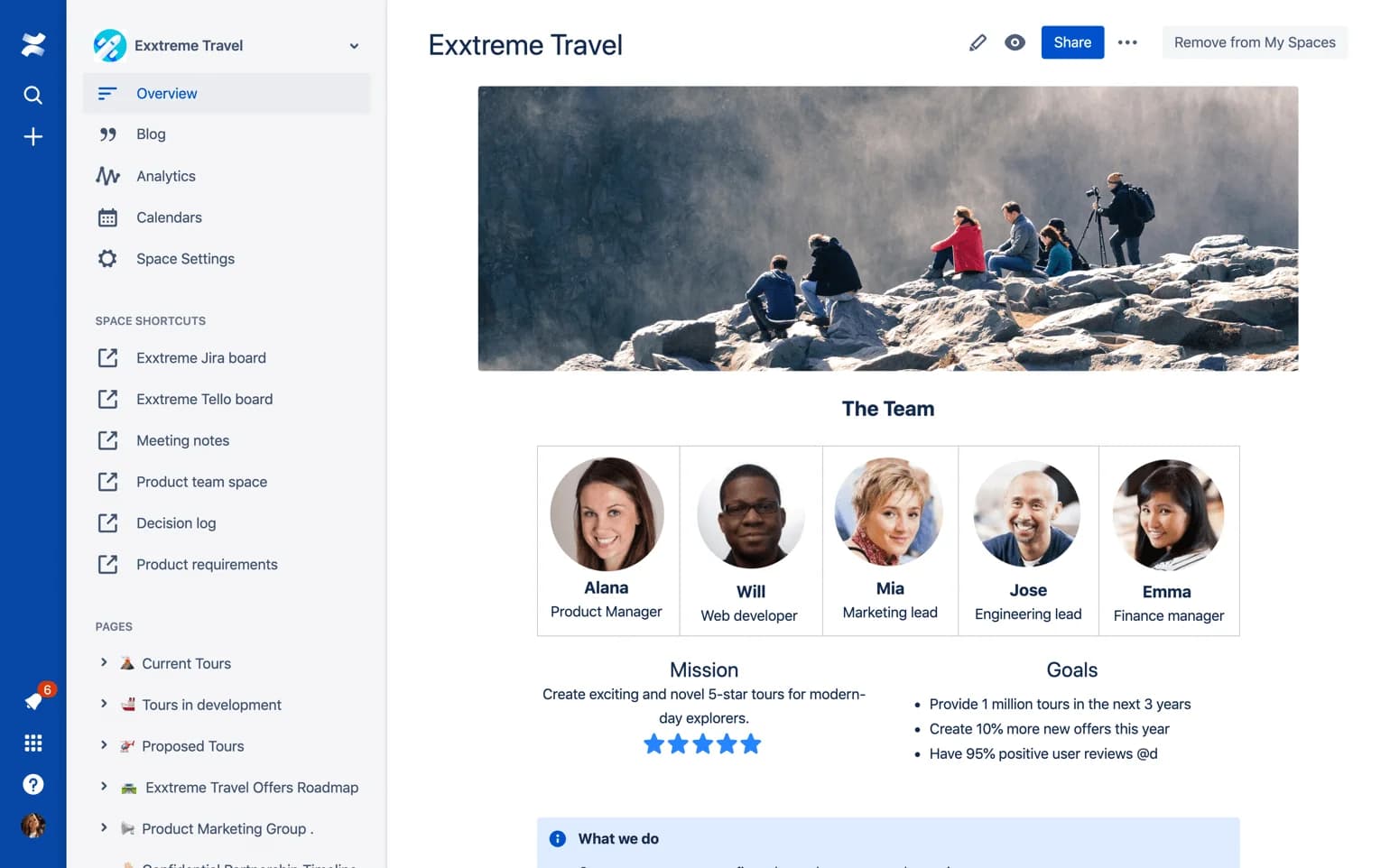
Confluence is the incumbent, and it earned that: page-level permissions, spaces, macros, a huge app marketplace, plus native Jira linking nothing else here matches. At $5.42 per user on Standard it is the cheapest per-seat option on the list too.
It is also, by some distance, the tool people complain about most.
"our confluence is just a total mess. It's nearly impossible to find anything unless you have stuff bookmarked, and it's full to the brim with outdated and obsolete info, there are multiple pages in multiple locations that give partially overlapping details etc."

And this is not just detractors talking. A 4.0 out of 5 G2 reviewer, writing a positive review, still says "For an enterprise documentation platform I find the search particularly weak." My Confluence review and the deeper dive on Confluence search both end up in the same place.
Where it falls short: search, then the pricing fine print. Atlassian Intelligence shows up as Rovo credits, metered at 25 per user a month on Standard and 70 on Premium, which is not a lot of asking. SSO and SCIM are not on Standard or Premium at all. They arrive through Atlassian Guard, as a separate purchase. The free plan caps at 10 users with no anonymous access, so it is internal-only by construction.
Pricing: Free, Standard $5.42 per user, Premium $10.44, Enterprise on quote, all billed annually. Full detail sits in Confluence pricing and Confluence AI pricing. Looking for the exit instead? Confluence alternatives is the list.
Verdict: keep it if you are on Jira. Fix retrieval separately instead of migrating 40,000 pages. That is the job a Confluence AI chatbot does, and it comes in cheaper than a migration by an order of magnitude. For teams that live in chat, a Slack Confluence bot is the same idea, just pointed at the surface people actually use.
5. Slite: best for ownership without the admin work
Best for: small and mid teams that want the knowledge-management scaffolding without hiring a curator.
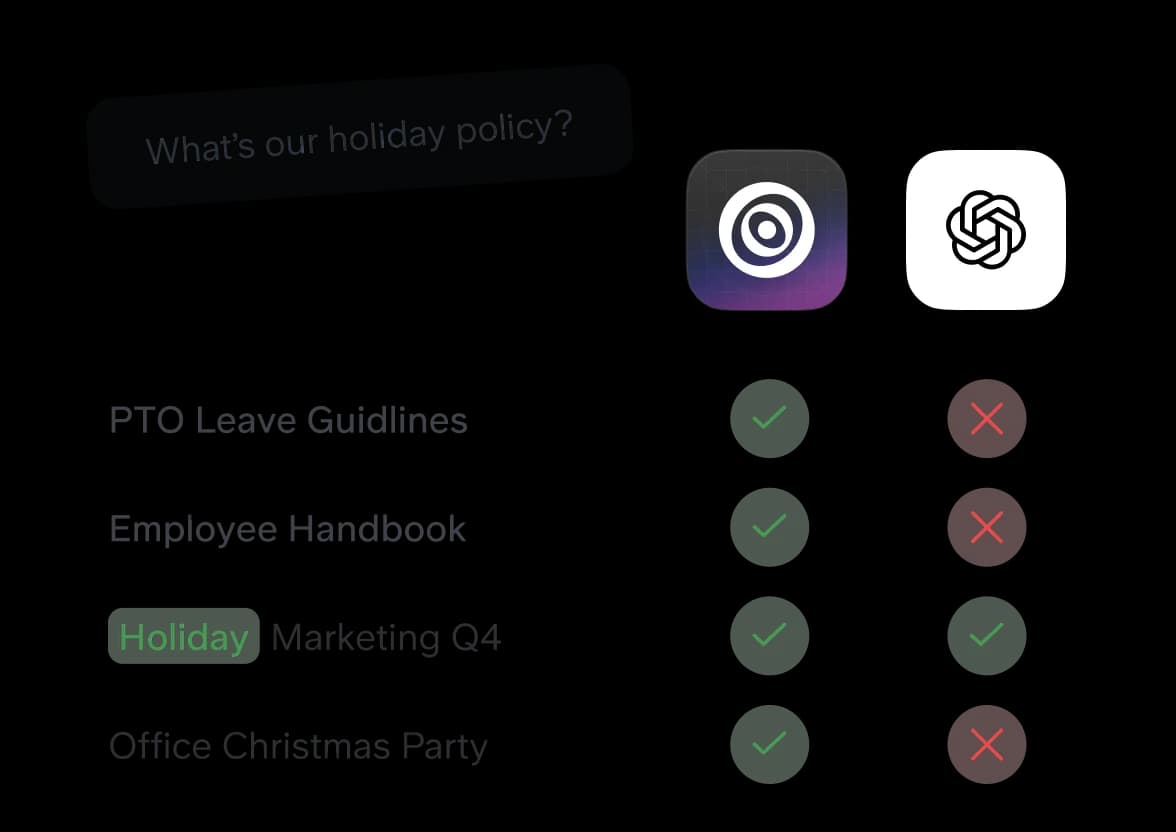
Slite is the tidiest of the modern wikis. What earns it a slot is the Knowledge Management Panel: doc verification, doc ownership and doc insights ship on every plan, the $10 Basic tier included. Most competitors either hide that behind an enterprise SKU or skip it entirely.
Where it falls short: the AI is rationed, in a way that is easy to miss. Basic caps Ask at 30 questions per seat a month, and limits it to Slite docs only. Pro at $20 adds the Slite Agent and cross-tool search, metered at 50 credits per seat. No overage or top-up price is published anywhere, and that kind of gap turns into a surprise conversation with sales later. Slite's own marketing numbers on that page, like 90% fewer internal questions, are self-reported.
Pricing: no free plan in 2026. Basic $10, Pro $20, Enterprise on quote, all annual, and the 14-day trial needs no card. Only annual rates get published, even though a monthly plan exists. More context in Slite pricing, plus the three-way Confluence vs Guru vs Slite comparison.
Verdict: the best default for a 20 to 80 person company that wants ownership to be a feature and not a New Year's resolution. Budget for Pro if AI search is the whole point. 30 questions a month is a demo, not a workflow.
6. Tettra: best Slack-first Q&A for teams under 50
Best for: Slack-native teams who want questions answered in Slack and turned into pages automatically.
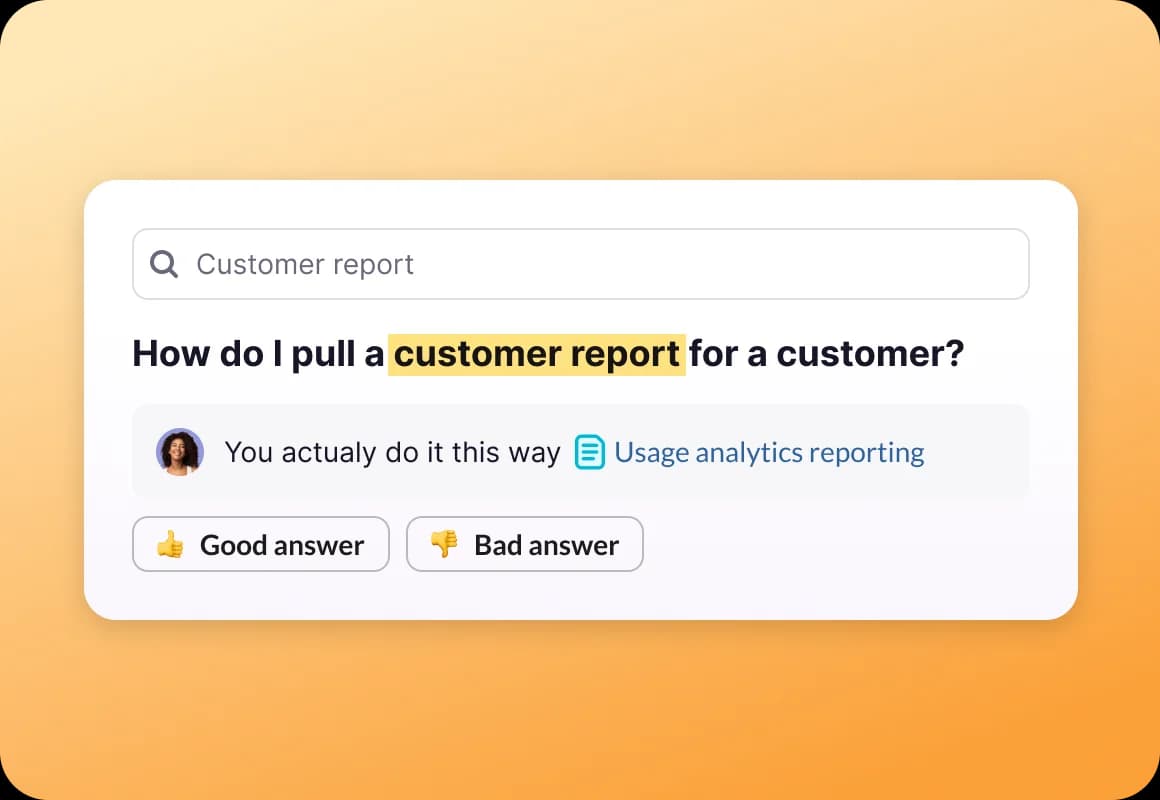
Tettra flips the usual model around. Rather than hoping people browse a wiki, it treats the question as the primary object: someone asks, it gets routed to an expert, and the answer becomes a page. Its AI, Kai, answers in Slack and summarises threads.
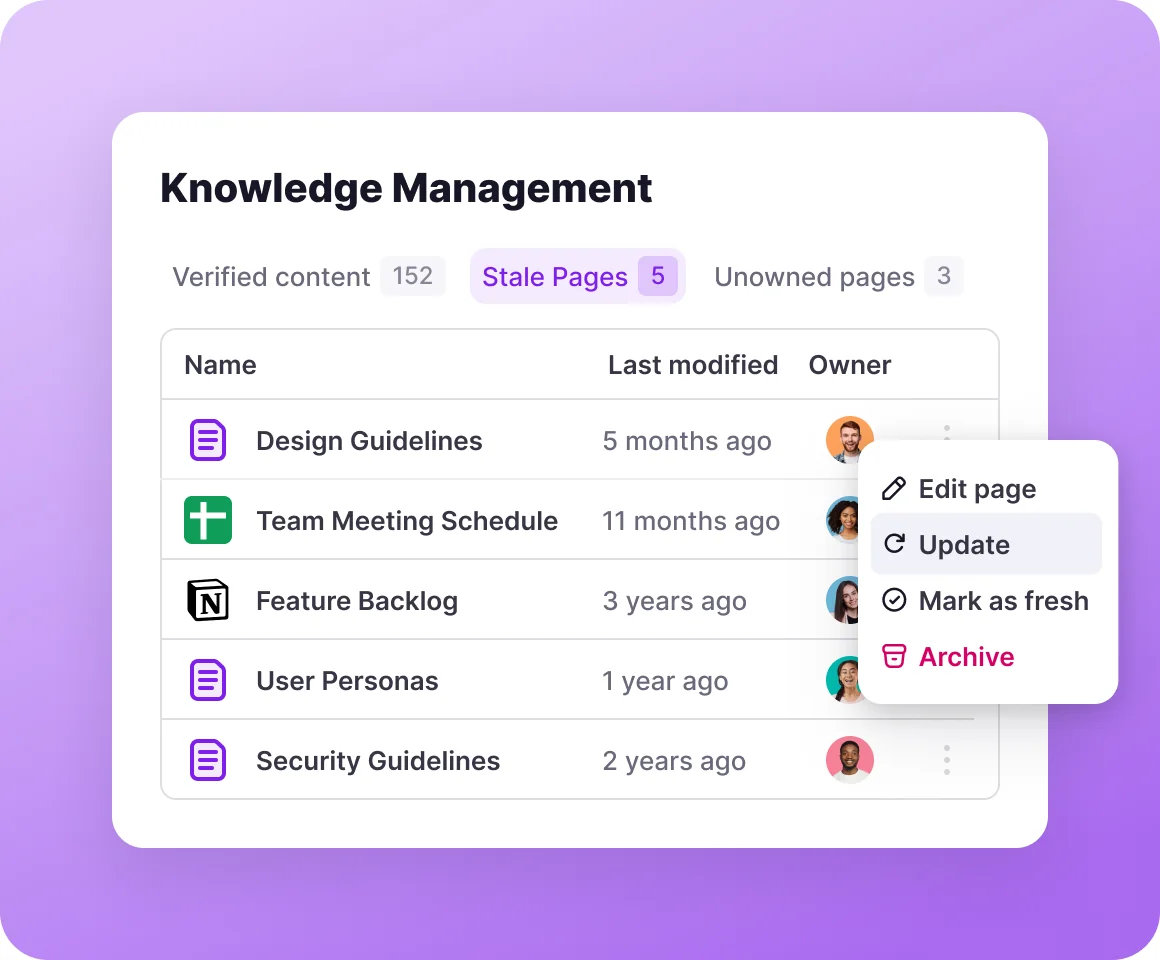
The knowledge-management view is the other reason it ranks where it does. Verified content, stale pages, unowned pages: three tabs, with per-page owners and an update or archive action sitting right there.
Where it falls short: the seat floor, and the add-ons. Scaling is $8 per user with a 10 user minimum, so a five-person team still pays $80 a month for ten seats. SSO through SAML and SCIM are paid add-ons with no published price, and group permissions need the SCIM add-on, which is a strange place to gate access control. The app itself is English-only, though your content can be in any language. Its own pricing FAQ still references Basic and Professional plans that no longer exist. Not confidence-inspiring, in a document that is all fine print.
Pricing: $8 per user, yearly, 10 seat minimum, and a 30-day trial with all AI features and no card until it ends. Enterprise is "let's talk", with discounted rates published only for accounts past 250 licences. Kai comes included at that $8: no credits, no per-answer rate, no published cap. That is unusual in 2026.
Verdict: the best value here for a Slack-heavy team of 10 to 50. AI-included pricing is a real differentiator when everyone else is metering. Below 10 people, though, the minimum makes it expensive per head.
7. Slab: best reading experience
Best for: teams who care about how documentation reads, and want search that reaches into their other tools.
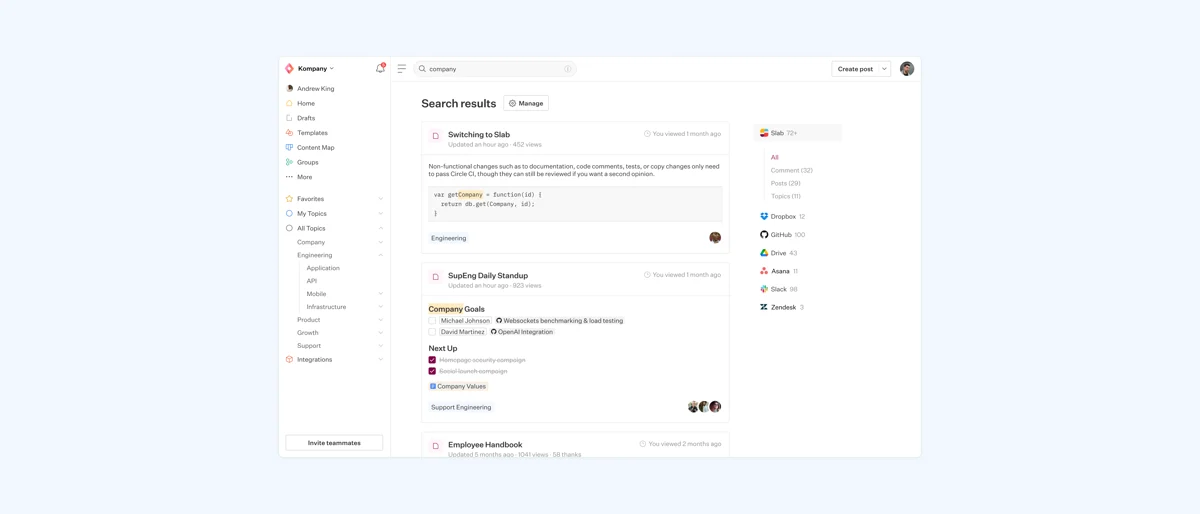
Slab is the quiet one. Clean editor, and topics work better than folder trees when a subject cuts across teams. Unified search covers connected tools too, not only Slab content. Version history is the most generous at this price as well: 365 days on Startup, unlimited on Business.
Where it falls short: there is no staleness mechanic here, beyond insights telling you what is popular. The AI ladder is odd as well. AI Autofix shows up on Startup, AI Predict on Business, and AI Ask, the one that actually answers questions, is a Business feature at $12.50 per user. Your per-seat cost doubles purely for the privilege of asking.
Pricing: Free for up to 10 users, Startup $6.67 per user, Business $12.50, Enterprise on quote, all billed annually. Non-profits and schools get Startup free. Details live in Slab pricing.
Verdict: pick it when documentation quality and the reading experience matter more to you than automation. Skip it if you are expecting the tool to chase your team about stale pages. It will not.
8. Nuclino: best for speed and low friction
Best for: small teams who abandon wikis because opening them feels like work.
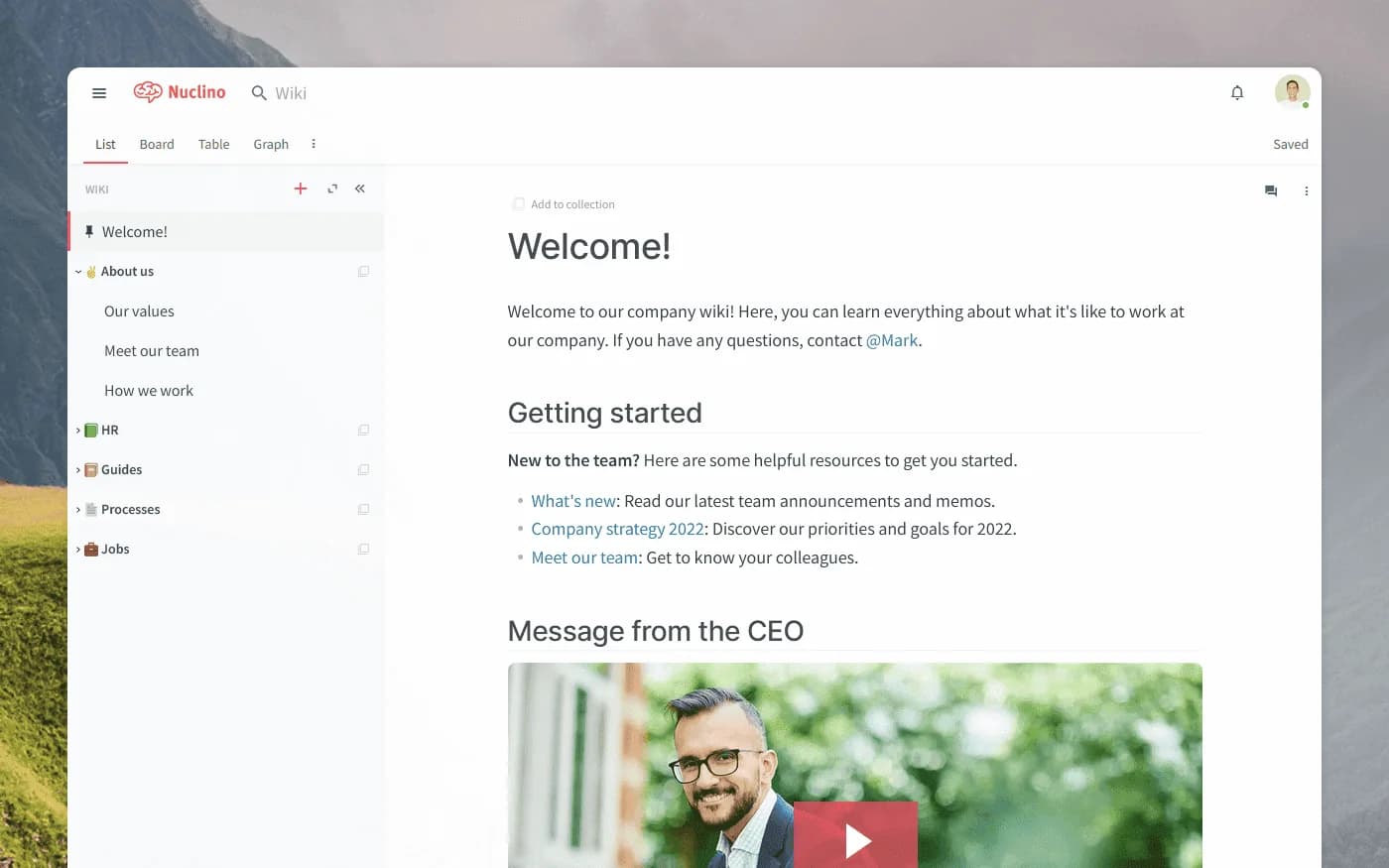
Nuclino optimises for exactly one thing: nothing gets in the way. Pages open instantly. Internal links build a graph instead of a folder hierarchy, and the interface carries maybe a tenth of the chrome Confluence does. For a team of 15 that has already failed at two wikis, low friction counts as a real strategy.
Where it falls short: the free plan is a trial wearing a costume. Fifty items total across all workspaces works out to roughly two months of a real team, and the free tier has no version history at all. Sidekick, the AI, is a Business feature at $10 per user, which is also where SSO lives. No verification or ownership mechanic exists at any tier.
Pricing: Free with the 50-item cap, Starter $6 per user, Business $10 per user, and Enterprise above 100 users on quote. The 14-day trial needs no card.
Verdict: the best pick for a team under 25 whose real problem is adoption. The day you need audit trails, permissions and ownership, you will outgrow it. For a $6 tool that is a perfectly fine outcome.
9. Outline: best flat-rate cloud wiki
Best for: teams between 11 and 100 people who hate per-seat pricing.
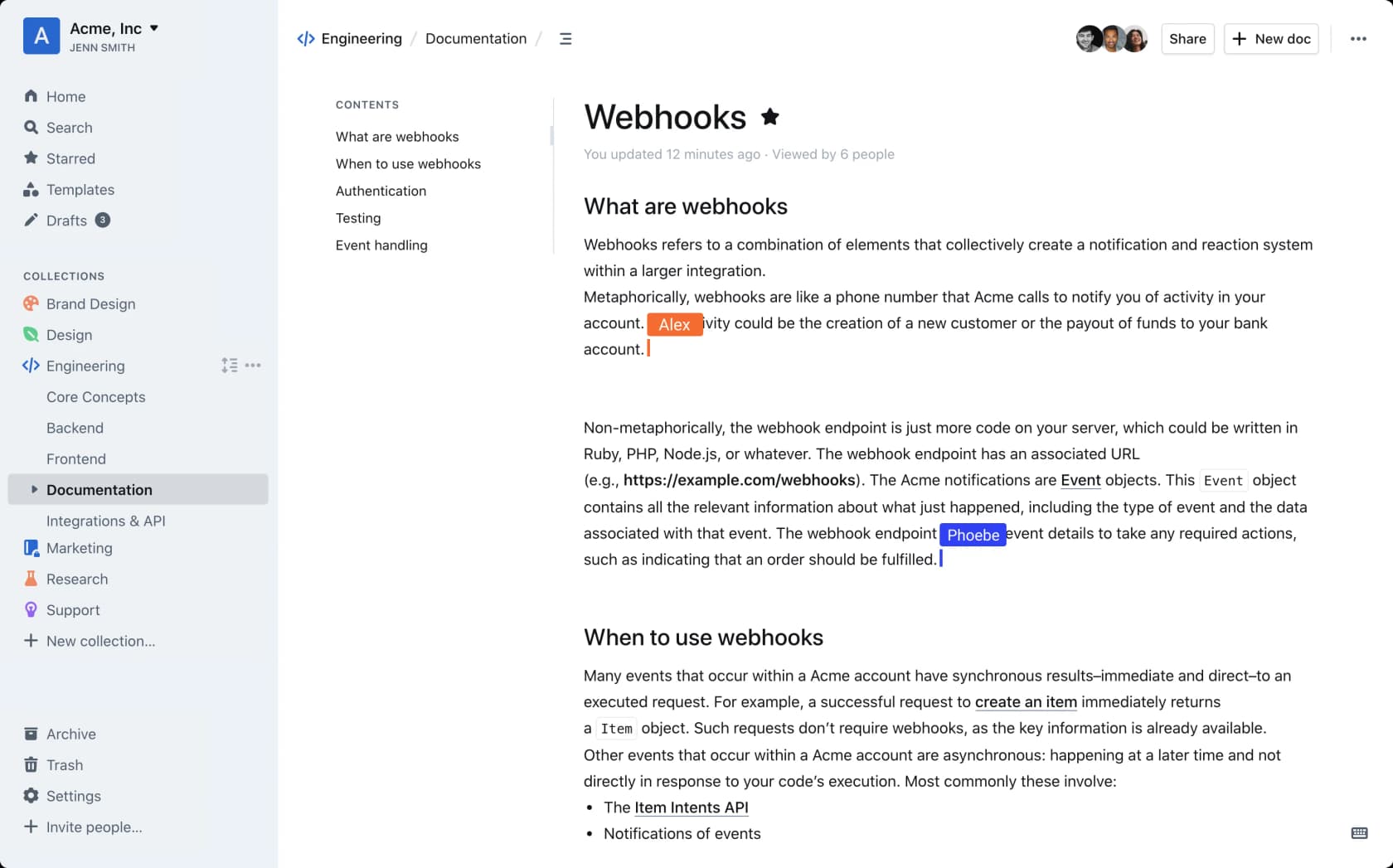
Outline prices by band instead of by head. Starter is $10 a month for 1 to 10 people, Team is $79 for 11 to 100, and Business is $249 for 101 to 200. Every tier ships the same features anyway: AI question answering, SSO and the audit log. So a 90-person company pays $79 a month in total, under a dollar a person. It answers questions inside Slack too.
Where it falls short: two sharp edges. The bands apply automatically, so your 11th hire moves you from $10 to $79 in one step, an eightfold jump for a single person. And Outline is not open source, whatever the marketing suggests: it is BSL 1.1, and its own docs state that selling, reselling or hosting Outline as a service breaches the terms and terminates your rights. Self-hosting for internal use is fine. It wants PostgreSQL 12+, Redis 4+ and, in the project's own words, dev-ops experience to run in production.
Pricing: as above. The 30-day trial ends with the knowledge base going read-only until a card gets added. Above 200 users it is quote only, and non-profits and education take 30% off.
Verdict: the best pure value on this list for a 30 to 100 person team, provided you read the licence before building anything on top of it.
10. BookStack: best free self-hosted option
Best for: teams with a server, a sysadmin, and a hard requirement that the data stays in-house.
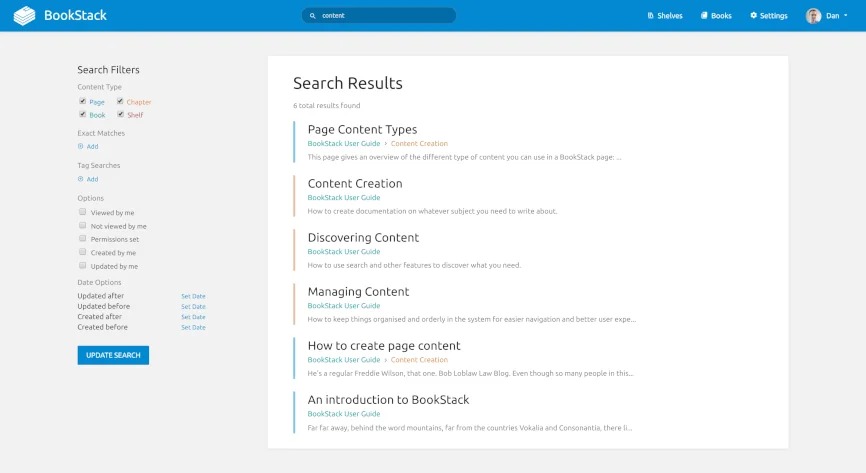
BookStack is free and open source in the real sense, MIT licensed, no seat cap, no commercial carve-out. Content sits in a fixed Books, Chapters, Pages hierarchy. Rigid, until you have watched a free-form wiki turn into the mess the Reddit quote above describes. Auth covers OIDC, SAML2, LDAP and enforceable MFA, and diagrams.net drawing is built into the editor.
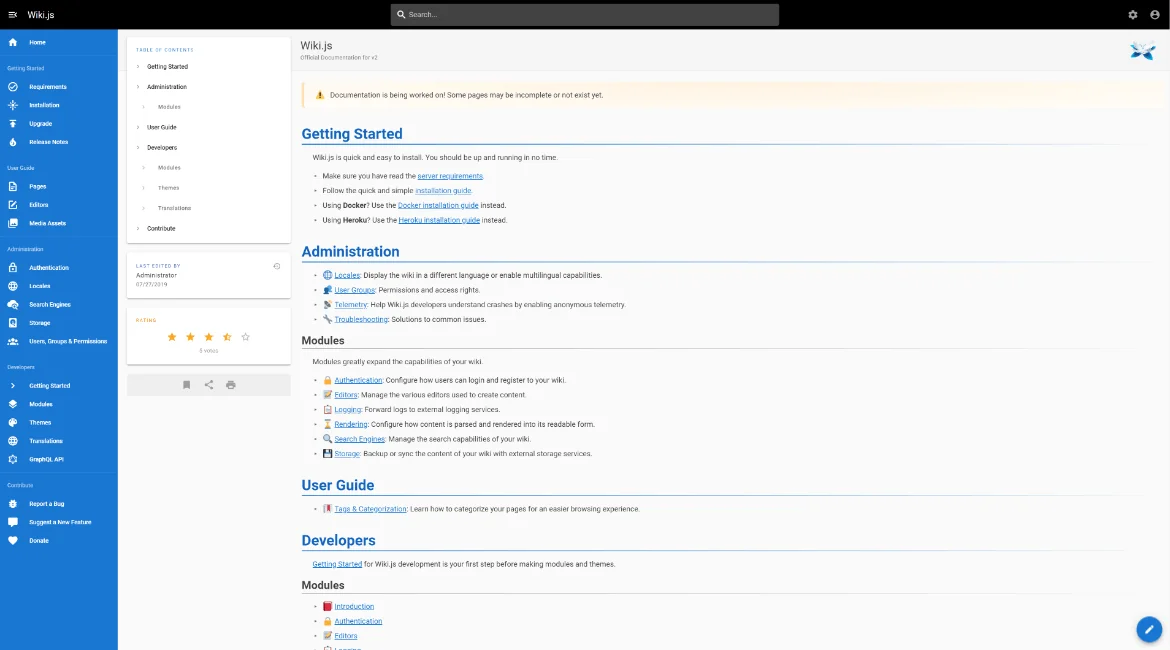
Where it falls short: you are the vendor now. It needs PHP 8.2 and MySQL 8.0 or MariaDB 10.6. There is no official Docker image, shared hosting is unsupported, high availability is explicitly not assured, and three of the four project blog posts in July 2026 were security releases. No AI answering of any kind, and no analytics module either. If AGPL suits you better than MIT, Wiki.js is the comparable option, running on Node 22 and PostgreSQL, with the same absence of AI.
Pricing: $0 for the software. Budget for a server and for the patch cadence. The project claims it runs happily on a very small VPS.
Verdict: the correct answer for regulated or air-gapped environments. A bad one for any team without an owner for the box. Search stays lexical on both, so pair either with one of the knowledge retrieval tools when people need answers and not results. A free licence with nobody maintaining it is how you end up with a wiki nobody trusts, only self-hosted.
The thing that actually decides this
Most comparison posts stop at the feature grid. But the grid is not where these fail. In every honest thread on the subject the same pattern turns up: the tool is fine, and nobody owns the content.
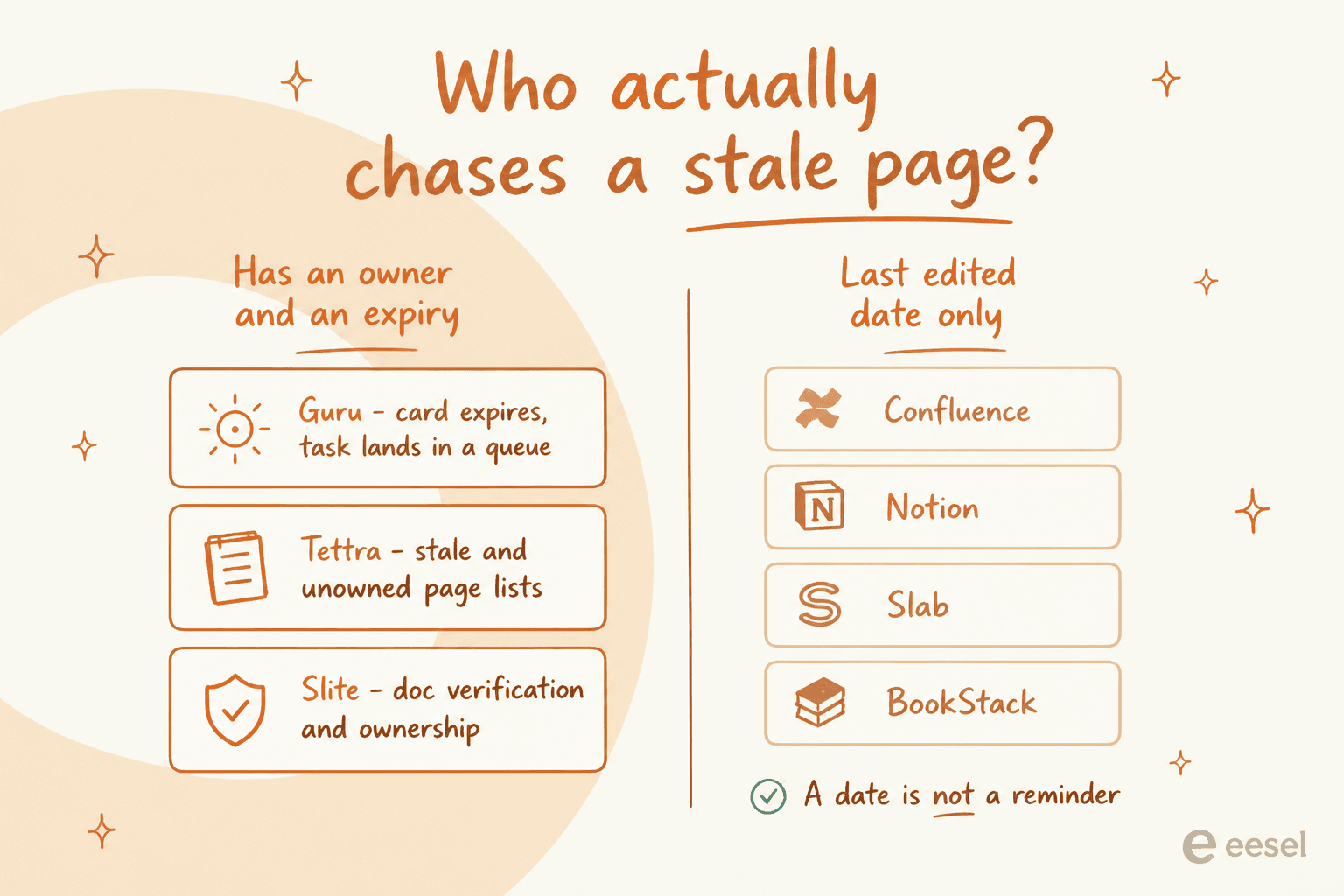
A last-edited date is not a reminder. It is a fact that just sits there while the page rots, and the cost of that runs higher than teams expect.
"Documentation inevitably gets stale, but at this point ours is actively harmful. It consumes more time than having no documentation at all because people follow incorrect steps, break things, and then someone has to step in to undo the damage and explain what actually works today."
A consultant in the Confluence thread went further than that. His version is worth sitting with before you sign anything.
"I'm a tech consultant and I have never seen an effective wiki or confluence of a company more then like twenty people. I think the only way to do it right in a business context is actually pay wiki administrators well whose sole job is to curate and organize and push editing standards."
Then there is the counter-example, and it is the one I would pin above the desk of anyone running a tool evaluation right now.
"Unfortunately I was pigeonholed into a sub-par platform with terrible search, but at least the team keeps it up to date and treats the documents within as the gospel now, and it covers better than 95% of incidents they encounter."
A bad tool with ownership beats a good tool without it. So, before you compare editors, decide who owns each area of the knowledge base and what happens the day their pages expire. Then pick whichever tool makes that decision enforceable. That is the real argument for Guru, Tettra and Slite over the rest of this list. The ownership map is basically the whole of knowledge base management, and at company scale it is what enterprise knowledge management programmes turn out to be about.
Does AI search fix this?
Partly. Being precise about which part matters here, because this is where most vendor claims fall over. The skeptical read gets airtime first.
"This is why knowledge management is such a popular use for POCs involving LLMs, and ironically also why POCs don't progress into something more permanent"
That matches what I see on our own queue. AI does fix retrieval, and retrieval is a large chunk of the problem, because the wiki-tab search bar is where most internal knowledge goes to die. It does not fix ownership. It also cannot retrieve knowledge nobody ever wrote down. The most careful framing in that thread splits it at exactly that line.
"I don't think it's about the tool. Whether it's Confluence or Notion, if the company doesn't value documentation, it's never going to stick. I don't have a clear answer, but I think the future lies in automatic capture + AI search, not manual input + folder systems."
One failure mode is worth naming outright, since it is the one that burns teams. When retrieval comes back with nothing, a poorly configured model fills the gap from training data instead of admitting it does not know. I have watched that on live deployments, including one where a bot invented product claims and sent them to real customers. Which is why every rollout should be simulated against historical questions first, and given a confidence threshold that declines to answer.
The practical version: point the AI at the docs, keep humans on the hook for those docs, then measure whether the questions in Slack actually drop. That is how an AI knowledge base chatbot earns its place, and it is the same shape as deflecting FAQs on the customer side.
Two notes before you switch anything on. Start by training the AI on the knowledge base you already trust, not on everything anyone has ever written, because indexing the graveyard is how you get confident wrong answers. And measure it the way you would measure self-service: the number that counts is repeat questions that stop being asked, not answers generated.
Try eesel for internal questions
If your team keeps asking a person something the wiki already answers, you have a retrieval problem. That is fixable this week, without moving a single page.

eesel joins Slack as a teammate, indexes the Confluence, Notion, Google Drive and help center content you already maintain, then answers in channels and DMs in 80+ languages. Corrections in the thread stick, so telling it "we don't do that anymore" changes the next answer. It starts in draft mode, meaning a human approves every reply until you trust it. Cost is from $299/month for 500 credits (1 credit per conversation) with no per-seat fee, so the price scales with questions and not with headcount. Free to try, about 30 minutes to connect.
Same machinery sits behind a Slack knowledge base bot for IT, an AI help desk for internal tickets, and onboarding questions from new hires who have not yet learned who to ask.
The tool you pick above decides where your documentation lives. This one decides whether anybody ever reads it.