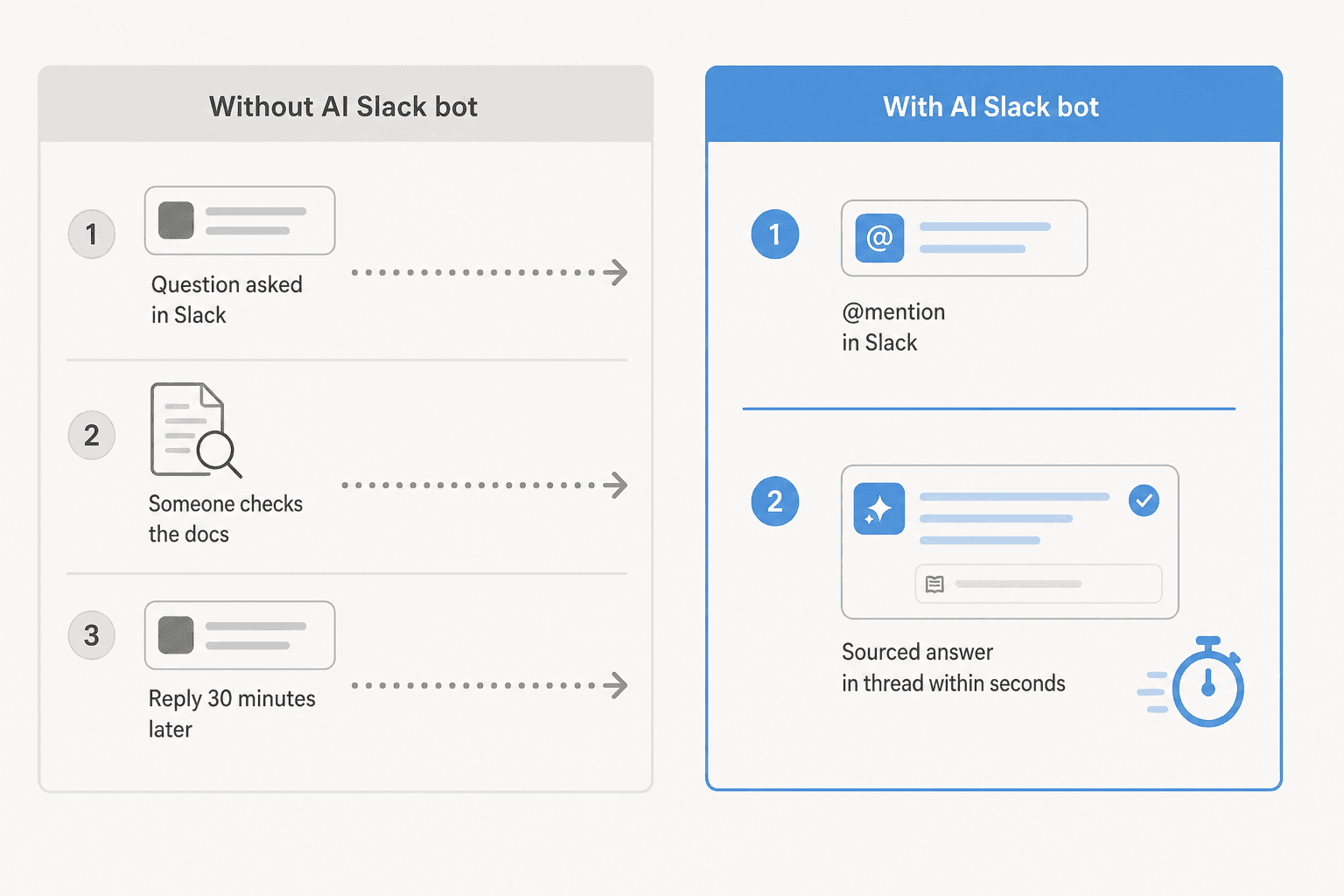
Most teams have a knowledge base problem that isn't actually a documentation problem. The docs exist. Someone wrote the PTO policy, the return process, the onboarding checklist, the runbook. They're in Confluence, or Notion, or a Google Doc somewhere. The problem is that finding them requires leaving Slack, opening a browser tab, running a search, clicking around, giving up, and asking the person who probably knows.
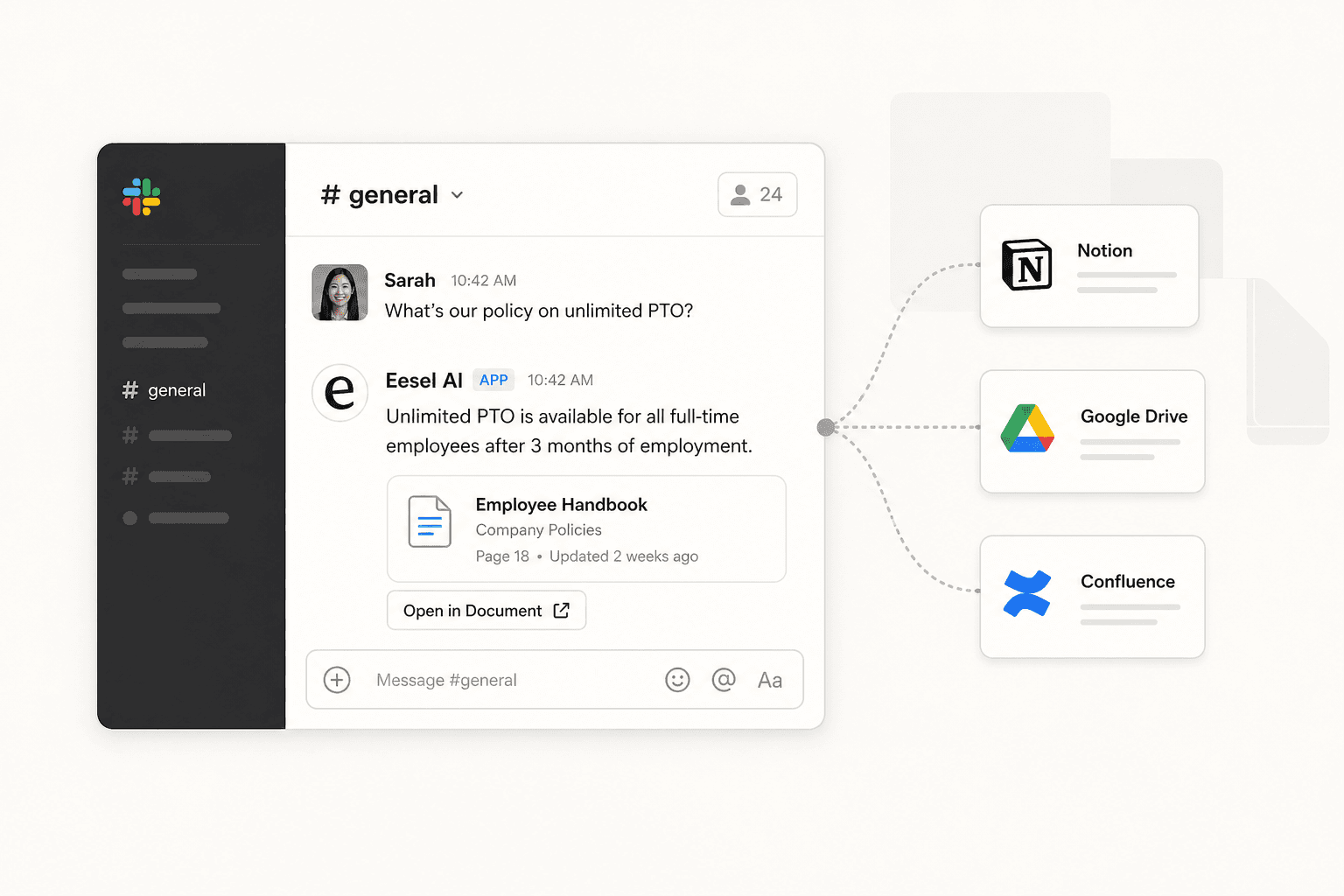
An AI Slack bot for a knowledge base closes that loop. The question lives in Slack; the answer comes back in Slack, with the source cited in the thread. Nobody leaves their workspace. Nobody waits for a reply.
An AI Slack bot for a knowledge base connects your docs (Notion, Confluence, Google Drive, SharePoint) to Slack and answers @mention questions in-thread with cited sources. Setup takes under 30 minutes with no developer needed. eesel AI starts at $299/month for 500 credits (1 credit per question). Global Pay reports 80% time savings across 27,000 employees after deployment. The thing that keeps teams using it: answers update automatically when your docs change, which removes the stale-answer problem that kills adoption for most chatbots.
Why knowledge bases collect dust
Here's the honest version: your knowledge base isn't failing because it's badly organized or because people don't care. It's failing because asking a colleague in Slack takes 30 seconds and gets a result, while searching Confluence takes two minutes and might not.
That friction gap is the whole problem. People optimize for what's easy, not what's documented.
One eesel AI user described the shift plainly on r/Zendesk:
"The info u get from the bot is always updated in real-time as the docs are, instead of having to ask someone etc."

That "instead of having to ask someone" is the crux. The AI Slack bot doesn't just make docs easier to search -- it makes them easier to reach than asking a colleague.
What an AI Slack bot for a knowledge base actually does
A knowledge base Slack bot connects to your existing documentation sources and sits inside Slack as a bot user. When someone @mentions it with a question, it searches your connected sources, finds the most relevant content, and replies in the thread with a link to the original document.
It's not a chatbot in the "type your question into a widget" sense. It's more like adding a teammate who has read every doc and responds in your existing channels.
Key behaviors that separate good implementations from forgettable ones:
- Replies in thread, not in the channel. This keeps #general or #support from getting noisy.
- Cites the source. "Here's our return policy (Confluence)" is trustworthy. A bare answer with no attribution gives no way to verify or find context.
- Handles not-knowing gracefully. If the doc doesn't cover it, a good bot says so. Confident hallucination is the worst failure mode.
- Stays current. Real-time sync means the answer matches the current doc, not a two-month-old snapshot.
How it works
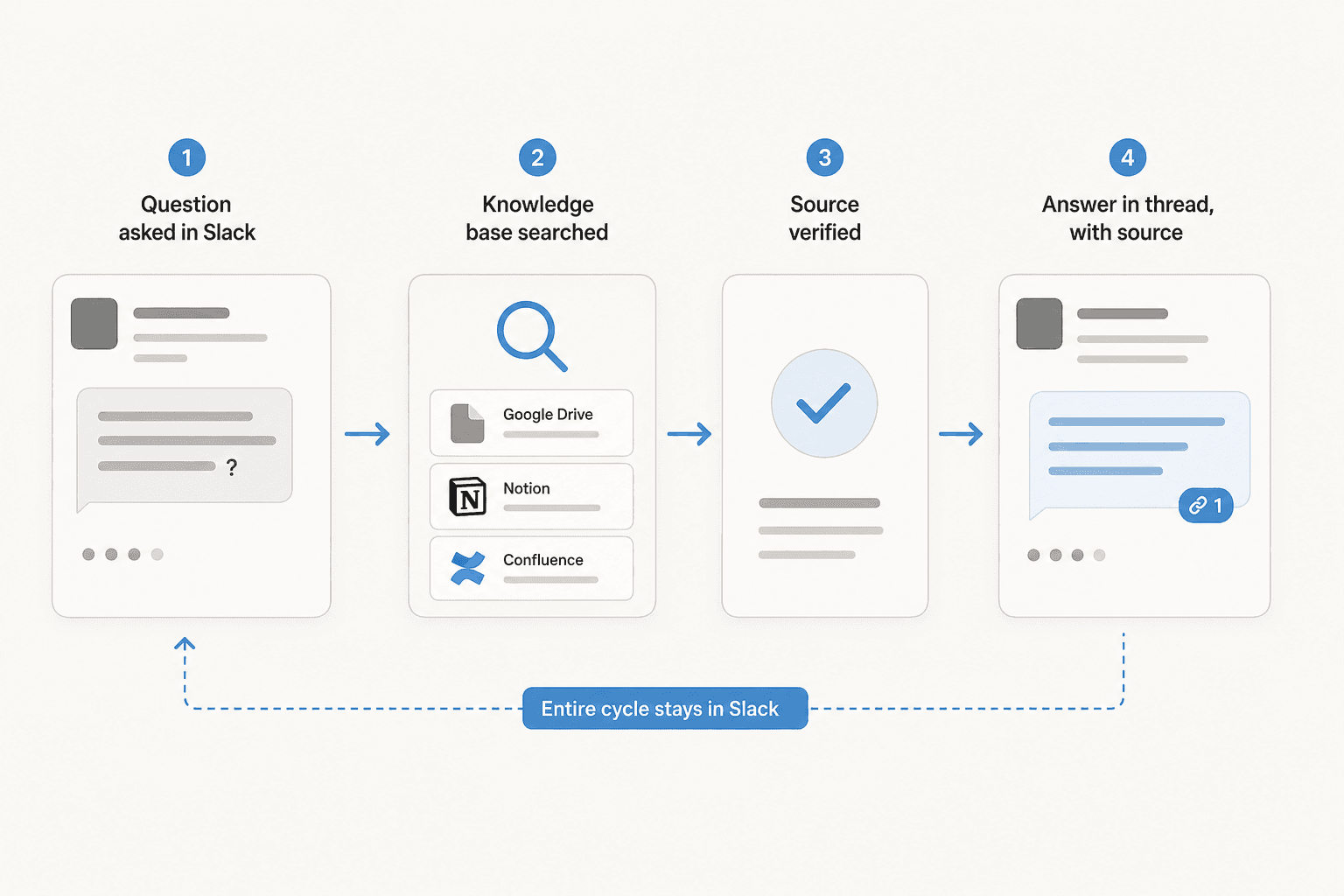
The mechanics:
- A team member types
@eesel what's our return policy for defective items?in a Slack channel. - The agent picks up the mention, reads the message, and searches all connected knowledge sources.
- It checks confidence -- if the match is strong, it sends. If confidence is low, it drafts for review or escalates.
- The reply lands in the Slack thread: "Based on Returns Policy (Confluence): our return policy allows returns within 90 days..."
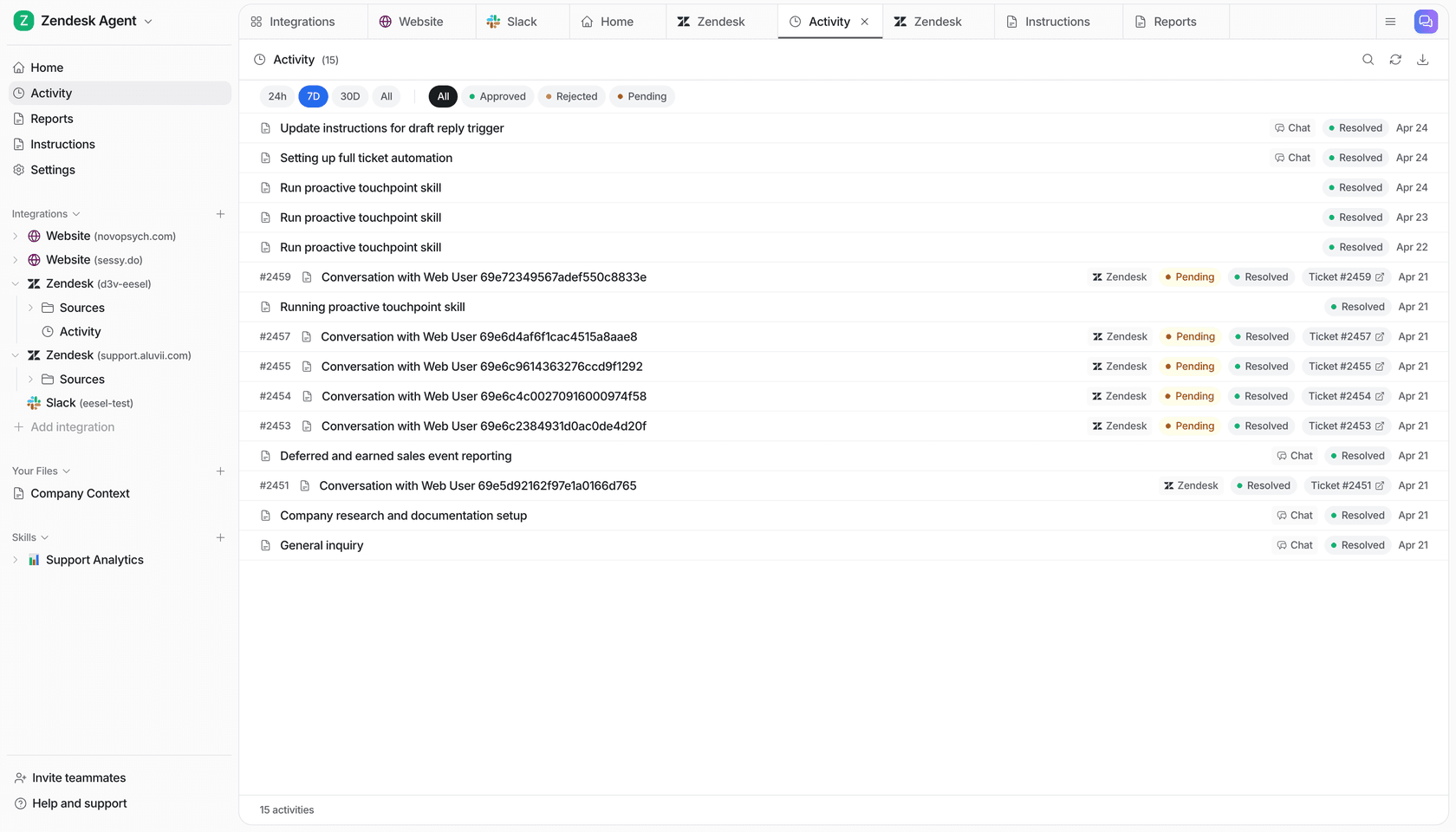
From docs.eesel.ai, the trigger is the @eesel mentioned event, which fires whenever someone @mentions the agent in a channel it has access to. The action is a thread reply with Block Kit formatting support. Both are configurable, and you can assign different behaviors per channel -- draft-for-review in #support, fully autonomous in #onboarding.
What to look for in a Slack knowledge bot
Not all implementations land the same. The features that separate a bot your team actually uses from one they forget after week two:
Real-time knowledge sync. If the bot answers from a snapshot indexed last Tuesday, you get stale answers. Connectors that pull from live docs (Notion, Drive, Confluence) are the baseline.
Breadth of knowledge sources. Your knowledge isn't in one place. Teams typically have internal wikis (Confluence, Notion), file storage (Google Drive, SharePoint), past support tickets (Zendesk, Freshdesk), and PDFs. A bot that only reads Confluence misses the answer half the time.
Source citations in every reply. Without a citation, there's no way to verify the answer or find broader context. Attribution also helps you catch when the bot pulls from an outdated document.
Confidence routing. A bot that sends a confident wrong answer is worse than no bot. Look for systems that send high-confidence answers, queue low-confidence ones for human review, and explicitly say "I don't know" when nothing matches.
Controllable rollout. The ability to start in draft-review mode and move to autonomous as trust builds. Teams that go straight to fully autonomous and get one bad answer early tend not to come back.
Setting up eesel AI as a Slack knowledge bot
Here's the actual setup, from signup to first live @mention response.
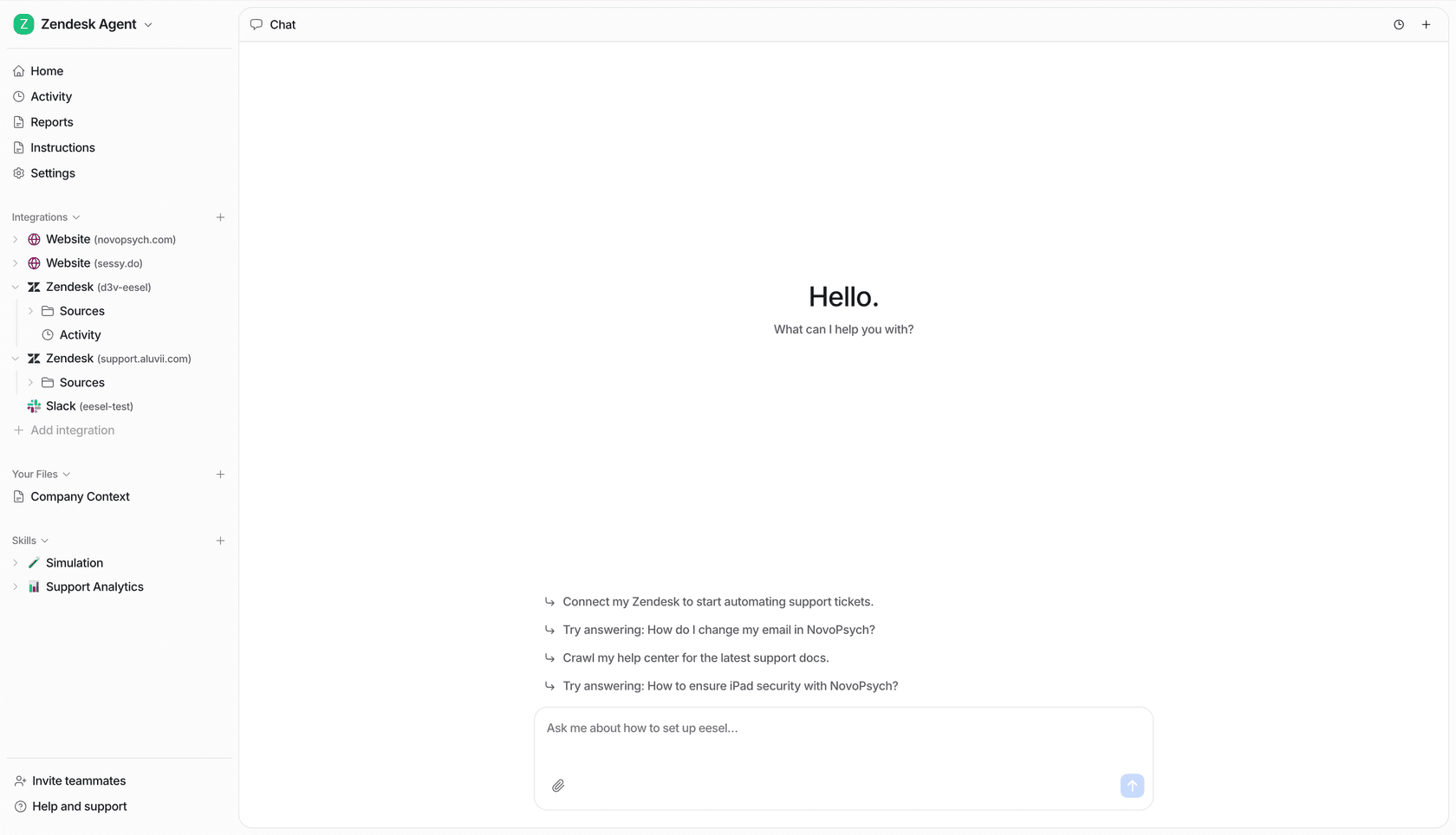
Step 1: Create your eesel AI account. Sign up at eesel.ai. You get 100 free credits, no credit card required.
Step 2: Create an Internal Knowledge Agent. In the dashboard, create a new agent and select the Internal Knowledge Agent type. This is the agent type built for answering internal team questions from your docs, as distinct from the Helpdesk Agent (for external customer tickets) and the E-commerce Agent (for Shopify).
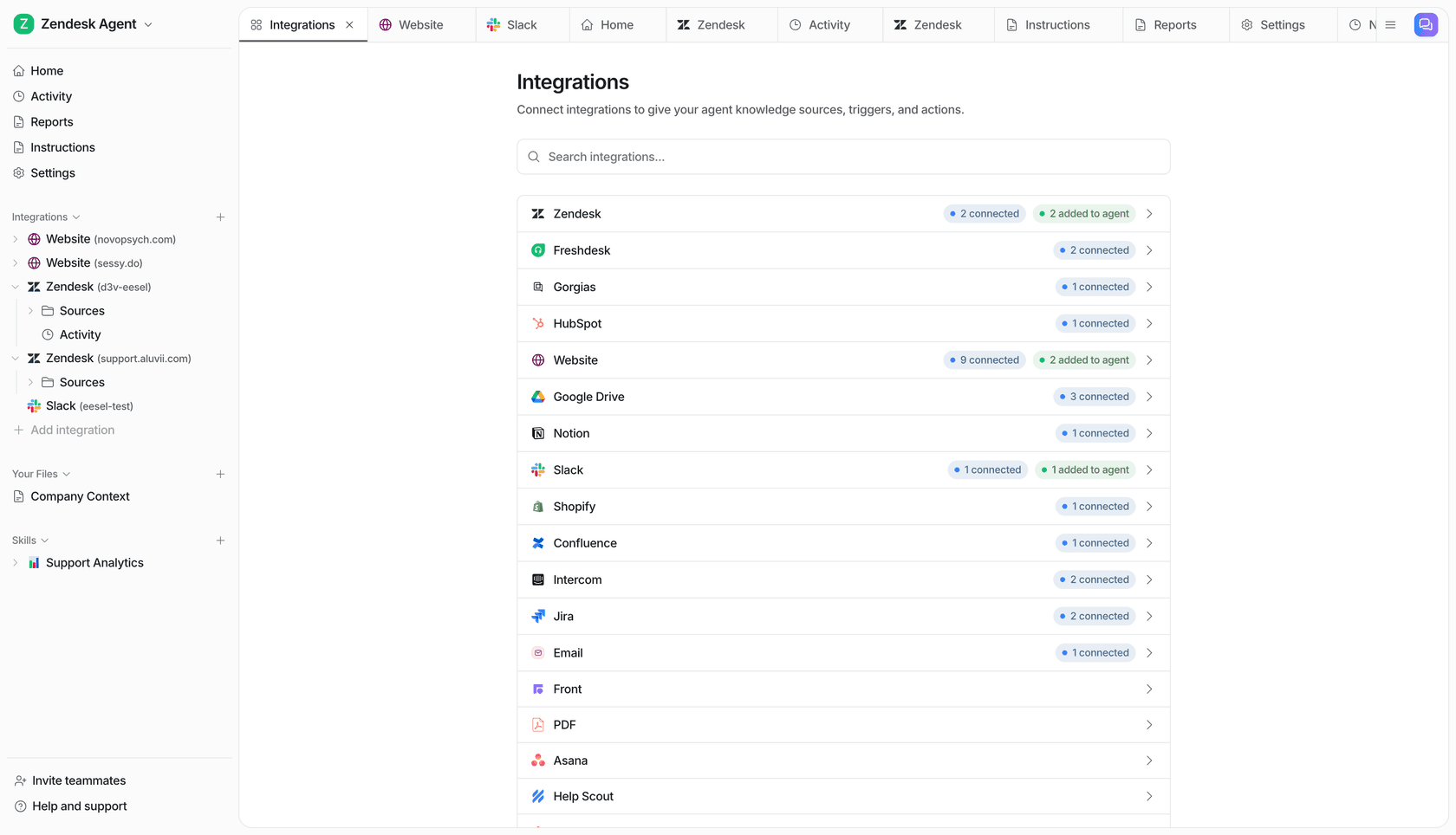
Step 3: Connect your knowledge sources. Go to Integrations and add your sources. eesel AI supports Google Drive, Confluence, Notion, SharePoint, Zendesk, Freshdesk, websites, PDFs, and 100+ more integrations. Everything indexes automatically. Multiple sources combine into a single knowledge pool the agent draws from.
Step 4: Write the agent's instructions. Instructions are what you'd write in a new-hire onboarding doc: who the agent is, how it should respond, what to do when it doesn't know something, which topics to escalate. Write in plain language in the dashboard, or describe what you want in the chat panel and have eesel generate them.
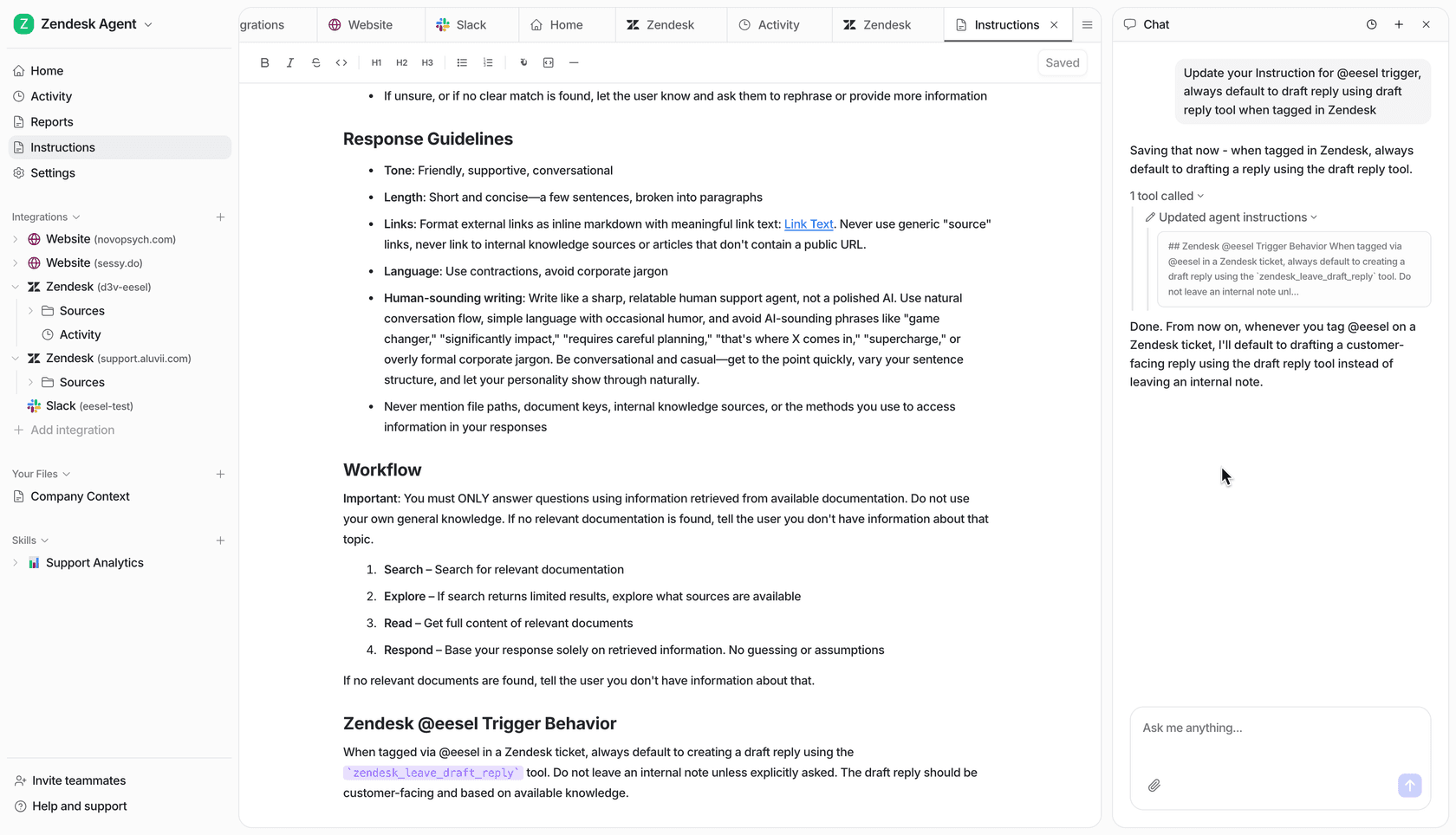
Step 5: Connect to Slack. Go to Integrations > Slack. Click Connect, authorize eesel in your workspace, and choose which channels the agent joins. Per docs.eesel.ai, the whole authorization takes under two minutes.
Step 6: Test before going live. Ask the agent questions in the dashboard chat panel. Check answers against your docs. If something is off, tell the agent in plain language and it updates its instructions. From the docs: "test in the chat panel, see what the agent gets wrong, refine."
Step 7: Go live in draft mode. Start with draft-for-review enabled. Answers get posted to your review queue before going to the channel. Once you've confirmed accuracy over a week or two, switch to semi-autonomous or fully autonomous.
The trust ramp: you don't have to go autonomous on day one
One thing worth setting expectations on internally: you don't flip a switch and hand the bot full control. eesel AI is built around a four-stage trust ramp that maps to how you'd actually onboard any new team member.
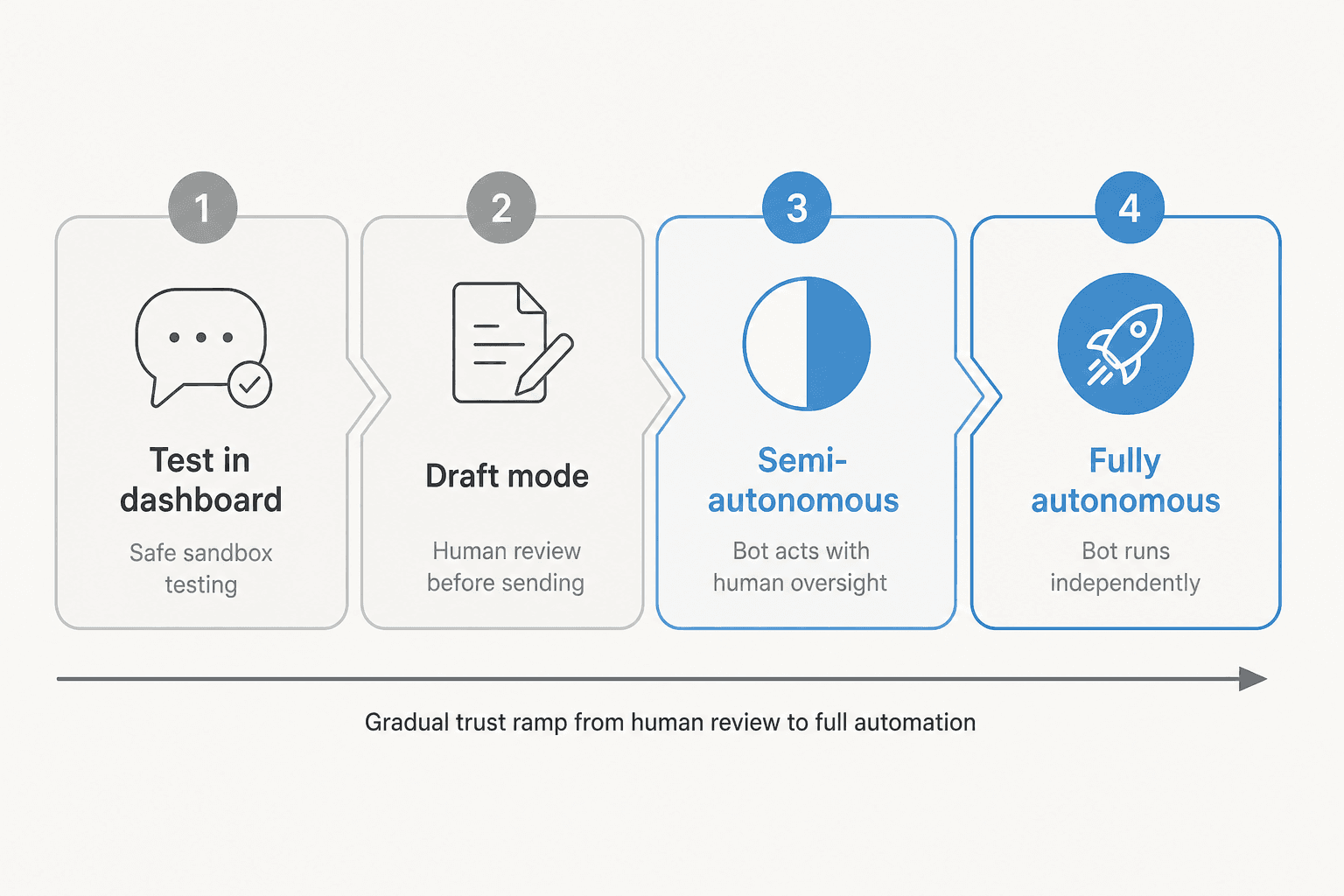
- Test in dashboard. You're the only one interacting. No real team members see it.
- Draft mode (HITL). Agent processes real @mentions but every reply queues for your approval before posting. You can edit before approving.
- Semi-autonomous. High-confidence answers go out automatically. Low-confidence ones get routed to a human.
- Fully autonomous. Agent handles everything. You monitor via the activity dashboard.
From docs.eesel.ai: "connecting an integration does NOT automatically activate it. You must explicitly enable triggers for the agent to act autonomously." You're always in control of the pace.
What teams actually use it for
New hire onboarding. "What's our VPN setup?" "Where do I submit expenses?" "Who handles X?" Every new hire asks these in their first week. The bot answers them from your existing onboarding docs so your team isn't fielding the same questions repeatedly.
IT helpdesk tier-1. Jason Loyola, Head of IT at InDebted, uses eesel AI as "the first responder to our Helpdesk tickets in Jira. It essentially acts just like an agent would." Tier-1 questions get answered; harder issues escalate.
HR policy lookups. Benefits questions, time-off requests, policy clarifications -- high-frequency, low-complexity queries that burn HR time and are perfect candidates for automation.
Sales and CS enablement. "Do we have a SOC 2 cert?" "What integrations do we support?" "What's the enterprise pricing?" Sales and CS teams field these constantly. Connected to your product docs and pricing pages, the answers are always current and one @mention away.
Cross-team knowledge sharing. Everphone, a device-as-a-service company, runs eesel AI across Confluence, Slack, and web with over 2,400 knowledge items indexed. Simployer uses dedicated Slack bots to serve 2,000+ employees with EU data residency and GDPR compliance built in.
What it actually costs
eesel AI uses one fixed monthly price with no platform fee and no per-seat charges. 1 credit covers one Slack question, ticket or chat, however long it runs:
| Monthly credits | Price |
|---|---|
| 100 | Free, no card |
| 500 | $299/month |
| 1,000 | $499/month |
| 2,500 | $999/month |
| 5,000 | $1,899/month |
| More than 5,000 | Talk to us |
Paying a year upfront gets you two months free. Add-ons include SSO and MFA from $199/month and priority support from $299/month.
For a team asking 500 questions a month in Slack, that's $299/month. Global Pay -- a 27,000-person enterprise payments company -- reports 50-80% time savings for compliance, QA, and dev teams after deploying eesel in Slack. At that scale, the ROI math is straightforward.
Worth naming honestly: "cost" and "expensive" are the top two cons on G2 (4.6/5, 15 reviews). At high query volumes, the credit count is what drives the price. If your team runs thousands of lookups a month, it is worth pricing out the larger plans and the year-upfront discount.
The free plan gives you 100 credits, no credit card required -- enough to run a meaningful pilot in one channel before committing.
Try eesel AI
eesel AI connects your existing docs (Notion, Confluence, Google Drive, SharePoint, and 100+ more) to Slack and turns every @mention into an answered question with a cited source. The setup takes under 30 minutes. The per-query pricing means you pay for what your team actually uses, not seat licenses for people who'll use it twice.
The feature that keeps teams using it past the novelty phase is the real-time sync: when your docs change, the bot's answers change too. No manual re-indexing, no staleness. That's the thing that converts a cool demo into a tool your team relies on.
A good starting point: deploy in one channel first -- #it-support, #hr-questions, or wherever your team's most repetitive questions live. Get comfortable with the accuracy before rolling out more broadly. The 100 free credits cover a couple of weeks of real-world testing in a single channel.