
Your knowledge base is supposed to deflect tickets and help customers help themselves. But what happens when customers keep asking questions that aren't covered in your documentation? Those are knowledge gaps, and they're more expensive than you might think.
Every ticket that could've been resolved with a good article costs your team time and money. More importantly, it frustrates customers who expected to find answers on their own. The good news: identifying these gaps doesn't have to be guesswork. This guide walks you through practical methods to find missing content in your Zendesk Guide knowledge base, from native features to AI-powered automation.
What are knowledge gaps and why they matter
A knowledge gap is simply any question your customers have that isn't answered in your help center. It could be:
- Missing documentation for a common workflow
- Outdated instructions that no longer match your product
- Unclear explanations that leave customers confused
- New features that haven't been documented yet
The impact goes beyond just a few extra tickets. When customers can't find answers, they open support tickets, wait for responses, and often get frustrated with the experience. Your agents end up answering the same questions repeatedly instead of focusing on complex issues that actually need human expertise.
Self-service rates are a direct indicator of knowledge base health. If your help center visits aren't translating into fewer tickets, you likely have gaps. The challenge is knowing exactly what's missing. That's where systematic gap detection comes in.
Native Zendesk methods for finding knowledge gaps
Zendesk provides several built-in tools to help identify missing content. Let's break down what each one does and where they fall short.
Using the Knowledge Capture app
Knowledge in the Agent Workspace is Zendesk's native solution for maintaining knowledge quality. It integrates directly into the ticket interface, making it easy for agents to contribute without switching contexts.

Here's what it can do:
- AI-powered article recommendations: The app automatically suggests relevant articles based on the ticket's brand and language. Agents can link these to responses with one click.
- Article flagging: When agents spot outdated or incorrect content, they can flag it immediately and add feedback about what needs fixing.
- Article creation: Agents can create new articles directly from tickets using predefined templates, or submit requests for new content.
- Knowledge analytics: Admins can see which articles help agents resolve tickets, giving insight into what's working.
The catch? This approach relies entirely on agent initiative. If your team is busy (and whose isn't?), flagging gaps becomes a low priority. You also need to be on Suite Growth or higher to access these features, starting at $99 per agent per month.
Analyzing ticket data manually
If you don't have access to Knowledge Capture or want a more systematic approach, you can analyze ticket data directly:
- Review unresolved tickets: Look for patterns in tickets marked "not solved" or reopened multiple times. These often indicate missing or unclear documentation.
- Track agent workarounds: When agents consistently answer questions that aren't in your knowledge base, document those responses as potential article topics.
- Monitor search failures: Check what customers are searching for in your help center but not finding. Failed searches are direct evidence of gaps.
- Use Zendesk Explore: Build reports to identify common ticket types that might benefit from self-service content.
This method works but requires significant manual effort. Someone needs to review tickets regularly, categorize findings, and prioritize what to document first.
Community feedback and search analytics
Your customers are already telling you what's missing. You just need to listen:
- Article comments: Review comments on existing articles for questions that weren't answered.
- Community posts: If you use Zendesk Gather, check what questions customers are asking each other.
- Search analytics: Use Google Analytics or Zendesk's built-in reporting to see which search terms yield no results.
The limitation here is that you're reacting to problems after they've occurred. Customers have already been frustrated by the time you identify the gap.
AI-powered approaches to knowledge gap detection
Manual methods work but don't scale. As your ticket volume grows, manually reviewing conversations becomes impossible. That's where AI-powered tools come in.
How AI identifies missing content
AI-powered gap detection works by analyzing your support conversations at scale:
- Pattern recognition: AI scans thousands of tickets to identify recurring questions that aren't covered in your knowledge base.
- Conversation analysis: It reads support conversations to find where agents provided answers that don't exist in your documentation.
- Automatic flagging: Instead of waiting for agents to flag gaps, AI continuously monitors and surfaces missing content opportunities.
- Prioritization: AI can rank gaps by frequency and impact, so you know which articles to write first.
The result is a proactive approach to knowledge management. Instead of discovering gaps through frustrated customers, you identify them through data.
eesel AI for automated gap identification
At eesel AI, we approach knowledge gap detection as part of a broader AI support strategy. Our system continuously monitors your support conversations to identify what's missing from your knowledge base.
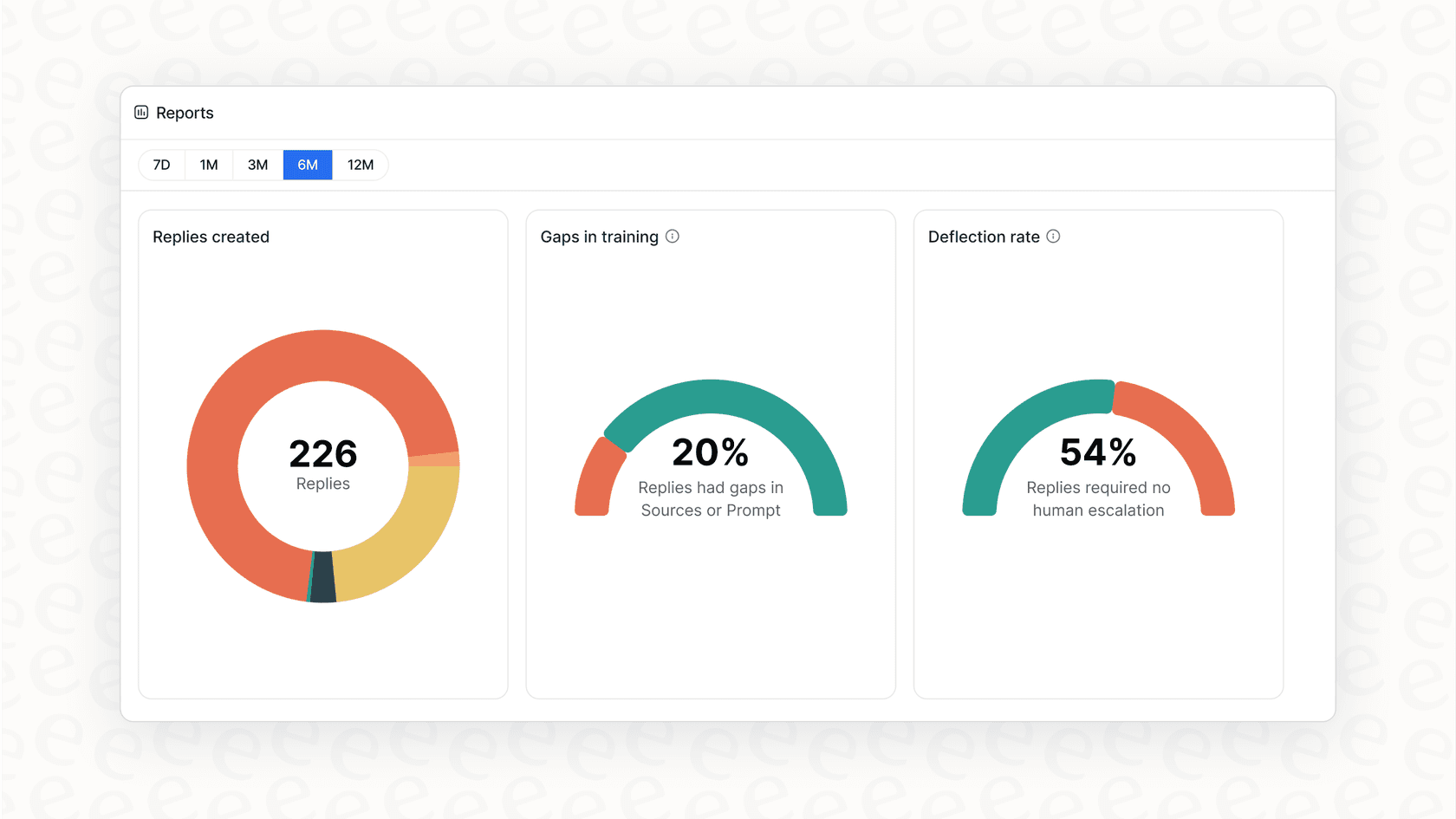
Here's how it works:
- Continuous monitoring: We analyze your support tickets as they come in, identifying questions that aren't covered by existing articles.
- Gap identification: When customers ask questions that your knowledge base can't answer, we flag those topics for content creation.
- Article suggestions: Based on how agents resolved similar tickets, we suggest content that would help future customers self-serve.
- Zendesk integration: Everything syncs directly with your Zendesk instance, so identified gaps become article drafts in your workflow.
The difference from native Zendesk features is automation. Instead of relying on agents to flag gaps manually, our AI identifies them automatically based on actual conversation data. We also integrate with Zendesk seamlessly, so there's no disruption to your existing workflow.
Other automation tools
Several other tools offer knowledge gap detection capabilities:
Helply: Their Gap Finder feature analyzes tickets to uncover questions not covered in your documentation. They promise to surface gaps within 24-48 hours of connecting your help desk and offer a 65% AI resolution rate guarantee.
Insight7: Originally built for call analytics, Insight7 analyzes support conversations to identify recurring themes and knowledge gaps. They're particularly strong for teams that handle voice support alongside tickets.
Both tools take the manual work out of gap detection, though they focus on different aspects of the support experience. The key advantage over native Zendesk features is scale: these tools can analyze thousands of conversations in minutes, not hours.
Step-by-step: Setting up knowledge gap detection in Zendesk
Ready to implement a systematic approach to finding missing content? Here's a practical workflow.
Step 1: Enable the Knowledge Capture app
If you're on Suite Growth or higher, start by setting up Zendesk's native Knowledge Capture:
- Install the app from the Zendesk Marketplace (it's included with your plan).
- Configure permissions so agents can create and flag articles.
- Set up article templates for common content types.
- Train your team on when and how to flag gaps.
This gives you a foundation for agent-driven gap identification. Expect to spend a few hours on setup and training.
Step 2: Create a gap tracking system
Whether you use Knowledge Capture or not, you need a system to track what you find:
- Set up custom fields or tags for knowledge-related tickets (e.g., "kb-gap", "needs-article").
- Create a Zendesk view that shows tickets tagged with knowledge gaps.
- Establish a weekly or monthly review cadence to prioritize gaps.
- Assign ownership: who decides which gaps to fill first?
This system turns random discoveries into actionable data. Without it, flagged gaps tend to pile up without getting addressed.
Step 3: Implement automated monitoring
For teams with higher ticket volumes, consider adding AI-powered gap detection:
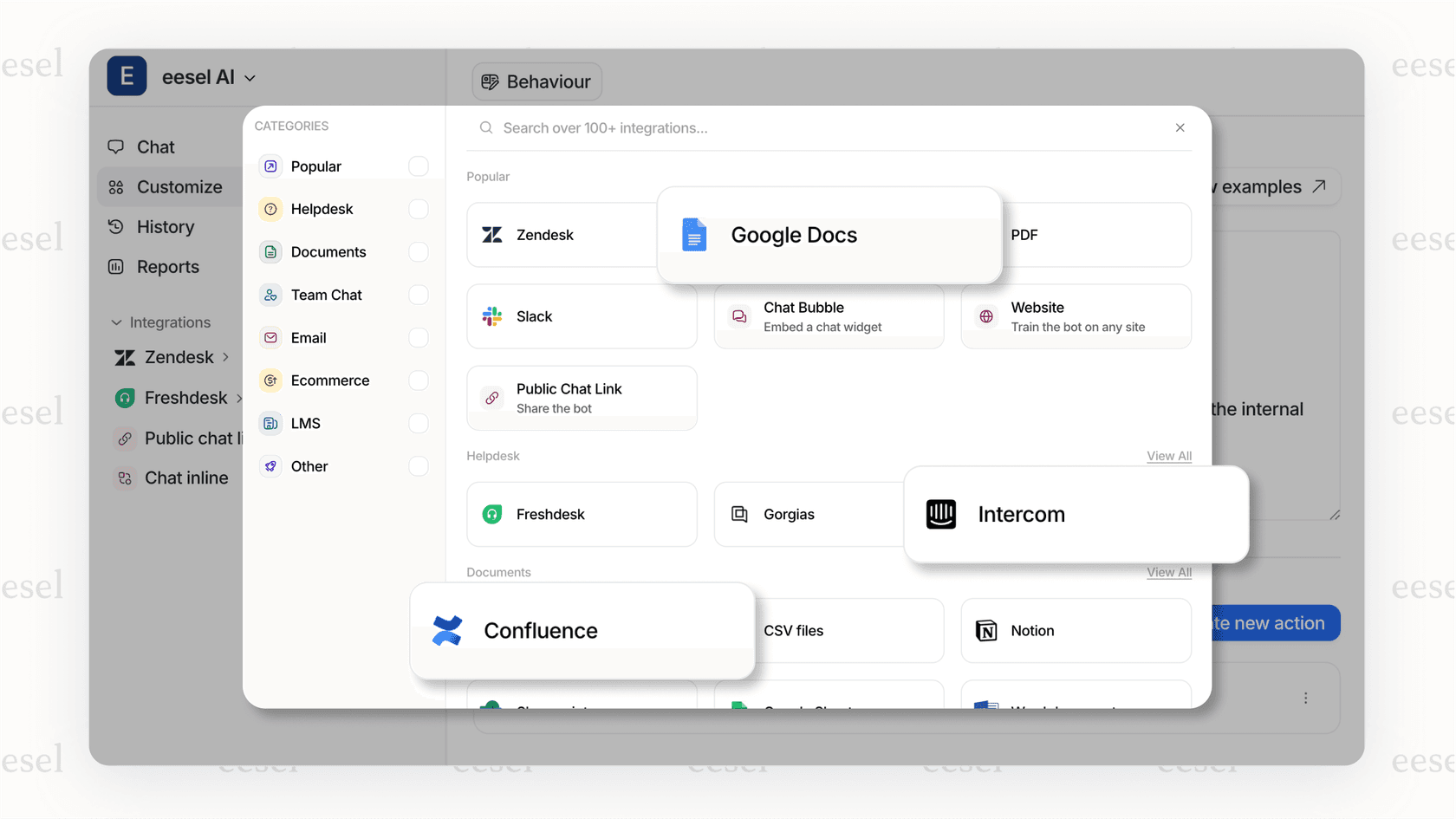
- Connect an AI tool like eesel AI to your Zendesk instance.
- Configure what types of gaps to prioritize (common questions, high-impact issues, etc.).
- Set up notifications or reports for newly identified gaps.
- Integrate gap findings into your content creation workflow.
Automation doesn't replace your judgment, but it scales your ability to identify gaps beyond what manual review can handle.
Step 4: Build your content creation workflow
Finding gaps is only half the battle. You also need a process for filling them:
- Prioritize by impact: Which missing topics generate the most tickets? Start there.
- Assign to experts: Who knows the answers? Route gap reports to subject matter experts.
- Review and publish: Establish a review process before articles go live.
- Measure results: Track whether new articles actually reduce ticket volume.
The goal is a closed loop: identify gaps, create content, measure impact, repeat.
Prioritizing which knowledge gaps to fill first
You can't write every missing article at once. Here's how to decide what to tackle first.
Volume-based prioritization: Which missing topics generate the most tickets? A gap that causes 50 tickets per month is more urgent than one causing 5.
Impact scoring: Some questions are more frustrating than others. Issues that block customers from using core features should take priority over edge cases.
Quick wins: Look for gaps with clear, straightforward answers. These are faster to document and provide immediate value.
Strategic alignment: Focus on product areas where self-service matters most. If you're launching a new feature, documentation gaps there are high priority.
Use data to make these decisions. Your ticket tags, search analytics, and AI gap reports should all feed into a prioritization framework.
Measuring the success of your gap detection program
How do you know if your gap detection efforts are working? Track these metrics:
Self-service rate: Are more customers finding answers without opening tickets? This is the ultimate measure of knowledge base health.
Ticket deflection: Are you seeing fewer tickets for topics you've documented? Compare ticket volumes before and after publishing new articles.
Knowledge base coverage: What percentage of common topics have documentation? AI tools can help quantify this.
Agent feedback: Are agents finding the content they need? Survey your team periodically.
Time to resolution: Are tickets getting resolved faster because agents have better resources?
The key is continuous improvement. Gap detection isn't a one-time project; it's an ongoing process that evolves with your product and customer needs.
Start identifying knowledge gaps with eesel AI
Native Zendesk features like Knowledge Capture give you a starting point for identifying missing content. But they require manual effort and agent participation to work effectively.
AI-powered gap detection changes the equation. Instead of waiting for agents to flag issues, you get continuous, automated analysis of your support conversations. You learn what's missing before it becomes a major pain point.
At eesel AI, we specialize in helping support teams identify and fill knowledge gaps automatically. Our AI monitors your Zendesk tickets, surfaces missing content opportunities, and suggests articles based on how your agents actually resolve issues.
Try eesel AI free to see how automated gap detection works with your Zendesk data, or book a demo to discuss your specific knowledge management challenges.


