

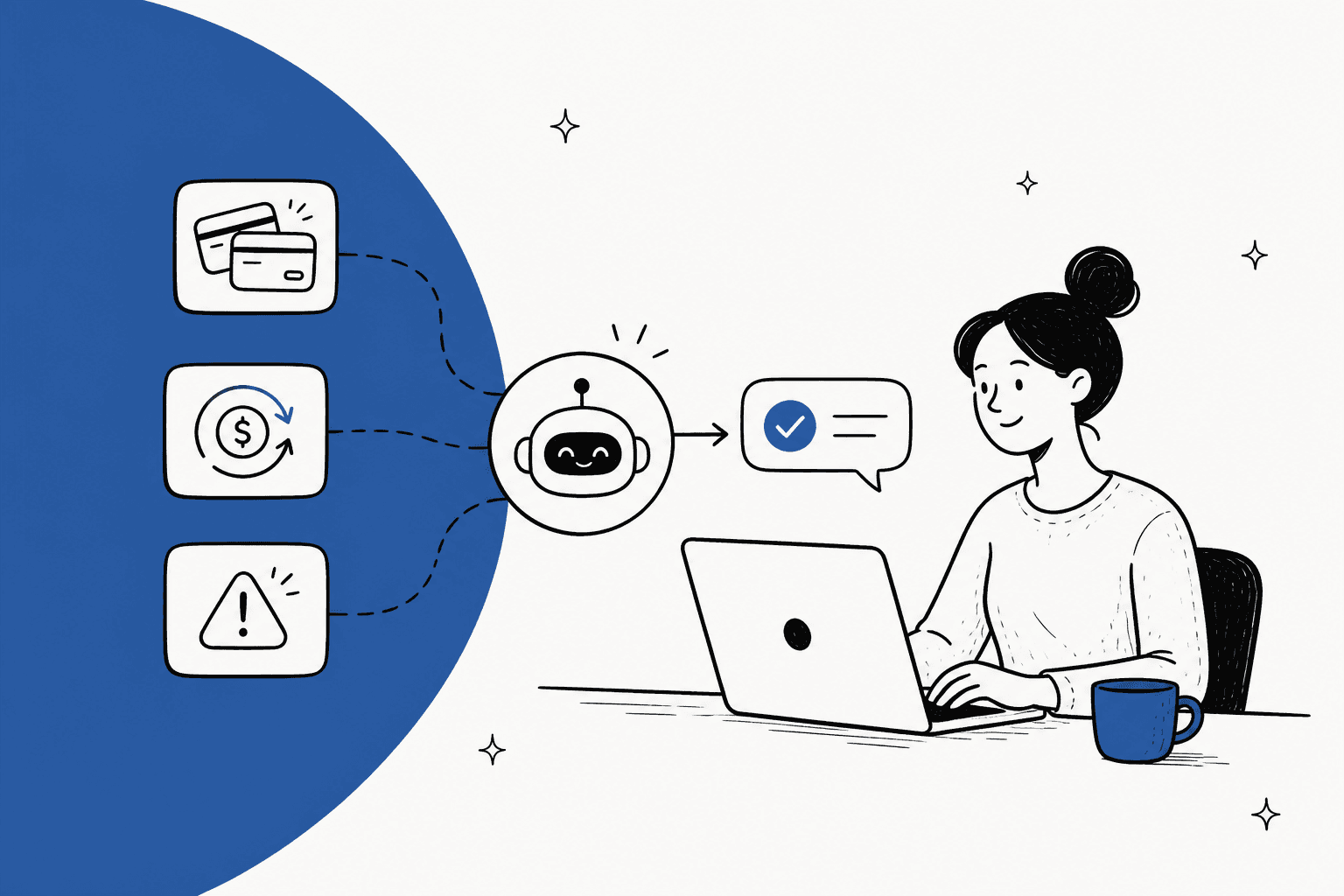
AI for billing disputes works when it does one thing before it writes a word: it opens the customer's real payment record and checks the claim against it. Most "you charged me twice" and "I cancelled!" tickets aren't billing errors at all. They're a pending hold that hasn't dropped off yet, a renewal that ran a day before the cancellation, or a charge under a statement name the customer doesn't recognise. An AI that can see the record explains those in a minute. The real errors (an actual duplicate, a renewal after a confirmed cancellation) get a refund proposed for a person to approve.
The reason to bother is money. A billing dispute in your inbox costs a reply. The same complaint sent to the customer's bank costs a $15 Stripe dispute fee, a 7 to 21 day response window, and one shot at evidence, and Stripe won't let a fully refunded payment be disputed at all. So the cheapest place to settle a billing dispute is the ticket, and fast.
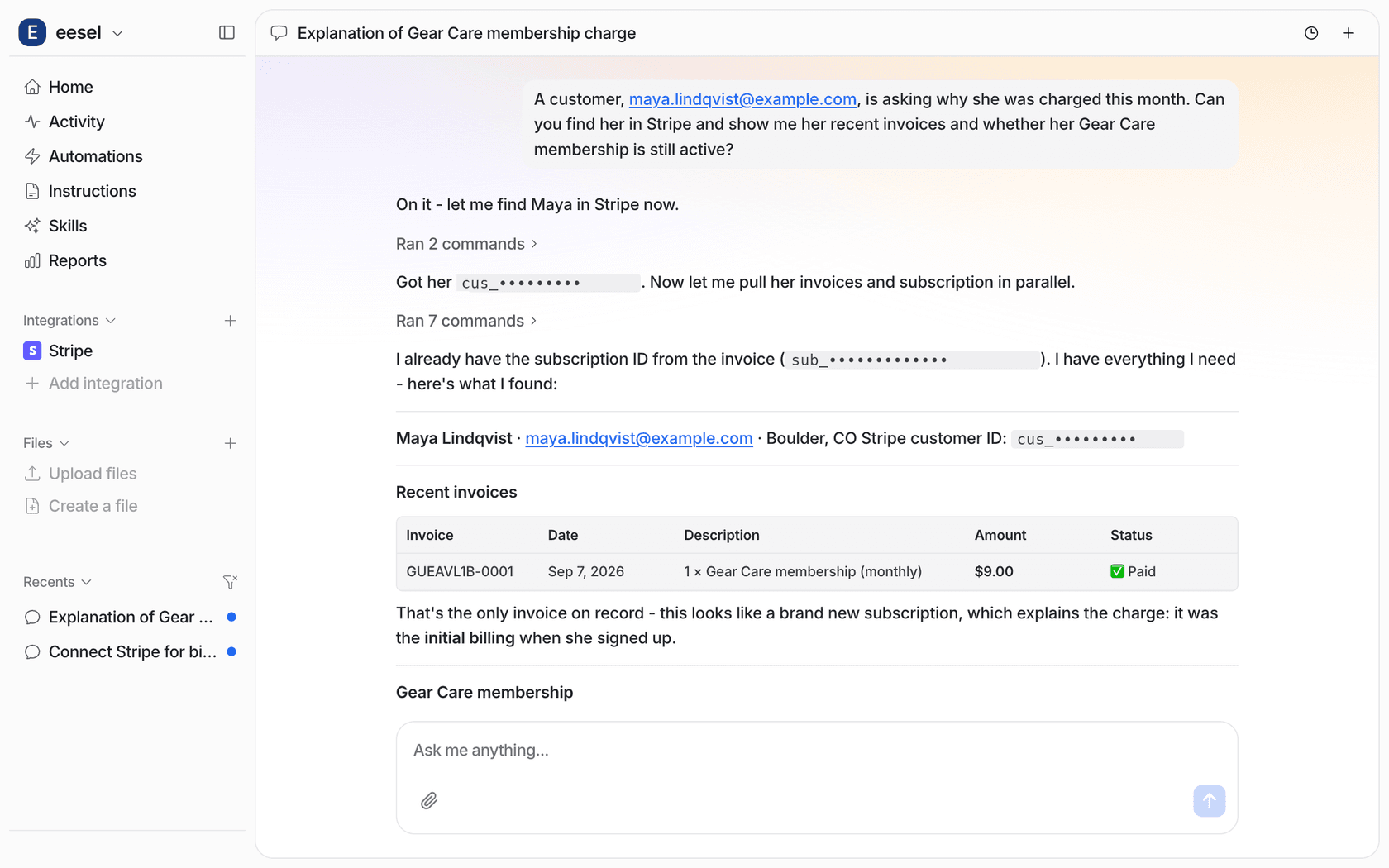
That's how I'd set up eesel on a billing queue: it reads invoices, payments and subscriptions in Stripe, explains what it can prove, and queues refunds for approval. MentorShow runs it on HubSpot, where it checks each member's subscription status and renewal date before drafting a reply, and hands refunds and billing checks to a person.
What counts as a billing dispute?
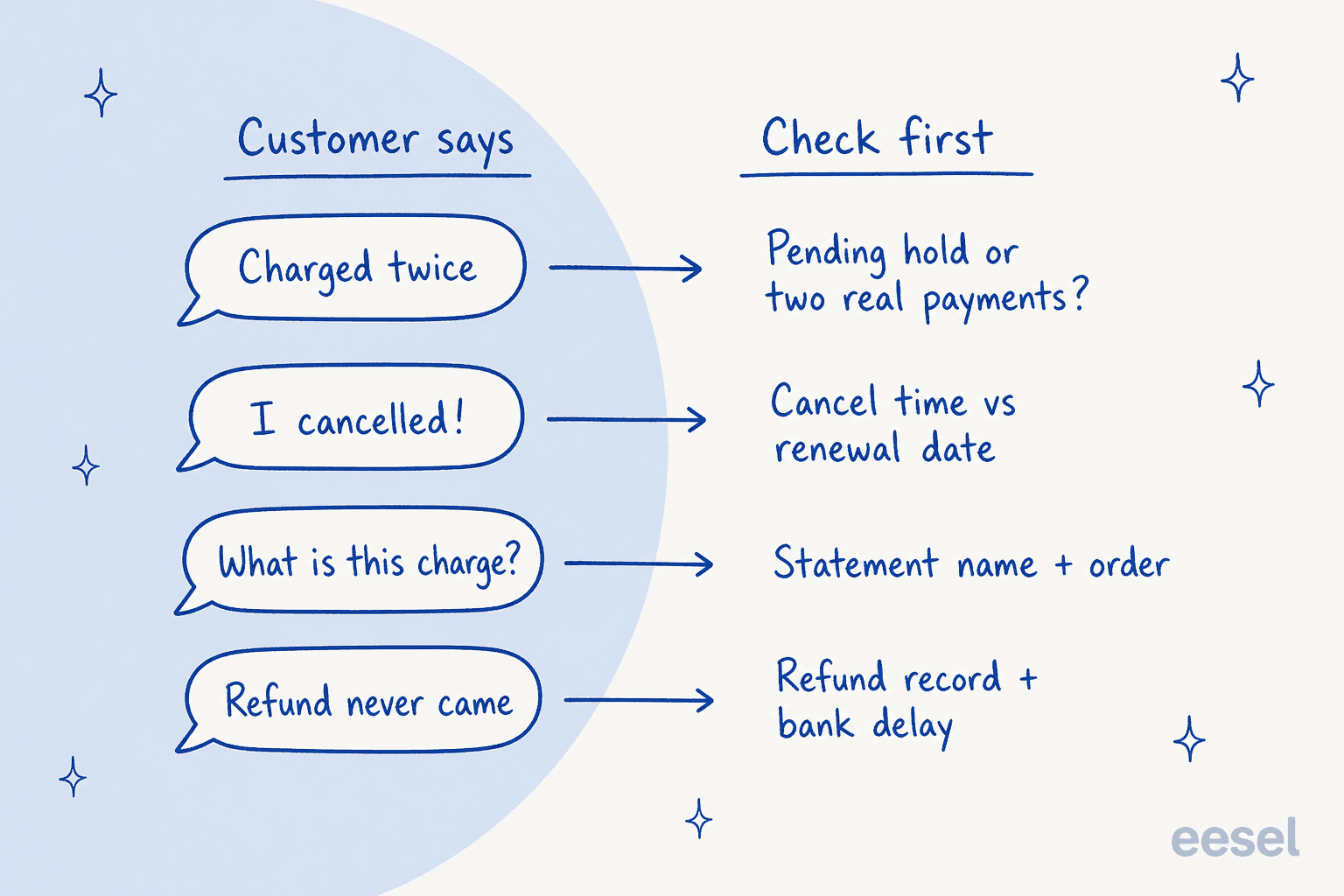
A billing dispute is a customer telling you, usually in a support ticket, that a charge is wrong. It's the step before a chargeback, where they tell their bank instead. On the support side I see the same four shapes again and again:
- "I was charged twice." Two lines on a statement for one purchase.
- "I cancelled and you charged me anyway." A renewal the customer thinks they stopped.
- "What is this charge?" A line they don't recognise.
- "My refund never arrived." A refund they were promised and can't see.
These map almost one to one onto how the card networks themselves sort complaints. Stripe groups network reason codes into dispute categories, and four of them are exactly these: duplicate, subscription canceled, unrecognized, and credit not processed. Mastercard even has a code for it, 6321, "Cardholder does not recognize transaction".
Here's the part most guides skip. A big share of these claims are recognition problems, not billing errors. The customer is looking at a real statement and drawing a reasonable conclusion from it. The fix is usually information, and information is the thing AI is good at delivering, as long as it's reading the same record you would.
That's also what separates this from the general billing support queue and everyday billing questions. "Where's my invoice?" is a request. A billing dispute is a claim that you got something wrong, often from someone already annoyed, sometimes with "or I'll call my bank" on the end.
Why is the ticket the cheapest place to settle it?
Because once the customer goes to their bank, you lose most of your options. Stripe's pricing page puts numbers on it for US accounts:
| What happens | Cost or limit | Source |
|---|---|---|
| Dispute received | $15 per dispute, not returned even if you win | Stripe pricing |
| You counter it manually | Another $15, returned only if you win | Stripe pricing |
| Time to respond | Usually 7 to 21 days, or you lose automatically | Respond to disputes |
| Your evidence | One submission, no edits afterwards | Respond to disputes |
| How long customers can file | Typically 120 days after payment | How disputes work |
| Your dispute rate | Goes up with every dispute | How disputes work |
Compare that with the ticket, where your costs are a reply and maybe a refund you would have given anyway. Stripe's own prevention advice says it directly: responding to issues and processing refunds quickly makes customers less likely to dispute.
There's a technical reason too. Stripe states that customers can't dispute fully refunded payments, but a partially refunded payment can still be disputed for the full amount. So if a refund is the right answer, a full refund in the ticket closes the door on a chargeback. A half-refund doesn't.
A lot of chargebacks are just billing disputes that never got asked. One SaaS founder put it plainly on Hacker News:
"I run a SaaS business, and whilst disputes are rare, I'm pretty sure most of them are from customers who forget to cancel their subscription. Rather than emailing me asking for a refund (which I'll be happy to give), these customers go straight to the dispute process."

That's the job for AI on a billing queue: make the ticket the easier path. A fast, specific answer in the inbox beats a bank form, and the customer who gets one rarely bothers with the bank.
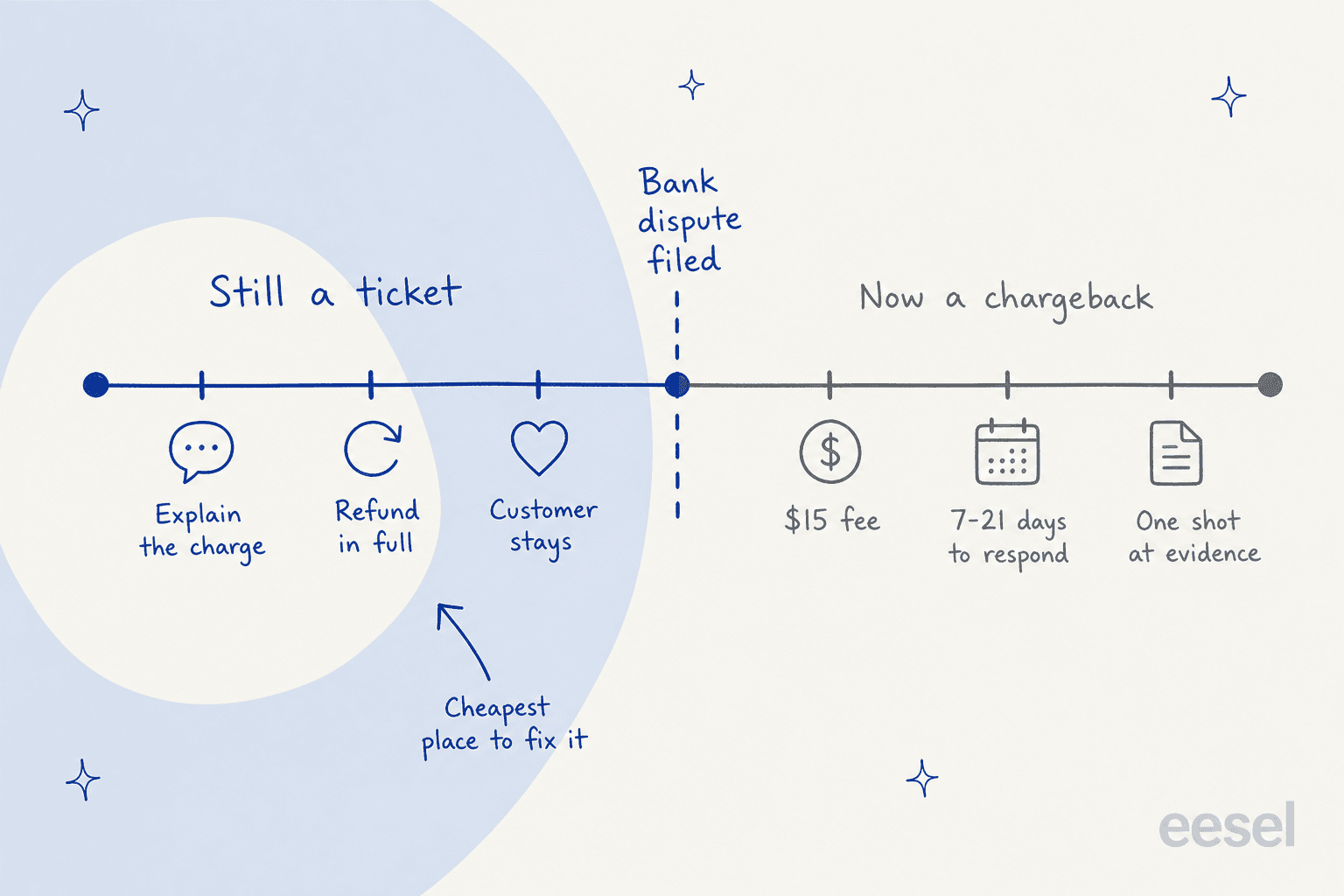
Once a dispute is formally filed, it's a different process with different tools, and the payment disputes guide covers processor tools like Stripe Smart Disputes. Ecommerce teams can also see the refund automation side of the same problem. This post stays on the side of the line where support can still fix it.
What should AI check before it answers?
The rule I'd write into any billing agent's instructions: no reply about money until it has looked at the money. A general chatbot that answers "were you charged twice?" from your help center will either apologise for something that didn't happen or deny something that did. Both are worse than a slow human reply.
Here's what to check for each claim, using Stripe's own docs as the reference.
"I was charged twice"
Check whether both lines are captured payments, or whether one is an authorization hold. Stripe explains that an online card authorization is usually held for 7 days, and adds a line every support team should know: card statements from some issuers "don't always distinguish between authorizations and captured (settled) payments, which can sometimes confuse customers."
So the AI's first question to the record is: one payment and one hold, or two payments? If it's a hold, the honest answer is that it will drop off and was never taken. If there are two real payments for one order, that's a genuine duplicate, and the right move is a refund proposal, not an explanation.
"I cancelled and you still charged me"
Check two timestamps: when the cancellation was recorded, and when the renewal ran. Also check how the cancellation was set up. In Stripe, a subscription can be cancelled at period end, which keeps it running until the paid period finishes, or cancelled immediately. Customers often think "cancel" means "stop now", and the record tells you which one actually happened.
If the cancellation came first and the charge ran anyway, the customer is right and gets a refund. If the renewal ran before they cancelled, the reply explains the dates plainly and, depending on your policy, offers a goodwill refund. That policy call is one you set, which I cover below. And if the customer is leaving for good, it's a cancellation retention moment as much as a billing one.
"What is this charge?"
Check the order or invoice behind the payment, and check what name appears on the statement. Stripe's statement descriptor docs say clear descriptors reduce chargebacks, and its best practices recommend your website domain or business name, between 5 and 22 characters. If your descriptor is an old company name or a parent brand, this ticket type will keep coming back, and the AI should tag it with a consistent ticket classification so someone fixes the root cause.
The reply here is evidence: the date, the amount, what it was for, and the name they'll see on the statement.
"My refund never arrived"
Check the refund record: was it issued, when, and for how much. The refund leaves your side when you issue it, and the bank decides when it shows. The AI can only state what the record proves, so the reply should give the refund date and amount, and never promise a posting date it can't see.
This is the failure I'd watch for first: an agent with no access to the billing system will happily write "your refund has been processed" because that's what most past replies said. That's why read access comes before any automation.
Sort a billing dispute in ten seconds
Pick what the customer said and you'll see what the record needs to show, what's usually true, and who should act. It's the same sorting I'd put in an AI agent's instructions, so it doubles as a draft of yours.
Billing dispute sorter
What did the customer say?
Pick one above to see the check, the likely answer, and who acts.
Check: are both lines captured payments, or is one an authorization hold?
Usually true: a hold that drops off within about a week. Some statements show holds and payments the same way.
Who acts: hold, so AI explains it with the dates. Two real payments, so AI proposes refunding one and a person approves.
Check: when the cancellation was recorded, when the renewal ran, and whether it was set to cancel at period end.
Usually true: the renewal ran before the cancellation, or "cancel" meant end of period.
Who acts: cancelled first, so refund proposed for approval. Renewed first, so AI explains the dates and your goodwill rule decides.
Check: the order or invoice behind the payment, and the statement name the customer sees.
Usually true: a real purchase under a name they don't connect to you.
Who acts: AI replies with date, amount, what it was for and the statement name, and tags it if the name keeps confusing people.
Check: the refund record: issued or not, when, and how much.
Usually true: it was issued and the bank hasn't posted it yet.
Who acts: AI gives the refund date and amount. Not issued, so it goes to a person with a note.
Check: the same record as the claim underneath, plus whether a dispute is already filed.
Usually true: a normal billing dispute with a deadline attached.
Who acts: AI pulls the facts into an internal note and moves it to the top of a person's queue. A filed dispute goes to whoever handles disputes in your processor.
Which billing disputes can AI settle on its own?
The ones where the record settles it. Explaining a charge, a hold, a renewal date or a refund date is read-only work: the AI states what it found, and nothing about the account changes. That's safe to automate early. Moving money is a different job, and that's where I'd keep a person in the loop for a good while.
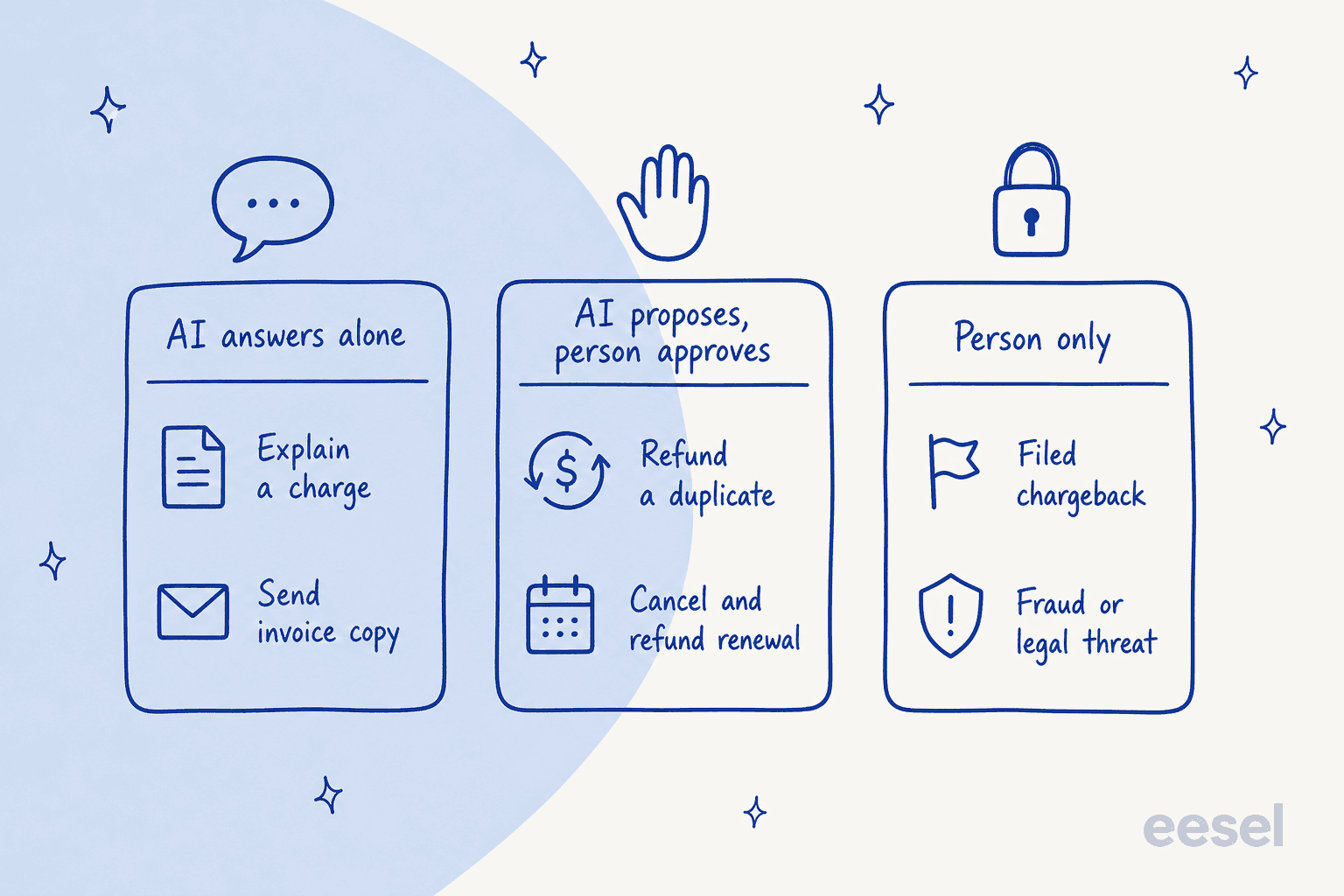
| Billing dispute | AI alone | AI proposes, person approves | Person only |
|---|---|---|---|
| Pending hold mistaken for a double charge | Explain with dates | ||
| Real duplicate payment | Refund one payment | ||
| Renewal after a confirmed cancellation | Refund and confirm the cancellation | ||
| Renewal before the cancellation | Explain the dates | Goodwill refund, if your rule allows | |
| Unrecognised charge, real order | Explain with order and statement name | ||
| Refund issued, not visible yet | Give refund date and amount | ||
| Refund promised, never issued | Issue the refund | ||
| "I'll call my bank" | Pull the facts into a note | Decide and reply fast | |
| Dispute already filed with the bank | Respond in the processor | ||
| "Someone stole my card" | Fraud review |
The middle column is the one that pays off once you trust it. A duplicate refund is a clear fact pattern with a clear answer, and it's exactly the kind of thing the refund approval matrix lets you move from approval to automatic, one type at a time. The same logic applies to ordinary refund requests.
The bottom row needs speed more than automation. Threat language like "I'll call my bank" is worth catching with sentiment analysis and pushing to the front with ticket prioritization, because the customer is telling you how long you have.
A CX lead described the bar better than I can on an eesel sales call:
"I need an AI who is only handling the tickets that it's confident to handle and all the other ones, leave them alone."
A CX lead at a 7,000-ticket-a-month support team
That's the right instinct for billing. A confident wrong answer about someone's money is the fastest way to turn a ticket into a chargeback.
How do you set up AI for billing disputes?
Six steps, in this order. The order matters more than the tool.
- Connect the billing system with read access first. Your AI needs to see customers, invoices, payments, subscriptions and refunds before it says anything. With eesel, the Stripe connection reads all of those live at the moment it's asked, and adds no knowledge source of its own. Shopify stores get the same through the Shopify integration, and the HubSpot integration covers subscription data kept on the contact.
- Write the rules in plain language. Tell the agent how your team handles each of the four claims, what your refund policy says, and when to stop. One digital-media support admin taught their Zendesk agent a rule I'd steal for any billing setup: they don't address a cancel or refund request when there's an unresolved issue attached, and the agent troubleshoots first. If your billing lives in Zendesk, the Zendesk SaaS billing guide covers the field setup.
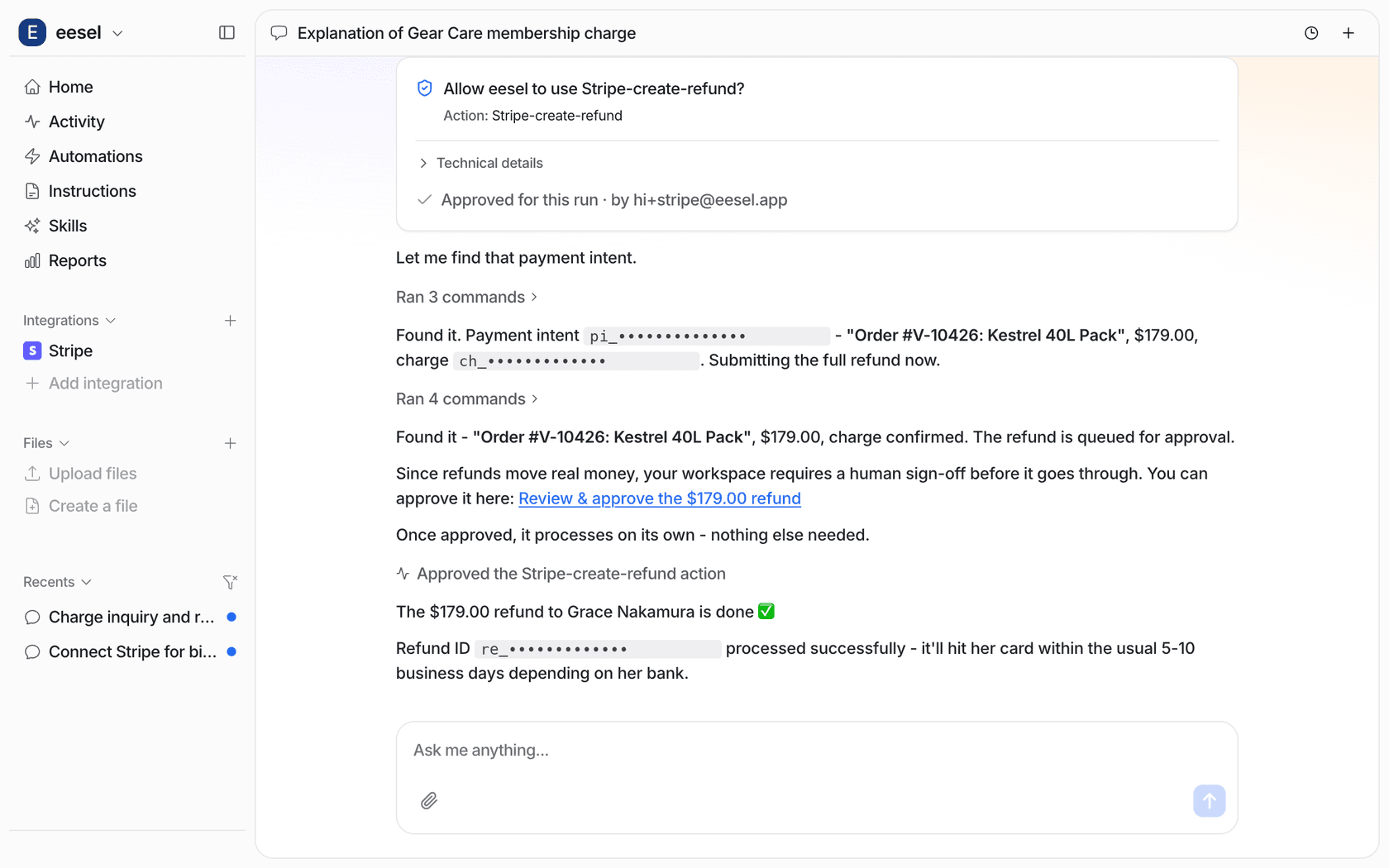
- Put every money action on approval. In eesel each action can be set to Auto, Needs approval or Disabled. Explanations and internal notes can run on Auto. Create refund and Cancel subscription start on Needs approval, which shows up as a card a person approves in the dashboard or Slack.
- Never collect card details in a ticket. The PCI Security Standards Council is blunt: card verification codes can't be stored once a transaction is authorized, even encrypted, and a customer's permission doesn't change that. Your AI should never ask for a card number or security code, and should redact one if a customer sends it.
- Test it on your past billing tickets. Run the agent against real historical disputes before it touches a live one, and read what it would have said. The simulation testing guide covers how many tickets per topic you need, and the implementation timeline shows how long each stage usually takes.
- Measure chargebacks, not just tickets closed. The number that tells you it's working is your dispute count going down, alongside first-reply time on billing tickets. Track the AI-resolved rate per claim type in your support reporting, so you know which type has earned automatic refunds.
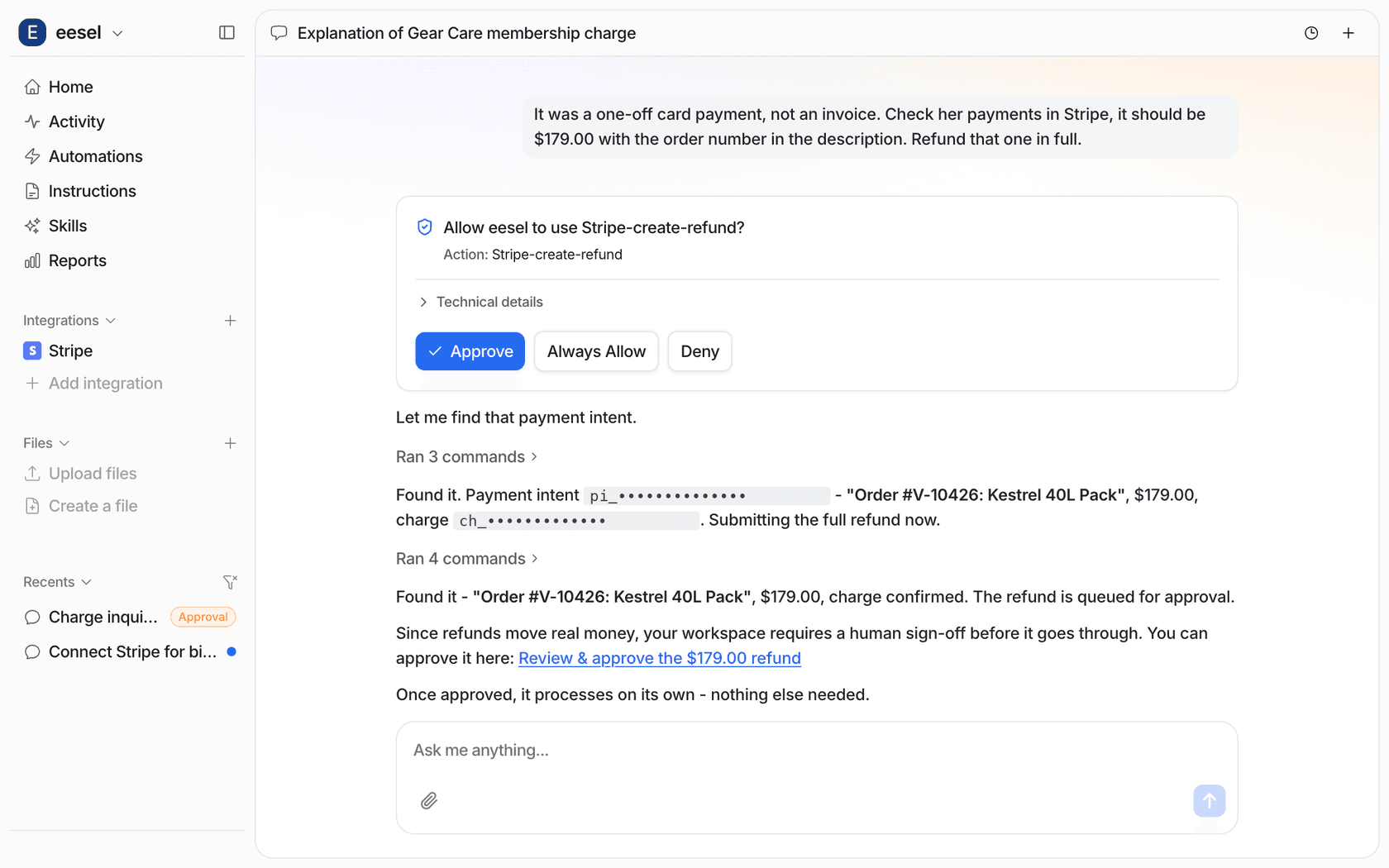
eesel's Stripe agent also comes with three rules baked in that I'd want from any tool. It reads before it writes, so it finds the customer by email before touching anything. It knows Stripe stores amounts in cents, so it states the dollar amount back before proposing a refund, because refunds can't be undone. And it knows cancel isn't delete: "cancel my account" gets a cancelled subscription, never a deleted customer record.
If you're comparing tools, ask each vendor those three questions. Gorgias, for example, lets AI Agent actions read the Shopify order total as a condition, which is a useful way to cap automatic refunds by size (more in this Gorgias actions guide). The vendor evaluation checklist has the full list.
What does this look like in a real support queue?
Here's how four eesel customers set the line between what the AI says and what a person decides. None of them let the AI decide refunds on its own, and all of them let it read the record first.
MentorShow is a French online learning platform sold on a yearly subscription, with support run entirely in HubSpot. eesel reads each member's HubSpot record before drafting: subscription status, next renewal date, and past tickets. Between 8 August and 8 September 2026 it read about 1,200 conversations and tickets and wrote 432 reply drafts for the team. Refunds, billing checks, account changes and legal threats go straight to a person, and the agent never promises a refund. Ophélie Casado, who runs the setup, keeps adding rules as cases come up, including how to handle a billing dispute with care.
Question Beauty, a direct-to-consumer cosmetics brand on Gorgias and Shopify, hands refunds and chargebacks to a person every time. What makes it work is the handoff: eesel replies briefly, assigns the ticket, and leaves an internal note with what the customer asked, what it found in Shopify, and why a person is needed. In one month it handled 990 tickets and closed 280 without a person.
SE Ranking runs support for three software products through Zendesk, 4,650 conversations in a month. Refunds and trial extensions go to the team with the customer's name and email. On email, billing tickets never get a drafted reply at all, only a note on what eesel found, which is a reasonable place to start if your billing team wants full control.
Adverscale shows the other end. Its agent answers billing and fee questions directly in Zendesk, 1,600 replies in a month, looking up the customer's order before it writes. Refund and cancellation requests are never decided in a reply; they get an internal note and go to the team.
The pattern across all four: the AI explains with the record, a person decides about money, and the handoff note means nobody starts the investigation from zero. That same handoff discipline shows up in the AI handoff guide.
Where should a person stay in charge?
Even with a good setup, four kinds of billing dispute belong with a person.
- A dispute already filed with the bank. Stripe says to always address a formally disputed payment through its dispute process, because the bank has already refunded the customer. That's processor work, covered in the payment disputes guide.
- Anything that sounds like fraud. "I never made this purchase" or "my card was stolen" needs a fraud review, not a friendly explanation. Route it to the person who handles fraud, with the order facts attached.
- Legal threats and regulators. Escalate on sight. The AI escalation guide covers how to write those triggers.
- Goodwill calls. Whether to refund a renewal that ran before the cancellation is a business decision about the customer. AI can lay out the facts; you decide the rule, and a person applies it until the rule is written down.
A Hacker News commenter made the case for keeping humans close to this, and I think they're right about the reason:
"A credit card dispute is a strong signal from an unhappy customer. And you're going to let it be handled by a robot? That's not smart. If you make it easy for customers to reach a human, and easy for a human to issue refunds, you don't get disputes."
I'd add one thing: the AI is what makes it easy for the human. When the note already says "two captured payments of $49 on 3 October, order 1182, duplicate confirmed, refund queued", the person approving it spends seconds, not a fresh tier 2 investigation. Angry customers notice the speed too, which is half of handling angry customers well.
Try eesel for billing disputes
If billing disputes are piling up in your helpdesk, eesel joins it like a new support teammate who can actually see Stripe. It finds the customer, reads their invoices, payments and subscriptions, answers the holds, renewals and unrecognised charges itself, and queues every refund for your approval, with the exact payment named. It works inside Zendesk, Gorgias, HubSpot and the rest, and you can run it against your past billing tickets before it answers a live one.
Pricing is one fixed monthly plan: a ticket is 1 credit however long it runs, plans start at $299 a month for 500 credits, and the free plan gives you 100 credits to test it on your own disputes. Try eesel and point it at last month's "you charged me twice" tickets first.
Frequently Asked Questions
Can AI handle billing disputes on its own?
What is the difference between a billing dispute and a chargeback?
$15 fee on each one in the US. AI for billing disputes is about settling the first before it becomes the second; the payment disputes guide covers what happens after.What should an AI check before replying to a "charged twice" ticket?
Should AI be allowed to issue refunds for billing disputes?
Can a customer still file a chargeback after I refund them?
Is it safe to let AI read billing data from Stripe?
How much does AI for billing disputes cost?
1 credit however long it runs, and plans start at $299 a month for 500 credits, with a free plan of 100 credits to test on. A single chargeback avoided saves the $15 Stripe fee plus the disputed amount, so the math usually favours settling billing disputes in the ticket. See eesel pricing.