

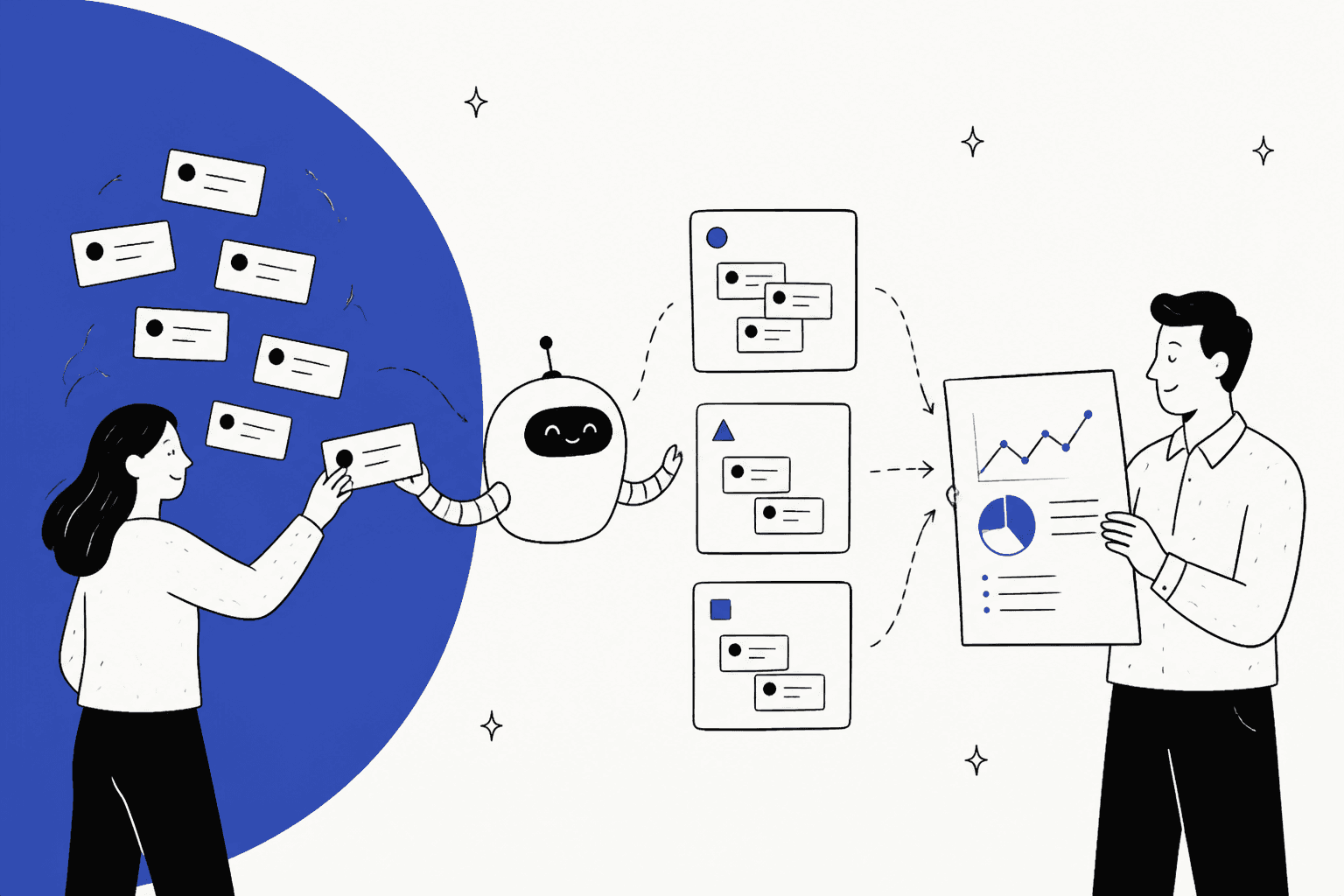
AI for support reporting reads every ticket, tags it by why the customer wrote in, flags spikes and missing help articles, and writes the weekly summary for you. That moves your report from "how many tickets" to "why they came in and who should fix the cause", which is the part a spreadsheet export never tells you.
Most helpdesks now include some of this. Zendesk tags topic and sentiment on Suite Professional ($115 per agent a month), Gorgias detects intent and sentiment on every Helpdesk plan, and Freshdesk's spike and root-cause alerts sit on Enterprise only ($89 per agent). The catch is that AI tags are only as good as the list you give them, and most built-in reports stop at a chart. Somebody still has to turn the chart into a fix.
An AI teammate like eesel closes that gap because it already works the tickets: at smava it categorised about 14,600 Zendesk tickets in a month into a fixed list, and it can email a weekly report with the top themes, knowledge gaps and what to fix first. Plans run from $299 a month for 500 credits.
What does AI actually do for support reporting?
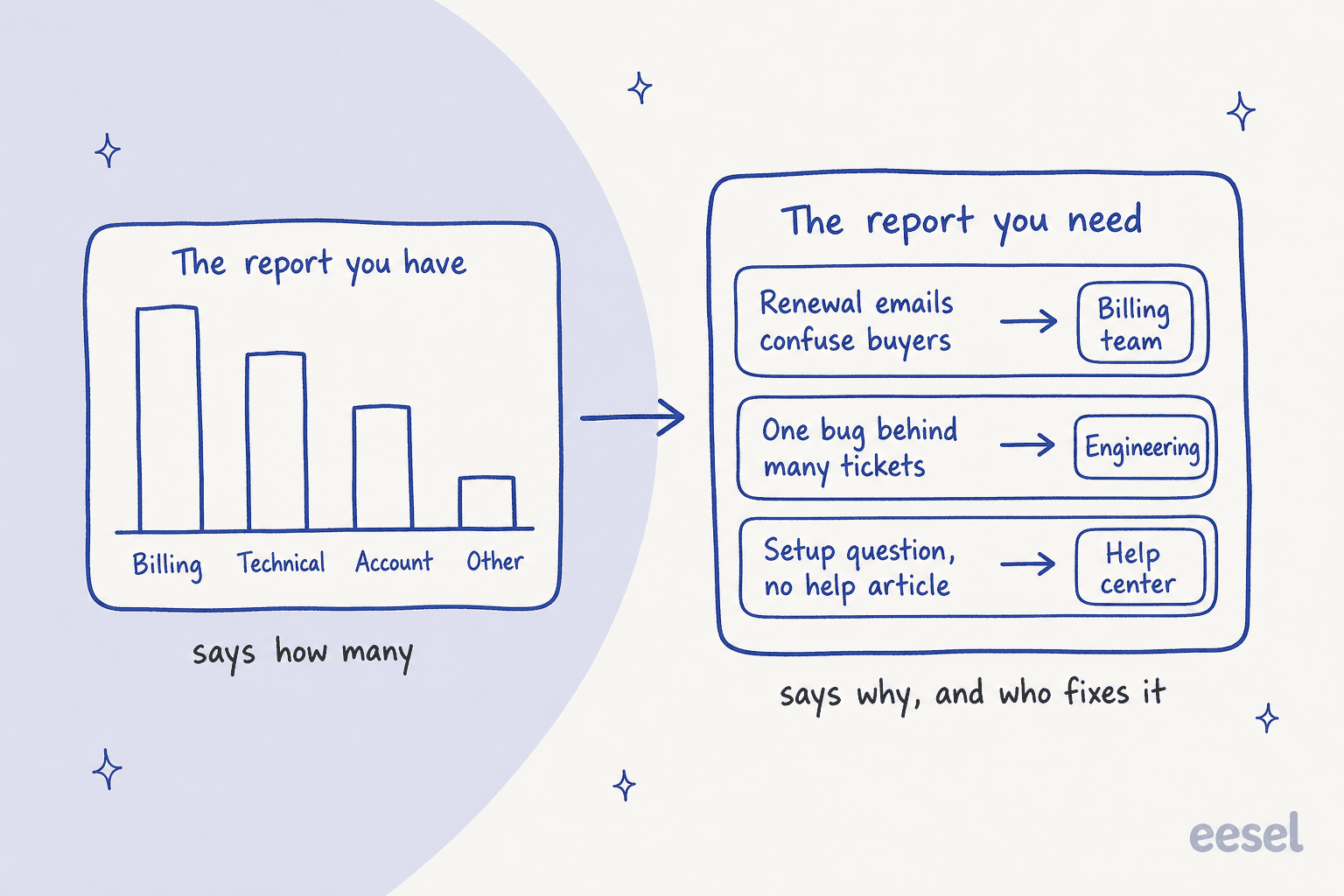
In support reporting the AI does five jobs. It tags each ticket with a contact reason and reads the customer's sentiment, it notices when a topic spikes, it points at questions your help center can't answer, and then it writes the numbers up in plain language. Of these, the first job is the one that carries the rest. When every ticket has a reliable reason on it, the other four come fairly easy; when the reasons are a mess, nothing further down can be trusted much.
I work eesel's support queue every day, and the report I want on a Monday is a short one: what people wrote in about and what changed since last week, plus which of those things someone outside support is able to fix. The ticket count on its own is the least useful line on that page.
Here is how each job looks in practice:
| Job | What the AI does | What you get in the report |
|---|---|---|
| Contact reasons | Reads the subject and thread, picks a reason from your list | Volume by real reason, not by "Other" |
| Sentiment | Labels each message positive, neutral or negative | Which reasons make customers angriest |
| Spikes | Compares this week to recent weeks per reason or group | An alert before the weekly meeting, not after |
| Knowledge gaps | Notes questions it couldn't answer from your docs | A list of help articles to write |
| Written summary | Turns the numbers into a few sentences with examples | A report people outside support will read |
For the technical side of the first job, my guide to AI support tagging goes deeper, and AI sentiment analysis for support covers the second one.
Why don't your current support reports explain why tickets come in?
Your current reports can't explain why tickets come in because the reason field gets filled in by hand, at the end of a ticket, by people who are tired. Every agent tags a bit differently and half the tickets end up in a catch-all, which doesn't help when the dropdown itself was designed two product launches ago.
"We have been using ZD for a number of years but the system was never designed properly. Most tickets are not being tagged properly and we find it very difficult to see trends."

Then there is the report builder. Native dashboards do well on counts, first reply time and SLA, and they are a lot weaker at telling you what sits behind a number. So every week teams export to a spreadsheet or a BI tool, and that export is where the hours actually go.
"the native dashboards are fine for weekly pulse checks but anything deeper gets messy fast, I end up pulling everything into a BI tool anyway for proper trend analysis and sentiment tracking"
The third problem is ownership. Even a good report tends to end at "billing tickets went up 20%". It won't say the renewal email is confusing, and it won't hand that to the person who owns the renewal email either. That step is the one that actually reduces tickets, and if I were designing a reporting setup from scratch I would build the whole thing around it. The standard metrics are in my post on customer service KPIs; this post is about the layer that sits above them.
What AI reporting does your helpdesk already include?
Most major helpdesks ship AI topic tagging now, though the plan you need for it varies a lot. Before buying anything, check what you already pay for. This is what each vendor's own docs say, as checked on 29 October 2026:
| Helpdesk | AI tagging by reason | Sentiment | Ask for a report in plain English | Spike or anomaly alerts | Knowledge gap signal | Plan needed |
|---|---|---|---|---|---|---|
| Zendesk | Intelligent triage: topic, entity, language | Yes, on the triage dashboard | Quick reports | Through the Zendesk QA add-on (Spotlight) | Zendesk QA add-on | Suite Professional, $115/agent/mo annual |
| Freshdesk | Topic clusters for its AI agent's chats | Not covered in these docs | Conversational Insights | Proactive Insights with root cause | Improve tab for its AI agent | Insights on Enterprise, $89/agent/mo annual |
| Gorgias | Intent on every message | One sentiment per message | Not found | Not found | Handovers per article | Every Helpdesk plan, from $10/mo |
| HubSpot | Topics (beta) | CX score | Breeze explains an existing report | Not found | CX score flags unclear self-service docs | Service Hub Professional, $90 to $100/seat/mo |
| Help Scout | AI Topics (beta), 8 to 15 per inbox | Not found | Through its MCP server in Claude or ChatGPT | Daily scan creates new topics | Not found | Plus $45/user/mo |
| Front | AI Topics, 85% average accuracy | Smart CSAT on Enterprise | Not found | Not found | Not found | Starter $25/seat/mo |
Some details are worth knowing before you lean on any of these.
Zendesk moved intelligent triage down to Professional plans in July 2026 at no extra cost. Using a topic inside a routing rule, though, still needs the Copilot add-on at $50 per agent. The triage dashboard has Overview, Topic, Entity, Language and Sentiment tabs. There is one quirk to know about: it keeps whatever value triage assigned first, so when an agent corrects the topic later the dashboard still shows the original one. With Quick reports you type a question instead of picking metrics, but it's limited to the Tickets dataset and 200-character prompts, with no custom fields. More in my Zendesk intelligent triage guide.
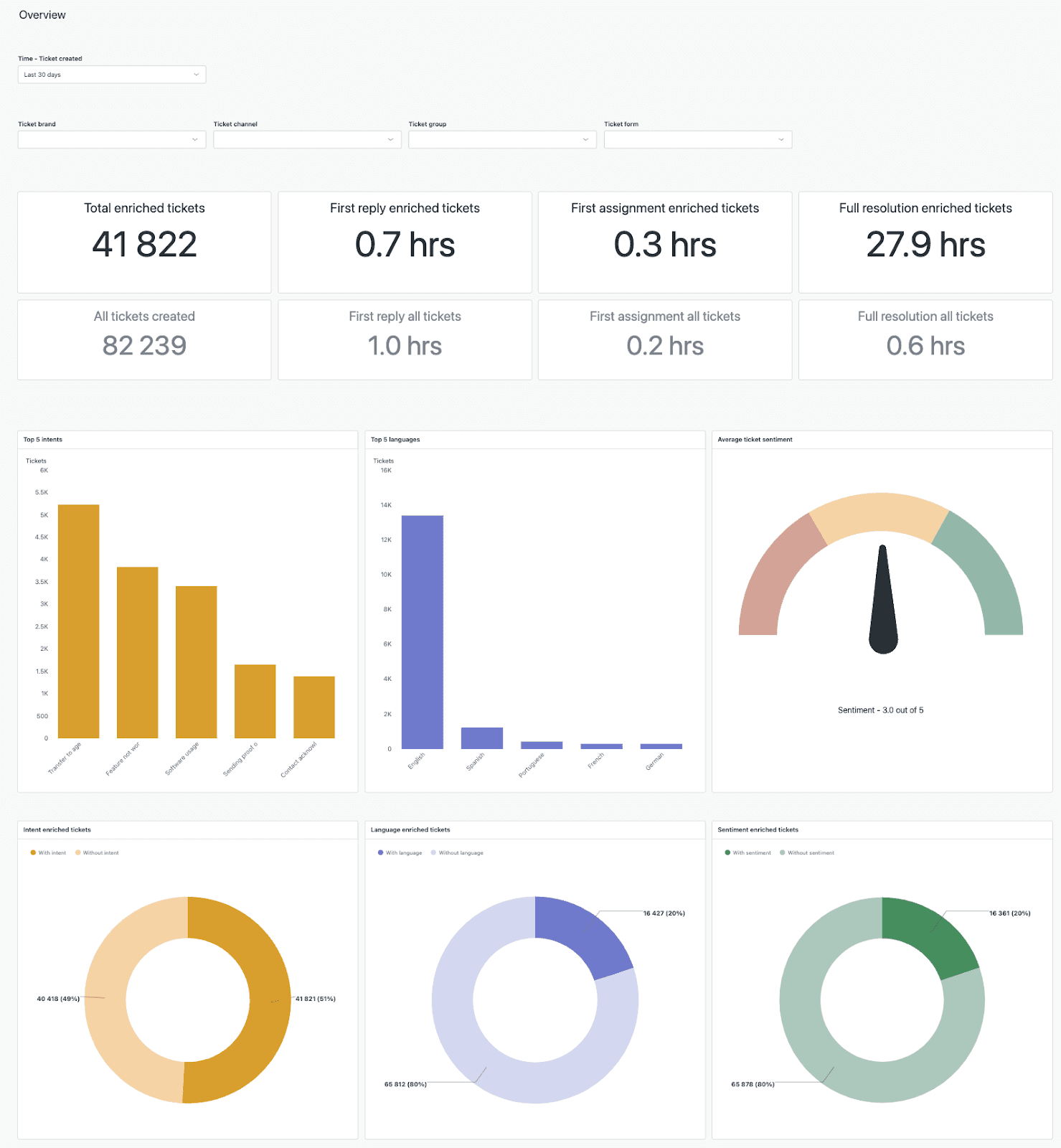
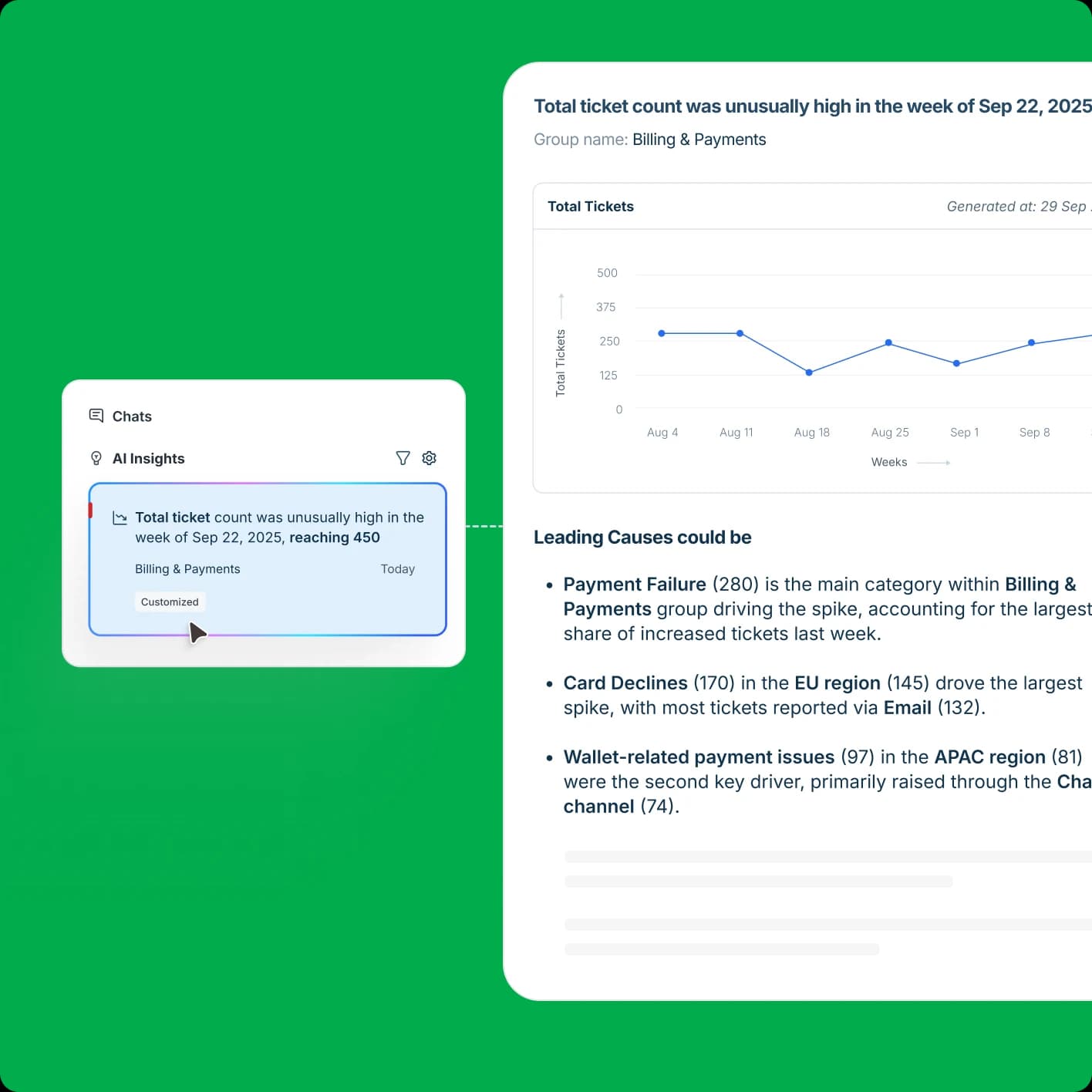
Freshdesk is the only one of the six that documents real spike detection with a root-cause tree. Proactive Insights flags outliers and trend changes per agent group, while Root Cause Analysis walks through the "critical path" behind a bad week. Its own FAQ lists the limits: English only, a weekly refresh, at least 10 tickets in 12 weeks per group, and no email or Slack alerts yet. The setup is in my Freddy AI Insights post.
Gorgias detects intent and sentiment on every incoming message, picking from a fixed list (Order/Damaged, Refund/Request and so on), and it does this on every Helpdesk plan. The most useful reporting signal it has is for its AI Agent, where each help article shows its handovers, and Gorgias says "handovers are the clearest signal" that a piece of content needs updating. My Gorgias reports walkthrough has more.
HubSpot Topics is in beta on Service Hub Professional and Enterprise. Its report lays ticket count, CX score, QA score and SLA adherence next to each other per topic, which gets closer to "what should I fix" than a bare count does.
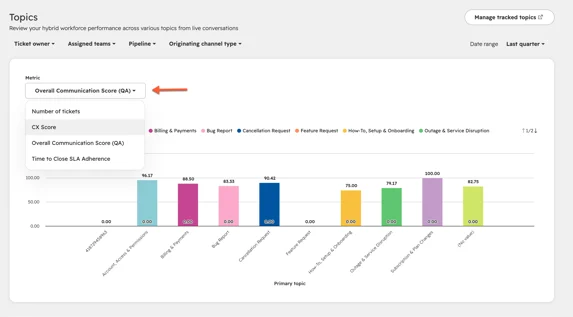
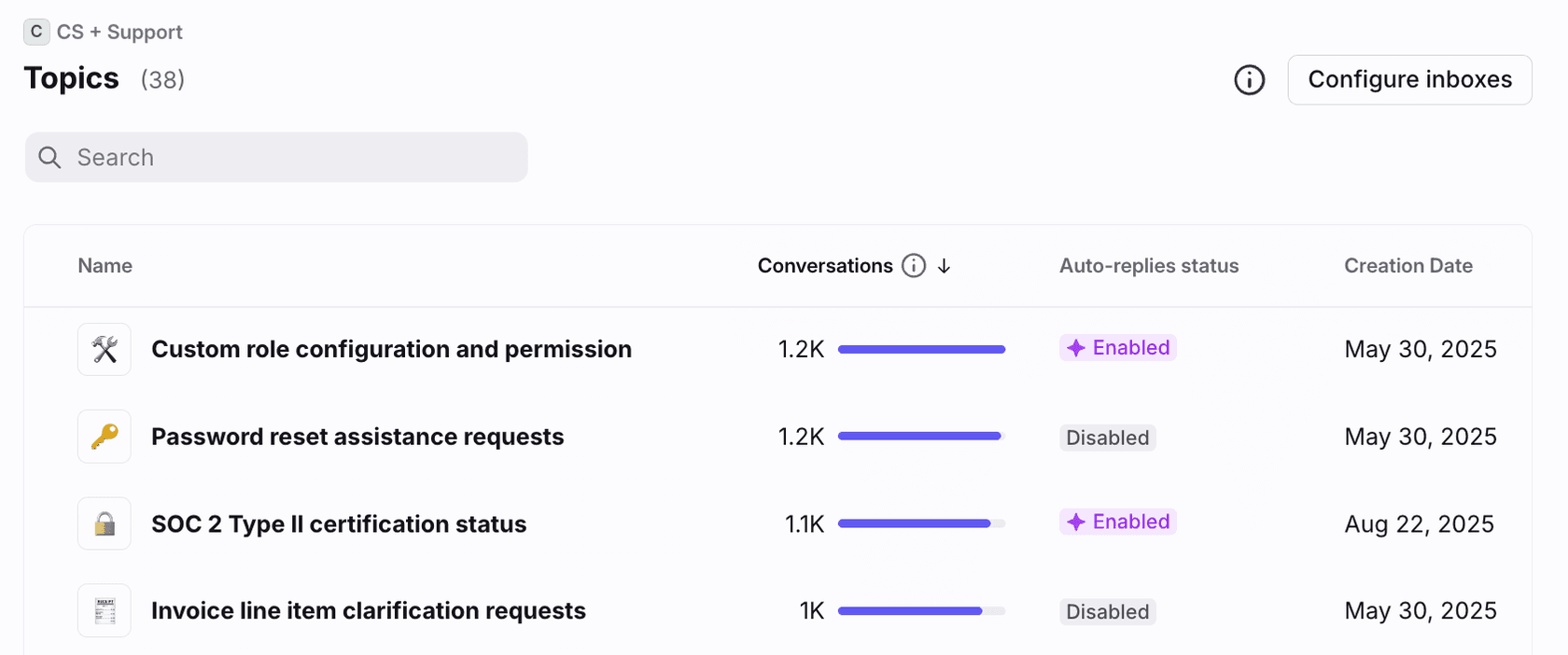
Help Scout AI Topics suggests 8 to 15 topics per inbox, and a daily scan can create a new topic when a trend shows up. Front Topics groups conversations into contact reasons. It's built for inboxes above 1,000 conversations a month and has an average assignment accuracy of 85%.
Where do built-in AI reports fall short?
Built-in AI reports fall short in three places: the tags drift, the scope is narrow, and the report stops at a chart. None of that is a reason to skip them. Think of them more as the things to plan around.
Tags drift and get read once. Several of these tools classify on the first message only. A ticket that starts as a shipping question and turns into a refund keeps the first label it got. Front publishes an 85% average accuracy, which is honest and useful, and it also means about one ticket in seven is sitting in the wrong bucket.
"it only detects the parameters on the first ticket, so if a customer goes from angry to happy or vice versa, or has a new need/"intent" on the same ticket, nothing is updated. Intent is not always accurate, therefore is a little bit difficult to make rules according to it, and even language detection does not work from time to time"
The best signals cover only the vendor's own bot. Freshdesk's Improve tab, Gorgias's per-article handovers and Front's Autopilot breakdowns are all strong, but mostly they describe conversations that the vendor's AI agent handled. Tickets answered by your human team don't feed into the same knowledge gap view.
A chart is not a fix. Every tool above can show you that billing tickets went up. Tying that to the renewal email and sending it to the billing owner takes a person, or an agent working from your instructions. If the AI saves you the export but nobody acts on it, the hours just move somewhere else.
"The ticket still needs tagging, the CRM still needs updating, the summary still needs writing, and half the time someone has to re categorise it anyway because the bot picked the wrong macro. So my team's hours did not really go down. They just shifted to cleanup work"
For drift, the practical answer is a fixed reason list that the AI picks from and never invents, along with a weekly look at a sample of tags. I wrote up the tuning side in my guide on ticket tagging false positives.
How do you turn ticket themes into fixes?
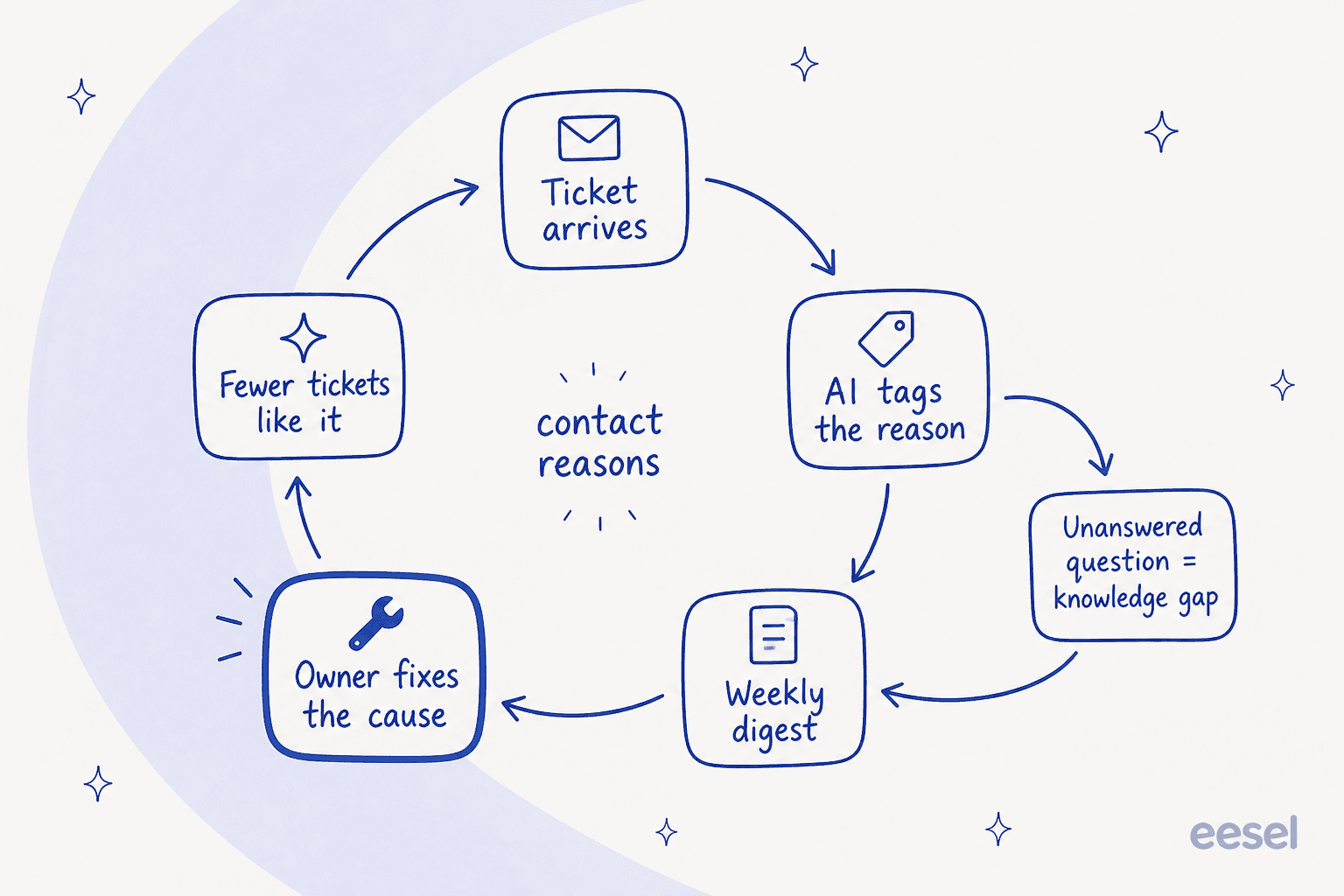
You turn ticket themes into fixes by giving every contact reason an owner outside support, plus a weekly slot to look at it. What the AI does is make that loop cheap to run. It tags the reason when the ticket arrives and notes what it couldn't answer, then writes the digest and shows you the next week whether the fix worked.
Not every reason deserves a fix. The split I find useful is how often a reason comes up against how much each one costs your team, which is mostly handle time plus the repeat contacts:
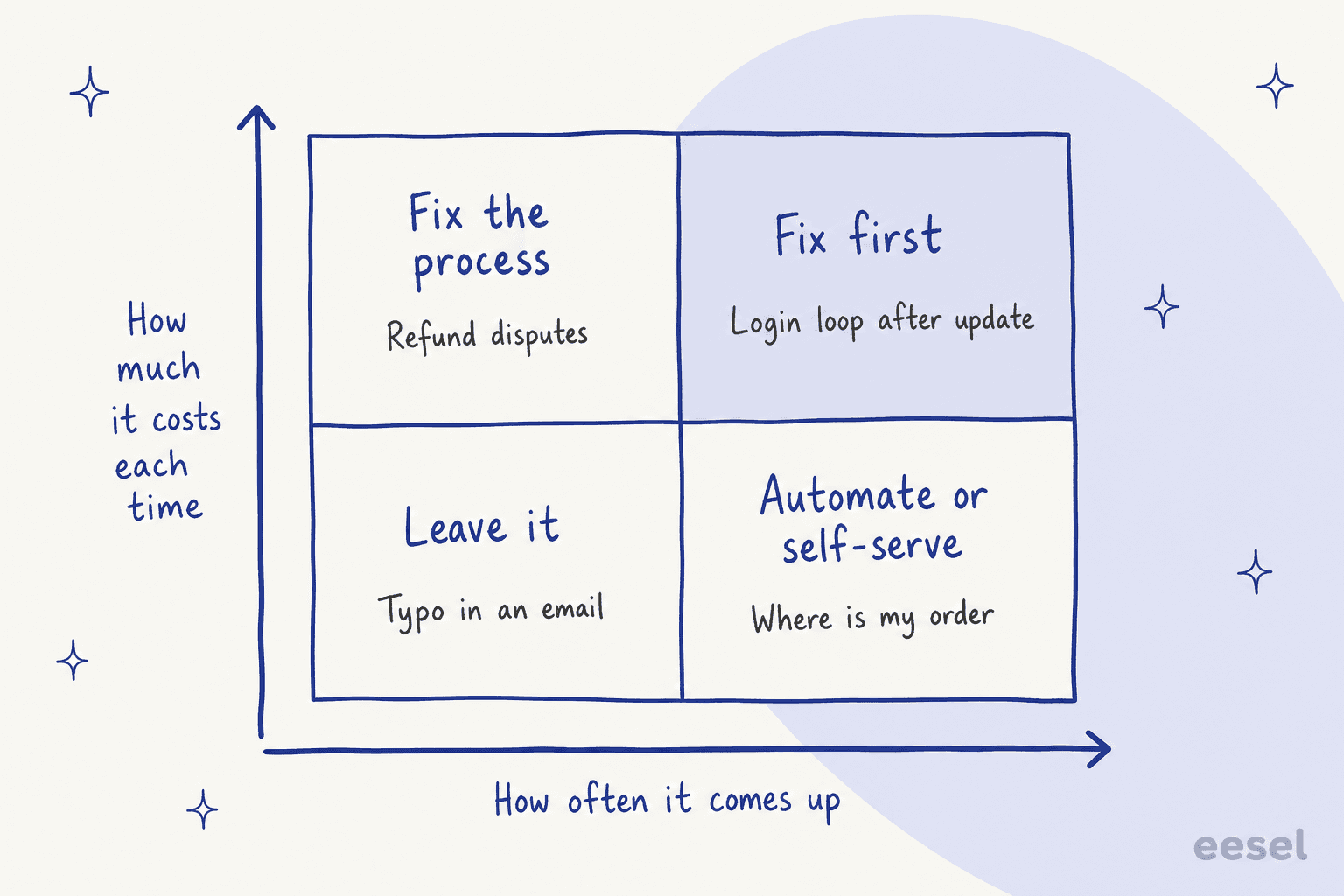
- Frequent and expensive: fix first. A login loop after an update is a bug, and engineering needs a weekly count of it with example tickets.
- Rare and expensive: fix the process. Refund disputes usually call for a clearer policy rather than more agents.
- Frequent and cheap: automate or self-serve. "Where is my order" is the classic case, and an AI agent with an order lookup can answer it end to end. What that does to your averages is in my AI for reducing handle time post.
- Rare and cheap: leave it. Not every typo needs a project.
The mistake I see the most is ranking by volume alone. A reason with fewer tickets but long, repeated contacts can quietly eat more agent hours than the biggest bucket does.
How much is each contact reason costing you?
Each contact reason costs its tickets times the minutes per ticket, plus the repeat contacts it causes, all multiplied by what an agent hour costs you. Put your own numbers in below and the reasons get re-ranked by cost instead of by count.
With the example numbers, "Where is my order" has the most tickets, yet the login problem costs more, because each one takes 14 minutes and 30% of those customers write in again. A count-only report hides exactly that kind of re-ranking. Ticket counts come from your tag data; most helpdesks also report handle time and reopens per tag, and my AI customer service metrics post shows where to find them.
Which metrics belong in an AI support report?
An AI support report needs six metrics per contact reason, not twenty for the whole queue. These six are the ones that tell you what to fix and whether the fix worked:
| Metric | What it tells you | Where AI helps |
|---|---|---|
| Volume per contact reason, week on week | What is growing or shrinking | Consistent tags on every ticket |
| Repeat contact rate per reason | Which problems aren't really solved | Links follow-ups to the same reason |
| Handle time per reason | Which reasons eat agent hours | Breaks the blended average apart |
| Escalation or handover rate per reason | Which reasons need a person or a policy | Shows where the AI or tier 1 stops |
| Sentiment per reason | Which reasons make customers angriest | Labels tone without surveys |
| Knowledge gaps per reason | Which help articles are missing | Logs questions the docs couldn't answer |
Two more are worth keeping in view for the AI itself: how often people correct its tags, and how often they reject its drafts or actions. If either of them rises, fix the reason list or the instructions before you trust the trends. Why a bot's own success number needs the same caution is in my post on deflection vs resolution rate, and AI CSAT covers satisfaction scored by AI.
How do you set up AI support reporting in 30 days?
You can set up AI support reporting in about 30 days if you fix the reason list first and only automate the report after that. In order:
- Week 1: write the reason list. Pull the last 60 to 90 days of tickets and draft 15 to 25 contact reasons in the words your customers use, each one with a one-line definition and an owner. Kill "Other", or at least cap it.
- Week 1: check what you already have. Use the table above. If your plan already includes AI topics, switch them on and compare their topics against your list.
- Week 2: tag on arrival. Have the AI pick a reason from the fixed list on every new ticket, and log a knowledge gap each time it can't answer from your docs. At the end of the week, review 50 tags by hand.
- Week 3: schedule the digest. A weekly report on the same day and time, with volume and change per reason, the top three gaps, three example tickets for each finding, and one recommended fix per owner.
- Week 4: close the loop. In the meeting each owner takes one fix. The next digest then shows whether the volume and repeat contacts for that reason moved.
If you run Zendesk Explore today, Zendesk's own scheduled reports cover the delivery step. The hard part is still steps 1 and 5.
How does eesel handle support reporting?
eesel handles support reporting from inside the queue. The same AI teammate that answers or drafts your tickets also tags them from your list, logs what it couldn't answer, and writes whatever report you ask for. It joins Zendesk, Freshdesk, Gorgias, HubSpot, Help Scout or Front, so there's no export step at all.
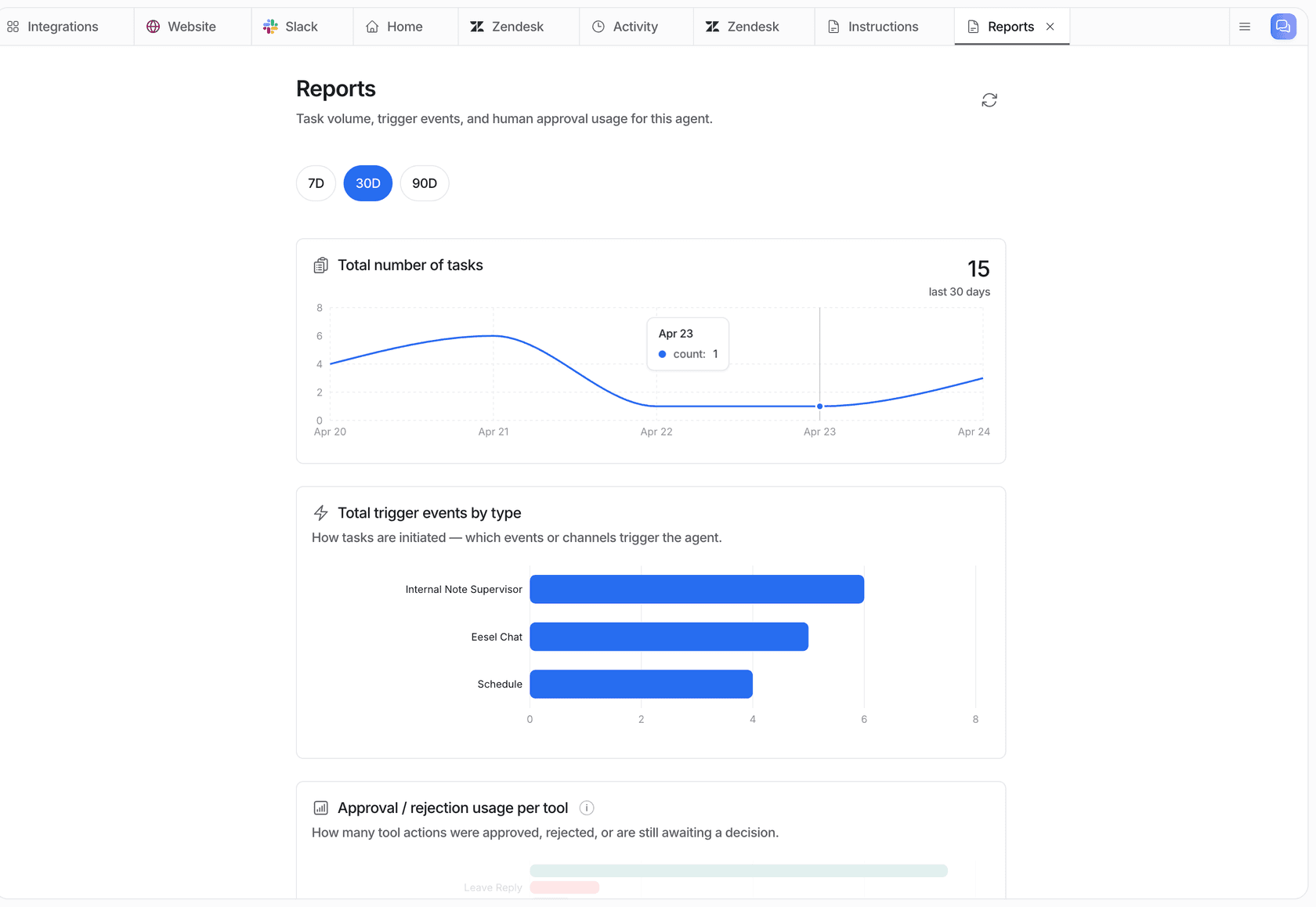
The Reports page shows volume, an AI quality score, knowledge gaps over time and how often your team approves or rejects its actions, over 24 hours, 7, 30 or 90 days, or a custom range. One honest note from eesel's own docs is that the quality score "is not customer feedback". It's an AI's rating of the agent's answers, so I'd read it as an internal signal.
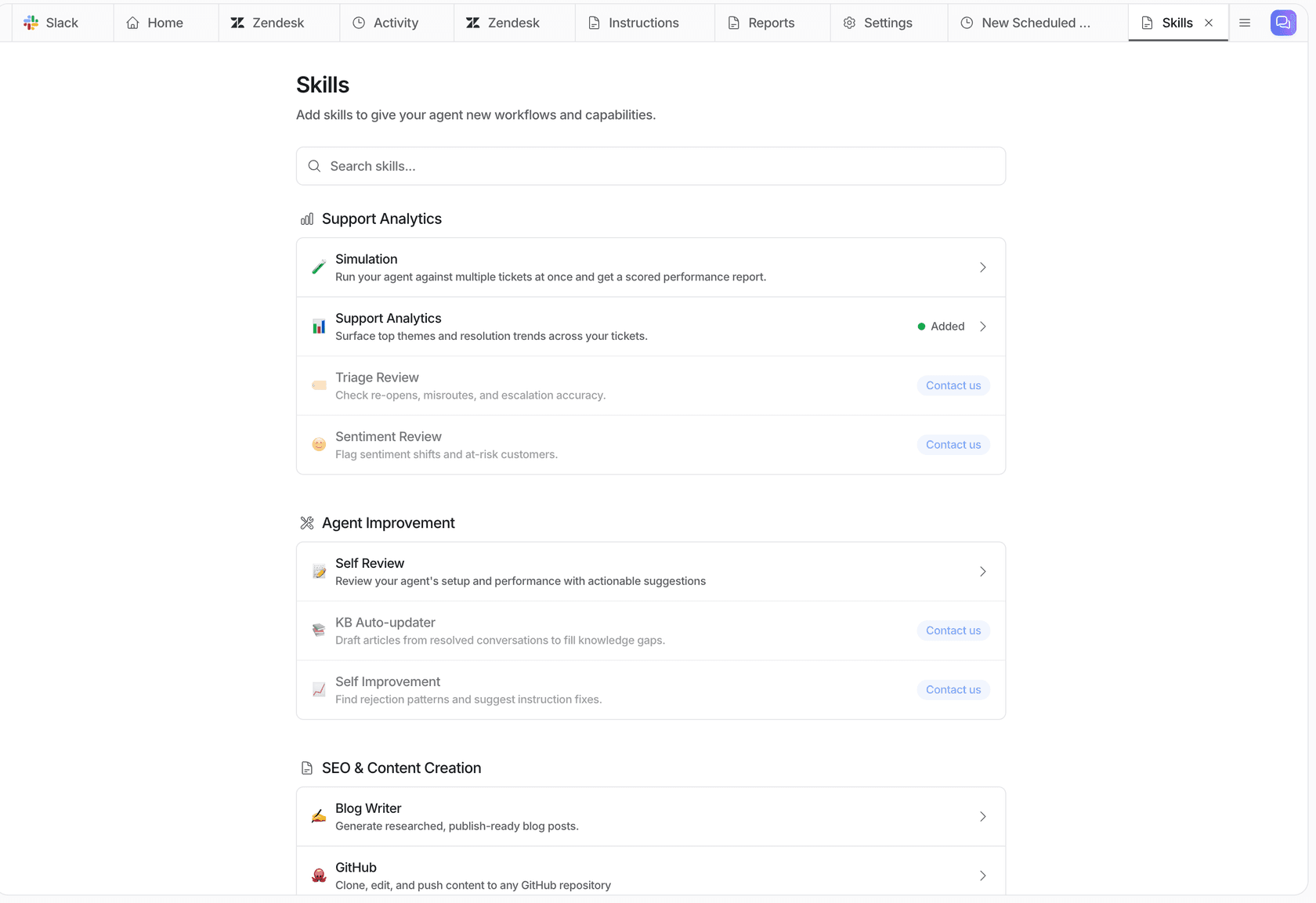
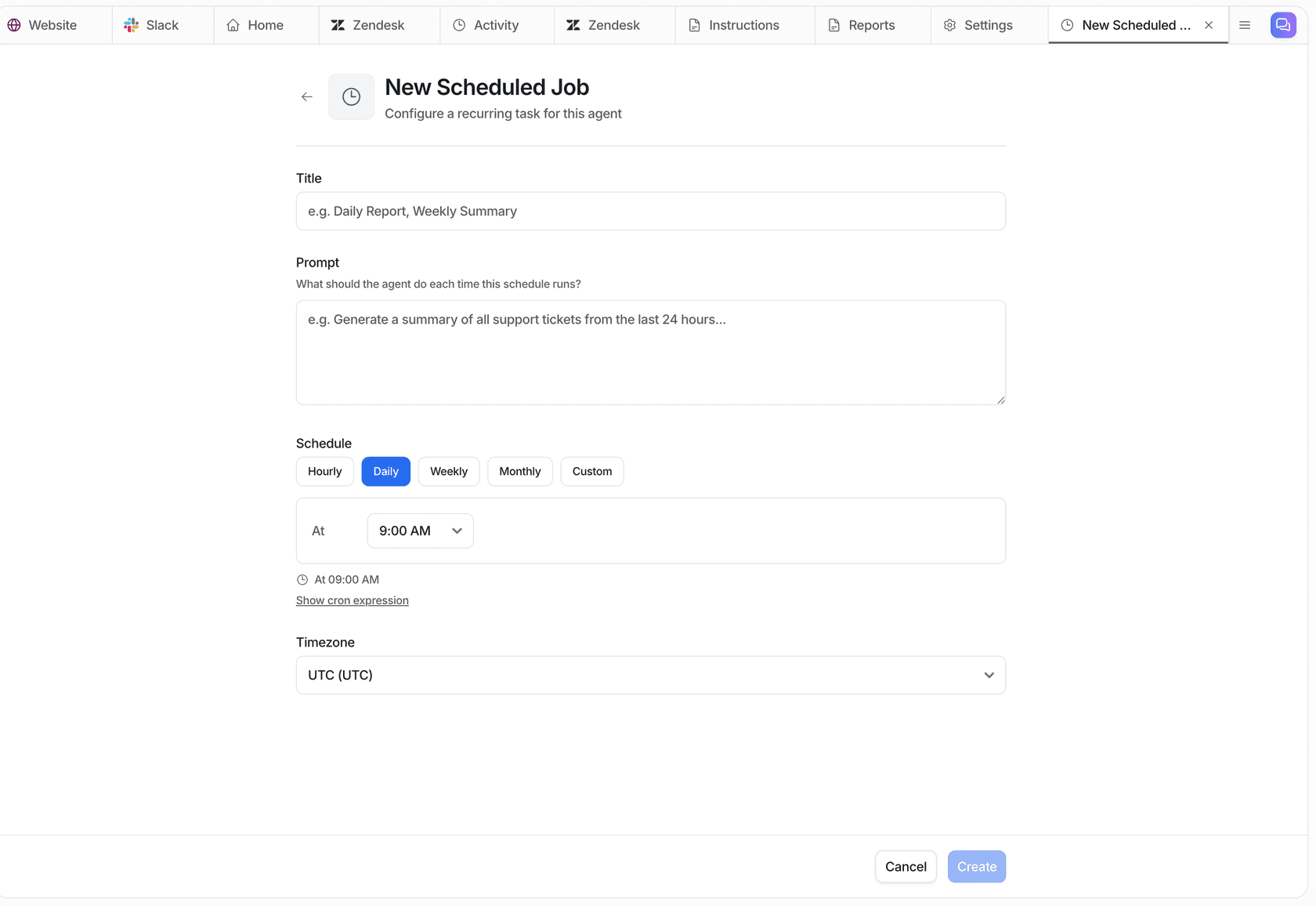
For the written report, you just ask in chat. The Analyze ticket trends skill finds recurring themes along with sentiment, volume and how they get resolved. The Weekly support report sample in the Skills docs covers volume and trend by theme, what the AI handled versus handed over, knowledge gaps and what to fix first, and it's emailed every Monday. There's also a Knowledge gaps report that groups the last 30 days of unanswered questions by topic and drafts the top three missing pages.
This is how it looks for real customers:
- smava gets about
27,000Zendesk tickets a month across two brands. One eesel agent tags the language and picks a single category from a fixed list for every ticket, about14,600categorised in a month, and writes them into Zendesk fields their reports already use. - Rúngne runs a triage agent on Gorgias that tags topic, VIP and B2B from a fixed list, with "nothing invented": about
880tickets tagged in a month. - Dokument 24 has eesel tag each new Zendesk ticket by product (will, prenuptial agreement, future power of attorney or company formation), which came to about
430tagged in a month. - Cape Coffee Beans runs five scheduled Zendesk sweeps, most of them every morning, looking for unassigned tickets, pending tickets without a follow-up date and leads closed with no outcome. Each one ends in a short email to the founder, or in no email when there's nothing to report. A weekly content gap report grouped by product is already written and ready to switch on.
- An industrial automation company sends its documentation team a regular digest of what the chat got asked, which answers were rated badly and where the knowledge had gaps. Those gaps go straight into the documentation backlog.
One objection I hear from buyers is that reports look backward, while customers need the right answer now. That's fair. It's also why the tagging and routing run on arrival, on the customer's first message in Zendesk, and the report is just the weekly view of that same data.
If your team lives in a terminal, the eesel CLI drives the same agent. eesel activity lists what it did, newest first. eesel files pulls saved reports, and eesel chat "analyze our ticket trends for last month" runs the trends skill from a script. Every command prints JSON, so Claude Code, Cursor or Codex can pull the numbers into whichever dashboard you already keep.
What does AI for support reporting cost?
AI for support reporting costs nothing extra if your current helpdesk plan already includes AI topics. If it doesn't, the cost lands somewhere between a plan upgrade and a separate AI tool. The common entry points, taken from each vendor's own pricing page:
| Option | What you pay | What it covers |
|---|---|---|
| Zendesk Suite Professional | $115/agent/mo annual, Copilot $50/agent/mo to use topics in rules | Intelligent triage tags, triage dashboard, quick reports |
| Freshdesk Enterprise | $89/agent/mo annual | Proactive Insights, root cause, Conversational Insights |
| Gorgias | Helpdesk from $10/mo | Intent and sentiment on every message |
| HubSpot Service Hub Professional | $90 to $100/seat/mo | Topics (beta), CX score, Breeze report takeaways |
| Help Scout Plus | $45/user/mo | AI Topics (beta) and Topics report |
| Front Starter | $25/seat/mo | AI Topics |
| eesel | Free with 100 credits, then $299/mo for 500 credits up to $1,749/mo for 5,000 | Tags, triage, replies, reports and scheduled digests on your existing helpdesk |
Per-seat pricing grows with the team, while eesel's grows with tickets. A ticket or a chat is one credit, and reports and scheduled runs use credits as well, so budget a little on top of your monthly ticket count. If you're on Freshdesk Pro and want spike alerts, weigh the upgrade to Enterprise across every agent against adding a teammate that tags and reports on the tickets you already have. The full plan grids are in my Zendesk AI pricing and Freshdesk pricing posts.
Try eesel for support reporting
If Monday morning still starts with a spreadsheet export, eesel works like a new teammate who has already read every ticket from last week. It joins your Zendesk, Freshdesk, Gorgias or Help Scout queue and tags each ticket from your own reason list. It notes every question your help center couldn't answer, then emails a weekly report with the themes, the gaps and what to fix first, all while drafting or answering the tickets themselves.
That's the setup smava runs on 27,000 Zendesk tickets a month. A Simulation on 20 of your recent resolved tickets shows how its answers compare with your team's before anything goes live, and you start with 100 free credits, no card needed.
Try eesel on last week's tickets, or read my AI ticket triage roundup first.