How to automate refund requests with AI (a support-team guide)

Riellvriany Indriawan

Katelin Teen
Last edited July 17, 2026
What "automating refund requests" actually means
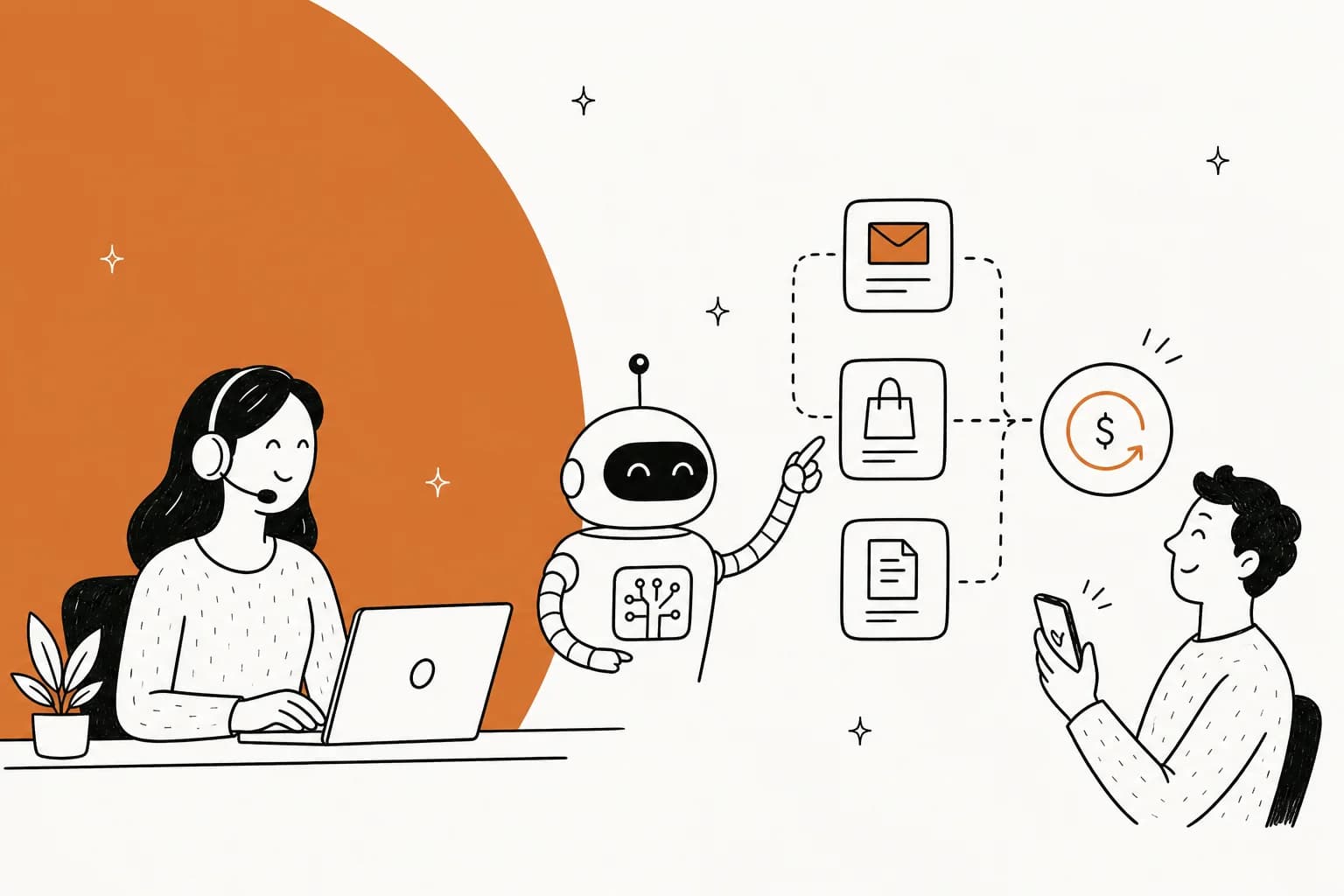
Let's clear up the biggest misconception first. Automating refunds is not one switch. It's a spectrum of how much you trust the AI, and the whole game is picking the right point on it.
At the light end, the AI reads the incoming ticket, pulls up the order, and drafts a reply for your agent to approve. The human still clicks send. At the far end, the AI reads the ticket, checks the order against your policy, issues the refund through your store, and replies to the customer, all with no human in the loop. Most teams live somewhere in the middle, and they move rightward as trust builds.
The reason this framing matters: refund requests split cleanly into "safe to hand the machine" and "keep with a person." A refund inside policy with a clear order number is boring, and boring is exactly what you want to automate. A refund tangled up with an angry complaint, a suspected-fraud order, or a chargeback is where a human still earns their seat.
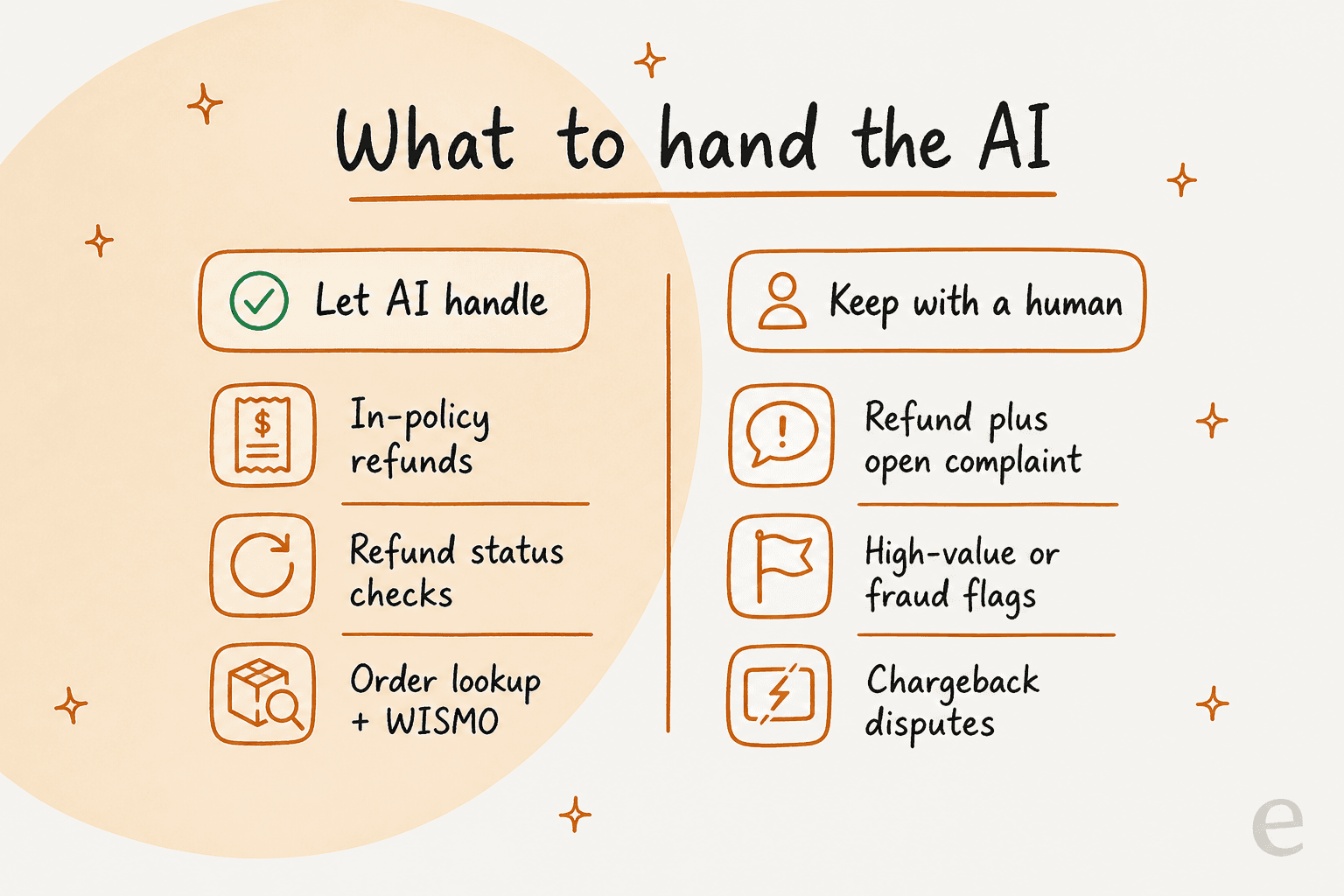
This is the same logic behind good tier-1 deflection: let the AI clear the predictable volume so your team spends its attention on the messy 20% that actually needs judgment. Refunds just happen to be one of the cleanest tier-1 buckets there is, right up there with order tracking and WISMO ("where is my order") questions.
Before you start: get your refund policy out of people's heads
Here's the step everyone skips, and it's the one that decides whether any of this works.
An AI can only automate a refund decision if the decision is actually written down somewhere. On a lot of teams, the "policy" is really a set of unwritten rules living in your most senior agent's head: we refund within 30 days, we don't refund final-sale items, we troubleshoot before we cancel a subscription. If it's not written, the AI can't follow it, and neither can a new hire.
So before you touch any software, write the rules a machine could actually execute:
- The window (refund within X days of delivery).
- The exceptions (final sale, opened consumables, digital goods).
- The amount rules (full refund, restocking fee, store credit vs cash).
- The order-of-operations rules (troubleshoot first, ask for a photo, confirm the order number).
This is also the moment to build or clean up the knowledge base the AI will read from. The good news: a decent AI agent learns from the sources you already have, your help center, past ticket replies, and macros, so you're usually editing rather than writing from scratch. If your team already leans on refund and exchange macros, those are gold; they're your policy, already phrased for customers.
How to automate refund requests with AI, step by step
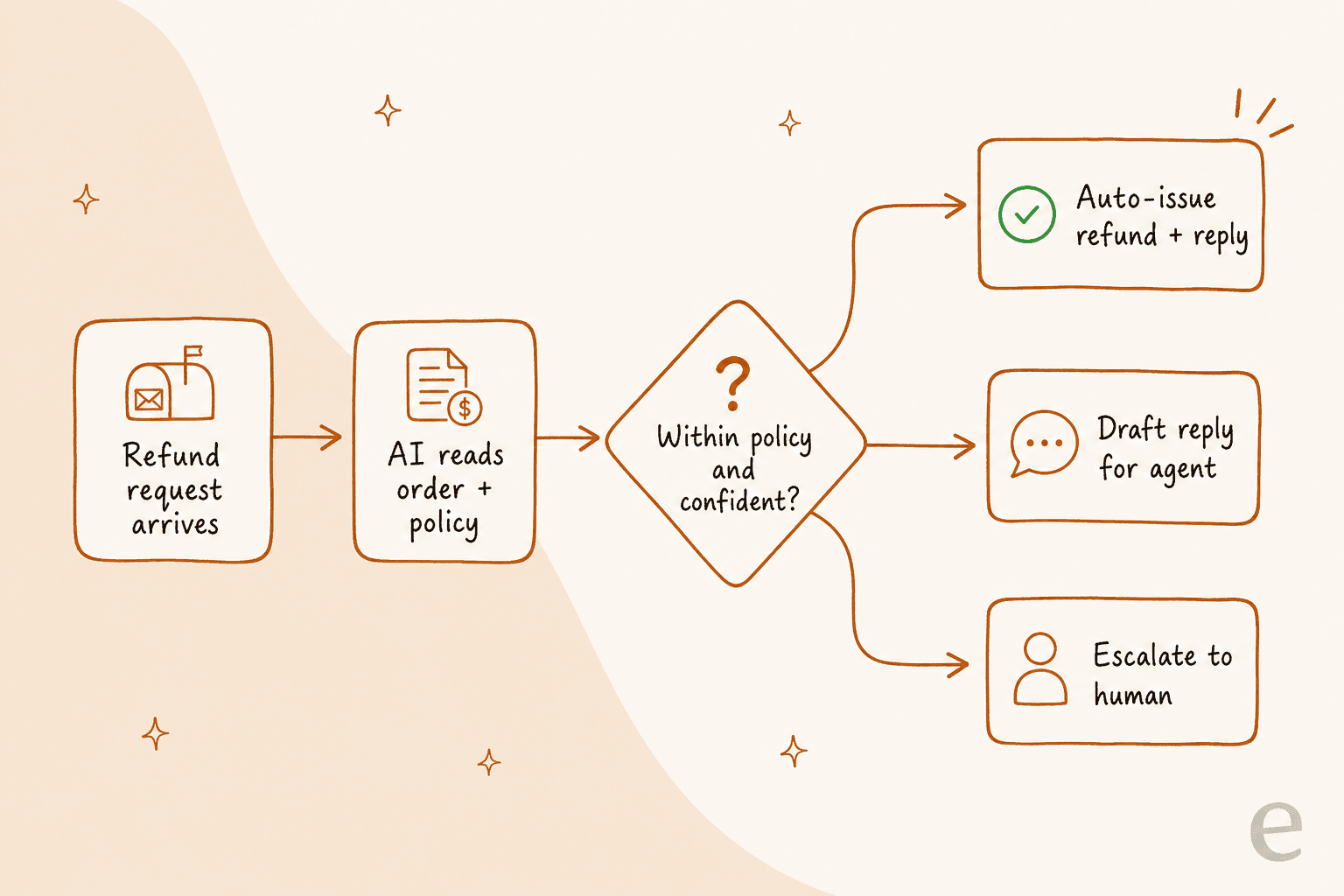
Here is the shape of the whole flow before we walk it. A request comes in, the AI reads the order and your policy, and then one of three things happens based on how confident it is and whether the request is in policy.
1. Connect your helpdesk and your store
The AI needs two connections: your helpdesk (where the ticket arrives) and your store or billing system (where the order and the refund live). The helpdesk is Zendesk, Freshdesk, Gorgias, Help Scout, or whatever you run. The store is usually Shopify for e-commerce, or your subscription/billing tool.
Without the store connection, the AI can only ever draft "here's how a refund works" replies. With it, the AI can pull the real order, see the delivery date, and take the actual action. That's the difference between a fancy FAQ bot and something that closes the ticket.
With eesel this is a self-serve connect, not a services engagement. You link the helpdesk and the store yourself and the agent starts reading your history right away, which matters when you're evaluating whether this is even worth it.
2. Feed it your refund policy and past tickets
Now point the AI at the policy you wrote in the prep step, plus your existing knowledge sources. This is where the AI stops being generic and starts sounding like your team.
The part people underestimate: you should be able to teach it a rule in plain language, the same way you'd brief a new agent. "We don't process a cancellation or refund when there's an unresolved issue on the order, troubleshoot first." A good agent takes that instruction and applies it going forward, without you writing code or building a flowchart.

That troubleshoot-first rule isn't hypothetical. One support admin I worked with, running a digital-media subscription business, taught his agent exactly that policy in a single sentence:
"I have a rule in CS where we do not address a cancel or refund request when there is an issue attached to it."
The AI had been auto-approving cancels; one plain-English correction and it started troubleshooting first, like the rest of his team. That's the bar to aim for: the policy lives in one place, and changing it is a sentence, not a ticket to engineering.
3. Decide what it's allowed to do on its own
This is the safety dial, and it's the most important setting in the whole build.
You want two things configured here. First, the actions the AI can take: reply only, tag and route, or actually issue the refund in the store. Second, the guardrails on the biggest action: it can only auto-issue a refund when the order is within the window, under a dollar cap you set, and has no open dispute. Everything outside those bounds gets drafted or escalated instead.
My honest advice: start narrower than feels necessary. Let it auto-issue only the dead-simple refunds (in policy, small amount, clean order) and draft everything else. You can widen the dollar cap and the categories once you've seen it behave. Narrow-then-widen beats wide-then-apologize every time, because clawing back a wrongly-refunded order is a worse Monday than approving a few drafts by hand. This is the same escalation logic any well-run AI setup needs.
4. Simulate on old tickets before it touches a live customer
Do not skip this. It is the single thing that separates teams who trust their automation from teams who turned it off after a scare.
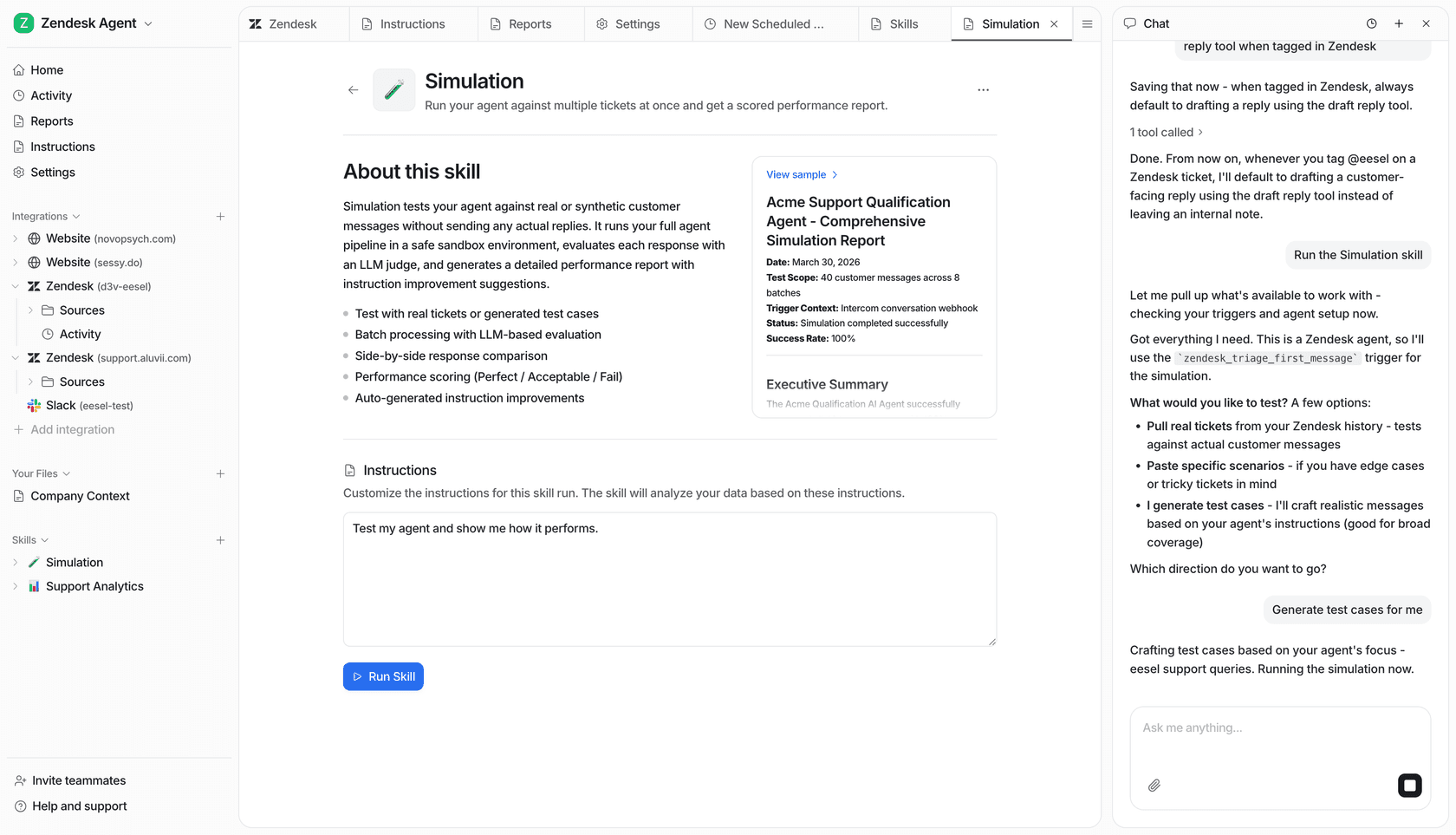
Before going live, run the AI over your last few hundred real refund tickets and look at what it would have done. You get to see the reply it would have sent and the action it would have taken, on tickets where you already know the right answer. Wrong calls show up as a diff you can fix by tightening a rule, not as an angry customer.
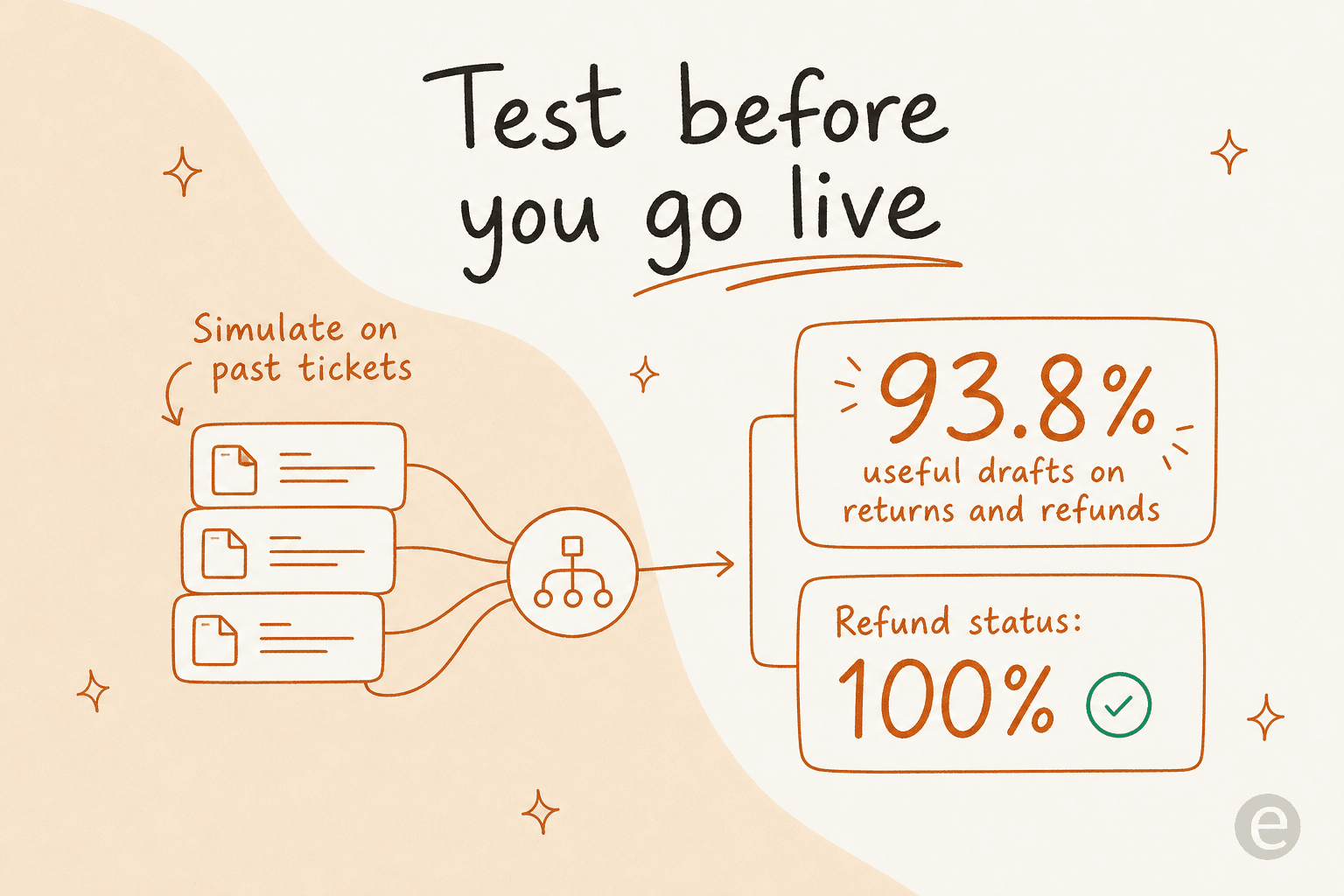
Those numbers are from a real run. On a German jewelry brand doing roughly 1,000 tickets a month across Zendesk and Shopify, the simulation showed the agent would produce useful drafts on returns and refunds 93.8% of the time, and answer refund-status questions correctly 100% of the time. Seeing that before launch is what makes the go-live decision boring instead of terrifying. We started simulating every rollout on historical tickets years ago precisely because we watched confident-sounding bots quietly get things wrong, and a simulation is the cheapest place to catch it.
5. Go live narrow, then widen
Turn it on for a slice first. A common pattern: let the AI auto-handle refund-status questions and clearly in-policy refunds, while everything else still routes to a human with a draft attached. Watch it for a week on the real queue.
Then widen deliberately. Raise the dollar cap. Add a refund category you were holding back. Each widening is a small, reversible decision you make because the data earned it, not a big-bang launch you cross your fingers on. This is also how you avoid the classic rule-based chatbot trap, where the thing either does everything badly or nothing useful.
6. Watch the numbers and tune
Once it's live, a few numbers tell you if it's working: the share of refund tickets fully resolved without a human, first response time on refund tickets, and CSAT on refund conversations specifically. If resolution is climbing and CSAT holds, widen further. If CSAT dips, look at which category dipped and pull it back to draft mode.

Refunds are a great first automation precisely because these numbers move fast. One multi-brand e-commerce operator I spoke with was fielding 500+ tickets a day of repetitive refund, unsubscribe, and order-tracking queries; that's the exact profile where good metrics climb within the first month, the same way one team hit 73% of tier-1 requests resolved in month one.
The mistakes that make refund automation backfire
A few traps I see over and over, worth naming so you can dodge them:
- Automating the decision before you've written the policy. The AI can't apply a rule that only exists in someone's head. Write it first (see the prep step). This is the number-one reason a rollout feels flaky.
- Going wide on day one. Auto-issuing every refund from the start is how you give money away. Narrow, simulate, widen.
- No escalation path for the emotional ones. A refund request wrapped in "this is the third time I've contacted you" needs a human, fast. Route it, don't let the bot cheerfully process the refund and miss the anger. Get your escalation rules right.
- Treating it as set-and-forget. Policies change, product lines change, seasonal return windows change. Revisit the rules each quarter. The upside of a plain-language setup is that updating them takes a sentence.
Handled well, refund automation is one of the clearest wins in support: it's a big chunk of your volume, it's repetitive, and the cost savings are easy to measure against what a human agent costs for the same work.
Try eesel for refund requests
If you want the setup this guide describes without a services project, that's what I build. eesel plugs into your helpdesk and your store, learns your refund policy from your existing help docs and past tickets, and lets you scope exactly what it can do on its own, from drafting replies to issuing the refund inside your rules. The simulation mode runs it over your real ticket history first, so you see the resolution rate and every action before a single customer is affected.
Pricing is one fixed monthly price from $299/month for 500 credits (1 credit per ticket), with no per-seat fees, so the cost follows your volume rather than your headcount. You can connect it and simulate on your own data in a few minutes.
