Automating IT operations: a practical guide for 2026

Kira

Katelin Teen
Last edited July 8, 2026
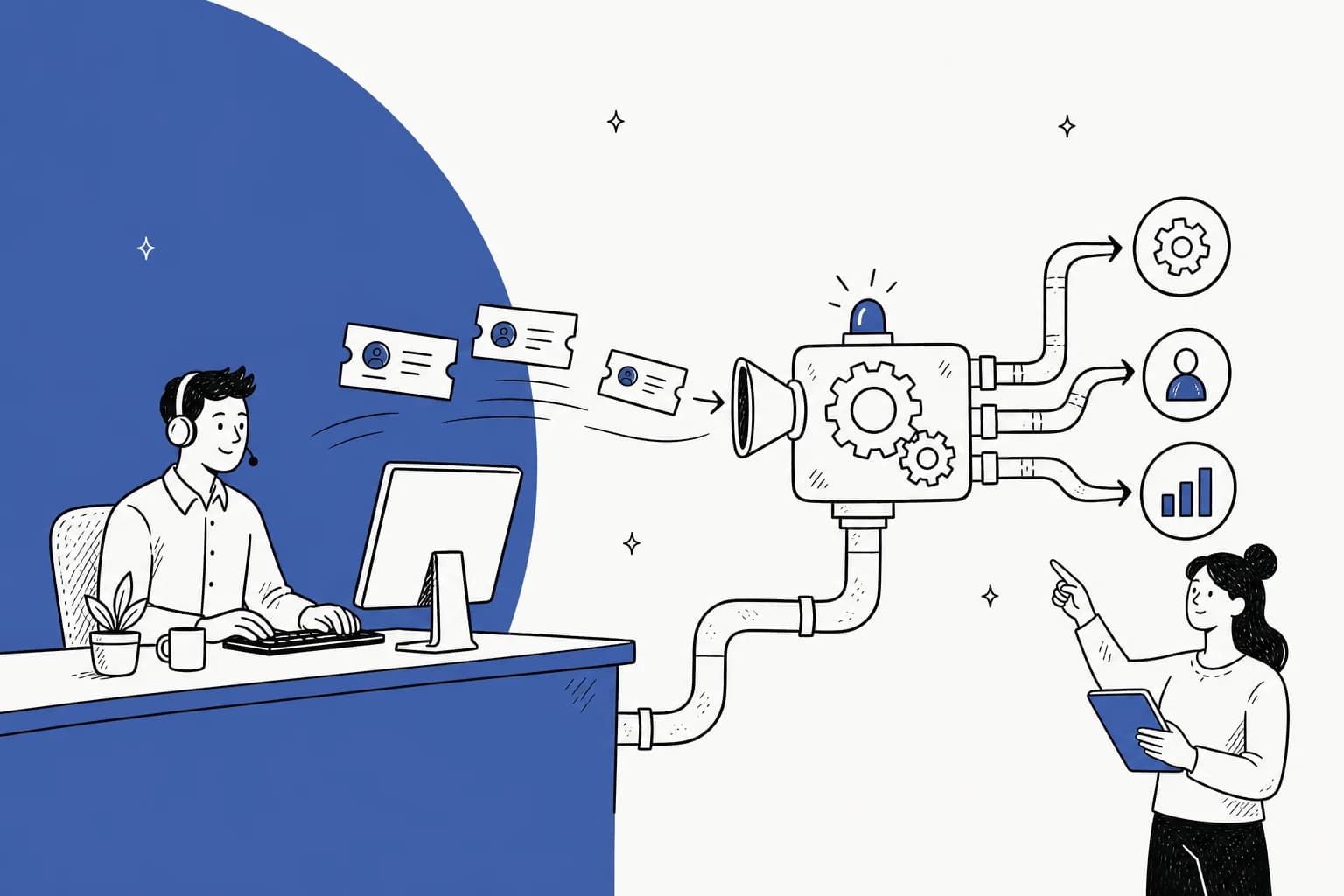
What "automating IT operations" actually means
"IT operations" is a big bucket, and the vendors don't fully agree on where it ends. But if you line up how ServiceNow, Freshservice, Atlassian, PagerDuty, and Zapier each scope it, the same task list keeps showing up: incident management, service and access requests, provisioning and deprovisioning (onboarding and offboarding), patch and asset management, change management, and knowledge-base self-service.
Automation gets applied to that list in five distinct layers. I find it easier to reason about the whole space when you separate them, because they fail in different ways and you adopt them in a different order.
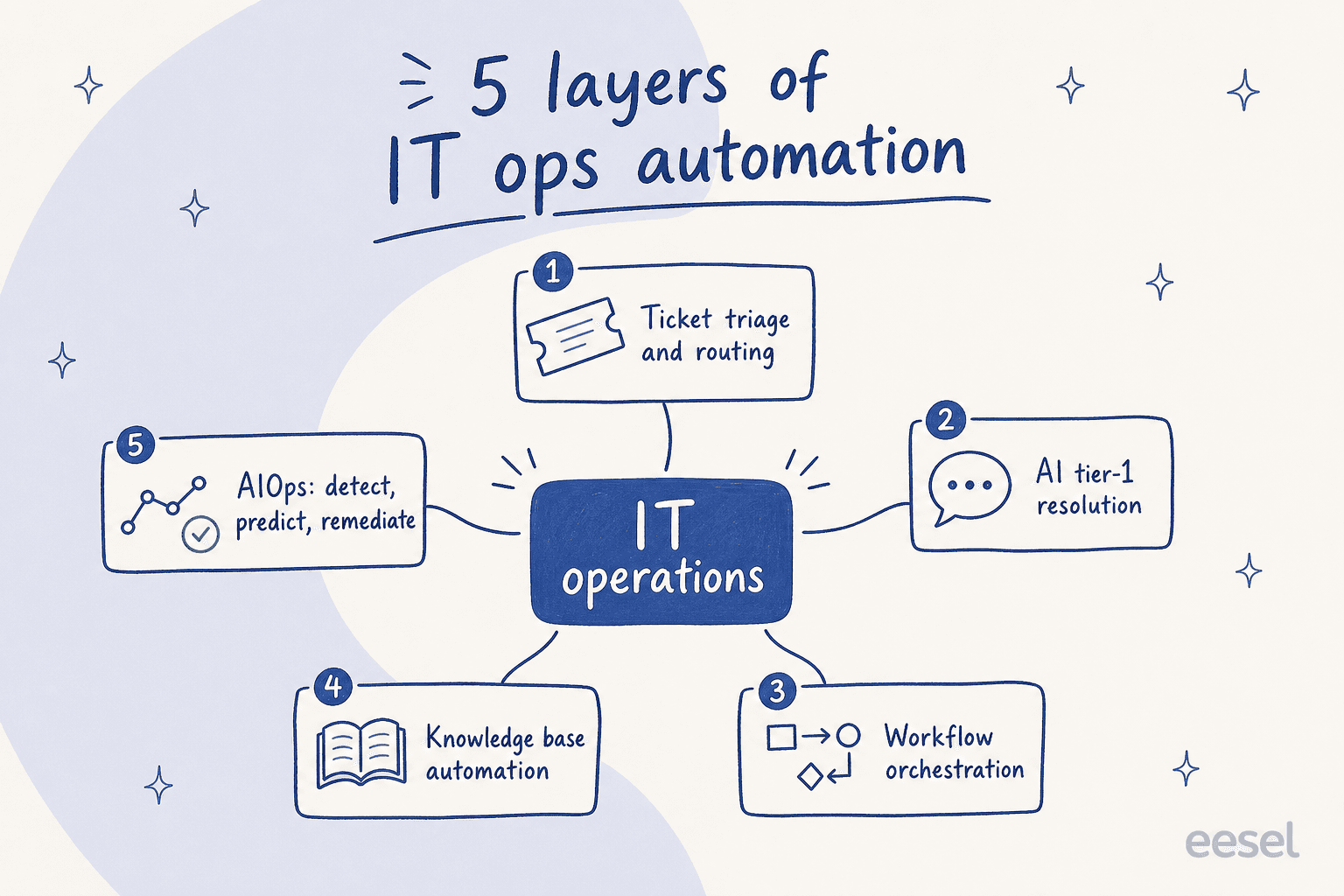
- Ticket triage and routing. Auto-categorizing and assigning tickets so the critical ones surface first. Freshservice's Priority Matrix classifies incidents "based on severity and urgency"; Atlassian's rules can auto-assign "based on the current workload of your agents." This is the most boring layer and often the highest ROI, because manual routing is pure overhead.
- AI tier-1 resolution. Chatbots and AI agents that answer the repetitive questions end to end. ServiceNow pitches "an autonomous workforce of AI specialists" for password resets and provisioning; Freshservice's Freddy AI Agent Studio builds agents that "resolve work end to end."
- Workflow orchestration. The scripted actions behind a request: create the account, grant the app access, assign the license, register the device. Freshservice's Orchestration Center wires this through Okta, Azure AD, and Slack; Zapier connects 9,000+ tools to chain employee onboarding into one sequence.
- Knowledge base automation. Suggesting the right article automatically, and drafting new ones from resolved tickets so the knowledge base stops rotting.
- AIOps. The proactive layer: anomaly detection, event correlation, and auto-remediation. ServiceNow frames it as detect, predict, mitigate; PagerDuty's pipeline runs from ingestion through correlation to automated remediation.
The first four live on the service desk and touch your ITSM queue directly. AIOps is a different discipline aimed at infrastructure, and it's the one most teams over-buy before they've automated the boring tier-1 work that's actually drowning them.
What you can actually automate today
If you're staring at a queue and wondering where to start, the honest answer is: the requests that are high-volume and low-variation. That's where AI resolution earns its keep, and it's exactly the work practitioners complain about most.
"Before Aisera, I spent hours every day handling routine IT tickets and repetitive FAQs. Now, a lot of that is automated, which frees up my time to focus on strategic improvements instead of just chasing ticket volumes."

The usual first wins are password resets, system access requests, software installs, and the endless "how do I connect to the VPN" questions. These are perfect automation candidates because the answer is the same every time and the action is scriptable. Push into onboarding and offboarding next, where a single request fans out into a dozen provisioning steps that an IT help desk automation can run in one go.
The layer people underrate is triage. Even when the AI can't resolve a ticket, routing it correctly saves real time. ServiceNow, citing an Accenture study, says front-line support spends up to 12% of its time just managing tickets - and that 43% of IT service desks are slowed down by having to pick from 100+ assignment groups. That's the invisible tax good ticket automation removes.

One thing I'd push back on from experience building these agents: the tools that only read your help center hit a ceiling fast, because your help center never documents the weird half of your tickets. The ones that learn from your solved tickets do much better, since that's where the real answers already live. That difference is the whole ballgame for tier-1 deflection.
The numbers: what automating IT ops really saves
Vendors publish generous figures, and I want to give them their due before I complicate the picture. These are all first-party or named-customer numbers, not analyst hand-waving:
| Vendor / source | Published result | What it measures |
|---|---|---|
| Freshservice (Forrester TEI) | 356% ROI in under 6 months | Total economic impact |
| Freshservice | 66% ticket deflection | AI self-service |
| Freshservice | 77% decrease in resolution time | AI-assisted resolution |
| ServiceNow (EY) | 75% reduction in ticket volume | Automation + self-service |
| ServiceNow (Fonterra) | 92% MTTR improvement | ITOM / AIOps |
| ServiceNow (Lion) | 77% reduction in resolution time | ITSM |
| PagerDuty | 91% fewer alerts, 70% MTTR reduction | AIOps |
| Atlassian (iFood) | <1 min incident response | Incident management at 7.5x scale |
| Zapier (Remote.com) | ~1,100 tickets/month, 3-person team, ~$500K/yr saved | IT help desk automation |
The Zapier one is my favourite because it's concrete: Remote.com's automated help desk closes 27.5% of tickets automatically and saves 616 hours a month. That's not "efficiency" as a vibe, that's a specific number a three-person team can point to.
For what it's worth, this matches what I see on the helpdesk agent side too. Gridwise got 73% of tier-1 requests resolved in the first month with eesel, and Global Payments reported up to 80% time savings just finding answers across their documentation. The pattern is consistent: the biggest gains come from the highest-volume, lowest-variation work, not from trying to automate the hard 10%.
Where IT ops automation goes wrong
Now the part the case studies leave out. Automation is not free ROI, and the failure mode is specific: if you automate a messy process, you get a highly automated, much faster mess. Zapier says this in its own guide, and it's the single most important sentence in this whole space.
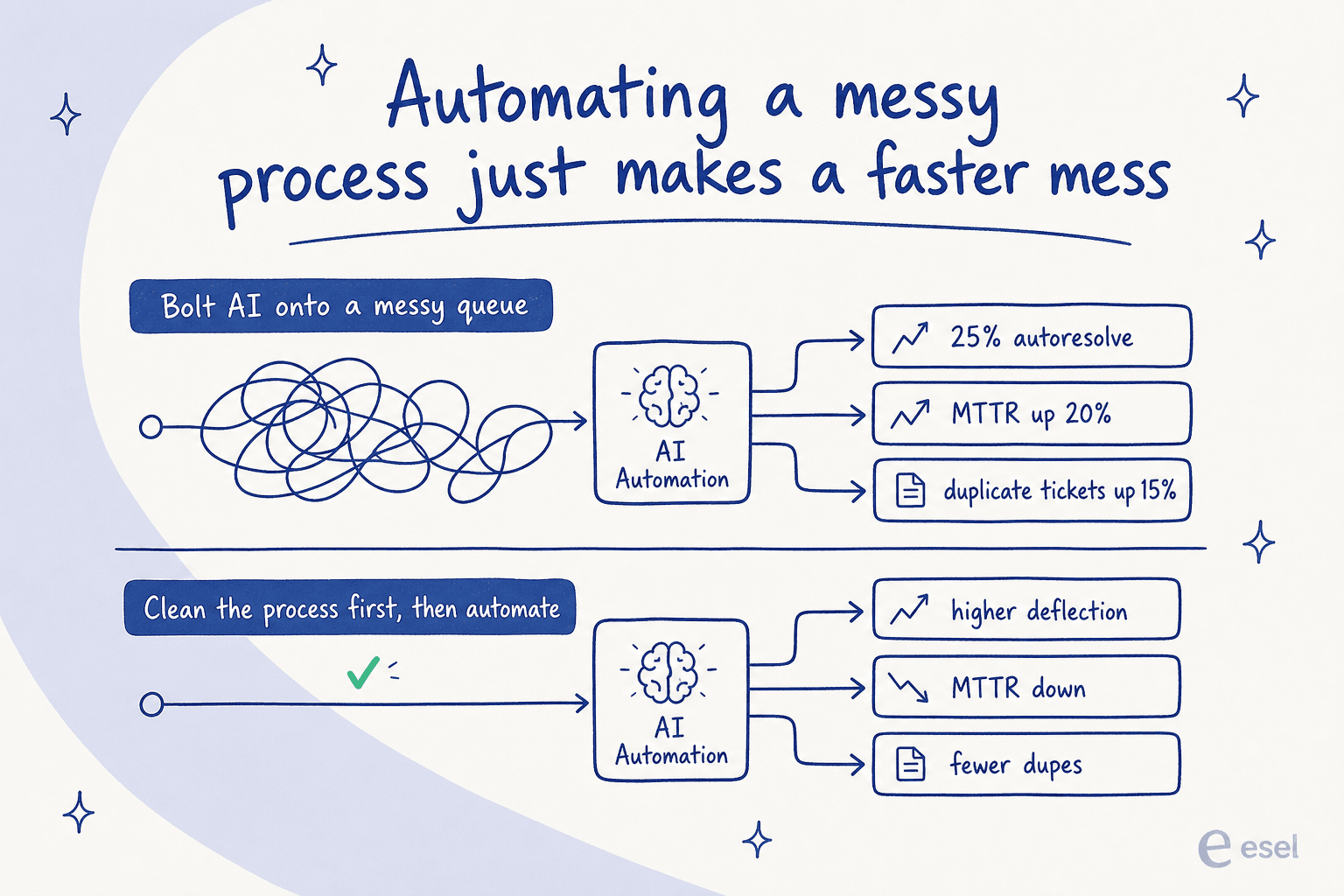
Here's what that looks like in real life. A 600-person org (four-person IT team) ran Freshservice's Freddy AI Agent for five months against the vendor's marketed "up to 80% deflection," and posted their actual results:
"Autoresolve is maybe 25% which is fine i guess. But our MTTR actually went UP. About 20%... Freddy tries, fails, agent picks it up but has to scroll thru the full back-and-forth before they can respond... its like 2-3 extra minutes per ticket just reading the AI context... Dup tickets are up like 15ish percent."

That's the whole risk in one post: the AI takes a swing, misses, and hands a human a longer ticket than they started with. When resolution went the wrong way, it was because the AI was inserted into the flow without proving it could actually close tickets first.
The skepticism is worth listening to, because it's specific:
"the AI is abysmal for incident deflection and offers zero insight into why users found it unhelpful when they rate it and it also doesn't learn from users rating an interaction as unhelpful."
And even the fans warn it's not set-and-forget:
"Aisera is pretty powerful and does a lot with automation, but it's not something you can just plug in and forget about. It takes a fair bit of setup and you're constantly tweaking things to keep it working the way you want."
The vendors themselves admit the guardrails. PagerDuty lists data quality and volume as a top challenge - "low-quality or incomplete data can skew insights" - and builds human escalation in by design, flagging critical alerts so "complex decisions and nuanced problem-solving remain in the hands of your team." Freshservice warns you may need to standardize processes before automating them. This is also why preventing AI hallucinations matters so much in IT: a confident wrong answer about access permissions is worse than no answer.
How to roll it out without making a faster mess
So how do you get the 66%-deflection outcome instead of the MTTR-went-up outcome? The teams that succeed all do roughly the same four things, in this order.
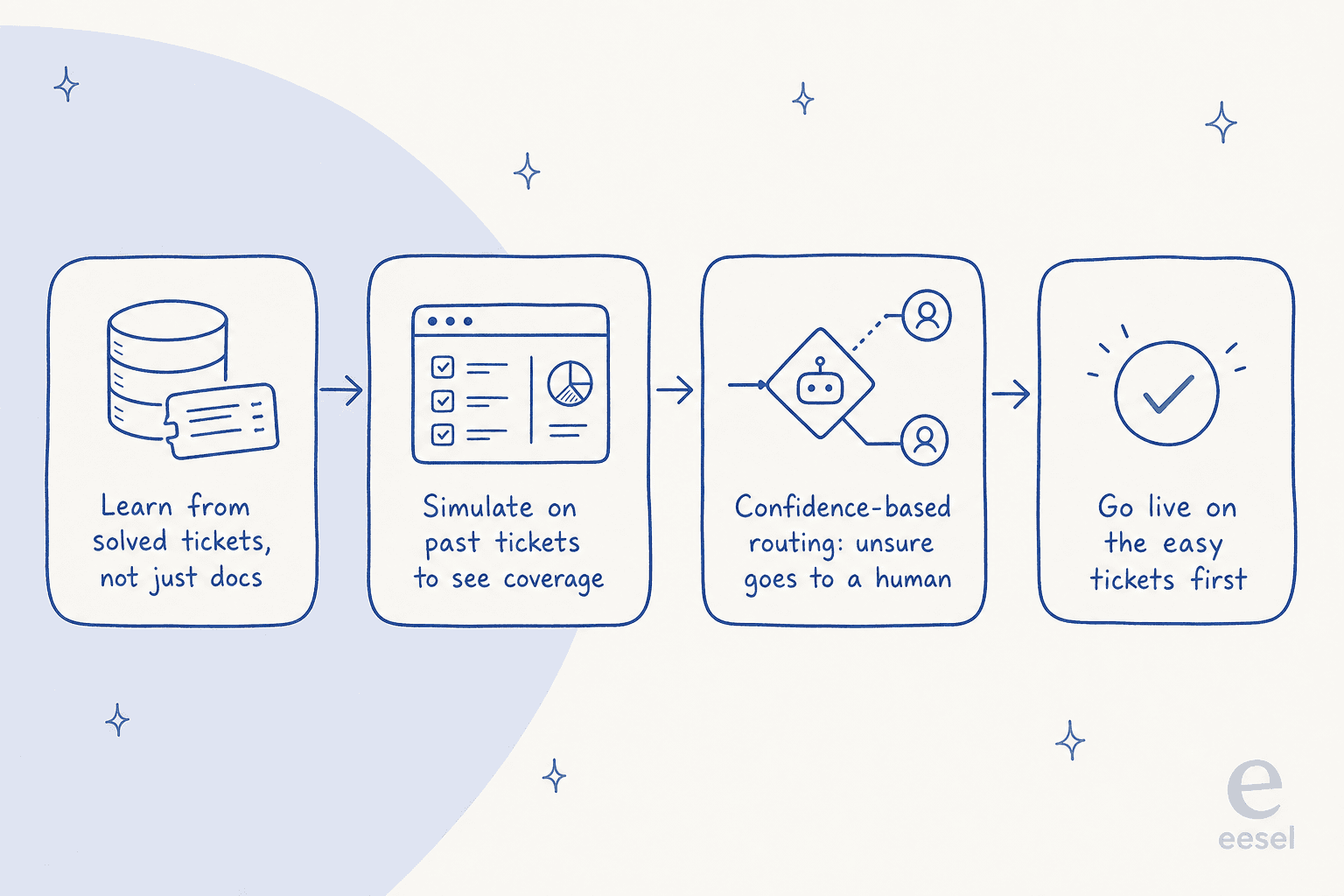
- Learn from solved tickets, not just docs. Your resolved ticket history is the only record of how your team actually answers - including the undocumented 40%. An agent trained on that starts far ahead of one that only read the help center. This is the difference between an AI agent and a rule-based chatbot.
- Simulate before you go live. Run the AI against your past tickets and read the coverage by theme before it touches a live request. This is the step that would have caught the Freddy 25%-autoresolve problem before it hit real users, not five months in.
- Use confidence-based routing. Anything the AI isn't sure about should draft, not send - or route straight to a human. Handled well, this is what makes AI escalation a feature instead of the "read the whole thread again" tax the Reddit post describes.
- Go live on the easy tickets first. Turn on autonomy for the highest-confidence, lowest-risk request types, watch it, then expand. Freshservice's own advice is to avoid "scope creep" - don't automate everything at once.
None of this is exotic. It's the boring discipline of proving the thing works on your own data before you trust it, which is exactly what the successful case studies did and the cautionary tales didn't.
Try eesel for your IT service desk
This is the workflow I'd reach for, and it's how eesel AI is built. It plugs into your existing stack - Freshservice, Jira Service Management, Zendesk, Slack, and Microsoft Teams - and trains on your past solved tickets and docs on day one, so it starts with your real answers rather than a blank help center.
The two things that directly answer the failure modes above: you can simulate on your historical tickets to see exactly what coverage you'd get before going live, and confidence-based routing means anything the AI is unsure about goes to a human instead of a wrong answer. Pricing is one fixed monthly price from $299/month for 500 credits (1 credit per ticket or chat), with no per-seat fees, so the cost tracks ticket volume instead of your headcount. If you're weighing an internal IT help desk rollout, that's the safe way to find out what it's actually worth for your queue - without becoming the next MTTR-went-up story.