81% of people try to resolve problems themselves before contacting support. That's the behavioral foundation every ITSM self-service portal is built on - the assumption that employees want to help themselves.
The practice rarely matches the theory. The Service Desk Institute found that only 1 in 8 organizations were actually realizing the ROI they expected from self-service investment. An r/ITManagers thread summarized it plainly: "A Self-Service Portal - nobody uses."
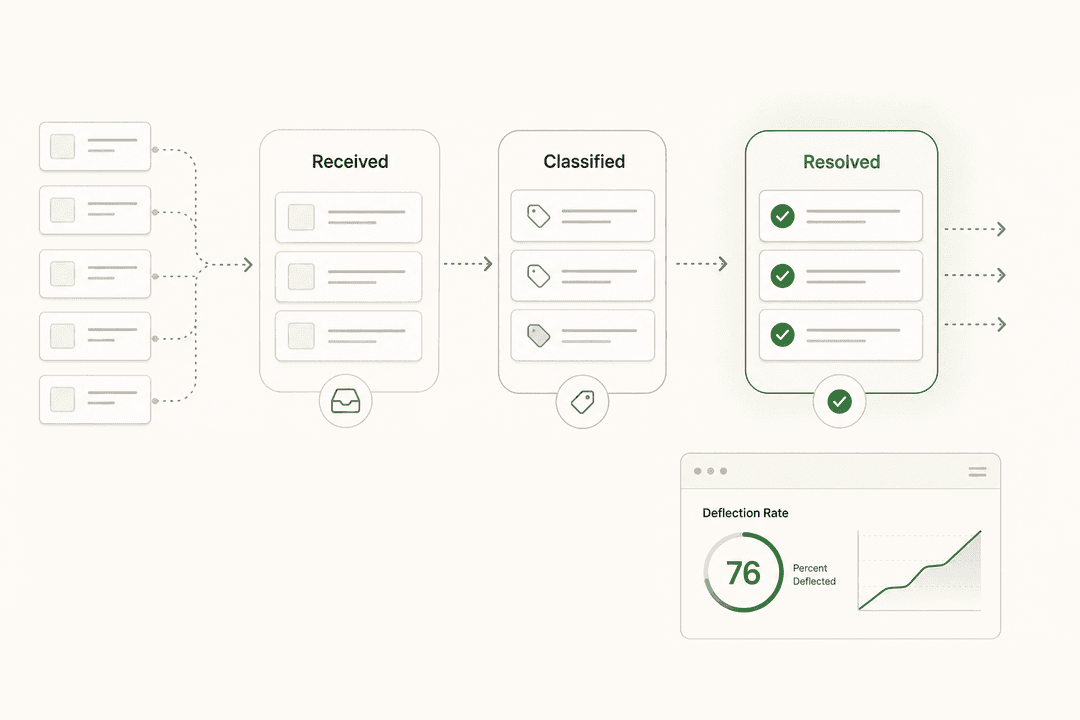
That gap - between the value a portal should deliver and the adoption rate it actually gets - is the real problem. When self-service works, the numbers are significant: up to 70% ticket deflection, 50% faster resolution times, and a Forrester TEI study documenting 204% ROI over three years. When it doesn't, organizations maintain a platform nobody opens while the IT team keeps answering the same questions over email.
This guide covers what separates the portals employees actually use from the ones that sit unused - and what AI is changing about this picture in 2026.
What is an ITSM self-service portal?
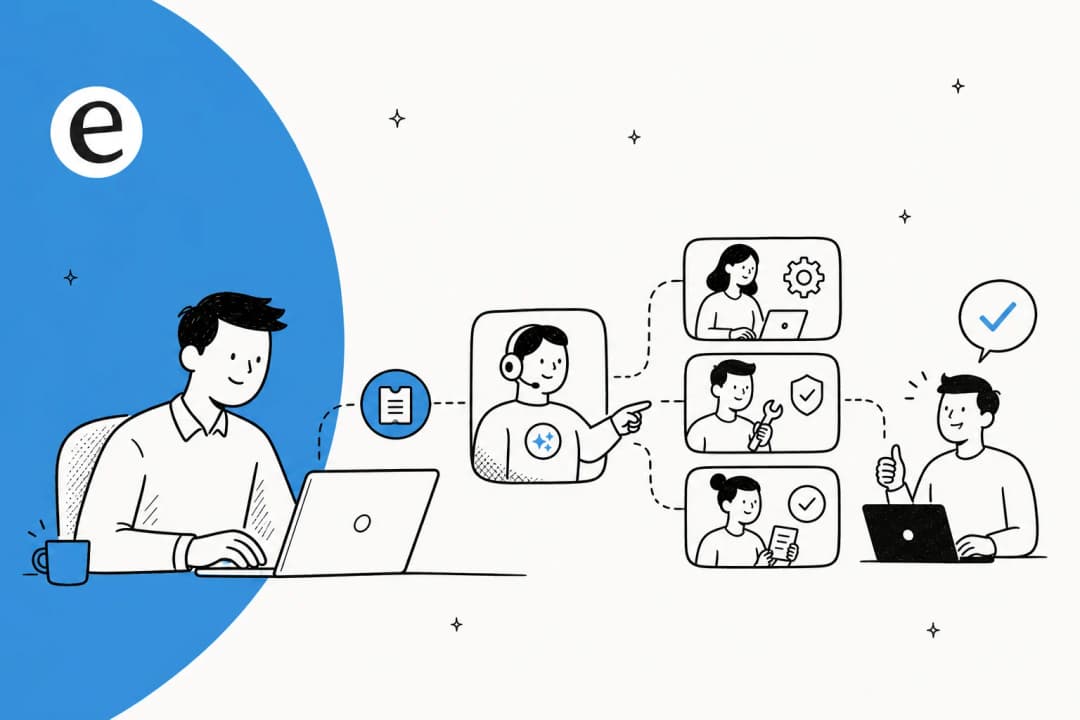
An ITSM self-service portal is a web-based platform that lets employees handle IT needs independently - submitting requests, finding answers, tracking ticket status - without waiting for a helpdesk agent. It handles Level 0 and Level 1 support: common, low-risk requests that are straightforward to standardize.
Password resets, account unlocks, VPN access requests, software installs, hardware requests. The issues that arrive 40 times a day and take three minutes each for an agent to handle manually. When those are automated through self-service, the IT team's time shifts to the work that actually needs a human.
Understanding the difference between ITSM and a standard helpdesk is useful context here. ITSM frameworks (ITIL, ISO/IEC 20000) govern how IT services are delivered and managed - the self-service portal is one of the delivery channels, alongside email, phone, and chat.
Most organizations start with an employee self-service (ESS) portal: authenticated, internal-facing, covering IT requests. Many eventually expand it into an enterprise service management (ESM) hub - one portal for IT, HR, Legal, and Facilities through a single interface. The technology is the same; the scope grows.
Why most ITSM self-service portals fail
If the demand for self-service is documented and the ROI is proven, why are only 1 in 8 organizations realizing it?
The research consistently points to implementation and adoption failures, not platform failures. Here are the five most common mistakes:
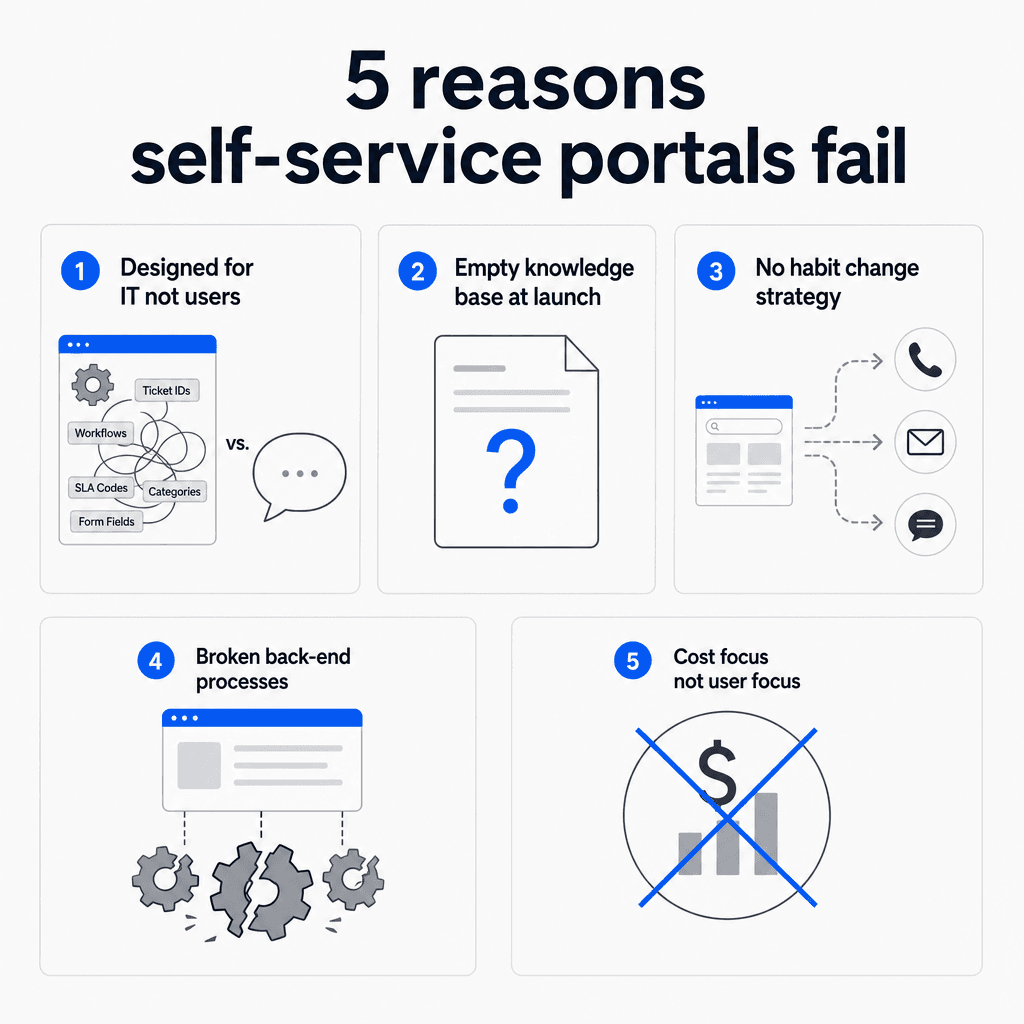
Designed for IT, not users. IT teams organize portals around their internal structure - their ticketing categories, their terminology, their escalation paths. Employees search by outcome ("I can't log in") not by system ("Active Directory"). A portal built around IT's organization is a portal most employees can't navigate.
Empty knowledge base at launch. If users arrive and can't find answers to the 20 most common IT questions, they won't return. Content needs to be ready before go-live, not treated as a post-launch project. A portal with a thin knowledge base just adds friction before the employee gives up and sends an email anyway.
No change management plan. On r/helpdesk, u/ProBoundHQ captured the core problem: "portals have a terrible track record for adoption because you're asking people to change a habit." Deploying a portal is a technology change. Getting employees to use it is a people change. Without stakeholder buy-in, active communication, and consistent reinforcement, users stay on email and phone.
Broken back-end processes. A portal scales what's already behind it. Unclear approval chains, manual fulfillment workflows, undefined ownership - these problems surface at volume. Process repair needs to precede portal deployment.
Cost savings as the primary design goal. When the brief is "reduce our ticket volume" rather than "make it faster and easier for employees to get help," the portal gets built for IT's metrics rather than the user's experience. Adoption is a byproduct of solving real problems; portals designed to deflect tickets feel like obstacles, and employees route around them. Savings follow adoption - they don't cause it.
What to put in your portal first
Before building a comprehensive service catalog, identify the highest-leverage starting point: the requests that arrive most frequently, are easiest to standardize, and carry low risk for end-user self-resolution.
u/justaguyonthebus on r/helpdesk gave the most practical version of the right answer: "look at your tickets. Find the 20% that take 80% of your time and automate those."
Across IT teams of different sizes, practitioner consensus converges on the same cluster of services:
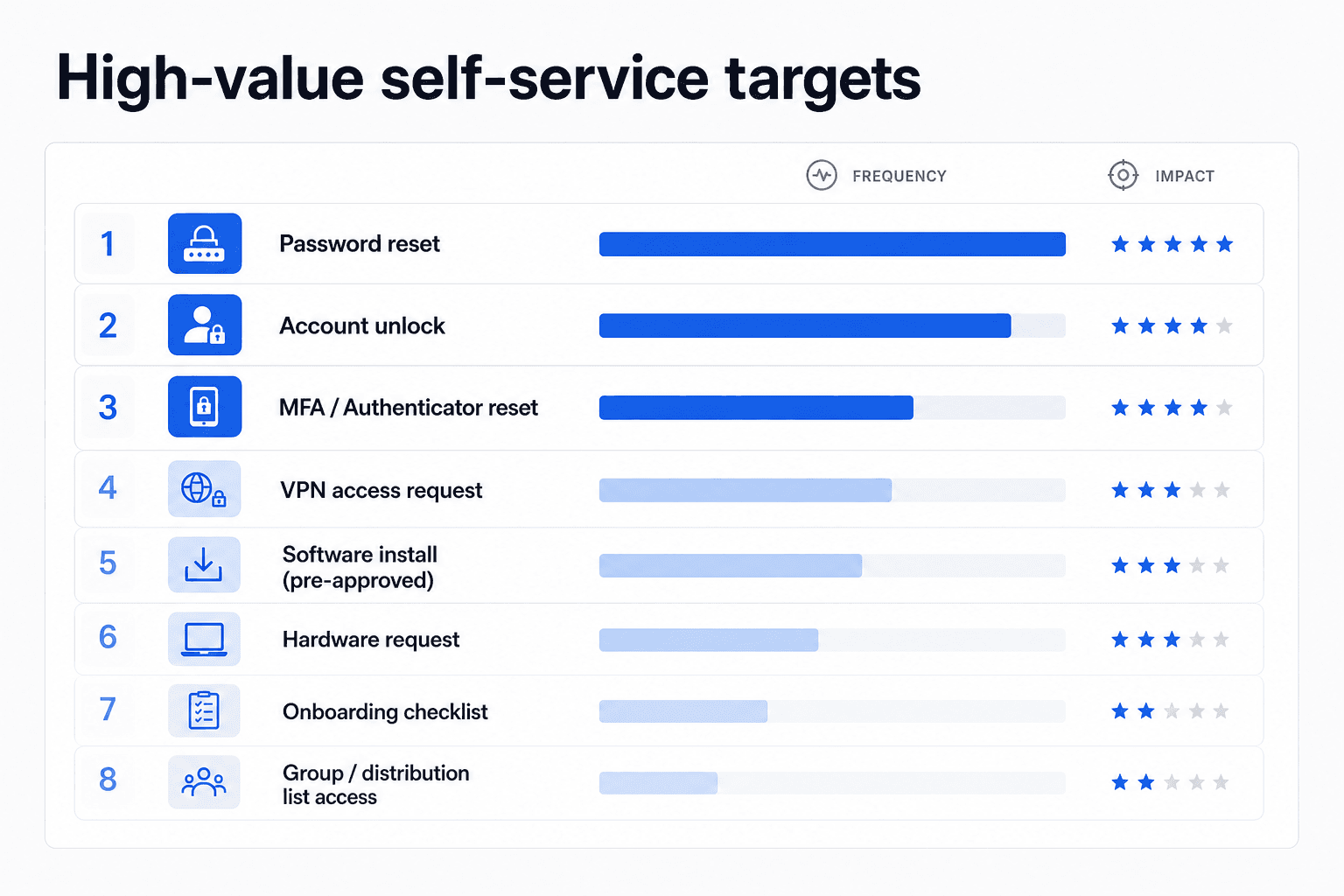
| Service | Why it's high-value |
|---|---|
| Password reset | Highest single ticket type in most organizations; fully automatable |
| Account unlock | Same frequency as password reset; zero agent judgment required |
| MFA / Authenticator reset | Rising rapidly as organizations enforce MFA across the board |
| VPN access request | Pre-defined approval rules make automation straightforward |
| Pre-approved software installs | Approval chain resolved upfront; fulfillment is deterministic |
| Hardware request | Standard form + approved catalog + routing handles most cases |
| Distribution list / group access | Among the most common access requests with a clear approval path |
| Onboarding / offboarding checklists | High-frequency, predictable, time-sensitive |
Password reset automation alone can account for 20-30% of weekly IT ticket volume at a mid-size organization. Automating this single service type has measurable, immediate impact before the rest of the catalog is built.
The catalog should grow based on what ticket data tells you - not on what feels comprehensive. As u/WashOdd7330 noted on r/helpdesk: "MFA reset, VPN access, hardware requests, and onboarding/offboarding checklists - those alone will cut a surprising amount of tickets."
How to get employees to actually use it
The knowledge base is written. The portal is live. The announcements went out. Employees still email the helpdesk.
This is the most recurring frustration in IT practitioner communities - a 520-comment r/sysadmin thread about why users won't open tickets has been running for years with no clean resolution. There's no single fix, but there are proven approaches:
Meet employees where they already are. The fastest-growing adoption pattern is embedding self-service inside the tools employees already use - Microsoft Teams, Slack - rather than requiring navigation to a separate portal URL. Instead of asking for a new habit, put the capability inside the habit they have. u/South-Opening-9720: "pairing the forms with a searchable knowledge layer so people can self-serve before opening a ticket... it can answer the repetitive stuff and then hand off when the request actually needs IT." ITSM integration with Slack is exactly how this plays out in practice.
Make the portal genuinely faster than the alternatives. At a 24,000-employee organization, u/liquidskypa reported that adoption grew when the portal experience became better than calling: "If you build a great one people will use it... we get more self-submits and self service kb reviews more than ever in the past year and with AI the chat is working great too." Speed is the argument that convinces; it has to be real.
Degrade the alternative channels deliberately. u/obeythemoderator described this clearly: "Make the phone call the highest pain point... stop treating phone calls as a way to skip the line." When calling no longer saves time - longer hold times, mandatory ticket creation anyway, no queue-jumping benefit - most users switch to the easier path. u/mgb1980 suggested scripting refusals: "tell helpdesk not to reset the password... 'we don't have permissions to change passwords any more due to inability to adequately confirm ID, so please use the self-service.'"
Sustain the communication. A single launch announcement is forgotten in a week. Embed the portal link in every relevant touchpoint - email confirmations, onboarding materials, IT communications - and revisit adoption metrics monthly. Internal helpdesk best practices and the guide to setting up an internal helpdesk cover the full adoption framework.
Building the knowledge base your portal needs
An ITSM self-service portal without a solid knowledge base is a form with no answers. Employees arrive, find nothing useful, and leave - usually back to email or the phone.
The knowledge base is also the part of IT ticket automation that organizations most consistently underinvest in before go-live. What makes one actually work:
Coverage before launch. Map the top 30 most-asked questions from ticket history and helpdesk staff. Every one of those needs an article before day one. Not polished - just accurate and findable.
Written in user language, not IT language. Titles from the employee's perspective: "I forgot my password" not "Active Directory Self-Service Password Reset Procedure." The catalog organized by what employees are trying to do, not which system owns it.
Kept current. Outdated articles erode trust faster than no articles. An employee who follows instructions that no longer work won't try the portal again. This is where AI has the most immediate impact: analyzing resolved tickets, identifying which questions have no article, drafting content, and flagging it for review. Gartner predicts that by 2027, GenAI will produce more IT knowledge base articles than human authors - eliminating the content maintenance backlog entirely.
How to build a knowledge base covers the full structure and content process.
How AI is changing ITSM self-service
The traditional self-service portal has three structural problems: employees don't find it, don't trust it when they do, and can't complete most actions through it without agent involvement. AI is directly addressing each.
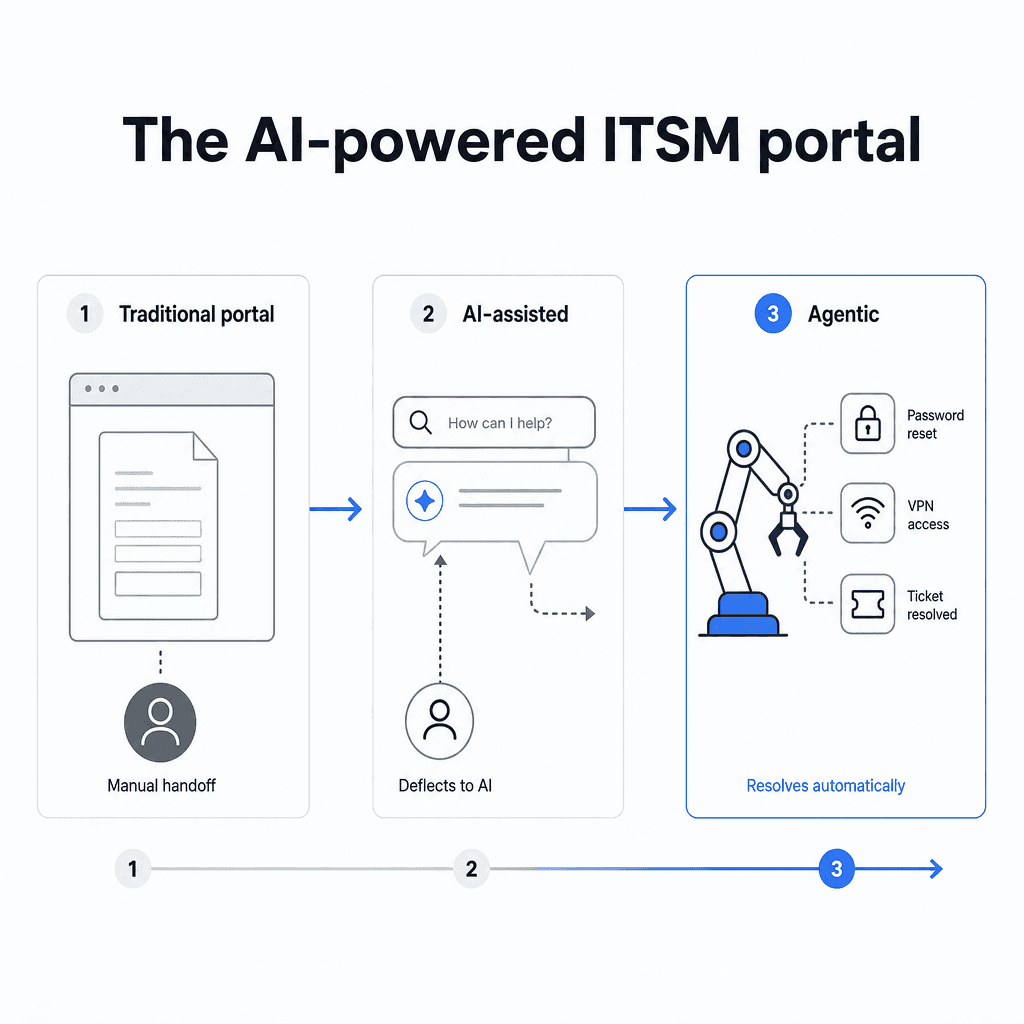
From static search to conversational resolution. Instead of typing terms into a search box and browsing results, employees describe problems in plain language and get direct answers - or immediate fixes. The 2025 State of ITSM Report from ITSM.tools found that GenAI cuts ticket resolution times by 54% in production environments. AI agents positioned as a front-door layer intercept tickets before they're opened, handling 20-60% of volume automatically.
From human-maintained to AI-generated knowledge. The SDI finding that only 1 in 8 organizations realize expected self-service ROI is largely a content problem - too few articles, too outdated, too IT-structured for employees to find. AI changes the economics: analyzing resolved tickets, identifying gaps, drafting articles, and keeping content current with no manual overhead. This is what makes ITSM chatbots genuinely useful rather than just routing users to a dead-end FAQ.
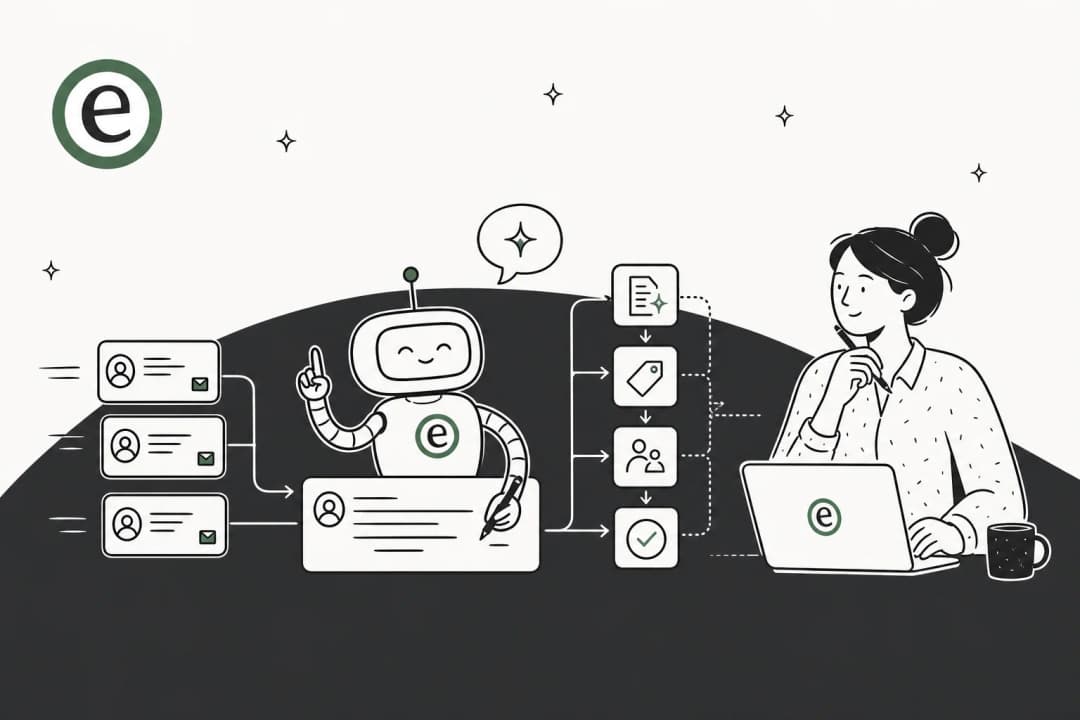
From self-service to no-service. The frontier is agentic AI - agents that don't just answer questions but execute the underlying fix. A password reset request triggers identity verification and then executes the reset. A VPN access request checks approval rules, grants access, and sends confirmation. No ticket opened, no agent involved. Gartner predicts 40% of enterprise applications will include task-specific AI agents by 2026, up from under 5% in 2025. Early production examples include ServiceNow ITSM and Freshworks' Freddy AI Agent.
Self-service moving into chat, not portals. The fastest-growing interaction pattern is through Microsoft Teams and Slack - employees get help without navigating to a portal URL at all. An AI agent embedded in chat answers the question where the employee already is. This is how organizations are deploying AI for IT service management: not as a standalone portal replacement, but as an AI layer inside the tools teams already use.
Try eesel
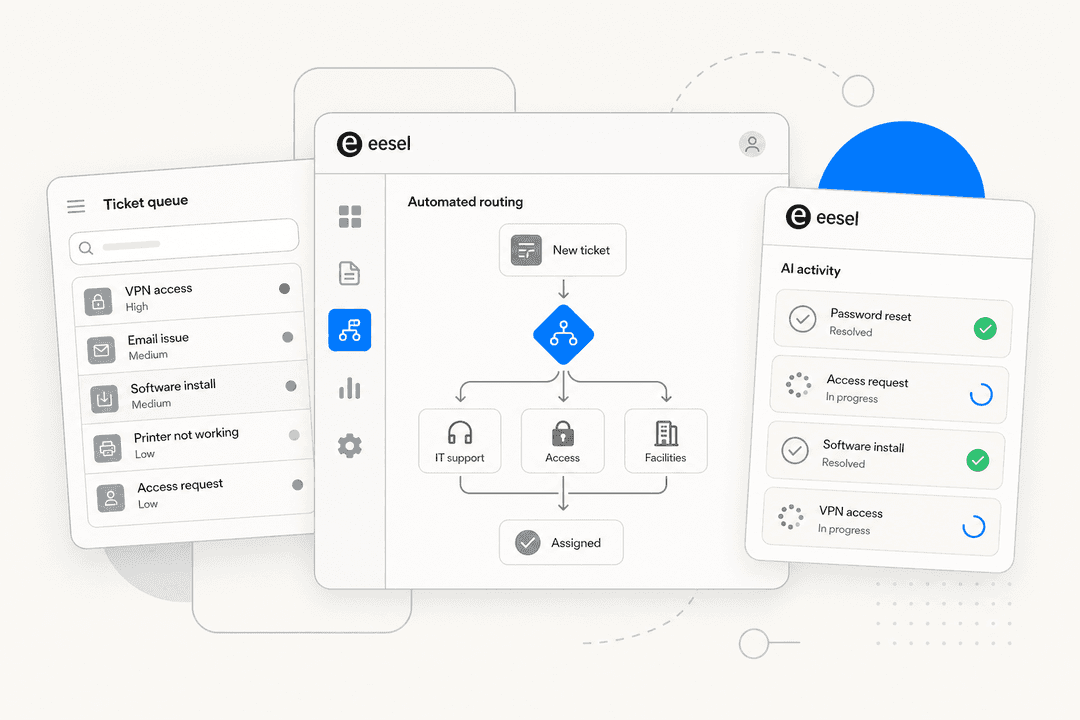
eesel AI is an autonomous AI agent that works inside the tools your IT team already uses - Zendesk, Freshdesk, Jira Service Management, Slack, Teams - and handles tickets and internal IT questions without a separate portal interface.
For IT support, eesel connects to your existing knowledge sources (Confluence, Notion, Google Drive, SharePoint, past ticket history), learns how your team handles common requests, and starts resolving tickets autonomously. Gridwise saw eesel resolve 73% of Tier 1 requests in the first month. InDebted deployed it as a first-responder on Jira, trained on Confluence - achieving 15% ticket deflection immediately, with 55% projected once trained on historical tickets.
Pricing is task-based at $0.40 per resolved support ticket - no per-seat fees, no monthly minimum. A $50 free trial is available with no credit card required.