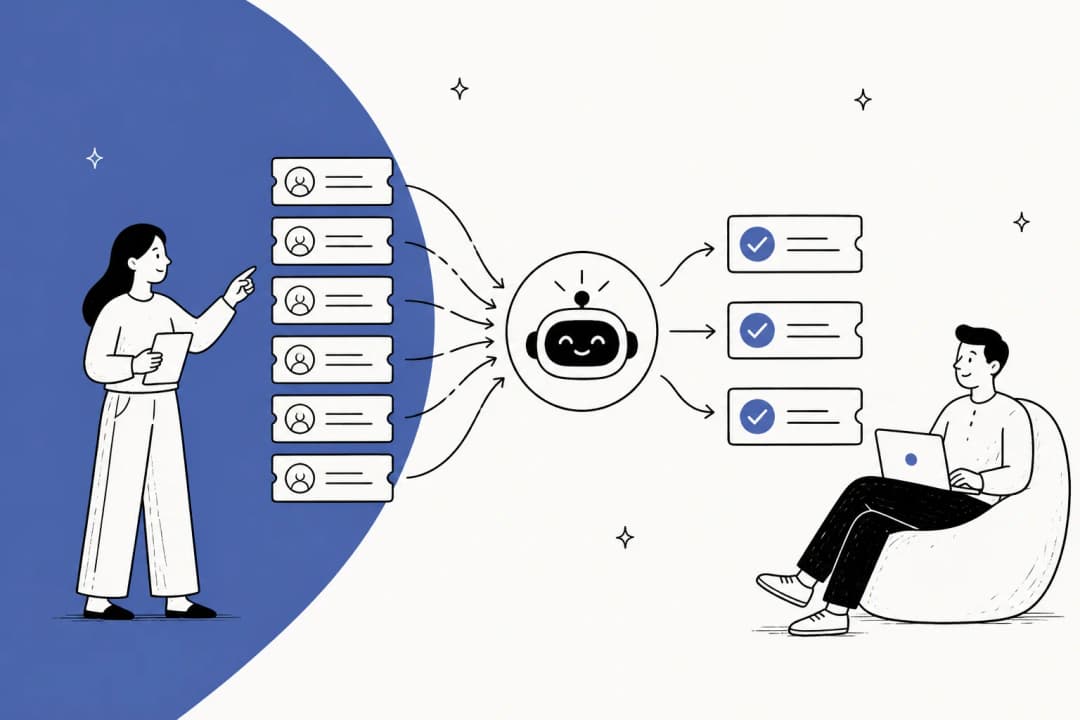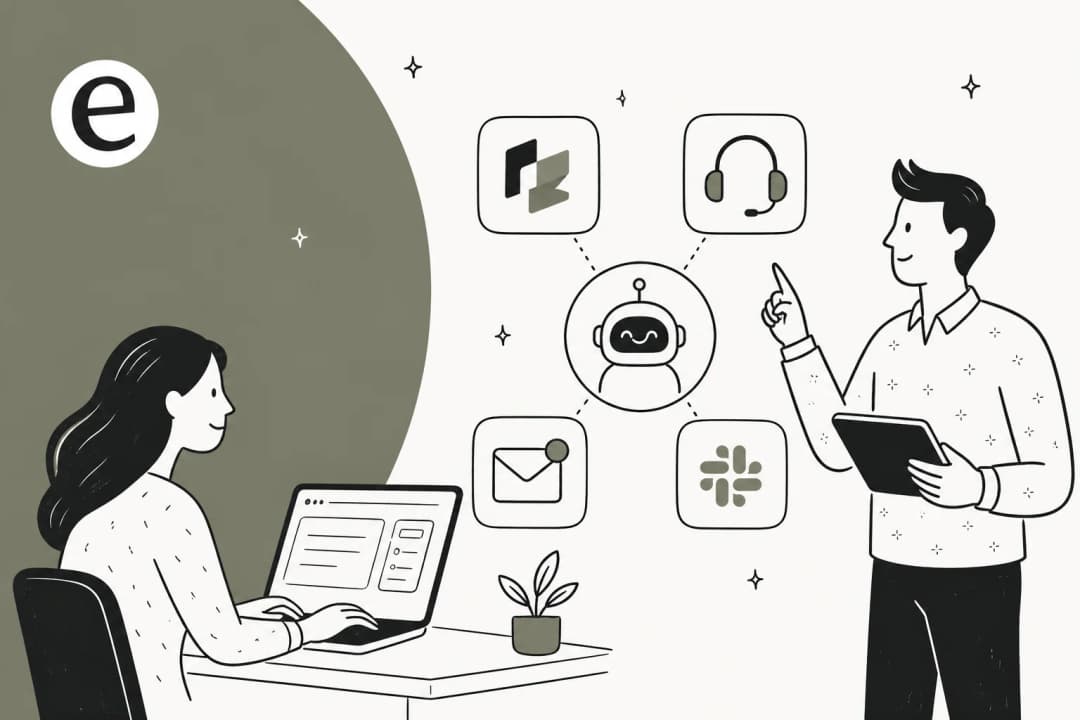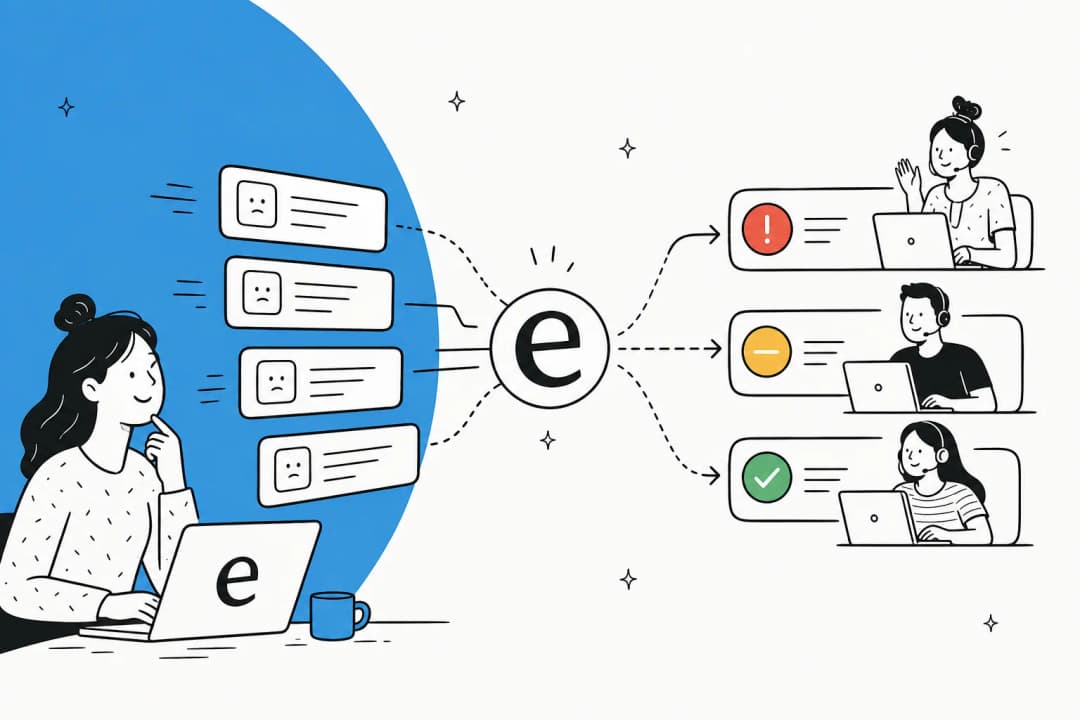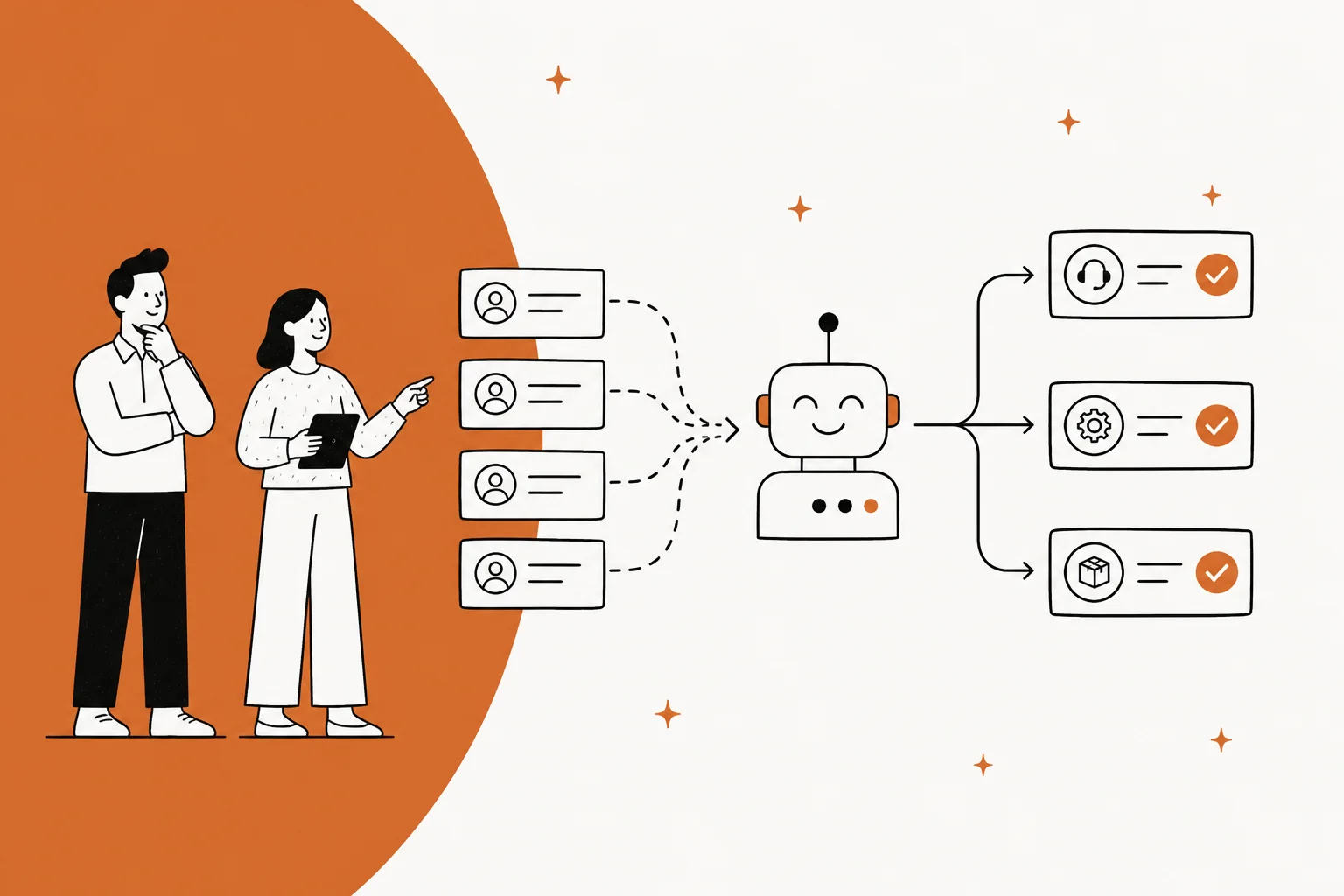
What an automated ticketing system actually is
An automated ticketing system is a helpdesk that does something to a ticket without a person, rather than just filing it and waiting. That sounds like one product category. It is really four, stacked, and vendors sell all four under the same phrase.
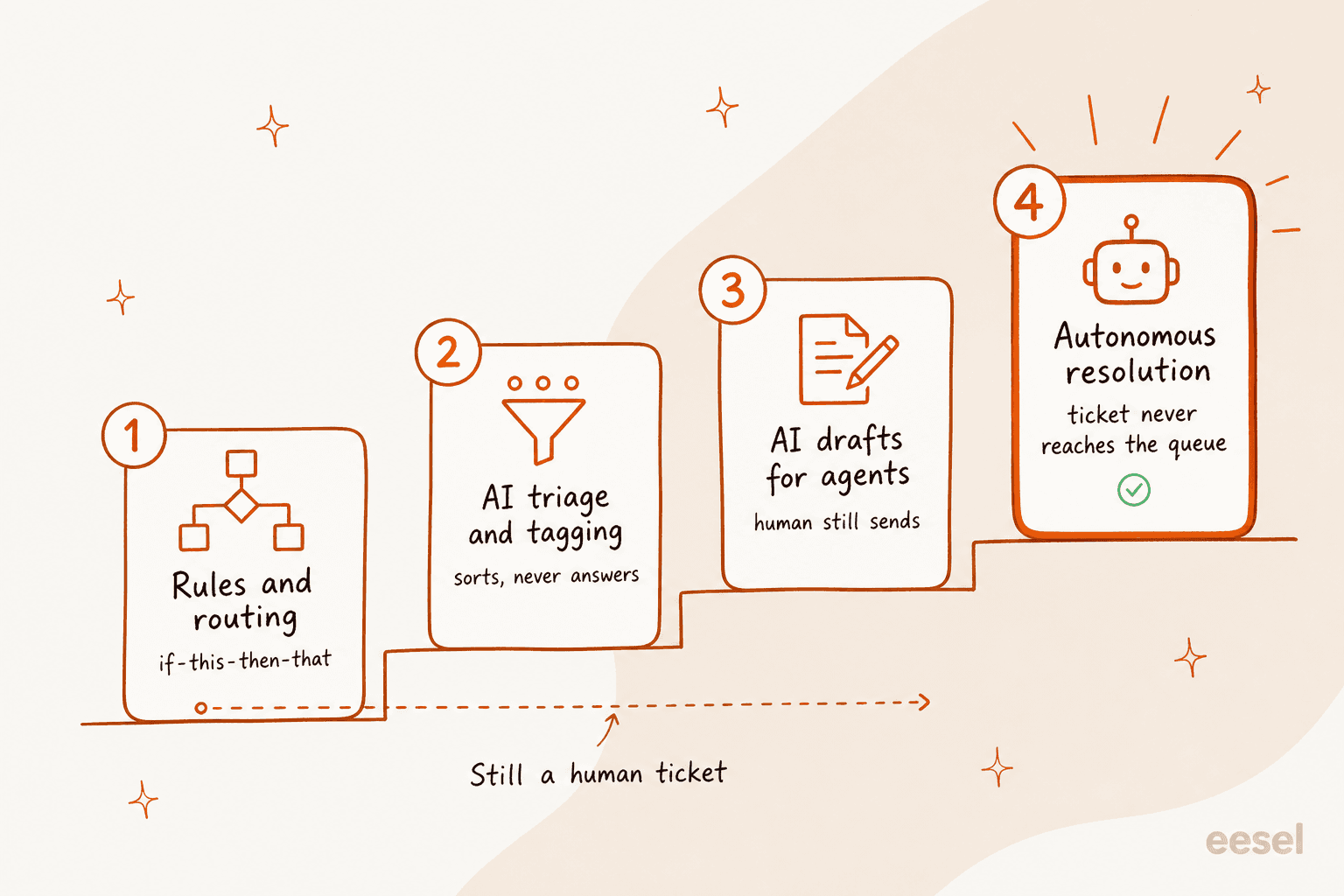
The bottom rung is deterministic rules: if the subject line contains "refund", tag it and assign it to the billing queue. Every tool on this list has had that for a decade, and it is still the workhorse. The second rung is AI classification, which is where ticket triage lives: the model reads the message and stamps a topic, a sentiment and a language on it, then your existing rules fire off those fields. Useful, invisible to the customer, and it never actually answers anything.
The third rung is drafting. The AI writes a reply, an agent reads it and hits send. The fourth rung is the one people mean when they say automation: the ticket gets answered, the customer goes away happy, and nobody on your team ever opens it. Only that last rung reduces the number of tickets your team touches, and it is the rung where the differences between these twelve products are largest.
One more distinction worth pinning down early, because it changes what you should demand in a demo. Almost none of these tools are trained on your data. They retrieve from it at answer time, which is what RAG means, and it is why the honest answer to "how good will the AI be" is "as good as your documentation." The gap between a decision-tree bot and an LLM agent is real and worth understanding, and I have written about AI agent vs rule-based chatbot separately if you want the mechanics.
The four ways these tools charge you, and why it decides your bill
This is the section I would read first if I were buying, because in 2026 the feature lists have converged and the pricing models have not.
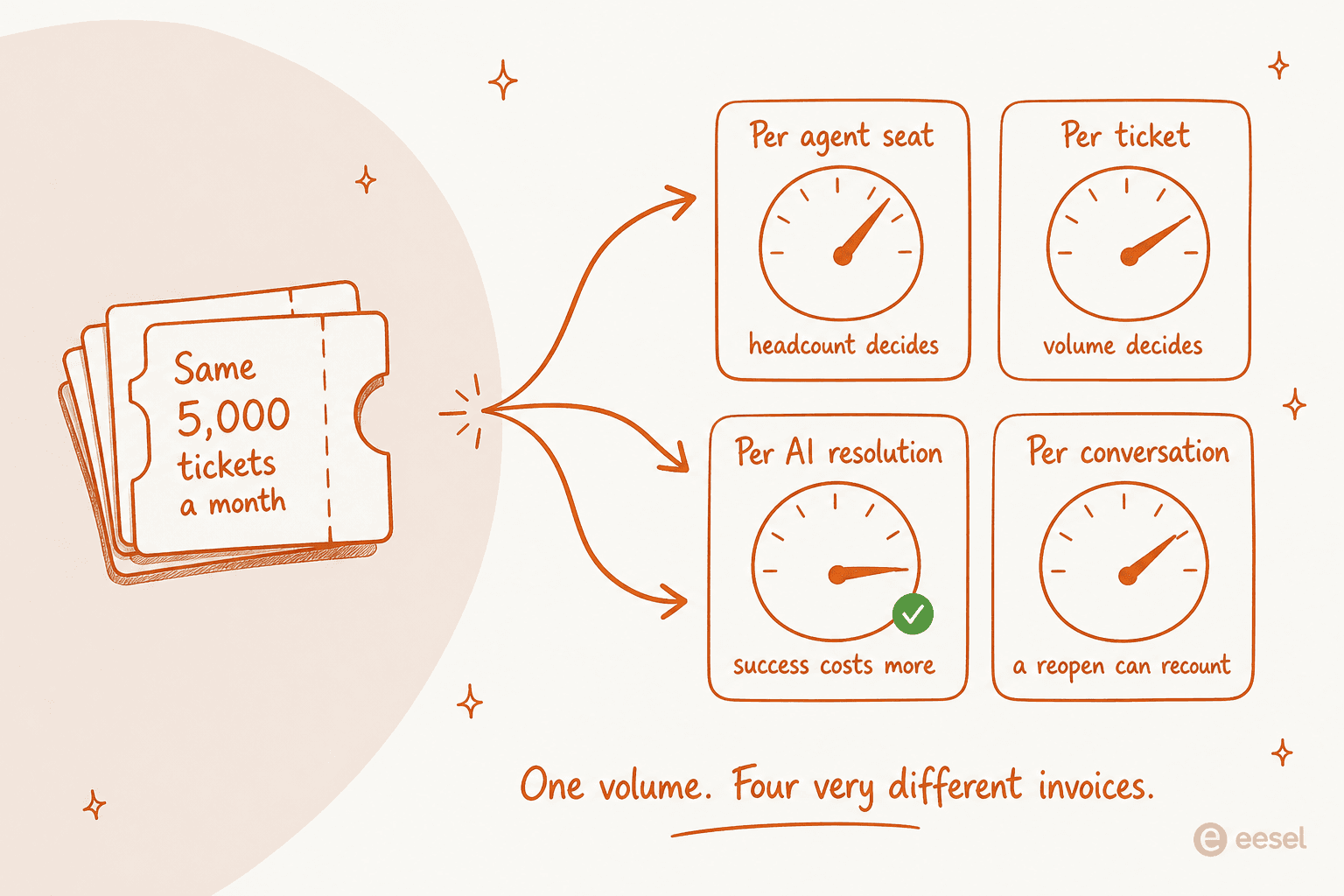
Per agent seat. The classic. Zendesk, Freshdesk, Zoho Desk, Help Scout, Front, HubSpot, Jira Service Management and Salesforce all bill this way for the base product. Predictable, and it punishes you for hiring rather than for volume.
Per ticket. Gorgias bills its helpdesk on tickets, not seats, and gives you 500 user seats above the entry plan. eesel bills the same way for its AI, at $0.40 a ticket handled.
Per AI resolution. The dominant model for the AI layer, and the one that needs the most reading. Zendesk publishes $1.50 per automated resolution on a commitment and $2.00 pay-as-you-go, with 5 resolutions per agent per month included (10 on Professional). Help Scout charges $0.75. HubSpot charges the equivalent of $0.50. Jira Service Management charges $1 per resolution for Rovo Customer Service and $0.30 per assisted conversation for the Virtual Service Agent. The catch with this model is philosophical: it charges you most in the month the AI works best.
Per interaction or session, which is the same idea with a looser definition. Gorgias now charges $1.50 per automated interaction over your plan allowance. Freshdesk charges roughly $0.49 per session, where a session is a 72-hour window from the customer's first email.
The reason this matters more than the feature table: the definitions are not comparable. Gorgias only bills automation when no human touches the conversation within 72 hours. Help Scout only bills when the customer does not escalate, search the knowledge base, ask a follow-up, or press "I still need help." HubSpot freezes the outcome after 72 hours and will bill a reopened thread again. Same word, four different meters.
So rather than argue about it, here is a calculator with the published 2026 rates in it. Put your own numbers in.
Two things usually surprise people the first time they move those sliders. Adding agents moves most of these bills more than adding tickets does. And the tools that look cheapest at low volume are rarely the cheapest at high automation, because the per-resolution meter scales with success.
How I picked these twelve
I work the support queue at eesel, so my bias is toward what survives contact with a real Monday morning rather than what demos well. Five questions decided the list.
- Can it actually close a ticket, or only sort one? Rung four, not rung two. I checked each vendor's own docs for whether the AI can take an action in another system (look up an order, issue a refund, provision a licence) rather than only writing text.
- What can it read? Help centre only, or public URL crawls, or your solved ticket history too. This is the single biggest predictor of answer quality and it is the thing marketing pages are vaguest about.
- Can you test it before customers see it? A chat box where you type sample questions is not a test. A dry run over your own historical tickets with a measured accuracy score is.
- Can you keep it away from the tickets you do not trust it with? A support lead put it plainly: "There are certain tickets I don't want to go through AI." That is a product requirement, not a preference.
- Is the price published, and in what unit? Two of the twelve publish no dollar figure at any tier.
I left out anything I could not verify from the vendor's own pages or a real user post. Where a vendor's pricing had moved since I last checked, I re-scraped it on 10 August 2026, which is how the Gorgias and Zendesk numbers below ended up different from most of the roundups you will find.
The 12 best automated ticketing systems in 2026, compared
| # | Tool | Best for | Model | Entry seat price | AI meter | AI on entry plan | Acts in other systems | Dry run on past tickets | Free tier |
|---|---|---|---|---|---|---|---|---|---|
| 1 | eesel AI | Keeping your helpdesk | AI layer | None | $0.40 / ticket | Yes | Yes | Yes | $50 free usage |
| 2 | Zendesk | Large omnichannel orgs | All-in-one | $19 | $1.50 to $2.00 / resolution | Yes, 5 per agent | Yes | No | 14-day trial |
| 3 | Freshdesk | Email-first SMB teams | All-in-one | $19 | ~$0.49 / session | Yes, 500 sessions | Yes | No | 2 agents, 6 months |
| 4 | Gorgias | Shopify stores | All-in-one | $40 flat | $1.50 / interaction | Yes, 30 included | Yes | Partial | 7-day trial |
| 5 | HubSpot Service Hub | HubSpot CRM shops | CRM-native | $90 | ~$0.50 / resolution | Pro and up | Yes | Yes | 2 users, no AI |
| 6 | Zoho Desk | Tight budgets | All-in-one | $14 | None, seat-included | Enterprise only | Limited | No | 3 users |
| 7 | Help Scout | Small teams | Shared inbox | $25 | $0.75 / resolution | Add-on | No | Yes | 5 users |
| 8 | Front | Cross-team requests | Shared inbox | $25 | From $0.05 / conversation | Add-on | Yes | Yes | Trial only |
| 9 | Re:amaze | Small multichannel teams | All-in-one | $26.10 | $0.85 / resolution | Yes, 5 per user | Limited | No | 14-day trial |
| 10 | Jira Service Management | Internal IT desks | ITSM | $20 | $0.30 / conversation | Premium only | Yes | No | 3 agents |
| 11 | Salesforce Service Cloud | Salesforce shops | CRM-native | $25 | $2.00 / conversation | Enterprise and up | Yes | Yes | 30-day trial |
| 12 | ServiceNow | Enterprise service desks | Platform | Not published | Not published | Prime only | Yes | Yes | None |
Seat prices are the lowest published per-user annual rate for each vendor. Every row below explains what that number leaves out.
1. eesel AI
Best for: teams who like their helpdesk and want tier-1 tickets handled inside it, billed per ticket rather than per seat.

What it automates. eesel is not a helpdesk. It is an agent that connects to the one you run and works inside it, which is why it is first on a list otherwise full of platforms you would migrate to. Each agent is assembled from three pieces described in the key concepts doc: instructions written in plain markdown, integrations that each supply what it can read and what it can do, and skills for multi-step work. On the knowledge side it indexes solved ticket history rather than only help centre articles, plus file uploads across PDF, DOCX, CSV and six other formats up to 50MB each. It acts as well as answers: public reply, draft reply, internal note, tag, assign, close, create and update tickets, with Shopify order lookups and refunds on top, and human approval can be required on the sensitive ones.
The part I would demo first is the simulation skill, which pulls your old conversations, generates what the AI would have said, compares it to what your team actually sent, scores the accuracy and produces a gap report. That turns "will this work on our queue" from a vibe into a number before launch.

Pricing.
| Item | Price | Unit |
|---|---|---|
| Free trial | $0 | $50 of usage, every feature, no card |
| Light task | Free | Dashboard questions, simple lookups |
| Regular task | $0.40 | One support ticket or chat session, any number of replies |
| Heavy task | $4.00 | One blog post draft run |
| Annual commit | Up to 25% off | Paid upfront, overage at the normal rate |
| Enterprise | $1,000/month + usage | Flat platform fee, adds SSO, HIPAA, BAA, dedicated SE |
| Default spend cap | $250/month | Adjustable, alerts at 50/75/100%, agents pause at the cap |
Worked examples straight off the pricing page: 100 tickets is $40, 1,000 is $400, 2,500 is $1,000. No platform fee, no per-seat fee, no minimum.
Pros.
- The billing unit is the one a support manager already thinks in. One ticket is one task no matter how many messages it takes, and a partial rollout costs a partial amount: route 200 of your 1,000 monthly tickets and you pay $80.
- Simulation against your real archive before go-live, not a sample-question box.
- It runs at volumes most helpdesk AI never sees. Smava runs a fully automated German-language Zendesk queue at over 100,000 tickets a month, and Gridwise resolved 73% of tier-1 requests in the first month, inside a seven-day trial.
Cons.
- There is no independent review presence to check this against. No G2, Capterra or Trustpilot listing, so every number above traces back to eesel's own pages or eesel's own customers rather than a third-party score. Weigh that accordingly.
- Tasks that go wrong are still billed, because the AI work happened either way. Support will look into unexpected charges, but the charge lands first.
- It is a layer, not a helpdesk. If you do not have a ticketing system yet, this is not your starting point. Pick one from the eleven below first.
Verdict. Pick eesel if you already run Zendesk, Freshdesk, Gorgias, Front, Help Scout, HubSpot or Jira Service Management and your problem is the queue, not the software. Skip it if you are buying your first helpdesk. The deciding factor is whether a migration is on your roadmap this quarter, because if it is not, this is the only option here that does not need one.
2. Zendesk
Best for: larger orgs that want ticketing, voice, knowledge and AI agents from one vendor and can absorb two meters.
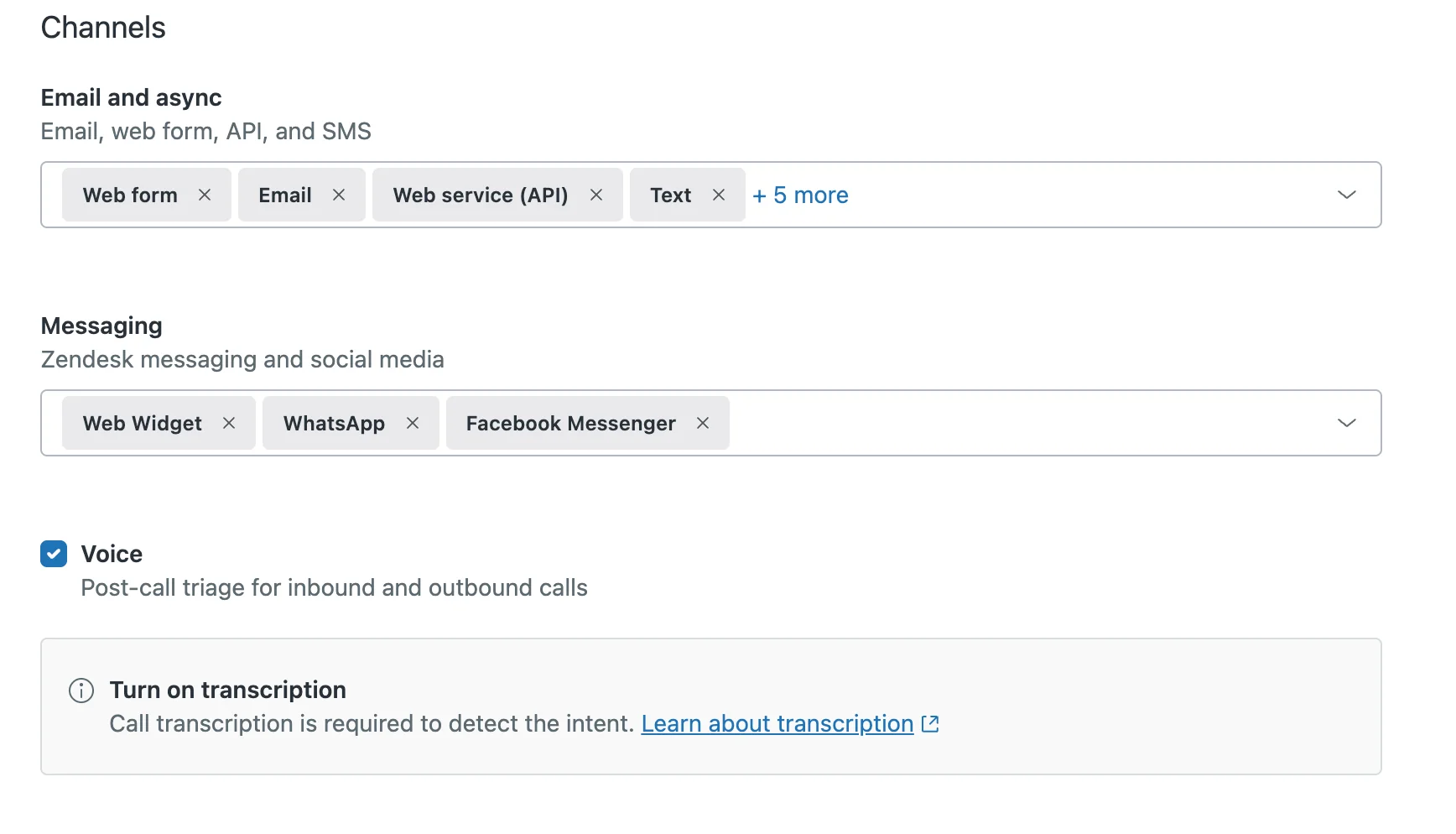
What it automates. Zendesk splits the job in two, and it is worth knowing which half you are buying. Intelligent triage classifies every inbound ticket by topic, sentiment and language across roughly 150 languages, stamping each with a high, medium or low confidence field that your triggers, SLAs and views can act on. Separately, AI agents answer. You build one per channel through a three-page wizard, and a single agent cannot span messaging and email at once, so a full rollout means several. They can act, not just answer: actions, entities and the integration builder let an agent read an order number and call a third-party API, with generative procedures describing flows in natural language and dialogues scripting them deterministically.
Two documented limits shape how much you should trust triage over time. Agent corrections to those fields do not train the model, and classification is not retroactive, so only tickets created after you switch it on get classified. Full detail on the mechanics is in my Zendesk AI ticketing breakdown.
Pricing.
| Plan | Annual, per agent/month | Monthly, per agent/month | AI included |
|---|---|---|---|
| Support Team | $19 | $25 | 5 automated resolutions per agent/month |
| Suite Team | $55 | $69 | 5 automated resolutions per agent/month |
| Suite Professional | $115 | $149 | 10 automated resolutions per agent/month |
| Suite Enterprise + Copilot | Talk to Sales | Talk to Sales | Adds intelligent triage, Auto Assist, sandbox |
| Copilot add-on | $50 | Not published | Auto Assist, triage, admin copilot |
| Contact Center add-on | $83 | Not published | Voice and digital contact center |
| Committed resolutions | $1.50 | Per automated resolution above allowance | |
| Pay-as-you-go resolutions | $2.00 | Per automated resolution above allowance |
That per-resolution figure is new information worth flagging, because Zendesk did not publish it for most of the last year. It now sits in the compare-all-features table on the pricing page. My fuller cost breakdown lives in Zendesk pricing.
Pros.
- Custom topics start detecting immediately with no training window, per Zendesk's own custom topics doc, and the topic page shows 30-day coverage counts.
- The classifier is unusually specific: topic, five sentiment bands, roughly 150 languages, custom entities, each with its own confidence value you can route on.
- Users like the core product. G2 shows 4.3 out of 5 across 6,964 reviews, with about 92% at four or five stars.
Cons.
- Two meters stack. At 8 agents on Suite Team you have 40 included resolutions a month, and everything past that is $1.50 or $2.00 each on top of $440 of seats.
- Triage values in triggers, views and Explore reports are English only, even though the classifier itself reads roughly 150 languages.
- Topic detection has an eligibility gate the other classifiers do not. An account that does not meet the industry and model-fit requirements sees language and sentiment but no topic predictions, per Zendesk's troubleshooting doc.
"Without a plan the AR is charged at $2 per resolution after overages. So it def pays to have a plan in place and forecast how much your monthly usage will be ahead of time."

Verdict. Pick Zendesk if you need one vendor across email, chat, voice and knowledge and you have someone whose job includes forecasting AI consumption. Skip it if you are eight people and the seat maths already stings. The deciding factor is scale: below about ten agents you are paying for governance you will not use.
3. Freshdesk
Best for: email-first teams who want a mature ticketing core and want to switch the AI on later.
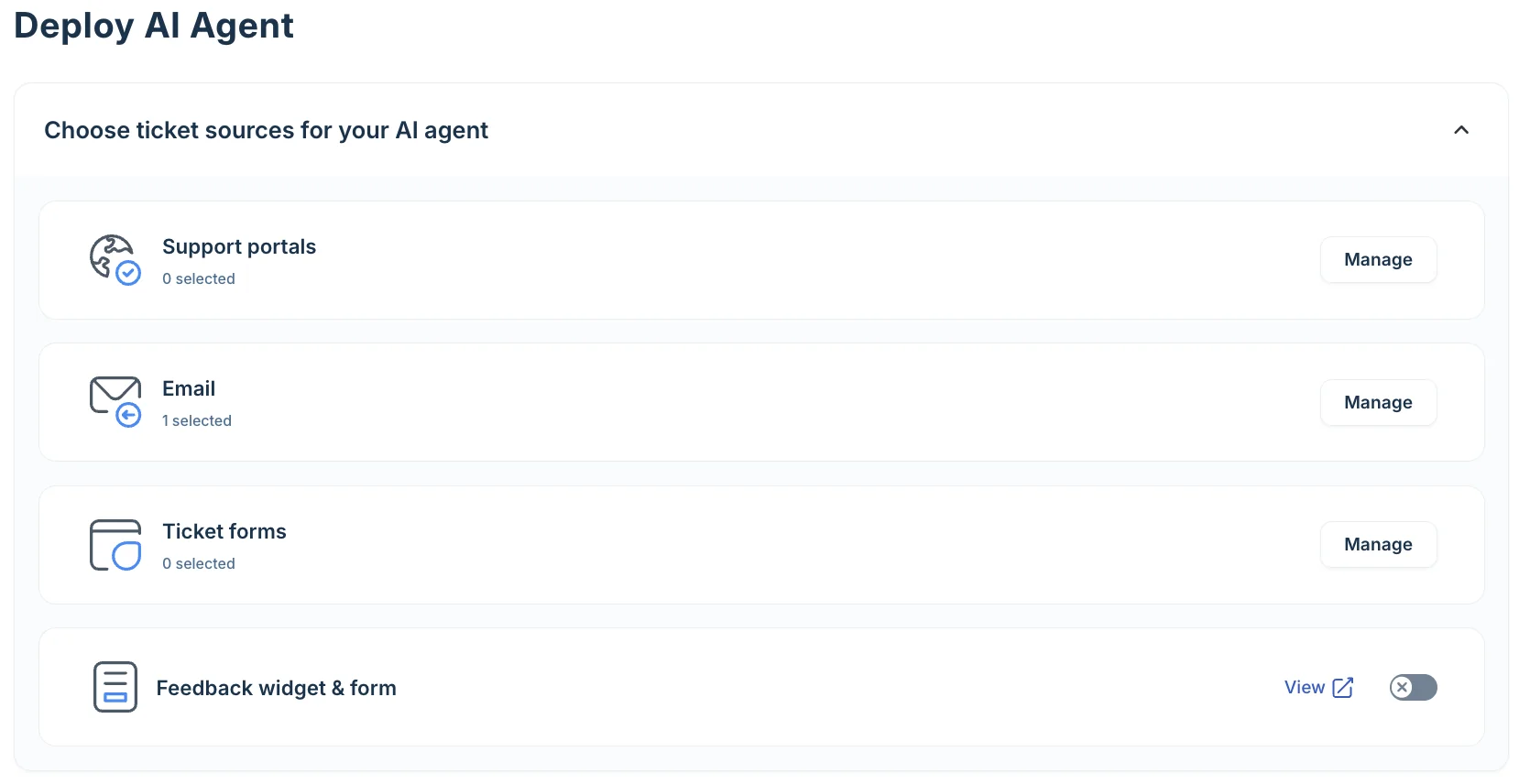
What it automates. Freddy AI is three separately-billed products and only one of them talks to customers. Freddy AI Agent resolves queries end to end and updates records, Copilot assists your agents with drafts, summaries and live translation, and Insights is Enterprise-only leadership analytics. Agents are built no-code in AI Agent Studio, and there is a dedicated Email AI Agent for inbound support mail, with 50+ prebuilt agentic workflows plus marketplace connectors to Shopify, Stripe and PayPal for order and payment lookups.
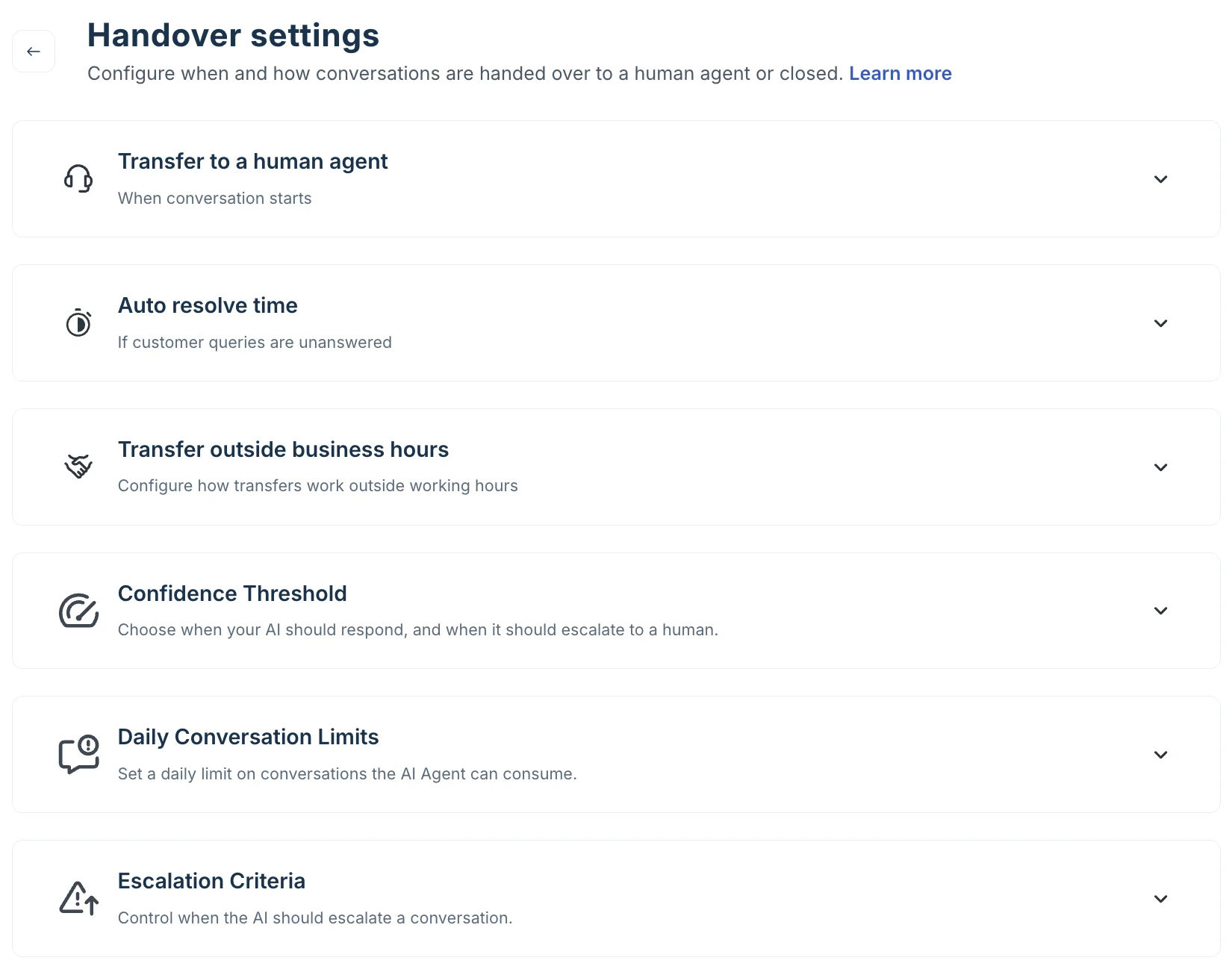
The billing mechanic is the thing to internalise. Per the pricing FAQ, a session for the Email AI Agent is a 72-hour window starting from the customer's first email, and every AI reply inside it counts once. For threaded email support that is a generous definition. Around the AI sits deep conventional automation, with intelligent routing at Pro and skill-based routing at Enterprise, covered in my Freshdesk automation guide.
Pricing.
| Plan | Per agent/month, annual | AI included |
|---|---|---|
| Growth | $19 | Freddy AI Agent, first 500 sessions |
| Pro | $55 | Adds multilingual, intelligent routing, custom dashboards |
| Enterprise | $89 | Adds Freddy AI Insights, skill-based routing, sandbox, audit logs |
| Freddy AI Agent overage | $49 per 100 sessions | Roughly $0.49 per session |
| Freddy AI Copilot | $29 per agent/month | Pro and Enterprise only |
| Day passes | $2 / $7 / $12 | Temporary seats, priced by tier |
| Connector app tasks | $80 per 5,000 | Same rate on all tiers |
Freshdesk Omni is a separate SKU at $29 / $79 / $119. Note that there is no free-forever plan you can sign up for: the Free Program is 2 agents for 6 months and can only be activated from inside an existing account. Full tier maths in Freshdesk pricing.
Pros.
- The customer-facing AI is not locked behind Enterprise. Even the $19 Growth plan ships Freddy AI Agent with the first 500 sessions included, which is unusual on this list.
- The 72-hour session window means a long back-and-forth does not multiply the bill.
- Real scale behind it: Freshworks cites 74,000+ businesses, and the product carries 4.4 out of 5 from roughly 3,750 reviews on G2.
Cons.
- The meter charges for attempts, not outcomes. At about $0.49 a session, an exchange that did not help costs the same as one that solved the problem.
- Session packs expire with your payment cycle rather than rolling over, so a quarterly payer who under-uses a pack loses the balance.
- The agent-side assist is a separate $29 line item gated to Pro and above, so a Growth customer who wants reply drafts has to move up a tier first.
"We tested an ai integration in freshdesk and had almost the exact same experience. it worked for very simple tickets but anything slightly complex got misclassified. agents ended up spending more time fixing errors than before, so we had to rethink our approach."
Verdict. Pick Freshdesk if most of your volume arrives by email and you want the strongest ticketing core per dollar. Skip it if your queue is chat-heavy, where the session window matters less. The deciding factor is channel mix, and Freddy's auto-triage behaviour is worth testing before you commit.
4. Gorgias
Best for: Shopify brands where the ticket is not really a question, it is an order edit.
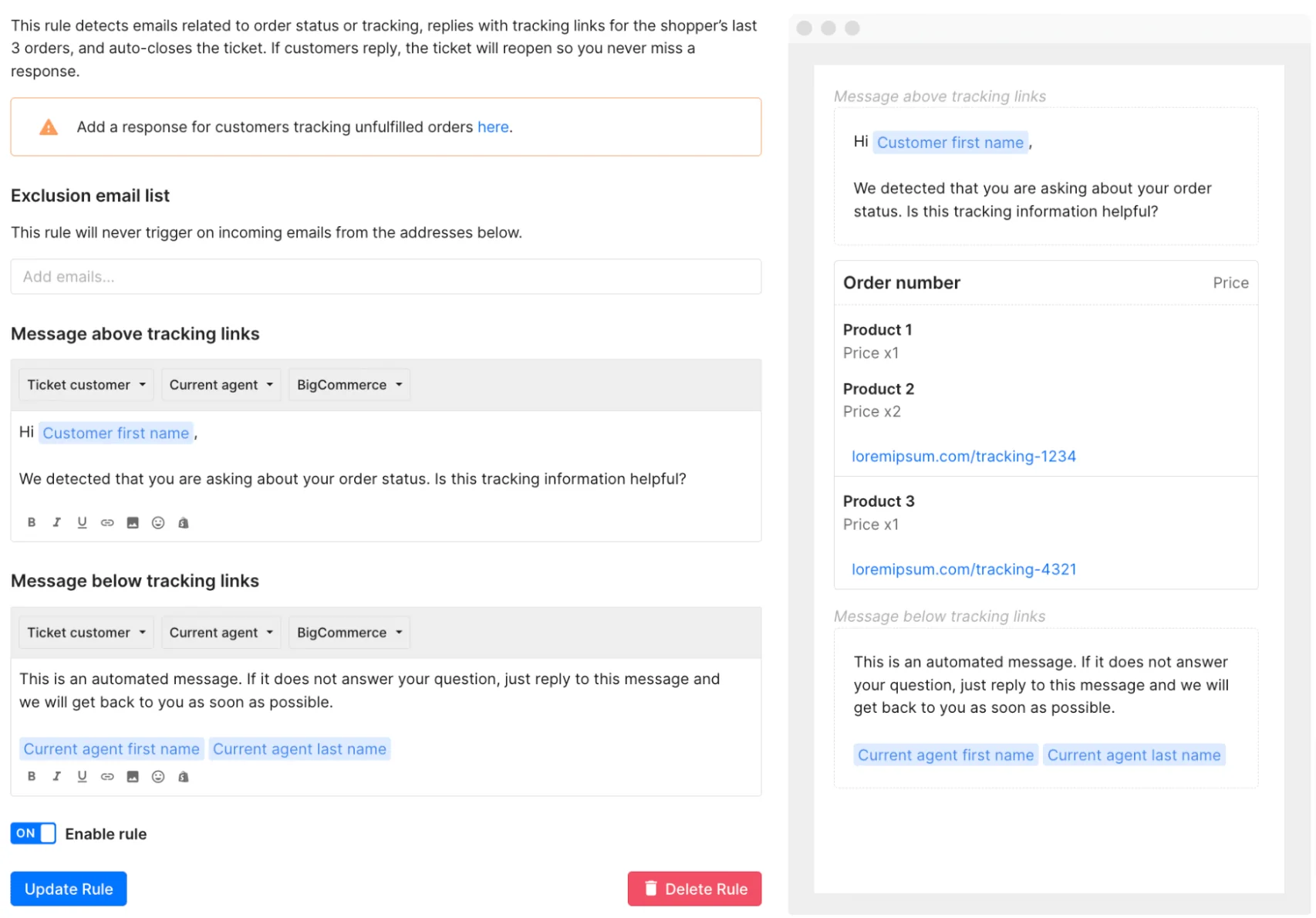
What it automates. Two systems touch every ticket. A deterministic rules engine runs first, then the LLM-driven AI Agent picks up whatever is left, per the rules and AI Agent doc. The agent's behaviour is directed by Skills, each bundling detected intents with WHEN/IF/THEN instructions up to 30,000 characters, plus Guidance for general knowledge capped at 100 enabled entries per store.
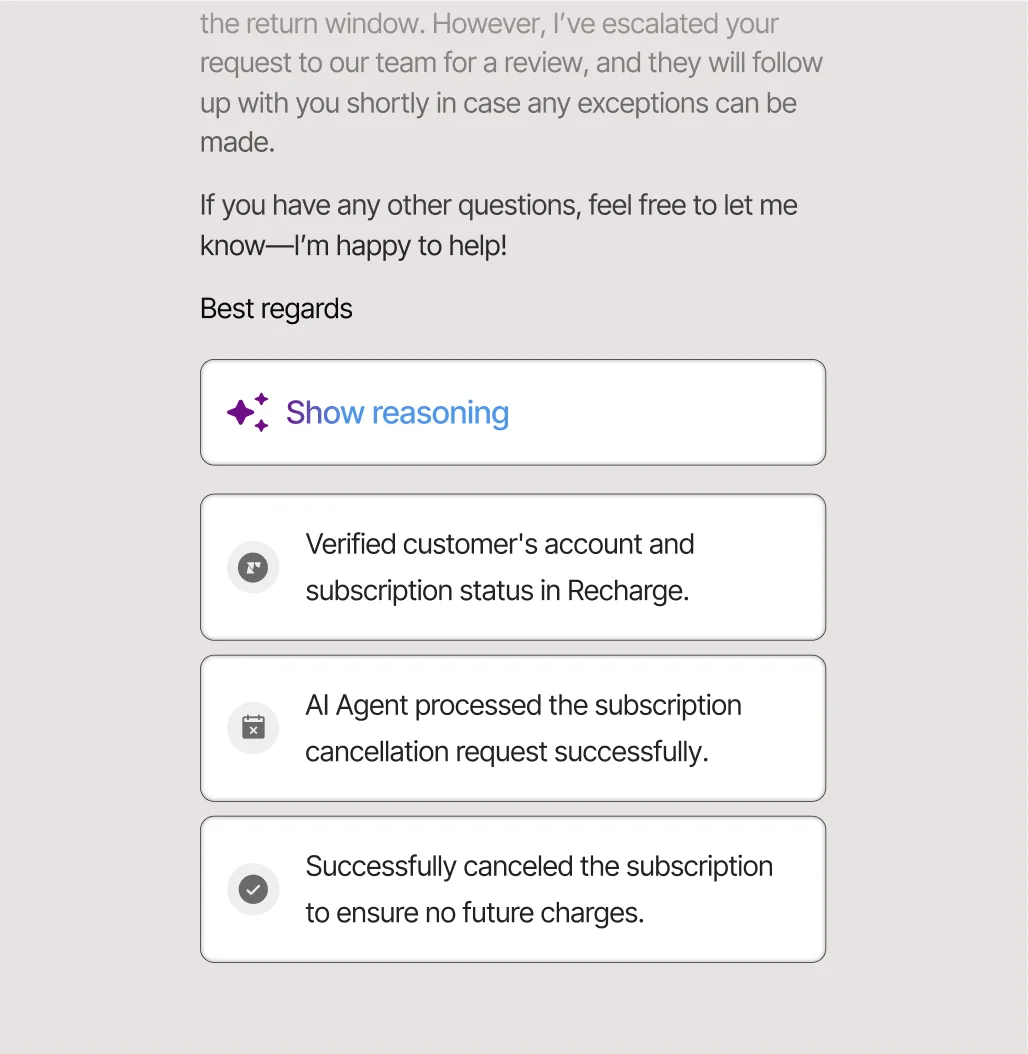
Where Gorgias separates from the pack is Actions. Per the Actions doc, it can track, cancel or edit orders, change shipping addresses, process returns and refunds, pause subscriptions and issue discount codes across Shopify, Loop Returns, Recharge, ShipBob, ShipStation and ShipHero, with HTTP requests and branching for anything unsupported. Irreversible steps force customer confirmation automatically. One caution the docs are honest about: actions run in test conversations can affect real customer and order data unless you target a fake profile.
Pricing. Gorgias repriced this year, and most roundups still quote the old numbers. As of 10 August 2026 the plans bundle helpdesk and AI into one card:
| Plan | Annual, per month | Monthly | Included | AI overage |
|---|---|---|---|---|
| Starter | Monthly only | $40 | 50 tickets, 30 automated interactions | $1.50 each |
| Basic | $77 | $90 | 300 tickets, 30 automated interactions | $1.50 each |
| Pro | $471 | $550 | 2,000 tickets, 190 automated interactions | $1.50 each |
| Advanced | $1,227 | $1,430 | 5,000 tickets, 530 automated interactions | $1.50 each |
| Enterprise | Talk to sales | Talk to sales | 5,000+ conversations | Custom |
Ticket overage is $0.40 each on Starter and Basic, $0.36 on Pro and Advanced. The old $10 / $50 / $300 / $750 figures survive only as the helpdesk component line inside those cards. Notably, seats are effectively free above Starter, at 500 users per plan, so the cost tracks volume rather than headcount.
Pros.
- The AI takes real store actions rather than only replying, and forces confirmation on the destructive ones.
- Billing is outcome-shaped: the automation fee applies only when no human takes over within 72 hours, per the billing doc.
- Seats are not the meter, which suits a seasonal team that flexes headcount.
Cons.
- Two fees can land on one ticket. A fully AI-resolved conversation is charged both a helpdesk ticket fee and an automation fee.
- It is built around Shopify. AI Agent requires a connected Shopify store, and BigCommerce, Magento and WooCommerce lean on custom HTTP actions instead of native ones.
- Coverage has edges: AI Agent runs on email, chat and SMS but not voice, and it does not use your macro library at all.
"I've been around ecommerce for 10+ years and this is honestly how I'd choose: 40%+ tickets need Shopify actions → I'd lean Gorgias. Mostly conversational support → Zendesk is fine."
Verdict. Pick Gorgias if you sell on Shopify and a big share of your tickets need something done to an order. Skip it if your support is conversational rather than transactional, where you are paying an ecommerce premium for nothing. If the new pricing pushed you over budget, the Gorgias alternatives comparison covers the cheaper routes.
5. HubSpot Service Hub
Best for: teams already on HubSpot CRM who want the ticket and the customer record in one place.
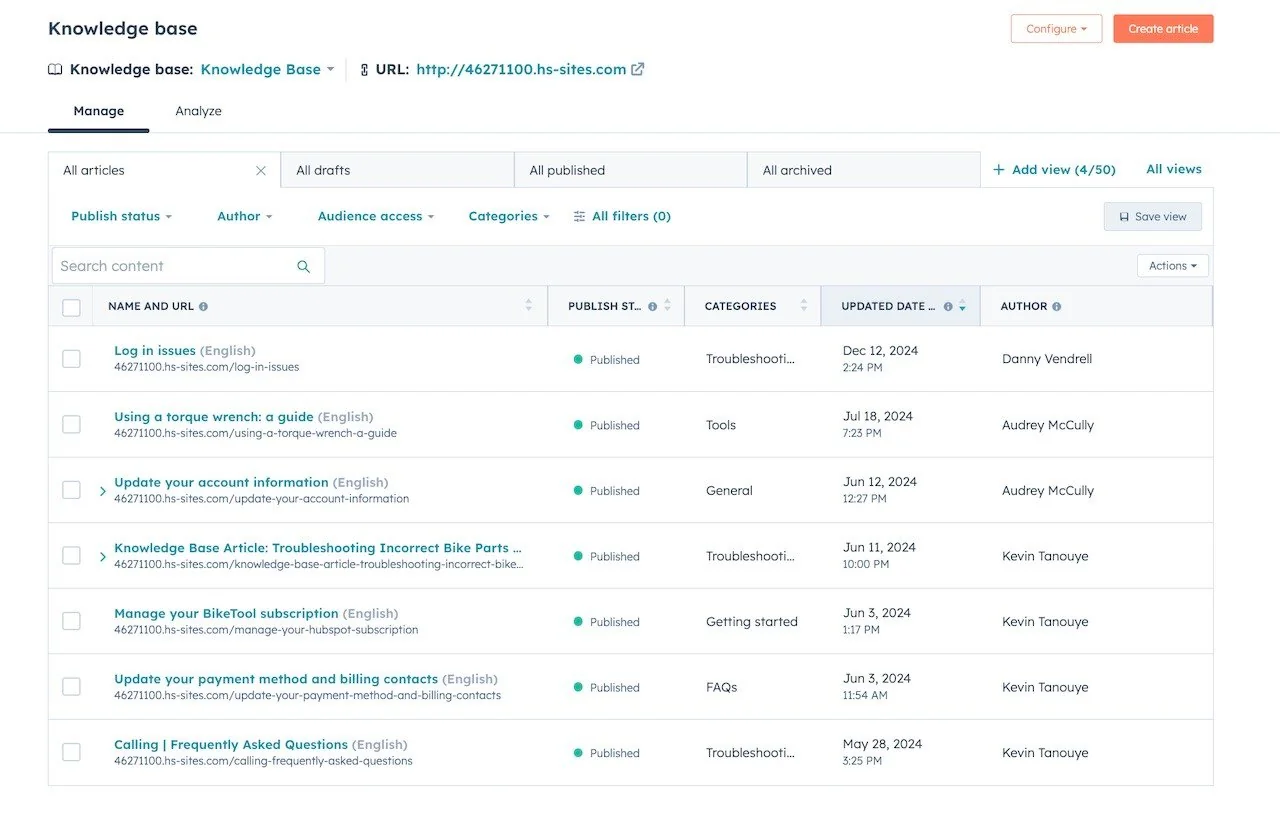
What it automates. The Breeze customer agent is the engine. Assign it to a channel and it answers from synced content, performs configured actions such as resetting a password or booking a meeting, and transfers to a human on low confidence. Its knowledge comes from four paths: HubSpot knowledge base articles, website and blog pages, uploaded files across 21 formats, and public URL crawls of up to 5,000 URLs per domain with include and exclude filters, as the content sources doc sets out.
HubSpot's test loop is one of the better ones here. The customer agent setup doc shows how to preview the agent as email or live chat while impersonating a real CRM contact, it costs no credits, and a Testing Insights panel tells you which triggers fired and which sources it cited. Deploy then carries a conversation-coverage percentage so you can start at 10% rather than all of it. Separately, reply recommendations put AI drafts in the thread without deploying the agent and consume no credits, which is a clean way to start on rung three.
Pricing.
| Plan | Per seat/month | Credits included | Notes |
|---|---|---|---|
| Free | $0 | None | Up to 2 users, no help desk workspace, no AI |
| Starter | $7 committed, $20 monthly | 500/month | No workflows |
| Professional | $90 annual, $100 monthly | 3,000/month | Help desk workspace, Breeze agent, knowledge base. $1,500 one-time onboarding |
| Enterprise | $150 | 5,000/month | Skill-based routing, conditional SLAs. $3,500 one-time onboarding |
| Breeze resolution | 50 credits | Equivalent to $0.50 per resolved conversation | |
| Extra credits | $9.00 per 1,000 (pricing page) or $10 per 1,000 (catalog) | Both figures are published |
Pros.
- The strongest testing story on this list alongside eesel, and it costs nothing to run.
- Broad content ingestion: 21 upload formats plus large public crawls with path filtering.
- Reply recommendations give you a free human-in-the-loop step before you commit to per-resolution billing.
Cons.
- Included credits go fast. At 50 credits a resolution, Professional's 3,000 credits in HubSpot's services catalog cover 60 AI resolutions a month and Enterprise's 5,000 cover 100, and the same pool also funds data-agent runs and workflow actions.
- Resolution billing is frozen after 72 hours, so later agent messages or negative feedback do not change the charge, a reopened thread can bill again, and a qualified lead bills a full resolution with no support question answered.
- The real entry price is Professional at $90 a seat plus the mandatory $1,500 onboarding, because the help desk workspace, knowledge base and agent all start there. My HubSpot AI ticket automation review has the full gating map.
"The AI features add extra value by helping summarize interactions and highlight next steps. When reviewing past support requests, the summaries make it quicker to understand the context and required action. This saves time and improves clarity while working."

Verdict. Pick HubSpot if your company already runs on HubSpot and the value is one customer record across sales and support. Skip it if support is your only HubSpot use case, because you are paying platform prices for a helpdesk. The deciding factor is whether marketing and sales are already in there; if not, the HubSpot Service Hub alternatives are cheaper per seat.
6. Zoho Desk
Best for: cost-conscious teams who want a real knowledge base and rules engine at the lowest per-agent price on this list.
What it automates. Zia auto-tags incoming tickets and predicts fields such as category, owner and issue type, and those field updates are what fire Zoho's own workflow rules. Customer-facing, the Answer Bot answers from knowledge base articles, and Guided Conversations is a low-code self-service flow builder where Zia plugs in as AI blocks that hold context and read sentiment inside otherwise rules-driven paths. Zia can also auto-reply with relevant articles on inbound email and turn resolved conversations into draft knowledge base articles.
Acting outside the ticket is thin here compared to the rest of the list. The documented actions are field updates, tagging, summarisation, auto-replies and workflow triggers, with multi-step process enforcement handled by Blueprint rather than the AI, and no order lookup or external API call documented on the Zia hub.
Pricing.
| Plan | Per user/month, annual | AI included |
|---|---|---|
| Free | $0 | 3 users, email ticketing only, no knowledge base, no AI |
| Express | $7 | AI Agents build and deploy, no knowledge base |
| Standard | $14 | Knowledge base, ASAP widget, community forum, generative AI via your own OpenAI key |
| Professional | $23 | Adds multilingual help center, 40+ languages |
| Enterprise | $40 | Answer Bot, Zia AI assistant, Guided Conversations, multi-brand help center |
| Light users | $6 | View and comment only, Enterprise includes 50 free |
Pros.
- Cheapest real entry point in this comparison. Knowledge base plus self-service widget plus community forum all land at $14 a user, where several competitors gate the same bundle above $90.
- Zia's automation surface is broad for the money and is not metered per resolution: tagging, field prediction, summarisation, tone analysis and anomaly detection are seat-included.
- Enterprise adds 50 free light users on top of the $40 seat, so stakeholders who only read and comment do not burn full licences.
Cons.
- The AI most buyers are shopping for is at the top. Answer Bot and the Zia assistant are Enterprise-only on the Zoho Desk pricing page, so KB-grounded answers cost $40 a user rather than the $14 headline.
- Generative AI on Standard requires connecting your own OpenAI key, which means a second vendor and a second bill for teams below Enterprise.
- Depth comes with setup effort. Zia's field prediction leans on volume before it is useful, and Blueprint, not the AI, is what enforces a multi-step process, so the automation you end up maintaining is still largely rules you wrote by hand.
"Zoho Desk offers almost everything that Zendesk does at like half the cost."
Verdict. Pick Zoho Desk if budget is the binding constraint and you are already in the Zoho suite. Skip it if you need the AI to do anything outside the ticket, since that is where the documentation runs out. The deciding factor is your Enterprise-tier tolerance, and the Zoho Desk pricing breakdown shows exactly where the AI gate sits.
7. Help Scout
Best for: small, relationship-driven teams who want an inbox that feels like email and a metered AI they can cap.
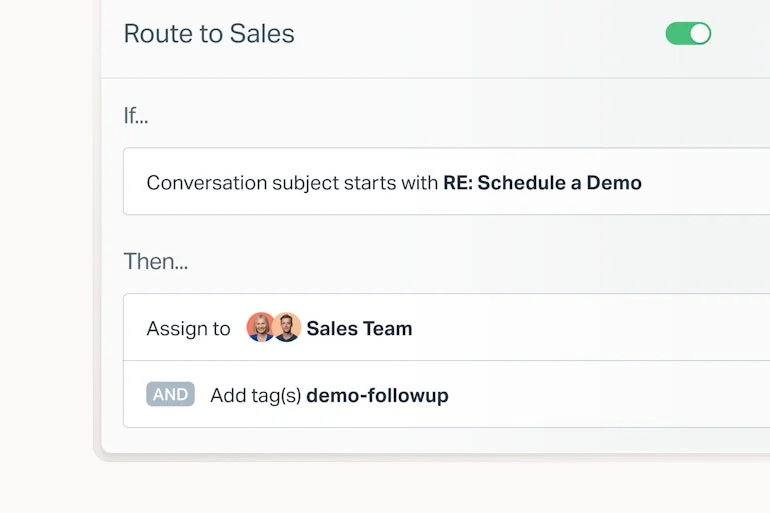
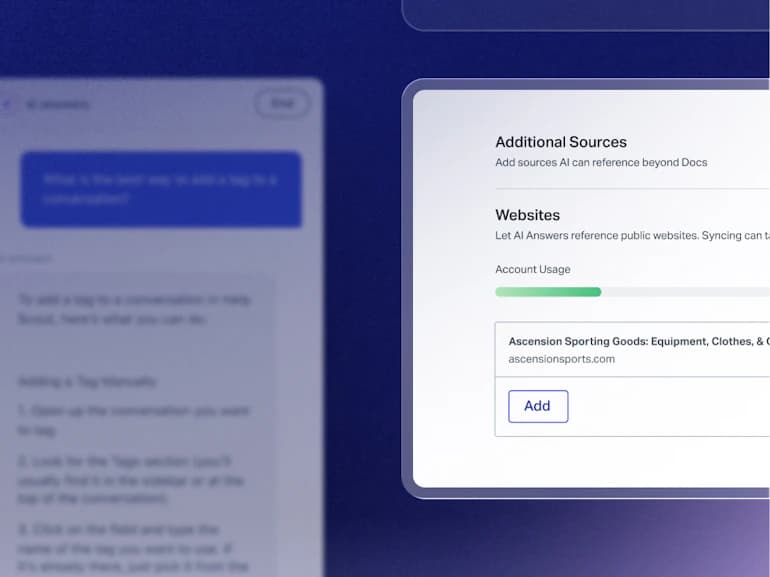
What it automates. Deterministic work runs through Workflows, capped at 150 basic on Standard, 500 advanced on Plus and unlimited on Pro per Help Scout pricing. The customer-facing agent is AI Answers, which resolves requests from your knowledge base, web sources and custom instructions, with companies averaging a 73.19% resolution rate across more than 50 languages. Knowledge comes from Docs articles plus an Additional Sources panel for public websites, and the same content powers on-site search and in-reply suggestions.
You can run AI Answers through any support scenario before going live, and every AI conversation stays auditable inside Help Scout regardless of outcome. What is not here: the research documents no order lookup, refund or third-party API action. Its job is answering from knowledge and handing off cleanly.
Pricing.
| Plan | Per user/month, annual | AI included |
|---|---|---|
| Free | $0 | Up to 5 users, 10 articles, no workflows, no AI |
| Standard | $25 | 150 basic workflows, unlimited AI Assist |
| Plus | $45 | 500 advanced workflows, unlimited AI Drafts and Summarize |
| Pro | $75 | Unlimited workflows and SLAs, SSO/SAML, HIPAA. Minimum 10 users, demo only |
| AI Answers | $0.75 per resolution | Standard and up. 3-month free unlimited trial, spending caps |
Pros.
- The resolution definition is the fairest here. You are only billed when the customer does not escalate, search the knowledge base, ask a follow-up or press "I still need help," and, per the pricing page, only one resolution is charged per conversation however many questions it answers.
- Spend is capped by design. Set a monthly cap and AI Answers disables itself for the rest of the cycle, with email warnings on the way up.
- Docs is on every plan including Free, so the knowledge base that feeds the AI costs nothing for a team of five, and the Docs Report surfaces failed searches as content gaps.
Cons.
- The meter still stacks on seats. A thousand resolutions in a month is $750 before you count a single agent licence.
- Reporting is thin for deeper analysis. G2's aggregated dislikes open with limited advanced features and reviewers describe analytics depth as a known limitation in G2 reviews.
- CRM connectors are shallower than the directory suggests. The Salesforce sync is one-way into Help Scout, gated to Plus and Pro, and needs a Salesforce API add-on.
"HelpScout changed back to user-based pricing. Guess too many people cancelled including me... I'll still stay with Freescout anyways. Helpscout lost all trust with this flip-flopping on pricing."
Verdict. Pick Help Scout if you are under about twenty people and you want support to feel like a conversation rather than a ticket queue. Skip it if you need the AI to touch other systems. The deciding factor is whether your tickets end in an answer or an action, and the Help Scout alternatives roundup covers the action-heavy case.
8. Front
Best for: teams whose tickets span departments and outside systems, where the job is coordinating a request rather than deflecting an FAQ.
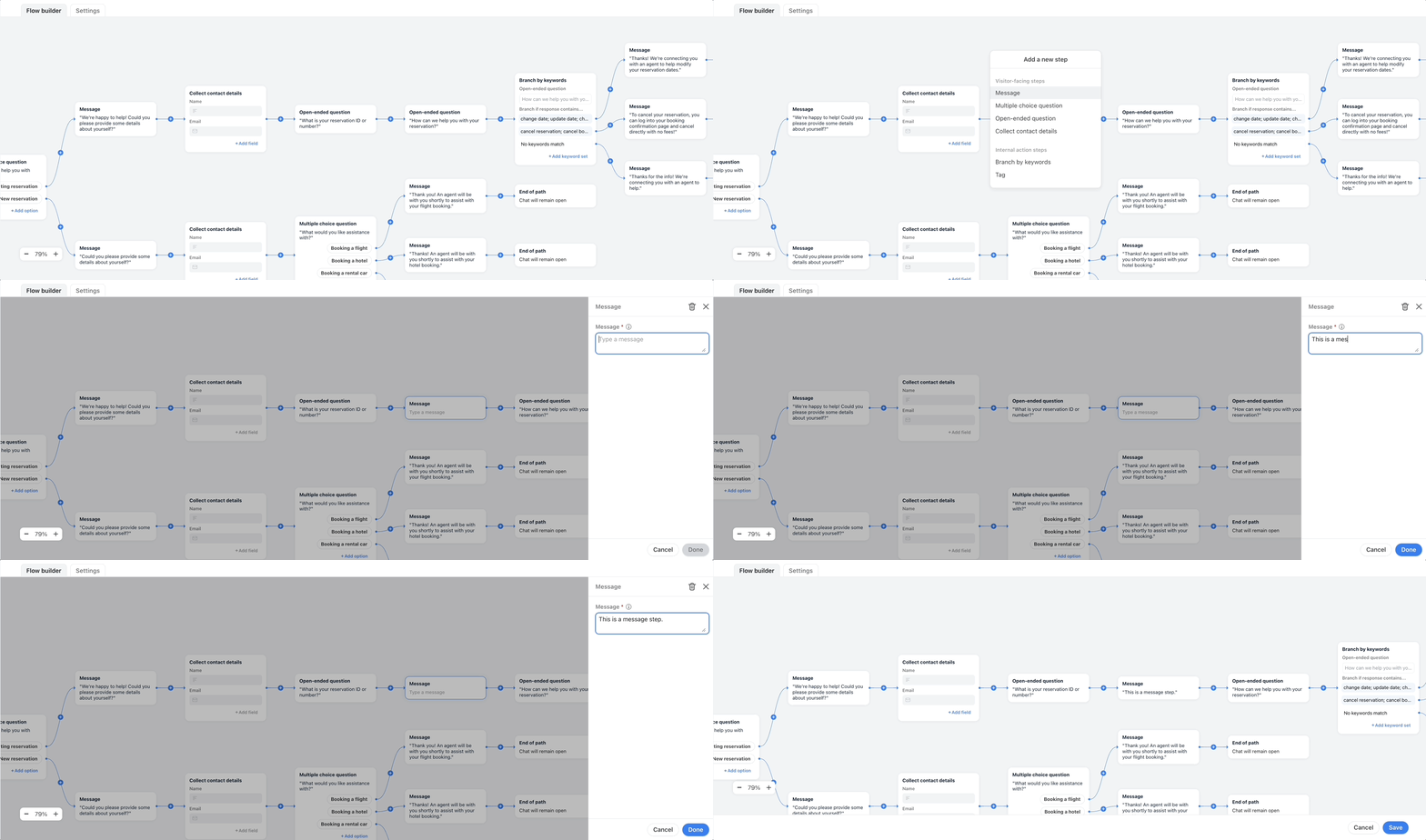
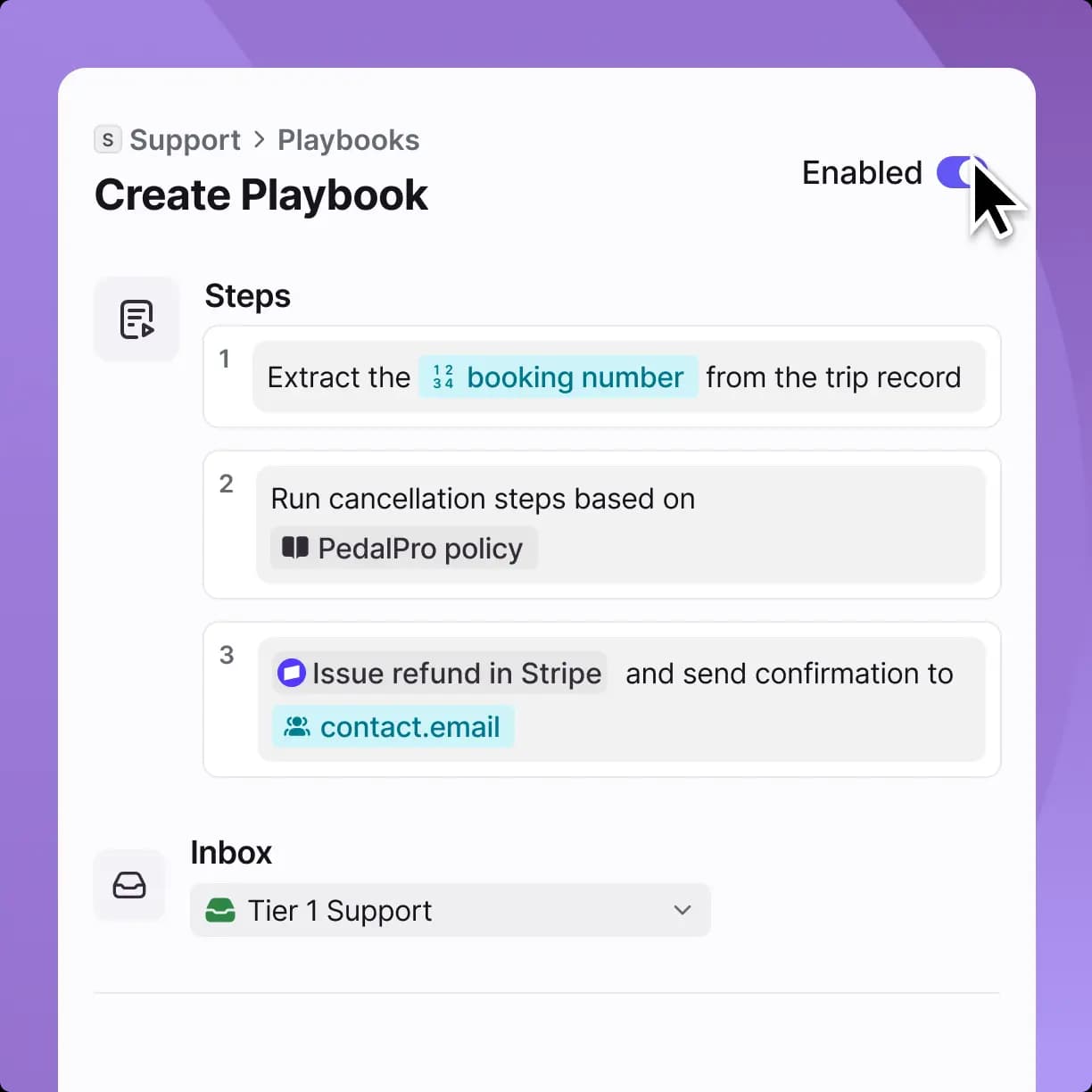
What it automates. Three layers. Rules are if/then branches on the conversation itself, so a standard customer gets an Autopilot reply while a VIP is assigned to a named teammate. A visual flow builder handles scripted paths, with an AI answers node that takes a named knowledge source and branches on whether the AI resolved the question. And Autopilot, the autonomous agent, runs on Playbooks: numbered natural-language steps against real systems, such as extracting a booking number, running cancellation steps against a named policy document, then issuing a refund in Stripe and emailing confirmation.
Front's AI page markets Autopilot as resolving up to 70% of requests across email, chat and Slack, and says you can put automations through simulations before customers see them. Knowledge sources are narrower than most: the Add source menu offers exactly two options, knowledge base and public website.
Pricing.
| Plan | Per seat/month, annual | AI included |
|---|---|---|
| Starter | $25 | AI Topics, single channel type, up to 10 rules, max 10 seats |
| Professional | $65 | Omnichannel, up to 20 rules, 5 workspaces, SSO and SCIM, max 50 seats |
| Enterprise | $105 | Unlimited rules, smart rules, multi-language KB. Copilot, Smart QA and Smart CSAT included |
| Autopilot | From $0.05 per conversation | Add-on on every plan, including Enterprise |
| Copilot | $20 per seat | Included on Enterprise |
| Smart QA / Smart CSAT | $20 / $10 per seat | Included on Enterprise |
Pros.
- The automation surface is builder-grade rather than a settings toggle, and Playbooks chaining a policy document to a Stripe refund is a different shape of automation from an FAQ bot.
- Autopilot supports simulation before go-live, and Front publishes real customer outcomes alongside it: Boundless saving 10k hours quarterly, Essentialist holding 97% CSAT.
- Cross-team handling is the real differentiator. Internal comments and @mentions mean a support rep can pull Finance into a billing thread inline rather than forwarding it away.
Cons.
- The stack inverts below Enterprise. Professional at $65 plus Copilot, Smart QA and Smart CSAT comes to $115 a seat, more than the $105 Enterprise plan on Front pricing, where all three are already bundled.
- Included AI is usage-capped: 200 Compose actions, 200 Translate requests and 200 manual summaries per teammate per day.
- Front publishes no monthly per-seat prices and no Autopilot usage caps, so a real quote needs a sales call.
"Front is so expensive. We're up to 55 users now. Spending like 35k a year on it, just to make comments on emails. It's insane."
Verdict. Pick Front if your tickets routinely need a second department to close. Skip it if you are a pure support queue, where you will pay a collaboration premium you do not use. The deciding factor is how often a ticket leaves support, and the shared inbox vs ticketing system distinction is worth reading before you choose between Front, Help Scout and a real ticketing platform. The Front alternatives comparison covers the price objection above.
9. Re:amaze
Best for: small ecommerce and SaaS teams who want live chat, proactive messaging and bots bundled at a modest per-seat price.
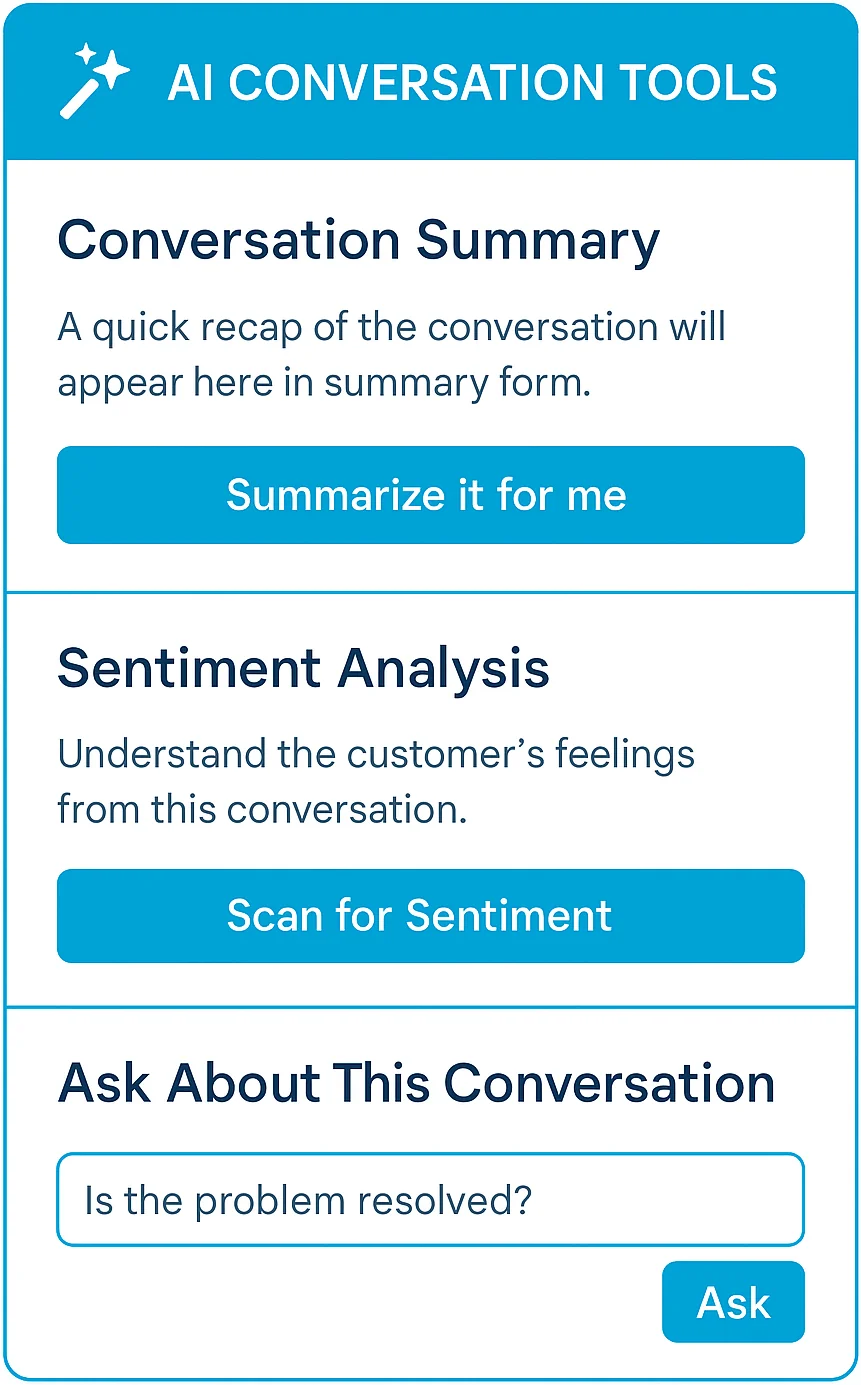
What it automates. Rule-based Chatbots are built on a visual branching builder and ship with three prebuilt bots: Hello Bot asks for detail when a message is too vague, Order Bot lets customers look up order status against Shopify, BigCommerce or WooCommerce, and FAQ Bot matches questions against published help articles. On top sits the Re:amaze AI Agent, still labelled Beta, whose knowledge source is the help centre, with article updates added as context instantly per the Re:amaze AI page. Agent-side, the AI suite covers Respond, Summarize, Translate, Write and Train, throttled per agent through roles and permissions.
What the docs do not describe: any refund, order-edit or arbitrary API action, and no sandbox test mode for the AI Agent. Order Bot is a status lookup, and it needs a supported ecommerce integration to work at all.
Pricing.
| Plan | Per member/month, annual | AI included |
|---|---|---|
| Starter | $59 flat | Unlimited members, capped at 500 responded conversations/month |
| Basic | $26.10 | Chatbots, Cues, Customer Intents, Workflows. AI Agent 5 resolutions/user/month |
| Pro | $44.10 | Adds Live View, advanced reporting, SMS and Voice. AI Agent 10 resolutions/user/month |
| Plus | $62.10 | Adds Peek, departments, CSAT, video calls. AI Agent 20 resolutions/user/month |
| AI Agent overage | $0.85 per resolution | Same on Basic, Pro and Plus |
Pros.
- Chatbots and the AI Agent are on every paid tier including Basic at $29 a member monthly; what changes by tier is the allowance, not availability.
- The flat $59 Starter plan covers unlimited team members up to 500 responded conversations, which suits a larger team on low volume better than any per-seat plan here.
- Live chat, bots, proactive Cues, help centre, status page and push campaigns all ship first-party rather than as paid add-ons, and reviewers rate it 4.6 out of 5 from 140 reviews on G2.
Cons.
- The AI Agent is explicitly Beta and lightly reviewed, so there is little independent evidence yet on resolution quality.
- Included resolutions are small. Twenty per user per month even on Plus means a team leaning on the agent hits the $0.85 overage quickly.
- Reviewers report friction in specific surfaces. Capterra reviewers describe the knowledge base editor as clunky and note it does not support uploading photos to an article, so images must point at an external URL.
"Re:amaze seems like it's constantly getting new features without raising the modest prices. Our small team has just two seats and most small companies can probably get by with just a single seat."

Verdict. Pick Re:amaze if you want a lot of channels for very little money and your automation needs stop at answering. Skip it if you need the AI to do anything to an order. The deciding factor is whether "Beta" next to the AI Agent is a dealbreaker for your rollout timeline.
10. Jira Service Management
Best for: IT and internal service teams already living in Jira, who do not want to pay for every employee who files a ticket.
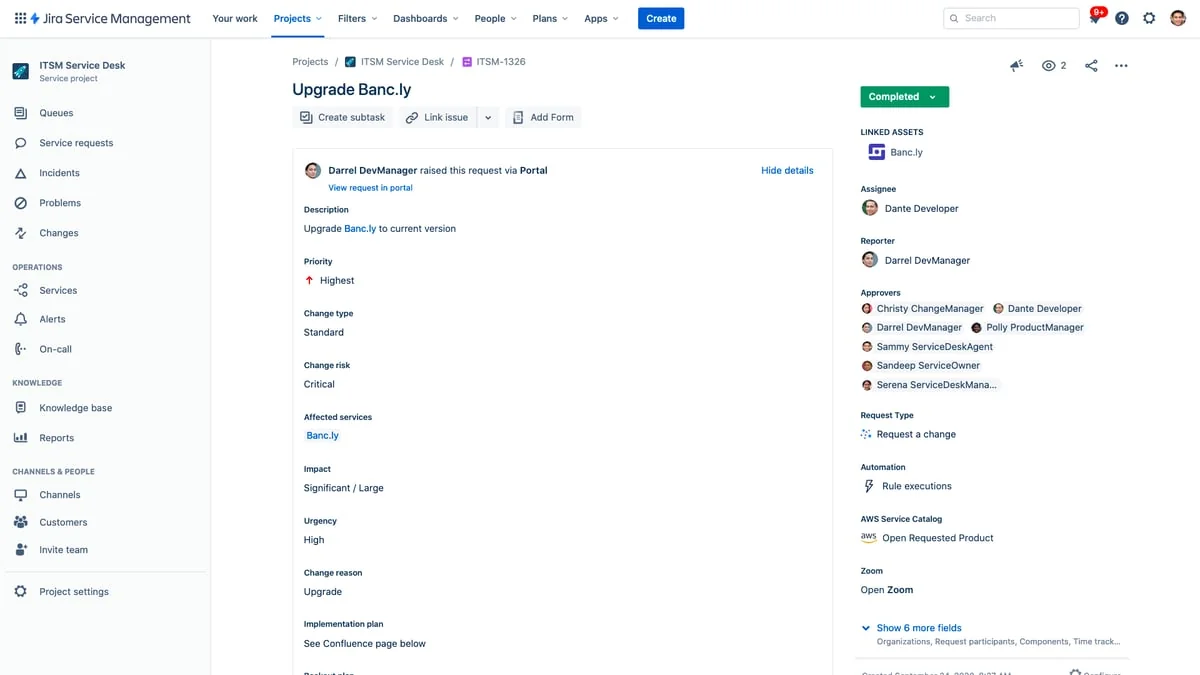
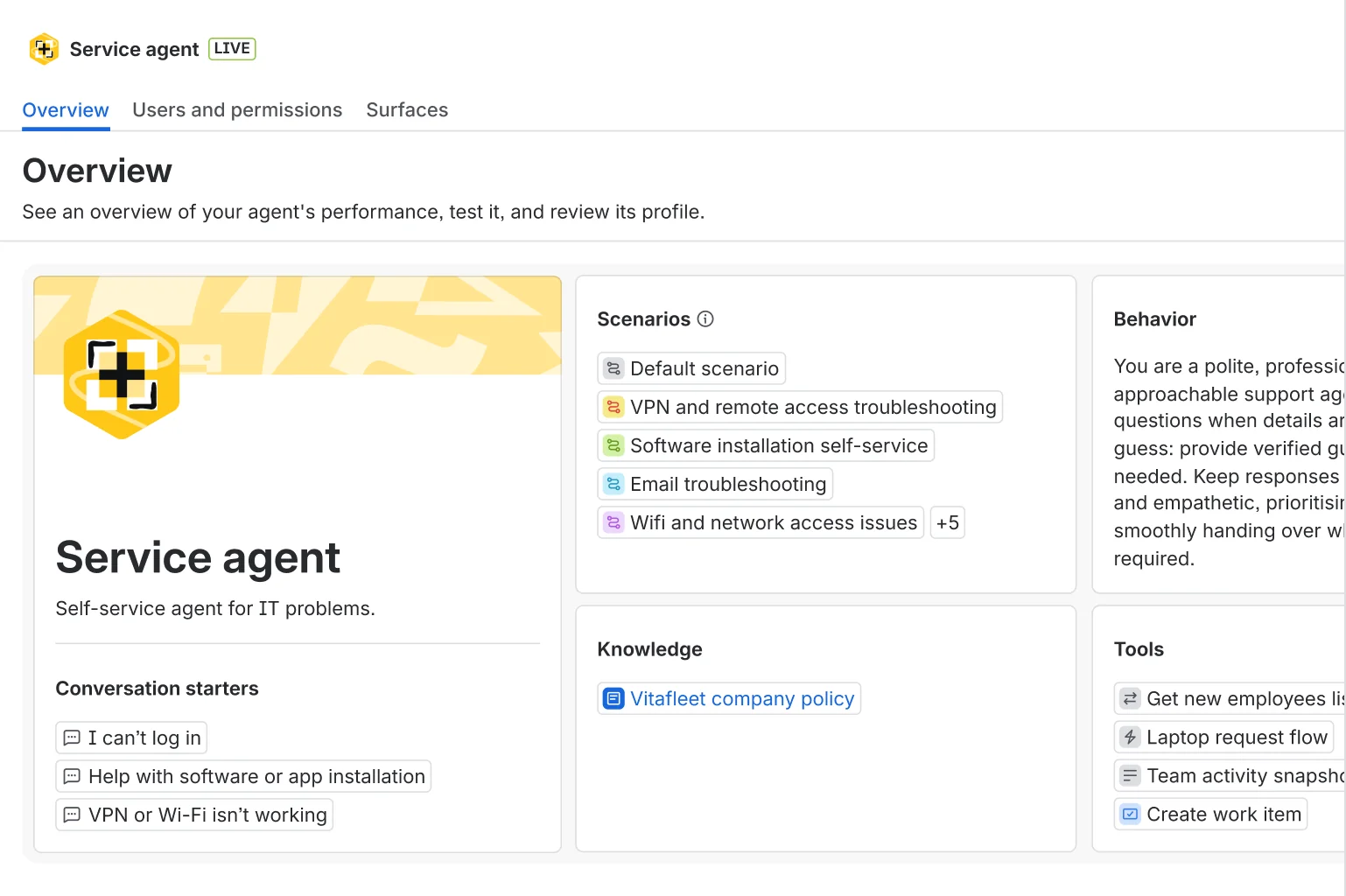
What it automates. Intake is multi-channel from the free tier up: a customer portal, email, chat in Slack or Teams, and an embedded widget, with forms, workflows and queues behind them. The deflection layer is the Virtual Service Agent, now folded into Rovo, which Atlassian describes as agents that "analyze your knowledge and past tickets to deliver precise, conversational answers". It acts as well as answers, building and executing service workflows end to end, with the Teamwork Graph pulling context from Confluence, Jira, Splunk and Slack, plus Rovo connectors for Google Drive, SharePoint, Teams, Zendesk, GitHub and Box.
One honest gap: no pre-launch dry run against your own historical tickets is documented on any live Atlassian page, and several Virtual Service Agent documentation URLs now 404, so treat testability and channel coverage as unconfirmed rather than absent.
Pricing.
| Plan | Per agent/month | AI included |
|---|---|---|
| Free | $0 | Hard cap of 3 agents, no AI at all, 500 automation runs/month |
| Standard | $20 | Rovo Agents, Search and Chat. 25 Rovo credits per user/month |
| Premium | $51.42 | Adds the Virtual Service Agent, advanced AIOps, AI change risk. 70 credits/user, 99.9% SLA |
| Enterprise | Contact sales | Adds Analytics and Data Lake, up to 150 sites, 99.95% SLA. 150 credits/user |
| Virtual Service Agent | $0.30 per assisted conversation | 1,000/month included on Premium and Enterprise |
| Rovo Customer Service | $1 per resolution | Included on Standard and up, metered separately |
| Assets objects | $0.02 per object/month | Above 5,000 / 50,000 / 500,000 allowances |
The billing unit is the reason this sits so well for internal desks. JSM bills agents only, and the people submitting requests are unlimited and free on every paid tier, so a 10-agent desk serving 5,000 employees pays for 10 seats. Full breakdown in Jira Service Management pricing.
Pros.
- The AI meters are published in dollars, which is rarer in this category than it should be: $0.30 per assisted conversation and $1 per resolution.
- Requesters are free and unlimited on every paid tier.
- Rovo is now added automatically to any paid Cloud plan with no separate purchase, and AI is on by default at Premium and above.
Cons.
- The customer-facing chatbot starts at Premium, so the real entry price for AI deflection is $51.42 an agent plus conversation overage, not $20.
- Two overlapping AI products ship side by side, and Atlassian's own forum has admins asking which to use.
- Cost escalation with agent count is the dominant reviewer complaint. Capterra flags high and scaling licensing costs as negative in 46% of 93 mentions.
"For me, the biggest drawback is the administrative complexity. Jira Service Management is highly flexible, but configuring and maintaining it often takes more effort than expected. Simple changes can require multiple configuration steps, making it less approachable for smaller teams."
Verdict. Pick JSM if your requesters are employees and your engineers already live in Jira. Skip it if your requesters are customers, where the portal model fights you. The deciding factor is who raises the ticket, which is also the split I use in the internal ticketing system guide. One eesel customer runs an AI first responder on exactly this setup, backed by Confluence and Slack, and described it simply: "We use it to be the first responder to our Helpdesk tickets in Jira. It essentially acts just like an agent would."
11. Salesforce Service Cloud
Best for: support teams already standardised on Salesforce, who want cases and AI agents on the same record as sales.
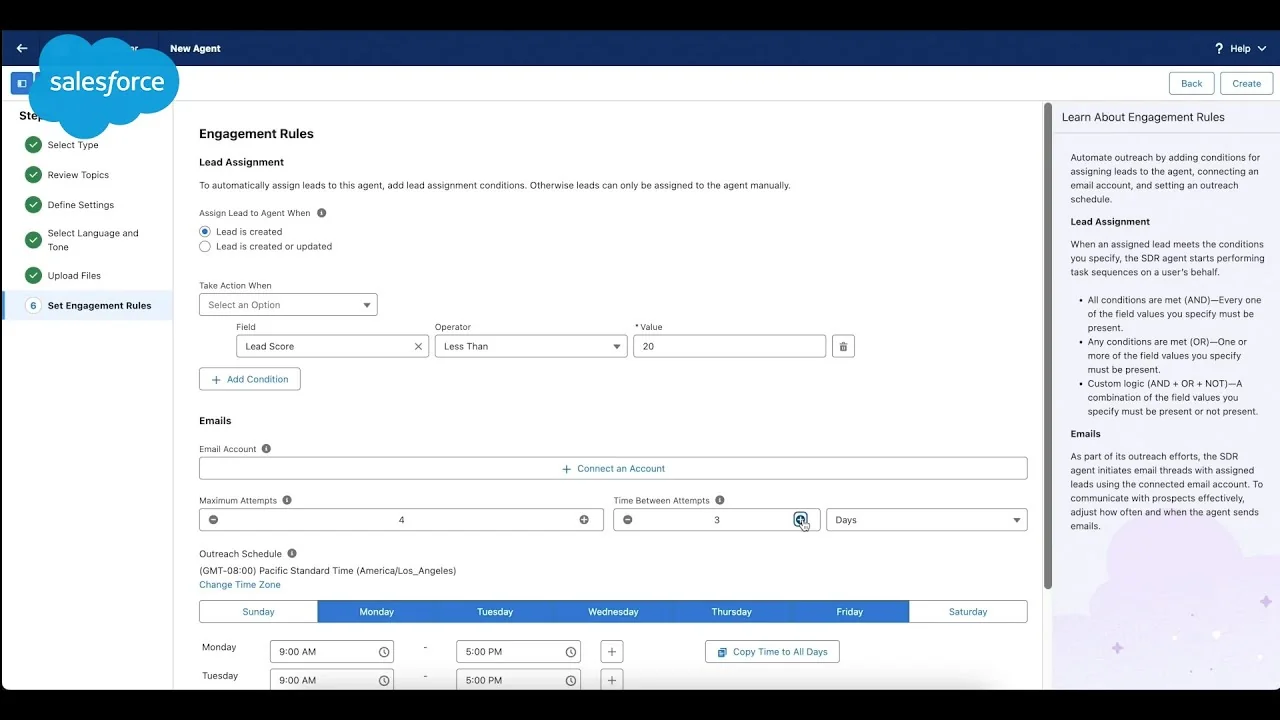
What it automates. There are two chatbot generations in the box and they overlap, which is the main thing to understand before a demo. Einstein Bots is the older intent-and-dialog builder: customer text goes through NLU to an intent, the matching dialog fires, slots fill with entities, actions run, and it either resolves or hands off through Omni-Channel. Knowledge grounding is bolted on via Generative Knowledge Answers and Article Answers.
The newer layer is Agentforce, where the Atlas Reasoning Engine breaks a prompt into tasks and proposes a plan, and agents are assembled from subagents, natural-language instructions and an action library in Agent Builder. They act on other systems through Flows, MuleSoft API connectors and custom Apex. Testing is real rather than assumed: Agent Builder exposes the plan of action, Agentforce Dev Tools adds batch testing at scale, and bots can be built in a sandbox and promoted with Change Sets.
Pricing.
| Edition | Per user/month | AI included |
|---|---|---|
| Starter Suite | $25 | Built-in AI in the shared CRM suite |
| Pro Suite | $100 | Enhanced chat, more customization, AgentExchange |
| Enterprise | $175 | Assistive AI for customer service, self-service help center, workflow automation |
| Unlimited | $350 | Adds chat and bots, Salesforce Knowledge, full sandbox |
| Agentforce 1 Service | $550 | Full AI suite, unmetered employee usage, 2.5M Flex Credits per org/year |
| Agentforce, conversation-based | $2 per conversation | Flat, regardless of task complexity |
| Agentforce, Flex Credits | $0.10 per action | 100,000 credits for $500 |
| Einstein Bots allowance | 25 conversations/user/month | Add-on buys 100 more per org, non-rolling |
Every tier line reads "starting price, transaction fees apply," so real deals quote above these floors.
Pros.
- Two published, comparable meters rather than one opaque one. The same interaction is a flat $2 on conversation billing or roughly $0.30 to $0.60 on Flex Credits, which is Salesforce's own worked example.
- Genuine pre-deployment testing, including batch testing at scale and sandbox promotion.
- Migration off the legacy chatbot is a product rather than a rebuild. Create Agent from Bot spins an Agentforce agent out of an existing Einstein Bot and leaves the original running, though it is still Beta.
Cons.
- The included bot allowance is small and expires monthly: 25 Einstein Bots conversations per subscribed user, and unused ones do not roll over.
- Autonomous AI sits behind the top edition or a separate meter. Only Agentforce 1 Service at $550 a user bundles the full suite, and 2.5M Flex Credits works out to roughly 125,000 agent actions a year before overage.
- Setup carries prerequisites before a bot exists at all: a Service licence plus a Chat or Messaging licence, Lightning Experience, a published Experience Cloud site and an Embedded Service deployment. More gaps in my Service Cloud AI limitations writeup.
"Pricing & 'Flex Credit' Unpredictability... It's harder to budget for than traditional seat licenses. If an AI agent gets stuck in a loop or handles an unexpected surge in holiday traffic, your 'digital wallet' of credits can drain faster than anticipated. You have to be very strict with Guardrails in the Agent Builder (like limiting the number of turns per session) just to keep costs predictable."
Verdict. Pick Service Cloud if Salesforce is already the system of record and support is the last team outside it. Skip it if you just need a helpdesk, because the complexity tax is real: G2 lists Complexity, Learning Curve and Expensive as the top three cited cons across 7,356 reviews. The deciding factor is whether you already have a Salesforce admin.
12. ServiceNow
Best for: large IT organisations that want incident, change, problem, CMDB and autonomous agents on one platform, and can fund the implementation.
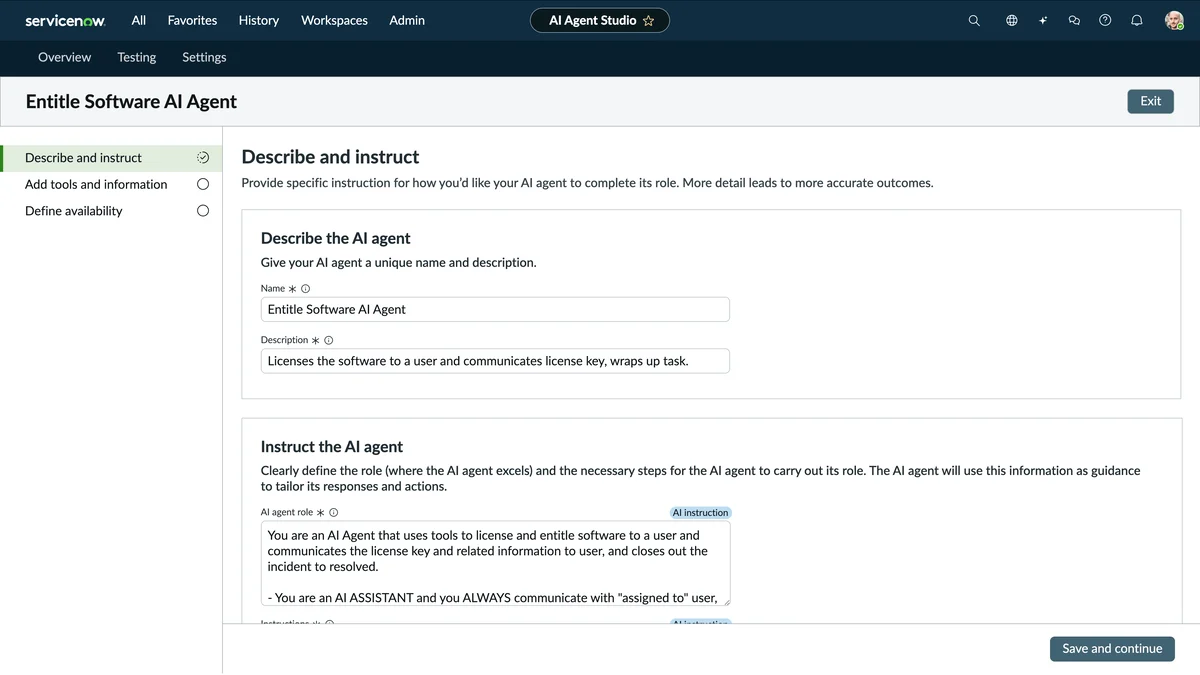
What it automates. Deflection runs through Virtual Agent, built in a drag-and-drop designer with NLU, though prebuilt topics ship from the ServiceNow Store rather than the base platform. Worth knowing: the trial-edition Virtual Agent Lite carries exactly two topics, keyword matching only, no NLU and no analytics dashboard. Full Virtual Agent adds prebuilt ITSM topics that read and write real records.
The autonomous tier is ServiceNow AI Agents: you give an agent a role in natural language and a library of tools (flow actions, subflows, scripts, skills), and it draws on knowledge articles, historical incidents, CMDB items and third-party systems through Workflow Data Fabric, with AI Agent Fabric adding A2A and Model Context Protocol so agents can call external tools. AI Agent Advisor builds agents "proven to work before deployment," though note that sub-production instances still consume assists, so testing is billable.
Pricing. ServiceNow publishes no dollar figure at any tier. Every ITSM package on the pricing page reads "Get Custom Quote," with no per-user rate, no starting-at and no free trial.
| Tier | Price | What the AI actually is |
|---|---|---|
| ITSM Foundation | Custom quote | Virtual Agent, Now Assist and Platform AI Foundation, AI Search |
| ITSM Advanced | Custom quote | Adds AI Voice Agents, Now Assist Advanced |
| ITSM Prime | Custom quote | Adds L1 Service Desk AI Specialist and AI Agents for ITSM. The only tier that builds net-new custom agents |
| Now Assist consumption | Pool set by contract | Summary 1 assist, Virtual Agent topic 10, ticket actions 10, agentic workflow 25 to 150 by tool count |
The one useful development here is that the assist rate card is now a public legal PDF, effective 23 July 2026, itemised action by action, with errors not charged and voice calls under 30 seconds free. You can model consumption before signing even if you cannot model price.
Pros.
- Requesters are free. ITSM counts only the fulfiller role, so ticket volume and employee headcount do not drive the seat bill.
- The assist rate card is public and itemised, which is more transparency on consumption than most vendors here offer.
- Reviewers rate the underlying ticketing highly: 4.5 out of 5 across 1,915 reviews on G2, with Ease of Use, Incident Management and Automation the top praised tags.
Cons.
- The autonomous capability is Prime-only. Foundation and Advanced buyers get summaries, drafts and a chatbot rather than agents that close tickets.
- There is no published price at any tier, and even ServiceNow MVPs describe licensing as "a bit of a black box".
- Consumption is hard to forecast, which ServiceNow has effectively acknowledged by shipping kill switches, trigger throttling and assist-spike alerts at a 5,000-assist threshold.
"We run ServiceNow for everything, ticketing, CMDB, change management, SLAs. That part is solid and I have no plans to rip it out. But we bought Now Assist expecting it to actually handle the tier 1 stuff that eats our team alive. Access requests, password resets, basic app provisioning. What we got instead is a slightly smarter virtual agent that still kicks most things to a human."
Verdict. Pick ServiceNow if you are a large enterprise buying a service platform, not a helpdesk, and you have a programme budget rather than a tool budget. Skip it if you want to be live this quarter. The deciding factor is whether ITSM is a project or a purchase for you, and the AI service desk comparison covers the lighter options.
Two very different projects hide behind one category name
Reading twelve of these back to back, the thing that stands out is not the feature gaps. It is that "buying an automated ticketing system" describes two projects with wildly different costs, and the category name hides the difference.
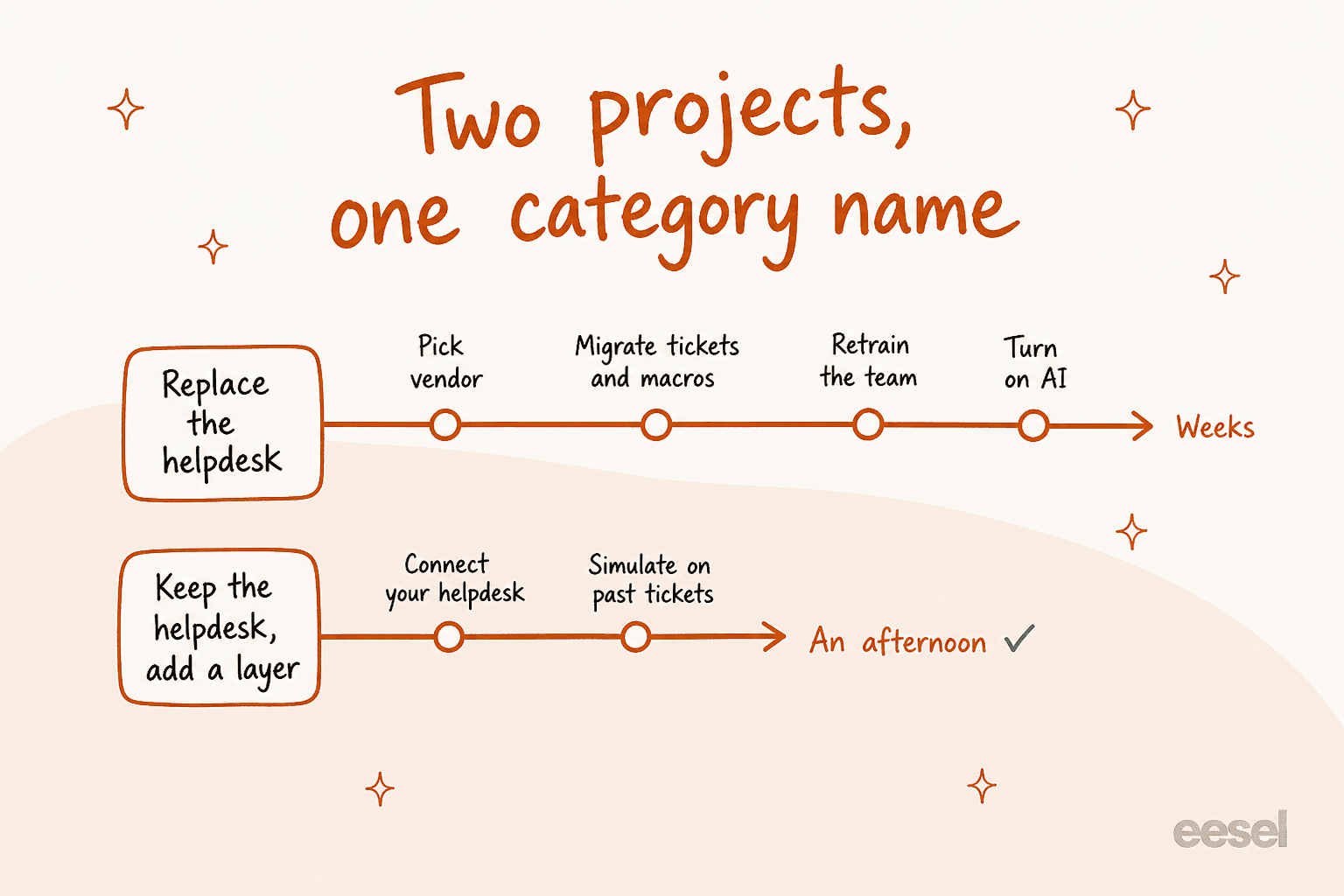
If you do not have a helpdesk, or the one you have is plainly wrong, then you are buying a platform: pick vendor, migrate tickets and macros, retrain the team, then turn on AI. That is weeks, and the AI is the last step rather than the first.
If you already have a helpdesk that mostly works, the automation project and the migration project are separable, and most teams conflate them. Every vendor on this list except eesel needs you to be on their platform before their AI touches a ticket. That is not a criticism, it is just their business model. It does mean the cost of "trying automation" is quoted to you as the cost of switching helpdesks, which is why so many teams put it off for another quarter.
The version of this project that takes an afternoon is: connect the desk you already have, simulate the agent against your last few thousand tickets, look at the accuracy report, and only then decide.
How to choose, in one question
I would not start from the feature table. I would start from who raises the ticket.
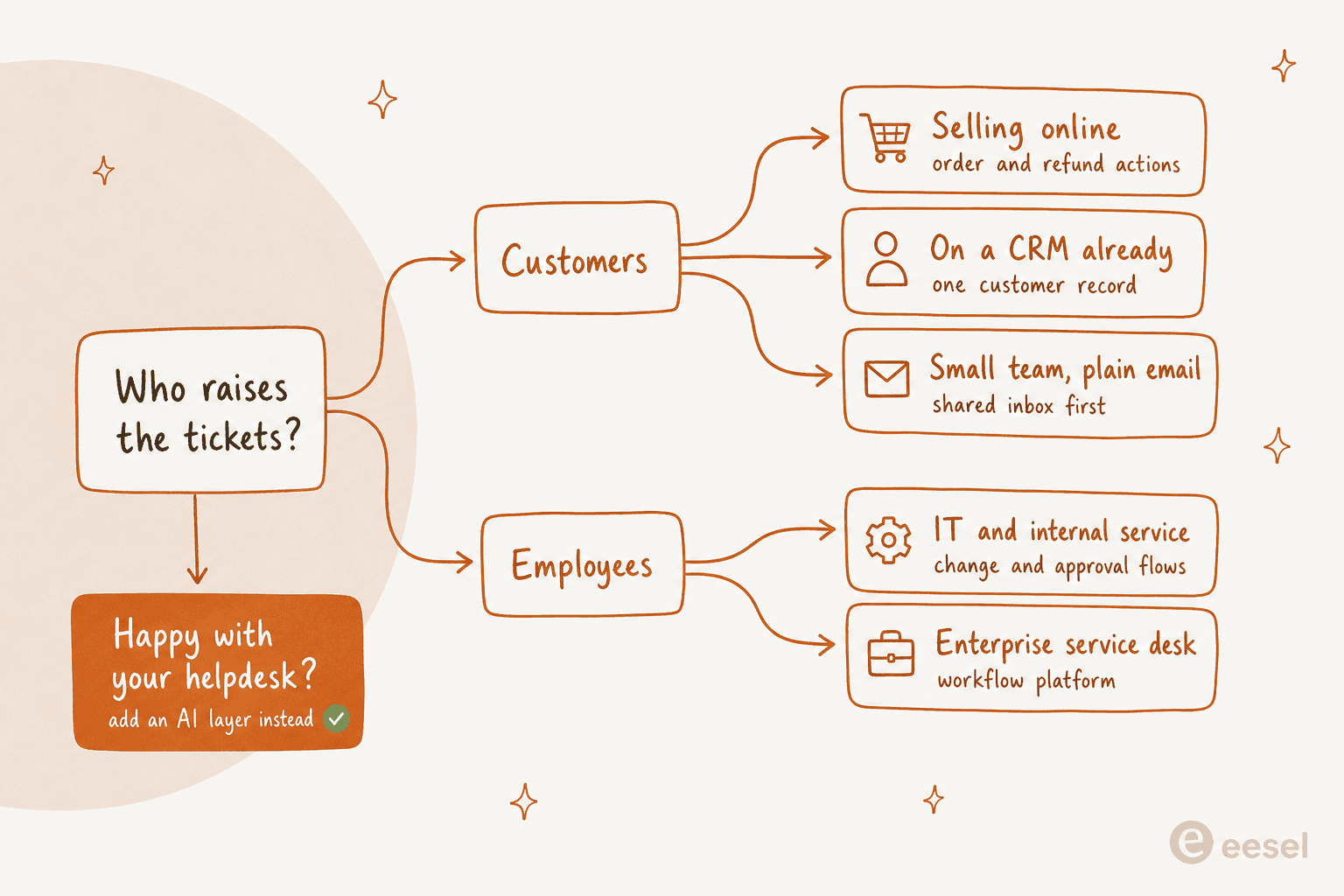
Employees raise them. You want an internal service desk, which means Jira Service Management if you are already in Atlassian, or ServiceNow if you are large enough that the CMDB matters more than the price. Both bill fulfillers only, so your requester count is free.
Customers raise them, and you sell online. Gorgias, because a large share of your tickets need something done to an order rather than explained. Re:amaze if your volume is low and your budget is lower.
Customers raise them, and you already run a CRM. HubSpot Service Hub or Salesforce Service Cloud, depending on which CRM. The value is the single customer record, and you pay platform prices for it.
Customers raise them, and you are a small team on email. Help Scout or Zoho Desk. Front if requests routinely need another department. Freshdesk if you want a heavier ticketing core at a similar price.
You are already happy with your helpdesk. Then the question is not which ticketing system, it is which AI layer, and that is a much cheaper decision to get wrong. If you want the broader field, my roundup of the best AI helpdesk software covers it.
One more filter, whichever branch you land on. Ask every vendor what their AI resolution rate counts as a resolution, and then ask what it costs when the customer comes back an hour later. The answers are not the same across these twelve, and that difference is worth more than any feature on the comparison table.
How to roll it out without the bot embarrassing you
The failure mode I see most is not a bad tool. It is a confident one. A vehicle-telematics support team I worked with hit this exactly: their bot cheerfully confirmed "yes, we support your car model" for brands that were not in their database, because their knowledge base said "we support all models." The model was fine. The source was wrong, and nobody found out until customers did.
So, in order:
- Fix the three articles that matter before you buy anything. Pull your top ticket drivers, read what your help centre says about them, and rewrite the ones that are vague. Automation quality is capped by knowledge base management, not by model choice.
- Start on rung three, not rung four. Draft mode, where the AI writes and an agent sends. The pattern that works is copilot first, autonomy later, and it costs you nothing in customer trust while you calibrate.
- Scope it to one ticket type. Order status, or password resets, or refund policy. Not "support." A support lead put the requirement plainly: there are certain tickets they do not want going through AI at all, and that has to be configurable rather than hoped for.
- Demand a confidence threshold, not just an escalation rule. The distinction matters. An escalation rule fires after the AI has already answered. A confidence threshold stops it answering at all when it is unsure, which is what one CX lead at a supplements brand told me was their whole requirement: an AI that only handles the tickets it is confident about, and leaves the rest alone.
- Measure containment and quality together. A bot that answers everything scores brilliantly on deflection rate and terribly on CSAT. Watch both, and watch first contact resolution as the tiebreaker.
For what it is worth, the honest numbers from eesel's own trials look like this: on one German retailer's Zendesk queue the agent hit 93% triage accuracy and caught 100% of spam with zero false positives, and on the same trial only 12% of AI drafts went out unedited with a 7% factual error rate. Both numbers are true. Triage is easy and drafting is hard, and any vendor quoting you one number for "accuracy" is flattening that distinction.
Try eesel on the ticketing system you already run
If you got this far and your conclusion is "our helpdesk is fine, our queue is not," that is the situation eesel was built for. It connects to Zendesk, Freshdesk, Gorgias, Front, Help Scout, HubSpot and Jira Service Management, reads the tickets your team already resolved rather than just your help centre, and you can point it at a single ticket type before it touches anything else.

The part I would use first is the simulation: run it over your last few thousand tickets, compare its answers against what your agents actually sent, and get a gap report before a customer sees a single reply. It is $0.40 per ticket handled, no platform fee and no per-seat charge, so a scoped rollout costs a scoped amount. There is $50 of free usage to start and no card required, and if you would rather see it on your own queue with someone walking you through it, Try eesel or book a demo.
Frequently asked questions
What is an automated ticketing system?
It is a helpdesk that does something to a ticket on its own, rather than only storing it. In practice that covers four very different levels: rules-based routing, AI ticket triage that tags and prioritises, AI that drafts a reply for a human to send, and an AI ticketing system that closes the ticket without anyone touching it. Most vendors sell all four under the same phrase, so check which one you are buying.
How much does an automated ticketing system cost in 2026?
Seats run from $0 to $550 per user per month, and the AI is almost always a second meter on top. Published AI rates right now are $0.30 to $2.00 per resolved conversation depending on vendor. The seat price is the part everyone compares and the AI meter is the part that actually moves the invoice, which is why AI vs human agent cost only makes sense once you model your own volume.
What is the best automated ticketing system for a small team?
For a team under about ten people I would start with Help Scout or Zoho Desk, since both give you a knowledge base and workflows without an enterprise contract. If budget is the binding constraint, look at a free ticketing system or an open-source ticketing system first, then add automation once volume justifies it. My longer roundup of the ticketing system for small teams goes deeper.
Can an automated ticketing system work with the helpdesk I already have?
Yes, and that is usually the cheaper project. An AI layer connects to your existing desk and works inside it, so nothing migrates. eesel does this for Zendesk, Freshdesk, Gorgias, Front, Help Scout, HubSpot and Jira Service Management, and the AI helpdesk agent reads your solved ticket history rather than only your help centre.
How does an automated ticketing system know the right answer?
Almost all of them use retrieval rather than training, so the model looks up your content at answer time. That is RAG, and it is why answer quality is capped by your documentation quality. Where they differ is what they can read: some only index help centre articles, others crawl public URLs, and a few also index past resolved tickets. If you are starting from a thin help centre, fix that before you buy, or pick a tool that can train AI on your knowledge base and on ticket history together.
What happens when the AI ticketing system gets a question wrong?
Every tool here has some form of handover, but the useful setting is the one that stops it from guessing in the first place. Look for a confidence threshold that routes uncertain tickets to a human untouched, and for reporting that shows you what the AI actually did. Measuring AI containment rate and escalation quality together matters more than a headline deflection number, since a bot that answers everything badly will score well on deflection alone.
Is automated ticketing meant to replace support agents?
No, and the teams that frame it that way usually roll it out badly. The realistic job is the repetitive tier-1 slice: order status, password resets, refund policy, where is my thing. Clearing that raises first response time for everything else and gives agents the tickets that actually need a person. The pattern I see work is copilot first, autonomy later.
How do I test an automated ticketing system before customers see it?
Ask the vendor whether you can run the agent over your own historical tickets and compare its answers to what your team actually sent. Some tools only offer a chat box where you type sample questions by hand, which tells you very little. A real dry run against your archive gives you a measured accuracy number before launch, which is the difference between a rollout decision and a leap of faith. More on support ticket automation rollouts here.


Article by
Riellvriany Indriawan
Riell is a designer and writer at eesel AI with about two years of experience researching CX platforms, AI chatbots, and helpdesk software. She combines her design background with a sharp eye for how these tools actually look and feel in practice — making her comparisons unusually visual and user-focused.