

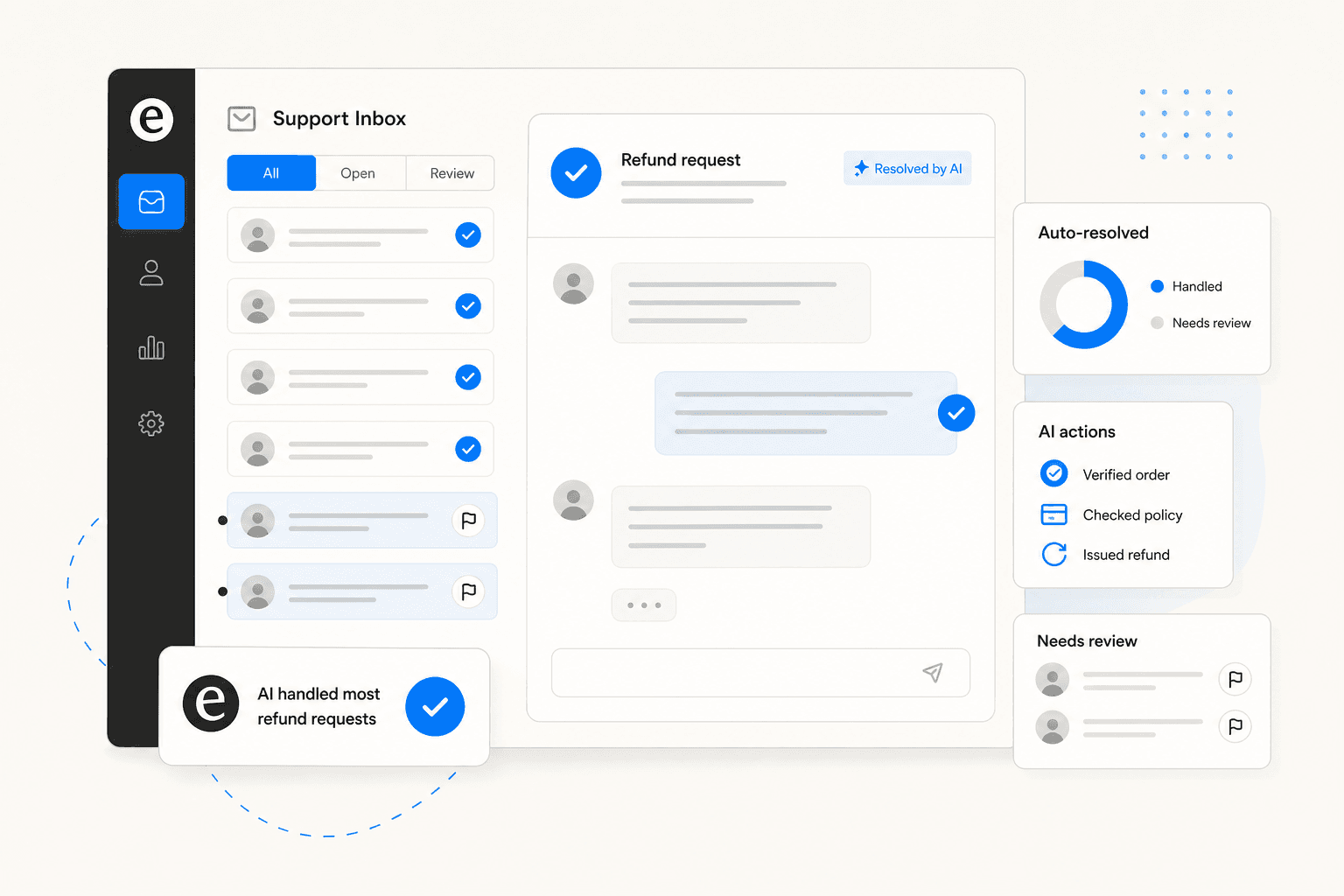
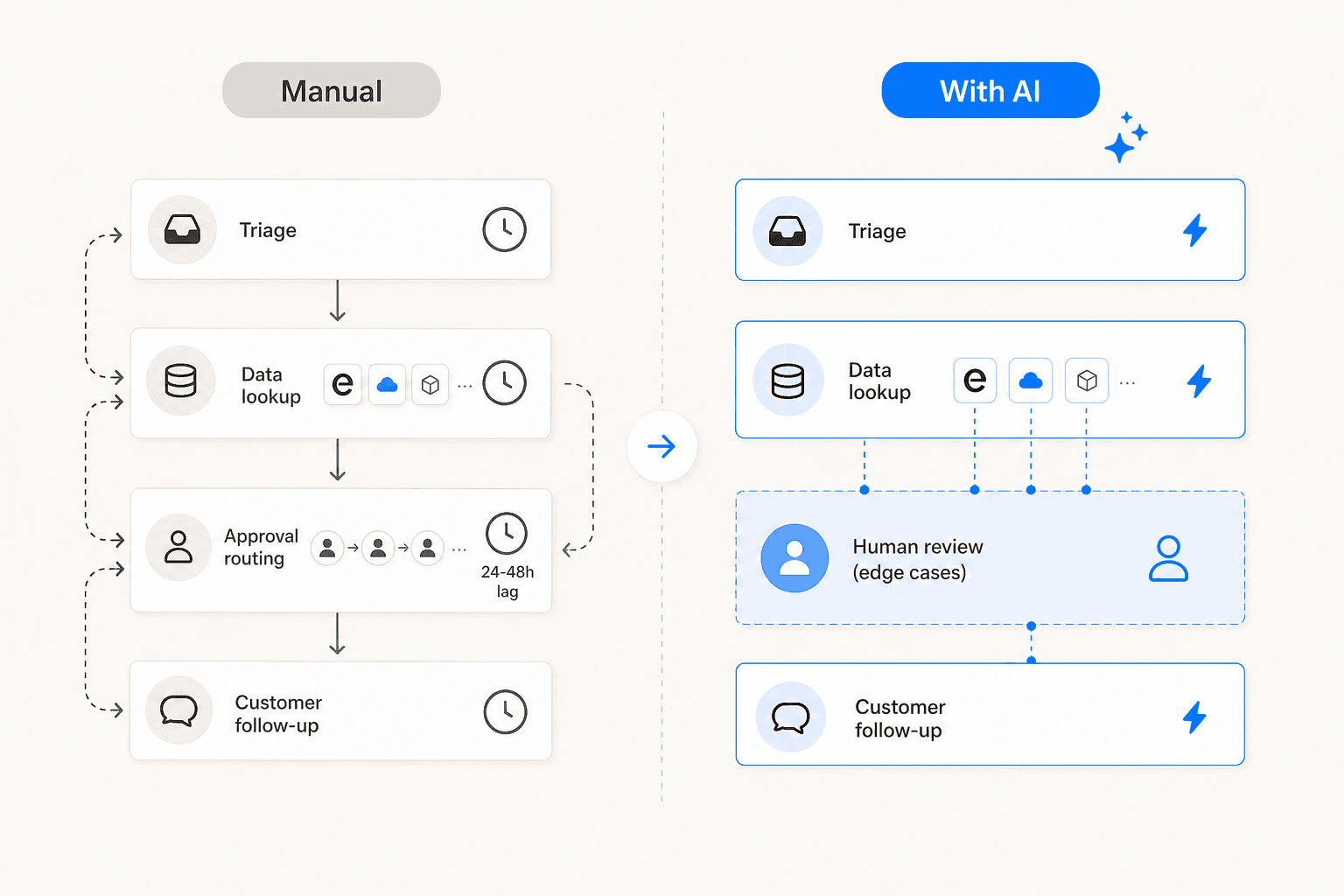
Refund requests are not the glamorous part of customer support. They are repetitive, policy-driven, and -- in most ecommerce and SaaS operations -- stacking up faster than any team can clear them. Returns-related tickets make up 30 to 50% of total support volume at ecommerce brands, with the average manual resolution requiring a 24 to 48 hour approval loop and 3+ handoffs.
The case for automation is obvious. The failure mode is less discussed. In a thread on r/buildinpublic, a developer described what happened when their AI support agent misread context on a refund request: it issued a $708 refund when the customer had asked for $59 -- one year of subscription instead of one month. They shut the automated CS down entirely afterward.
The difference between an AI refund workflow that cuts costs 43% and one that destroys a customer relationship in a single ticket is not the model. It is where you put the guardrails -- and whether the AI knows to stop and ask before it acts. This guide covers what AI handles well, what it should always route to a human, and how to configure both so the automation is actually safe.
eesel AI's e-commerce agent includes a dedicated Refund Order action and an explicit recommendation to enable human-in-the-loop approval for it -- a design choice that reflects the guardrails this guide is built around.
The scale of the refund ticket problem
US retailers faced $890 billion in merchandise returns in 2024, representing 16.9% of total US retail sales per NRF data. The average ecommerce return rate was 20.4% in 2024 -- 2 to 3x the rate of brick-and-mortar. Apparel returns run 30 to 40%. Electronics, 15 to 20%.
Each return generates a support interaction. Steam processes 230,256 refund requests per day, making refunds their single highest-volume ticket category. For most ecommerce brands, refund status inquiries alone account for 15 to 25% of all incoming tickets.
The manual processing problem compounds fast. A typical refund ticket in manual handling breaks down as roughly 5 to 10 minutes for triage, 8 to 12 minutes gathering data across 3 to 5 disconnected systems, then a 24 to 48 hour approval lag -- the real bottleneck, because only 22% of organizations have unified customer data accessible to support agents. Every handoff means someone re-pulling the same order information from a different system. Lyzr's refund management analysis puts the average at 3+ handoffs per ticket before resolution.
On cost: retail ecommerce support tickets run $2.70 to $5.60 each for manual handling, and $18 to $35 for SaaS. Refund tickets sit at the higher end of those ranges because they require authorization steps, multi-system lookups, and often generate multiple follow-up contacts. One operator in the research had 4 full-time agents dedicated entirely to refunds before automating.
There is also the prevention angle: proactive refund status notifications reduce inbound "where is my refund?" volume by 50 to 70% per Lorikeet. A meaningful share of refund tickets never need to be resolved because the customer already knows the answer before they ask.
What AI can handle -- and what it should not
AI is not equally good at every type of refund request. The automation boundary between safe and risky is understanding which scenarios are genuinely routine versus which ones carry real judgment calls.
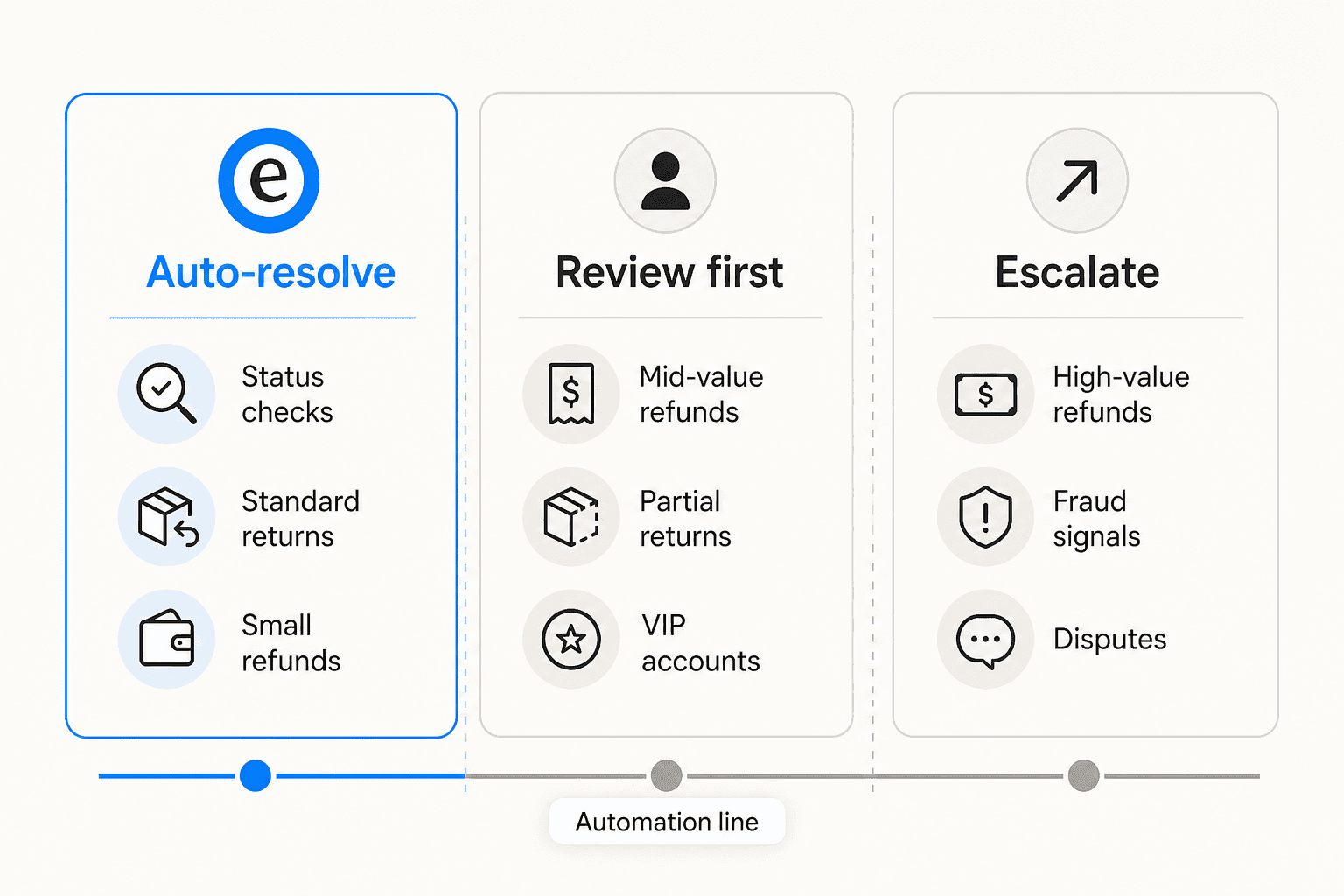
Practitioners in the field cluster around a 70/30 split:
"Most places I've worked with probably could automate like 70% of standard returns but those edge cases kill you -- damaged item photos, partial refunds, warranty claims all need human eyes and the AI handoff usually loses context somewhere."

Here is how that maps to specific ticket types:
| Zone | Ticket types | Why |
|---|---|---|
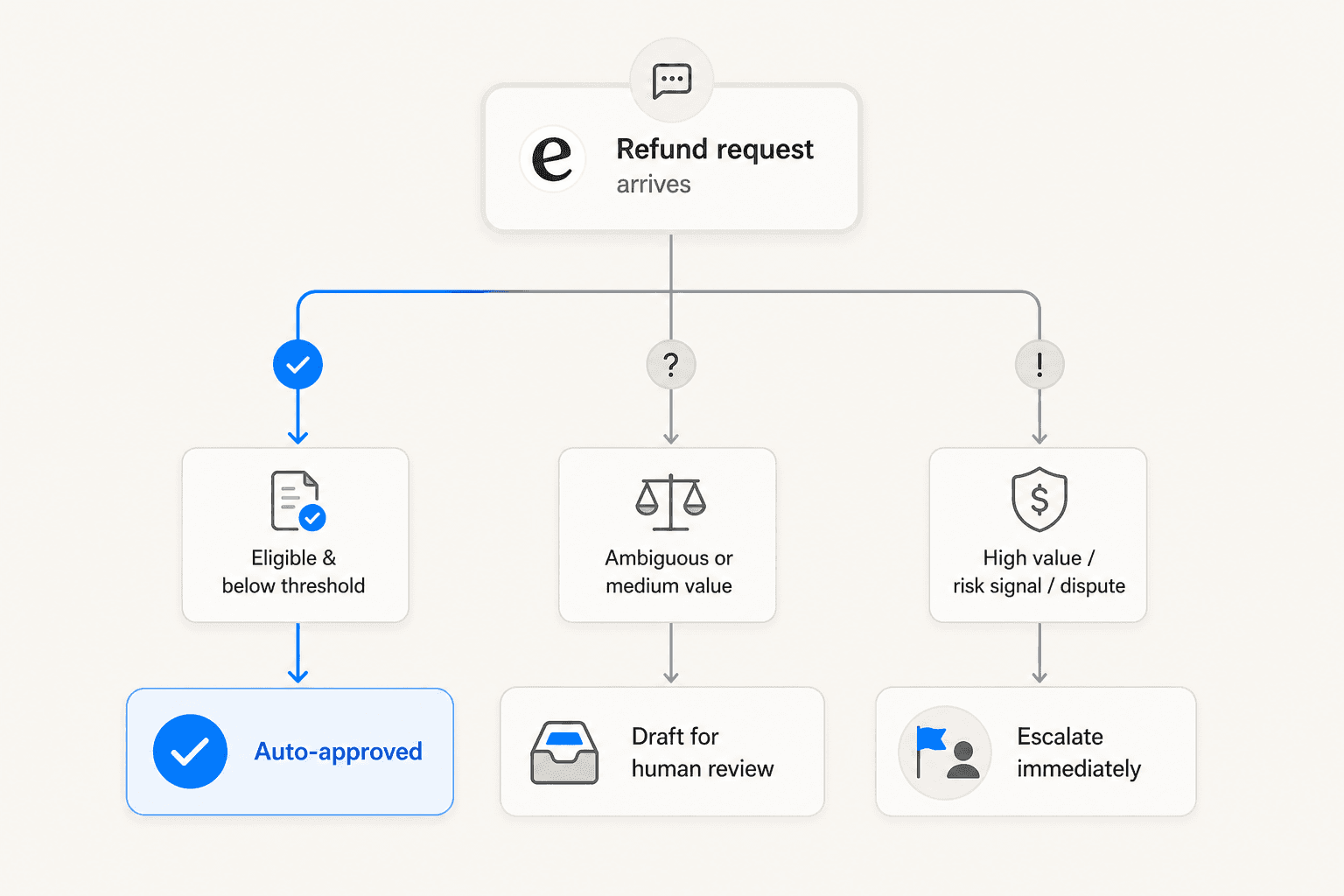
| Auto-resolve | Refund status checks, return eligibility verification, standard below-threshold approvals, shipping label generation, proactive WISMR notifications, subscription cancellation refunds | Policy is clear, values are low, no financial execution risk |
| Review first | Mid-value refunds, partial returns from multi-item orders, policy exception requests, loyalty customer appeals outside return window, initial fraud signals | Requires a judgment call or value above your comfort threshold for automation |
| Escalate immediately | High-value refunds above your threshold, disputed amounts, suspected fraud, damaged items requiring photo review, emotionally distressed customers, chargebacks, regulatory situations | Mistakes are costly and visible; human judgment is irreplaceable here |
One specific note on status checks: 80 to 90% of pure "where is my refund" inquiries can be resolved without human involvement when the AI has payment processor API access. That category alone often represents a quarter of inbound ticket volume. Automating it has essentially no downside.
The auto-resolve rate drops when you move from answering questions to making decisions. That is the zone to be careful about.
Why guardrails matter more than speed
The $708 story from r/buildinpublic is not unusual. It is the predictable result of connecting an AI agent to a financial action without defining where it should stop and ask.
In a separate discussion of AI agents that actually resolve support tickets, the community specifically called out billing and refunds as one of the hardest categories to automate reliably. Not because the logic is complex -- most refund logic is straightforward -- but because the mistakes are immediately visible, financial, and hard to reverse.
Three guardrails that appear consistently in implementations that work:
Human-in-the-loop for financial transactions. The right design separates intent detection (AI is good at this) from financial execution (humans should sign off). AI checks eligibility and prepares the action; a human approves the money movement. This is exactly what eesel's documentation recommends for its Refund Order action: "Enable HITL for sensitive actions. Turn on human in the loop for actions with significant impact (refunds, ticket closure, public replies)."
Value thresholds. A $12 refund for a digital download is different from a $400 refund for returned furniture. Configure a specific dollar amount below which refunds auto-approve and above which they wait for a human. Lorikeet describes this as tiered permission gating -- a clean way to give AI full autonomy on low-stakes decisions while protecting high-stakes ones.
Escalation on frustration signals. An AI that detects an emotionally distressed customer in a refund request should not continue the automated workflow. ProductCrafters' implementation explicitly flags emotional distress as an escalation trigger -- routing to a human agent rather than an automated denial or an approval the customer did not feel heard getting.
How to configure AI for refund requests
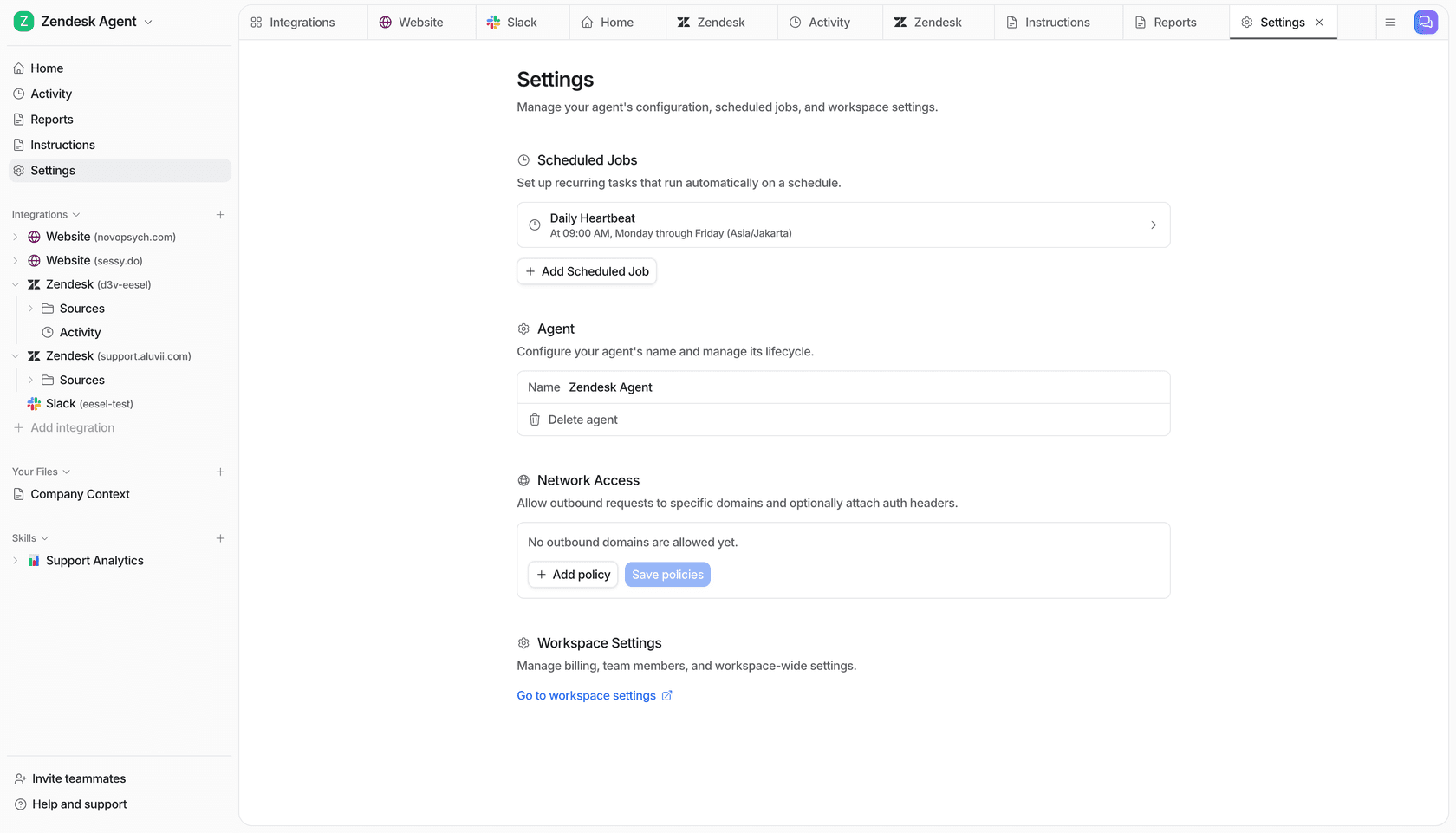
Once you know where your automation boundaries are, the configuration is five steps.
Step 1: Categorize your refund types. List the actual refund scenarios your team handles week to week. Most operations have 6 to 10 distinct patterns -- within-window return, outside-window return, wrong item shipped, defective product, subscription cancellation, missed delivery, partial return from multi-item order, chargeback dispute. Categorizing them determines which go in which zone from the start.
Step 2: Write your policy rules in plain language. This is where most configurations underinvest. Vague instructions ("handle refund requests politely and per policy") produce inconsistent behavior on edge cases. Specific rules produce predictable ones. From eesel's instructions configuration, example refund instructions that work:
- "If the refund request is over 30 days, politely decline and offer store credit."
- "Always escalate billing disputes to a human."
- "For VIP customers, CC the account manager on any refund decision."
- "Refunds over $100 -- assign to a manager."
The AI reads these the same way a person would. More rules, not fewer, produce more predictable behavior in edge cases.
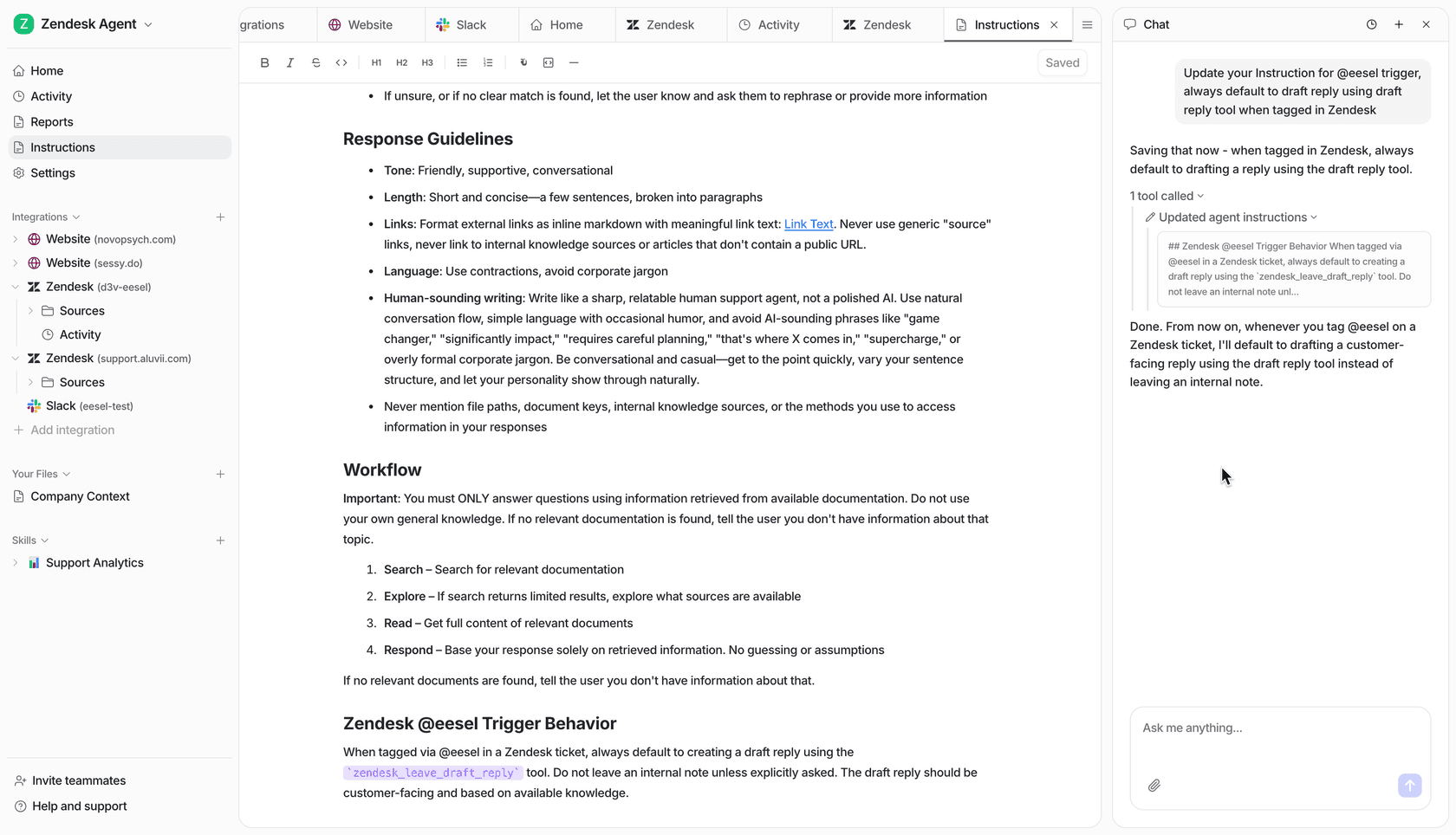
Step 3: Connect your e-commerce system. For Shopify, this lets the AI check live order data before making any eligibility decision rather than relying on what the customer reported. eesel's Shopify actions available for refund handling include Get Order History, Get Order by ID, Get Order Fulfillment, Create Return, and Refund Order. Connecting Shopify means eligibility decisions are grounded in actual transaction records, not conversation text alone.
Step 4: Enable human-in-the-loop for the refund action. In eesel, there is a settings toggle next to each action. Enabling HITL on Refund Order means the AI prepares the refund and presents it for approval before processing. eesel's FAQ confirms: "We recommend enabling HITL for refund actions to ensure human review before processing." Start with HITL on and turn it off for specific categories only once you have verified performance on historical data.
Step 5: Run a simulation on past tickets before going live. The simulation runs the AI against real historical tickets and shows you how it would have responded -- predicted resolution rate, confidence distribution by ticket type, and where the knowledge gaps are. You see failure modes before any customer does.
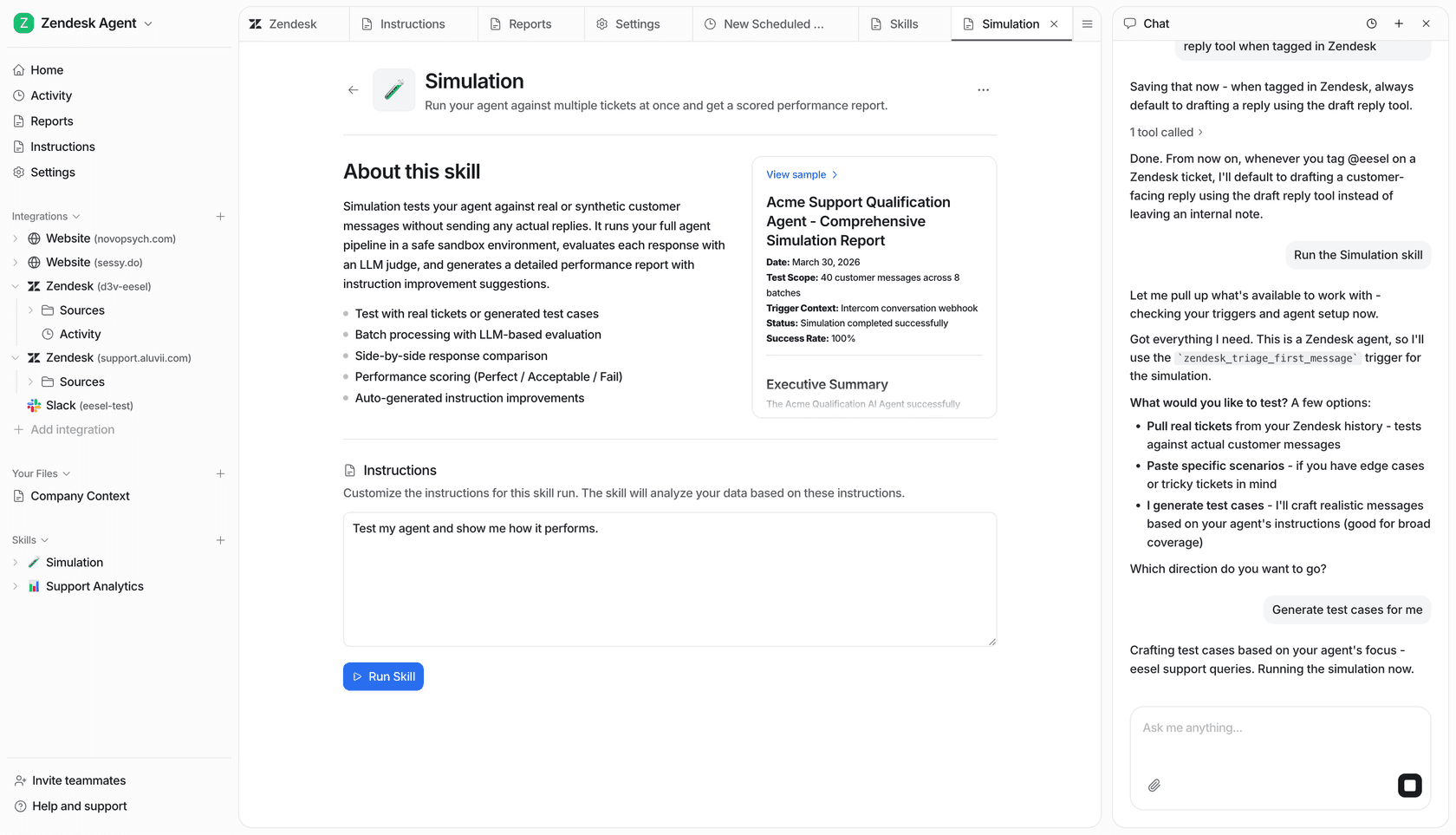
For teams running this on Zendesk specifically, eesel's guide to Zendesk ecommerce returns workflows covers the platform-specific configuration in detail.
What the results look like
The most detailed public case comes from a thread on r/AgentsOfAI where an e-commerce operator shared outcomes from automating 4,000+ refunds per month. Turnaround dropped from 2 to 3 days to under 60 seconds. Costs fell 43%. CSAT improved 20%. The team had previously used 4 full-time agents exclusively for refund processing; they were redeployed to higher-complexity work.
A developer testing on r/SaaS ran 50 real refund emails through AI handling: 42 fully automated, 8 required manual approval. The estimate was 2 to 4 hours saved per day for a small team.
For SaaS and subscription businesses specifically, Lyzr's implementations report 60% faster processing for cancellation refunds, reduced churn from faster resolution, and 30% reduction in manual labor. ProductCrafters' fitness app case saw response time drop from 4 hours to 1 minute for US customers -- eliminating the chargeback risk that came from slow manual responses across time zones.
Alhena AI's implementation with Puffy achieved 63% automated inquiry resolution while holding 90% CSAT. The pattern across these cases: 60 to 80% automation rate, near-instant resolution for the automated tier, no CSAT degradation when the escalation logic is correct.
AI-handled tickets cost $0.50 to $2.37 per resolution compared to $2.70 to $5.60 for manual retail handling. At 4,000 refunds per month, that gap is $6,000 to $12,000 per month in support cost -- before accounting for the productivity of the agents who are no longer doing triage.
eesel AI for refund requests
eesel AI handles refund requests as a native part of its e-commerce agent, with Shopify actions for Create Return and Refund Order built into the platform. The HITL toggle on each action means you can start with every refund requiring human approval, then expand the automation scope as you verify the AI's judgment on your specific policy and ticket history.
The configuration stays in plain English throughout. You write refund rules the same way you would explain policy to a new team member -- "high-value refunds over $200 to a senior agent," "always offer store credit before issuing a cash refund," "if the customer seems frustrated, route to a human." eesel follows natural language instructions the same way a person would, and you update them the same way too.
The platform works on top of Zendesk, Freshdesk, Gorgias, and other helpdesks without migrating your existing operation. Pricing is $0.40 per resolved regular task with no platform fee. For most teams handling a few hundred refund tickets per month, the math on automation pays back inside 60 days.
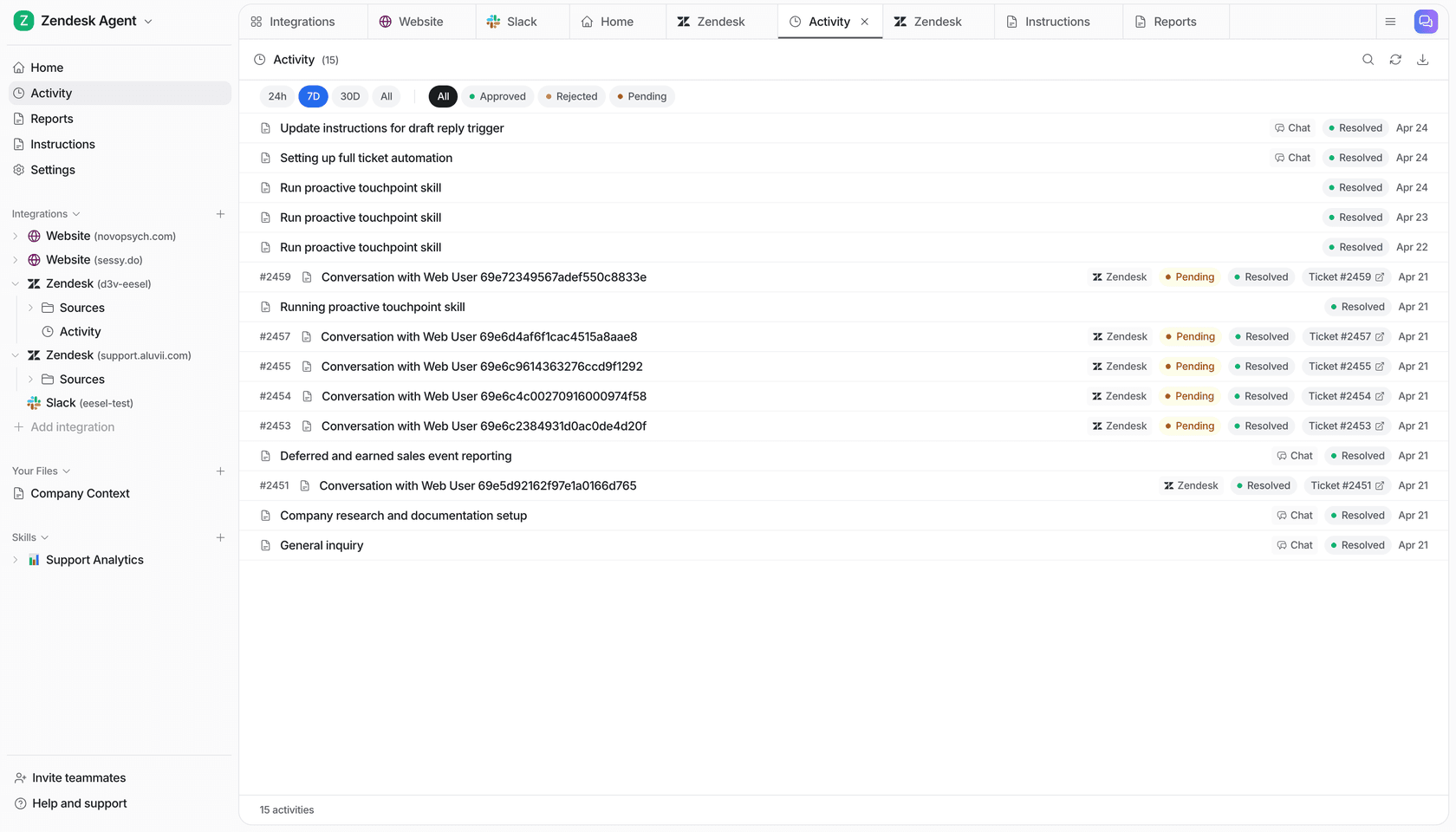
Start with the $50 free trial -- all features unlocked, no credit card required. eesel's AI macro templates guide for refunds, exchanges, and shipping issues is a good companion read for building out the initial instruction set.
Frequently Asked Questions
What percentage of refund requests can AI handle automatically?
Is it safe to let AI approve and issue refunds automatically?
How do I write rules for which refunds AI can approve versus escalate?
Does AI work for refunds outside of Shopify -- for SaaS subscriptions or digital products?
How long does it take to set up AI for refund requests?


Article by
Quinela Wensky
Quinela is a UI/UX designer at eesel AI with a background in Visual Communication Design from Institut Teknologi Bandung. She has over five years of graphic design and illustration experience and focuses on user-centered work across game design, accessibility, and interaction.