

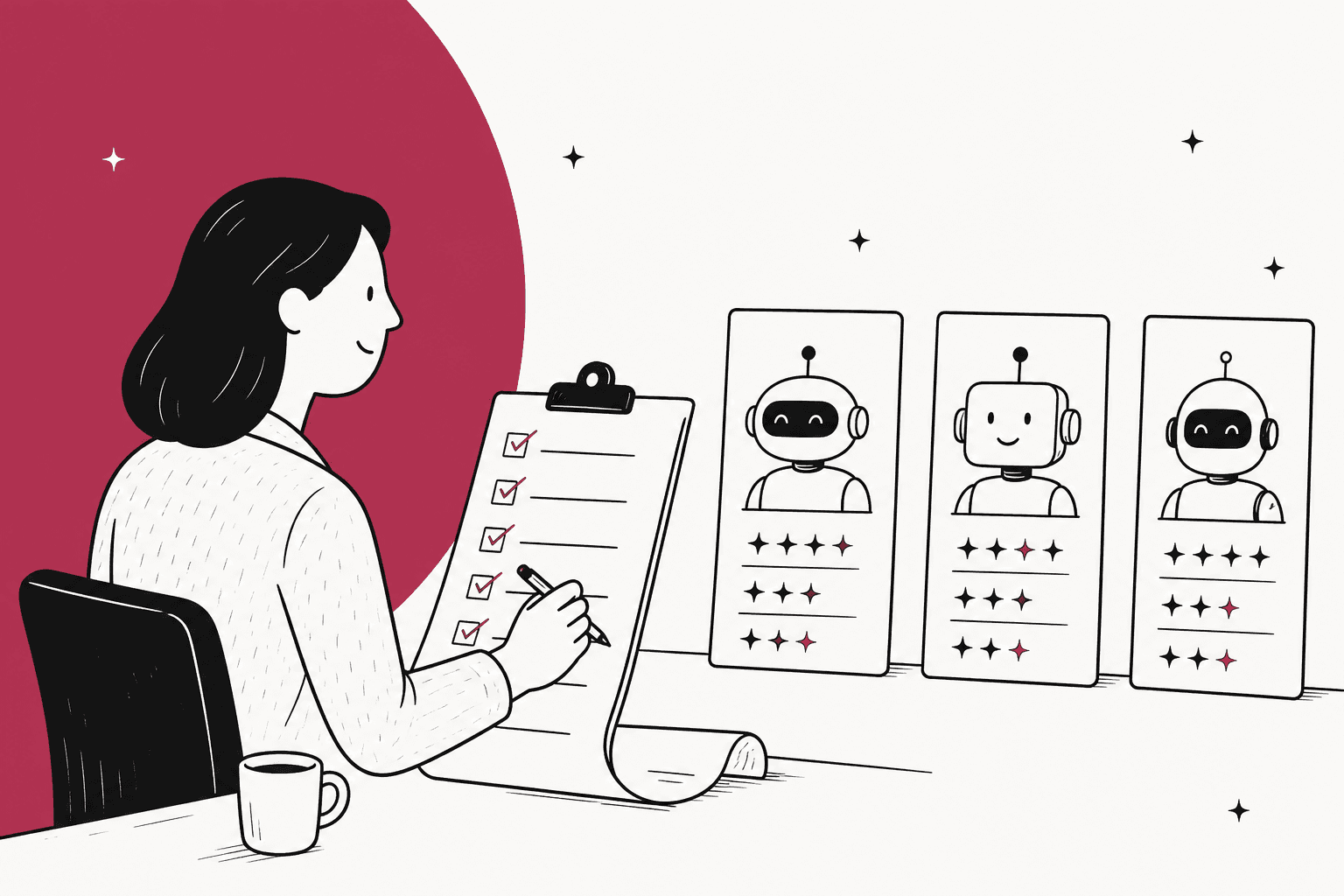
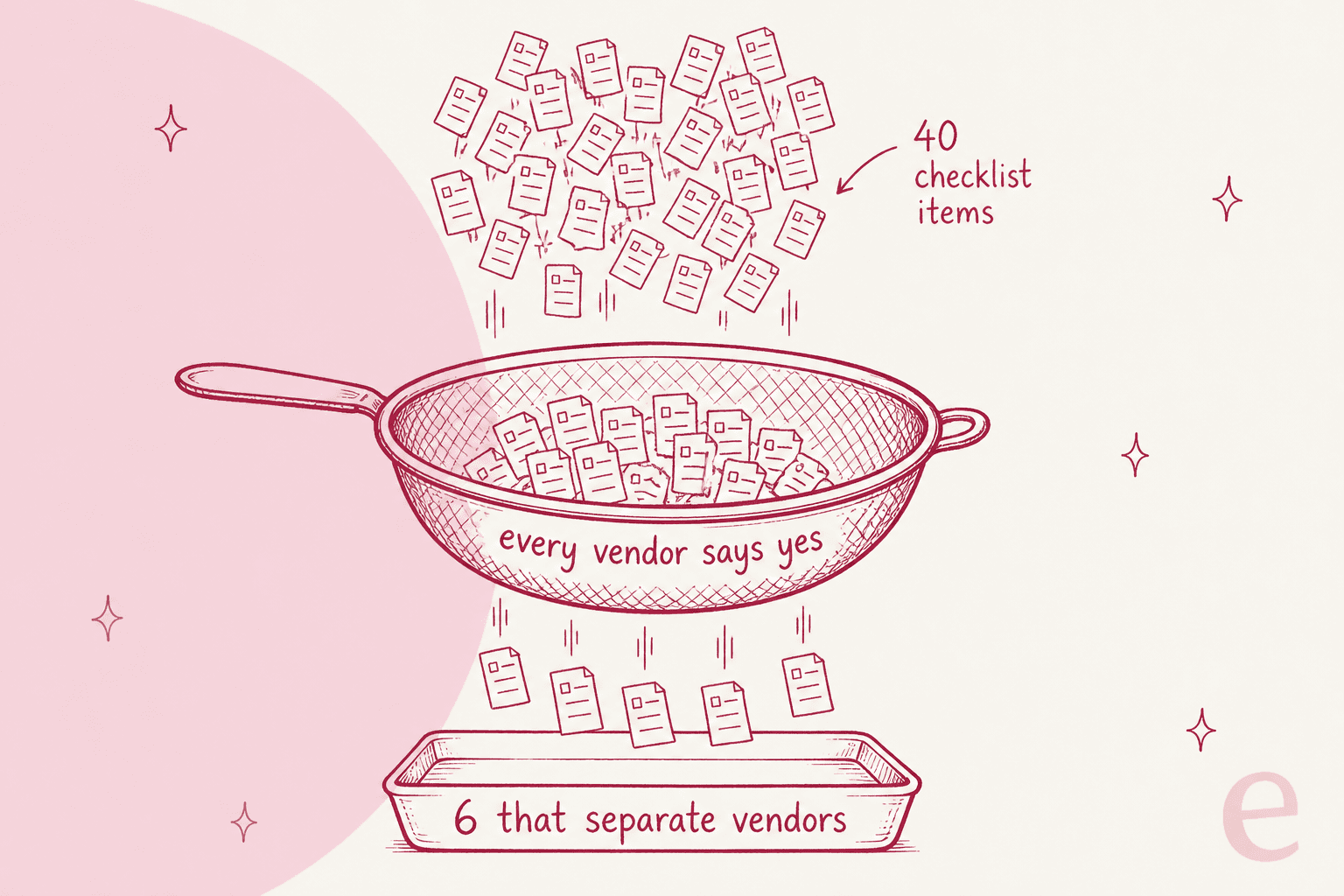
An AI support vendor evaluation checklist has about 30 checks, but only 6 of them actually separate one vendor from another: what you pay for and what counts as "resolved", whether you can test it on your own past tickets before signing, whether it works in the helpdesk you already have, whether you can roll it out in stages, whether you can try it without a sales call, and what security evidence the vendor holds today. Every vendor says yes to the other 24.
Weight those 6 at three points each and the rest at one, and the scorecard below starts producing a winner instead of a tie. The biggest single check is the past-ticket test: give every finalist the same tickets your team already resolved and score the drafts against what your team sent. eesel runs that test for you with its Helpdesk simulation, on 20 recently resolved tickets, sending nothing to customers, inside the helpdesk you already use.
Why do most AI vendor checklists end in a tie?
Most AI vendor checklists end in a tie, and the reason is simple: they ask questions every vendor can answer yes to. "Integrates with your helpdesk?" Yes. "Supports multiple languages?" Yes. "Hands off to a human?" Also yes. Forty yeses later you end up choosing on the demo, which happens to be the one part of the whole process that the vendor controls completely.
Because I build eesel's helpdesk integrations myself, the line I trust least on any checklist is "integrates with Zendesk". That line can mean anything from "reads your help center once" up to "reads every past ticket, writes into ticket fields, and stops replying the moment a person takes over", and both of them get the same tick.
A longer checklist won't fix this. What fixes it is a weighted one, where each check asks for proof rather than a yes and the few checks that really split vendors count for more, and building that is what the rest of this post does.
There is one more thing to say before getting into the checks. On a sales call with eesel, a lead at a supplement brand that runs about 7,000 Gorgias tickets a month put the real fear quite plainly:
"I cannot go and check all my 7,000 tickets to see if the AI actually made a good answer, then the point is a little bit gone. I need an AI who is only handling the tickets that it's confident to handle and all the other ones, leave them alone."
So that's the bar for the checklist to clear. The question is not "is this AI impressive", it is more "can I trust it on my queue without reading every ticket".
What are the 6 checks that separate AI support vendors?
On these checks the vendors give really different answers, and the answer changes what you pay or how much risk you end up carrying. You can verify each of them from public docs or with a short test, so none of it has to be taken on faith.
1. What do you pay for, and what counts as "resolved"?
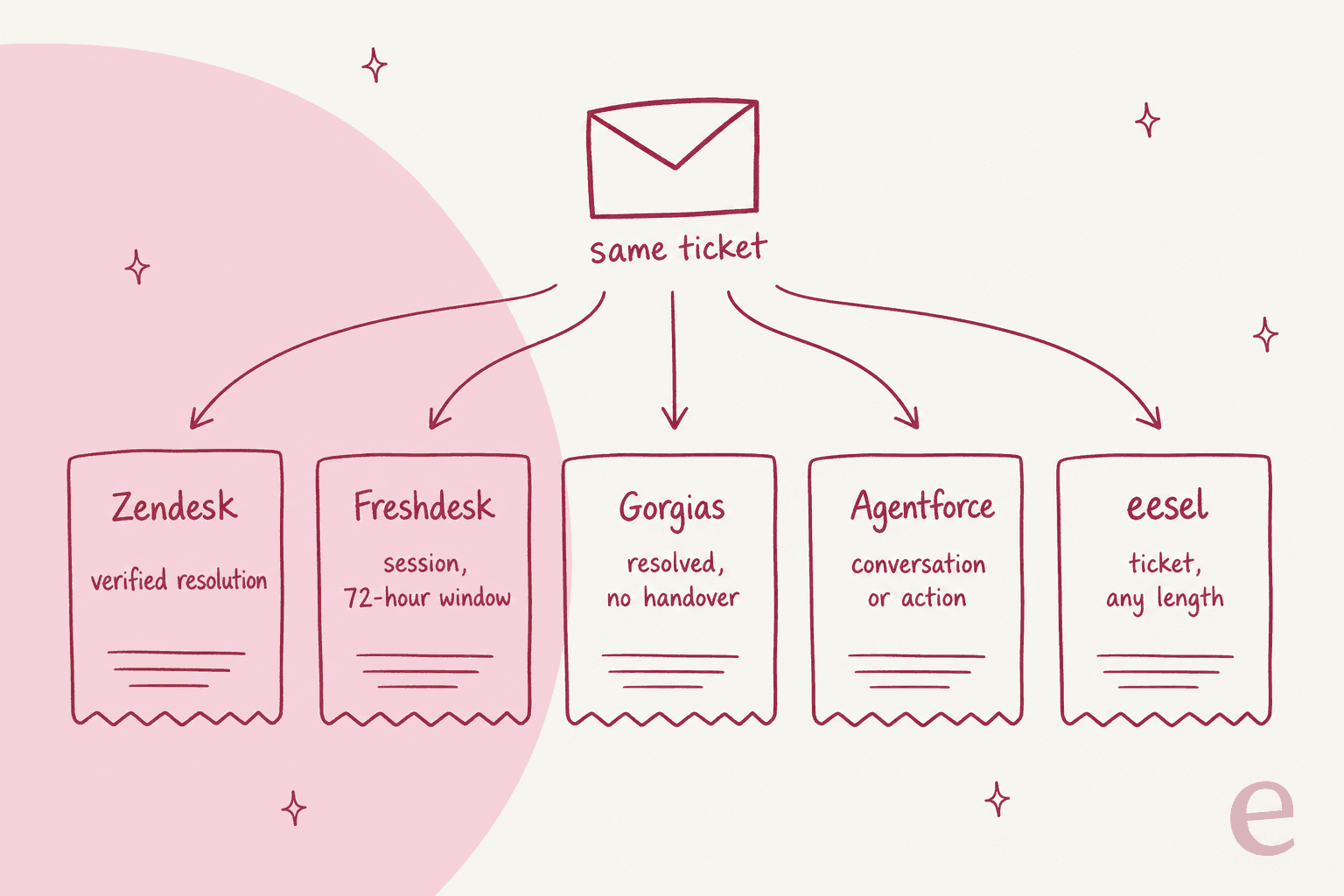
Of all six, this check is the one that moves the most money. The same ticket gets billed in at least five different ways, depending on who you buy from:
| Vendor | What one billable unit is | Published price per unit |
|---|---|---|
| Zendesk AI agents | An automated resolution that passes a "verified resolution" check, run 72 hours later on email and 2 hours later on messaging | $1.50 committed, $2.00 pay as you go |
| Freshdesk Freddy AI Agent | A session; on email, a 72-hour window starting from the customer's first email | First 500 sessions included, then $49 per 100 sessions |
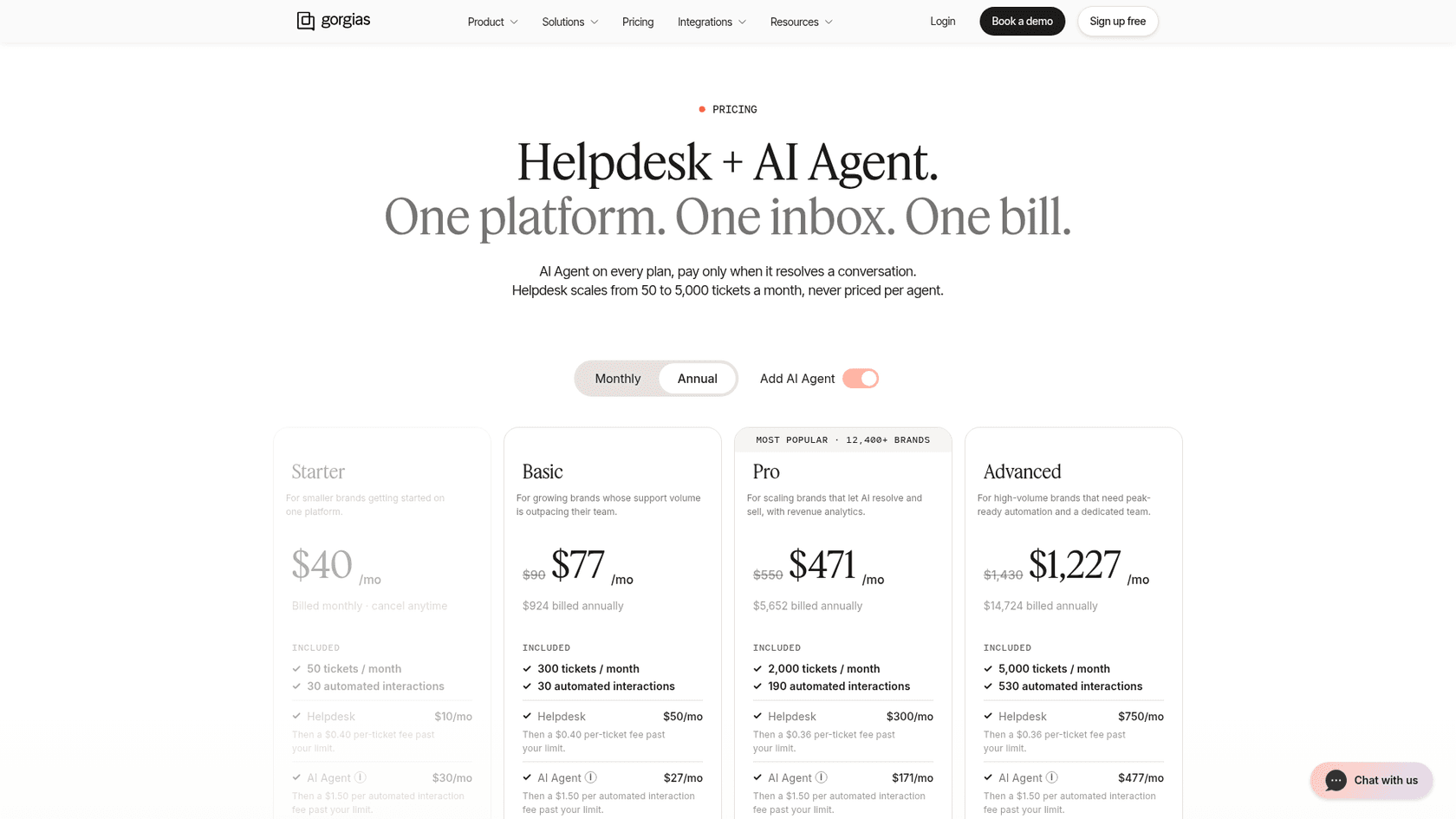
| Gorgias AI Agent | An automated interaction, counted when it resolves without handing over | Allowance per plan, then $1.50 each past your limit |
| Salesforce Agentforce | A conversation, or Flex Credits per action (an action is 20 credits) | $2 per conversation, or $500 per 100,000 Flex Credits |
| Ada | Not stated publicly | Quote only |
| Decagon | Per conversation or per resolution; most customers pick per conversation | Quote only |
| Sierra | Outcomes agreed per customer | Quote only |
| eesel | One credit per ticket or chat, however many replies go back and forth | $299 for 500 credits up to $1,749 for 5,000; extra credits $0.80 |
There are two things worth pulling out of that table. The first is that "resolved" is a definition and not a fact, and every vendor writes its own version of it. Of the ones I have read, Zendesk's is the strictest, since an LLM re-checks the conversation after a waiting period before it counts. The second is that a resolution price and a per-ticket price can't be compared until you price one month of your own volume under both of them. My breakdown of cost per resolution walks through that maths, while deflection vs resolution explains why a deflection number is not a resolution number.
"Simply entering a flow that tells the customer we're outside business hours can already count as a resolution and incur a cost, even when no generative AI is actually involved. [...] After just 30 days, we had already consumed more than 40% of the automated resolutions included in our plan for the entire year."

What proof to ask for: a single sentence in writing from the vendor that defines the billable unit and what makes something "resolved", plus a quote for your actual monthly volume and another one for double it.
2. Can you test it on your own past tickets before you sign?
Any demo runs on tickets that the vendor chose. Your past tickets are the only test set that contains your products, your policies and your weird edge cases, and on top of that they come with the right answer already attached, which is whatever your team sent.
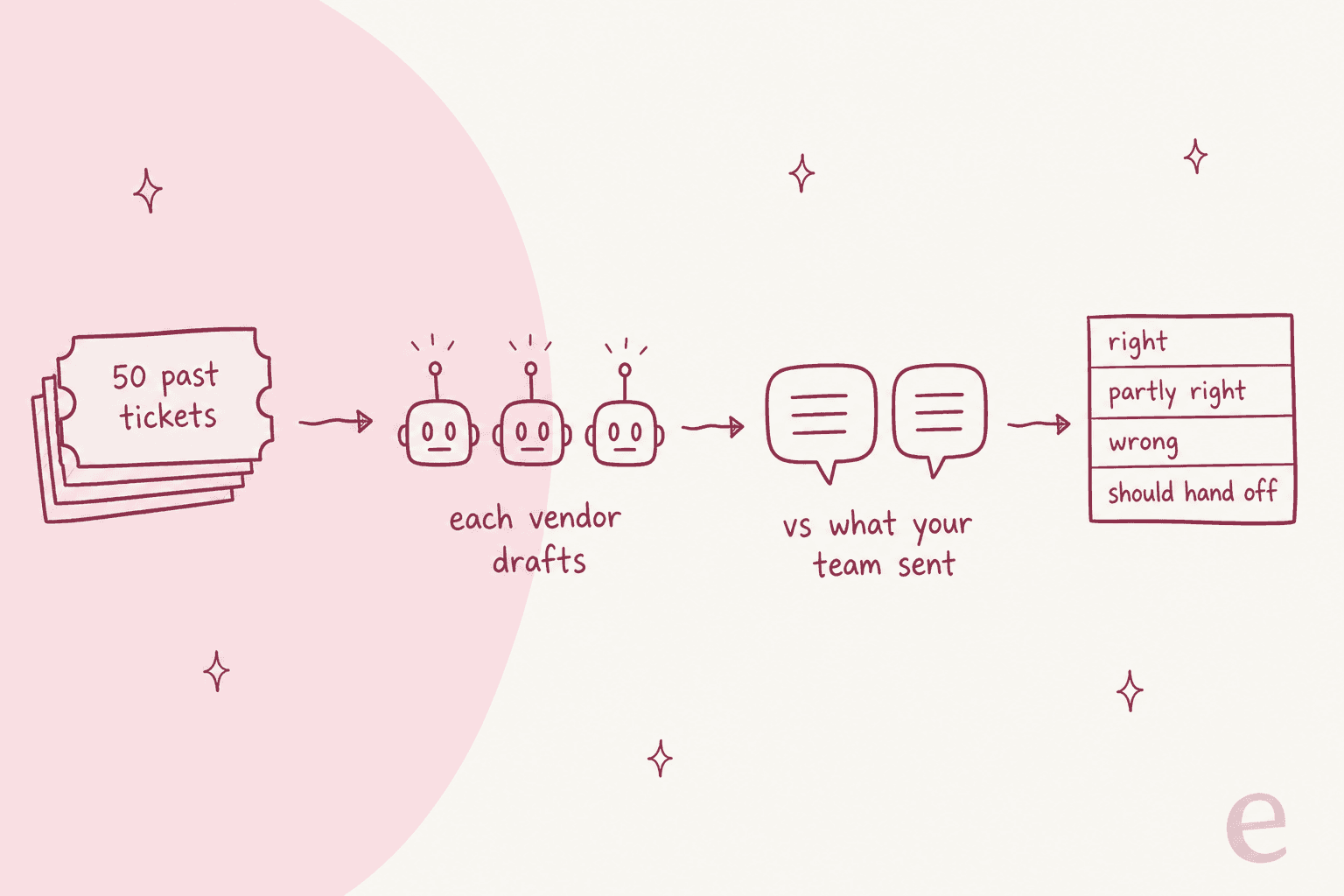
Describing the test is easy, yet it is surprisingly rare for a vendor to offer it. You take 50 tickets your team resolved recently, spread across your main topics, and give the same 50 to every finalist. Each one drafts a reply, then you score every draft against what your team actually sent.
For each ticket, four outcomes are enough: right, partly right, wrong, and should have handed off. The last one matters more than it looks like it does. An agent answering confidently on a ticket it should have escalated is worse than one that answers fewer tickets and hands the rest over cleanly. After that, split the results by topic, because an overall "82% right" can hide "40% right on billing", and billing is exactly where the mistakes cost you.
"I haven't had a great experience with the AI support agent. It takes a pretty big effort to train it. Then, I find that most of the responses have an error that I have to apologize for after the handoff. It's probably fine for basic questions like order status [...]"
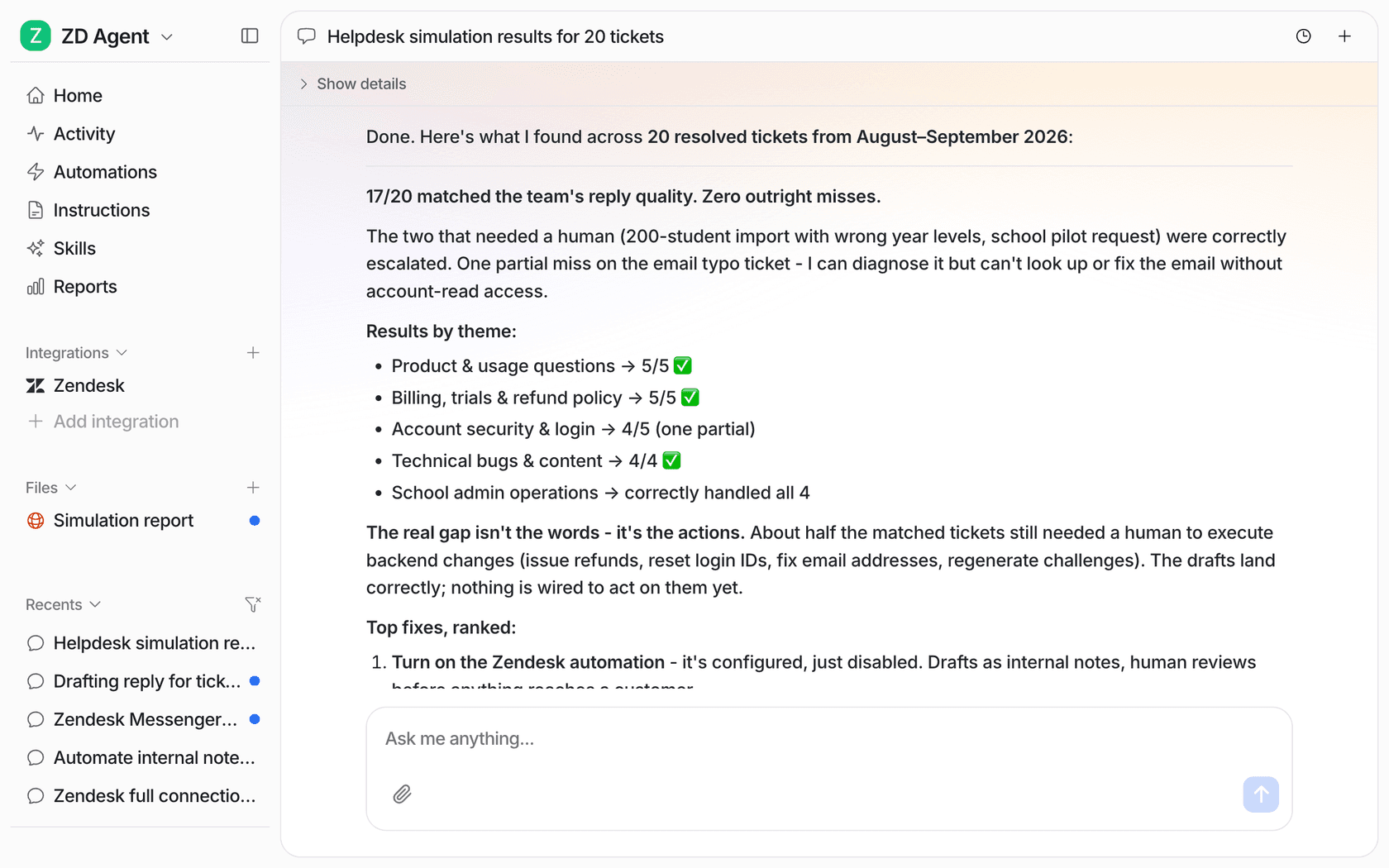
If I had to weight one check highest it would be this one, and it is also the one eesel was built around. The Helpdesk simulation skill takes 20 tickets your team recently resolved and drafts its own reply to each. It then compares every draft with what your team sent, groups the results by theme and lists what to fix before going live, all without sending anything to customers.
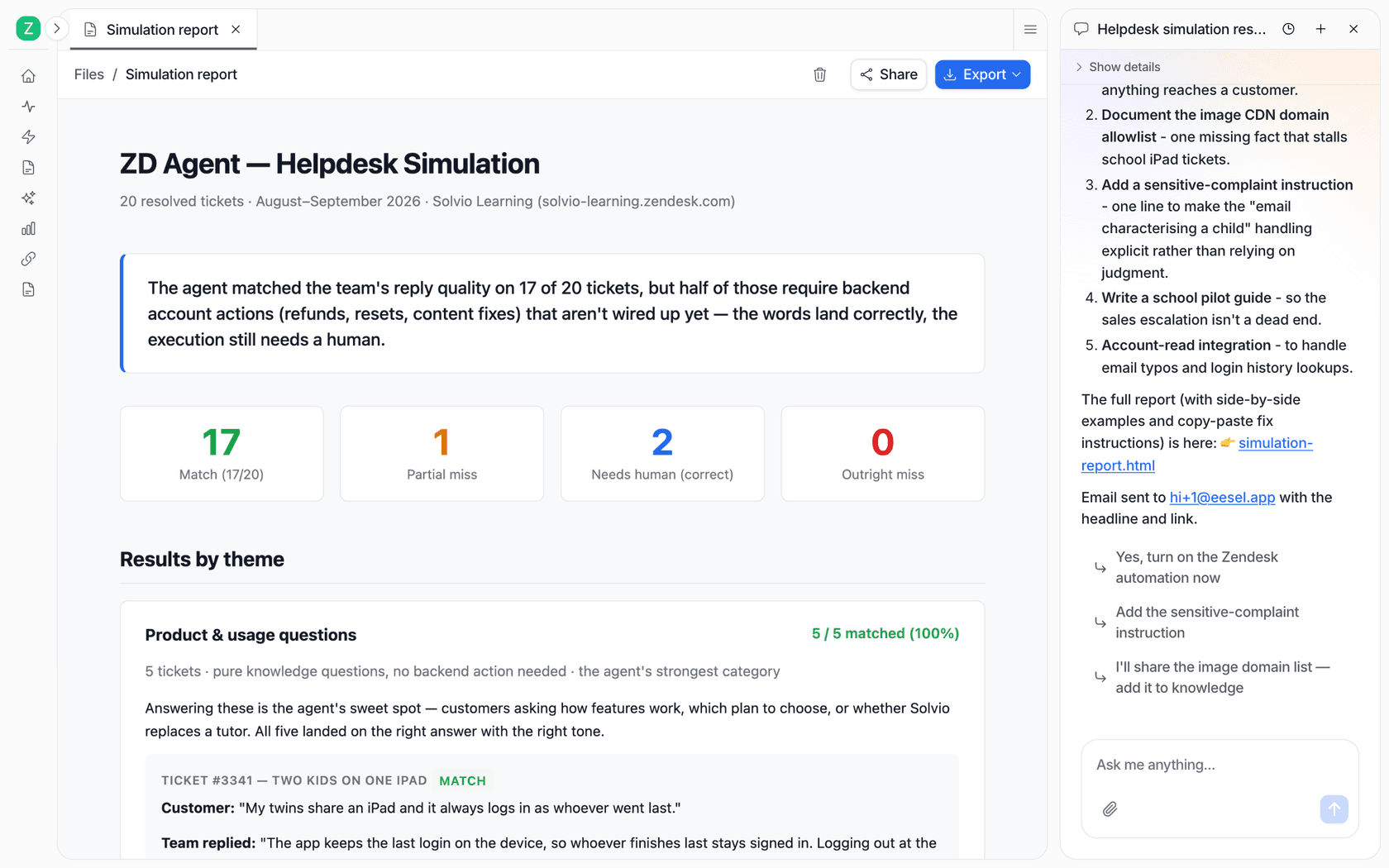
In that report the useful part isn't the 17 of 20. It's the line underneath, where about half the matched tickets still needed a person to do something in a backend system the agent was not connected to. A demo never surfaces that kind of finding, and it is exactly the thing you want to know before signing. For the wider method, see testing an AI agent and AI support agent testing.
What proof to ask for: a scored run on tickets you supply rather than ones they supply. If a vendor can't do this before the contract, it is fair to ask why.
3. Does it work in the helpdesk you already have?
Some AI agents are a feature of one helpdesk, while others sit on top of whatever helpdesk you happen to run. If the AI you want only runs in a helpdesk you don't use, the real project is a helpdesk migration, and the checklist should say that on day one.
- Freddy AI Agent comes as part of Freshdesk plans, and in the same way Zendesk AI agents are part of Zendesk.
- Gorgias AI Agent needs a Shopify store connected. Gorgias also states that it is not supported on stores using BigCommerce, Magento or WooCommerce.
- Agentforce runs on Salesforce, and its service pricing is built on the assumption that you are already a Salesforce customer.
- Ada's platform page lists connections to helpdesks such as Salesforce and Freshworks. Decagon and Sierra are also separate platforms, so it is worth asking each of them which helpdesks they write back into natively.
- eesel works inside the helpdesk you already have, running on Zendesk, Freshdesk, Gorgias, Front and HubSpot among others. For a typical example of how it plugs in, look at the Front integration.
"Works in" has depth to it as well, and this is where my bias as an integration builder comes in. Ask what it reads (help center only, or past tickets and macros too) and what it writes (a reply, an internal note, tags, ticket fields), then also how it behaves when a person replies first. ClutchLoop runs eesel on Gorgias with Shopify lookups for live price and stock, and there the agent steps back the moment a person is already handling the ticket. That last behaviour you can't see in a demo, but in production it is very visible.
What proof to ask for: a written list of what the agent reads and writes in your helpdesk, along with what it does when a teammate is already on the ticket.
4. Can you roll it out in stages?
The safest rollout goes drafts first, then sending on the topics where those drafts were right, and only after that more topics. A vendor that can only go fully live on day one is asking you to skip the step that catches mistakes.
Things worth checking here:
- Draft-only mode. Can the agent leave its replies as internal notes for a person to send? smava runs like this on Zendesk at scale, with 15,300 draft replies prepared in a month, and eesel never sends the customer-ready ones by itself.
- Topic and channel limits. Original Bootcamp has a filter in place so that eesel only answers the Freshdesk tickets it can answer from the website and past tickets. Anything that touches a booking goes to a person.
- Approval on actions. For irreversible actions like cancelling an order, Gorgias turns customer confirmation on automatically. On eesel, any action can be set to wait for a person's approval.
- An off switch. How quickly can you pause the agent, and who on your team is able to do it without filing a support ticket with the vendor?
"the AI will immediately show you gaps and issues in your knowledge base and/or website (if you connect a crawler). You'd be amazed at how many outdated pages it will find and suddenly bring to light..... [...] Choose one annoying use case and automate that. Then go to the next."
For more on the handoff side of this, see AI agent handoff best practices.
What proof to ask for: see draft-only mode and a topic limit working in a sandbox or trial, plus an approval step, rather than on a slide.
5. Can you see the price and try it without a sales call?
This one has less to do with the product and more with how the vendor sells. Vendors that are quote-only and demo-led don't make worse products, but the evaluation takes longer and the price arrives after you are emotionally invested.
- Ada, Decagon and Sierra publish no prices and offer no public self-serve trial (my Decagon pricing breakdown shows how that looks in practice). Ada's demo page describes an expert review and a custom demo, followed by a business case in your numbers.
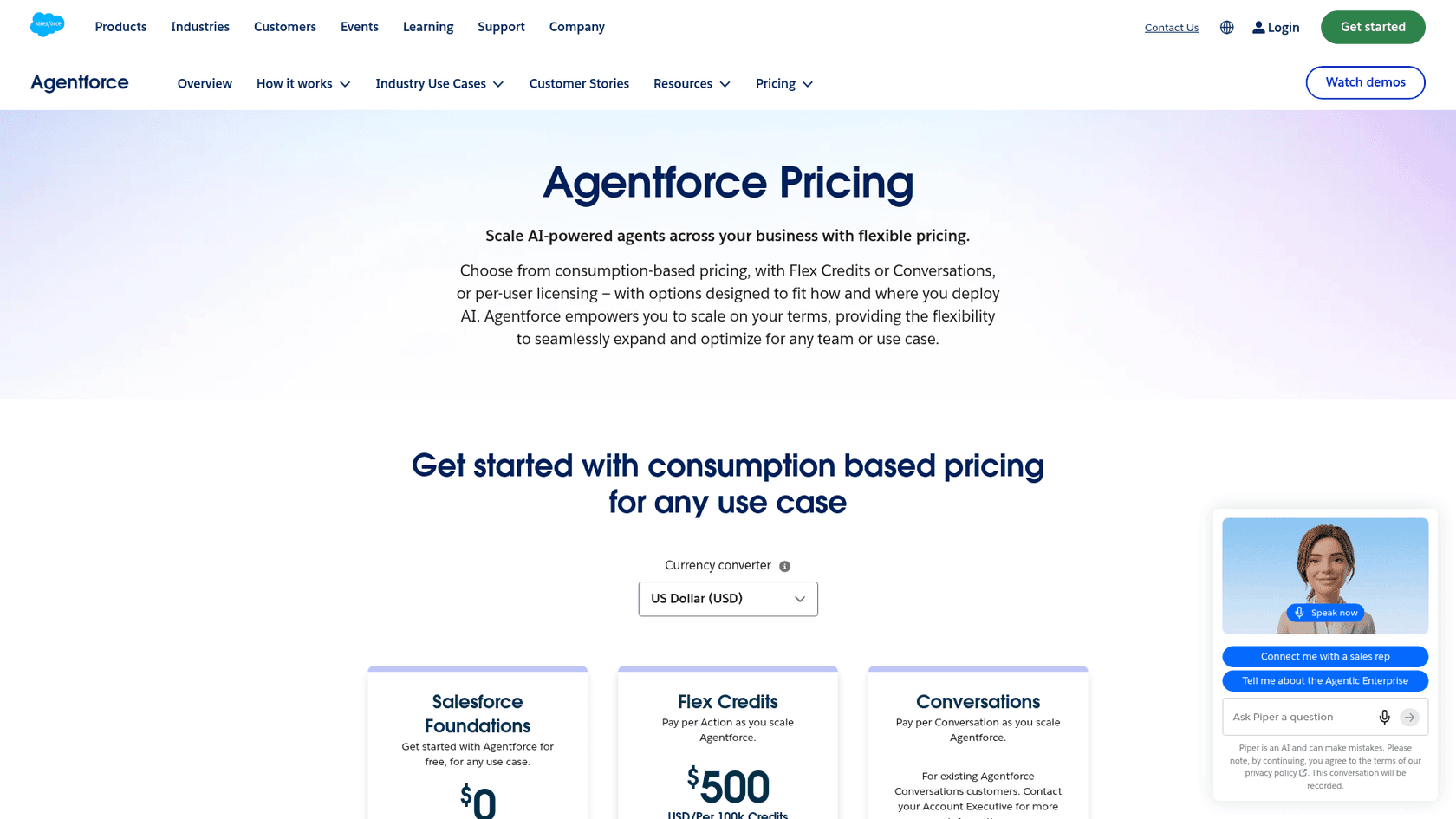
- Agentforce lists a $0 Salesforce Foundations starting point, and its Flex Credits rate card bills Help Agent Resolutions at 0 credits in a sandbox, which is helpful for a test.
- The first 500 Freddy AI Agent sessions come included in Freshdesk plans.
- eesel has a free plan with 100 credits and no card needed, and every feature and integration is included.
For a large, complex queue with a procurement team behind it, a sales-led vendor may be exactly right. But if you are a 6-person team trying to decide by the end of the month, a vendor you can switch on yourself saves you weeks.
What proof to ask for: a written price for your volume and a trial on your own helpdesk, both of them before the second meeting.
6. What security evidence does the vendor hold today?
Every vendor says "enterprise-grade security", so the difference shows up in the documents. Ask what is held today, not what is planned, and ask for the report rather than the badge.
| Vendor | Security evidence stated on its own pages | Trains models on your data? |
|---|---|---|
| Zendesk | SOC 2 Type II, ISO 27001/27017/27018/27701/42001, FedRAMP LI-SaaS, HIPAA BAA via add-on | Not for generative AI; uses sanitized data for its own classification models |
| Ada | SOC 2 Type 2, SOC 3, HIPAA, GDPR, PCI attestation | Zero data retention with LLM partners; fine-tunes on de-identified data |
| Decagon | SOC 2 Type II, ISO 27001:2022, HIPAA, GDPR, PCI DSS 4.0.1 | Zero data retention with LLM providers |
| Sierra | SOC 2 Type II, ISO 27001, ISO 42001, HIPAA, PCI DSS, FedRAMP High | Not stated on its trust pages |
| eesel | SOC 2 Type II audit in progress (observation 1 Oct to 31 Dec 2026), GDPR DPA, HIPAA BAA on Enterprise | No, never trains or fine-tunes |
I'm putting eesel's row in plainly. The SOC 2 Type II observation period started on 1 October 2026, and the report follows the audit in early 2027. If your security team requires a finished SOC 2 report today, that is a real reason to weigh eesel lower on this check for now, and a fair one too. If what they need is a DPA, a BAA or a signed answer on model training, those already exist today.
The full set of security questions is long enough that it deserves its own list, so I wrote one, the AI vendor security checklist. For the regulated cases there are the SOC 2 and GDPR guide and also HIPAA-compliant AI.
What proof to ask for: the report or certificate itself under NDA and the DPA, plus a written answer on training and retention.
The full AI support vendor evaluation checklist
Here is the whole scorecard, with 30 checks across six areas. In each area the first check (marked ★) is one of the six above and scores 3 points, while the rest score 1. Only tick what a vendor has actually shown you, not what it has promised, and score one vendor at a time, hitting reset between them.
A quick word on weighting. Equal weights are the reason the 40-item spreadsheet ends in a tie, since four vendors each tick 36 boxes and you are back to choosing on the demo again. Once you triple the six ★ checks, a vendor that proves the hard things beats one that ticks every easy thing, and that's the outcome you want.
It's also fine to shift the weights to fit your situation. For a health or finance team, the security ★ should work as a gate (no evidence, no deal) rather than as three points. A Shopify brand on Gorgias should weight the helpdesk ★ heavily, because a wrong answer there means a platform move.
How do the main AI support vendors compare on the 6 checks?
Below is where the vendors that come up most in this category land on the six ★ checks, based only on what each vendor publishes. Where a vendor doesn't publish an answer, the cell just says so instead of guessing.
| Vendor | Billing unit | Public price | Test on your past tickets | Runs in your current helpdesk | Try without a sales call | Security evidence today |
|---|---|---|---|---|---|---|
| Zendesk AI agents | Verified automated resolution | $1.50 to $2.00 per resolution | Ask | Zendesk only | Not checked | SOC 2 Type II, ISO 27001, ISO 42001 |
| Freddy AI Agent | Session (72 hours on email) | $49 per 100 after 500 included | Ask | Freshdesk only | 500 sessions included in plans | Not checked |
| Gorgias AI Agent | Resolved without handover | $1.50 past plan allowance | Ask | Gorgias with Shopify | Plans from $40 a month | Not checked |
| Agentforce | Conversation, or action credits | $2 per conversation | Sandbox: resolutions 0 credits | Salesforce | $0 Foundations | Trust Layer, zero retention with third-party LLMs |
| Ada | Not stated | Quote only | Ask | Connects to helpdesks such as Salesforce | No, demo first | SOC 2 Type 2, HIPAA, PCI |
| Decagon | Conversation or resolution | Quote only | Ask | Ask | No, demo first | SOC 2 Type II, ISO 27001, HIPAA |
| Sierra | Agreed outcomes | Quote only | Ask | Ask | No, sales-led | SOC 2 Type II, ISO 42001, FedRAMP High |
| eesel | One ticket or chat, any length | $299 for 500 to $1,749 for 5,000 | Yes, Helpdesk simulation on 20 resolved tickets | Zendesk, Freshdesk, Gorgias, Front, HubSpot and more | Yes, 100 free credits | SOC 2 Type II audit in progress, DPA, BAA |
Read the table the same way you'd read the scorecard, keeping in mind that no vendor wins every column. The enterprise platforms hold the deepest certification lists and they sell through sales. The helpdesk-native agents are easy to switch on if you already live in that helpdesk, and a migration if you don't. Where eesel is strong is the past-ticket test and a flat per-ticket price, plus working in the helpdesk you have, while its gap today is a finished SOC 2 report. For the broader market view, my roundup of AI customer support tools covers more names.
How do you run the evaluation in three weeks?
For a mid-size team three weeks is enough, as long as the checklist is weighted and every vendor gets the same test. When it takes longer, it usually means the team is waiting for one vendor to stand out on a checklist where everyone looks the same.
- Week 1: shortlist from public evidence. Fill in the billing, helpdesk and security ★ checks using the vendors' own pricing, docs and trust pages. Anyone who can't answer the billing check in writing drops off, and you aim for two or three finalists.
- Week 2: the past-ticket bake-off. Pick 50 recently resolved tickets across your top topics and give the same set to every finalist, after stripping personal data if your policy requires that. Each draft gets scored as right, partly right, wrong, or should have handed off, split by topic.
- Week 3: a staged pilot with the winner. Switch it on in draft-only mode on your busiest simple topic and track how many drafts your team sends unchanged. Judge it with the numbers in my AI support pilot scorecard, and for the setup use the pilot guide.
Qontro gives a good picture of how week three looks when it goes well. Every new Freshdesk ticket gets a customer-ready draft as an internal note, grounded in 9,800 past tickets and help articles, and a support person reads it and sends it where it is right. The team also uses the drafts that miss for finding gaps in its help center, which is a better use of a wrong answer than most.
What mistakes do teams make when evaluating AI support vendors?
Most of these mistakes grow from the same root, which is treating the evaluation as a features comparison when really it is a test of behaviour on your tickets.
- Scoring the demo. The demo is the vendor's best ten minutes on tickets it picked, so score your own tickets instead.
- Comparing headline resolution rates across vendors. Since each vendor defines "resolved" in its own way, a 60% from one and a 60% from another are not the same number. Compare drafts on the same tickets instead; Measuring AI support ROI has the honest version.
- Ignoring the "should hand off" column. An agent that answers everything looks great in a bake-off, then causes the worst tickets in production. Reward the clean handoffs. What to watch for is covered in the hallucination prevention guide.
- Pricing at today's volume only. Ask for the quote at double your volume and read the overage rules too, because a good AI rollout increases what the AI ends up handling.
- Letting security run last. Put the security ★ in week one. If you find out in week four that a vendor's report is still in progress, or that a BAA needs a higher plan, the whole process resets.
Try eesel as your AI helpdesk teammate
If you are building a shortlist, eesel is the one you can put through check number two before talking to anyone. You connect your helpdesk and run the Helpdesk simulation on 20 tickets your team already resolved, then read where it matched your team and where it missed, plus what to fix, with nothing sent to customers. It works inside the helpdesk you already have, Zendesk included, and it bills one credit per ticket no matter how long the thread runs.
Teams like SamCart run one agent on Freshdesk tickets and another one on website chat, and each of them stops the moment a teammate picks the ticket up. The free plan gives you 100 credits with no card required, while paid plans start at $299 a month for 500. Try eesel and score it on your own tickets.