You've invested in AI for your support team. The board wants to see results. But when you look at the numbers, something doesn't add up.
Here's the uncomfortable truth: 95% of generative AI pilots are failing, according to a 2025 MIT report. Not because the technology doesn't work, but because most companies can't measure what matters. Only 29% of executives say they can confidently measure AI ROI, even though 79% see productivity gains.
The gap between "feeling" like AI is helping and proving it with numbers is where support teams get stuck. Generic AI ROI frameworks don't work for customer service because they ignore the metrics that actually matter: ticket resolution rates, cost per interaction, and the difference between a deflected ticket and a satisfied customer.
Let's fix that.
Why most companies struggle to measure AI support ROI
The problem starts with expectations. Many companies treat AI like a traditional software purchase: pay the license, deploy the tool, count the savings. But AI doesn't work like that.
Support AI changes how work happens. It shifts tickets from humans to machines, alters response patterns, and creates new workflows. Measuring that impact requires looking at before-and-after metrics that most teams haven't been tracking.
Then there's the timeline issue. Most AI projects take 12-24 months to deliver measurable ROI, yet companies measure after 30 days and declare success or failure. IBM's research shows that paying down technical debt from legacy systems can improve AI ROI by up to 29%, but many organizations haven't done that groundwork.
The result? 96% of companies aren't seeing AI ROI, not because AI failed them, but because they failed to measure it correctly.
This is where our approach differs. We don't just deploy AI and hope for the best. We help you measure what matters from day one, with benchmarks from thousands of support interactions.
The support-specific metrics that actually matter
Forget generic AI productivity metrics. For support teams, you need to track numbers that directly tie to business outcomes.
Hard ROI metrics for support AI
These are the financial numbers your CFO cares about:
Cost per ticket (before vs. after AI): Calculate your fully-loaded cost per ticket including agent salaries, benefits, and overhead. Then track how AI changes that number.
Ticket resolution rate / deflection rate: What percentage of tickets never reach a human because AI handled them completely?
Average handle time reduction: For tickets that still need humans, how much faster do agents resolve them with AI assistance?
Labor cost savings: Calculate FTE equivalent savings based on time reclaimed by agents.
Soft ROI metrics for support AI
These impact long-term business health but are harder to quantify:
Customer satisfaction (CSAT) impact: Does faster response time from AI translate to higher satisfaction scores?
First response time improvements: How quickly do customers get an initial response, even if it's from AI?
Agent satisfaction and retention: Do agents stick around longer when AI handles the repetitive work?
24/7 coverage capabilities: What's the value of resolving tickets outside business hours without hiring overnight staff?
The benchmark you should know: Up to 81% autonomous resolution
Here's what mature AI support deployments actually achieve. Our AI Agent consistently delivers up to 81% autonomous resolution rates for teams that have fully deployed and optimized their setup. The typical payback period? Under two months.
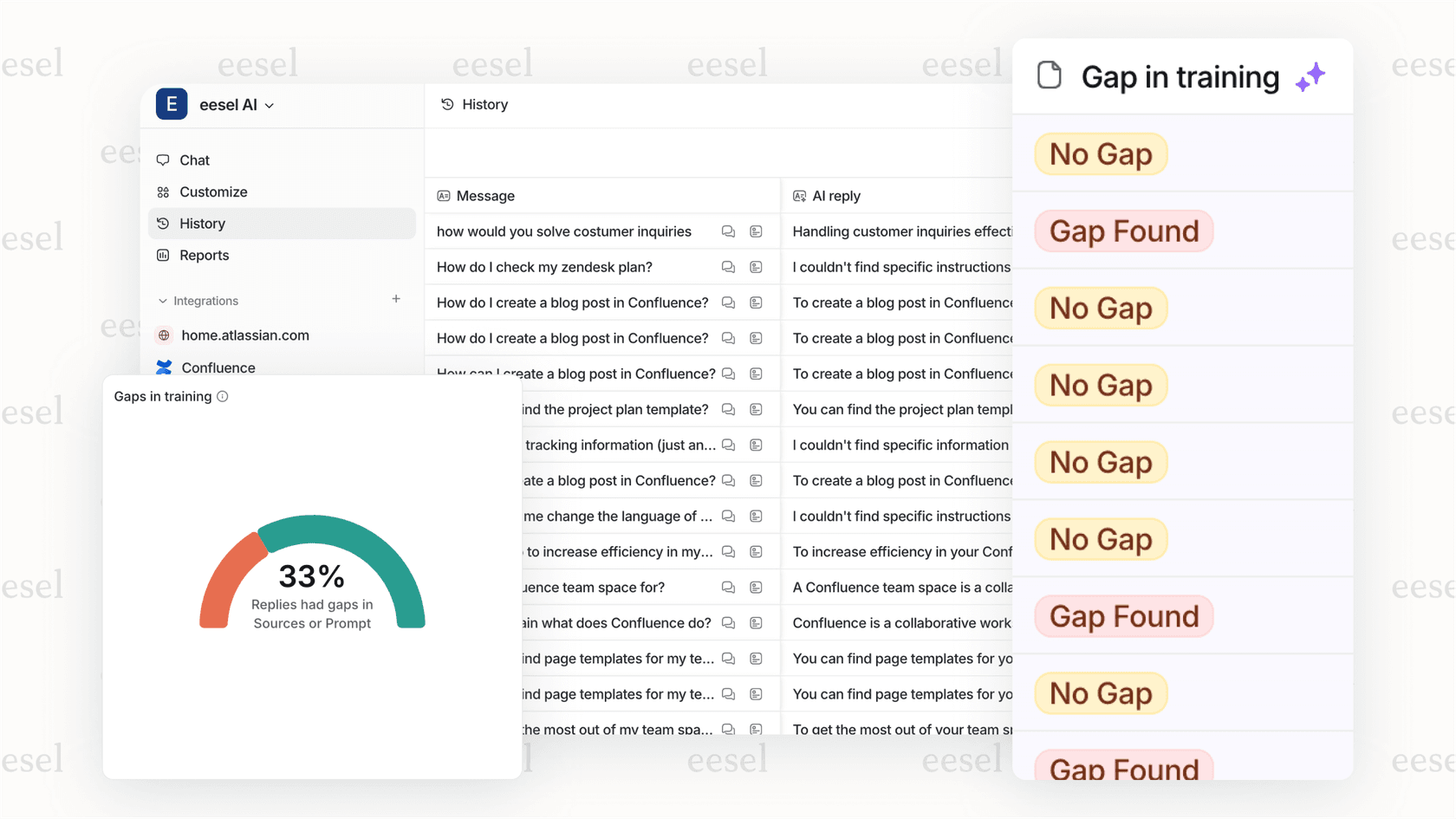
That doesn't happen overnight. Teams start with lower numbers and improve over time as the AI learns their business. But it gives you a concrete target: if you're not heading toward 60-80% autonomous resolution, you're leaving money on the table.
A step-by-step framework for calculating AI support ROI
Let's walk through the actual calculation. No vague formulas. Real numbers you can plug into a spreadsheet.
Step 1: Establish your baseline
Before you deploy AI, document these metrics for at least 30 days:
- Monthly ticket volume
- Average cost per ticket (fully-loaded agent cost divided by tickets handled)
- Average resolution time
- CSAT scores
- First response time
- Percentage of tickets requiring escalation
Without these baselines, you can't prove AI changed anything. Most teams skip this step and regret it later.
Step 2: Calculate total investment costs
Be honest about what AI actually costs:
Software/licensing: Monthly or annual subscription fees
Implementation time: Hours spent on setup, training, and configuration
Ongoing oversight: Time for managers to review AI performance and handle exceptions
Integration costs: Any development work to connect AI with existing systems
For context, our pricing starts at $299/month for the Team plan with 1,000 interactions included. The Business plan at $799/month includes 3,000 interactions and advanced features like bulk simulation and EU data residency. We charge per interaction, not per seat, which makes costs predictable as you scale.
Step 3: Measure direct savings
This is where the math gets interesting. Track these monthly:
Tickets resolved autonomously: Multiply by your baseline cost per ticket
Time saved per human-handled ticket: If AI drafts responses that agents edit instead of writing from scratch, measure the time difference
Reduced escalations: Fewer tier-2 and tier-3 escalations means lower cost per resolution
Example: If AI autonomously resolves 500 tickets per month and your cost per ticket is $15, that's $7,500 in direct savings.
Step 4: Factor in indirect benefits
These require some estimation but are real:
Customer retention value: Faster resolution correlates with retention. If AI improves response time by 50% and your customer lifetime value is $1,000, calculate the retention impact.
Agent productivity on complex issues: When AI handles routine tickets, agents focus on high-value problems. What's that worth?
After-hours coverage: Calculate the cost of hiring overnight staff vs. AI handling those tickets.
Step 5: Apply the ROI formula
The standard formula works fine once you have the inputs:
ROI (%) = (Net Benefits / Total Investment) × 100
Net Benefits = (Direct Savings + Estimated Indirect Benefits) - Total Investment
Also calculate payback period: Total Investment / Monthly Net Benefits = months to break even.
For a quick estimate, try our ROI calculator to see potential savings based on your ticket volume and current costs.
Common mistakes when measuring support AI ROI
Even with the right framework, teams make these errors:
Measuring too early. You need at least 30-90 days of data post-deployment. AI improves over time as it learns your business. Measuring at day 7 and declaring failure is like firing a new hire before they finish training.
Ignoring quality vs. speed tradeoffs. If AI resolves tickets faster but customers are less satisfied, that's not ROI. Track CSAT alongside efficiency metrics.
Forgetting hidden costs. Oversight, training, and handling AI exceptions take time. Include these in your cost calculation.
Not accounting for seasonality. If you deploy AI before holiday ticket spikes, your ROI numbers will look artificially good. Compare similar time periods.
Treating AI as replacement instead of teammate. The best ROI comes from AI handling routine work while humans tackle complex issues. If you're just cutting headcount, you miss the multiplier effect.
For more on avoiding these pitfalls, see our guide on mastering AI and automation in customer support.
How eesel AI makes ROI measurement easier
We've built features specifically to solve the measurement problem:
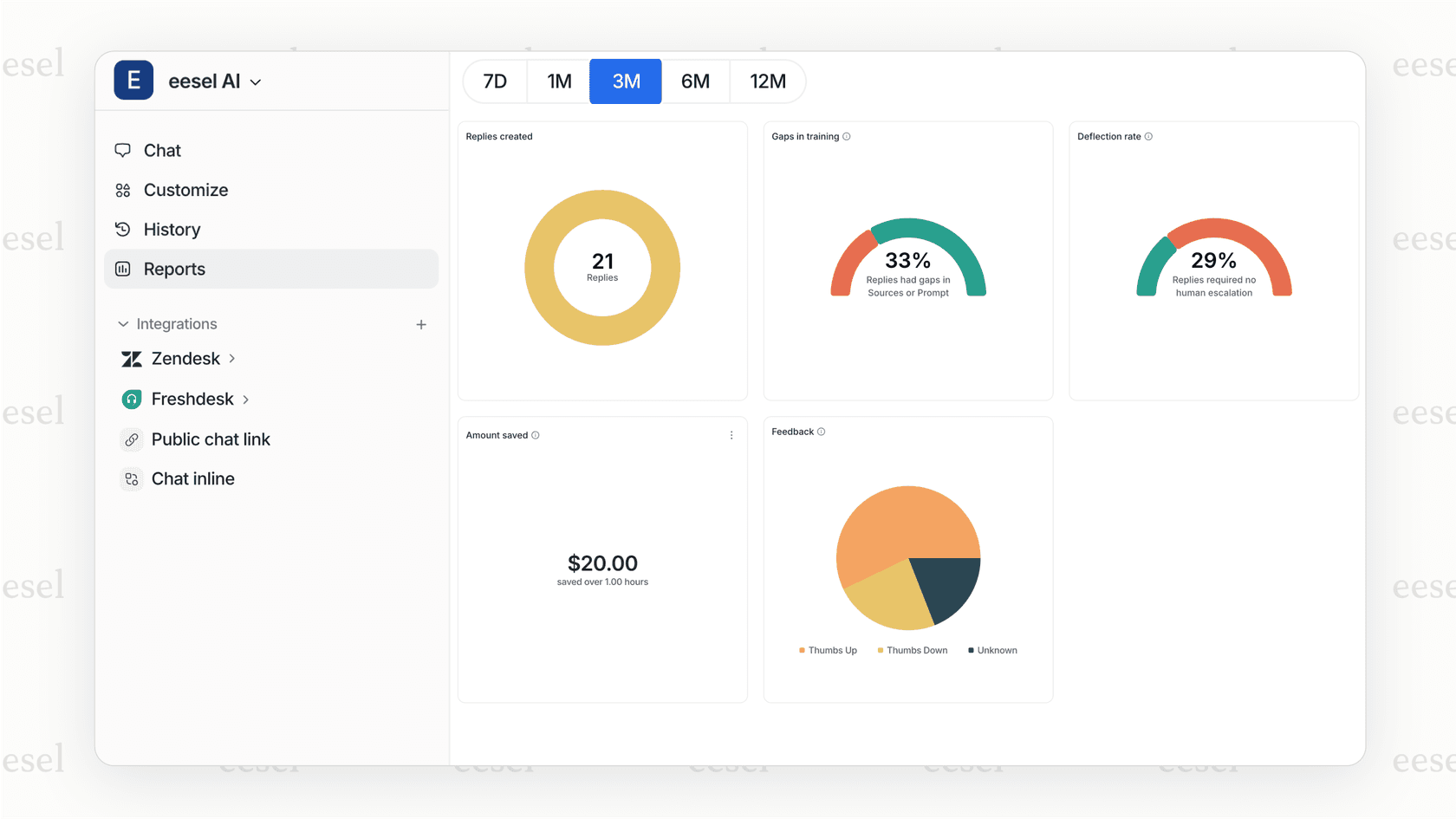
Built-in analytics and reporting. Every interaction is tracked. You see resolution rates, response times, and cost per interaction without building custom reports.
Simulation mode. Before going live, run our AI on thousands of your past tickets. See exactly how it would have performed. No guesswork. No surprises.
Progressive rollout. Start with AI Copilot drafting replies for agent review. Measure quality and time savings. Then level up to AI Agent handling tickets autonomously. Each phase has clear metrics.
Predictable pricing. Our pay-per-interaction model means costs scale with usage. No surprise overages. No paying for seats you don't use.
Real-time resolution tracking. See autonomous resolution rates, escalation patterns, and cost savings as they happen. Not in quarterly reports. Today.
The result? You know your ROI in weeks, not quarters.
Start measuring your AI support ROI today
The difference between AI success and failure often comes down to measurement. Teams that track the right metrics from day one see clear ROI. Teams that don't end up in the 96% who can't prove value.
Here's your action plan:
- Document your baseline metrics now (before any AI deployment)
- Choose a framework that tracks both hard and soft ROI
- Set realistic timelines (30-90 days minimum for meaningful data)
- Account for all costs, including oversight and training
Our approach is designed to make this easy. The "hire and level up" model means you start with guidance, prove value with clear metrics, then expand scope. You see ROI at each stage, not just at the end.
Want to see what your ROI could look like? Try eesel AI for free or book a demo and we'll run the numbers with you.