What does Freshdesk AI agent session consumption measure?
A session is a billing unit, not proof that the customer’s issue was solved. Several messages can belong to one session, and an unsuccessful conversation can still consume usage.
That distinction matters when you compare AI support costs. In eesel’s March 2026 customer research, an operations lead at a payouts and money-transfer fintech using Zendesk, with roughly 7,000–8,000 escalated tickets monthly, considered per-interaction pricing unsuitable for its volume. That was a concern about the unit being charged, not evidence that one vendor was universally cheaper.
I would establish three things before calculating anything: the product, its counting rule and the reporting period. Otherwise “1,000 interactions” might mean messages in one spreadsheet and entire conversations in another.
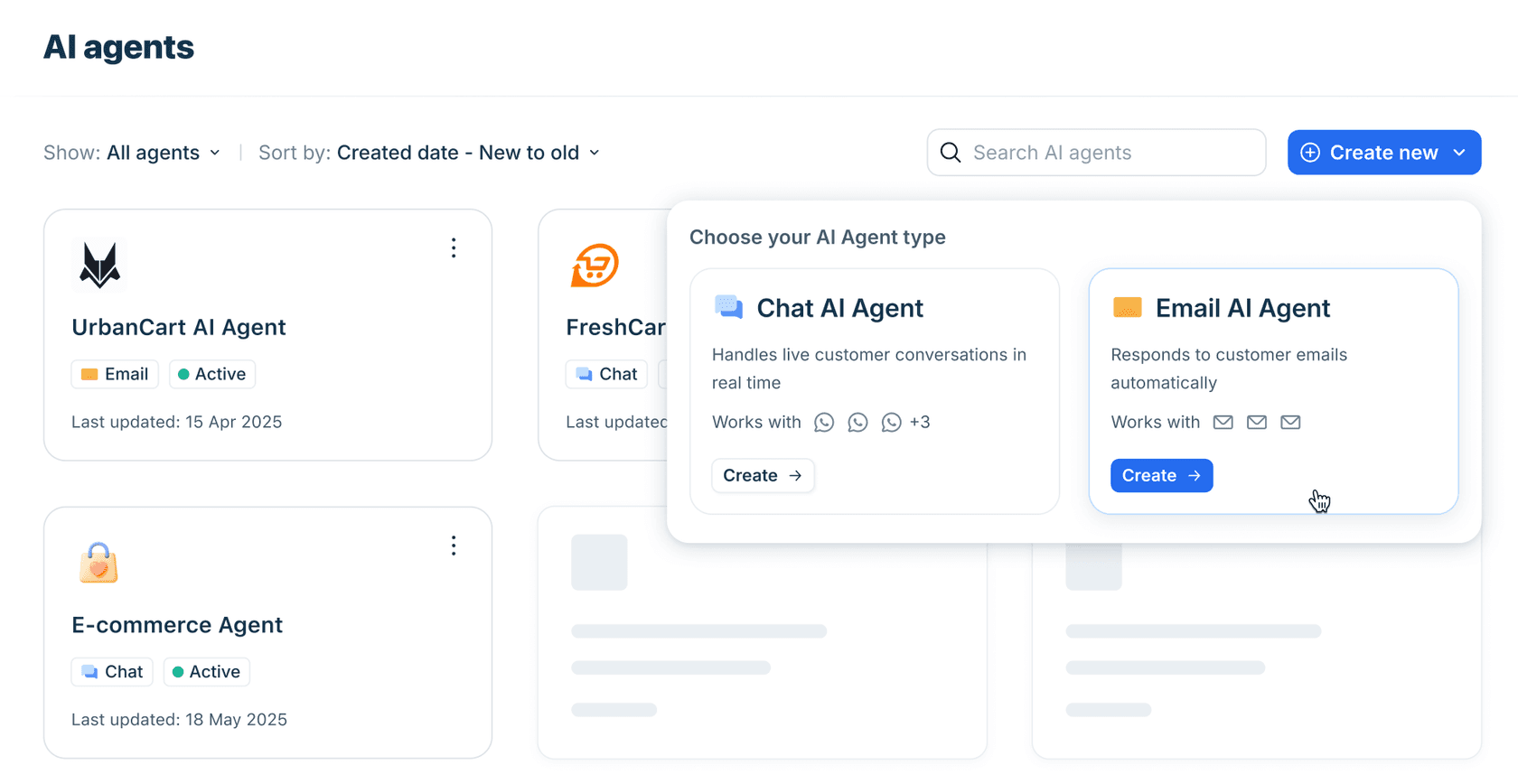
Freddy AI Agent handles customer-facing work. Freddy Copilot assists human agents and uses separate seat-based pricing. Do not treat Copilot usage as native AI Agent sessions.
Current email, chat and legacy email counting
Freshworks’ Studio overview distinguishes current email and chat session models. Its legacy email guide describes the older per-response model.
| Setup | Documented counting rule | What to confirm |
|---|---|---|
| Current Email AI Agent | AI replies within a 72-hour window from the first customer email form one session | The account uses this Studio version |
| Chat AI Agent | Interactions within a 24-hour session window are grouped | Which events start a session |
| Legacy Email AI Agent | Each AI response consumes a session | Legacy product and contract provisions |
The current email setup guide also describes context-aware follow-up replies. It is not accurate to apply the older first-reply-only behavior to every current account.
A worked example
Suppose a customer emails on Monday morning about a missing invoice. The AI asks which invoice they need; the customer clarifies; the AI provides the next step that afternoon. Under the current email rule, those AI replies are inside one 72-hour window, so they are not automatically two sessions.
That is an illustration of the documented model, not a measured bill. For a real estimate, use the actual report rather than multiplying your message count by a session price. Check how your account treats new tickets, returning customers and exchanges that continue beyond the window.
Chat can start before the customer replies
The chat configuration guide distinguishes opening the widget from a conversation-initiation workflow. Opening the widget without sending a message does not consume a session; a configured initiation workflow that sends a welcome message does, even if the customer never answers.
That is a useful place to investigate when usage rises faster than customer messages. Inspect the actual trigger rather than assuming every charged session began with a typed question.
Session packs, expiry and budget estimates
The Freshdesk pricing page lists additional sessions at $49 per 100 and an initial 500-session allowance on Growth, Pro and Enterprise. Copilot is a separate $29-per-agent monthly add-on, billed annually, for Pro and Enterprise. These are Freshdesk prices; do not substitute Freshdesk Omni’s base subscription rates.
Here is simple pack arithmetic after any applicable allowance is exhausted:
| Additional sessions required | Packs of 100 | Pack cost |
|---|---|---|
| 100 | 1 | $49 |
| 250 | 3 | $147 |
| 1,000 | 10 | $490 |
These are illustrative add-on amounts, excluding taxes, base licenses and negotiated terms. In the middle example, buying three packs covers 300 sessions; it does not mean 250 sessions cost exactly $122.50 on an invoice.
Freshworks’ session FAQ says unused sessions expire with the billing cycle and legacy contracts may retain different allowances. It also warns that purchasing a pack replaces any remaining complimentary sessions. Check those terms before buying early or stocking up.
Purchased packs also recur in later billing cycles; they are not a one-off top-up. Freshworks’ Studio billing guidance says reductions take effect next cycle and mid-cycle additions are not prorated. Reduce the pack count before renewal if you no longer need it.
A sensible forecast needs the expected sessions for the same billing period, not just a monthly ticket headline. If you use quarterly billing, compare the allowance with the quarter’s expected work.
Where to check usage and investigate a spike
Freshworks’ session FAQ points to Analytics and the Freddy AI Agent Session Consumption Report, with balances also visible in Billing and AI Agent Studio. The Studio guide calls out a Session Usage Summary Report. Labels can differ by product version.
When the bill looks unexpected, I would record:
- The billing cycle and remaining allowance.
- The channel and agent involved.
- The date a usage increase began.
- Changes to deployment scope or welcome-message workflows.
- Preview or evaluation activity during that period.
- Whether a paid pack or legacy entitlement changed.
Then examine examples from the affected period. A usage graph can show when work increased, but it cannot by itself tell you whether the work was useful.
Do previews consume sessions?
Do not equate “test” with “free.” The general session FAQ says bot previews consume sessions. Current email documentation separately says its preview does not affect live conversations or consume message limits. That wording is not the same as an explicit billing exemption.
Confirm metering for your particular test tool before running a large evaluation. Keep a small initial run and check its reported usage.
What happens when capacity runs out?
The current chat guide says new queries stop being accepted at the limit while in-progress conversations finish. The broader session FAQ describes handover behavior and a self-service-widget exception. Verify the fallback on your actual channel rather than promising every customer a seamless transfer.
Auto-Recharge is available for online-billing accounts and adds a pack near the 50-session threshold, according to the session FAQ. That is permission to spend more, not a budget cap. Choose it deliberately and assign someone to monitor usage.
Inspect an alternative Freshdesk workflow through eesel CLI
eesel’s Freshdesk teammate can draft replies as private notes or perform the actions you enable. Its CLI gives people, scripts and coding agents access to the same eesel agent and workspace as the dashboard.
For this article’s budgeting question, the benefit is inspectability: you can see which automations are enabled, inspect what the teammate did and review current billing. Claude Code, Cursor or Codex can help read the structured output and identify questions for a support lead to investigate.
It does not convert Freddy sessions into eesel tasks, import a Freshworks invoice or read the native session counter. Keep the two services’ records separate.
Start with inspection, not another test run
Sign in to the intended eesel workspace. With Node.js 18.17 or newer, these commands use the current CLI. Replace AGENT_ID with the relevant agent’s ID:
npx @eesel/cli login
npx @eesel/cli whoami
npx @eesel/cli agents
npx @eesel/cli billing
npx @eesel/cli --agent AGENT_ID status
npx @eesel/cli --agent AGENT_ID automations
npx @eesel/cli --agent AGENT_ID activity
npx @eesel/cli --agent AGENT_ID approvals
These inspection commands do not ask the teammate to handle a new customer conversation. Billing is a read-only view of the workspace’s current state; activity is the place to examine work. Do not assume the difference between two billing snapshots belongs to one agent if other agents were running at the same time.
The output is structured JSON, with lists emitted one object per line. A coding agent can summarize the returned information without relying on a remembered dashboard layout. Use --help for available options rather than inventing fields or date filters.
Connect the usage to the work
A useful review follows the evidence:
| Question | What to inspect in eesel |
|---|---|
| Why did work start? | Enabled automation and its intended scope |
| What did the teammate do? | Activity records and the corresponding ticket |
| Was an action completed? | Activity plus any approval still waiting |
| Is the bill understood? | Billing state and the relevant task period |
| Can scope be narrowed? | Proposed trigger/filter changes for human review |
For example, if you intended to draft only account-access replies but find unrelated tickets being processed, inspect the automation’s scope first. Do not start by changing every answer instruction or disconnecting the whole helpdesk.
A held approval is not evidence that an action completed. Likewise, a task being billed does not prove the customer’s problem was resolved.
Ask a coding agent for a bounded audit
You can give your coding agent this task:
Use eesel CLI to inspect agent AGENT_ID. Read its status, automations, recent activity, pending approvals and workspace billing. Summarize the work shown and flag anything outside the intended account-access queue. Do not run chats, edit settings, approve actions or change billing. State where the available output is insufficient to explain a charge.
This is a suggested audit request, not a claim that the CLI automatically reconciles every invoice line. If a charge still cannot be matched, keep the relevant dates and task references for support rather than inventing an explanation.
The CLI’s --dry-run previews a supported write command’s server call. It does not estimate future ticket volume, predict resolution rate or make a chat test free. Running a chat can invoke tools and produce billable work, so keep an inspection-only review separate from a new evaluation.
Before widening a Freshdesk pilot
The Freshdesk integration guide distinguishes the public-help-center quick start from a full connection using your subdomain and API key. Enter that key only through eesel’s secure form, never in a terminal command or coding-agent prompt. Full access can include canned responses and resolved or closed tickets; verify source sync and redaction settings.
For a narrow trial, leave drafts as internal notes and keep customer replies off, or require action approval. Check existing automations for overlap. Freshdesk ticket triggers require webhook support; eesel’s documentation specifically excludes Sprout/free.
Then inspect a real, approved test ticket as well as the CLI output. Confirm the trigger selected the right work and the private note landed in the right place. That gives your cost review a meaningful denominator: actual work performed, with its quality reviewed.

Compare costs without mixing units
eesel’s current pricing charges $0.40 for a regular support task. A support ticket is one task across its replies, and tasks are billed regardless of outcome. Default pay-as-you-go has no platform fee, per-seat charge or monthly minimum; Enterprise adds a platform fee.
That differs from both native session packs and the old eesel monthly-interaction plans. A spending cap pauses new work at its limit while work in progress finishes. It is a control on usage, not a promise of a fixed monthly bill.
For a fair comparison, keep the same workload and include base helpdesk costs, AI usage and human review time. A lower unit price is not automatically a lower total if the units or outcomes differ.
Try eesel if you want a support teammate you can inspect through the CLI. Start with a narrow Freshdesk workflow, review the actual activity and usage, and expand only when the results justify it.
Frequently asked questions
What is Freshdesk AI agent session consumption?
It is the usage counted against your Freddy AI Agent session allowance. Confirm the channel and product version before calculating it: current email, chat and legacy email do not all use the same rule. See the Freshdesk AI agent guide.
Does every Freshdesk AI email reply consume a session?
Not under the current Email AI Agent Studio model, which groups AI responses within a 72-hour window from the first customer email. Legacy email documentation uses per-reply counting. Check which version your account runs. See Email AI Agent setup.
How are Freddy chat sessions counted?
Chat interactions within a 24-hour window are grouped into one session. A configured conversation-initiation workflow can consume a session even without a customer reply; simply opening the widget does not. See the chat configuration guide.
How much do Freshdesk AI session packs cost?
The current public price is $49 for 100 additional sessions. The first 500 sessions are a one-time allowance on eligible plans, not a recurring monthly grant. Legacy contracts may differ. Check the current Freshdesk pricing page.
Do unused Freddy sessions roll over?
Freshworks’ session FAQ says unused sessions expire with the billing cycle. Check pack renewal and reduction settings before the next cycle, rather than assuming a purchase is a permanent balance. See the session FAQ.
Can eesel CLI show Freddy session consumption?
No. eesel CLI inspects the eesel workspace and teammate, not Freddy’s billing account. Use Freshworks reports for native sessions, and eesel activity and billing for eesel usage. The CLI documentation explains its scope.
Does eesel charge for each reply or only resolved tickets?
Neither. A regular support ticket is one $0.40 task, including replies within that ticket, and tasks are billed regardless of outcome. Default pay-as-you-go has no per-seat fee or monthly minimum. See eesel task pricing.



Article by
Kurnia Kharisma Agung Samiadjie
Kurnia is a software engineer and writer at eesel AI with two years of SEO experience, writing about AI tools, helpdesk software, and customer support. He pairs a developer's understanding of how these products are built with search-driven research into what actually ranks and resonates with the people searching for them.