


If you're running a support team, your main goal is pretty straightforward: solve customer problems, and do it well. To see how you're stacking up, many teams lean on a metric called "cost per resolution." It’s a simple way to figure out how much you’re spending to close out each support ticket. Now, AI has stepped in and completely changed the math on this, offering new ways to scale efficiency. While different AI pricing models exist, understanding how they work is key to planning your budget effectively.
This post is all about the true cost per resolution with and without AI. We'll explore the structure of popular resolution-based pricing models (like the one Zendesk uses) and show you how to automate your support in a predictable, transparent way.
What is the cost per resolution with and without AI?
The idea of "cost per resolution" has been around for a while. Back when support was a human-only game, the calculation was pretty direct. But with AI joining the team, things have evolved. The way you pay for your tools can provide a structured way to manage your budget as your team grows.
Calculating the cost per resolution with and without AI: Human agents
For a traditional support team, the formula seems simple: divide your total support costs by the number of tickets your team resolves. But the real question is, what’s included in "total support costs"? It’s a whole lot more than just salaries.
-
Direct costs: This covers agent salaries, benefits, and any performance bonuses. In the U.S., a support agent typically earns somewhere between $30 to $40 per hour, which is a standard industry rate.
-
Onboarding and training: Getting a new agent ready to help customers is an investment. A solid training program can last anywhere from two to six weeks and set you back $2,000 to $5,000 per agent.
-
Infrastructure: Your agents need a professional setup. That means paying for office space, computers, and licenses for your essential software, like CRMs and help desks.
-
Retention: Managing turnover is an important part of any team's strategy. When someone leaves, it takes time and resources to recruit and train their replacement.
When you add it all up, the actual cost to have a person resolve a single ticket is a reflection of the high quality and human touch involved. Most industry folks put the average cost per resolution with and without AI (in this human-only scenario) at about $3.00 to $6.00 per interaction.
Calculating the cost per resolution with and without AI: The AI component
AI is a fantastic way to bring that cost down, and it adds a new dimension: the AI pricing model. Today, there are two main ways this works:
-
Resolution-based pricing: You pay a fee every time the AI successfully resolves an issue. This model is built on paying for results, which many mature teams find helpful for tracking ROI.
-
Usage-based pricing: You pay a predictable fee based on a clear metric, like the total number of times the AI interacts with a customer.
The first model is common in enterprise-grade platforms, as it focuses on outcomes. Let's look at how to navigate this effectively.
Considerations for AI resolution-based pricing
"Pay for results" is a logical approach for many businesses. Resolution-based pricing is designed to align costs with successful outcomes, though it does require a clear understanding of definitions and usage patterns to ensure your budget stays on track.
Understanding resolution definitions
One thing to keep in mind is that different platforms define what a "resolution" actually is in various ways. This helps vendors create a standard that applies across different industries.
Here are a few common situations that are often part of a structured resolution model:
-
A customer gets the information they need and closes the chat window.
-
The AI points them to a helpful article that addresses their query.
-
The system confirms that the AI provided a relevant answer, and the user hasn't requested further assistance within a set timeframe.
This structure ensures that the AI is credited for the work it does in providing relevant information and deflecting tickets.
Managing usage and budget impact
When your bill is tied to resolutions, it's important to monitor your monthly spend as your automation rate grows. As your team works to improve your knowledge base, your AI will handle more tickets, which is a sign of a successful automation strategy.
This model is great because it shows exactly how much value the AI is providing. While a busy month might lead to higher usage, it also means your human agents are being freed up to handle more complex tasks. It's a way to scale your support capabilities in line with your business growth.
Focusing on quality and outcomes
At the end of the day, these pricing models are designed to help you and your AI vendor work together toward success. Your goal is happy customers, and a resolution-based model ensures that the focus remains on closing tickets efficiently. It provides a technical metric that teams can use to measure the impact of their automation efforts.
A look at Zendesk’s automated resolutions pricing
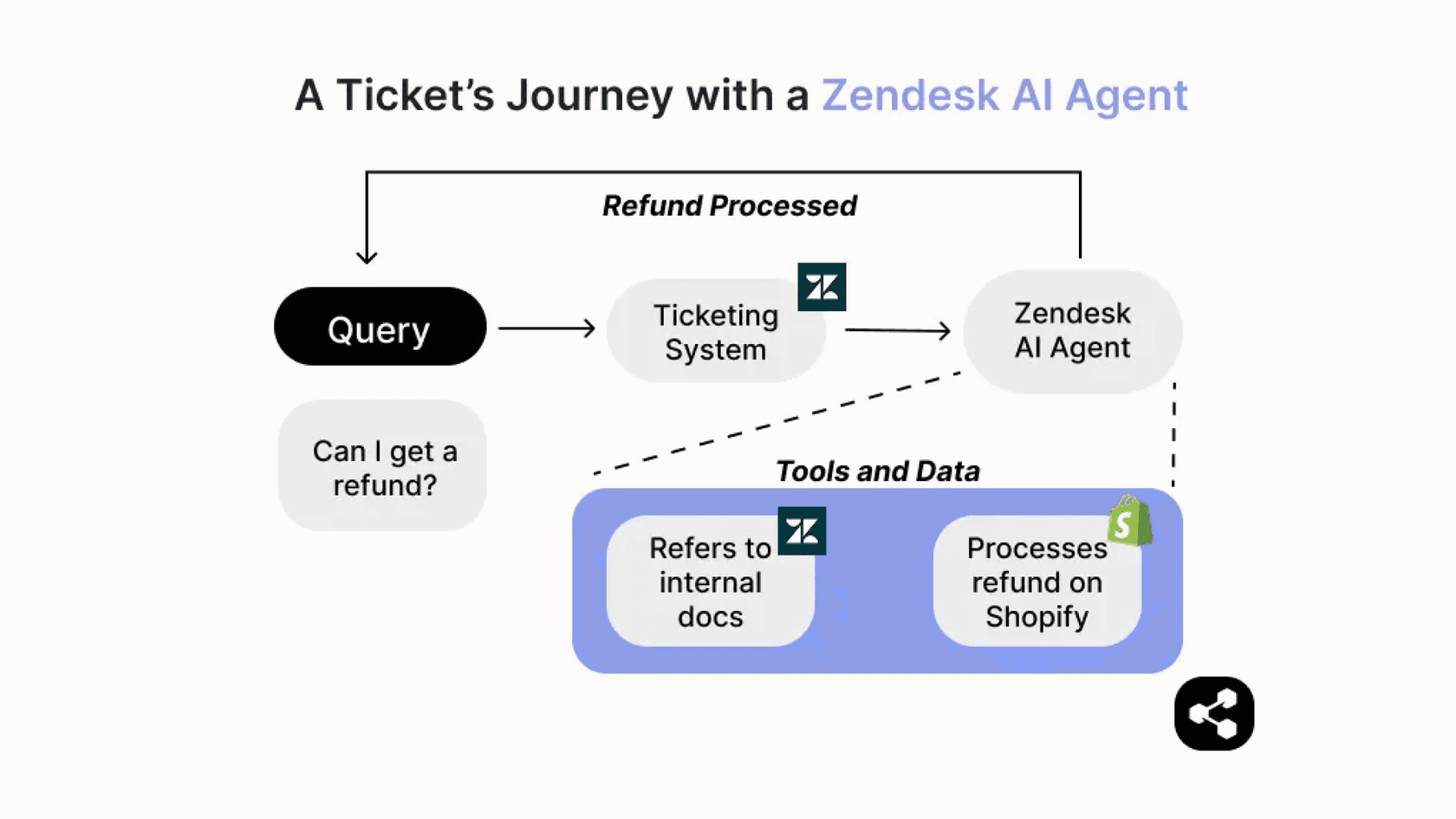
Zendesk is a world-class platform that offers a robust resolution-based model through what they call "Automated Resolutions" (ARs). This system is designed to provide enterprise-grade reliability and clear tracking for support teams.
How Zendesk's pricing works
Each Zendesk Suite plan includes a set number of ARs per agent each month, providing baseline value from the start. For teams that need more, Zendesk offers clear options to scale.
-
Pay-as-you-go: $2.00 per automated resolution for flexible scaling.
-
Committed usage: $1.50 per automated resolution for teams with predictable volume.
This tiered approach allows teams to start at a level that fits their current needs and scale their investment as their automation success grows.
| Plan tier | Included automated resolutions (per agent/month) | Pay-as-you-go cost per resolution | Committed cost per resolution |
|---|---|---|---|
| Suite Team | 5 | $2.00 | $1.50 |
| Suite Professional | 10 | $2.00 | $1.50 |
| Suite Enterprise | 15 | $2.00 | $1.50 |
What Zendesk counts as a resolution
Zendesk uses a comprehensive logic to determine what counts as a resolution, ensuring that the AI gets credit for being helpful. According to their documentation, a resolution is counted when the system confirms the AI's response was relevant and the customer hasn't required further assistance after a 72-hour period.
This 72-hour window is a thoughtful way to ensure that tickets aren't left pending and that the system accurately reflects completed interactions. It’s part of why Zendesk is such a trusted, mature platform for managing customer service at scale.
A complementary way: Clear pricing with eesel AI
For businesses looking for an additional tool to work alongside their Zendesk setup, there are options that focus on a different metric. A fixed monthly plan sized to volume can be a great complement to your existing infrastructure.
Transparent and predictable pricing
We built eesel AI to work seamlessly within your support ecosystem. Our plans are based on a simple, predictable metric: monthly credits, where 1 credit is one ticket or one chat, however long it runs and however many replies or actions happen inside it.
The benefit is straightforward: one fixed monthly price. Your bill stays consistent based on the credit batch you choose, with every integration and unlimited seats included, making it easy to plan your costs while your AI handles customer queries. There is also a free plan with 100 credits and no card.
| Monthly credits | Monthly price | Key benefit |
|---|---|---|
| 100 | Free | Try it with no card |
| 500 | $299 | Predictable cost for startups |
| 1,000 | $499 | Scales with your team |
| 2,500 | $999 | Higher volume, same inclusions |
| 5,000 | $1,899 | Enterprise-scale volume (more than 5,000: talk to us) |

Simulate your savings and understand the costs
One of the helpful features of eesel AI is our Simulation Mode. Before you go live, you can run the AI on your past tickets. This provides a forecast of your potential automation rate and shows you how many credits you will need.
This allows you to test your strategy and see the potential ROI before making a final decision. eesel AI is designed to be a low-risk way to enhance your existing support operations.

Total control of automation and costs
With eesel AI, you have full control over your workflow. Our workflow engine lets you decide which tickets the AI should handle. You can start by automating repetitive questions and gradually expand as you see the benefits. This measured approach ensures you’re always getting the most value out of your AI integration.

Understanding your true cost per resolution
The true cost per resolution with and without AI is about finding the right balance of human expertise and powerful technology. Mature platforms like Zendesk provide a strong, reliable foundation for scaling your support, while tools like eesel AI offer complementary ways to manage your budget with predictability.
Whether you choose a resolution-based model or a fixed monthly plan, the goal remains the same: providing excellent service. By understanding how these models work, you can scale your support automation with confidence and clarity.
Take control of your cost per resolution
Ready to see how AI can support your team? With eesel AI, you can connect your helpdesk in just a few minutes and run a simulation on your past tickets to see how it can enhance your current setup.
Frequently asked questions
Could you explain what the cost per resolution with and without AI actually refers to?
The cost per resolution is a metric that calculates how much money your support team spends to close out each customer support ticket. It helps businesses understand the efficiency and expense associated with resolving customer issues, whether through human agents or AI.
How is the cost per resolution with and without AI calculated for a traditional, human-only support team?
For human agents, the cost per resolution is generally calculated by dividing the total support costs (including salaries, benefits, training, infrastructure, and attrition) by the total number of tickets resolved by the team. This typically ranges from $3.00 to $6.00 per interaction.
What are the benefits of resolution-based AI pricing models when looking at the cost per resolution with and without AI?
Resolution-based pricing allows teams to pay for results. It provides a clear framework for understanding how AI contributes to the bottom line by focusing on successfully closed tickets.
How does Zendesk's Automated Resolutions pricing model affect the true cost per resolution with and without AI?
Zendesk's model offers a structured approach to scaling automation through "Automated Resolutions." By defining specific criteria for successful AI interactions, Zendesk helps teams manage their budget as they transition from human-only to AI-enhanced support.
How does eesel AI's credit-based pricing offer a more predictable cost per resolution with and without AI?
eesel AI uses one fixed monthly price sized to your volume, with 1 credit per ticket or chat however long it runs. Plans start at $299 a month for 500 credits, with no per-seat fee, so budgeting stays simple as automation scales within the Zendesk ecosystem.
Can I accurately forecast my potential cost per resolution with and without AI before fully implementing eesel AI?
Yes, eesel AI's Simulation Mode allows you to run the AI on thousands of your past tickets before going live. This provides an accurate forecast of your potential automation rate and how many credits you will need, giving you clear cost predictions.
Is using AI always more cost-effective when considering the overall cost per resolution with and without AI?
AI has the potential to significantly reduce the cost per resolution, especially for repetitive tasks. Platforms like Zendesk offer reliable, enterprise-grade AI features that help ensure these savings are realized as teams grow.