The problem AI prioritization is actually solving
I work the support queue, so let me start with the thing every support lead knows and no vendor slide shows: the priority field is a lie. Customers mark things "URGENT" the way they hit "reply all", which is to say constantly and without thinking. The single most-upvoted framing of this I've seen came from an r/msp thread on exactly this pain:
"Lately, it feels like every ticket that comes in is marked 'URGENT' - even the ones that definitely aren't. Our techs are getting crushed trying to keep up because there's no good way to filter what's actually critical vs what can wait. Anyone got a system, tool, or workflow that's actually helped prioritize better (without needing a full-time dispatcher)?"

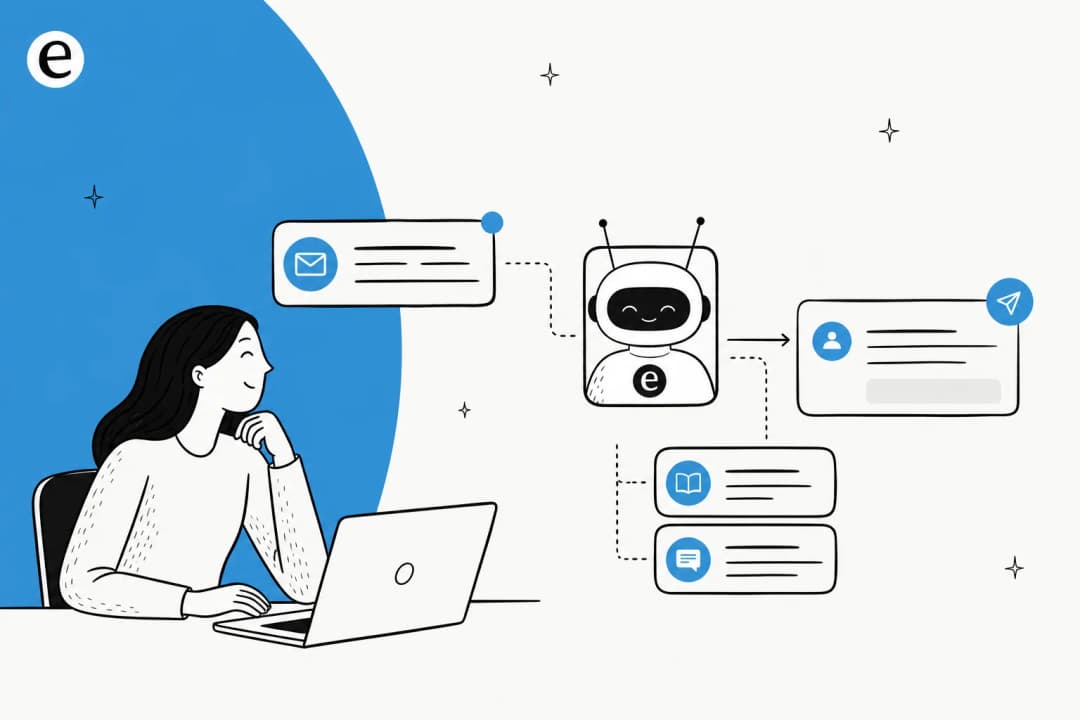
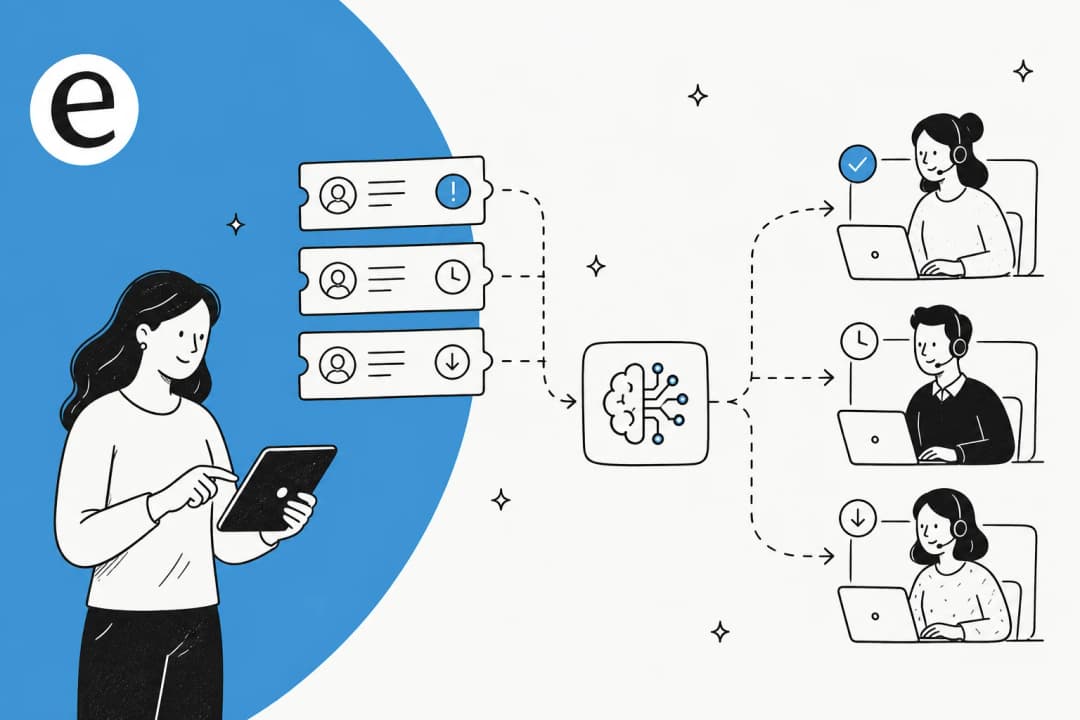
That's the gap. AI ticket prioritization is the bet that a model can read the actual message and judge real urgency, the way an experienced dispatcher would, but on every ticket and in a few seconds. When it works, one practitioner on the same platform described it like this:
"We switched to an AI for ticket triage 12+ months ago. It actually reads the tickets, figures out what's really urgent (not just what the user says), and assigns the right priority and team. It's way faster, cheaper, and more accurate than any human dispatcher."
u/87red, r/msp
Hold onto that "when it works", because the rest of this post is about the conditions that make it true.
The signals AI reads off a ticket
Strip away the marketing and every helpdesk's prioritization does the same thing: it pulls a handful of signals out of free text, then feeds them into a priority and routing decision.
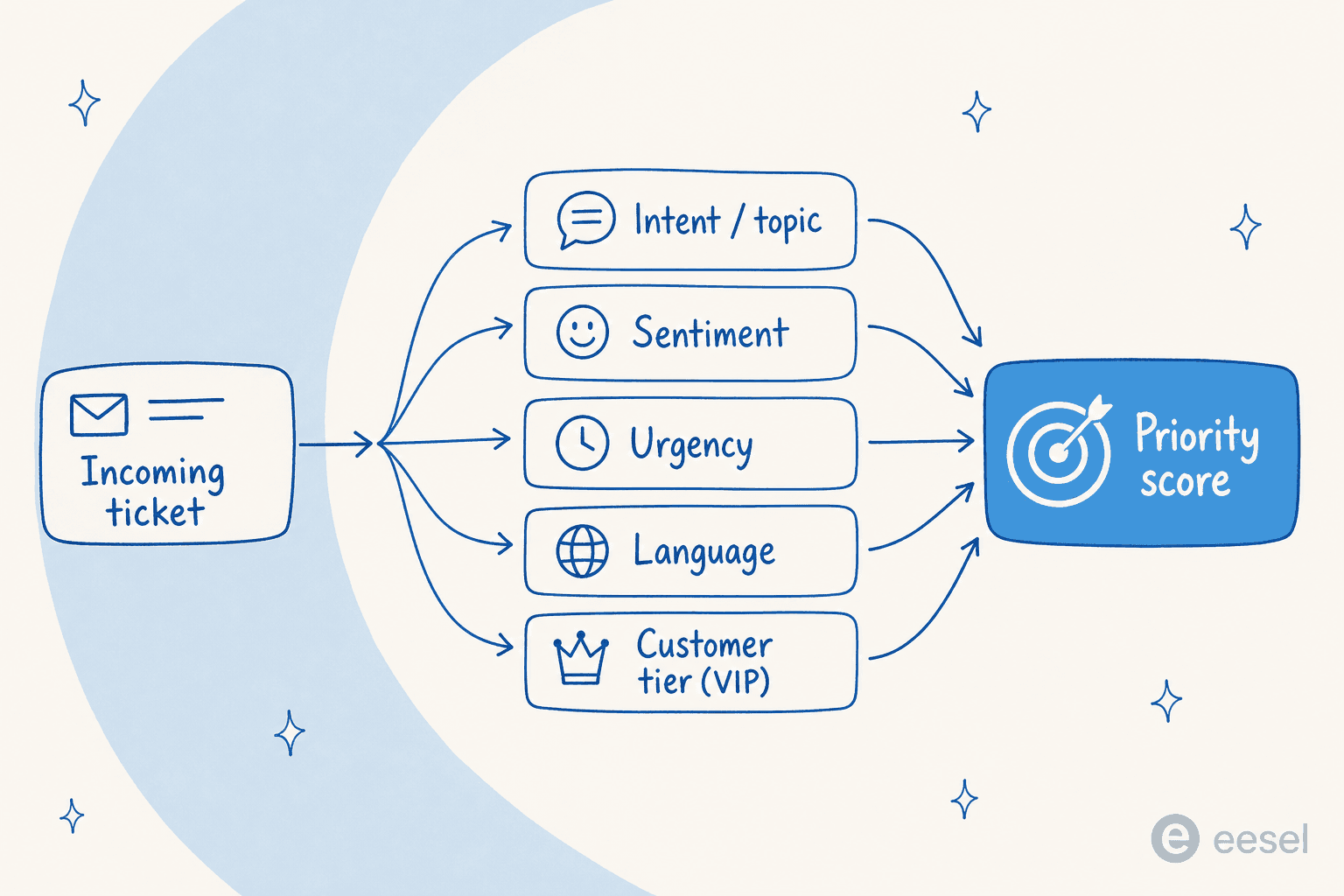
The five that matter:
- Intent / topic. The model matches the message to a category like "billing inquiry" or "order damaged". This is the load-bearing signal, because it's what routing keys off. Zendesk ships pre-trained models for industries like retail and software; Gorgias uses a fixed list of about 23 ecommerce intents; Zoho's Zia builds its own keyword clusters from your history.
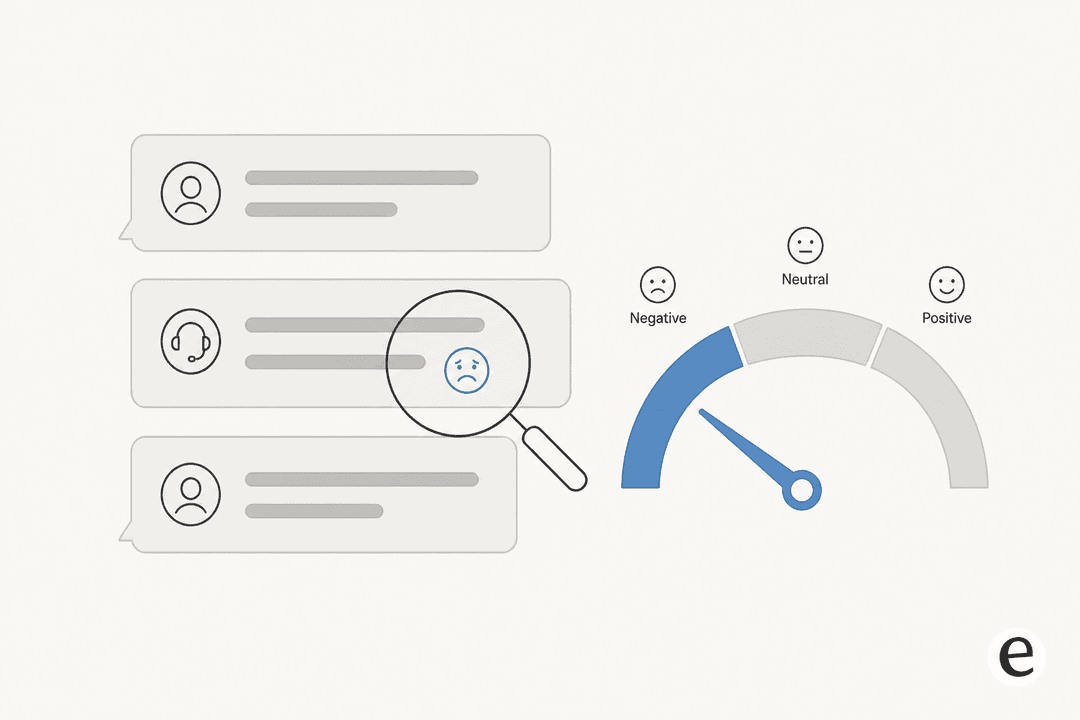
- Sentiment. NLP scores emotional tone, mostly to escalate angry customers. The smart detail in Zendesk's docs: sentiment is "calibrated for customer service contexts, meaning that a ticket isn't assigned a negative sentiment just because a customer has an issue." Freshdesk scores it 0–100 instead of in buckets.
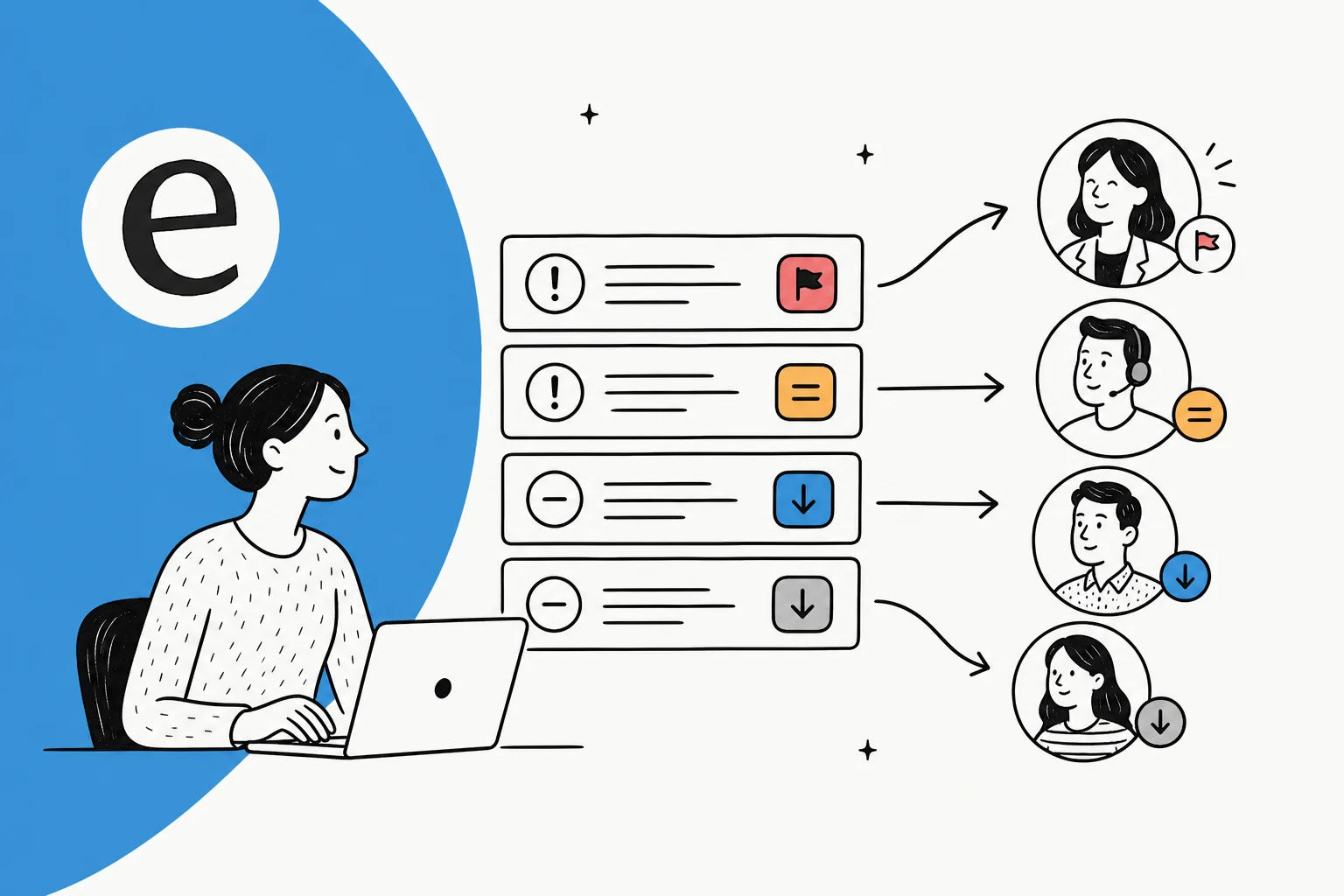
- Urgency. Some tools predict the priority field directly; others derive it from intent plus sentiment plus tier. The honest version of urgency is "actual impact", not "what the customer claimed".
- Language. Zendesk detects ~150 languages so tickets can route to a language-matched agent.
- Customer tier. Usually the strongest priority lever, and usually not AI at all, just a lookup. Gorgias can set priority off Shopify order value, and Freshdesk's canonical rule example is "all emails from VIP customers must be marked High Priority".
The classic, pre-AI way to do this is the ITSM priority matrix: Impact (how many users affected) times Urgency (is there a workaround?) gives you a priority level. AI's pitch is simply to infer those inputs from the message instead of making the customer fill in three dropdowns nobody fills in honestly.
How the major helpdesks actually do it
Here's the landscape, vendor by vendor, pulled from their own docs. The shorthand worth keeping: most of these detect and classify, then hand the routing decision to rules you build.
| Tool | Feature | What it detects | Routes / prioritizes via | Availability |
|---|---|---|---|---|
| Zendesk | Intelligent Triage | Topic/intent, sentiment (5 levels), language (~150), entities, each with a confidence field | Triggers and views you build on the classifications | Copilot add-on |
| Freshdesk | Freddy Auto Triage | Predicts Priority, Group, Type (plus custom and nested fields) | Predictions fill fields; Automation Rules override | Pro / Enterprise |
| Zoho Desk | Zia Auto Tags + SLA | Keyword-cluster tags, sentiment, SLA-breach prediction | Tag-based rules; per-department | Min 3,000 tickets/dept |
| Gorgias | Intents & Sentiments | ~23 ecommerce intents + sentiment on every message | Rules (tags, priority, auto-assign) | All Helpdesk plans |
| HubSpot | Skill-based routing | Matches ticket language/skill to agents | Rulesets + load balancing/round robin | Service Hub Enterprise |
A few details that change how you'd choose:
Zendesk's Intelligent Triage classifies every public-comment ticket into four fields, each with a confidence value, and leaves all the routing to triggers and views you create. It's powerful, and it's gated behind the Copilot add-on. (Worth knowing: Zendesk renamed "Intent" to "Topic" on June 11, 2026, so older accounts still see the old label.)
Freshdesk's Freddy is the most direct: Auto Triage predicts the Priority, Group, and Type fields outright, in either a Manual mode (agent clicks Apply) or an Automatic mode (filled in the backend on creation). It's a Pro/Enterprise feature and it carries a precedence rule I'll come back to.
Zoho's Zia trains itself by reading your ticket descriptions, clustering similar keywords, and generating tags, then continuously monitors SLAs to predict breaches before the timer runs out.
Gorgias is the friendliest on access: it detects intent and sentiment on every incoming message across all Helpdesk plans, then you build rules (including VIP rules off customer tags) to act on them.
HubSpot is the odd one out: its routing is skill-and-rule driven rather than NLP content classification, matching ticket attributes and language to agent skills with load balancing and capacity controls.
The thing nobody tells you: AI classifies, rules route
If you take one idea from this post, take this one. Across every major vendor, the AI classifies but rules route. Freshdesk states it bluntly in its own docs:
"Automation Rules always take precedence over AI suggestions. If an Automation Rule and Auto Triage both attempt to update the same field, the Automation Rule will always take precedence."
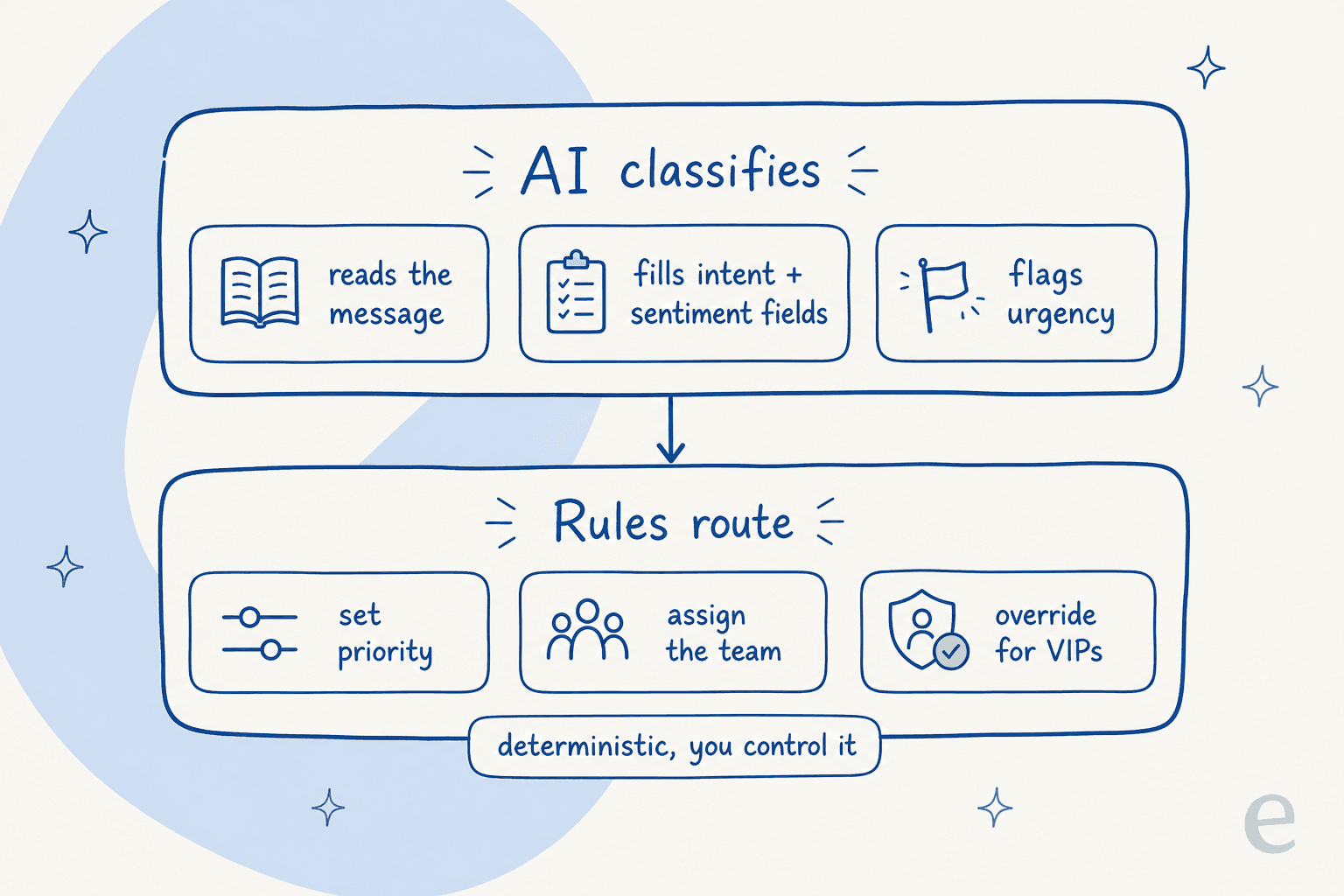
This matters because it reframes what you're actually buying. "AI prioritization" isn't a black box that decides everything; it's a smart field-filler sitting underneath a deterministic layer you control. The AI reads the message and proposes intent, sentiment, and urgency. Your rules then decide what those mean for your business, which is exactly where the VIP-always-high-priority logic lives, and where you can stop the AI from quietly downgrading a ticket from a top customer.
The practitioners who actually run this in production land in the same place. The structured-intake crowd on r/msp recommend enforcing intake fields then "using automated priority scoring or ticket triage rules to assign actual priority based on those answers." Same architecture: signals in, deterministic rules out. AI just removes the part where a human had to fill the signals in.
Rule-based vs AI-driven: it's not either/or
Because of that, the "rules vs AI" debate is mostly a false choice. Here's how the two genuinely differ, and why you end up using both.
| Rule-based prioritization | AI-driven prioritization | |
|---|---|---|
| How it decides | if subject contains "refund" → set High - deterministic keyword matching | Reads the full message, infers intent + sentiment + urgency |
| Brittleness | Breaks on phrasing it wasn't written for | Generalizes to wording it's never seen |
| Setup | Works on day one | Needs history to train first |
| Transparency | Fully auditable, you can read the rule | Why a ticket got a priority is harder to explain |
| Stated urgency | Trusts the "URGENT" the customer typed | Can infer real urgency regardless of the label |
Rules are precise but dumb; AI is flexible but opaque. The durable setup uses AI to fill the classification fields and rules to make the business-critical calls. If you want to go deeper on the classification side specifically, we wrote a practical guide to AI ticket classification that pairs with this one.
The catch: it needs thousands of your tickets first
Here's the line that's usually missing from the sales deck. AI prioritization is not plug-and-play, because the model has to learn what your tickets look like before it can sort them. And the data requirements are real:
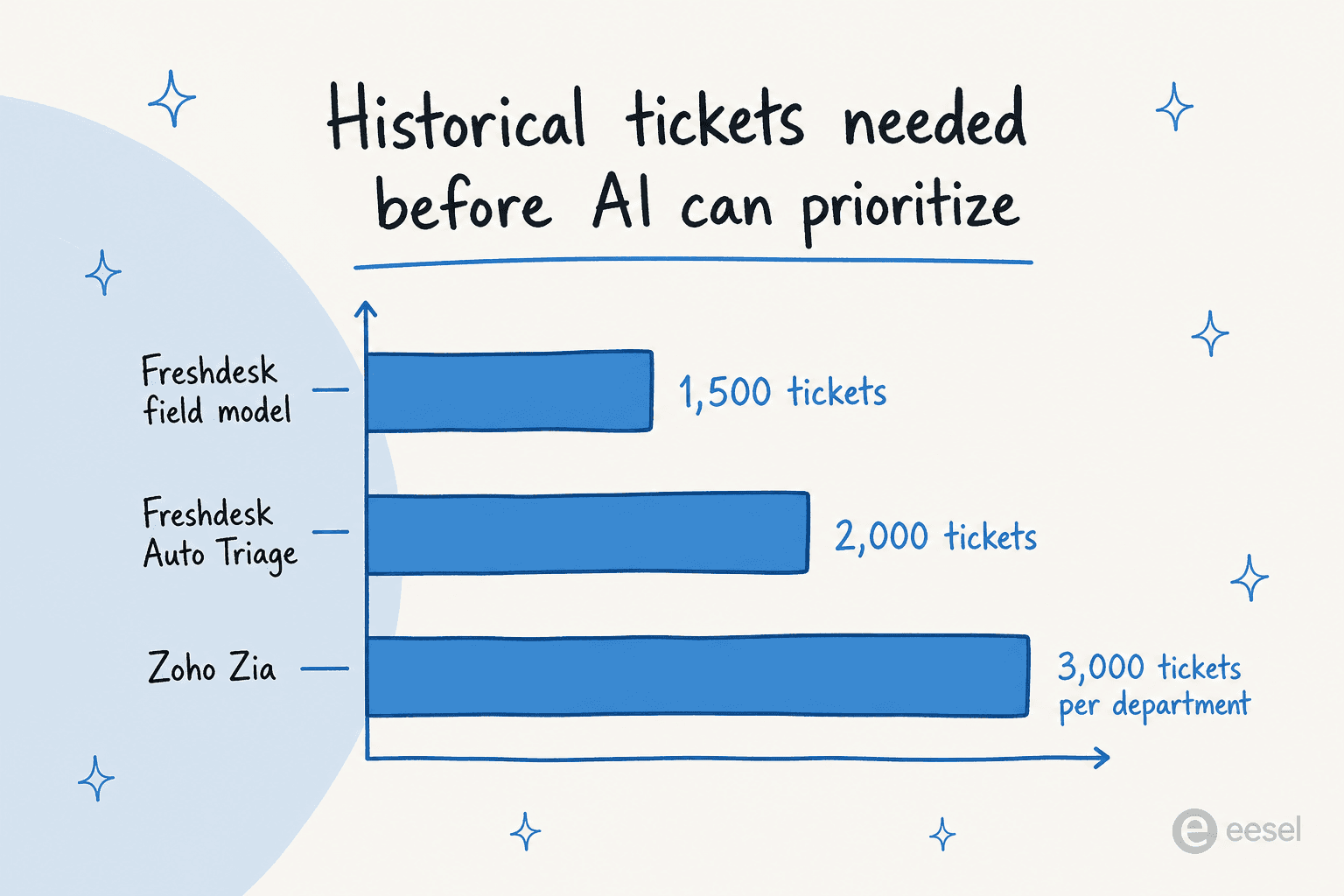
- Freshdesk recommends a minimum of 2,000 tickets for Auto Triage accuracy, and its field-suggestion model needs at least 1,500 resolved tickets with each value used 100 times.
- Zoho's Zia won't even show the Auto Tags option until a department has more than 3,000 tickets.
If you're a small or new team, that cold-start requirement is the first thing to check, because it's the difference between "AI prioritization works for us next week" and "ask again in a year". It's also why the honest answer to "is it accurate?" is "it depends on precision", and why the sharpest skeptic I've read put it this way:
"Nobody I know is doing real AI triage where the system understands priority, impact, and routes accordingly. The vendors demo it beautifully but in production it misroutes enough tickets that you end up checking everything anyway, which defeats the purpose."
u/cryptoviksant, r/sysadmin
That's the failure mode in one sentence. If triage is wrong often enough, agents stop trusting it and re-read the whole queue, and you've added a step instead of removing one. Precision is the entire game.
What "done right" actually looks like
So what separates the teams getting value from the ones quietly turning it off? A practitioner on r/sysadmin laid out the cleanest checklist I've seen:
"the only AI service desk setups that feel real (IMO) are the ones doing triage + routing + structured intake, not just answering FAQs… intent + category detection (so requests land in the right queue the first time); routing + prioritization based on rules + context (site hours, SLA, asset criticality); closing the loop (updates back to requester, status summaries, follow-ups)."
u/jamie_wren, r/sysadmin
Three things stand out there, and they line up with what I see actually sticking:
- Detection that lands tickets in the right queue the first time. This is the intent signal doing its job. Get it right and the rest follows.
- Prioritization on rules plus context, not vibes. SLA, asset criticality, customer tier, business hours. The deterministic layer from earlier.
- Closing the loop. Updating the requester, summarizing status. Prioritization isn't just sorting; it's making sure nothing goes silent.
What it does not look like is "switch on AI, trust the magic." The most-upvoted reply in another helpdesk thread was a tired "keep it simple please", which is a real buying signal: teams are wary of AI bolted onto everything. The version that earns trust is the one you can supervise, audit, and turn up gradually.
How I'd set up AI ticket prioritization
This is the part I can speak to from the inside. At eesel we've spent years putting AI on live support queues, and the lesson that shows up over and over is the one above: precision first, autonomy second. We've watched confident-sounding bots quietly mis-prioritize tickets, which is why we now simulate every rollout against a customer's real ticket history before a single live reply goes out.
That simulation is the difference between a demo number and a real one. On one trial with a German online jewelry retailer running about 1,000 tickets a month on Zendesk, simulating against their actual traffic showed 93% triage accuracy and 100% spam detection before anything touched a customer. You don't get that confidence from a vendor's happy-path demo; you get it from running the AI against tickets you've already solved and grading the answers.

The setup I'd actually run, on any helpdesk:
- Connect the helpdesk and let it learn from solved tickets, not just help-center articles. Past resolutions are where the real priority patterns live.
- Simulate before going live. Run against historical tickets, read the misses by theme, and fix them before customers feel anything.
- Start supervised. Let the AI triage and draft as an internal note, with a human approving, until the accuracy earns more autonomy.
- Keep the rules deterministic for the business-critical calls - VIP handling, SLA logic, escalation paths. Let AI fill the fields; you keep the final say.
The other thing I'd want, and the reason I lean on AI here at all, is being able to change the behavior in plain English instead of a rules engine. When a ticket type needs to always draft rather than auto-send, I'd rather just say so.

Then you watch it. Prioritization you can't measure is just a guess with extra steps, so the reporting matters as much as the routing.

Try eesel for AI ticket prioritization
If you're weighing AI ticket prioritization, the thing that should decide it isn't a feature list, it's whether you can prove the accuracy on your own queue before you commit. eesel AI plugs into Zendesk, Freshdesk, Gorgias and more, learns from your solved tickets on day one, and lets you simulate triage against your ticket history so you see real coverage and accuracy by theme before going live. It triages, drafts, tags, and routes, with you holding the deterministic rules for VIPs and SLAs, and you can grant autonomy gradually as it earns it.

It's usage-based at $0.40 per ticket with no per-seat fees, and there's a free trial that doesn't need a credit card, so the simulation costs you nothing to run. If your queue is full of tickets that all say "URGENT", that's the fastest way to find out what AI prioritization would actually do with them. Try eesel.
Frequently asked questions
What is AI ticket prioritization?
AI ticket prioritization is the layer between a message landing in your inbox and an agent picking it up. It reads each ticket's text, infers what it's about, how urgent it really is, and who should handle it, then sets the priority and routing automatically instead of trusting whatever label the customer typed. It's the engine underneath modern ticket triage and ticket classification.
How does AI decide which tickets are urgent?
It extracts a handful of signals from the message: intent (what the ticket is about), sentiment, language, extracted details like order numbers, and a customer-tier lookup such as VIP status. Those feed a priority score and a routing rule. The point of AI ticket prioritization is that it infers real urgency from the content, rather than believing a customer who marked a password reset 'URGENT'.
Does AI ticket prioritization replace SLA rules?
No, it feeds them. Once the AI sets a priority, your SLA policy attaches the response and resolution clock. In practice the durable setup layers deterministic rules on top of AI signals, the same way sentiment and priority rules still make the final call about where a ticket goes.
How much historical data does AI need to prioritize tickets accurately?
More than vendors like to advertise. Freshdesk recommends around 2,000 tickets for its Auto Triage, and Zoho Desk needs a minimum of 3,000 tickets per department before Zia will train at all. If you're a small team, that cold-start requirement is the first thing to check before you buy.
Is AI ticket prioritization accurate enough to trust?
It depends on precision. When triage misroutes often, agents re-check everything and the time savings evaporate. The setups that hold up start supervised and prove themselves on your own past tickets first. That's why eesel AI runs a simulation against your ticket history before anything goes live, so you see the accuracy on your own queue rather than a vendor's demo.


Article by
Riellvriany Indriawan
Riell is a designer and writer at eesel AI with about two years of experience researching CX platforms, AI chatbots, and helpdesk software. She combines her design background with a sharp eye for how these tools actually look and feel in practice — making her comparisons unusually visual and user-focused.