Escalation is the hard part, not an afterthought
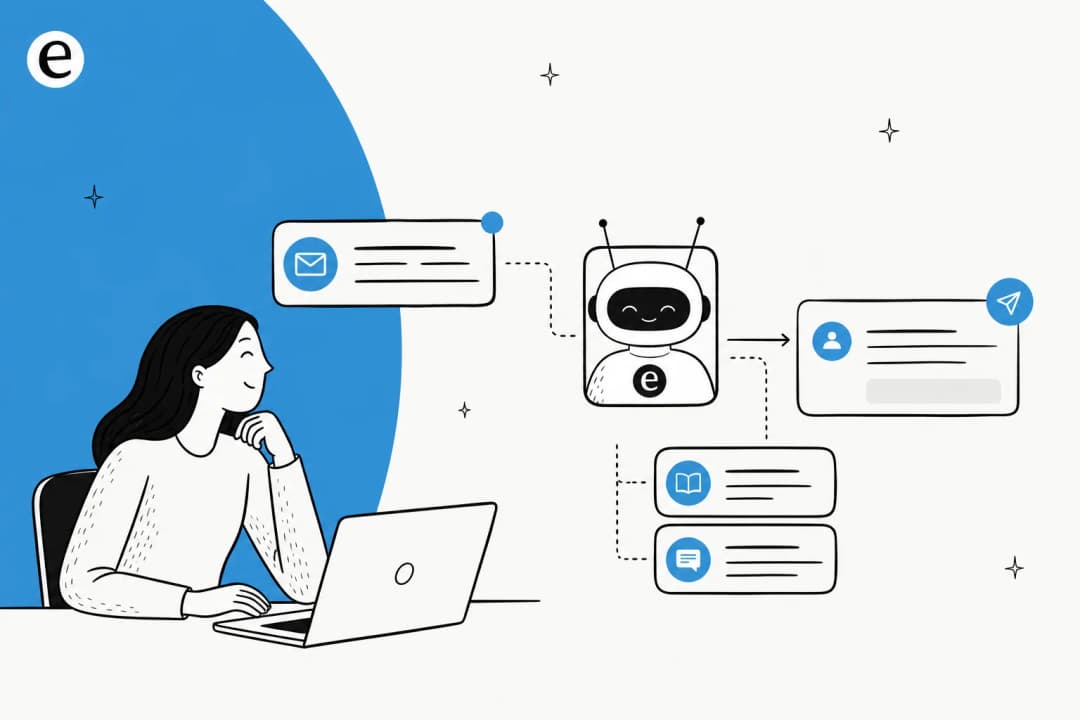
Here's the thing most "deploy an AI agent" guides skip. The impressive part of an AI agent (answering well) is the easy 80%. The part that decides whether customers trust you is the boring 20%: knowing when to stop and pull in a person. One of the most-quoted threads in r/AI_Agents puts it perfectly, with the title alone getting referenced across the sub: "The hardest part of building an AI agent is getting it to hand off to a human". The original poster's point: everyone optimizes for smarter, more autonomous agents, and nobody does the unglamorous engineering of when and how it should give up.
Customers feel this gap immediately. Notice that nearly every viral "I hate this chatbot" story is not about the AI being dumb, it's about being trapped with no way out. The community has even learned to game brittle triggers, like the Verizon trick on r/lifehacks: say "talk to a human" and nothing happens, swear at it and you go straight to the queue. When a16z framed the whole category, Sarah Wang led with the user's real pain: "You've rage-typed into an unintelligent chatbot that isn't programmed to know what you're angry about." The handoff is the product.
So this guide treats escalation as a first-class design problem. We'll go trigger by trigger, then handoff, then measurement, then the mistakes we see most. If you want the conceptual deep dive alongside this how-to, our overview of AI chat escalation pairs well with it, and if you're comparing how different tools handle it, our rundown of chatbot escalation goes platform by platform.
When should an AI agent escalate? The five triggers
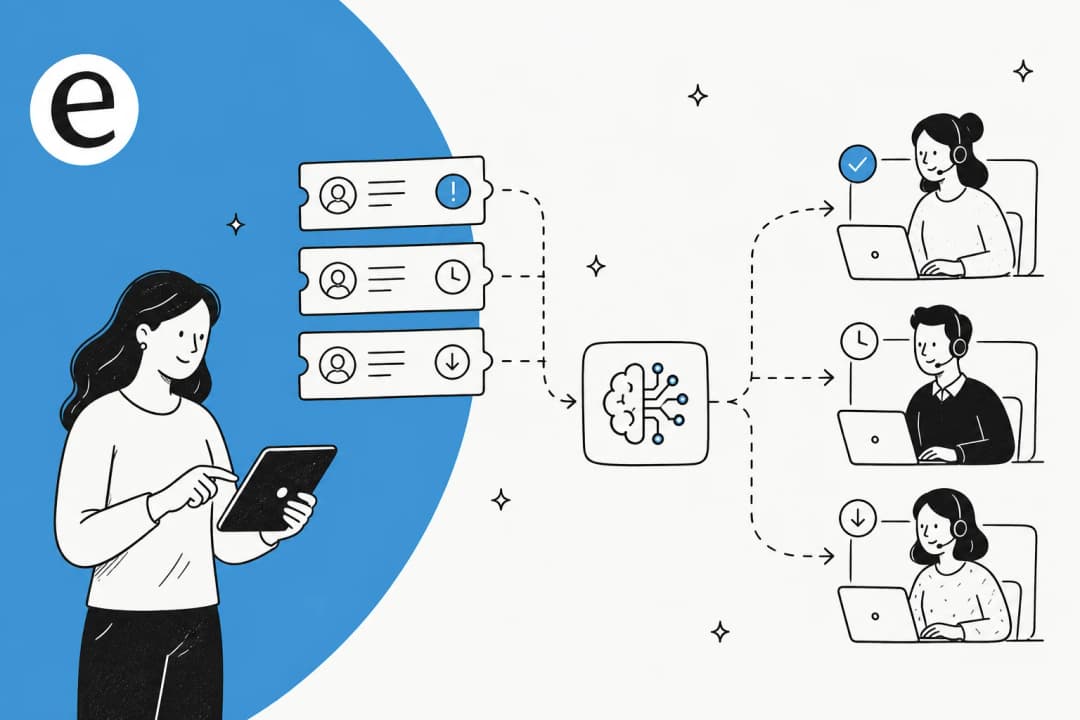
There isn't one escalation rule, there are five, and the best systems wire up all of them. Teams that implement only one (usually a confidence threshold) are the ones that end up with trapped customers. If you only read one thing on this, make it our breakdown of when to hand off from AI to a human.
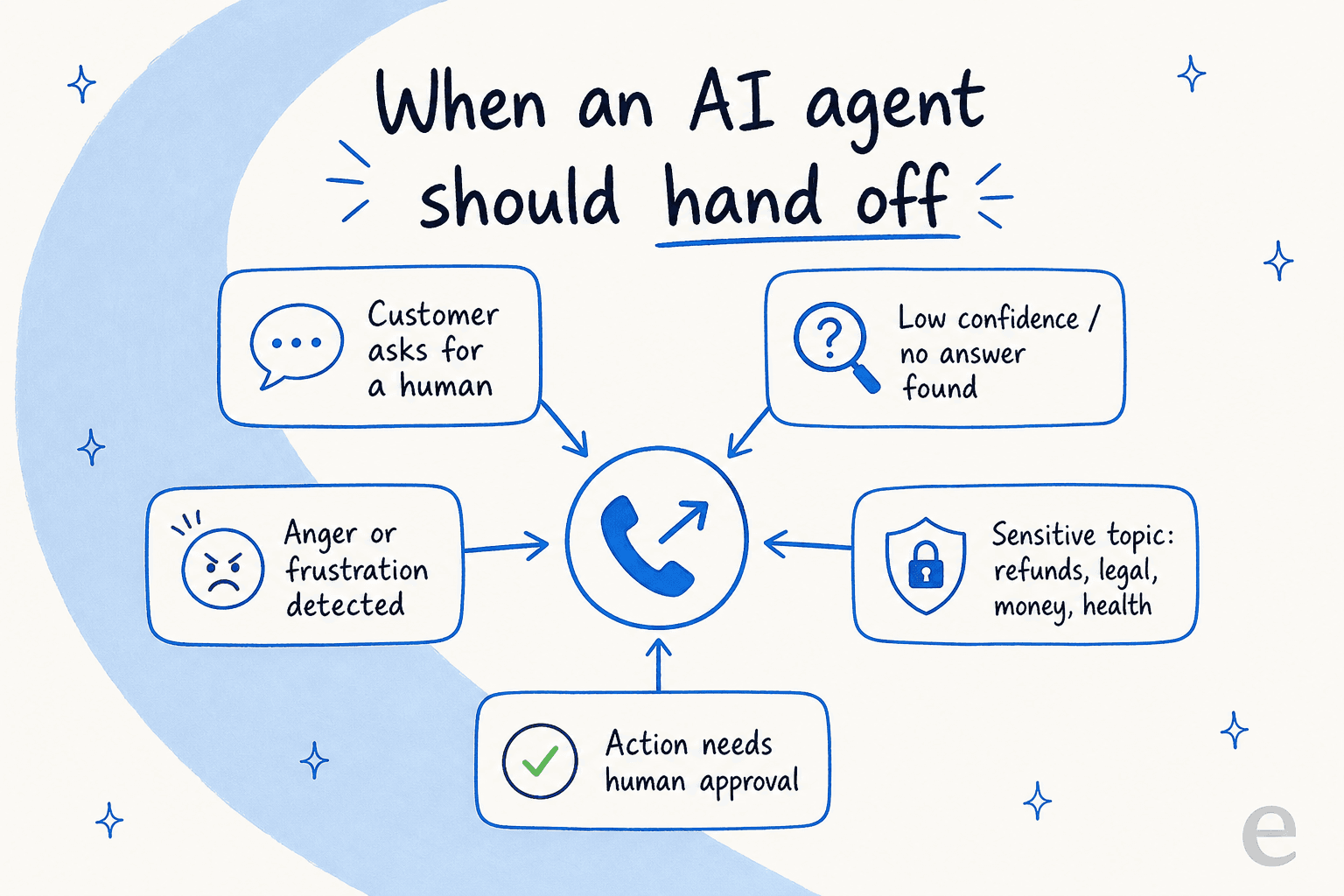
- Explicit request for a human. Non-negotiable, and the one teams break most often. When a customer asks for a person, escalate immediately with no confirmation loop and no retry. Salesforce wires this in at the topic-classifier layer so it "bypasses internal logic to fire a handoff immediately", and we break down that specific flow in our guide to Salesforce AI escalation. Burying this path is one of the fastest ways to torch trust.
- Low confidence or a knowledge gap. If the model isn't sure it understands the intent, or retrieval found nothing in your docs, it should hand off rather than guess. Gorgias documents this plainly: its AI "won't speculate beyond" your connected sources, and "if it cannot find a relevant answer, it hands over instead of guessing".
- Frustration or hostile sentiment. Phrases like "this isn't helping" are a cue to apologize and hand off before the customer rage-quits, a pattern Social Intents recommends watching for explicitly.
- Sensitive topics, regardless of confidence. Refunds, billing disputes, legal threats, fraud, medical questions, anything involving money movement or identity. Gorgias hard-codes a handover on "mentions of self-harm, threats of violence, threats of legal action, and requests involving financial account details". CX Today calls this "risk scoring," and it's separate from confidence: even a confident bot shouldn't auto-resolve a chargeback.
- Actions that need human approval. Anything irreversible (issuing a refund, deleting data, approving a discount) should escalate no matter how sure the agent claims to be. And critically, that approval rule should live in the workflow, not in the AI's judgment, because if the AI gets to decide whether its own action needs approval, a persuasive prompt can talk it out of asking.
One eesel customer summed up the whole goal in a sales call. A support manager at a bus-tracking service running 200 to 250 tickets a month on Zendesk told us he wanted AI to "handle 60% of the incoming Zendesk tickets and know when to pull a real person in." That last clause is the entire job. Knowing when to pull a person in is what separates an AI helpdesk agent you can trust from a deflection machine that quietly annoys people.
Step 1: Don't lean on confidence as your only trigger
Confidence routing is the lowest-friction trigger, and the easiest to mis-tune. The trap is that model confidence is systematically overstated. As Digital Applied's 2026 escalation guide puts it, models trained with RLHF are miscalibrated, so a claimed 90% confidence often corresponds to something closer to 75% actual accuracy. Set a naive threshold and you'll ship a stream of confident, wrong answers.
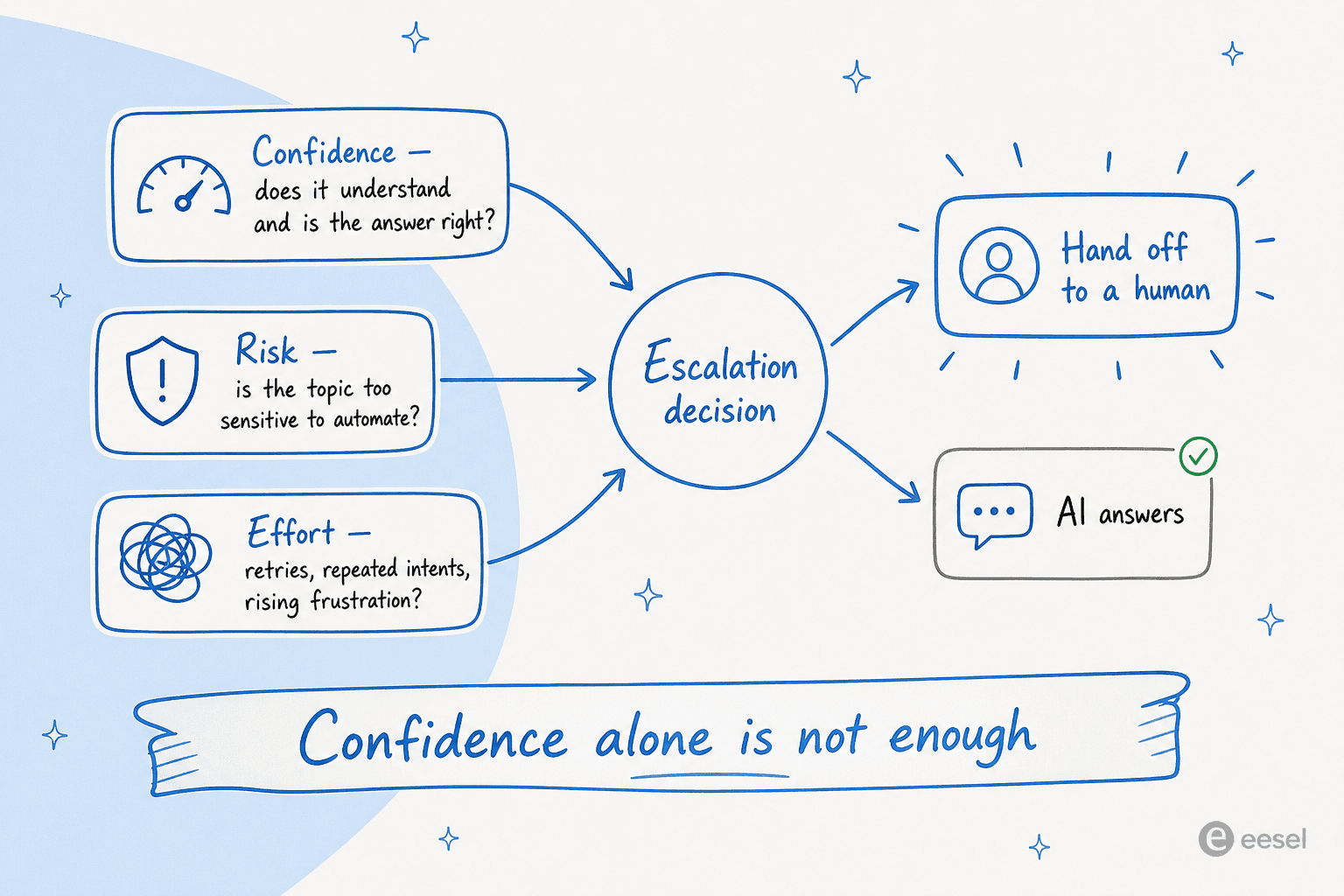
The fix isn't to abandon confidence, it's to make it one input among three. CX Today's model is the clearest: combine confidence (does it understand, is the answer right), risk (is the topic too sensitive to automate even if confident), and effort (retries, repeated intents, rising frustration, "agent" keywords). Effort is the underrated one. Repeated attempts mean the customer is already slipping into distrust, so good systems treat effort as a reason to exit automation earlier.
Two practical moves on top of this:
- Add a second-model QA gate before sending. Gorgias wraps every drafted reply in a separate check: "a second AI model measures confidence, and if the response does not meet the threshold, it is not sent." This is the single best guard against the hallucinate-instead-of-escalate failure.
- Use higher thresholds for high-stakes intents. Social Intents suggests escalating when confidence falls below threshold twice in a row, with refunds, billing, and cancellations held to a stricter bar than low-risk questions.
If you want to go deeper on tuning the number itself, we wrote a whole piece on setting confidence thresholds for AI responses. The short version: a threshold is a starting point you retune, not a constant you set once.
This is also the single most common objection we hear from buyers, and it's a good instinct. A CX lead at a DTC supplements brand on Gorgias, running about 7,000 tickets a month, told us exactly why:
"The AI will never be able to answer 100% of the questions, but if it tries and just answers 'sorry I don't know this,' I cannot go and check all my 7,000 tickets... I need an AI who is only handling the tickets that it's confident to handle and all the other ones, leave them alone."
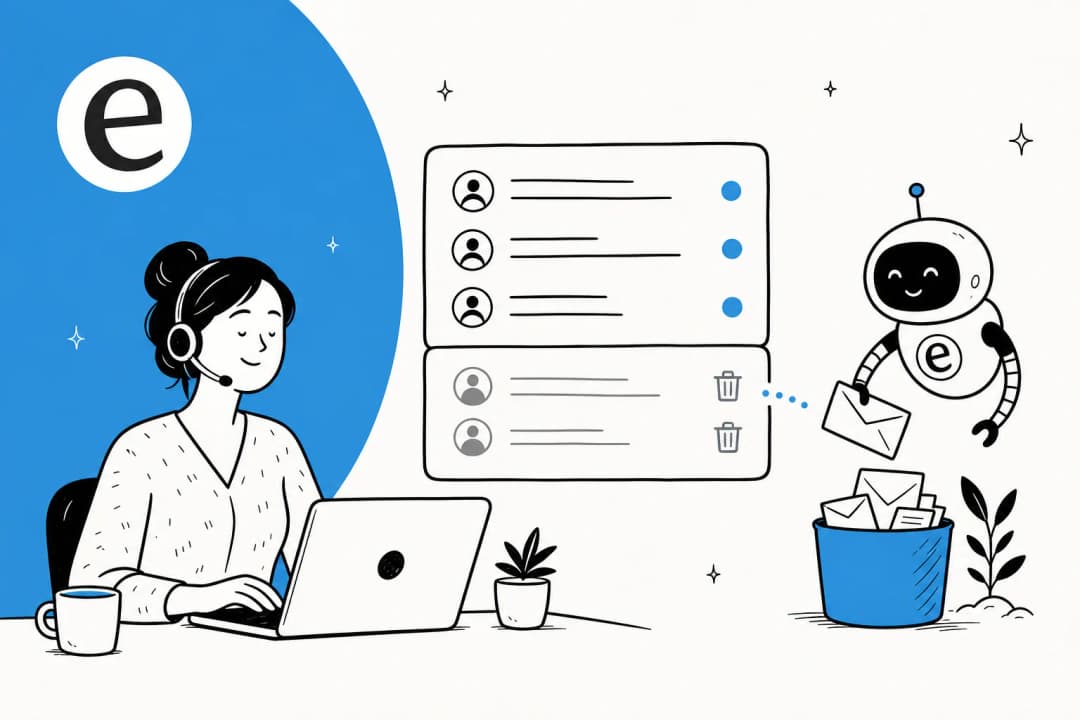
That "leave them alone" is the whole design brief for confidence routing. The agent's job isn't to attempt everything, it's to confidently own a slice and cleanly route the rest.
Step 2: Decide what the AI is never allowed to touch
Before you tune any trigger, draw a hard line around the categories that always go to a human. This is policy, not probability, and it shouldn't be left to a confidence score.
For most teams, the always-escalate list looks like: legal disputes or any mention of legal action, fraud and chargeback language, medical or health questions, and anything requiring a judgment call outside written policy. Subscription and billing disputes usually belong here too. Gorgias publishes a solid default handover-topics list you can borrow as a starting point.
Just as important is the inverse: letting teams exclude specific ticket types from automation entirely. This comes up constantly in our own onboarding chats, with admins saying things like "there are certain tickets I don't want to go through AI." A good setup respects that. You should be able to scope the AI to, say, WISMO and password resets while keeping refunds and account changes human-only from day one, then widen the scope as you build trust. That gradual-autonomy approach is core to how we think about tier-1 support deflection: start narrow, prove it, expand.
Step 3: Make the handoff warm, not a transcript dump
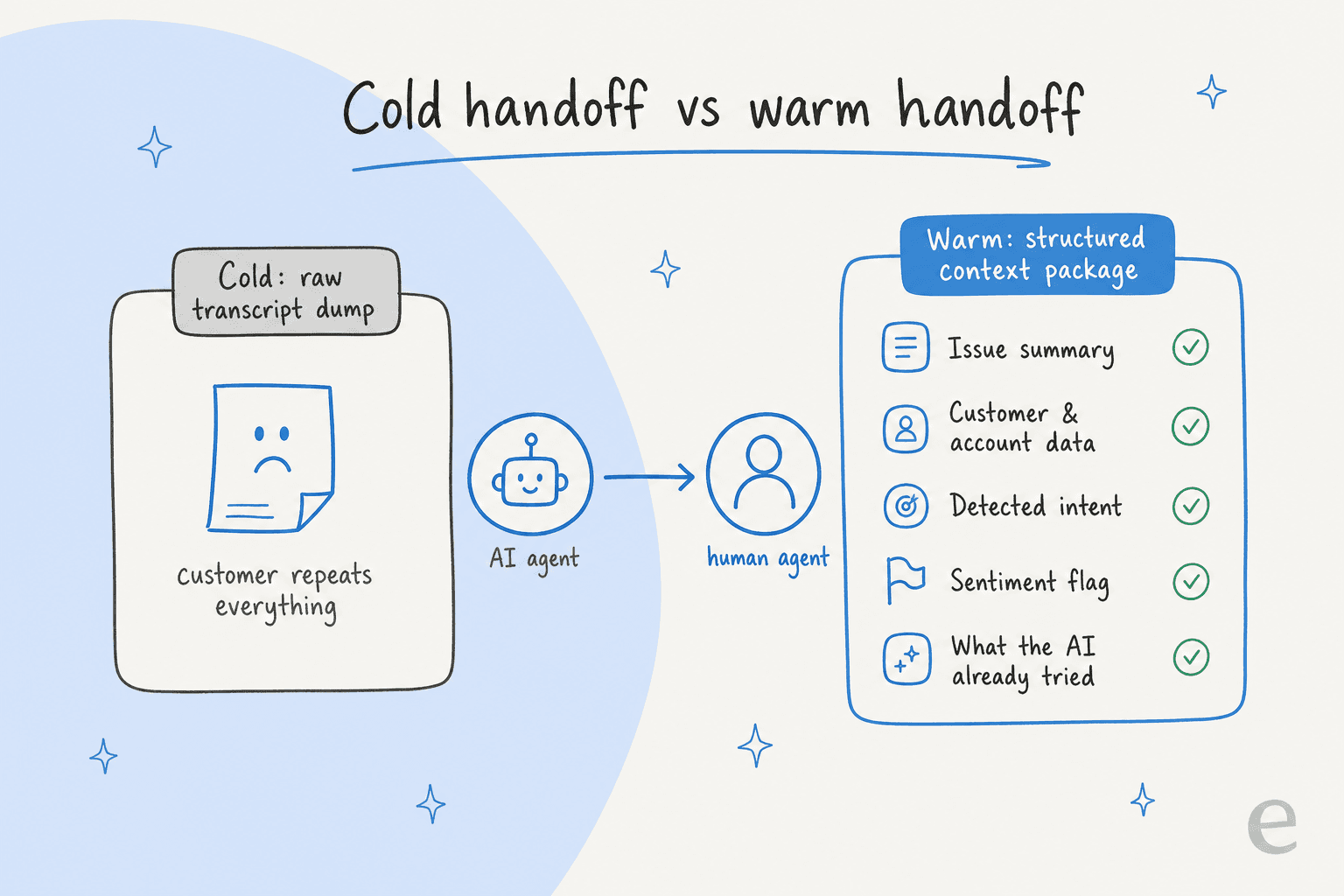
This is where most escalation systems quietly fail. The routing logic works, the ticket moves, and then the human starts from zero. That cold restart is what customers experience as "the automation just wasted my time," and it's the single thing our human handoff best practices guide spends the most time on.
The numbers here are brutal. 73% of consumers say having to repeat information is one of the most frustrating parts of support, especially after a transfer, per a PwC study cited by BlueTweak. And while about 70% of customers expect the agent to know their history on escalation, only around 34% of teams say their tools actually pass that data cleanly. The gap between those two numbers is where trust dies.
The practitioner who said it best is Navdeep Singh Gill, in a long LinkedIn piece on the human-AI handoff:
"A handoff that loses context doesn't transfer work. It destroys work... Before deploying any agent, ask: 'When this agent hands off, will the customer have to repeat themselves?' If yes, you haven't built a handoff. You've built an abandonment with extra steps."
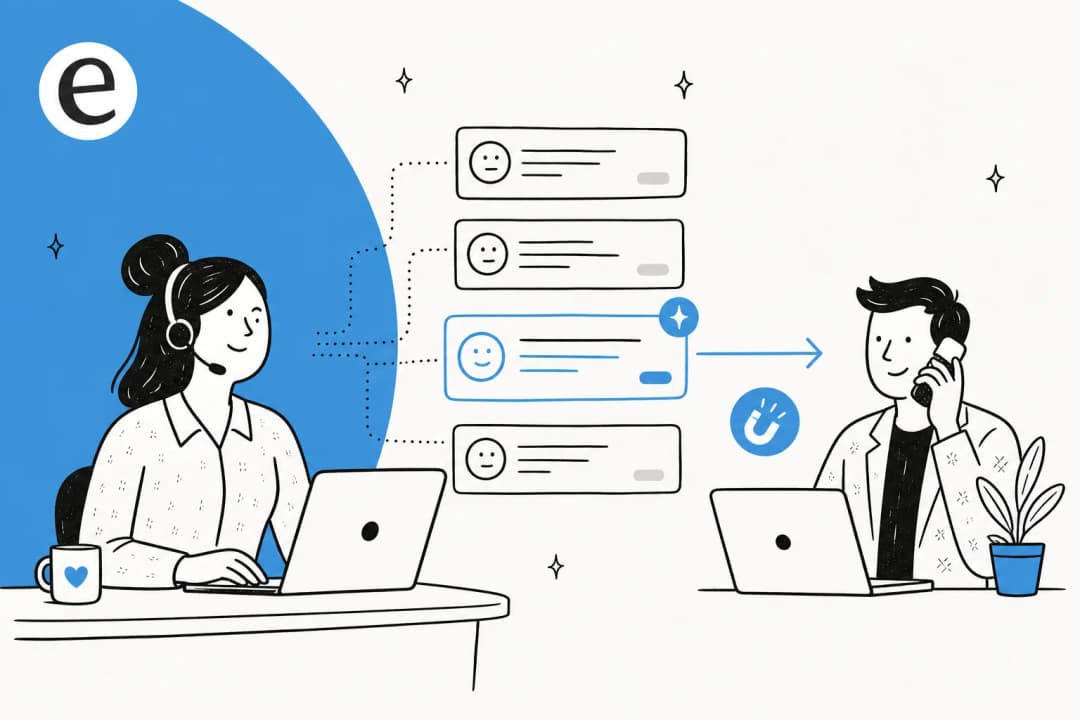
So what does a warm handoff actually carry? Not the raw chat log, which is just unstructured data. A structured context package. A support lead on r/AI_Customer_Support listed the four artefacts that make it worth the effort: an AI-generated summary attached to the ticket, the full chat history (not just the last message), a sentiment flag if the customer is frustrated, and a clear reason-for-escalation tag so the human knows whether they're solving the problem or just resetting expectations.
A couple of details that make a big difference:
- Acknowledge the bot's work in the human's first line. "Hi Jane, I see you were chatting with our bot about resetting your password, let me help with that" beats a generic "How can I help?" that signals a fresh start.
- Tag every escalated ticket for routing. A consistent tag (Gorgias uses
ai_handover) lets downstream rules send handoffs to the right team automatically, so nobody has to triage them by hand. If you're on Zendesk, our Zendesk AI agent handoff setup walks through exactly this, and you can auto-tag tickets so routing happens without a human in the loop.
Context done well even speeds up resolution: humans who receive escalations with full context have been reported to resolve them meaningfully faster than those starting cold, on the order of 35 to 45% in one analyst-cited figure (directional, but the direction is obvious).
Step 4: Tell the customer what's happening
A separate failure surface from context: the customer has no idea what's going on between AI and human. Silence during a transfer makes people wonder if they've been forgotten.
The fix is cheap. Don't switch over silently, say something like "Sure, I'm connecting you with a human agent who can help," and set a wait-time expectation if there is one ("you're #2 in line, about 1-2 minutes"). Social Intents frames this reassurance as doing a lot of work for very little effort. And keep the escape hatch visible the entire time, because 80% of people will only use a chatbot if they know a human option exists, and 30% would switch to a competitor after a single bad bot experience.
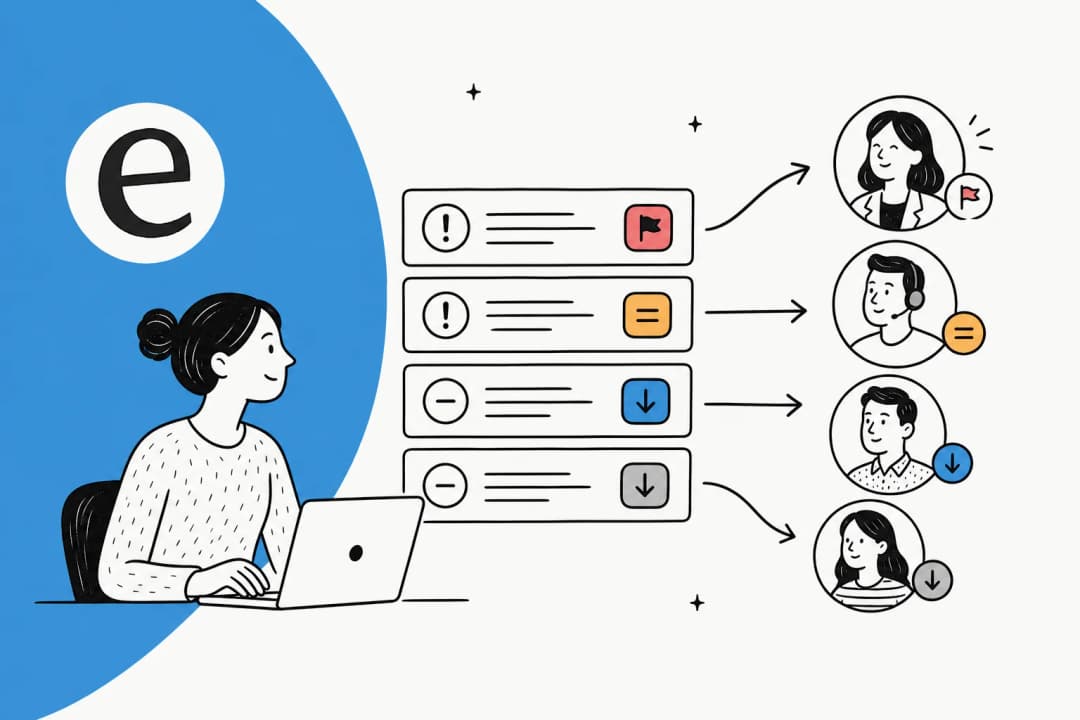
One more rule from the same playbook: route to the right team the first time. The worst version of a handoff is reaching a human who immediately says "sorry, I need to transfer you to a different department." Intent-driven routing in your tool is what prevents that second, trust-killing handoff, and it matters most on live chat deflection where the customer is waiting in real time. We collected more of these patterns in our conversation design examples for AI handoff flows, and Gorgias users can fine-tune the wording in our guide to controlling the AI handover experience.
Step 5: Measure the handoff, not just the deflection rate
If you measure only deflection (or "containment") rate, you will optimize yourself into a trap. The classic version showed up in an r/sysadmin thread on running an AI service desk:
"Wow, it handled 5000 issues this month! 5000 tickets that didn't hit our EXPENSIVE human queue. Except half of them then re-ticketed two days later when the bot's 'answer' didn't actually fix anything, and now we have a backlog and angrier users."
That's the deflection-as-vanity-metric problem in one paragraph. A high deflection rate with low CSAT is worse than a lower deflection rate with happy customers. Handoff rate "only becomes meaningful when paired with outcomes," as BlueTweak puts it.
The metrics actually worth watching:
| Metric | What it tells you |
|---|---|
| Escalation rate by intent | Which topics fail automation most often, so you know where to add knowledge |
| CSAT delta (automated vs escalated) | If escalated chats score lower, the problem is almost always the handoff, not the agent |
| Repeat-contact rate (24 to 48h) | The most reliable signal of hidden failure: an "answer" that didn't actually resolve |
| Post-handoff first contact resolution | Whether the human inherited enough context to fix it in one go |
| Time-to-human after opt-out | How long customers wait once they've left the AI |
We go deeper on this in our guides to measuring AI containment rate and escalation quality and the difference between AI deflection and human deflection. The throughline: track quality alongside volume, or the volume number will lie to you. If you're new to the metric itself, start with what deflection rate is and how to improve it.

Finally, build a monthly review habit: read a sample of flagged and escalated tickets, look for recurring handover clusters (those are knowledge gaps), and retune. Misroutes are the input for next month's policy update.
Common escalation mistakes to avoid
A quick field guide to the failure modes we see most, so you can design around them up front:
- Hallucinating instead of escalating. No QA gate, so low-confidence answers ship and CSAT collapses silently.
- The "I don't understand" loop. Cap failed attempts at two or three turns; an endless retry loop is how customers rage-quit. Freshdesk warns about exactly these "frustrating endless loops" in its setup docs.
- The async black hole. "Escalated" technically, then dumped into a queue with no follow-up. One r/Anthropic poster described being told "humans are overwhelmed... will get back to me soon over email" and never hearing back. Escalation theatre is worse than honesty.
- The loopback. Re-routing a customer into the same automated flow that just failed them. Trust collapses fast.
- Over-escalation. The reverse failure. When approval requests fire too often, people stop reading them and reflexively approve everything, which defeats the point and becomes its own attack surface.
How we handle escalations at eesel
We built eesel around the belief that the handoff is the product, so here's how the pieces fit together (and where we're a fit versus not).
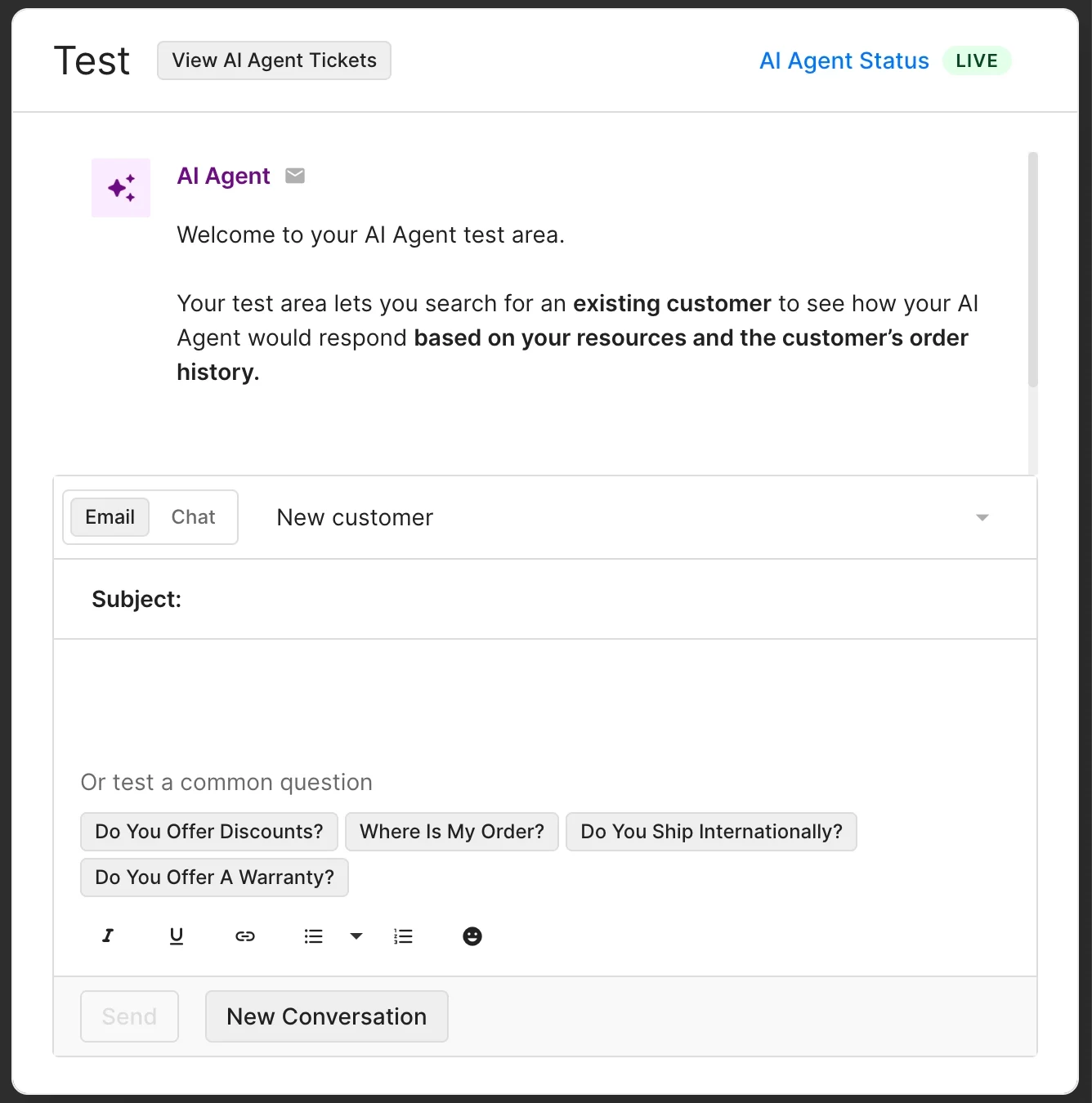
First, you simulate before you go live. This is the part we'd never give up. eesel's AI helpdesk agent runs against thousands of your past tickets in a simulation, so you see your projected resolution rate, your escalation rate, and exactly which conversations it would have handed off, before a single customer sees it. Instead of guessing at a confidence threshold and hoping, you tune it against real history.
Second, control is the default, not an upsell. You decide which ticket types the AI touches, set the topics that always go to a human, and grant autonomy gradually as you build confidence. You can configure all of this in plain language rather than a rules engine.

Third, handoffs are warm by design. Because eesel learns from your solved tickets, not just help-center articles, the escalated ticket carries the summary, the history, and a reason tag straight to the right agent. No re-introductions. The flow lives inside your existing helpdesk: on Zendesk it tags and routes the handoff automatically, and it runs the same way for teams on Freshdesk or working out of Help Scout.
We've watched this work at real scale. One eesel deployment runs a fully automated Zendesk agent on more than 100,000 German-language tickets a month, the kind of ticket automation volume that only holds up if escalation is solid. Gridwise saw eesel resolve 73% of their tier-1 requests in the first month, with results landing during a 7-day trial. The common thread in every one of those is not that the AI answered everything, it's that it knew its lane and handed the rest off cleanly.
One honest caveat: if you don't have a body of past tickets or docs for the AI to learn from yet, any tool (ours included) will lean on escalation harder at the start while it builds knowledge. That's expected, and it's exactly why simulating first matters, so you go in with eyes open rather than surprised. If you're still weighing options, our roundup of the cheapest AI helpdesk apps and our guide to AI for customer service automation are good next reads.
Try eesel for support escalations
If you're setting up AI on your support queue and want escalations handled properly from day one, eesel is built for exactly this. It learns from your historical tickets, lets you simulate your escalation and resolution rates before launch, keeps you in control of what the AI touches, and passes warm, tagged handoffs into your existing helpdesk so no customer has to repeat themselves.
You can connect your helpdesk and run a simulation on your own past tickets in minutes, no credit card needed. See it in action on the AI helpdesk agent page, or check pricing (it's usage-based, with no per-seat fees).

Frequently Asked Questions
What does it mean to escalate a support ticket with AI?
When should an AI agent escalate to a human?
How do I stop my AI support agent from escalating too much or too little?
What information should an AI pass to a human during an escalation?
Can I control which tickets the AI handles versus escalates?
How do I measure whether my AI escalation is working?
Does AI escalation work with Zendesk, Freshdesk, and Gorgias?


Article by
Alicia Kirana Utomo
Kira is a writer at eesel AI with a Computer Science background and over a year of hands-on experience evaluating AI-powered customer service tools. She focuses on breaking down how helpdesk platforms and AI agents actually work so that support teams can make better buying decisions.