So, can AI actually handle support tickets?
Short version: yes, but not the way the hype frames it.
I work the support queue, and I've watched this question change shape over the last few years. We've spent the last three-plus years putting AI agents on live support queues, across thousands of real tickets, and the honest answer has moved from "not really" to "yes, for most of the volume, if you're careful about the rest."
Here's the reframe that matters. Most support queues are not made of hard, novel problems. They're made of the same handful of questions asked a thousand different ways: where's my order, how do I reset my password, can I get a refund, does this work with X. An AI helpdesk agent trained on your help center and your past tickets is genuinely good at that layer, and that layer is often 50-70% of everything that lands in the inbox.
The single best framing I've heard came from a CX lead at a DTC supplements brand we talked to, running around 7,000 tickets a month. He didn't want a bot that answers everything. He wanted the opposite: "I need an AI who is only handling the tickets that it's confident to handle, and all the other ones, leave them alone." That's the whole game. Get that right and the answer to "can AI handle support tickets" is a confident yes. Get it wrong, and you've built a machine for generating wrong answers at scale.
What AI handles well today
Let me be specific, because "AI handles support" is exactly the kind of vague claim I'd want a real list under.
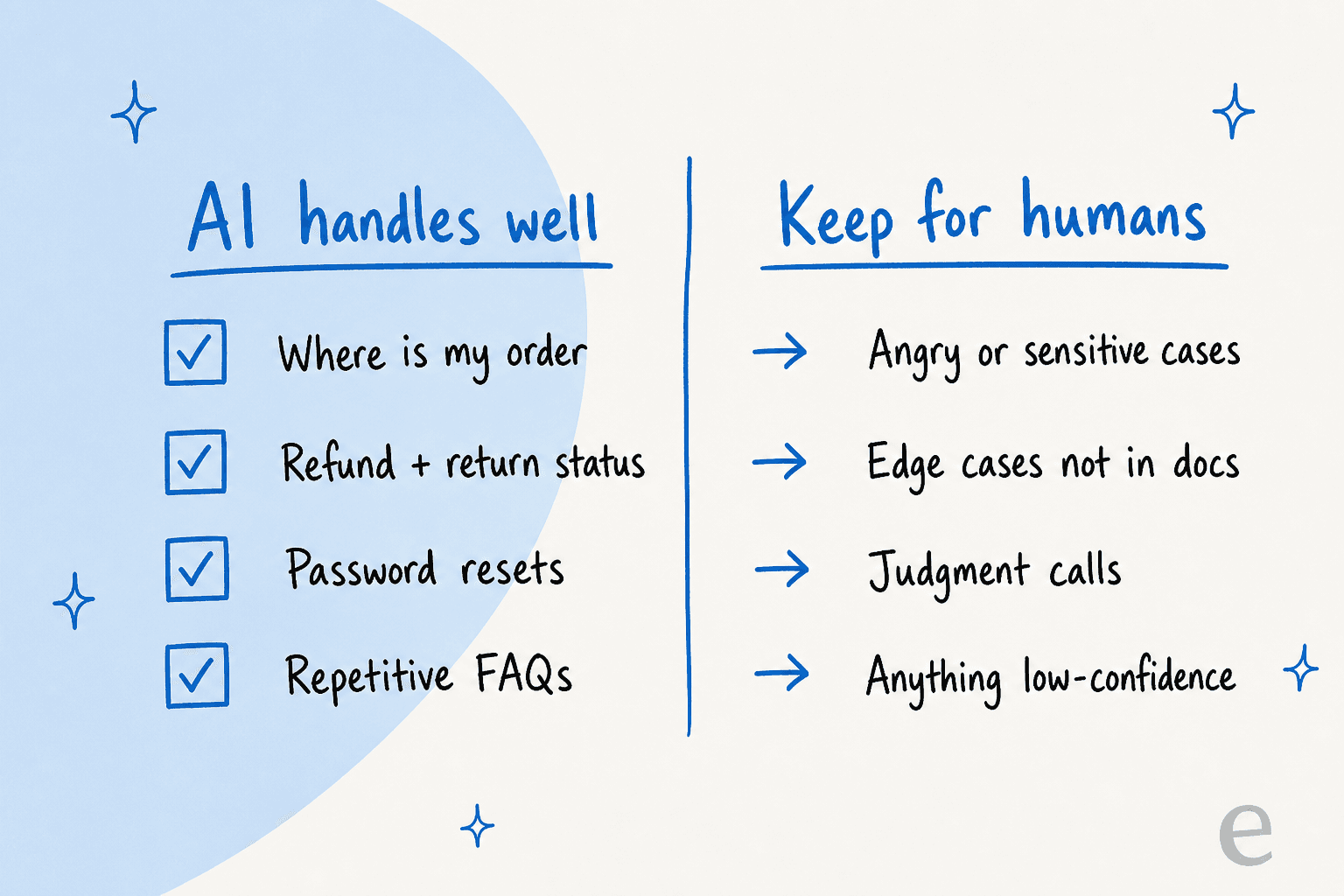
The tickets AI reliably handles on its own are the high-volume, low-judgment ones:
- Order tracking and "where is my order" (WISMO). The single biggest category for most e-commerce teams, and it's a lookup, not a judgment call.
- Refund and return status. Once the AI can read your order data, "where's my refund" is a solved problem.
- Password resets, account access, and how-do-I questions. Pure knowledge-base territory.
- Repetitive FAQs. The same fifteen questions that make up the bulk of tier-1 support.
- Triage and tagging. Even when the AI doesn't reply, it can read the ticket, tag it, route it, and draft a suggested response for an agent in seconds.
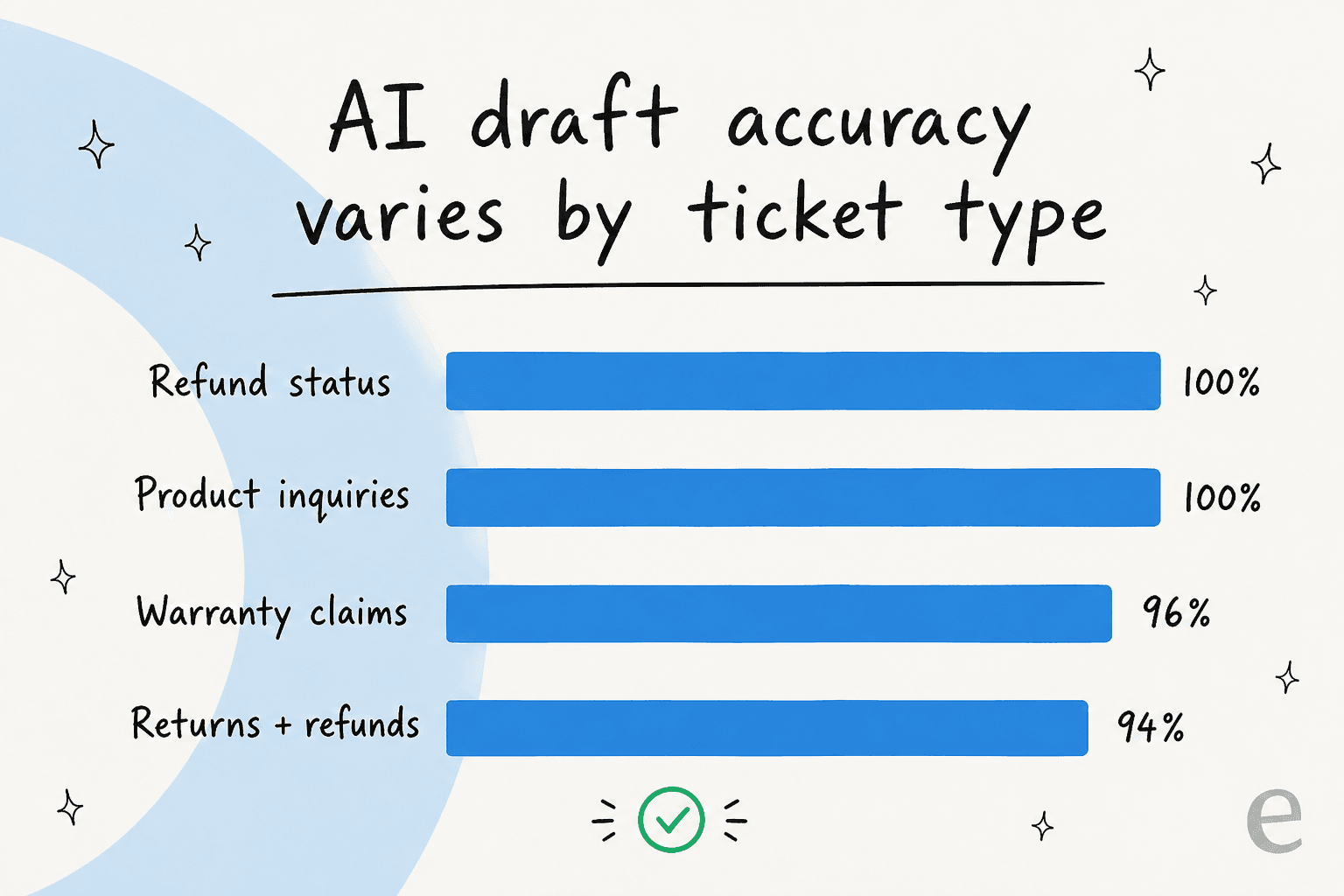
In one real-traffic trial we ran for a German jewelry retailer doing about 1,000 tickets a month on Zendesk, the AI hit 93% triage accuracy and 100% spam detection (zero false positives on the 22% of their inbox that was spam). On the structured categories, draft quality was near-perfect: refund-status and product-inquiry replies were useful 100% of the time, warranty claims 96%, returns and refunds 94%.
That last point is worth sitting with: AI draft accuracy isn't uniform, it's sharply higher on structured, well-documented ticket types. Which is exactly why the smart move is to let it own those categories and stay out of the rest.
Where AI still needs a human
Now the honest other half, because a post that only tells you the good part isn't worth reading.
AI is not the right answer for:
- Angry, sensitive, or high-stakes tickets. A customer threatening to churn or dispute a charge needs a person.
- Edge cases that aren't in your docs. If the answer doesn't exist in your knowledge base, a good agent should say so, not improvise.
- Genuine judgment calls. "Should we make an exception for this customer" is not a retrieval problem.
- Anything the AI isn't confident about. This is the catch-all, and it's the most important one.
And here's the scar, because we've earned it: we've watched a confident-sounding bot quietly give a wrong answer. Early on, we saw bots that, when their knowledge base had nothing relevant, would fall back on general training data and fabricate, telling a real customer something that simply wasn't true. A bot once confirmed support for a product the company didn't even sell, because the help docs said "we support all models." That failure mode is the entire reason we now simulate every rollout against historical tickets before it goes live, and why a hard fallback on low confidence isn't a nice-to-have, it's the whole safety model.
This is also why I'm wary of any tool that brags about answering 100% of tickets. The teams I trust most actively don't want that. As that same 7,000-ticket CX lead put it, an AI that answers "sorry, I don't know" to everything it's unsure about, and leaves those tickets for humans, is far more useful than one that takes a confident swing at all of them.
How it actually works: confidence-based routing
So how does an AI agent know when to answer and when to back off? This is the mechanism that makes the whole thing safe, and it's worth understanding before you turn anything on.
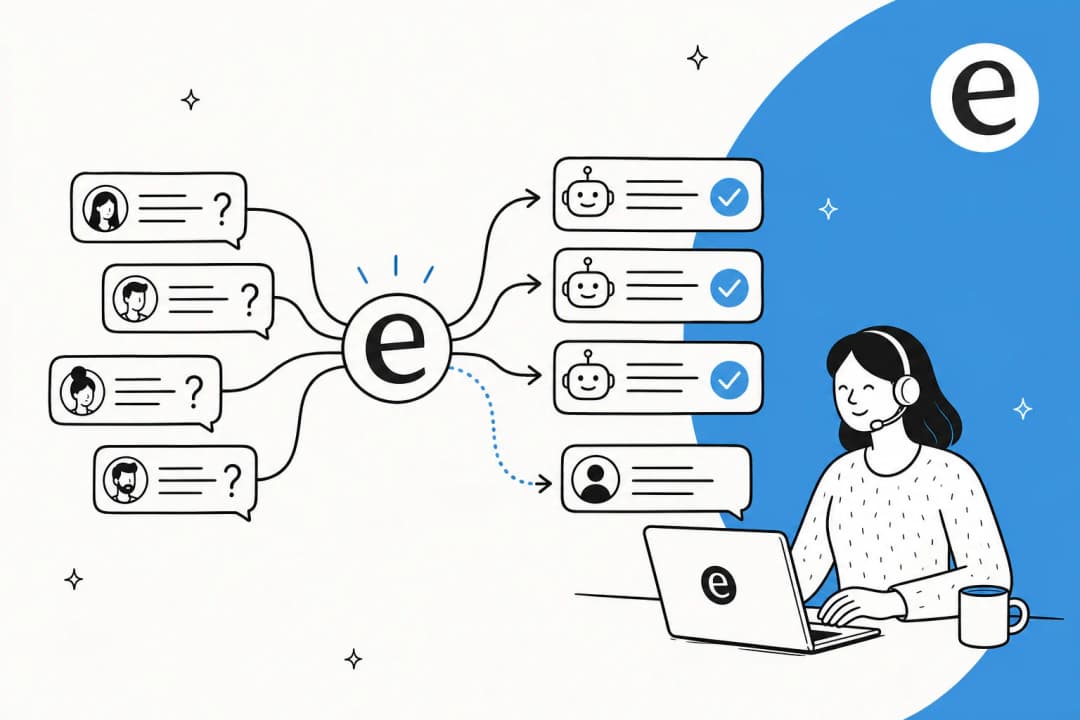
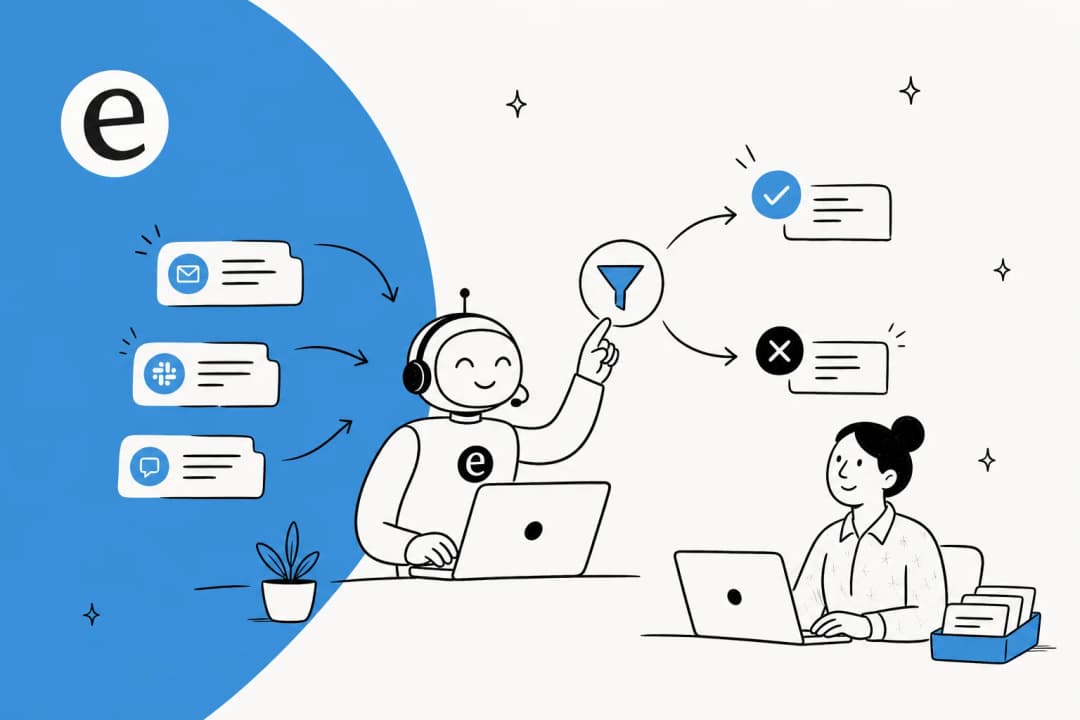
When a ticket arrives, the agent doesn't just generate a reply. It first retrieves the relevant material from your connected sources (help center, past tickets, internal docs) and scores how confident it is that it has a real, grounded answer. If confidence is high, it resolves the ticket and replies. If it's low, it does the disciplined thing: it drafts a suggestion for a human or escalates the ticket silently, without ever sending a guess to the customer.
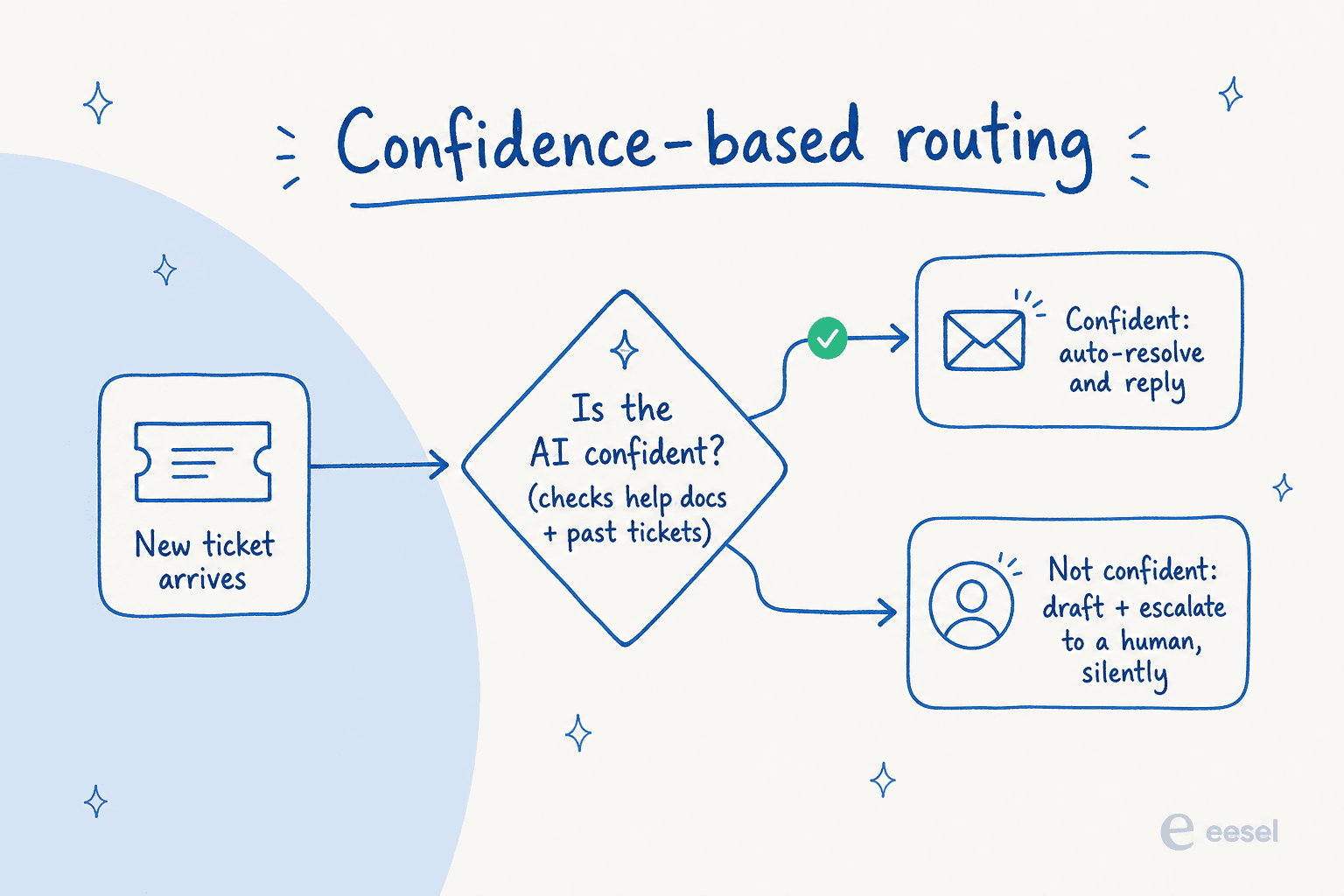
That confidence gate is the difference between "AI handles support tickets" and "AI ruins support tickets." It's why escalation design and the confidence threshold matter more than raw model quality. The model is rarely the bottleneck; the routing logic around it is.
The other half is grounding. A good agent answers only from your approved knowledge, not the open internet, which is the same thing a RAG-based system does under the hood: retrieve your real content first, then answer from it, with citations. That's how you keep the AI on-topic and how you keep it from making things up.

What the results actually look like
Numbers ground all of this, so here are real ones from live deployments rather than a vendor's "up to" claim.
The clearest single data point is from Gridwise, a gig-economy driver-analytics app on Zendesk:
"In the first month, eesel is resolving 73% of our tier 1 requests. Our team implemented and achieved results quickly during our 7-day trial. Responses are simple to fix and adjust."
Kim Simpson, Gridwise (eesel AI helpdesk agent)
That's not an outlier on the high end, either. An internal IT helpdesk at InDebted ran their AI first-responder on Jira Service Management and moved deflection from 15% toward a 55% target. At the top of the scale, the largest deployments run fully automated: one lender processes 100,000+ German-language tickets a month on Zendesk, and a design platform handles 50,000+ tickets a month on Freshdesk.
The pattern across all of them is the same: AI carries the repetitive bulk, humans keep the hard cases, and the deflection rate climbs as the knowledge base gets better. It's a ramp, not a switch.
How to put AI on your tickets without it going rogue
If you take one thing from someone who does this for a living, take the rollout order. The teams that succeed don't flip AI to "full auto" on day one. They go in stages.
- Simulate first. Before the AI touches a live ticket, run it against your last few thousand resolved tickets. You'll see exactly what it would have said, which categories it nails, and where the gaps are. This is the step that prevents the fabrication horror stories, and it's where you find out your real deflection number instead of guessing.
- Start in copilot mode. Let the AI draft replies for your agents to review and send. Your team sees the quality firsthand and corrects it, and every edit trains it. This is the trust-building phase, and almost every team I've seen wants it.
- Turn on autonomy for the safe categories. Once you trust the drafts on, say, order-status tickets, let the AI fully resolve just that category. Keep everything else in copilot or human-only.
- Widen the scope as confidence grows. Add categories one at a time. You're never charged for tickets your humans handle, so a gradual rollout costs you nothing extra.
The other thing that makes this safe is control. You should be able to tell the agent, in plain language, which ticket types to never touch, when to escalate, and what tone to use, and adjust it as you learn. Support leads consistently tell us they want certain ticket types kept away from AI entirely, and that's a setting, not a fight with the tool.

Do it in this order and the answer to "can AI handle my support tickets" stops being a gamble and becomes a measured, reversible rollout.
Try eesel for your support queue
If you're weighing whether AI can handle your tickets, the honest way to find out is to test it on your own data, not a demo inbox. eesel plugs into Zendesk, Freshdesk, Gorgias, and Front in a few minutes, learns from your past tickets and help center on day one, and lets you simulate against thousands of historical tickets so you see your real resolution rate before a single customer is affected. It only acts on tickets it's confident about and hands the rest to your team, and at $0.40 per ticket with no per-seat or per-resolution fee, you only pay for what it actually handles. It's free to try, no credit card.

Frequently Asked Questions
Can AI handle customer support tickets on its own?
How many support tickets can AI actually resolve?
Will an AI support agent make things up or hallucinate?
Do I need to replace my helpdesk to use AI on tickets?
How much does it cost to handle support tickets with AI?


Article by
Riellvriany Indriawan
Riell is a designer and writer at eesel AI with about two years of experience researching CX platforms, AI chatbots, and helpdesk software. She combines her design background with a sharp eye for how these tools actually look and feel in practice — making her comparisons unusually visual and user-focused.