Why automating Zendesk ticket tagging is worth the effort
Tags are the unglamorous half of every workflow inside Zendesk. They drive routing, SLAs, macros, reporting, and most of your views - and the trigger order of execution hangs off them. Get tagging wrong and every downstream piece of the Zendesk ticketing process gets a little wrong with it.
The honest version of the problem: humans tag inconsistently. The same ticket gets billing from one agent, payments from another, billing-issue from a third. By month six the report you wanted to run on "how often does the refund-card problem come up" can't be answered, because the data underneath it is scrambled. Automation isn't only about saving keystrokes - it's about tag hygiene holding up over months, not just days.
The teams that do this well aren't replacing humans with AI on every tag. They're using deterministic rules for the easy cases, classifiers for the medium ones, and an AI agent for the actually messy cases - then editing the taxonomy itself as the business changes.
The three ways to tag a Zendesk ticket, ranked by autonomy
Before the steps, here's the mental model the rest of the post is built on.
Layer 1 - triggers and automations. Deterministic. You write the rule, Zendesk follows it. Free, transparent, and fragile when language drifts.
Layer 2 - Intelligent Triage. Zendesk's own classifier, part of the Copilot add-on or the Enterprise plan. Auto-applies intent, sentiment, language. Better at language drift; bound to the categories Zendesk pre-trained it on.
Layer 3 - an AI agent that reads the ticket. Reads not just the subject line but the body, the requester's history, your macros, your help center. Applies semantic tags from your own taxonomy. Highest ceiling, biggest setup leap.
You almost never want to skip a layer. Trigger-based tagging is still the fastest, cheapest, most predictable layer - and an AI tag for urgent is a worse signal than a trigger fired by the word "down" in a ticket about your production API. The art is knowing which layer should own which tag.
Layer 1: Triggers and automations - the deterministic foundation
This is where every team should start, and surprisingly many never go past it.
What it actually is
A Zendesk trigger runs on ticket events (created, updated, status changed) and can apply an Add tags action when its conditions match. An automation runs on a clock - e.g., "tag any ticket where status has been pending for 48 hours." Both are documented in Zendesk's trigger condition reference and our Zendesk automation overview.
Setup steps
- Go to Admin Center → Objects and rules → Business rules → Triggers and click Add trigger.
- Name the trigger something specific you can audit later - e.g.
Tag: refund mention (subject)rather thanRefund trigger. - Add conditions. Common ones for tag automation:
Subject text contains the following words,Comment text contains,Channel is,Ticket form is,Organization is. The trigger regex feature lets you match patterns rather than literal words, which is the single biggest unlock for keyword tagging. - Under Actions, choose Add tags and type the tag name. Zendesk auto-creates new tags as you type - which is convenient and dangerous (see the taxonomy section below).
- Save and test on a real ticket.
For messaging-channel triggers, the conditions and actions are slightly different - the most important is that you can tag the conversation before it's even handed to a human agent.
Where it falls apart
Triggers are deterministic - which is their strength and their ceiling. A trigger looking for the word "refund" misses money back, chargeback, return my order, and a customer typing in Spanish. You can stack synonyms with the add-tag / remove-tag pattern, but you're now maintaining a keyword dictionary forever - and the cost of every new product launch is updating it.
There's also a hard limit: triggers can't read sentiment, urgency in tone, or anything that depends on the whole ticket arc rather than the first message. That's the moat you need Layer 2 or 3 for.
Layer 2: Zendesk Intelligent Triage - intent, sentiment, language
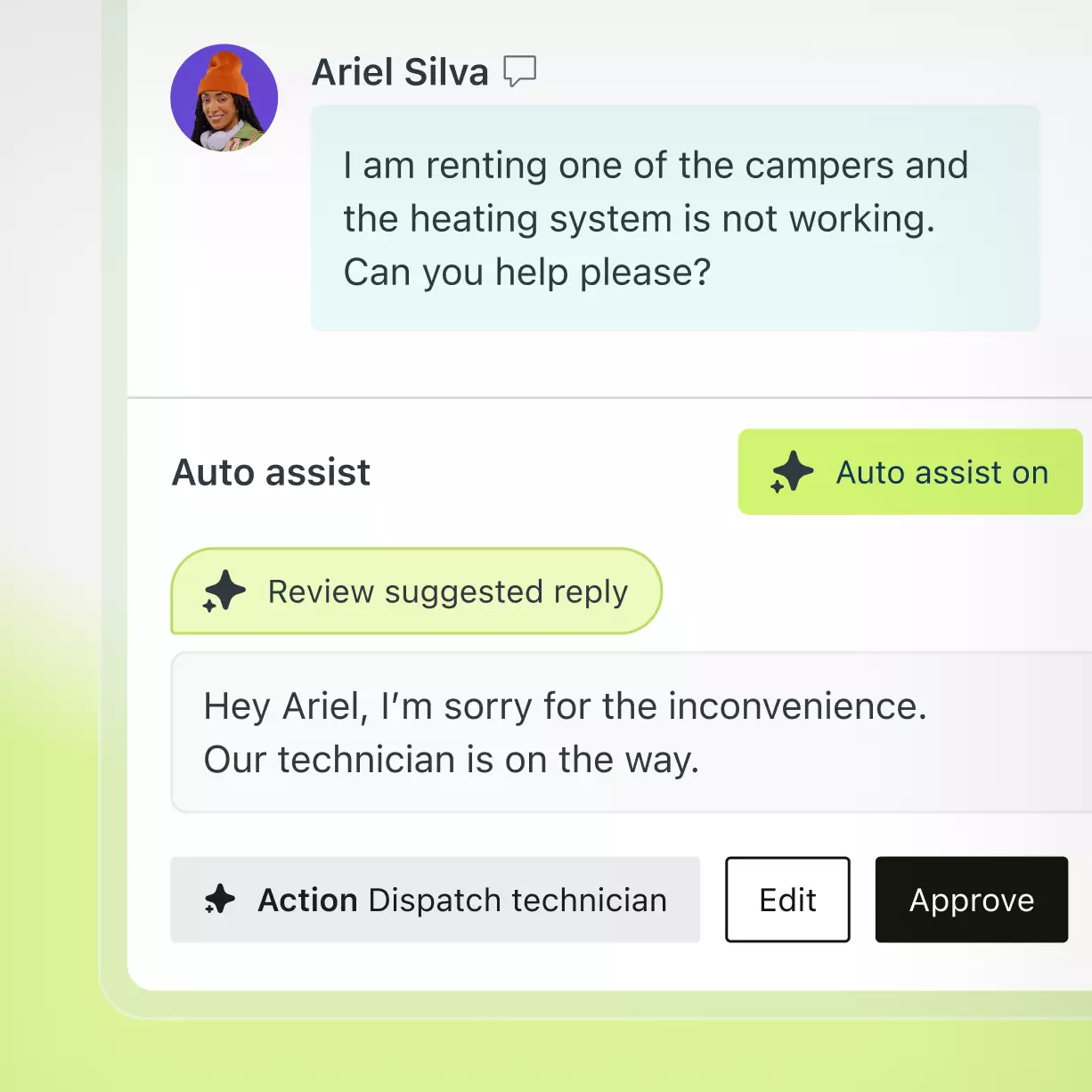
This is Zendesk's own AI classifier, and it does one job well: auto-classify every ticket by intent, entity, sentiment, and language. Zendesk positions it as the input that powers routing, automation, and reporting - and they're not wrong about that. Our G2 read on Zendesk confirms reviewers flag Intelligent Triage as the part of the Copilot suite that earns its keep.
What it tags, exactly
Out of the box, Intelligent Triage applies four classifications:
- Intent - what the customer is asking for. Zendesk ships a starter set of intents trained on aggregate support data (e.g.,
purchase / new order,refund / cancellation,account / login), and you can extend it with your own. - Entity - the noun that goes with the intent (
order number,account email,product SKU). - Sentiment -
positive,neutral,negativebased on the customer's tone in the conversation. - Language - auto-detected from the message text.
Setup steps
- Confirm you have Copilot on the account - either as a
$50/agent/month add-on or bundled at Enterprise. - In Admin Center → AI → Intelligent triage, turn on intent, sentiment, and language classification.
- Map intents to existing tags. Zendesk's intents are pre-named (
purchase,cancellation) - you can either let those land directly as tags or remap them to your existing taxonomy so reporting doesn't fork into two parallel naming schemes. - Wire intent and sentiment into your existing triggers. For example:
intent = refundANDsentiment = negative→ tagpriority_escalationand route to your escalation group. - Watch the reporting dashboard for ~48 hours of live traffic before you trust the labels for routing - confidence is volume-dependent.
The honest cost
Zendesk's pricing model bills AI in two places at once - a per-agent add-on for Copilot, and a per-resolution meter for Automated Resolutions. Intelligent Triage itself sits inside the Copilot add-on, so you're not paying per tag - but the moment those tags feed into AI Agents that auto-reply, you start drawing from the resolution allowance, and overages run roughly $1.20–$1.50 per resolution above commit per third-party teardowns.
For a frank look at where the bill lands, see our Zendesk pricing review and the dynamic pricing resolution explainer.
What it still can't do
Intelligent Triage tags into Zendesk's categories, not yours. If your business is a multi-brand DTC operation and you need a tag like shopify_subscription_billing_paused, that isn't a stock intent - you either bend Zendesk's cancellation intent into approximating it (and lose the precision in your reports), or you skip Triage for that slice of tickets entirely.
It's also bound to the ticket's own text. The customer is on their fifth contact about the same problem? Triage won't lift that signal - it reads each ticket fresh, not the customer's full history with you. Layer 3 fixes both.
Layer 3: An AI agent that actually reads the ticket
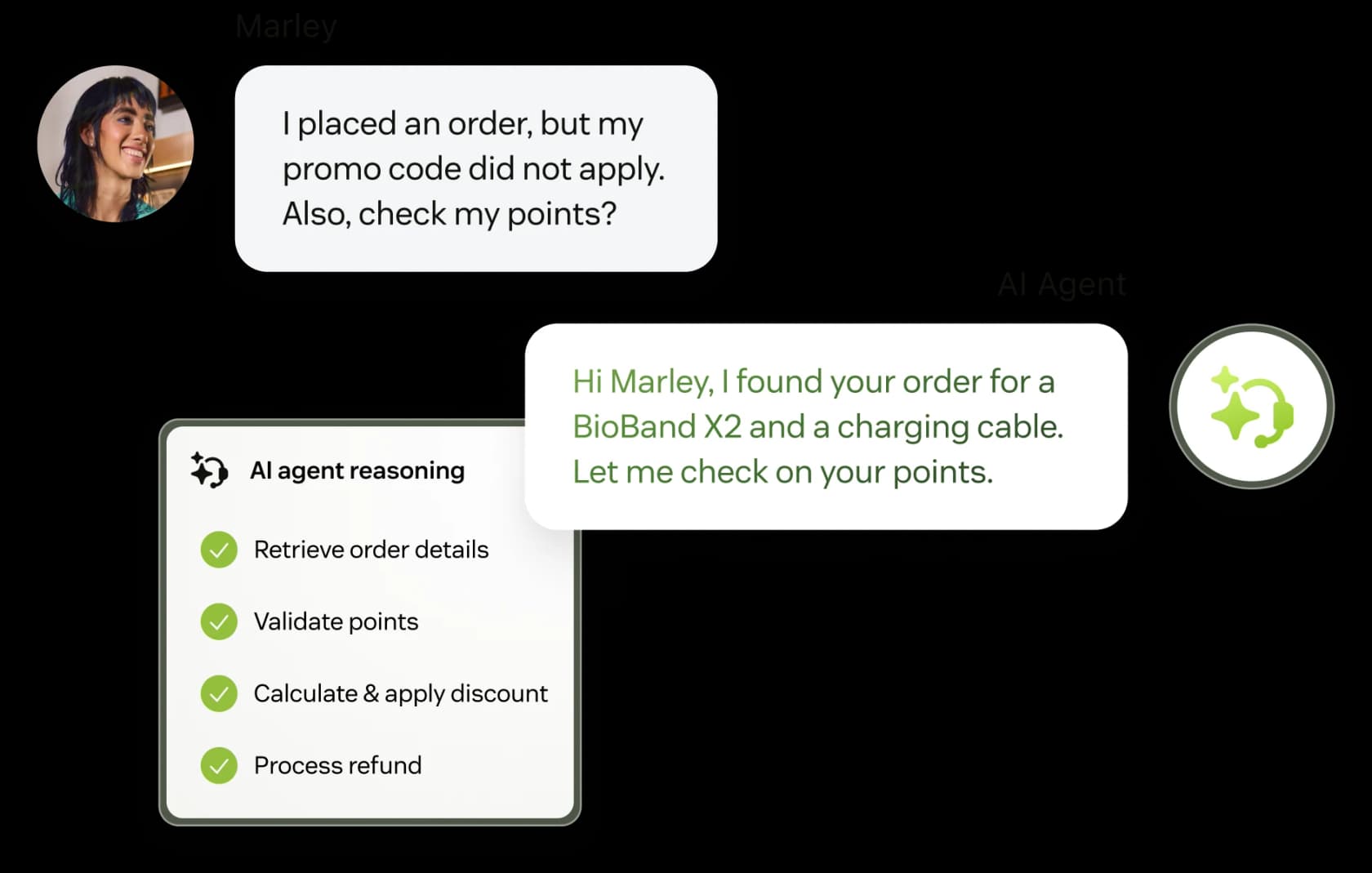
This is the layer that closes the gap between "tagging" and "understanding the ticket." An AI agent reads the full ticket plus the customer's history plus your macros and help center, decides what the ticket is really about, and stamps tags from your own taxonomy. It can also escalate, change status, and reassign in the same pass.
What an AI agent reads vs. a classifier
| Source | Native triggers | Intelligent Triage | An AI agent |
|---|---|---|---|
| Subject and body of this ticket | Yes | Yes | Yes |
| Customer's full ticket history | No | No | Yes |
| Internal macros and saved replies | No | Limited | Yes |
| Help center / knowledge base | No | No | Yes |
| Your own tag taxonomy | Yes (you wrote it) | Partial (mapped) | Yes |
| Sentiment | No | Yes | Yes |
| Language | No | Yes | Yes |
| New tags you invented yesterday | Yes (manual) | No (retrain) | Yes (auto) |
The fourth row matters more than people realise. An agent that can read your past Zendesk tickets has years of context built in - when a new ticket comes in saying "my subscription paused", it can tag it the same way you tagged the 400 similar tickets last year, instead of guessing from a stock taxonomy.
How to set this up with eesel for Zendesk
The shortest version: install from the Zendesk Marketplace, let it index your existing tickets and macros, tell it your tag taxonomy in plain language, run it in simulation against past tickets to check the labels, then go live.
The longer version, step by step:
- Install eesel AI for Zendesk from the marketplace and authorize from the eesel dashboard. Two clicks.
- Let it ingest your help center articles, last 12 months of resolved tickets, and macros. No manual labelling. The platform also supports Confluence, Notion, Google Drive, and Shopify if your tag logic depends on data from those.
- Describe your tag taxonomy in plain language in the agent configuration. The eesel dashboard takes instructions like "Tag any ticket about subscription pauses with
subscription_paused. If the customer mentions a refund, also tagrefund_request. If the language is not English, prefix the tag with the language code." - no rule builder, no condition matrix. - Run the simulation against your past tickets. This is the step nobody else has and the one we'd insist on - you see exactly which tags the agent would have applied to historical tickets, side by side with the tags humans actually applied, before the agent ever touches live ticket data.
- Switch on autonomous tagging for the categories you trust and leave the agent in draft mode for the others. Drafts post tags as internal notes only - visible to humans, invisible to customers, and trivial to reverse if you change your mind.
- Read the reports. eesel surfaces the tags it's not sure about, and where the taxonomy itself is fuzzy enough that two tags overlap - which is normally the most useful audit you'll do on your own Zendesk in years.
"In the first month, eesel is resolving 73% of our tier 1 requests. eesel offers easy Zendesk implementation and setup. Our team implemented and achieved results quickly during our 7-day trial. Responses are simple to fix and adjust. The platform even includes automations for ticket tagging, assignment, and status updates!"
Kim Simpson, Gridwise (G2 review)

eesel bills $0.40 per ticket end-to-end - every back-and-forth on the same ticket counts as one task, and tagging is included. No per-seat fee, no per-resolution meter, no Copilot add-on on top. Set a monthly spend cap and the agent pauses when it's hit.
For the wider field if you want to compare, our roundups on Zendesk AI alternatives and the best AI for ticket automation cover Decagon, Ada, Aisera, Forethought, and others.
Before you tag anything: get the taxonomy right
This is the section everyone skips and everyone regrets. Whichever automation you pick can only be as good as the tags you give it to choose between.
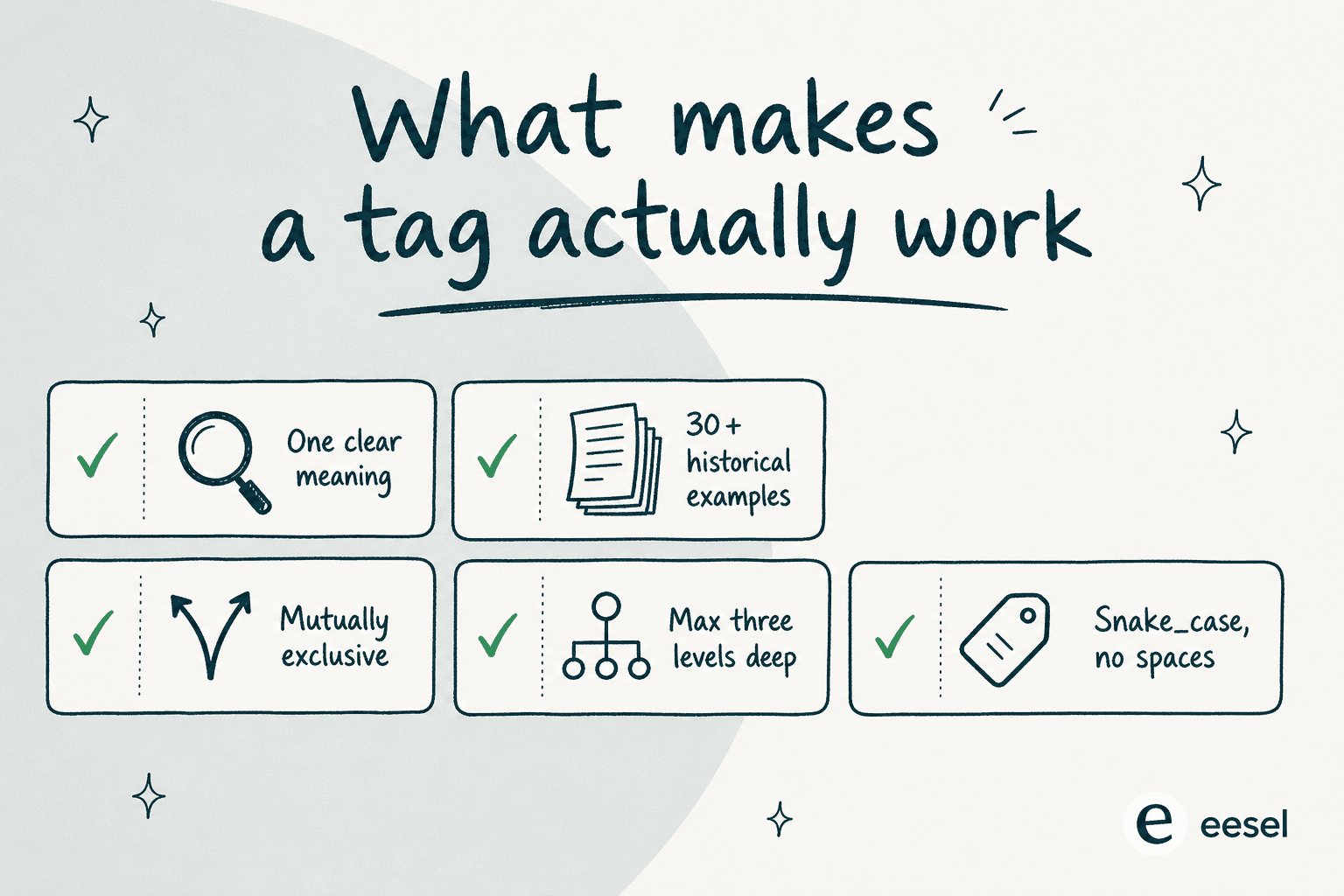
A quick audit you can do in an afternoon:
- Export your last 12 months of tags and count usage. Anything below ~30 uses is either a typo, a one-off, or a tag you forgot to retire. Merge or delete.
- Look for synonyms.
billing,billing-issue,payments,payment_problemare the same thing. Pick one, alias the rest, fix downstream views. - Snake_case the whole set.
priority-highandpriority_highare different tags to Zendesk. Pick one convention. - Max three levels of hierarchy. A tag like
support_billing_refund_card_declined_visais unusable. Two or three levels -billing > refund > card_declined- is usually enough. - Mutually exclusive at each level. If your AI has to choose between
urgentandpriority_high, it'll pick differently on different tickets. Decide which one stays.
Once the taxonomy is clean, layer the automation on top. Doing it in the opposite order - automation first, taxonomy clean-up never - is how teams end up with 400-tag Zendesk instances nobody can untangle.
What we'd actually wire up
A real working setup, end to end:
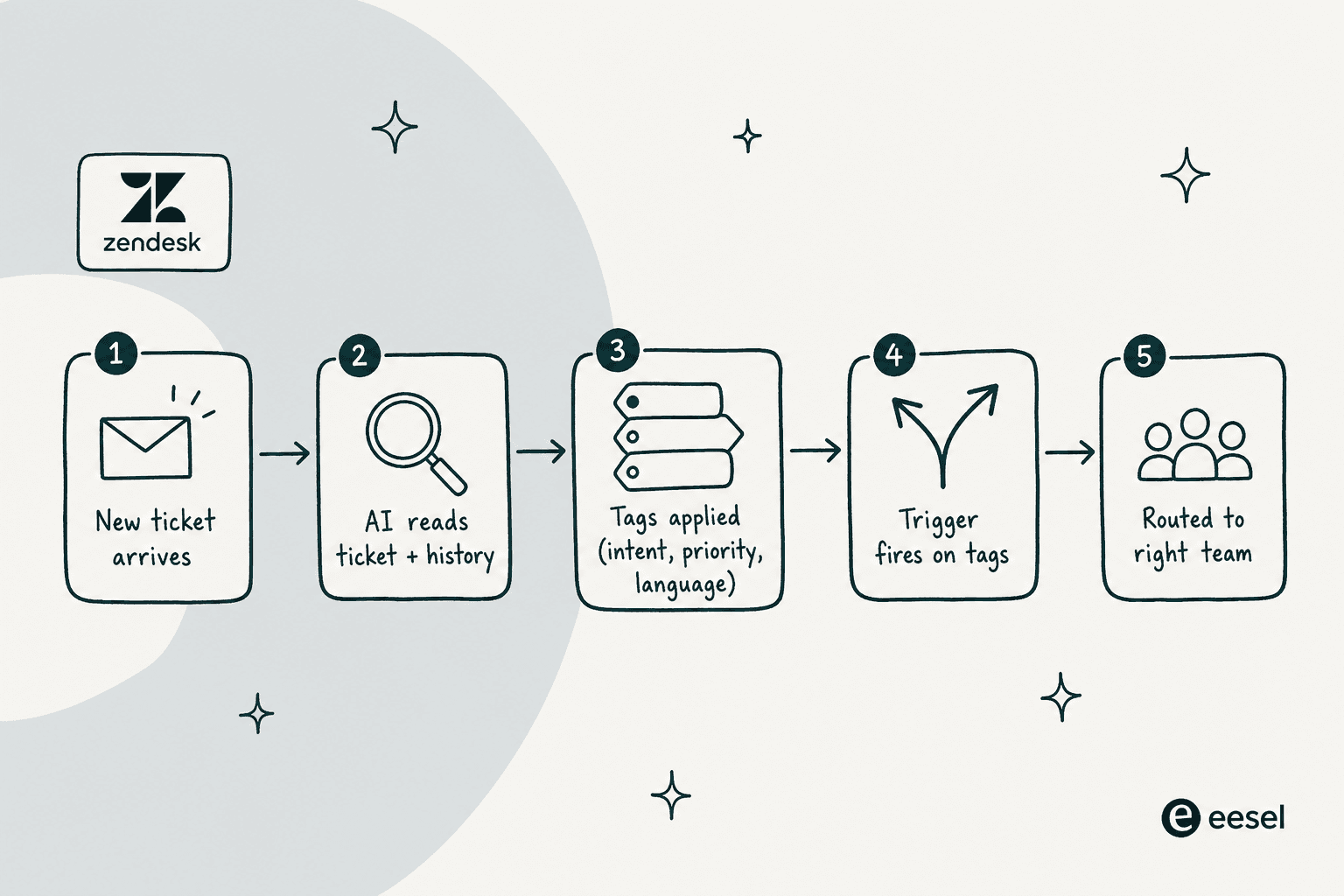
- Five hard triggers for the universally unambiguous cases -
password,cancel,outage,legal,billing. These run first because they're free, fast, and obvious. The full reference of what an add-tag trigger can match is worth bookmarking. - Intelligent Triage on, mapped to your taxonomy rather than Zendesk's defaults - so
purchasebecomesintent_purchase,cancellationbecomesintent_cancel, and they slot into the same naming scheme as your manual tags. - eesel AI in shadow mode for two weeks, applying tags as internal notes only. You read the diffs, edit the taxonomy where the agent is confused, and watch the false-positive rate trend down - our reduce AI false positives post is the calibration playbook.
- Cut over to autonomous on the categories where the diff is clean. Leave the ambiguous categories in draft mode and revisit monthly.
- One macro per major tag so a human picking up the ticket sees the suggested action alongside the tag - it makes the tag actionable instead of decorative.
This is the same pattern that's worked for high-volume eesel customers like Smava (100,000+ German-language Zendesk tickets per month, fully automated) and Ecosa (10,000+ multilingual tickets per month, ≤1 hour to integrate with Zendesk). The shape of the workflow doesn't change between a 1,000-ticket-per-month team and a 100,000-ticket one - only the tag taxonomy gets denser.
Common mistakes
A short list of the failures we see most often:
- Letting Zendesk auto-create tags on every typo. The
Add tagsaction in a trigger will spawn whatever string you type. Turn on a weekly review of new tags so asubscriptiom_paused(note the typo) doesn't quietly become its own bucket. - Tagging by feeling instead of by rule. Macros and triggers should be the only sources of consistent tags. If an agent adds
urgentby hand, it'll mean six different things by Friday. - Trusting AI confidence without a shadow period. Every AI agent worth installing will give you a confidence score. Use it. Tags below ~80% confidence should go to draft mode and human review, at least at first.
- Forgetting language. A Spanish-speaking customer tagged with English
refundis a missed report. Layer 2 (language detection) and Layer 3 (multilingual AI) fix this - Layer 1 alone won't. - Not pruning. Tags compound. Every six months, re-export and delete the ones below your usage floor.
The honest truth on Zendesk's own AI from the community: it's good at the medium cases and gets expensive fast at scale. The most-quoted Reddit complaint about Automated Resolutions is the auto-billing carrying no cap, no grace period, and no prior-month warning - which is why we'd default to a per-ticket alternative for any team running real volume.
Try eesel for Zendesk ticket tagging
If you've read this far, the recommendation is concrete: get Layer 1 set up in an afternoon, turn on Intelligent Triage if you're already paying for Copilot, and bring in eesel AI for Zendesk for the layer neither of those reaches - semantic tagging, multilingual support, and learning from your own past tickets.
eesel installs from the Zendesk Marketplace, takes under 30 minutes to connect, runs in simulation against your past tickets before it touches a live one, and bills $0.40 per ticket - tagging, assignment, status changes, and replies all included.
Try eesel for free, or book a 30-minute demo and we'll walk through the Zendesk setup with your real tickets in front of us.
Frequently Asked Questions
What is Zendesk Intelligent Triage and how much does it cost?
Can Zendesk triggers auto-tag tickets without any AI?
Is there a cheaper Zendesk AI tagging alternative?
How do I keep AI ticket tagging from going wrong?


Article by
Riellvriany Indriawan
Riell is a designer and writer at eesel AI with about two years of experience researching CX platforms, AI chatbots, and helpdesk software. She combines her design background with a sharp eye for how these tools actually look and feel in practice — making her comparisons unusually visual and user-focused.