If you’ve been hunting for a help desk, you’ve probably run into Zoho Desk. It’s known for being a feature-packed and affordable tool, especially for small to medium-sized businesses. It's a major piece of the massive Zoho ecosystem, which covers everything from CRM to accounting.
Zoho's AI is all handled by an assistant named "Zia." You can think of Zia as a smart sidekick for your support agents, built to show up across all Zoho products to add context and automate some of the grunt work.
According to Zoho's own docs, Zia is supposed to:
-
Figure out customer sentiment in tickets (are they happy or furious?).
-
Automatically tag new requests to keep things organized.
-
Suggest relevant articles from your knowledge base.
-
Use generative AI to summarize long ticket threads and help draft replies.
-
Spot any weird spikes in ticket volume that might signal a bigger issue.
The big promise here is that it's "context-aware." Since it's hooked into other Zoho apps like Zoho CRM, it can theoretically pull a customer's sales history or past chats to give agents the full story. But as we’re about to see, that "context" has some serious blind spots.
How Zia’s core AI features really work
Let's get into what Zia actually does day-to-day and see how these features hold up in the real world.
Sentiment analysis and auto-tagging
Zia can scan incoming tickets, take a guess at the customer's mood (positive, negative, or neutral), and slap on some relevant tags. The goal is to help your team jump on angry customers first and get a quick read on what the support queue looks like.
It's a nice idea, but its accuracy can be a bit of a coin toss, according to some Zoho Desk AI reviews. The bigger thing to know is what it reads from: the ticket text and the customer context Zoho already holds. If your most important customer info lives in a shared Google Doc, a Confluence page, or a critical Slack thread, that context isn't part of what Zia is scoring. This can lead to a thinner read on a customer's real feelings.
Reply assistance and knowledge base suggestions
When an agent is typing up a reply, Zia can suggest canned responses or link to articles from your knowledge base. This is all meant to improve your ticket reply time and help agents find answers without having to dig around.
The catch? The suggestions are only as good as your knowledge base inside Zoho. Zoho's own Answer Bot page describes training as adding and updating articles, then retraining Zia on them. If your team's best, most current information is scattered across Google Docs, Notion, or recent Slack messages, those stores aren't sources you can point Zia at. The perfect answer might be right there, but it never reaches the suggestion panel.
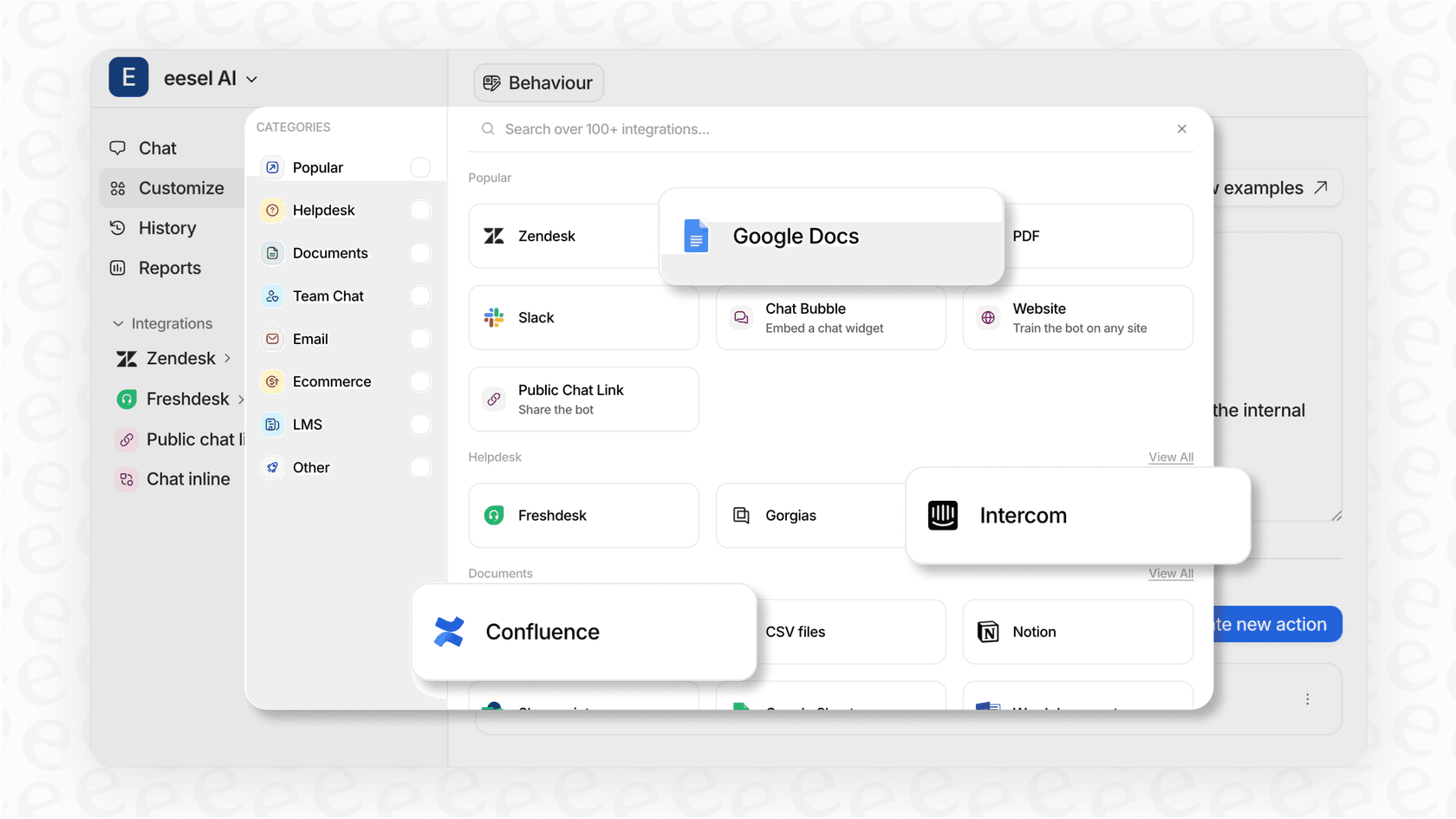
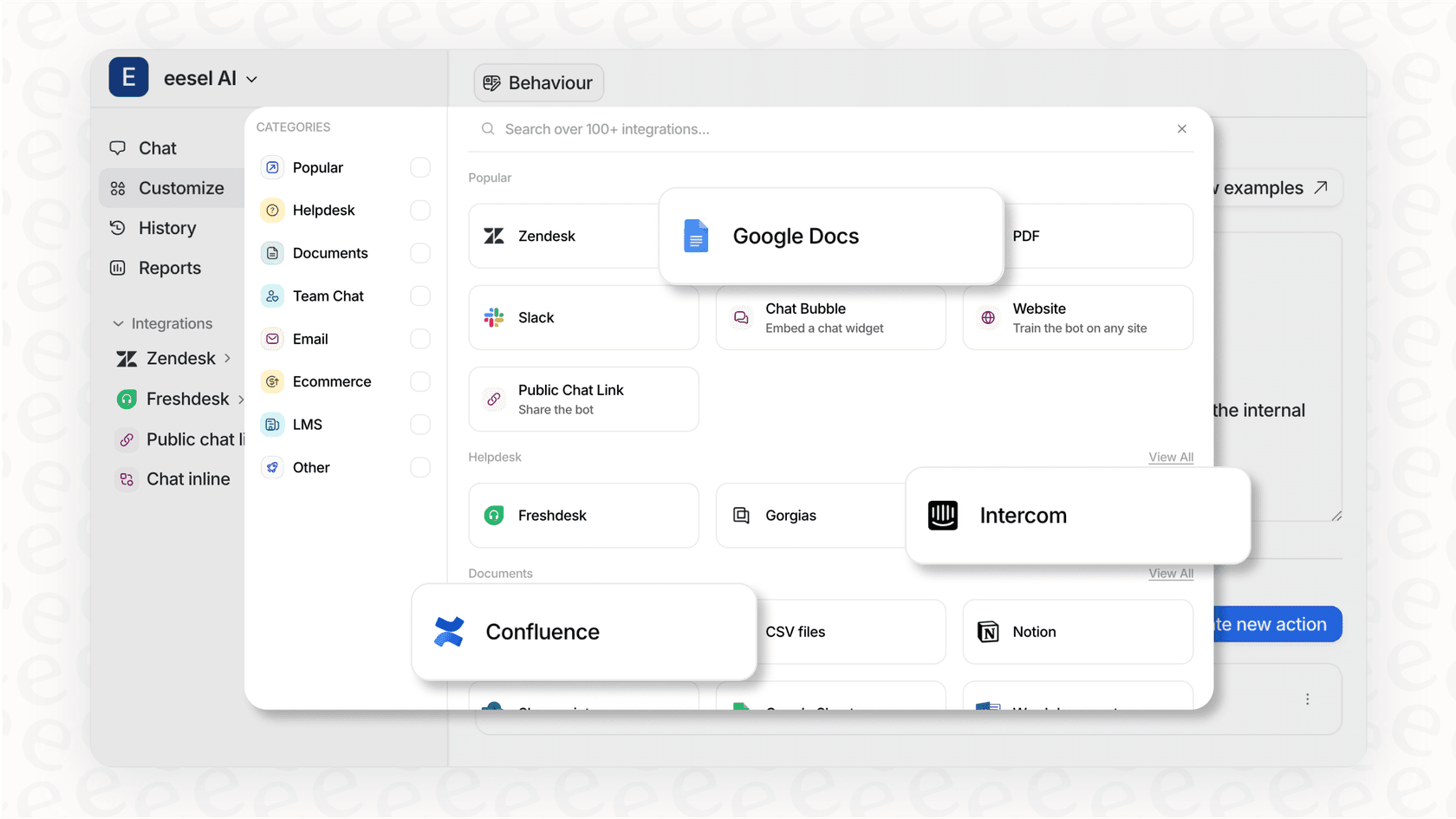
This is a classic headache with platform-specific AI. Modern tools like eesel AI solve this by connecting to all your company's knowledge, wherever it is, Google Docs, Confluence, past tickets, you name it. This gives them a much richer understanding of your business and lets them serve up far more accurate and genuinely helpful suggestions.
The Answer Bot for customer self-service
The Answer Bot is Zoho's AI for your customers. It sits on your help center page and tries to head off common questions by suggesting articles before someone can even create a ticket. The objective is simple: cut down your ticket volume.
But just like the features for agents, the Answer Bot draws on a narrow set of sources. It answers from your Zoho knowledge base articles, plus "open domain data" if you layer Zia's generative AI or the ChatGPT integration on top. If the fix for a customer's issue is in a detailed guide your product team wrote in Confluence, that guide isn't in the pool the bot searches, so the customer submits a ticket anyway. That takes a chunk out of the point of having a self-service bot.
Common problems and limitations
After digging through feedback on G2, Capterra, and PCMag, a few complaints kept popping up that anyone thinking about Zoho Desk needs to know.
A steep learning curve and a cluttered interface
One of the most common gripes is about the user experience. Reviewers from sites like PCMag and Tidio often call the interface "overwhelming," "cluttered," and mention a "steep learning curve."
This complexity isn't just about looks. Setting up automation and AI workflows, particularly with their "Blueprint" designer, can feel like a major IT project. It often takes a lot of time and technical skill to get it working right. For busy teams that just want to get up and running, this can be a dealbreaker.
For teams that want powerful AI without the hassle, tools like eesel AI are built to be the exact opposite. You can connect your help desk, point it to your knowledge sources, and have a functioning AI agent in minutes, not months. It's a completely self-serve setup that doesn't require a single sales call or a long demo.
Zia's AI features are spread across four different plans
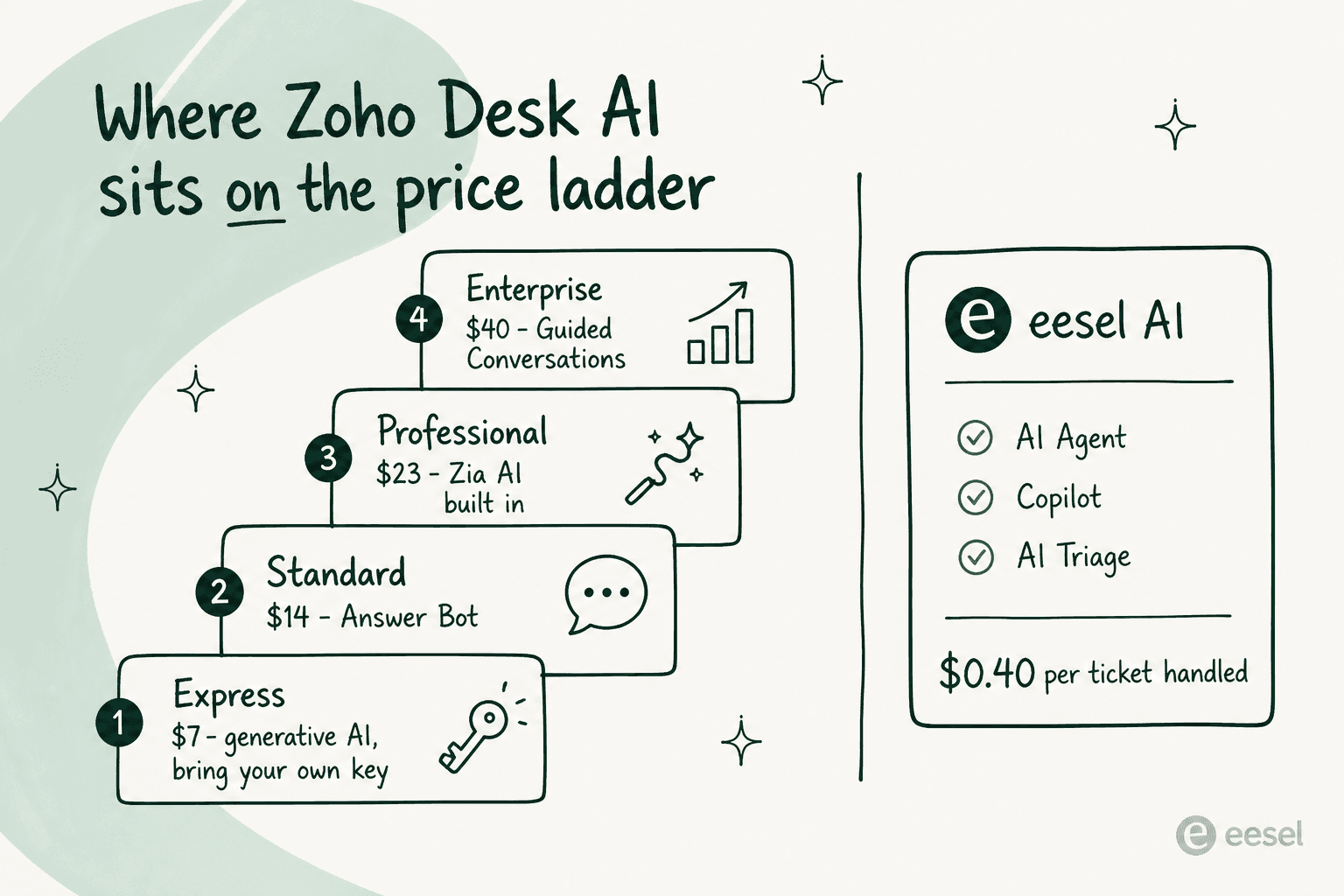
This is a big one. If you check out Zoho's pricing page, you'll see Zia isn't one purchase, it's four. Sentiment analysis, ticket summarisation and smart reply suggestions start on Express at $7 per user/month, but only if you bring your own OpenAI or DeepSeek API key. The Answer Bot arrives on Standard at $14. Zia's built-in generative, predictive and analytical AI arrives on Professional at $23. Guided Conversations stays on Enterprise at $40.
That's cheaper than it used to be, but it's also harder to budget for. You might get pulled in by the promise of AI, then find the specific piece you wanted sits two tiers above the plan you signed up for.
This is a totally different model from platforms with more straightforward pricing. For example, eesel AI's pricing includes all its main products, the AI Agent, Copilot, and AI Triage, in every single plan. You pay based on usage (the number of AI interactions), not on which features you're allowed to use. And there are no sneaky per-resolution fees to worry about.
Limited connections outside the Zoho world
Zoho's greatest strength can also be its greatest weakness: it’s a "walled garden." Zoho Desk does connect to outside tools through its marketplace, but that's ticket workflow plumbing. When it comes to what Zia reads, the list is Zoho's own knowledge base and, optionally, open domain data.
This creates blind spots for the AI. If your best troubleshooting guides are in Confluence, your product specs are in Google Docs, and your team actually solves problems in Slack, none of those are sources you can add to Zia's training set, which leaves an information gap as shown in the graphic below.
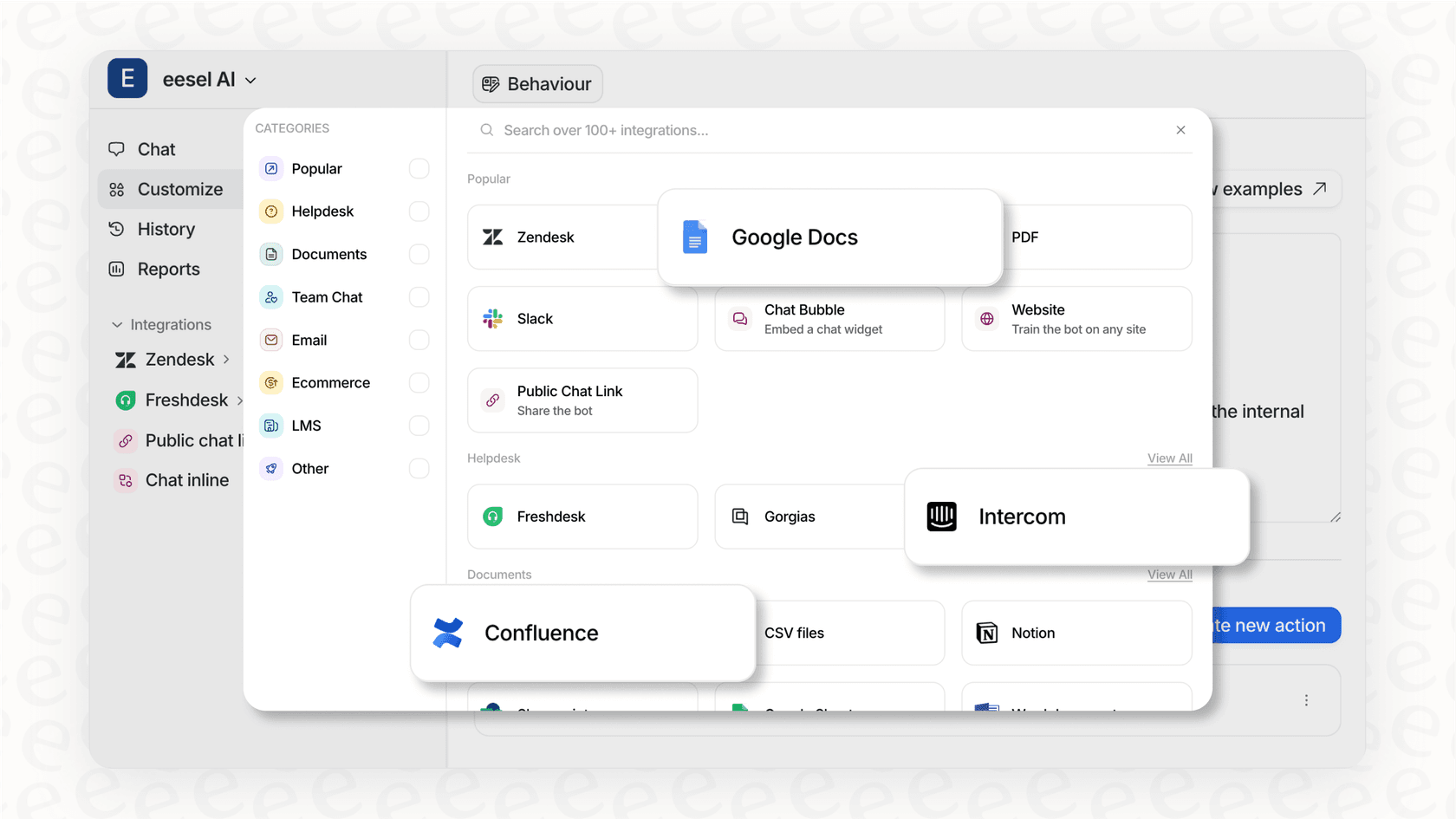
A truly helpful AI needs to learn from everywhere your knowledge is stored. Unlike a closed system, eesel AI is designed to be an open, smart layer that sits on top of the tools you already have. It connects with over 100 sources right away, and plugs straight into helpdesks like Zendesk and Freshdesk. There's no native Zoho Desk connector, so on Zoho you run it as the customer-facing chat layer in front of the help desk and hand unresolved conversations off by email, which lands as a normal Zoho Desk ticket. Either way you get the AI without moving all of your company's knowledge into one platform.
Zoho Desk AI pricing
To really get the full picture of Zoho's AI costs, you have to look at their pricing tiers. The cheaper plans are a solid deal for basic ticketing, but getting Zia involved is a much bigger financial commitment.
Here’s a breakdown from Zoho's official pricing. Pay close attention to where the AI features actually show up.
| Plan | Price (per agent/month, billed annually) | Key AI & Automation Features |
|---|---|---|
| Free | $0 (up to 3 agents) | Email ticketing, basic macros, predefined SLAs |
| Express | $7 | AI Agents (30M free tokens/month), generative AI with your own OpenAI or DeepSeek key, workflows |
| Standard | $14 | Answer Bot, knowledge base, ASAP self-service widget, community forum |
| Professional | $23 | Zia AI built in (generative, predictive, analytical), Blueprints, Telephony |
| Enterprise | $40 | Guided Conversations, Live Chat (Zoho SalesIQ), skill-based assignment, multi-brand help center, sandbox |
The takeaway is pretty simple. You no longer need the $40 Enterprise plan to touch Zia. The Answer Bot lands at $14, and Zia's built-in AI at $23. What you do need to work out before you buy is which specific piece you're after, because the feature comparison puts them on four different rungs, and the cheapest rung expects you to bring and pay for your own model API key.
Is Zoho Desk AI right for you?
So, after all that, what's the final call? Here’s a quick summary to help you decide.
Who is Zoho Desk AI good for?
-
Teams that are already all-in on the Zoho ecosystem. If you're using Zoho CRM, Zoho Books, and other Zoho tools, you'll get the most out of the built-in data sharing.
-
Companies with a technical team ready to tackle a complex setup. As multiple reviews note, this is not a simple plug-and-play tool.
Where does it fall short?
-
Cost: Zia is split across four tiers, so working out what you'll actually pay means mapping each feature you want to the plan it lands on, plus your own model API key if you start on Express.
-
Flexibility: The AI's sources are Zoho's. Knowledge stored outside Zoho isn't something you can connect, so answers are only as complete as what you've published into the Zoho knowledge base.
-
Ease of Use: The interface is often described as complicated and confusing, requiring a big time investment to learn and set up properly.
-
Confidence: There's no dry run of the AI over your own past tickets. Enterprise includes a sandbox for testing processes, but that's a simulated setup you build, not a replay of how Zia would have handled last quarter's queue.
The alternative: A smarter AI layer for your current tools
The good news is you don't have to switch your help desk or pay a huge premium to get great AI. The modern way to do it is to add a smart layer that works with the tools you already have.
This is where eesel AI comes in, tackling the exact limitations we found in Zoho Desk. It's a much smarter way to bring AI to your support team:
-
Get started fast: You can go live in minutes with a true self-serve setup. No complicated configurations or required sales demos.
-
Unified knowledge: Connect it to all your knowledge sources, past tickets, help articles, Google Docs, Confluence, Slack, and more. This makes sure your AI always has the complete and correct answer.
-
Test with confidence: Use a simulation mode to test the AI on thousands of your real past tickets. You can see your exact resolution rate and ROI before you turn it on for customers.
-
You're in control: Easily tweak your AI’s tone, personality, and the actions it can take with simple, plain-text prompts and predictable pricing that scales with your needs, not with locked features.
Final thoughts
While Zoho Desk is a solid help desk, its AI assistant, Zia, comes with some strings attached. The feature-by-tier pricing, the steep learning curve, and the Zoho-only knowledge sources make it a tough choice for many teams.
For businesses that want powerful, affordable, and flexible AI that works with their existing tools and learns from all their company knowledge, adding a smart AI layer is the way to go. If you want to see how you can upgrade your customer support without all the complexity, check out what eesel AI can do for you.
Frequently asked questions
What are the main limitations highlighted in a typical Zoho Desk AI review?
Most reviews point out three key issues: the AI is spread across four paid tiers so the piece you want may not be on the plan you're on, Zia trains on your Zoho Desk knowledge base rather than knowledge stored outside the Zoho ecosystem, and the interface has a steep learning curve.
Does every Zoho Desk AI review mention that key features are behind a paywall?
Zoho spreads its AI across the paid tiers rather than putting it all in one. Sentiment analysis, summaries and reply suggestions start on Express at $7 per user/month but need your own OpenAI or DeepSeek key; the Answer Bot arrives on Standard at $14; Zia's built-in AI arrives on Professional at $23; and Guided Conversations is Enterprise at $40. So the cost depends on which piece of Zia you actually need.
Why does this Zoho Desk AI review emphasize the problem of a "walled garden"?
The "walled garden" problem is about which sources Zia can be pointed at. Zoho says you train it on your Zoho Desk knowledge base articles, with open domain data as an optional extra layer. Team knowledge sitting in Google Docs, Confluence, or Slack isn't one of the sources you can connect, so answers are only as complete as what you've published into Zoho.
What is the general consensus in any Zoho Desk AI review about its user interface?
The consensus is that the user interface can be cluttered and overwhelming for new users. Many find that setting up automation and workflows requires significant time and technical expertise.
Based on this Zoho Desk AI review, who is the ideal user for Zoho's AI?
This review concludes that Zoho Desk AI is best for teams already heavily invested in the Zoho ecosystem, since Zia draws on the knowledge and customer data that already live in Zoho apps. These companies are also more likely to have the technical resources to manage the setup.


Article by
Kurnia Kharisma
Kurnia is a software engineer and writer at eesel AI with two years of SEO experience, writing about AI tools, helpdesk software, and customer support. He pairs a developer's understanding of how these products are built with search-driven research into what actually ranks and resonates with the people searching for them.