

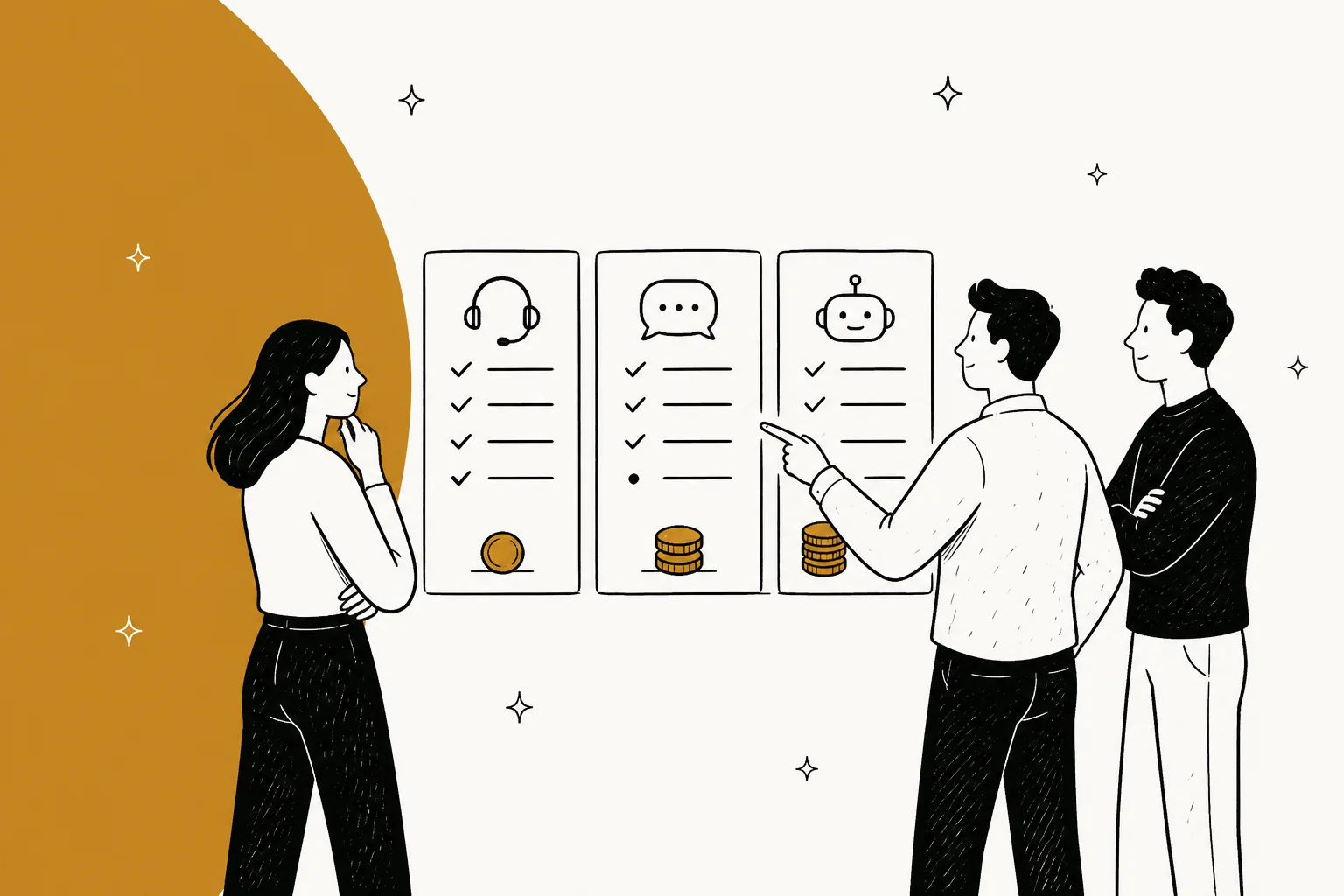
Every help desk solution on this list will sell you seats. The seats are not what decides your bill in 2026. The AI meter is, and no two vendors meter the same event: eesel sells credits on a fixed monthly plan (1 credit per ticket, from $299 for 500), Kustomer charges $0.60 the moment its AI engages a conversation whether it solved anything or not, Re:amaze charges $0.85 only when it resolves, and Gorgias charges $0.85 to $1.00 per automated interaction. A cheaper headline rate on a wider unit is a more expensive month.
Two of the ten (Gladly and Kustomer) publish no seat price at all, and Zendesk has quietly stopped publishing a dollar rate for an automated resolution. So the shortest version of my advice: pick on the unit, the reporting gate, and the escalation path, then negotiate the seats. If you want the wider category first, my AI helpdesk software roundup covers the AI-native end of it.
I have spent the last three years at eesel putting AI agents onto live support queues, and the scar that shaped how I read every vendor claim on this page is this one: paying customers' bots fabricated answers to real customers when knowledge retrieval came back empty. One energy company's bot invented solar-cell subscription terms. Another answered a customer question with "Oxygen", straight off the periodic table. That is why eesel simulates against historical tickets before anything goes live, and why I do not trust a deflection percentage that arrives without a knowledge audit next to it. When the knowledge is there, the numbers are real: Gridwise resolved 73% of tier-1 requests in its first month after a 7-day trial.
The one thing to check before you compare anything else
Help desk pricing pages in 2026 have quietly swapped which half they hide. The old motion was a public seat price with AI as an unpriced extra. The new motion is the reverse: two of the ten vendors here will not name a platform price, but they will tell you a per-conversation AI rate to two decimal places.
That matters because the rate is meaningless without the unit. Here are the five meters currently in the market, all of which get described on marketing pages as "AI pricing".
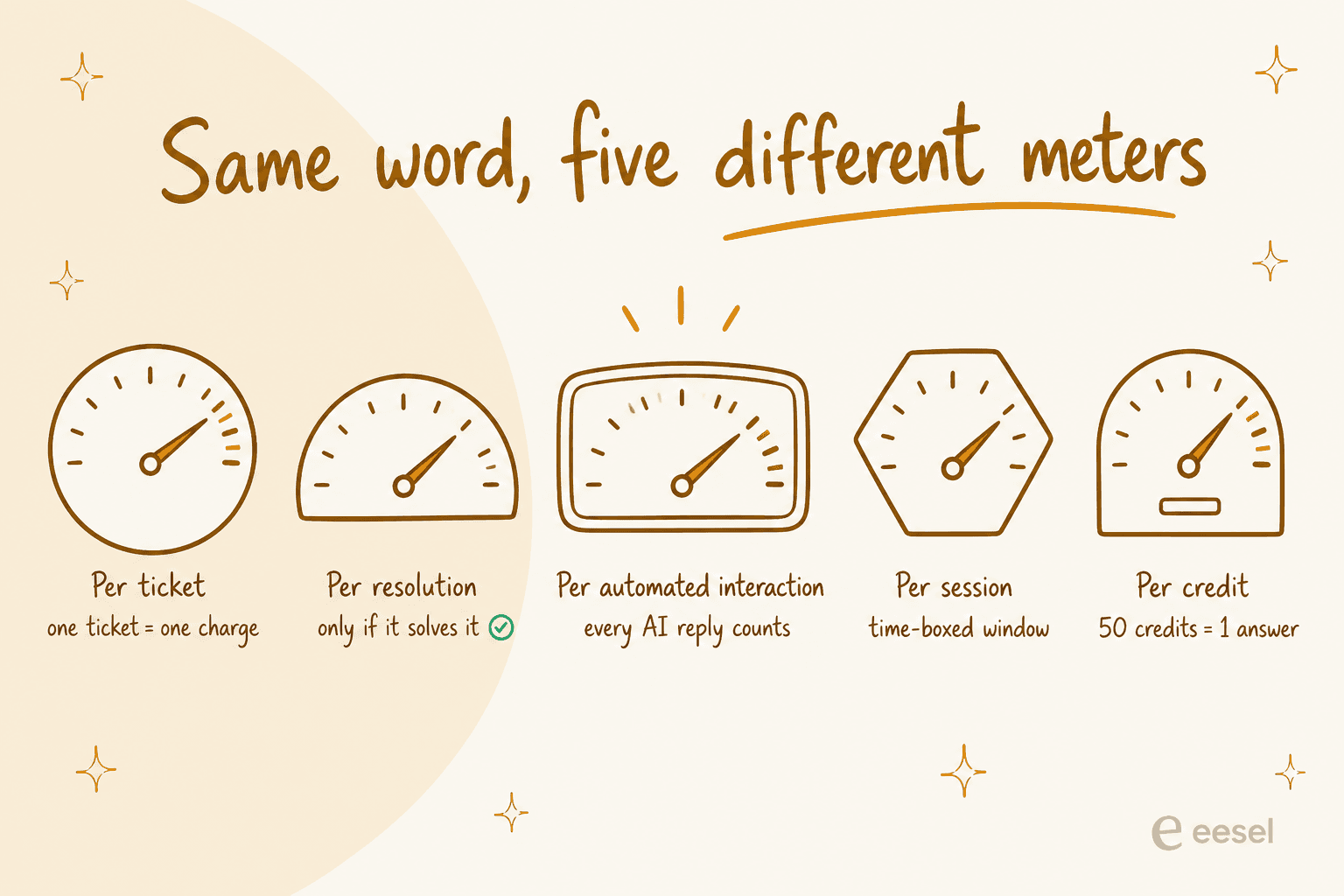
- Per ticket. One conversation is one charge no matter how many replies it takes. eesel counts this way: 1 credit per ticket, sold as a fixed monthly plan from $299 for 500 credits.
- Per resolution. You pay only when the AI closes it. Help Scout charges $0.75, Re:amaze $0.85, and HubSpot's Breeze agent works out to $0.45 once you convert its credits.
- Per automated interaction. Every AI reply is billable, resolved or not. That is Gorgias at $0.85 to $1.00, depending on plan.
- Per session. A time-boxed window rather than a conversation. Freshdesk's Freddy includes 500 of these once per account on Growth, Pro and Enterprise, then charges $49 per 100.
- Per credit. An abstraction layer over everything. HubSpot meters Credits at $9.00 per 1,000 and burns 50 of them per resolution, which is where the $0.45 comes from. The alternatives are in my HubSpot Service Hub writeup.
The unit, not the rate, is what you are actually negotiating. A team running 2,000 AI-handled conversations a month pays $999 on eesel's fixed 2,500-credit plan and $3,000 on a per-interaction meter, from vendors whose headline pages look about equally reasonable. The same arithmetic applied to headcount is in AI agent vs human cost.
Here is what that spread looks like at three real volumes. Pick your monthly AI-handled volume and the table redraws.
| Solution | Billing unit | Monthly AI cost |
|---|---|---|
| HubSpot Breeze | per resolution, $0.45 | $225 |
| Freshdesk Freddy | per session, $49 per 100 (500 free once) | $245 |
| eesel | fixed plan, 500 credits | $299 |
| Kustomer | per engaged conversation, $0.60 | $300 |
| Tidio Lyro | per conversation, ~$0.70 | $350 |
| Help Scout AI Answers | per resolution, $0.75 | $375 |
| Re:amaze | per resolution, $0.85 | $425 |
| Gorgias AI Agent | per automated interaction, ~$0.90 | $450 |
| Solution | Billing unit | Monthly AI cost |
|---|---|---|
| HubSpot Breeze | per resolution, $0.45 | $900 |
| Freshdesk Freddy | per session, $49 per 100 (500 free once) | $980 |
| eesel | fixed plan, 2,500 credits | $999 |
| Kustomer | per engaged conversation, $0.60 | $1,200 |
| Tidio Lyro | per conversation, ~$0.70 | $1,400 |
| Help Scout AI Answers | per resolution, $0.75 | $1,500 |
| Re:amaze | per resolution, $0.85 | $1,700 |
| Gorgias AI Agent | per automated interaction, ~$0.90 | $1,800 |
| Solution | Billing unit | Monthly AI cost |
|---|---|---|
| HubSpot Breeze | per resolution, $0.45 | $4,500 |
| Freshdesk Freddy | per session, $49 per 100 (500 free once) | $4,900 |
| Kustomer | per engaged conversation, $0.60 | $6,000 |
| Help Scout AI Answers | per resolution, $0.75 | $7,500 |
| Re:amaze | per resolution, $0.85 | $8,500 |
| Gorgias AI Agent | per automated interaction, ~$0.90 | $9,000 |
| Tidio Lyro | beyond published ladder | quote |
| eesel | above 5,000 credits, talk to us | quote |
AI meter only. Seats, platform fees and per-seat included allowances are extra, and a "resolution" meter bills fewer events than an "engaged conversation" meter at the same volume. Zendesk publishes no dollar rate for an automated resolution, and Zoho Desk sells no AI SKU at all, so neither can be modelled here.
How I picked these ten
Four filters, applied in order.
It had to publish something checkable. Every price on this page comes from the vendor's own pricing or docs page, re-checked in the last week. Where a vendor publishes nothing, I say so rather than repeating a number from an older roundup. Two vendors made the list precisely because their silence is the finding.
It had to be a desk, not a widget. A chat bubble with canned replies is not a help desk solution. Each tool here owns the queue: intake, assignment, status, history, and some form of reporting. The distinction is unpacked in AI agents vs chatbots.
The AI had to be real and billable. Every tool on this list ships an AI layer you can turn on, and I looked at what it bills for rather than what its landing page claims it deflects. For the pure-automation shortlist, see automated ticket resolution.
I had to be able to show you the product. Every item below opens with a screenshot of the actual interface, not a marketing render.
One structural note on what I left out: I skipped tools whose only public artefact is a demo form and an outcome percentage, unless the absence of pricing was itself informative for a buyer, which is why Gladly and Kustomer made it and several others did not.
Here is how the ten scored against those filters, which also explains a few of the odder inclusions.
| Solution | Publishes seat price | Publishes AI rate | Owns the full queue | Public product UI |
|---|---|---|---|---|
| eesel | No seats to publish | Yes, from $299/mo for 500 credits | Layer on your desk | Yes |
| Zendesk | Yes | No | Yes | Yes |
| Freshdesk | Yes | Yes | Yes | Yes |
| Zoho Desk | Yes | Bundled only | Yes | Yes |
| Gorgias | Yes | Yes | Yes | Yes |
| Help Scout | Yes | Yes | Inbox model | Yes |
| Tidio | Yes | Yes | Chat-first | Yes |
| Re:amaze | Yes | Yes | Yes | Yes |
| Kustomer | No | Yes | Yes | Yes |
| Gladly | No | No | Yes | Yes |
The comparison table
The columns most roundups skip are the ones that decide a renewal: which plan unlocks a custom report, whether uptime is contractual, and where the data physically sits.
| Solution | Best for | Entry seat (annual) | AI billing unit | AI rate | Custom reports from | Uptime SLA | Hosting |
|---|---|---|---|---|---|---|---|
| eesel | AI on the desk you already run | No seat fee | Credit (1 per ticket) | From $299/mo for 500 credits | Included | Not published | Cloud, EU or US residency add-on |
| Zendesk | Large multi-brand orgs | $19 Support Team | Automated resolution | Not published | $115 Suite Professional | 99.9% via paid Premier only | AWS, 5 regions, add-on required |
| Freshdesk | AI included at the entry tier | $19 Growth | Per session | $0.49 after 500 free | $55 Pro | No SLA document | AWS, 5 regions, set at signup |
| Zoho Desk | Tightest budgets | $7 Express | None sold separately | Bundled | $14 Standard, 50-report cap | 99.9% in help docs, no credits | 8 DC pairs, set by signup IP |
| Gorgias | Shopify stores | $40 Starter | Automated interaction | $0.85-$1.00 | Every plan | Not published | Google Cloud |
| Help Scout | Small teams who want an inbox | $25 Standard | Per resolution | $0.75 | No builder at any price | None, "as is" | AWS, US only |
| Tidio | Small ecommerce chat | $29 Starter | Per conversation | ~$0.70 at top tier | Growth and up | Not published | Cloud |
| Re:amaze | Multi-brand ecommerce on a public rate card | $26.10 Basic | Per resolution | $0.85 after allowance | Pro | Not published | Cloud |
| Kustomer | High-volume CX teams that will negotiate | Not published | Engaged conversation | $0.60 | Enterprise | 99.9% with credits | Cloud |
| Gladly | Enterprise brands going person-centred | Not published | Not published | Not published | Enterprise | Not published | Cloud |
Two columns in that table are worth stopping on, because they cost real money later.
Reporting gates. Zendesk's AI agent dashboard is free on every plan, which is convenient given it meters your billable automated resolutions, while human analytics cost $60 a seat more. Zendesk data export is off by default and needs a support request to switch on, and its live dashboards retire on 25 January 2027. Freshdesk has no real-time dashboard on any plan and blocks the CSAT report on $19 Growth. Help Scout has no report builder at any price, which its own docs state plainly.
If reporting is the thing you are actually shopping for, AI and CSAT analytics goes deeper on which numbers are worth wiring up.
Uptime. Almost none of these vendors contractually commit to uptime. Zendesk's 99.9% is available only through paid Premier Support, and its public customer agreement is "as is". Freshdesk has no SLA document at all, and the sole remedy is a refund of unused prepaid fees. Zoho's 99.9% appears in a help article with zero service credits, and liability is capped at $1,000. If uptime is in your risk register, that column matters more than the seat price.
1. eesel
Best for: putting an AI agent on the help desk you already run, without a migration.

I work on eesel, so treat the verdict here as declared bias and check the numbers yourself. What eesel is: an AI teammate that connects to the desk you already have, learns from your help centre, past tickets and internal docs, and starts drafting or resolving inside that desk. It is not another inbox to migrate into, which is the reason most of the teams I talk to try it in the first place.
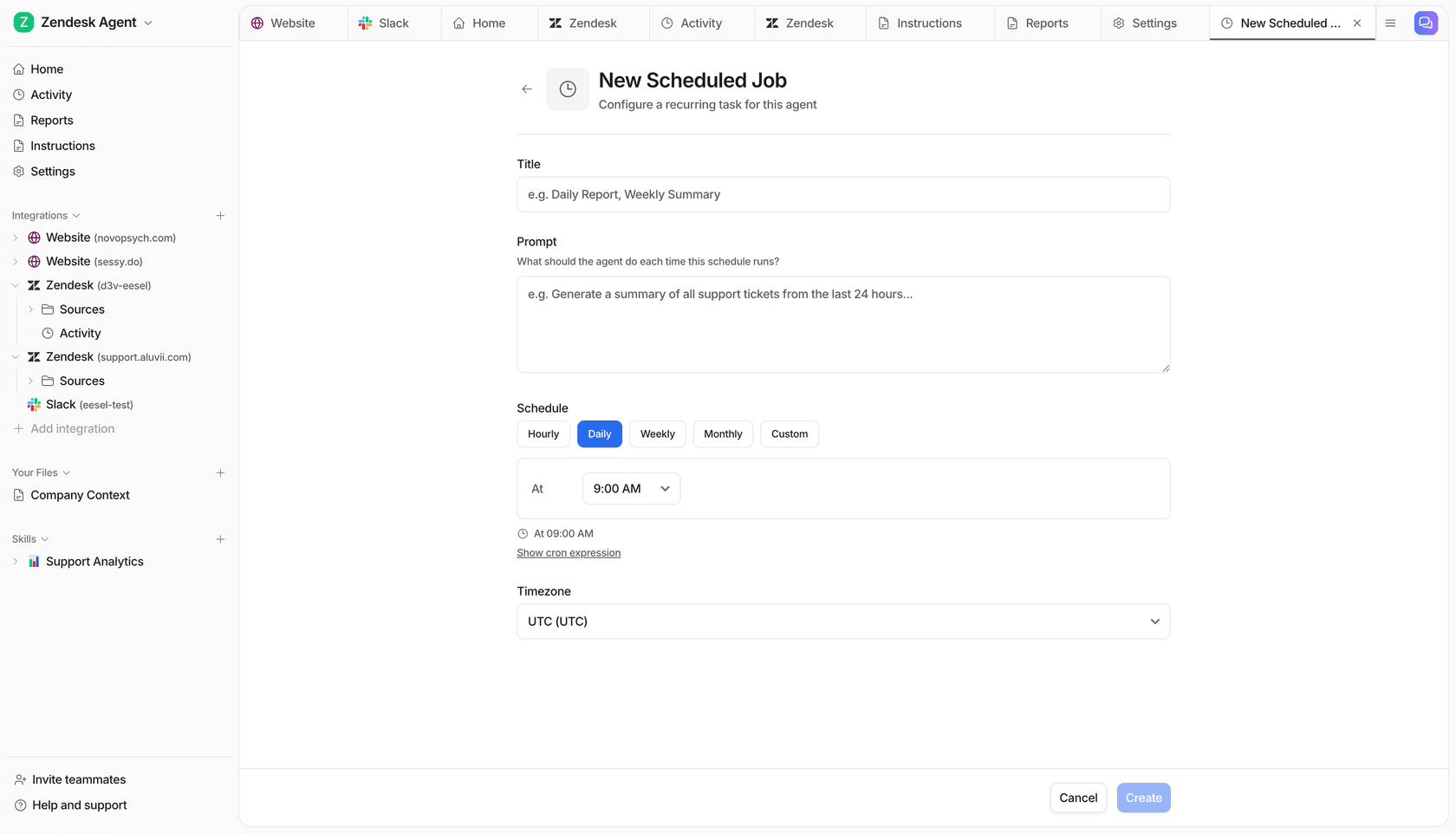
Features. It plugs into Zendesk, Freshdesk, Jira Service Management, Gorgias, Slack and others, drafts replies as internal notes or sends them customer-facing, tags and routes tickets, and runs scheduled jobs for recurring work. Behaviour is edited in plain English rather than a rules builder, and every rollout is simulated against historical tickets first.
Pros. No seats and no platform fee, so the bill tracks the work rather than headcount. One credit per ticket means a five-reply conversation costs the same as a one-reply one. Setup is measured in days: one gig-economy analytics team hit production results inside a 7-day trial, and a Spanish insurance brokerage ran 564 real conversations in the first 48 hours of a free trial.
Cons. It is a layer, not a system of record, so you still pay for the underlying desk. If you want a single vendor for ticketing, telephony and AI on one contract, that is not this. And the honest limitation: results track knowledge quality closely, which is why the simulation step exists rather than being an upsell.
Pricing. One fixed monthly price on the Teammate plan, where 1 credit is one ticket or chat regardless of reply count. A free plan of 100 credits to start, no credit card. Paid batches run from 500 credits for $299 a month to 5,000 for $1,899, and paying a year upfront gets two months free. SSO and MFA are an add-on from $199 a month, and data residency is $500 a month.
Our take: the right pick if you already like your desk and the problem is the queue, not the tooling. The wrong pick if you are shopping for your first help desk from scratch. The head-to-heads live in eesel vs Zendesk AI and eesel vs Freddy.
2. Zendesk
Best for: large support organisations that need every channel under one roof.

Zendesk is still the default answer, and mostly deserves to be. The agent workspace, the trigger and automation model, and the breadth of the marketplace are hard to match, and if your org has multiple brands and a dozen channels, this is the tool built for that shape.
Features. Full omnichannel ticketing, a mature help centre, Explore for reporting, side conversations, and a Copilot add-on for agents. Voice matters more than it did: Zendesk's own research puts voice at 40% of contact centre volume and growing, reversing a decade of decline.
Pros. Depth. Nothing else here handles a 25-brand, 8-channel operation as calmly. The AI agent dashboard is free on every plan.
Cons. Two changed things that older comparisons still get wrong. The standalone $50 Advanced AI add-on is gone, and Zendesk now publishes no dollar rate for an automated resolution at all, which makes forecasting an AI budget a sales conversation. Custom reports start at $115 Suite Professional. The Data Center Location add-on is free on Suite Professional and up but is not switched on automatically, and without it Zendesk makes no commitment on hosting location.
Pricing. Support Team $19, Suite Team $55, Suite Professional $115, and a renamed "Suite Enterprise + Copilot" tier that is talk-to-sales. Copilot is $50 per agent. Full breakdown in Zendesk pricing, and my read on the AI side is in Zendesk AI.
Our take: buy it for breadth and for the ecosystem, not for the AI economics. If the AI layer is the reason you are shopping, price the desk and the AI separately before signing. Teams who priced it and walked usually end up in Zendesk alternatives.
3. Freshdesk
Best for: teams that want a working AI agent without upgrading their plan first.

Freshdesk made the single most buyer-friendly change in this category over the past year, and almost nobody noticed: Freddy AI Agent now includes the first 500 sessions once per account on Growth, Pro and Enterprise, including $19 Growth. That is a one-time trial allowance for AI, on the cheapest paid plan.
Features. Ticketing with a solid automation builder, Freddy AI Agent for customer-facing deflection, Freddy Copilot for agents, and a decent knowledge base. My longer look at how the AI behaves is in Freshdesk AI, and the routing side is in Freshdesk auto-triage.
Pros. 500 included AI sessions on all plans is the best entry-level AI allowance here. The automation editor is easier to live in than Zendesk's triggers for most small teams.
Cons. The Free plan is gone, so $19 Growth is now the floor. There is no real-time dashboard on any plan, and CSAT reporting is blocked on Growth. Freddy Copilot is $29 per agent and Pro-and-up only. There is no SLA document at all, and your region is fixed at signup, so changing it means emailing for a manual migration.
Pricing. Growth $19, Pro $55, Enterprise $89, all per agent per month annually. Freddy overage is $49 per 100 sessions, so $0.49 each. Note the monthly (non-annual) prices are rendered client-side and are not in the page source, which is a small tell about how they want you to compare. The tier-by-tier version is in Freshdesk pricing, and the head-to-head is Zendesk vs Freshdesk.
Our take: the best value entry point on this list if you want AI without a plan upgrade, provided you can live without real-time reporting.
4. Zoho Desk
Best for: the tightest budget that still needs a real desk.
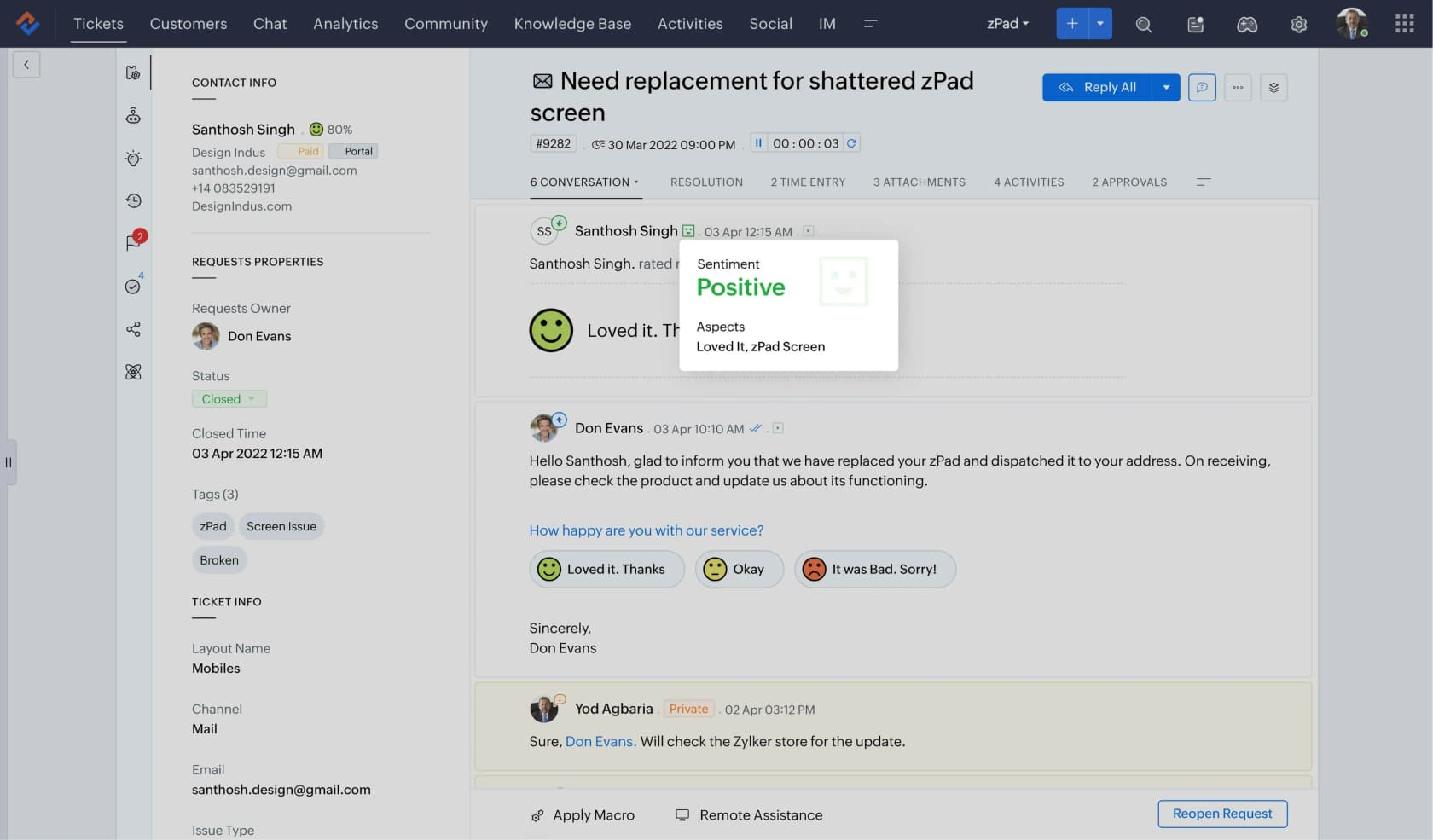
At $7 a seat, Zoho Desk Express is the cheapest genuine help desk here by a wide margin, and the gap between it and the next tier up is smaller than the price suggests.
Features. Ticketing, a customer portal, community forums, and Zia for sentiment analysis, ticket summaries and an answer bot. The Zia layer moved down to the Professional tier this year, having previously been Enterprise-only, which is a meaningful change for small teams.
Pros. Price. Custom reports start at $14 Standard, which is the cheapest report builder in the category. Express includes 30 million free AI tokens a month. Eight datacentre pairs including Riyadh, Dubai and Toronto, which is unusual breadth for residency.
Cons. There is no Zia add-on SKU and no per-prediction price, so you cannot model AI spend independently of your plan, and you cannot buy more AI without buying more plan. The datacentre is set from your IP at signup and never replicated, so switching means a migration ticket and a 14-day deletion clock. The 99.9% uptime figure appears only in a help article with no service credits. eesel connects to Zoho Desk, so you can add an AI layer on top of it without replacing the desk.
Pricing. Free, Express $7, Standard $14, Professional $23, Enterprise $40, per agent per month. More on what Zia does in Zoho Desk AI.
Our take: the value pick, with the caveat that its AI is a feature of the plan rather than a lever you can pull separately.
5. Gorgias
Best for: Shopify stores where support and revenue are the same conversation.
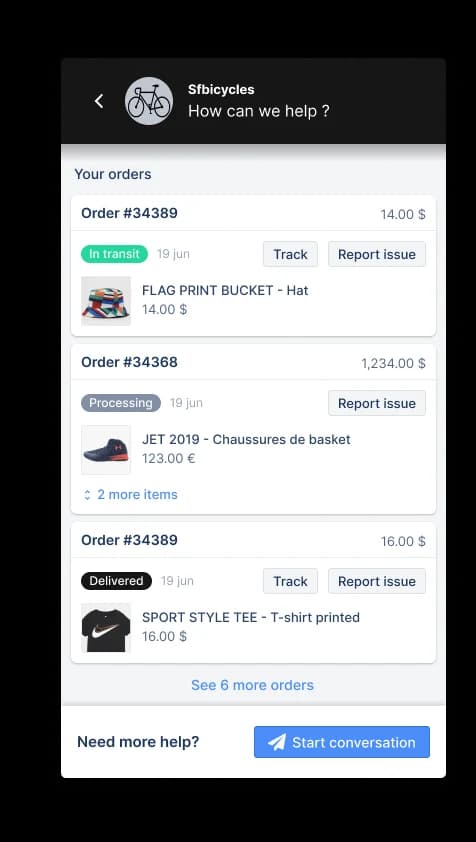
Gorgias is purpose-built for ecommerce, and the order-context sidebar shown above is the reason merchants stay. Refunds, order lookups and exchanges happen inside the ticket rather than in a second tab.
Features. Deep Shopify integration, order actions inside the helpdesk, revenue attribution on support conversations, rules for VIP routing, and an AI Agent for automated replies. My detailed read is in Gorgias AI.
Pros. Nothing else on this list understands an ecommerce ticket as well. Custom reports are available on every plan, which is rare here. Ticket overage is reasonable at $0.40 for small stores.
Cons. The AI economics are the harshest in this roundup. The AI Agent bills $0.85 to $1.00 per automated interaction depending on plan, which is the widest unit on this list. The headline messaging is "pay when it resolves", but the unit printed on the rate card is the automated interaction, which is a wider event than a resolution. Plan prices also jump steeply: Basic to Pro is $77 to $471 annually.
Pricing. Starter $40, Basic $90 ($77 annual), Pro $550 ($471 annual), Advanced $1,430 ($1,227 annual).
Our take: worth it for Shopify-native support, but model the AI spend at your real volume before you switch it on. At 2,000 automated interactions a month, the AI costs roughly $1,800 at the $0.90 Pro rate. Cheaper units across the category are compared in cheapest AI helpdesk apps.
6. Help Scout
Best for: small teams who want a shared inbox and not a ticketing system.
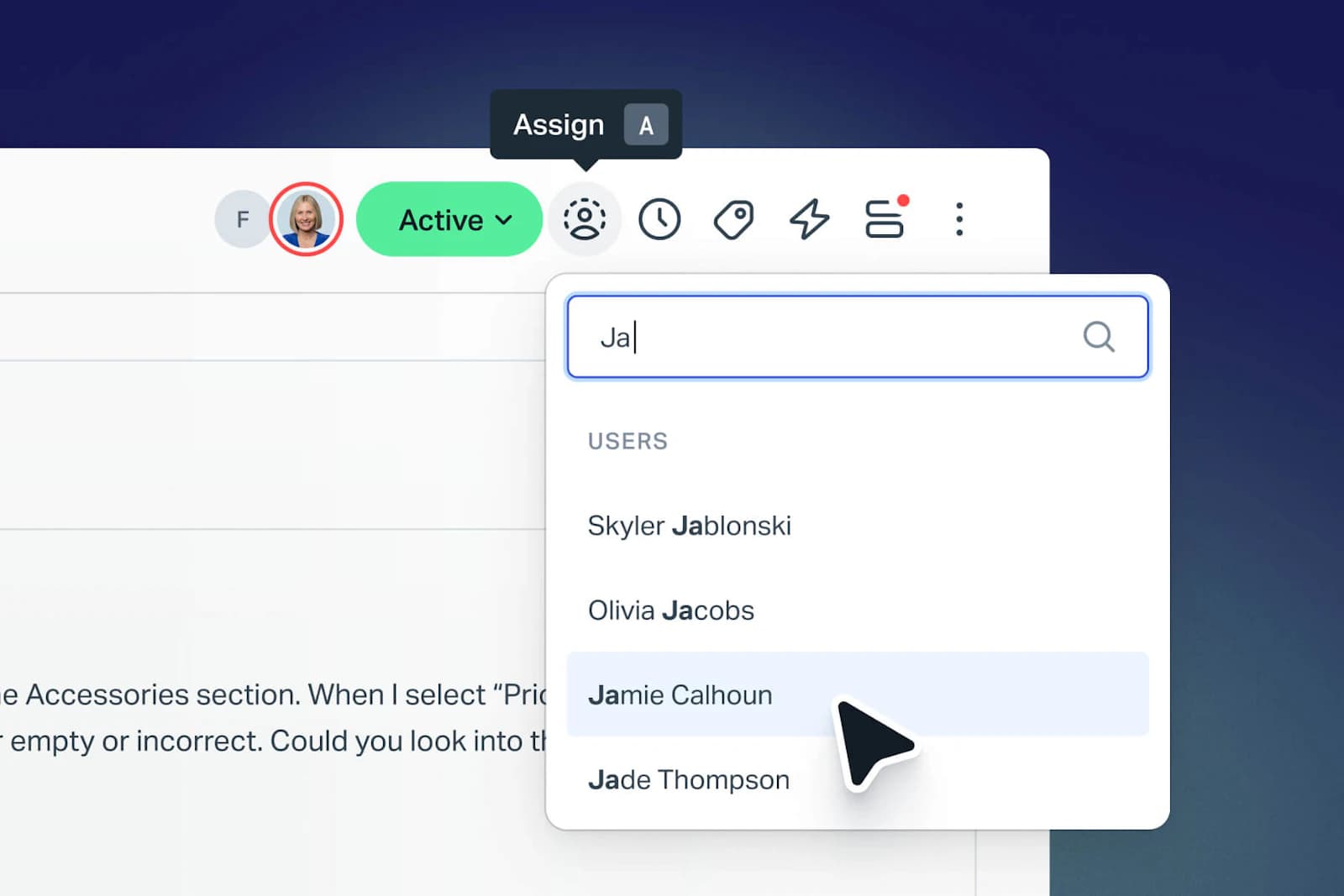
Help Scout has always sold a philosophy as much as a product: conversations, not tickets, and an interface your customers never see the seams of. For a team of five answering email, it is still the most pleasant tool here.
Features. Shared inbox, Docs knowledge base, Beacon widget, workflows, and AI Answers for automated resolution. AI Answers bills per resolution at $0.75, which is the fairest unit in this whole comparison.
Pros. The cleanest agent experience on the list. Per-resolution AI billing with no wider event to argue about. Fast to set up.
Cons. Two hard limits. Help Scout has no custom report builder at any price, and its own docs say so, so if reporting drives your decision, stop here. Hosting is AWS United States only with no EU option, and the company will not sign custom DPAs, which rules it out for a lot of European buyers. There is no ISO 27001 and no uptime SLA. HIPAA is Pro-only with a non-negotiable BAA. Worth noting the pricing history too: Help Scout tried per-customer-interaction pricing in April 2025 and reverted to seats that November.
Pricing. Standard $25, Plus $45, Pro $75 (10-seat minimum, sold through a demo), per user per month on annual billing. The reporting API needs Plus at minimum. Full detail in Help Scout pricing, and the deflection setup is in Help Scout AI workflows.
Our take: buy it for the inbox experience and the honest AI meter, not if you need reports or EU data residency. Other options at this size sit in small business help desks.
7. Tidio
Best for: small ecommerce teams whose volume arrives through chat.
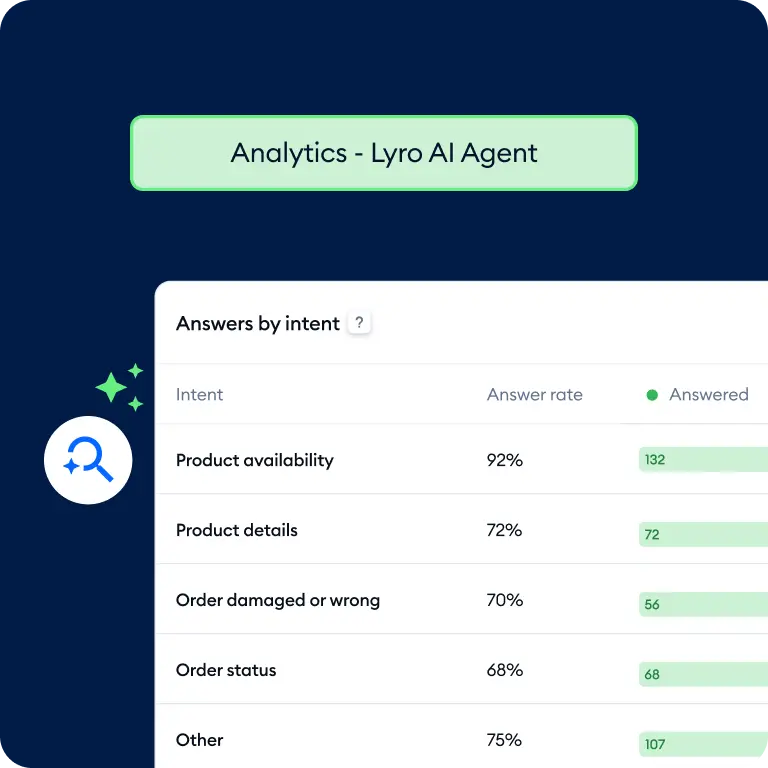
Tidio is chat-first with a help desk attached, rather than the reverse, and Lyro is one of the better small-business AI agents in the category.
Features. Live chat, flows, Lyro AI agent, and a ticketing layer. The intent breakdown shown above is useful for spotting what to automate next.
Pros. The billable conversation only counts when a human agent replies. Responses from Flows and Lyro do not count as agent replies, so bot-only chats are free on the core meter. Ten seats are included on Free, Starter and Growth, which is unusually generous.
Cons. The 50 free Lyro conversations are one-off and lifetime, not monthly, which trips up almost everyone. Lyro laddering is steep: from $39 a month for 50 conversations up to $700 for 1,000, so roughly $0.70 to $0.78 each. Pay-per-resolution and the guaranteed 50% resolution rate are Premium-only and start at 3,000 conversations.
Pricing. Free (50 conversations), Starter $29 (100), Growth $59 to $349 (250 to 2,000), Plus from $300 plus usage. Lyro is a separate add-on from $32.50 annually.
Our take: strong for a store doing a few hundred chats a month. The economics get uncomfortable in the middle of the Lyro ladder, right before Premium's better terms kick in. If chat is most of your volume, live chat deflection is the benchmark piece to read next.
8. Re:amaze
Best for: multi-brand ecommerce teams who want a public rate card.
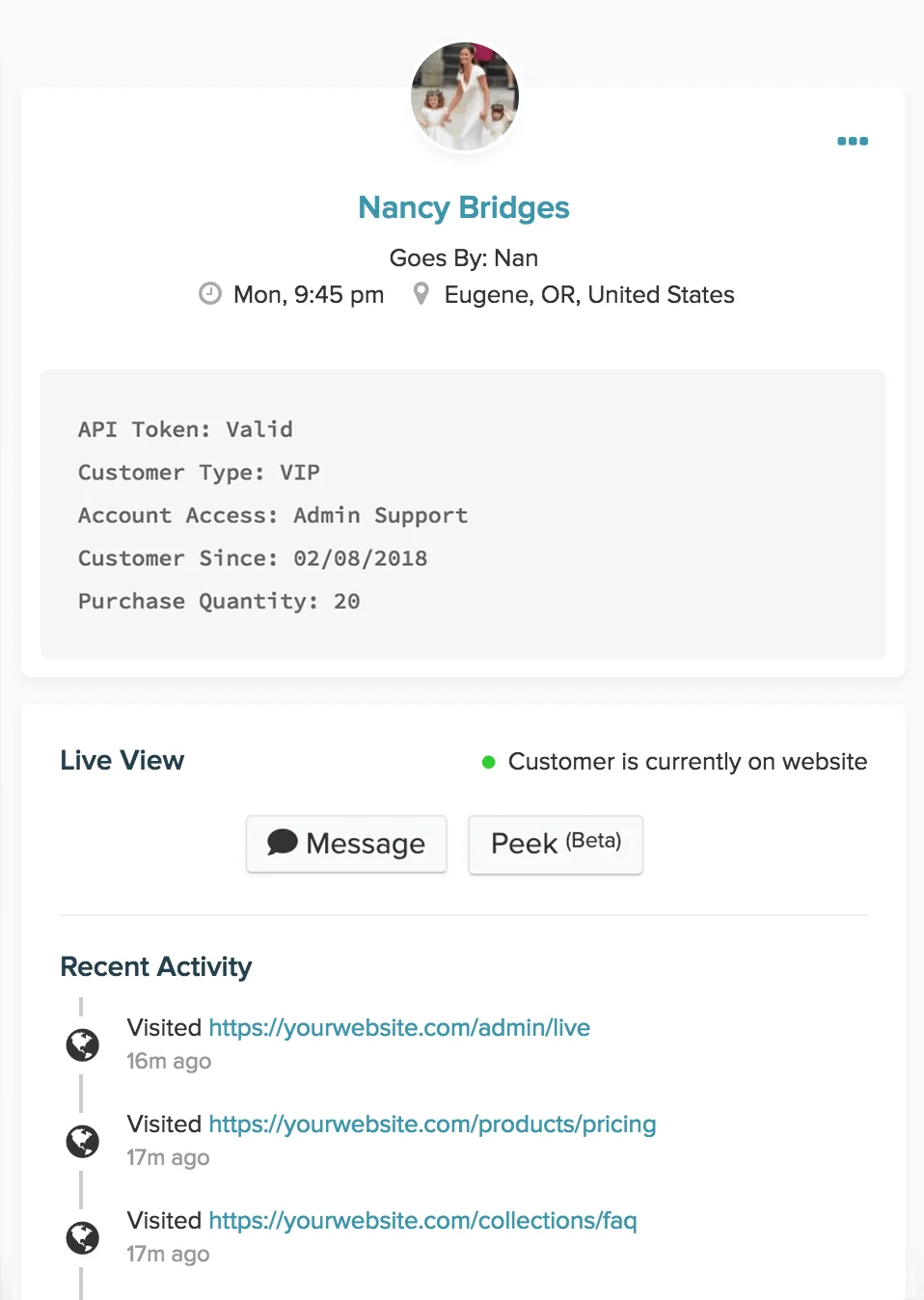
Re:amaze is the GoDaddy-owned ecommerce helpdesk, and in a category drifting toward "book a demo", it is refreshingly willing to print its numbers.
Features. Unlimited email inboxes, live chat, social channels, FAQ, chatbots, and a live visitor view. Pro adds multiple brands, SMS and voice, and a custom domain. Plus adds Peek screensharing, departments, shifts and CSAT.
Pros. Every price is public, including the AI overage. Per-resolution AI billing. Multi-brand support arrives at $49, which is far cheaper than the equivalent tier elsewhere. Free trial with no credit card.
Cons. The included AI allowance scales with seat count, not ticket volume, which is backwards for the teams that need it most: a three-seat Basic account gets 15 free resolutions a month before the $0.85 meter starts. The AI Agent product page still carries a BETA label. The Starter plan's flat $59 is capped at 500 responded conversations a month. eesel also connects to Re:amaze, so you can add an AI layer on top of it as well as using Re:amaze's own.
Pricing. Basic $29 ($26.10 annual), Pro $49 ($44.10), Plus $69 ($62.10) per team member per month, plus a flat $59 Starter with unlimited members and a 500-conversation cap. Annual saves a flat 10%.
Our take: the best-value multi-brand option, as long as your seat count is high enough that the AI allowance means something. For stores past that ceiling, high-volume helpdesk tools is the better shortlist.
9. Kustomer
Best for: high-volume CX teams with the appetite to negotiate.
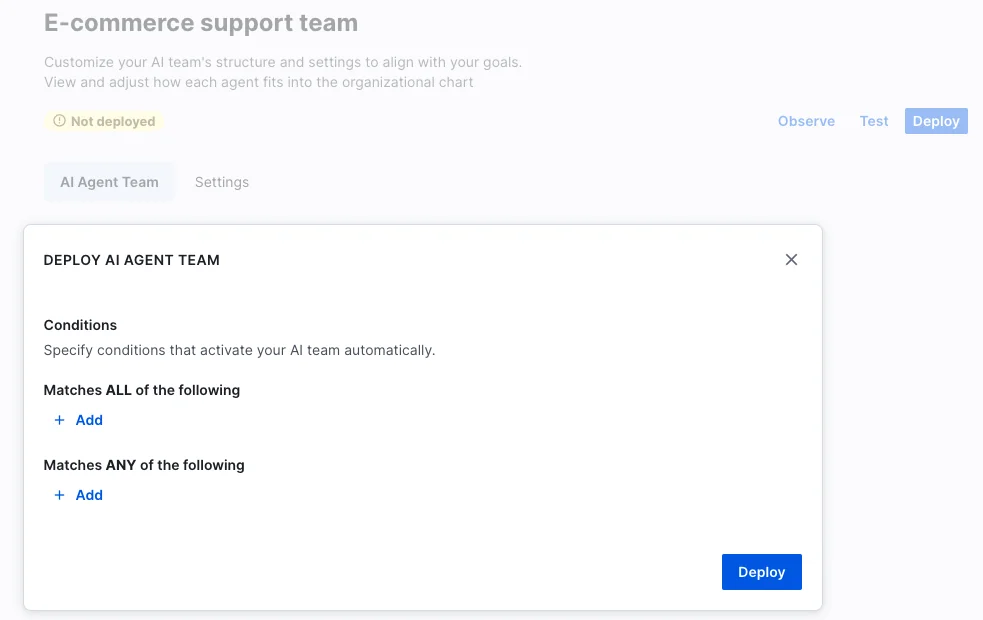
Kustomer is the clearest example of the pricing inversion I opened with. Its pricing page says outright that it does not post one-size-fits-all pricing and serves an ROI estimator instead, yet its docs publish AI and usage rates in detail.
Features. Conversation-centric CX platform, Kustomer Concierge for customer-facing AI, AI Agents for Reps, skills-based routing on Ultimate, and voice at $0.02 a minute.
Pros. The published usage rates are unusually transparent for a sales-led product: $0.60 per engaged conversation for customer AI, $40 per user for rep-side AI, $25 per user for HIPAA. A 99.9% uptime SLA with actual credits, which almost nobody else here offers. Legacy plans advertised unlimited conversations.
Cons. No seat price anywhere, on any plan, current or legacy. And the unit is the catch: $0.60 bills per engaged conversation, not per resolution, so the AI takes part and the meter runs whether or not the customer's problem was solved. Against Re:amaze's $0.85 per resolution, the cheaper number covers the wider set of events. Data storage at $50 per GB per month adds up. SCIM is not available on Enterprise at all.
Pricing. Enterprise and Ultimate, both quote-only. Add-ons as above. Outbound messages $0.025 each, WhatsApp passes through Meta's rate plus a 20% Kustomer markup.
Our take: worth a conversation at genuine scale, where a 99.9% SLA with credits is a real differentiator. Model the engaged-conversation meter at your actual volume, not at your resolution rate. Peers at that size are covered in helpdesk software for enterprise.
10. Gladly
Best for: enterprise brands committed to person-centred support.
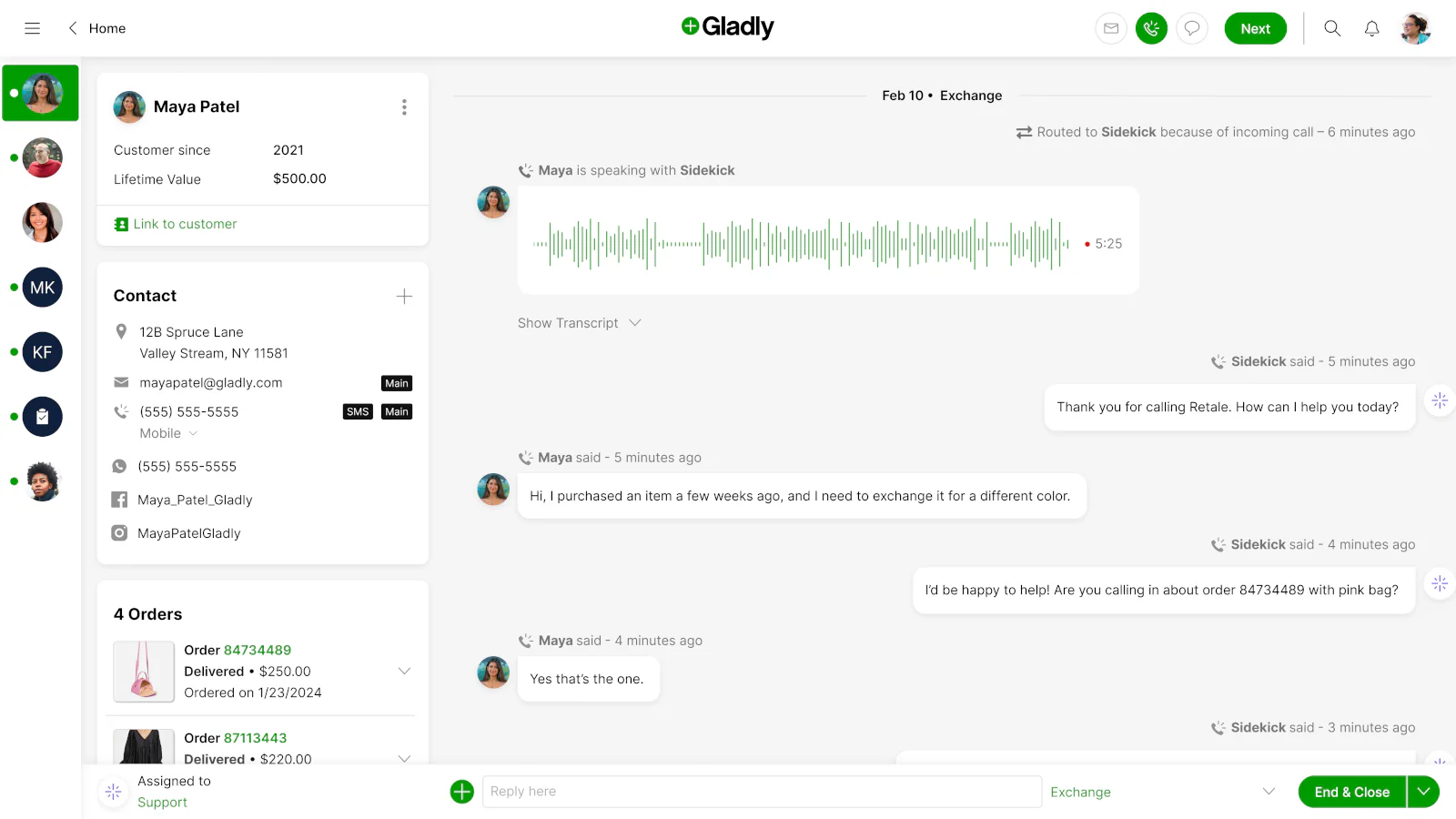
Gladly organises everything around the customer rather than the ticket, which is a different model and the reason a certain kind of consumer brand loves it. Every channel a person uses collapses into one continuous timeline, as in the screenshot above.
Features. People-centred conversation timeline, voice with Sidekick, and an AI customer service agent. The rebrand to gladly.ai came with a repositioning around AI-first CX.
Pros. The single best true-omnichannel model here. If your brand's promise is that customers never repeat themselves, this architecture delivers it in a way ticket-centric tools cannot fake.
Cons. There is no pricing page. The /pricing URL now serves the homepage byte-for-byte, /plans returns a 404, and the only route forward is a demo form. What Gladly does publish is outcomes, not prices: 76% of conversations fully resolved by AI, 2.2x revenue per conversation, a 65% CSAT increase. None of those let you model a budget. For a buyer doing a shortlist, that means Gladly cannot be compared on cost until you are already in the funnel.
Pricing. Not published. Demo only.
Our take: shortlist it if person-centred is a strategic commitment and you have the procurement patience for a sales-led process. Skip it if you need to compare three quotes this quarter. Priced alternatives sit in AI customer service software.
The number that should shape your expectations
Before you sign anything based on a deflection claim, look at the gap between what the industry measures and what vendors advertise.
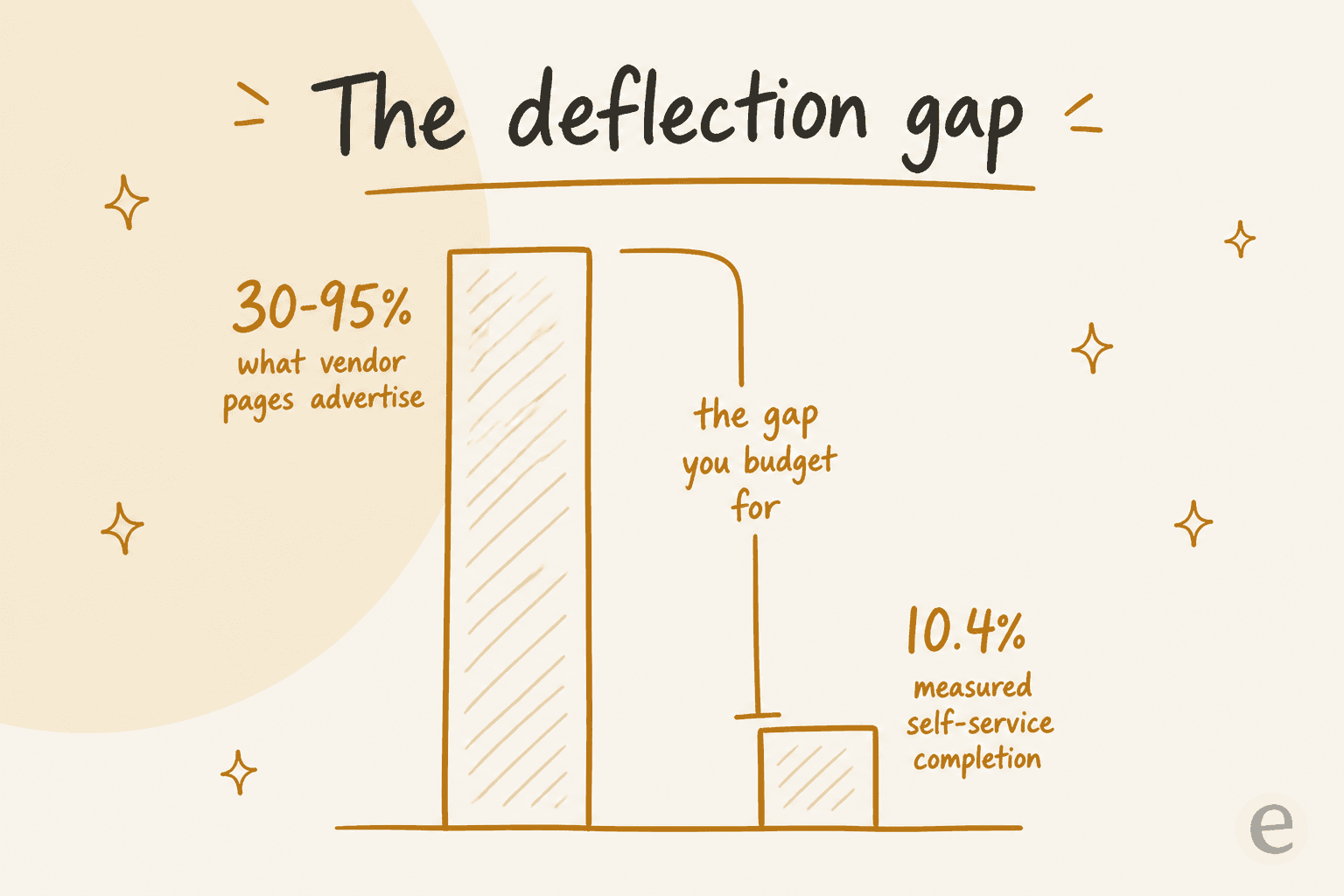
HDI's benchmark puts the average self-service completion rate for service desks worldwide at 10.4%, ranging from zero to 55%, with the caveat that "the vast majority of these self-resolved incidents are password resets." Meanwhile the customer stories on vendor pages advertise anywhere from 30% to 95%.
Both can be true. They measure different things on different populations, and the vendor numbers are real customers who did the knowledge work. But if you build a business case on 80% and your knowledge base is in the state most knowledge bases are in, you will miss.
Two mechanics from that same HDI research are worth carrying into the negotiation. First, deflection raises the cost of every ticket that remains, because you are removing the cheap ones: "the average complexity and the average handle time of the incidents that continue to be handled by live agents will increase." Second, there is a time ceiling: a user should not spend more than ten minutes trying to self-resolve, because past that the lost productivity costs more than the deflection saved.
The operators are blunter about the precondition. From a sysadmin whose CIO bought an AI service desk:
"Unless your IT support documentation, SOPs, and Service Catalog are dialed in, more than half the AI answers will be bad or generic. Most users find that level of service unacceptable."

And the funniest statement of the same problem, eleven words long:
"My internal knowledge base doesn't have information from my internal knowledge base."
This is the honest order of operations. Fix retrieval, then measure, then buy the meter that matches what you found. Pointing AI at a knowledge base is the step people skip, and it decides everything downstream. If you are trying to move the number itself, start with deflection rate.
Where the AI sits matters more than which AI it is
Here is the finding that surprised me most when I went through a year of support threads. The same technology produces opposite outcomes depending purely on where it sits in the user's path.
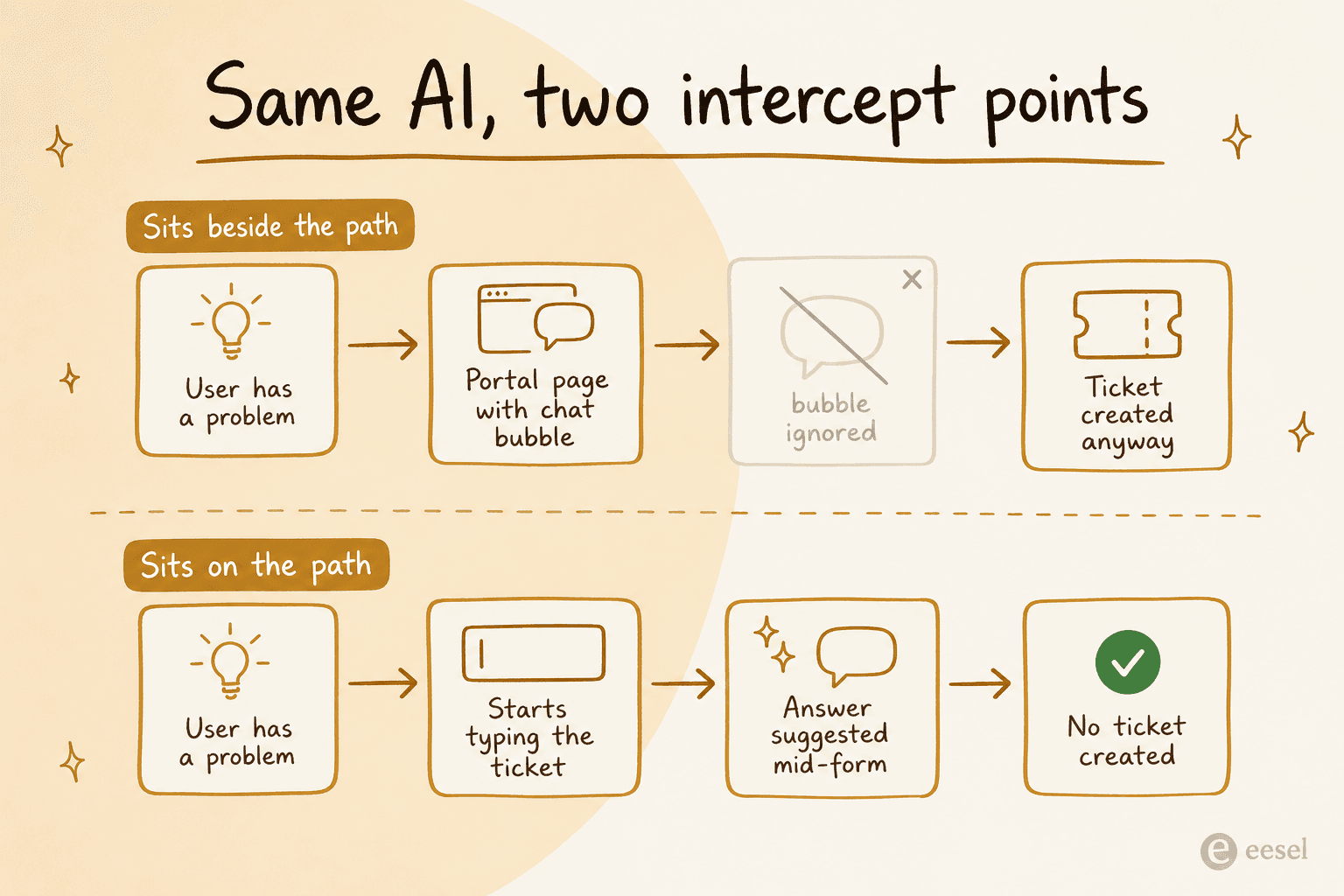
Beside the path, it gets ignored:
"Instead of ignoring documentation, we now have a little chat window that people ignore on their way to get the help desk phone number!"
On the path, it works:
"We have a bot connected to an LLM that has indexed our internal documents and it will prompt the user with relevant helpdesk documents while they are creating a ticket. It asks if this solved their problem and if they say yes, the ticket is not created. It actually works reasonably well and has even found me an answer sometimes."
Same idea, same models, opposite results. The difference is the intercept point.
The second variable is the escalation door. The most-upvoted opinion in the biggest AI service desk thread of the year is "nobody actually wants AI service desks", but read further down and the actual complaint is narrower and more fixable:
"We are doing some basic ticket routing and responding with AI. It speeds up resolution time, so people do want it. What they don't want is to be blocked from accessing a human for help, which ultimately adds to their frustration.
It's a service desk, which implies service."
People do not hate AI answering. They hate AI blocking. When a team removed the human-handoff option from a bot that had worked well, the same bot started routing people in circles through knowledge base articles they had no access to. Whatever you buy, keep the door open, and check what happens on the vendor's own demo when you type "I want a person". The design patterns are in AI handoff best practices and chatbot escalation.
The intercept point is also where ticket triage earns its keep: classifying a request as it arrives is what lets the system decide between answering, routing, and getting out of the way. The mechanics are in AI ticket classification.
The staffing math nobody puts on a pricing page
The reason any of this matters is that the alternative to automation is headcount, and headcount has a ceiling that is not about budget.
MetricNet's benchmarking data puts average agent utilization at about 48%, ranging from 22% to 76%, and names the burnout line explicitly: "whenever agent utilization rates approach 60-70 percent, a service desk will experience relatively high agent turnover because they are pushing the agents too hard." Agent salaries and benefits are more than half of a service desk's total cost, and around two-thirds once you count supervisors, QA and trainers.
So the headroom between where most desks run and where they break is roughly twelve percentage points of utilization. That is the actual size of the "just work harder" lever, and it is smaller than most leadership teams assume. Here is what it feels like from inside:
"I can close 10 to 20 tickets a day.. and still have more tickets at the end of the day than when the day started.
We're so understaffed it's beyond hilarious. [...] We were understaffed and experiencing burnout BEFORE the pandemic. It's even worse now."
The after-hours version is worse, because the overnight queue is made of the same trivial tickets as the daytime queue, just answered by someone who was asleep twenty minutes ago. And "24/7" in most contracts does not mean what buyers think: an MSP operator put it plainly that "alot of 24/7 is really just someone on call overnight". If the overnight shift is mostly password resets and printer questions, that is the clearest case for automating a window rather than staffing it. For internal desks specifically, AI IT help desk tools and AI for your service desk cover how teams stage that.
How to actually choose
A short decision path, in the order the questions bite.
- Count your AI-handled volume, not your total ticket volume. Then multiply it by each shortlisted vendor's unit rate using the calculator above. This number is usually larger than the seat bill, and it is the one people discover in month three.
- Read the unit definition, not the rate. Resolution, engaged conversation, automated interaction and session are four different events. Ask the vendor for a worked example on your own volume, in writing.
- Check the reporting gate before you check the feature list. If custom reports live two tiers above where you were planning to land, that is your real price. SLA behaviour deserves the same check, per support SLA management.
- Test the escalation path on the vendor's own demo. Type something the bot cannot answer, then ask for a human. What happens next is what your customers will experience, and AI chat escalation covers what good looks like.
- Audit the knowledge before you buy the AI. If retrieval comes back empty, a confident model fills the gap, and that is where the fabricated answers come from. Knowledge base tools is the starting point.
- Decide whether you need a new desk or an AI layer on the one you have. These are different purchases with different risk profiles, and the second one is reversible.
The most-cited technical rebuttal in this year's biggest AI service desk thread is also the most balanced position I have read on the whole question, and it is worth keeping in mind while you shortlist:
"Now KBs enhanced by LLMs could cut down on the scale of tier 1, assuming your KB is actually up-to-date (it often isn't), but replacing 100% of tier 1 with a bot is just lunacy."
That is the realistic target: cut the scale of tier 1, keep the humans for everything else. If your answer to point six is "the desk is fine, the queue isn't", you probably do not need to migrate anything. The layer-on-top approach is covered in tier-1 deflection and AI ticketing systems, and the broader automation case in customer service automation.
Try eesel on the desk you already run
If the queue is the problem and not the tooling, eesel plugs into Zendesk, Freshdesk, Jira Service Management or Slack and starts drafting on real tickets in days, not quarters. It is one fixed monthly price from $299 for 500 credits, with no seats and no platform fee, which means the invoice tracks the work rather than your headcount, and it simulates against your historical tickets before it answers a single customer.
The part that surprises people is the editing model: you change how the agent behaves by telling it, in a sentence, and it rewrites its own instructions.

Start free with 100 credits, no credit card. Try eesel, or book a demo if you would rather have someone model your volume with you first.