Service Level Agreements are the promises that keep customer support running. They define how quickly you'll respond to a ticket, how long resolution should take, and what customers can expect when they reach out for help. But here's the problem: most teams are managing these commitments with tools and processes built for a different era.
Traditional SLA management is reactive. You find out about a breach after it happens, then scramble to understand why. You track metrics in spreadsheets, set static thresholds that don't account for ticket complexity, and rely on manual escalation rules that break down as volume grows. It's a system that creates anxiety instead of accountability.
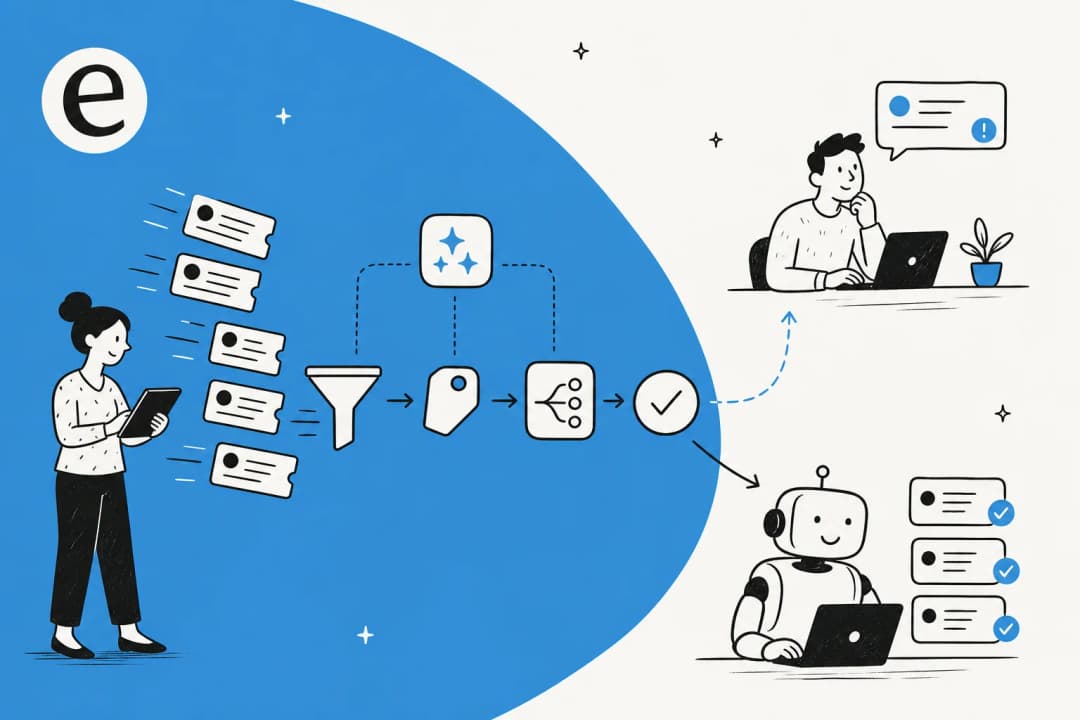
This is where AI changes the equation. Instead of monitoring SLAs as a scoreboard of past performance, AI transforms them into a live operational system that anticipates problems before they occur. Here's what that actually looks like and how to implement it in your organization.
What is SLA management and why does it matter?
A Service Level Agreement in customer support is a documented commitment that defines expected response and resolution times. At its core, it answers a simple question: how quickly will we handle this customer's issue?
Most support teams track two primary metrics:
- First Response Time (FRT): The time from ticket creation to the first agent reply. According to Supportbench research, 90% of customers consider an "immediate" response critical, and 60% define immediate as 10 minutes or less.
- Resolution Time: The total time from ticket creation to full resolution.
SLAs typically fall into four categories:
- Customer-based SLAs: Tailored agreements for specific high-value accounts
- Service-based SLAs: Standard commitments that apply to all customers using a particular service
- Multi-level SLAs: Layered agreements combining corporate, service, and customer-specific targets
- Internal SLAs: Commitments between departments (also called Operational Level Agreements)
For more on structuring these agreements, SIIT's guide to SLA management offers practical frameworks for each type.
Why does this matter? SLAs create accountability. They align teams around measurable goals, set customer expectations, and provide a framework for continuous improvement. Without them, support becomes arbitrary, customers lose trust, and teams burn out trying to meet undefined standards.
For teams using an AI Agent, SLA management becomes integrated into the autonomous workflow. The system doesn't just track commitments; it actively works to meet them by prioritizing tickets, routing intelligently, and escalating when necessary.
The problem with traditional SLA management
If you're managing SLAs the old way, you're probably familiar with these pain points:
Reactive monitoring. Dashboards highlight breaches after they've occurred. By the time you see a problem, the customer has already waited too long. You're measuring what went wrong instead of preventing it.
Manual tracking. Checking SLA performance once a month is like looking in the rearview mirror after you've missed your exit. Teams rely on memory for escalations, babysit tickets to prevent breaches, and chase down deadlines instead of focusing on resolution.
Static thresholds. The same timeline applies to all tickets regardless of complexity, priority, or customer value. A password reset and a system outage follow identical clocks, even though they require completely different resources.
Siloed data. SLA metrics, case updates, and communications sit in disconnected systems. Real-time visibility becomes impossible when your help desk, CRM, and communication tools don't talk to each other.
The hot potato problem. Tickets bounce between queues because routing is manual or rule-based. Every minute a request spends in the wrong queue is a minute closer to a breach.
Weak traceability. When an SLA is missed, most tools can't explain why or where it failed. Root cause analysis becomes an afterthought instead of a built-in capability.
These limitations create a reactive cycle where teams measure what's already gone wrong instead of predicting what might. In a world of real-time service expectations, manual oversight can't match digital velocity. As Newgensoft notes in their analysis of AI-driven SLA management, the global AI market is projected to reach $1.8 trillion by 2030, reflecting the massive shift toward intelligent automation in service operations.
How AI transforms SLA management
AI doesn't just track SLAs. It orchestrates them. Here's how the shift from reactive to proactive actually works:
From reactive to proactive monitoring
Instead of reporting that an SLA was breached, AI predicts that it will be breached hours in advance. The system continuously monitors ticket volume, backlog aging, and resource capacity to forecast potential violations before they happen.
When AI detects unusual patterns, like a sudden spike in resolution times or a cluster of breaches from a specific category, it flags this with natural language explanations. You get the answer presented directly instead of manually digging through tickets to find patterns.
Intelligent routing and prioritization
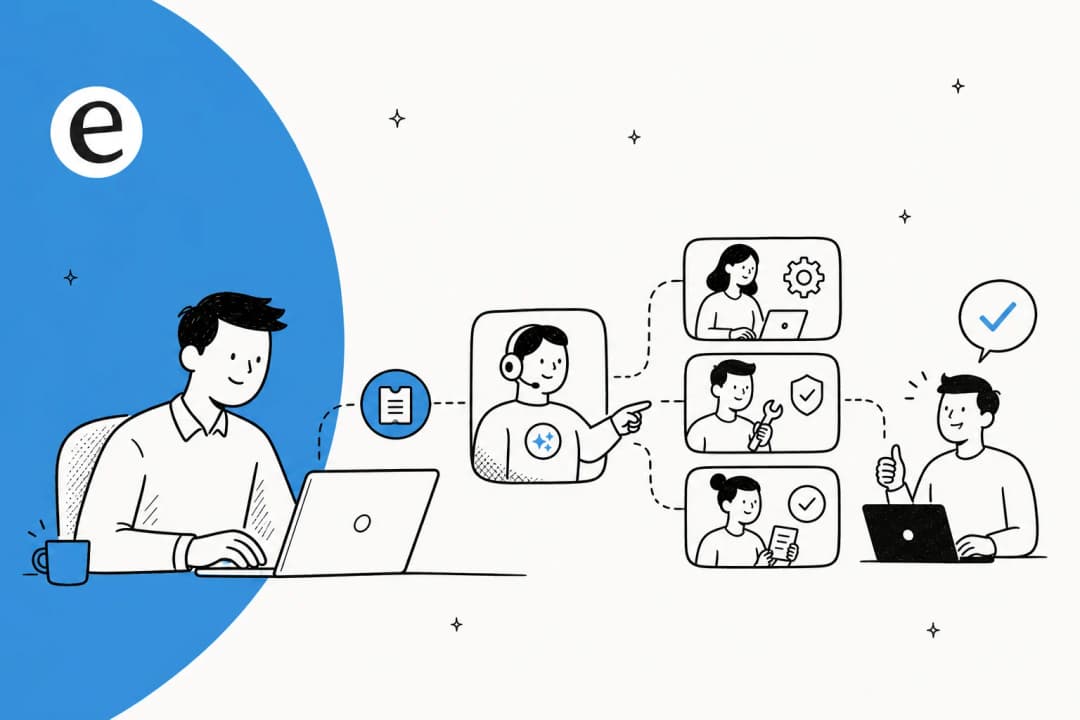
AI analyzes context, urgency, request type, and available capacity before deciding how to respond. It can reassign ownership, trigger an escalation, or invoke a parallel workflow automatically.
Sentiment analysis adds another layer. If a customer's message shows signs of frustration, AI can escalate the ticket's priority immediately. High-value or emotionally sensitive requests automatically receive faster responses or human follow-up, ensuring SLAs align with both service commitments and customer experience.
Automated escalations and alerts
Manual follow-ups equal missed SLAs. AI solves this by triggering workflows based on time or specific ticket conditions.
A typical setup might look like this: when a ticket approaches 75% of its SLA target, the system sends a "Due Soon" alert. If it breaches, it automatically escalates to management, increases priority, or reassigns to a senior team. For internal dependencies, you can set response time goals for teams like Finance or Engineering to prevent internal delays from affecting external SLA performance.
Agent assistance for faster resolution
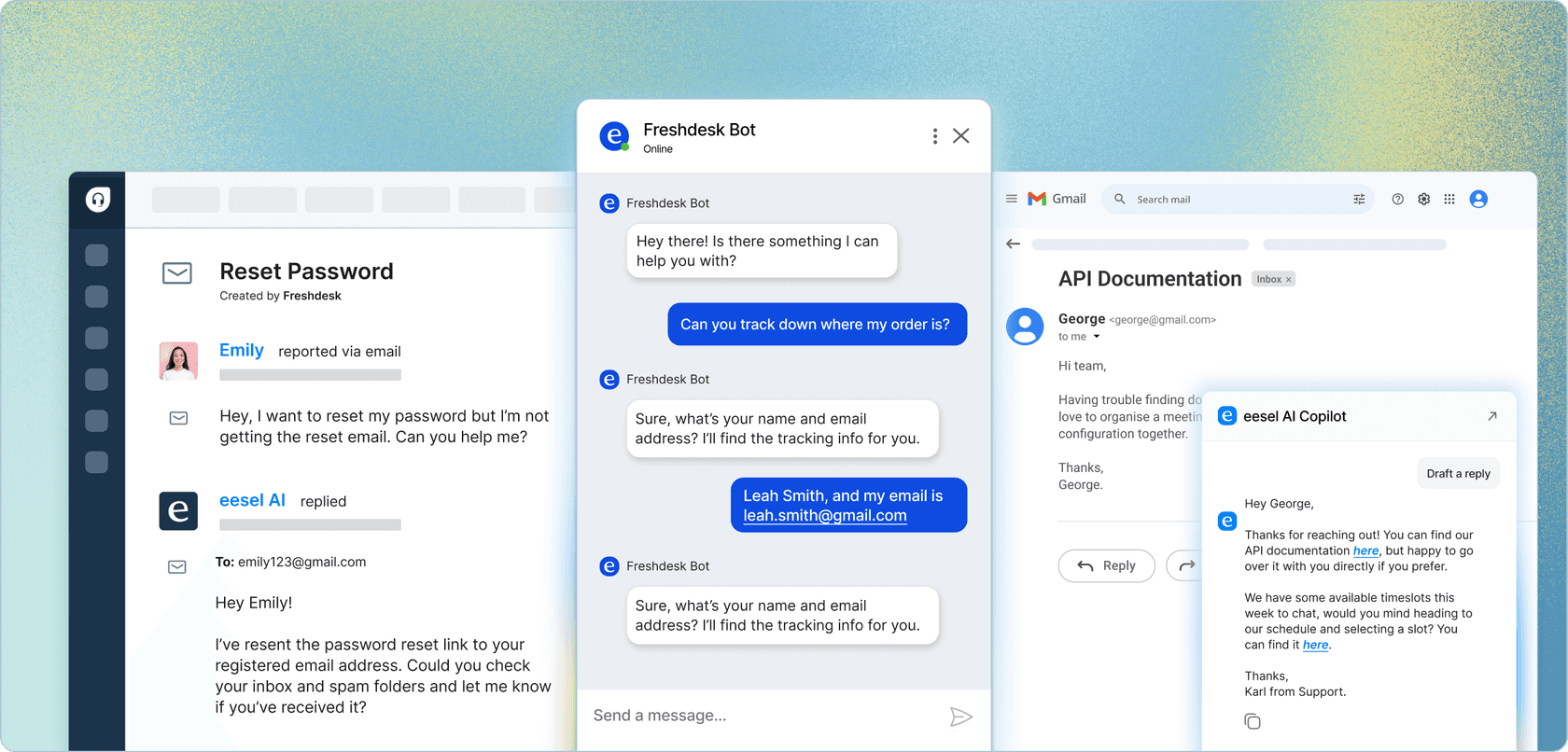
AI Copilots provide reply suggestions that agents can use with one click. The system analyzes ticket context and drafts responses based on your knowledge base and similar past tickets. According to Freshworks benchmarks, this leads to 41% faster first response times and a 77% decrease in average resolution time.
Ticket summarization saves additional time. When an agent picks up a long-running ticket with dozens of comments, AI instantly generates a concise summary of what has happened so far. This eliminates the time agents typically spend reading through entire thread histories before they can take action.
Ticket deflection and self-service
AI chatbots handle employee and customer questions before they become tickets that count against your SLAs. When someone asks a question that the AI can answer from your knowledge base, they get an immediate response without a ticket ever being created. Freshworks research shows this deflects up to 66% of incoming tickets.
Fewer tickets means your agents can focus on complex issues that actually require human attention, improving resolution times for the tickets that matter. Plus, chatbots operate 24/7, meeting SLA commitments even outside business hours.
Setting up AI-powered SLA management
Implementing AI for SLA management doesn't require ripping out your existing systems. Here's a practical approach:
Define your SLA goals and metrics
Start by identifying the metrics that matter most for your business. First Response Time is crucial because it sets the tone for the entire interaction. Resolution Time matters for cases that take days or weeks. Periodic Update metrics ensure customers receive regular updates even when full resolution isn't ready.
Use historical data to set realistic targets. If "how-to" questions typically get a reply within 2 hours but network configuration issues take 6 hours, set separate SLA targets for each. Avoid one-size-fits-all approaches that set your team up for constant failures.
Segment SLAs by customer tier and issue priority. Enterprise clients might need a 30-minute first response time with regular updates, while standard-tier customers could have a 2-hour window. Include a fallback SLA as your final rule, offering baseline response times for all cases.
Configure business hours and pause rules
Set up business hours rather than calendar hours so weekends and holidays don't count against your targets. This is essential for teams that don't provide 24/7 support.
Configure SLA pauses for customer waiting periods. When tickets are marked "Pending" (awaiting customer input) or "On-hold" (waiting on a third party), the SLA clock should stop automatically. This prevents external delays from distorting your metrics.
For global teams, set up localized schedules based on the team managing the ticket. A European support team operating Monday through Friday, 9:00 AM to 5:00 PM CET should have their SLA clock align with those hours.
Build escalation workflows
Create multi-step notification systems. Send alerts when tickets approach their deadline, then escalate to management if breaches occur. Automated workflows can increase priority, assign to senior teams, or move tickets to different groups for faster resolution.
Make sure escalation rules align with working hours. If your team operates Monday through Friday, 9:00 AM to 5:00 PM, configure the system to count only those hours so weekends don't trigger unnecessary escalations.
Test before going live
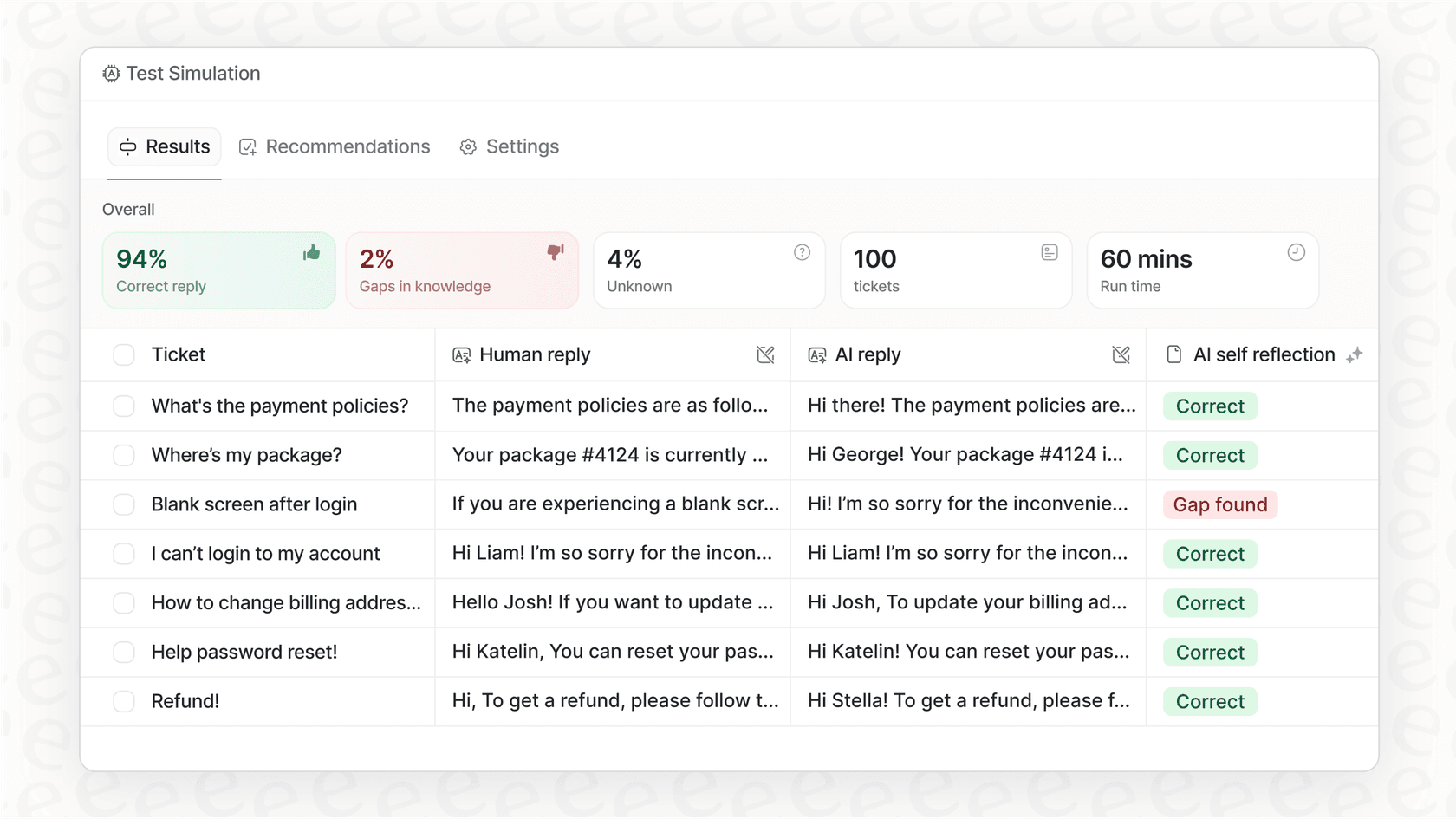
The most important step: run simulations on past tickets before deploying AI to real customers. See exactly how the system would respond. Measure resolution rates. Identify gaps. Tune prompts.
This approach lets you verify quality before touching real customers. You gain confidence that the AI understands your business context, tone, and common issues. For teams considering an AI Agent solution, simulation capabilities are essential for progressive rollouts.
Measuring and improving SLA performance
Once your AI-powered SLA system is running, focus on continuous improvement:
Track in real time, not monthly. Real-time SLA tracking shifts your approach from reactive firefighting to proactive service management. Instead of scrambling to explain why an SLA was breached, your team prevents it from happening. Kapture's guide to SLA management highlights how real-time monitoring helps identify bottlenecks before they impact customer commitments.
Break down performance by request type and team. SLA data isn't useful if it's too general. You need to know which teams are hitting targets, which request types cause issues, and where to make improvements.
Correlate with CSAT scores. If your team is meeting response time goals but CSAT scores remain low, it could signal that agents are rushing through tickets without fully resolving them. Gladly's research on customer service SLAs emphasizes that balancing speed with quality is essential for maintaining customer trust and loyalty.
Conduct root cause analysis. When violations occur, use AI-generated insights to understand why. Look for patterns in timing, ticket types, or agent assignments that predict breaches.
Adjust targets based on data. As your AI system learns your patterns, you may find you can tighten SLA targets for certain ticket types while loosening them for complex issues. Let the data guide your commitments.
Choosing the right AI approach for your team
Not all AI implementations are the same. Understanding the difference between approaches helps you choose what fits your team:
AI Copilot vs AI Agent. Copilots draft replies for human agents to review and send. Agents handle tickets autonomously from start to finish. Most teams start with Copilot to verify quality, then level up to Agent as confidence grows. Forethought's analysis of AI for customer support explains how this progression helps teams achieve their SLA targets more consistently.
Progressive rollout. Like any new hire, AI should start with guidance. Begin with specific ticket types or queues. Run in draft mode where agents review AI suggestions before sending. Expand scope only when the system proves itself.
Integration considerations. Your AI solution should plug into the tools you already use. Help desks like Zendesk, Freshdesk, and Intercom. Knowledge sources like Confluence, Google Docs, and Notion. Communication tools like Slack and Microsoft Teams.
Natural language control. Look for systems that let you define behavior in plain English rather than rigid configuration. "If the refund request is over 30 days, politely decline and offer store credit" is more intuitive than building complex decision trees.
The teammate model. Think of AI as a teammate you hire and level up, not a tool you configure. It learns your business from existing data, improves through corrections, and grows more autonomous over time based on actual performance.
Our AI Copilot and AI Agent products follow this teammate approach. You can start with supervised drafting, measure quality through simulation, and gradually expand to full autonomy as the system learns your business.
Start improving your SLA performance with AI
SLA management doesn't have to be a source of anxiety. When powered by AI, it becomes a dynamic operational discipline that anticipates problems, routes intelligently, and continuously improves.
The shift is from reactive tracking to proactive orchestration. Instead of measuring what went wrong, you're preventing breaches before they happen. Instead of static thresholds, you have adaptive systems that account for context and complexity. Instead of manual oversight, you have an AI teammate that learns your business and works alongside your human agents.
If you're ready to transform how your team manages service commitments, consider inviting an AI teammate to help. Start with a progressive rollout, verify quality through simulation, and expand scope as the system proves itself. The result is faster response times, fewer breaches, and a support operation that scales with your business.
You can explore our pricing and integrations to see how an AI Agent or Copilot might fit into your existing workflow. The setup takes minutes, not weeks, and you can test on past tickets before going live with real customers.