Which ticketing system should a small team actually use?
Here's the honest version: most ticketing software is designed for companies with a full-time IT admin, a six-figure implementation budget, and the patience to spend three months configuring workflows before anyone handles a single ticket. That's not your situation.
If you're running a team of 5 to 100 people, you need a ticketing system that works on day one, doesn't require a PhD in ITSM to set up, and won't charge you enterprise prices for features that should be table stakes.
This guide covers seven tools that actually meet that bar in 2026 - with verified pricing, real user quotes, and honest trade-offs. We cover both customer support ticketing and internal IT ticketing, because small teams often need both.
What to look for before you pick
Before jumping into tools, the selection criteria that matter most for small teams:
- Low setup friction - can someone without ITSM training have it running in a day?
- Affordable starting price - free tier or under $30/agent/month to get started
- No dedicated admin required - the interface needs to be intuitive enough for non-IT staff
- Covers your use case - customer support, internal IT, or both
- AI that actually helps - deflection, auto-routing, or suggested replies that work at small-team scale
- Slack and email integration - because your team lives in those tools already
- Room to grow - you don't want to migrate again in 18 months
Quick comparison
| Tool | Free tier | Starting paid price | Best for | Setup time | Slack | AI features |
|---|---|---|---|---|---|---|
| eesel AI | $50 trial, no card | $0.40/ticket (no seat fee) | AI-first CS on top of existing helpdesk | Hours | Native | Deflection, routing, drafts |
| Freshdesk | 2 agents, 6 months | $19/agent/mo | General CS for small teams | Hours | Via integration | Freddy AI Agent (sessions) |
| Help Scout | 5 users | $25/user/mo | B2B/SaaS customer support | Hours | Via integration | AI Drafts, AI Answers ($0.75/resolution) |
| Freshservice | 14-day trial | $19/agent/mo | Internal IT ticketing (ITSM) | 1-2 days | Native | Freddy AI (Enterprise only) |
| Jira Service Management | 3 agents, forever | $20/agent/mo | Dev-adjacent IT teams on Atlassian | Days | Native | AI Virtual Agent (Premium+) |
| Zoho Desk | 3 agents, forever | $7/agent/mo | Budget-conscious teams in Zoho ecosystem | Hours | Via Zoho Cliq | Zia AI (Enterprise only) |
| HappyFox | No free tier | $24/agent/mo | Teams needing both CS + IT in one tool | Hours | Native (Assist AI) | Autopilot, Assist AI |
All paid prices are billed annually. Verified against live pricing pages on 2026-05-07.
1. eesel AI - best for teams that already have a helpdesk and want AI on top
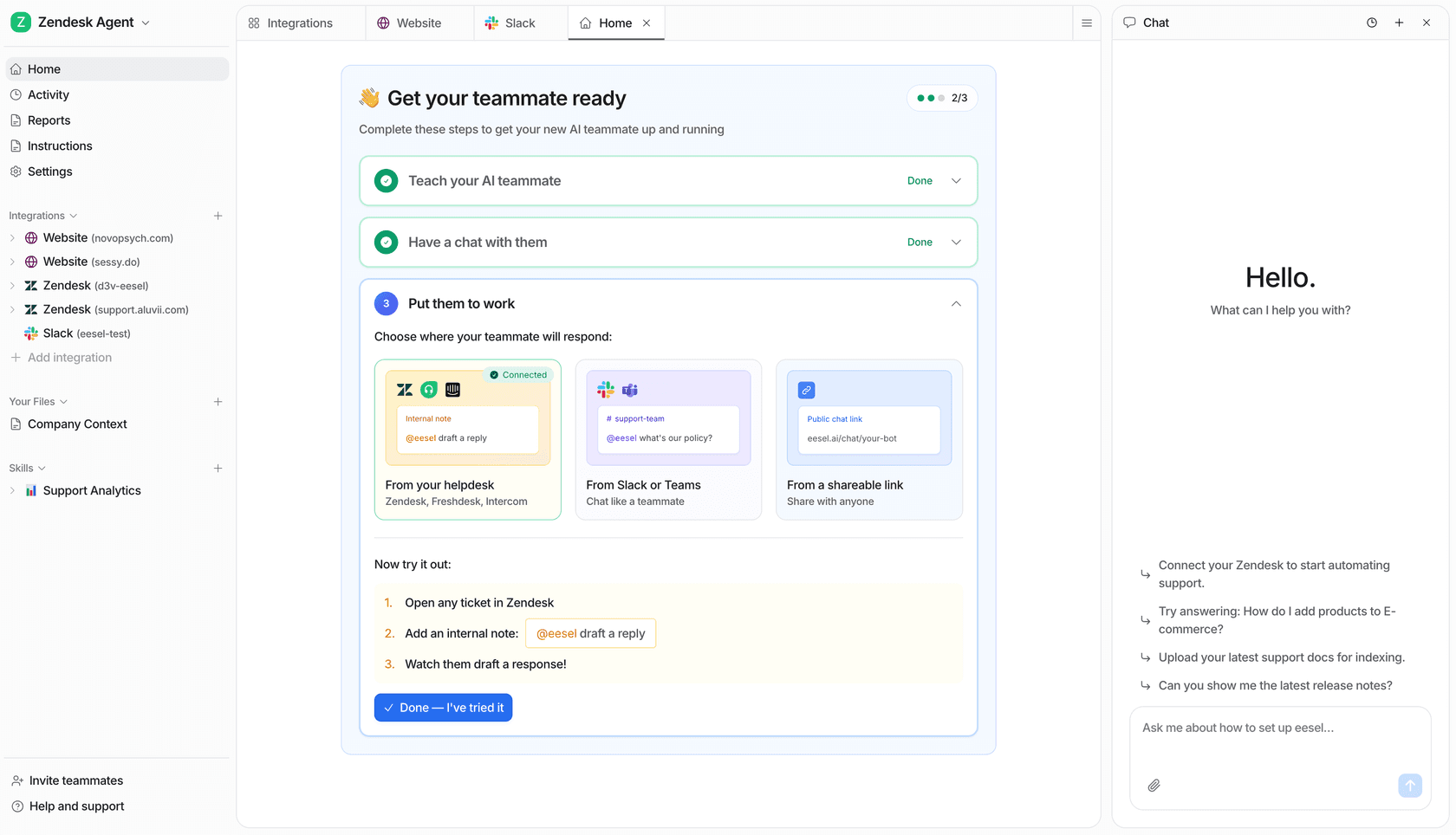
eesel AI takes a different approach from every other tool on this list. Instead of replacing your ticketing system, it sits on top of whatever you already have - Freshdesk, Zendesk, Help Scout, Gorgias - and adds an AI agent layer that handles tickets autonomously, triages, drafts responses, and escalates with confidence scoring.
For a small team, this matters for two reasons. First, you don't have to migrate. Your existing helpdesk data, your trained agents, your integrations - all stay in place. Second, setup genuinely takes under 15 minutes. Connect your helpdesk, point eesel at your knowledge sources (help center, Google Drive, Notion, past tickets), and your first AI agent is handling conversations.
Pricing
Pricing is task-based with no platform fee and no per-seat charges:
| Task type | Price |
|---|---|
| Light tasks (dashboard lookups) | Free |
| Regular tasks (support tickets, chat sessions) | $0.40 each |
| Heavy tasks (content drafts) | $4.00 each |
- Free trial: $50 in free credits, no credit card required, all features unlocked
- Annual commit discount: 25% off if you commit to $300+/month for the year
- Enterprise add-on: $1,000/month flat fee - includes SSO, HIPAA, BAA, dedicated engineer
At $0.40 per ticket, a team handling 500 tickets/month pays $200. Handle 1,000 tickets/month and it's $400. There's no minimum spend, so slow months cost almost nothing.
The absence of per-seat fees makes this particularly well-suited to small teams where multiple people need access but ticket volume is manageable. A 15-person team doesn't pay 15x whatever an enterprise seat costs.
What it does well for small teams
eesel's simulation mode lets you test-drive the AI against your actual historical tickets before going live - giving you a data-driven forecast of what percentage it'll resolve. That's unusually risk-free for a team that can't afford a bad AI rollout.
The confidence scoring is also worth calling out: low-confidence responses queue as drafts for human review rather than going out automatically. Small teams often can't review every AI reply, but they also can't afford to send confident-sounding wrong answers. The graduated autonomy model - copilot first, then full agent as trust builds - addresses this correctly.
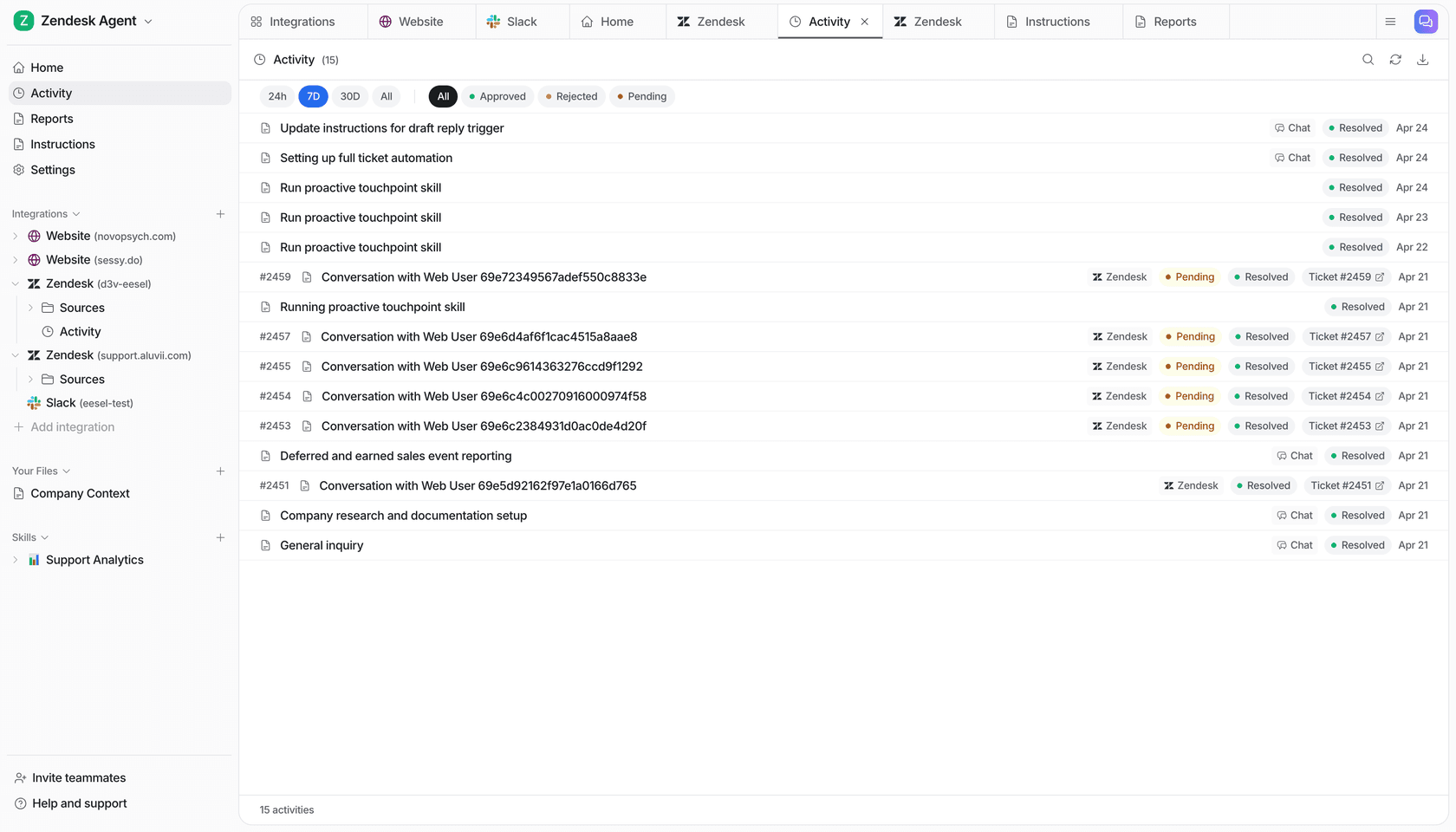
Knowledge sources are broad: past support tickets, help center articles, Google Drive, Notion, Confluence, SharePoint, website crawl, Shopify product and order data. If your knowledge lives in multiple places, eesel connects all of them.
Slack integration is native - the agent can be @mentioned or DM'd directly, making it usable for internal IT-style questions even if you're primarily a customer support team.
Trade-offs
eesel layers on top of an existing helpdesk you're already paying for - so total cost is eesel plus your current platform. If you're still on a shared inbox and need a full helpdesk to start from, you'll want one of the other tools below first.
Usage-based pricing scales with volume: at $0.40/ticket, 1,000 tickets costs $400/month. High-volume teams should model their expected ticket count before committing.
"We chose eesel AI for its multi-channel data input. By linking our Zendesk and Google Docs, customers get instant responses and tough questions are automatically triaged."
Bottom line: If you already use Freshdesk, Zendesk, or Help Scout and want to add AI deflection without switching platforms, eesel is the fastest path there. If you're starting from scratch and need a full ticketing system, start with one of the tools below and layer eesel on top later.
2. Freshdesk - best free tier for customer support
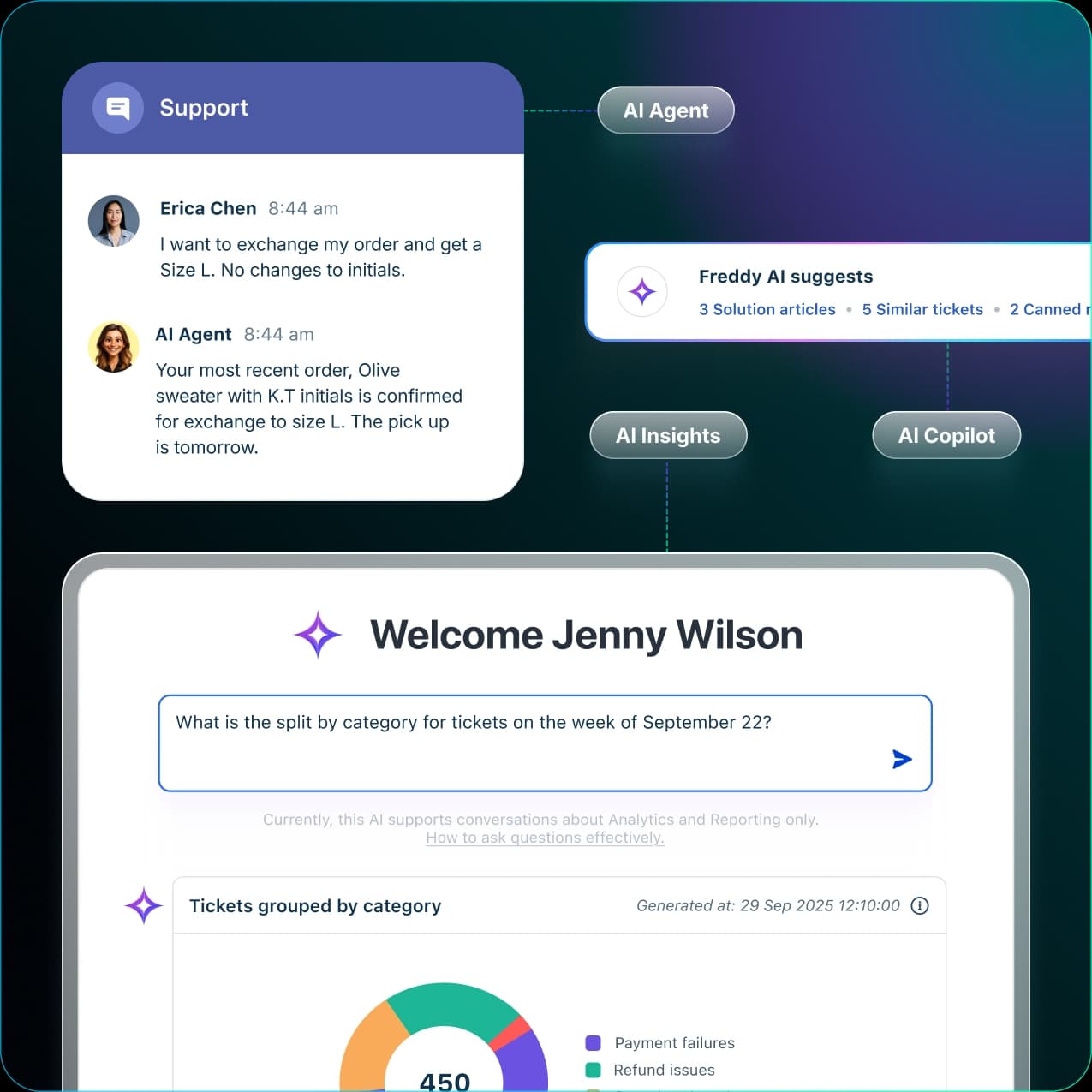
Freshdesk is the standard-bearer for small business customer support ticketing. It's been around long enough that the UX is genuinely polished, the free tier is real (not a bait-and-switch), and the ecosystem of integrations is wide.
G2 rates Freshdesk 4.4/5 across 3,728 reviews - one of the highest review counts of any helpdesk tool. That breadth of real-world use across small and mid-size companies gives it something no enterprise-only tool can offer: a track record at small-team scale.
Pricing
Two product lines: Freshdesk (email/ticketing only) and Freshdesk Omni (full omnichannel with chat). Both verified against freshworks.com/freshdesk/pricing on 2026-05-07.
Freshdesk (ticketing):
| Plan | Price (annual) | What you get |
|---|---|---|
| Free | $0 (up to 2 agents, 6 months) | Basic ticketing, knowledge base, pre-built reports |
| Growth | $19/agent/month | Customer portal, automations, time tracking |
| Pro | $55/agent/month | Custom reports, multiple SLA policies, round-robin |
| Enterprise | $89/agent/month | Audit logs, approval workflows, skills-based routing |
Freshdesk Omni (omnichannel):
| Plan | Price (annual) |
|---|---|
| Growth | $29/agent/month |
| Pro | $79/agent/month |
| Enterprise | $119/agent/month |
Freddy AI Agent sessions (the autonomous bot): 500 free sessions included, then $49 per 100 additional sessions on the ticketing plan. One "session" = one AI response on email, or a 24-hour window of all interactions on chat - so email channels burn sessions faster.
Freddy AI Copilot (agent assist add-on, tone enhancement, suggested replies, summaries): $29/agent/month, annual - available only on Pro/Enterprise Omni plans.
What it does well for small teams
Freshdesk's free tier is genuinely useful. Most "free" tiers in this space are crippled to the point of unusability, but Freshdesk's 2-agent free plan includes actual ticketing, a knowledge base, and basic automation. Small teams just starting out can validate the workflow before committing to a paid seat.
The Growth plan at $19/agent/month is also competitive - particularly against tools that charge $45-55 for equivalent feature depth.
Setup is measured in hours for most teams. The UI is clean enough that non-IT staff can learn to route and respond to tickets without training sessions.
Trade-offs
AI features are more restricted than the marketing suggests. The Email AI Agent (autonomous ticket resolution) requires Pro or Enterprise Omni - not available on the Growth plan that most small teams will be on. And the standalone Freshdesk ticketing product has notably fewer AI capabilities than Freshdesk Omni - no live translation, no conversation summarizer, no conversational knowledge base unless you upgrade to the omnichannel bundle.
Reporting is the consistent weak point in user reviews. Both reviewer quotes from G2 mention it:
"The reporting and analytics tools also aren't as flexible as I'd like, particularly when I'm trying to customize views or pull out deeper insights."

Bottom line: Start here if you're a small CS team that wants a proper ticketing system for free or close to it. Graduate to the Growth plan as your volume grows. Avoid if you need serious AI automation at an affordable tier - that requires Pro/Enterprise Omni pricing that may not fit a small-team budget.
3. Help Scout - best for clean, no-fuss customer support
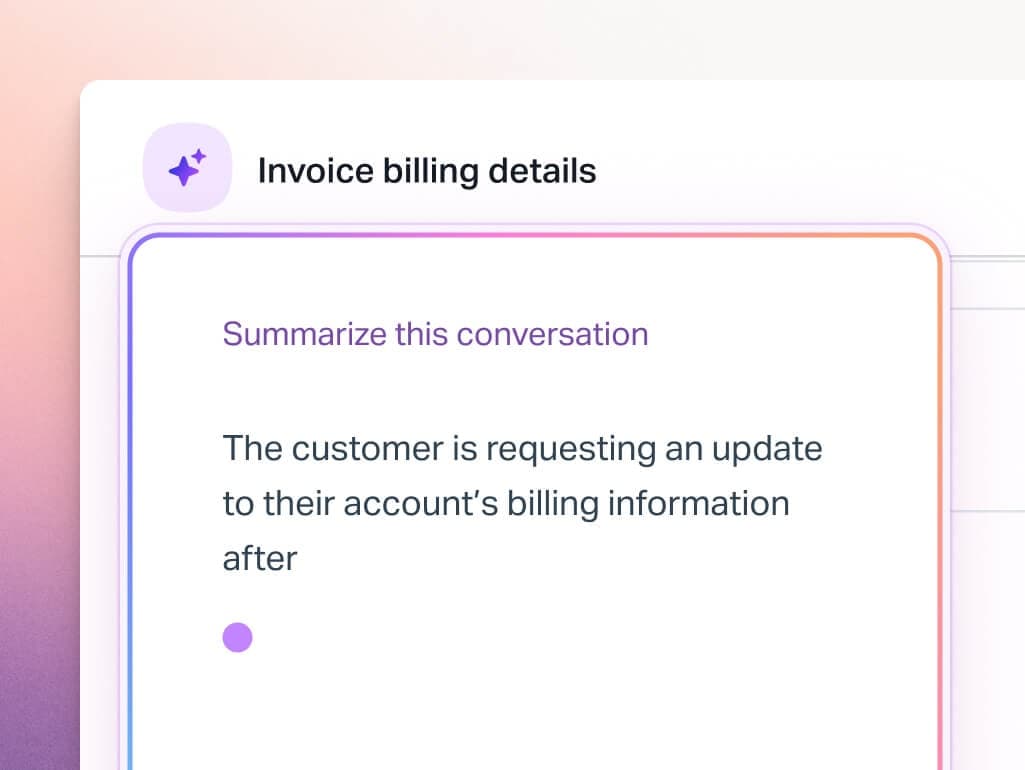
Help Scout is what you get when you strip away everything that makes enterprise helpdesks complicated. No ITSM features, no ITIL frameworks, no six-level approval workflows - just a clean shared inbox, a knowledge base, a live chat widget, and an AI layer that actually works.
Trusted by 12,000+ companies including Buffer, Vimeo, and Gusto, Help Scout earns a 4.6/5 from 226 Capterra reviews - with ease of use as the top-cited strength.
Pricing
Verified against helpscout.com/pricing on 2026-05-07:
| Plan | Price | Users | Inboxes | AI features |
|---|---|---|---|---|
| Free | $0 | Up to 5 | 1 | Limited |
| Standard | $25/user/month | Up to 25 | 2 | AI Inbox assistant |
| Plus | $45/user/month | Up to 50 | 5 | Unlimited AI Drafts |
| Pro | $75/user/month | Unlimited (min 10) | 10 | Full AI suite |
| AI Answers (add-on) | $0.75/resolution | All paid plans | - | Autonomous chatbot resolutions |
The free plan caps contacts at 100/month (one unique person helped per month), which limits its usefulness for teams with real support volume. The Standard plan at $25/user/month with unlimited contacts is where most small CS teams start.
AI Answers - Help Scout's autonomous resolution bot - runs on a 3-month free trial for new accounts, then bills at $0.75 per successful resolution. A resolution only counts if the customer's question is actually handled without escalating to a human - so you pay per resolved ticket, not per attempt.
What it does well for small teams
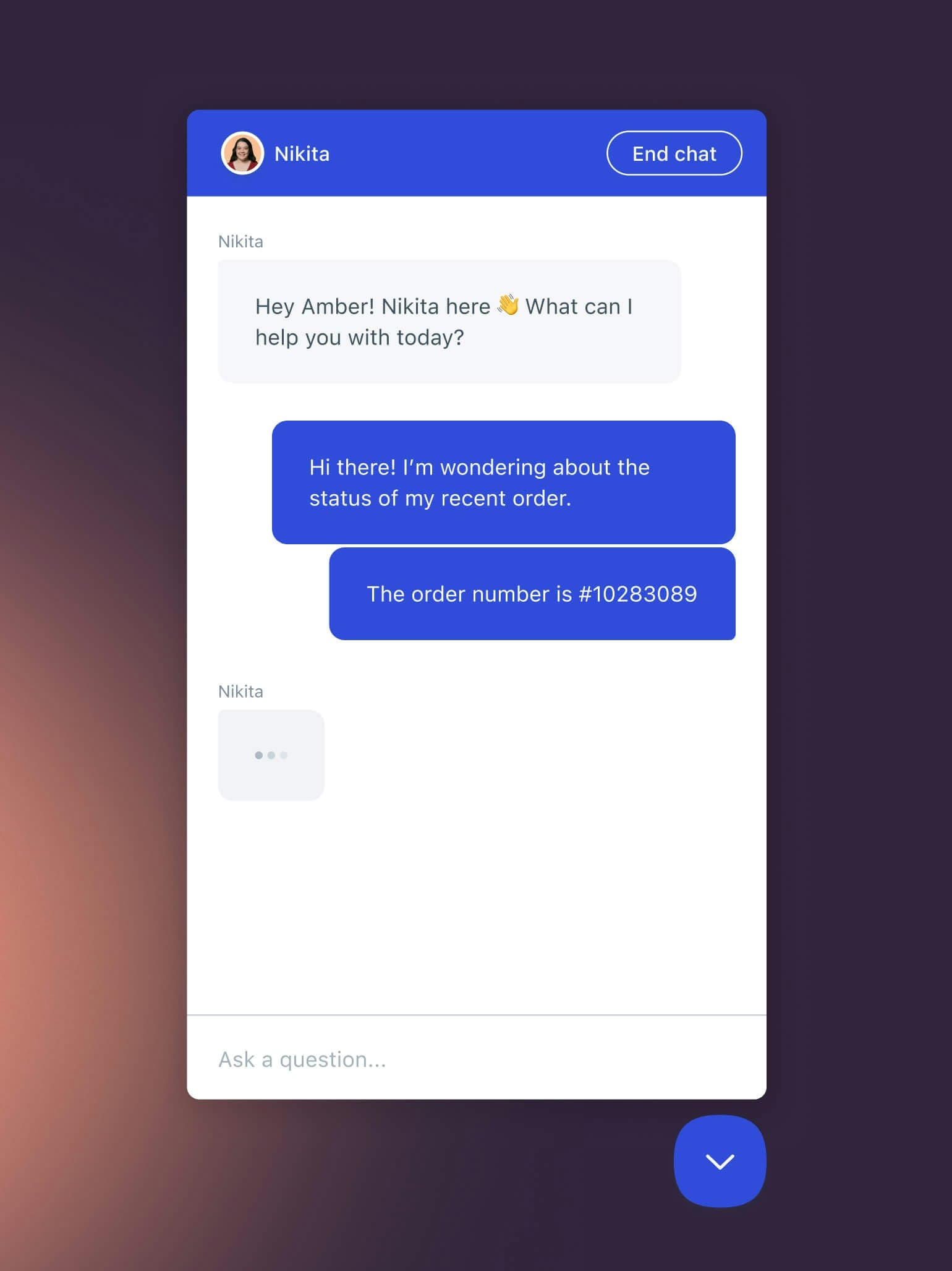
The inbox design is best-in-class for multi-person collaboration without complexity. Collision detection prevents two agents from replying to the same ticket. AI Drafts (on Plus and above) suggest full replies based on your past conversations and knowledge base - agents approve or edit before sending. This is the right model for a small team that wants AI assistance without losing control.
The Beacon widget (embedded help center + live chat) makes it easy to offer self-service alongside human support without a separate tool purchase.
For B2B SaaS companies especially, Help Scout's tight integration with customer profile data - showing conversation history, company details, and custom attributes in one sidebar - makes it faster to reply with context.
Trade-offs
Help Scout isn't built for IT ticketing. No asset management, no ITIL processes, no change management. If your team needs internal IT support in addition to customer-facing support, you'll need a separate tool or a more flexible platform.
Some long-term users have called out UI regression in recent updates:
"They are constantly making poor decisions when designing updates. The last six months have been update after update that has made the platform harder to use for my agents."

That's one voice against dozens praising the UX, but worth noting for teams that value workflow stability.
Bottom line: The best option for B2B SaaS and professional services teams that want a clean, shared-inbox focused support tool with real AI drafting capability. Not suitable for internal IT ticketing.
4. Freshservice - best for internal IT ticketing at small teams
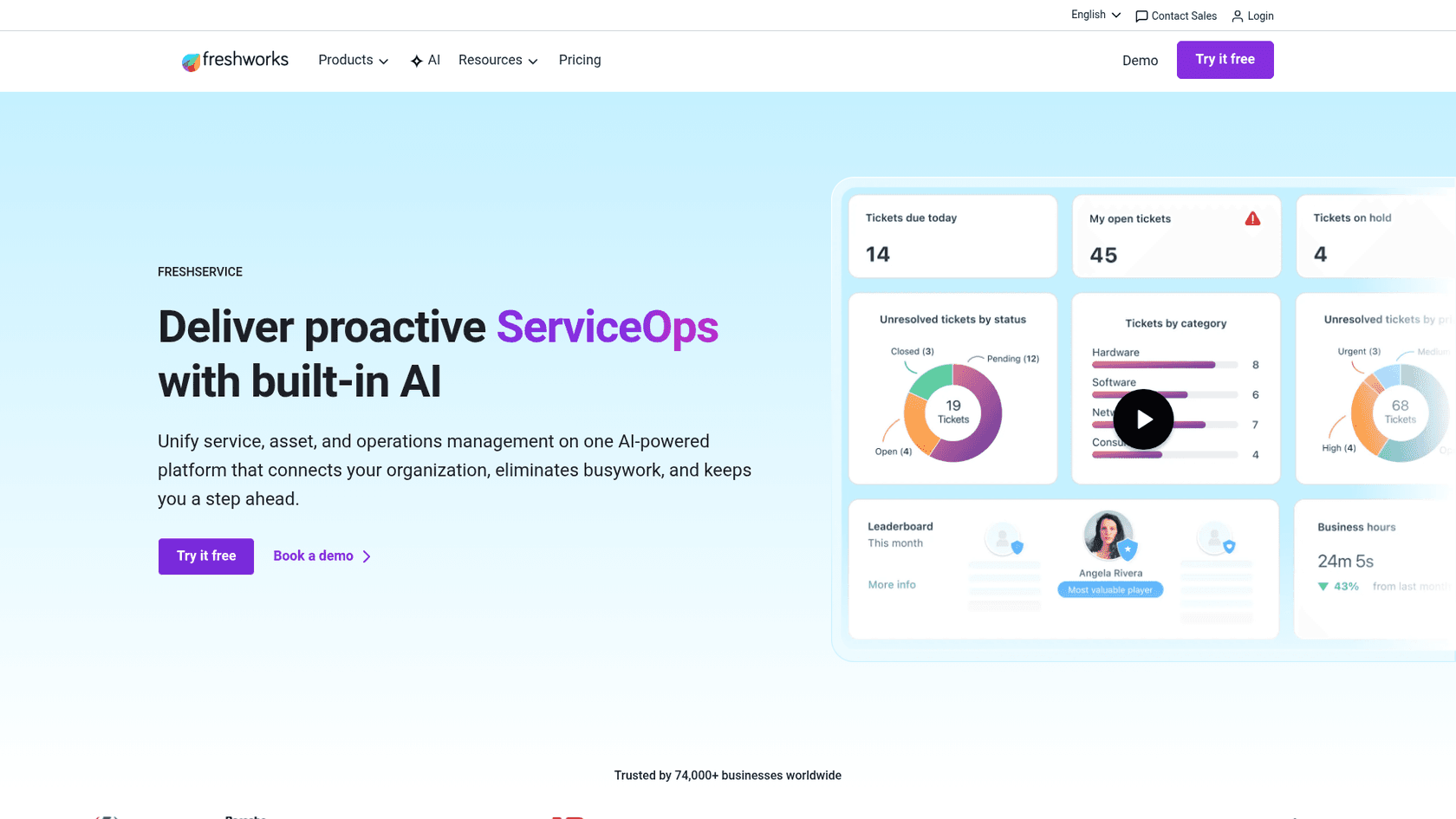
Freshservice is Freshworks' ITSM-focused product - built for internal IT teams rather than customer support. If your small team's primary need is an IT helpdesk (laptop requests, software provisioning, access management, onboarding/offboarding workflows), Freshservice is the most approachable ITSM tool that doesn't require a dedicated IT admin to configure.
4.5/5 from 692 Capterra reviews. Multiple reviewers specifically note faster time-to-value than legacy ITSM tools like ServiceNow or Ivanti.
Pricing
Verified against freshworks.com/freshservice/pricing on 2026-05-07:
| Plan | Price (annual) | Best for |
|---|---|---|
| Starter | $19/agent/month | Small teams leaving shared inboxes |
| Growth | $49/agent/month | Teams building foundational ITSM practices |
| Pro | $99/agent/month | Teams unifying service management across functions |
| Enterprise | Custom (contact sales) | Freddy AI included; 1,200 sessions/year per license |
No free tier - but the 14-day trial gives full access with no credit card required. The Starter plan at $19/agent/month includes the service catalog, incident management, knowledge base, SLA management, and ServiceBot on Microsoft Teams and Slack from day one.
Freddy AI is gated to the Enterprise plan (custom pricing). For AI deflection at lower tiers, you'd need a separate tool like eesel AI layered on top via Freshservice ticket deflection.
What it does well for small teams
The ITIL-aligned structure sounds like enterprise jargon, but for IT teams it means incident, problem, change, and release management all follow recognizable patterns without requiring custom configuration from scratch. A small IT team with even one person who's worked in ITSM before can be productive immediately.
The built-in service catalog is particularly useful - employees submit requests through a branded portal, IT teams handle them with SLA tracking, and the whole flow works without email back-and-forth. For a team trying to modernize away from "email your IT guy", this is the fastest path.
"It has helped improve operational efficiency, reduce turnaround time, and bring better structure to ticket and service request management."
Trade-offs
AI features require Enterprise, which is custom-priced and typically expensive. A small IT team getting started won't have access to Freddy AI on the Starter or Growth plans - you get ITSM workflows without AI assistance.
Reporting is also a persistent complaint:
"The one thing I dislike is that depending on the license tier, it may be very limited on AI usage, API usage and a couple more features that are only available in higher tiers."
And for a team with no IT background at all, the learning curve is real - the configuration options are broad enough that you need to spend time scoping what your team actually needs before starting.
Bottom line: The right starting point for any small team that needs proper internal IT ticketing with ITIL-aligned structure, affordable at the Starter tier, without requiring ServiceNow-level expertise. AI assistance requires upgrading to Enterprise.
5. Jira Service Management - best for dev-adjacent teams already on Atlassian
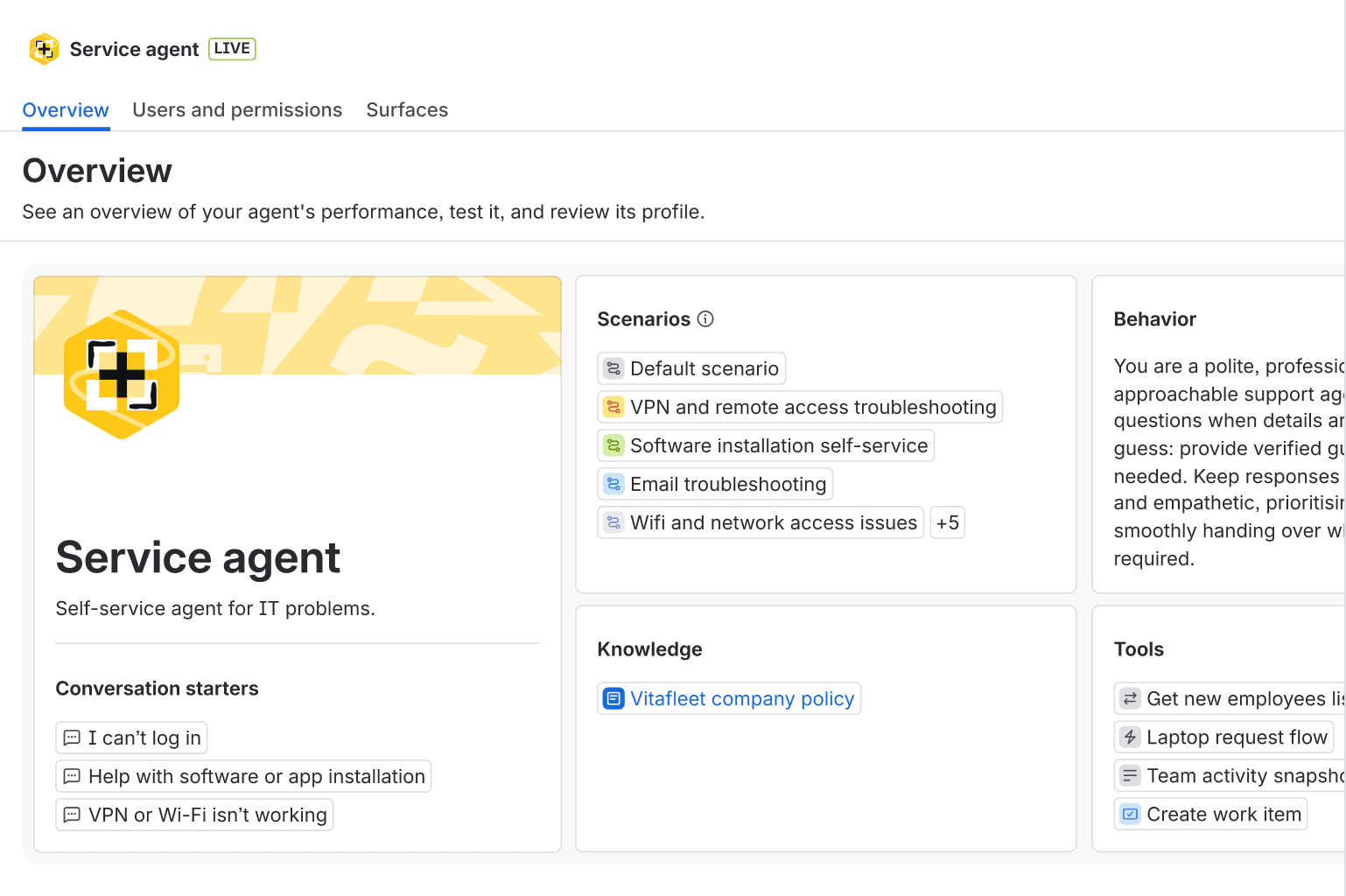
Jira Service Management (JSM) is the logical choice for small engineering and product teams that already use Jira Software, Confluence, or Bitbucket. The integration between JSM and Jira Software is the strongest native link in any tool on this list - incidents, service requests, and bug reports flow directly into engineering workflows without any configuration.
The free plan supports 3 agents with no time limit - a meaningful permanent free tier for very small teams or teams that want to evaluate properly before committing.
Pricing
Verified against atlassian.com/software/jira/service-management/pricing on 2026-05-07:
| Plan | Price (monthly billing) | Agents | Key limits |
|---|---|---|---|
| Free | $0 | Up to 3 | 2 GB storage, 100 emails/day |
| Standard | $20/agent/month | Up to 100,000 | 250 GB, Rovo AI (25 credits/user/mo), Assets CMDB (5,000 objects) |
| Premium | $51.42/agent/month | Up to 100,000 | AI Virtual Agent (1,000 convos/mo), full AIOps, change management |
| Enterprise | Contact sales | Up to 150 sites | Unlimited automations, Atlassian Guard included |
Annual billing saves up to 17% vs monthly. Customers (end-users raising tickets) are always free - no license required for the people submitting requests.
The AI Virtual Agent (conversational AI in Slack/Teams for self-service deflection) requires the Premium plan at $51.42/agent/month. Standard plan includes Rovo AI (search, chat, agents) but not the full Virtual Agent for live deflection.
What it does well for small teams
For a 3-5 person team, the free tier is genuinely capable - you get a service portal, email-to-ticket conversion, Slack/Teams integration, basic incident management, and workflow automation at no cost.
If you grow past 3 agents, the jump to Standard at $20/agent/month is more affordable than most ITSM tools at equivalent functionality. As of late 2025, Assets/CMDB is now included in Standard (previously Premium-only), which improves the value calculation significantly for IT teams that need asset tracking.
For teams already in the Atlassian ecosystem, the force multiplier effect is real:
"For teams already deeply embedded in the Jira environment, the native integrations are a significant improvement... the powerful automation features from Jira Automation is extended to Jira Service Management, allowing for the creation of sophisticated, low-code rules."
Trade-offs
JSM is the most setup-intensive tool on this list. The Gartner and Software Advice reviews are consistent on this: complex permissions, steep admin learning curve, and a slow feature roadmap mean that non-technical teams will struggle.
"It is better for large teams, because for small teams we need the same complex initial implementation and setup as for large teams."
Out-of-box reporting is limited without plugins. The "canned responses" feature only arrived a couple of years ago - the kind of delay that illustrates a feature roadmap that moves slowly compared to purpose-built helpdesks.
Bottom line: Start here if your team runs on Jira Software and you need tight dev-to-support linkage. The 3-agent free tier is legitimately useful for small engineering shops. Avoid if your team has no Atlassian background - the setup investment won't pay off for a 10-person customer support team.
6. Zoho Desk - best budget option for omnichannel support
Zoho Desk is the price-performance leader on this list. A permanent free tier for 3 agents, an entry paid plan at $7/agent/month, and full omnichannel support (email, social, chat, WhatsApp, phone) available at mid-tier pricing. For a small team watching every dollar, Zoho Desk gets you further for less than most alternatives.
Trusted by 125,000+ businesses and rated 4.5/5 across 2,212 Capterra reviews.
Pricing
Verified against zoho.com/desk/pricing.html on 2026-05-07. Note: the dossier contained GBP-equivalent figures - these are the correct USD prices from the live page.
| Plan | Price (annual, USD) | Agents | Key features |
|---|---|---|---|
| Free | $0 | 3 | Email ticketing, private knowledge base, mobile apps |
| Express | $7/agent/month | Unlimited | Email + social, web forms, AI agents, direct assignment, workflows |
| Standard | $14/agent/month | Max 5 | Live chat widget, WhatsApp/Messenger/Telegram, generative AI (own OpenAI key), knowledge base |
| Professional | $23/agent/month | Unlimited | Telephony, blueprints, multi-department, round-robin, multilingual help center |
| Enterprise | $40/agent/month | Unlimited | Zia AI, Answer Bot, live chat (SalesIQ), guided conversations, multi-brand, sandbox |
The 15-day free trial gives access to any plan with no credit card. Light agents (read-only collaborators) available at $6/light user/month on Professional and above (50 included free on Enterprise).
Important: Zia AI (the full AI assistant with sentiment analysis, predictive analytics, and Answer Bot) requires Enterprise at $40/agent/month. The Standard plan's generative AI features require you to bring your own OpenAI API key.
What it does well for small teams
The price gap between Zoho Desk and every other tool on this list is substantial. Express at $7/agent/month includes AI agents for automation - that's genuinely useful functionality at a price that won't appear on anyone's budget concern list.
For teams already using other Zoho products (CRM, Cliq, Analytics), the integration depth is a meaningful differentiator. Zoho's ecosystem means you're not paying for separate tools when a customer record, a support ticket, and a CRM contact can all be linked natively.
Setup speed is a consistent strength in reviews:
"Zoho Desk simplifies support ticket handling and workflows with easy setup so that my team can monitor issues and respond to chat discussions with users effectively without the trouble of setup."
The full omnichannel story - email, social, live chat, WhatsApp, phone - is available before you hit $30/agent/month, which beats the comparable Freshdesk Omni pricing.
Trade-offs
Zia AI - the feature that makes Zoho Desk competitive with AI-forward tools - requires Enterprise at $40/agent/month. The Standard plan's generative AI needs an OpenAI API key, which adds cost and friction. If AI is a primary criterion, this matters.
The advanced automation features (Blueprints, multi-department workflows) have a learning curve that some reviewers describe as requiring significant trial and error. If no one on your team has spent time in a ticketing system before, that complexity can slow initial setup.
Performance concerns appear in some reviews - occasional slowdowns and lag, particularly in the mobile app.
Bottom line: Best value per dollar on this list. Start here if budget is the primary constraint and you need omnichannel coverage across email, social, and chat. Upgrade to Enterprise only if Zia AI is essential - the jump from Professional to Enterprise is steep relative to what you get in between.
7. HappyFox - best for teams that need both CS and IT support in one tool
HappyFox distinguishes itself by covering both customer support and internal IT service management in a single platform, without forcing you to choose between the two. Its Assist AI product is specifically built for internal Slack and Teams support - employees ask questions in Slack, Assist AI resolves them from your knowledge base, and unresolved requests become tickets automatically.
Rated 4.6/5 across 92 Capterra reviews. A Forrester TEI study cites 401% ROI in 3 years for power users.
Pricing
Verified against happyfox.com/help-desk-price on 2026-05-07:
Agent-based plans (most small teams start here):
| Plan | Price (annual) | Min agents | Key features |
|---|---|---|---|
| Basic | $24/agent/month | Max 5 | Unlimited tickets, omnichannel, SLA management, knowledge base, SSO |
| Team | $49/agent/month | 5 | Multi-brand (5), custom email, 24/5 email support |
| Pro | $99/agent/month | 5 | Asset management, task management, scheduled tickets, 24/7 email support |
| Enterprise PRO | Contact sales | 5 | Agent scripting, 24/7 phone support, customer success manager |
Unlimited agent plans (for fast-growing teams where per-seat fees become painful):
| Plan | Monthly price | Annual ticket limit |
|---|---|---|
| Growth | $1,999/month | 20,000 |
| Scale | $3,999/month | 150,000 |
No free tier, but demos and trials are available on request.
What it does well for small teams
HappyFox's Slack-native Assist AI is the product's clearest differentiator. Employees submit requests directly in Slack, Assist AI handles them from your knowledge base, and what it can't resolve surfaces as a properly structured ticket in HappyFox. For a small IT team that wants to meet employees where they already are (Slack), this removes the friction of teaching everyone to use a separate portal.
The Basic plan at $24/agent/month includes asset management and SLA management out of the box - features that Freshdesk and Help Scout either don't offer or gate behind higher tiers. For a team that needs both customer-facing tickets and IT asset tracking in one place, this is the most complete entry-level offering.
Customization flexibility is a consistent theme in reviews:
"What I like most about Happy Fox Help Desk is how easy it is to customize. You can tailor the help desk home page exactly to your liking."
Trade-offs
There's no free tier, which makes initial evaluation dependent on a demo or trial request rather than self-serve exploration. For teams used to just signing up and testing, this adds friction.
HappyFox's knowledge base editor has drawn consistent criticism in reviews - specifically compared to alternatives like Zendesk, where publishing, previewing, and editing article drafts is smoother. If your knowledge base is a major investment for your team, this is worth testing hands-on.
Reporting limitations appear in reviews much like they do for other tools on this list:
"The reporting is very challenging. I wish they had better reporting capabilities."
Bottom line: Best choice for small teams that need customer support and internal IT in a single platform, with Slack-native employee support as a first-class feature. The Basic plan at $21/agent/month is a fair starting point. Skip if you only need customer-facing ticketing - there are more specialized and cheaper options for pure CS.
How to choose
The decision mostly comes down to what you're solving and what you already have:
You need customer support ticketing and are starting from scratch: Start with Freshdesk's free tier (2 agents) or Zoho Desk's free tier (3 agents). Both are real tools, not stripped-down demos.
You want AI deflection without switching your current helpdesk: eesel AI layers on top of Freshdesk, Zendesk, or Help Scout and gets your first AI agent running in under an hour. Full pricing guide at eesel.ai/pricing.
You run a B2B SaaS company and want clean, fast CS: Help Scout at $25/user/month with AI Drafts handles the collaboration-first inbox model better than anything else in this price range. See the best customer support apps roundup for comparisons.
You need internal IT ticketing and have at least one person familiar with ITSM: Freshservice at $19/agent/month gets you there faster than JSM, with a more approachable setup. For Atlassian shops, JSM's 3-agent free tier is worth starting on.
Budget is the primary constraint and you need omnichannel: Zoho Desk Express at $7/agent/month is hard to beat on price while covering email, social, and basic automation.
You need CS + IT support in one tool and your team lives in Slack: HappyFox with Assist AI connects both workflows without a separate tool stack.
Whatever you pick, the most important thing is getting something working in days, not months. Every week your team spends routing support through a shared inbox is a week of untracked requests, duplicated effort, and invisible backlog. Any of the tools above will get you structured in a day. The perfect choice is less important than a good choice made quickly.
If you're evaluating how AI can reduce the load before you've even picked a ticketing system, the AI support ticket deflection guide is a useful starting point - it covers how 20-60% deflection rates actually work in practice.
Sources
- eesel.ai pricing page - verified 2026-05-07
- Freshdesk pricing page - verified 2026-05-07
- Help Scout pricing page - verified 2026-05-07
- Freshservice pricing page - verified 2026-05-07
- Jira Service Management pricing page - verified 2026-05-07
- Zoho Desk pricing page - verified 2026-05-07
- HappyFox pricing page - verified 2026-05-07
- Freshdesk on G2 - 4.4/5, 3,728 reviews
- Help Scout on Capterra - 4.6/5, 226 reviews
- Freshservice on Capterra - 4.5/5, 692 reviews
- Jira Service Management on Gartner Peer Insights - 4.5/5, 1,458 reviews
- Zoho Desk on Capterra - 4.5/5, 2,212 reviews
- HappyFox on Capterra - 4.6/5, 92 reviews