


I pulled the GitHub API on all 14 open source support ticket systems that show up in these roundups. Five of them landed zero commits in 90 days. Peppermint's repo is archived and its website no longer resolves. Helpy's last release was February 2020. Yet all four dead ones still rank on "best open source helpdesk 2026" lists, because star counts do not expire.
The nine still worth your time, in short: Zammad if you want the whole product with nothing gated, FreeScout if you are email-first and will actually buy the modules, Chatwoot if chat comes before email, OTOBO if you want ITSM with a real AI layer already in the box, GLPI for internal IT with assets attached, osTicket for a plain proven ticket form, Znuny for OTRS continuity, Request Tracker for engineering and infrastructure teams, and UVdesk for ecommerce, with a caveat I will get to.
The second thing worth knowing is that free licence does not mean free system. The price just moves somewhere your finance team is not looking: paid modules, an annual support contract, or a paid edition of the same repository. And almost none of these ship AI, which is the actual reason most teams end up looking at their ticketing stack in the first place. If that is you, you do not have to migrate. I build integrations at eesel, and the thing we plug into most often is a helpdesk somebody already runs and does not want to leave.
The part nobody puts in the business case
I have spent the last three years shipping the connectors that hook eesel into other people's helpdesks. Zendesk, Freshdesk, Jira, Slack, and a long tail of self-hosted boxes that only exist inside one company's VPN. That work gives you a specific and slightly cynical view of "free": you see exactly how much human attention a self-hosted support stack absorbs, because you are usually talking to the one person who keeps it alive.
One of our customers put it better than I can. An engineering lead at a Bitcoin-ATM hardware company, running a 300+ article Confluence knowledge base, told us why they bought instead of built:
"We could try to write our own LLM application but we didn't want to invest our time into that. We wanted something that we would not have to maintain."
That is the whole trade in one sentence, and it applies just as much to a helpdesk as to an LLM app. So before the list, here is where the money actually goes.
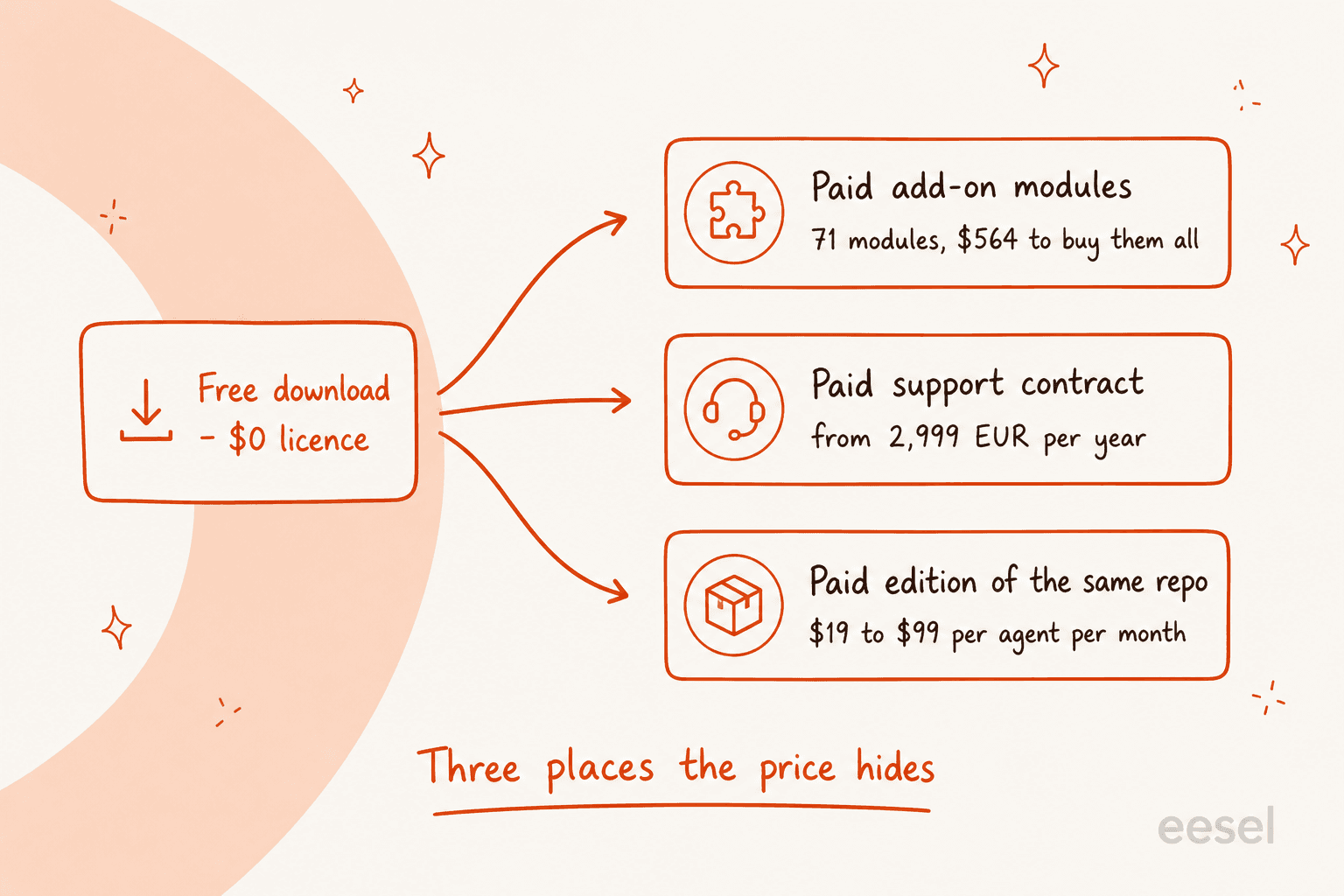
Three patterns, and every project on this list uses one of them:
- Paid modules. FreeScout is free, then sells 71 official modules from its modules page. A knowledge base is $12.00. Workflows are $14.99. Reports are $14.99. All 71 comes to $564.72, one-time, and the modules FAQ is blunt that there is no bulk discount, no trial, and no refund.
- Paid support contract. Zammad gives away the whole product and sells you a human. The cheapest self-hosted contract is €2,999 a year for 15 service requests and a six-hour response time, per its pricing page. OTOBO does the same, from 3,900€ per year.
- Paid edition of the same repo. Chatwoot publishes a Community Edition at $0, then charges $19 or $99 per agent per month on self-hosted plans for Captain AI, SSO, SLA policies and roles. Same codebase, different licence directory.
None of those three is dishonest. Someone has to get paid. But it means the honest comparison against a hosted ticketing system is never "$0 versus $19 a seat."
And before the rest of this post prices in the operating cost, the pro-case deserves its say, because when self-hosting works it really works:
"We tried fresh desk, but left disappointed. We now use Zammad, written in ruby by one of the lead devs of otrs, which used to be awesome before it went closed source (ish).
unlimited users and agents for the cost of a $5 a month VPS"

Seat-free pricing is the whole reason this category exists, and at twenty agents it is a genuinely enormous saving. The question is only ever whether the hours behind it are free too.
Run your own numbers
The line that decides this is almost never hosting. It is the hours. Change the inputs and watch which side wins:
How I picked these nine
Three filters, in this order.
Is it alive? I queried the GitHub REST API on 2026-07-31 for every candidate: repository metadata, the latest release, and every commit landed on the default branch in the previous 90 days. Default branch matters, because pushed_at lies. Trudesk shows a push in May 2026, but that is an abandoned ui-next rewrite branch; master has not moved since July 2024. Faveo shows May 2026, but its development branch stopped in October 2024 and the recent churn is Dependabot.
Does the free build do support work? Email ingestion, a queue, assignment, and some form of SLA or automation. A project that needs six paid modules before it can send a canned reply is noted as such.
What is the licence, really? Three of the fourteen return NOASSERTION from GitHub because they are open-core, which is worth knowing before you build on one.
One honest disclosure about method: this is a documentation-and-code review, not a year of running each one in production. I read the vendors' own pricing pages, docs and repos, and I checked their commit history. Where I have first-hand experience, it is on the integration side, which is a different vantage point and I will flag it when it matters.
The nine at a glance
| Tool | Best for | Licence | Free build gated? | AI in free build | Paid path | Commits (90d) | Latest release |
|---|---|---|---|---|---|---|---|
| Zammad | Teams who want everything unlocked | AGPL-3.0 | No | No | Support contract, €2,999/yr | 735 | tag 7.1.1, Jun 2026 |
| FreeScout | Email-first small teams | AGPL-3.0 | Yes, by module | No | 71 modules, $564.72 all-in | 179 | 1.8.232, Jul 2026 |
| Chatwoot | Chat-first and omnichannel | MIT core, commercial enterprise/ | Yes | No | $19 or $99 per agent/mo | 439 | v4.16.2, Jul 2026 |
| OTOBO | ITSM that wants AI in the box | GPL-3.0 | No | Yes, Rotobo | Support, from 3,900€/yr | 940 | tag rel-11_0_17, Jul 2026 |
| GLPI | Internal IT with asset management | GPL-3.0 | No | Undisclosed | GLPI Network, price on page | 414 | 11.0.8, Jun 2026 |
| osTicket | A plain, proven ticket form | GPL-2.0 | No | No | SupportSystem, $12-24/agent/mo | 29 | v1.18.4, Jun 2026 |
| Znuny | OTRS shops needing continuity | GPL-3.0 | No | Yes, Znuny-LLM | Support from $4,499/yr | 79 | tag rel-7_3_5, Jul 2026 |
| Request Tracker | Engineering, infra and .edu | GPL-2.0-only | No | Partial, one extension | Support from $450/mo | 108 | rt-6.0.3, May 2026 |
| UVdesk | Ecommerce, with a caveat | OSL-3.0 | Yes, by tier | No | $8 or $15 per agent/mo | 0 | v1.1.8, Sep 2025 |
Commit counts are default-branch commits between 2026-05-02 and 2026-07-31, from the GitHub commits API. Zammad, OTOBO and Znuny publish git tags rather than GitHub Release objects, so any tool that only reads /releases/latest will wrongly call all three abandoned.
1. Zammad
Best for: a support team that wants a complete product and refuses to be nickel-and-dimed by feature flags.
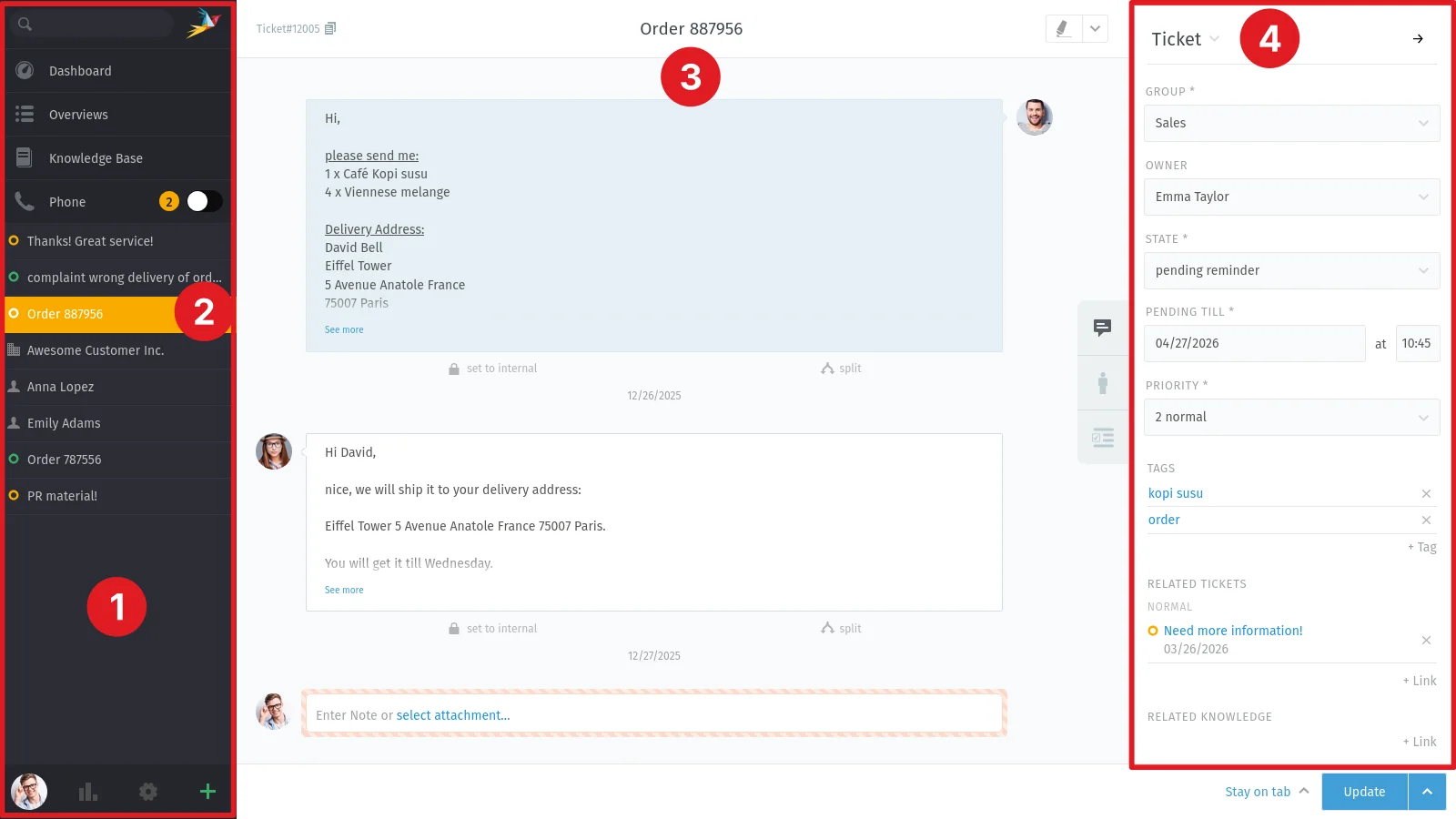
Zammad is the one I would install first, and the reason is structural rather than cosmetic. The code is licensed AGPL-3.0 and the README says it is owned by the Zammad Foundation, "which is independent of commercial providers such as Zammad GmbH." A foundation holding the copyright is the practical reason a relicence rug-pull is harder here than at a single-vendor open-core project.
The bigger deal is what the free build includes. Zammad's admin docs for the subscription page say it is "only available in SaaS environments", per the subscription documentation. No plan object exists in a self-hosted instance, so there is nothing to be gated by. The self-hosted half of Zammad's own price table contains zero feature rows, only response times and service-request counts. Self-hosted money at Zammad buys a human, not a feature flag.
Practically that means SLAs, Core Workflows and the knowledge base are all in the AGPL build, with no plan note anywhere in the docs, while the hosted table charges 16€ or 25€ per agent per month for the same things. The Core Workflows documentation is the clearest example: hosted, it is a Plus v2 exclusive, and the doc page states no plan requirement at all.
Pros: nothing feature-gated on self-host, foundation-owned code, 735 commits in 90 days, ISO27001 data centres if you take the hosted option, a genuinely good REST API.
Cons: Elasticsearch is a prerequisite for reporting and you install it yourself. The self-hosted contract is a €2,999 floor if you want a supplier on the hook. Hosted AI is metered at €0.03 per call and is not offered on the Starter tier at all.
Pricing: software free. Hosted is 7€, 16€ or 25€ per agent per month on annual billing, ex-VAT. Self-hosted support is €2,999, €5,999 or €9,999 a year.
My take: if you have a competent Linux person and want a real helpdesk with no asterisks, this is the pick. If you do not have that person, the €2,999 line is what you are actually buying, and at that point you should price it against a hosted help desk system honestly.
2. FreeScout
Best for: a small email-first team that will accept a shopping list instead of a subscription.
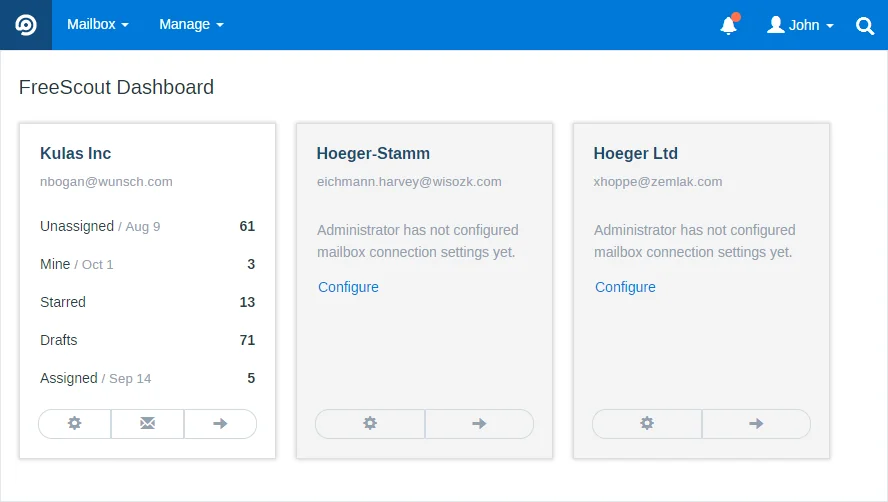
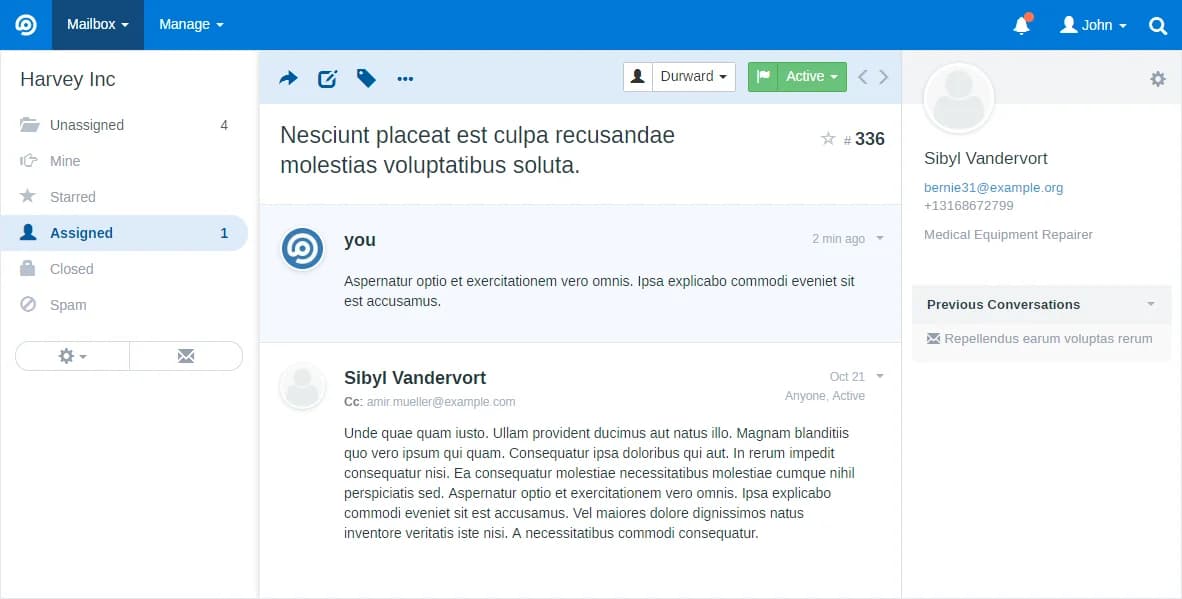
FreeScout is the closest thing to a self-hosted Help Scout, and it is the best-maintained tracker in this whole set: 179 commits in 90 days and only 31 open issues, which is remarkable for a project with 4,450 stars. It shipped release 1.8.232 the same day I checked.
The catch is the module model. The base app handles mailboxes, conversations and agents. Nearly everything else is a purchase from the modules catalogue, one-time and lifetime, but licensed to a single instance, so a staging box needs its own copy of everything.
Worked out, a lean seven-module core (knowledge base, workflows, reports, tags, saved replies, satisfaction ratings, custom fields) is $70.94. Getting to rough parity with a mid-tier hosted helpdesk takes nineteen modules and $159.89. Adding five social channels and six auth modules brings it to $292.87.
Pros: cleanest issue tracker in the category, one-time pricing that ages well, an honest API and webhooks module at $12.99, active weekly releases.
Cons: no bulk discount, no trials, no refunds, all stated plainly in the modules FAQ. Per-instance licensing punishes staging environments. And there is no AI module at all among the 71.
Pricing: app free, modules $1.99 to $24.00 each, $564.72 for the full set.
My take: the best value here if your support is genuinely email plus a help centre, and if you accept that the ceiling is a well-run shared inbox rather than an automation platform. Teams that outgrow it usually outgrow it on ticket volume, not features.
3. Chatwoot
Best for: teams whose first channel is live chat, not email.
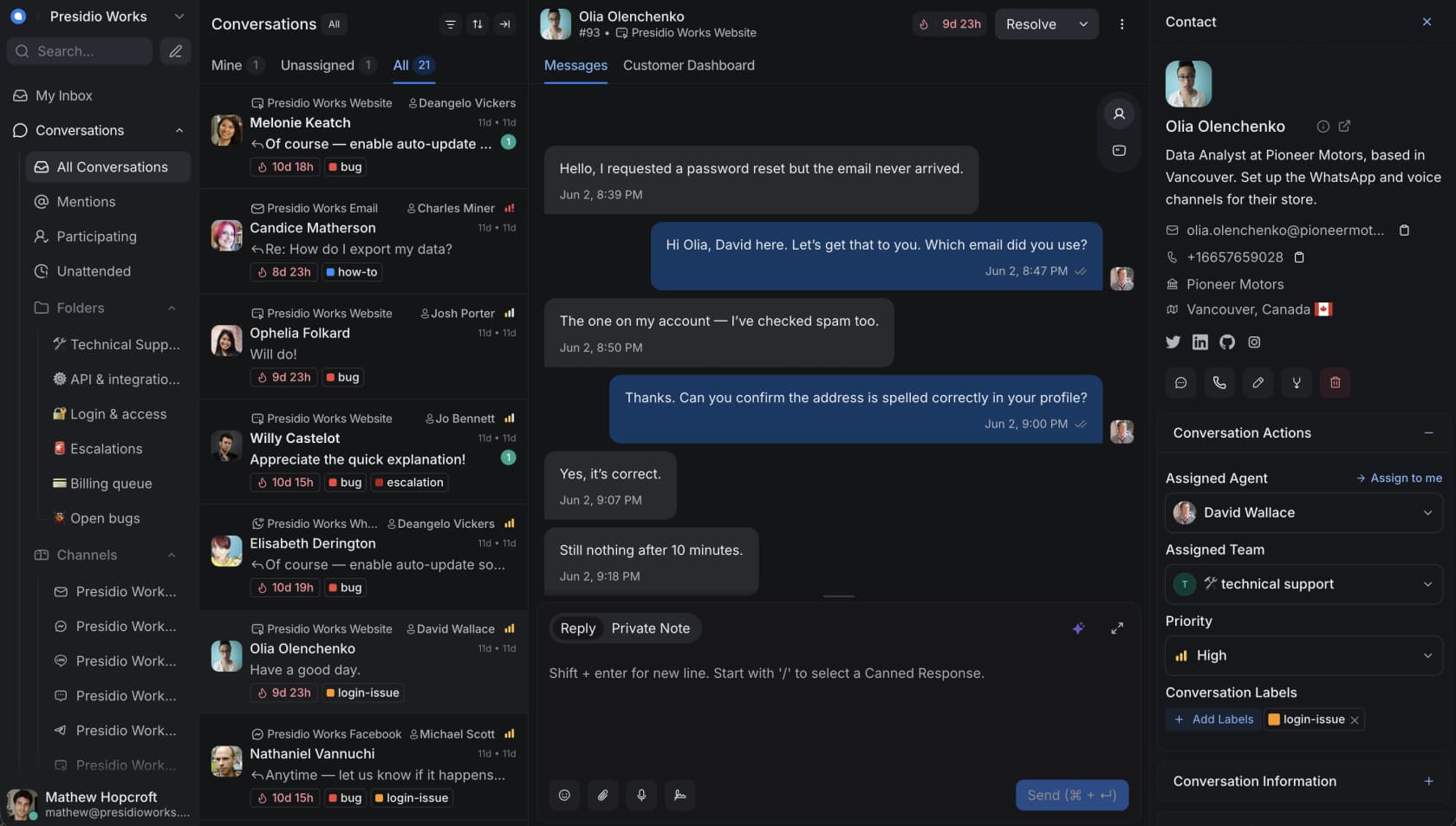
Chatwoot is the most-starred project in the category by a wide margin, at 35,028 stars, and it earns a lot of that: website chat, email, WhatsApp, Instagram, TikTok, SMS, Telegram, Line and a voice channel, with 439 commits in the last 90 days.
It is also the clearest open-core example on this list. The core is MIT, but there is a separate top-level enterprise/ directory under different terms, which is why GitHub reports the licence as NOASSERTION. The self-hosted plans page spells out what Community Edition gives up: Captain AI, voice calls, custom branding, agent capacity, roles and permissions, SSO, SLA policies and priority support. That is a long list for a free tier, and it includes both of the things a growing team asks for first, which are SSO and SLAs.
When you do pay for AI, the unit is credits. The included allowance is 300, 500 or 800 a month by tier, overage is $20 per 1,000 credits, and every action consumes one credit per message because only one model configuration is supported, per the Captain credits doc. Community Edition gets none of them.
Pros: the widest channel coverage here by far, a real product team behind it, a documented upgrade path where "your data and settings carry over," Docker and Helm deployment paths.
Cons: the free build is meaningfully stripped. Production wants 4+ cores, 8GB+ RAM, PostgreSQL 12+ and Redis 6+. Cloud runs on AWS in the United States with no certification claimed on the page.
Pricing: Community Edition $0. Self-hosted Premium Support $19 per agent per month, Enterprise Edition $99, both billed annually. Cloud is $0, $19, $39 or $99.
My take: pick Chatwoot when chat is the primary channel and you can live without SSO, or when you have budget for the $19 tier. If you are mainly deflecting repeat questions, read our take on live chat AI apps before you commit to a channel-first tool.
4. OTOBO
Best for: ITSM and enterprise service management, especially if you want AI without a separate vendor.
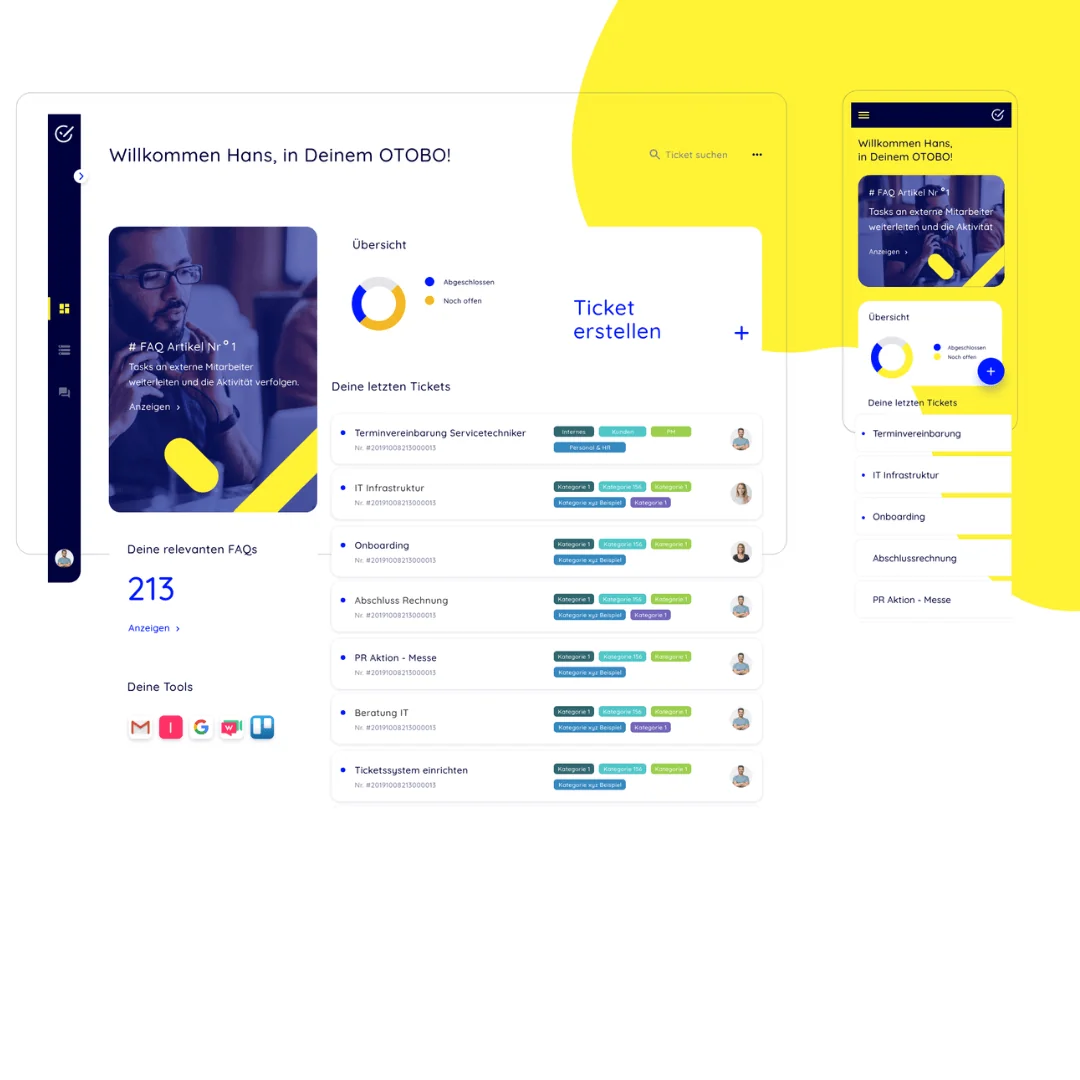
Here is the finding that surprised me most. OTOBO has 332 stars, fewer than any other project in this roundup, and it landed 940 commits in 90 days, more than any other project in this roundup. Stars and maintenance are close to inversely correlated in this category, and OTOBO is the clearest proof.
It is a GPL-3.0 fork of the OTRS codebase maintained by Rother OSS GmbH in Bavaria, and the OTOBO homepage states flatly that "OTOBO is 100% open source and license-free". The logo wall carries NATO, Siemens, Infineon and Hyundai, which is not a claim you can make up.
It also ships an AI layer branded Rotobo, currently in beta. The OTOBO AI guide describes two features: retrieval-augmented generation producing response drafts from data already inside your OTOBO, and a chat system that lets you operate OTOBO in natural language. The architecture is specific rather than hand-wavy: an otobo-ai-services stack, an otobo-ai package, an MCP server exposing your OTOBO data to a model, and two extra containers for the API and a ChromaDB vector database. Inference runs on Ollama in a German data centre, a deliberate rejection of US hyperscalers, and the hosted AI server is free during the beta with no post-beta price published yet.
Pros: the most active codebase here, published support pricing (rare in this category), unlimited concurrent agents on every plan, genuine enterprise references, and the only project here that publishes hardware floors (8GB RAM, 40GB storage, a 3GHz Xeon for production).
Cons: the AI adds two more containers on top of OTOBO, Daemon, MariaDB, Redis and Elasticsearch, so this is not a one-command install. The interface carries two decades of OTRS lineage. Support starts at 3,900€ a year with only ten service requests at half an hour each. And 11.1 is currently a beta, released 24 June 2026.
Pricing: software free. Self-hosted support is 3,900€, 9,900€ or 24,500€ per year with unlimited concurrent agents. Managed hosting is 11,400€, 12,900€ or 26,000€ a year, and on those managed tiers release upgrades carry an extra charge, the inverse of how the on-premise Enterprise plan works.
My take: if your tickets are internal and you were going to compare ITSM AI options anyway, OTOBO deserves a shortlist slot it almost never gets. The 332 stars are the single most misleading number in this whole category.
5. GLPI
Best for: internal IT teams who need the asset inventory as much as the tickets.
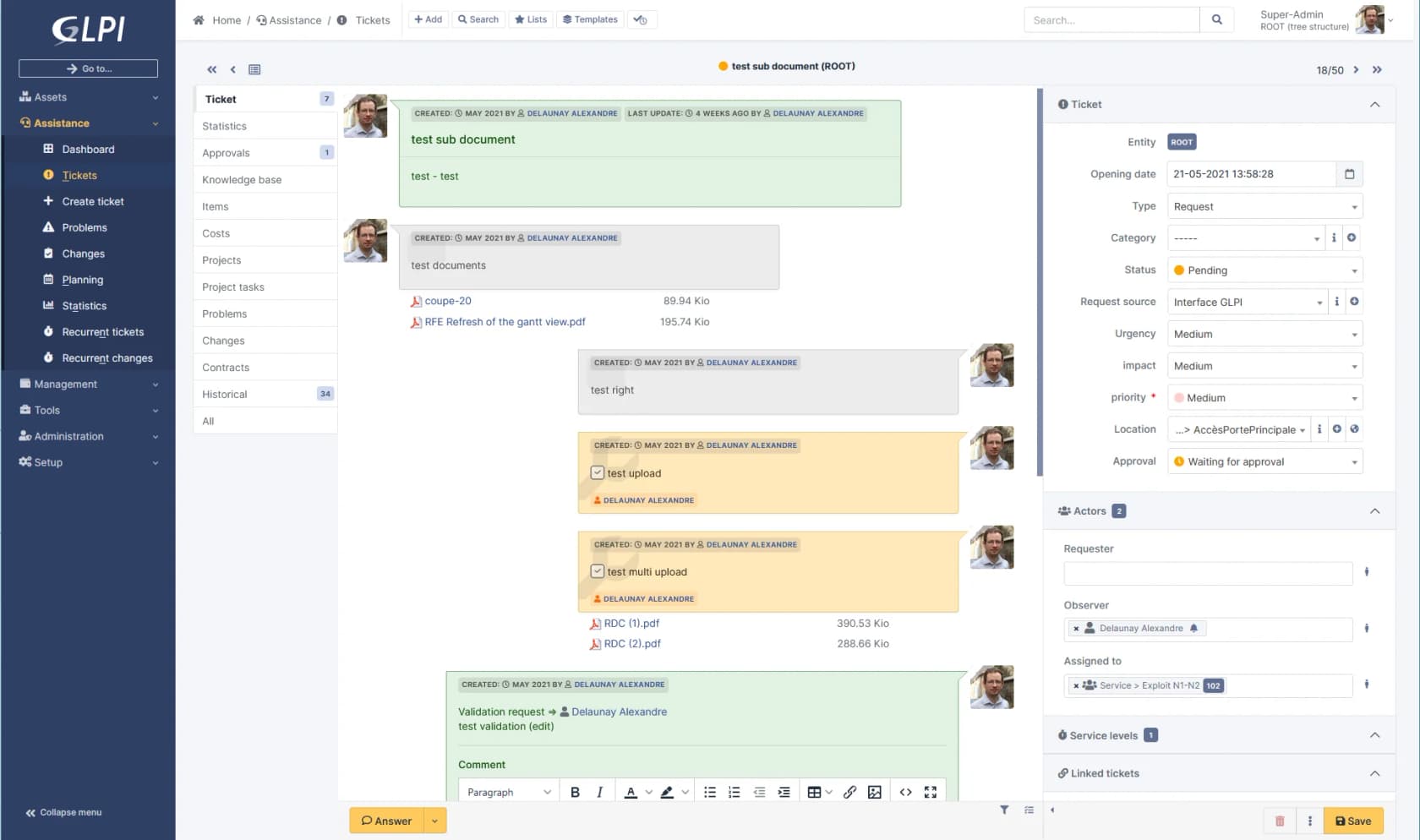
GLPI is an ITSM and IT asset management suite where the service desk is one module among five. The homepage tabs are Helpdesk, Cloud Inventory, CMDB, Finance and Workflow, and the feature list includes antivirus management, application deployment and MDM. That tells you exactly who it is for.
The precision point matters: if your tickets come from employees, the asset and CMDB core is the reason to pick GLPI. If your tickets come from paying customers, that same core is weight you carry without using. Every named customer in its testimonial reel is an IT or infrastructure story, which reinforces the read.
414 commits in 90 days and release 11.0.8 in June 2026 put it firmly in the healthy column. It also runs a public service status page for the hosted product, which is real operational maturity for an open source project.
Pros: the deepest asset and CMDB story here, genuine European enterprise adoption, a Platinum partner network for implementation, active development.
Cons: the homepage never names its licence, its version, or its repository, and every button routes to the GLPI Network cloud rather than the self-host path. There is a GLPI AI logo in the integration strip with no description of what it does, so I will not characterise it.
Pricing: self-hosted free. GLPI Network is a separate pricing page, with 45 days free advertised on the homepage.
My take: the right answer for an internal IT helpdesk with hardware attached, and the wrong answer for customer-facing support. Do not let the ticket module talk you into it if you have no assets to track.
6. osTicket
Best for: a boring, proven ticket form that has worked the same way for fifteen years.
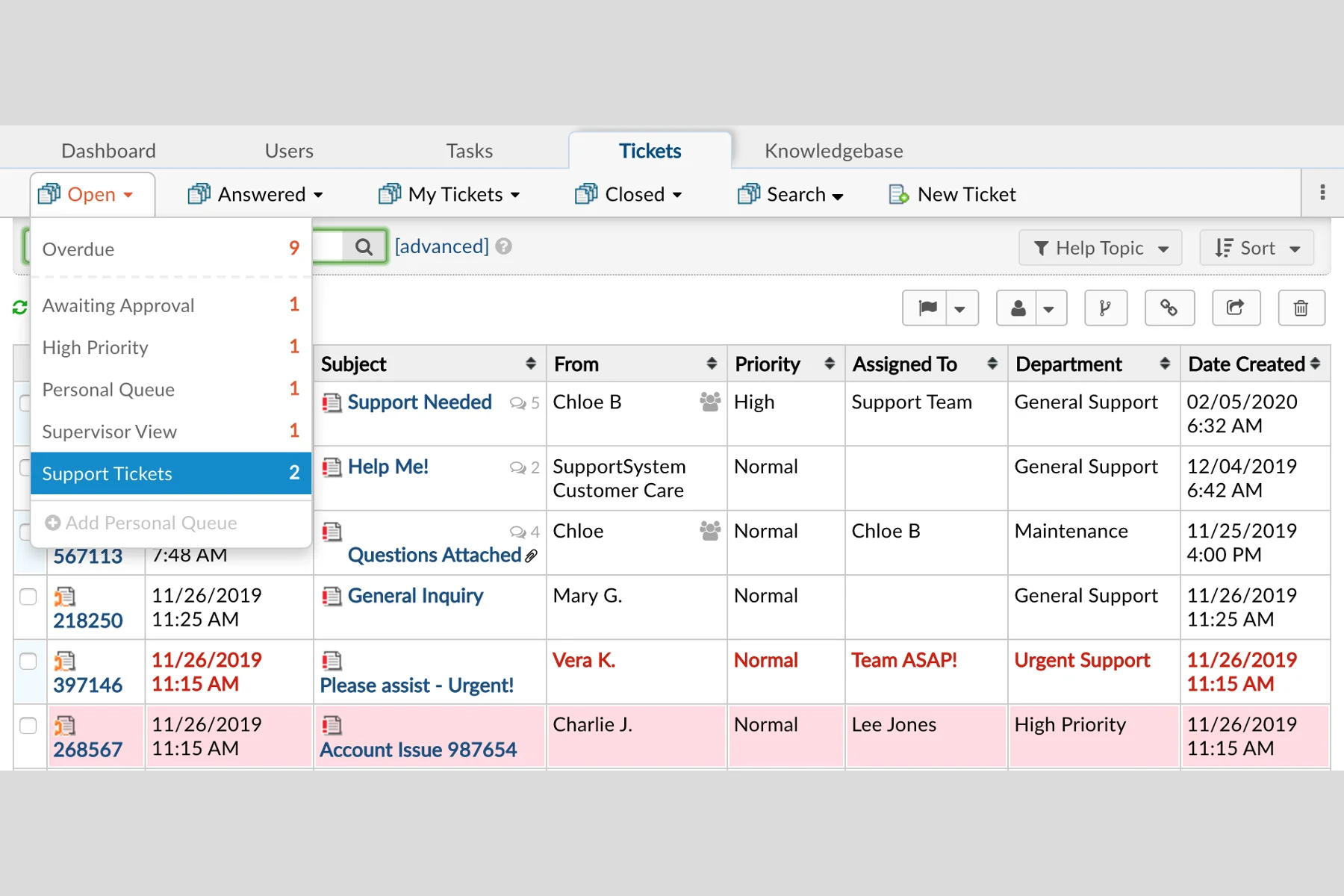
osTicket is the project everyone means when they say "open source ticketing." It is GPL-2.0, it shipped v1.17.8 and v1.18.4 on 17 June 2026, and it still does exactly what it says: custom fields, custom forms, ticket filters, canned responses, an agent panel.
The numbers around it are less flattering. 29 commits in 90 days against 1,200 open issues is the worst issue-to-commit ratio in the whole category. The download page still specifies PHP 8.0.x and MySQL 5.5. And the screenshots on the features page are served from wp-content/uploads/2021/01/, meaning the product imagery has not been refreshed since January 2021.
There is also a URL problem worth knowing before you cite anything. osticket.com/pricing returns a 404, and so does osticket.com/cloud-hosting. The commercial offering moved to a separate brand, SupportSystem, at $12, $16 or $24 per agent per month. The only two features gated by tier there are SAML authentication and the help desk audit log, both Premium-only, so an SSO mandate doubles your per-seat price for one checkbox.
Pros: genuinely proven, huge installed base, no feature gating on the self-hosted build, a 30-day cloud trial with no card required.
Cons: 1,200 open issues, dated stack requirements, product imagery frozen in 2021, no AI of any kind, and a per-attachment limit of 2 Mb on the cheapest cloud plan where oversized attachments are silently dropped rather than rejected.
Pricing: self-hosted free. SupportSystem cloud $12, $16 or $24 per agent per month with no published annual discount.
My take: still fine if all you need is a form that turns email into a numbered queue. If anyone on the team says the words "automation" or "AI," this is the moment to compare it against a modern automated ticketing system rather than plan around it.
7. Znuny
Best for: organisations already living on OTRS Community Edition who need continuity.
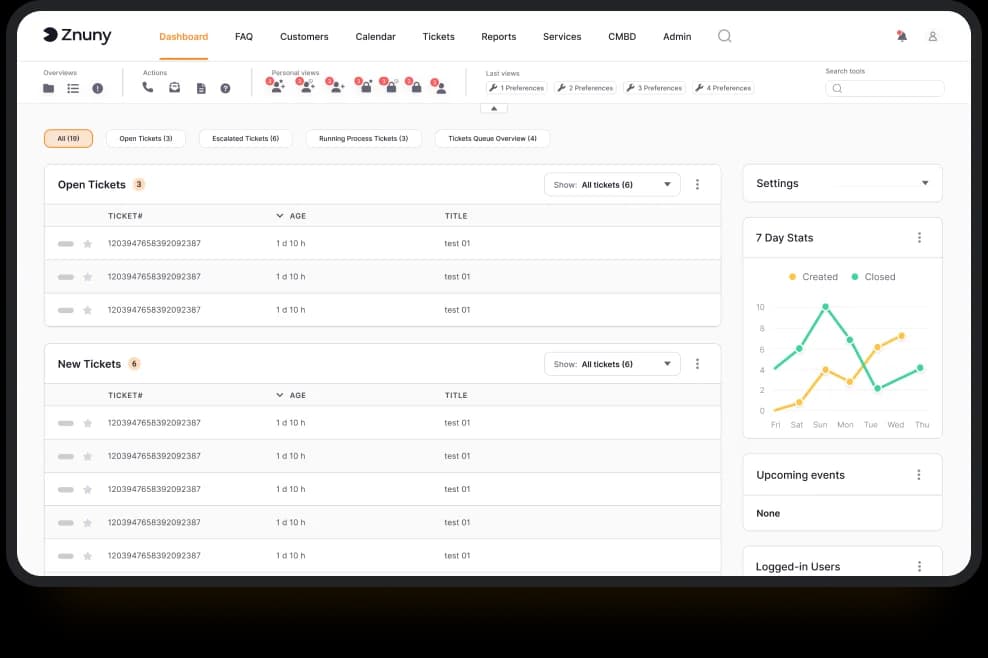
Znuny is the other OTRS Community Edition fork, GPL-3.0, at znuny/Znuny with a capital Z that trips up half the tools trying to index it. 79 commits in 90 days and tag rel-7_3_5 in July 2026 put it comfortably in the maintained column, though at roughly a twelfth of OTOBO's pace.
Its whole value proposition is lineage, and the Znuny project states it plainly: Znuny is a continuation of the OTRS Community Edition, version 6.0.30, "which was declared end of life (EOL) at the end of December 2020". If your organisation has years of OTRS process, custom modules and trained agents, this is the path that does not require re-teaching anybody.
The surprise here is Znuny-LLM, which is the most complete AI implementation of anything on this list and it barely gets mentioned anywhere. It is bring-your-own-model against Ollama, OpenAI, Azure or any OpenAI-compatible endpoint, and it ships five features: per-language ticket summaries, routing and classification where agent thumbs-up and thumbs-down feed back as few-shot examples, plain-language extraction into dynamic fields, template recommendations, and FAQ matching with knowledge drafts. They also publish an honest constraint most vendors would bury: reasoning models are unsupported, because thinking-style variants produce empty or malformed output.
Pros: genuine OTRS continuity, a real bring-your-own-model AI layer at no extra charge, GPL-3.0 with no open-core split, no feature gating, and 7.3.5 shipped fixes for two CVEs in July 2026.
Cons: it ships no GitHub Releases, only tags, so automated freshness checks flag it wrongly. It publishes no hardware requirements at all. The Silver hosting tier carries a roughly 1,595 setup fee that Gold and Platinum waive.
Pricing: software free. Support is $4,499, $9,999 or $28,900 per year, metered on service requests. Hosting is $799, $1,419 or $3,169 per month paid annually, and bundles the matching support tier.
My take: pick Znuny for continuity and the AI, OTOBO for raw momentum. If you want an AI layer you control completely, pointed at your own Ollama box, Znuny-LLM is the most credible thing in this roundup and almost nobody knows it exists.
8. Request Tracker
Best for: engineering, infrastructure, security and university teams.
Request Tracker is the oldest project here and still ships roughly 1.2 commits a day, with 108 in the last 90 days and release rt-6.0.3 in June 2026. It is the only project on this list licensed GPL-2.0-only, with the README saying "Version 2" explicitly rather than the usual "or later", and it has a specific cultural home: NOCs, abuse desks, security teams, and .edu. Worth noting if you are updating old bookmarks, bestpractical.com/request-tracker now redirects to requesttracker.com, though the docs stayed put.
It is not trying to be a customer support desk, and you should not ask it to be. There is no chat widget, no social channel, no CSAT dashboard. What it has is a queue model, a permissions system and a scripting layer that survives contact with genuinely complicated workflows, which is why it outlasted almost everything from its era.
There is an AI extension on CPAN rather than in core, and only one feature is documented by name: a queue creation assistant that takes a plain-language description and builds the workflow, custom fields, groups and rights, with a review step before anything is applied. AI appears nowhere in RT's main feature list, so treat it as a bonus rather than a reason to choose it.
Pros: three decades of stability, exceptional at complex queue and permission rules, a small clean tracker at 82 open issues, real commercial support, plus 20% academic and 10% non-profit discounts.
Cons: the interface is functional rather than pleasant, the audience is technical, and Perl is a real staffing consideration in 2026. Cloud RT binds two meters at once: a per-user price and a monthly ticket cap of 250, 1,000 or 5,000 depending on tier. The $450 a month on-premise plan includes exactly one SLA'd support request per quarter, which is four a year.
Pricing: software free. Cloud RT is $15, $29, $39 or $99 per user per month billed annually, each with its own ticket cap. On-premise support is free, $450 a month, $1,650 a month, or custom.
My take: if your "customers" are other engineers, this is a better fit than anything else on this list. If they are consumers, it is the wrong tool and no amount of theming fixes that.
9. UVdesk
Best for: ecommerce support, if the project restarts.
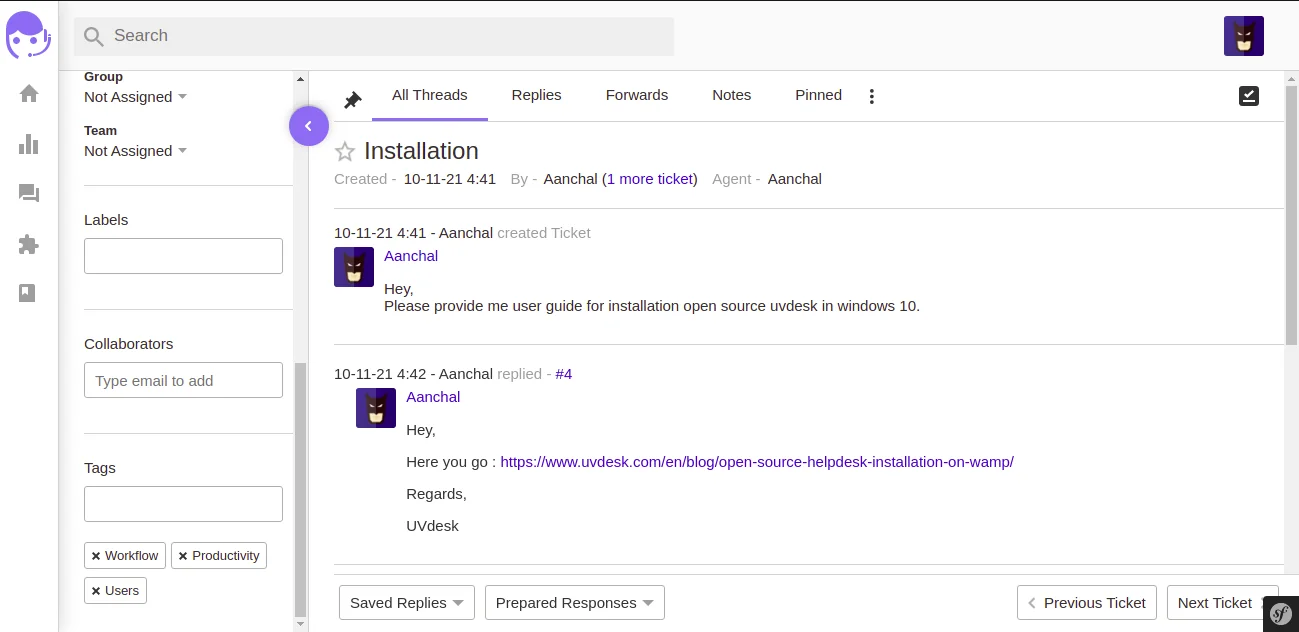
I am including UVdesk because it genuinely fits ecommerce, its Symfony community edition is a reasonable base, and it is on every list. But the maintenance signal has to come first: zero commits on the default branch in the last 90 days, and the last commit of any kind was 1 October 2025, roughly ten months ago. The last release, v1.1.8, was September 2025.
There is a second oddity. The repo shows 19,471 stars against 47 watchers and 564 forks. Every other project in this set has ratios an order of magnitude different from that, and stars are the one GitHub metric that can be bought. Treat that number with caution.
The pricing has its own trap. The advertised SaaS rate is $8 or $15 per agent per month, but both paid tiers carry a minimum of 2 agents, so the real cheapest entry is $22 a month, not $8. The free tier is the community skeleton you self-host, and the pricing page links free and paid tiers to two different feature lists, which is UVdesk's own signal that the two are not the same product.
Pros: built for ecommerce workflows, unlimited agents on the self-hosted community edition, OSL-3.0.
Cons: ten months without a commit, star count out of line with every other engagement signal, a 2-agent minimum that doubles the advertised price, and a free-versus-paid feature split the vendor documents on separate pages.
Pricing: community edition free. Pro $8 and Enterprise $15 per agent per month on annual billing, or $11 and $18 month-to-month, both with a 2-agent floor.
My take: check the repository yourself before you commit anything to it. If it has moved by the time you read this, it is a reasonable ecommerce option. If it has not, treat it the way I treat the four in the next section.
The four that stopped shipping, and still top the lists
This is the part I most want people to take away, because it is checkable in about ninety seconds and almost nobody does it.
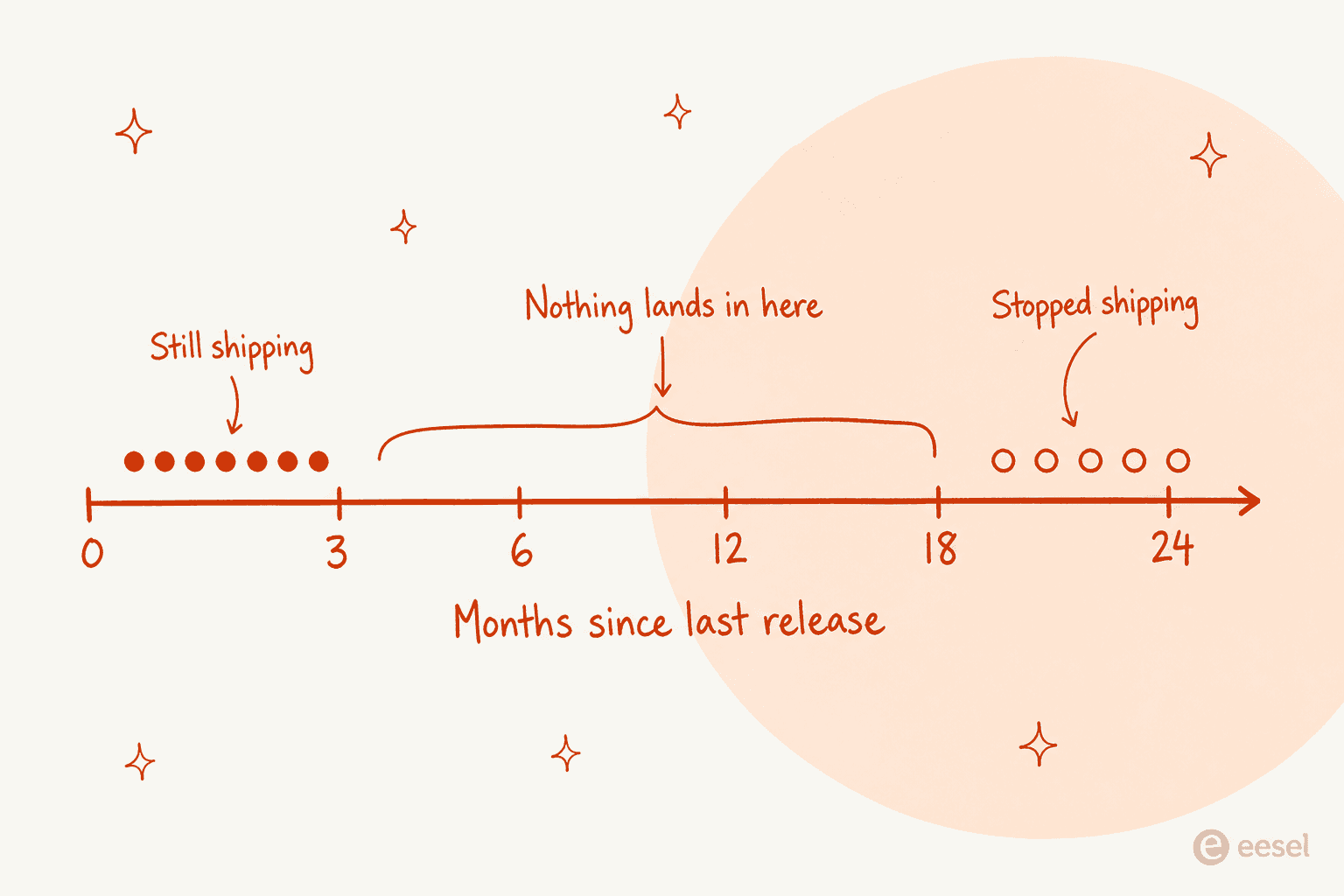
Release cadence in this category is bimodal with nothing in the middle. Every project either shipped inside the last ten weeks or has not shipped in over twenty months. There is no gentle decline, no "quiet but fine." A project is either being worked on this quarter or it stopped two years ago.
- Peppermint - the repo is archived, meaning read-only and unable to accept issues or pull requests. Its last release was November 2024. And
peppermint.shno longer resolves at all: DNS returns SERVFAIL, and the docs subdomain fails identically. The domain is still registered through 2028, so this is a withdrawn delegation rather than an expired bill. It still carries 3,157 stars and still appears on 2026 roundups. - Helpy - last release February 2020, six years and five months ago. The
masterbranch last moved in October 2021. There are 230 open issues and over 100 unmerged Dependabot branches, which is the shape of a repository nobody is looking at. - Trudesk -
trudesk.iois still up and returns HTTP 200, and the docs site is live, which is exactly how this one fools people. Butmasterlast moved 24 July 2024. The 2026 push date belongs to aui-nextrewrite branch that never landed. - Faveo - the default
developmentbranch last moved 3 October 2024, and the last tagged release was October 2023. The 2026 activity is Dependabot and StyleCI. Two of the three repository paths that listicles cite for Faveo now 404; the live one isfaveosuite/faveo-helpdesk.
The check takes two clicks. Open the repo, switch to the default branch, look at the date on the top commit. Do not look at stars, and do not trust "last updated" on an aggregator page.
The self-hosting tax, in hours
Hosting is not the expensive part. The expensive part is that a support system is an email system, and email is unforgiving.
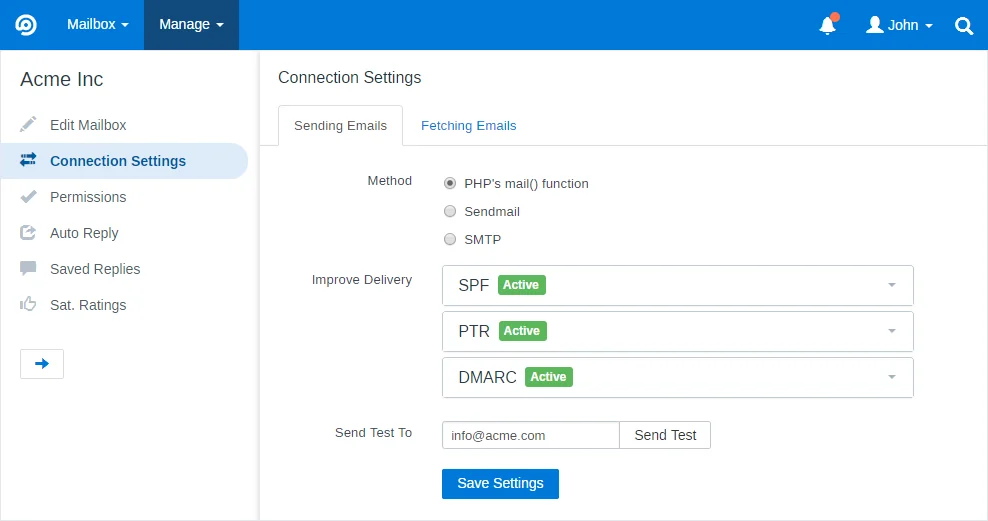
That screen is FreeScout's connection settings, and it is the honest face of self-hosting. SPF, PTR and DMARC each have to be right, or your replies land in spam and you find out from an angry customer rather than from a monitor. Choosing PHP's mail() over SMTP because it works in testing is a mistake that shows up three weeks later as a deliverability cliff.
The failure mode is worse than slow, because it is silent. A sysadmin on Reddit gave the version of this story that has stayed with me:
"I used zammad with the Microsoft sso for a while, worked well. Have since moved to cloud platform for tickets - the realization that our ability for users to submit tickets outside of email when vpn or other network services went down created more work than self hosting was worth.
Also saw a previous employer miss an email about a mass phishing attempt because the helpdesk server had stopped consuming emails. Wasn't worth the risk."

A helpdesk that quietly stops ingesting mail does not page anyone. It just gets quieter, and quiet looks like a good day until it turns out to have been a missed security incident.
The other half of the mail problem is that platform vendors keep moving underneath you. When Microsoft retired basic auth on IMAP and POP it broke self-hosted desks wholesale, and it is still costing people time in 2026:
"Actually fighting [f] to get mail in/out working with freescout right now - and having had learn more than I care to about o365 and PowerShell etc"
"More than I care to" is the unbilled hour, and nobody puts it in the spreadsheet.
Then there are upgrades. osTicket's own mailing-list signup exists, in its words, so you can be informed of available upgrades and security patches when they are released. That is the self-hosting tax stated by the vendor: patching is your job, on your schedule, forever. Zammad only performs patch, minor-release and security updates for you on its top 9,999€ tier. OTOBO installs security patches remotely from its 9,900€ plan up, and does release upgrades for you only at 24,500€.
Notice what those two price points are really telling you. The vendors have put a number on the maintenance work, and the number is five figures a year. When a business case assumes that work is free because a volunteer will absorb it, the vendors' own price lists are the counter-evidence.
There is a scale point too, and an MSP owner put it more bluntly than I would dare, in a thread about moving off osTicket:
"Your management is just used to paying nothing for open-source, but you simply can't run an MSP that size without a PSA."
None of this is an argument against self-hosting. It is an argument for putting the hours in the spreadsheet. If your answer is "we have a systems person and they enjoy this," self-hosting is a genuinely good deal and the calculator above will show you that. If the honest answer is "nobody owns it," a hosted helpdesk plus an automation layer costs less than the outage will.
Where the AI actually is
Now the awkward part. Most teams are reading a list like this because ticket volume is growing faster than headcount, which is an automation problem rather than a ticketing problem.
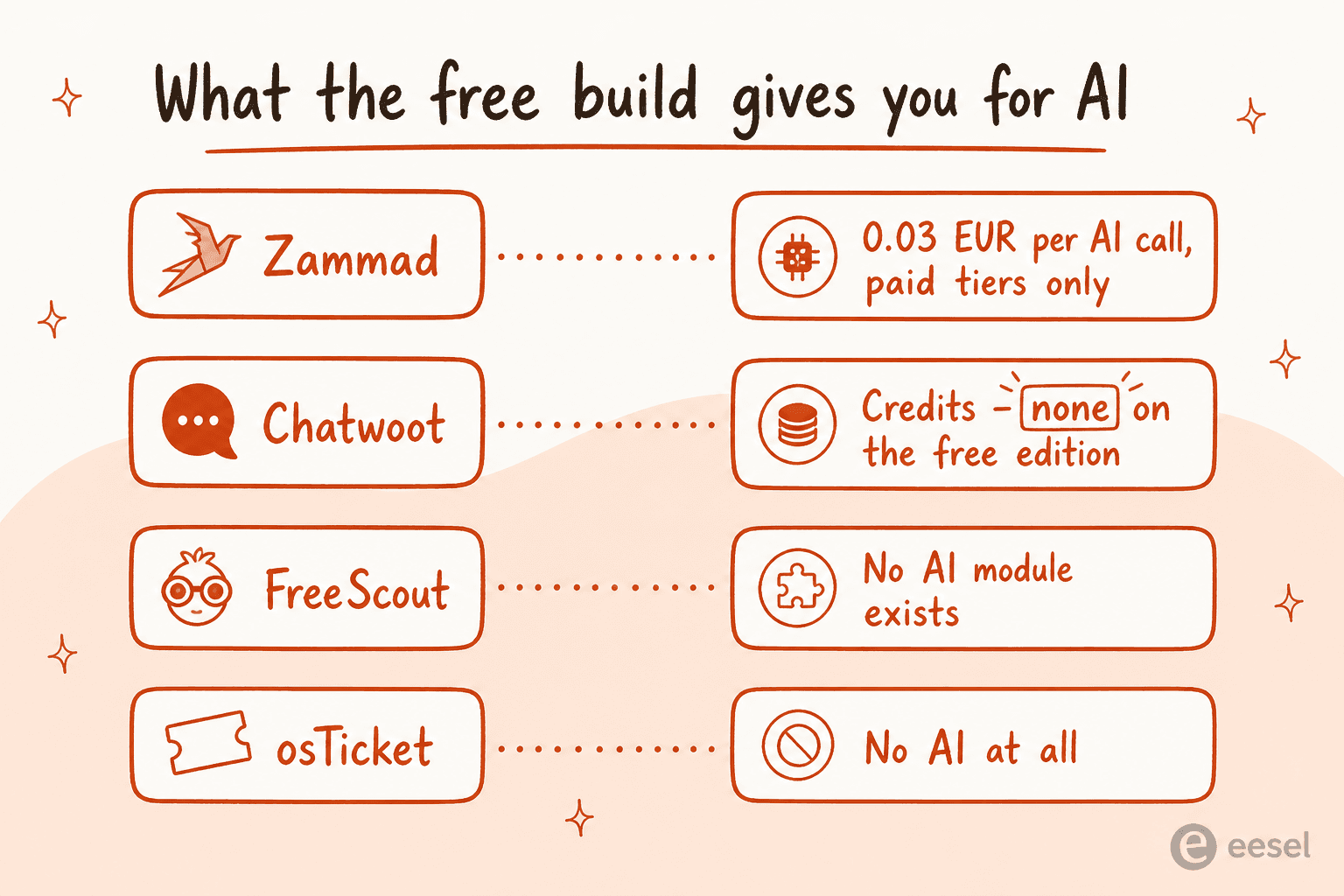
The four most-recommended projects, above, are the four with the least to offer here. The full picture across all nine:
- Znuny has the most complete implementation, and it is free and bring-your-own-model. OTOBO is close behind with Rotobo, in beta. Both are German OTRS forks that nobody puts at the top of a list.
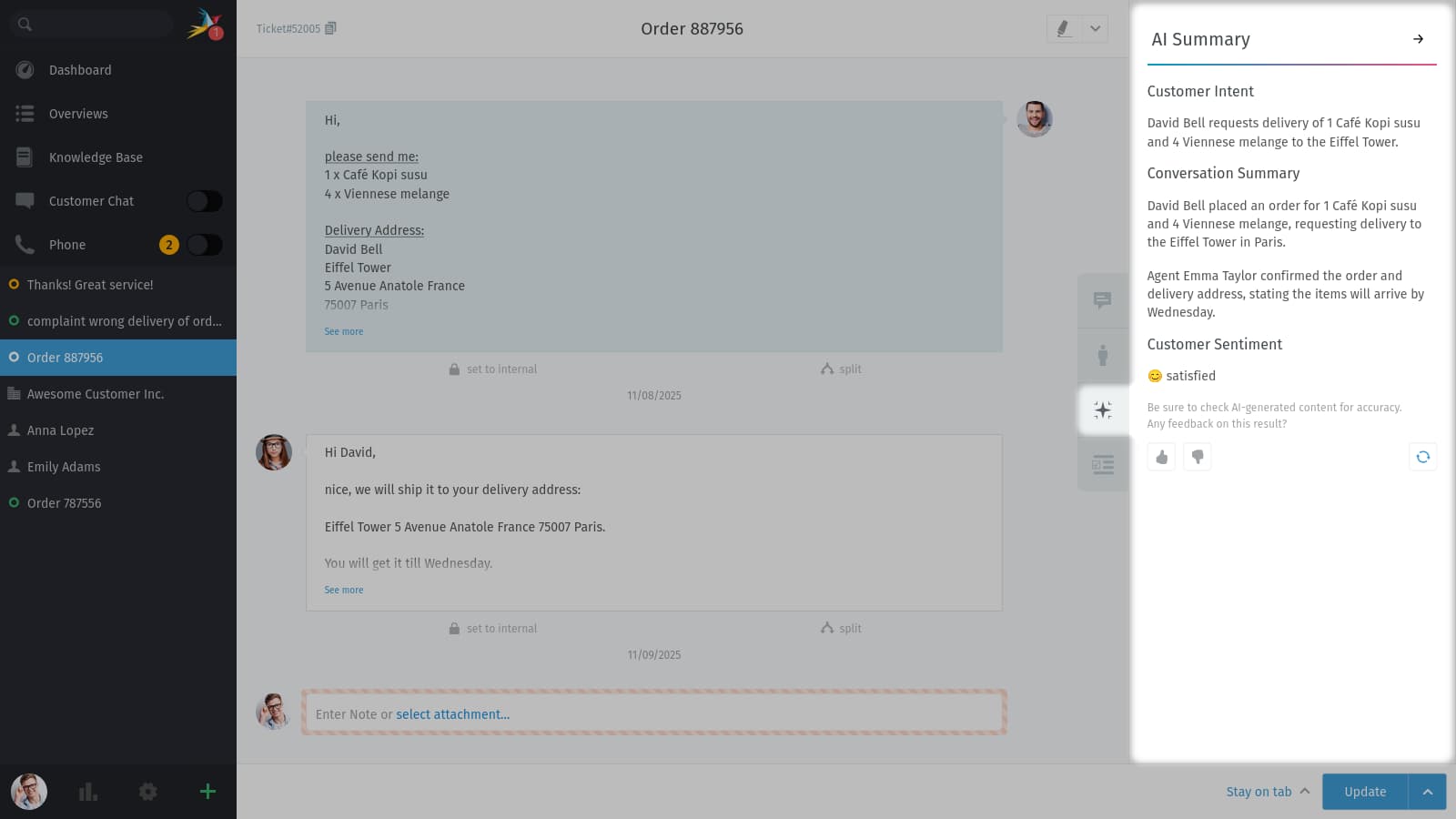
- Zammad meters AI at €0.03 per call, and only on Professional v2 and Plus v2. The Starter tier lists no AI option at all. This is what one of those calls buys:
- Chatwoot has a good AI product in Captain, and gives Community Edition zero credits for it. Overage is $20 per 1,000, one credit per message.
- FreeScout has no AI module among 71. The closest adjacent products are a ticket translator at $6.99 and a spam filter at $5.99.
- Request Tracker has one CPAN extension that builds queues from a description. Useful, but it is a setup tool, not a resolution layer.
- osTicket, GLPI and UVdesk publish nothing you could call an AI layer. GLPI shows a "GLPI AI" logo with no description attached, which is not enough to characterise.
So for six of the nine, adding AI means adding a separate layer on top. That is normal and usually cheaper than migrating, because the ticketing system is rarely what is broken. A head of engineering running Zammad described the actual gap:
"It's not as polished as products like ZenDesk. In fact, it's not really an awesome experience. Some things you'd think ought to be standard are either not implemented or not implemented well or a bit clunky. For instance, it's laborious to try and find agent performance metrics. Really, it's more a system for tracking your currently open tickets but without a lot of richness in managing performance or reviewing history, finding root causes, identifying trends, etc."

That is the honest shape of it. These tools track tickets very well. They do not read them.
That layer is the piece I work on. The pattern that holds up is the boring one: connect to the helpdesk and the knowledge sources, learn from ticket history, then start narrow. Draft replies as internal notes first so a human sees every answer before a customer does. Widen scope only where the drafts are consistently right. One customer described the requirement precisely on a call:
"The AI will never be able to answer 100% of the questions, but if it tries and just answers 'sorry I don't know this,' I cannot go and check all my 7,000 tickets to see if the AI actually made a good answer. I need an AI who is only handling the tickets that it's confident to handle and all the other ones, leave them alone."
That is the right instinct, and it is why confidence-based routing matters more than raw resolution rate. An AI that answers everything at 70% accuracy is worse than one that answers 30% of tickets at 98% and hands the rest over cleanly. We have watched confident-sounding bots quietly give wrong answers, which is why every rollout we run now gets simulated against historical tickets before it touches a live queue.
Try eesel on the ticketing system you already have
If you got this far, you are probably weighing "which open source helpdesk" when the real question is "how do we stop retyping the same forty answers."

eesel is the AI layer, not another ticketing system. It connects to your helpdesk and your knowledge sources, learns from your past tickets, and starts by drafting replies as internal notes so a human approves everything before a customer sees it. You keep the queue, the history and the workflows you already built. A gig-economy analytics team on Zendesk got 73% of tier-1 requests resolved in the first month, having reached that during a seven-day trial.
The honest limit: if you are self-hosting behind a VPN with no outbound API access, we are not the right answer today, and I would rather say that than sell you a project. But if your system has an API and someone on your team is tired of the copy-paste, start free and point it at a week of real tickets. That is enough to tell whether the drafts are any good.