What AI ticket summarization actually is
Strip away the marketing and it's simple. The AI reads everything attached to a ticket, the customer's back-and-forth, the internal notes agents left each other, the previous replies, and writes a short version a human can scan in seconds instead of reading the whole scroll. Good ones also tag the sentiment ("frustrated, third time contacting"), pull out the specific ask, and note what's already been tried.
You'll find it living in three places. Inside an agent copilot, as a "summarize this thread" button. As an auto-generated blurb on handoffs and escalations. And in reporting, where it rolls many tickets up into themes rather than condensing one. They look similar but do different jobs, and that distinction matters when you're deciding what to actually buy.
The reason every helpdesk now ships some version of this is that it's the easiest AI win there is. Summarizing text is what large language models are natively good at, so it's low-risk to bolt on and easy to demo. That's also why I'd push you not to over-value it on its own. When a capability is table stakes across Zendesk, Freshdesk, and everyone else, it stops being a reason to pick a tool. What you do with the summary is the part that's still up for grabs.
Where ticket summaries actually earn their keep
I don't want to undersell summaries either, because in the right moments they're a real relief. The pattern is always the same: someone has to absorb a long, messy conversation fast, and reading the whole thing is the bottleneck.
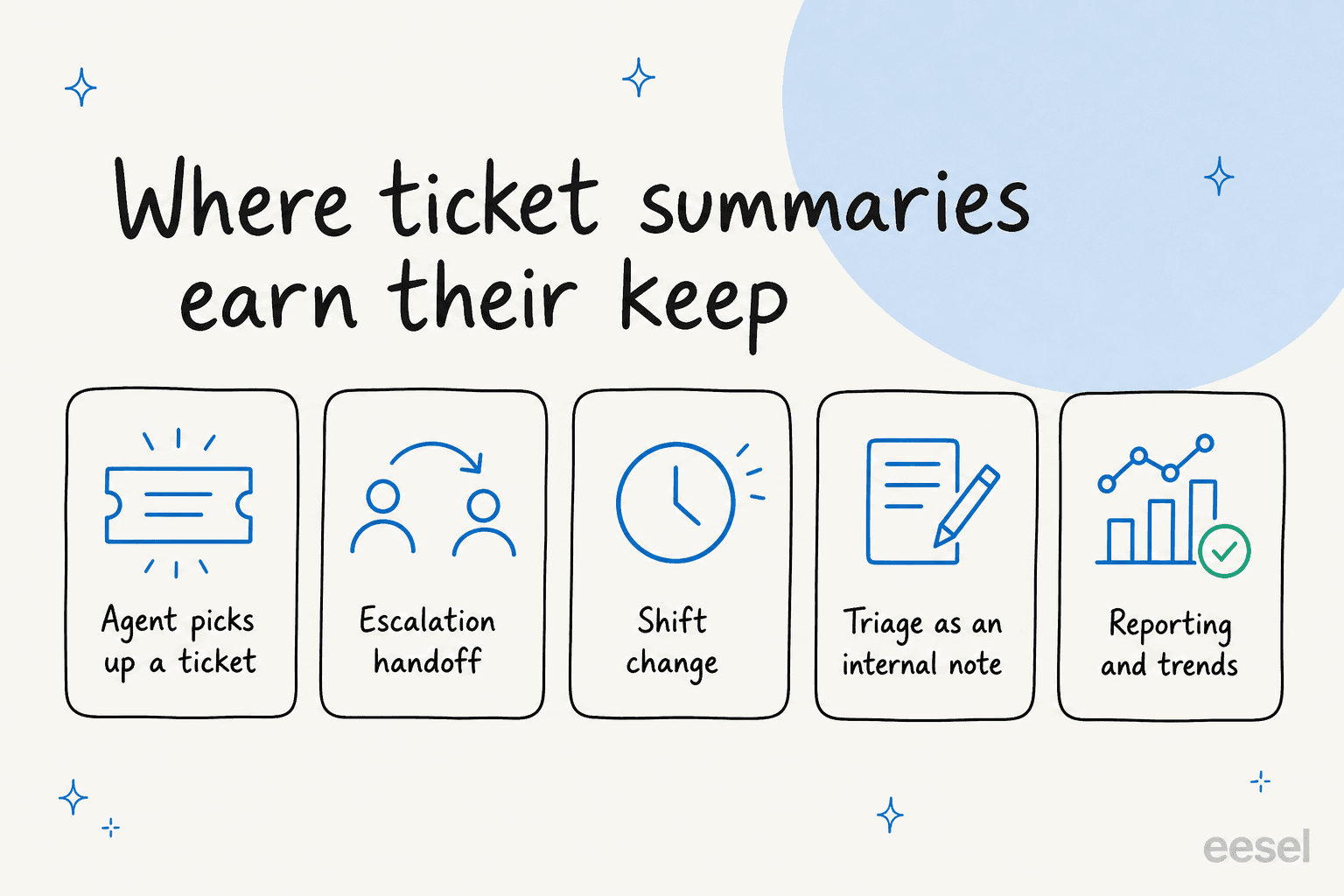
- An agent picks up a stalled ticket. A conversation that's been bouncing between three people for a week is brutal to inherit. A summary at the top is the difference between replying in two minutes and rage-scrolling for ten.
- Escalations. When tier 1 kicks something to tier 2 or engineering, a clean summary travels with it so the next person isn't re-asking the customer questions they've already answered. This is where summaries quietly prevent the worst support experience there is. Worth pairing with solid escalation handling.
- Shift changes and handoffs. Global teams hand the queue across time zones. A summary on each open ticket means the morning shift doesn't start cold. It's the same job as a good human handoff, done in writing.
- Triage as an internal note. This is my favorite, because it's the one that bleeds into real work. The AI reads an incoming ticket, figures out what it is, and leaves a suggested next step as an internal note before a human even opens it. That's halfway to ticket triage proper.
- Reporting and trends. Summarize across hundreds of tickets and you get themes, not blurbs, which is closer to support ticket analysis than to summarization. It's how you spot that 22% of last week's volume was one broken checkout flow.
Here's the thing that ties those together: in every case, the summary is the start of the work, not the end of it. Which brings me to the part most posts skip.
The honest limit: a summary doesn't resolve anything
I've spent enough time in a support queue to be slightly allergic to features that demo beautifully and change nothing about the actual day. Standalone summarization is the textbook example.
Think about what genuinely eats an agent's time on a ticket. There's reading the thread, sure. But then there's finding the right answer, writing it in the right tone, doing the thing the customer asked for, and closing the loop. Summarization only touches the first one. It's a read-only convenience. It makes you faster at understanding the ticket and does nothing for finishing it.
That's fine if you're honest about it. The trap is paying for "AI summarization" as a marquee feature and expecting your backlog to shrink. It won't, because the work that creates the backlog is downstream of the summary. I've watched teams get excited about a summarize button and then quietly churn off it three months later, because the queue looked exactly the same.
The teams that get real leverage treat summarization as a byproduct, not a product. If the AI is already reading the whole ticket well enough to summarize it, it's already most of the way to drafting the reply or resolving it outright. So the question I'd actually ask a vendor isn't "can you summarize this ticket?" Everyone can. It's "once you've read it, can you do something with it?" That's the line between a copilot that saves seconds and an AI agent that saves headcount.
This is also the cleanest way to think about build versus buy: summarization alone is easy enough that you could wire it up against a model API in an afternoon. The hard, worth-paying-for part is everything that comes after the summary.
What good AI summarization looks like
When summarization is wired into a real agent, the quality bar goes up, because now the summary feeds an action and a wrong summary becomes a wrong reply. A few things I'd insist on:
- It's grounded in your tickets, not a generic template. A summary that reads like it was written by someone who's never seen your product is useless. The fix is training on your own solved tickets and docs, so the AI uses your terms and knows what "the usual fix" actually is. The same discipline behind hallucination prevention applies here.
- It surfaces the next action, not just the recap. "Customer wants a refund on order #1182, eligible under the 30-day policy" beats "customer is asking about a refund." One tees up the work; the other just describes it.
- It handles your languages. If you support customers in more than one language, the summary needs to read the original thread and brief the agent in theirs. eesel supports 80+ languages out of the box, which matters more than it sounds when your overnight queue is in German and your morning shift isn't.
- It knows when it's unsure. A confidence signal that says "I'm not certain here" is what lets you trust the rest. That's the same control logic that makes auto-replies safe.
This is roughly what our AI helpdesk agent does on the way to handling a ticket. It reads the full conversation, searches your knowledge, and on the triage path it leaves a suggested reply as an internal note, a summary plus a proposed answer, all in one pass.

To make that concrete, some of the triage moments I've seen it handle: a field engineer raising a deep hardware fault on Zendesk, where the AI searched the PDF manuals and drafted a structured set of isolation-test steps as an internal note. A customer of a Romanian e-commerce platform asking about payment-gateway onboarding, answered in Romanian without anyone prompting it. A cold "buy our 16,000-contact list" sales pitch that landed as a ticket, which the AI matched against past spam, recognized, and drafted a polite decline for instead of trying to "help." In each case the useful output wasn't a summary of the thread. It was a summary plus the move.
"It feels like a partnership, rather than a vendor relationship. eesel AI was flexible enough for us to get started quickly and iterate... Recently, a new customer success hire joked that our eesel AI bot was their best friend during onboarding."
Jon Miron, Director of Support & Operations, Yellowdig
How to roll out AI ticket summarization without breaking trust
The biggest reason these projects stall isn't the tech, it's trust. Support leads, rightly, don't want an AI confidently mangling a sensitive thread and a green agent pasting it. So the rollout matters as much as the tool. Here's the sequence I'd use.
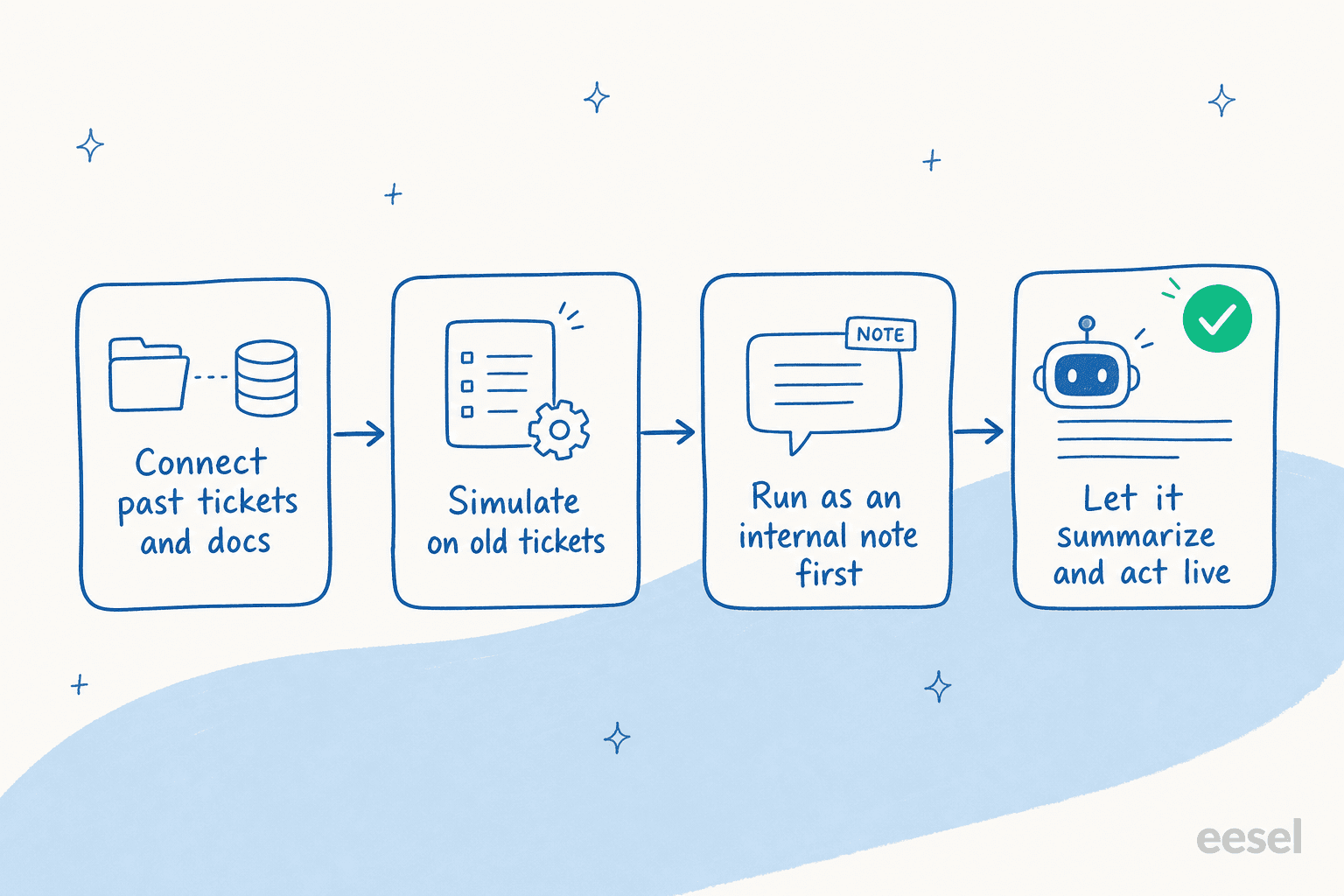
- Connect your history and docs first. The AI should learn from your past tickets, your help center, and your internal notes before it writes a word. This is the step that decides whether summaries read like your team or like a stranger. eesel pulls from Zendesk, Freshdesk, Confluence, Google Docs, and the rest, so "years of history becomes knowledge on day one."
- Simulate on old tickets before going live. Don't trust a vendor demo on cherry-picked examples. Run the AI against a few hundred of your real past tickets and read what it produces. eesel's simulation mode does exactly this and shows you coverage by theme, so you find the gaps on tickets that already closed, where a wrong summary costs nothing.
- Start as an internal note, not a customer-facing anything. For the first few weeks, let the AI summarize and suggest only where agents see it. They build trust by watching it be right (or catching it being wrong) with zero customer risk. This is the same gradual-autonomy idea behind any safe support ticket automation rollout.
- Then let it act, scoped tightly. Once the team trusts the summaries, graduate the AI onto the easy, high-volume, low-risk ticket types: order status, password resets, the tier-1 stuff that's repetitive and rule-bound. Keep everything else as draft-only. You expand the scope on your terms, not the vendor's.
That last point is the whole game. As one CX lead I worked with put it, the AI will never answer 100% of questions, so what you actually want is an AI that only handles the tickets it's confident about and leaves the rest alone. A summarize-everything-and-hope tool can't give you that. Confidence-based scoping can.
What it costs (and the pricing trap to avoid)
Here's where buying summarization as a feature bites you. Most helpdesks tuck AI summaries behind a higher plan tier or an add-on, so you end up paying a per-seat premium for a read-only convenience. The math rarely works, because the value per summary is small.
I'd flip it. Pay for resolved work, and let summarization come along for free as part of it. eesel's pricing is usage-based, so you're billed per ticket the AI actually handles, not per seat and not per feature flag:
| Plan / item | Price | What you get |
|---|---|---|
| Free trial | $0 | $50 of usage, every feature unlocked, no credit card |
| Pay-as-you-go | from $0.40 / ticket | One ticket = one task, any number of replies; no platform fee, no per-seat fee, no minimum |
| Annual commit | 25% off | Commit to $300+/month for the year; same usage, lower rate |
| Enterprise | $1,000/month + usage | Dedicated engineer, higher KB limits, SSO, HIPAA, BAA |
A worked example: a team handling 1,000 tickets a month through the AI pays around $400, and that covers reading, summarizing, drafting, and resolving, not a summary you then act on manually. If you only route 200 of those 1,000 tickets to the AI during a careful rollout, you pay for 200. You're never charged for tickets your humans handle, and a default $250 spend cap pauses things if usage spikes. Compare that to a per-seat summarization add-on you pay for whether or not anyone clicks the button.

If you want to go deeper on the numbers, we broke down the full cost of AI support and where the savings actually come from separately.
Try eesel for ticket summarization that actually does something
If you've read this far, you already know my pitch: don't buy a summarize button, get a teammate that summarizes because it's reading every ticket on its way to resolving them. eesel plugs into your existing helpdesk in minutes, learns from your past tickets and docs, and starts by leaving suggested replies as internal notes, summary plus the answer, so your team builds trust before anything goes live. When you're ready, you flip the easy ticket types to autonomous and keep the rest on draft.
It already runs at real scale: one customer processes 100,000+ tickets a month on a fully automated Zendesk setup, and another resolved 73% of tier-1 requests in the first month. You can simulate it on your own historical tickets before committing, and the free trial runs on $50 of usage with no credit card.
The summary is the easy part. Try eesel for the part that comes after it.
Frequently asked questions
What is AI ticket summarization for support?
Does AI ticket summarization actually save support teams time?
How accurate are AI ticket summaries?
How much does AI ticket summarization cost?
Can AI summarize tickets across different helpdesks and languages?


Article by
Riellvriany Indriawan
Riell is a designer and writer at eesel AI with about two years of experience researching CX platforms, AI chatbots, and helpdesk software. She combines her design background with a sharp eye for how these tools actually look and feel in practice — making her comparisons unusually visual and user-focused.