


Two questions decide this one, and neither of them is on a feature chart.
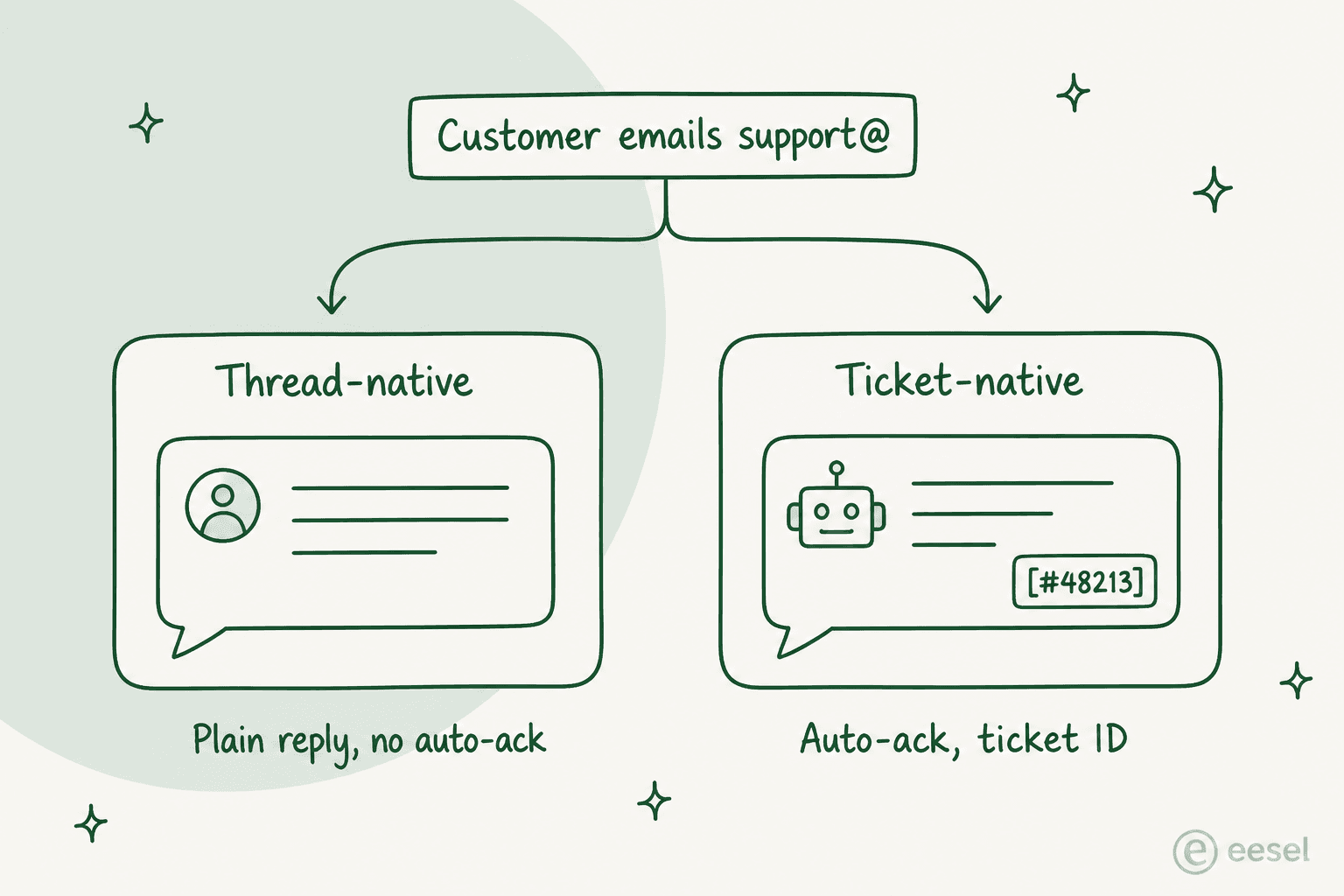
First: what does your customer get when they hit reply? Thread-native tools (Help Scout, Hiver, Front, Missive) keep it looking like ordinary email. Ticket-native tools (Zendesk, Freshdesk, Zoho Desk, HubSpot, Gorgias) hand you routing, SLAs and real reporting, and in exchange your customer starts receiving a robot acknowledgement and a reference number.
Second, the one that shows up on the invoice: every vendor meters AI differently. Help Scout charges $0.75 a resolution. Freshdesk, $0.49 a session after the first 500 free. Gorgias, $0.85 to $1.00 per automated interaction. HubSpot lands around $0.45 once its 3,000 credits are spent, and Front's Autopilot starts at $0.05 a conversation, by quote only. Zendesk, Hiver and Missive publish no rate at all.
Under 25 agents my picks are Zoho Desk at $23 when the budget is tight, Help Scout at $25 when tone matters more. Already running a help desk and just drowning in email? Then don't migrate. eesel drops onto Zendesk, Freshdesk, Gorgias, Front or Help Scout, replays your past tickets in simulation before it answers anybody live, and starts at $299 a month for 500 credits (1 credit per ticket) with no seats to buy.
What counts as email help desk software
Email help desk software is any tool that turns a shared mailbox into something a team can actually run: assignment so two people do not answer the same customer, a record of what was said, and also enough reporting to know if you are keeping up. For the light end of the category, my roundup of shared inbox software covers it.
That definition covers two very different product shapes. Mixing them up is why so many migrations end in a rollback, and I have written about the split before in shared inbox vs ticketing. It is the first fork in the road here too.
Thread-native tools treat the email thread as the unit. Hiver's whole pitch is that support "lives inside your existing Gmail", so agents never leave the inbox they already know. Missive is blunter about its own limits: no ticket statuses, no SLA engine, no help centre, no CSAT. Conversations get assigned, labelled and archived, which is the whole model.
Ticket-native tools treat the ticket as the unit. Zoho Desk's Free Edition is described in exactly those terms, "email ticketing only", and everything above it adds the machinery: statuses, priorities, SLA policies, a customer portal, dashboards. The trade is simple enough. You gain structure, and you accept that the customer's experience changes shape along with it.
| Thread-native | Ticket-native | |
|---|---|---|
| Unit of work | The email thread | The ticket |
| On this list | Help Scout, Hiver, Front, Missive | Zendesk, Freshdesk, Zoho Desk, HubSpot, Gorgias |
| Customer gets | A plain reply, usually from your own address | An acknowledgement, often with a reference number |
| Statuses, SLAs, priorities | Thin or absent | The whole point |
| Reporting depth | Response times and volumes | Full dashboards, CSAT, per-agent breakdowns |
| Where it breaks | Volume and complex routing | Tone, and customers who start a fresh email |
Neither is better. But one of them will annoy your customers and one of them will annoy your ops lead, so pick on purpose.
What your customer actually receives when you switch
I read the vendor docs on this instead of guessing. It is the part of the decision nobody demos.
Zendesk is the only tool here that emails your customer on its own. It ships an enabled standard trigger, "Notify requester and CCs of received request", and the default copy is published: "Your request ({{ticket.id}}) has been received and is being reviewed by our support staff." The thing worth flagging here is that you can deactivate it, and Zendesk even documents the safe way of doing that. Out of the box, though, a robot answers before a person does.
Freshdesk is the one that puts a reference number in the subject line as standing behaviour. Its own docs say "the follow-up conversations have the ticket ID on the subject line of the emails", and stripping it out of agent replies still leaves it sitting on every requester notification, and those have to be edited separately.
Help Scout and Front default to sending nothing. Help Scout's auto reply is off until you toggle it on per inbox, and when you do, the subject "defaults to Re: {%subject%}". Front's auto-replies are rules you build yourself, so nothing fires until you build one. Left alone, what your customer gets is a reply from a human, sent from your own address.
One myth to kill while I am here. The ticket number in the subject is not what makes threading work. Zendesk threads on References and In-Reply-To headers plus an encoded ID in the message body. Zoho Desk threads on message-id, and its subject-ID matching is disabled by default. Freshdesk states outright that hiding the ID still lands replies on the same ticket. So, if the reference number is the thing making your support feel like a call centre, you can take it out and nothing breaks.
What ticket-native tools really change is the failure mode, the one that fires when a customer starts a fresh email instead of replying to the old one. Zoho publishes that one plainly: the follow-up "creates a new ticket (ID 146) for the same query", so now you have two records of one problem. Zendesk cared enough about the customer's side of this to ship simplified email threading, whose stated purpose is that "the interaction looks like a normal conversation in the end user's email application". That is a vendor conceding the default did not.
How I picked, and what I actually checked
Every price in this post came off the vendor's own pricing page in the last three days, comparison sites excluded, and I went looking for the one number most roundups skip: what the AI costs per email it handles. Where a vendor publishes no rate, I say so rather than guessing. "Contact sales" is itself useful information when you are budgeting.
The ranking weights four things: what the customer receives when they reply, the total monthly cost at a realistic volume, how much of the product is gated behind a demo call, and whether the AI can be pointed at an email queue without babysitting.
The 10 best email help desk software tools in 2026
| Tool | Best for | Cheapest paid seat (annual) | Free plan | AI billable unit | Published AI rate | Seat minimum | Lives in Gmail/Outlook | Gate to watch |
|---|---|---|---|---|---|---|---|---|
| Help Scout | Email that still sounds human | $25 Standard | Yes, 5 users / 100 contacts | Resolution | $0.75 | 10 on Pro | No, own app | SSO, HIPAA and unlimited SLAs are Pro-only, and Pro is demo-gated |
| Hiver | Teams that refuse to leave Gmail | $25 Growth | Yes, "free forever" | Not published | Not published | 2, then blocks of 5 | Yes, natively | AI agents are bundled with no stated allowance or overage |
| Front | Shared inbox plus real omnichannel | $25 Starter | No, 14-day trial | Conversation | From $0.05 | None published | No, own app | Starter is one channel only, capped at 10 seats |
| Missive | Small teams collaborating, not ticketing | $24 Productive | Yes, 3 users | LLM tokens + 25% | Provider price + 25% | None | No, own app | No SLA engine, no statuses, no help centre |
| Zoho Desk | The cheapest real ticketing | $7 Express | Yes, 3 users, email only | None, Zia is bundled | No per-prediction price | None | No, own app | Zia sits on Professional at $23, not the cheap tiers |
| Freshdesk | Scaling email volume with a free AI allowance | $19 Growth | No longer offered | Freddy session | $0.49 after 500 free | None | No, own app | Freddy Copilot is $29/agent and Pro+ only |
| Zendesk | Big teams that need every knob | $19 Support Team | No, trial only | Automated Resolution | Not published | None | No, own app | Copilot is a $50/agent add-on on top of the suite seat |
| HubSpot Service Hub | Teams already living in HubSpot CRM | $7 Starter (no AI agent) | Yes, 2 users, no help desk | Credits, 50 per resolution | ~$0.45 per resolution | None | No, own app | Professional is $90/seat plus a required $1,500 onboarding fee |
| Gorgias | Shopify stores where email is order chasing | $77/mo flat, not per seat | No | Automated interaction | $0.85-$1.00 | Not seat-based | No, own app | Basic includes 300 tickets, then $0.40 each |
| eesel AI | Adding AI to the email queue you already run | No seats to buy | Free plan, 100 credits | Credit (1 ticket or chat) | From $299/mo for 500 credits | None | Layers on your help desk | SSO and MFA are add-ons from $199/mo |
Two things jump out of that table. First, the cheap seat and the cheap AI are almost never the same product: Zoho Desk's $7 tier has no meaningful AI, while HubSpot's $0.45 resolution sits behind a $90 seat. And second, three vendors on this list will not tell you what an AI-handled email costs until you are actually on a call.
Work out what your own queue costs
Seat prices are the easy half. Plug your real numbers in and watch the ranking flip once the AI meter starts running.
The pattern the widget exposes: per-seat pricing punishes headcount, per-resolution pricing punishes success. One eesel customer modelled per-resolution billing on 1,000 tickets a month at 80% resolution, and the answer came out at $792 a month. Then a Black Friday spike to 4,000 tickets took that same setup to $3,168, without a single new agent hired. A fixed monthly plan with headroom for the spike does not move like that, which is why eesel is one fixed monthly price with no per-seat fee.
1. Help Scout
Best for: teams whose whole brand is that support replies sound like a person wrote them.
What it does well
Help Scout is a help desk that behaves like a mailbox. Conversations, not tickets. No reference numbers stamped into your subject lines either. Agents get assignment, saved replies, workflows and a Docs knowledge base, and on the other end the customer gets an email that looks like it came from a colleague.
Customers notice the difference, which is the whole reason teams pick it over heavier ticketing:
"Help Scout is great for our 4-person Customer Success Team. We have been using it for over a year and it helps us provide high-quality customer support. It is easy to use, our customers like it because our emails look just like normal emails."

The AI split is unusually clear here. AI Assist (rewrite, shorten, translate) and, on Plus and above, AI Drafts and AI Summarize are unlimited and included in the seat. AI Answers is the customer-facing agent, and that one is the only thing metered.
Pricing
| Plan | Per user/mo (annual) | Users | Inboxes / Docs sites |
|---|---|---|---|
| Free | $0 | 5 | 1 / 1, capped at 100 contacts a month |
| Standard | $25 | 25 | 2 / 2 |
| Plus | $45 | 50 | 5 / 3 |
| Pro | $75 | Unlimited, 10 seat minimum | 10 / 5 |
Extra inboxes are $10/mo, extra Docs sites $20/mo, and my Help Scout pricing write-up breaks the full ladder down. AI Answers is $0.75 per resolution on every paid tier, and in terms of the definition, it is fair: if the customer asks a follow-up or clicks "I still need help", it is not a resolution and you are not charged, one resolution maximum per conversation. There is also a monthly spend cap that switches the agent off when you hit it, plus three months of unlimited free resolutions when you start.
Watch out for
SSO, HIPAA, IP restrictions, unlimited workflows and unlimited SLA policies all live on Pro. Pro carries a 10-seat floor, and you cannot buy it without a demo call. On Plus, SSO and HIPAA are paid add-ons. For the AI side specifically, I went deeper in AI ticket triage. The ROI calculator on the pricing page assumes a 73% resolution rate and models $855,112 in avoided hires, which is vendor arithmetic and not a benchmark. The simplicity has a ceiling too, and reviewers who have run it for years find it:
"Reporting and analytics are fairly basic compared to some alternatives, and there's limited flexibility when it comes to customising workflows or automations. For teams that need deeper functionality or more sophisticated routing rules, it may start to feel restrictive as support volume grows."
My take: the best default for a 5 to 25 person email team, and the one I would pick if what I cared about most was not breaking the tone customers already like. Skip it if you need skills-based routing, or hard SLAs on a budget. That is a Pro conversation.
2. Hiver
Best for: teams who will quietly stop using any tool that is not Gmail.
What it does well
Hiver is the shortest migration on this list, because there is no migration. It layers assignment, notes, SLAs and analytics into the Gmail your agents already have open, and that kills the single biggest reason help desk rollouts fail. Nobody has to learn a second inbox.
As of 2026 there are two products, priced identically. Hiver Omni is standalone, works with any email provider, and adds chat, Slack, voice, WhatsApp and social. Hiver for Gmail is the original Chrome extension, and that one needs a Google Workspace account.
Pricing
| Plan | Per user/mo (annual) | Monthly | What unlocks |
|---|---|---|---|
| Free | $0 | $0 | Shared inbox and ticketing, email and help centre |
| Growth | $25 | $35 | AI Agents, AI Copilot, rule-based automations |
| Pro | $55 | $65 | Customer portal, SLAs, CSAT, API access |
| Elite | $85 | $95 | Skill-based routing, SSO, HIPAA handling |
Same four prices on both product tabs, and the tier gates are itemised in my Hiver pricing breakdown.
Watch out for
Three things here. The seat maths is unusual: plans start at 2 seats, step to 5, then move in blocks of 5, so a 6-person team buys 10 seats. Pro and Elite are "book a demo" even though the prices are published. And Hiver names AI Agents and AI Copilot as Growth features while publishing no allowance, no credit pool and no overage rate anywhere on either pricing page, which makes the AI line impossible to budget for. SSO and HIPAA handling are Elite-only, at $85 a seat. Reviewers who love it still flag the cost:
"I have not found a single thing I don't love about Hiver. However, I will say it is very expensive. Having said that, the issues it solves and the time it saves make it worth it."

My take: worth it for the adoption alone if your team lives in Gmail, and the strongest answer on this list to "my agents will never log into a help desk". Ask the sales rep in writing what happens when your AI usage doubles. The pricing page will not tell you. And if the seat blocks are the sticking point, there are cheaper Hiver alternatives.
3. Front
Best for: a shared inbox that has to grow into SMS, WhatsApp and voice without changing tools.
What it does well
Front is the most polished collaboration layer in this category. Comments and drafts live beside the thread, rules do real work, and the analytics are strong enough that ops leads stop exporting to spreadsheets. It also scales past email properly. Front says 9,300+ companies run on it, and channel allowances scale per licence rather than per plan (10 on Starter, 30 on Professional, 50 on Enterprise).
Pricing
| Plan | Per seat/mo (annual) | Seats | What you get |
|---|---|---|---|
| Starter | $25 | Up to 10 | One channel only, 10 automation rules, basic knowledge base |
| Professional | $65 | Up to 50 | Omnichannel, 20 rules, 5 workspaces, SSO and SCIM |
| Enterprise | $105 | No cap | Unlimited rules, custom roles, Copilot, Smart QA and Smart CSAT included |
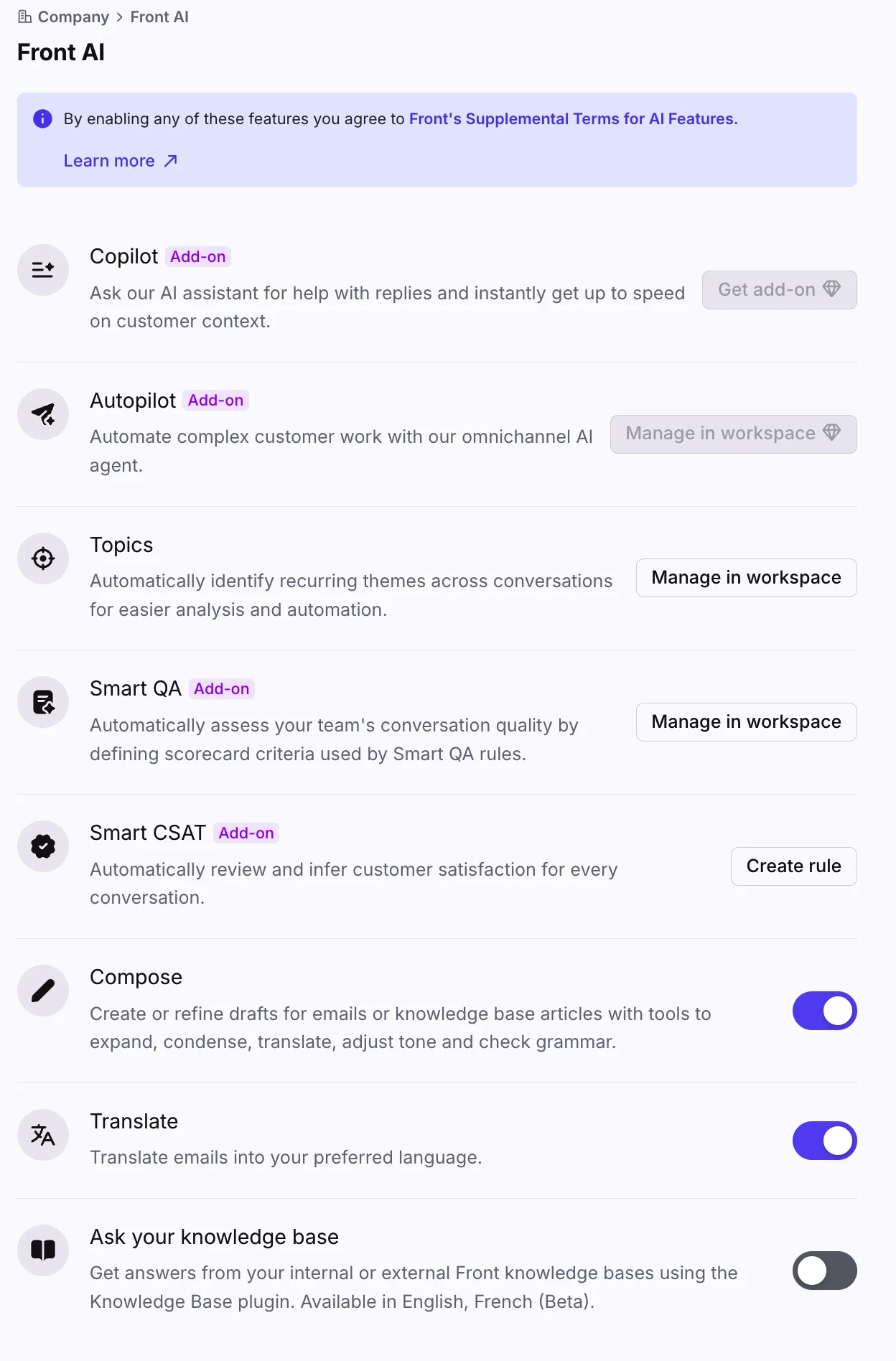
Annual billing saves 24%, and Enterprise cannot be bought monthly at all. Compose, Translate and Summarize are all included, capped at 200 actions per teammate per day. As the add-ons shift, I keep a running note on Front pricing.
Watch out for
The AI agent is not in any plan. Autopilot is billed per conversation from $0.05, sales-quoted, and it stays an add-on even on the $105 Enterprise seat, making it the one AI product here with no bundled path. Copilot is $20 a seat, Smart QA $20, and Smart CSAT $10. Front's own FAQ also says it "may use your data to further train your model", which is candid, and also worth reading twice before you connect a mailbox full of customer data.
One recurring criticism, from a CS lead who moved her team from Front to Zendesk:
"Front was fine for dealing just with billing inquiries, but as the potential support team expanded and the queries got more complex, it was just another inbox to monitor."

My take: the right buy at 20 or more agents who need channels beyond email. Hard to justify at 5 agents on Starter, where you are paying Help Scout money for one channel. Price Autopilot before you sign it, not after. For the Gmail-layer comparison, see Front vs Hiver.
4. Zoho Desk
Best for: the cheapest way to get real ticketing without a credit card negotiation.
What it does well
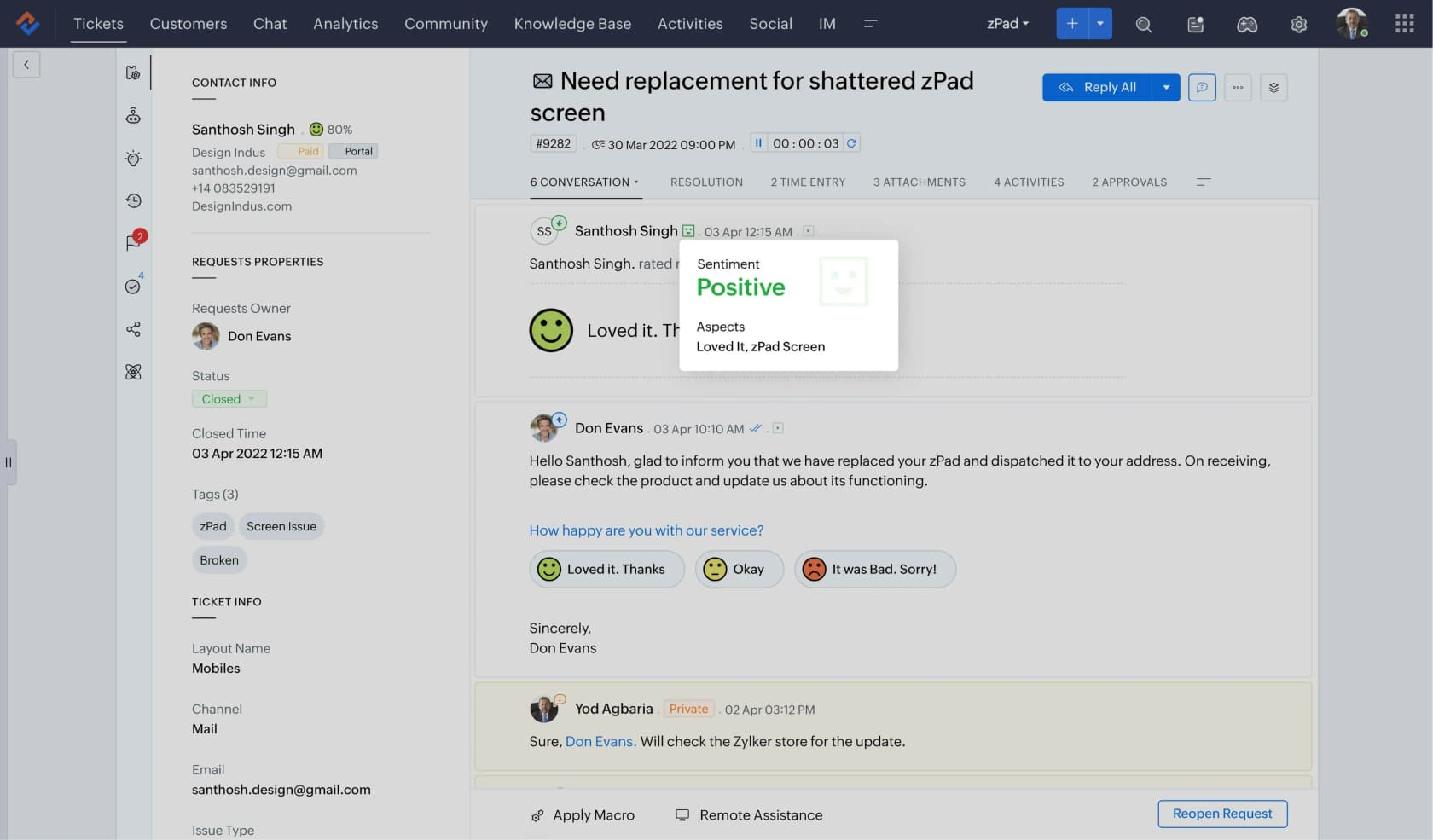
Nothing else on this list gives you a working ticket system at $7 a user. The Free Edition covers 3 agents on email ticketing only, Express adds the micro-business essentials at $7, and then Standard at $14 brings the answer bot. Zia, which is Zoho's AI, moved down to Professional at $23 in 2026, and there is no separate AI SKU or per-prediction charge to model.
Pricing
| Plan | Per user/mo (annual) | Notable limit |
|---|---|---|
| Free Edition | $0 | 3 agents, email ticketing only |
| Express | $7 | Micro-business essentials, 30M free tokens a month |
| Standard | $14 | Answer bot starts here |
| Professional | $23 | Zia lives here, light users $6 |
| Enterprise | $40 | Everything above plus enterprise controls |
Monthly rates are never exposed in the page source, so the sticker assumes a year up front. Full tier detail sits in my Zoho Desk pricing guide.
Watch out for
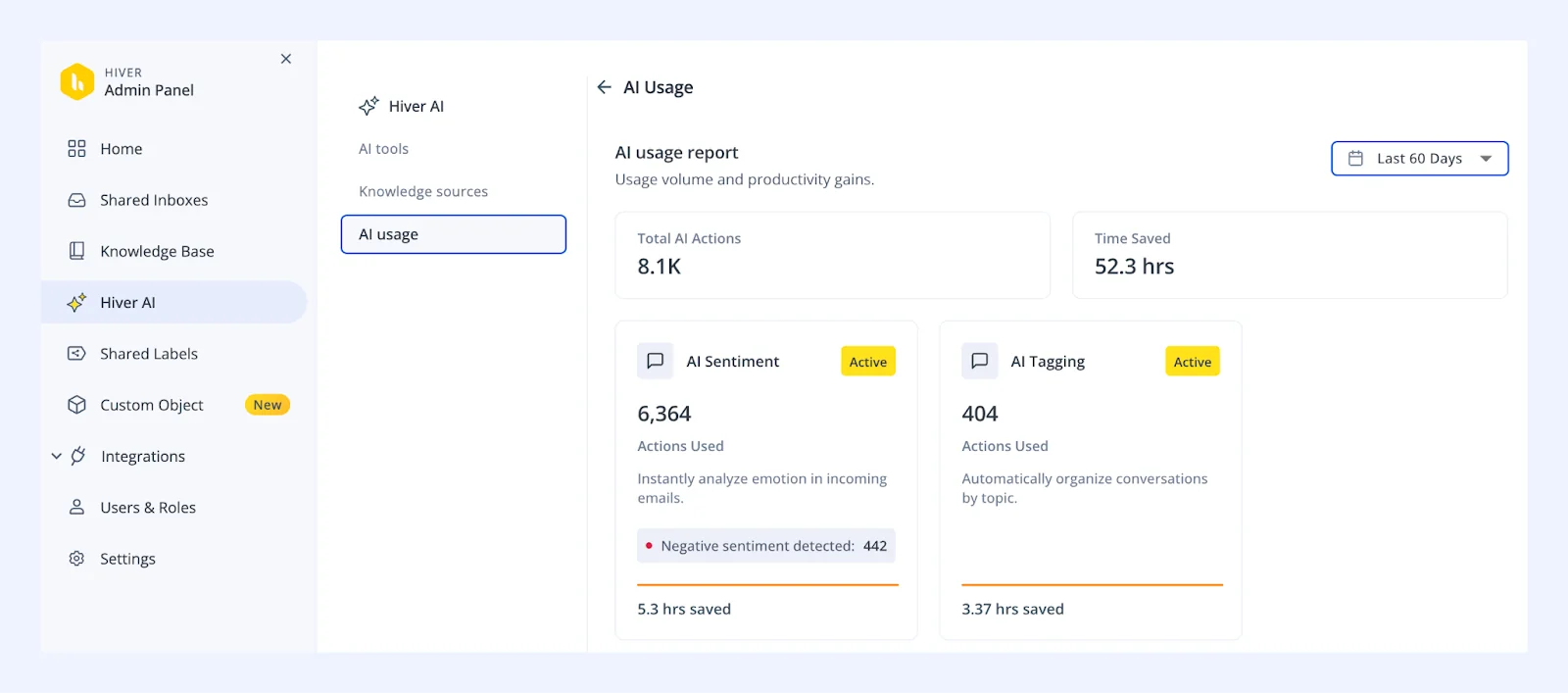
The interface carries the usual Zoho tax: more configuration surface than a small team wants, plus a look that a design-led brand will notice. Zia is competent at sentiment, tagging and reply suggestions, and autonomous resolution is not really where it lands, which I dug into in this Zoho Desk AI review.
My take: the value pick, full stop, and the one I recommend when budget is the actual constraint. Just do not buy Express expecting AI. The AI you want starts at $23.
5. Freshdesk
Best for: growing email volume where you want an AI allowance included rather than metered from day one.

What it does well
Freshdesk is the middle of the market done competently: email ticketing, automations, a knowledge base, decent reporting, and the most generous starting AI allowance here. Freddy AI Agent includes the first 500 sessions on every plan (a one-time allowance per account), $19 Growth included. So a small team can run an AI agent on its email queue for a while without ever touching the meter.
Pricing
| Plan | Per agent/mo (annual) | Freddy AI Agent | Freddy Copilot |
|---|---|---|---|
| Growth | $19 | 500 sessions free, then $0.49 each | Not available |
| Pro | $55 | 500 sessions free, then $0.49 each | $29 per agent |
| Enterprise | $89 | 500 sessions free, then $0.49 each | $29 per agent |
Overage is billed at $49 per 100 sessions. The session maths is unpacked in my Freddy AI pricing notes.
Watch out for
The free plan is gone. Any roundup still listing Freshdesk's forever-free tier is out of date. Monthly prices get rendered client-side and never appear in the page source, which is a small tell about how the pricing is designed to be read. And the Copilot maths bites at scale, in terms of cost: 10 agents on Pro is $550 in seats plus $290 in Copilot, before a single AI session.
My take: the best "we are past a shared inbox but not ready for Zendesk" buy, and those 500 included sessions make it the cheapest honest way to find out whether AI can handle your email at all. Watch the Copilot line if your team is large. Weighing it against the tone-first option? Try Freshdesk vs Help Scout.
6. eesel AI
Best for: teams who already have a help desk and just need the email queue to stop being the bottleneck.

What it does well
I should be upfront: I work on eesel, and it does not try to be a mailbox. It is an AI layer, sitting on top of the help desk your email already lands in: Zendesk, Freshdesk, Gorgias, Front, Help Scout. Each integration gives the agent three things. Sources first, meaning past tickets, help centre articles and macros. Then triggers, which is a new email arriving. Then the actions: draft, reply, tag, escalate.
The part that matters for an email queue specifically is the noise. A support@ address is not a queue of customers. In one trial on a jewellery retailer's live Zendesk traffic, 22% of the inbox was spam, and the agent caught 100% of it, zero false positives, at 93% triage accuracy. I have watched the other version of that story too. One e-commerce customer's AI politely offered to unsubscribe a marketing newsletter from another brand, and answered vendor system notifications as well, because nothing was filtering non-customer mail. That is the failure mode nobody warns you about when they tell you to point AI at your inbox.
Which is why every rollout runs as a simulation against your historical tickets first, so you see the answers it would have sent before a customer does.
Pricing
| Monthly plan | Credits (1 per ticket or chat) | Price |
|---|---|---|
| Free | 100 | $0, no card |
| Teammate | 500 | $299/mo |
| Teammate | 1,000 | $499/mo |
| Teammate | 2,500 | $999/mo |
| Teammate | 5,000 | $1,899/mo |
More than 5,000 tickets a month is a talk-to-us plan. There are no seat or per-user fees and no platform fee, and every integration is included. Because the unit is the ticket, the meter does not punish a long conversation the way per-resolution billing does. If you run out of credits you can turn on overage with a cap you set ($0.80 per extra credit), and paying a year upfront gets two months free.
Watch out for
It layers onto a help desk, so if all you have is a raw Gmail inbox, this is not the first thing to buy: get a mailbox tool from the list above, then add the AI. And I would not oversell the drafting. In that same trial, agents sent only 12% of AI drafts unedited at first, mostly rewriting 8 to 15 sentence drafts down to 1 to 3 sentences. About 65% of that gap closed by training on the team's own sent replies, and only about 5% of it was the AI being factually wrong.
"In the first month, eesel is resolving 73% of our tier 1 requests. eesel offers easy Zendesk implementation and setup. Our team implemented and achieved results quickly during our 7-day trial."
Kim Simpson, Gridwise
My take: the right buy when the help desk is fine and the volume is not, and the wrong buy if what you actually need is assignment and visibility in a shared mailbox. Run the simulation before you pay for anything, including ours. For the sober version of what AI closes on email, read my notes on ticket deflection.
7. Zendesk
Best for: large teams who need every routing, SLA and reporting knob to exist.

What it does well
Zendesk is the most complete ticketing system here, and for a 50-agent operation with tiers and SLAs, and also a QA function, that completeness is the product. Email support is deeply configurable: forwarding, threading rules, triggers, plus a help centre that actually deflects. If your requirement list runs to two pages, this is the tool that will not have a blank cell in it.
Pricing
| Plan | Per agent/mo (annual) | AI position |
|---|---|---|
| Support Team | $19 | Ticketing only |
| Suite Team | $55 | Suite channels, Copilot is an add-on |
| Suite Professional | $115 | Suite channels, Copilot is an add-on |
| Suite Enterprise + Copilot | Talk to sales | Copilot folded into the tier |
Copilot, the agent-side assistant, is a $50 per agent add-on on the lower tiers.
Watch out for
Two changes worth knowing in 2026. The standalone $50 Advanced AI add-on is gone, and Zendesk no longer publishes a dollar rate for an Automated Resolution, so the unit deciding your AI bill is now a sales conversation. Any comparison post that quotes you a per-resolution price for Zendesk is quoting an old page. I track the moving parts in Zendesk pricing, and the plumbing over in email to ticket.
The AI has also been a real letdown for some paying customers:
"Some other notes. We tried Advanced AI for 6 months. Useless. Never recommended a single macro. I think Content Cues was only for higher level plan."
My take: correct at 50+ agents and overkill under 10. The tier where teams get burned is the middle, paying suite prices for machinery they never configure. If you are already on it and the complaint is cost, look at what you are paying per resolved email before you migrate anywhere. That argument gets its own post: Zendesk pricing too expensive.
8. HubSpot Service Hub
Best for: teams whose CRM is already HubSpot and who want support in the same record.
What it does well
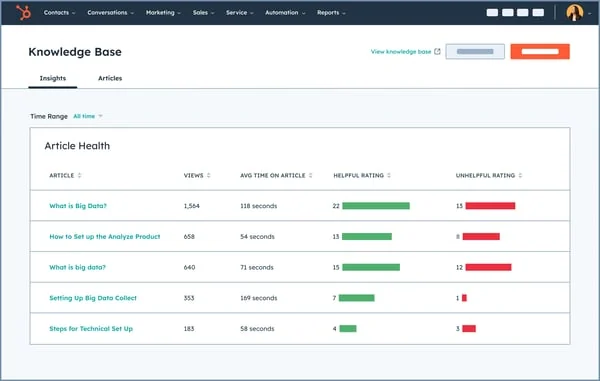
The pitch is one customer record. Every email, ticket, deal and marketing touch on one timeline, and that pays off the moment sales and support start arguing about context. The Help Desk Workspace, knowledge base, customer portal and Breeze Customer Agent all arrive on Professional.
Pricing
| Tier | Per seat/mo | Included credits | AI resolutions those credits buy |
|---|---|---|---|
| Free | $0, 2 users | None | None, no help desk workspace |
| Starter | $7 annual / $20 monthly | 500 | None, the agent is Professional+ |
| Professional | $90 annual / $100 monthly | 3,000 | About 60 a month |
| Enterprise | $150, sales-quoted | 5,000 | About 100 a month |
The AI meter is HubSpot Credits at $9 per 1,000 on annual billing, and the Customer Agent burns 50 credits per resolution, which puts a resolution at about $0.45. Professional's 3,000 credits sound generous, right up until you notice that pool also funds every other Breeze action, something I picked apart in my write-up on HubSpot credits.
Watch out for
Professional carries a required one-time $1,500 onboarding fee, and Enterprise $3,500. Skill-based routing and conditional SLAs are Enterprise-only. And 60 AI resolutions a month makes for a demo, rather than an email automation strategy.
My take: buy it if the CRM argument wins on its own. The support product alone does not justify $90 a seat plus onboarding. And if you are on HubSpot already and the AI allowance is the blocker, that is exactly the gap an external agent fills, and I listed the options in AI for HubSpot Service Hub.
9. Gorgias
Best for: Shopify stores where most email is "where is my order".
What it does well
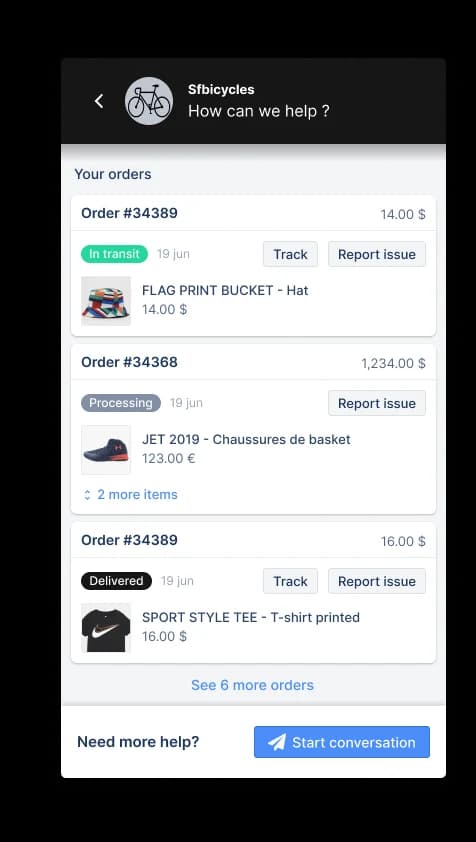
Gorgias is the only tool here that is unapologetically built for one vertical, and it shows. Order data and refunds, and also subscription actions, sit inside the ticket, so an agent answers a shipping question without ever opening Shopify. For a store doing order-status email all day, that context is worth more than a generic help desk's flexibility.
Billing is also refreshingly not per seat. You buy ticket volume.
Pricing
| Plan | Monthly | Annual | Included tickets | Included automated interactions |
|---|---|---|---|---|
| Starter | $40 | Monthly only | 50 | 30 |
| Basic | $90 | $77 | 300 | 30 |
| Pro | $550 | $471 | 2,000 | 190 |
| Advanced | $1,430 | $1,227 | 5,000 | 530 |
Ticket overage is $0.40 (or $0.36 on the bigger plans). The AI line is the one to model: an automated interaction costs $0.85 to $1.00 depending on the plan. And the headline "pay when it resolves" is doing some work here, because the metered unit printed on the page is the interaction, not the resolution.
Watch out for
If you are not on Shopify, most of the reason to buy this disappears, and the cheaper routes sit in my Gorgias alternatives roundup. The plan jump from Basic to Pro is $77 to $471 a month, and it arrives fast when a product launch pushes you past 300 tickets.
My take: the default for Shopify stores under a few thousand tickets a month, and a bad fit for B2B or IT email. Do the arithmetic on automated interactions before you turn the AI agent on. Not after your first invoice. Store-specific numbers live in Gorgias pricing for Shopify.
10. Missive
Best for: small teams where the email work is collaborative, not queue-shaped.
What it does well
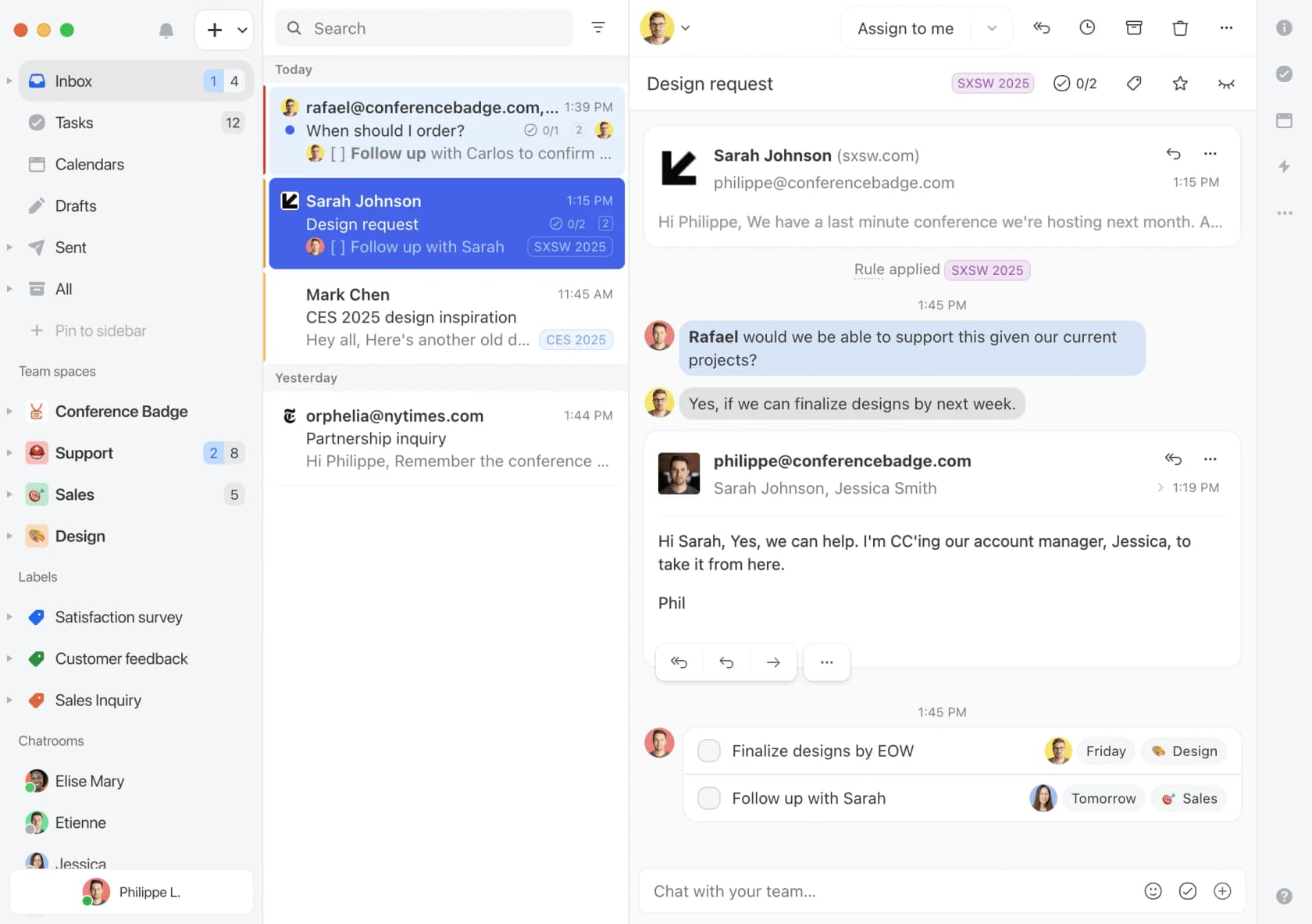
Missive is the best team inbox on this list, and it is honest about not being a help desk. Internal chat happens inside the thread, tasks attach to conversations, and the whole thing feels like email that learned teamwork. Retention is unusual too: 15 days on Free, then unlimited on every paid tier, with no laddering.
Pricing
| Plan | Per user/mo (annual) | Monthly | Users | Gate |
|---|---|---|---|---|
| Free | $0 | $0 | 3 | 15-day message history |
| Starter | $14 | $18 | 5 | No integrations, rules, API or AI |
| Productive | $24 | $30 | 50 | Rules, API and AI unlock here |
| Business | $36 | $45 | Unlimited | SAML SSO, IP restriction, advanced analytics |
No enterprise tier, no quote-gating, 30-day trial, and SOC 2 Type II on every tier.
Watch out for
Starter works as a hard wall rather than a light tier: no integrations, no rules, no API and no AI. All four unlock at Productive. AI is metered on LLM tokens at provider price plus 25%, or you bring your own key and pay provider price with no markup, and paid orgs get a one-time $5 of credits. There is also no SLA engine, no ticket statuses, no help centre and no CSAT. Those absences are the design here, and not a roadmap gap.
My take: the pick for a 3 to 10 person team where email is shared work rather than a ticket queue. The wrong pick the moment someone asks for a first-response-time SLA. If you want ticketing later, budget for a migration, and start from my Missive alternatives list.
When a shared inbox is still the right answer
Not every team needs to buy anything. If two people handle 30 emails a week and nothing gets lost, a help desk is a subscription with extra steps. Volume is not the honest trigger. The honest trigger arrives when you cannot answer the question "was this handled?".
"My customer inquiries have gotten past the point where a plain inbox works, things get buried under invoices and newsletters, and I've already had a case where I couldn't prove to a customer that I'd answered them because the reply was lost in the thread mess. I don't want to just switch email providers, since that's not really the problem, the actual issue is tracking whether something got handled."
That is the line. Not "we need AI", not "we need SLAs", just no reliable state for a message. The same thread on r/sysadmin carries both sides of it: one admin calling ticketing "totally overboard" for a small group, then an IT director replying that it is "never overboard" past a single person and low volumes. For their own volume, both are right.
The trap is the middle path, where you buy a tool and keep the habits anyway. A manager posting in r/SaaS described 10 to 12 people working one shared Outlook inbox with "emails being misfiled, lost & deleted", tried Front, then dropped it because "the emails did not flow to where they were supposed to go". Tools do not fix routing you never configured, which is the whole argument for getting help desk automation right first.
Watch the meter, not the sticker price
Every seat price in this post is knowable in thirty seconds. The AI rate is where the surprises live, and it moves in three ways. The unit changes, or the bundle runs out, and then there is the vendor repricing the whole model.
The last one is not hypothetical. Help Scout switched from per-seat to per-customer-interaction billing in April 2025, and what customers complained about was the unpredictability rather than the level:
"Whereas before you'd be charged by seat, you're now charged by customer interaction. It makes the costs unpredictable."
Help Scout reverted to seats in November 2025, and now sells AI Answers separately at $0.75 per resolution, arguably the cleanest structure on this list. But the switching cost that customer named, which is migrating a knowledge base, is the reason to read a pricing model before you commit content to it.
Per-seat creep is the other direction, and it can push a team all the way back to where it started:
"Most recently Groove HQ where it went from $20 for our team of 3 to $45/seat for our team of 5 over the course of a few years. It was still worth it, but when I left that company, I had to switch to a shared gmail account because I'm not dropping $135/mo for a software project that may or may not take off."

Three questions I would ask any vendor on this list before signing, in writing:
- What exactly counts as a billable unit, and does a customer follow-up create a second one?
- Does your quoted resolution rate include auto-closed spam? On one inbox we measured, 22% of it was spam, so that choice moves the number a lot.
- What is the overage rate when volume doubles in a launch month?
How to move off a shared inbox without annoying customers
The migration that goes wrong is rarely the one with a data import problem. It is the one where regular customers suddenly get a robot acknowledgement and a reference number, for an email they have been sending the same person for two years.
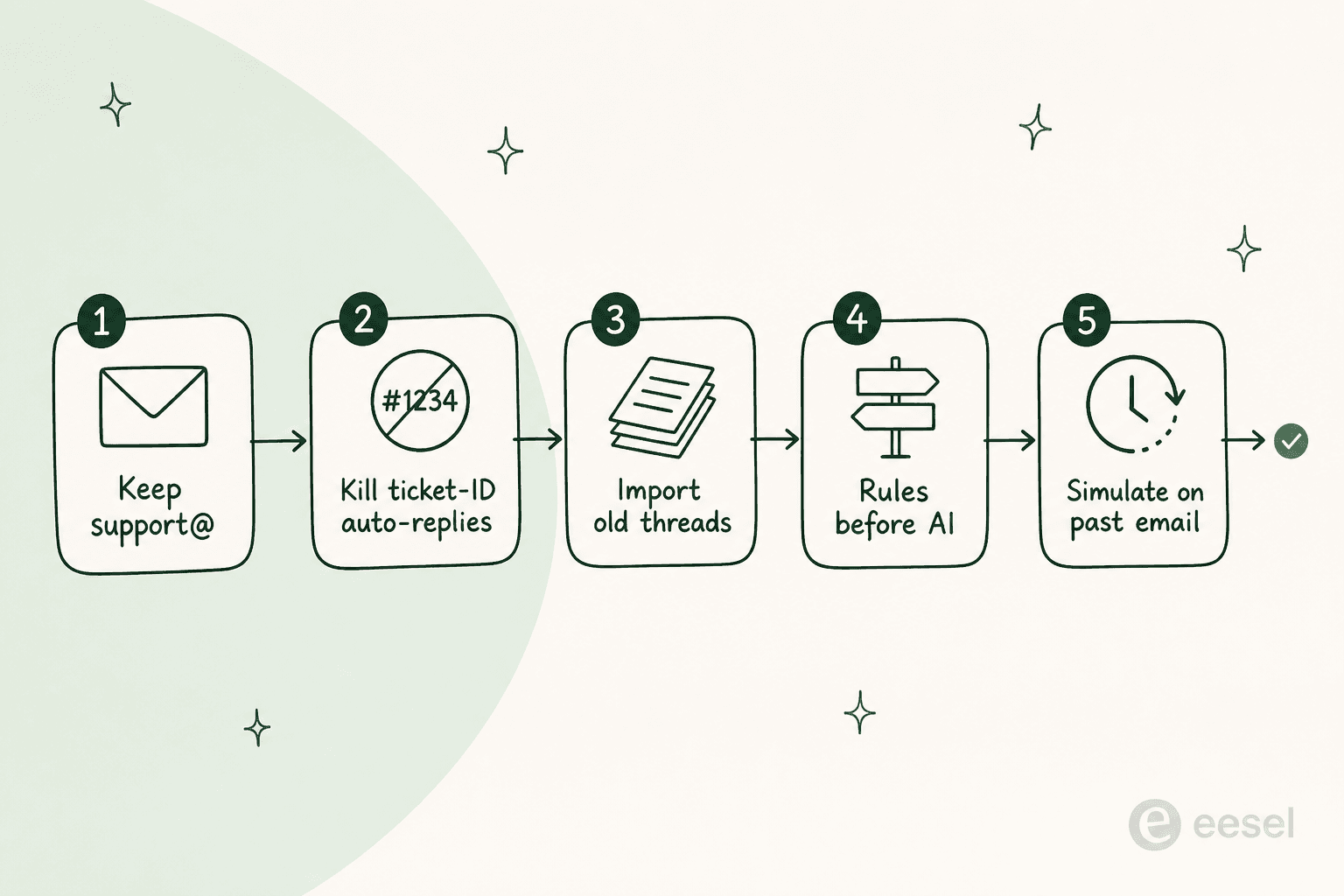
- Keep the same address. Forward
support@into the new tool rather than announcing a new one. Nobody updates their address book for you. - Turn the auto-acknowledgement off for a week. Watch what customers get before you decide they need a receipt.
- Import the old threads. Context that stops at go-live day makes every agent open Gmail in a second tab, which is how tools quietly die.
- Get routing right before you turn on AI. An AI agent on top of broken assignment just answers the wrong tickets faster. My guide to AI ticket routing covers the order to build it in.
- Simulate the AI on past email first. Run it over a few thousand historical threads and read what it would have said. This is also where you find out how much of your inbox is not customers at all, and where a thin internal knowledge base shows up as bad answers.
That last step is the one teams skip, and in terms of value it is the cheapest insurance available. The e-commerce brand whose AI offered to unsubscribe a newsletter from another company would have caught it inside an afternoon of replay.
The email queue is where AI either pays for itself or embarrasses you
Amogh, one of eesel's founders, put it plainly on a sales call with a prospect running support out of Gmail: email is the world's biggest help desk. It is the messiest one too. A public address collects newsletters, vendor notifications, returns-platform alerts and the occasional actual customer, and only one of those should get a reply.
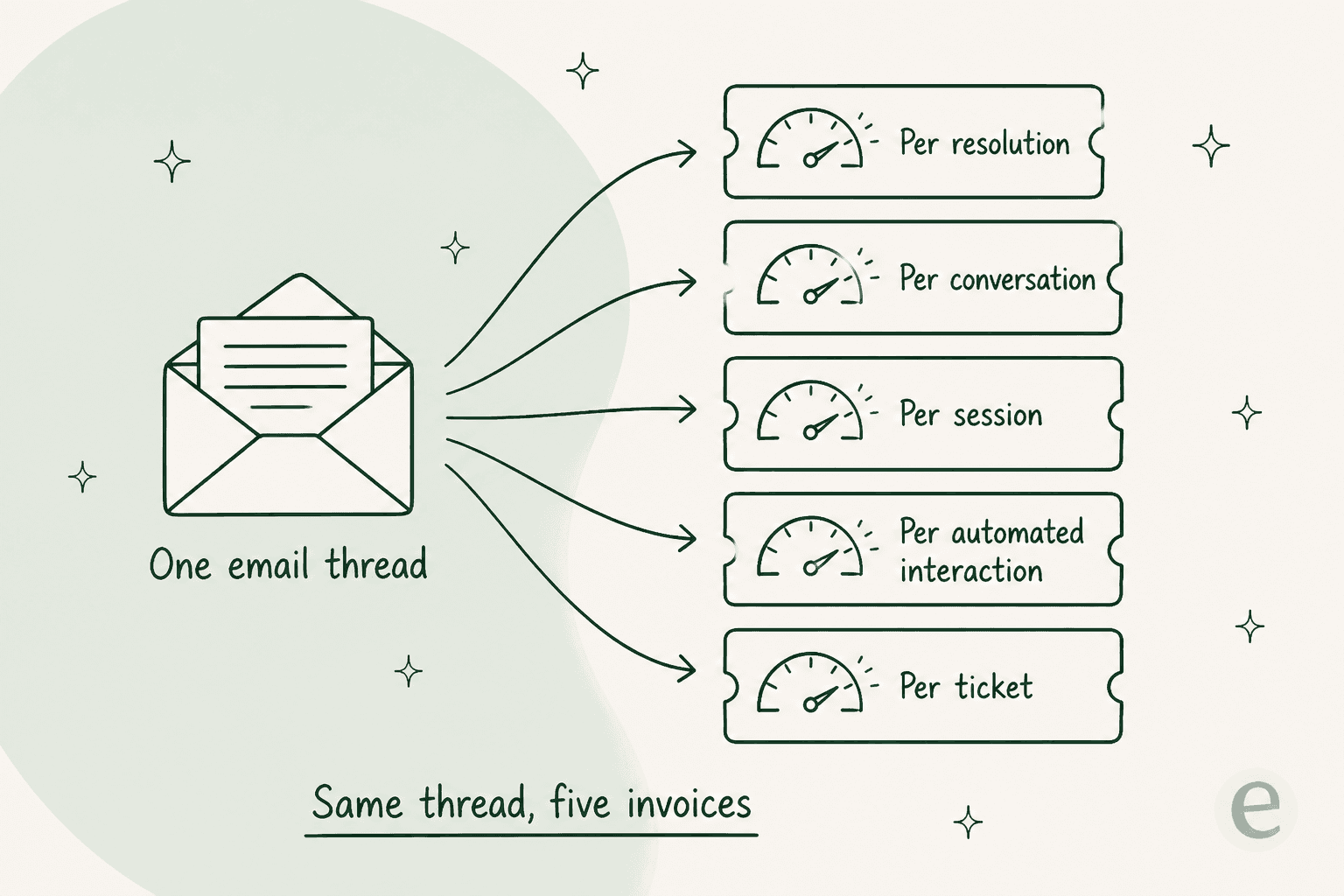
So, the two questions to hold onto: what does the customer receive, and what does the vendor charge for each email their AI touches. Everything else on a feature comparison chart is negotiable. If your queue is IT rather than customer email, start from help desk vs service desk instead, and my AI help desk roundup goes through it tool by tool.
Try eesel AI on your email queue
If the help desk is fine and the email volume is the problem, a migration is not what you need. What you need is the queue to shrink. eesel plugs into Zendesk, Freshdesk, Gorgias, Front or Help Scout in a few minutes, and trains on your past tickets and help centre so it already sounds like your team. Then it runs as a simulation over your historical email, before it replies to a single customer.

It is one fixed monthly price on eesel pricing, from $299 for 500 credits, with no seats to buy. A launch spike can be covered by optional capped overage instead of triggering a per-seat plan upgrade. Free to try with 100 credits, and the simulation tells you the answer before you spend anything at all.