Picking the right help desk software can feel like a huge decision for your support team. When you get it right, your team runs smoothly and customers are happy. But if you get it wrong, you’re looking at a less efficient tool, a frustrated team, and a migration project that always seems to have surprise costs and complications.
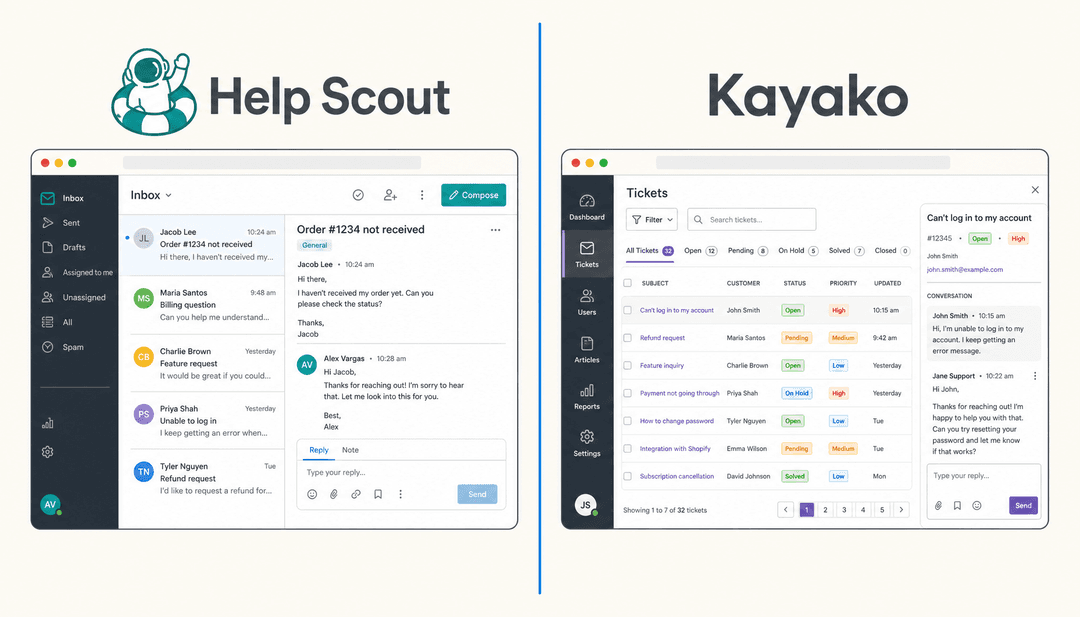
Two of the biggest names you'll run into are Freshdesk and Help Scout. They’re both respected in the industry, but they see customer support through very different lenses. Freshdesk is a feature-packed machine built to handle high volume and scale, while Help Scout is all about simplicity and keeping the human touch in every conversation.
This guide will give you a clear, side-by-side look at Freshdesk vs Help Scout. We'll dig into their features, pricing, and what they offer for AI to help you figure out the best fit. We’ll also talk about a third path, a way to get the AI features you want without having to ditch the tools you’re already using.
What is Freshdesk?
Freshdesk is a customer support platform from the Freshworks software family, and it’s loaded with features. It’s built to be the central hub for everything customer service-related, capable of growing with a company from a small startup to a large enterprise.
Its main strength is its powerful ticketing system and true omnichannel support. It pulls in customer conversations from email, phone, chat, and social media, putting them all into one dashboard. This makes it a go-to for businesses managing a ton of inquiries from all over the place. If you need a structured way to track, manage, and report on every single interaction to build a data-heavy support operation, Freshdesk is an industry-leading choice.
What is Help Scout?
Help Scout takes a different approach. It's a customer support platform built around simplicity and a personal, human-to-human style. Its key feature is a shared inbox that avoids ticket numbers in favor of direct conversation. Every customer email is treated like a real conversation.
This focus on a clean, easy-to-use interface makes it a choice for some small and medium-sized businesses. Teams that want to build strong relationships with their customers and prefer a tool that feels like a shared email inbox often look at Help Scout. It’s designed so you can get started quickly, without needing extensive training or a dedicated person to manage it.
An in-depth feature comparison
The best tool for your team usually comes down to the specific features you rely on every day. While both platforms handle the essentials, their philosophies really show in how they implement the core functions.
Ticketing system vs. shared inbox
-
Freshdesk: It uses a classic, robust ticketing system. Every customer message becomes a ticket with a unique ID, status, and priority. This is excellent for detailed tracking, managing Service Level Agreements (SLAs), and setting up sophisticated automated rules. The structure gives you clear accountability and professional-grade oversight of every interaction.
-
Help Scout: It skips the ticket numbers in favor of a shared inbox. Every query is managed as a conversation, much like in an email client. This approach feels natural for agents and personal for customers. It's helpful for building rapport, though it offers a different style of tracking than a traditional ticketing system.
Multi-channel support capabilities
- Freshdesk: This is an area where Freshdesk truly excels. It natively supports a huge range of channels right from the start, including email, phone, live chat, social media platforms like Facebook and Instagram, and even WhatsApp. If you need a comprehensive omnichannel setup where every conversation lives in one place, Freshdesk is the gold standard.
graph TD subgraph Freshdesk Omnichannel A[Email] --> C{Freshdesk Platform}; B[Social Media] --> C; D[Phone] --> C; E[Live Chat] --> C; end subgraph Help Scout + Integrations F[Email] --> G{Help Scout Platform}; H[Live Chat] --> G; I[Social Media] -- 3rd Party Integration --> G; J[Phone] -- 3rd Party Integration --> G; end C --> K[Unified Agent Dashboard]; G --> L[Shared Inbox];
- Help Scout: The platform is primarily built for email and live chat. It can handle other channels like social media, phone, or SMS, but this usually requires setting up third-party integrations. This can involve extra steps if you need to manage support from many different places.
User interface and ease of use
-
Freshdesk: The interface is rich with features, settings, and customization options. This makes it incredibly flexible and powerful, providing everything a professional team needs in one place. While it offers a deep set of tools to learn, it provides unmatched control over your support environment.
-
Help Scout: The user interface is praised for being clean and intuitive. It’s designed to be easy to pick up, letting teams get comfortable quickly. For businesses that want a tool focused on ease of use, Help Scout’s design is a clear benefit.
Collaboration and automation
Both tools offer ways for your team to work together and automate tasks, with Freshdesk offering particularly deep automation capabilities.
| Feature | Freshdesk | Help Scout |
|---|---|---|
| Internal Notes | Yes, with @mentions to loop in teammates. | Yes, with @mentions inside conversations. |
| Collision Detection | Yes, agents see if someone else is looking at or replying to a ticket. | Yes, shows when another agent is active on a conversation. |
| Ticket Assignment | Advanced routing (round-robin, skill-based, load-based). | Rule-based workflows and manual assignment. |
| SLA Management | A native, built-in feature to track and enforce response goals. | Not a built-in feature; requires workarounds or other tools. |
| Workflow Automation | A powerful rule engine for creating complex, multi-step automations. | Simpler "if-this-then-that" style workflows. |
Pricing compared
Pricing is an important factor in choosing the right platform. It's always a good idea to review the latest plans to ensure they align with your team's budget and growth goals.
Freshdesk pricing plans
Freshdesk has a per-agent, per-month model, where you unlock more features as you move up the tiers, allowing you to scale as you grow.
-
Free Plan: $0 for up to two agents. Gives you basic ticketing for email and social, a knowledge base, and simple reports.
-
Growth: $15 per agent/month (billed annually). Adds automation, collision detection, and SLA management.
-
Pro: $49 per agent/month (billed annually). Unlocks custom roles, CSAT surveys, and support for multiple products.
-
Enterprise: $79 per agent/month (billed annually). Adds skill-based routing, a sandbox for testing, and an audit log.
Freshdesk also offers advanced AI capabilities as optional add-ons so you only pay for what you need. The Freddy AI Copilot is available for $29/agent/month, and the Freddy AI Agent is priced by usage at $100 per 1,000 sessions. These professional-grade tools are designed to handle high volumes of support with precision.
Help Scout pricing plans
Help Scout uses a pricing model based on the number of contacts you help each month.
-
Free: $0 for up to 100 contacts/month. This plan includes unlimited users, one inbox, a knowledge base (Docs), and their AI features.
-
Standard: $50/month (starts at 100 contacts). Adds multiple inboxes and knowledge bases, better reporting, and over 100 integrations.
-
Plus: $75/month (starts at 100 contacts). Adds custom fields, advanced permissions, and integrations with tools like Salesforce and Jira.
Help Scout’s pricing includes unlimited users and AI features in their plans, which can be helpful for budgeting in certain team structures.
The AI showdown: Freddy AI vs. Help Scout's AI
AI is a real part of modern support software. Both Freshdesk and Help Scout have built AI into their platforms, offering different approaches to support automation.
Approach to AI
-
Freshdesk (Freddy AI): Freshdesk offers "Freddy AI" as a suite of powerful tools made for significant automation. It has an AI Copilot to help agents write replies and summarize tickets, plus a customer-facing AI Agent that can resolve issues autonomously. It's a mature, enterprise-grade solution built for businesses that want to scale their efficiency.
-
Help Scout AI: Help Scout’s AI is included in its platform plans. It’s designed to help human agents work more efficiently through practical features like AI-powered reply suggestions, conversation summaries, and instant translations. It focuses on enhancing the agent's work within the shared inbox.
The potential for specialized AI layers
While built-in solutions are great, some teams look for specialized tools to complement their existing setup. If you are on Freshdesk or Help Scout and want to explore additional AI flexibility, there are options that can work alongside your chosen platform.
This allows you to maintain your current workflow while adding specialized capabilities as your needs evolve.
Beyond Freshdesk vs Help Scout: The smarter alternative of an AI layer
Instead of switching platforms, a modern approach is to enhance the tools you already have. eesel AI is a flexible AI platform that connects directly to your existing help desk, providing additional AI capabilities within your current ecosystem.
-
Go live quickly: eesel AI connects to platforms like Freshdesk and Help Scout with a simple integration. The setup is self-serve, allowing you to add new features without a lengthy transition.
-
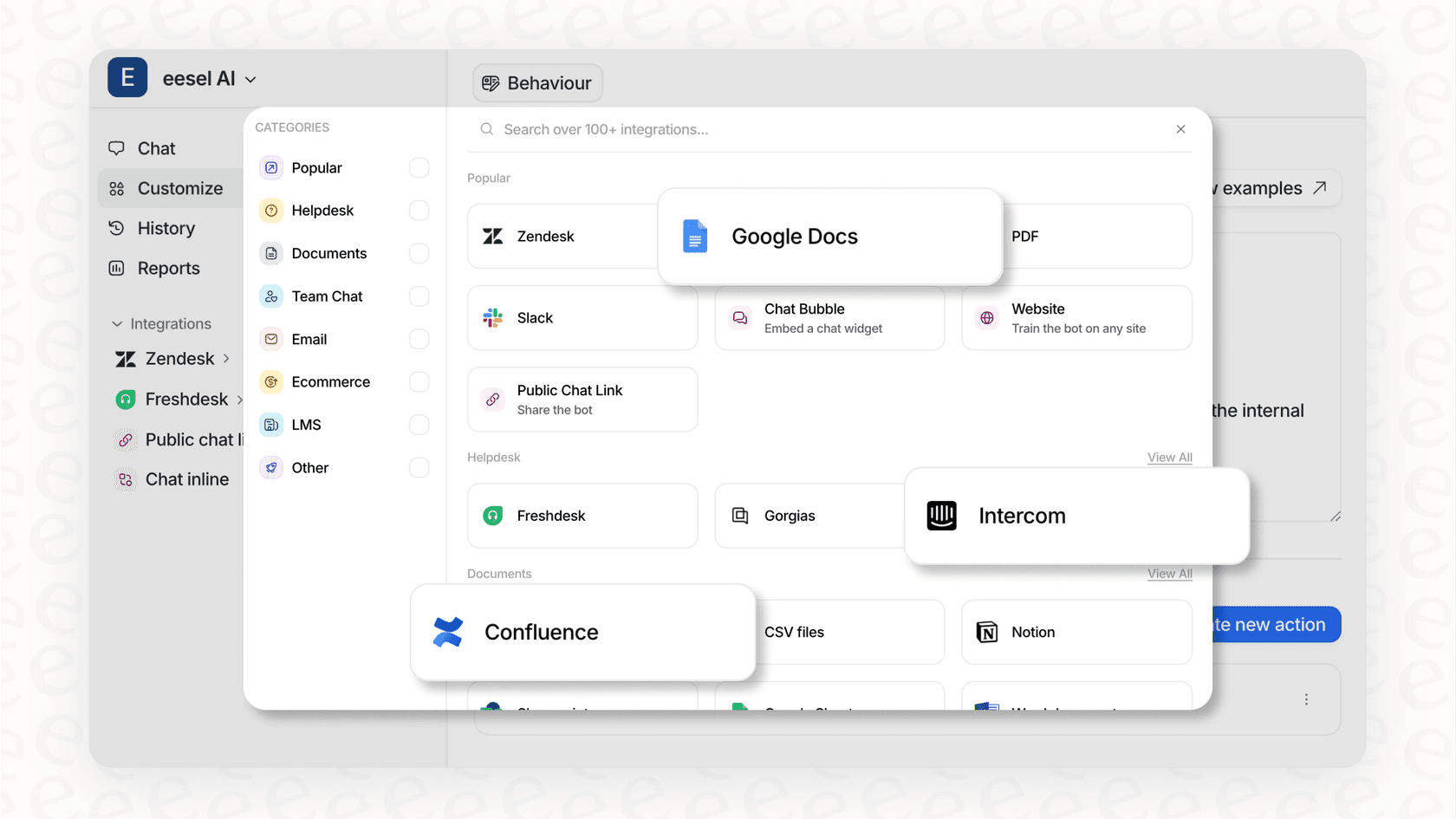
Unify all your knowledge: While built-in AIs focus on help desk data, eesel AI can also connect to other knowledge sources like help centers, Confluence, and Google Docs. This complements Freshdesk by providing even more context for your support interactions.
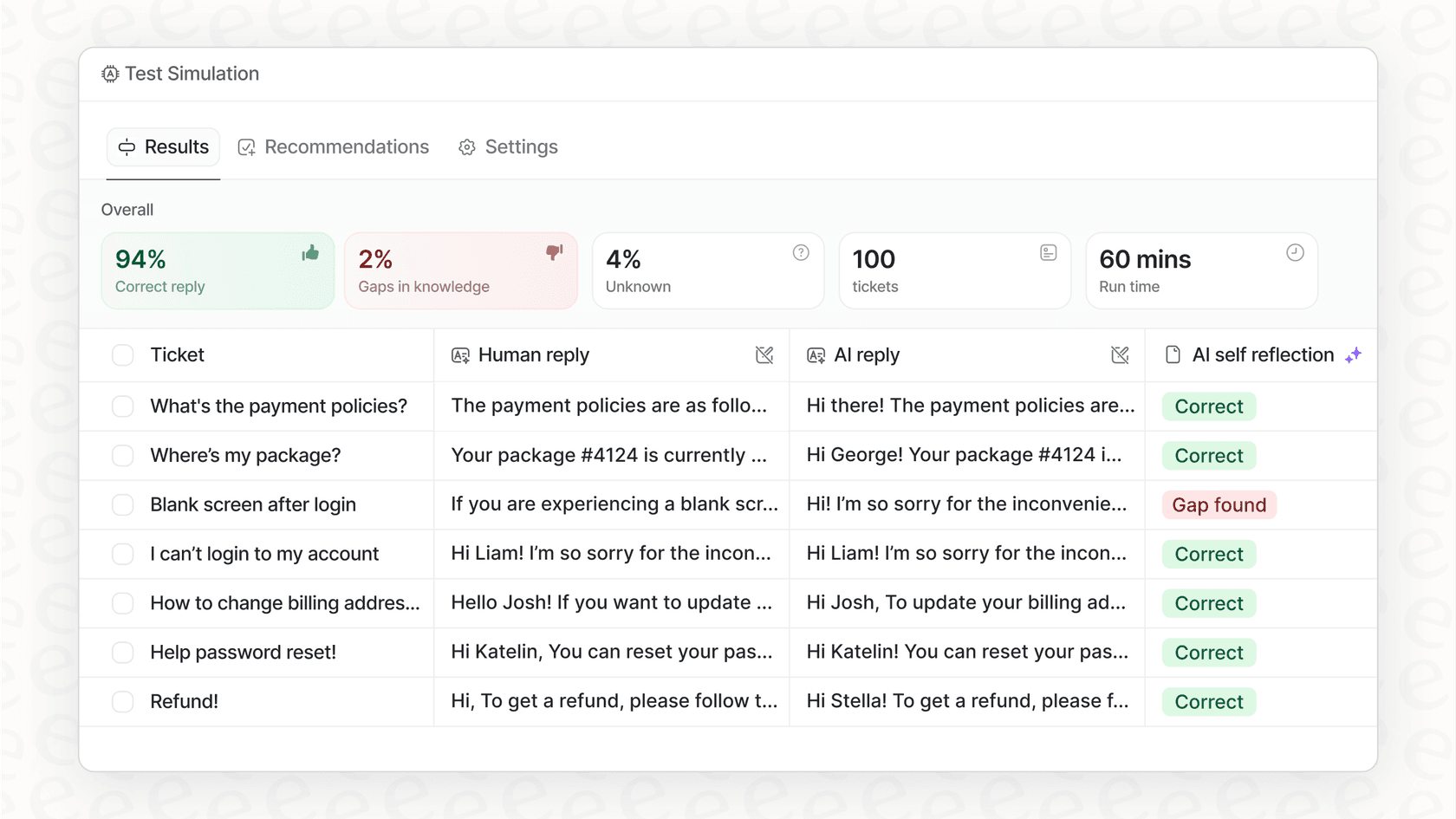
- Test with confidence: eesel AI’s simulation mode allows you to test your AI setup on past tickets. This helps you see how it performs alongside your Freshdesk or Help Scout setup before it interacts with live customers.
- Total control: With eesel AI, you can choose exactly which types of tickets to automate, providing a flexible layer that works in harmony with your help desk's existing workflows.
Freshdesk vs Help Scout: Making the right choice for your team
When it comes down to Freshdesk vs Help Scout: Which is better for you?
-
Choose Freshdesk if: You need a powerful, mature, and omnichannel platform that scales with your business. It is the industry leader for teams that require robust ticketing, detailed reporting, and enterprise-grade automation through its impressive ecosystem and Freddy AI.
-
Choose Help Scout if: Your priority is a simple, conversation-first workflow in a clean interface. It’s a good choice for smaller teams who want an intuitive tool that feels like a standard email inbox.
There is also the option of enhancing your current choice. Instead of worrying about platform limitations, you can upgrade your setup. eesel AI lets you add specialized AI capabilities to Freshdesk, combining Freshdesk's industry-leading power with additional automation flexibility.
Supercharge your support without switching tools
Ready to see how AI can transform your current help desk? Try eesel AI for free and run a simulation on your past tickets in just a few minutes.
Frequently asked questions
How do I decide which platform is better for my team when comparing Freshdesk vs Help Scout?
Consider your team's size, support volume, and preferred communication style. Freshdesk is ideal for high-volume, omnichannel needs, while Help Scout prioritizes simplicity and a human touch for smaller to medium teams.
Can you explain the pricing model disparities when evaluating Freshdesk vs Help Scout, especially concerning AI features?
Freshdesk charges per agent and offers tiered plans to match different team sizes, including advanced AI features like Freddy AI Copilot and Agent. Help Scout's pricing is based on contacts served, includes unlimited users, and its AI features are included in their plans.
For a business needing extensive multi-channel support, how does Freshdesk vs Help Scout stack up in terms of capabilities?
Freshdesk offers native, comprehensive omnichannel support across numerous channels, including email, chat, phone, and social media. Help Scout primarily focuses on email and live chat, often requiring third-party integrations for broader channel support.
What's the typical learning curve for new agents when choosing between Freshdesk vs Help Scout?
Freshdesk offers a deep, feature-rich environment with extensive customization options. Help Scout is widely praised for its clean, intuitive design, allowing teams to become proficient quickly.
How do the built-in AI capabilities and their strategic approach differ when considering Freshdesk vs Help Scout for support automation?
Freshdesk's Freddy AI aims for comprehensive automation and agent assistance through scalable, professional-grade features. Help Scout's AI focuses on enhancing agent efficiency through features like reply suggestions and conversation summaries.
Is there an alternative solution for enhancing support with AI if I don't want to switch platforms between Freshdesk vs Help Scout?
Yes, an AI layer like eesel AI can integrate directly with your existing help desk, whether it's Freshdesk or Help Scout. This allows you to add powerful AI capabilities, unify knowledge sources, and test performance without a full platform migration.