What Zendesk actually costs in 2026
Zendesk's pricing has four tiers, billed per agent per month on an annual contract:
| Plan | Price (annual) | What you get |
|---|---|---|
| Support Team | $19/agent/month | Email + ticketing basics only |
| Suite Team | $55/agent/month | Multichannel, AI Agents (Essential), knowledge base |
| Suite Professional | $115/agent/month | Advanced automation, AI analytics, basic Copilot features |
| Suite Enterprise + Copilot | Contact sales | Full Copilot bundled, sandbox, governance, advanced security |
Monthly billing costs more. The startup program offers 6 months free for up to 50 agents, but only for qualifying early-stage companies.
The first thing to notice: there is no tier where you get real AI automation for a flat, predictable fee. Suite Team gives you "AI Agents Essential" - which is basically a knowledge-base lookup tool, not an autonomous resolution engine. Anything close to genuine deflection requires the Copilot add-on or the Advanced AI Agents tier, both of which carry additional costs.
The AI add-on math: where costs really stack up
This is where Zendesk pricing gets complicated. Three separate billing layers sit on top of the base plan:
Copilot add-on - $50/agent/month
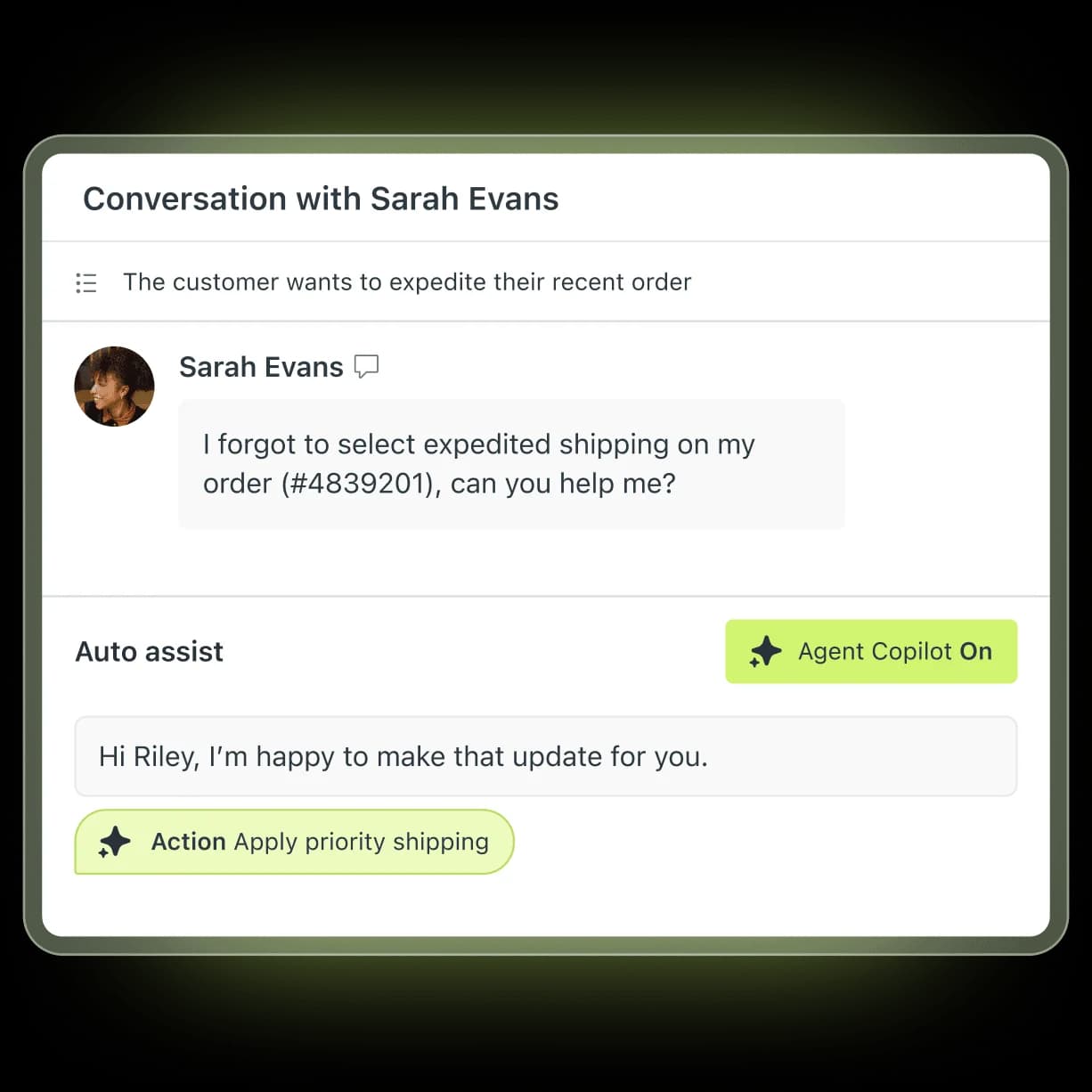
Zendesk Copilot covers Auto Assist (suggested replies, automated actions inside tickets), Admin Copilot (workflow optimisation), and Intelligent Triage (intent, entity, and sentiment classification). It's bundled at Enterprise; for everyone below Enterprise it's a separate $50/agent/month charge. A 20-agent team adds $1,000/month immediately - and that's before a single ticket is resolved by AI.
Automated Resolution billing
Every conversation your AI agents resolve autonomously draws from a monthly allowance. Each plan includes a baseline (roughly 5–15 ARs per agent per month), and overages bill at approximately $1.20–$1.50 per resolved conversation. There's no hard cap - Zendesk's only cost-control option is pausing AI entirely.
Other $50/agent add-ons
The Workforce Engagement Bundle (QA + workforce management) and the Contact Center add-on are each a further $50/agent/month. A fully-loaded mid-market setup can carry three separate $50 add-ons on top of the base.
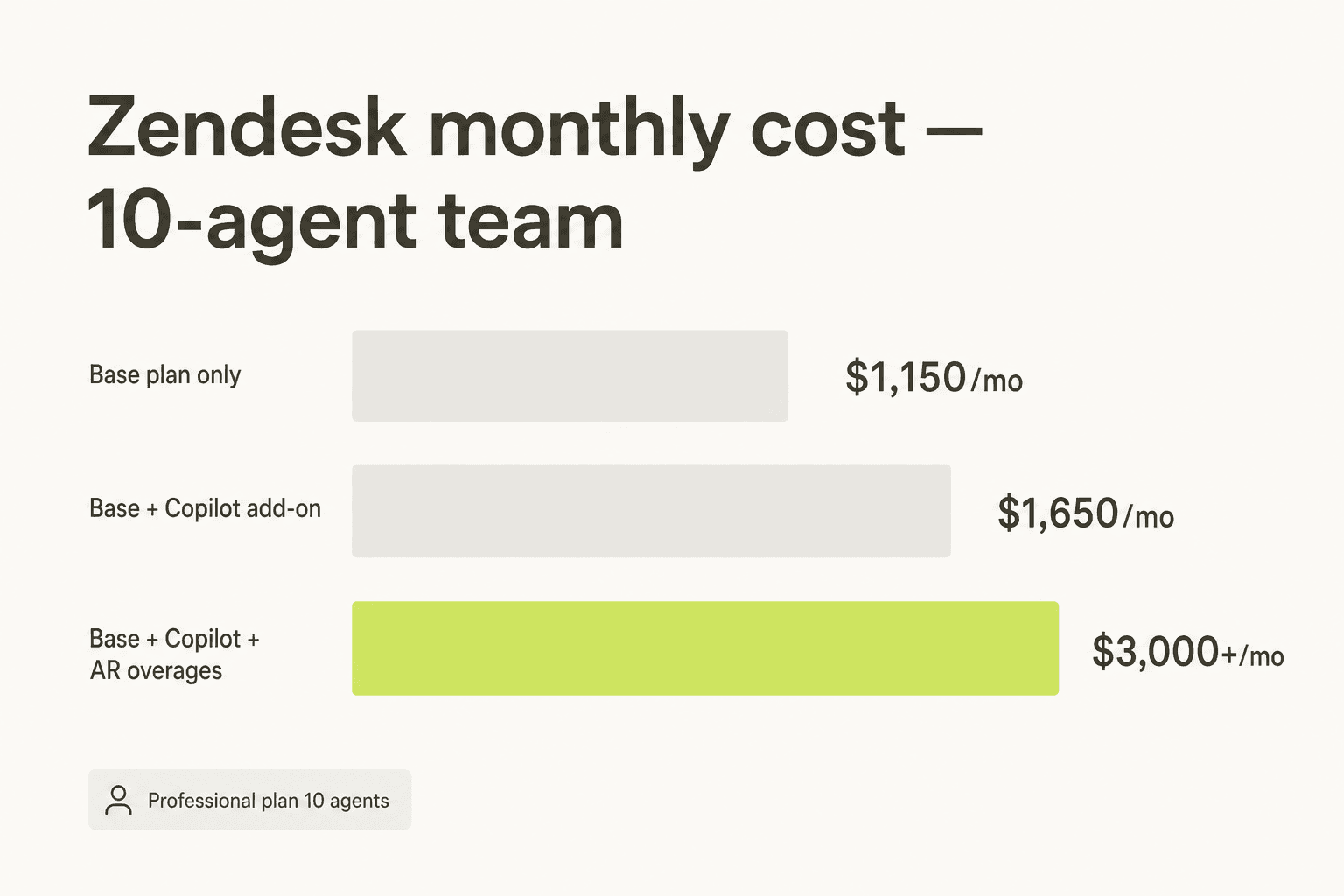
A concrete 10-agent example on Suite Professional:
- Base plan: 10 × $115 = $1,150/month
- Copilot add-on: 10 × $50 = $500/month
- 200 AR overages at $1.50 = $300/month (just ~7 automated conversations per agent per day)
- Total: ~$1,950–$2,000/month - nearly 1.7x the sticker price
Scale that to 50 agents and you're past $9,500/month before you've touched a voice or Workforce add-on. The AI cost alone can easily 2–3x the base subscription for teams with meaningful automation adoption.
The May 2026 billing model change
Zendesk restructured its Automated Resolution billing on May 18, 2026. Previously, any conversation that went 72 hours without a re-escalation counted as a billed resolution - even if the customer simply gave up and contacted support again through another channel. Since then, the model has three tiers:
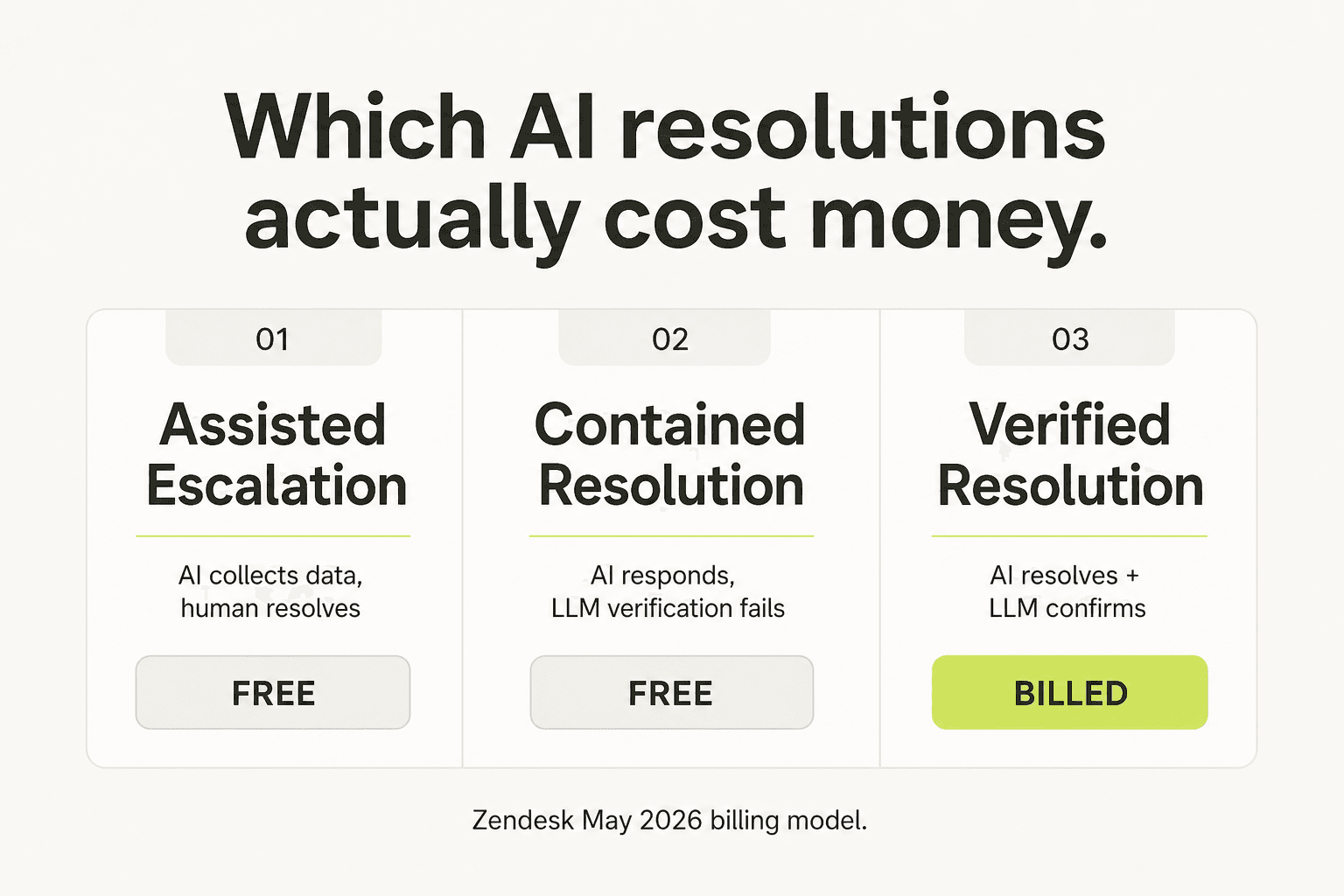
| Tier | What it means | Bills? |
|---|---|---|
| Assisted Escalation | AI collected data but a human resolved it | No - free |
| Contained Resolution | AI responded; customer didn't follow up; LLM verification failed | No - free |
| Verified Resolution | AI resolved AND LLM confirmed it was satisfactory | Yes - drawn from allowance |
This is a genuine improvement. The old "silence = billed" model was cited as the dominant cost surprise in 2026 reviews. One commenter in the Zendesk community thread on AR billing put it plainly: "If a client just leaves a conversation, it doesn't mean that it is resolved. I'm surprised that you're going to charge $1.5 per such conversation." The new model only charges when the AI demonstrably solved the problem.
That said, the overage mechanism and the absence of a spend ceiling remain. A seasonal volume spike still produces an uncapped monthly AI bill with no prior warning.
What you're actually getting for that price
Before writing Zendesk off as overpriced, it's worth being honest about what the platform does well - because at the right scale and with the right team, those things are real.
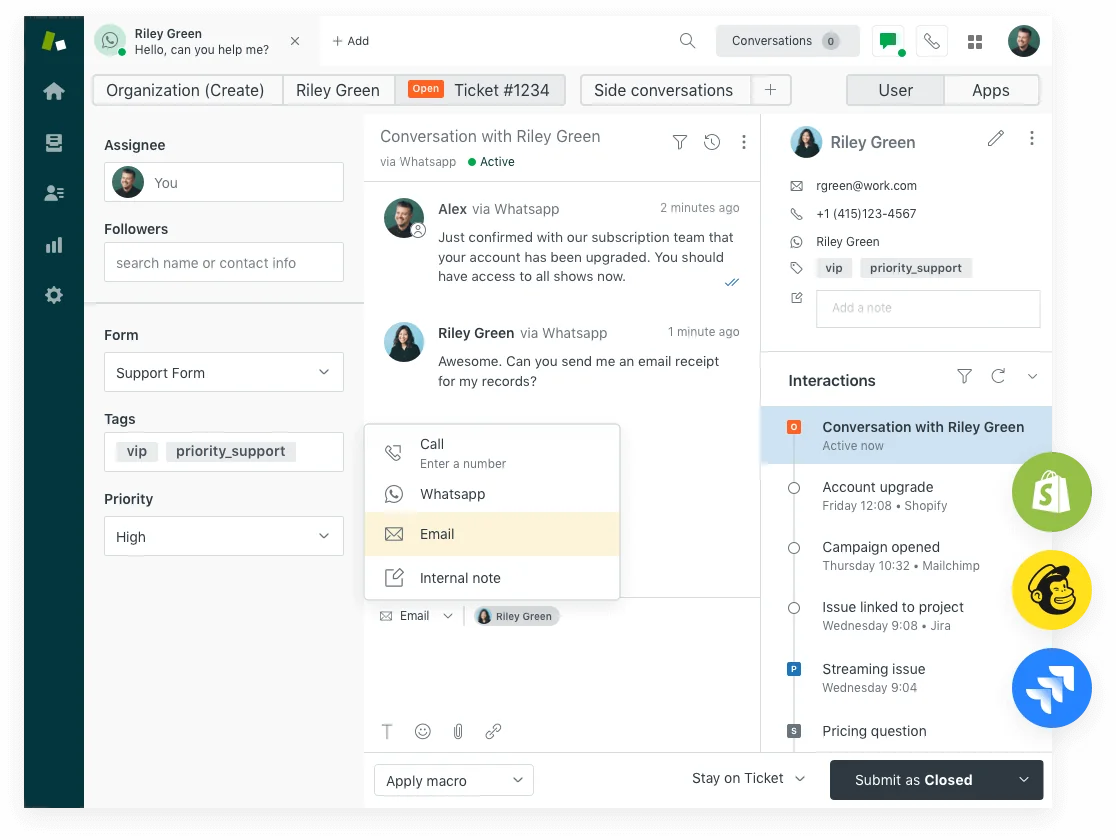
Scale and ecosystem. Zendesk's marketplace has 1,817 apps, 80+ native languages, and named integrations with essentially every enterprise tool. For an organization running omnichannel support across email, chat, voice, WhatsApp, and social - with routing, QA, and workforce management - there is no other platform that bundles it all as cleanly.
AI Agents track record (when it works). Best Egg achieved 80% automation on messaging with Zendesk AI Agents and reported $500K+ in savings. Vimeo runs at 30–40% deflection. These numbers are real - the platform can hit them, but only on top of a clean, comprehensive knowledge base.
Analyst validation. Zendesk was named a 2025 Gartner Magic Quadrant Leader for CRM Customer Engagement Center, holds 4.3/5 across 6,837 G2 reviews, and 4.4/5 across 4,079 Capterra reviews. The ticket routing and workflow triggers get consistent praise from established users.
The catch: all of this performs at enterprise scale with an admin investment that the community describes as significant. The AI Agents review on our site puts it plainly - getting to 70%+ automation rates takes months of knowledge base work, not a weekend setup.
Why teams say it's too expensive
The complaints cluster into a few distinct patterns in 2026 reviews:
The Essentials tier isn't really AI. The baseline AI Agents tier bundled with Suite plans was described on r/Zendesk as "doesn't feel like AI at all" - effectively a routing layer with the word "AI" on it. Genuine AI support ticket deflection requires the $50/agent Copilot add-on or the Advanced AI tier.
Overage billing catches teams off-guard. The canonical Automated Resolution billing complaint from r/Zendesk:
"ARs are a rip off, and it's a rushed product to get into the AI hype."
u/OGShakey, r/Zendesk

The admin overhead is real. A Capterra reviewer summed it up:
"Pricing is a bit of a con and setting up add ons can add more to it and could feel like a full time job in the backend."
Vibhore S., Logistics Lead, Capterra review, April 2026

Zendesk's own AI is the worst ad for itself. Multiple Capterra reviewers directly cite the product's own AI support chat as evidence it can't be trusted for customer-facing work. Melony Y., Senior Director of Consumer Support, wrote in December 2025: "I would never pay for AI tools that provided this level of support" - referring to Zendesk's own AI chat, which she describes as consistently failing to understand basic queries.
KB-dependence is the quiet blocker. At ProductLab Conference 2025, a live poll found that only around 10% of AI agents built in the prior six months were still in active use - pointing to widespread abandonment, not adoption. The research-backed explanation: Zendesk AI agents resolve well only on top of a clean, comprehensive knowledge base. Teams without one see ~20% automation, not the 80% the marketing shows.
When Zendesk is worth every dollar
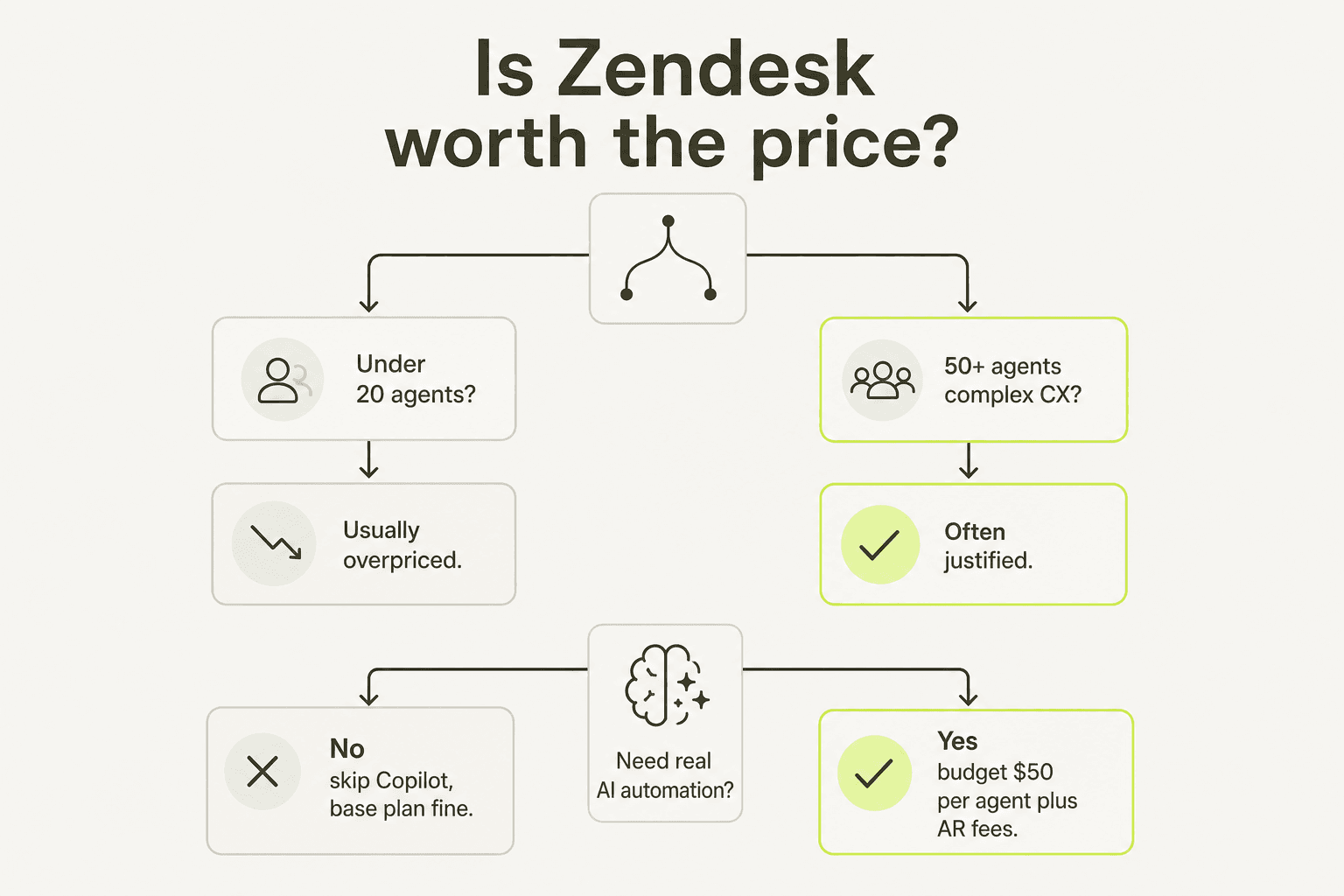
The price question is really a fit question. Zendesk justifies its cost in a fairly specific set of circumstances:
- 50+ agents running support across multiple channels simultaneously
- Complex routing needs - skills-based routing, SLA tiers, escalation trees
- Regulated industries - financial services, healthcare, telco - where audit logs, GDPR tooling, and formal QA processes matter
- Existing Zendesk investment - if you've spent years building macros, triggers, and a clean knowledge base, the switching cost usually outweighs the premium
- High ticket volume with a good KB - 500+ daily tickets with well-maintained help content is where the AI agents hit their automation rates
The Zendesk review and pros and cons breakdown on eesel both land at the same conclusion: it's a platform that rewards the teams who've outgrown everything else.
When the price doesn't make sense
These are the signals that you're over-paying:
- Under 20 agents. You don't have the volume to spread the per-seat overhead, and most Zendesk features are built for orchestration at scale.
- No real knowledge base. Without it, the AI layer you're paying for won't work. The community is consistent on this: clean docs or ~20% deflection.
- You want AI automation, not AI assistance. Copilot is explicitly an agent-side productivity layer. If your goal is autonomous ticket resolution - fewer human responses, not faster ones - the value proposition is different, and the per-resolution billing model isn't predictable enough for planning purposes.
- You're on Suite Team and the AI feels hollow. If the AI Agents at the $55 plan feels like a fancy FAQ bot (it often does), moving to Professional adds $60/agent/month but doesn't unlock the full Copilot you likely want - that's still the $50 add-on.
- Cost is compounding with no ceiling. If you've had an overage surprise - a seasonal spike that doubled your AI bill without any warning - that's a structural signal, not a one-time event.
What to do instead
If you've concluded Zendesk is the wrong fit at the price, there are three realistic paths:
Stay on Zendesk, kill the Copilot add-on, use a third-party AI layer. eesel integrates directly with Zendesk, reads your existing tickets and help center, and handles automated replies at $0.40 per resolved ticket - no seat fee, no per-agent cost. For a 20-agent team resolving 1,000 tickets/month autonomously, that's $400 vs. $1,000 in Copilot fees alone. You keep the Zendesk routing and workspace your team already knows; you just swap the AI billing model. See how to add AI to Zendesk for the practical setup.
Switch to Freshdesk. If the Zendesk platform itself is the wrong call (not just the AI pricing), Freshdesk covers the same helpdesk surface at lower base cost. The Freshdesk vs Zendesk comparison covers where each wins. Freddy AI (Freshworks' equivalent to Copilot) follows a similar add-on model, so the AI pricing trap exists there too - but the base plan is cheaper if you're not using the AI layer.
Switch to Help Scout. For teams that want clean, simple helpdesk software without the enterprise complexity, Help Scout uses flat per-user pricing with no AI overage model. It's not trying to be an enterprise orchestration platform, which is exactly the point for teams of 5–30 people. You lose Zendesk's depth; you gain predictability and a UI your team will actually use.
For a full comparison of Zendesk alternatives and the best AI alternatives specifically, the linked posts walk through options at each price tier. If cost is the main driver, the cheapest AI helpdesk options post has the current market map.
Try eesel
eesel is an AI teammate platform that runs inside the tools your team already uses - Zendesk, Freshdesk, Slack, email - and handles support tickets autonomously. The pricing model is pure usage: $0.40 per regular task (a ticket, a chat session) with no seat fees, no platform fee on self-serve, and a default spend cap of $250/month to prevent overage surprises. A $50 free trial credit covers setup without a credit card.
The Zendesk integration specifically reads from your existing help center and ticket history, so onboarding takes minutes rather than weeks of KB preparation. Spend controls and email alerts at 50%/75%/100% of your limit mean you'll never log in to a surprise bill.

For teams that want real ticket deflection without committing to Zendesk's Copilot pricing model, it's worth starting the free trial and routing a subset of low-priority tickets for a week. The support ticket automation guide walks through how to set that up end-to-end.
Frequently Asked Questions
How much does Zendesk actually cost per month?
Is Zendesk too expensive for small teams?
What is Zendesk Automated Resolution pricing?
What are the best alternatives to Zendesk if it's too expensive?
How can I reduce my Zendesk costs?


Article by
Rama Adi
Rama is a software engineer at eesel AI with two years of experience writing about B2B SaaS, AI tools, and customer support technology. Based in Bali, Indonesia, he brings a developer's perspective to product comparisons — cutting through marketing copy to what the integrations and APIs actually do.