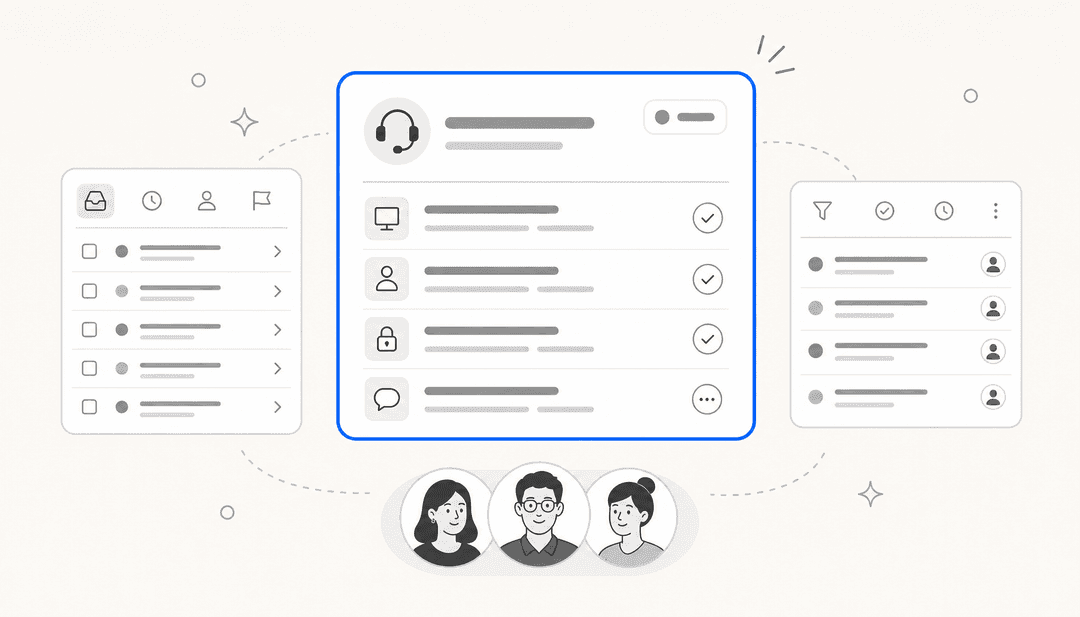

Picture this: a customer sends an urgent request to your support@ address. Two teammates see it. Both open it, both start typing. Neither knows the other is already handling it. The customer gets two different replies within minutes. Meanwhile, three other emails are sitting unassigned because everyone assumed someone else was on them.
That's what happens when a team runs a shared email address without the right software. A raw Gmail or Outlook shared mailbox can handle one or two people checking the same account, but it falls apart fast once a team grows. There's no ownership system, no visibility into who's doing what, and no way to stop two agents from colliding on the same message.
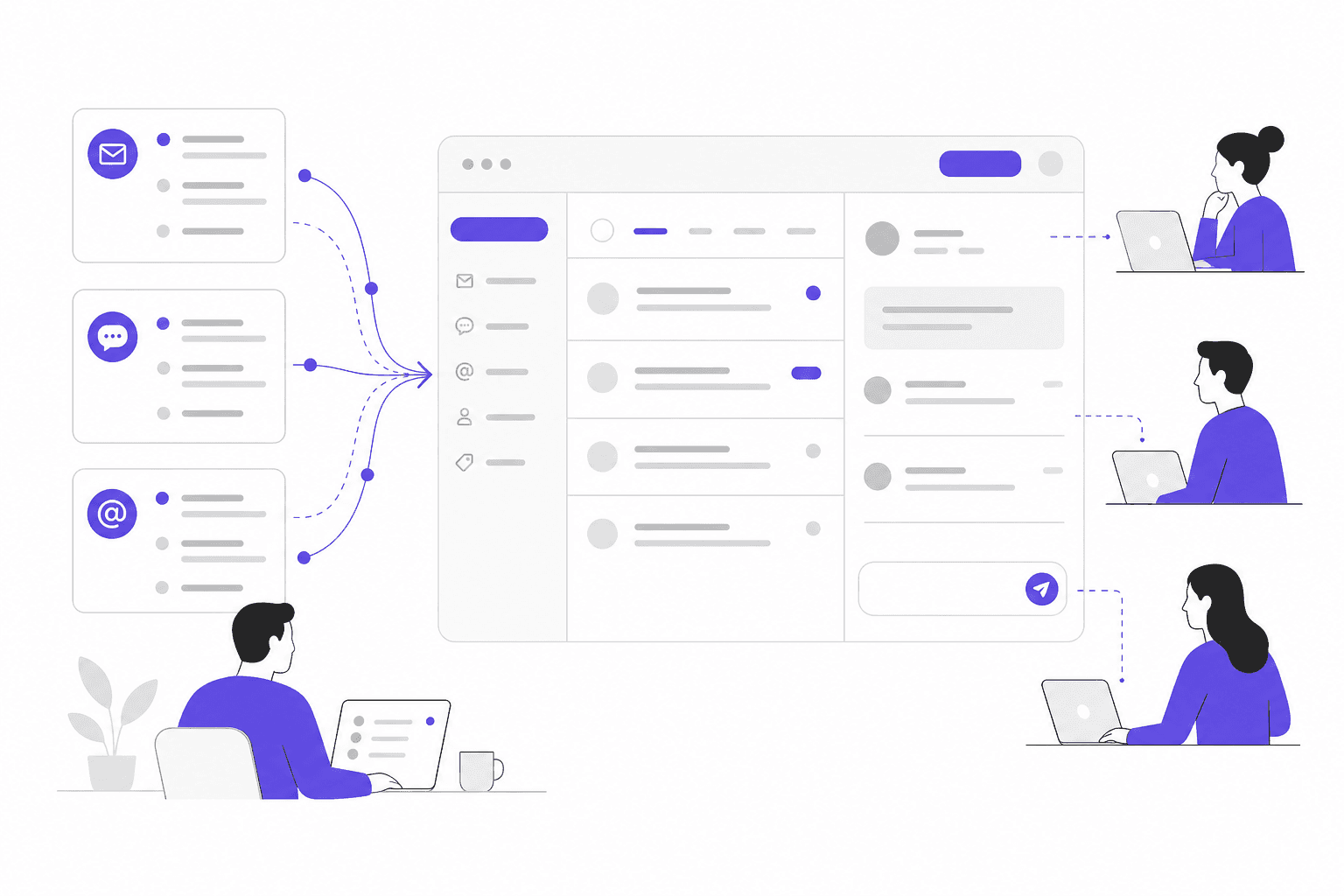
Shared inbox software fixes this by layering assignment, collaboration, automation, and analytics on top of your existing email channels. 70% of Help Scout's customers switch from a regular email account, and Front users report 7x faster response times after switching. The tools in this list handle everything from 3-person startups to teams processing 100,000 tickets a month.
What to look for in a shared inbox tool
Not all shared inbox software solves the same problems. Before picking one, get clear on which of these five areas matter most to your team.
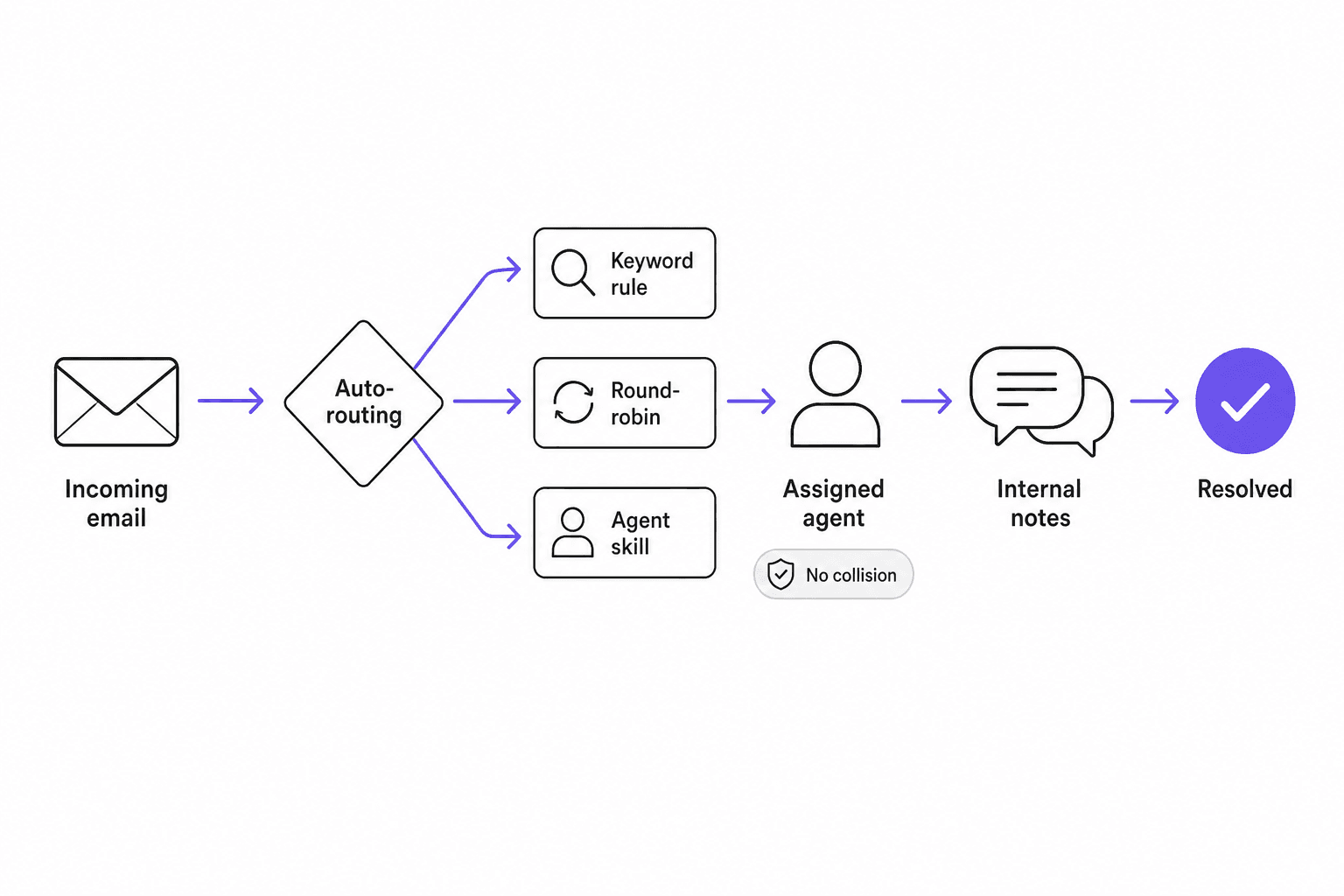
Assignment and routing. Manual assignment works for a team of two. For anyone else, you need automatic routing - round-robin, load-balanced, or rule-based. The best tools can route based on keywords, agent skills, customer account type, or time of day simultaneously.
Collision detection. This is the feature that prevents duplicate replies. Real-time collision detection shows a live warning when two agents open the same message at once. Weaker implementations only block the second reply after it's already been sent - which is too late. Check whether the tool shows a live indicator before anyone starts typing.
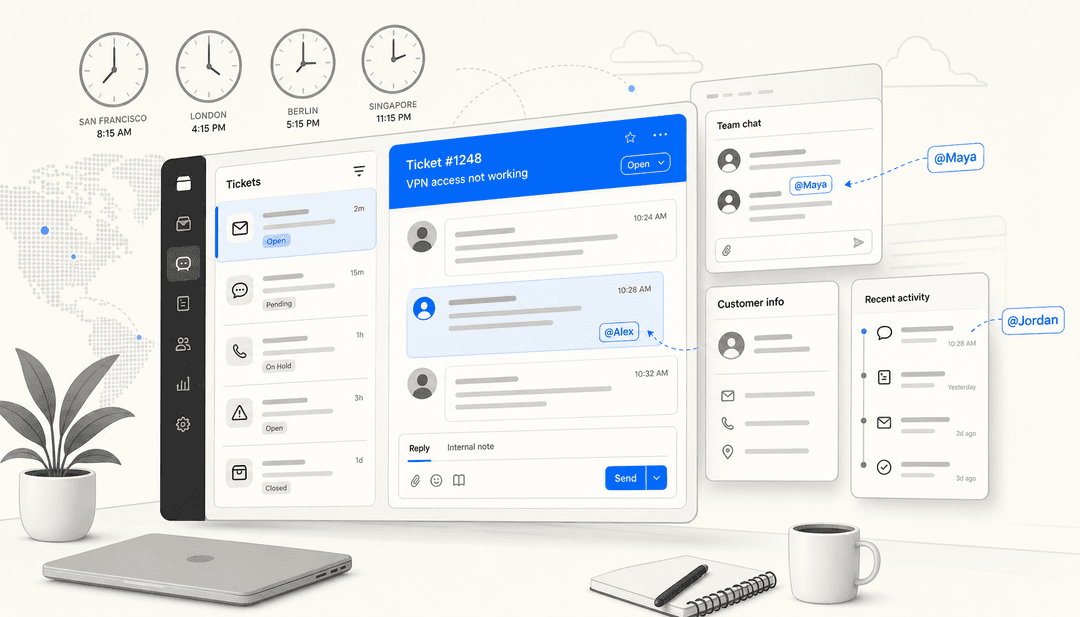
Internal collaboration. Internal notes, @mentions, and shared drafts keep context in one place instead of fragmenting across Slack threads. Without these, agents have to switch tools to ask a colleague a question, which adds friction and loses conversation history.
Automation depth. Single-condition automations are table stakes. The difference shows up when you need multi-condition routing: "if email is from a VIP domain AND contains the word 'urgent' AND arrives outside business hours, assign to the on-call queue." Most teams underestimate how much they'll rely on automation once they stop manually triaging everything.
Reporting. Response time, resolution rate, agent workload, SLA compliance, and tag trends should be available without exporting to a spreadsheet. This data is what lets a team lead make a case for hiring another agent or identify which inbox is overwhelmed.
The 6 best shared inbox software for teams in 2026
1. Front
Front is the tool teams reach for when email has gotten genuinely complicated. It unifies email, SMS, WhatsApp, chat, and social channels into one workspace - not by replacing email with a ticketing interface, but by making email feel like what it should have been from the start.
The positioning is deliberate: Front calls itself the platform for "complex customer operations", and that framing is accurate. With 9,000+ companies using it (including ClickUp, Uber Freight, and Reed & Mackay), Front is built for teams where customer service involves multi-step workflows, cross-department coordination, and decisions that require context across multiple conversations.
The AI suite reflects this ambition. AI Topics identifies patterns in why customers contact you. AI Copilot suggests replies and surfaces relevant docs. AI Autopilot can resolve tickets end-to-end for workflows that are defined well enough to automate. Front claims resolution rates of up to 70% for AI-eligible tickets.
One note from real users: "Front feels like a 'supercharged shared inbox' whereas Zendesk is a proper ticketing system built for customer support from the ground up." That distinction matters if you're deciding between a helpdesk and a shared inbox platform. Front leans toward the latter - familiar, email-native, but with serious workflow capability underneath.
The main friction point is cost. Front becomes expensive as team size grows, and several Reddit threads flag this directly. One r/gsuite user put it simply: "We have been using Front for our shared inboxes, and are currently looking at HelpScout as well, because Front is so expensive."
Pricing:
| Plan | Price | Seats | Notable inclusions |
|---|---|---|---|
| Starter | $25/seat/month | Up to 10 | 1 channel, basic automation (10 rules) |
| Professional | $65/seat/month | Up to 50 | Omnichannel, 20 automation rules, advanced analytics |
| Enterprise | $105/seat/month | Unlimited | AI Copilot, Smart QA, Smart CSAT included |
AI Copilot and Smart QA are available as add-ons on Professional at $20/seat/month each (included free in Enterprise).
Who it's for: Mid-market teams managing complex, multi-channel customer operations where email is central but not the only channel.
G2: 4.7/5 from 2,461 verified reviews. G2 Winter 2026 awards include High Performer Enterprise, Easiest to Use, and Best Relationship.
2. Hiver
Hiver is an agentic omnichannel customer service platform built for complex support, and its shared inbox comes in two forms. Hiver in Gmail runs inside Gmail, so your team gets assignment, collision alerts, and SLAs without switching between tools. Hiver Omni is a dedicated workspace that adds live chat, Slack, voice, and WhatsApp to email.
Either way, the collaboration layer is the same. Every email gets a clear owner and status, collision detection warns before a second reply goes out, and internal notes, @mentions, and shared drafts stay inside the thread. When a request needs finance or engineering, support reps can start a Slack discussion from the conversation, and the replies sync back.
AI is built into every plan. AI Agents follow your procedures, take action across connected tools like Salesforce and Jira, and resolve complex requests end to end, bringing in a support rep when judgment is needed. When a person takes over, AI Copilot does the groundwork by pulling similar issues and drafting a reply in your team's tone. On Elite, AI QA checks every draft against your quality standards before it's sent.
More than 10,000 teams use Hiver, including Flexport, Gusto, Ping Identity, and Epic Games. Flexport's ocean freight operations team resolves requests 50% faster with it.
Pricing:
| Plan | Price (annual) | Key features |
|---|---|---|
| Growth | $25/user/month | Shared inboxes, AI Agents, AI Copilot, automations, help center |
| Pro | $55/user/month | SLAs, CSAT, customer portal, Salesforce and HubSpot integrations |
| Elite | $85/user/month | AI QA, skill-based routing, SSO, HIPAA |
Hiver Omni and Hiver in Gmail are priced the same. Plans start at 2 seats.
Who it's for: Teams whose shared inbox requests regularly involve other departments, whether they work in Gmail or a dedicated omnichannel workspace.
G2: 4.6/5
3. Help Scout
Help Scout is what teams reach for when they want something that works without a week of setup. Teams are typically operational within 15 minutes, and the interface is clean enough that new agents don't need a training session.
The product centres on three things: a shared inbox (called Mailbox), a knowledge base builder (Docs), and an embeddable support widget (Beacon) that surfaces help content proactively before customers send a request. Combined, these are the core of a lightweight support operation without the overhead of an enterprise platform.
12,000+ companies use Help Scout, predominantly SMBs and growing startups. The community feedback on this is consistent. One Reddit user who tried five different support tools over three years landed here: "Year 3: Help Scout. $25/month. Sweet spot found. What I actually needed: Shared inbox..." The simplicity is the point.
The AI features are layered on cleanly. AI Assist can draft, translate, and summarize with a click. AI Drafts generates full replies from conversation history and help content. The AI Answers chatbot ($0.75 per resolved interaction) resolves incoming questions autonomously and hits a 73% resolution rate on average. Teams using AI features report a 36% productivity boost.
One thing worth knowing: Help Scout attempted to switch to per-resolution pricing about a year ago, and rolled it back after significant customer backlash. The per-user pricing model is back in place, but it left a trust scar that shows up in Reddit threads. The current pricing structure is clear and predictable.
Pricing:
| Plan | Price | Users | Key inclusions |
|---|---|---|---|
| Free | $0 | Up to 5 | 1 inbox, 1 Docs site, basic features |
| Standard | $25/user/month | Up to 25 | Core inbox, automation (150 workflows), reporting |
| Plus | $45/user/month | Up to 50 | WhatsApp, advanced workflows, HubSpot/Salesforce integrations |
| Pro | $75/user/month | Unlimited | HIPAA, SSO/SAML, unlimited workflows |
AI Answers is a paid add-on at $0.75 per resolved interaction, with a 3-month free trial. Annual billing saves 16%.
Who it's for: Small to mid-sized teams that need a clean, affordable shared inbox without the complexity of enterprise helpdesk software.
G2: 4.4/5 from 426 verified reviews. Strongest in ease-of-use and setup speed.
4. Freshdesk
Freshdesk plays a different game than the others on this list. Where Front and Help Scout lean into the "shared inbox" frame, Freshdesk is an omnichannel customer service platform that happens to include shared inbox as one piece of a broader stack. It's trusted by 74,000+ businesses globally, including Bridgestone, Klarna, and Forbes.
The shared inbox features are solid - email, chat, phone, social, and WhatsApp all unified in one workspace - but the real reason teams choose Freshdesk is the Freddy AI suite. Freddy AI Agent comes with 50+ prebuilt agentic workflows that can launch in minutes and auto-resolve routine queries. Teams report up to 80% auto-resolution rates with Freddy configured. Freddy AI Copilot improves agent productivity by 60% according to Freshdesk's data, and saves teams an average of 54 hours per agent per year through automation.
The eesel AI Freshdesk integration is worth mentioning here: teams that use eesel AI alongside Freshdesk can add an autonomous AI agent that handles first-line responses before tickets ever reach a human agent, which pushes resolution rates further.
For how to automate ticket triage across a high-volume inbox, Freshdesk's routing and SLA features provide the structure; the AI layer handles the resolution logic.
One structural note: Freshdesk's free plan is a 6-month programme for 1-2 agents, not a permanent free tier. After 6 months, you're on the Growth plan at $19/agent/month or higher. This catches teams by surprise if they assume the free plan is ongoing.
Pricing:
| Plan | Price | Key features |
|---|---|---|
| Free | $0 (6 months, 1-2 agents) | Ticketing, shared inbox, knowledge base |
| Growth | $19/agent/month | Freddy AI (500 sessions), AI Copilot, routing & SLAs |
| Pro | $55/agent/month | Custom portals, advanced routing, 5,000 collaborators |
| Enterprise | $89/agent/month | Audit logs, approval workflows, skills-based routing |
Additional Freddy AI sessions cost $49 per 100. Annual billing required for these rates.
Who it's for: Teams that need scalable omnichannel support with AI automation baked in from day one, not bolted on later.
5. Missive
Missive is the most collaboration-forward tool on this list. Where other shared inboxes focus on assignment and routing, Missive is built around the idea that teammates should be able to work on an email together in real time - commenting internally, co-drafting replies, assigning tasks - without any of that coordination leaving the thread.
5,000+ companies use it, and the G2 feedback reflects the collaboration angle directly. "When a complicated customer problem lands, I can pull our tech folks into the conversation using private comments right there in the thread. Nothing gets lost in translation." - Abhishek P., Marketing Manager.
The automation engine is where Missive separates itself from simpler tools. Up to 1,000 automation rules per workspace - more than any other tool in this comparison - with multi-condition triggers, AI-powered rules (detect urgency, detect anger, detect deadlines), round-robin and least-busy-first routing, and workload balancing. This is the tool to reach for when your inbox triage logic is genuinely complex.
The pricing is notably competitive. G2 reviewers repeatedly call Missive "3x cheaper than Front", and one customer success manager made the switch explicit: "Transitioning from Front to Missive was beneficial as it's more streamlined and three times more affordable." - Eveliina H.
The Business plan at $36/user/month includes SAML SSO, IP restrictions, and SOC 2 Type II certification - making Missive credible for teams with compliance requirements at a fraction of enterprise platform pricing.
The main limitation users flag is search. Older emails can be harder to surface than on platforms with more mature search infrastructure. If your team regularly digs through historical conversations to resolve complex customer issues, test the search before committing.
Pricing:
| Plan | Price | Users | Key features |
|---|---|---|---|
| Free | $0 | 1 user | Email, SMS, team spaces, SOC 2 |
| Starter | $14/user/month | Up to 5 | Shared inboxes, basic collaboration |
| Productive | $24/user/month | Up to 50 | 25+ integrations, automation rules, analytics |
| Business | $36/user/month | Unlimited | SAML SSO, IP restrictions, advanced analytics |
20% discount with annual billing.
Who it's for: Teams that want strong real-time collaboration and deep automation without paying Front or Freshdesk prices.
G2: 4.7/5 from 820 verified reviews. 81% of reviews are 5-star.
6. Zoho Desk
Zoho Desk is the price-accessible option in this list, and it's more capable than its pricing suggests. 125,000+ businesses use it globally, and 360+ integrations mean it fits into almost any existing tool stack.
The platform covers email, social media, web forms, live chat, WhatsApp, and telephony in one workspace. Zia, Zoho Desk's AI assistant, handles autonomous resolution, drafts responses, runs sentiment analysis, and surfaces predictive insights. Teams on Professional and Enterprise plans can also use Blueprints, a drag-and-drop automation builder that lets you define step-by-step resolution processes without writing a single line of code.
For teams already in the Zoho ecosystem (Zoho CRM, Zoho Analytics, Zoho Projects), the integration depth is a significant advantage. Customer data from the CRM flows directly into Desk, so agents see the full account history without switching tabs.
Quantified results from customers are solid: Strata reported 50% faster resolution times, Relay hit a CSAT of 95% or higher over 3-6 months, and NOOA Brasil saw 35% cost savings in licensing when switching to Zoho Desk.
The 8 best AI integrations for Zoho Desk guide on the eesel blog is worth reading if you're considering extending Zoho Desk's AI capabilities beyond Zia.
The free plan (3 users, forever) is among the most generous in this category. The Professional plan at $23/user/month supports unlimited users, which makes Zoho Desk extremely cost-effective at scale compared to per-seat options.
Pricing:
| Plan | Price | Users | Key features |
|---|---|---|---|
| Free | $0 | 3 users | Email ticketing, social media, web forms, workflows |
| Express | $7/user/month | Up to 5 | Core support functionality |
| Standard | $14/user/month | Unlimited | Live chat, instant messaging, knowledge base, generative AI |
| Professional | $23/user/month | Unlimited | Blueprints automation, telephony, multi-department, 40+ languages |
| Enterprise | $40/user/month | Unlimited | AI answer bot, live chat, skill-based assignment, guided conversations |
15-day free trial on any paid plan. No credit card required. Free data migration included.
Who it's for: Budget-conscious teams or teams already invested in the Zoho ecosystem who need omnichannel helpdesk features at a reasonable per-user cost.
Quick comparison
| Tool | Starting price | G2 rating | Best for | Free plan? |
|---|---|---|---|---|
| Front | $25/seat/month | 4.7/5 (2,461 reviews) | Complex multi-channel ops | No (14-day trial) |
| Hiver | $25/user/month | 4.6/5 | Cross-team shared inbox support | No |
| Help Scout | $25/user/month | 4.4/5 (426 reviews) | Growing SMBs | Yes (5 users) |
| Freshdesk | $19/agent/month | - | Omnichannel at scale | 6-month programme |
| Missive | $14/user/month | 4.7/5 (820 reviews) | Collaboration-heavy teams | Yes (1 user) |
| Zoho Desk | $7/user/month | - | Budget-conscious or Zoho ecosystem | Yes (3 users) |
AI in shared inboxes
AI has moved from marketing feature to practical differentiator in the shared inbox space. Every tool in this list now includes some form of AI, but what they offer varies significantly.
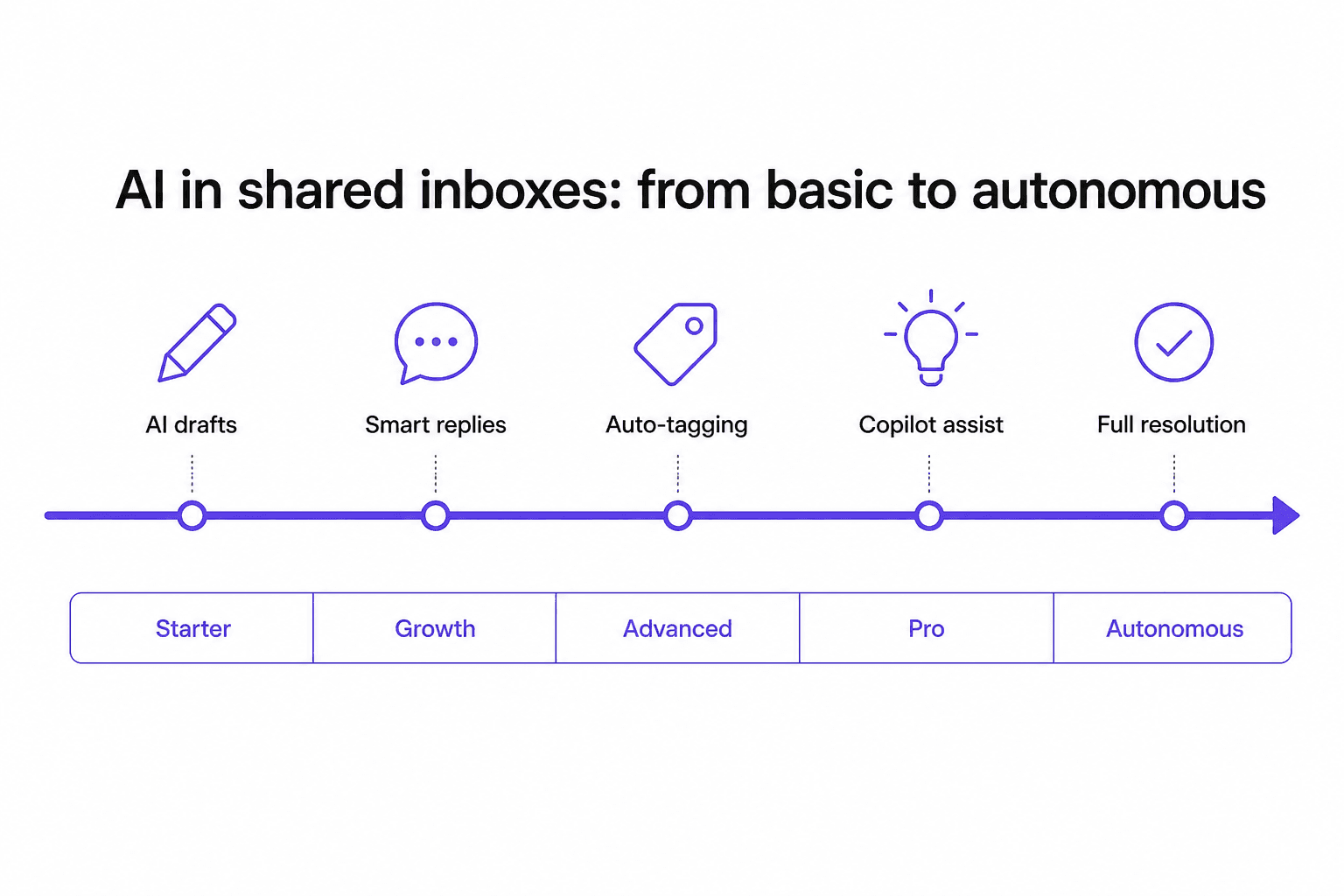
At the basic end, tools offer AI drafting - a suggestion based on the incoming message that an agent can accept or edit. At the advanced end, AI Agents resolve tickets end-to-end without human involvement. Hiver includes AI Agents on every plan, and Freshdesk offers AI resolution. Front's AI Autopilot sits at the most sophisticated tier, handling complex multi-step workflows.
Adding AI to your helpdesk is most effective when the underlying shared inbox structure is already working - clear assignment, good routing, consistent tagging. AI built on top of a disorganized queue produces unpredictable results.
How to choose
The matrix below places each tool based on where it genuinely fits, not where vendors want to be positioned.
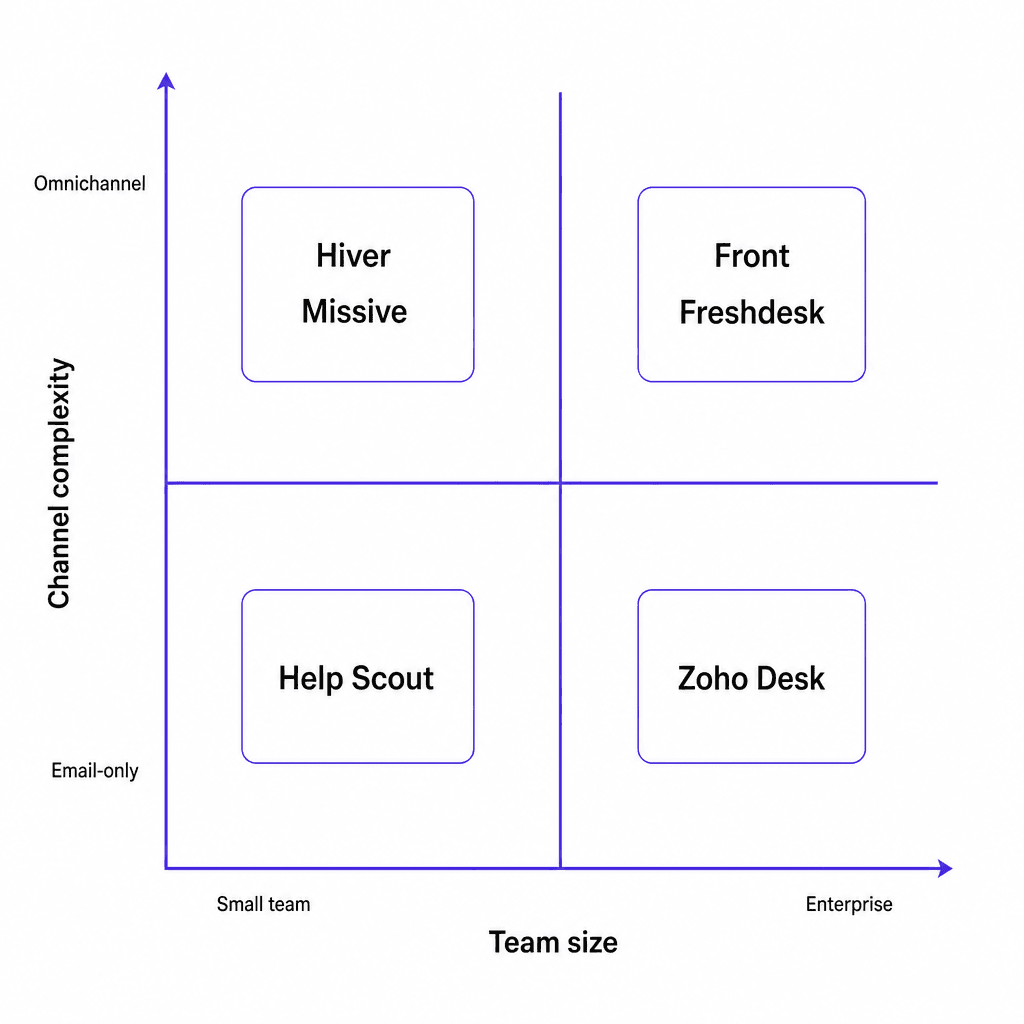
A few specific paths through the decision:
If your team's requests span other departments: Start with Hiver. It works inside Gmail or as a dedicated omnichannel workspace, with AI Agents and AI Copilot on every plan.
If you need the cheapest path to full functionality: Missive Productive at $24/user gives you 50-user capacity, 1,000 automation rules, and solid integrations. Zoho Desk Standard at $14/user is even cheaper if you want a traditional helpdesk model.
If your team handles email, chat, WhatsApp, and voice: Front or Freshdesk. Both unify these channels properly rather than treating email as the primary inbox and others as add-ons.
If you're a growing startup that wants simplicity now and scale later: Help Scout. The Standard plan at $25/user is intentionally simple; the Plus plan adds the channels and integrations you'll eventually need without requiring a platform change.
If you're already using Zoho CRM: Zoho Desk. The integration is deep, the pricing is competitive, and you avoid the data sync overhead of connecting two separate vendor stacks.
For teams that need to build a support team from scratch, the shared inbox tool you choose is the first structural decision. It shapes how your team communicates, what metrics you can track, and which automations you can build. Getting it right early is substantially cheaper than migrating a team of 30 agents once workflows are baked in.
eesel AI
Once your shared inbox is structured and your team has clear assignment and routing in place, the next layer worth considering is AI automation. eesel AI sits on top of your existing shared inbox platform - Freshdesk, Zendesk, or wherever your team works - and operates as an autonomous AI agent that handles first-line responses before they reach a human.
The setup is fast - typically under an hour - because eesel AI learns from your existing documentation: Zendesk tickets, Google Docs, Slack conversations, your knowledge base. Teams like Smava process 100,000+ support tickets per month with eesel AI handling the first response in German. Design.com uses it across Freshdesk for 50,000+ tickets per month. Alex Capurro, Chief Innovation Officer at Global Pay, put the result simply: "We have seen up to 80% time savings."
For teams that want to automate email support at scale without replacing the shared inbox tool their team already uses, eesel AI integrates with your existing stack rather than asking you to migrate to yet another platform.
Frequently Asked Questions
What happens if two team members reply to the same email at the same time?


Article by
Quinela Wensky
Quinela is a UI/UX designer at eesel AI with a background in Visual Communication Design from Institut Teknologi Bandung. She has over five years of graphic design and illustration experience and focuses on user-centered work across game design, accessibility, and interaction.