Running a nonprofit's support function is unlike running a commercial one. Your "customers" include donors who need quick answers, volunteers who might be gone next month, program participants navigating complex eligibility questions, and staff stretched across five roles. Ticket volume can surge around campaign launches or grant deadlines, then go quiet for weeks. And the tech budget that covers all of this often fits in a single line item.
Commercial helpdesk vendors built their products for e-commerce returns and software SaaS queues. A handful have noticed the mismatch and built genuine nonprofit programs - formal discount structures, grant programs, or permanently-free tiers. Most haven't. The trick is knowing which ones are worth your time.
This guide covers the six best helpdesk software options for nonprofits in 2026. Pricing is sourced directly from vendor pages (scraped May 2026). Nonprofit program details come from vendor program pages, not sales promises.
What nonprofits need in a helpdesk tool
Most "best helpdesk" roundups don't account for how nonprofit constraints differ from commercial ones. Before comparing tools, it's worth being clear on what actually moves the needle.
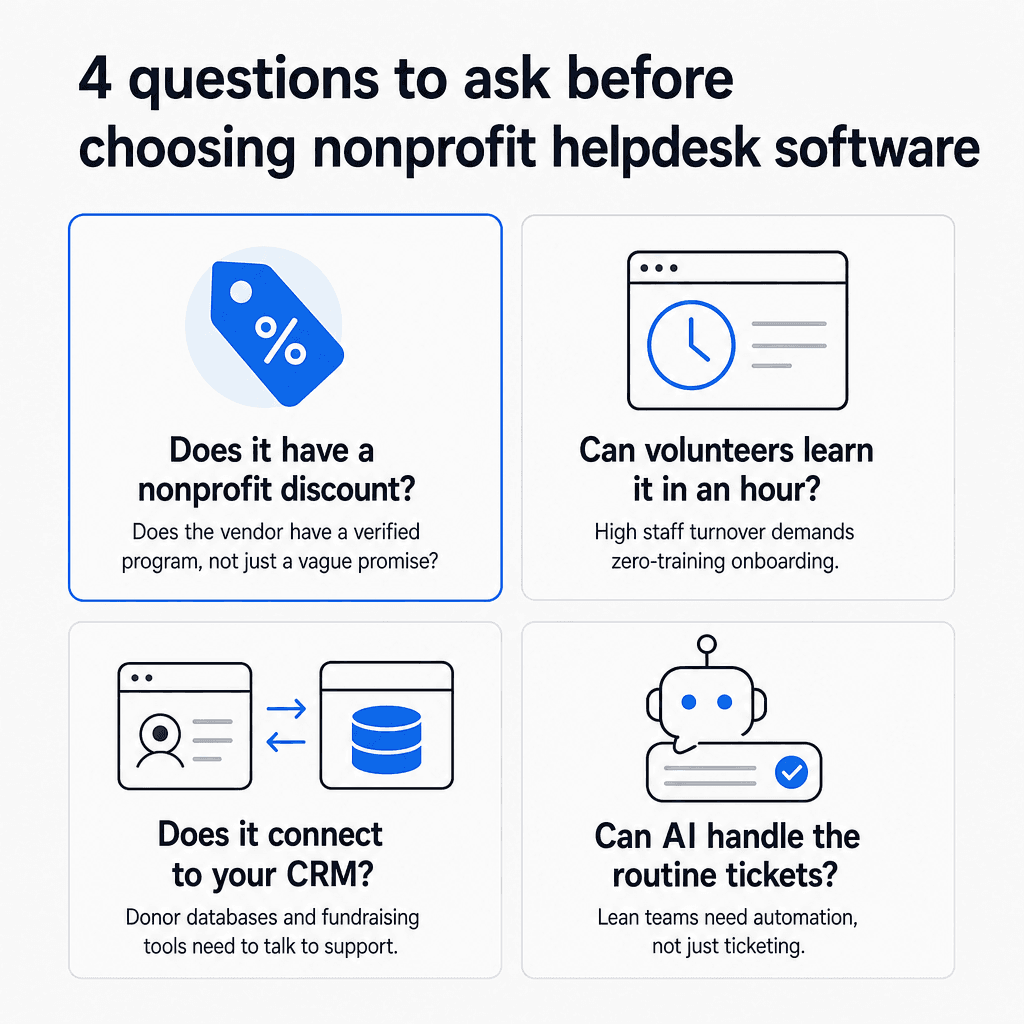
A verified nonprofit pricing program. Some vendors have formal programs with documented eligibility, application processes, and published discounts. Others offer informal discounts if you ask nicely. The difference matters: an informal "contact us for a quote" is a negotiation - not a commitment - and it may not go well when you're working with a $10,000 tech budget and a board that questions every line item.
A free tier you can actually stay on. Not a 14-day trial or a 6-month introductory offer. A permanent free plan, even if limited, gives small organizations a real starting point that doesn't expire. Two tools on this list qualify.
Ease of use for rotating volunteers. Staff turnover at nonprofits is high. The person you onboard in January may be gone by March. That means your helpdesk has to be learnable in under an hour, with a self-explanatory interface that doesn't require a training session. Workflow complexity is overhead your team can't carry.
Integration with donor databases and CRMs. Nonprofits often run donor management systems (Salesforce Nonprofit, Bloomerang, DonorPerfect) alongside their support tools. When a donor asks about a specific contribution or a volunteer asks about their hours, the support person needs that data fast - ideally without switching tabs.
AI automation that lets small teams do more. A two-person support team handling 400 tickets a month can't do it manually. AI that handles routine queries - how to update an address, when the next program session is, how to sign up to volunteer - is less a nice-to-have and more what keeps your team from burning out. As one independent reviewer put it plainly: "A helpdesk with 200 features but a 15% automation rate is worse than one with 50 features and a 60% resolution rate."
The 6 best helpdesk software options for nonprofits in 2026
Here's how the six tools compare on the dimensions that matter most:
| Tool | Starting price | Nonprofit program | Permanent free tier | Best for |
|---|---|---|---|---|
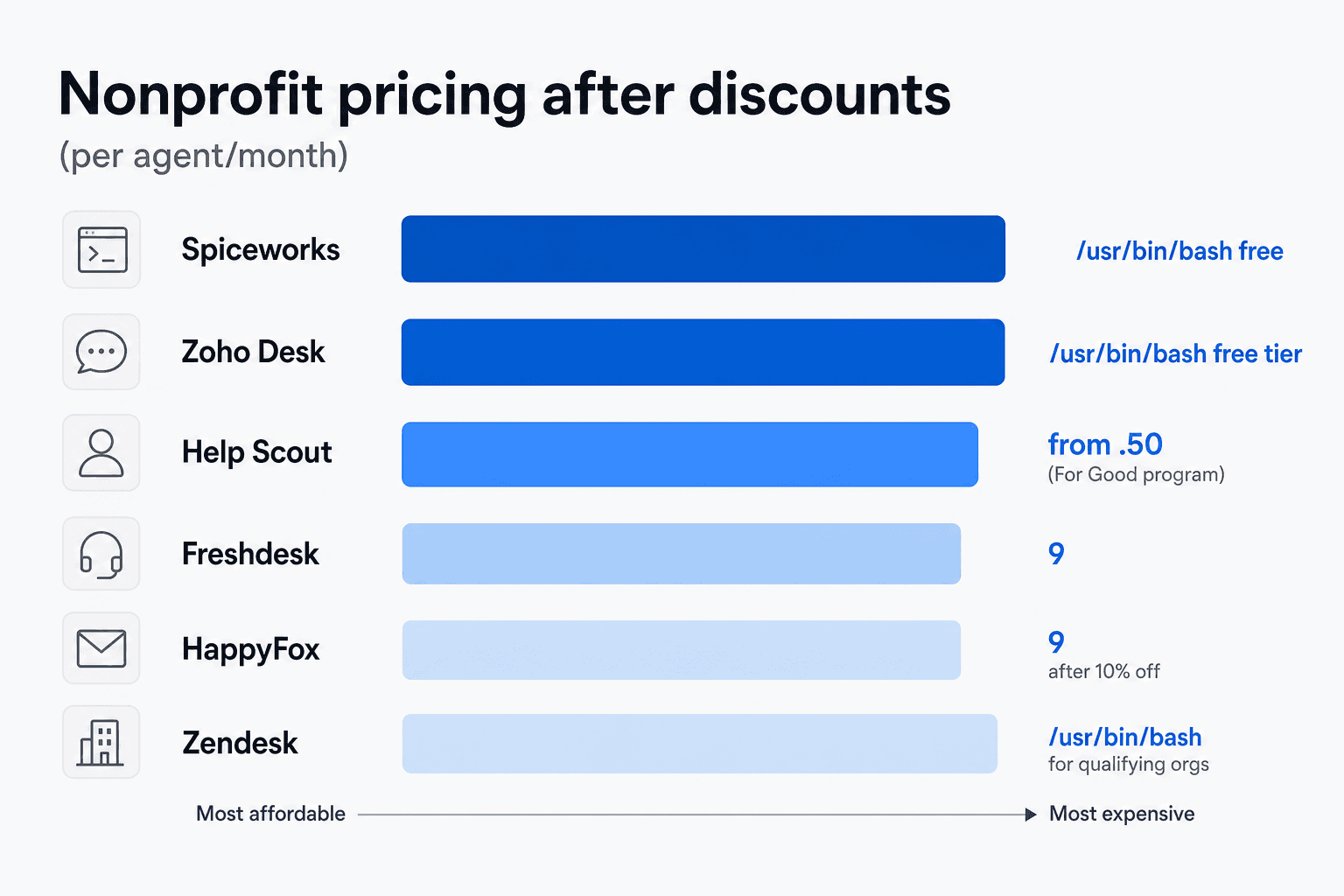
| Zoho Desk | $0 (free tier) | Contact sales | Yes - 3 users | Small teams, Zoho ecosystem users |
| Help Scout | $0 (free tier) | For Good: 10%+ lifetime | Yes - 5 users | Email-first teams |
| Freshdesk | $19/agent/month | Custom (contact vendor) | No - trial only | Omnichannel, mid-size teams |
| Spiceworks | Free | Tax-exempt invoicing | Yes - 5 IT admins | IT departments on zero budget |
| HappyFox | $21/agent/month | 10% off annual plans | No | Compliance-heavy nonprofits |
| Zendesk | $19/agent/month | Tech for Good (full donation) | No | Large qualifying 501(c)(3)s |
1. Zoho Desk
Zoho Desk is the most accessible option on this list for budget-constrained nonprofits. Its permanently-free plan supports 3 agents and covers basic ticketing through email - enough for small community organizations, local chapters, or nonprofits just standing up a formal support function for the first time.
Beyond the free tier, Zoho Desk is one of the most affordable helpdesks in this category. 125,000+ businesses use it; it serves 33 million people daily. Customer-cited results include 35% cost savings and 50% faster resolution times.
The product is part of the broader Zoho ecosystem, which means native integrations with Zoho CRM, Zoho Books, and Zoho Analytics - relevant if your organization already uses Zoho for donor management or finances. Zoho's AI assistant Zia handles autonomous ticket resolution, auto-tags and categorizes incoming requests, and identifies sentiment and urgency before a human sees a ticket. Zia unlocks on the Professional plan at $23/user/month.
Zoho Desk pricing
| Plan | Price (annual) | Users | Key features |
|---|---|---|---|
| Free | $0 | Up to 3 | Email channel, basic ticketing, help center, customer ratings |
| Express | $7/user/month | Up to 5 | Multi-channel (social, live chat), basic automation |
| Standard | $14/user/month | Unlimited | Collision detection, SLAs, workflows, multilingual help center |
| Professional | $23/user/month | Unlimited | Zia AI agent, custom reports, 5 departments, Blueprint automation |
| Enterprise | $40/user/month | Unlimited | Advanced AI, multi-brand support, sandbox, 50 light agent licenses |
Annual billing saves up to 34% versus monthly. A 15-day free trial is available with no credit card required.
Nonprofit discount: Zoho Desk offers discounts for nonprofit and educational organizations - you need to contact their sales team to request terms. Third-party aggregator nonprofitprice.com reports that verified nonprofits can access a significant credit and ongoing discount through programs like TechSoup and Goodstack, though you should confirm current terms directly with Zoho. For nonprofits wanting to add AI capabilities on top of Zoho Desk, eesel's guide to AI integrations for Zoho Desk covers the main options.
Pros:
- Permanently-free plan for 3 users - a real starting point, not a trial
- Native Zoho CRM integration for pulling donor and constituent data
- Zia AI handles autonomous resolution on mid-tier plans at an affordable price
- Cheapest paid tier on this list at $7/user/month
Cons:
- Free plan is email-only; multi-channel requires upgrading to Express
- Nonprofit discount amount requires a conversation with sales - no published rate
- Advanced reporting and analytics only unlock at Enterprise tier
Best for: Small nonprofits that need a free or very-low-cost starting point, teams already in the Zoho ecosystem, and organizations that want AI-assisted ticketing without paying enterprise prices.
2. Help Scout
Help Scout calls itself "the most intuitive customer support platform" and backs that with a retention rate of 80% over four years and an NPS 7x higher than competitors - both per their own homepage data. It's a B Corp, which signals genuine organizational alignment with mission-driven work.
The platform organizes support around a shared inbox rather than a traditional ticket interface - a distinction that matters for teams with high volunteer turnover. Anyone can sit down, see the inbox, and start answering without learning ticket states, categories, or workflow configurations. 12,000+ customers use Help Scout, and AI features in the product now handle 73% of interactions on average.
"Help Scout is the 'Goldilocks' help desk - not too simple, not too complex. If your support strategy centers on email, Help Scout delivers."
Independent reviewer, SaaSSoftware.org nonprofit helpdesk roundup
Help Scout pricing
| Plan | Price (annual) | Users | Key features |
|---|---|---|---|
| Free | $0 | Up to 5 | 1 inbox, 1 Docs site, 100 contacts/month |
| Standard | $25/user/month | Up to 25 | Multiple inboxes, Beacon widget, workflows, saved replies, reports |
| Plus | $45/user/month | Up to 50 | Custom fields, Salesforce integration, advanced reports, HIPAA |
| Pro | $75/user/month | Unlimited (min 10) | SLA management, SSO, 500 contacts/month per user |
Annual billing saves 16%. An AI Answers add-on is available at $0.75 per resolution with a 3-month free trial.
Nonprofit discount: Help Scout's For Good program is one of the most accessible nonprofit programs on this list:
- Any registered nonprofit or certified B Corp: 10% lifetime discount on any paid plan
- Organizations whose core mission is human rights, environmental sustainability, or underrepresentation in tech: up to 100% off, assessed case by case
The application requires proof of nonprofit status. Standard at 10% off works out to $22.50/user/month - a reasonable rate for a clean, well-maintained product.
Pros:
- Shared inbox model is fast to learn - critical for volunteer-heavy organizations
- For Good program can cover the full cost for aligned missions
- B Corp status signals authentic alignment with nonprofit values
- 56% more messages responded to in year one (per Help Scout's own benchmarking)
Cons:
- Free plan's 100-contact/month cap is very limiting; Standard is the practical starting tier
- Pro plan requires a minimum of 10 users ($750/month floor)
- AI Answers is an add-on cost, not included in any plan
Best for: Email-centric nonprofits, organizations in human rights or environmental work (For Good can reduce cost to zero), and teams that need new volunteers answering tickets within an hour of getting access.
3. Freshdesk
Freshdesk is the most feature-complete midmarket helpdesk on this list. 74,000+ businesses use it, including enterprise brands in retail, finance, and tech. It handles nonprofit use cases well at its mid-tier price points - especially organizations that support stakeholders across email, chat, phone, and social simultaneously.
The differentiator is Freddy AI, Freshdesk's integrated AI layer. Freddy runs across three roles: Freddy Agent (handles tickets end-to-end autonomously), Freddy Copilot (suggests replies, summarizes conversations, drafts knowledge base articles for agents), and Freddy Insights (surfaces ticket trends and patterns across your support queue). Freshdesk also offers Vertical AI Agents with 50+ prebuilt agentic workflows for common support scenarios - for nonprofits, the relevant ones cover donation questions, event registrations, and program information.
One thing to be upfront about before reviewing the pricing table:
Freshdesk does not have a permanent free tier. The Free Program it advertises is a 6-month introductory offer limited to 1-2 agents. After 6 months, you upgrade to Growth ($19/agent/month) or you're looking for a new tool. If your nonprofit needs a free-forever option, look at Zoho Desk or Spiceworks instead.
Freshdesk pricing
| Plan | Price/agent/month (annual) | Key features |
|---|---|---|
| Free Program | $0 (1-2 agents, 6 months only) | Basic email ticketing - not a permanent tier |
| Growth | $19 | Automation, SLAs, canned responses, marketplace integrations |
| Pro | $55 | Custom reports, 5,000 collaborators, Freddy AI Insights |
| Enterprise | $89 | Custom objects, sandbox, audit log, IP allowlisting |
Freddy AI Agent sessions: Pro and Enterprise include 500 free sessions per account (one-time). Additional sessions cost $49 per 100. Freddy Copilot is a separate per-agent add-on.
Nonprofit discount: Freshdesk doesn't list a public nonprofit program on its pricing page. According to nonprofitprice.com, custom discounts are available for nonprofits and NGOs - contact Freshdesk's sales team to negotiate terms.
Pros:
- Freddy AI handles email, chat, phone, and social from a single platform
- 50+ prebuilt agentic workflows reduce time-to-deploy for common scenarios
- Scales from a handful of agents to enterprise without platform switches
- Marketplace integrations cover most CRM and donor database connections
Cons:
- No permanent free tier - the 6-month introductory offer misleads long-term planning
- Freddy AI session costs are metered and can create unpredictable monthly bills
- No transparent nonprofit discount - requires sales negotiation
Best for: Mid-size nonprofits (5-50 agents) with omnichannel support needs, organizations already on the Freshworks stack, and teams that want AI automation baked into their ticketing system rather than added on top.
4. Spiceworks
Spiceworks is the only tool on this list that is permanently and unconditionally free for small IT teams. No trial period. No credit card. Up to 5 admin seats and unlimited end users forever.
PC Magazine named it the best help desk for small businesses on a budget in 2024. The product has existed since 2006 and is backed by a community of over 8 million IT professionals. On Reddit, Spiceworks consistently shows up in nonprofit IT threads alongside osTicket as the first recommendation for organizations that need ticketing and have zero budget:
"Spiceworks remains the top free option, supported by a community of over 8 million IT professionals."
Spiceworks is IT-focused. It handles internal help desk tickets - device requests, access provisioning, software support, network issues - not external-facing donor or program support. That scope distinction is important. If your nonprofit needs to field donor inquiries or program questions from the public, Spiceworks isn't the right fit. If you have an IT department managing staff support requests at zero cost, it does the job well.
Spiceworks pricing
| Plan | Price | Admin seats | End users | Key features |
|---|---|---|---|---|
| Core | Free | Up to 5 | Unlimited | Ticketing, email alerts, knowledge base, dashboards, Power BI connector, mobile apps (iOS/Android), TOTP MFA |
| Premium | $5/seat/month (annual) or $6/month | Unlimited | Unlimited | Ad-free experience, task/checklist workflows, bulk actions, live chat support |
Premium pricing is calculated on total active employees, not admin seat count. Tax-exempt organizations can pay by invoice - no credit card required. The Spiceworks community is an active IT forum where nonprofit IT teams can get peer support, share configurations, and find integrations.
Pros:
- Genuinely free forever for up to 5 admins - no expiry, no gotchas
- Unlimited end users on the free tier
- Built-in knowledge base and Power BI reporting connector
- Tax-exempt invoicing available on Premium
- 8-million-strong IT community for peer support
Cons:
- IT-focused only - not designed for donor or program beneficiary support
- Free tier is ad-supported (ads appear in the admin interface, not visible to ticket submitters)
- No AI features; no omnichannel support beyond email
- 5-admin cap on the free plan
Best for: Nonprofit IT departments managing internal staff requests, device inventory, software access, and infrastructure support - where the budget is zero and the team doesn't need external-facing supporter engagement tools.
5. HappyFox
HappyFox explicitly lists Non-Profit Organizations as a named target industry - something most helpdesk vendors don't bother doing. It shows in how the product is built. HappyFox carries SOC 2 Type II, HIPAA, GDPR, and CCPA certifications across all plans - not as add-ons, as standard.
For nonprofits in healthcare (community health centers, mental health services, reproductive health organizations), social services, or grant-funded programs handling beneficiary data, these certifications aren't optional. Many funders and grant agreements require compliant software for any personal or health-related data. HappyFox covers that requirement without requiring an enterprise contract negotiation.
The platform holds a 4.5/5 rating on G2, 98% CSAT in 2024, and a Forrester Total Economic Impact study showing 401% ROI. Notable customers include 3M, Harvard University, Callaway Golf, and Dartmouth College.
HappyFox pricing
Agent-based plans:
| Plan | Price/agent/month (annual) | Key features |
|---|---|---|
| Basic | $21 | Ticketing, automation, canned actions, SLA management |
| Team | $39 | Advanced automation, 24/7 support, SSO, task management |
| Pro | $89 | Omnichannel, advanced reports, agent scripting |
| Enterprise PRO | Contact sales | HIPAA, dedicated onboarding, custom integrations |
Annual billing saves 35% on Basic, 43% on Team, and 25% on Pro.
Unlimited-agent plans (flat monthly rate):
| Plan | Price/month | Included tickets |
|---|---|---|
| Growth | $1,599 | 10,000/month |
| Scale | $3,199 | 25,000/month |
| Scale Plus | $4,799 | Unlimited |
Nonprofit discount: HappyFox offers a 10% discount on annual subscriptions for nonprofit and educational organizations. Applied to the Team plan, a 5-agent nonprofit pays approximately $175/month billed annually rather than $195.
Pros:
- Explicit nonprofit industry focus baked into product positioning
- SOC 2 Type II, HIPAA, GDPR, and CCPA compliance on all plans
- Flat-rate unlimited-agent plans give predictable budgeting at scale
- Verified G2 rating and third-party ROI data
Cons:
- No free tier - the cheapest plan is $21/agent/month
- The 10% nonprofit discount is modest compared to Help Scout For Good or Zendesk Tech for Good
- Unlimited-agent plans start at $1,599/month - sized for large organizations
Best for: Healthcare nonprofits, social service organizations, or grant-funded programs that handle beneficiary or health-related data requiring certified compliance - where the compliance certification matters more than the discount depth.
6. Zendesk
Zendesk is the most powerful - and most expensive - platform on this list. At standard rates, its Suite Team plan starts at $55/agent/month and the most capable tiers run $115-$169/agent/month. For most nonprofits, that math doesn't work.
The reason it's here: Zendesk runs a competitive grant program called Tech for Good that gives qualifying nonprofits a full product donation - the complete Zendesk platform including AI Agents Advanced, at $0. Not a discounted tier. Not a capped trial. The full product.
What Tech for Good provides:
- Complete Zendesk platform with all AI features included
- 110+ global partners as of 2026
- Cash grants of $10,000–$50,000 available through the Impact Awards (annual cycle)
Eligibility:
- US 501(c)(3) or foreign charitable equivalent
- Mission must align with one of three focus areas: community development, crisis resilience, or tech career pathways
- Cannot be a current or past Zendesk customer or grantee
- Not available in approximately 20 sanctioned countries
- 2026 application deadline: July 15, 2026 - apply at techforgood.zendesk.com
The program has been active since 2015 and is genuinely competitive. Mission alignment is assessed carefully. Organizations accepted self-install with online resources - you'll need IT capacity to configure it.
For nonprofits that don't qualify or are already Zendesk customers, the standard pricing carries the friction you'd expect. Reddit community feedback on the Zendesk renewal experience is pointed:
"Just got the renewal quote for our Zendesk plan. $69/agent/month... We just need emails to become tickets and track time. Half the features are irrelevant."
u/Distinct-Resident759, r/sysadmin

The analysis from a Reddit-wide IT tool survey put it plainly: "Dominant players like Zendesk have expanded their feature sets to satisfy Fortune 500 requirements, leaving small and medium-sized IT teams with bloated software and opaque pricing."
For nonprofits not qualifying for Tech for Good, Freshdesk, Help Scout, or Zoho Desk are stronger fits. If you might qualify, eesel's comparison of AI alternatives to Zendesk and Freshdesk is worth reading alongside your evaluation.
Zendesk pricing (standard rates)
| Plan | Price/agent/month (annual) | Key features |
|---|---|---|
| Support Team | $19 | Basic ticketing, email, social channels |
| Suite Team | $55 | Messaging, voice, reporting, knowledge base |
| Suite Professional | $115 | Advanced routing, multilingual, community forums |
| Suite Enterprise | $169 | Sandbox, custom team roles, advanced security |
Pros:
- Tech for Good program is unmatched value if you qualify
- 1,800+ marketplace integrations
- Scales to millions of tickets without infrastructure concerns
- Cash grants from Impact Awards can fund broader digital infrastructure investments
Cons:
- Tech for Good is mission-specific - many nonprofits won't qualify
- Standard pricing is the highest on this list
- Current Zendesk customers are ineligible for Tech for Good
- Self-install requirement needs IT capacity
Best for: Large nonprofits focused on community development, crisis resilience, or tech career pathways - who do not currently use Zendesk - and can apply before July 15, 2026.
How to choose the right helpdesk for your nonprofit
Start with your hard constraints, then layer on use case.
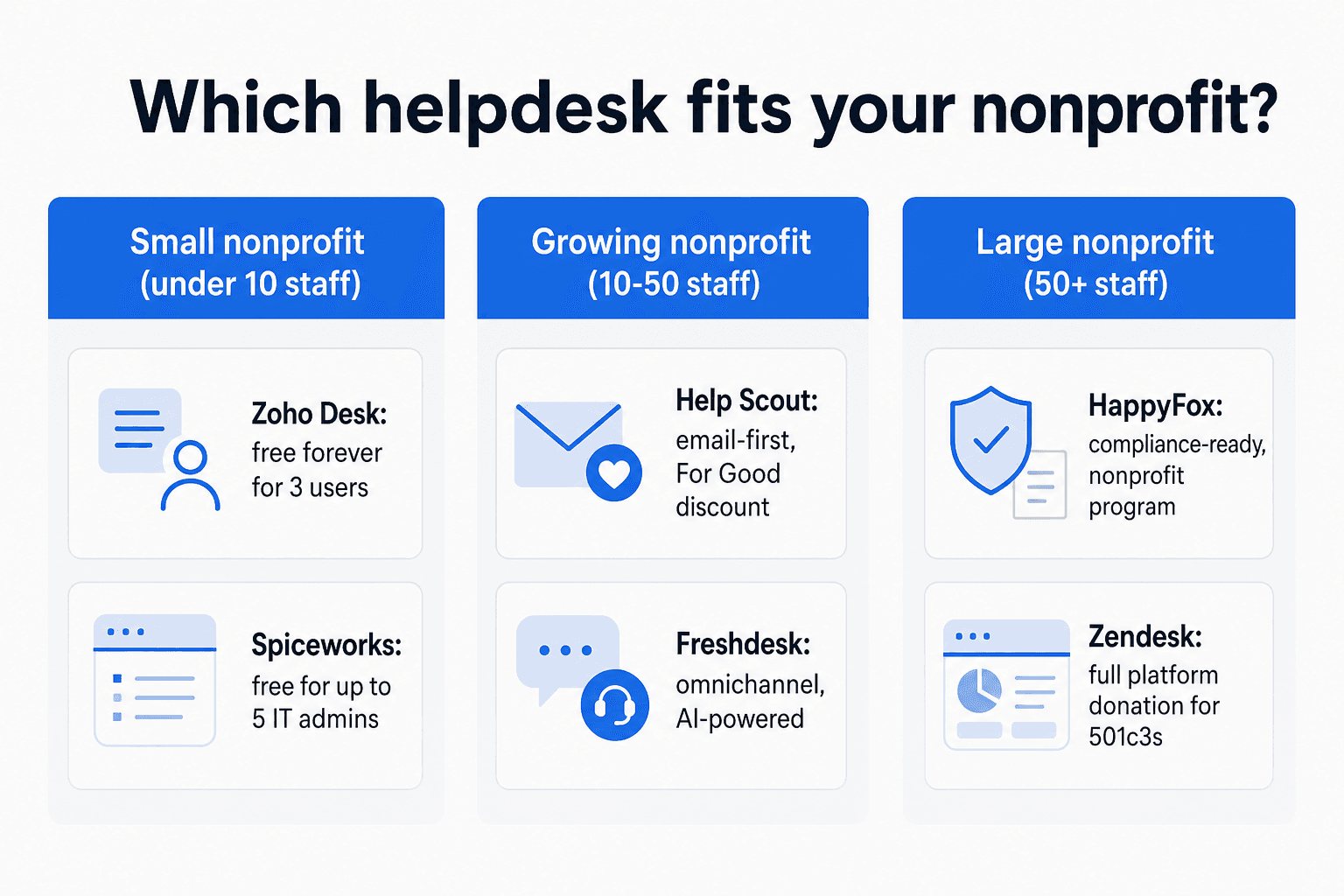
If your budget is zero: Zoho Desk (3 users, email channel) and Spiceworks (5 IT admins, unlimited end users) are both free forever. Zoho handles external donor and program support; Spiceworks is built for internal IT requests. If you need more than 3 agents on Zoho, the Express tier at $7/user/month is the cheapest paid option on this list.
If you want a nonprofit discount with a simple application: Help Scout's For Good program is the most accessible. Every registered nonprofit gets at least 10% off, permanently. Organizations focused on human rights, environmental sustainability, or underrepresentation in tech can apply for up to 100% off. The application is straightforward and doesn't require a sales conversation.
If you're evaluating a full product donation: Zendesk Tech for Good is the most valuable program if you qualify - but the July 15, 2026 deadline is coming up. Check eligibility now.
If compliance is non-negotiable: HappyFox is the only tool here with HIPAA, SOC 2 Type II, GDPR, and CCPA baked in across all plans. For healthcare nonprofits or those handling sensitive beneficiary data, that matters more than the nominal 10% discount.
If you need omnichannel support: Freshdesk handles email, chat, phone, and social natively with Freddy AI across all channels. For nonprofits with a proper support function running across multiple touchpoints, Growth at $19/agent/month is the most cost-effective starting point.
One pattern that runs through every nonprofit IT discussion on Reddit: the cost of enterprise complexity. The right tool for a nonprofit is the one where your next volunteer can start answering tickets within 30 minutes of getting access - at a price that doesn't require a board presentation to justify.
Try eesel AI
Whichever helpdesk you choose, eesel AI adds an AI layer on top - learning from your existing tickets, documentation, and knowledge base, then handling routine questions automatically while routing complex ones to your team.
eesel works directly inside Zendesk, Freshdesk, Help Scout, HubSpot, and other major helpdesks. You don't switch platforms - you add it on top. The pricing model works well for nonprofits with variable ticket volumes: $0.40 per resolved ticket, no platform fee, no per-seat charges. A nonprofit handling 200 tickets a month pays $80. One handling 50 tickets pays $20. You can start with $50 in free trial usage - all features unlocked, no credit card required.
For teams weighing AI automation against adding headcount, eesel's breakdown of AI vs hiring support agents walks through the real cost comparison. The AI helpdesk implementation guide covers what a rollout looks like in practice.