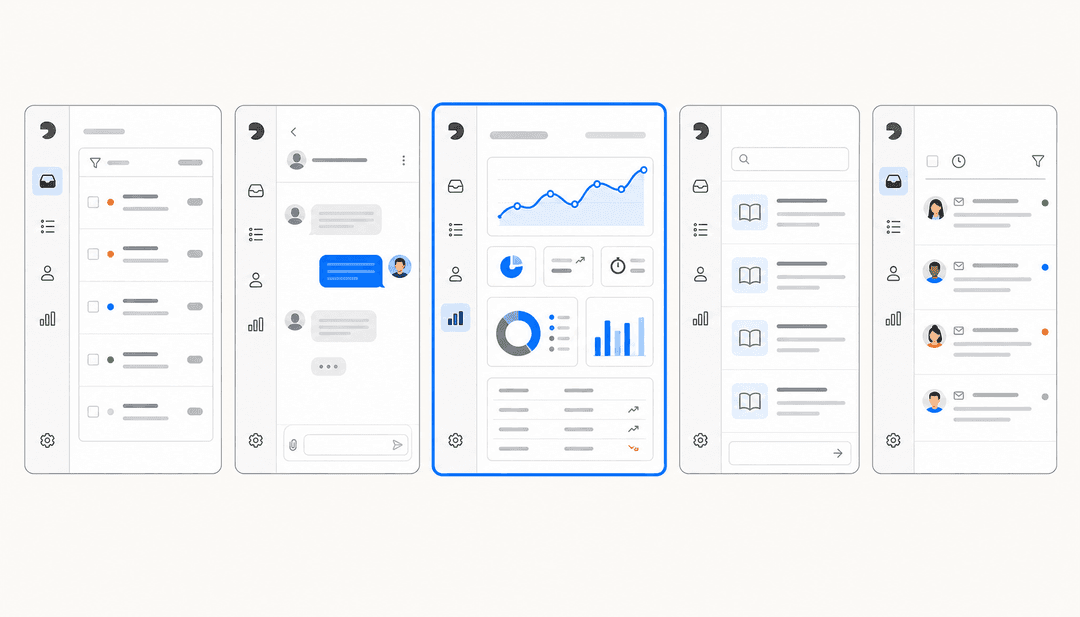
What actually makes a help desk "right" for a SaaS company
A SaaS help desk is just support software delivered as a cloud service, but a software company puts specific weight on a few things a generic buyer doesn't. You have a product that changes weekly, a knowledge base that goes stale fast, and a support volume that spikes with every launch. So the boring ticketing feature list matters less than four things:
- Self-service and knowledge base depth. The cheapest ticket is the one your customer resolves themselves. Strong self-service is the highest-leverage feature a SaaS team buys.
- An AI agent that learns from solved tickets. Most native AI answers only from published help articles. The AI that actually deflects volume learns from how your team resolved past tickets, edge cases and all.
- API and embedding depth. SaaS teams want support inside the product, not just on a separate portal. This is the reason a lot of teams stay on a "worse" help desk: the API let them embed it.
- Predictable pricing at scale. Seats are easy to forecast. AI usage is not, and that's exactly where the bills surprise people.
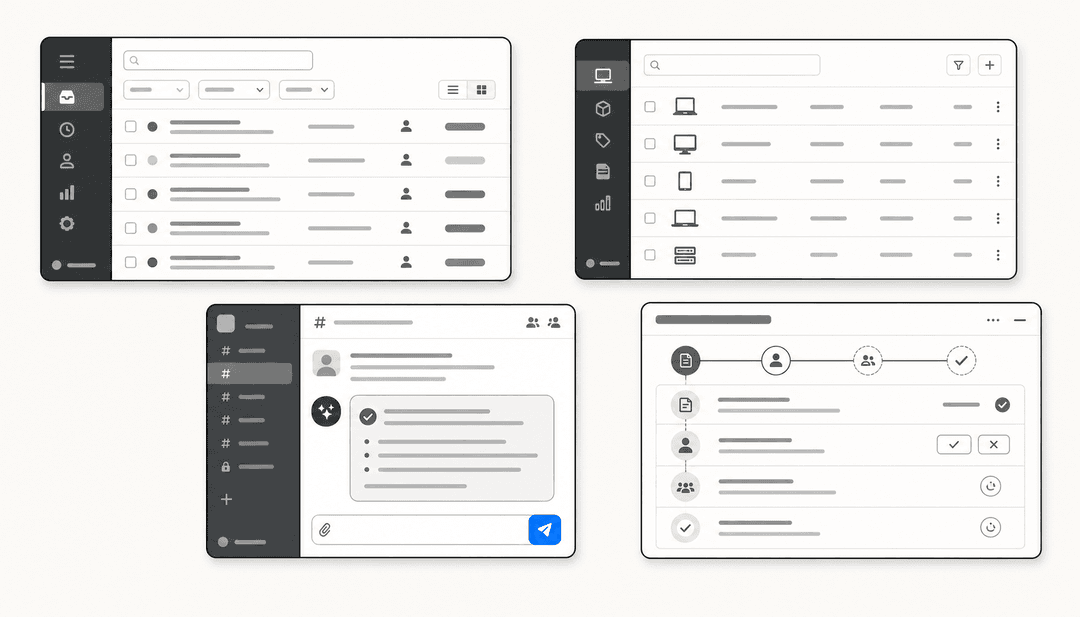
That AI agent point deserves a picture, because the mechanism is the whole game. Here's how a modern SaaS help desk actually resolves a ticket end to end:
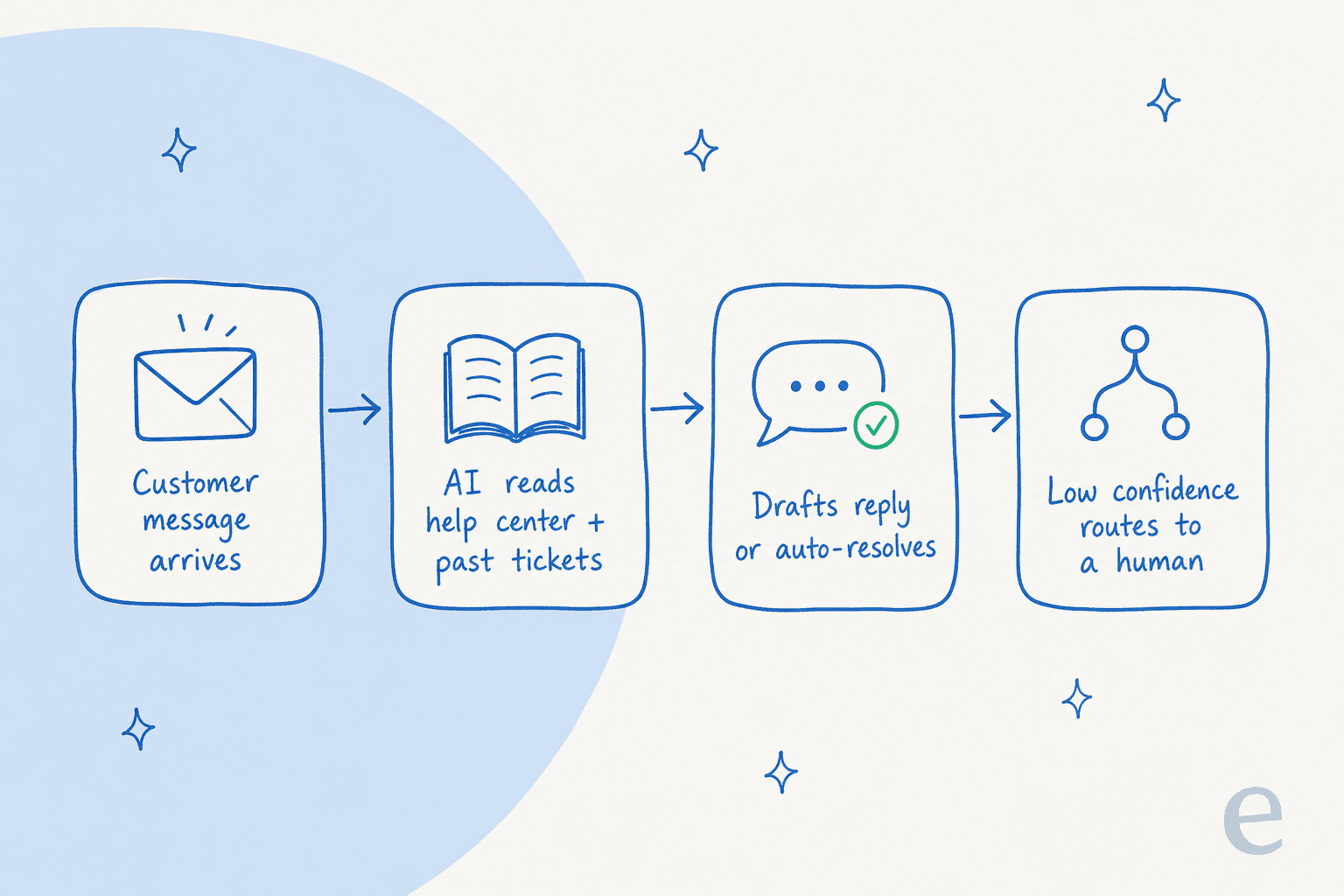
The last step, routing low-confidence answers to a human instead of guessing, is the one that separates a help desk you can trust from one that quietly gives wrong answers. We learned that the hard way, which is why every eesel rollout gets simulated against historical tickets before it goes anywhere near a real customer.
The best SaaS help desk software in 2026, at a glance
Seven tools worth your shortlist. The prices are entry paid tiers billed annually; the AI billing column is the one to read twice.
| Tool | Best for | Entry paid price | How the AI is billed | Free plan | Native AI |
|---|---|---|---|---|---|
| eesel | Adding strong AI on top of your existing help desk | From $299/mo, no seats | 1 credit per ticket, no platform fee | 100 free credits | Learns from past tickets |
| Zendesk | Enterprise scale and omnichannel | $19-$115/agent/mo | Per automated resolution (sales-gated) | 14-day trial | Zendesk AI + Copilot |
| Freshdesk | Fast-growing teams wanting value | $19-$89/agent/mo | 500 sessions free, then $49/100 | Free 1-2 agents, 6 mo | Freddy AI |
| Zoho Desk | Budget-conscious teams | $7-$40/agent/mo | Included (advanced Zia is Enterprise-only) | Free, 3 users | Zia |
| Help Scout | Small, email-first support teams | $25-$75/user/mo | $0.75 per AI resolution | Free, up to 5 users | AI Answers |
| Front | Complex, multi-team operations | $25-$105/seat/mo | Autopilot from $0.05/conversation | 14-day trial | Front AI |
| HubSpot | Teams already living in HubSpot CRM | $7-$150/seat/mo | ~$0.45 per resolved conversation | Free, 2 users | Breeze |
Now the detail, starting with the AI-first option and working through the platforms.
1. eesel: best for adding strong AI to the help desk you already have
Best for: SaaS teams that like their current help desk but are frustrated with its native AI.
Most tools on this list ask you to move in. eesel takes the opposite approach: it's an AI layer that plugs into Zendesk, Freshdesk, Front, HubSpot, and 100+ other tools, then learns from your past tickets, help docs, and macros on day one. The reason that matters: a native answer bot trained only on your help center can't answer the messy, product-specific questions that make up most of a SaaS queue. Learning from solved tickets is what closes that gap.
Key features
- Learns from historical tickets, docs, and past resolutions, not just published articles.
- Simulation mode: run the AI against thousands of past tickets to see exact coverage before going live.
- Confidence-based routing so uncertain questions get drafted for a human instead of answered wrong.
- Fully no-code setup and natural-language configuration of tone and when to escalate.
- 80+ languages and 100+ integrations out of the box.
Pros: you keep your existing stack; time-to-value is fast (Gridwise saw results inside a 7-day trial); pricing is transparent and per-ticket. Cons: it's an AI layer, not a full ticketing system, so you still need a help desk underneath it; SOC 2 is listed as in progress rather than certified.
Pricing: one fixed monthly price, from $299/month for 500 credits (1 credit per ticket or chat, however long), no per-seat fees and no platform fee, with a free plan of 100 credits to start. Pay a year upfront and get two months free. SSO and MFA (from $199/month), data residency, and priority support are optional add-ons. Full detail on the pricing page.
Our take: if switching help desks isn't on the table but your native AI is disappointing, this is the highest-leverage move. It's also the cleanest way to test build-vs-buy without a migration project.
2. Zendesk: best for enterprise scale
Best for: larger SaaS companies that need omnichannel depth, voice, and analytics in one platform.
Zendesk is the incumbent for a reason. It's a genuinely complete resolution platform: ticketing, messaging, voice, a knowledge base, QA, and workforce management, all wired together. It says 22,000+ teams use its AI and reports up to 80% automation, and it was named a Leader in the 2025 Gartner Magic Quadrant. For a scaling SaaS org, the breadth is real, and our Zendesk AI review digs into whether the AI lives up to it.
Key features
- AI agents (now Forethought-powered) that resolve across channels.
- Copilot for agent assist, plus automatic QA across 100% of interactions.
- Deep analytics and a marketplace of 1,800+ apps.
Pros: the most mature platform here, huge integration ecosystem, strong enterprise governance. Cons: the pricing is layered and easy to under-estimate. A seat price plus per-resolution AI plus $50/agent/month add-ons stacks up quickly, and the cheap $19 entry plan has no AI at all.
Pricing: Support Team $19, Suite Team $55, and Suite Professional $115 per agent/month (annual), with AI billed separately per automated resolution and key add-ons at $50/agent/month each.
Our take: the right call when you need everything in one platform and have the budget to match. If it's specifically the AI you want to be better, eesel on top of Zendesk is often cheaper than climbing Zendesk's own AI tiers. For smaller teams, weigh the Zendesk alternatives first.
3. Freshdesk: best for fast-growing teams that want value
Best for: SaaS teams that want most of Zendesk's capability at a friendlier price and a real free on-ramp.
Freshdesk (from Freshworks) hits a sweet spot between price and power. It's trusted by 74,000+ businesses, and its 2026 story is a hard pivot to agentic AI: Freddy AI Agent ships 50+ prebuilt workflows that take actions, not just suggest replies. The genuinely free tier for 1-2 agents makes it a favourite for bootstrapped startups. Our Freshdesk AI features breakdown covers what Freddy can and can't do.
Key features
- Freddy AI Copilot for summaries, translations, and reply suggestions.
- A unified Command Center across channels.
- Advanced workflows for routing, SLAs, and prioritisation.
Pros: strong value, genuinely free starter tier, top-rated on G2 for usability. Cons: Freddy is consumption-priced ($49 per 100 sessions after the first 500), which climbs for high-volume teams, and the Omni SKU is a separate, pricier product.
Pricing: Growth $19, Pro $55, Enterprise $89 per agent/month (annual). The Freddy Email AI Agent includes the first 500 sessions, then bills $49 per 100 sessions.
Our take: the best all-round value platform for a growing team. If Freddy's per-session bill gets steep, that's a classic moment to look at Freshdesk alternatives or run eesel over the top.
4. Zoho Desk: best for budget-conscious teams
Best for: teams that want the lowest cost per agent, especially if they already use other Zoho apps.
Zoho Desk wins on price, full stop. A real Free Forever plan plus paid tiers from $7/agent/month undercut nearly everyone, and Reddit users routinely call it "almost everything Zendesk does at half the cost." It's trusted by 125,000+ businesses and carries a 4.5/5 on Gartner Peer Insights from over 2,400 ratings. The catch is the AI. We unpack the tiers in our Zoho Desk AI pricing piece.
Key features
- Zia, Zoho's native AI, for reply assist, ticket summaries, and an Answer Bot.
- Strong Blueprint automation and SLA/escalation tooling.
- A tidy omnichannel inbox and branded help center.
Pros: unbeatable price, excellent automation for the money, deep Zoho ecosystem fit. Cons: Zia gets mixed-to-poor reviews (one user called it "a trainwreck of unhelpful responses"), most advanced Zia features are gated to the Enterprise tier, and the UI has a steep learning curve.
Pricing: Free (3 users), Express $7, Standard $14, Professional $23, Enterprise $40 per agent/month (annual). Advanced Zia features live on Enterprise.
Our take: the value champion for tight budgets. Just know the good AI is Enterprise-only, so if Zia disappoints on a lower tier, pairing better AI for Zoho Desk is the usual fix.
5. Help Scout: best for small, relationship-driven teams
Best for: small SaaS support teams that want a human, email-like feel over a heavyweight ticket system.
Help Scout calls itself "the most intuitive customer support platform," and the reputation holds: new agents learn it in under an hour, and 12,000+ companies use it. It's a shared inbox, knowledge base (Docs), and the Beacon widget, with an AI Answers agent that resolves around 73% of interactions. For a lean team, the clean UX is the whole appeal. Our Help Scout review covers where it fits.
Key features
- Clean shared inbox with collision detection and saved replies.
- AI Answers agent plus an Inbox Assistant for drafts and summaries.
- Docs knowledge base and the embeddable Beacon widget.
Pros: fastest onboarding here, genuinely pleasant to use, good fit for solo and low-volume email support. Cons: thinner reporting and advanced automation, and the AI Answers add-on stacks $0.75 per resolution on top of seats. The community also hasn't forgotten a 2025 pricing flip-flop:
"HelpScout changed back to user-based pricing. Guess too many people cancelled including me... Helpscout lost all trust with this flip-flopping on pricing."
u/manu_8487, r/SaaS

Pricing: Free (up to 5 users), Standard $25, Plus $45, Pro $75 per user/month (annual), with AI Answers at $0.75 per resolution. See the full Help Scout pricing breakdown.
Our take: the best pick for small relationship-led teams, right up until volume grows and the per-resolution AI bill starts to sting. At that point the Help Scout alternatives conversation usually starts.
6. Front: best for complex, multi-team operations
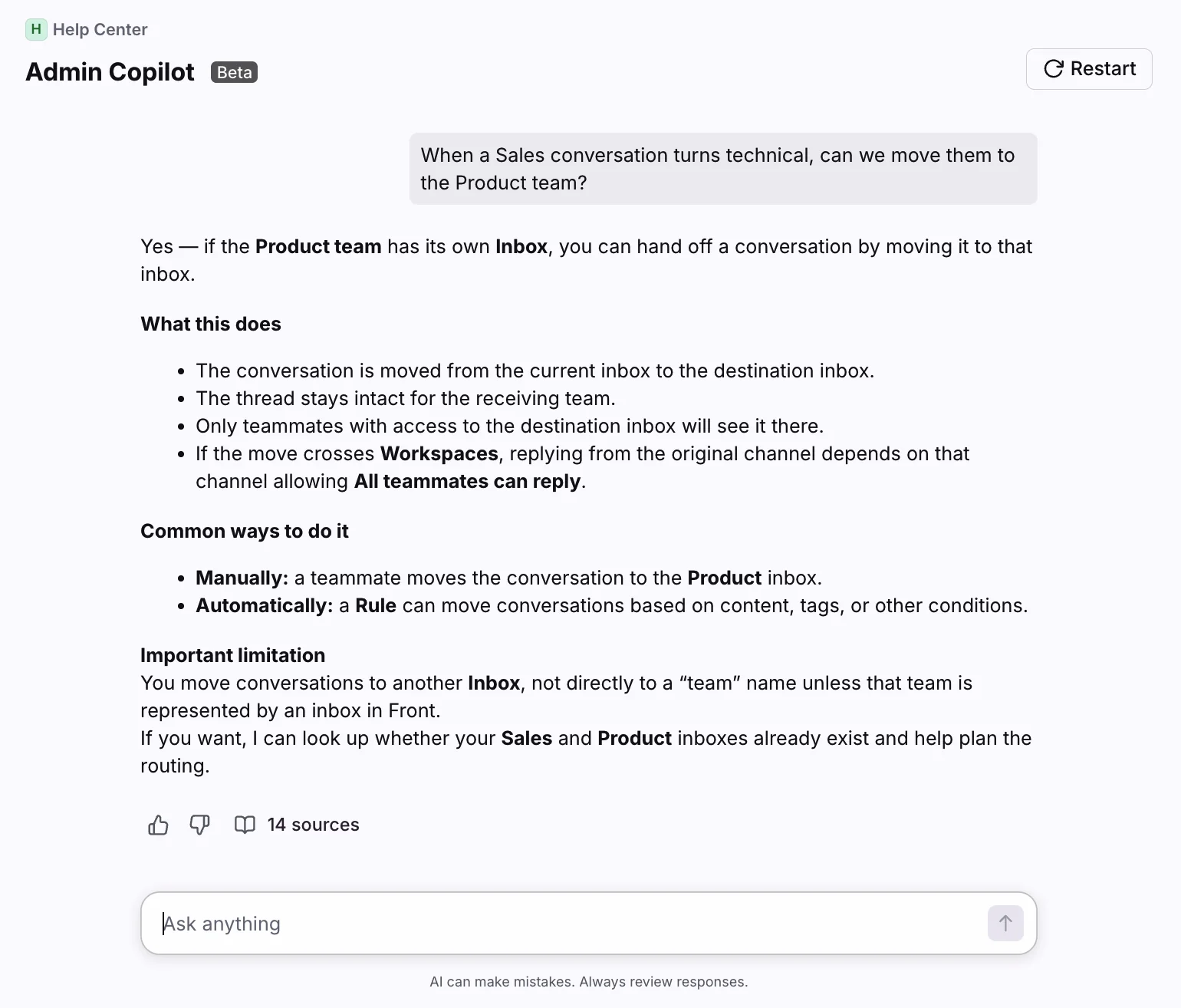
Best for: SaaS operations where support spans multiple teams and conversations need real collaboration, not just tickets.
Front makes a sharp pitch: "AI for simple support is everywhere. Complex customer operations demand Front." It's a collaborative shared inbox where teammates comment, draft together, and hand off conversations without losing context, used by 9,300+ companies. Front AI claims it can resolve up to 70% of requests, and the pricing page cites a 428% average ROI. Our Front AI guide goes deeper on the AI side.
Key features
- Collaborative shared inboxes with internal comments and shared drafts.
- Front AI: Autopilot (agent), Copilot (assist), Smart QA, and Smart CSAT.
- 160+ integrations and no-code workflows.
Pros: best-in-class collaboration, strong for cross-functional ops, solid omnichannel. Cons: the AI is almost entirely add-ons on lower tiers, so the sticker price understates the real cost. Autopilot starts at $0.05/conversation, Copilot is $20/seat, and QA and CSAT stack on top.
Pricing: Starter $25, Professional $65, Enterprise $105 per seat/month (annual). Front AI is bundled into Enterprise but sold à la carte below it.
Our take: the right tool when collaboration across teams is the actual problem. If it's the AI you want most, it's worth comparing Front AI vs eesel before committing to the add-on stack.
7. HubSpot Service Hub: best for teams already in HubSpot
Best for: SaaS companies already running HubSpot CRM that want support in the same customer view.
HubSpot Service Hub is the natural pick if HubSpot is already your system of record. Support tickets share one view with marketing and sales, and the Breeze Customer Agent reportedly resolves 65% of conversations across 8,000+ customers. The tight CRM integration is the whole reason to buy it. We cover the AI limits in our HubSpot AI agents guide.
Key features
- Breeze Assistant for ticket summaries and drafting, included on every tier.
- Breeze Customer Agent for autonomous resolution, on Pro and up.
- Health scores, NPS/CSAT, and a knowledge base, all on the CRM.
Pros: unbeatable if you're already a HubSpot shop, one customer view, strong assistant features. Cons: pricing is the loudest complaint by far, and the AI-credit model draws real "bill shock" reports:
"Meanwhile, the system churns through credits and you cannot set a maximum number of credits below your recent utilization... they starting charging for those credits and asking for thousands of dollars a month. And it's for even AI features that we don't use."
u/Practical-Pepper4564, r/hubspot
Pricing: Free (2 users), Starter $7, Professional $90, Enterprise $150 per seat/month (annual), plus one-time onboarding ($1,500 Pro, $3,500 Enterprise). Breeze Customer Agent runs about $0.45 per resolved conversation.
Our take: buy it for the CRM gravity, not the AI. If Breeze's credit bills get unpredictable, the best HubSpot AI add-on conversation is where teams land.
What a SaaS help desk really costs
Here's the part the sticker prices hide. Nearly every tool above sells you a per-seat plan, then bills the AI separately, per resolution, per conversation, or per session. So your real bill is seats plus AI usage plus add-ons, and that second and third line are the ones that move.
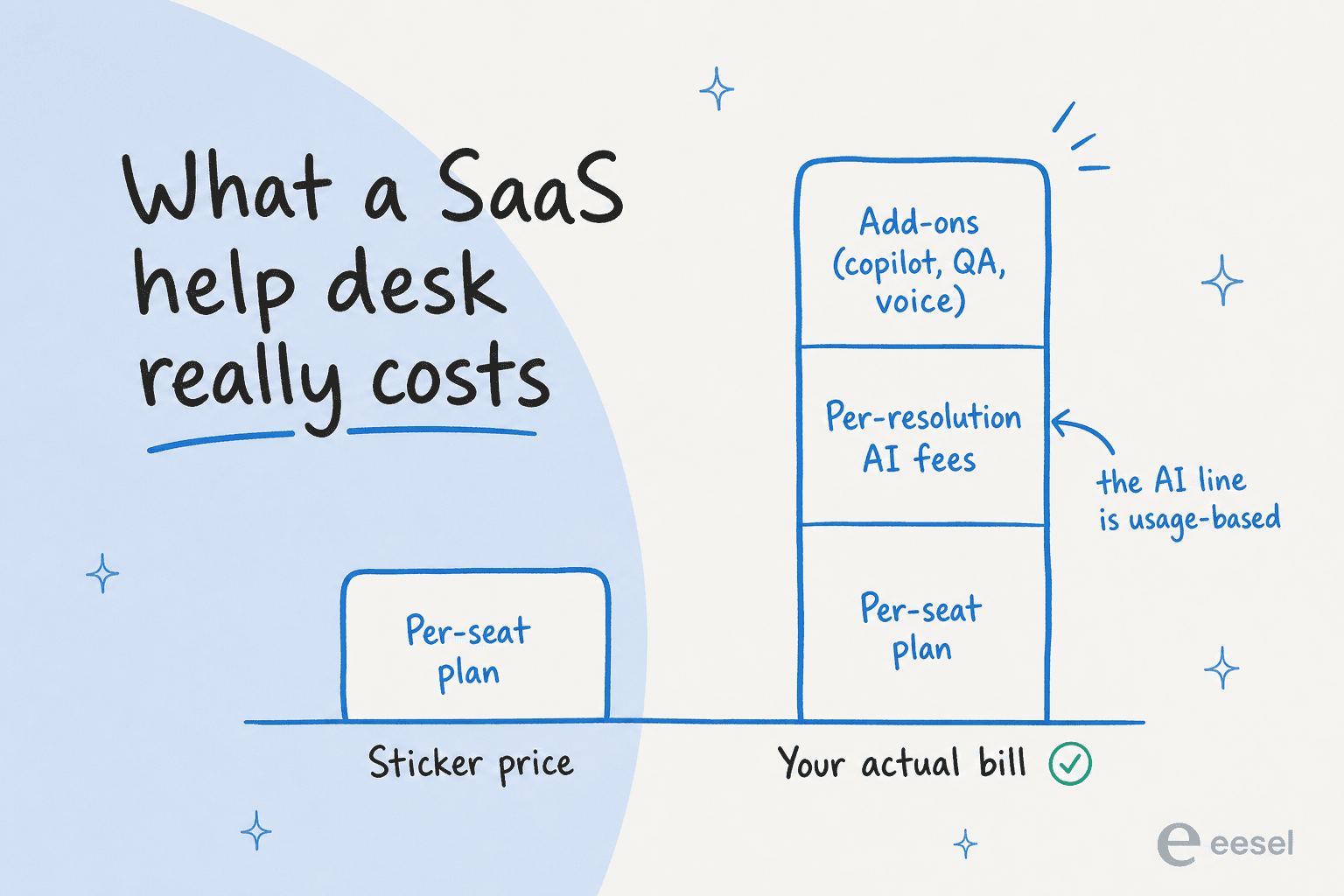
A worked example makes it concrete. Say you're a 10-agent SaaS team handling 2,000 support conversations a month, and half of them (1,000) are simple enough for AI to resolve:
- On a per-seat platform with per-resolution AI: 10 seats at, say, $55/agent/month is $550, plus 1,000 AI resolutions at roughly $0.45-$0.75 each is another $450-$750. Call it $1,000-$1,300/month, and the AI half scales with volume.
- On a credit plan: those same 1,000 resolved tickets use 1,000 credits, which is eesel's $499/month plan, with no seat fee underneath, because eesel rides on the help desk you already pay for.
The lesson isn't "one is always cheaper," it's that the AI line is the variable that matters, and it's the one buyers forget to model. We break the math down further in how much AI can save in customer support and AI customer support cost savings.
How to choose the right one
Map the seven onto two axes that actually decide the fit: how simple or complex your operation is, and whether the AI is bolted on or built in. That's the fastest way to see where each lands.
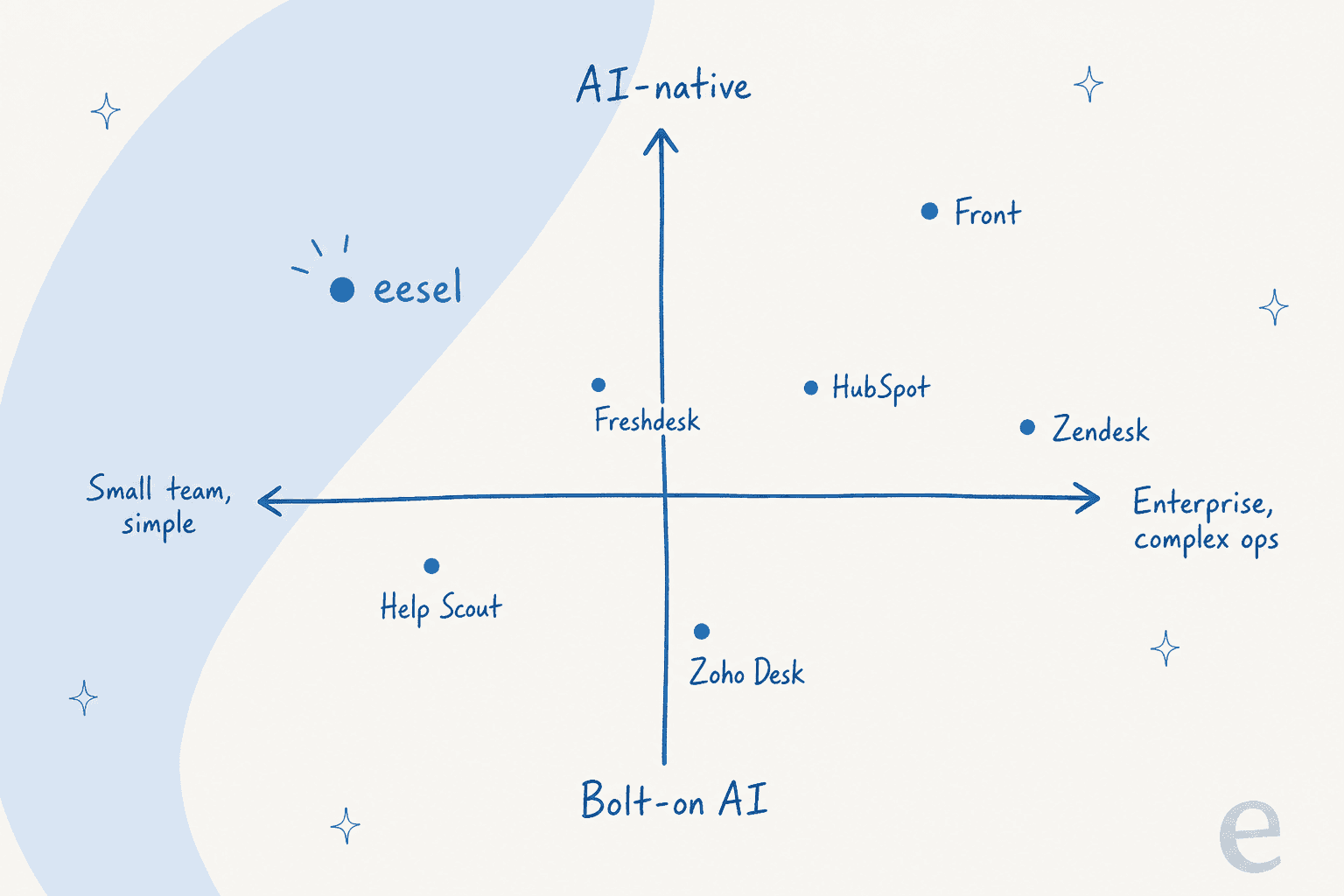
The quick decision guide:
- Lowest budget: Zoho Desk, every time.
- Small email-first team: Help Scout.
- Best all-round value platform: Freshdesk.
- Enterprise scale and omnichannel: Zendesk.
- Complex, multi-team ops: Front.
- Already on HubSpot CRM: HubSpot Service Hub.
- Keep your help desk, fix the AI: eesel.
The decision most teams should actually reframe is the last one. The platform question ("which help desk?") and the AI question ("which AI?") get treated as one, and they don't have to be. Our customer support tools roundup and AI implementation guide both start from that split.
Try eesel on your SaaS help desk
If you've already got a help desk you mostly like, you don't need to migrate to get support AI that actually works. eesel plugs into Zendesk, Freshdesk, Front, HubSpot, and 100+ other tools, learns from your past tickets and docs, and starts drafting and resolving in minutes, no per-seat fee. The part SaaS teams like most: you can simulate it against thousands of your real past tickets to see exactly what it would have resolved before it ever touches a live customer, then turn on autonomy one ticket type at a time.
That's how Gridwise got to 73% tier-1 resolution in month one. It's free to try with 100 free credits and no credit card, and each ticket costs one credit, however long the conversation runs, so the monthly price is easy to predict.
Frequently asked questions
What is a SaaS help desk?
How much does SaaS help desk software cost?
What should a software company look for in a help desk?
Is there a free SaaS help desk?
Can AI actually resolve SaaS support tickets on its own?
Which SaaS help desk is best for a small software team?
Do I have to switch help desks to get good support AI?


Article by
Kurnia Kharisma
Kurnia is a software engineer and writer at eesel AI with two years of SEO experience, writing about AI tools, helpdesk software, and customer support. He pairs a developer's understanding of how these products are built with search-driven research into what actually ranks and resonates with the people searching for them.