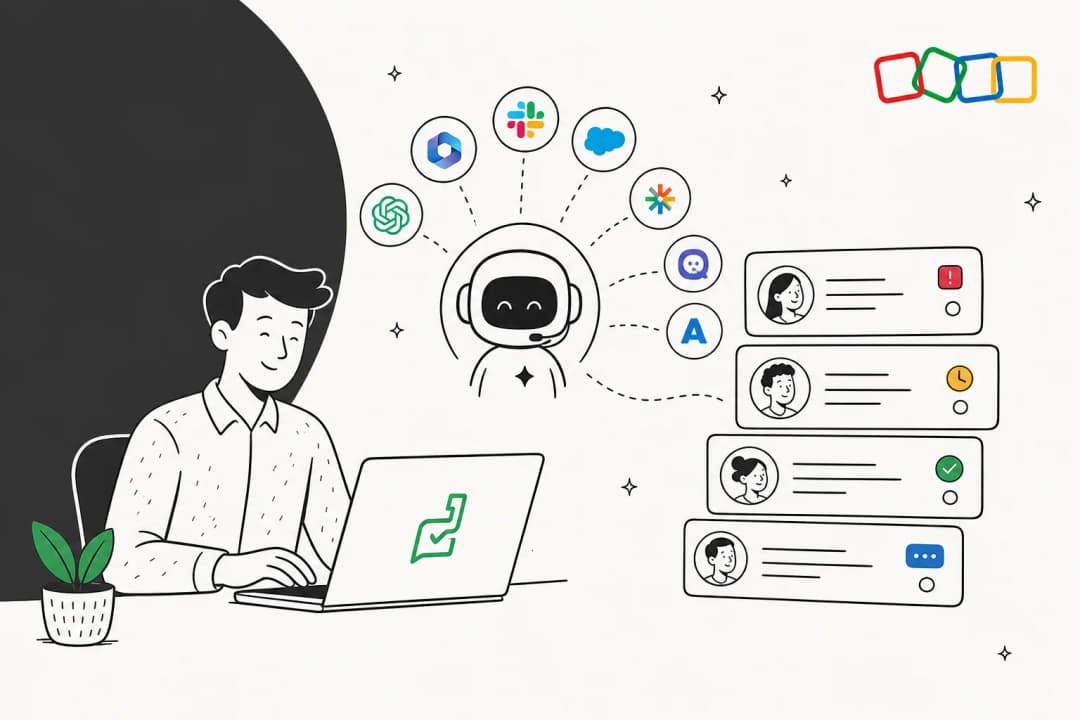
Why Zia falls short for most Zoho Desk teams
Let's be fair to Zoho first. Zoho Desk is a genuinely good ticketing platform, "trusted by 125,000+ businesses globally" per its homepage, and on Reddit it's repeatedly called out as doing "almost everything that Zendesk does at like half the cost" (r/SaaS). The ticketing, the help center, the Blueprint process automation: all solid.
The problem is specifically the AI. Two things bite.
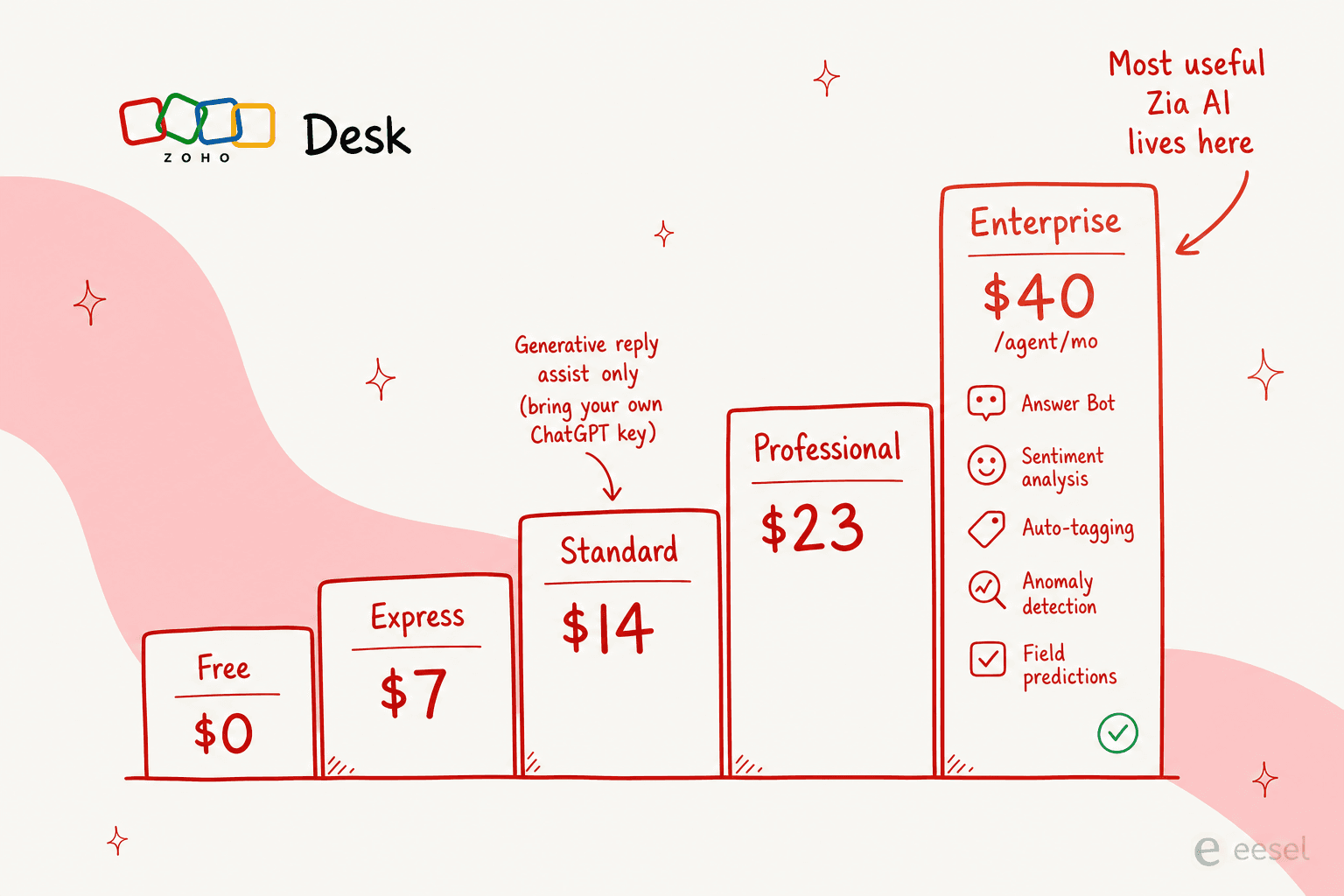
First, the gating. Zoho markets Zia as a single assistant, but the pricing comparison tells a different story. On Standard ($14/agent/mo) you get generative reply assist if you bring your own ChatGPT key. Everything that makes AI feel like AI, the Answer Bot, sentiment analysis, auto-tagging, anomaly detection, and field predictions, sits on the Enterprise tier at $40/agent/month. For a 10-agent team that's $4,800/year before you've resolved a single extra ticket.
Second, the quality. Even teams who pay for it aren't thrilled. The honest version of the Zia pitch comes straight from its own users:
"Zoho may need to rebrand any forthcoming intelligence features. Zia is so poor that I'm hesitant to use any 'ai' that is branded as Zia."
Reddit user, surfaced via checkthat.ai's aggregation of r/Zoho threads, 2026
It's not just one cranky thread. Another r/Zoho user who tried the summaries found them capped: "the summary for a ticket is ok but struggles when there is a lot of content - it has a limit" (r/Zoho). And the adoption signal is quiet, G2 lists only 27 reviews for Zoho Zia at 4.0/5, which for a product inside 125,000+ businesses suggests very few teams lean on it hard.
Here's the screen Zoho shows you when it's selling Zia, the full vision of self-service, agent assist, and admin insights:
The takeaway isn't "Zia is useless." It's that for most teams the math doesn't work: you either pay Enterprise prices for AI you might not love, or you put a better, cheaper AI layer on top of the Zoho Desk you already have. That second path is what most of this list is about, and tellingly, even Zoho's own users describe it: "Currently, we are using Zia, along with integrations that can leverage external generative AI models where required" (r/Zoho).
How we ranked these
We tried each tool against the questions a Zoho Desk team actually asks: does it connect to Zoho Desk without a custom build, what does it really cost (not the sticker price), how much can it do on its own versus how much hand-holding it needs, and whether the AI is good enough to put in front of customers. We leaned on each vendor's own docs and pricing pages, current G2 and Gartner reviews, and what real operators say on Reddit. Where a tool needs custom API work to touch Zoho Desk, we say so plainly, because that's hours of engineering time that belongs in the cost column.
A quick note on what's not here: we kept this to AI you'd realistically run alongside Zoho Desk. If you want a wider sweep of chatbots and concierge tools, our roundup of the 8 best AI integrations for Zoho Desk covers more options.
Summary comparison
| Tool | Best for | Native Zoho Desk integration | Pricing model | Starting price | Free tier | Self-serve setup |
|---|---|---|---|---|---|---|
| eesel AI | Autonomous ticket resolution | Email channel + webhooks | Per ticket (usage) | $0.40 / ticket | $50 credit, no card | Yes, under 30 min |
| Zia (built-in) | Light native assist | Native (built in) | Bundled in plan | $14 / agent / mo (Standard) | Free Forever (3 users, no AI) | Yes |
| ChatGPT integration | Better native reply drafts | Native (BYO OpenAI key) | Your OpenAI usage + Zoho plan | OpenAI API cost | No | Yes |
| Zoho SalesIQ | Live chat + pre-ticket AI | Native (Zoho app) | Per operator | $7 / operator / mo | Free (3 operators) | Yes |
| Beam.ai | Back-office process automation | Native connector | Per task / flat | $50 / mo (200 tasks) | Free (20 tasks/mo) | Partial (Scale is sales-led) |
| Voiceflow | Custom no-code bots | None (custom API) | Usage / custom quote | Usage-based | Trial, no card | No (demo-gated for business) |
1. eesel AI - best autonomous AI agent for Zoho Desk
Best for: teams who want tickets actually resolved, not just summarised, without upgrading to Zoho's Enterprise tier or hiring a developer.
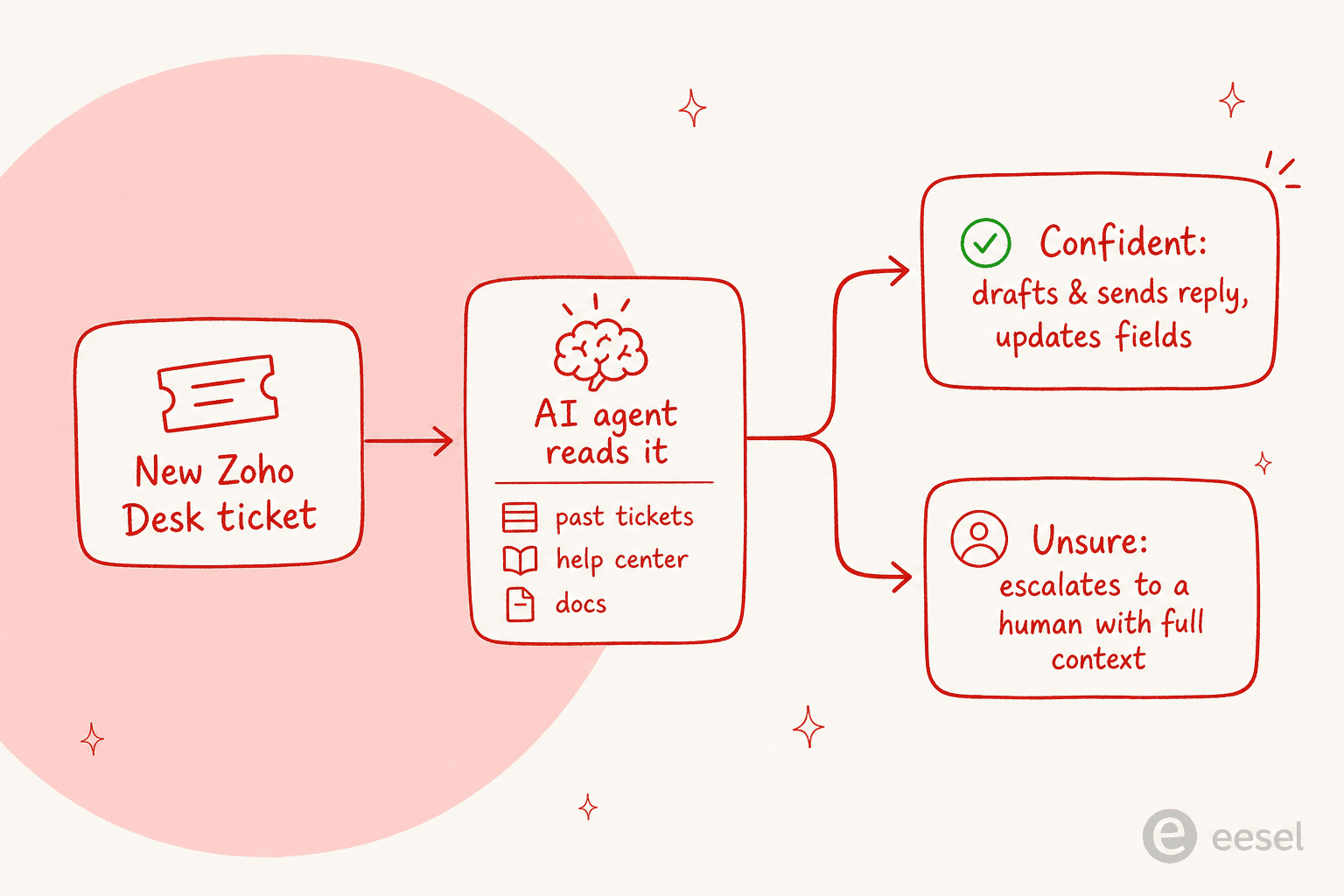
eesel AI is an AI teammate that lives inside the tools you already use and works tickets like a new hire would: it reads the incoming message, pulls context from your help center and past tickets, drafts a reply in your tone, and either sends it or leaves it as a draft for an agent. For Zoho Desk specifically, it connects through the email channel and webhooks, so you don't need the Enterprise plan to get autonomous AI, and you don't need an engineering project to wire it up.

The part that matters most for nervous buyers is control. You don't have to flip AI on for every ticket on day one. eesel lets you scope exactly which tickets it handles by confidence and topic, leave the rest for humans, and run it on a slice of volume first. That maps directly onto what support leaders actually say they want. As one DTC supplements CX lead put it in eesel's customer research, the AI "will never be able to answer 100% of the questions... I need an AI who is only handling the tickets that it's confident to handle and all the other ones, leave them alone."
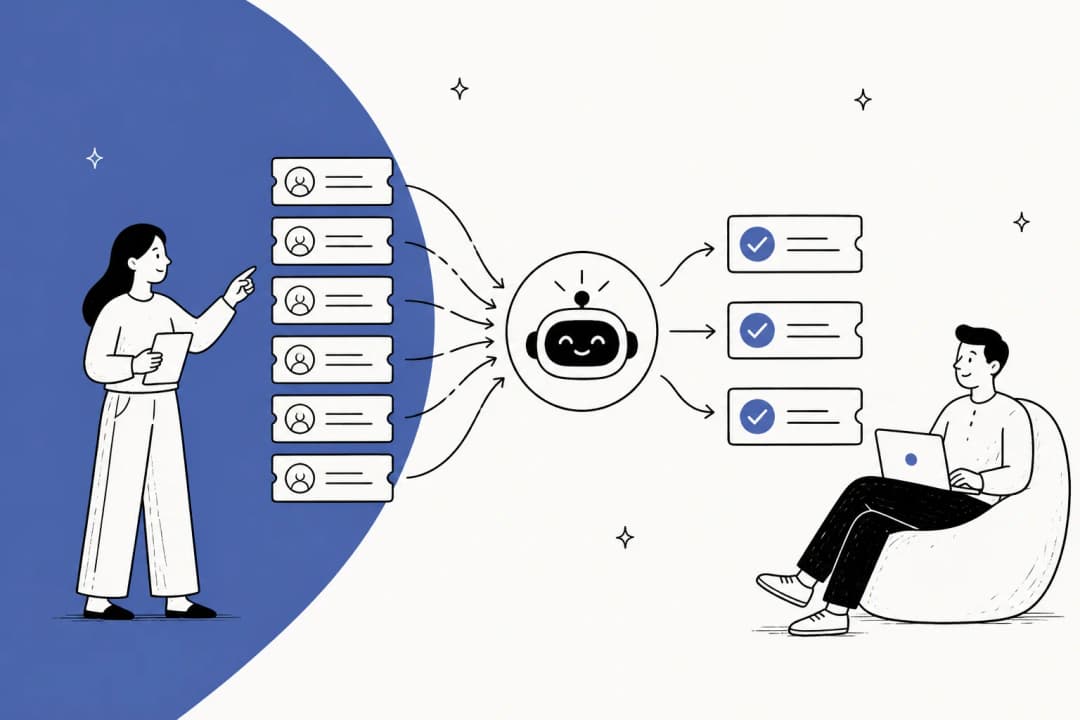
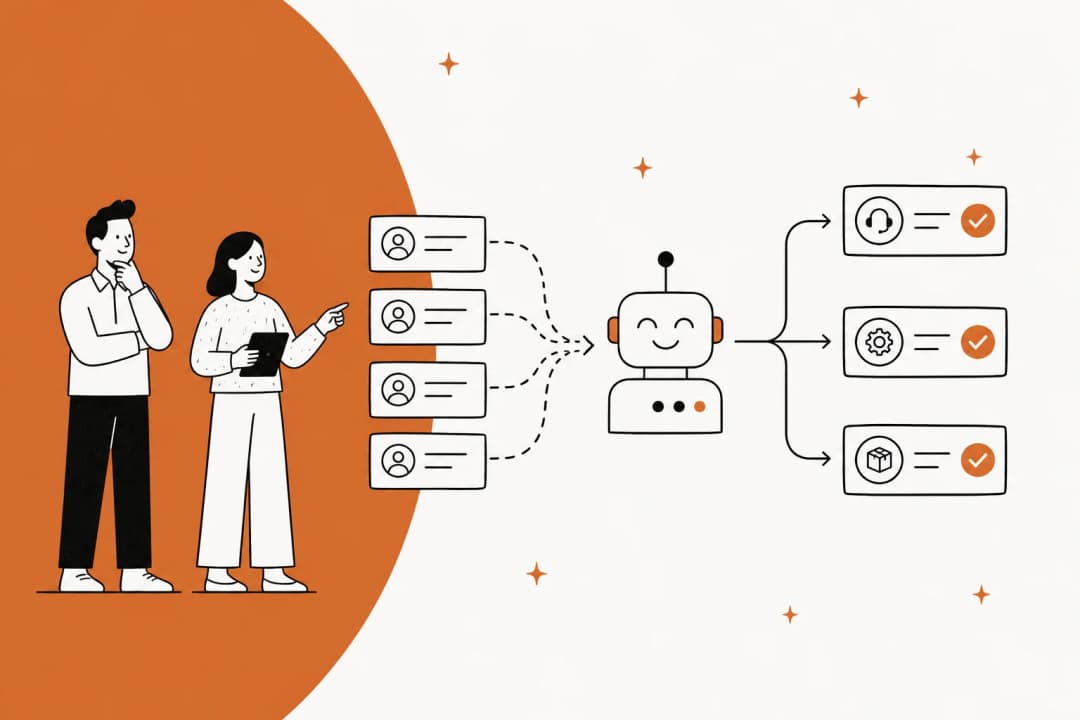
Here's how the agent fits into a Zoho Desk flow once it's connected:
Pricing
eesel is usage-based: you pay per ticket, not per seat, and there's no platform fee on the self-serve plan.
| What | Cost |
|---|---|
| Regular task (one ticket or chat) | $0.40 each |
| Light task (dashboard question) | Free |
| Free trial | $50 credit, no card |
| Annual commit (≥$300/mo) | 25% off |
A team resolving 1,000 tickets a month pays around $400, and if you only route 200 of those to the AI, you pay for 200. Full detail is on the eesel pricing page.
Pros and cons
- Truly autonomous, it resolves tickets end to end, not just suggests text.
- No Enterprise upgrade needed, runs on top of any Zoho Desk plan.
- Fast, self-serve setup, live in under 30 minutes, trained on your history with no manual tagging.
- Honest limit: the connection is via email channel and webhooks rather than a deep two-way native app, so very Zoho-specific field automations may still need a workflow rule on the Zoho side.
- Honest limit: it's a support AI, not a back-office process engine, so finance or HR automation isn't its job (see Beam.ai below for that).
Our take: for the buyer searching "best AI for Zoho Desk," this is the one we'd start with. It sidesteps the Enterprise paywall, it's the cheapest path to actually resolving tickets, and you can prove the value on a small slice before committing. Real teams see it land fast, Gridwise reported eesel "resolving 73% of our tier 1 requests" in the first month (Kim Simpson, via G2).
2. Zia (built-in) - best native AI if you're already paying for it
Best for: teams already on Zoho Desk Standard or above who want some AI assist without adding another vendor.
Zia is Zoho's own assistant, and the honest framing is that it's a competent set of agent-assist features rather than a tool that resolves tickets on its own. On the plans where it's included, it summarises ticket threads, suggests KB-grounded replies, rewrites agent drafts, and (on Enterprise) tags sentiment, auto-categorises tickets, and runs the Answer Bot across your channels. There are also packaged Zia Agents, Support Specialist, Resolution Expert, and so on, plus a Zia Agent Studio with 30M tokens/month included on every tier including Free.
Pricing
There's no separate Zia fee, but the features are spread across Zoho Desk tiers:
| Capability | Lowest plan that includes it |
|---|---|
| Generative reply assist, summaries (BYO ChatGPT key) | Standard, $14/agent/mo |
| Answer Bot, sentiment, auto-tagging, anomaly detection, field predictions | Enterprise, $40/agent/mo |
| Zia Agent Studio (30M tokens/mo) | Free and up |
Pros and cons
- Zero new tools, it's already in your account, nothing to integrate.
- Genuinely useful summaries and rewrites for agents on Standard+.
- Con: the best features are Enterprise-gated at $40/agent/mo.
- Con: accuracy is a real complaint, one reviewer noted "some features, specially the AI only works with a lot of data" (Software Advice).
Our take: if you're already on Standard or higher, turn on the summaries and reply assist, they're free value. But don't upgrade to Enterprise just for Zia's AI; you can get better autonomous resolution by layering eesel on a cheaper Zoho tier.
3. ChatGPT integration for Zoho Desk - best native generative upgrade
Best for: Zoho teams who like Zia's surface but want noticeably better-written drafts and summaries.
Zoho lets you wire OpenAI's model directly into Zoho Desk from the Standard plan up, using your own API key. It upgrades the generative bits, reply suggestions, ticket summarisation, and the Answer Bot's open-domain answers, so the text quality jumps without you leaving Zoho. It's available in the US, EU, AU, IN, CA, and JP data centers, with DeepSeek offered for the China region.
One Zoho Desk user summed up the appeal nicely, the ChatGPT-powered prediction "summarizes the ticket content into a single sentence" so managers can route without reading the whole thread, and suggested replies read "as though they were written by someone with decades of customer service experience" (Zia testimonials).
Pros and cons
- Better drafts and summaries than vanilla Zia.
- Stays fully native, no second dashboard.
- Con: you pay OpenAI usage on top of your Zoho plan, and you manage the API key.
- Con: it's still assist, not autonomy, and it can't query an external knowledge source in real time, as one user discovered.
Our take: the cheapest way to make Zoho's native AI feel modern. Worth switching on if you're committed to staying inside Zoho, but it doesn't change the fundamental ceiling, a human still works every ticket.
4. Zoho SalesIQ - best native live chat and pre-ticket AI
Best for: teams who want to catch and deflect questions in a chat widget before they turn into Zoho Desk tickets.
Zoho SalesIQ is Zoho's live chat and visitor-engagement product, and it plays naturally with Zoho Desk (it's the live chat that powers Desk's Enterprise tier). Its Zobot builder lets you ship a website chatbot that answers FAQs, books meetings, and routes the hard stuff to a human, and recent Zia features add one-click conversation summaries and a writing assistant inside chats.
SalesIQ rates well with its SMB base, 4.4/5 across 256 reviews on G2, where users praise the real-time visitor tracking and tight Zoho CRM hookup.
Pricing
| Plan | Price (annual) | Key limit |
|---|---|---|
| Free | $0 | 3 operators, no chatbot |
| Basic | $7 / operator / mo | 1 chatbot, 25K bot sessions/mo |
| Professional | $12.75 / operator / mo | 5 chatbots, 50K bot sessions/mo |
Pros and cons
- Native to the Zoho world, clean handoff into Zoho Desk and CRM.
- Cheap entry point with a usable free tier for tiny teams.
- Con: it's a chat tool first, the AI deflection is rules-and-FAQ heavy unless you build a hybrid bot.
- Con: reviewers flag an "unreliable" notification system that "occasionally leads to missed chats" (G2).
Our take: the right pick when your problem is pre-ticket deflection on the website, not resolving the tickets that land in Desk. Many teams run SalesIQ for chat and an autonomous agent like eesel on the ticket queue.
5. Beam.ai - best for back-office process automation
Best for: larger operations that want to automate multi-step internal processes (finance, ops) and happen to run Zoho Desk.
Beam.ai is an enterprise "Agent OS" built around self-learning agents that automate back-office workflows, you upload your SOPs and it builds an agent, no coding. It claims to have processed over 10 million agent tasks for Fortune 500 customers. Crucially for this list, it's one of the few AI agent platforms that lists Zoho Desk as a native connector, alongside 30+ other Zoho products.
Pricing
| Plan | Price | Included |
|---|---|---|
| Free | $0 | 20 tasks/mo |
| Pro | $50/mo | 200 tasks/mo |
| Scale | $3,990/mo | High-volume execution, enterprise security |
| Custom | Quote | Production deployment, custom integrations |
Pros and cons
- Native Zoho Desk connector, no custom API work to plug in.
- Self-learning agents that improve without manual retraining.
- Enterprise-grade, SOC 2 Type II, ISO 27001, on-prem option.
- Con: a brutal price cliff, $50/mo (Pro) jumps to $3,990/mo (Scale) with nothing in between.
- Con: it's built for process automation, not conversational support, so the customer-facing chat experience is thinner than a dedicated support AI.
Our take: the wrong tool if your goal is front-line ticket replies, the right tool if you're automating internal, multi-step operations at enterprise scale and want Zoho Desk in the loop. Most SMBs will find the jump to Scale pricing the dealbreaker.
6. Voiceflow - best no-code bot builder (if you have engineers)
Best for: teams with technical resources who want a fully bespoke conversational agent and don't mind building the Zoho Desk connection themselves.
Voiceflow is a best-in-class visual agent builder, 200k+ users, a 4.8/5 G2 rating, and a 2026 G2 Best Software Award. Its drag-and-drop canvas mixes deterministic logic with generative steps, deploys to web, voice, and WhatsApp, and is LLM-agnostic so you can swap models. Companies like JPMorgan Chase and Cisco use it.
The honest catch for this list: Voiceflow has no native Zoho Desk connector. Its catalogue lists 300+ apps, Zendesk, Salesforce, Freshdesk, but Zoho Desk isn't one of them. Connecting it means custom API work using Voiceflow's API steps.
Pricing
Voiceflow is usage-based for agencies (free trial, no card) and custom-quote, demo-gated, for businesses. There are no published per-seat tiers as of June 2026.
Pros and cons
- Deepest builder in this list, true design-to-production pipeline.
- Model-agnostic and enterprise-secure (SOC 2, ISO 27001).
- Con: no native Zoho Desk integration, custom API build required.
- Con: opaque pricing, business plans are entirely sales-gated.
Our take: a great platform, but a heavy lift for a Zoho Desk shop specifically. Pick it only if you have engineering time and a need for a fully custom agent; otherwise the build cost erases the savings versus a ready-to-go tool.
How to pick your AI for Zoho Desk
Strip away the feature lists and the decision usually comes down to one question: how much do you want the AI to do on its own?
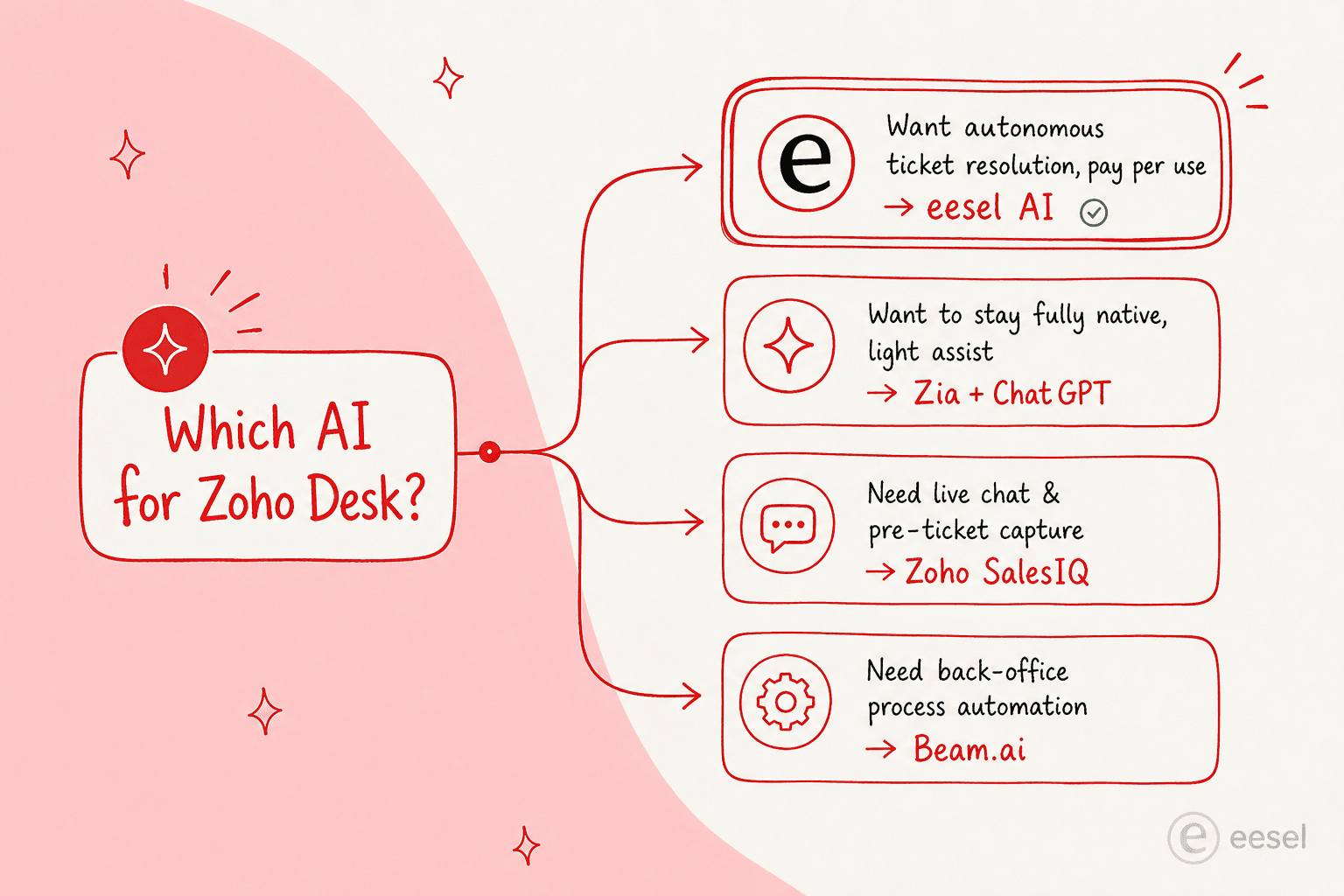
- You want tickets resolved, cheaply, without an Enterprise upgrade: start with eesel AI. It's the only option here that resolves end to end and lets you prove it on a slice of volume first.
- You're committed to staying 100% native and just want light assist: turn on Zia's summaries on Standard, and add the ChatGPT integration if you want better drafts.
- Your problem is pre-ticket deflection on the website: run Zoho SalesIQ for chat.
- You're automating internal back-office processes at scale: look at Beam.ai.
- You have engineers and want a fully custom bot: build on Voiceflow.
The trap to avoid is paying for Zoho Enterprise purely to unlock Zia's AI, then discovering the AI is just OK. It's the same lesson teams keep learning the expensive way, as one operator put it about building their own: "We could try to write our own LLM application but we didn't want to invest our time into that. We wanted something that we would not have to maintain" (Karel, GENERAL BYTES). The cheaper, faster move is almost always to layer a purpose-built AI helpdesk agent on the Zoho Desk you already have.
Try eesel for Zoho Desk
eesel AI is the fastest way to put autonomous AI on Zoho Desk without touching the Enterprise tier. It connects through your email channel and webhooks, trains on your past tickets and help center from day one, and lets you scope exactly which tickets it handles by confidence and topic, so you stay in control while it clears the repetitive queue.

The differentiator is that there's no project to it: setup runs under 30 minutes, the pricing is $0.40 per ticket with no seat fees, and you can start it on 200 tickets before scaling. Start a free trial with $50 of credit and no card, or see the pricing first.
Frequently Asked Questions
What is the best AI for Zoho Desk in 2026?
Is Zia AI free with Zoho Desk?
How much does AI for Zoho Desk cost?
Can I add ChatGPT to Zoho Desk?
Does eesel AI work with Zoho Desk?


Article by
Alicia Kirana Utomo
Kira is a writer at eesel AI with a Computer Science background and over a year of hands-on experience evaluating AI-powered customer service tools. She focuses on breaking down how helpdesk platforms and AI agents actually work so that support teams can make better buying decisions.