7 Zoho Desk AI alternatives in 2026 (that actually connect)

Rama Adi

Katelin Teen
Last edited October 8, 2026

Why Zoho Desk teams look past Zia
I build integrations at eesel, and earlier this year Zoho Desk was on the short list of helpdesks we lost deals over because we didn't plug into it yet. So we built that connection, and in terms of homework I spent a good chunk of time reading Zia's docs closely, to understand what Zoho Desk teams were actually missing. Zia does more than its reputation suggests, but it also has a few hard edges that explain why people go looking.
Credit where it's due first. Zia covers a lot of ground across plans: ticket and thread summaries in 35 languages, Reply Assistance in 30+, sentiment, auto tags and field predictions. You can bring your own OpenAI key from the cheapest paid plan, and Zoho's Zia Agents page says it doesn't use your data to train its models. For a team already deep in Zoho, that is a fair amount of AI, and there is no new vendor to add.
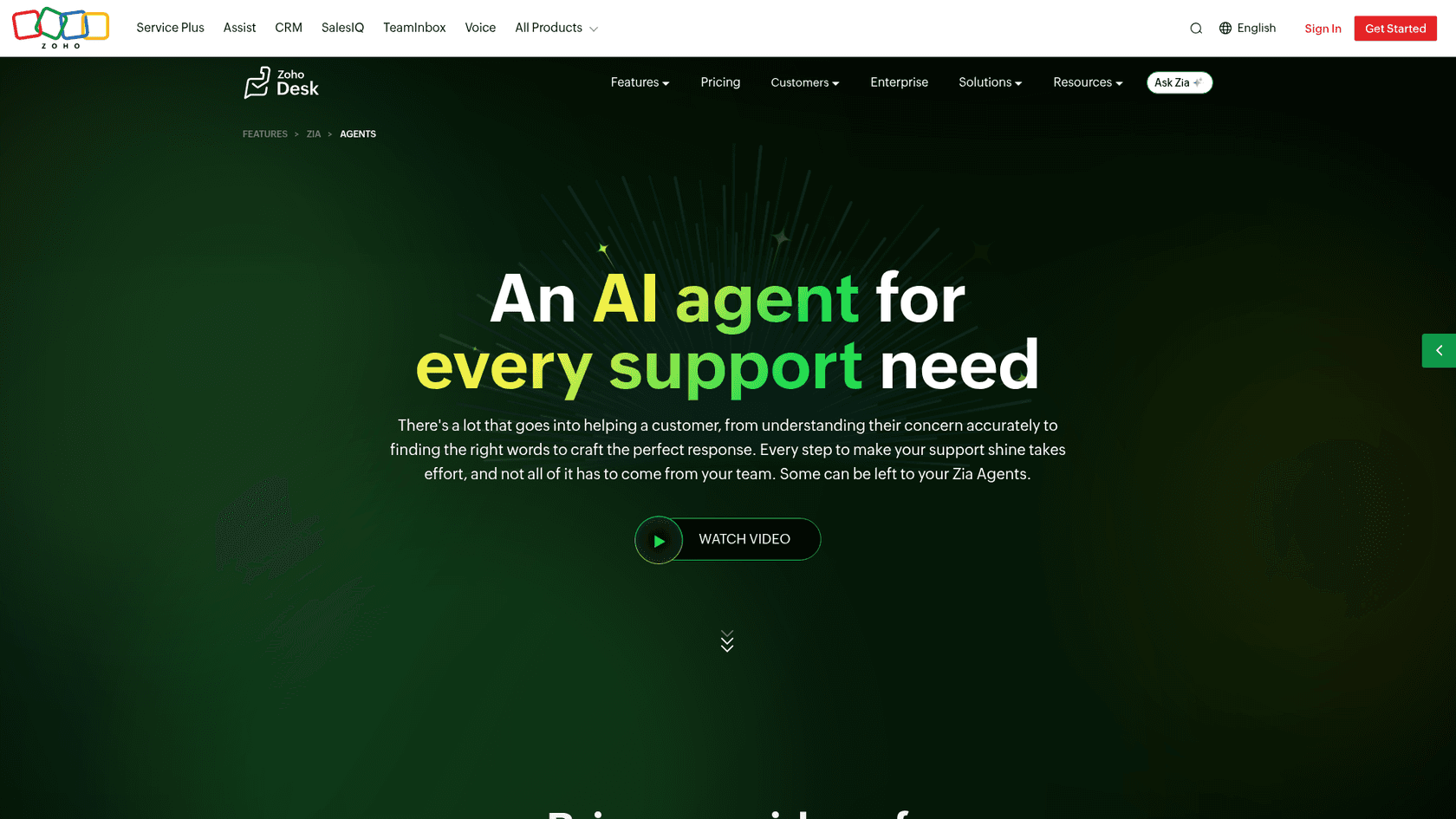
The edges, all from Zoho's own docs:
- Answer Bot answers from the knowledge base only. The Answer Bot FAQ says it retrieves responses directly from your Zoho Desk knowledge base. Past tickets, Confluence and Google Docs aren't inputs.
- Zoho puts its own accuracy at
around 70%. That's the figure in the same FAQ, which also names the model as Qwen 2.5. - The agentic part is gated. The pre-built Zia Agents are Enterprise only, available "for selected users only" in the US and India data centres, and the Support Specialist works on email tickets only. With no matching article, it leaves a private comment and unassigns itself.
- Credits are fuzzy. The same help doc says
3,000credits in one section and8,000on trial plus25,000after buying Enterprise in another, with no public price for more.
The community read lines up with that. Zia sits closer to an assistant than an autonomous agent:
"Zia's AI is about suggesting responses or auto-tagging tickets, so think of it as an assistant. Blueprints are for multi-step processes."

Our deeper write-ups on Zia Agents, the Answer Bot and Zia's accuracy go further if you want the full picture.
Which Zoho Desk plan unlocks which AI
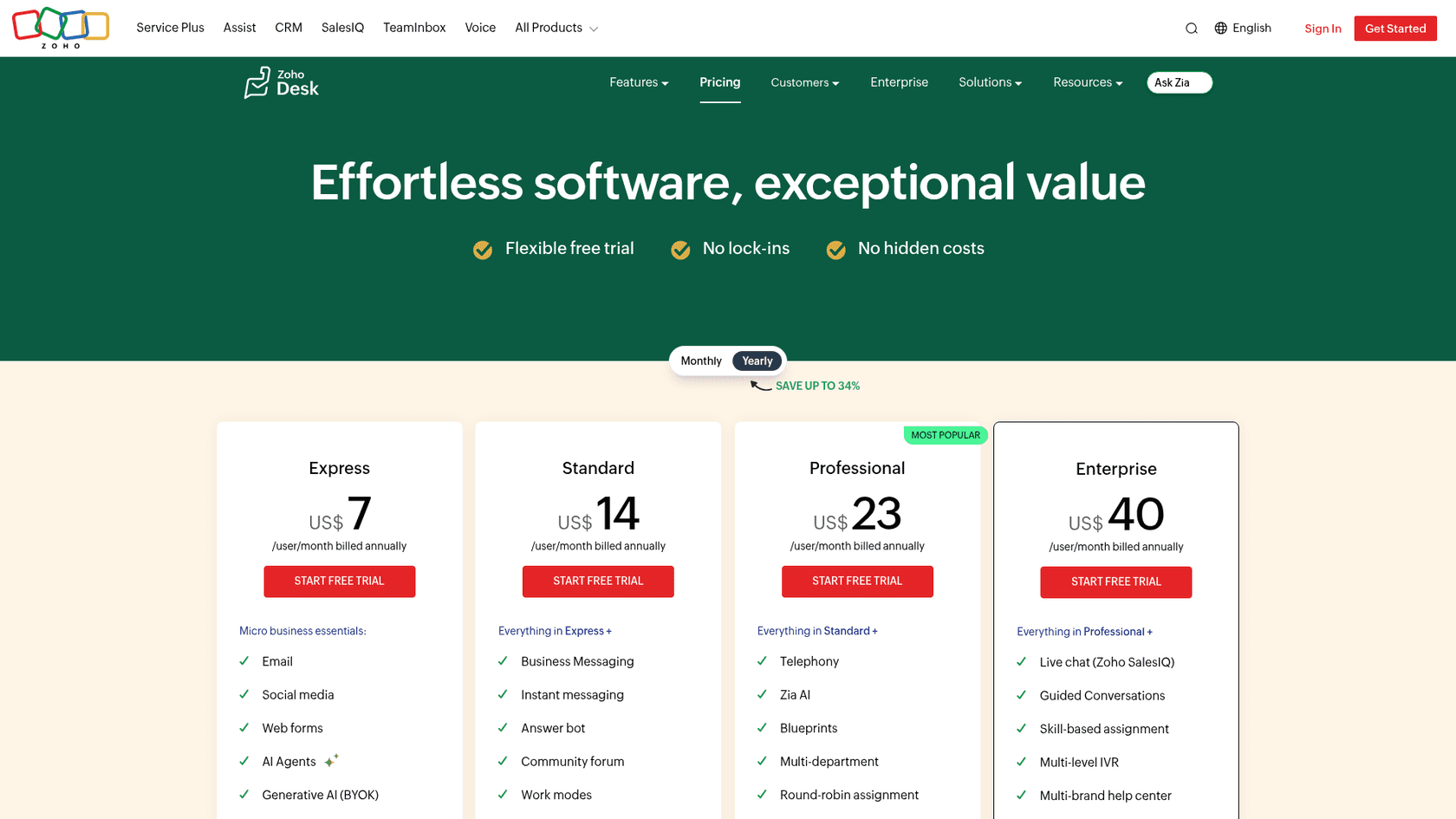
This matters for every alternative below, because some of them lean on Zoho Desk features that only exist on certain plans. Webhooks are the big one: an outside AI that wants to hear about new tickets the moment they arrive needs them, and webhooks start on Professional.
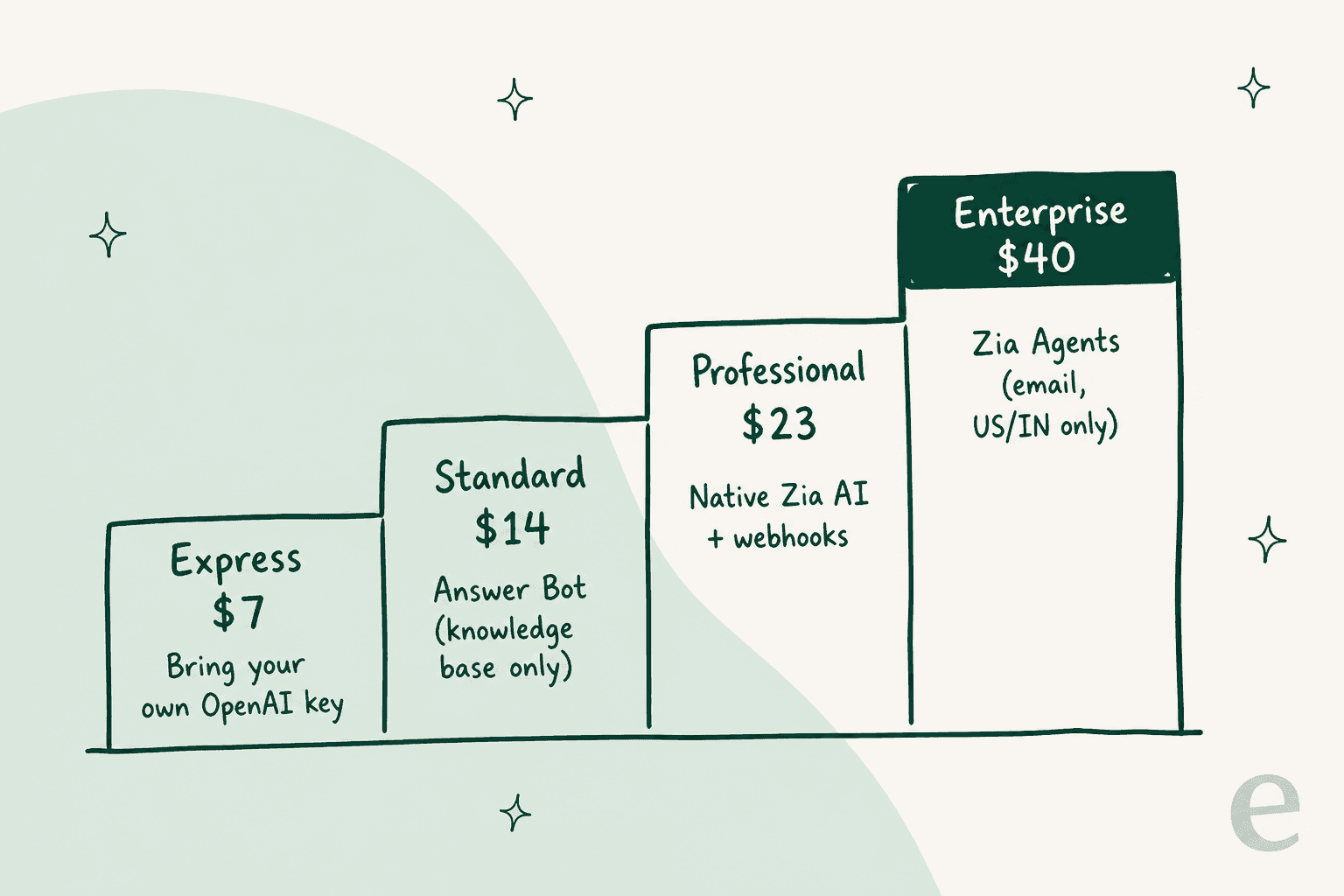
| Plan | Per agent/month (yearly) | Per agent/month (monthly) | AI you get | Webhooks | Daily API credits |
|---|---|---|---|---|---|
| Free | $0 (3 users) | $0 | None | None | 5,000 |
| Express | $7 | $9 | Zia Agent Studio, AI with your own OpenAI key | None | 25,000 + 100/user |
| Standard | $14 | $20 | + Answer Bot, sentiment, auto tags | None | 50,000 + 250/user |
| Professional | $23 | $35 | + native Zia generative AI, field predictions | 5 active | 75,000 + 500/user |
| Enterprise | $40 | $50 | + pre-built Zia Agents, Answer Bot in the customer widget, Zia Actions | 10 active | 100,000 + 1,000/user |
Prices are from the Zoho Desk pricing page and edition comparison; API credits are from the Zoho Desk API docs. Full detail lives in our Zoho Desk pricing guide.
The catch: most "Zoho Desk AI" tools don't plug into Zoho Desk
Here's the thing that changed how I'd approach this whole search. I asked ChatGPT the question a Zoho Desk team would ask: "We use Zoho Desk and tried its built-in AI. What other AI could we use?" It searched for Forethought, Ada and Maven AGI with Zoho Desk, also citing pages from My AskAI and Twig. After that I checked each vendor's own integration list.
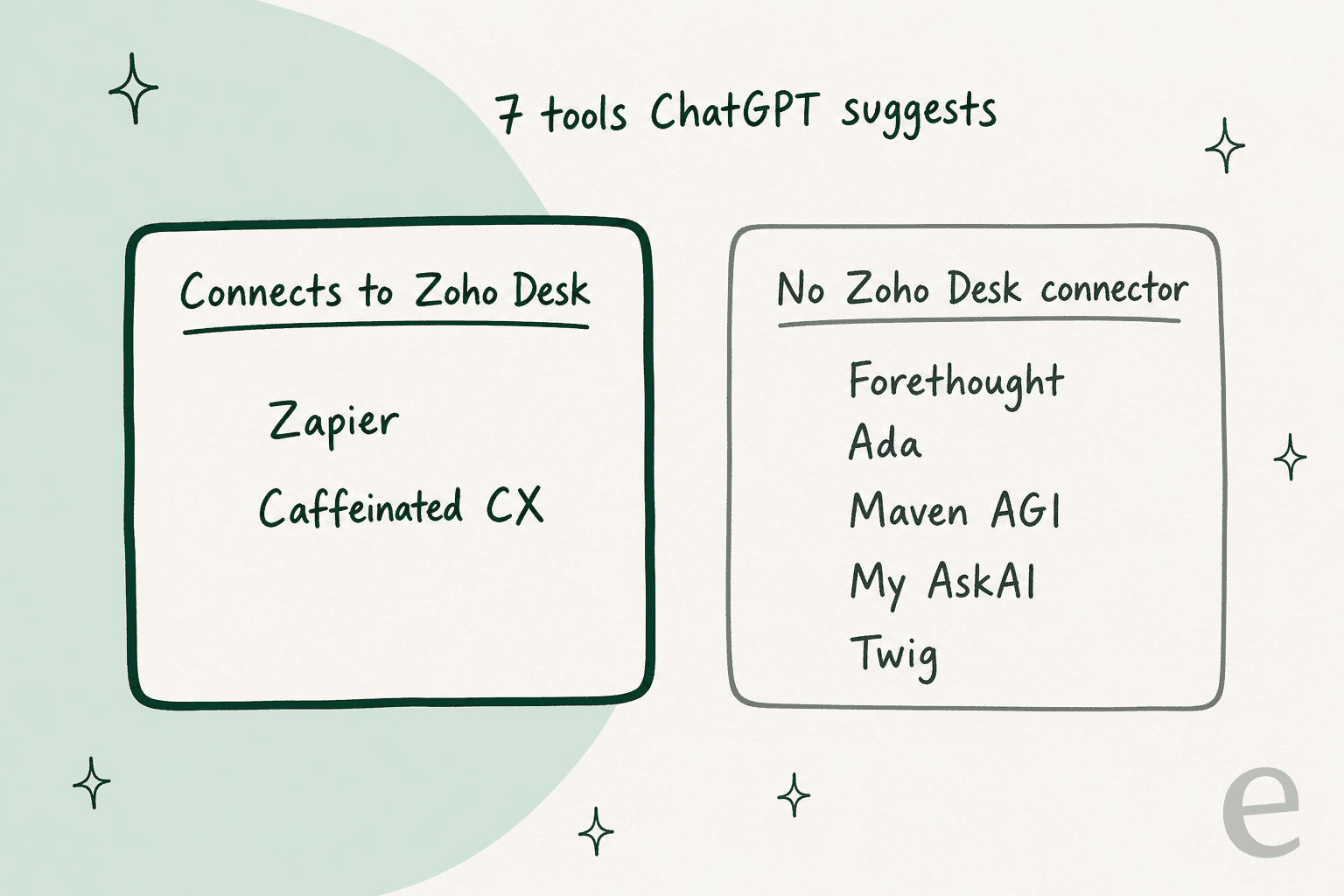
Five of the seven don't connect. Forethought's integrations page lists 22 helpdesks and CRMs, none of them Zoho Desk. Ada's handoff docs cover Zendesk, Salesforce and ServiceNow. Maven AGI's app directory has no Zoho app. My AskAI is refreshingly upfront about it in its own Zoho Desk comparison: "My AskAI does not integrate with Zoho Desk."
None of that makes them bad tools, they're just built for other helpdesks. What it means is that a Zoho Desk team would be signing up for a custom API project, which is a very different decision from installing an app. I've put those five in their own section near the end so you know why I skipped them.
Four ways an outside AI can plug into Zoho Desk
Once you drop the tools that don't connect, what's left sorts neatly by where the AI sits relative to your ticket queue, and this is the decision that matters most, more than which brand you pick.
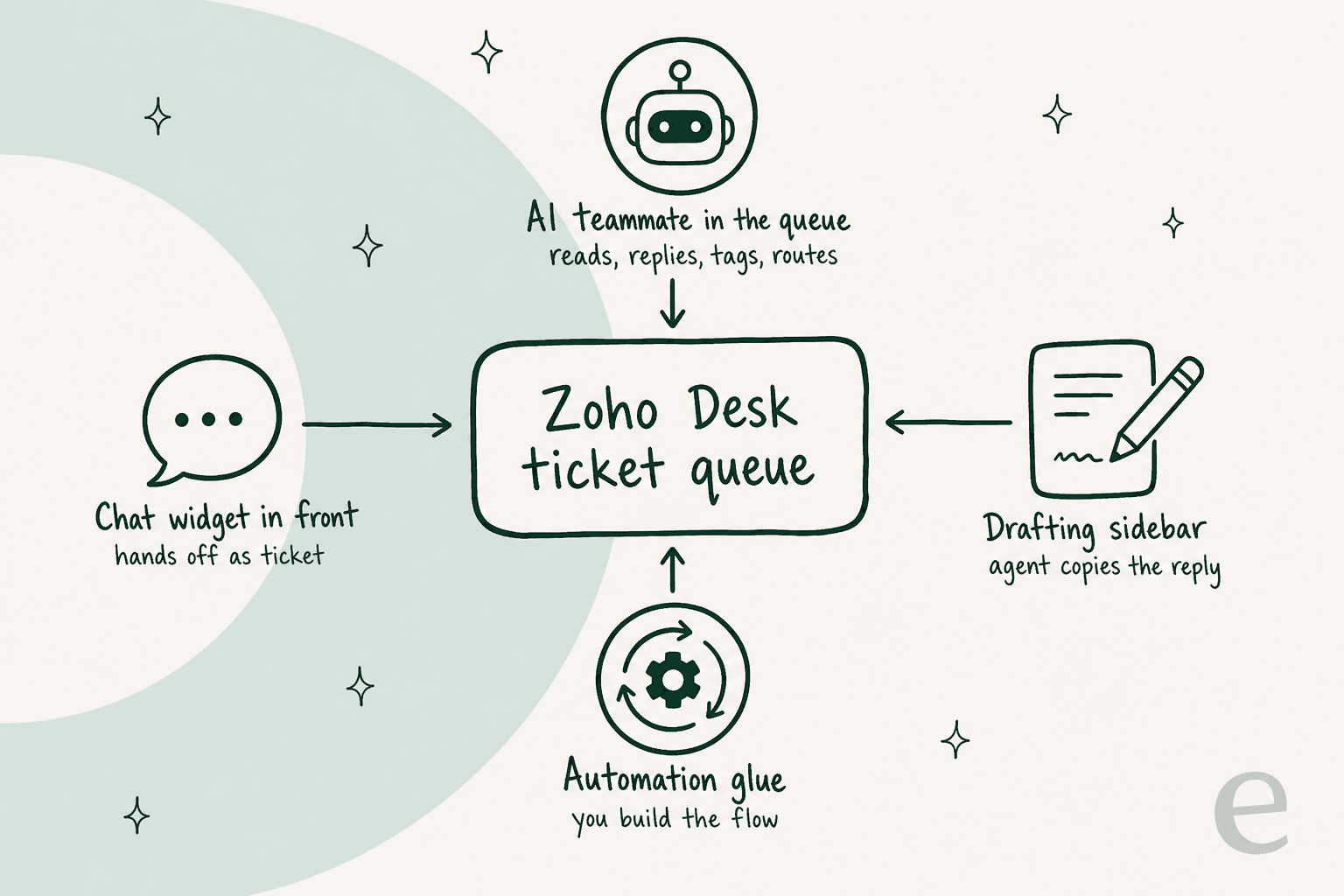
- AI teammate in the queue. Works tickets in Zoho Desk like another agent: reads, drafts or sends replies, tags, routes. This is the only shape that can take tickets off your team's plate.
- Drafting sidebar. Lives inside the ticket view and writes a reply for a person to copy or send. Saves typing time, never resolves on its own.
- Automation glue. You build the flow yourself: new ticket triggers an AI step, which writes back a comment or reply. Flexible, but you own every edge case.
- Chat widget in front. Answers customers on your website and creates a Zoho Desk ticket when it can't. Deflects chats, doesn't touch the email queue.
How I picked and compared these
I kept a tool only if its own docs, help center or Zoho Marketplace listing shows a working Zoho Desk connection. Then I compared each on five things: where it sits (from the list above), what it learns from, whether it can act on a ticket or only suggest, the Zoho Desk plan it needs, and the real price with its billable unit. I've built the eesel side of this myself, which is why I've also tried to be straight about where eesel isn't the right pick.
Zoho Desk AI alternatives at a glance
| Tool | How it plugs in | Acts on tickets? | Learns from | Zoho plan needed | Price | Billed per | Security listed |
|---|---|---|---|---|---|---|---|
| eesel | AI teammate in the queue | Yes: draft, send, tag, route, update | Zoho help center, past tickets, Confluence, Notion, sites | Any (connects via OAuth) | $299/mo for 500 tickets; free 100 | Ticket or chat worked | SOC 2 Type II underway; HIPAA on Enterprise |
| ChatGPT Helper (Spritle) | Drafting sidebar | No, agent copies or appends | Ticket fields you put in prompts | Standard+ | $2/user/mo + your model bill | Seat | Not stated |
| Zia + your OpenAI key | Built into Zoho Desk | No, suggestions | Knowledge base, optional open web | Express+ | Zoho seat + your OpenAI bill | Seat + tokens | Zoho masks some PII fields |
| Zapier | Automation glue | Yes, whatever you build | Only what you attach | Any (polls), webhooks Professional+ | Free 100 tasks; from $19.99/mo | Task | SOC 2, GDPR |
| Chatbase | Chat widget in front | Creates tickets on escalation | Your docs and site (tickets only from Zendesk or Salesforce) | Any | $150/mo (Standard) | Message credit | Not stated on pricing |
| Tidio (Lyro) | Chat widget in front | Creates tickets via Zapier, Make or API | Your FAQs and site | Any | From $24.17/mo; Lyro metered | Conversation | SOC 2 report, GDPR |
| Caffeinated CX | Drafting sidebar | No, drafts | Knowledge base, past answers | Standard+ | Listed "Free"; no public paid tier | Unclear | Not stated |
1. eesel
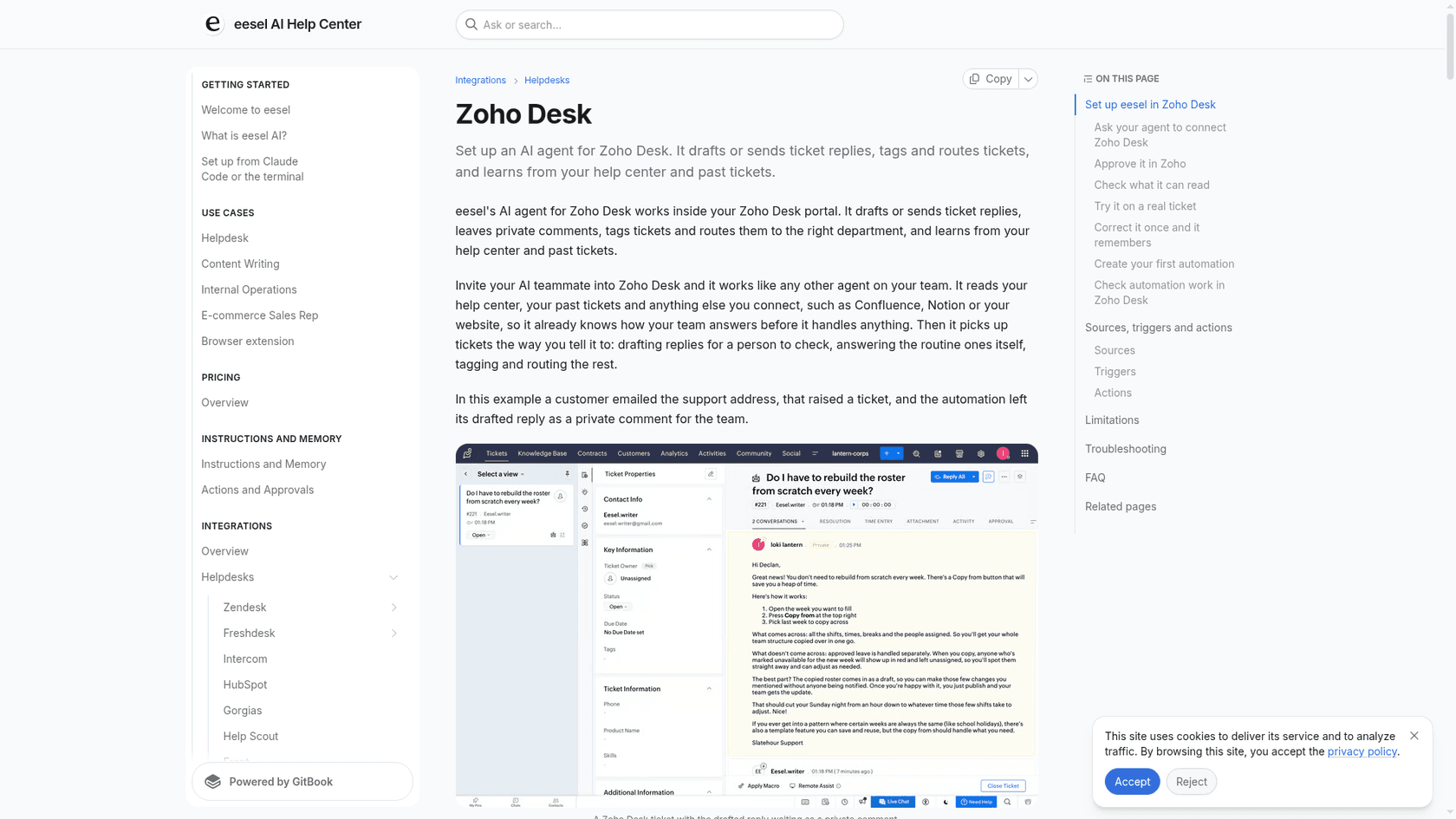
Best for: Zoho Desk teams that want an AI agent working the actual ticket queue, trained on their own past tickets, without changing Zoho plans.
eesel is an AI teammate platform, and the one that matters here is the AI helpdesk teammate. It joins your Zoho Desk portal like another agent. Per the Zoho Desk integration docs, it can leave a private comment with a drafted reply, send a customer-visible reply, tag tickets, update status, assignee, team or priority, create tickets and search past tickets. It learns from your Zoho help center and past tickets, plus anything else you connect like Confluence, Notion or your website.
The part I'd point every Zoho Desk admin to is the control. Each action can be set to run on its own, wait for approval, or stay off (actions and approvals). The docs literally say to start with drafts. On a March 2026 sales call, my colleague Amogh summed up what nearly every team wants: copilot first, then full AI once you trust it. Before anything goes live, the built-in Simulation skill runs the agent against real past tickets and scores each answer.
If you work from a terminal, the eesel CLI drives the same agent. eesel integrations connect zoho_desk starts the Zoho connection (a person still clicks the Zoho approval link), and commands like eesel approvals and eesel activity print JSON, so Claude Code, Cursor or Codex can run your rollout and review the results with you.
Pros:
- Works inside Zoho Desk tickets, not in a separate inbox.
- Learns from past tickets, which Zia's Answer Bot doesn't.
- Per-action approval settings, so you choose exactly what runs alone.
- No Zoho Enterprise upgrade or webhook plan needed for the connection.
Cons:
- Past tickets default to closed tickets changed in the
last 30 days, not your whole history. - Replies post as the Zoho user who approved the connection, which means you should set up a dedicated user.
- One trigger and one portal per automation, so multi-portal setups need several automations.
- It isn't a chat widget for Zoho Desk; that's a separate eesel channel.
Pricing: From the eesel pricing page: Free has 100 credits. Teammate plans run from 500 credits for $299/month up to 5,000 for $1,749/month. A ticket the agent works is 1 credit however many replies it takes, with no seat or platform fee. Paying yearly gets two months free.
My take: If "AI for Zoho Desk" means tickets getting answered rather than typed faster, this is the pick. Skip it if you only want a cheap writing aid for agents; the sidebar tools below cost less for that job.
2. ChatGPT Helper for Zoho Desk
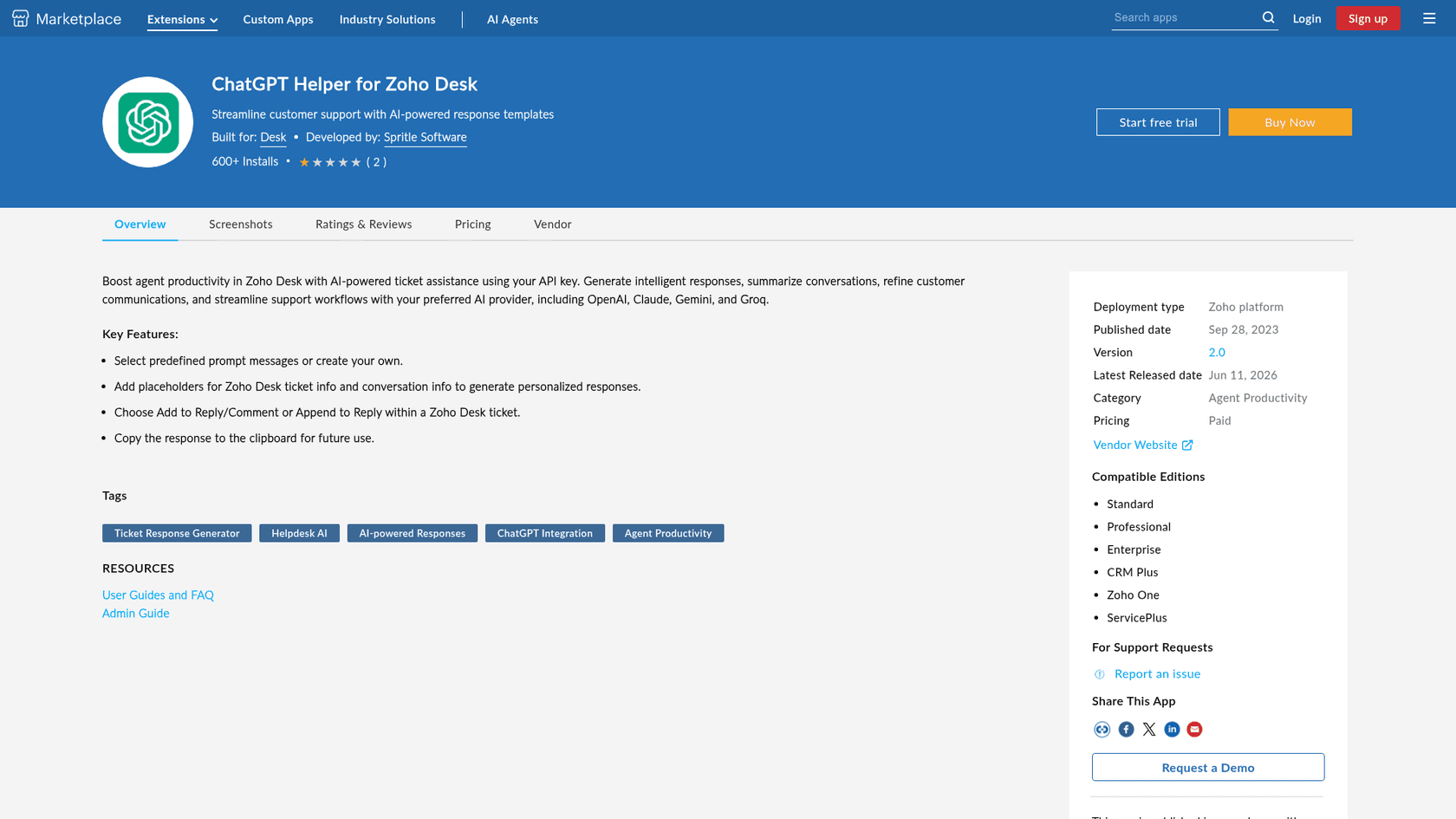
Best for: agents who want their choice of model drafting replies inside the ticket, for the price of a coffee per seat.
This is a Zoho Marketplace extension from Spritle Software. Per its listing, it works "with your preferred AI provider, including OpenAI, Claude, Gemini, and Groq" using your own API key. Agents pick a predefined or custom prompt, drop in placeholders for ticket fields, and add the result to a reply or comment. It's on version 2.0, last released June 11, 2026, with 600+ installs.
Pros:
- Model choice, including Claude and Gemini, which Zia's own key setting doesn't offer.
- Very cheap per seat.
- Prompt templates make outputs consistent across agents.
Cons:
- Drafts only. Nothing goes to a customer without an agent.
- Knows only what the prompt passes in, so no learning from past tickets.
- You also pay your model provider separately.
Pricing: $2/user/month or $21.60/user/year, with a 15-day trial (listing), plus your API bill.
My take: The best value drafting tool on this list. Pick it if your goal is faster typing; skip it if your goal is fewer tickets in the queue. Our ChatGPT for Zoho Desk and Claude for Zoho Desk guides compare the model options.
3. Zia with your own OpenAI key
Best for: teams that want a different model behind Zia without adding any vendor.
Technically this is still Zia, but it swaps the brain. From Express up, you can connect a paid OpenAI account (or DeepSeek in China data centres) and Zia uses it for ticket summaries and Reply Assistance (Zia with OpenAI). You choose whether replies come from the knowledge base only or from ChatGPT's general knowledge, or from the knowledge base first with a fallback. Zoho masks fields like email, phone and card numbers before sending, and attachments aren't processed.
Pros:
- No new vendor or extension, and it's on the cheapest paid plan.
- Knowledge-base-only mode keeps answers grounded.
- Built-in masking of common personal fields.
Cons:
- Suggestions only; agents copy-paste into the editor.
- Reply suggestions in the ChatGPT extension need at least
30knowledge base articles. - Personal details typed into the ticket body aren't masked.
Pricing: Your Zoho Desk seats plus your OpenAI usage, billed by OpenAI.
My take: Worth turning on today if you're on Express or Standard and haven't. It won't change what Zia fundamentally does, which is suggest. Our Zia generative AI guide walks through it.
4. Zapier (AI steps and Zapier Agents)
Best for: ops-minded teams who want a custom AI flow and are happy to maintain it.
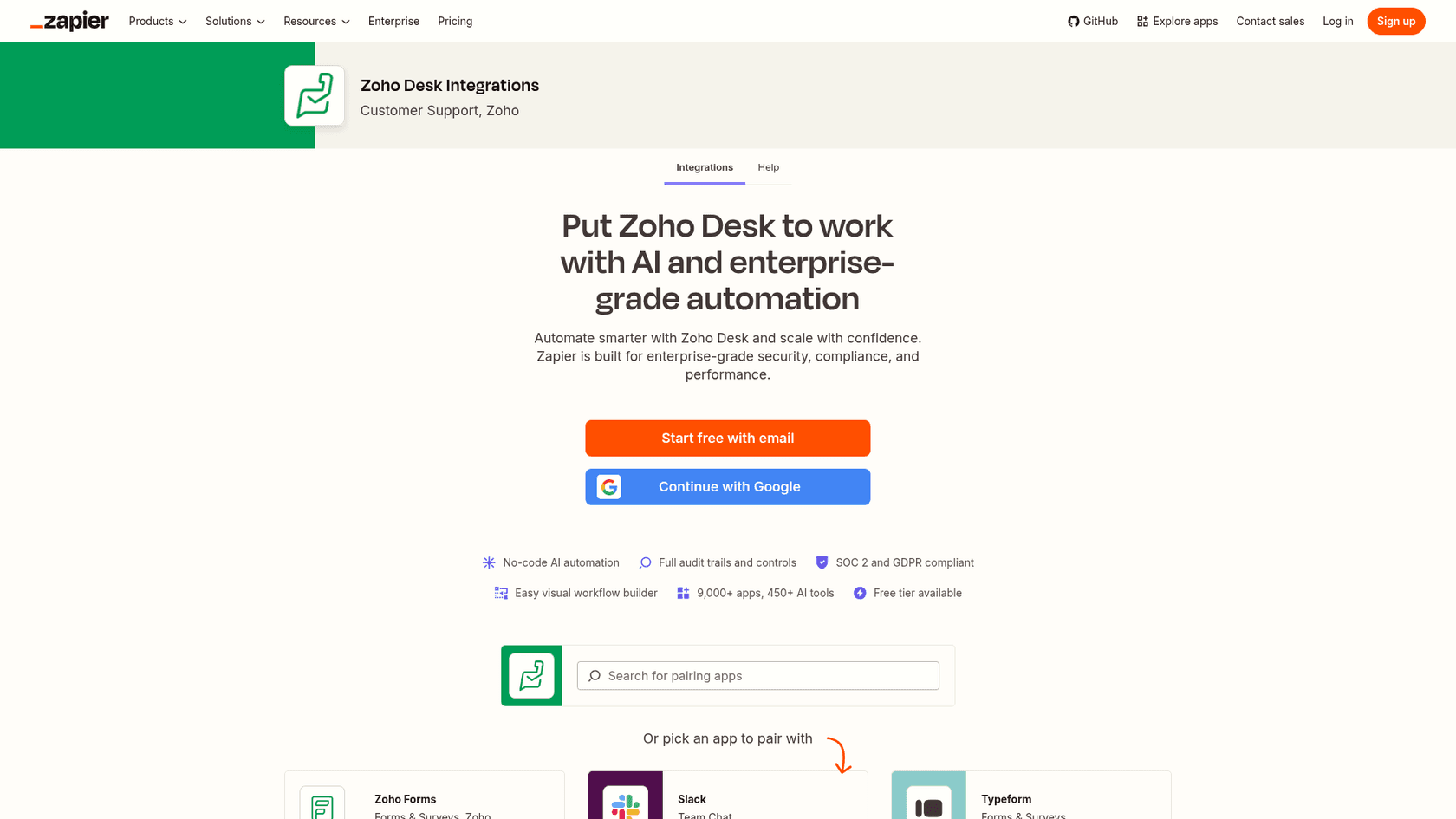
Zapier's Zoho Desk app has triggers like New Ticket and New Message, and actions like Send E-Mail Reply, Add Comment and Update Ticket. So you can wire a New Ticket trigger to an AI step that posts a private comment or a reply, and tag the ticket after that. Zapier Agents can use the same actions with attached knowledge.
"Zapier Agents go a step further and can handle multi-step tasks on their own without me setting up every single step manually."

Pros:
- The most flexible option; any trigger, any model, any action.
- Free tier to prototype.
- Zapier's Zoho Desk page lists SOC 2 and GDPR.
Cons:
- Learns nothing by default; you attach every source yourself.
- Every step uses tasks, and AI steps count too, so busy queues add up.
- You own the edge cases: loops, duplicate replies, tickets that shouldn't get a reply.
Pricing: From Zapier pricing: Free $0 for 100 tasks, Professional from $19.99/month, Team from $69/month. Agents Pro is $33.33/month billed yearly for 1,500 activities.
My take: Great for one narrow job, like summarizing every new ticket into a private comment, but building a full support agent on it is a project, not a setup. More in our Zapier AI and Zapier plans guides.
5. Chatbase
Best for: teams whose pain is website chat volume, not the email queue.
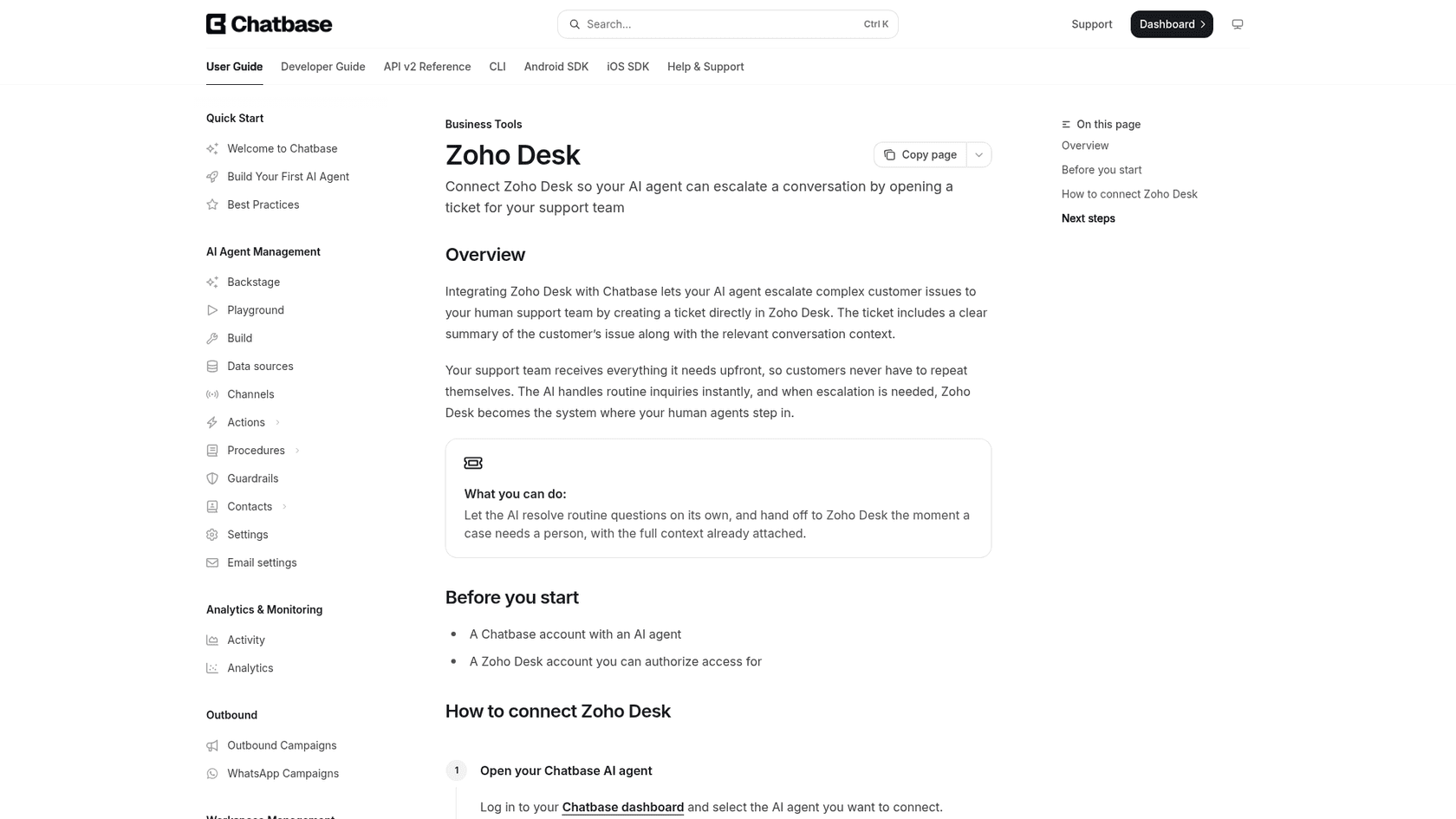
Chatbase answers on your website and, per its Zoho Desk doc, connects in one click to escalate: when a person is needed, it opens a Zoho Desk ticket with a summary of the conversation. Your agents never see the chats the AI resolved, only the hand-offs, which is the point of it.
Pros:
- Real one-click Zoho Desk connector, not a workaround.
- Escalated tickets arrive with context, so customers don't repeat themselves.
- Easy to train on your site and docs.
Cons:
- Doesn't work tickets already in Zoho Desk.
- It can train on past tickets only from Zendesk or Salesforce, on the Pro plan, so Zoho Desk history isn't a source.
- Helpdesk integrations start on Standard, not the cheaper Hobby plan.
Pricing: Per Chatbase pricing (checked October 2026): Free with 50 message credits, Hobby $40/month, Standard $150/month for 4,000 message credits (where the helpdesk integrations start), Pro $500/month.
My take: The cleanest "chat in front of Zoho Desk" option. Pair it with something in the queue if email is where the volume is. See our Chatbase vs My AskAI comparison.
6. Tidio (Lyro AI agent)
Best for: small teams that want live chat plus an AI agent and are fine connecting through Zapier or Make.
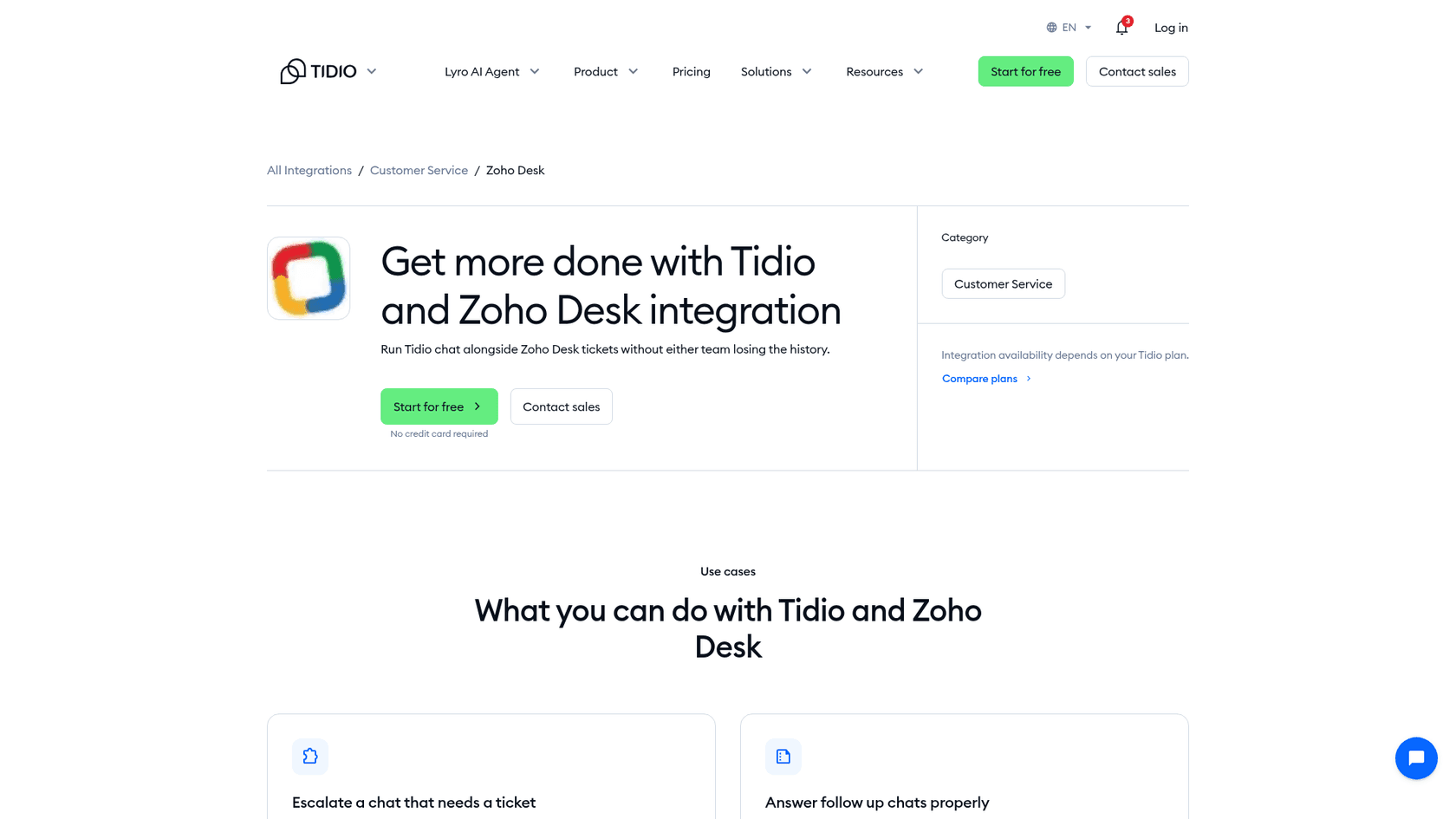
Tidio has a dedicated Zoho Desk page: "Connect them with Zapier, Make or the Tidio API and a chat can become a Zoho Desk ticket with the transcript, while ticket status comes back into the conversation." Lyro answers on the Tidio side; Zoho Desk stays your ticket system.
"The setup is fast. I had the widget live and a basic bot flow running in under an hour, without touching code."
Pros:
- Live chat and AI agent in one product.
- Ticket status flows back into chat for follow-ups.
- Security page lists a completed SOC 2 report and GDPR.
Cons:
- The Zoho Desk link runs through Zapier, Make or the API, not one click.
- Lyro conversations are a separate meter from human conversations.
- Doesn't answer inside Zoho Desk tickets.
Pricing: From Tidio pricing, billed yearly: Starter $24.17/month, Growth from $49.17/month, Plus from $300/month plus usage. Lyro conversations are metered separately.
My take: A friendly pick for a small shop that needs a chat widget anyway. Larger teams will feel the two meters. More in our Tidio pricing and Tidio AI alternatives posts.
7. Caffeinated CX
Best for: teams who want a drafting tool that learns from how they've answered before, and can vet the vendor first.
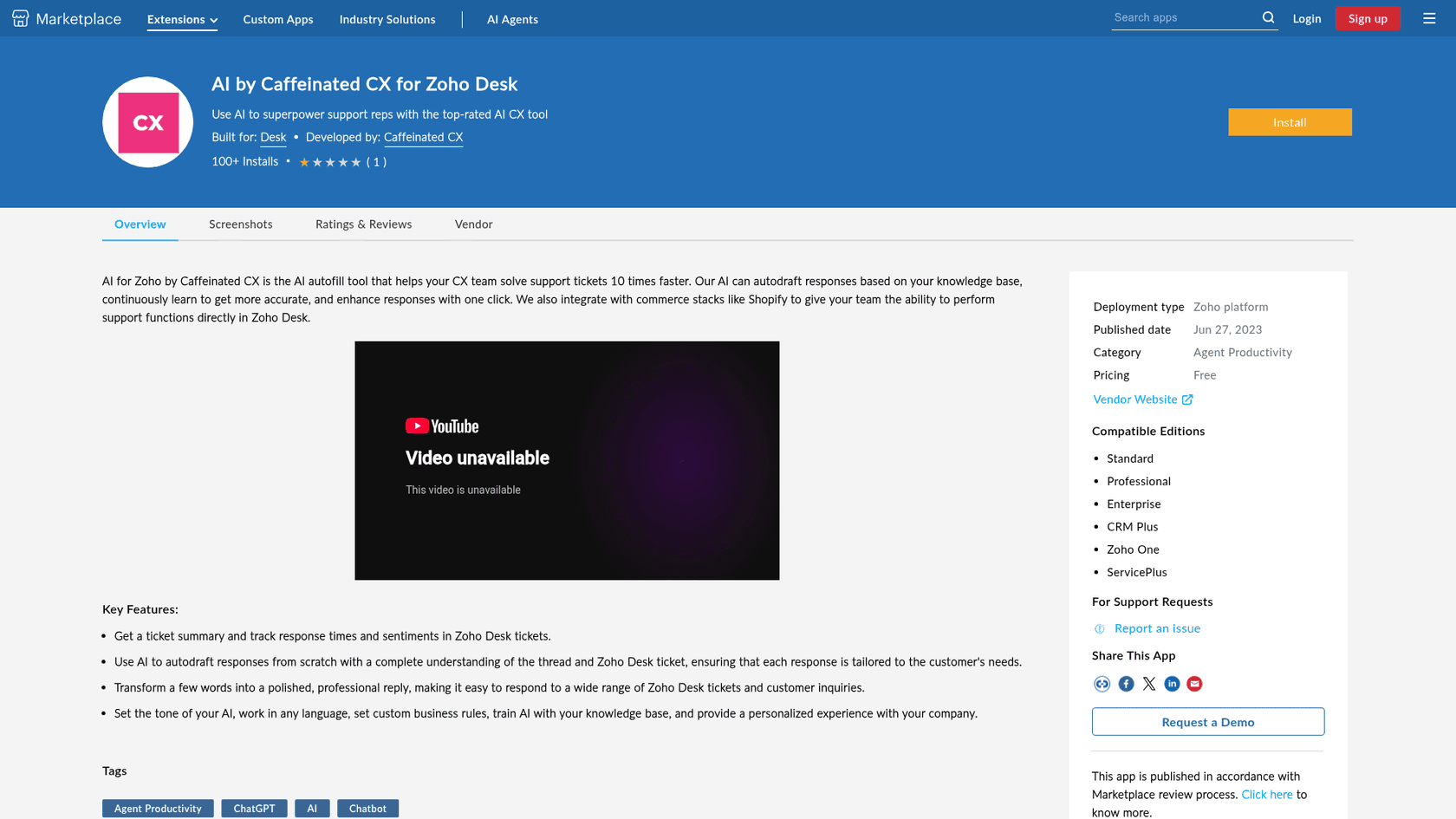
It's a Zoho Marketplace extension that drafts replies "from scratch with a complete understanding of the thread," summarizes tickets, tracks sentiment and can take Shopify actions from inside Zoho Desk (listing). Its G2 profile says the AI prefills responses based on how you've answered in the past.
"Great boost to our support team's efficiency: autodraft responses, auto triage tickets, suggest macros."
Pros:
- Native Zoho Desk extension with drafting, summaries and sentiment.
- Shopify actions inside the ticket.
- Learns from past answers, not only articles.
Cons:
- The vendor website linked from the listing now shows unrelated content, and the help docs link didn't load when I checked on October 8, 2026.
- That G2 review, from November 2023, is the only one on G2.
- No public paid pricing or security certifications.
Pricing: Listed as Free on the Zoho Marketplace with a 15-day trial; no public paid tier.
My take: On paper it's a solid drafting tool. In practice I'd email the vendor and confirm the product is still supported before installing anything with access to your tickets.
The ones that come up but don't connect
These are good products, they just don't connect to Zoho Desk today, which means they belong on a different shortlist.
| Tool | What it is | Zoho Desk? | Price |
|---|---|---|---|
| Forethought | AI agents and triage for support | Not in its 22 listed helpdesks and CRMs | Quote-only |
| Ada | Enterprise chat and voice AI agent | Handoffs cover Zendesk, Salesforce, ServiceNow | Quote-only |
| Maven AGI | Enterprise AI agent with strong certifications | Not in its app directory | Quote-only |
| My AskAI | AI agent for support | Vendor says no; web widget only | From $199/month |
| Twig | Now "Sera", an AI front desk for calls and chat | Not on its integrations page | From $49/month |
If one of these is your favourite anyway, the path is custom work against the Zoho Desk API, and a Reddit commenter who built exactly that for a client put it well:
"The short answer is Yes it's possible. However, the devil is in the details."
Our Forethought pricing, Ada CX pricing and My AskAI pricing posts have more if you're weighing them for a future helpdesk.
What each option costs at your team's size
Per-seat tools look cheap until you notice what they don't do, and per-ticket tools look expensive until you notice what they finish. Pick a team size to see both sides at once, and note that prices are monthly, at yearly billing where offered, on top of your existing Zoho Desk seats.
| Option | Extra per month | What you get for it |
|---|---|---|
| ChatGPT Helper | $10 + model bill | Drafts for 5 agents |
| Zapier DIY | from $19.99 + tasks | Whatever flow you build and maintain |
| Professional to Enterprise (Zia Agents) | $85 | Email-only agent from your knowledge base, US/IN, limited rollout |
| Chatbase Standard | $150 | 4,000 chat message credits, hand-off tickets |
| eesel | $299 | Up to 500 tickets worked in the queue |
| Option | Extra per month | What you get for it |
|---|---|---|
| ChatGPT Helper | $30 + model bill | Drafts for 15 agents |
| Zapier DIY | from $19.99 + tasks | Every ticket step uses tasks |
| Chatbase Standard | $150 | 4,000 chat message credits, hand-off tickets |
| Professional to Enterprise (Zia Agents) | $255 | Email-only agent from your knowledge base, US/IN, limited rollout |
| eesel | $699 | Up to 1,500 tickets worked in the queue |
| Option | Extra per month | What you get for it |
|---|---|---|
| ChatGPT Helper | $80 + model bill | Drafts for 40 agents |
| Zapier DIY | from $19.99 + tasks | Likely a higher task tier at this volume |
| Chatbase Pro | $500 | 15,000 chat message credits, hand-off tickets |
| Professional to Enterprise (Zia Agents) | $680 | Email-only agent from your knowledge base, US/IN, limited rollout |
| eesel | $1,749 | Up to 5,000 tickets worked in the queue |
Read that table honestly: eesel is the biggest line at every size, so the thing worth noting is what it replaces. If the AI answers a meaningful share of those tickets end to end, you're buying back agent hours, and the drafting tools can't do that by design. If you only need faster typing, the $2 extension wins.
Which one I'd pick
Short version, by situation:
- "We want fewer tickets reaching agents, inside Zoho Desk." eesel, started in draft mode, then auto-replies on the ticket types that score well in simulation.
- "We just want agents to write faster." ChatGPT Helper, or Zia with your own OpenAI key if you'd rather add no vendor.
- "Our chat is overflowing, email is fine." Chatbase in front of Zoho Desk, or Tidio if you also need live chat.
- "We have one specific automation in mind." Zapier.
- "We're on Enterprise in the US or India anyway." Request Zia Agents and test them before you add anything; it costs nothing extra to try.
If you're fed up with Zoho Desk itself, not just the AI, that's a different decision. Our Zoho Desk alternatives, Zendesk vs Zoho Desk and Freshdesk vs Zoho Desk posts cover the switch.
Try eesel with Zoho Desk
Want a different AI for Zoho Desk without leaving Zoho Desk? eesel joins your portal like a new agent, learns from your help center and the tickets your team already solved, and starts by drafting private comments your agents approve. When the simulation scores look right, you let it send. Connecting takes a few minutes, and the free plan includes 100 tickets so you can see it work on your own queue first.

Try eesel or read the Zoho Desk setup docs first.
Frequently Asked Questions
What are the best Zoho Desk AI alternatives to Zia?
Can I use ChatGPT with Zoho Desk instead of Zia?
Which Zoho Desk plan do I need for AI?
Is there a Zoho Desk AI alternative that learns from past tickets?
How much does a Zoho Desk AI alternative cost?
Does Zoho Desk work with Forethought, Ada or Maven AGI?
What happens if a Zoho Desk AI alternative gets an answer wrong?
Should I switch helpdesks instead of switching the Zoho Desk AI?


Article by
Rama Adi
Rama is a software engineer at eesel AI with two years of experience writing about B2B SaaS, AI tools, and customer support technology. Based in Bali, Indonesia, he brings a developer's perspective to product comparisons — cutting through marketing copy to what the integrations and APIs actually do.