What a no-code AI support agent actually is
Strip away the marketing and a no-code AI support agent is three promises bundled together.
First, it is an AI agent for customer service, not a decision-tree bot. It reads a ticket, understands the intent, pulls the right answer from your knowledge, and either replies or hands off. That is a different thing from the old rule-based chatbot that could only follow buttons you pre-wired.
Second, it is no-code. You set it up in a dashboard. You connect your helpdesk with a few clicks, point it at your docs, and configure how it behaves by typing instructions in plain English. No API wrangling, no model training, no pipeline to maintain.
Third, it lives inside the tools you already use. A no-code agent that makes you rip out your helpdesk is not really no-code, it is a migration in disguise. The good ones sit on top of Zendesk, Freshdesk, Gorgias, Front, or Help Scout and start working with the history that is already there.

The "configure by typing" part is the bit that surprises people. You do not fill in a hundred settings fields. You tell the agent things like "always link to our returns page" or "never promise a refund timeline," the same way you would brief a new hire, and it adjusts. That is what no-code looks like in practice.
No-code vs building it yourself
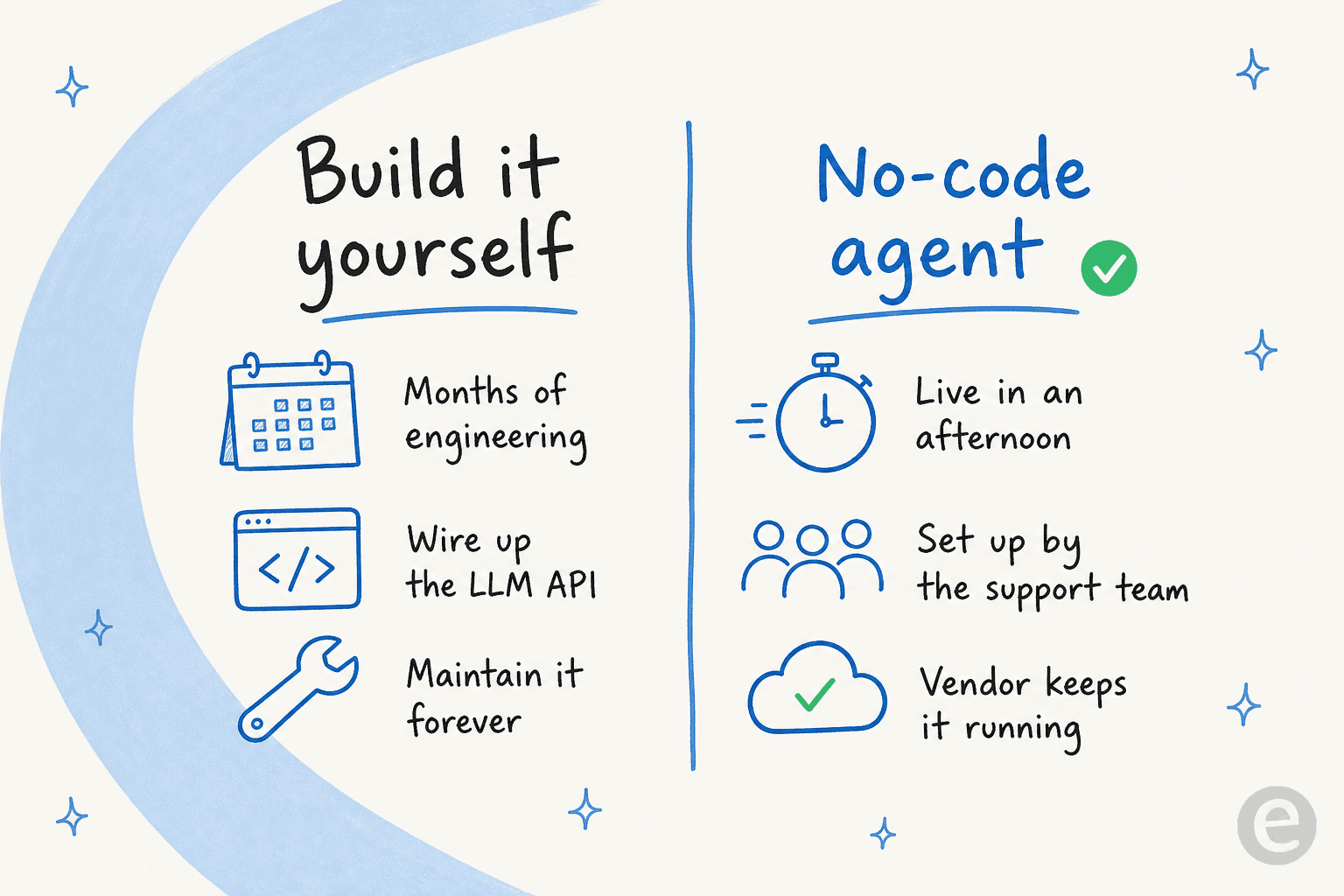
The real competition for a no-code AI support agent is not another product. It is the engineer on your team who says "we could just build this on the Claude or OpenAI API."
They are not wrong that it is possible. But I have watched enough technical teams go down this road to know how it usually ends. The demo takes a weekend. The thing that actually handles real tickets safely, with retrieval over your docs, confidence checks, escalation logic, logging, and a UI your support team can use, takes months and then never stops needing maintenance. Karel at GENERAL BYTES, a crypto-hardware company, put the trade-off plainly:
"We could try to write our own LLM application but we didn't want to invest our time into that. We wanted something that we would not have to maintain."
That last clause is the whole argument. The build cost is visible; the maintenance cost is the one that quietly eats your engineering quarter. A no-code agent moves both costs onto the vendor.
There is a second, quieter win here: ownership lands with the right team. When support owns the agent, the person who knows that "where is my order" really means three different things can fix the agent's behaviour directly, in plain English, without filing a ticket with engineering and waiting two sprints. That feedback loop is most of what makes an agent good over time.
How a no-code AI support agent works under the hood
I will pull the cover off, because "it just works" is exactly the kind of hand-wave that makes support leads nervous, and rightly so.
When a ticket arrives, the agent does roughly four things. It reads the ticket and works out what the customer actually wants. It searches your connected knowledge base, your help center, past tickets, internal docs, for the relevant answer. It drafts a response grounded in what it found, with the sources attached. Then it makes a decision: am I confident enough to send this, or should a human take it?
That last step, the confidence decision, is the one that matters most and the one cheap bots skip. A bot that tries to answer everything will confidently tell a customer the wrong thing, and you will not find out until the refund request lands. Confidence-based routing means the agent only auto-resolves the tickets it is sure about and quietly leaves the rest for a human.
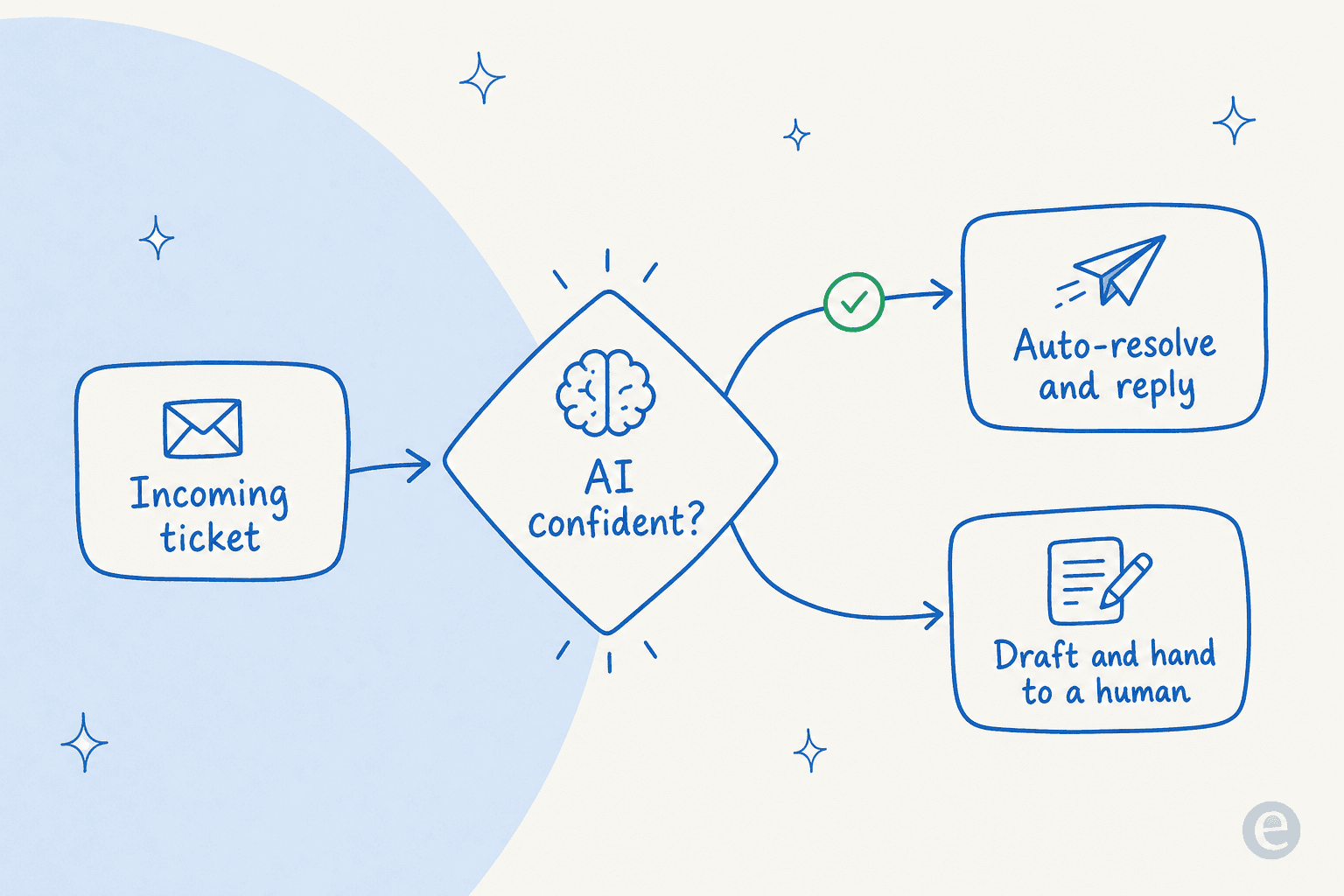
This is, by a wide margin, the thing buyers ask me about most. One CX lead at a supplements brand running about 7,000 tickets a month told us flat out that an AI which answers everything and just says "sorry I don't know" on the hard ones is useless, because then someone has to check all 7,000 anyway. The point of the agent is gone. They wanted an AI that handles only what it is confident about and leaves the rest alone. A no-code agent worth buying gives you exactly that dial, and lets you set it without code.
The other half of "how it works" is learning. Every time an agent drafts a reply on past ticket data, and every time a human edits one of its drafts, that becomes signal. The agent trained on your solved tickets, not just your help-center articles, is the one that sounds like your team. Jason Loyola, Head of IT at InDebted, described their setup like this:
"We use it to be the first responder to our Helpdesk tickets in Jira. It essentially acts just like an agent would."
How to set up a no-code AI support agent
Here is the actual sequence. It really is an afternoon, not a quarter.
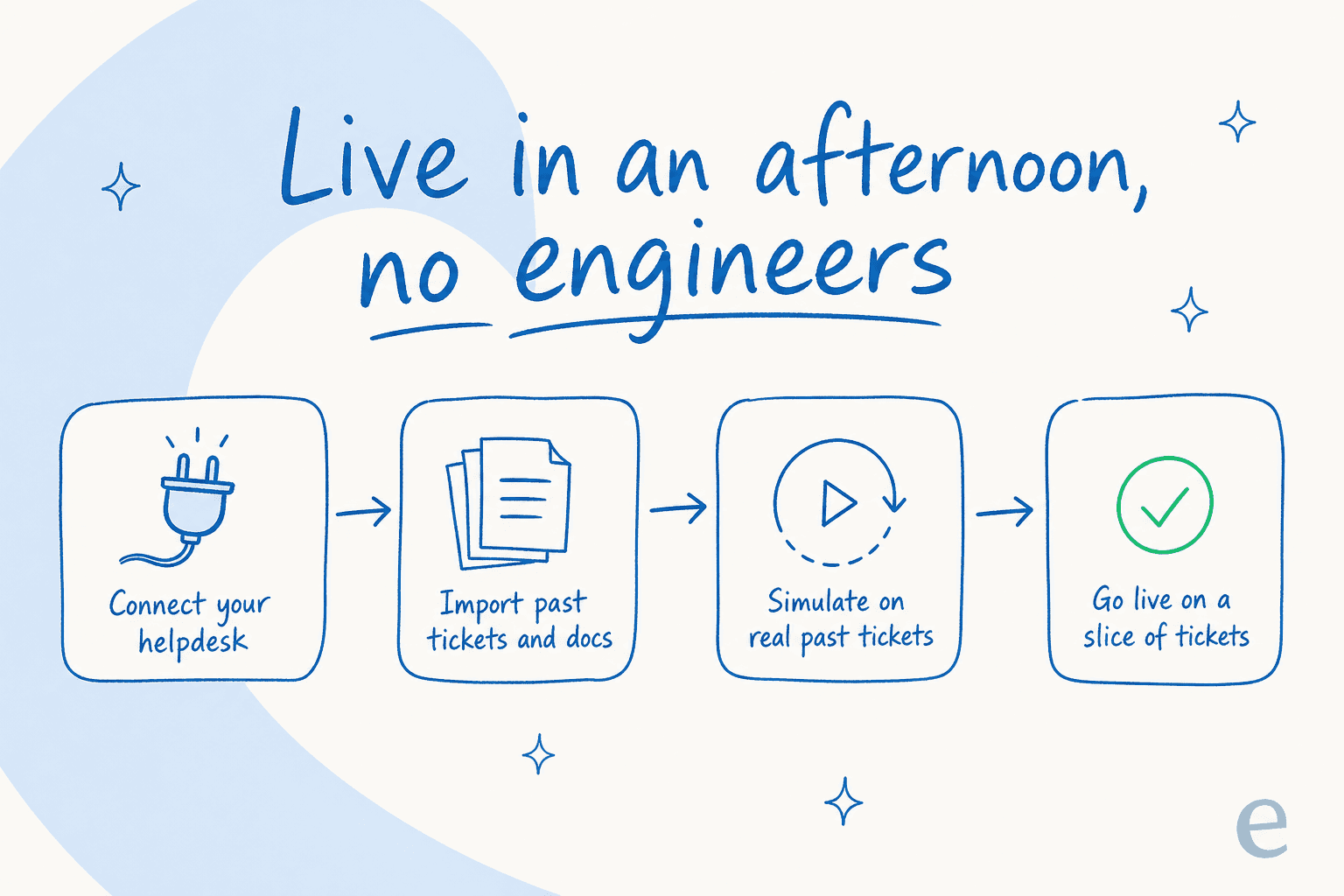
1. Connect your helpdesk and knowledge. This is one-click, not an API project. Connect Zendesk, Freshdesk, Gorgias, or Front, then point the agent at your help center, your knowledge base, and any internal docs in Notion, Confluence, or Google Docs. A good agent ships with 100+ integrations so this stays in click-territory.

2. Import your past tickets. This is the step that separates a generic bot from one that sounds like you. Years of resolved tickets become the agent's training data on day one, so it learns your tone, your policies, and the answers your team actually gives, not the ones the help center wishes they gave.
3. Configure behaviour in plain English. Tell the agent when to jump in, what tone to use, which tickets to leave alone, and whether to draft or send autonomously. This is where the AI customer service workflow gets shaped, and on a no-code tool it is a conversation, not a config file.
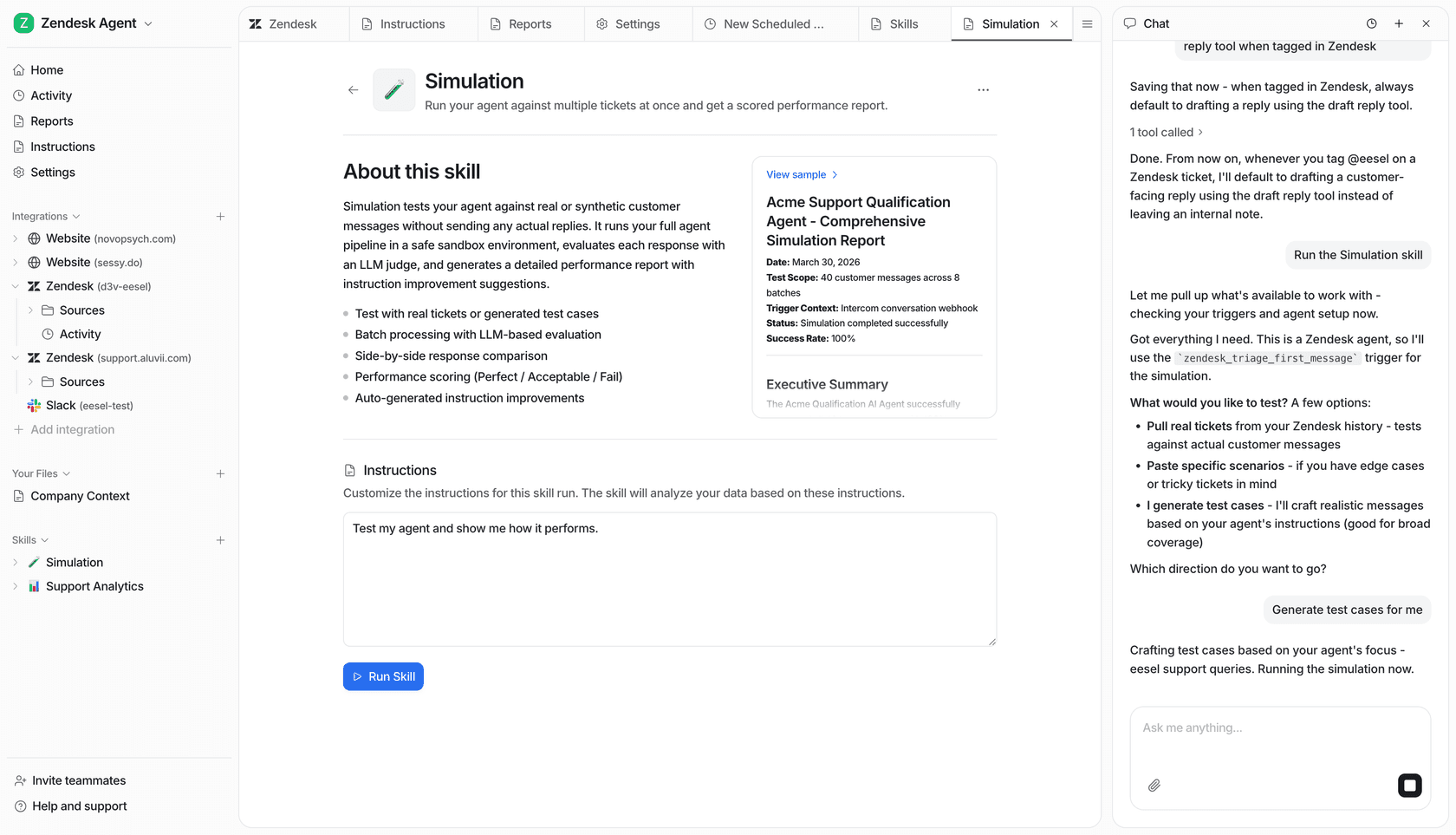
4. Simulate before you go live. This is the step I would refuse to skip. Run the agent against a batch of your real past tickets and read exactly how it would have replied, where it was confident, and where it would have escalated. You get a coverage estimate by ticket type before a single customer is involved. If it is wrong somewhere, you fix the knowledge gap and re-run.

5. Go live on a slice. Do not flip it to 100% on day one. Start it on one ticket type, or as an AI copilot that drafts replies for humans to approve, then widen autonomy as you build trust. Gridwise did exactly this and saw the agent resolve 73% of tier-1 requests in the first month, with results showing up during a 7-day trial.
"In the first month, eesel is resolving 73% of our tier 1 requests... Our team implemented and achieved results quickly during our 7-day trial."
Kim Simpson, Gridwise
The honest part: no-code does not mean no work
Now the section most setup guides leave out, because it is the one that actually decides whether your rollout works.
No-code removes the engineering. It does not remove the thinking. The single most common way I see a rollout die is what we call the last-mile activation gap: a team connects the helpdesk, imports the docs, even wires up the agent beautifully, and then never actually switches the trigger on. The agent is fully configured and handles zero tickets, for months, until someone cancels because "it didn't do anything." It did nothing because it was never deployed.
The second most common failure is under-feeding it. An agent pointed at a thin or messy knowledge base gives thin, messy answers, then everyone blames "the AI." No-code makes setup fast, but it cannot invent knowledge your docs do not contain. If your help center is three years stale, fix that first, or use an agent that can learn the gaps from your past tickets.

So the real work, the part no-code does not do for you, is this: decide which ticket types the agent owns, keep the knowledge it reads from honest, watch the activity log for the first few weeks, and actually turn it on. None of that needs an engineer. All of it needs an owner.
What to look for in a no-code AI support agent
Not every tool that calls itself no-code clears the bar. Here is the checklist I would use.
| What to check | Why it matters | The good answer |
|---|---|---|
| Setup model | "No-code" should mean your team, not IT | Dashboard + one-click integrations, live in a day |
| Native helpdesk integrations | Avoid a migration in disguise | Works on top of Zendesk, Freshdesk, Gorgias, Front |
| Trains on past tickets | Help-center-only agents sound generic | Learns from your solved tickets, not just docs |
| Simulation before launch | The only way to de-risk go-live | Replays real past tickets, shows coverage by type |
| Confidence-based routing | Stops confident wrong answers | Auto-resolves only what it is sure of, escalates the rest |
| Pricing model | Per-seat and per-resolution costs balloon | Usage-based, billed per ticket, no platform minimum |
A few of these are worth weighing harder than the rest. Simulation and confidence routing are the two that decide whether you can trust the thing in production, and they are exactly where the cheaper AI customer service software tends to be thin. If a tool cannot show you how it would have handled last month's tickets before you go live, that is a real flag, not a minor one.
On pricing, the cost model is easy to get wrong. Per-resolution billing sounds fair until a busy month or a surge doubles your bill, and per-seat pricing punishes you for growing the team. Usage billed per ticket is the one that scales predictably. For a fuller breakdown of the options, our roundup of the best AI helpdesk software and the picks for small teams go deeper.
Try eesel for a no-code AI support agent
If you want a no-code AI support agent that you can actually own, eesel is built for exactly this. It plugs into your existing helpdesk in a few minutes, trains on your past tickets and help docs on day one, and lets you simulate the whole rollout on your real ticket history before anything goes live, so you go in knowing your coverage instead of guessing. Confidence-based routing means it only auto-resolves what it is sure about, and usage-based pricing starts at $0.40 a ticket with no per-seat fee. It is free to try, no credit card, and the setup is a job your support team can do this afternoon.

Frequently asked questions
What is a no-code AI support agent?
Do I need engineers to set up a no-code AI support agent?
How much does a no-code AI support agent cost?
How do I stop a no-code AI support agent from giving wrong answers?


Article by
Alicia Kirana Utomo
Kira is a writer at eesel AI with a Computer Science background and over a year of hands-on experience evaluating AI-powered customer service tools. She focuses on breaking down how helpdesk platforms and AI agents actually work so that support teams can make better buying decisions.