AI for customer service email: how it works and what to expect

Stevia Putri

Katelin Teen
Last edited May 21, 2026
Email is still where a huge amount of customer service happens. It's also where the gap between what customers expect and what teams can deliver tends to be widest. Customers expect a reply within a few hours; most businesses take 12 or longer, and 62% never reply at all.
AI for customer service email addresses that gap directly - not by replacing support agents, but by removing the mechanical work that slows them down. This guide covers what AI email support actually does, what teams using it are seeing, and how to get started without setting unrealistic expectations.
Why email keeps breaking support teams
The volume problem is real. 392 billion emails are expected daily by 2026. For support teams, a percentage of those arrive as billing disputes, order questions, refund requests, and bug reports - and each one needs a human to read it, decide what it is, find the right answer, and write a reply.
The response time gap compounds this. Nearly half of customers expect a reply within 4 hours. The industry average is 8-12 hours. Best-in-class teams hit under 1 hour. Most teams sit somewhere between "not fast enough" and "actually damaging to customer trust."
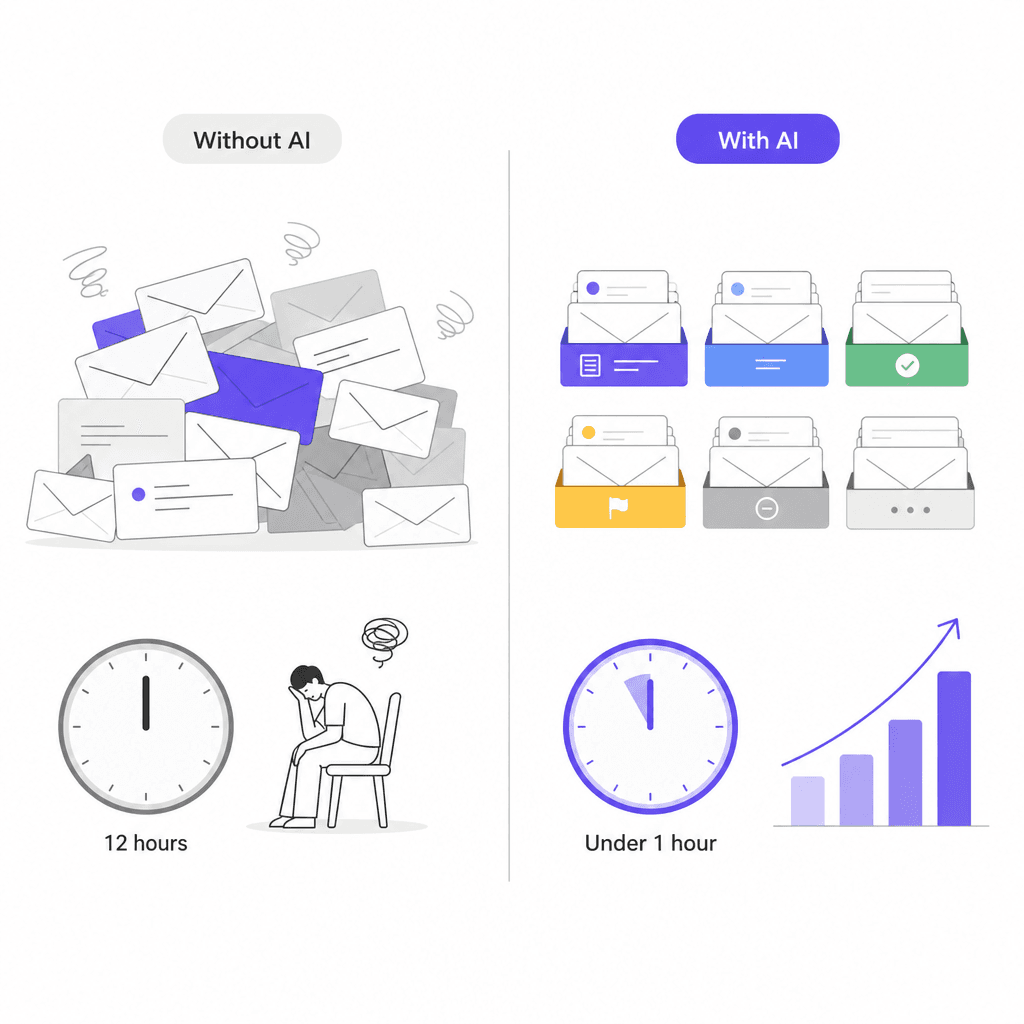
The human cost shows up too. 87% of contact center workers report being highly stressed. Repetitive email triage - reading the same three types of questions 40 times a day and writing slight variations of the same answer - is exactly the kind of work that burns people out without requiring much of what they're actually good at.
AI doesn't fix this by hiring more people. It removes the mechanical overhead so the people you have can focus on the tickets that actually need them.
What AI does to customer service email
"AI for email" covers several distinct things. They're often bundled together, but understanding them separately helps you figure out where to start and what to expect.
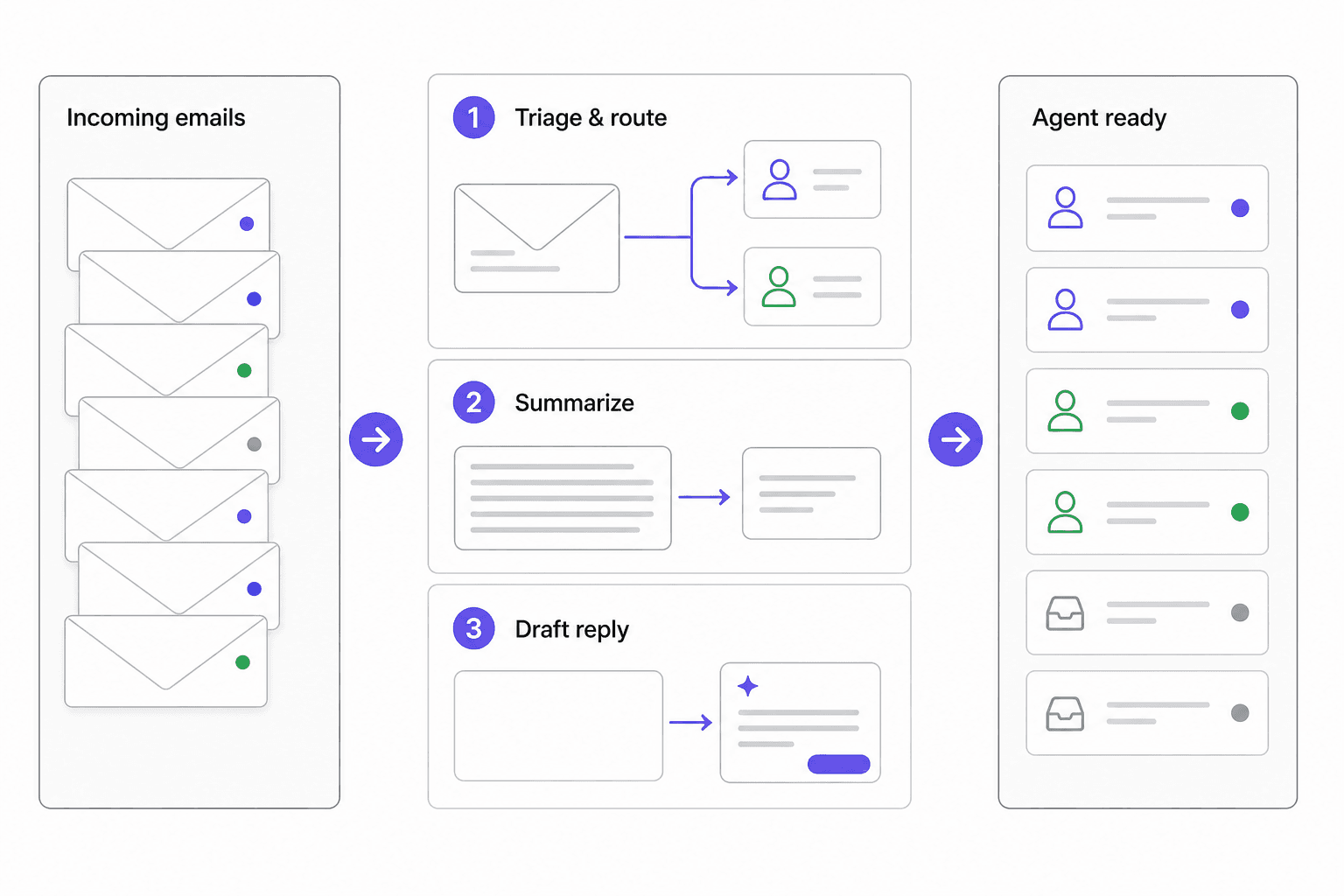
Triage and intelligent routing
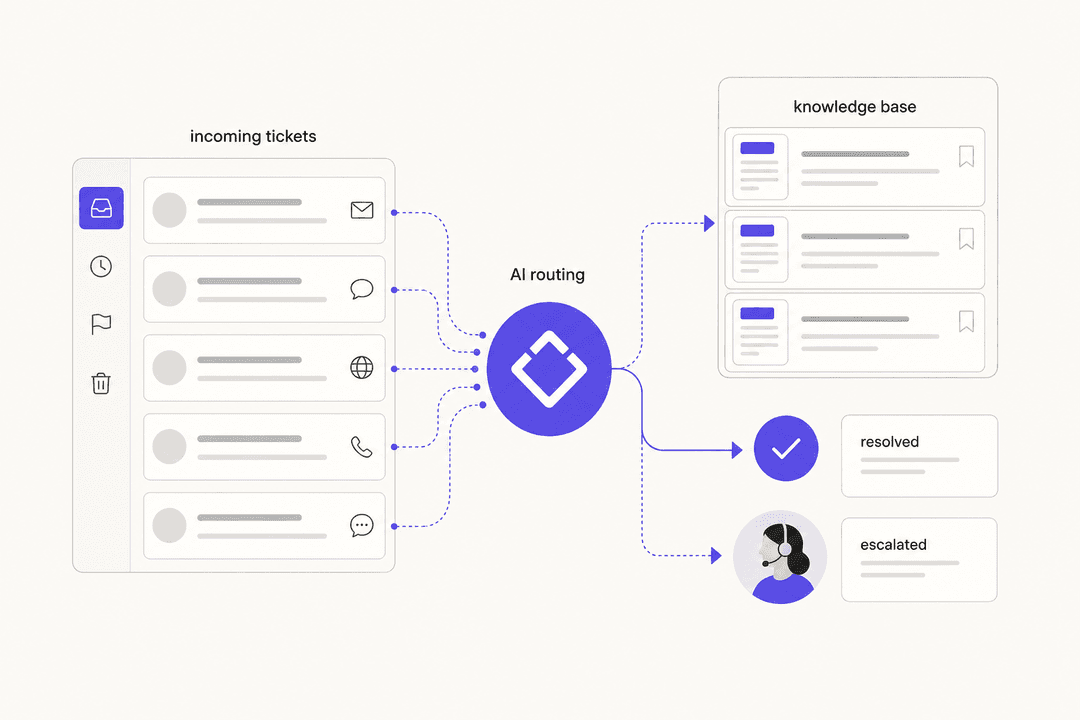
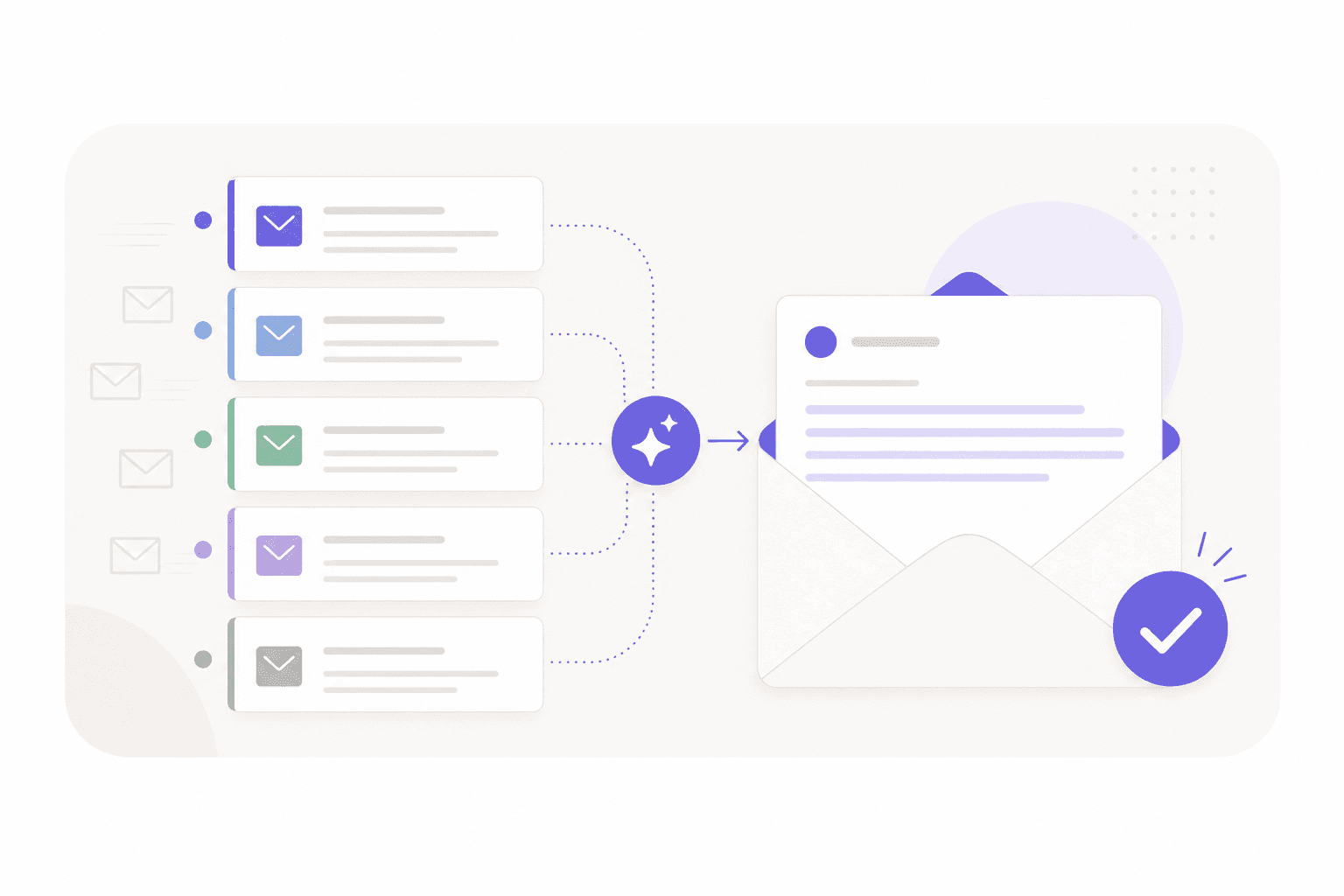
The first thing AI does with an incoming email is read it and decide what it is. Billing question or refund request? Bug report or feature request? New customer or churning one?
This classification happens before any human touches the email. The AI assigns a category, an urgency level, and routes it to the correct team queue automatically. For a team receiving 500 mixed emails a day, this alone removes 30-60 minutes of manual sorting per agent shift.
Gmelius reports that AI agents can sort incoming emails by urgency, topic, and customer needs using keyword detection, sentiment analysis, and past interaction data. That's the same judgment a senior agent applies when triaging a queue - just applied to every email instantly.
Routing pairs with deduplication: when a customer sends the same question twice, or two agents both see the same thread, AI prevents the duplicate reply that wastes time and confuses customers.
Draft replies for agent review
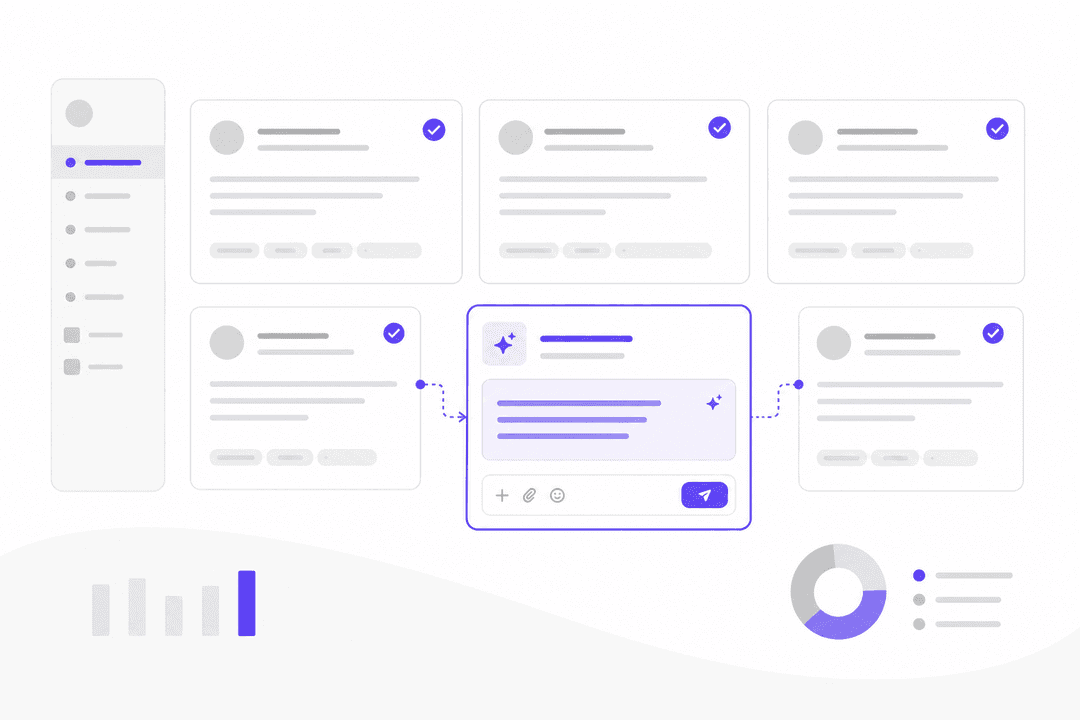
The most immediately useful capability for most teams is draft generation. Instead of agents opening a blank reply box, they open a pre-written draft based on the email content and your knowledge base. Their job shifts from "write this from scratch" to "review, adjust, send."
Nielsen Norman Group found that agents using AI assistance handle 13.8% more customer inquiries per hour. McKinsey data shows a 14% increase in issue resolution per hour across AI-enabled service teams.
Those numbers look modest until you multiply them across a team. A 10-agent team at 13.8% efficiency gain handles the equivalent of 11.4 agents. That's roughly one full-time hire worth of capacity recovered without any additional headcount.
AI tools that suggest real-time answers can reduce issue resolution time by up to 30% - the draft isn't just faster, it's more complete and accurate because it's grounded in your documented knowledge rather than whatever the agent remembers.
Auto-reply for routine queries
For genuinely repetitive queries - order status, password resets, standard refund policy, business hours - AI can skip the human review step entirely and send replies directly.
myphotobook automated 83% of all customer inquiries using AI email automation, saving €408,000 per year. MAGIX achieved a 79.2% reduction in support costs by auto-handling standard inquiries. These aren't 100% automation numbers - they reflect a realistic split where most inquiries are routine and only a minority genuinely needs human judgment.
The key distinction is confidence thresholds. Well-configured AI sends automatically only when it's confident in the answer. Anything outside that confidence range drops to draft mode for agent review.
Sentiment analysis and escalation
AI reads emotional cues in email text - frustration, urgency, confusion, anger - and flags high-risk conversations before they escalate. A customer who's been waiting three days and is clearly furious gets routed to a senior agent immediately, not placed in the general queue.
24% of CX teams are already using real-time sentiment analysis to guide responses. The business case is simple: catching a churning customer before they churn is worth more than any single resolved ticket.
Thread summarization
For escalated tickets - conversations with multiple agents, multiple days of back-and-forth, an unresolved thread that's now three pages long - summarization removes a significant time sink.
Instead of reading the full thread from the top, agents get a one-paragraph brief: what happened, what was tried, current status, next steps. Reading a 12-email thread from scratch takes 3-5 minutes per ticket. Across 100 tickets a day, that's multiple agent-hours recovered without any change to the actual work.
Knowledge base integration
The quality of AI-generated drafts depends directly on what the AI has been trained on. Tools that only have access to generic training data produce generic drafts. Tools trained on your actual resolved tickets, help articles, and internal documentation produce drafts that sound like your team and contain accurate, specific answers.
This also works in reverse: when the AI can't find a good answer, that's a signal about knowledge gaps. eesel AI's helpdesk agent surfaces patterns like "23 tickets last week asked about pro-rated refunds, but your docs only cover full cancellations" - directly telling you what to write to improve future response quality.
The overnight problem
There's a specific version of the email latency problem worth calling out separately: emails that arrive outside business hours.
Without AI, an email arriving at 11PM sits untouched until 9AM. The customer wakes to silence. If the issue is urgent - a failed payment, an order error, a blocked account - that 10-hour gap is actively damaging. Some customers send follow-ups. Some post on Twitter. Some churn.
IBM research shows AI can reduce average response times by up to 99% in scenarios where customers previously waited hours. For overnight email, that's not an exaggeration: a system that classifies, routes, summarizes, and auto-resolves routine queries overnight turns a 10-hour wait into a sub-5-minute response.
Companies deploying AI across all channels reduced off-hours ticket abandonment by over 50%. The morning agent queue is also shorter, pre-sorted, and pre-briefed - meaning the first two hours of the day look nothing like the scramble of catching up on overnight backlog.
What real results look like
It's worth being specific about what teams actually see, because the range is wide.
At the high end: Unity, the 3D content platform, deployed AI to manage ticket volume and deflected 8,000 tickets, saving $1.3 million. myphotobook automated 83% of inquiries with €408k in annual savings. These are large-scale deployments with significant knowledge base investment behind them.
At the more typical mid-market level: G2's 2026 AI in Customer Support report shows AI-powered teams cutting first response times by 37% and resolving tickets 52% faster. Gartner found that 55% of customer service leaders are now handling higher volumes with the same headcount - they're not laying off agents, they're absorbing growth without hiring.
Forrester documents 30-40% cost reduction for teams that implement AI email automation properly. "Properly" is doing a lot of work in that sentence - it requires quality knowledge base inputs, clear confidence thresholds, and a staged rollout.
The consistent failure mode is deploying AI on top of bad knowledge. Generic AI drafts only marginally better than templates. A community user put it plainly:
"I've never seen one be actually useful, and they seem to only really regurgitate links to FAQ pages or give the most generic answers possible." -- Hacker News commenter
The tool is not the constraint. The knowledge quality is.
How to deploy AI email support in 4 phases
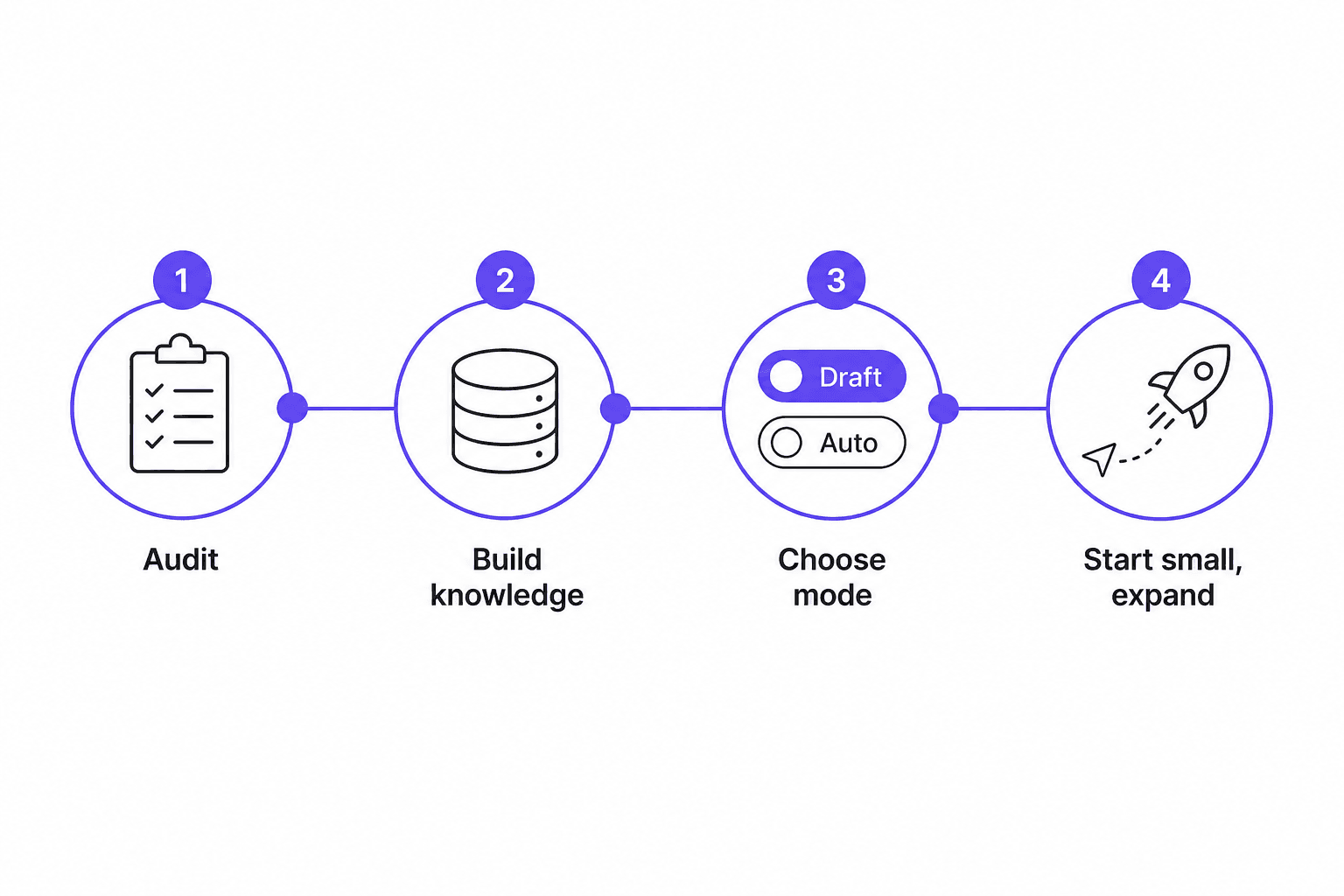
Jumping straight to full automation is how teams end up with the problems described above. A staged rollout produces better results and preserves customer trust through the process.
Phase 1: audit your email workflow
Before touching any tool, tag incoming emails by category for one week. Billing, order status, refunds, password resets, bug reports, general questions. Measure baseline First Response Time by category.
This week of data tells you where to start: which categories are highest volume, which have the most consistent answers, and which are genuinely complex. eesel AI's simulation mode lets you run historical tickets through the AI before going live, surfacing exactly which categories are well-covered and which have knowledge gaps.
Phase 2: build your knowledge foundation
Feed the AI in priority order:
- Knowledge base articles - structured, automatically re-indexed
- Answer snippets and internal guides - edge cases and escalation rules not in public docs
- Historical conversations - past tickets showing how customers phrase questions and what solved them
- Website and public content - lower signal density but useful for context
Knowledge quality determines draft quality. This phase takes longer than people expect and is worth the time.
Phase 3: choose your operating mode
Start in draft mode - every response requires agent approval before sending. This gives you a feedback loop without risking customer experience on an untested system. Most teams implementing AI helpdesks spend 2-4 weeks in supervised mode before expanding autonomy.
When you see that a category is producing high-quality drafts that agents approve with minimal edits, that category is ready for auto-send.
Phase 4: start small, measure, expand
Pick the single highest-volume, lowest-complexity email category. Run it for 2-4 weeks and measure First Response Time, the rate at which agents edit drafts (lower = AI is working), and customer satisfaction scores on AI-handled tickets.
Expand to the next category once you've proven the first. Don't deploy broadly and then debug from the data - expand from proven ground. Automating ticket triage is usually the lowest-risk starting point before touching response generation.
What to look for in an AI email tool
Most tools can generate a draft. What separates effective implementations from disappointing ones comes down to five things:
Trained on your content. Generic models produce generic drafts. The tool must ingest your knowledge base, past resolved tickets, and internal documentation - not just public training data.
Email as a first-class channel. Email shouldn't be siloed from live chat, WhatsApp, or social DMs. Customers who email after chatting don't want to repeat themselves. A unified helpdesk sees the full customer history regardless of channel.
Human-in-the-loop by design. Auto-send should be opt-in by category, not the default. Any tool that sends without agent approval before your team has tested it is a risk. How to add AI to your helpdesk explains what the handoff should look like in practice.
Full conversation context. The AI must read the entire thread, not just the most recent message. Contradicting an earlier reply because the AI only saw the latest email destroys customer trust immediately.
No-code routing configuration. If setting up escalation rules requires an engineer, most teams won't configure them correctly. Look for routing logic you can describe in plain language.
eesel AI for customer service email
eesel AI's helpdesk agent connects to Zendesk, Freshdesk, HubSpot, Gorgias, and other support platforms and handles email tickets through the same supervised-to-autonomous model described above.
It learns from your past resolved tickets across all connected platforms, runs simulations on historical data to surface knowledge gaps before go-live, and lets teams configure behavior through natural language ("reply with the tracking link and note our office hours") rather than settings menus. Pricing is $0.40 per resolved ticket with $50 in free usage to start - no credit card required.
Smava processes 100,000+ tickets per month in German using eesel AI on Zendesk. Design.com handles 50,000+ tickets per month on Freshdesk. The 73% tier-1 resolution rate that Gridwise saw in the first month is roughly in line with what teams see when they start with good knowledge foundations and a realistic scope.
The how-to guide on automating email support walks through the setup process in more detail if you want to see what the first week looks like.

Frequently Asked Questions
Share this article

Article by
Stevia Putri
Stevia Putri is a marketing generalist at eesel AI, where she helps turn powerful AI tools into stories that resonate. She’s driven by curiosity, clarity, and the human side of technology.