AI for customer onboarding support: a practical guide (2026)

Stevia Putri

Katelin Teen
Last edited May 20, 2026
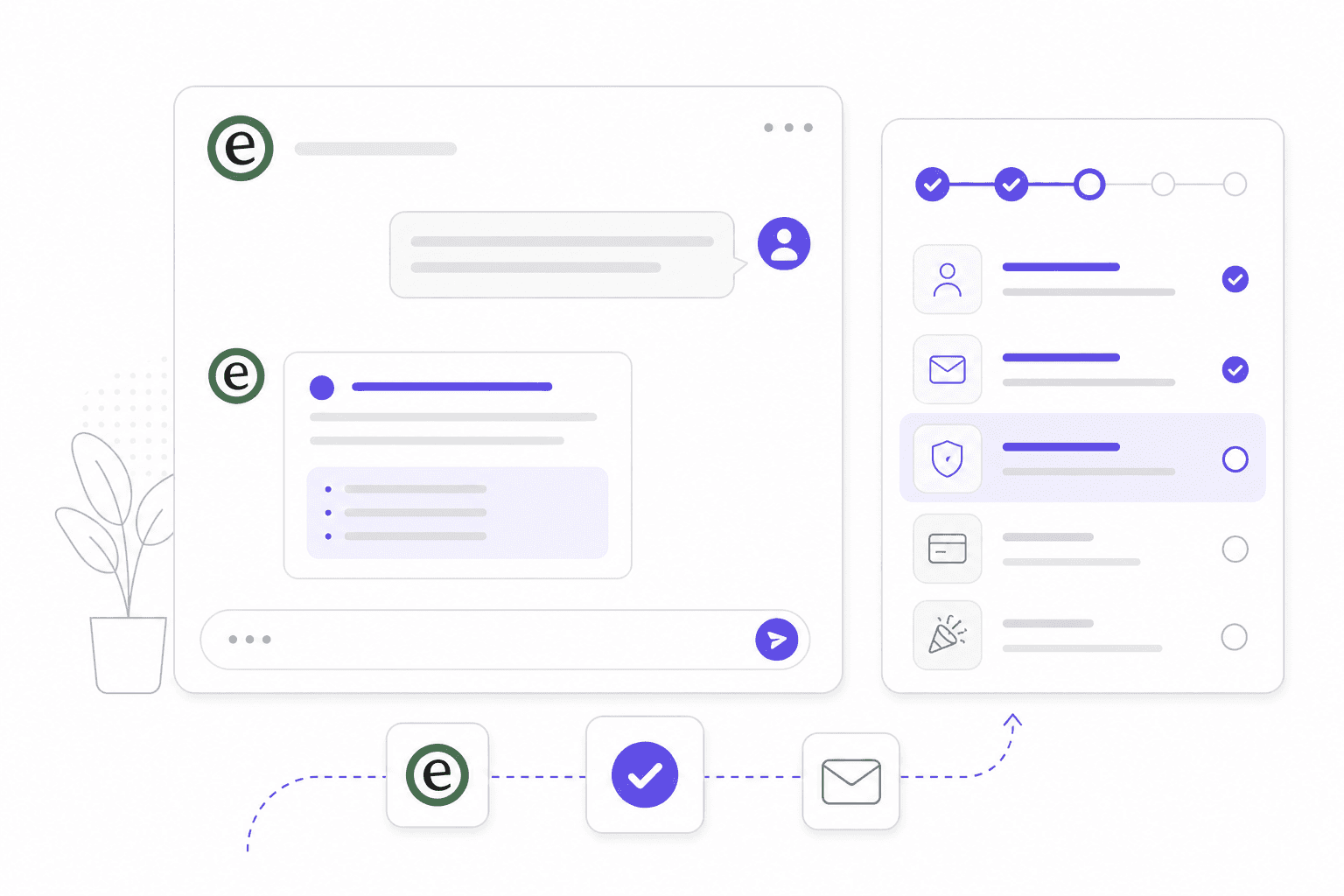
You spend months acquiring a customer, then lose them in the first 90 days because they couldn't figure out how to use the thing they just paid for. It's one of the more preventable forms of churn in SaaS, and it usually comes down to one bottleneck: support.
New customers ask a lot of questions. Most of them are the same questions, asked by hundreds of different people, at all hours of the day. Your support team answers them, over and over, while higher-priority work piles up. The customer who can't get a timely answer either muddles through (and builds frustration) or gives up entirely.
74% of customers feel frustrated when onboarding lacks adequate guidance, and 8 in 10 have deleted an app because they didn't understand how to use it. Those aren't abstract stats. They're customers who went through your funnel, paid, and left before experiencing any value.
AI for customer onboarding support attacks this problem at the source. Here's what it actually looks like in practice, what the data says about outcomes, and how to implement it without the common failure modes that trip up most teams.
Why customer onboarding support is unusually hard
Onboarding triggers a predictable surge in support volume. New customers don't know where anything is. They hit setup errors your existing customers learned to work around months ago. They have questions about features they haven't found yet. And they ask all of this before they've built any goodwill toward the product.
The compounding problem: most of these questions are repetitive. The same questions about account setup, trial activation, billing methods, and integration configuration come in every day. Answering them is important but not intellectually demanding, and it consumes a disproportionate amount of support bandwidth.
CSMs already spend 30-35% of their time gathering information from different data sources rather than having actual customer conversations. Layer onboarding volume on top of an already stretched team and the result is slow response times, inconsistent answers, and customers who churn before they ever get to first value.
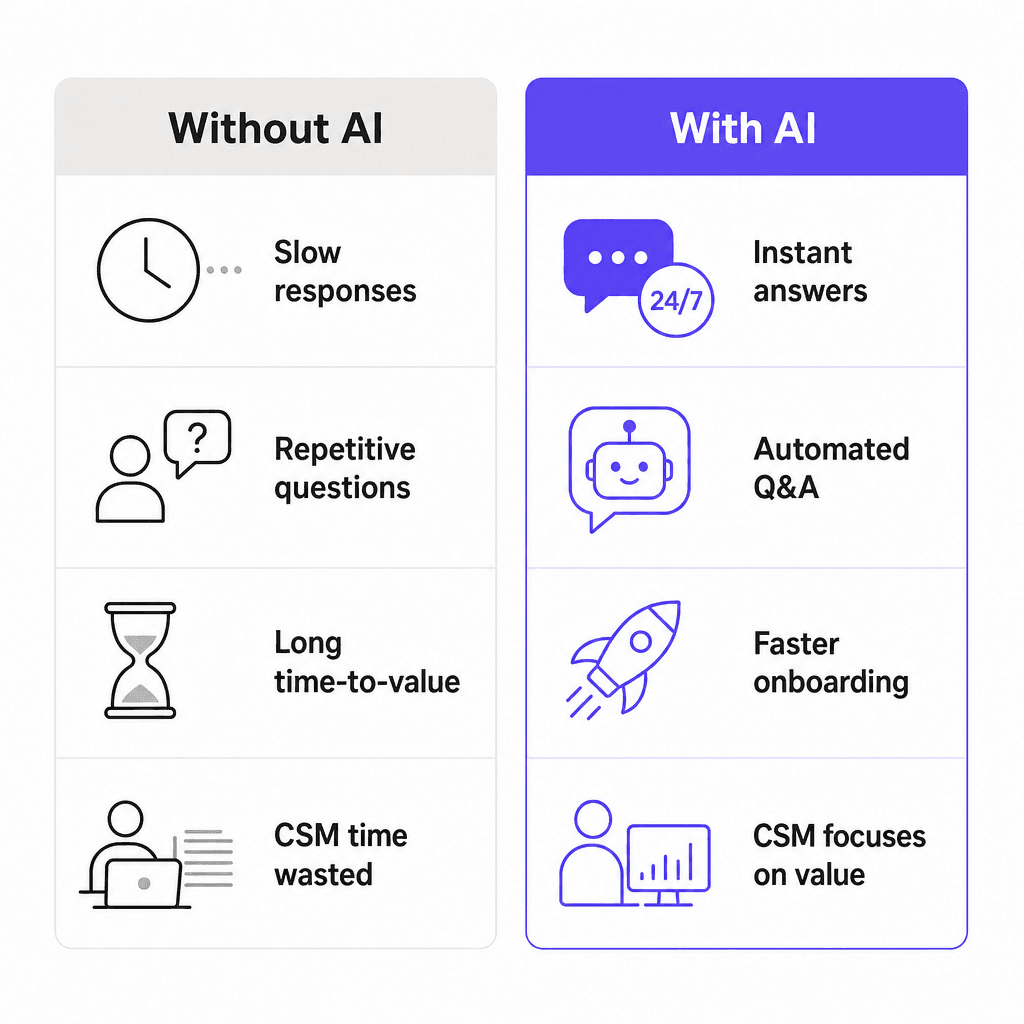
There's also the time-zone problem. SaaS products run 24/7 but most support teams don't. A customer in a different country who hits a setup blocker at 9pm has to wait until the next business day, which can stretch across an entire weekend. That kind of friction is exactly what causes the 22-35% higher first-year churn seen in companies with onboarding cycles over 14 days, compared to companies that complete onboarding in under a week.
What the data says about AI in customer onboarding
The numbers on AI-powered onboarding support are specific enough to be useful as benchmarks.
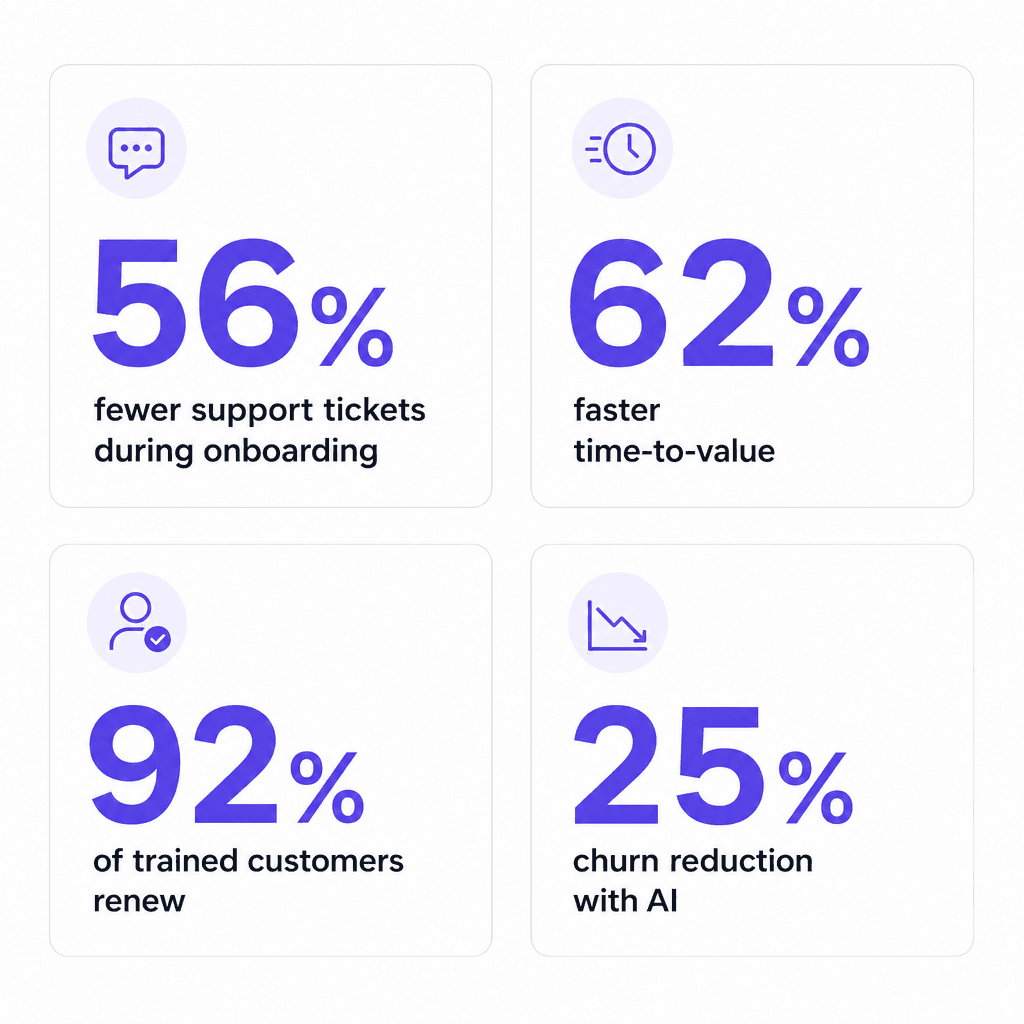
A documented SaaS case shows onboarding time dropping from 21 days to 8 days (62% faster) after implementing AI automation, with the same two-person team. In that same deployment, support tickets per customer during onboarding fell 56% (from 8.7 to 3.8) and the team's capacity to onboard new customers tripled -- from 15 to 45 per month -- without additional headcount.
Customer satisfaction at the 30-day mark jumped 41% (from 6.2/10 to 8.7/10). Early churn in the first 90 days dropped from 18% to 7%.
92% of customers who receive effective onboarding training are more likely to renew. Increasing retention by just 5% can boost profits by up to 95%.
78% of CS teams are already using or planning to use AI, and the Customer Success Platform market is projected to grow from $1.86 billion in 2024 to $9.17 billion by 2032 at a 22.1% CAGR. The adoption is happening fast because the returns are measurable quickly.
Five ways AI improves customer onboarding support
1. Handling the repetitive question flood
This is the highest-leverage starting point for most teams. New customers ask the same questions: how do I connect my account, where do I find billing settings, why isn't the integration working, how do I add a user.
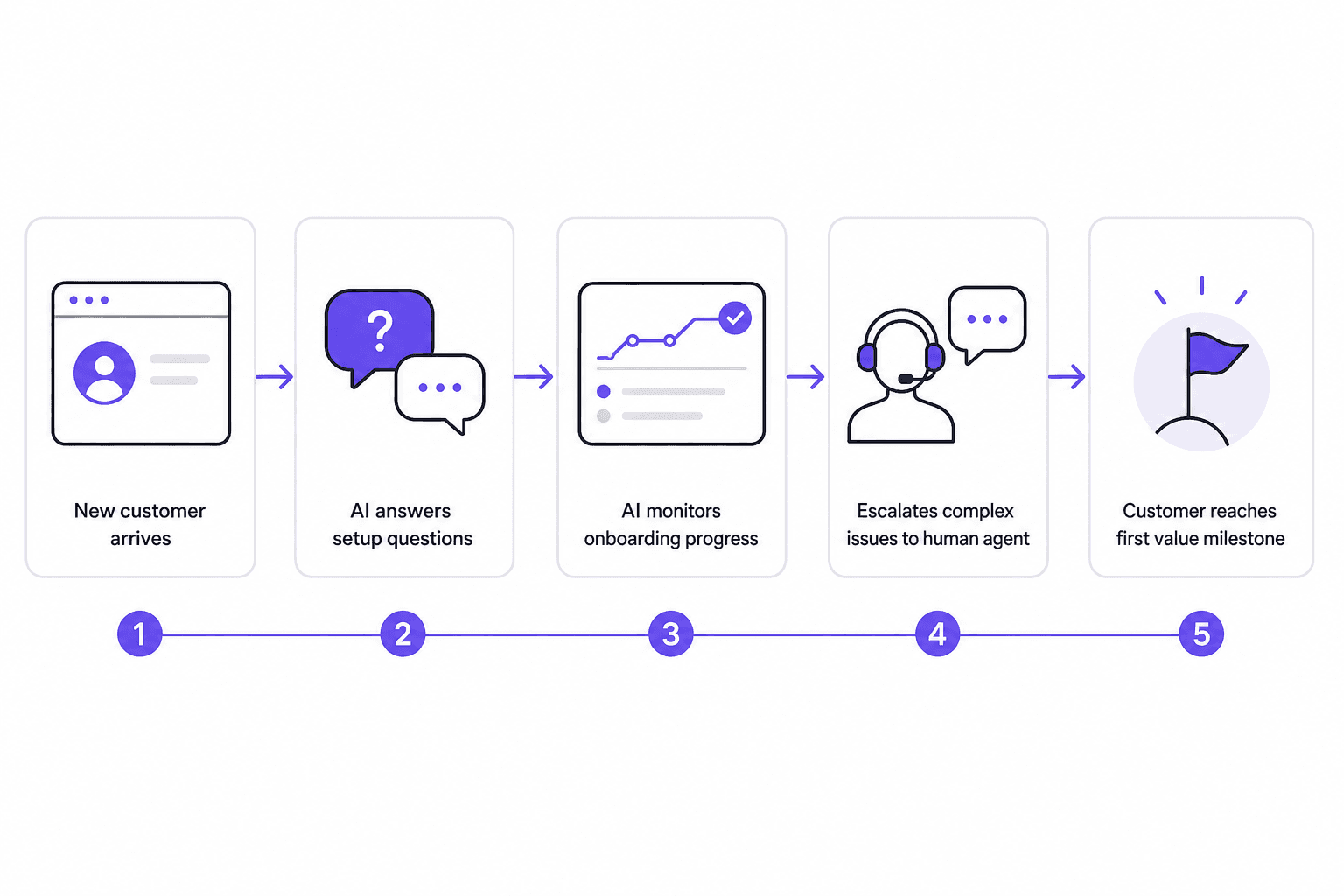
AI handles these 24/7 without burning your team's capacity. It reads the incoming question, searches your documentation and past resolved tickets, and returns an accurate answer -- instantly. The customer doesn't wait for business hours. The support agent doesn't spend their day answering the same question for the 50th time.
Real practitioners back this up. One r/CustomerSuccess thread on AI for user onboarding put it directly:
"Knowledge base + support - AI-powered search or quick-answer bots cut support tickets in half during onboarding because users get instant help..." -- r/CustomerSuccess, "How are you using AI for user onboarding?"
The key is that the AI isn't writing answers from scratch. It's retrieving answers from knowledge your team has already approved and encoded -- help articles, past tickets, internal docs. That's different from a generic chatbot that hallucinates when it doesn't know something.
2. Accelerating time-to-value through instant guidance
Every day a new customer spends stuck on setup is a day they're not experiencing the value they paid for. That delay is where early churn starts -- not in a single bad experience, but in accumulated friction that makes the product feel harder than it's worth.
The 62% faster onboarding figure cited above isn't from a company using sophisticated AI orchestration -- it's from removing the most common bottleneck: waiting for a human answer. When the answer arrives instantly at 10pm on a Thursday, setup keeps moving.
Automated tools that guide customers through early interactions reduce onboarding drop-offs by 25% and accelerate time-to-value by 20% on average. For B2B SaaS companies with meaningful contract values, that acceleration is also a cash-flow story: faster onboarding means faster revenue recognition and lower risk of cancel-before-go-live.
3. Monitoring onboarding health and flagging at-risk customers
Human CSMs can't watch every customer at once. AI can. Health monitoring uses usage signals -- login frequency, feature adoption milestones, tickets opened, session length -- to identify customers who are stalling before they explicitly say they're frustrated.
AI-driven churn management platforms have reported up to 25% churn reduction when predictive signals are embedded directly into CS workflows. The practical version of this is simpler than it sounds: set triggers that alert a human when a customer hasn't completed a key setup step by day 7, or when they've opened more than 3 support tickets in the first two weeks. The AI flags, the human acts.
Companies investing in workflow orchestration -- not just task automation -- see 25% higher client retention than those who stick to basic automation. The distinction matters, and we'll come back to it.
4. Surfacing knowledge for human agents
Not every onboarding question is simple. When a customer has a complex integration question, or a billing edge case, or a bug that needs escalation, the AI hands off to a human. At that point, speed of resolution depends on how fast the agent can find the right answer.
This is where CartonCloud saw the clearest return from eesel AI. The logistics software company has 500+ carriers across multiple countries, each with different documentation needs. Their Service Desk Lead, Eddie Stephens, put the value plainly:
"Getting us to the right articles really quickly and easily... It is both user-friendly and efficient, while still keeping our own style and still keeping that human touch."
- Eddie Stephens, Service Desk Lead, CartonCloud
The result wasn't automation replacing agents -- it was agents spending less time searching and more time actually solving problems. Faster resolution, more consistent answers.
73% of CS leaders cite increased CSM productivity as their top expectation from AI. Knowledge surfacing is one of the clearest ways to get there.
5. Multilingual onboarding without the headcount
Global products serve customers who don't speak the same language as your support team. The traditional options are either hiring multilingual agents (expensive) or offering reduced-quality support to non-English speakers (damaging).
AI handles this more elegantly. A well-configured system detects the customer's language and responds in kind -- drawing from the same underlying knowledge base. One r/CustomerSuccess contributor described their experience:
"We've been using AI to make customer onboarding multilingual, and it's been a big improvement. Instead of forcing everyone into an English-only..." -- r/CustomerSuccess, "How are you using AI for user onboarding?"
Smava, one of eesel's customers, processes 100,000+ support tickets per month in German through a fully automated Zendesk integration. Ecosa runs 24/7 multilingual support across 522 knowledge items. Neither required hiring additional language-specific staff. See also: AI for multilingual support.
The part most AI onboarding tools get wrong
The market for AI onboarding tools has grown fast enough that the signal-to-noise ratio is poor. Most tools labeled "AI-powered" are, in practice, rule-based chatbots with a language model bolted on. They handle what they're explicitly scripted for and fail gracefully on anything else -- which in an onboarding context means the customer hits a wall exactly when they need help most.
78% of organizations use AI in at least one business function, but only 6% qualify as "AI high performers" actually generating meaningful business impact. 39% of AI customer service bots were pulled back or reworked in 2024 due to errors. Gartner predicts 40% of enterprise AI agent projects will be canceled due to cost overruns, governance failures, and unclear ROI.
The failure isn't usually a technical one. It's a design one. Most teams automate individual tasks without thinking about the full workflow. Tools that automate the wrong parts of the workflow create new problems that are somehow worse than the original manual mess.
The pattern that works: AI handles coordination (routing, reminders, document validation, escalation, progress monitoring). Humans handle judgment (relationship risk, complex exceptions, approvals, anything with compliance implications). Workflow orchestration that keeps humans accountable while AI handles coordination is the model that produces the 25% retention advantage -- not task-by-task automation that creates new gaps at every handoff point.
77% of organizations rate their data quality as average or poor for AI readiness. If you're feeding an AI agent on incomplete or outdated documentation, the answers will reflect that. Garbage in, garbage out is as true for onboarding AI as it is for any data system.
How to implement AI for customer onboarding support
The setup that works is incremental. Here's a practical sequence:
Step 1: Audit your most common onboarding questions. Pull the last 90 days of support tickets from new customers (accounts under 60 days old). Categorize them. You'll almost certainly find 5-10 question types that account for 60-70% of volume. Those are your automation targets.
Step 2: Build your knowledge base first. AI is only as good as what you feed it. Before deploying any agent, make sure your help articles, setup guides, integration docs, and FAQ content are accurate and up-to-date. An AI that confidently returns an outdated answer is worse than an AI that escalates. If you're starting from scratch, how to build a knowledge base covers the fundamentals.
Step 3: Start in copilot mode. Don't go autonomous from day one. Let the AI draft responses to new-customer tickets, and have your agents review and approve those drafts before they send. This builds trust in the system and surfaces any gaps in the knowledge base before they reach customers live. Most AI support tools including eesel AI support this pattern natively.
Step 4: Run simulations. Before expanding the AI's autonomy, run it against historical tickets and review how it handled each one. This surfaces coverage gaps ("23 tickets last week asked about SSO setup, but your docs don't cover enterprise SSO configuration") so you can fill them before they become customer-facing failures.
Step 5: Expand autonomy as confidence builds. Once the AI is handling low-complexity tickets well in supervised mode, start letting it respond autonomously to those specific categories. Keep human review on anything with billing, security, or escalation implications. Measure ticket deflection rate weekly and adjust thresholds based on the data.
If you want guidance on the broader implementation, how to add AI to your helpdesk and the AI helpdesk implementation guide cover the full setup in detail.
eesel AI for customer onboarding support
eesel AI connects to your existing helpdesk, knowledge base, and documentation -- Zendesk, Freshdesk, Gorgias, Intercom, Confluence, Google Docs, Notion, Shopify, and 100+ other tools -- and handles customer questions from day one without manual training.
The setup follows the pattern described above: copilot mode first, simulation testing before going autonomous, plain-English configuration for escalation rules and tone preferences. Teams don't configure it through forms or complex rule builders -- they tell it how to behave in natural language.
Anytime Fitness, with 5,000+ gyms and 4 million members across 40+ countries, integrated eesel into Zendesk to solve a specific mismatch: gyms are open 24/7, but support was running 9-to-5. The AI became the first-line responder for membership questions, billing updates, account setup, and trial pass requests -- answering instantly around the clock and escalating anything complex to a human agent during business hours.
Gridwise resolved 73% of their tier-1 support requests in the first month after deploying eesel on Zendesk. Mature deployments reach up to 81% autonomous resolution.
Pricing is $0.40 per resolved ticket (no platform fee, no monthly minimum), or $299/month for the Team plan with 1,000 interactions included. There's a 7-day free trial with $50 in included usage and no credit card required.

Frequently Asked Questions
Share this article

Article by
Stevia Putri
Stevia Putri is a marketing generalist at eesel AI, where she helps turn powerful AI tools into stories that resonate. She’s driven by curiosity, clarity, and the human side of technology.