Every pay cycle, the same inbox flood. "My check looks short." "When does my direct deposit hit?" "What does this deduction mean?" "I forgot my portal password again." "Can I get my W-2 early?"
The questions vary in wording. The pattern is always the same: repetitive, predictable, arriving in a concentrated window around payday, and landing in the inbox of an HR team that is already stretched.
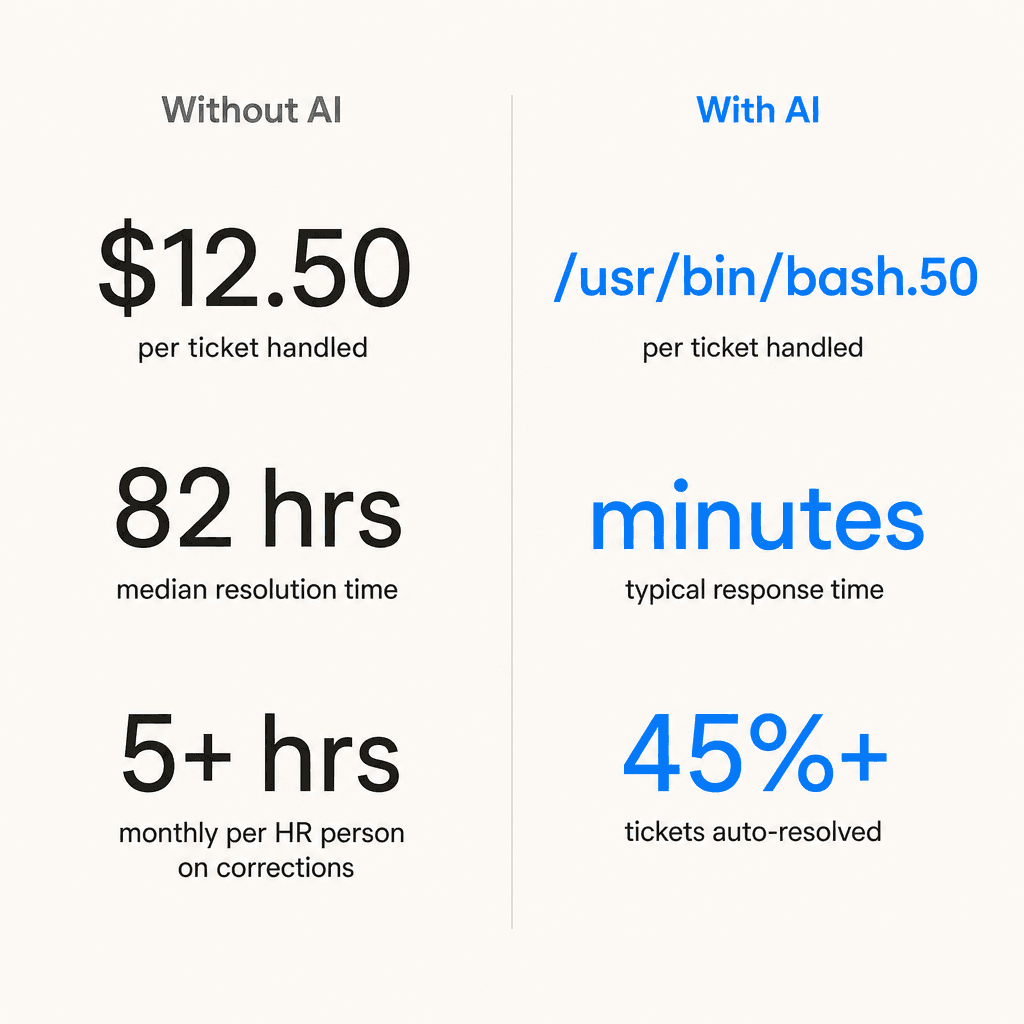
According to Unthread's analysis of HDI data, organizations handle an average of 10,675 support tickets per month across HR operations. Payroll questions, benefits clarifications, and policy lookups make up the bulk of the Tier 1 load. 49% of HR teams spend 5 or more hours per month resolving payroll errors alone, per Remote's State of Payroll Report -- time that does not touch recruiting, retention, or the work that actually requires HR judgment.
Meanwhile, the median HR support ticket takes 82 hours to resolve, and 60% of employees define "immediate response" as 10 minutes or less for routine questions. The gap between those two numbers is where employee frustration lives.
AI does not solve every payroll problem. But it handles the tier that makes up most of the volume -- the predictable, policy-based questions that do not need human judgment -- and that changes what is possible for the HR teams behind them.
What employees actually ask HR about payroll
Most payroll inquiry volume concentrates in a short list of categories. The questions vary in wording, but the underlying ask is almost always one of these:
| Inquiry type | What they're actually asking |
|---|---|
| PTO balance | "How much time off do I have left?" |
| Pay stub confusion | "Why is my take-home less than my salary?" |
| W-4 / withholding | "Am I withholding the right amount? Why did my taxes go up?" |
| Direct deposit | "When does my deposit hit? How do I change my bank?" |
| W-2 / year-end | "When can I get my W-2? Why doesn't it match my last pay stub?" |
| Pay discrepancy | "My check is short. What happened?" |
| Deduction questions | "What is this line item on my pay stub?" |
| Overtime / hours | "Was my overtime calculated correctly?" |
| Portal access | "I forgot my login. How do I reset my password?" |
| Benefits deductions | "Why is my 401k contribution higher this period?" |
Xenium HR's survey of HR professionals confirmed that PTO balance questions and gross-vs-net confusion are the most frequent inquiries -- followed closely by W-4 withholding questions and W-2 timing. Portal access resets are a recurring friction point because they block employees from self-resolving everything else.
The W-4 category deserves particular attention. It spikes every tax season, and the volume is remarkably consistent year after year. As one payroll specialist described the pattern on r/Payroll: "Ever since the W4 was changed for years 2020 and after, I constantly get the same questions this time of year."
There is also a category that does not show up in inquiry logs but consumes real payroll time: status check messages. Employees and managers following up to confirm that a form was received, that a correction is in progress, that a raise was entered before the payroll close. One r/Payroll thread captured this with unmistakable frustration:
"Everyday, I get some random calls or emails from someone saying 'i JuSt WaNt MaKe sUrE yOu ArE dOiNg tHiS.'"
-- r/Payroll, "Do people constantly bug you to do your job?"
These check-in messages are nearly impossible to systematize manually. An AI with visibility into the queue can answer "yes, your form is in progress" automatically, at any hour, without interrupting anyone.
Why payroll inquiries create more load than other HR tickets
On the surface, most payroll questions seem easy -- the answer is already somewhere in the system. So why do they pile up?
A few factors compound the difficulty.
The data lives in multiple places. Only 26% of organizations have integrated their HRIS, time-and-attendance, and benefits platforms, per ADP research. Answering a single question about a pay discrepancy often means cross-referencing three or four systems manually. Without integration, every answer requires an HR agent to do the lookup themselves.
The emotional stakes are high. Payroll touches money. An unanswered question about a short check does not feel like an IT ticket -- it feels like a financial emergency. HiBob's 2025 US Payroll Survey of 2,000 employees found that 32% of employees feel stress or anxiety in the week leading up to payday. Remote's 2024 Global Payroll Report found that 56% of US employees report high levels of stress caused by late payments.
As SHRM noted: "Employees see payroll as the bearer of their paychecks. When they have salary concerns, they expect answers, sometimes immediately. It's not uncommon for employees to become instantly distressed, even when they only perceive a problem with their pay."
Errors are common. The average global payroll accuracy rate is 78%, per ADP's Potential of Payroll survey -- roughly 1 in 4 payroll runs contains an error that may generate a follow-up question. 44% of employees have noticed a payroll error at some point. Each one becomes a potential ticket.
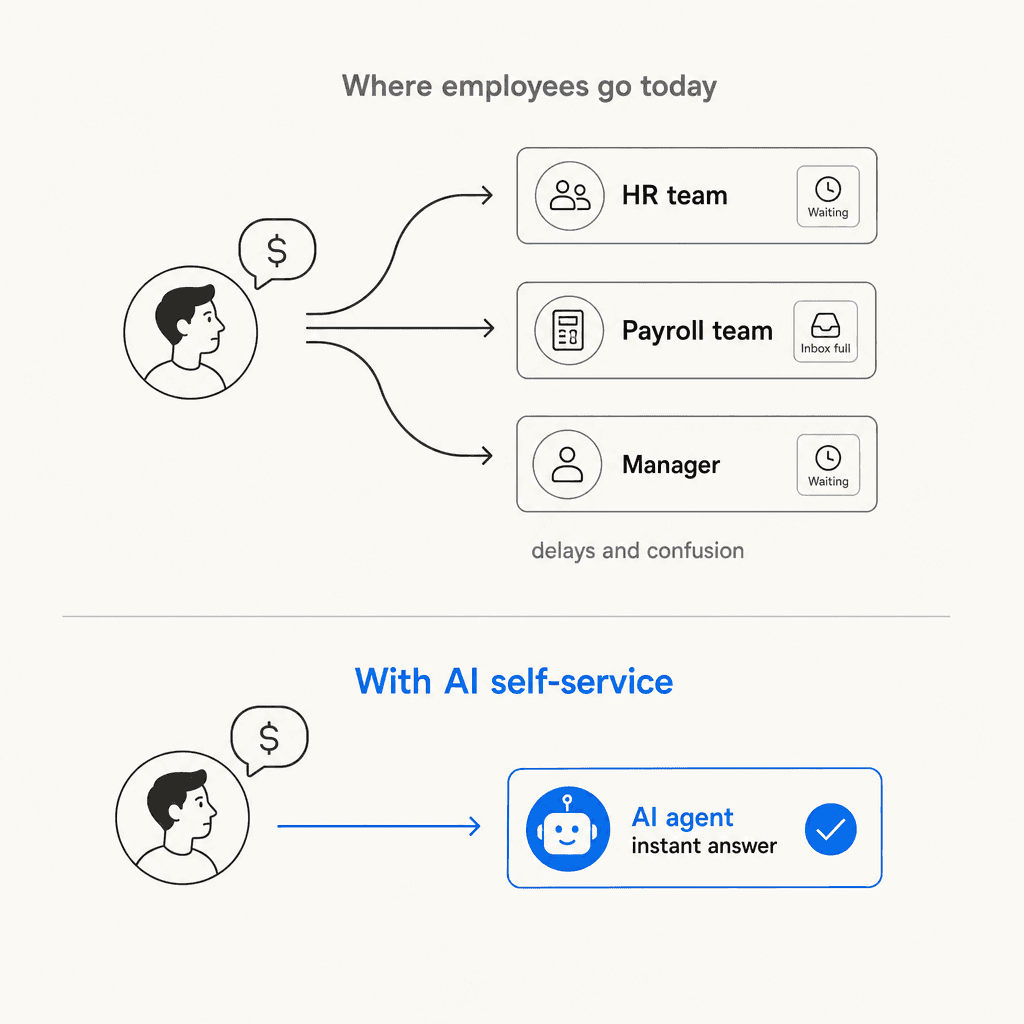
Ownership is unclear. When employees have a payroll question, 33% contact HR, 33% contact the Payroll team, and 28% go to their manager. Every path leads to a different inbox, a different queue, and a different chance of a timely answer. The dispersion itself creates delay.
What AI can handle, and what it cannot
AI handles a lot of payroll inquiries well -- but not all of them, and the distinction matters for compliance and employee trust.
Here is the practical breakdown:
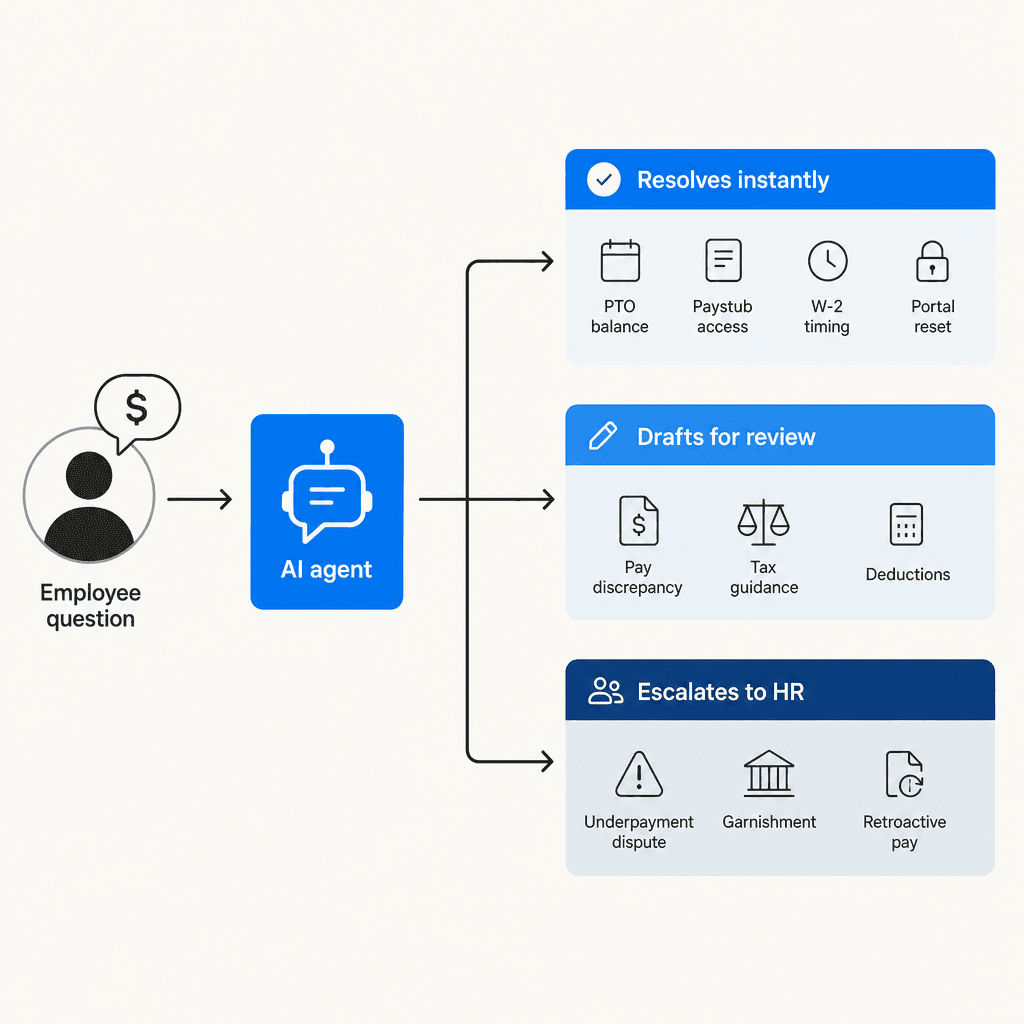
Auto-resolved by AI (no human needed):
| Inquiry | How AI handles it |
|---|---|
| PTO balance | Queries HRIS, returns instant answer in chat |
| Portal password reset | Triggers automated credential reset flow |
| Pay date confirmation | Knowledge base retrieval |
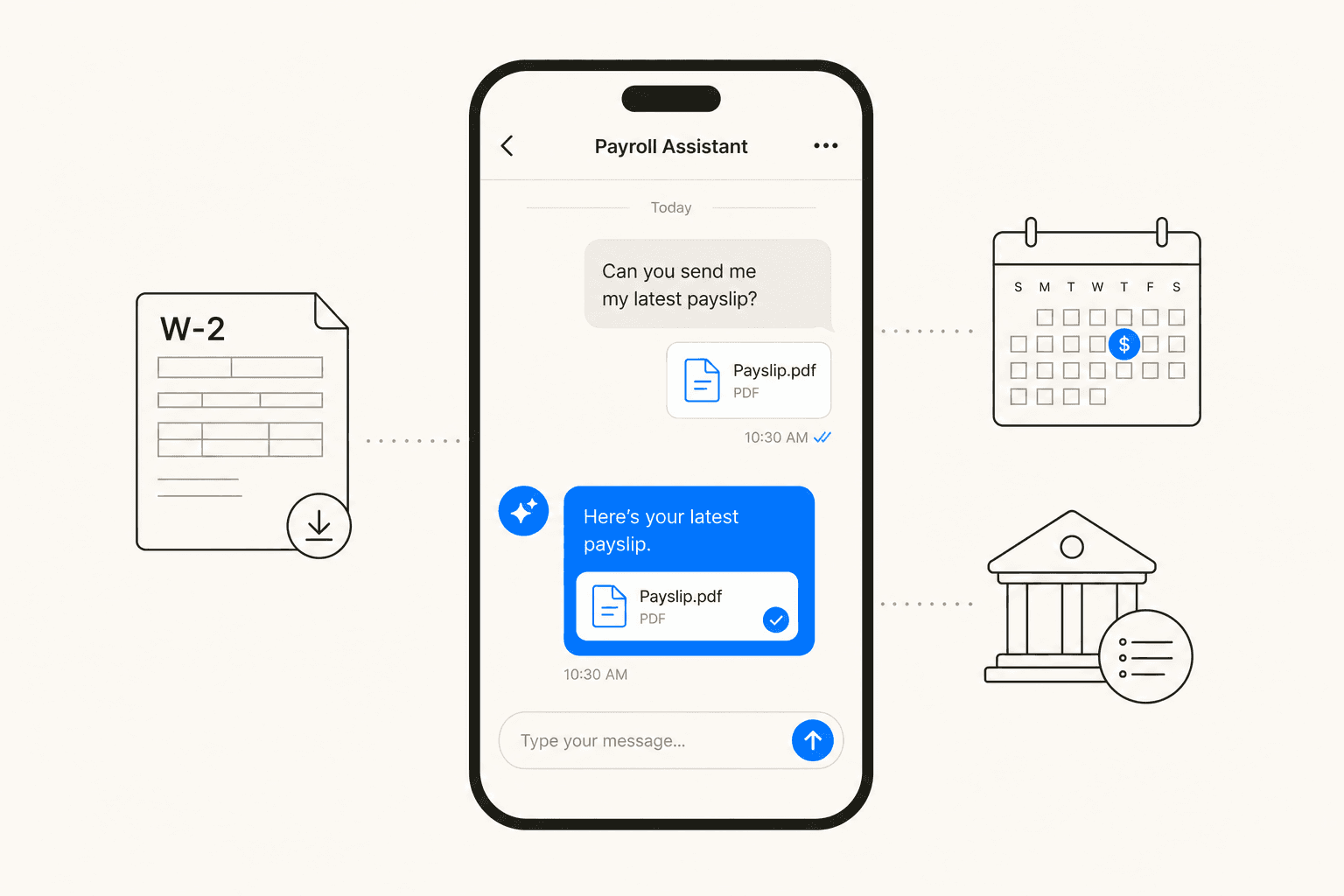
| W-2 availability | FAQ + link to download portal |
| Paystub access instructions | Step-by-step guided response |
| Benefits deduction summary | Pulls from benefits system, explains in plain language |
| Direct deposit update instructions | Guided self-service form with confirmation |
AI drafts a response, HR reviews before sending:
| Inquiry | What AI does |
|---|---|
| Gross-vs-net pay explanation | Drafts personalized breakdown; HR verifies |
| W-4 withholding guidance | Provides general IRS guidance; flags for specialist if complex |
| Deduction line-item explanation | Matches payroll code to benefit description; HR confirms |
| Overtime dispute | Pulls time data, applies rules, flags edge cases for review |
Human-only (should not be automated):
| Inquiry | Why it needs a human |
|---|---|
| Underpayment disputes | Legal exposure; requires payroll audit |
| Garnishment inquiries | Legally sensitive; confidential |
| Retroactive pay corrections | Requires approval chain |
| Off-cycle payroll requests | Needs authorization and system action |
| Multi-year tax corrections | Complex compliance; may require IRS interaction |
Purpose-built AI agents can deflect over 45% of incoming HR queries, per Freshworks' Customer Service Benchmark Report. The phrase "purpose-built" carries weight here. An AI agent connected to real payroll data and configured with your actual policies performs very differently from a generic chatbot. As one r/Bookkeeping commenter described an early failed integration: "Back in 2023, we tried to integrate AI into our payroll system. Unfortunately, it was just another heavy addition that did little to nothing."
The pragmatic view from payroll professionals themselves:
"AI and automation are tools to cut back on the repetitive tasks like data entry... in order to free time for us to use our brains for more complex work."
How AI handles payroll inquiries in practice
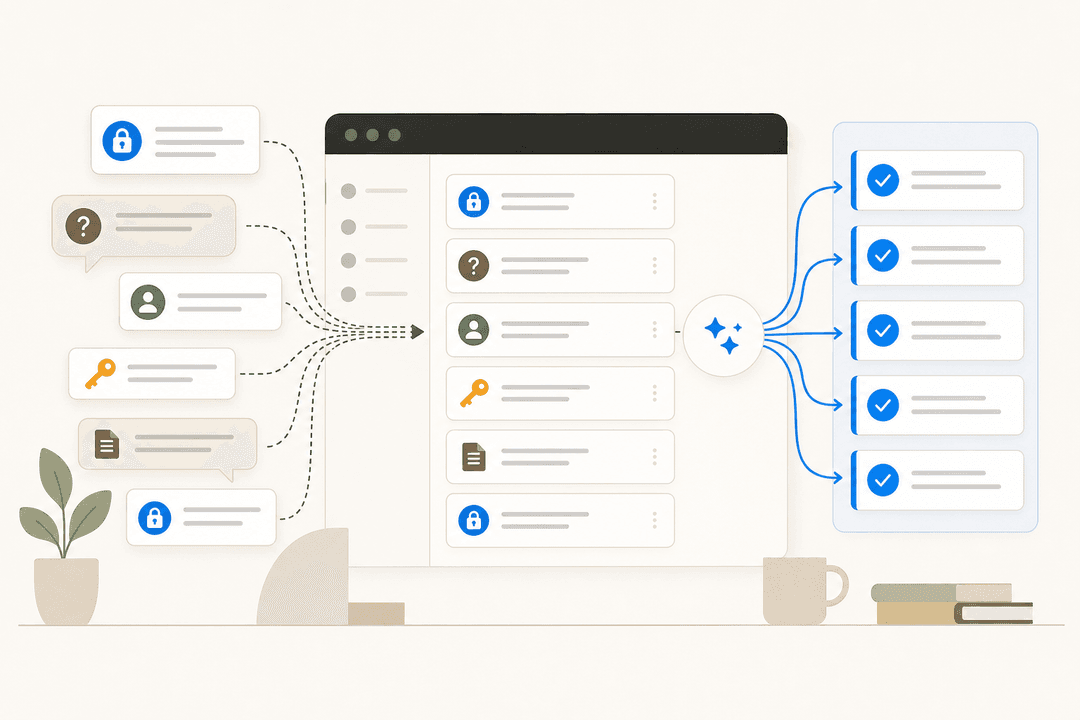
The workflow breaks into four stages:
1. Capture. An employee sends a payroll question through Slack, a Zendesk ticket, email, or a chat widget. The AI picks it up wherever the question arrives -- no new portals, no separate logins. For HR teams already running Zendesk or Slack for internal support, setting up AI within existing tools means employees ask where they already ask.
2. Classify. The AI reads the question and categorizes it: PTO balance lookup, paystub question, W-4 guidance, pay discrepancy, direct deposit, or other. Classification drives what happens next -- instant answer, draft for review, or immediate escalation.
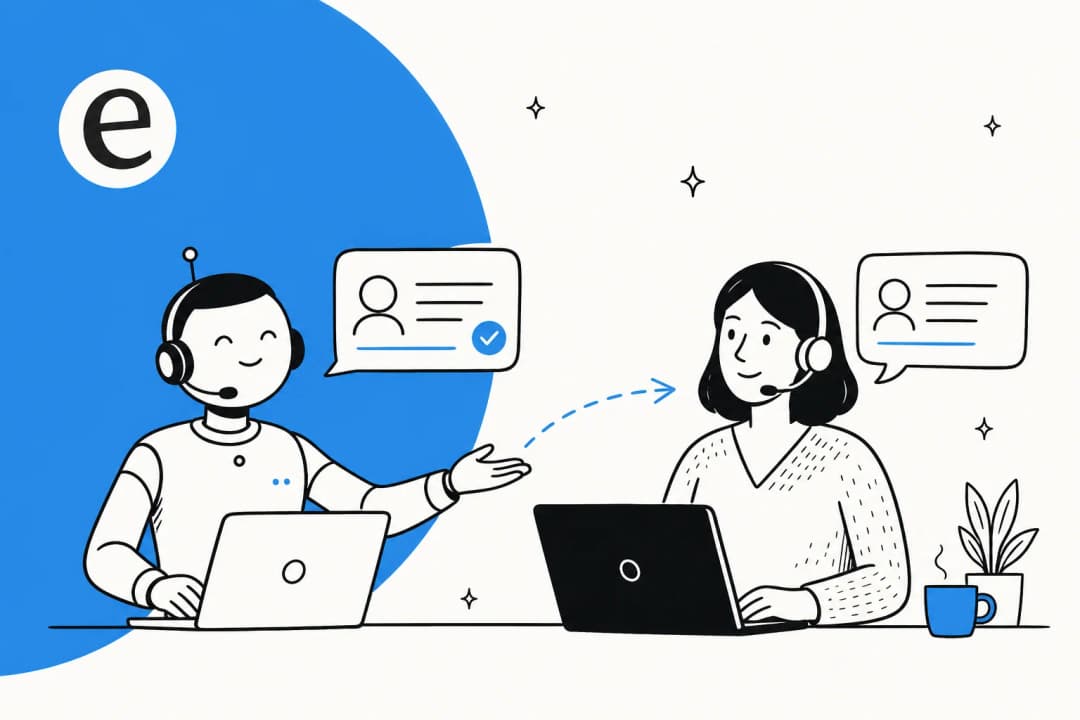
3. Respond or route. For the auto-resolve tier, the AI queries connected systems (HRIS, benefits platform) and sends the answer directly. For the review tier, it drafts a response and holds it for HR approval before sending. For the escalation tier, it routes to the right human with context already attached -- the employee's history, the question, any relevant policy. Confidence-based routing means the agent flags its own uncertainty rather than guessing on sensitive cases.
4. Learn. Every time an HR agent edits an AI-drafted response, that correction improves future handling. Over time, the AI learns team tone, policy nuances, and recurring edge cases specific to the company -- not generic payroll knowledge, but the company's payroll knowledge.
This is the approach ADP launched at scale with ADP Assist in January 2026 -- agents handling routine employee questions about pay, time off, direct deposit, and policy while payroll practitioners focus on variance resolution. ADP's Policy & Compliance agents saved nearly 19,000 minutes of HR work across 600+ organizations in a single month.
Workday took a similar direction with its Sana Self-Service Agent, launched into Microsoft 365 Copilot in May 2026: employees check payslips, review tax withholding, and request leave directly in Teams or Outlook. As Workday's Joel Hellermark framed it: "People shouldn't have to jump between systems just to get a simple HR or finance answer."
The ROI case: time saved, cost reduced, trust retained
The cost math is direct. AI-handled payroll inquiries cost roughly $0.50 per interaction, compared to $6.00 for a human agent, a 12x difference per Freshworks benchmark data. At 100 payroll tickets per month, that is $550 saved. At 1,000, it is $5,500. Before accounting for the productivity recovered from HR staff who no longer spend those 5-plus hours per month on repetitive lookups.
The employee retention case is less discussed but arguably more consequential.
HiBob's 2025 US Payroll Survey found that 88% of employees say the way their company handles payroll reflects how much they are respected. It is not just about getting paid correctly -- it is about getting a fast, clear, private answer when something seems wrong. 53% of employees said repeated payroll mistakes would make them consider leaving, and nearly 49% will start job hunting after just two payroll errors per the Workforce Institute.
The ability to get an immediate, accurate, private answer -- at any hour, through any channel -- reduces the anxiety that drives those decisions. An employee who can check their PTO balance on Sunday night or confirm their deposit timing at 11pm does not need to file a ticket Monday morning.
Deployment results support this at scale. Lenovo achieved over 90% time savings in payroll processes and nearly 99% accuracy after implementing automation, saving at least 6,000 hours annually. Norfolk County Council saved 133 hours per month on payroll-related processes alone. Paycom's Nucleus Research study (January 2026) found organizations achieving HCM productivity gains up to 64%, with one technology company reporting an 80% decrease in payroll processing time.
Error prevention compounds the ROI further. EY research found that fixing one payroll error costs an average of $291, and for a 1,000-employee company, payroll corrections can cost up to $922,131 annually. Automation reduces errors at the source, which means fewer inquiries downstream. AI improves both sides: fewer errors generated, and faster resolution of the inquiries that remain.
You can track the impact with ticket deflection rate metrics -- the percentage of inquiries resolved without human involvement. Industry-leading organizations achieve 65-75% self-service deflection rates, meaning the majority of employee payroll questions never reach a human agent.
Setting up AI for payroll inquiries: where to start
Teams that get this wrong start with the technology. Teams that get it right start with the inquiry list.
Step 1: audit the last 90 days of payroll tickets. Export your inbox or helpdesk queue and tag each item by inquiry type. Most teams find that 5-7 categories account for 60-70% of total volume. Those are the automation targets.
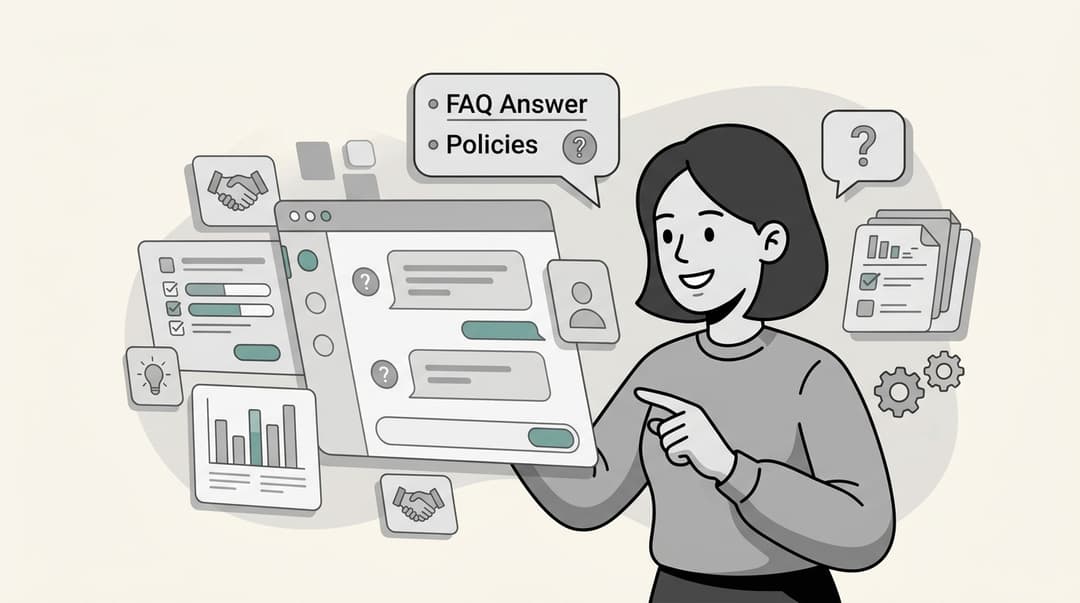
Step 2: build a knowledge base that covers each category. For every inquiry type in the top tier, write a clear policy document: when does direct deposit hit, how to read the gross/net breakdown, where to find the W-2 portal, what the common deduction codes mean. This is the source the AI will draw from -- if the documentation is vague or missing, the AI answers will be too.
Step 3: start in draft mode. Before turning on autonomous responses, run the AI in a supervised mode where it drafts answers for human review. This surfaces policy gaps, calibrates tone, and lets your team train the AI on your specific policies before it talks to employees directly. eesel's simulation mode runs this against historical tickets before go-live so you see per-category accuracy before anyone sees a live response.
Step 4: configure escalation rules clearly. Define which inquiry types route to a human automatically -- underpayment disputes, garnishments, off-cycle requests -- and which ones the AI handles end-to-end. Hard-coded escalation paths prevent the AI from attempting to resolve something it should not touch.
Step 5: measure and iterate. Track first-response time, resolution rate, and escalation rate per category. Categories where the AI keeps getting edited are usually documentation problems, not AI problems -- fill those gaps with clearer policy content, rerun simulations, then push to autonomous handling when accuracy holds. The full implementation walkthrough covers this end to end.
For teams already running Zendesk, Freshdesk, or Slack, the integration footprint is small. The AI connects to existing channels and knowledge sources. HR teams running Zendesk for employee service can deploy the same agent configuration for payroll inquiries they already use for IT or benefits questions -- no new portals for employees to learn.
Building a self-service portal as the front door for payroll questions, backed by AI for instant answers, is the natural complement. 84% of employers already have a self-service portal, but employees often do not know it exists or trust it to have the right answer. AI improves discoverability: when employees ask in Slack or email, the AI meets them there and links directly to the portal rather than expecting them to navigate to it unprompted.
For the broader HR context -- benefits inquiries, onboarding questions, policy clarifications -- the guide to AI for HR support covers setup considerations that apply across all these inquiry types. Payroll questions and HR policy questions often share the same agent configuration.
Try eesel AI
eesel AI is an autonomous AI agent that works inside your existing helpdesk, Slack, or email -- answering employee payroll and HR questions directly in the tools they already use, without new portals or login friction.
Teams connect eesel to their Zendesk, Freshdesk, or Slack instance, point it at payroll policy docs, benefits guides, and the HR knowledge base, then configure escalation rules for the inquiry types that need human review. The agent handles the predictable tier autonomously -- PTO balance lookups, paystub explanations, W-2 timing, portal resets -- and drafts responses for HR approval on borderline cases, flagging uncertainty rather than guessing.
Gridwise resolved 73% of Tier 1 requests in the first month of their eesel deployment. eesel runs across 100+ integrations, supports 80+ languages, and starts with a free trial that gives you $50 in usage credits to test with real tickets before committing.