How to build a self-service portal (step by step)

Stevia Putri
Written by

Stevia Putri

Katelin Teen
Reviewed by

Katelin Teen

Last edited May 15, 2026

Expert Verified
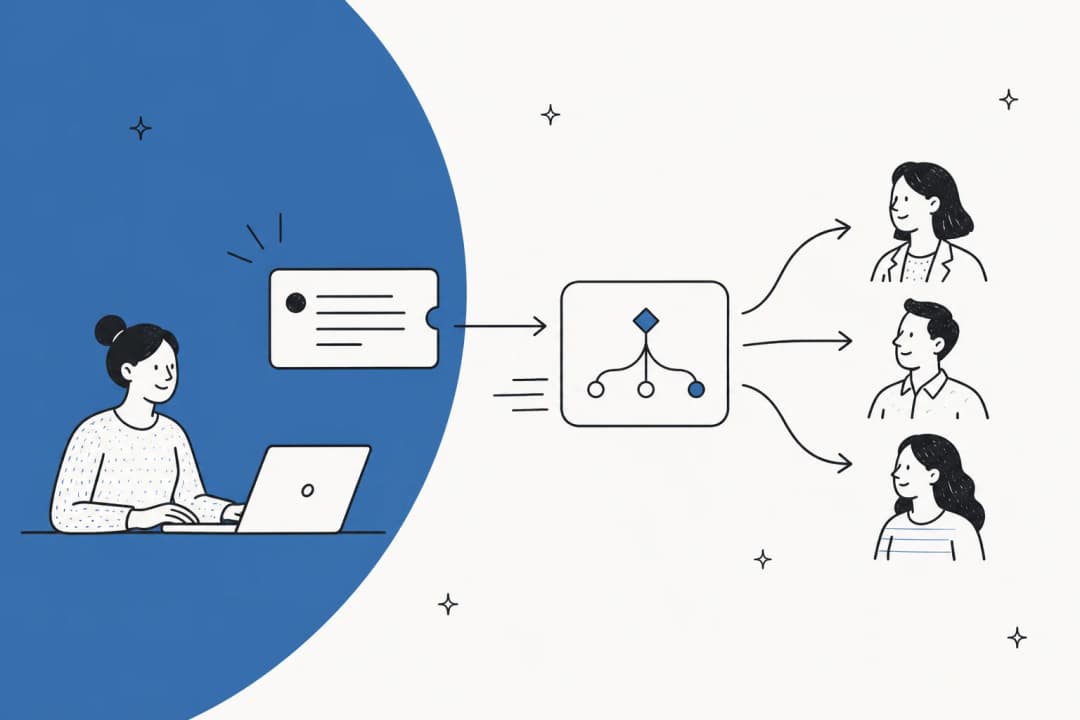
Editorial illustration of a self-service portal showing a knowledge base panel, AI chat widget, and ticket form as three floating UI panels

Your support team probably answers the same 15 questions every day. Password resets. Shipping timelines. Cancellation policy. Refund eligibility. Over and over, from customers who could have found the answer in 30 seconds if it were easy to find.

A self-service portal fixes this. 67% of customers prefer self-service over speaking to a company representative, and 81% will try to solve a problem on their own before they reach out to support. They want to help themselves. The question is whether your portal makes it easy enough for them to succeed.

Done right, a self-service portal resolves 40–70% of customer questions without any agent involvement. Adding an AI layer - like eesel AI, which connects directly to your existing Zendesk or Freshdesk knowledge base - pushes that further. Gridwise resolved 73% of their tier-1 requests in the first month after deploying eesel on top of their existing portal.

This guide walks through the full build: platform selection, knowledge base structure, AI integration, and what to measure once you're live.

What a self-service portal actually is

A self-service portal is a branded destination where customers can find answers, track their requests, and manage their accounts without contacting your support team. It's not just a FAQ page - a proper portal has five components working together:

  • Knowledge base - a structured library of articles, FAQs, and troubleshooting guides, organized by topic
  • Search - the interface customers use to find relevant articles. Search quality is the most consequential UX decision you'll make.
  • AI chat - a conversational layer that answers questions in plain language, drawing from your knowledge base
  • Ticket submission form - the escalation path for questions the portal can't answer
  • Account management - order tracking, ticket history, account settings (most relevant for e-commerce and B2B SaaS)
The five core components of a self-service portal: knowledge base, search, AI chat widget, ticket submission form, and account management

Not every portal needs all five from day one. The knowledge base and ticket submission form are the workable minimum. Search and AI chat multiply the value of everything already in the knowledge base.

Before you build: audit your support tickets

The most common mistake is building the portal and then figuring out what content to put in it. Work backward instead.

Pull your last 90 days of tickets and find the top 20 categories by volume. Those are your first 20 articles. If you're already on Zendesk or Freshdesk, this data is in your analytics dashboard. If you're running eesel AI, its Insights feature surfaces recurring ticket patterns and flags where your knowledge base has gaps automatically.

One Reddit practitioner put the underlying principle bluntly:

"Well, look at your tickets. Find the 20% that take 80% of your time and automate those." -- u/justaguyonthebus, r/helpdesk

This audit also tells you what not to build for self-service: complex billing disputes, highly technical issues requiring account access, emotionally sensitive situations - these still need a human agent. Your portal should handle the repeatable 60–70% and route the rest without friction.

How to build a self-service portal

A seven-step process for building a self-service portal, from auditing tickets through continuous measurement

Step 1: Choose your platform

Your portal will live inside - or alongside - your helpdesk. Two of the most common foundations:

Zendesk Guide is included in Suite Team plans starting at $55/agent/month. It supports up to 300 help centers on Enterprise and 40+ languages on Professional and above. As of April 2026, generative AI writing tools (article expansion, translation, tone adjustment) are included across all Suite plans without requiring the Copilot add-on. External knowledge connectors - Confluence, SharePoint, Notion, and Document360 - are generally available with up to 50 external sources per account on Enterprise.

Freshdesk's Help Center is included in every plan, including the Free tier. The portal provisions a branded URL at yourcompany.freshdesk.com, a structured knowledge base, community forums, and a ticket submission form with suggested solutions built in. Custom themes and SSO start at Pro ($55/agent/month). The conversational AI chatbot - Freddy AI Agent - requires Freshdesk Omni starting at $29/agent/month.

Freshdesk's self-service portal feature page showing the branded customer portal and knowledge base UI

For teams with fewer than 50 tickets a day, Freshdesk's free tier gets you a working portal with no upfront cost. For teams on Zendesk who want tighter AI integration and external knowledge connectors, Zendesk's native stack has a meaningful head start after the April 2026 generative search updates. Teams that want AI chat across both platforms without committing to a native AI tier can layer eesel AI on top of either.

Step 2: Structure your knowledge base

Before writing a single article, map your categories. A well-structured knowledge base is navigable without search - categories are the failsafe when a search query returns nothing useful.

A standard hierarchy:

  • Categories (top-level buckets, 5–8 is typical): Billing, Getting Started, Account Management, Returns, Integrations, Technical Issues
  • Sections (sub-groupings within categories): under Billing - Invoices, Subscriptions, Pricing, Refunds
  • Articles (individual how-to or explanation pages)

Keep categories narrow enough that an article in the wrong section is obviously out of place. That makes curation easier as the library grows from 20 articles to 200.

Step 3: Write content that actually resolves questions

An article that's technically correct but written for the product team rather than the customer doesn't deflect tickets. The test: after reading the article, can a customer solve their problem without contacting you?

A few things that consistently make a difference:

  • Title the article how customers search for it. "How do I cancel my subscription?" outperforms "Subscription cancellation process." People search in questions, not in corporate process names.
  • Lead with the answer. Customers want to know what to do before they want to know why. Put the resolution in the first paragraph, context below.
  • Include screenshots of the UI they're navigating. An annotated screenshot of the relevant button is more useful than three paragraphs describing where in the menu to look.
  • Set a review cadence. Articles that are accurate at launch become wrong six months later. Assign an owner to each category who reviews content quarterly.

Step 4: Add eesel AI for intelligent chat

A static knowledge base is useful. A knowledge base with AI chat is substantially better - customers can ask questions in natural language instead of guessing the right search term, and they get a specific answer rather than a list of articles to sift through.

eesel AI connects directly to your existing helpdesk. It reads your help center articles, past support tickets, and connected documentation - Confluence, Google Docs, Notion, SharePoint - without requiring you to migrate anything. Setup takes under 15 minutes for most Zendesk and Freshdesk instances.

Once connected, eesel deploys as a chat widget on your portal. Customers ask questions in plain language, eesel retrieves the right answer from your knowledge sources, and replies - citing the article it drew from. When a question falls outside what the knowledge base covers, it escalates to a human agent with full context about what the customer was trying to resolve.

eesel AI's helpdesk agent product page showing autonomous ticket resolution across Zendesk, Freshdesk, and other helpdesks

The impact shows up quickly. Gridwise resolved 73% of their tier-1 requests in their first month with eesel. InDebted started at 15% deflection and projected 55% as their knowledge base matured. Pricing is task-based - $0.40 per support ticket resolved, with no platform fees or per-seat charges. The first $50 in usage is free.

You can start eesel in supervised mode - it drafts replies for agent review rather than sending automatically. This is the sensible starting point: you see exactly how it performs before customers see it, and you expand its autonomy as confidence builds.

"We use it to be the first responder to our Helpdesk tickets in Jira. It essentially acts just like an agent would." -- Jason Loyola, Head of IT, InDebted

Step 5: Build the ticket escalation path

Even a well-stocked portal can't answer everything. The ticket submission form is the safety valve - and it needs to be obvious and easy to use.

Suggested solutions reduce tickets at the moment of submission intent. When a customer starts typing a ticket subject, both Zendesk and Freshdesk surface matching articles before the form submits. Some customers find the answer and close the form - that's a deflected ticket without any AI involvement.

Smart routing keeps escalated tickets from pooling in a general inbox. If you have multiple queues (billing vs. technical, different product lines), route portal tickets to the right queue automatically based on the ticket category field the customer selects.

Step 6: Test before you launch

Before opening the portal to customers:

  • Run your top 10 support questions through the search bar. Does the right article appear in the first three results?
  • Submit a test ticket from the customer view. Does it route correctly? Does the confirmation email go out?
  • Load the portal on a mobile device. Most customers will visit on their phone.
  • Have someone unfamiliar with the portal try to find answers to three common questions. Where do they get stuck?

This hour of testing catches navigation issues that are invisible to anyone who built the structure and knows where everything lives.

Step 7: Measure and improve

A portal that isn't measured drifts. Articles go stale, new ticket types emerge, and the content mix diverges from what customers actually need.

Four key metrics to track for self-service portal success: deflection rate, self-service rate, article satisfaction, and resolution time

Four metrics worth tracking from day one:

  • Self-service rate - the percentage of visitors who resolve without submitting a ticket. Every business starts at a different baseline; aim for a 20% improvement in the first 90 days.
  • Deflection rate - the percentage of customers who open the help widget or start a support chat and close without submitting a ticket. A detailed guide to deflection rate and how to improve it covers benchmarks by industry and channel.
  • Article satisfaction - the thumbs-up/thumbs-down feedback score on each article. Persistent low scores need rewriting; articles with zero views need promoting or cutting.
  • Ticket volume trend - after 30–60 days, you should see inbound ticket volume flat or declining even as your customer base grows. This is the real test.

Freshdesk and Zendesk both surface article performance in their analytics dashboards. If you're running eesel AI, it adds a support analytics layer that shows which questions it's handling autonomously, which ones it's escalating, and where the escalation patterns suggest new articles to write.

The adoption problem (and how to solve it)

Building the portal is the easy part. Getting customers to use it instead of emailing your support team is where most portals underperform.

One experienced IT practitioner described this clearly:

"Portals have a terrible track record for adoption because you're asking people to change a habit. The trick is intercepting users where they already are - phone call, chat, or email - rather than expecting them to go somewhere new." -- u/ProBoundHQ, r/helpdesk

The practical approach: redirect customers toward self-service in the channels they already use. Set email autoresponders to link to relevant portal articles before an agent replies. Include the portal URL in every ticket confirmation email. If you're using eesel AI, the chat widget can sit wherever customers already interact with you - on your portal, your main website, or embedded in your product.

Another IT team confirmed what good adoption looks like at scale:

"We have over 24,000 employees and we get more self-submits and self-service KB reviews than ever in the past year. With AI the chat is working great too." -- u/liquidskypa, r/helpdesk

Common mistakes that kill self-service portals

Launching with too little content. A portal with 10 articles isn't useful enough to change customer behavior. 20–30 articles covering your top ticket categories is the workable minimum before going live.

Ignoring search quality. If customers can't find what they're looking for in two searches, they email your support team. Article titles that use the customer's words - not internal product terminology - are the biggest lever. Search your own top 10 support questions weekly.

Never updating content. An article that sends customers to a button that was removed in the last product release generates tickets instead of deflecting them. Build the review cadence into support ops before launch, not after.

Making escalation hard to find. Burying "contact us" to improve self-service metrics frustrates customers who've tried the portal and failed. Clear, accessible ticket submission keeps trust intact and actually improves self-service rates over time - customers who trust the portal come back to it.

Skipping mobile optimization. A significant portion of support interactions start on a phone. Test your portal on mobile before launch and keep navigation simple enough to work with a thumb.

Try eesel AI

eesel AI adds an AI chat layer to your existing Zendesk or Freshdesk self-service portal. It learns from your help center articles, past tickets, and connected documentation in under 15 minutes, then handles frontline questions - answering, resolving, and escalating - without replacing your agents.

Teams typically start in supervised mode and expand to full autonomy as the results confirm it's working. Pricing is task-based: $0.40 per ticket resolved, no platform fee, no per-seat charges. The first $50 in usage is free with no credit card required.

Try eesel AI free - or see how it connects to Zendesk and Freshdesk.

Frequently Asked Questions

A knowledge base is a collection of articles and FAQs - it's one component of a self-service portal. A self-service portal is the broader destination: it includes the knowledge base, a search interface, an AI chat widget, a ticket submission form, and sometimes account management. Think of the knowledge base as the content library and the portal as the customer-facing site that surfaces it. eesel AI's guide to AI knowledge base tools covers how the two work together.
The basic infrastructure - platform setup, branding, and ticket form - takes one to two days. Building enough knowledge base content to make the portal useful is the longer part: expect two to four weeks to write and publish 30–50 articles covering your most common support issues. Adding an AI layer like eesel AI on top of an existing helpdesk takes under 15 minutes once you have a populated knowledge base.
A useful minimum is 20–30 articles covering your top ticket categories. Fewer than that and the portal won't resolve enough questions to justify customers visiting it. Analyze your last 90 days of tickets, identify the top 20 categories by volume, and write one solid article per category before you go live.
A healthy self-service rate (the percentage of support interactions resolved without a human) typically falls between 30% and 60% for B2B SaaS and e-commerce teams. Mature AI-augmented portals - like those powered by eesel AI - can push significantly higher for tier-1 questions. Start by measuring your current ticket-to-visit ratio and aim for a 20% improvement in the first 90 days. A detailed breakdown of deflection rate benchmarks covers what to expect by channel.
Yes. eesel AI integrates directly with Zendesk and Freshdesk - it reads your existing tickets, help center articles, and macros without requiring you to migrate data. You connect it to your helpdesk, it starts learning your support context from day one, and you can deploy it to your portal the same day. No engineering work required.

Share this article

Stevia Putri

Article by

Stevia Putri

Stevia Putri is a marketing generalist at eesel AI, where she helps turn powerful AI tools into stories that resonate. She’s driven by curiosity, clarity, and the human side of technology.

Ready to hire your AI teammate?

Set up in minutes. No credit card required.

Get started free