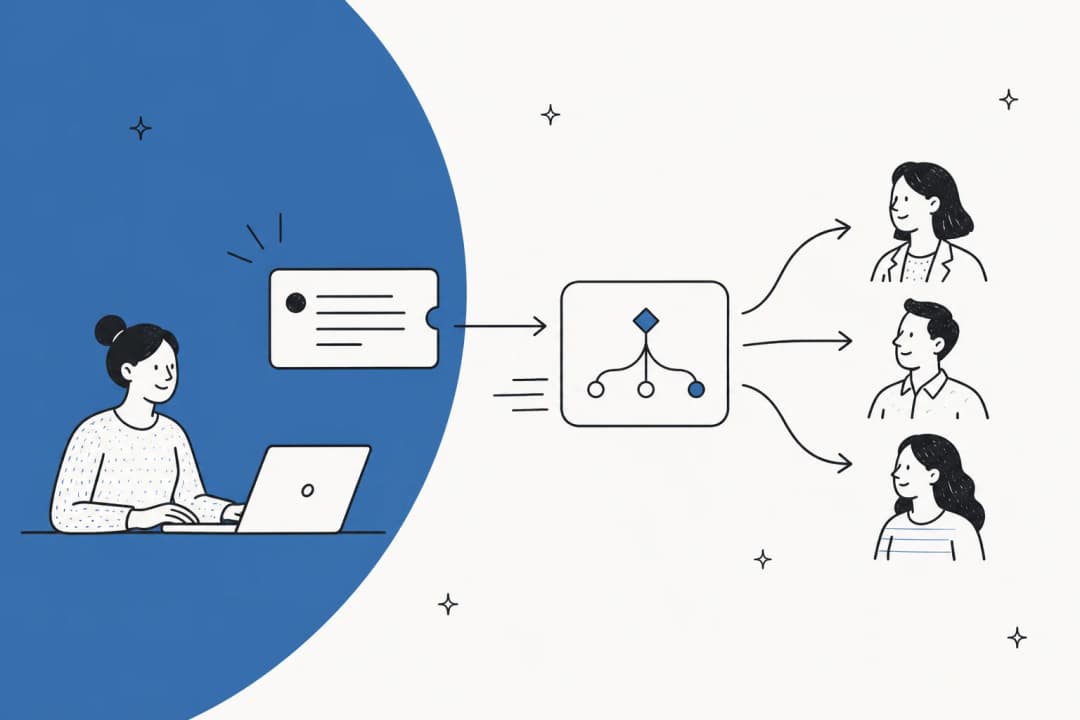
How to add AI to your helpdesk (2026 guide)

Stevia Putri
Written by

Stevia Putri

Katelin Teen
Reviewed by

Katelin Teen

Last edited May 15, 2026

Expert Verified
Helpdesk support dashboard with AI assistant overlay and knowledge sources connected

Most support teams reach the same point: ticket volume has grown, the team hasn't, and the backlog is a permanent fixture. AI doesn't fix poor processes, but it does handle something genuinely valuable - the tickets that don't need a human to answer them. For most teams, that's more than half.

Adding AI to a helpdesk in 2026 is faster and more straightforward than it was even two years ago. Tools like eesel AI slot into your existing Zendesk, Freshdesk, or Help Scout instance and start handling tickets within minutes - no migration, no re-training your team on new software. This guide walks through the whole process: what to sort out first, how to set it up, how to connect your knowledge base, and how to go from cautious pilot to confident rollout.

What you need before you start

You don't need to build anything from scratch. What you do need:

An existing helpdesk. Zendesk, Freshdesk, Help Scout, Gorgias, HubSpot Service Hub - all of these work with AI layers that drop in on top. If you don't have a helpdesk yet, pick one before adding AI; they're the underlying system the AI reads from and writes to.

A knowledge base, even a modest one. Help center articles, past tickets, macros, saved replies, a Google Doc with your FAQs - any of these work as source material. The AI learns from what you already have. A thin knowledge base produces a thinner AI; a thorough one produces a capable one.

A clear starting scope. Don't begin with "all tickets." Pick a category that's high-volume and relatively predictable - returns and shipping questions, password resets, billing inquiries, product FAQs. You can evaluate AI quality more clearly on a defined set than on a mixed bag of everything.

One practical thing to do before connecting AI: spend an hour auditing your knowledge base. Check that your top 20 most common ticket types have accurate, current answers documented somewhere. Outdated help articles translate directly to outdated AI responses.

How to add AI to your helpdesk with eesel

eesel AI is an AI layer that works on top of your existing helpdesk. Your team keeps using Zendesk or Freshdesk exactly as before; eesel shows up alongside them, handling the tickets you define and drafting responses for the ones it's less certain about. Setup takes under 15 minutes.

eesel AI helpdesk agent - autonomous ticket resolution and copilot mode
Five steps to set up an AI helpdesk agent

Step 1: Connect your helpdesk. Go to eesel's integrations page and authorize the connection to your helpdesk. eesel immediately starts reading your existing tickets, macros, and help center articles. Nothing in your helpdesk moves - eesel reads from it and writes back to it.

Step 2: Add your knowledge sources. Connect the other places your product knowledge lives: Google Drive, Notion, Confluence, SharePoint, your website. eesel reads from these directly - there's no import or export step. Each source you add increases the depth of the AI's context. Ticket history alone is a reasonable start, but pairing it with help docs and internal wikis is where coverage gets broad.

Step 3: Write your escalation rules. In plain English. "Always escalate billing disputes to the senior team." "Decline refund requests older than 30 days and offer store credit." "For VIP customers, CC the account manager." No logic builders or conditional branches required - eesel reads natural language instructions the same way a new support hire would.

Step 4: Run simulations before going live. This step makes the difference between a smooth rollout and a rough one. eesel runs the AI against thousands of your historical tickets and produces a forecast: which ticket types it handles confidently, where knowledge gaps exist, what your predicted deflection rate looks like. You review the AI's drafted responses against what your agents actually sent. Fix the gaps. Run again. Go live when the forecast matches your expectations.

Step 5: Start in copilot mode, then expand. Don't go straight to autonomous operation. Start with eesel drafting responses that your agents review and send. Correct the drafts you disagree with - those corrections teach the AI your voice and the specifics of your policies. Once you're confident in how it handles a ticket category, flip that category to autonomous.

What to connect as knowledge sources

What the AI knows depends entirely on what you give it access to. More sources mean higher coverage, which means higher resolution rates and fewer "I'm not sure" escalations.

Knowledge sources that feed into an AI helpdesk agent: tickets, docs, website, Slack, Shopify

eesel connects to over 100 knowledge sources:

Source typeWhat to connect
Helpdesk dataPast tickets, macros, canned responses, help center articles
Docs and wikisGoogle Drive, Google Docs, Notion, Confluence, SharePoint
WebsitePublic help pages, product documentation, pricing pages
Internal commsSlack channel history for teams with knowledge in conversations
E-commerceShopify products, orders, inventory (real-time lookups)

Two things to know about knowledge sources: eesel's AI draws only from your connected sources, not generic training data. That means it won't confabulate information that isn't in your docs - but it also means any gap in your documentation becomes a gap in AI coverage. For guidance on structuring your source material effectively, this guide on training AI on a knowledge base is worth reading before you connect everything.

Copilot or autonomous: choosing how much the AI controls

When you first connect the AI, you choose how much autonomy it gets. This is a dial, not a binary switch - you can set it differently for different ticket categories.

Three-stage progression from copilot mode to supervised agent to fully autonomous

Copilot mode means the AI drafts every response, but nothing gets sent until a human approves it. Your agents still own every message. This is the right starting mode if you want to verify quality before giving the AI autonomy - and it's how most teams should begin.

Autonomous mode means the AI sends responses directly when its confidence is high, and queues lower-confidence cases as drafts for human review. You still define what triggers escalation to a human entirely - by topic, customer segment, sentiment, or any condition you specify.

The practical advice: stay in copilot mode for two to four weeks, reviewing how the AI handles your actual ticket mix. Use that time to correct drafts that miss the mark. When you start seeing consistent draft quality in a category, promote that category to autonomous. Expand from there.

Gridwise followed this path and shared their result:

"In the first month, eesel is resolving 73% of our tier 1 requests. Easy Zendesk implementation."

  • Kim Simpson, Gridwise (source)

Mature eesel deployments reach up to 81% autonomous resolution, typically within the first two months.

Adding AI to specific helpdesk platforms

Zendesk

Zendesk includes built-in AI in all Suite tiers. Starting prices and included automated resolutions (ARs):

PlanPrice (annual)Included ARs/agent/month
Suite Team$55/agent/month5
Suite Professional$115/agent/month10
Suite Enterprise$169/agent/month15

Automated resolutions beyond the included amount cost $1.50 each on committed pricing or $2 pay-as-you-go. The Advanced AI Agents add-on is priced through sales.

For teams that want more flexibility than Zendesk's native AI provides, eesel AI for Zendesk works within your existing Zendesk setup - appearing in your agent list, following your views and triggers, and drawing from your full knowledge base including external sources Zendesk can't access natively (Confluence, Notion, Slack, Google Docs).

eesel AI integrated with Zendesk - showing agent view and ticket handling

eesel's Zendesk integration also includes automatic knowledge gap detection - it surfaces recurring questions the AI can't confidently answer and drafts help articles to fill those gaps. Smava uses this setup to process 100,000+ tickets per month in German, fully automated.

Freshdesk

Freshdesk's AI layer is called Freddy AI. It splits into three parts: Freddy AI Agent (autonomous customer-facing bot), Freddy AI Copilot (agent-assist add-on at $29/agent/month), and Freddy AI Insights (analytics, in beta). The full AI feature set requires Freshdesk Omni, which starts at $29/agent/month - standalone Freshdesk ticketing has significantly more limited AI capabilities, with no live translation, no conversation summarizer, and no conversational knowledge base.

Freddy AI Agent's knowledge ingestion has hard caps worth knowing upfront: 200 files per agent (35MB each, .txt/.docx/.pdf only), 10 URLs per agent, no native connectors for Confluence, Google Docs, Notion, or Slack. If your knowledge lives in those tools, you'll need to export and re-upload manually - or use an integration layer that handles it automatically.

eesel AI connected to Freshdesk - integration setup and ticket handling

eesel AI for Freshdesk reads from Confluence, Notion, Google Docs, and Slack directly - no manual exports. It can manage SLA timelines, route tickets to groups, update ticket fields, and add private notes, all within Freshdesk's existing automation rules. Design.com runs 50,000+ tickets per month through eesel on Freshdesk, powered by 1,000+ help articles.

Help Scout, Gorgias, and others

The same pattern applies across other helpdesks. eesel integrates with Help Scout, Gorgias, HubSpot Service Hub, and Jira Service Management - each connection gives the AI access to that platform's ticket history and lets it respond within the existing interface.

Gorgias has strong native e-commerce AI built for Shopify workflows, making it a reasonable choice for stores that already run Gorgias. For everything else, eesel's multi-platform flexibility means you can run one AI layer across different helpdesks if you have more than one.

For a more detailed comparison of how AI performs across platforms, this breakdown of AI customer support tools covers the main options in 2026.

Testing before any customer sees the AI

The simulation step deserves its own section because it's the one most teams skip - and skipping it is how you end up with an AI that confidently answers questions wrong.

eesel runs the AI against your historical tickets and returns a report: which categories it handles at high confidence, where knowledge gaps exist, and what your predicted deflection rate looks like. You see the AI's generated responses next to what your agents actually sent, so you can judge quality directly rather than by proxy metrics.

The workflow: run the simulation, review the gap report, fill the missing knowledge base articles, run the simulation again. A few hours of this before launch means the AI's rough edges get smoothed out before customers encounter them - rather than after.

Common mistakes when adding AI to a helpdesk

Starting too broad. Telling the AI to handle all ticket types on day one usually results in low confidence scores and inconsistent responses. Start with one or two high-volume, predictable categories and prove the model there before expanding.

Skipping the knowledge audit. The AI reflects your documentation. If your help articles describe a pricing tier you discontinued two years ago, the AI will confidently give customers the wrong price. Before going live, verify that your top 20 ticket types have current, accurate answers somewhere in your knowledge base.

Loose escalation rules. "Escalate anything complex" isn't a rule the AI can follow reliably - it's a judgment call it will make inconsistently. Be specific: "Escalate if the refund request is over $500," "Route all cancellation requests to the retention team," "Always loop in the account manager for enterprise accounts."

Not reviewing copilot drafts carefully in the first few weeks. The whole point of copilot mode is the feedback loop. When agents correct a draft, the AI learns. When agents approve drafts without reading them, the AI doesn't improve - and poor responses eventually reach customers in autonomous mode. Make reviewing drafts a genuine part of the weekly workflow early on.

Treating it as a one-time setup. Product changes, pricing updates, new policies - if the AI doesn't know about them, it will answer based on the old information in your docs. Keep knowledge sources updated and use ticket insights reporting to catch gaps before customers do.

eesel AI for your helpdesk

eesel AI adds an autonomous support agent to any helpdesk you're already running - Zendesk, Freshdesk, Gorgias, Help Scout, and others. Connect it in under 15 minutes, run simulations on past tickets to verify quality, and start in copilot mode before expanding. Mature deployments handle up to 81% of tickets autonomously, with a typical payback period under two months.

There's a $50 free trial with no credit card required - enough to connect your helpdesk, ingest your knowledge sources, run ticket simulations, and see exactly how the AI performs on your actual ticket types before committing to anything.

Frequently Asked Questions

AI reads incoming tickets, drafts responses grounded in your knowledge base, and either sends them directly or queues them for a human to review. It can also handle follow-ups, update ticket fields, route conversations, and escalate based on rules you define. Think of it as a support agent that handles the repetitive, answerable tickets so your team focuses on the ones that genuinely need human judgment. eesel AI's helpdesk agent is built for exactly this workflow.
No. Tools like eesel AI work as a layer on top of your existing helpdesk - Zendesk, Freshdesk, Help Scout, Gorgias, and others - without requiring you to migrate data or change how your team works. Your agents keep using the same interface; the AI just shows up alongside them, drafting and resolving tickets from within.
Most setups take under an hour to connect your helpdesk and knowledge sources. The AI starts with what you already have - past tickets, help center articles, macros, connected docs - and is ready to handle test cases the same day. Running simulations against historical tickets before going live gives you a data-driven view of how it will perform before any customer sees it.
Deflection rates vary by industry, ticket type, and how well your knowledge base covers common questions. In mature deployments, eesel AI reaches up to 81% autonomous resolution. A more typical starting range is 40-60% for teams with a solid knowledge base - and that rate improves as the AI encounters more tickets and you expand its scope.
Good AI helpdesk tools use confidence scoring. When the AI is unsure, it queues the response as a draft for human review rather than sending a bad answer to the customer. You can also define explicit escalation rules - 'always route billing disputes to the senior team' or 'escalate any ticket mentioning a refund over $200.' eesel AI lets you write these rules in plain English, not rigid workflow builders.

Share this article

Stevia Putri

Article by

Stevia Putri

Stevia Putri is a marketing generalist at eesel AI, where she helps turn powerful AI tools into stories that resonate. She’s driven by curiosity, clarity, and the human side of technology.

Ready to hire your AI teammate?

Set up in minutes. No credit card required.

Get started free