How to achieve inbox zero in support

Stevia Putri

Katelin Teen
Last edited May 15, 2026
Your support team starts Monday full of optimism. By Wednesday they're underwater. Thursday someone's quietly updating their resume. This isn't just dark humor from r/CustomerService - it's a structural problem that affects teams of every size, and it has a fix.
That fix is inbox zero. Not the version where you stare at an empty queue (that's not real for most support teams), but the version where every ticket has an owner, every conversation has a status, and nobody is lying awake wondering what got missed. Zero ambiguity, not zero tickets.
eesel AI is one tool that helps teams get there faster - it plugs directly into your existing helpdesk, learns from your past tickets, and automates the triage and drafting work that eats the most time. But the approach below works whether you use eesel or not. The eight steps here are the process; the tools come after.
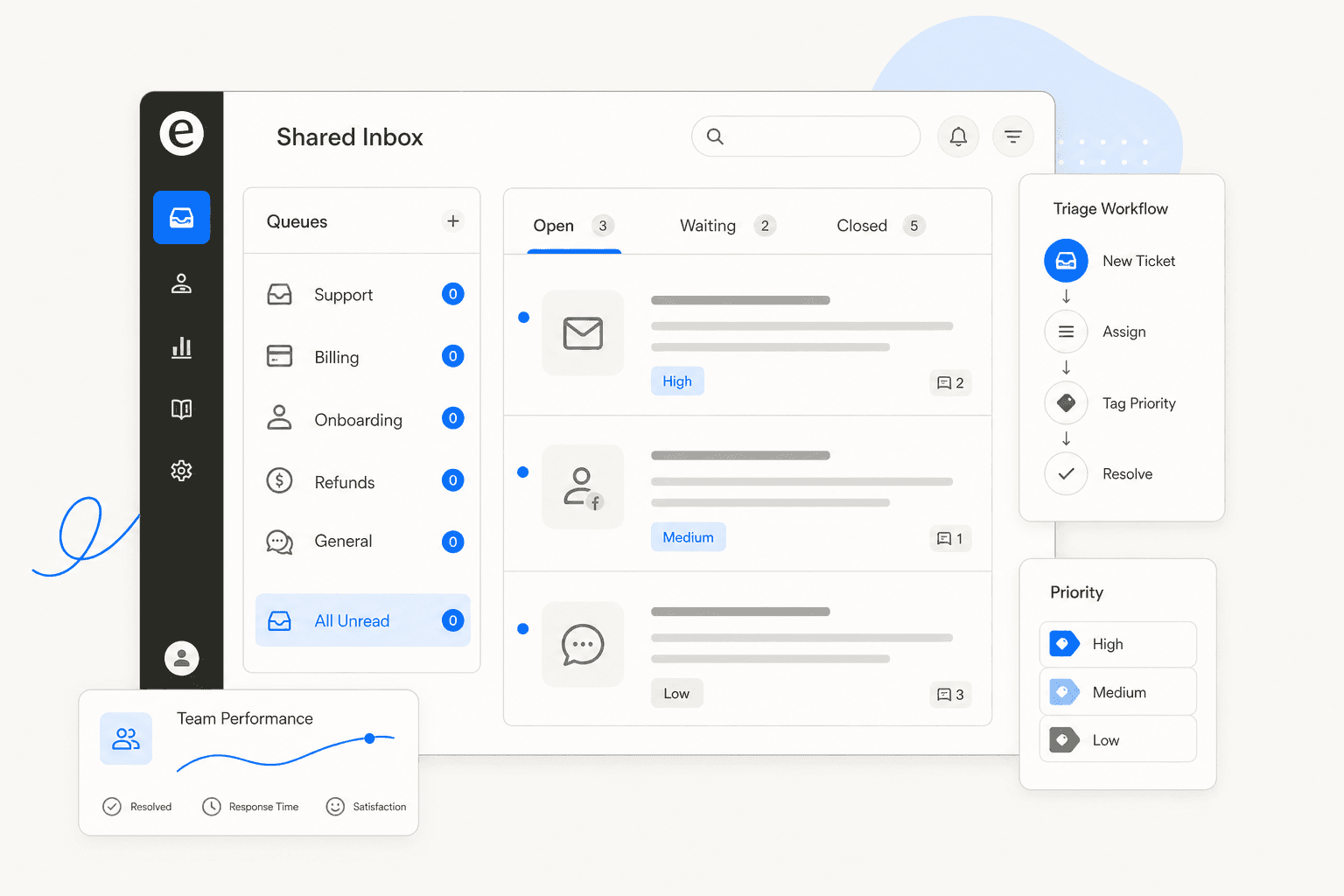
What inbox zero actually means for support
Merlin Mann coined the term in 2006 in the context of personal email. His actual definition: "zero" refers to the amount of time your brain spends in your inbox, not the number of emails it contains. For support teams, this distinction matters even more than for individuals.
A queue of 200 tickets is not a crisis if every one of those tickets is assigned, labeled, and has a next action. A queue of 12 tickets is a crisis if three of them have been "someone's looking into it" for a week and nobody's sure who.
Zoho TeamInbox captures this well with a four-pillar framework that's worth naming explicitly:
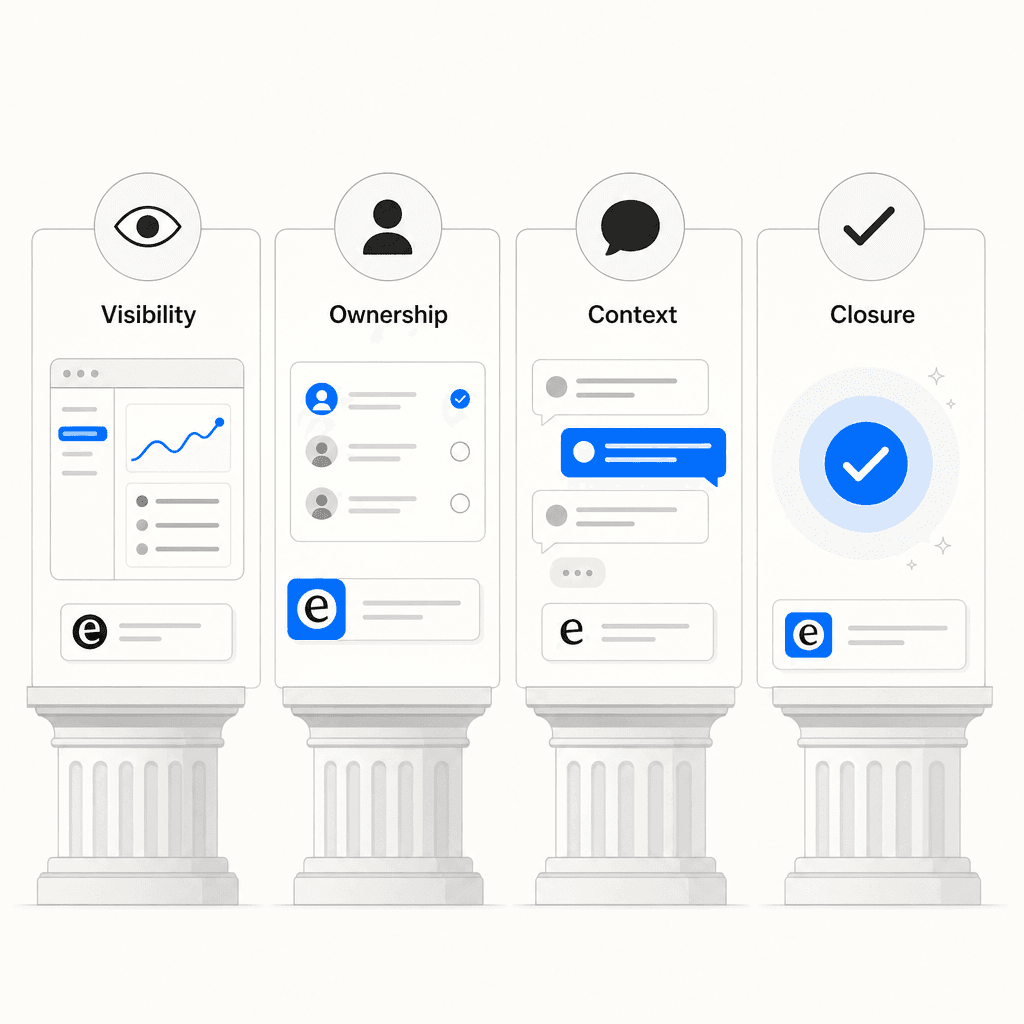
- Visibility - anyone on the team can see what's open, what's waiting, and what's stuck without asking around
- Ownership - every conversation has exactly one accountable person at any moment
- Context - the full history, internal notes, and escalation reasoning travel with the ticket
- Closure - the team has agreed on what "done" means, not just "I replied once"
When all four are in place, your inbox is under control regardless of what the queue count reads. When any one is missing, things fall apart - the ticket count just determines how visibly.
Why support inboxes spiral
Before fixing the inbox, it helps to know what breaks it. The causes are almost always structural, not personal.
Knowledge workers spend 28% of the workweek managing email, according to McKinsey research cited by Hiver. Support agents compound that because their emails aren't passive - each one demands judgment, knowledge, and often follow-up. It takes 23 minutes to fully regain focus after an email interruption, and most support agents are interrupted every few minutes.
62% of companies don't respond to customer service emails at all. That's not laziness - it's queues where nobody agreed on who owns what, and the message fell through.
38% of office workers report email fatigue is pushing them toward quitting. And Oxford University research found happier workers are 13% more productive, which means the cost of a chaotic inbox goes well beyond the missed SLAs you can see.
The other structural cause: 60–80% of tickets are repetitive. r/CustomerService's most-upvoted thread on ticket queues put it plainly:
"The Friday prayer hits different when you realize 60%+ of those tickets are just 'where's my order' and 'how do I return this' - stuff that doesn't need a human at all." - u/mguozhen
Those repetitive tickets aren't a volume problem. They're a systems problem - and solvable with the right automation. The eight steps below address both the volume and the ambiguity.
Step 1: Apply a decision on first touch
Every ticket that enters your queue should get one thing immediately: a decision.
Missive describes the core rule this way: "When you process a ticket, do one of the following and move on: Delete or archive, Delegate, Respond, Defer, or Do. The key is the decision itself. Every ticket gets a decision, not a 'look at later.'"
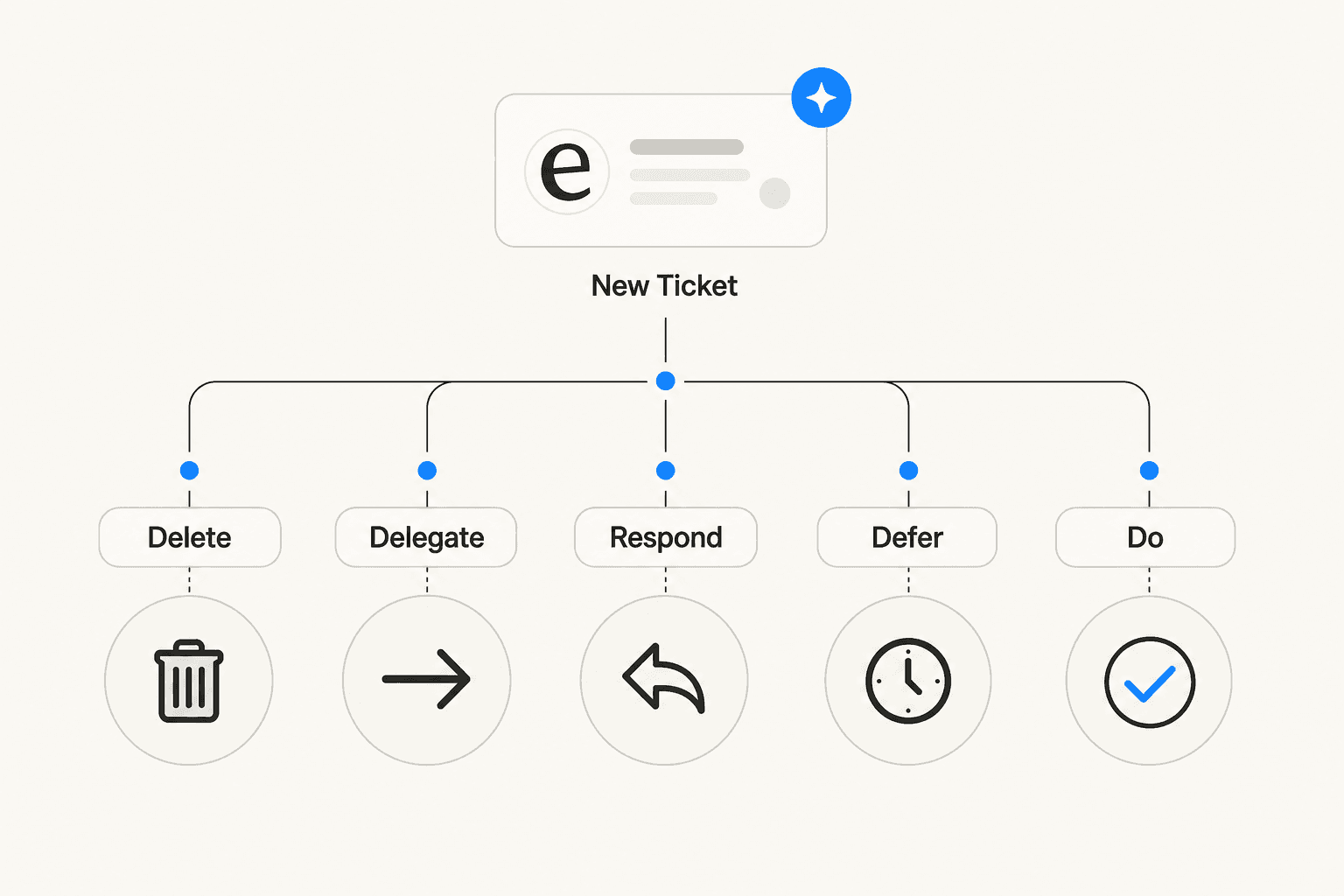
Nothing should sit in an unactioned state. A ticket you've opened but haven't decided anything about is worse than one you haven't opened yet, because now it's in two places: your queue and your head.
For support teams this means the triage pass is a real discipline, not a skim. Whoever does first-touch on a ticket answers three questions:
- Can this be resolved immediately with a saved reply? → Reply and close.
- Does it need a specialist? → Assign with context.
- Does it need more information or time? → Snooze with a follow-up date.
"Look at later" is not one of the options.
Step 2: Categorize and prioritize before anything else
Trying to clear a support queue without categories is like trying to clean a room by picking things up randomly. You end up moving things around rather than resolving them.
SupportBee recommends a simple impact-urgency matrix to guide prioritization:
| High urgency | Low urgency | |
|---|---|---|
| High impact | Critical - handle now | High - handle today |
| Low impact | Medium - handle soon | Standard - queue normally |
Start with broad categories that actually reflect your ticket types: Billing, Technical issues, Account access, Feature requests, General inquiries. Then review them quarterly - a "General" or "Other" category holding 40% of your tickets is telling you it's not a category at all.
Help Scout recommends creating priority folders for high-stakes conversations - specifically, a folder for retention-risk tickets (keywords like "cancel," "refund request," "canceling my account") and one for VIP customers. These aren't for reading later. They're for routing immediately so the right person sees them first.
HappyFox puts it bluntly: "Half the support work is plainly about organizing your support inbox. If the inbox is cluttered, it makes support chaotic, affects your first response and resolution times, and most importantly, makes you miss critical tickets."
Step 3: Establish ownership rules
Shared inboxes have a specific failure mode: everyone sees the ticket, nobody owns it. Three agents open it in sequence, each assumes one of the others is handling it, and the customer gets nothing.
The fix is a single rule: one owner per conversation, always.
Zoho TeamInbox makes this the second pillar of team inbox zero: "If the owner cannot resolve it, they can route the message to a specialist - but accountability remains clear. Reassignment must be explicit, and specialists can contribute without owning the thread."
Ownership should be automatic where possible. Routing rules eliminate the manual triage bottleneck:
- Tickets mentioning "invoice" or "payment" → billing specialist
- Tickets from enterprise customers → priority routing queue
- Tickets about a specific product or integration → agents who know that area
SupportBee notes that AI-powered routing cuts misrouting errors by 50–60% in mature setups. CM.com recommends skills-based routing that reads ticket content to determine the most effective agent match - not just round-robin assignment.
The ownership rule also applies to CC chains. Zoho calls out CC and forwarding as "legacy coordination habits that create hidden ownership" - they split context across inboxes and make it impossible to tell who the customer-facing voice is. Replace them with internal notes inside the ticket thread.
Step 4: Automate the triage work you're doing manually
Once categories and ownership rules are defined, almost all of the triage work can be automated. The goal is to have the queue arrive pre-sorted rather than requiring a human to do that sorting.
Help Scout found that teams consistently cited automation as their highest-leverage improvement - "keyword-based routing, automatic filtering to specially-created folders, and auto-assigning were best utilized to create big wins for the team, rather than adding needless complexity."
Automations worth building first:
- Keyword routing: route tickets containing "invoice," "refund," "cancel," or "urgent" to the correct queue without a human decision
- SLA escalation alerts: flag anything unresponded after your target window (e.g., 4 or 6 hours) before it becomes a breach
- Contact form subject controls: pre-define subject lines on your contact form ("Pre-sales," "Technical issue," "Billing") so filtering applies from the first moment
- Auto-snooze on "Waiting for customer": if a ticket is waiting on a customer response, snooze it automatically and re-surface after 24 hours
HappyFox describes this concisely: "With Smart Rules, you can configure predefined instructions on how tickets should be categorized, prioritized, and escalated - so tickets route automatically and your inbox stays clean."
One specific automation that r/sysadmin found highly effective: automated "Waiting on Customer" status with timed reminders at 24, 48, and 72 hours, then auto-close. Customers learned quickly that unresponsive tickets closed on their own, which drove them to reply faster.
Step 5: Build a saved reply library for the 80% that repeats
If 60–80% of your tickets are repetitive, and you're writing fresh responses to each one, you're spending the majority of your time on the lowest-leverage work in your queue.
The fix is a shared, searchable library of saved replies for every question that recurs more than twice a month.
Missive: "If you answer the same question more than twice a month, make a canned response and insert it in one click. This is especially useful for policy explanations, meeting requests, and standard FAQs."
Help Scout recommends being generous in building the library: "There is little downside other than getting somewhat trigger-happy and ending up with replies you rarely use." The risk of too many templates is much smaller than the risk of typing out the same refund policy explanation for the hundredth time this month.
A good saved reply handles the structural part of the response - the policy, the steps, the process - and leaves blanks for the specifics that change per ticket. Agents fill in the customer's name, the order number, the specific issue, and send. SupportBee is explicit: "Always personalize before sending. These small touches take seconds but change how the response feels."
Groove HQ documented a specific implementation that cut their response time from 24 hours to 9 hours: identify top ticket types via tags, track volume by tag in the dashboard, then create canned replies and folder routing rules for each. Three steps, measurable result.
Step 6: Deflect volume before it reaches the queue
The fastest way to achieve inbox zero is to stop tickets from becoming tickets in the first place.
Teams that invest in self-service typically see 40–63% fewer incoming tickets. That's not a small reduction - it's the difference between a queue that's manageable and one that isn't.
The most effective self-service mechanism is a knowledge base that surfaces relevant articles while the customer is typing their message, before they submit. If someone is describing a password issue, showing them the reset article before they finish the form means many of them never complete it.
SupportBee notes that AI agents can resolve 20–50% of incoming volume through self-service deflection or proactive answers alone. That's not by replacing agents - it's by catching the questions that already have documented answers before they become tickets requiring a reply.
One practical approach from r/helpdesk: a team going from 50 to 250 tickets per week due to company growth focused first on a self-service portal specifically for password resets and software installs - the highest-volume, lowest-judgment requests. They eliminated the majority of that volume before touching anything else.
Help Scout advocates going further: use the patterns in your ticket data to fix the product itself. Bill Price, Amazon's former VP of Global Customer Service, drove their contact-per-order metric down over 70% by improving the customer experience until the reasons to call disappeared. At a smaller scale, routing your UX designer through support emails for a week - or having engineers handle real tickets - makes product improvements a higher priority faster than any process change.
Step 7: Define what "done" means
This is the step most teams skip, and it's the reason inbox zero collapses after a good start.
Zoho names undefined closure as "the most common reason Inbox Zero fails after a strong start. Teams agree on states and even ownership, but they never define what 'done' means. Threads remain open loops, and the backlog returns."
The fix is explicit, team-wide definitions for four ticket states:
- Open: needs action now
- Waiting: pending a customer reply, vendor response, or internal dependency
- Snoozed: time-sensitive revisit scheduled with a specific date
- Closed: completed, with documented outcome
Then define exactly what qualifies as Closed. For example: "A request is closed when the customer confirms resolution, or when 48 hours have passed since our last response with no reply." Without that second clause, agents leave tickets in Waiting indefinitely because they're technically not closed yet.
CM.com recommends the snooze feature specifically for conversations that need time: "The ability to snooze a query for a set time allows agents to clear their backlog without worrying about missing a vital query." It disappears from the active view, resurfaces at the scheduled time, and keeps the inbox clean in the interim.
Step 8: Let AI handle the draft; keep humans on the send
The support community has developed a clear consensus on how AI fits into inbox zero: AI drafts, humans send.
In three separate r/CustomerSuccess threads on AI in support, this workflow was the only pattern that consistently got endorsement:
"The draft and approve model feels like the safest long-term approach. It removes the repetitive typing without giving up control." - u/Bart_At_Tidio
The conditions that make it work: (1) a clean knowledge base, (2) mandatory human review before sending, (3) AI handling a narrow set of questions well rather than everything poorly.
The conditions that make it fail: messy or incomplete documentation, AI scope that's too broad, no human review stage.
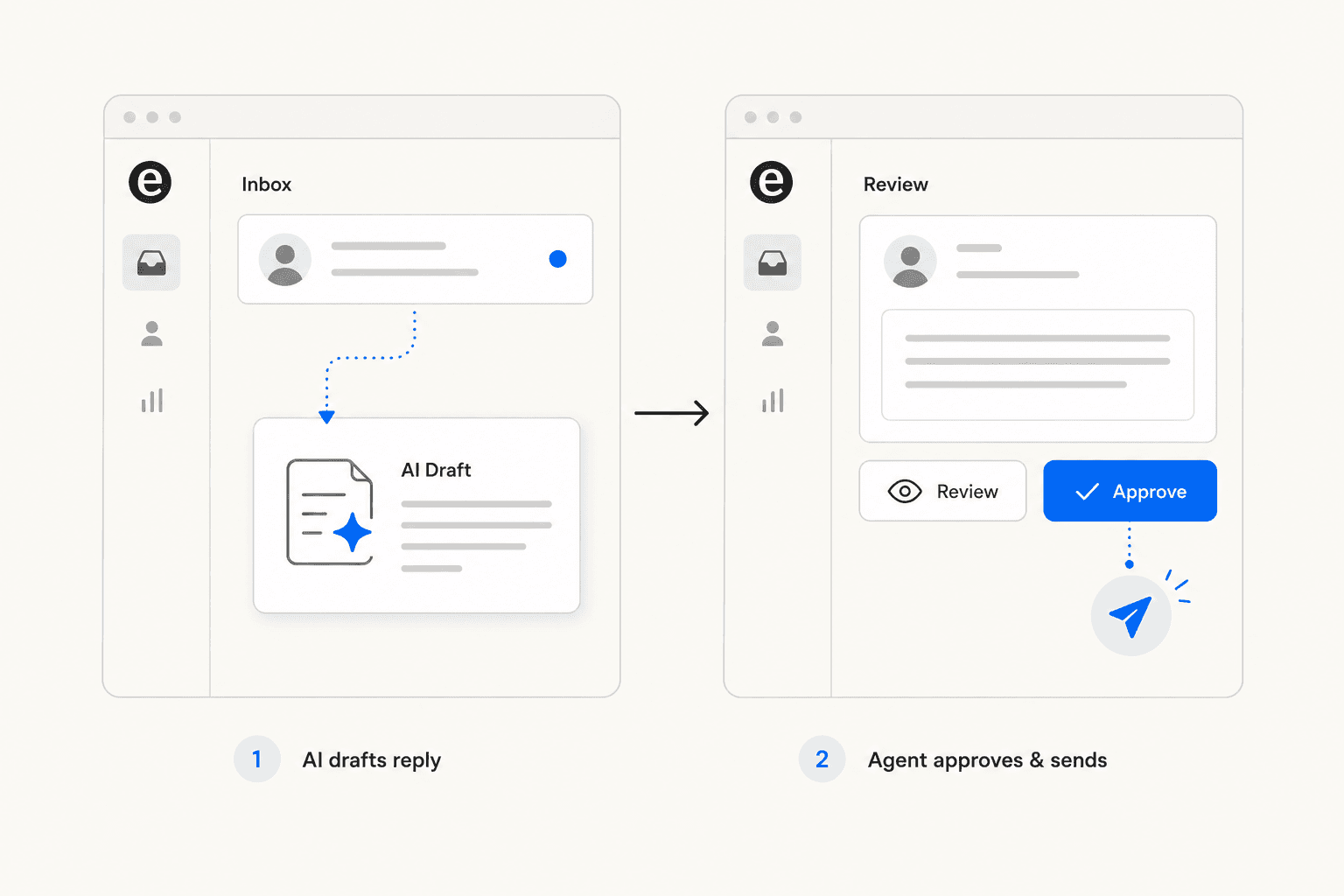
One r/CustomerSuccess contributor described the practical setup: an AI tool monitors overnight and sends a morning briefing categorizing emails as urgent (escalation, expiring contract), needs reply (not time-critical), and FYI (handled automatically). "Cut my morning triage from 45 minutes to literally 2 minutes."
Building the knowledge base before the AI goes live is non-negotiable. u/advithfrompylon put it plainly: "Most teams spend 90% of their energy picking the tool and 10% on what they feed it, when it should be the opposite. Bad or incomplete documentation means even a great AI will confidently give customers the wrong answer. Treat your knowledge base like the actual product."
Batch your inbox; stop monitoring it continuously
This isn't a step in the workflow - it's a behavior change that makes everything else work.
The single most-endorsed tactic across r/CustomerSuccess threads on email overload is two fixed inbox blocks per day with everything closed in between:
"One thing that helped more than any tool: batching. Two hard blocks for inbox, nothing in between. The psychological cost of context-switching between a normal task and an angry customer email is brutal, and batching absorbs most of that." - u/andrewluxem
Asana recommends a one-hour block at the start of the day and a 30-minute block at the end. Missive says three or four batches is fine. The exact number matters less than the elimination of constant monitoring.
For teams with SLA obligations, continuous individual monitoring is not the answer - shift-based shared ownership is. Assign coverage windows across the team so someone is always responsible without everyone being always on.
Track the right metrics
The most damaging metric in support is raw ticket count - it says nothing about workload, priority, or quality. One ticket can take 40 hours. Another takes 60 seconds. Managing to count produces the wrong behavior.
The metrics that actually tell you whether inbox zero is working:
| Metric | What it tells you |
|---|---|
| First-response time | How fast you acknowledge; SLA compliance |
| Full resolution time | How fast you solve; process efficiency |
| CSAT score | Whether customers are happy with the outcome |
| Ownership coverage | Percentage of conversations with a named owner |
| Backlog health | Open threads exceeding your defined SLA window |
SupportBee notes that manually handled tickets cost an average of $22 each, but automation can resolve 22% of tickets at near-zero cost - tracking handle time by issue type reveals exactly which categories are eating your budget and where automation pays off fastest.
One r/sysadmin team went from 300+ ticket backlog to a rolling 40 active tickets by shifting away from ticket count and toward three changes: published internal SLAs with a green/red status the whole team could see, WIP limits (maximum 3 tickets in-progress and 5 in queue), and age-based priority bumping so old tickets automatically surfaced before newer ones. They did this with 2.5 people.
"As long as we were green by those metrics, there were no worries. The queue number was irrelevant." - u/allcloudnocattle
Run a weekly review of aged conversations, reassignment patterns, and recurring causes of backlog. Zoho recommends making appropriate changes to rules, views, or templates after each review. SupportBee adds a monthly review of your slowest tickets: "What do they share? Often it's systemic - a flaky integration, a confusing feature, or a policy that creates needless back-and-forth."
eesel AI for inbox zero
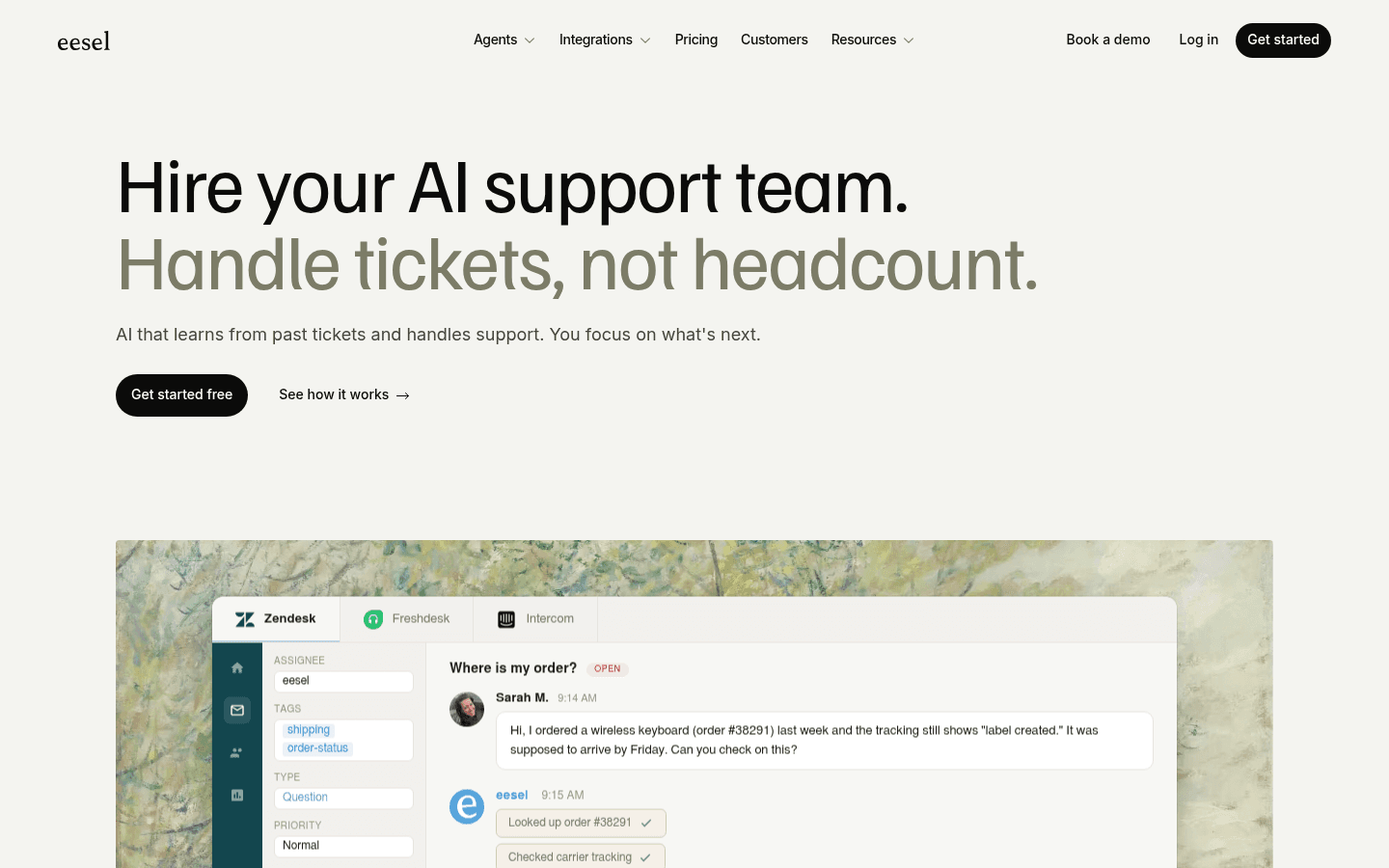
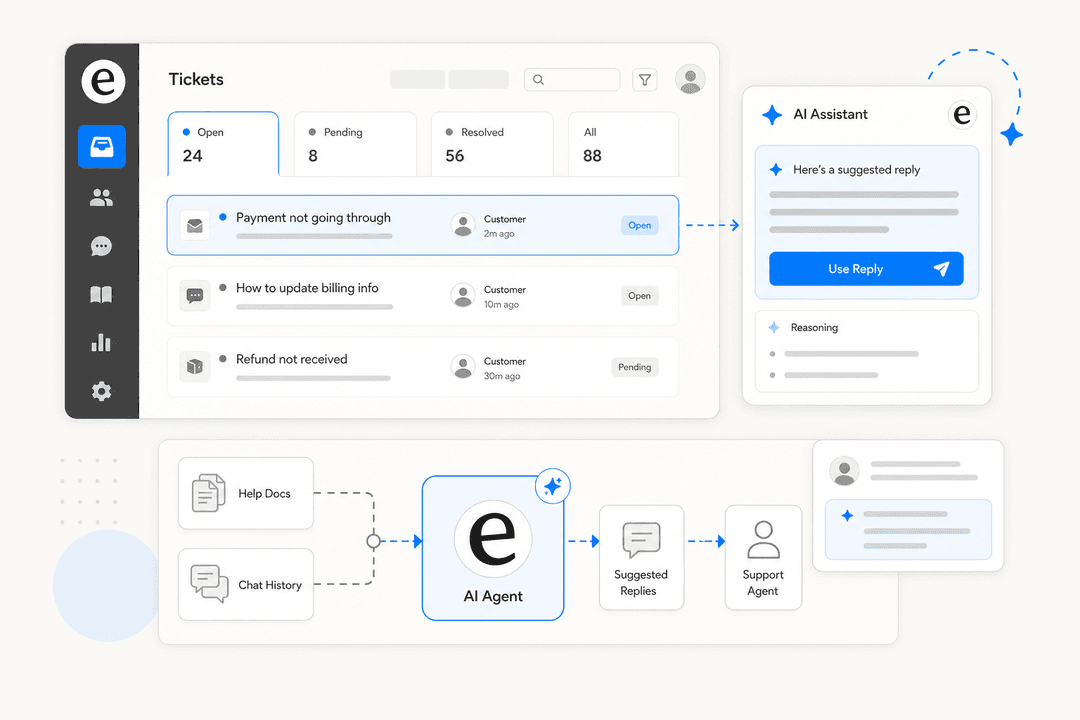
eesel AI is built specifically for support inbox zero inside existing helpdesks. It installs into Zendesk, Freshdesk, Gorgias, Front, HubSpot, and Help Scout as a named agent that appears in your agent list - it operates inside your existing workflows, triggers, views, and SLA policies rather than replacing them.
What sets it apart from native helpdesk AI is the knowledge source: while most built-in tools learn from the help center or website only, eesel learns from your actual solved tickets across all connected platforms, plus macros, saved replies, Confluence docs, Google Docs, and Notion - synced automatically. It arrives on day one understanding your tone, your common issues, and your policies.
The rollout follows the draft-and-approve pattern Reddit consistently endorses. Start with eesel generating drafts for agent review. Run simulations on past tickets before going live - eesel will surface knowledge gaps ("23 tickets last week asked about pro-rated refunds, but your docs only cover full cancellations") so you can fill them before any customer sees an AI response. Then expand autonomy gradually as you verify quality.
eesel also handles the parts of inbox zero that don't show up in individual tickets: it detects knowledge gaps across your ticket patterns and automatically drafts new help center articles from recurring themes, which reduces future inbound volume rather than just managing the current queue.
Results from teams using eesel:
| Customer | Result |
|---|---|
| Gridwise | 73% of tier-1 requests resolved in first month |
| Smava | 100,000+ tickets/month fully automated in German |
| Design.com | 50,000+ tickets/month; 1,000+ help articles powering answers |
| Oil Stores | Relieves small support team from being overwhelmed by easily answered questions |
Pricing is $0.40 per resolved ticket - usage-based with no per-seat charges and a $50 free trial to start.
Want to see how eesel would handle your existing tickets before committing? The simulation feature lets you run eesel against real historical tickets and review exactly how it would have responded. You measure quality before any customer sees it.

Frequently Asked Questions
Share this article

Article by
Stevia Putri
Stevia Putri is a marketing generalist at eesel AI, where she helps turn powerful AI tools into stories that resonate. She’s driven by curiosity, clarity, and the human side of technology.