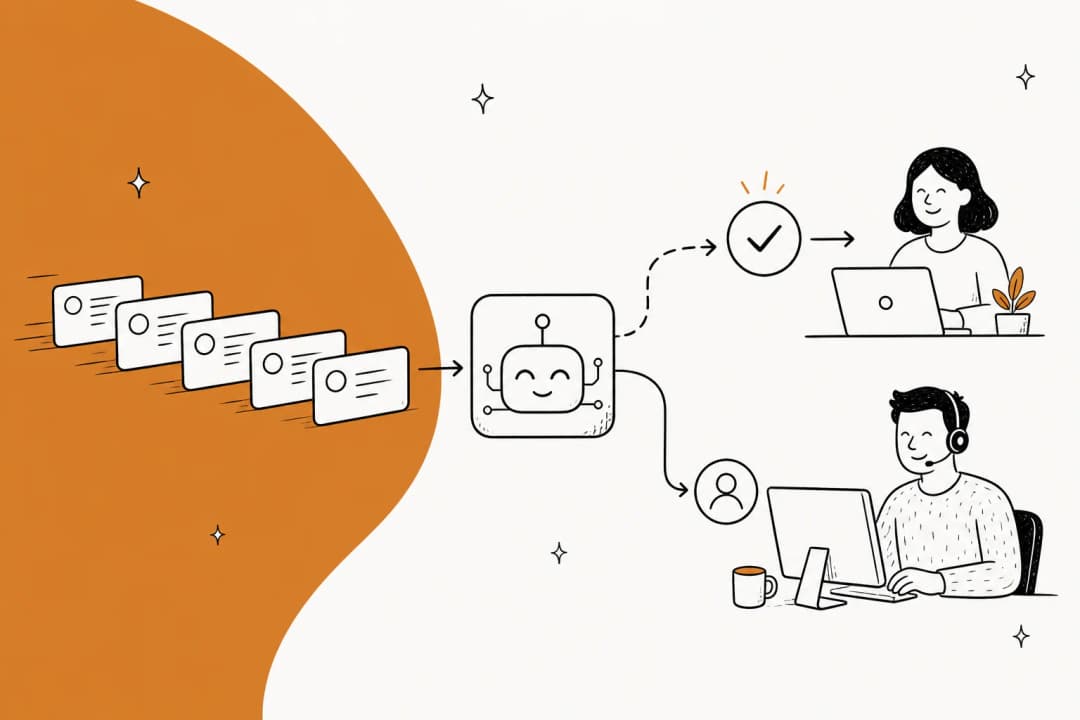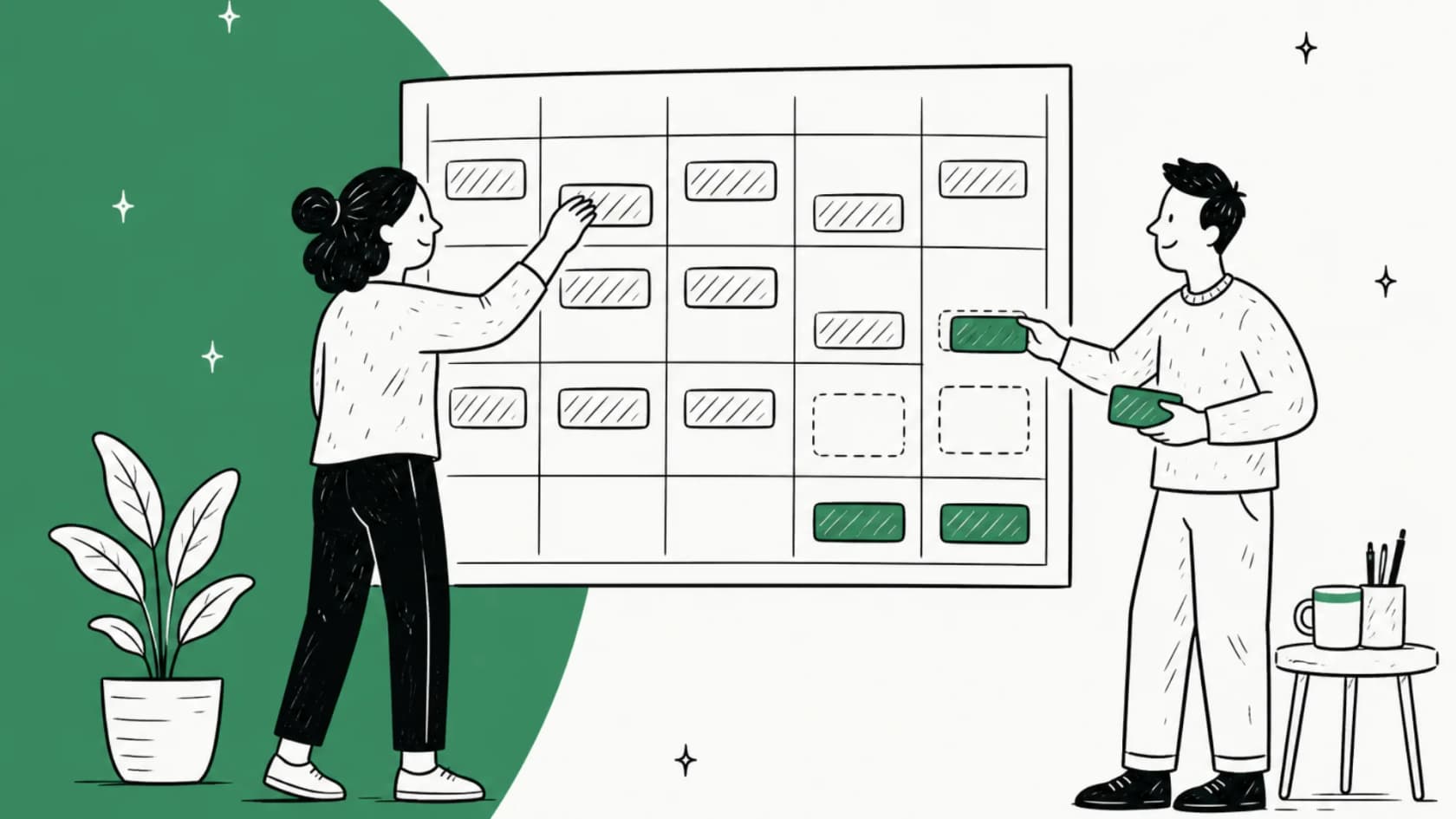
What is support coverage planning?
Support coverage planning is the work of matching your team's hours to when customers actually need you. It answers three questions:
- Which hours and days do we answer, per channel? Email, chat, phone and social don't need the same hours.
- How many agents do we need in each hour we're open? Not per day, per hour, because volume isn't flat.
- What happens outside those hours? An auto-reply, an on-call person, a partner, or an AI agent.
I'm on eesel's support team, so I live with the consequences of this plan every day. And because eesel has spent years putting AI on live support queues, I've seen the same pattern across a lot of teams: the coverage plan was decided once, by gut, when the team was three people, and nobody revisited it when volume tripled.
It also gets confused with neighbouring topics. Coverage planning decides when you're open. Your SLA policies decide how fast you promise to reply inside those hours. A shift handoff is what happens at the seams. Get coverage wrong and the other two can't save you.
Step 1: Find when customers actually write in
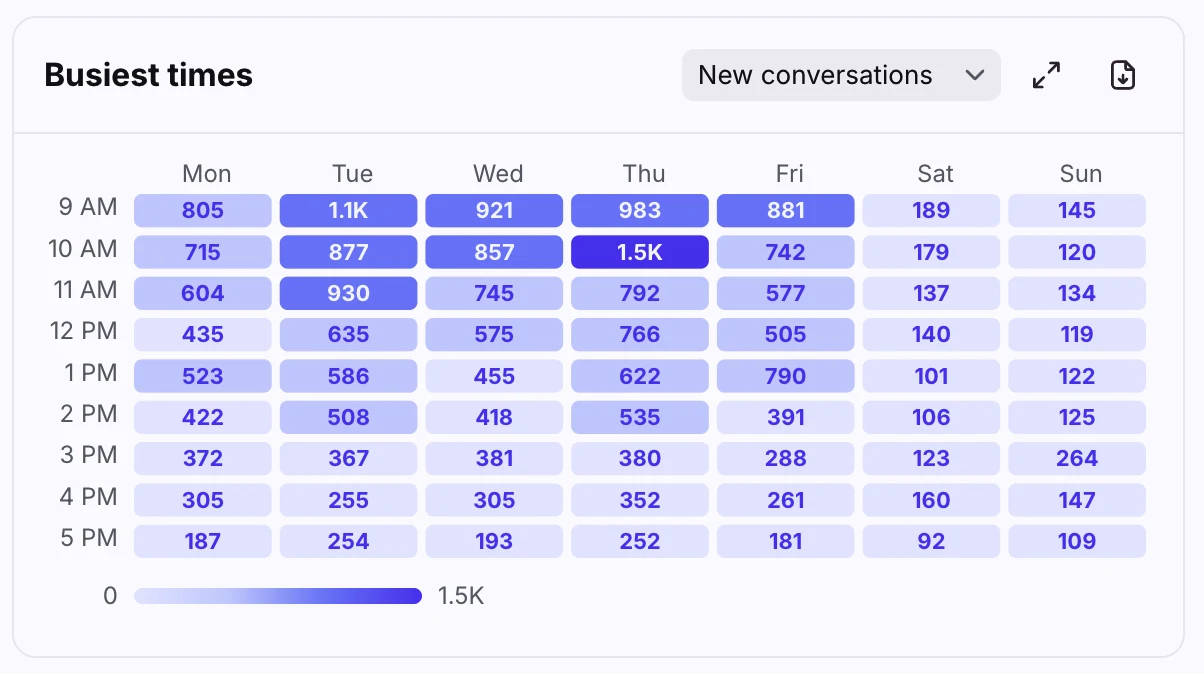
Start with data, not assumptions. Every major helpdesk now has a report that shows ticket volume by hour and day, and it takes about ten minutes to read.
| Helpdesk | Report to open | What it shows | Plan |
|---|---|---|---|
| Gorgias | Busiest times | Hour-by-day heatmap with your business hours marked; tickets created, replied, closed | All helpdesk plans |
| Front | Workload report, Busiest times | Heatmap of new conversations, messages and active teammates; 9 to 5 by default, expandable to 24 hours | All current plans |
| Help Scout | All Channels report | "Busiest time of day" heat map plus a Busiest Day metric | Not stated in the docs |
| Freshdesk | Ticket volume trends (Load Analysis) | Tickets created, resolved, reopened and unresolved by hour | Not stated for this report |
| Zendesk | Explore recipe, tickets by time of day | Custom report on "Ticket created - Hour", plus a busiest-times-by-channel recipe | Suite Professional and up, or Explore Professional |
Two things to look for in the heatmap. First, the obvious one: where the dark cells are. Second, and more useful, the dark cells outside your current hours. Gorgias's doc puts it better than I can: "A dark cell outside your business hours is demand arriving when nobody is scheduled."
Then look at created versus resolved by hour, because the hours where created wins are where a ticket backlog starts. Freshdesk's Load Analysis is built for exactly this, and its doc says that if created outruns resolved in a period, "you should add more agents during this time period."
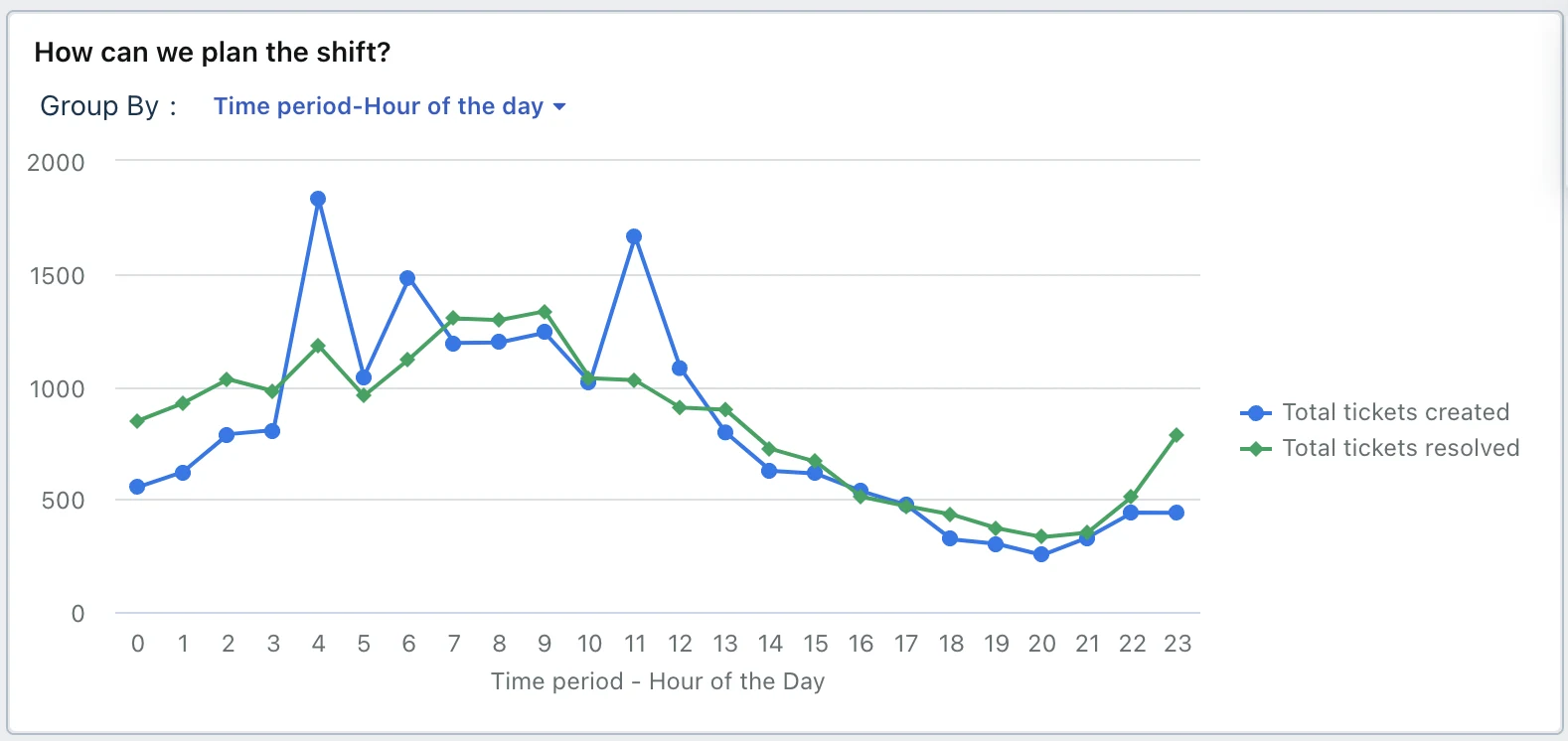
Use months of history, not days (Zendesk's forecaster starts from six months of tickets), and pull known spikes out of the baseline. One flower-delivery brand that trained eesel on its past tickets asked eesel to exclude its Valentine's Day and Mother's Day spikes for the same reason: peak weeks distort what a normal Tuesday looks like. Plan the baseline first, then plan peaks separately (step 6).
Step 2: Decide coverage per channel, not per clock
Here's the reframe I'd push hardest. "Are we open on Saturday?" is the wrong question. The right one is: how long will a customer on this channel wait before the delay costs us?
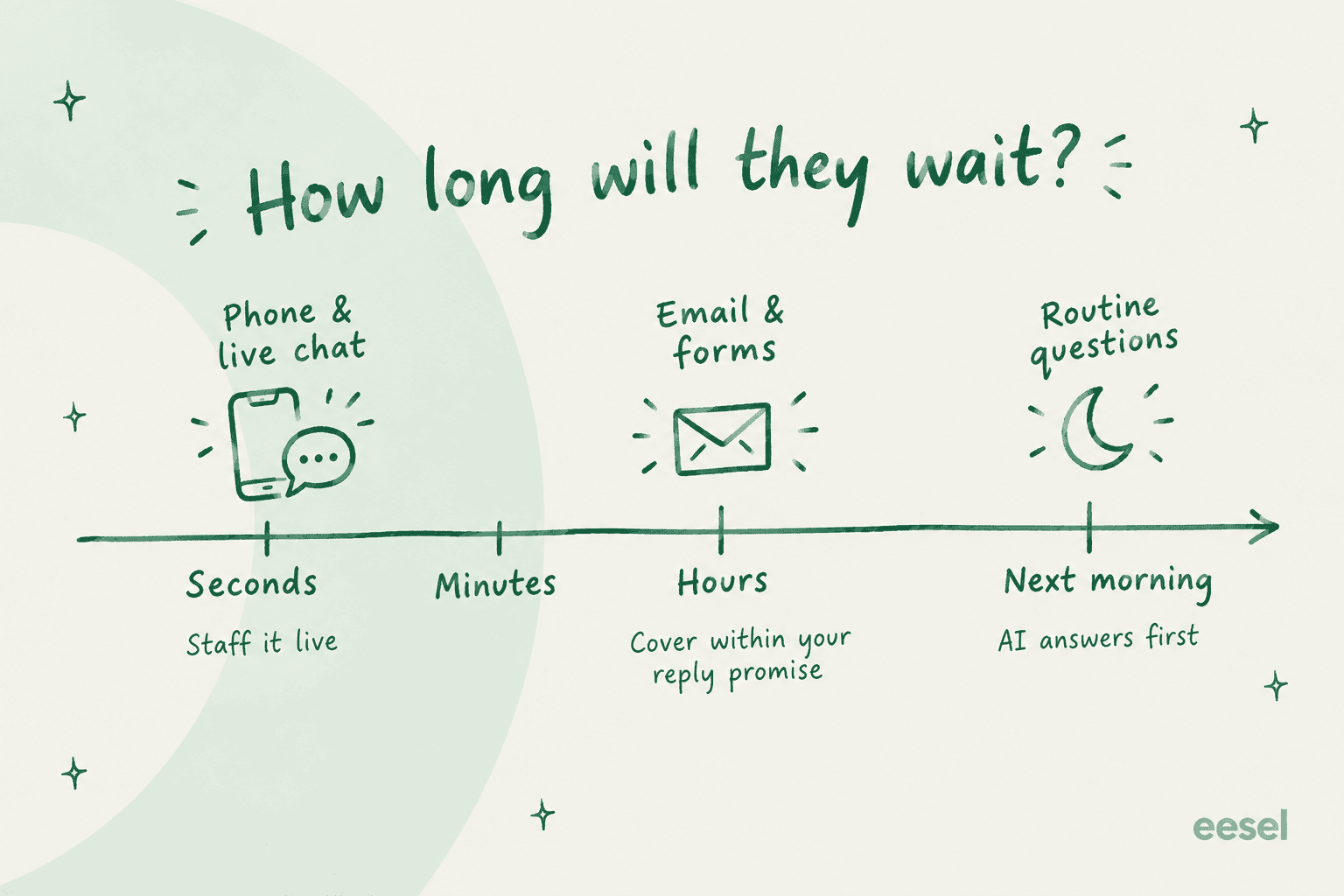
| Channel | How long customers wait | What coverage means |
|---|---|---|
| Phone | Seconds | A person on the line, or the line is closed |
| Live chat | A minute or two | A person online, or chat switches to "leave a message" |
| Email and web forms | Hours | Someone replies inside your stated window, which can start next morning |
| Social DMs | Hours, but public | Same as email, with closer watching for complaints |
| Outages and security issues | Minutes, whatever the channel | An on-call person, even when everything else is closed |
Zendesk's own forecasting engine treats channels this way. Its forecasting doc says email volume that lands outside staffed hours is spread "over the period of First Response Time," while voice and chat volume outside hours isn't carried forward at all. In plain terms: an email at 11 p.m. is tomorrow's work, a missed call is gone.
That gives you a sensible default for most teams:
- Live channels run only in the hours you can staff them properly. Outside those hours, chat flips to email capture. Help Scout, Front and Zendesk all support this, and my guide to Zendesk offline messaging covers one setup.
- Email gets a reply promise ("within 4 business hours") rather than round-the-clock staff, which is the core of asynchronous support, and your SLA timers follow the same schedule.
- Outages get a named on-call person, every day, with a short page list.
A Hacker News commenter made the buyer-side version of this point: for SaaS, "I'd be fine with business hour support. SaaS failures don't directly cost me money and/or reputation." Your customers might be different. A payments product or a hospital system can't make that trade. Be honest about which one you are.
Step 3: Work out how many agents you need each hour
Now the arithmetic. The simple version is a workload model:
Agents to schedule = (tickets that hour × minutes per ticket ÷ 60) ÷ occupancy ÷ (1 − shrinkage)
Minutes per ticket is your average handle time. Two of the other terms need defining, and Zendesk's WFM glossary has clean ones:
- Occupancy is the time agents spend handling work divided by their total working time. Nobody sustains 100%; Zendesk's own worked example caps it at 90%.
- Shrinkage covers "lunch breaks, training sessions, scheduled meetings" plus "absenteeism, holiday, vacation, sick days, lateness, and leaving early." Zendesk puts the industry standard at 15-35%.
Plug in your own numbers here. The calculator gives you the agents to schedule in your peak hour and the full-time headcount to cover a week of open hours.
The workload model is a floor, not the answer, for live channels. Chat and phone customers queue, and the formula workforce tools use to size that queue is Erlang C, which adds agents so a set share of contacts get answered within a target time. Zendesk WFM calculates required staffing per 15-minute interval "based on a modified version of Erlang C."
Erlang C has a known quirk at low volume. Zendesk's best practices doc warns that "for low-volume workstreams, the industry-standard Erlang C formula may result in slightly higher staffing recommendations." Its own worked example shows how much: 38 emails a day at 210 seconds each is about 2.2 hours of handling, yet the model lands on "1.5 agents per day," or 12 hours of staffed time. That gap is the cost of guaranteeing a fast reply on a quiet queue, and it's the strongest argument for not staffing quiet hours with people at all.
What one 24/7 seat really costs
This is the number that ends most "should we go 24/7?" debates.
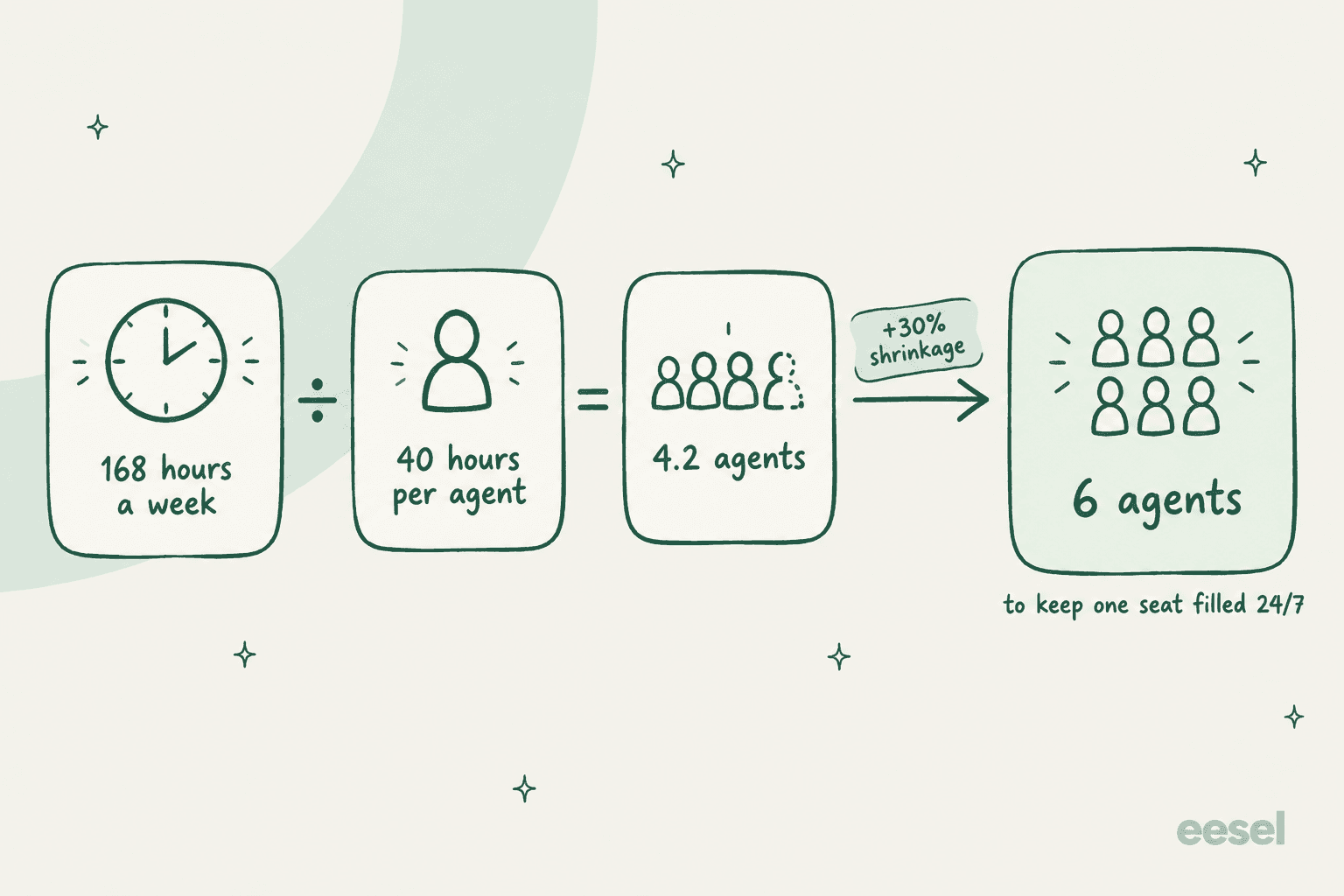
A week has 168 hours. Zendesk's glossary counts one FTE as 40 hours a week. That's 4.2 people to keep a single chair occupied, before anyone takes a holiday. Add 30% shrinkage and it's 6 people, for one seat. If you want two agents on overnight, double it.
One Hacker News commenter who'd been through it summed up what the spreadsheet usually leaves out:
"Still need enough staff at each site to handle rotation for covering weekends and for people to go on holiday and get sick or quit for new jobs etc."

Step 4: Pick a coverage model for the hours you can't staff
Once you know your busy hours and your headcount, you're choosing how to handle the rest. Here are the six models I see most, with what each costs you.
| Model | How it works | Works best for | The catch |
|---|---|---|---|
| Business hours only | One schedule, a clear reply promise, auto-reply outside hours | B2B SaaS where a delay doesn't cost the customer money | Monday morning backlog |
| Staggered shifts | Start times spread (7-3, 9-5, 11-7) to stretch one team across 12 hours | Teams of 4+ in one region | Thin coverage at the edges |
| On-call rotation | One person carries a phone or pager for urgent issues after hours | Outages, VIP accounts | Wears people down fast |
| Follow-the-sun | Teams in 2-3 regions each cover their daytime | Global customers, 15+ agents | Handoffs, duplicated management |
| Outsourced after-hours | A partner answers nights and weekends (outsourcing guide) | Phone-heavy, high-volume consumer support | Knowledge transfer and quality |
| AI first line plus human hours | AI answers routine tickets around the clock; humans take the rest when they're on | Teams with a large routine share | Needs good knowledge and clear limits |
A few notes from teams that have lived these.
On-call rotations are cheaper than shifts and costlier than they look. Being on call limits your life even on quiet weeks:
"We were a small team so rotation was weekly and you would be on support every 4 weeks or so. I couldn't go to the gym after work without worrying about a call coming in and ruined weekends for me."
Keep rotations for genuine emergencies, with a short written definition of what counts as one and a clear escalation process behind it.
Dedicated hires come before 24/7, and there's a rough trigger for them. One founder's rule of thumb: if the team spends 20 or more hours a week on support, "hire a dedicated support person or agency, even if they're part time," then "schedule dedicated hours for each person to be on call." That's the support team structure question in one sentence.
Hiring for days doesn't solve nights. Another commenter, whose 10-person team grew fast, described hiring dedicated support people and still finding that "after hours were an issue." If your gap is overnight, more daytime hires won't close it.
That's where follow-the-sun support, an offshore team, or an AI first line comes in. I've compared the cost of offshore teams against AI separately.
Step 5: Build the schedule and set up your helpdesk
A plan that only lives in a spreadsheet will drift from reality within a month. Put it in your helpdesk, so timers, routing and auto-replies follow it. Here's what each one can do and where the plan gates sit.
| Business hours | Multiple schedules (regions, channels) | Shifts that flip agent status | |
|---|---|---|---|
| Zendesk | One schedule on Suite Growth and Professional | Enterprise (schedule doc) | Not native; needs the WFM add-on |
| Freshdesk | Growth and up | Pro ($55/agent/mo annual) | Enterprise ($89), Agent Shifts |
| Help Scout | Plus ($45) and up, per inbox | Per inbox, Plus and up | Not available |
| Gorgias | Basic and up, per integration | Per integration | Not available |
| Front | Professional ($65), per inbox | Per inbox | Enterprise ($105), Shifts |
The trap here is status. Zendesk's agent status doc says "operating hours won't set an agent's status," so a schedule that says "closed" doesn't stop routing to someone who forgot to go offline. Fix that first, because intelligent routing is only as good as the statuses it reads.
My guides to Zendesk business hours and holiday schedules cover the setup, and after-hours automations handle what happens to tickets that land outside them.
On Gorgias, scheduled autoresponders do the same job.
When to bring in workforce management software
You don't need a workforce management (WFM) tool to plan coverage for a team of six. You do once you're scheduling a few dozen people across shifts and channels, because the tool does interval forecasting and builds schedules for you.
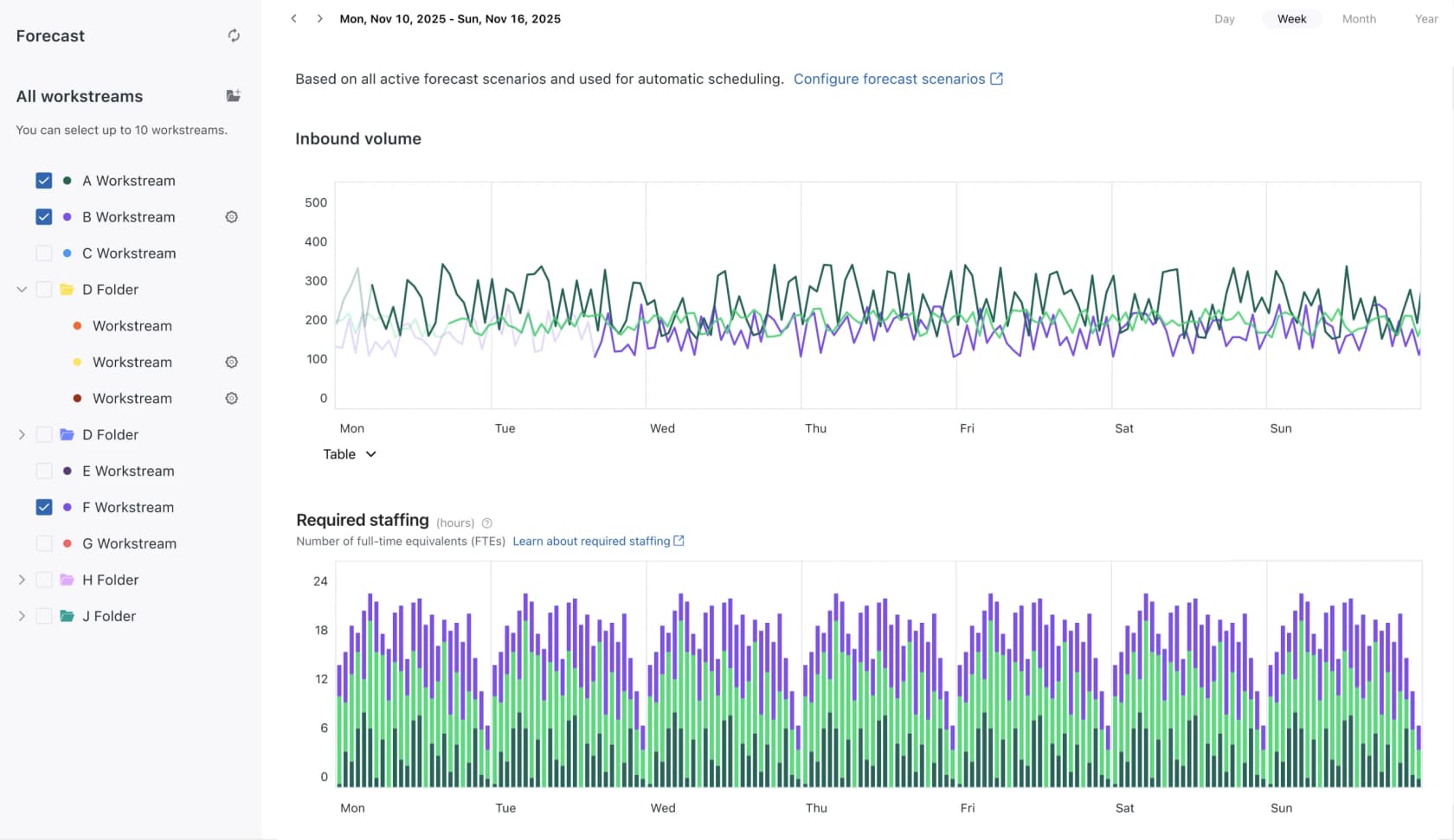
- Zendesk WFM forecasts volume "for up to a year in the future" from your ticket history (it needs at least a month of data) and shows required staffing per 15-minute interval. The public price is the Workforce Engagement Bundle, WFM plus QA, at
$50per agent per month paid yearly on the Zendesk pricing page, and add-ons are bought for every agent on the account. - Assembled lists Workforce Management at
$25,$45and$75a month for its Core, Pro and Enterprise tiers on its pricing page, without stating whether that's per agent. Its WFM page says staffing plans "account for AI agent capacity alongside human resources," which is the right way to think about it.
Step 6: Plan for peaks, holidays and leave
Your baseline plan covers a normal week. Three things break it.
Seasonal peaks. Ecommerce teams know theirs: Black Friday, holidays, launch weeks. One supplements brand that came to eesel handles around 7,000 tickets a month with a high season from November to May, and its team couldn't keep up with the volume on its own. Plan peak coverage as a separate layer: temporary staff, overtime, or an AI agent taking the repetitive share through ticket deflection. My Black Friday support guide goes through the playbook.
Holidays. Add every public holiday for every region you serve to your helpdesk schedule, so SLA clocks pause and auto-replies say the right thing. Then check the day after each one, which is usually your worst day of the month.
Leave and attrition. This is shrinkage again, and it's where plans fail quietly. Two people out at once on a team of six cuts your capacity by a third. Losing a senior agent hurts even more, because their knowledge goes with them; one IT services firm came to eesel specifically to capture two departing senior agents' knowledge before they left. Writing answers into your knowledge base is coverage planning too.
Where AI fits in a support coverage plan
This is where the plan gets cheaper. If six people keep one seat filled overnight, the question for most teams isn't "how do we staff nights?" It's "how much of the night actually needs a person?" For most queues the answer is less than you'd think, which is the whole case for after-hours AI support.
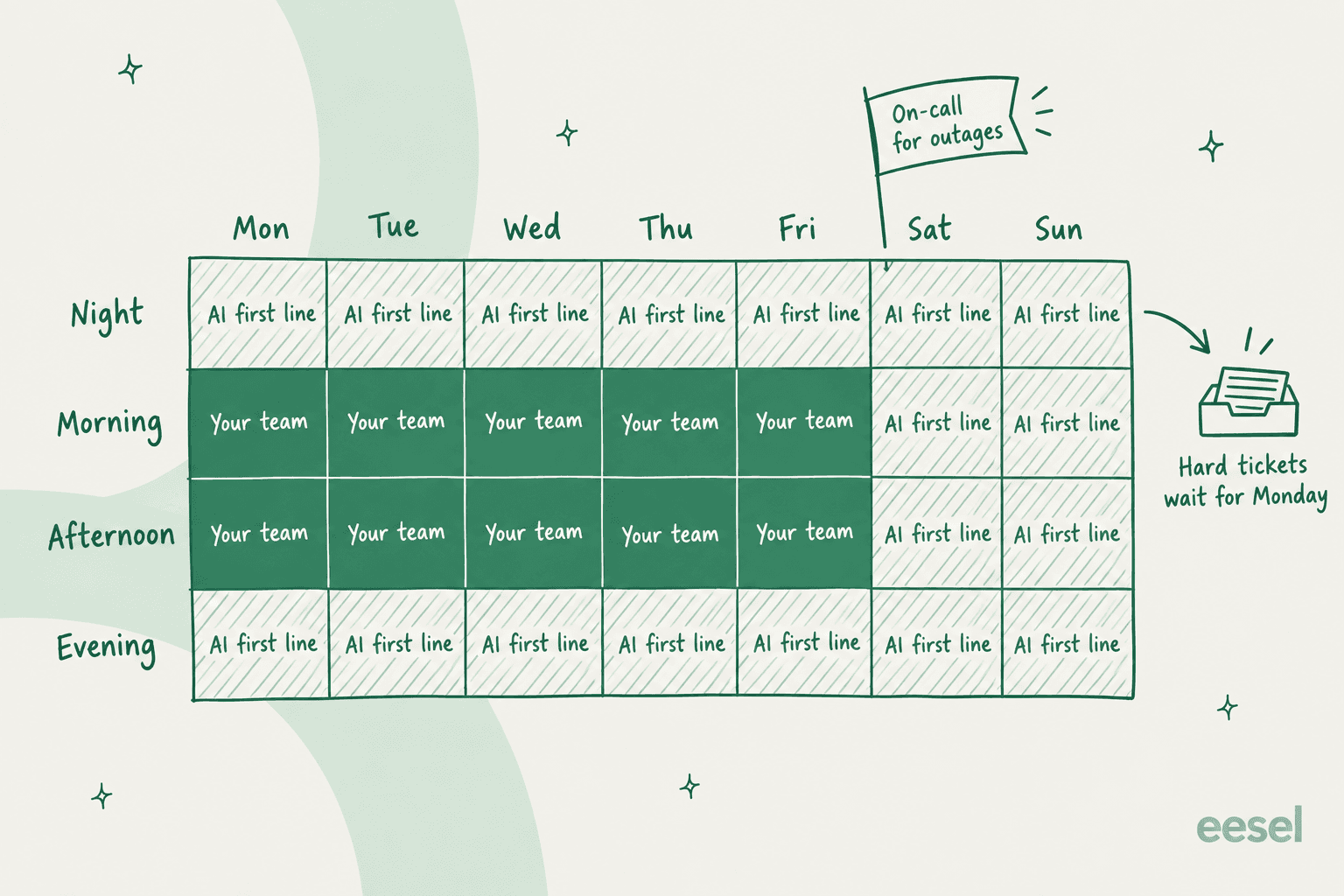
The shape that works: your team covers the busy weekday hours; an AI agent covers everything else as the first line; one person is on call for outages; and anything the AI isn't sure about waits, tagged and summarized, for the next staffed shift. The AI fills the empty cells, not the busy ones.
Anytime Fitness is the cleanest example I can point to. Before eesel, a member who asked a question at 10 p.m. waited until morning; now the common questions get answered at any hour across 5,000+ gyms. Gridwise saw eesel resolve 73% of its tier-1 tickets in the first month, per its quote on eesel's AI helpdesk agent page.
The rule that makes after-hours AI safe is the one buyers ask for on almost every call. A CX lead at a supplements brand on Gorgias, handling about 7,000 tickets a month, put it plainly:
"I need an AI who is only handling the tickets that it's confident to handle and all the other ones, leave them alone."
That's the coverage plan in miniature: the AI takes the confident share overnight, the rest lands in the morning queue with context attached. The same idea powers 24/7 support with AI. If you want the mechanics, my guide on when AI should hand off covers it.
One lesson eesel learned the hard way: put your business hours and handoff rules in the helpdesk's own schedule and routing settings, not only in the AI's instructions. One customer's AI got time-zone logic wrong despite detailed prompt instructions. The helpdesk's schedule is the source of truth; the AI should read from it.
Common support coverage planning mistakes
- Planning per day, not per hour. A team that's "fully staffed" on Monday can still be underwater from 9 to 11 a.m. Use the heatmap.
- Forgetting shrinkage. A plan with zero shrinkage is short-staffed every single week. Start at 30% if you don't know yours.
- Same hours for every channel. Opening live chat for hours you can't staff turns a good email experience into a bad chat one. Close chat before you understaff it; I've compared chatbots and live chat separately.
- Staffing quiet hours with people. Erlang C pads low-volume intervals, and nights are mostly low volume. That's the most expensive coverage you can buy.
- No owner for outages. Every plan needs a named on-call person for the things that can't wait, even if everything else is closed.
- Never revisiting the plan. Re-run the heatmap every quarter and after any big launch, next to your other customer service KPIs. Track first response time by hour of day; if it spikes in one band, that's your next gap.
eesel for support coverage planning
eesel's AI helpdesk teammate fills the cells in your coverage plan that are too expensive to staff. It joins the helpdesk you already run, whether that's Zendesk, Freshdesk, Gorgias, Help Scout or Front, learns from your past tickets, help center and macros, and answers routine tickets on nights and weekends. Anything it isn't confident about stays in the queue with a summary for your next shift.
You can run it against hundreds of your past tickets before it touches a live one, so you see exactly which share of your after-hours volume it would have handled. And it doesn't add seats for the night shift: the Teammate plan starts at $299 a month for 500 credits, where a ticket or a chat is one credit.

If your heatmap has dark cells after 6 p.m. and you'd rather not hire six people to fill them, try eesel free on your own queue and see what it would have answered last weekend.
Frequently Asked Questions
What is support coverage planning?
How do I calculate how many support agents I need per hour?
How many agents does 24/7 support coverage take?
Does a small support team need weekend coverage?
What is shrinkage in support coverage planning?
Which helpdesk reports help with support coverage planning?
Can AI cover nights and weekends in a support coverage plan?
Do I need workforce management software for support coverage planning?


Article by
Riellvriany Indriawan
Riell is a designer and writer at eesel AI with about two years of experience researching CX platforms, AI chatbots, and helpdesk software. She combines her design background with a sharp eye for how these tools actually look and feel in practice — making her comparisons unusually visual and user-focused.