What a customer service team structure actually is
Strip away the jargon and a customer service team structure answers three questions: who picks up a ticket first, where it goes when the first person can't solve it, and who's responsible for making sure the answers are good. Everything else, titles, reporting lines, shift patterns, is downstream of those three.
The reason it matters isn't tidiness. A team that's structured badly leaks in predictable ways: tickets bounce between people, senior agents get pulled into resets they shouldn't touch, escalations sit because nobody owns them, and your best people quietly burn out. One founder on r/Entrepreneur put the scaling problem bluntly:
"Customer support gets brutal at scale because you can't personally fix every problem anymore and need systems. Hiring becomes the killer."
r/Entrepreneur - on what gets harder as a business scales
That's the whole game: at some point founder-led, everyone-does-everything support breaks, and you need a real structure. The rest of this guide is how to build one that doesn't leak.
The core roles in a modern support team
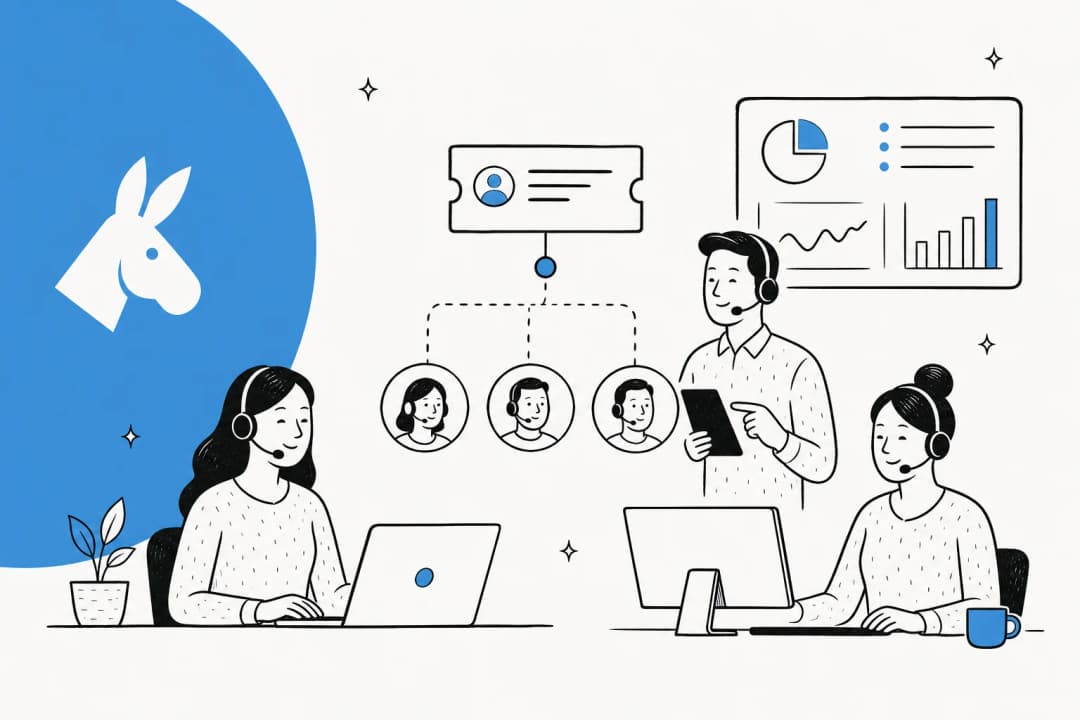
Before you pick a model, get the roles straight. Even a five-person team is really covering four jobs, sometimes one person wears several hats:
- Support agents - the people actually answering customer service tickets. Frontline capacity. Everything else exists to make them effective.
- Team leads - own a group of agents, handle the escalations agents can't, coach, and watch the queue. Player-coaches, not pure managers.
- QA / enablement - owns answer quality, the knowledge base, onboarding, and training. This is the role teams skip first and regret first, because without it answers drift and new hires take forever to ramp.
- Support ops - owns the tooling, routing rules, reporting, and customer service metrics. At small scale your lead does this on the side; past ~15 people it becomes a job.
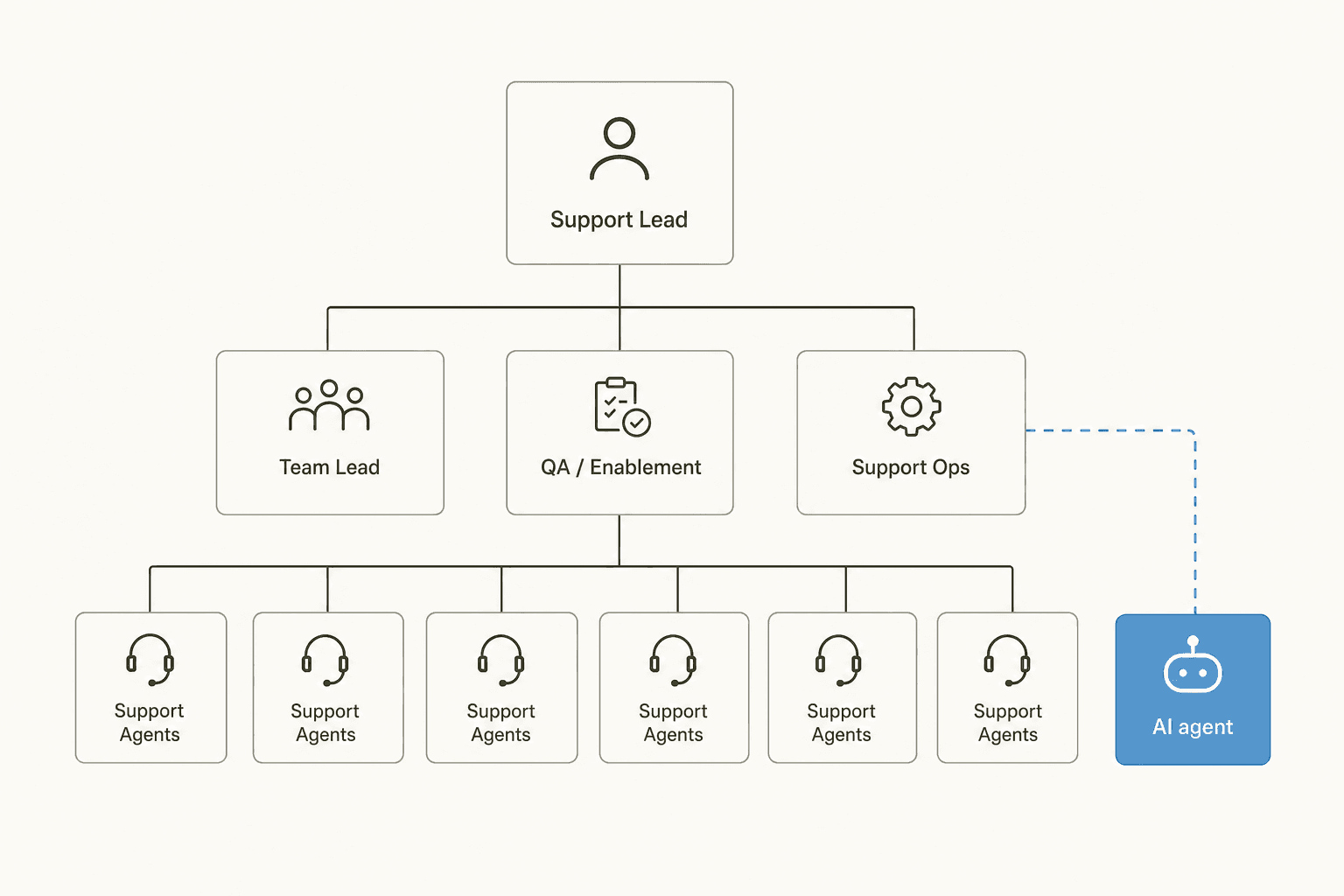
The thing most 2026 org charts get wrong is treating AI as a tool the agents use rather than a role in the structure. If an AI agent is handling first-touch on half your volume, it is your tier 1, and it should sit in the chart accordingly, with a human owning it the way a team lead owns a group of agents.
Three ways to organize the team: tiered, swarming, pods
Once the roles exist, you choose how work flows between them. Here are the three models you'll actually see.
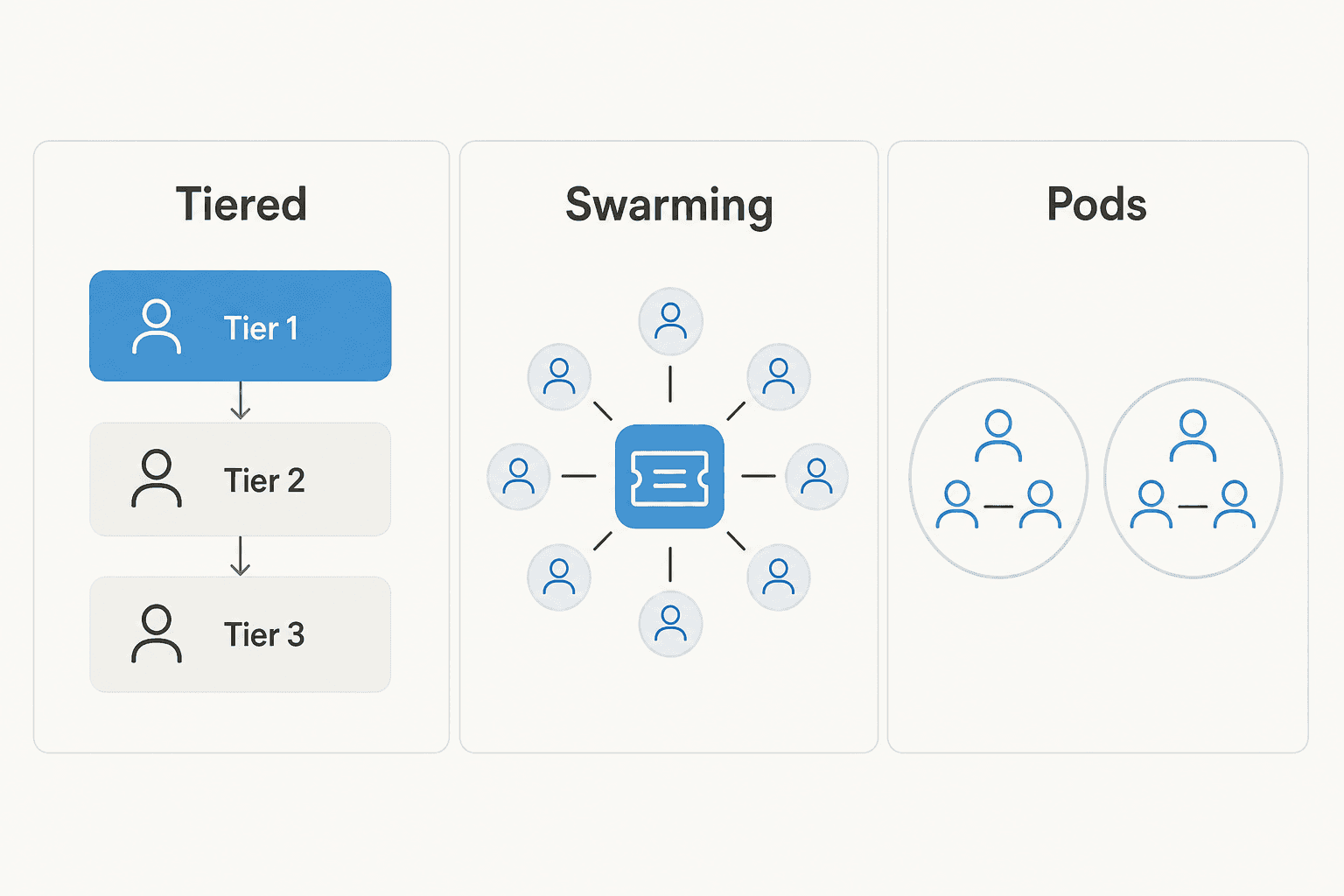
Tiered is the classic: tier 1 handles the easy stuff and escalates the rest up to tier 2 and tier 3. It's simple, it protects your senior people, and it maps cleanly onto ticket triage. One r/sysadmin commenter made the case for keeping tier 1 as a deliberate filter:
"I think Tier 1 should take ALL calls, do what they can and collect initial information, then pass it on to us."
r/sysadmin - on protecting senior capacity with a tier-1 filter
The downside: tickets can bounce up the ladder, customers repeat themselves at each hop, and tier-1 agents can feel like a switchboard.
Swarming throws out the ladder. Instead of escalating, whoever picks up a ticket pulls in the people they need to solve it there and then. It kills the hand-off tax and spreads knowledge fast, but it needs a mature team and good tooling, or it turns into chaos. The tension is real enough that people openly debate switching:
"Currently we run a tiered model of support where they handle what they can and escalate the rest. I am considering switching things to a swarm."
r/sysadmin - weighing swarming against tiered support
Pods are the middle path a lot of scaling teams land on: small, self-contained squads (say 4-8 agents plus a lead) that own a product area, region, or customer segment end to end. Each pod runs its own mini-tiered or swarm flow internally. Pods keep ownership close to the customer and scale by cloning, not by adding ladder rungs.
Here's how they stack up:
| Model | How work flows | Best for | Watch out for |
|---|---|---|---|
| Tiered | Escalate up levels 1 → 2 → 3 | Predictable, high-volume, clearly-graded issues | Hand-off tax, customers repeating themselves |
| Swarming | Pull in help on one ticket, no levels | Complex products, senior teams | Needs maturity and good tooling or it's chaos |
| Pods | Small squads own an area end to end | Scaling teams, multi-product or multi-region | Duplicated effort across pods if not coordinated |
My honest take from the queue: start tiered because it's the easiest to run, then move to pods as you cross ~20 people, and reserve swarming for the genuinely gnarly, low-volume escalations rather than your whole operation. Pure swarming across all volume sounds great in a blog post and falls apart when you're drowning in resets.
How big should each team be? Ratios and spans of control
The question I get most from people building their first structure: how many agents per lead, and how many leads before I need a layer above them?
There's no universal number, but real operators land in a band. One former call-center supervisor on r/callcentres described their reality:
"Each of us also had an average of 20-25 agents on our team."
r/callcentres - a supervisor's real span of control
That's on the high end, and note it came bundled with burnout. In a workforce-management thread the ratio ran even wider for planning roles:
"Our max ratio is around 60:1 currently or about 6-8 supervisors/teams."
r/workforcemanagement - analyst-to-agent ratios in a large org
For a hands-on team lead who's also coaching and handling escalations, I'd aim lower: 8-15 agents per lead is where coaching stays real. Once a lead has more than ~15 direct reports, coaching becomes calendar management and quality slips. When you've got 4-6 leads, you need someone owning them, that's when the support-manager or head-of-support role becomes full-time.
The lever that changes this math is automation. Every repetitive ticket your tier-1 deflection layer absorbs is one your humans don't touch, so each lead can cover more people without the span getting brutal. Restructuring and automating aren't separate projects, they're the same project.
Where AI fits into the org chart
This is the part that's genuinely changed. For years "structure" meant humans only. Now the first-touch layer, the deflectable tier-1 volume, is largely automatable. An operator on r/SaaS described exactly what's happening to the role:
"Tier 1 support getting heavily automated with AI chat agents and internal copilots. Support engineers expected to know basic prompt engineering and AI workflows."
r/SaaS - how technical support roles are changing
The mistake is thinking AI replaces the team. What it actually does is change the shape of the team. Picture your ticket volume as one bar:
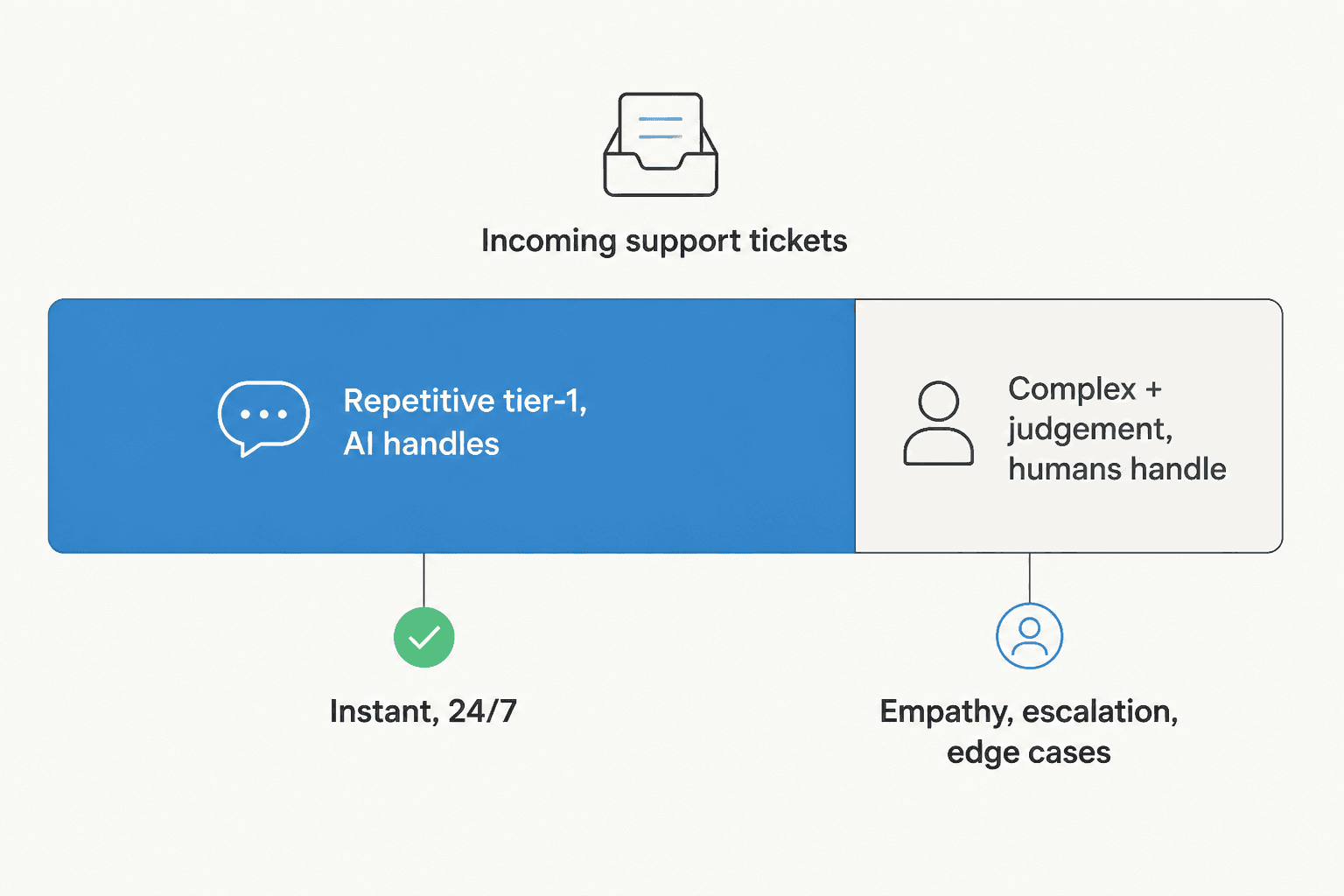
The big blue chunk, the repetitive, high-confidence questions, is where AI belongs. The smaller slice, the complex, emotional, judgement-heavy tickets, stays human. The whole trick is drawing that line honestly, and not letting the AI touch the part it can't do well.
That's the single most important thing I've learned watching real rollouts. The teams that get burned are the ones who set AI loose on everything. One CX lead at a supplements brand we work with framed the guardrail perfectly: they wanted an AI that only handles the tickets it's genuinely confident about and leaves the rest alone, rather than one that confidently guesses on everything. That's exactly why we simulate every eesel rollout against a company's historical tickets first, so you can see coverage by theme before anything goes live, and set the line where it belongs.
Placed right, the AI layer sits under a human owner (usually your QA/enablement or support-ops person) who tunes it, reviews its escalations, and treats corrections as coaching, the same way a team lead coaches an agent. For the deeper trade-off of what stays human, our piece on AI vs human customer support is a good next read, and if you're weighing whether to build this layer yourself, build vs buy for support AI lays out why most teams don't.
Metrics that tell you the structure is working
A structure is only as good as what it produces, so wire it to numbers, not vibes. The ones that actually reveal structural problems:
- First response time and resolution time - if these creep up as volume grows, your model isn't scaling. Track how response times move per model.
- Escalation rate - how often tier 1 (human or AI) punts up. Too high means your first layer is under-equipped; near zero means you're over-escalating or your line is drawn wrong.
- CSAT by tier - measure customer satisfaction at each layer. A drop at the escalation layer usually means hand-offs are painful.
- Deflection / automation rate - what share of volume your AI layer resolves without a human. This is the number that tells you how far you can flatten.
- SLA attainment - are you hitting your service-level targets as you restructure?

When we onboarded Gridwise, the structural payoff showed up fast in exactly these numbers:
"In the first month, eesel is resolving 73% of our tier 1 requests... we saw results quickly during our 7-day trial."
Kim Simpson, Gridwise - via eesel's helpdesk agent page
Resolving 73% of tier-1 in month one isn't just a nice stat, it's a structural change: it's the size of the layer their humans stopped having to staff for.
Common mistakes when structuring a support team
A few traps I see over and over:
- Building a deep tiered ladder too early. A 5-person team does not need three tiers. It needs everyone solving tickets and one clear escalation path. Add layers when the pain is real, not preemptively.
- Skipping the QA/enablement role. Without someone owning knowledge and quality, answers drift and onboarding drags. It's the first role to feel optional and the first you'll regret cutting.
- Bolting AI onto an unchanged org. If you add an AI layer but keep staffing and workflows as if humans still do first-touch, you get cost without the restructure. Redraw the org around the split.
- Over-escalating. Every hand-off costs the customer a repeat. If your escalation rate is high, fix tier 1's tooling and knowledge before adding people, and lean on ticket triage to route cleanly.
- Letting AI answer everything. Confidence-based routing exists for a reason. An AI that guesses is worse than no AI, so set the line where the escalation to a human is automatic below a confidence threshold.
Get those right and the model you pick matters less than you'd think, structure is mostly about clean ownership and honest lines.
Try eesel for the tier-1 layer
If you're redesigning your support team, the highest-leverage move is deciding what your humans should stop doing. eesel is an AI agent that plugs into the helpdesk you already run, Zendesk, Freshdesk, Gorgias, Front, HubSpot, learns from your past tickets and help docs on day one, and takes first-touch on the repetitive tier-1 volume so your people cover the complex work.
The part that fits this whole guide: you can simulate it against your historical tickets before going live, so you see exactly how much of your volume it would resolve and set the human/AI line honestly, no guessing, no letting it loose on everything. It handles 80+ languages and routes low-confidence tickets to a human automatically.
You can try eesel free with 100 credits and no credit card, or book a demo if you want to walk through how it maps onto your team's structure.
Frequently Asked Questions
What is a customer service team structure?
What roles should a customer support team have?
What is the best team structure for scaling customer support?
What is a healthy support-agent-to-team-lead ratio?
How does AI change customer service team structure?
Tiered vs swarming support: which is better?
How many support agents do you need per team lead?


Article by
Riellvriany Indriawan
Riell is a designer and writer at eesel AI with about two years of experience researching CX platforms, AI chatbots, and helpdesk software. She combines her design background with a sharp eye for how these tools actually look and feel in practice — making her comparisons unusually visual and user-focused.