What support QA actually is, and why the manual version is broken
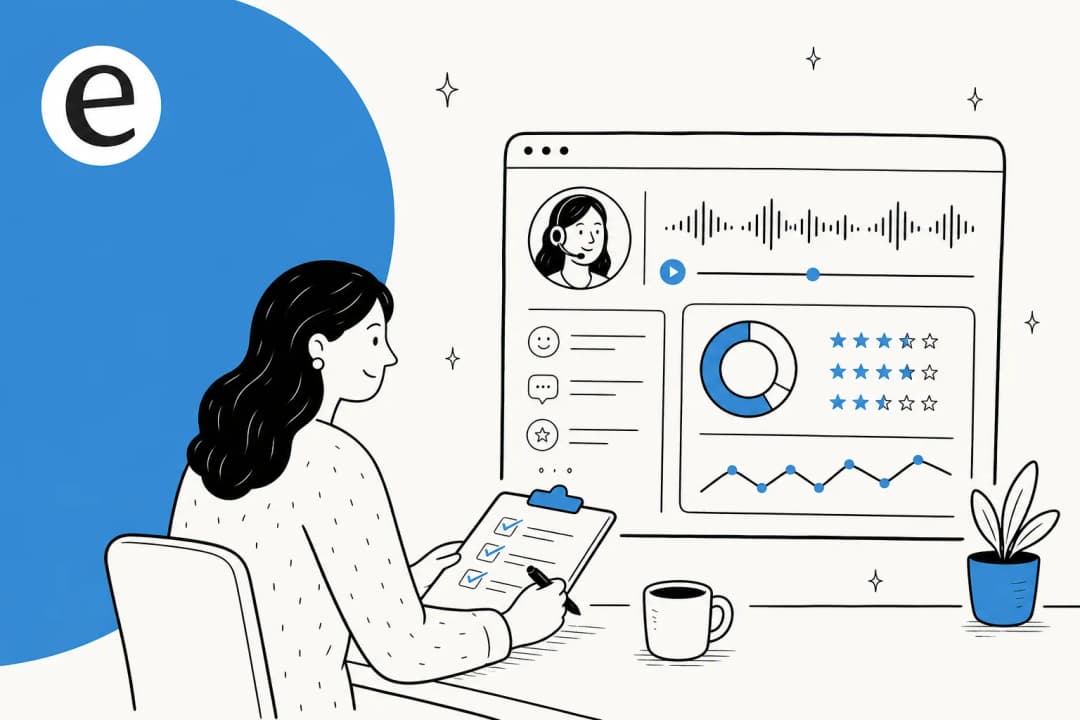
Support QA is quality assurance for customer conversations. You take a rubric (was the answer correct? was the tone right? did it actually resolve the issue?) and you grade conversations against it, then use what you find to coach agents and fix the gaps. Done well, it's how a support team gets better instead of just getting faster, and it ties into everything from SLA management to support cost savings.
Here's the problem I've lived with on the queue: the manual version only ever looks at a sliver. A QA analyst pulls a handful of tickets per agent per week, scores them in a spreadsheet, and moves on. If your team handles a few thousand conversations a month, you're reviewing maybe 2% of them. The 98% you didn't open could be full of polite, confident, completely wrong answers and your QA program would never know.
That sliver isn't just small, it's biased. Analysts gravitate toward the tickets that are easy to score, recent, or already flagged. The truly weird edge case, the one that quietly churned a customer, rarely makes it into the sample. So you end up coaching agents on a random 2% while the patterns that actually move CSAT hide in the part nobody reads.
Manual QA is also slow and inconsistent. Two reviewers score the same conversation differently. By the time a coaching note lands, the agent has handled 400 more tickets. None of this is the analyst's fault, it's a math problem: humans can't read everything, so they read a sample, and a sample can't tell you about your queue.
What changes when AI runs your QA
The shift is simple to state and hard to overstate: scoring 100% of conversations costs roughly the same effort as scoring 2%. Once an AI reads every conversation against your rubric, coverage is no longer the thing you ration.
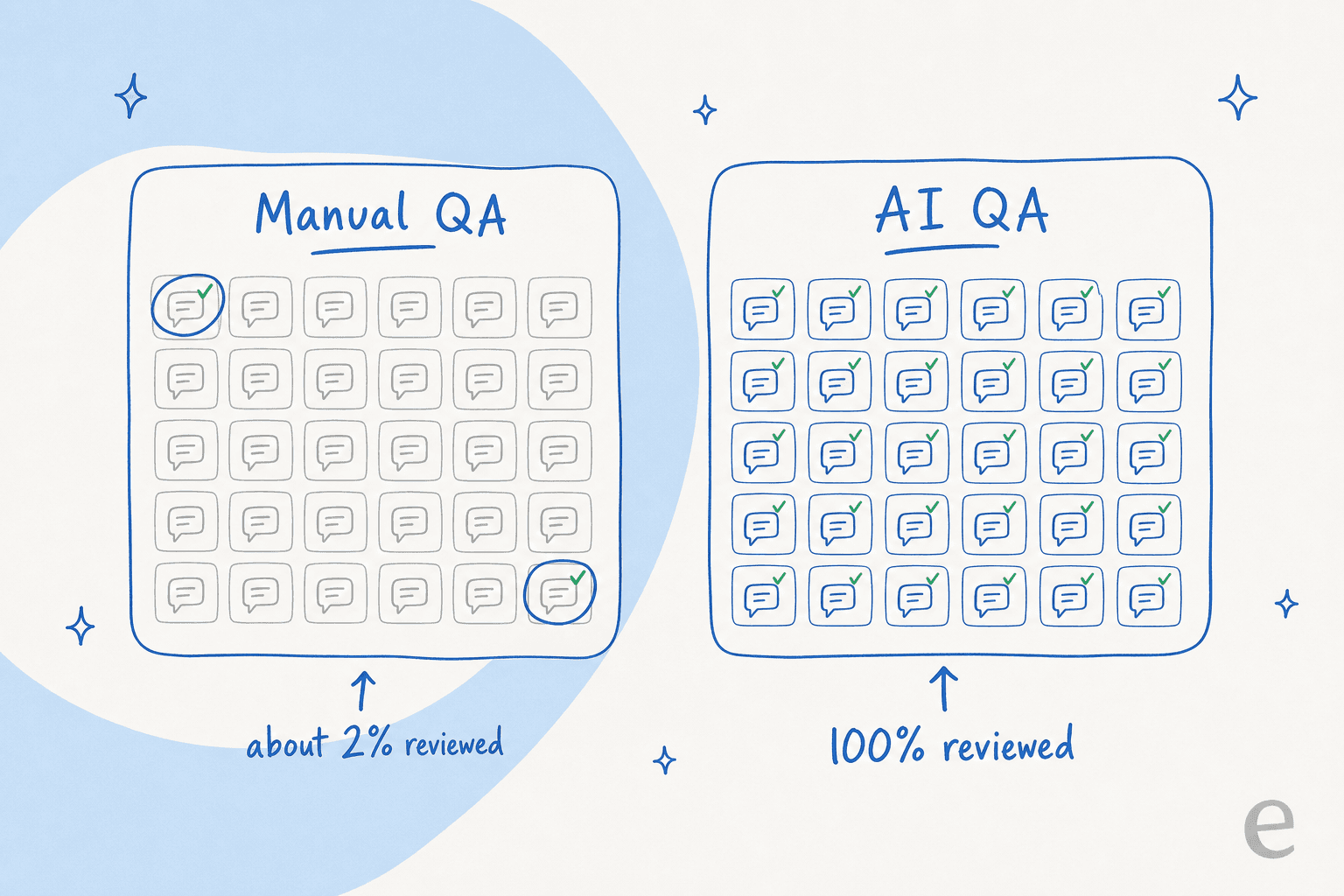
Three things change at once. First, the sampling bias disappears, because there's no sample, the AI grades the whole queue with one consistent rubric. Second, the feedback loop tightens: a conversation can be scored minutes after it closes, not at the end of a review cycle. Third, QA stops being a spot check and becomes a support metric you can actually trend over time, by agent, by topic, by channel.
What doesn't change: judgement still belongs to people. The AI reads everything and flags what looks off; a human decides what to do about it. That division of labour is the same one that makes AI vs human support work everywhere else, machines for volume, people for the calls that need a brain. It's also why QA sits so naturally next to an AI copilot in your support workflow: the same conversation data feeds both.
How to do support QA with AI, step by step
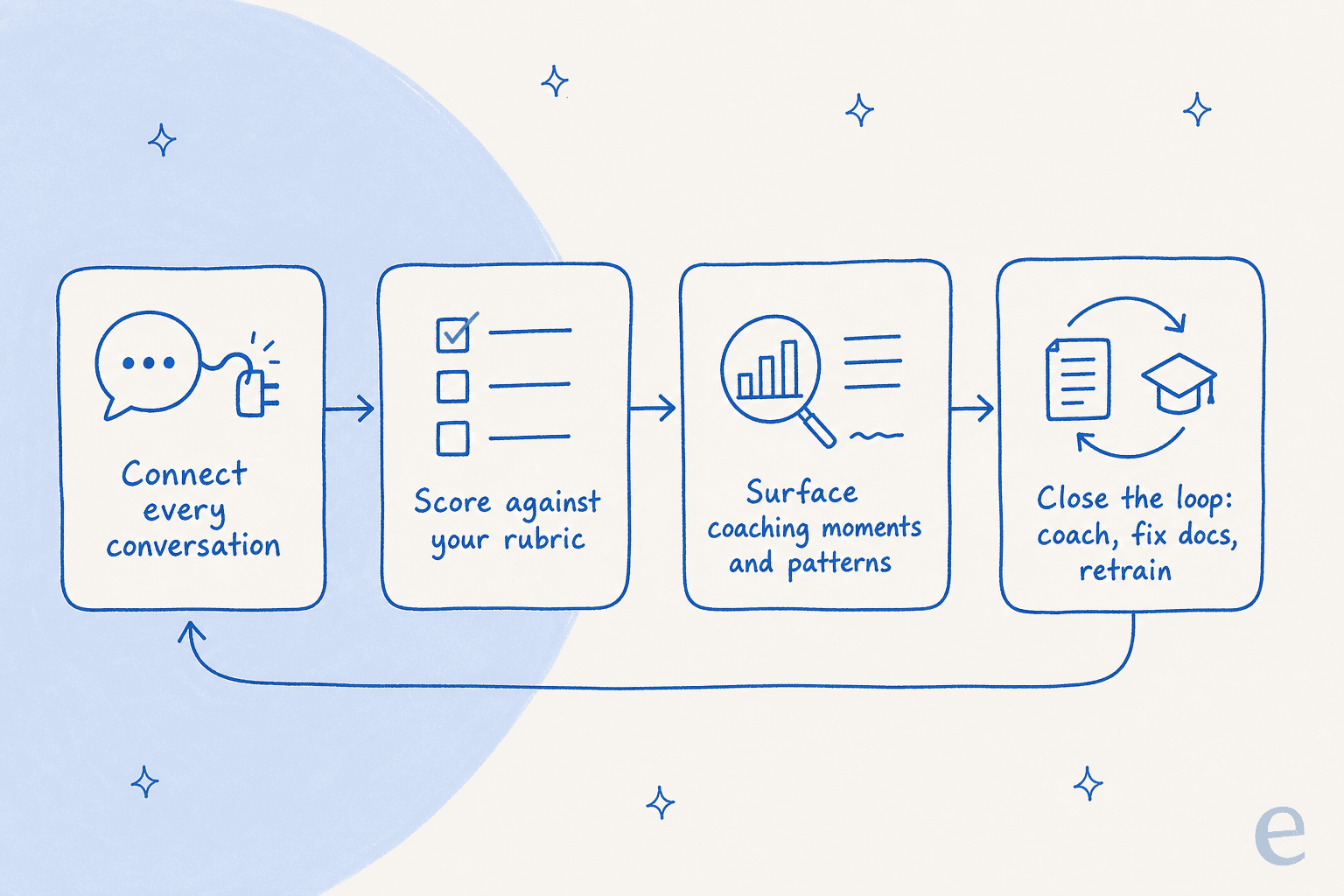
Doing this well is really just AI and automation in support pointed at quality instead of volume, and you don't need a data team for it. The whole thing is five steps, and the loop matters as much as the steps, because QA is only worth doing if findings flow back into the work.
Step 1: Write down what "good" looks like
QA is only as good as its rubric, and an AI rubric has to be explicit, no "you'll know it when you see it." Spell out the handful of things every answer is graded on. In practice that's about five dimensions: was it factually correct, was the tone right, did it resolve the issue, did it follow policy, and did it cite a real source rather than make something up.
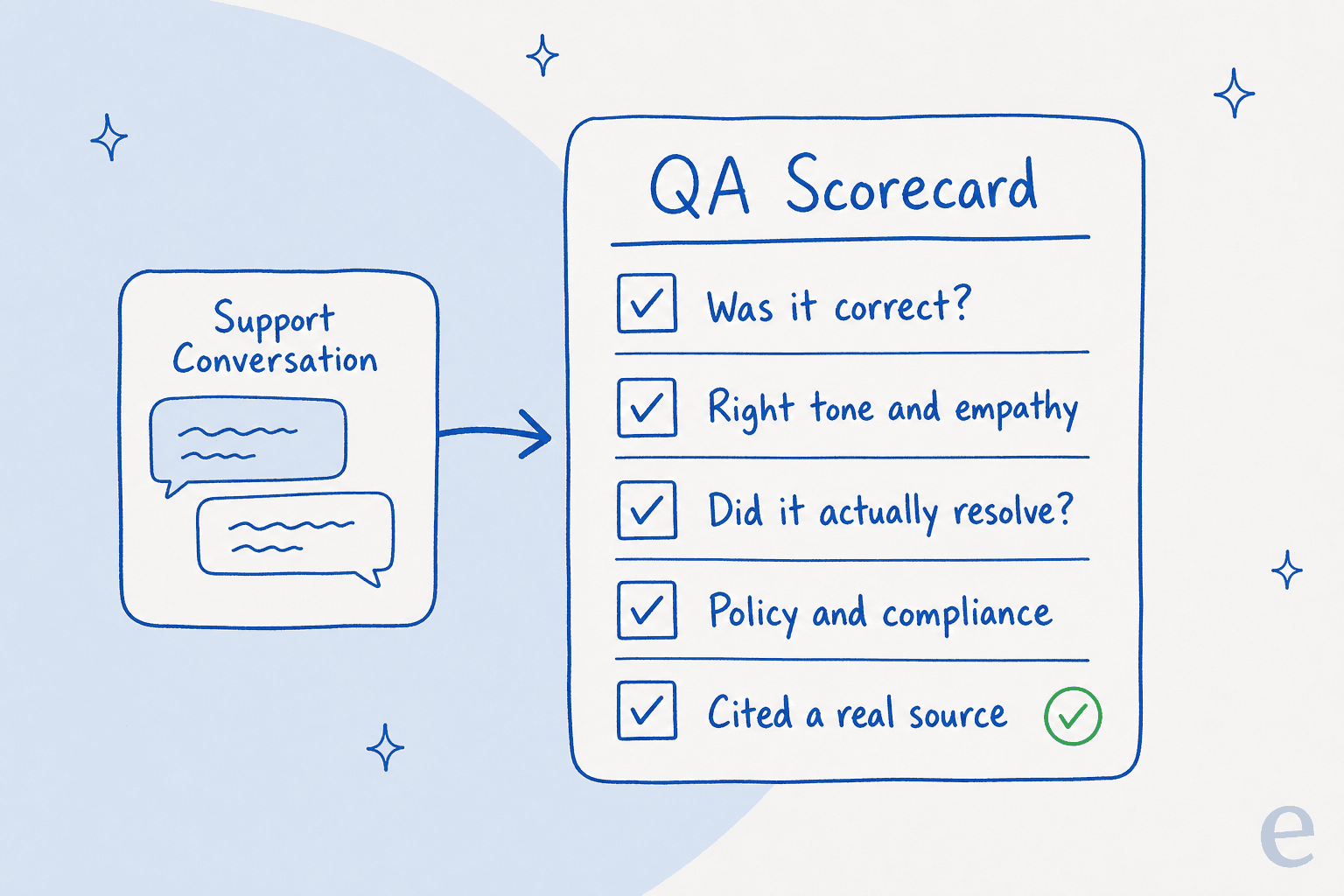
Keep it tight. A rubric with 30 criteria is a rubric nobody applies consistently, human or AI. The sourcing line matters more than people expect: a confident answer with no source behind it is exactly the kind of thing that reads fine in a spreadsheet and turns out to be a hallucination when you check.
Step 2: Connect every conversation, not a sample
Point the AI at your whole conversation history, not an export of last week's flagged tickets. That usually means connecting your helpdesk directly so closed conversations flow in automatically, whether you're on Zendesk, Freshdesk, Gorgias, or Help Scout.

This is also where your knowledge base comes in. A QA score of "wrong" is only useful if you know whether the agent was wrong or the docs were. Feeding the AI both the conversations and the source material it should have used lets it tell those two apart, which is the difference between coaching a person and fixing a knowledge base chatbot article.
Step 3: Auto-score against the rubric
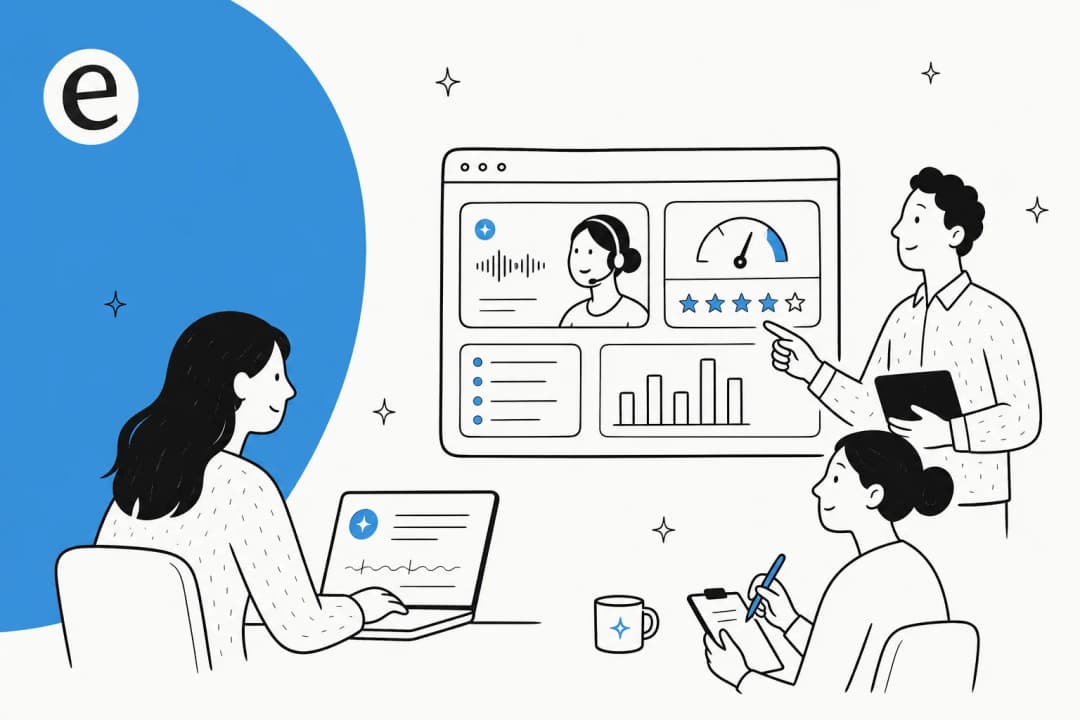
Now the AI reads each conversation and scores it on your dimensions. The output you want isn't a single number, it's a breakdown: this conversation scored low on resolution, this one nailed the answer but the tone was off, this batch all failed on the same policy. Trends matter more than any individual grade.

Treat the first week of scores as calibration, not gospel. Read a chunk of the AI's grades against your own judgement and adjust the rubric where it's too harsh or too soft. After a couple of passes the scores settle, and you'll trust them the way you'd trust a second analyst, with the occasional spot check. This is the same discipline behind tracking first response time or any other support number: the metric is only useful once you believe it.
Step 4: Surface coaching moments and patterns
Scoring everything is pointless if the output is a wall of numbers. The payoff is that the AI can pull out the conversations a human should actually look at: the three tickets this week where an agent promised something off-policy, the topic where every answer scored low, the new hire whose tone slips on refunds.
That's the coaching layer, and it's where QA earns its keep. Instead of "here are five random tickets I graded," your team lead gets "here are the specific moments worth a conversation, grouped by what they have in common." Recurring patterns also feed straight into the rest of your operation: a topic that keeps scoring low is usually a ticket triage or escalation gap, not a people problem. Fix the doc or the ticket tagging rule behind it and you often reduce ticket volume at the same time.
Step 5: Close the loop
QA that doesn't change anything is theatre. The last step is feeding findings back: coach the agents the AI flagged, rewrite the docs behind the repeat misses, and update the rubric as your product and policies change.

When part of your support is automated, closing the loop also means correcting the AI itself. The good tools learn from those corrections, so a fix you make once stops the same miss from repeating. That turns QA from a backward-looking report card into something that actively improves customer service automation week over week.
The part everyone forgets: QA the AI itself
Here's the bit most "AI for QA" posts skip, and it's the one I care about most after three-plus years putting AI agents on live support queues. If you're going to let AI handle tickets, that AI needs to pass QA before it touches a customer, and most teams never run that check.
I've watched a confident-sounding bot answer a question wrong with total conviction. One DTC supplements lead put the risk to us plainly: an AI that answers "sorry, I don't know" to everything is useless, but an AI that guesses is worse, because nobody can re-read 7,000 tickets to catch the guesses. The answer to both is QA: the agent should only handle what it's confident about, and you should be scoring its work the same way you score a human's.
So we built that check in. Before an eesel agent goes live, you can run it in a simulation against your real past tickets and see its quality and coverage by topic, no customers involved. When we audited an agent against one customer's actual Zendesk traffic, it scored about 93% on triage accuracy and caught 100% of spam with zero false positives, but the draft answers were directionally right only 88% of the time, with a 7% factual error rate. That 7% is the entire reason you QA the AI: it looks great in aggregate and still needs a confidence threshold and a human in the loop on the hard stuff. The same scores then show up live in your agent analytics, so QA on the AI never really stops.
This is also the most honest answer to "can I trust it?" You don't trust it on faith, you QA it, set it to draft rather than auto-send where its confidence is low, and widen its autonomy as the scores earn it. That's the difference between a demo and a deployment.
Common mistakes to avoid
A few traps I see teams fall into when they move QA onto AI:
- Treating the AI's score as final. It's a first pass, not a verdict. Spot-check it, especially early, the same way you'd calibrate a new analyst.
- A rubric that's too big. Thirty criteria sounds rigorous and scores inconsistently. Five sharp dimensions beat thirty fuzzy ones.
- Scoring conversations but never closing the loop. If nothing changes (no coaching, no doc fixes, no rubric updates) you've built a very thorough report nobody acts on.
- Forgetting to QA the automation. If AI is answering tickets, it's the single highest-volume "agent" you have. Not scoring it is the biggest blind spot of all.
- Confusing QA with CSAT. A customer can rate a conversation five stars after getting a confidently wrong answer. QA checks whether the answer was actually right, which is why you want both your QA scores and your Gorgias CSAT report or Freshdesk CSAT, not one standing in for the other.
Try eesel for support QA
If you want to do support QA with AI without bolting together three tools, this is exactly what eesel's AI helpdesk agent is built around. It connects to your existing helpdesk and knowledge base, reads your past conversations, and (this is the part that matters for QA) lets you run a simulation over real historical tickets so you can see quality and coverage before anything goes live.

As far as AI customer service software goes, the useful part for QA is that the same engine scoring an AI agent's drafts is what reads your team's conversations, so QA on humans and QA on automation live in one place instead of two spreadsheets. It works like a teammate that plugs in over an afternoon and already knows your help center, with usage-based pricing that doesn't charge you per seat for the privilege of reviewing your own tickets. Free to try.
Frequently Asked Questions
What is support QA, and how is AI support QA different?
Can AI really score support conversations accurately?
How much of my support volume should I QA with AI?
Does AI support QA replace my QA analysts?
How do I QA an AI support agent itself?


Article by
Riellvriany Indriawan
Riell is a designer and writer at eesel AI with about two years of experience researching CX platforms, AI chatbots, and helpdesk software. She combines her design background with a sharp eye for how these tools actually look and feel in practice — making her comparisons unusually visual and user-focused.