What an ITSM ticketing system actually is
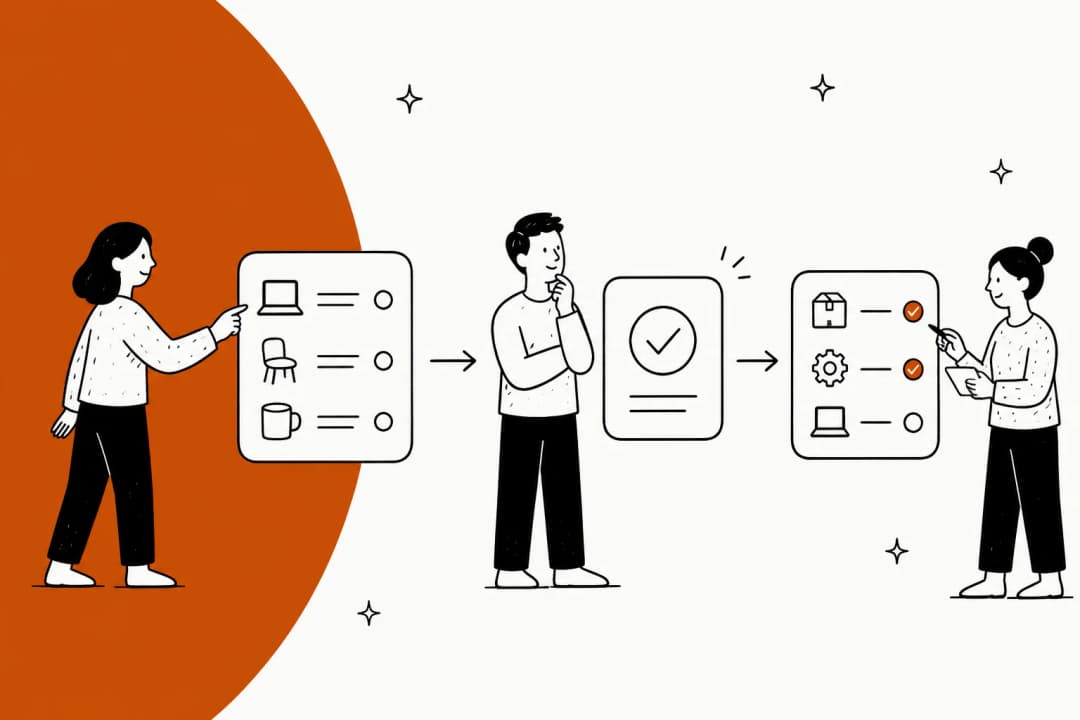
Strip away the acronym and it's simple. ITSM stands for IT service management, the discipline of delivering IT as a set of services with defined quality, and the ticketing system is the tool that runs the day-to-day of it. Every "my laptop won't connect to VPN," every "please provision a new starter," every "the payroll app is down for everyone" becomes a ticket, and the system's job is to make sure none of them fall through the cracks.
I build the AI agents that plug into these systems, so I spend a lot of time inside them. The thing worth understanding up front: a ticket isn't just a message. It's a small record with a lifecycle, an owner, a category, a priority, and a clock ticking against a service-level agreement. That structure is the whole point. It's what lets an IT lead answer "how long until this is fixed, and who's on it" without walking over to someone's desk.
An ITSM ticketing system usually sits at the center of three connected things: the ticketing queue itself, a knowledge base of documented fixes, and a self-service portal where employees can raise requests or find answers without opening a ticket at all. Get those three working together and a big chunk of your volume never needs a human.
ITSM ticketing system vs a regular help desk
This is the question I get most, and the honest answer is that the line is blurry, but it matters.
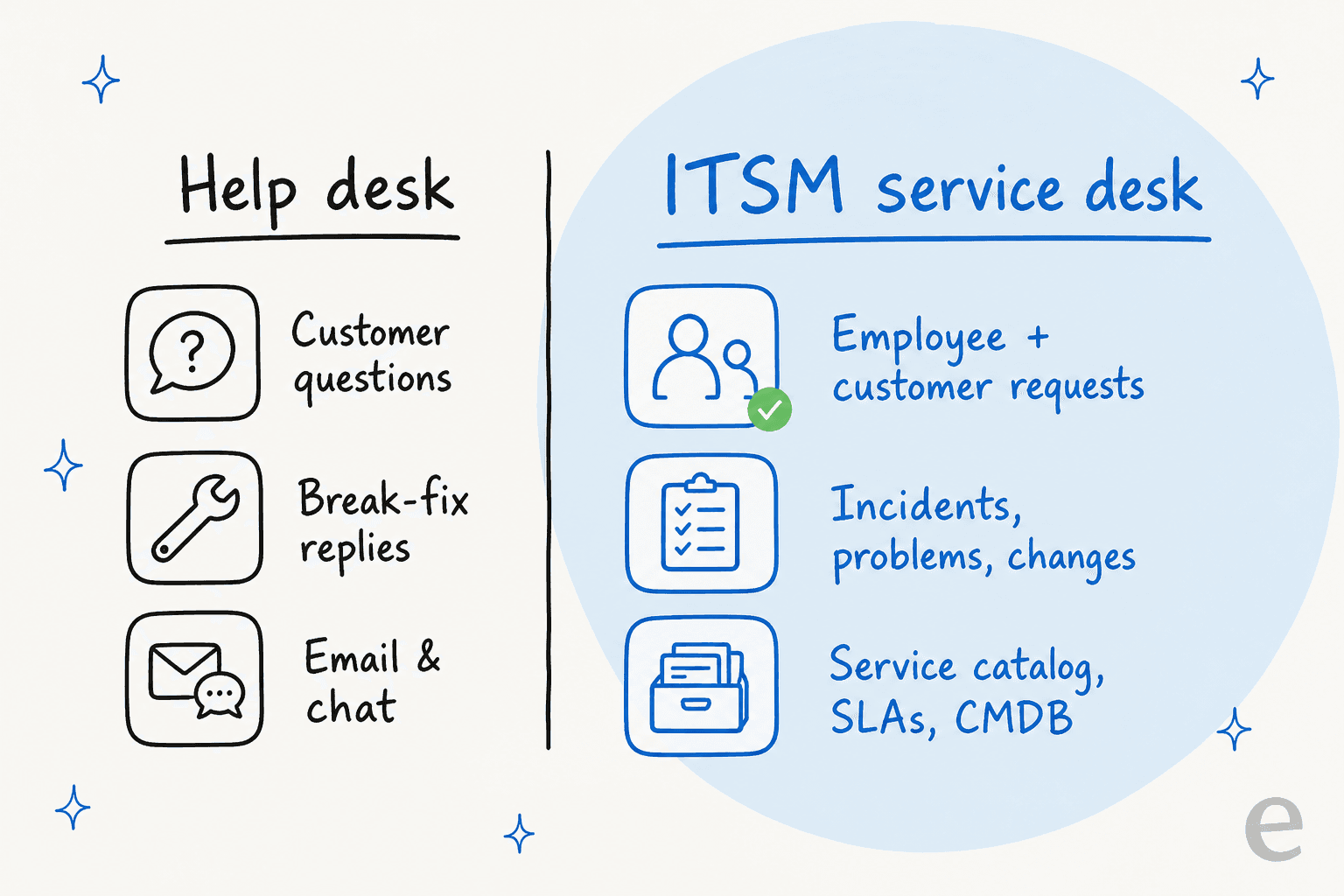
A help desk is built around break-fix and answering questions, usually for external customers. An ITSM service desk is built around delivering services, usually to employees, and it follows more formal processes borrowed from frameworks like ITIL: incident management (something broke, restore it), problem management (find the root cause so it stops happening), and change management (roll out a change without breaking everything else). It also adds a service catalog (a menu of things you can request) and SLAs on top.
In practice, plenty of teams start on a customer-support tool like Zendesk and grow into ITSM needs, while others go straight to a purpose-built ITSM platform. Neither is wrong. The tell that you've outgrown a plain help desk is when you start needing to track why something keeps breaking, or you need an approval step before a change goes live, not just a place to reply to tickets.
How a ticket moves through the system
Every ITSM ticketing system runs some version of the same lifecycle. Understanding it is the fastest way to see where time actually goes, and where automation pays off.
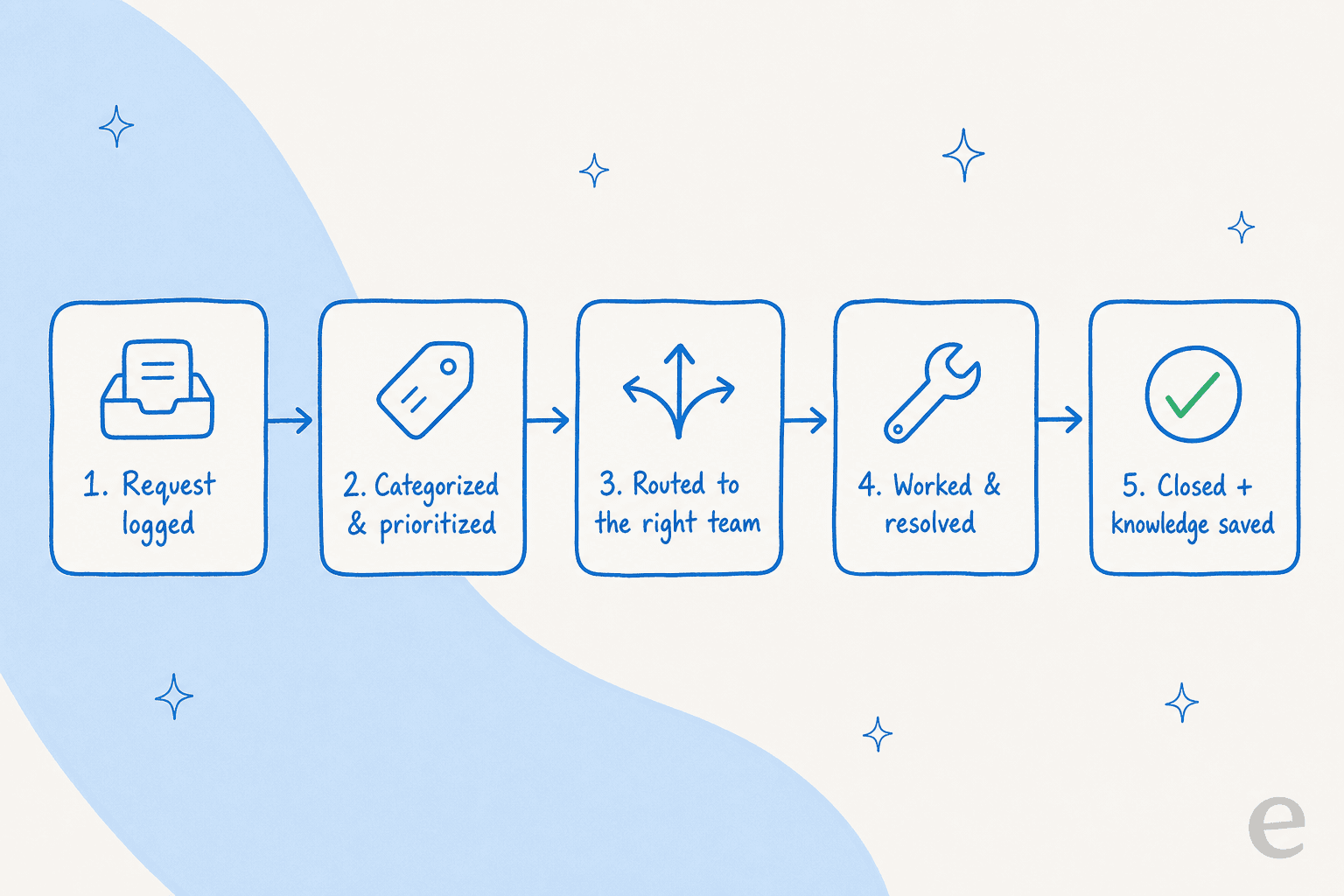
- Request logged. Someone raises a ticket through email, a chat channel, the portal, or a phone call, and it lands in a queue.
- Categorized and prioritized. The ticket gets a type (incident vs service request), a category (network, access, hardware), and a priority that usually maps to an SLA clock.
- Routed. It goes to the right team or agent. This is where a huge amount of manual effort hides, someone reading each ticket and deciding where it belongs.
- Worked and resolved. An agent diagnoses and fixes it, often leaning on the knowledge base or a past similar ticket.
- Closed, and knowledge captured. The ticket closes, ideally leaving behind a documented fix so the next identical request is faster.
Steps 2 and 3, the reading, tagging, and routing, are where most teams quietly lose hours a week. They're also the most automatable, which is the whole reason AI ticket classification has become such a focus.
The core features to expect
Whatever platform you land on, a real ITSM ticketing system should give you:
- Multi-channel intake so tickets can arrive from email, a portal, Slack or Microsoft Teams, and phone, all into one queue.
- A service catalog of standardized, requestable services (new-hire setup, software access, hardware).
- SLA management with automatic timers, escalations, and breach alerts.
- A CMDB (configuration management database) that maps your assets and how they relate, so you can see what a change or outage actually affects.
- A knowledge base and self-service portal so employees can help themselves.
- Reporting on volume, resolution time, and SLA compliance.
- Automation and AI, from simple routing rules up to an agent that resolves tickets end to end.
If a tool is missing SLAs and a service catalog, it's a help desk wearing an ITSM label. That's fine for some teams, just know what you're buying.
The main ITSM ticketing systems in 2026
Here's the honest lay of the land. Rather than reprint sticker prices that change constantly, I've linked our detailed pricing breakdowns for each so you get the real, current numbers.
| Platform | Best for | Deployment | Native AI add-on | Pricing depth |
|---|---|---|---|---|
| ServiceNow | Large enterprises with heavy process | Cloud, highly configurable | Now Assist (paid, enterprise-tier) | ServiceNow pricing |
| Jira Service Management | Dev-adjacent and Atlassian-native teams | Cloud / data center | Atlassian Intelligence / Rovo | JSM pricing |
| Freshservice | Mid-market and lean IT teams | Cloud | Freddy AI (paid) | Freshservice pricing |
| Zendesk | Teams growing from customer support into ITSM | Cloud | Zendesk AI (paid) | Zendesk pricing |
| ManageEngine ServiceDesk Plus | On-prem and cost-conscious IT | Cloud or on-prem | Zia (paid) | vs alternatives |
A few opinions worth having: ServiceNow is genuinely powerful and genuinely expensive, which is why so many teams end up looking for cheaper alternatives. Jira Service Management is a natural fit if you already live in Atlassian, though its own AI is not always worth the extra line item. Freshservice hits a sweet spot for smaller IT teams. And plenty of teams run Freshservice against ServiceNow when they want most of the capability without the enterprise price tag.
The pattern across all of them: the platform is good at storing and structuring tickets. Where they've historically been weaker is resolving them automatically, and their native AI add-ons tend to be locked to higher tiers and priced per extra unit.
Where AI actually changes the ticket workflow
This is the part that's shifted the most. For years, "automation" in an ITSM ticketing system meant if-this-then-that rules: if the subject contains "VPN," assign to the network team. Useful, brittle, and it never actually answered anyone.
Modern AI ticket automation does three jobs a rules engine can't:
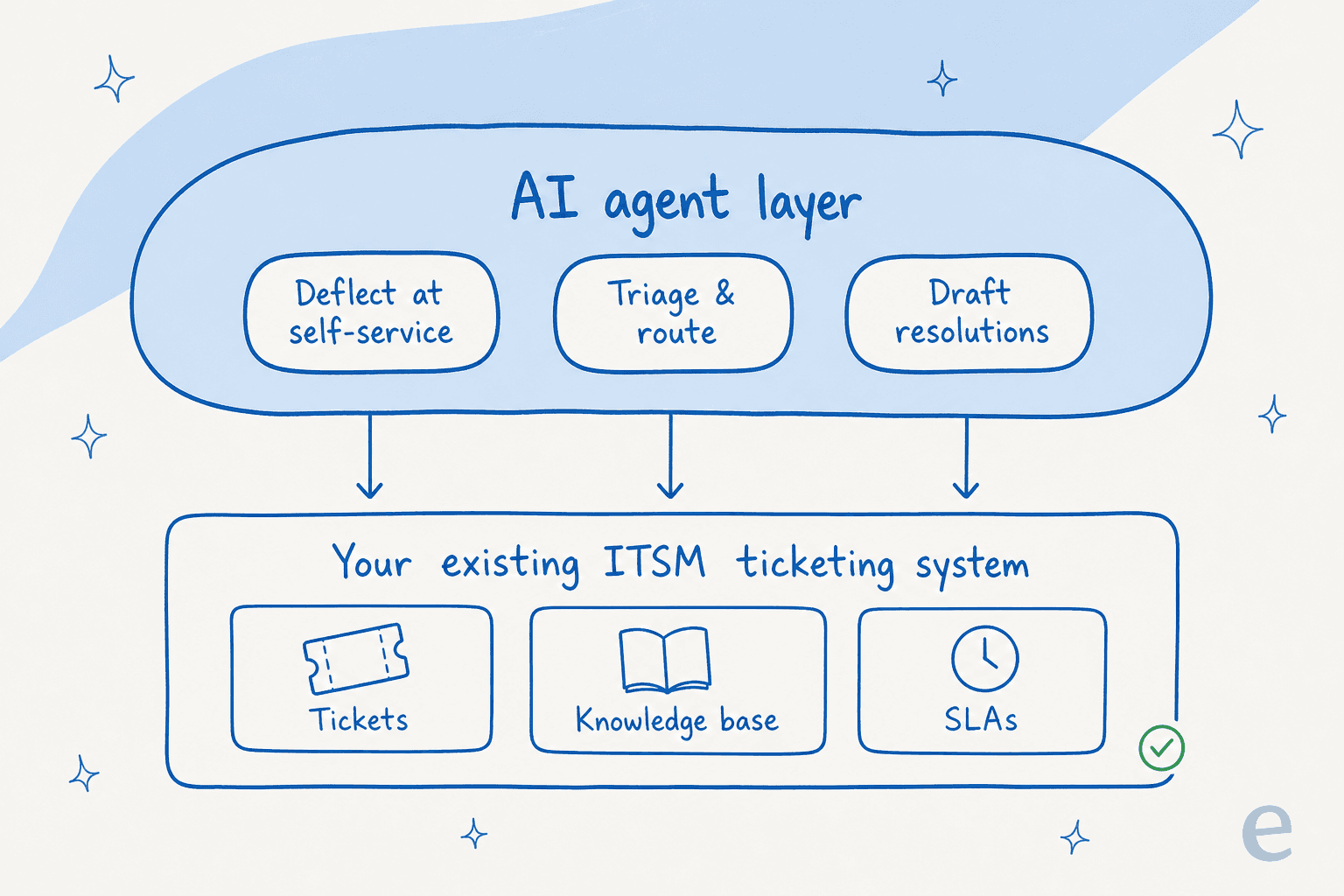
- Deflect at self-service. The AI answers the repeat questions ("how do I reset MFA," "where's the VPN client") directly in the portal or in Slack, so the ticket never gets created.
- Triage and route. It reads each incoming ticket, tags it, sets priority, and routes it, the step that eats the most manual time.
- Draft resolutions. For tickets that do need a human, it drafts a reply grounded in your knowledge base and past tickets, leaving an internal note the agent can approve or edit.
We've spent the last few years putting AI agents on live support and service queues, and the single biggest lesson is that trust, not raw capability, is the gate. A confident-sounding bot that quietly gives a wrong answer does more damage than no bot at all. One CX lead we worked with, running a busy queue, put the whole thing perfectly: they wanted an AI that only handles the tickets it's confident about and leaves the rest alone. That's why we now simulate every rollout against a company's historical tickets first, so you can see the resolution rate and the actual answers before anything goes live.
There's also the tempting "we'll just build our own on the OpenAI API" path. It rarely survives contact with maintenance. As Karel from GENERAL BYTES told us after evaluating exactly that:
"We could try to write our own LLM application but we didn't want to invest our time into that. We wanted something that we would not have to maintain."
What to look for when you're choosing one
If you're evaluating an ITSM ticketing system in 2026, the platform-level checklist (SLAs, service catalog, CMDB, self-service) is table stakes. The questions that actually separate good outcomes from expensive regret are about the AI and integration layer:
- Can you keep your current system? The fastest ROI is almost never a migration. An AI layer that sits on top of Jira Service Management, Freshservice, or Zendesk gets you the wins without a six-month project.
- Does it learn from your own tickets and docs? Generic AI gives generic answers. The ones that work are trained on your historical tickets and your knowledge base.
- Can you control what it touches? You want confidence thresholds and the ability to exclude certain ticket types, so the AI only acts where it's sure.
- Can you test before you trust? Simulating against past tickets to see a real resolution number beats any vendor demo.
- How is it priced? Native add-ons often charge per resolution or lock AI behind the top tier. Predictable, transparent pricing matters more than a low sticker price.
That last point is where a lot of buyers get stung, so it's worth reading up on ITSM automation options before committing.
Try eesel on your ITSM ticketing system
Here's the thing I'd actually do in your shoes: don't rip out your service desk to get AI. eesel is an AI agent that plugs into the ITSM ticketing system you already run, Jira Service Management, Freshservice, Zendesk, plus Slack and Microsoft Teams for internal IT, and starts handling the repetitive tickets from day one.

What makes it different for IT teams specifically: it trains on your past tickets and existing docs, you set confidence thresholds so it only acts where it's sure, and you can simulate the whole thing on your historical tickets to see the exact resolution rate before it ever touches a live queue. Across active accounts it's already handled well over 180,000 real interactions, and setup is measured in minutes, not months.
If you're weighing platforms, that's the shortcut: pick the ticketing system that fits your process, then let eesel do the resolving on top. You can try eesel free.
Frequently Asked Questions
What is an ITSM ticketing system?
What is the difference between a help desk and an ITSM ticketing system?
How much does an ITSM ticketing system cost?
What is the best ITSM ticketing system for small teams?
Can AI automate an ITSM ticketing system?


Article by
Kira
Kira is a writer at eesel AI with a Computer Science background and over a year of hands-on experience evaluating AI-powered customer service tools. She focuses on breaking down how helpdesk platforms and AI agents actually work so that support teams can make better buying decisions.