
Disclosure: This article is published by eesel AI, a competitor of ServiceNow. We encourage you to read ServiceNow's own materials for their perspective.
What is ServiceNow and why does it affect cost?
ServiceNow describes itself as "the AI control tower for business reinvention". Its cloud platform unites data, AI, workflows, and security under one roof, covering IT service management, HR case management, customer service, risk and compliance, and app development. The company reports that 85% of the Fortune 500 use the platform (source) and cites a 98% renewal rate.
The platform is engineered for complexity. The more departments and workflows you connect, the more a deployment costs - not just in licensing, but in the implementation work and ongoing administration that come with every large enterprise rollout.
How ServiceNow pricing works
ServiceNow does not publish pricing on its product pages. The ITSM pricing page lists feature inclusions for each tier, and the AI Control Tower page lists module contents. Both terminate in a "Get Custom Quote" or "Contact Us for Pricing" call to action. If you want a number, you contact them directly.
What shapes that quote depends on several factors.
Types of user licenses
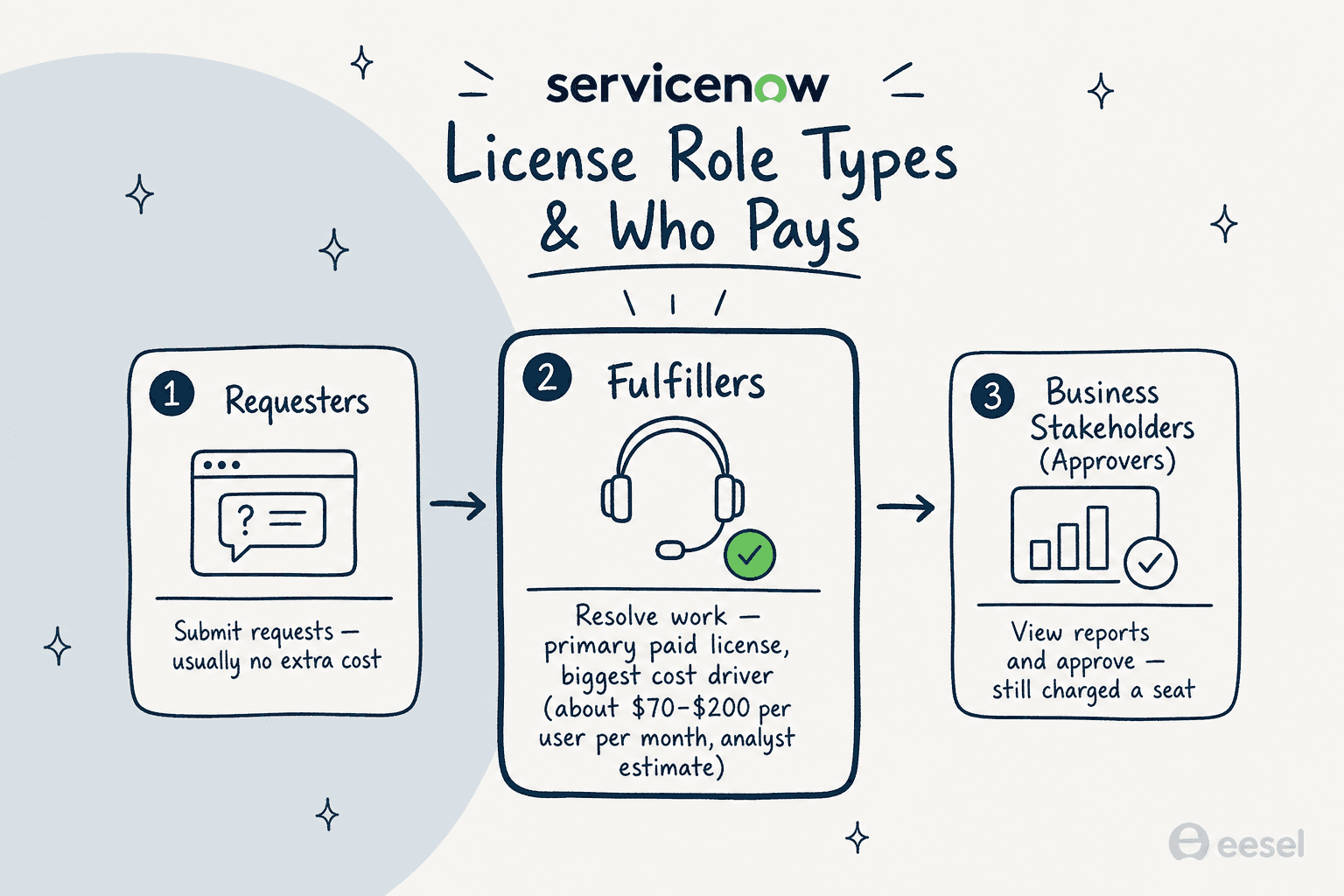
ServiceNow's license model charges based on what each person does in the system, not simply that they have an account. The three core role types, as described by consultancies including RedressCompliance and Kanini:
- Requesters: Standard employees who submit tickets or requests through a portal. Most implementations treat these accounts as no additional cost.
- Fulfillers: The IT agents, HR case managers, or operations staff who actually resolve requests. These are the primary paid licenses and the biggest cost driver. Third-party analysts estimate ITSM fulfiller costs at $70-$200 per user per month depending on tier and add-ons, though pricing is unpublished.
- Business Stakeholders (Approvers): Managers who view reports and approve requests without working tickets. ServiceNow charges for these seats - a structure that draws criticism in practitioner forums because many competing platforms do not charge separately for this role.
The ratio of fulfillers to approvers matters significantly in practice. Large teams where many managers need visibility without doing hands-on work can find the approver seats add up quickly.
The three ITSM plan tiers
For IT Service Management, ServiceNow publicly lists three tiers - Foundation, Advanced, and Prime. Following ServiceNow's acquisition of Moveworks (completed December 2025), each tier now includes a matching Moveworks for ITSM SKU. No dollar figures are published for any tier; pricing is custom-quoted.
| Feature | ITSM Foundation | ITSM Advanced | ITSM Prime |
|---|---|---|---|
| Incident Management | Yes | Yes | Yes |
| Service Catalog and Request Management | Yes | Yes | Yes |
| Asset Management and CMDB | Yes | Yes | Yes |
| Virtual Agent | Yes | Yes | Yes |
| Workflow Data Fabric | Yes | Yes | Yes |
| Change Management | No | Yes | Yes |
| Problem Management | No | Yes | Yes |
| AI Voice Agents | No | Yes | Yes |
| Process Mining | No | 10K records/year | 15K records/year |
| Now Assist (GenAI) | Foundation level | Advanced level | Prime level |
| L1 Service Desk AI Specialist | No | No | Yes |
| AI Agents for ITSM | No | No | Yes |
| Moveworks for ITSM | Foundation SKU | Advanced SKU | Prime SKU |
| App Engine tables | 10 | 25 | 50 |
Prime carries a "RECOMMENDED" badge on the official page and is the only tier with ServiceNow's fully autonomous ITSM AI Agents and the L1 AI Specialist, which can autonomously diagnose and resolve common IT support requests end to end. Now Assist GenAI capabilities are bundled at all three tiers at their respective levels - there is no separate add-on purchase required to access generative AI.
Calculating the real total cost
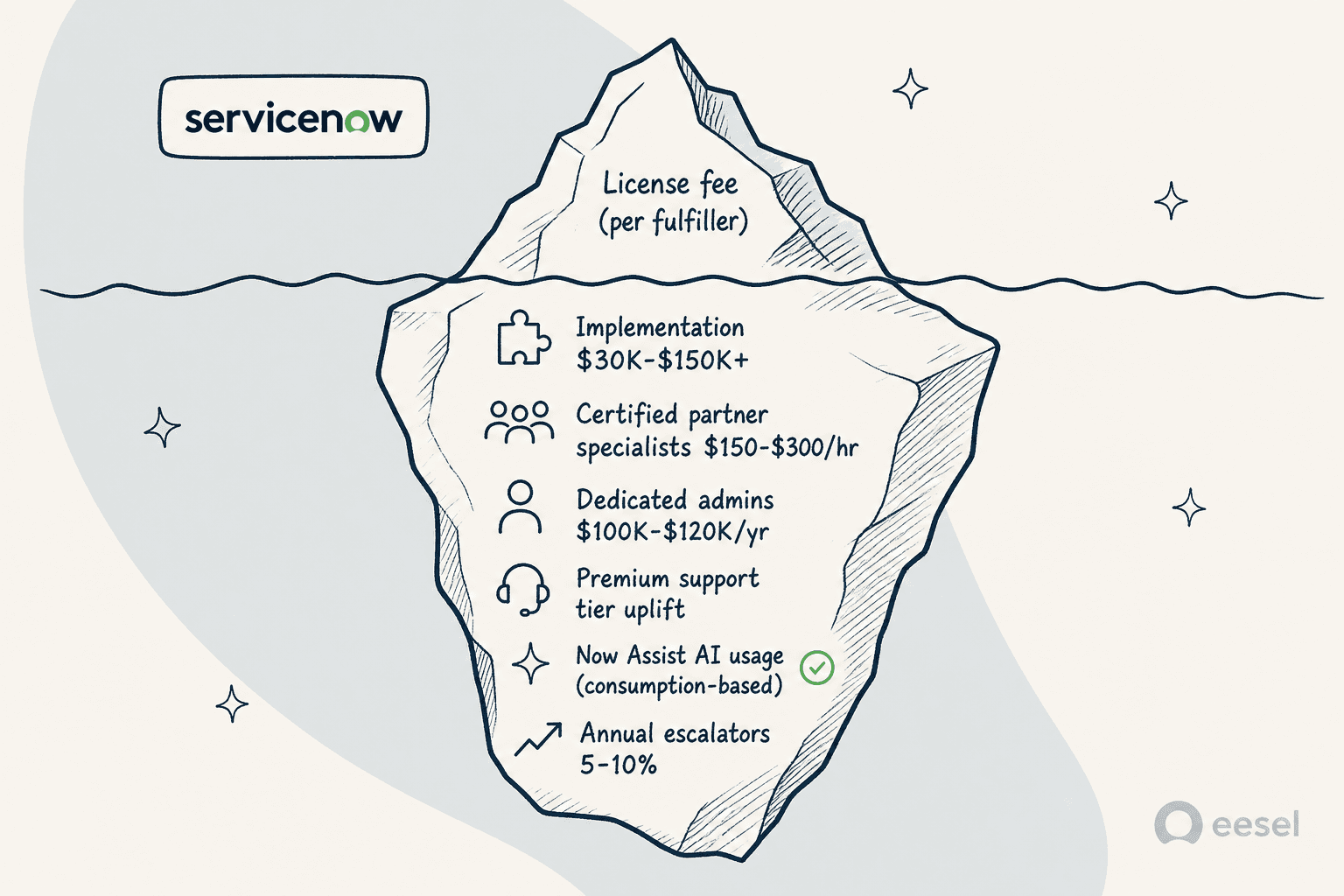
When organizations budget for ServiceNow, the license fee is only one component. The numbers below are third-party analyst estimates, not ServiceNow's published figures.
Implementation and setup
ServiceNow is not a self-service platform. The initial deployment is a substantial project that almost always requires a certified partner. You cannot sign a contract and be running the same afternoon.
Third-party consultancies estimate initial setup at $30,000 to over $150,000 for a standard deployment, rising with custom workflows, data migration, and integrations with legacy systems. Specialist rates typically run $150-$300 per hour. ServiceNow does not publish these figures; treat the ranges as a planning benchmark, not a quote.
Ongoing staffing and maintenance
Managing ServiceNow after go-live is a full-time commitment. Key ongoing cost areas:
- Dedicated administrators: ServiceNow administrators are specialized roles. Demand drives salaries upward of $100,000-$120,000 per year in most markets.
- Support tier upgrades: The base support level included in most subscriptions often falls short for large enterprises. Premium support tiers add a percentage to the annual contract value.
- Training and certification: ServiceNow offers training and certification programs ranging from basic overviews to deep specialist tracks. Per-person costs vary by program depth.
- Biannual platform updates: ServiceNow ships two major product releases per year. Testing your customized workflows against each new release requires internal engineering time.
Costs that emerge after deployment
Several categories tend to surface well into a contract:
- Additional instances: A standard subscription typically covers one production instance. Separate development and quality-assurance instances - which any well-run deployment requires - usually come at extra cost.
- Consumption-based AI usage: Now Assist features vary by tier, but usage-based billing for AI capabilities can create variability in the annual total. ServiceNow does not publish a multiplier for these add-ons, so model them as a variable line item rather than a fixed cost - the same trap teams hit when they assume a flat AI fee. It also reframes the build-vs-buy math around AI agent cost per resolution rather than per seat.
- Custom table overages: If your implementation requires data tables beyond the tier's included allocation (10, 25, or 50 for Foundation, Advanced, and Prime respectively), additional fees may apply.
- Annual contract escalators: Many ServiceNow multi-year agreements include a price escalation clause, typically in the 5-10% range. This is worth verifying in writing during negotiations.
The pricing is RIDICULOUS. It will absolutely be the downfall... From basic things like approvers requiring a license, to forcing IMPACT on all their customers whilst removing support (we didn't budget £50-60k for Impact so that really fucked us over for the year), and the Unlimited User model having zero flexibility with the all or nothing approach; it's getting quite pathetic.

Is ServiceNow the right choice?
The cost structure makes ServiceNow's target market fairly clear. It is an enterprise-scale platform with enterprise-scale pricing and implementation requirements. Whether that works for your organization depends on your size, budget, and what you actually need to automate.
Strong fit:
- Large enterprises - the platform reports that 85% of the Fortune 500 use it, which signals both quality and target market.
- Organizations with extensive multi-department workflow automation needs across IT, HR, and operations.
- Teams that can absorb a multi-month implementation, dedicated administrative staffing, and ongoing contract escalations.
Weak fit:
- Small to mid-size businesses where the deployment, staffing, and licensing cost exceeds the efficiency gains.
- Teams that need a solution up and running in days rather than months.
- Organizations that want transparent, predictable pricing without a multi-step negotiation process.
- Support and service teams that already have a working helpdesk and want AI assistance on top of it, not a platform replacement.
It is worth noting that ServiceNow's own platform describes itself as integration-friendly. The Workflow Data Fabric page states that it eliminates months of custom integration work and can "connect in minutes, not days" to existing systems. Virtual Agent integrates with Slack and Microsoft Teams. For customers who do not want a full IT system replacement, coexistence with existing tools is technically possible via Integration Hub and Service Graph Connectors.
That said, ITSM is a direct competitor to Jira Service Management, Freshservice, and Zendesk, and the natural sales trajectory for most deals is consolidation onto ServiceNow as the primary ticketing platform. If you are weighing the field, my roundup of ServiceNow competitors and the ServiceNow AI pricing breakdown go deeper on where each option lands.
For teams that fall outside the enterprise segment - or those that want fast time-to-value and clear pricing - there are cheaper alternatives that do not require the same overhead.
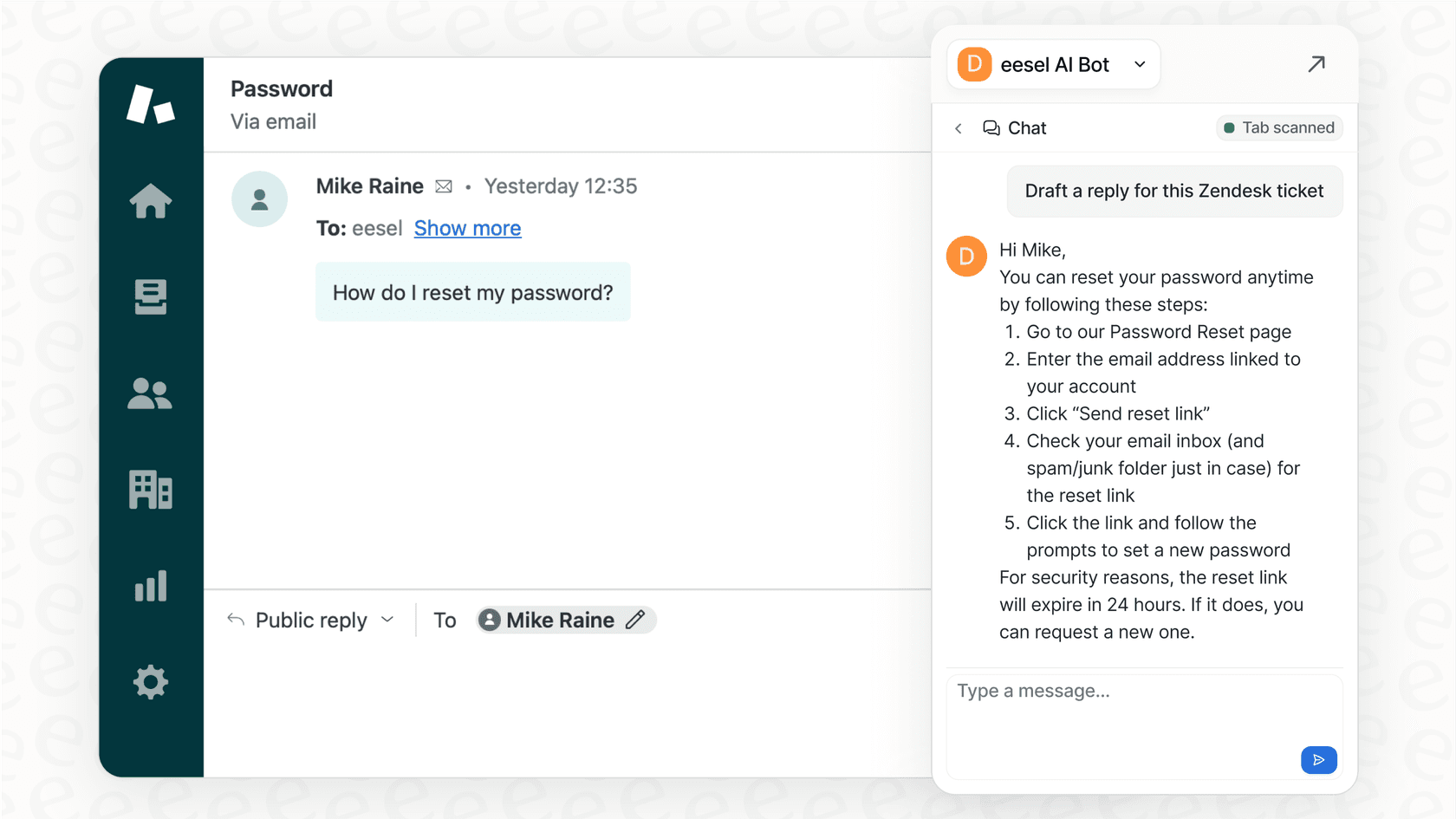
This is where a tool like eesel AI fits differently. Rather than replacing your helpdesk, eesel AI is an AI support agent that connects to the tools your team already uses, including Zendesk, Freshdesk, and others. There are no per-seat fees and no implementation project to run.
Pricing is one fixed monthly price: from $299/month for 500 credits, where 1 credit covers one ticket or chat, with no platform fee. New accounts start with 100 free credits, no credit card required. For teams whose agent count keeps per-seat SaaS costs high, the credit-based model can look significantly different on a spreadsheet.
For a walkthrough of how ServiceNow's sales process and pricing structure works in practice, this video covers the common elements you will encounter during a negotiation:
Getting a quote from ServiceNow
There is no shortcut around the custom quote process. If you are seriously evaluating ServiceNow, the practical steps are:
- Start at the pricing contact page to initiate the conversation.
- Know your fulfiller count before the call - that is the primary cost driver.
- Ask explicitly about implementation partner costs, what a typical project scope looks like for your use case, and what happens to your price if you add users after year one.
- Confirm which Now Assist level is included in your tier and whether any AI capabilities require separate consumption-based billing.
- Read the annual escalation clause before signing any multi-year agreement.
The platform is purpose-built for large-scale enterprise operations, and for organizations that fit that profile, the investment can be well justified. For teams outside that profile, the total cost structure makes it a harder case to argue internally. Either way, the path to a real number runs through the ServiceNow quote process.
Frequently asked questions
Why doesn't ServiceNow list pricing on its website?
ServiceNow builds quotes based on each organization's specific requirements: which modules you buy, how many fulfiller licenses you need, and which integrations are required. Rather than a published price list, they use a custom quote process that accommodates enterprise complexity. If you want published numbers, most tools in my ServiceNow alternatives roundup list ServiceNow pricing-style figures openly.
How much does ServiceNow typically cost?
ServiceNow does not publish pricing. Third-party consultancies such as RedressCompliance estimate ITSM fulfiller costs at $70-$200 per user per month, but those are analyst estimates, not ServiceNow's stated prices. Implementation adds significantly on top of the license fee. My ServiceNow competitors comparison shows how those numbers stack up against tools that publish rates.
Does the ServiceNow license fee include implementation?
No. Licensing and implementation are separate costs. Most deployments use a certified ServiceNow partner for setup, which is a separate engagement. Third-party consultancies such as Kanini estimate initial projects at $30,000 to $150,000 depending on scope, complexity, and migration requirements. For setups you can run without a partner, my guide to IT helpdesk AI covers tools that go live in days.
Does ServiceNow pricing increase each year for existing customers?
Many agreements include an annual price escalation, typically in the 5-10% range, written into multi-year contracts. You can verify the specific terms during the quote process at servicenow.com. The ServiceNow community is also useful for candid discussions from current customers about contract structures. If escalators worry you, my best ServiceNow alternatives list flags which tools offer flat, predictable pricing.
How do I reduce the total cost of a ServiceNow deployment?
The biggest lever is the fulfiller count - only users who actively resolve work need paid licenses, while requesters are typically free. Carefully reviewing which users need fulfiller versus approver access can trim costs substantially. The ITSM Plans and Packages page documents which capabilities are included at each tier so you can choose the right level. Beyond trimming licenses, moving to cheaper alternatives can cut the total outright - eesel AI, for instance, starts at $299/month for 500 credits (1 credit per ticket or chat) with no seats.


Article by
Kurnia Kharisma
Kurnia is a software engineer and writer at eesel AI with two years of SEO experience, writing about AI tools, helpdesk software, and customer support. He pairs a developer's understanding of how these products are built with search-driven research into what actually ranks and resonates with the people searching for them.