The average IT help desk handles roughly 10,675 tickets a month. Most of them are not hard. Password resets, VPN troubleshooting, software access requests, account unlocks - repetitive, predictable, solvable by anyone who's read the runbook once. Yet most teams still route them to a human, who routes them to another human, who looks up the same article they've looked up 200 times.
That's the problem ITSM automation actually solves. Not replacing your IT team - removing the bottleneck that forces skilled engineers to spend a third of their week answering the same questions. The ROI is real: Freshservice's 2025 benchmark report puts it at 356% in under six months. But how you get there matters, and most teams make the same mistakes along the way.
What ITSM automation actually means
ITSM stands for IT Service Management - the structured processes an IT organization uses to deliver and improve IT services. Incidents, service requests, changes, problems, assets, knowledge management: ITSM is the operational backbone behind all of it.
Automation here means using technology to run those processes without manual steps, or with minimal human oversight. At the simple end: a rule that sends a password reset link when the ticket says "forgot my password." At the complex end: an AI agent that diagnoses a VPN issue at 2am, checks system logs, attempts a fix, and only wakes someone up if the fix fails.
Most service desks today sit somewhere in the middle. 86% of enterprises are implementing some form of ITSM automation, but maturity varies enormously - from a few routing rules bolted onto an old ticketing system to genuinely autonomous agents handling majority ticket volume.
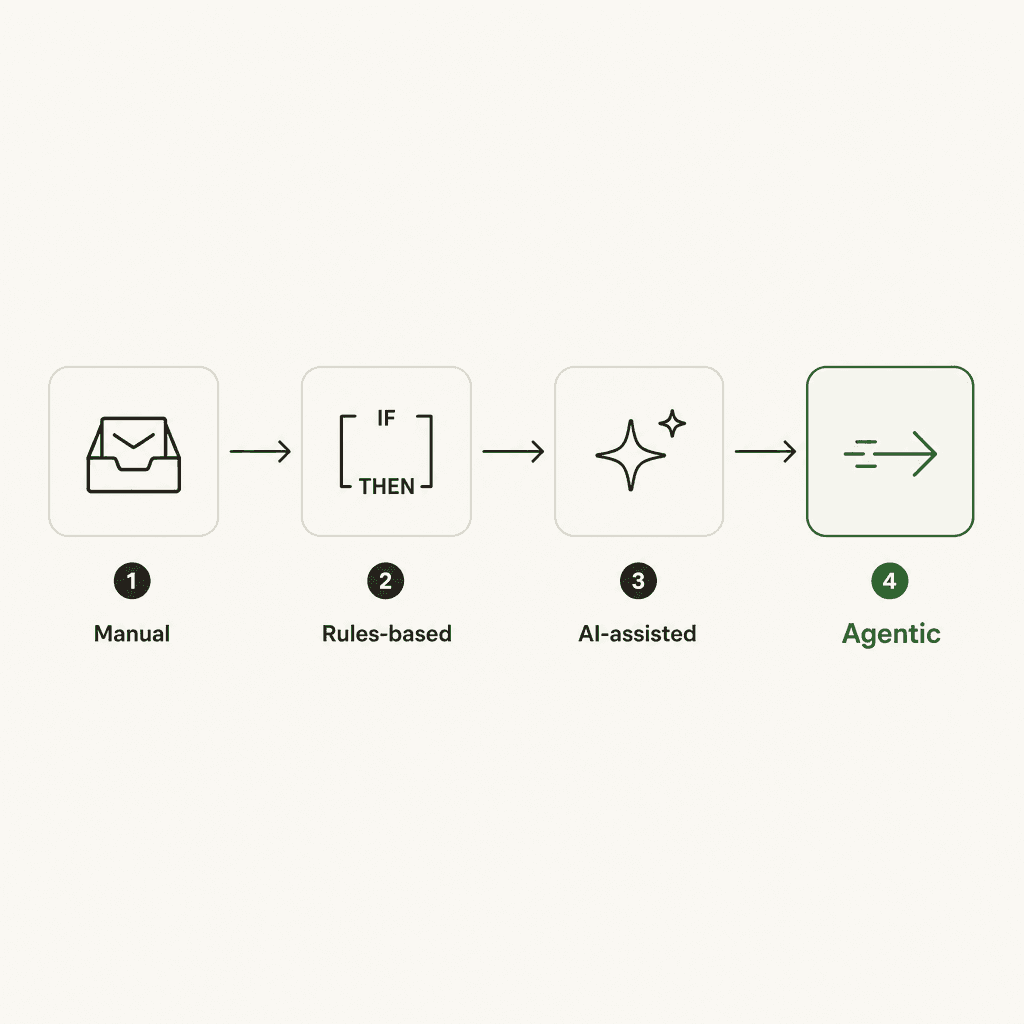
The four stages above matter because teams often get stuck at stage 2 - they've implemented routing rules but haven't moved to AI-assisted or agentic automation. The gains at stages 3 and 4 are significantly larger, but they require better data and a cleaner knowledge base. More on that in the implementation section.
The business case: what the numbers say
The Freshservice benchmark numbers are worth quoting specifically because they come from a Forrester TEI study across actual customers, not a vendor's marketing estimate:
| Metric | Result |
|---|---|
| Ticket deflection rate | 66% |
| Reduction in average resolution time | 77% |
| Agent hours saved per year | 54 per agent |
| Employee satisfaction score | 98% |
| ROI | 356% in under 6 months |
The Atlassian data tracks similarly. According to the Atlassian State of AI in Service Management 2025 report, AI-assisted teams see a 30% improvement in ticket handling efficiency and employees save an average of 25 minutes per help request when self-service actually works. Virtual service agents now handle 75% of all internal requests at a 4.5/5 satisfaction score across Atlassian's customer base.
The cost math is direct. Each IT ticket costs an average of $15–$17 to resolve manually in North America - more for escalated or complex requests. A password reset that costs $15–$40 manual costs a fraction of a cent to automate. At 1,000 password resets a month, that's thousands of dollars monthly recovered just from that one use case.
There's a less obvious ROI too. 28% more IT staff focus on innovation and complex work when automation handles routine tasks. That capacity - engineers working on architecture, security, infrastructure improvement instead of answering tier-1 tickets - doesn't show up on a cost-reduction spreadsheet but matters more in the long run.
The 7 ITSM processes worth automating first
Not all automation is worth the same investment. The best targets share three traits: high ticket volume, consistent resolution path, and clear triggering criteria. The worst targets are rare, complex, or require judgment calls that vary case by case.
Monday.com's ITSM automation guide identifies these seven as the highest-leverage starting points:
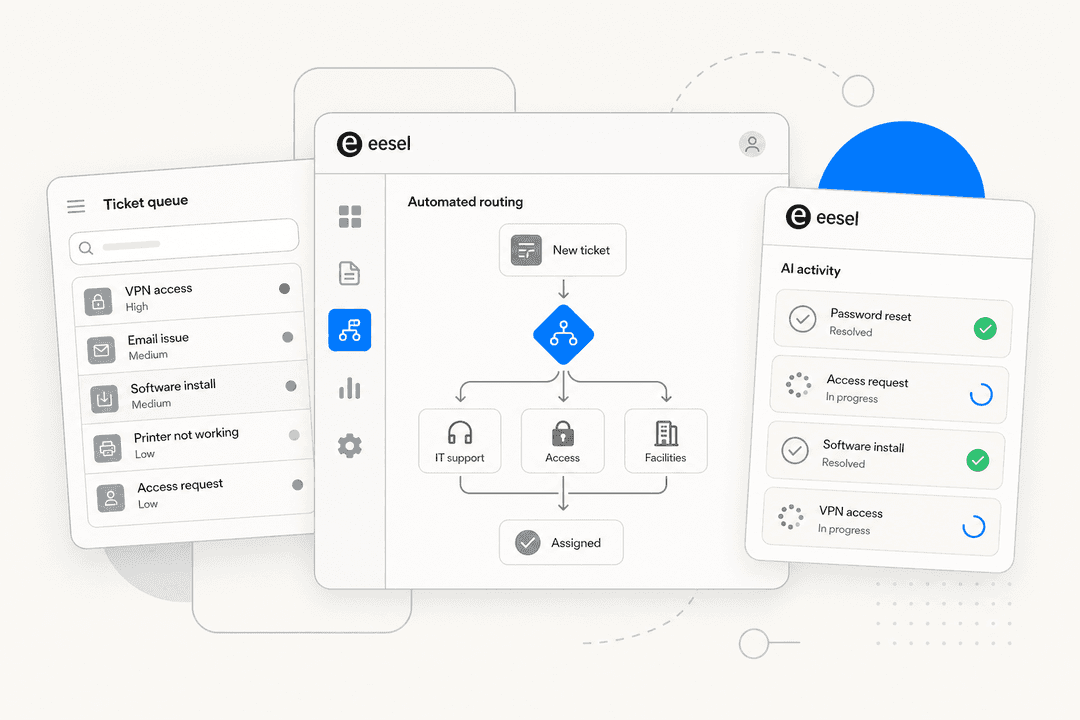
1. Ticket routing and classification. 67% of IT teams have already automated this - it's the most common first step. AI reads ticket content, the requester's role, affected system, and historical resolution patterns, then routes to the right queue without a human triage step. The system learns from reclassifications, so routing accuracy improves over time.
2. Password resets and account unlocks. The single most cited automation win across practitioner communities, and with good reason. 58% of organizations have automated password resets. At a $15–$40 manual cost per occurrence, the payback is immediate at any meaningful volume.
3. Software access requests. Request arrives, triggers an approval workflow, provisions access automatically upon approval. No human involvement between submission and provisioning for standard role-based requests.
4. Service request fulfillment via self-service. A well-built ITSM self-service portal with AI-powered search and built-in approval routing handles the full cycle for common requests - submission, validation, approval, provisioning - without human handoffs. This is where up to 70% reduction in calls, chat, and email comes from, per Gartner.
5. Incident management and alerting. Automated monitoring creates incidents when thresholds are crossed; basic remediation attempts a fix before alerting anyone. 61% of IT teams automate incident management.
6. Employee onboarding and offboarding. When HR enters a new hire, workflows create accounts, order equipment, schedule training, and grant role-based access - automatically. Offboarding reverses this. 52% of organizations automate onboarding.
7. Knowledge management. AI identifies ticket types with no matching KB article, drafts new articles from resolution patterns, flags outdated content, and surfaces the right article at ticket creation. This one has compounding returns - every article created reduces future ticket volume.
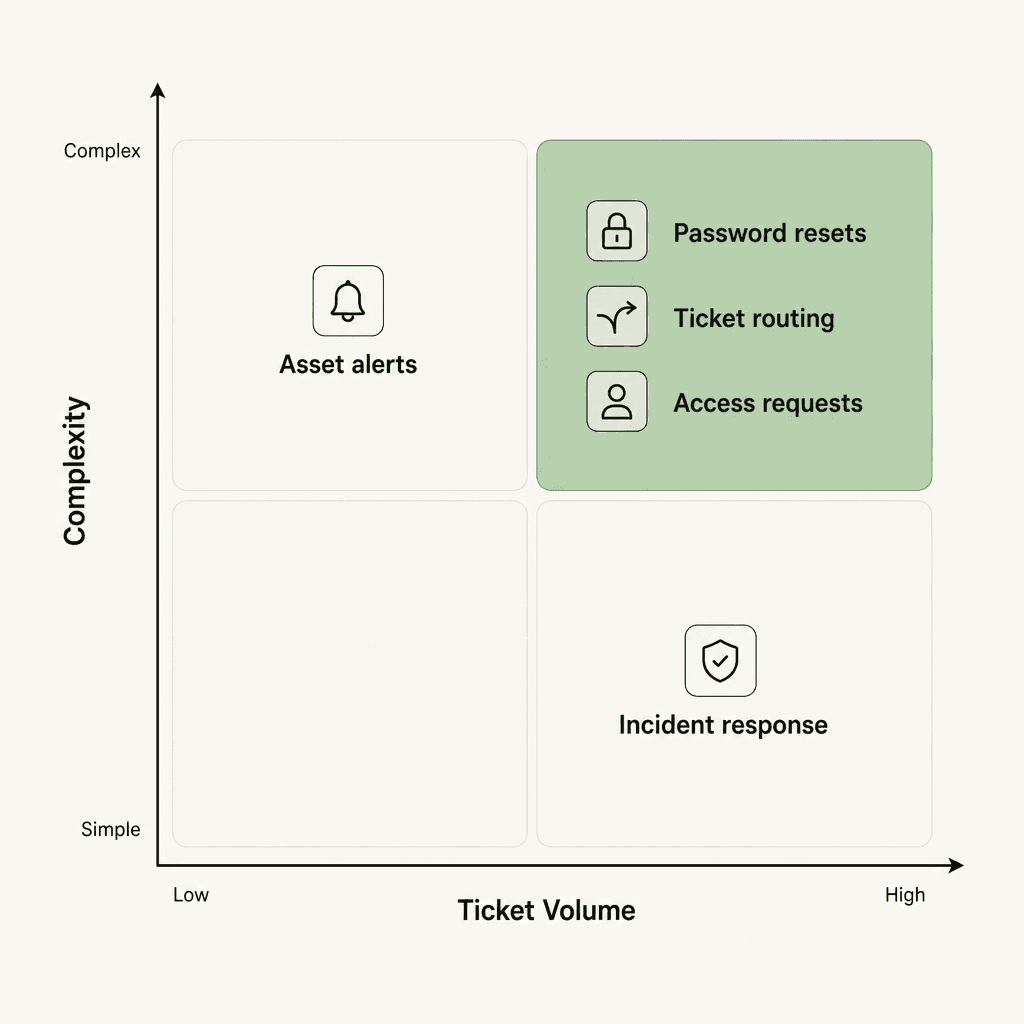
The prioritization quadrant above makes the logic concrete. Password resets and ticket routing sit in the top-right - high volume, simple automation. Start there. Complex, lower-frequency workflows belong later, if at all. Engineering investment in automating a 12-ticket-per-year workflow doesn't pay back.
Chatbots, rules engines, and AI agents: what's the difference
This is where a lot of ITSM automation projects go wrong. Teams deploy a chatbot, call it "AI automation," and then wonder why ticket volume doesn't drop. The issue: a chatbot that takes a user's problem and creates a ticket isn't automation. It's a fancier form.
Practitioners in r/itsm are direct about this: a bot that just creates a ticket is worse than a form. At least with a form the user knows what to expect. True automation means the issue gets resolved, not logged.
The three categories are meaningfully different:
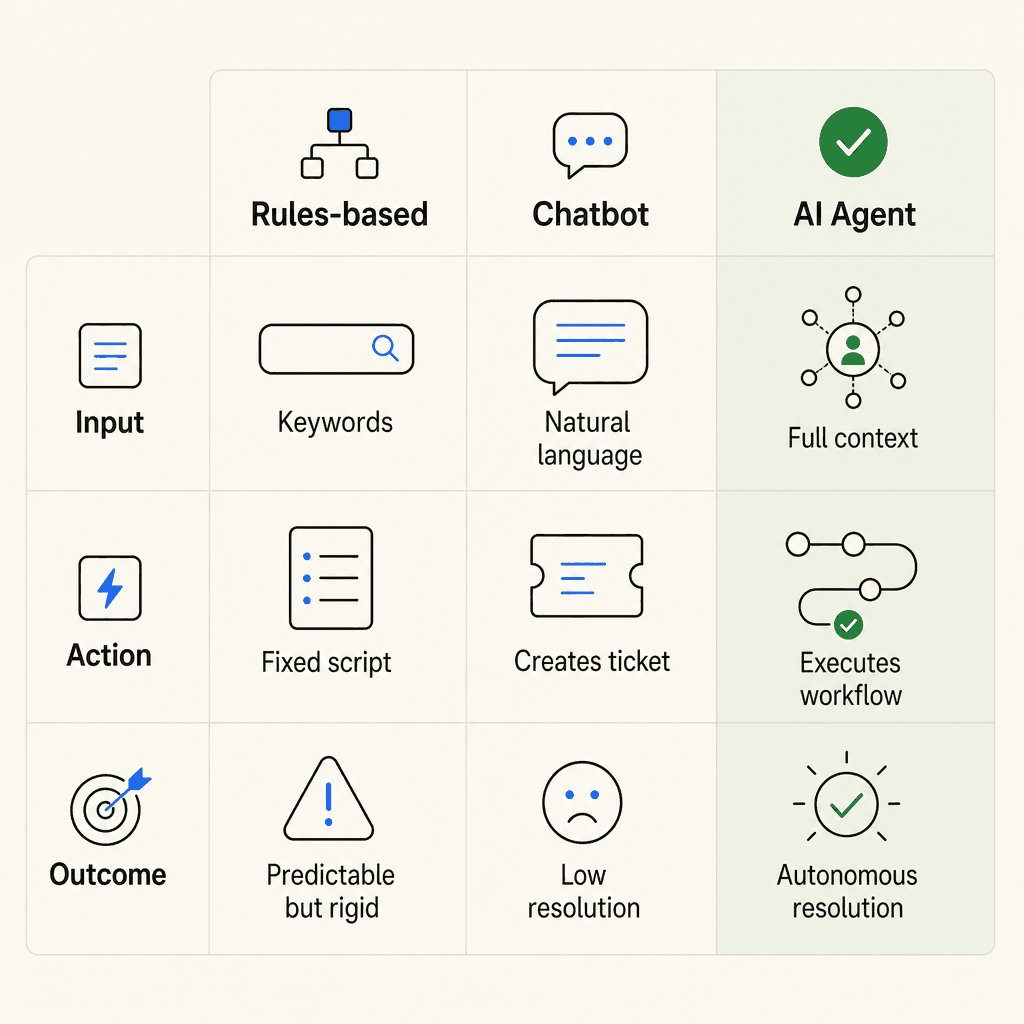
Rules-based automation is predictable and cheap to run, but rigid. "If subject line contains 'password reset,' send the self-service link" - that works until the user writes "can't log in" instead. No natural language understanding; no ability to handle variation.
Chatbots understand natural language and can hold a conversation, but most stop at retrieval. They find the relevant KB article and present it. If the VPN fix requires executing a command, rotating a certificate, or resetting an account state - the chatbot stops at "here's the article" and the ticket still gets opened.
AI agents close the loop between understanding and doing. They read context, determine what action is needed, execute the appropriate workflow or tool action, and only involve a human when the situation is outside their scope. That's why Atlassian's virtual service agents handle 75% of internal requests with high satisfaction - they actually resolve issues rather than document them.
This distinction matters for vendor evaluation. Gartner specifically warns against "agentwashing" - vendors labeling basic AI assistants as agents. Gartner predicts 40% of enterprise apps will feature task-specific AI agents by end of 2026 (up from under 5% in 2025). The jump from chatbot to agent is where the deflection numbers actually change.
How to start: the first 90 days
Teams that get results follow roughly the same path. This draws from the di.net.au ITSM AI 2026 implementation guide:
First 30 days: audit before you automate.
Pull the last three months of tickets and categorize by type, volume, and resolution path. You're looking for the intersection of high volume, consistent resolution, and clear trigger. Password resets and access requests show up in almost every service desk. These are your first targets.
Simultaneously, assess your knowledge base. An AI agent is only as good as what it can find. If your KB has 200 articles and 160 of them are outdated or duplicated, you'll get poor deflection regardless of which tool you buy. Document the tribal knowledge - the processes that currently live in one engineer's head - before you go further.
Days 31–60: deploy the minimum viable agent.
Don't start with incident management or change workflows. Pick one ticket category, connect your chosen tool to your ticketing system and KB, and let it handle that category while humans handle everything else.
Start in supervised mode - the AI writes the response, a human approves before it sends. This is how you build confidence in the system without risking a bad automated response that kills the project politically. The eesel AI helpdesk implementation guide walks through this ramp-up pattern in detail, including how to set escalation rules and confidence thresholds.
Days 61–90: measure, fill gaps, expand.
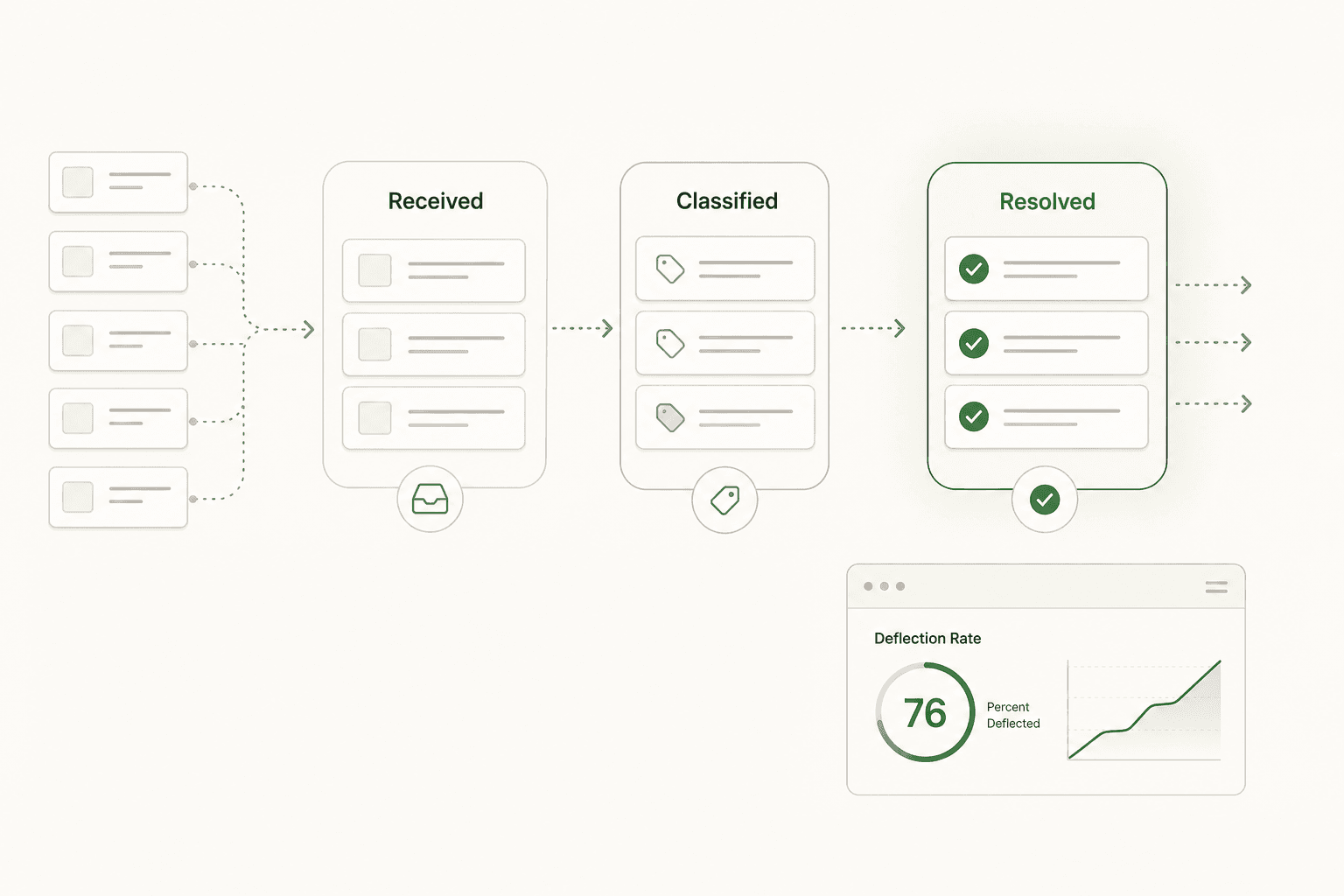
Track three metrics: deflection rate (tickets resolved without human touch), resolution time (before vs. after), and satisfaction score. Where the agent struggles - certain ticket categories, ambiguous requests, specific edge cases - is your knowledge gap list. Fix the KB articles for those categories first, then expand scope.
This chatbot analytics guide covers the specific metrics worth tracking and how to read them as your agent matures.
What gets in the way
The gap between "86% of enterprises implementing ITSM automation" and "getting meaningful results from it" is real. Here's what typically blocks progress:
Security and compliance. 42% of IT professionals cite this as their #1 barrier. AI agents need access to ticketing systems, KB articles, and sometimes directories. SOC 2 compliance, data residency, and clear data handling policies matter. Evaluate these upfront - not after you've deployed.
Siloed data. 89% of IT professionals say siloed data negatively impacts IT operations. An agent that can only read the ticketing system but not the HR directory or asset database can answer fewer questions. The more sources you connect - tickets, KB, asset data, HR - the more useful the agent becomes.
Top-down mandates that skip team buy-in. This comes from the ITSM.tools 2025 AI in IT survey: C-suite-led AI investments were the least likely to produce positive ROI, and significantly more likely to produce negative ROI than team-driven implementations. Starting small, owning the deployment, and expanding based on data does better than a top-down mandate to "implement AI."
Automating the wrong things first. Don't automate the 12-ticket-per-year workflow because someone finds it annoying. Automate what's high-volume first, then expand. The engineering investment only pays back at scale.
What agentic ITSM looks like now
The current frontier is multi-agent incident response - specialized AI agents collaborating on complex incidents. Gartner flagged this as a top strategic technology trend for 2026.
The practical version exists now. When Canva closes an incident ticket, an AI agent automatically drafts the post-incident review and creates action items - eliminating one of the most disliked manual tasks from the on-call engineer's post-incident workload.
Only 28% of organizations currently use AI-powered root cause analysis, despite 79% exploring it. That's the largest remaining gap between what teams want and what they've implemented - and the area where the next wave of resolution-time improvement will come from.
The ITSM.tools 2026 practitioner poll puts this in perspective: GenAI dropped from the #2 priority to #21 between 2025 and 2026. What practitioners want now is AI governance (37% cite it as a top priority), proven value demonstration (31%), and advanced ITSM capabilities (43%). The hype cycle has passed. The deployment is already happening - the question now is how well it works.
For the DevOps side of this, AI for DevOps support covers how engineering teams apply the same automation patterns to developer-facing IT requests.
eesel AI for ITSM
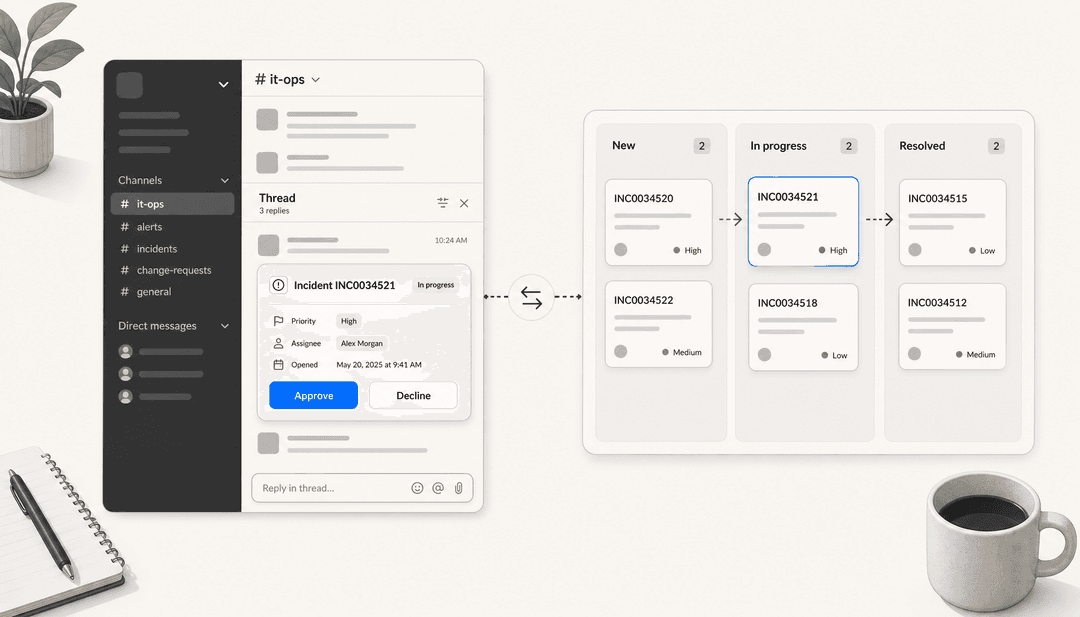
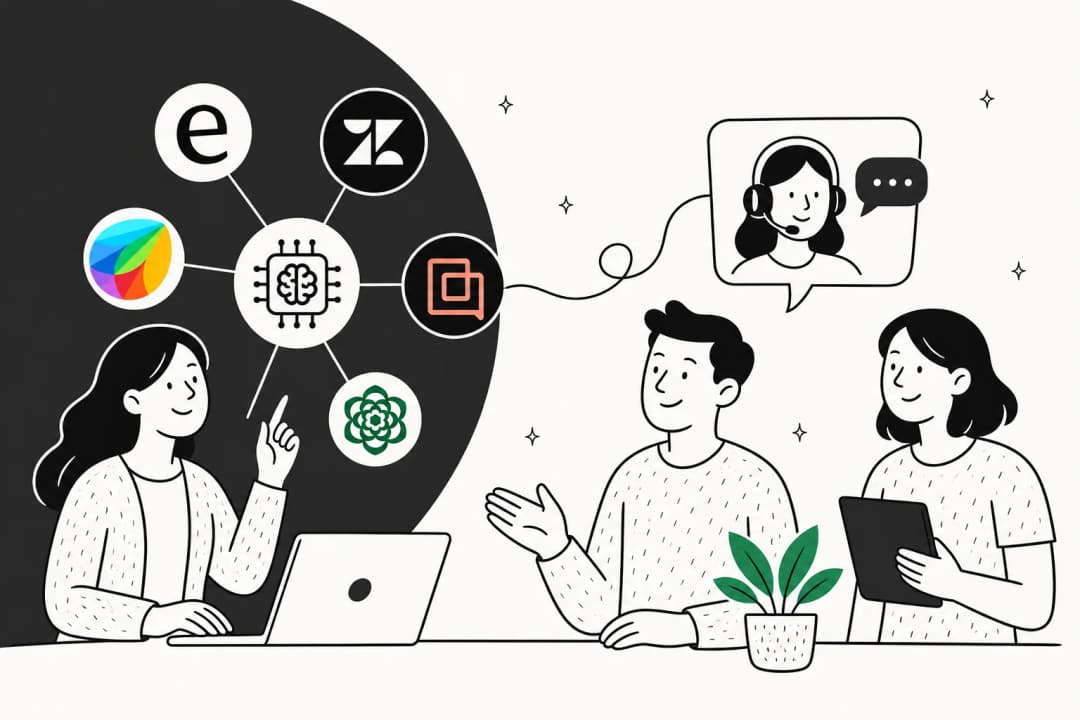
eesel AI deploys autonomous AI agents directly inside the tools your IT team already uses - Zendesk, Freshdesk, Slack, Microsoft Teams - without requiring a new dashboard or separate portal. You configure the agent conversationally: tell it the escalation rules, the tone, the topics it should never try to resolve autonomously.
The practical result: eesel agents draft replies, resolve tickets, and route based on confidence. In supervised mode, the AI writes the response and a human approves before it sends - the right way to build confidence before going autonomous. Once you're ready, the agent handles tier-1 resolution independently, escalating only when confidence is below your threshold.
Gridwise saw 73% of tier-1 requests resolved in their first month without custom development. Global Pay reports 80% time savings. The simulation mode lets you test against historical tickets before going live, so knowledge gaps show up in a test run rather than in a live response to a real user.
Pricing is usage-based at $0.40 per ticket, with a free $50 trial and no platform fee - no seat licenses, no minimum. For teams processing hundreds or thousands of tickets monthly, the per-ticket cost is a fraction of manual resolution.