AI for DevOps support: a practical guide for engineering teams (2026)
Stevia Putri
Katelin Teen
Last edited May 15, 2026

DevOps engineers are among the most expensive people in any company to interrupt. When someone DMs a senior engineer to ask where the auth service runbook lives, or posts in #engineering asking how to request access to a staging environment, the cost of that context switch is real, and it compounds across dozens of engineers, dozens of times a day.
This guide is for IT leads and engineering managers who want to put AI in front of those interruptions. It also covers a related problem: incident response that burns too much manual time on triage, status updates, and postmortems.
eesel AI covers the internal helpdesk layer better than anything else at its price point, and it connects directly to the tools engineering teams already live in: Jira, Confluence, Slack. The rest of this guide covers where AI works well across both helpdesk and incident management, which tools to use for each, and a practical rollout path.
What "DevOps support" actually covers
Before buying any tool, it helps to be clear on which of two distinct problems you're solving.
Internal IT helpdesk support for engineering teams: Requests that come from developers, ops engineers, and their colleagues: access provisioning, VPN troubleshooting, "how do I set up this tool?", "where's the runbook for the payments service?". These requests land in Jira Service Management, Freshservice, or directly in Slack. They're IT tickets. The goal is answering them faster and at lower cost, ideally before they reach a human.
Incident management: The operational work of detecting, triaging, and resolving production incidents: on-call alerts, root cause analysis, status communications during active incidents, and postmortems. This is a separate problem with separate tools. Buying a Slack-native helpdesk tool and expecting it to run your on-call rotation is the most common category mistake in this space.
AI solutions for both have matured substantially. Where teams buy one tool expecting it to solve both is where money gets wasted.

Where AI actually moves the needle
The community consensus across r/sysadmin, r/ITManagers, and r/EngineeringManagers is consistent: AI delivers real value in a handful of specific scenarios, and it fails when pushed past them.
What's working:
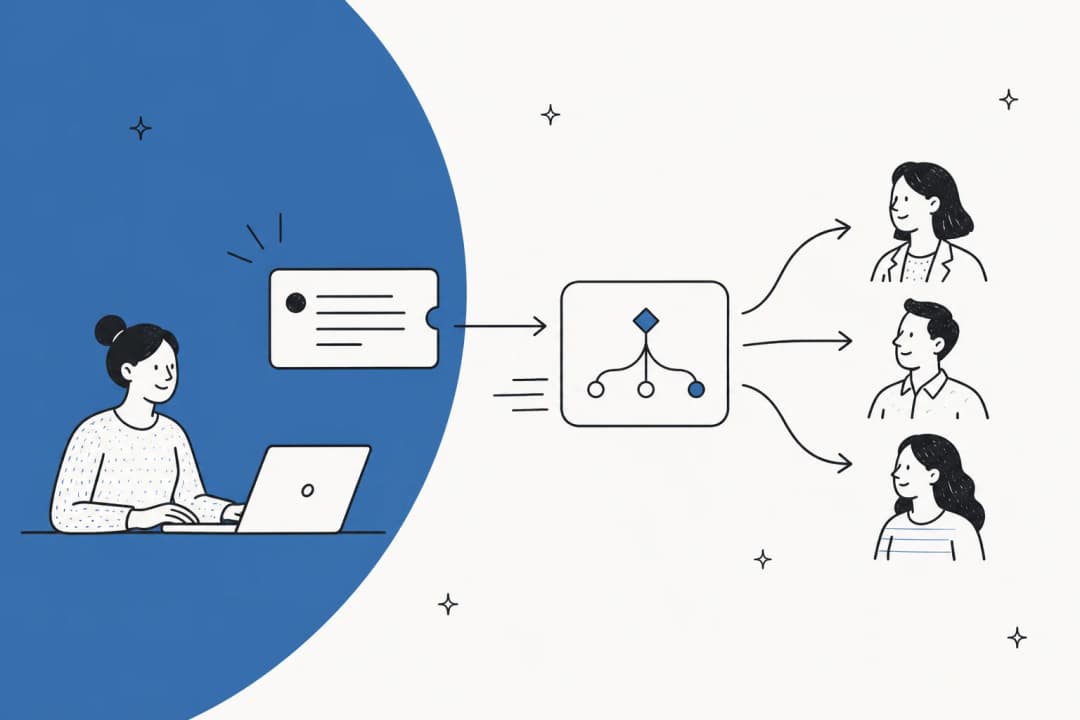
Ticket classification and routing is the easiest win. AI categorizes incoming requests and routes them to the right queue without human triage. Teams with clean tagging taxonomies report meaningful reductions in routing time even when raw volume stays flat.
Answering documented questions is where deflection actually happens. If the answer is in a Confluence page, Google Doc, or past resolved ticket, a well-configured AI finds it and surfaces it. u/SquareDesperate4003 described the experience from r/ITCareerQuestions: "Volume stayed about the same, but escalations went down. That alone helped morale, even if headcount didn't change."
Postmortem automation is the standout winner in incident management. AI-generated incident summaries and postmortem drafts are nearly universally adopted because the alternative (a retrospective written at 2am by an exhausted engineer who just resolved a P0) produces worse output anyway.
Scripting and documentation assistance is accepted practice. u/Fallingdamage from r/sysadmin: "Writing policies and procedures and assisting in documentation. I don't trust any of it to do production work yet."
Where the hard line is:
The community is firm on autonomous action touching permissions, access controls, or production infrastructure. u/Bright_Arm8782 put it directly: "Agentic is where me and AI part company. I don't like the idea of decisions about my infrastructure being taken by a black box." This is a reasonable starting position, not a reason to avoid AI altogether, but a reason to configure it with human approval on anything that matters.
AI tools for internal IT helpdesk support
eesel AI: AI-first internal helpdesk for engineering teams
eesel AI is an AI helpdesk agent that connects to the tools engineering teams already use (Slack, Jira Service Management, Confluence, Google Docs, Notion) and handles internal IT requests without requiring a platform migration.
The core workflow: an engineer posts in #it-help, the eesel bot intercepts the message, searches across your connected knowledge sources (runbooks in Confluence, procedures in Google Docs, past Jira ticket resolutions), and either resolves directly or creates a ticket if it can't answer confidently. The IT team only sees the requests that genuinely need a human.

What makes eesel specifically useful for DevOps teams
Most helpdesk AI tools are limited to formal knowledge bases. eesel learns from wherever your engineering knowledge actually lives, and for most engineering orgs, that's not a nicely organized Confluence wiki. It's a mix of past Jira ticket resolutions, Google Docs written by engineers who've since left, Slack channel history, and Notion pages that may or may not be current.
On the Business plan, eesel automatically learns from historical ticket resolutions. The tribal knowledge already captured in how past tickets were solved becomes part of the AI's answer set, without anyone manually writing it up. This is a practical difference from tools that only read from formal KB articles, and it's especially relevant for engineering teams whose best documentation lives in closed tickets.
Scoped Slack bots are another feature worth calling out for DevOps. Rather than one company-wide AI bot with access to everything, you can configure a dedicated bot for the DevOps team scoped to their Confluence space and relevant runbooks, a separate bot for the IT team, and another for HR. Each answers from the right knowledge base without bleeding answers across domains. u/Kind_Structure_920 in r/sysadmin described the same pattern with a similar tool: "Super easy to get off the ground because it's connected to a lot of our internal systems / knowledge bases. When we define processes and tell it what types of things to escalate to a human, it's very effective in automating daily tasks."
Simulation mode is the other differentiator. Before going live, teams run eesel against thousands of past tickets to see how it would have responded: what it would have resolved, what it would have escalated, and where it doesn't have good answers yet. That's a much better foundation than learning from live mistakes.
Customer results
InDebted: Jason Loyola, Head of IT, deployed eesel as the first responder to their Jira Service Management queue. His team of 5-10 people handles requests from 250+ employees across 5 markets. "We use it to be the first responder to our Helpdesk tickets in Jira. It essentially acts just like an agent would." In the first month, eesel was deflecting 15% of incoming tickets autonomously. Once the AI finishes auto-generating KB articles from past ticket resolutions, Loyola projects 55% autonomous deflection.
Simployer: Flemming Ottosen, Development Director, runs dedicated eesel bots scoped to specific Confluence spaces at this 350-person HR tech company. The decision came down to GDPR compliance, EU data residency, and the ability to serve different teams with different knowledge scopes. "We needed a turnkey solution for Confluence that met our GDPR requirements and could serve different teams through dedicated Slack bots. eesel AI delivered exactly that, with EU data residency included."
Global Payments: Alex Capurro, Chief Innovation Officer: "With eesel, we can find specific answers to questions extremely fast. We have seen up to 80% time savings."
Pricing
eesel uses usage-based pricing at $0.40 per resolved ticket, with a free trial that includes $50 in credits and no credit card required. Plan-based pricing for teams with predictable volume runs $239/month (Team plan: 1,000 interactions/month, up to 3 bots) and $639/month (Business plan: 3,000 interactions/month, unlimited bots, automatic learning from past tickets). Enterprise pricing starts at $2,100/month and includes SOC 2, HIPAA, and custom AI model options.
Atlassian Intelligence in Jira Service Management
For teams on Jira Service Management Cloud Premium ($51.42/agent/month), Atlassian Intelligence is built in and covers a reasonable slice of the internal helpdesk problem.
The Virtual Service Agent handles tier-1 deflection through two modes: Intent Flows (no-code conversational flows for common request types: VPN resets, software access requests, hardware requests, onboarding steps) and AI Answers (generative AI that reads from the linked Confluence knowledge base to answer questions without a human). It runs across the JSM help center portal, Slack via Atlassian Assist, Microsoft Teams, and email. Premium plans include 1,000 assisted conversations per month; above that, $0.30 per conversation.
Beyond deflection, Atlassian Intelligence also handles AI triage (bulk-reclassifying tickets by request type), one-click ticket summaries for agents picking up mid-conversation tickets, draft reply suggestions based on similar resolved tickets, and AI post-incident review generation for teams running AIOps on Premium.
Where it works well: Teams deeply invested in Confluence and already on JSM Premium get real value without adding another tool. For these teams, the AI answers are directly grounded in the documentation they maintain, and the workflow stays entirely inside Atlassian.
Where it falls short: Atlassian Intelligence reads only from Confluence, not Google Docs, Notion, Slack history, or past Jira ticket resolutions. Engineering teams whose knowledge is distributed across multiple sources will find significant gaps. The Virtual Service Agent is also locked to Premium; Standard plan customers at $20/agent/month get only basic AI suggestions and 25 Rovo credits per user per month. And none of this applies to Data Center deployments, as all AI features are Cloud-only.
For a direct comparison of Atlassian Intelligence against other options for JSM teams, eesel has a detailed breakdown at eesel.ai/blog/atlassian-ai-agent.
Moveworks
Moveworks, now integrated into ServiceNow's product family as "Otto" following its acquisition, is the enterprise option for large-scale IT helpdesk automation. It's relevant for organizations with thousands of employees, existing ServiceNow deployments, and budget to match.
The platform takes autonomous action rather than just surfacing answers. An employee says "My laptop won't connect to VPN," and Moveworks checks the identity system, diagnoses the device state, executes remediation steps, updates the ticket, and notifies the employee, all without a human agent. At scale, customers like Broadcom (88% autonomous ticket resolution), Mercari (74% of IT tickets handled autonomously), and CVS Health (50% reduction in live agent chats within one month) show what the ceiling looks like.
Pricing isn't public. Third-party sources estimate $100-200 per employee per year; typical enterprise contracts run into the hundreds of thousands annually. There's no self-serve option and the standard sales process involves a full enterprise procurement cycle. Setup is quoted at 8 weeks.
For mid-market engineering teams that need something running this quarter, not six months from now, Moveworks is the wrong fit. But the warning from u/touchytypist in r/ITManagers applies to every tool in this category, not just Moveworks (more on that in the documentation section below).
AI for incident management
Incident management is a fundamentally different problem from internal IT helpdesk, and it needs different tooling. Where the helpdesk problem is about deflecting questions before they become tickets, the incident management problem is about compressing the time between "something broke" and "it's fixed and documented."
AI has made the most progress at the detection and postmortem stages of the incident lifecycle. The middle stages (root cause analysis and remediation) still require human judgment in all but the most routine scenarios.

PagerDuty AI
PagerDuty has built the most mature AI incident management stack available. Sixteen years of incident data on top of which the ML models are trained gives it a genuine edge over newer entrants on the pattern-recognition side.
PagerDuty AIOps (starts at $699/month, annual) targets alert noise first. The Intelligent Alert Grouping trains on each service's historical alert patterns to cluster related alerts automatically. PagerDuty reports 91% noise reduction for customers using it. The Probable Origin feature generates a ranked list of likely root causes based on historical correlation patterns, so responders know where to look before manually pivoting through dashboards. Change Correlation connects recent CI/CD deploys to the incidents that followed, shortening the time engineers spend manually tracing those cause-and-effect chains.
PagerDuty Advance (starts at $415/month, annual, add-on) layers generative AI on top: the Scribe Agent transcribes Zoom incident calls in real time and drafts structured summaries, the Postmortem feature auto-generates a draft incident review from ticket data and Slack conversation history, and the Advance Assistant for Slack provides an AI chatbot that answers questions about active and historical incidents directly in your incident channel.
The SRE Agent (GA since October 2025, requires AIOps + Advance) accelerates triage and remediation by running diagnostics, surfacing historical context, and suggesting remediation actions. Engineers approve before anything executes. AI as analyst, human as decision-maker. This is the right design: the SRE Agent surfaces what it knows, but it doesn't act without a person signing off.
Pricing context: AIOps and Advance are add-ons on top of base PagerDuty Incident Management plans (Professional at ~$21/user/month, Business at ~$41/user/month). Running the full AI stack costs roughly $1,100/month before user licenses. That's a real budget commitment, and several community threads flag this as the reason smaller engineering teams look at incident.io instead.
incident.io
incident.io is worth a separate mention for teams where PagerDuty's total cost is hard to justify. Its AI feature with the clearest practical reception is Scribe, which automatically transcribes incident calls, captures everything said, and generates action items and structured summaries. One engineering manager in r/EngineeringManagers described it as "a gamechanger for our post-incident reviews because we're not scrambling to remember who said what". The AI SRE feature for autonomous investigation is in beta, with most teams opting to use Scribe first before activating anything agentic.
The prerequisite everyone skips: documentation quality
This is what vendors leave out of demos.
AI helpdesk quality is a direct function of knowledge base quality. If your Confluence pages are incomplete, outdated, or written by someone who assumed too much context, the AI will reproduce that vagueness confidently. u/touchytypist watched this play out with a Moveworks rollout: "Unless your IT support documentation, SOPs, and Service Catalog are dialed in, more than half the AI answers will be bad or generic. Source: Our CIO unilaterally decided we needed to implement Moveworks and no one in management has the backbone to tell him the underlying things required are not at the level needed for it to be successful."
u/CaptainFluffyTail identified the same root cause: "In order to train the data model to be appropriate for your organization the dataset needs to have 'good' data. How many organizations have crap data in their systems because nobody is cleaning it up? Does your service desk regularly tag incidents/requests? Do they clean up poor/bad subject lines and replace them with actual error messages?"
This isn't a reason to delay indefinitely. It's a reason to start narrow. Pick the 15-20 most common ticket types in your queue and verify that the KB articles covering those specific issues are accurate, complete, and written clearly enough for a new engineer to follow. Let the AI handle those first. Expand as documentation improves.
eesel helps close the documentation gap faster than most tools by automatically identifying where its knowledge is thin. When the AI can't answer a question confidently, it flags it as a potential KB gap and, on the Business plan, auto-drafts articles from past resolved tickets for human review. It doesn't replace documentation hygiene, but it accelerates it.
How to roll this out: a practical 4-step approach
These steps work for internal helpdesk AI, incident management AI, or both.
Step 1: Audit your most common ticket types. Pull the last 90 days of tickets from your queue. What are the top 20 categories by volume? These are your highest-ROI targets for AI deflection, and they're also where your documentation is most likely to already exist in some form.
Step 2: Harden the KB articles for those ticket types. For each of your top 20 categories, read the corresponding Confluence page or procedure doc as if you were a new engineer encountering it for the first time. Fix gaps, update stale steps, and make resolution paths explicit enough to follow without tribal knowledge. This work pays dividends regardless of AI.
Step 3: Start in copilot mode. Don't flip to autonomous on day one. Have the AI draft responses for agents to review, edit, and send. This surfaces bad answers before they reach requesters and gives you a clear quality signal. u/hopefully_useful described the right sequencing: "Start in copilot/notes mode so agents review suggested replies first. Turn on direct replies only for boring, repetitive categories once quality is stable. Be strict about handoff: low confidence, repeated clarifications, negative sentiment, or anything you already know needs a human."
Step 4: Expand autonomy one category at a time. Once a ticket category is producing consistently good AI responses in copilot mode, enable autonomous sending for that category. Work category by category and don't flip the whole queue to autonomous at once, because you lose the visibility to see where things go wrong. Teams that follow this path consistently report lower escalation rates and better agent morale. Mature eesel deployments reach up to 81% autonomous resolution, but that number is built over months of expanding scope, not configured on day one.
Try eesel AI
eesel AI connects to Jira Service Management, Slack, Confluence, Google Docs, Notion, and 100+ other sources your DevOps team already uses, and starts handling internal support requests the same day, without any platform migration. It's particularly strong for engineering teams whose knowledge lives in past Jira tickets, Confluence runbooks, and Slack, rather than a tidy formal knowledge base.
The free trial includes $50 in usage with no credit card required. Run it against real tickets before committing. For teams already running Jira and Confluence, it's the fastest path to a working AI helpdesk for engineers.
Frequently Asked Questions
Share this article

Article by
Stevia Putri
Stevia Putri is a marketing generalist at eesel AI, where she helps turn powerful AI tools into stories that resonate. She’s driven by curiosity, clarity, and the human side of technology.