How to set up a Slack IT support bot

Stevia Putri

Katelin Teen
Last edited May 15, 2026
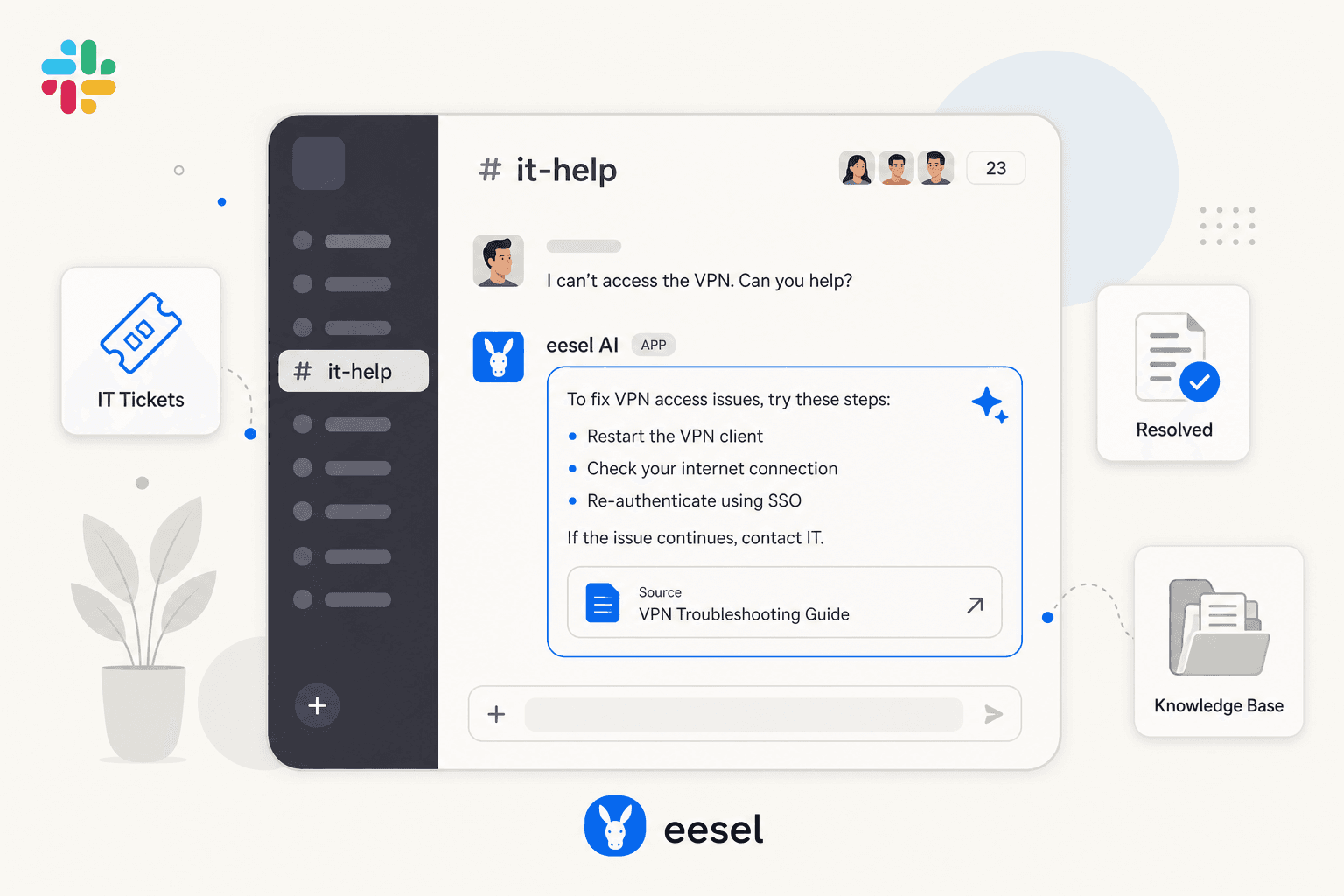
The #it-help Slack channel in most companies is a graveyard of dropped requests. Someone posts "can't access Google Drive," an IT person says they'll look into it, the conversation gets buried, and three days later the employee DMs to follow up. By then there's no ticket, no owner, no SLA clock -- just a lost thread.
This isn't a Slack problem. It's that Slack has become the de facto IT help desk for most teams, with none of the structure that makes a help desk useful. 70% of employees submit IT requests through Slack when given the option, according to a Spoke survey cited by Slack. Fighting that preference by enforcing a portal nobody will use tends to fail. The answer is to make Slack work as real IT support -- a bot that captures requests, answers questions from your knowledge base, creates tickets when needed, and escalates cleanly when it can't resolve.
This guide covers how a Slack IT support bot actually works, what to look for when choosing one, and how to set one up step by step using eesel AI. There's also a comparison of the ITSM-native alternatives for teams already invested in a specific platform.
How a Slack IT support bot actually works
Every Slack IT support system operates in two layers, and understanding them helps you evaluate tools accurately.
The first layer is ticket management. This is what ITSM platforms offer natively: Slack connects to your help desk, employees post messages that become tickets, agents get notifications, and status updates flow back. Jira Service Management's Atlassian Assist, Freshservice's ServiceBot, and ServiceNow's Slack app all work this way. It's useful -- but it doesn't reduce the volume of tickets reaching your team.
The second layer is where time savings happen: an AI agent that intercepts requests in Slack before a ticket is created, searches your knowledge base, and attempts to resolve the issue on the spot. If it can answer ("yes, here's how to reset your VPN password -- see the IT runbook under Network Access"), the request closes without ever becoming a ticket. If it can't, it creates a ticket with the full conversation context attached and routes it to the right person.
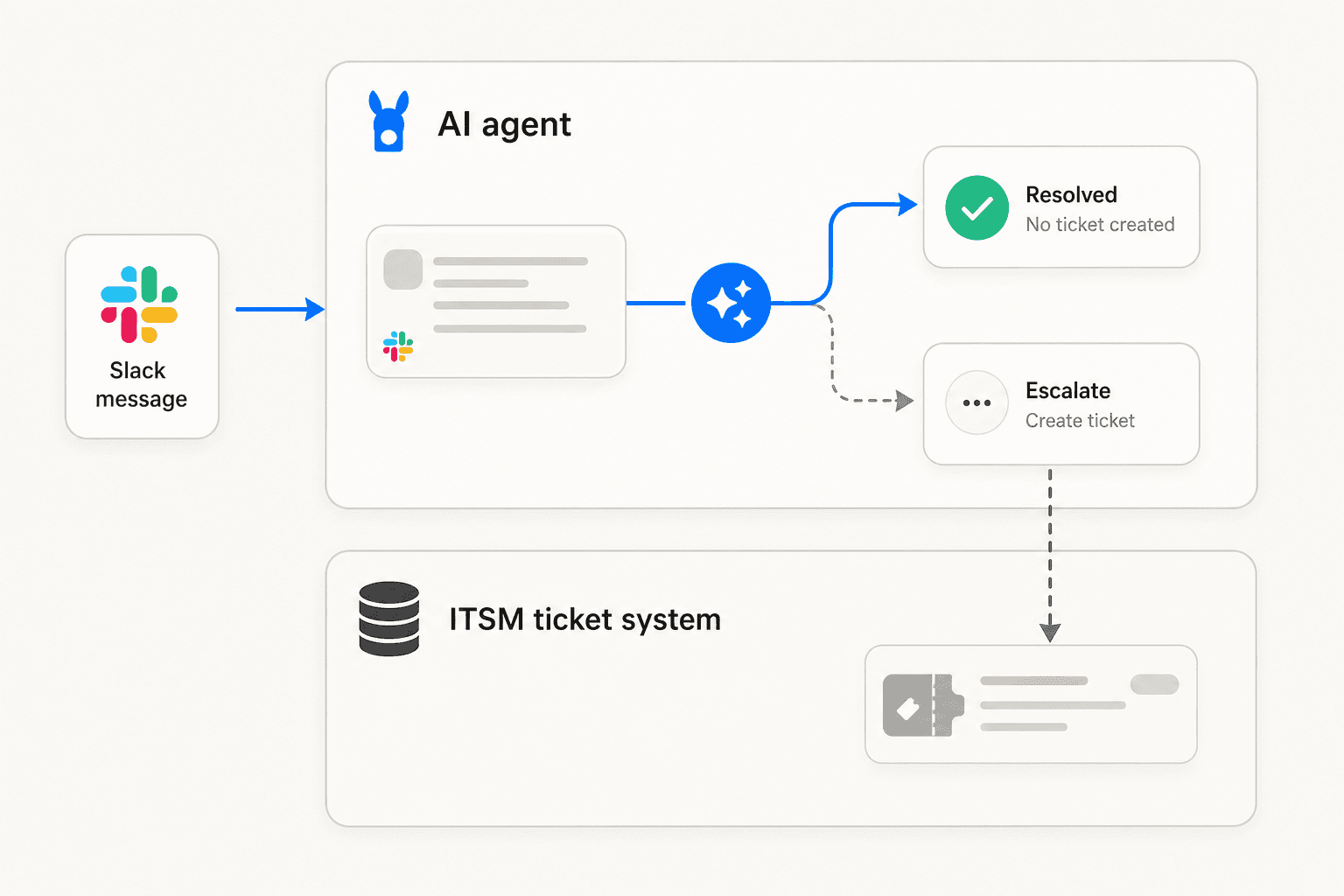
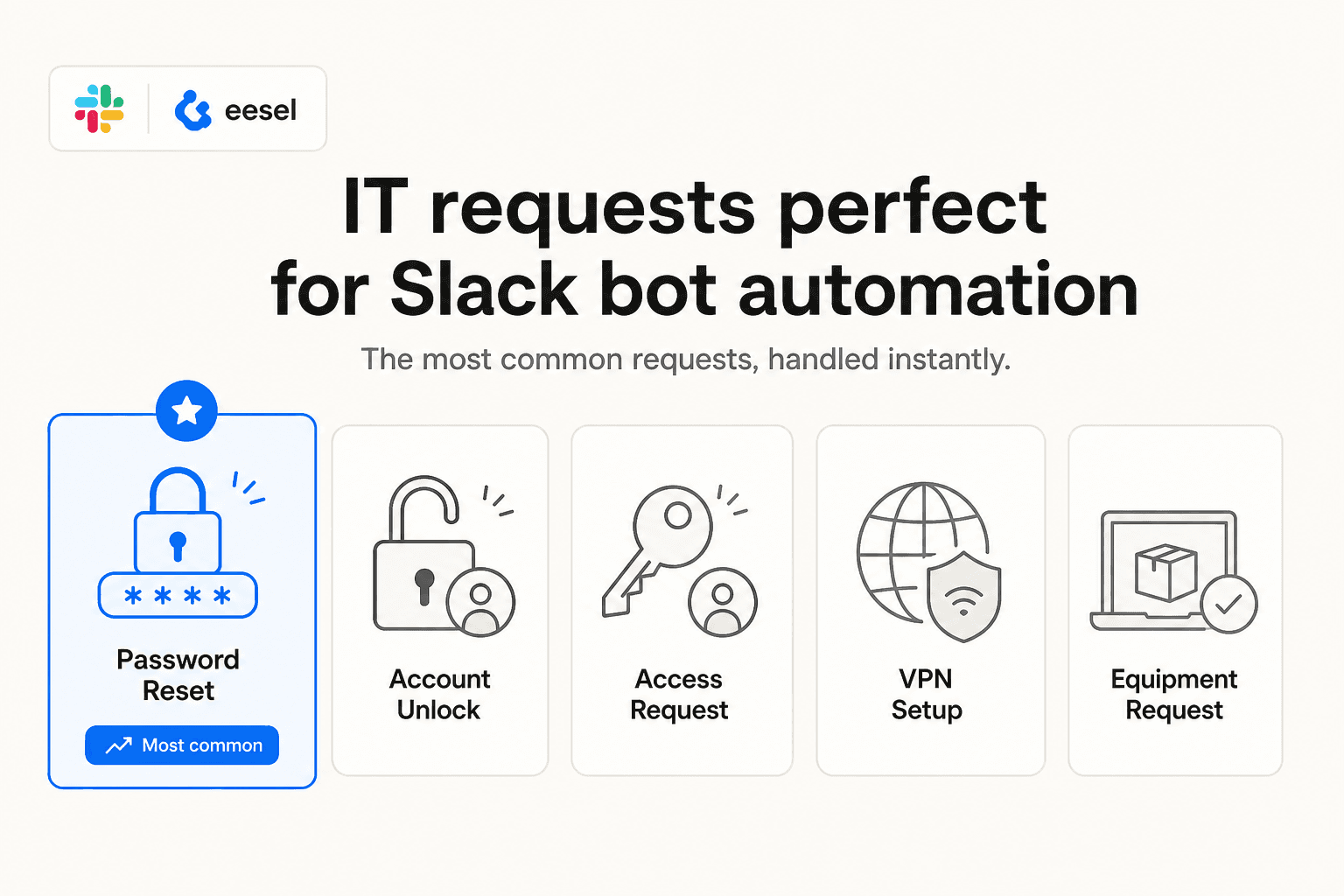
That deflection layer matters because password resets alone account for 20-50% of all help desk calls. If those are getting answered automatically at 2am on a Tuesday, your team has substantially more time for tickets that actually need human judgment. The 2026 State of AI in IT survey puts AI adoption at 74% of organizations with at least one AI-enabled service management workflow, and 82% of those report tangible results.
The key distinction for IT-specific Slack bots: the ones worth deploying in 2026 operate in both layers simultaneously -- not just notifications.
What to look for before you pick one
A few things separate useful Slack IT bots from ones that create more noise than they resolve.
Knowledge source connectivity. The bot can only answer as well as the sources it reads. If it can't access your Confluence runbooks, Google Drive SOPs, and past Jira tickets simultaneously in a single answer, it won't be grounded in your actual IT environment. Breadth matters here -- a bot that reads only one source tends to produce generic answers.
Confidence-based routing. The biggest adoption-killer for IT bots is a confidently-wrong answer. One practitioner running a live deployment described this: "We had an embarrassing week where the bot was confidently wrong about a SAML policy." Good bots know what they don't know -- they escalate when confidence is low, rather than guessing. An eesel AI blog post on ITSM integration describes the right model: low confidence goes to draft for human review, not a live reply.
Bidirectional ticket sync. The bot's Slack conversation and the ITSM ticket need to stay in sync. Agents shouldn't have to check two places to see the conversation history. And when the bot escalates, the ITSM ticket should include the full Slack thread -- not just a bare subject line.
Draft-before-autonomous mode. For IT support especially, you want to run supervised for a while before going fully autonomous. The ability to review bot drafts before they go out -- then expand autonomy category by category as confidence builds -- is the safer model for production IT use.
Audit trail. Even deflected requests need to be logged. One IT manager put it plainly: "We made it so that Slack messages create records in our system. Even if the virtual agent solves it -- we need the metrics." Configure the integration to write back to your ITSM even when the bot handles full resolution.
How to set up a Slack IT support bot with eesel AI
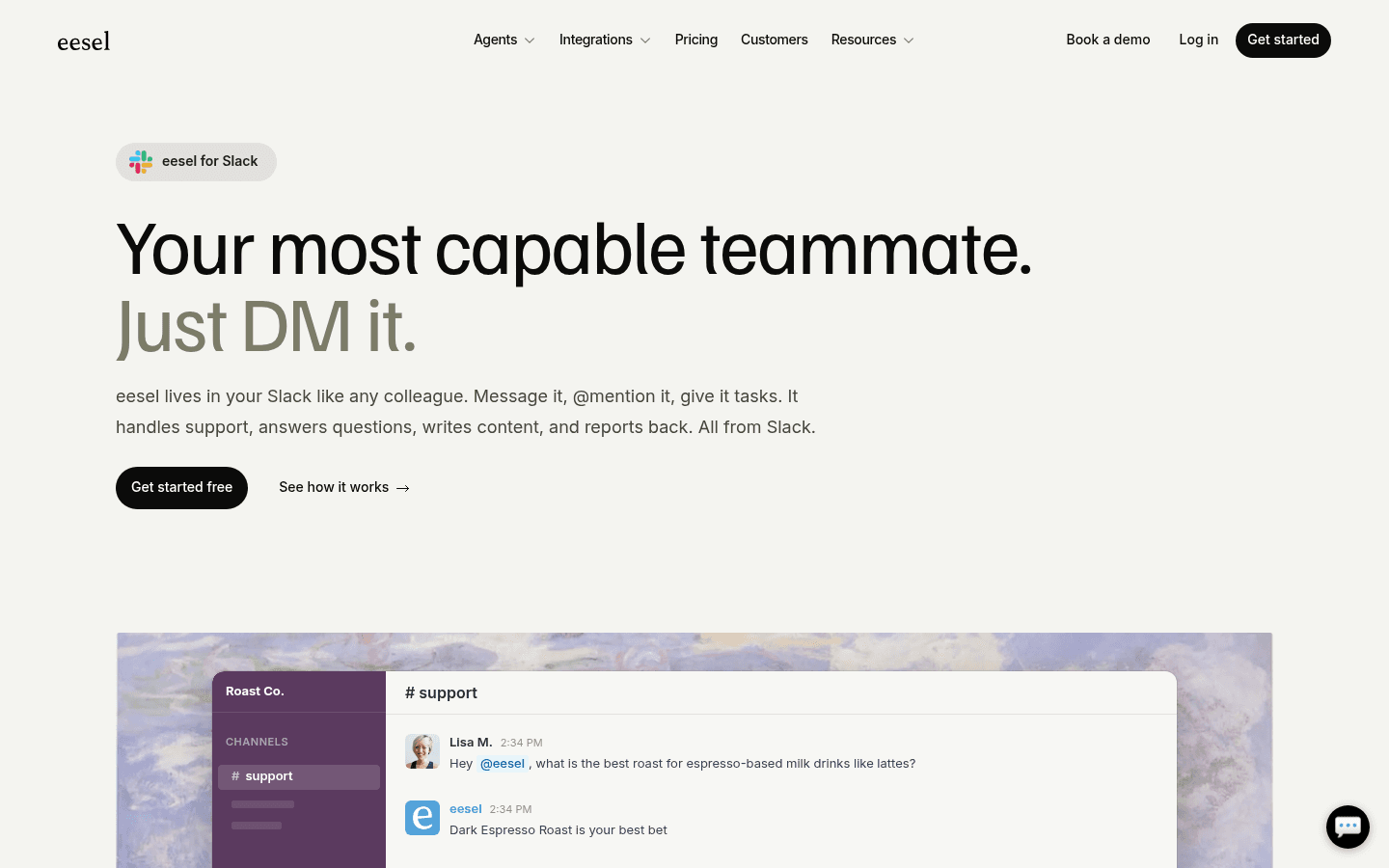
eesel AI is a strong starting point for most IT teams. It installs as a bot in your Slack workspace, connects to your existing knowledge sources, and starts answering IT questions in threads -- without replacing your ITSM. It sits above your Jira, Zendesk, or Freshdesk, deflecting what it can and routing the rest with full conversation context attached.
Jason Loyola, Head of IT at InDebted, describes what it looks like in practice:
"We use it to be the first responder to our Helpdesk tickets in Jira. It essentially acts just like an agent would." -- Jason Loyola, Head of IT, InDebted
Prerequisites: A Slack workspace admin account (or app installation permission), an eesel account, and at least one knowledge source ready to connect.
Step 1: Create a dedicated IT agent
Sign into the eesel dashboard. Click the agent dropdown in the top left and create a new agent. Name it something like "IT Support." Keeping IT separate from other agents (HR, engineering) means each one draws only from its own knowledge sources, preventing cross-contamination of answers.
Step 2: Connect your IT knowledge sources
Go to Integrations and connect the sources where your IT knowledge lives:
- Confluence: runbooks, access procedures, hardware request process
- Notion or Google Drive: IT handbook, onboarding SOPs, equipment request forms
- Past Jira, Zendesk, or Freshdesk tickets: context on how your team resolves common issues
eesel indexes these immediately -- no manual training, no re-uploads. The more specific your runbooks, the better the answers. "How do I request a laptop?" works well when there's an actual IT Equipment Request procedure in Confluence to cite.
Step 3: Connect Slack and invite the bot to your channel
Go to Integrations > Slack in the eesel dashboard. Complete the OAuth flow and choose which channels the agent can access.
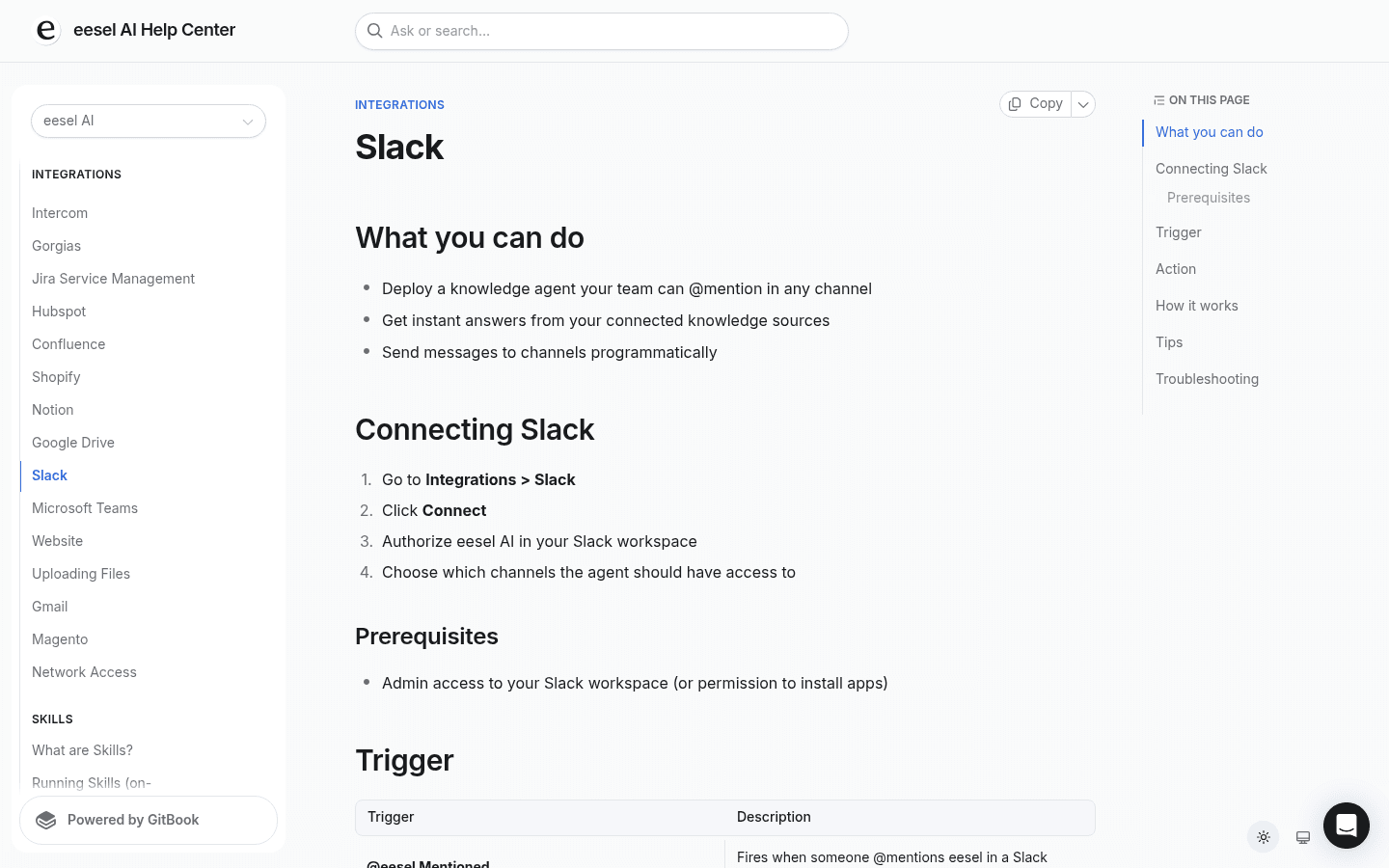
Then invite the bot to your IT channel: type /invite @eesel in #it-help (or whichever channel your team uses). The bot posts a welcome message when it joins.
Step 4: Write instructions for IT scope
Open the Instructions panel and write how you want the bot to behave. Plain English, like briefing a new hire:
- "Only answer IT-related questions. For HR questions, direct users to @hr-team."
- "If someone reports a security incident, escalate immediately -- don't attempt resolution."
- "Always cite the source document in your answer so employees can verify."
- "For access provisioning requests, create a Jira ticket even if the knowledge base has an answer."
These instructions shape what the bot will and won't attempt. Keep them specific to the categories your IT team actually handles.
Step 5: Test with simulation before going live
eesel includes a Bulk Simulation feature that runs the agent against historical tickets and shows which categories it answers correctly, which it flags as low-confidence, and where knowledge gaps exist. This is the step most teams skip -- and the one that catches the "confidently wrong" answers before employees see them. Run it before enabling autonomous replies.
Step 6: Start narrow, then expand
Launch in draft-for-review mode first. An IT agent approves responses before they go out. After a week, identify the categories where answers are consistently accurate (password reset procedures, VPN setup, hardware request process) and enable autonomous replies for those. Keep draft mode on for sensitive requests: security incidents, access provisioning, anything with compliance implications.
Correct the bot directly in Slack when answers are wrong: "That's outdated -- we changed the VPN setup last month." eesel stores the correction and applies it going forward. Scope expands as accuracy is validated.
Optional: multi-bot architecture for large teams
If you want separate bots for IT, HR, and engineering -- each trained on their own knowledge, each in its own Slack channel -- you can run multiple agents on a single eesel account. Simployer uses this pattern for 2,000+ employees, with dedicated Slack bots for different teams and EU data residency.
eesel pricing: Team plan at $299/month covers up to 3 bots and 1,000 interactions/month. Business is $799/month for unlimited bots and 3,000 interactions/month. Pricing is per-interaction, not per seat -- see the full pricing breakdown.
Other options if you're already on a specific platform
If your team is already invested in a specific ITSM, the native Slack integration is often the right starting point. Here's where each major option lands.
Atlassian JSM (Jira Service Management)
The Atlassian Assist app is JSM's Slack-native ticketing layer -- successor to Halp, the original Slack IT ticketing pioneer. Employees post messages in a request channel; agents turn them into tickets via emoji or Assist does it automatically. Agents manage their full queue from the Slack App Home tab without visiting the JSM portal. EmojiOps is legitimately popular: react with 👀 to self-assign a ticket, ✅ to close it. Multiple IT managers describe the experience as "magical."
The main caveat: the AI virtual agent -- which intercepts messages and deflects before ticket creation -- requires the Premium plan at $51.42/agent/month. Standard and Free plans get ticket management only, no AI deflection. And one hard constraint: one Jira site can only connect to one Slack workspace. Plan for this before multi-entity rollouts.
For teams already on Atlassian who want to add AI deflection without the Premium cost, eesel's Slack integration can sit on top of JSM and handle the knowledge-base layer.
Freshservice ServiceBot + Freddy AI
Freshservice's ServiceBot is available on all paid plans starting at $19/agent/month. Employees raise tickets from the ⚡ shortcut without visiting the portal; Freddy AI pre-fills ticket form fields by analyzing the Slack conversation context, and the full conversation snapshot attaches to the ticket.
The AI self-service layer -- Freddy AI Agent, which handles conversational deflection before tickets are created -- is Enterprise-only. For Freshservice teams that want AI-powered deflection without committing to Enterprise pricing, eesel layers that capability on top. One known limitation: Slack replies from Freshservice are capped at 250 characters, and forms with more than 8 fields can't render in Slack.
ServiceNow Virtual Agent
ServiceNow has the most powerful Slack integration of the three and the most complex setup. It requires a System Administrator, manual OAuth configuration, an Update Set upload, and role assignments before you see any value. The Slack Spoke (an IntegrationHub license, additional cost) is needed for proper security and real automation. Practitioners in r/servicenow are clear that you should not attempt a custom API approach due to a security gap in the free app.
Fulfiller license costs run $70-$200/user/month based on third-party estimates, with initial implementation typically $30,000-$150,000+ via certified partners. The right fit for enterprises already deep in ServiceNow. For teams without an existing ServiceNow investment, it's far more overhead than the value justifies.
| eesel AI | Atlassian Assist | Freshservice ServiceBot | ServiceNow | |
|---|---|---|---|---|
| AI deflection | All plans | Premium only | Enterprise only | Complex setup required |
| Ticket integration | Jira, Zendesk, Freshdesk, 100+ | JSM native | Freshservice native | ServiceNow native |
| Setup time | Under an hour | Under an hour | Under an hour | Days to weeks |
| Pricing model | Per-interaction from $299/mo | Per-agent from $0 ($51.42 for AI) | Per-agent from $19/mo | Custom; est. $70-200/user/mo |
| Multi-workspace | Yes | No (one per Jira site) | Enterprise Grid only | Yes |
Common mistakes that kill bot adoption
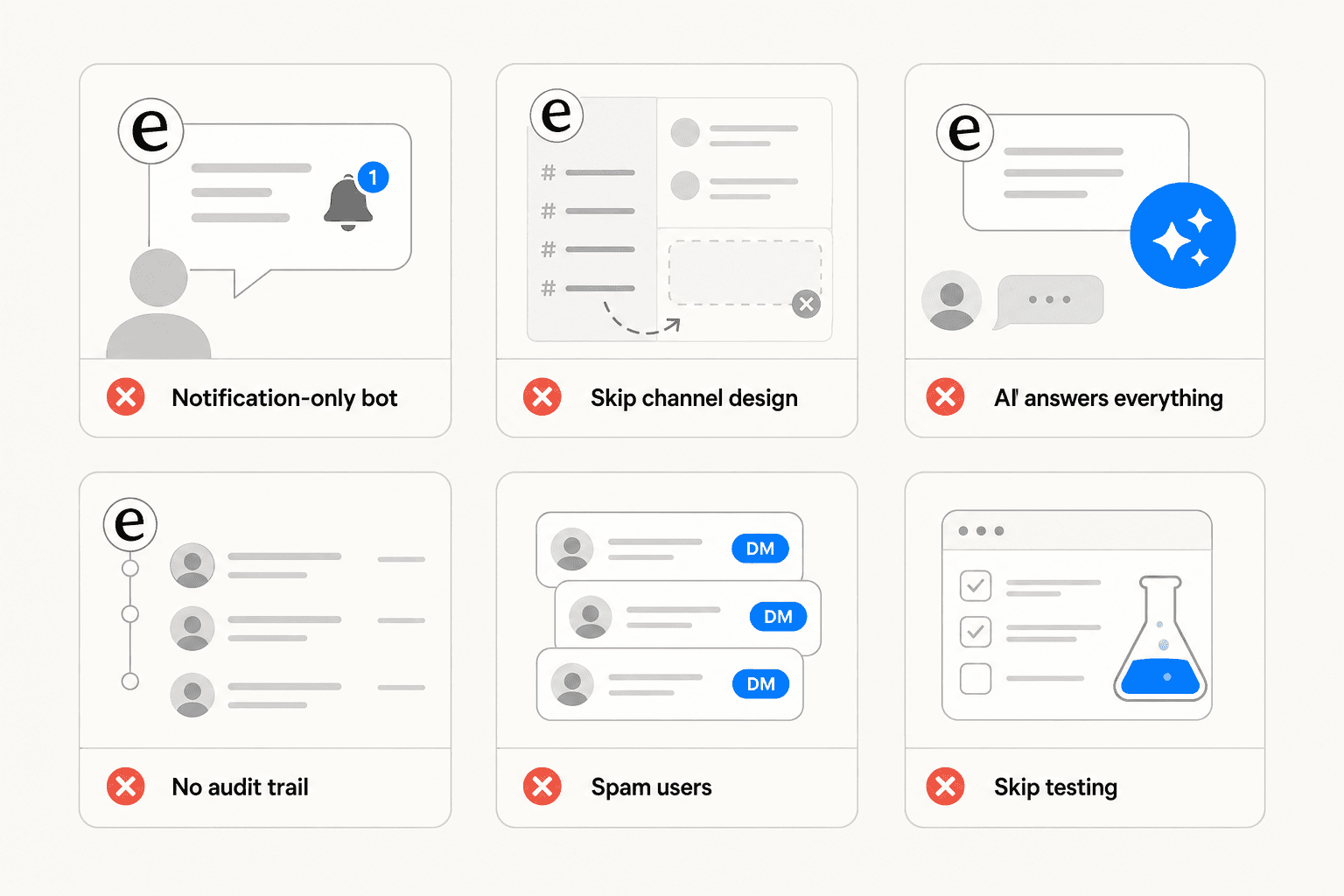
Building a notification feed, not a bot. If the only function is posting ticket status updates to a channel, you've created a firehose. One ServiceNow practitioner: "Start with very few notifications in Slack. You do not want to spam your users. They already hate all the emails they get." The value is in the action layer -- resolution, approvals, and intelligent routing -- not alerts.
Letting the bot answer everything on day one. Even at 90% accuracy, 10% errors on a high-volume channel means dozens of wrong answers per week. The right approach: start with a small set of high-confidence, well-documented use cases (password resets, VPN setup, documented access flows), validate accuracy, then expand. As one practitioner shared after two months running a production IT bot: "Wins are boring but real. Password resets, MFA, SSO for new hires... We're on risotto. 18 workflows to set up in the first 3 weeks, not a quick thing. But Tuesday mornings went from chaos to boring, which was the whole goal."
Skipping channel structure. A general Slack channel open to the whole company without rules becomes noisy fast. Define who can post, what auto-converts to a ticket, and what gets handled in DMs. The DM problem is real -- "Once requests start there you lose context immediately" -- but the fix is a structured #it-help channel, not banning DMs.
Skipping the audit trail. If a bot resolves something in Slack without creating an ITSM record, that interaction doesn't exist for SLA reporting, compliance, or headcount justification. Configure the integration to write back to your ITSM even when the bot handles full resolution.
Going live without simulation. Testing your bot against historical tickets before enabling autonomous replies catches the confidently-wrong answers before employees encounter them. Use bulk simulation and check which categories flag as low-confidence before those categories go live.
eesel AI for Slack IT support
If you want a Slack IT support bot that works in days rather than months, connects to the knowledge sources your team already has, and sits on top of your existing ITSM without replacing it, eesel AI is the fastest path there.
It handles IT knowledge Q&A across Confluence, Notion, Google Drive, and SharePoint simultaneously. It creates and routes tickets to Jira, Zendesk, and Freshdesk. It sends proactive weekly digests with metrics to your ops channel. It learns from corrections over time. And it runs on per-interaction pricing -- not per seat -- which scales well for IT environments where a large employee base generates moderate interaction volume.
Alex Capurro, Chief Innovation Officer at Global Payments, on what that looks like in practice:
"With eesel, we can find specific answers to questions extremely fast. We have seen up to 80% time savings." -- Alex Capurro, Chief Innovation Officer, Global Payments
Start a free trial -- $50 in free usage, no credit card required. If you have questions about setting up Slack-connected IT support or connecting to your specific ITSM, the setup typically takes under an hour.

Frequently Asked Questions
Share this article

Article by
Stevia Putri
Stevia Putri is a marketing generalist at eesel AI, where she helps turn powerful AI tools into stories that resonate. She’s driven by curiosity, clarity, and the human side of technology.