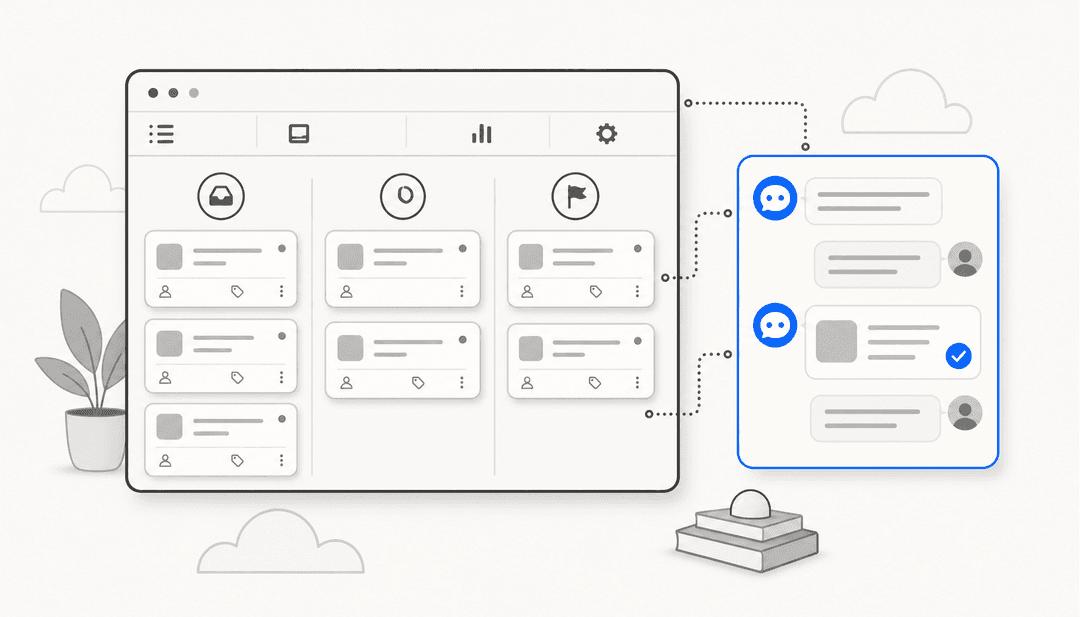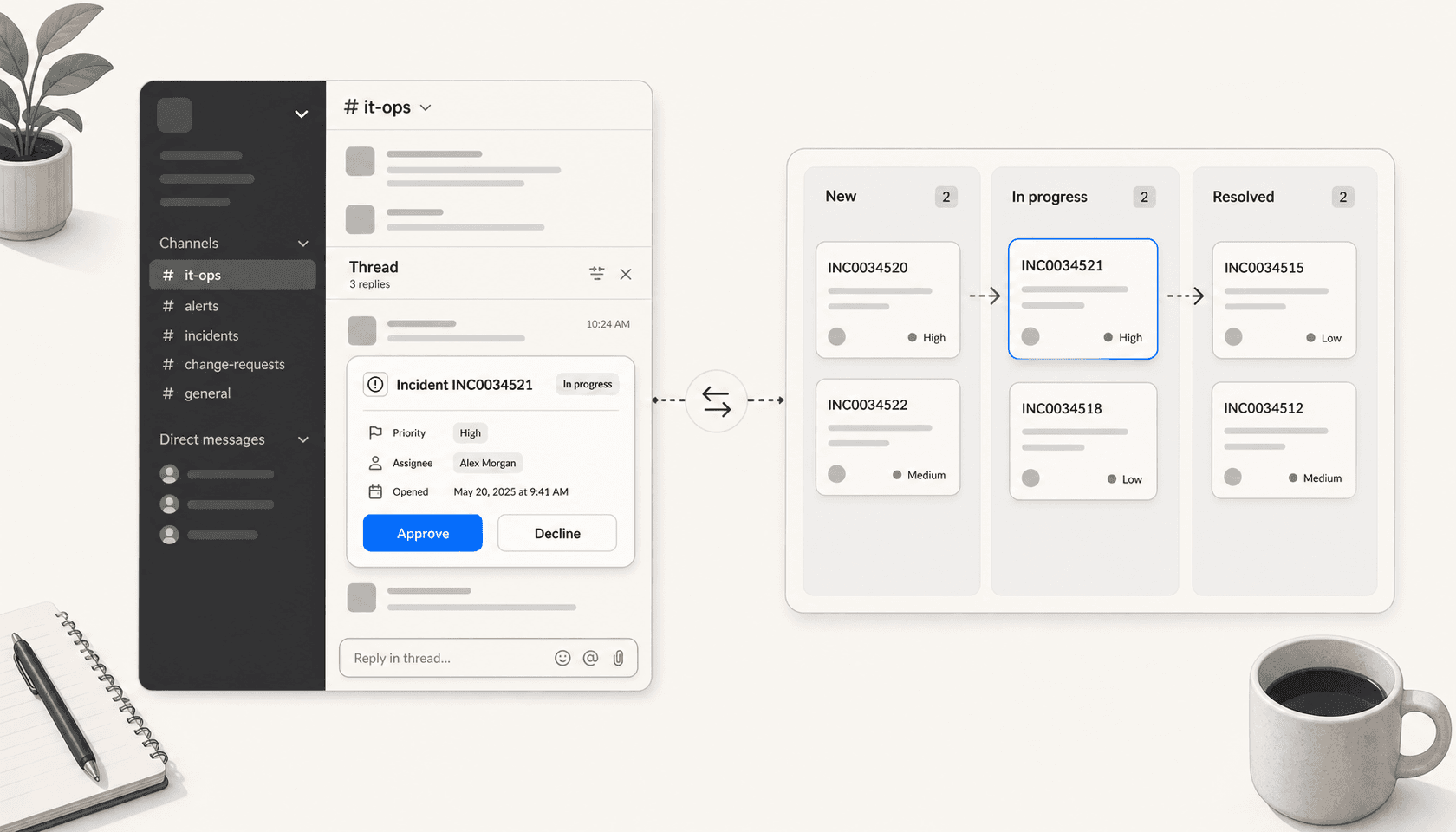
The phrase "ITSM integration with Slack" used to describe a pretty narrow thing: a bot that posted ticket updates into a channel. In 2026 it covers a much wider workflow. Employees raise IT requests in DMs, approvals happen with two buttons inside Slack, incidents get their own auto-spawned war rooms, and AI agents are starting to handle tier-one questions before a ticket is ever created. The ITSM platform stays as the system of record, but the surface employees actually see is Slack.
This guide walks through what ITSM-in-Slack actually does in 2026 across the three platforms most teams pick (ServiceNow, Jira Service Management, Freshservice), what setup looks like, where the friction is, and where the AI agent layer is heading.
What ITSM in Slack actually means
IT service management is the discipline (and the toolset) for handling incidents, service requests, problems, and changes inside an organization. The classic model is portal-based: an employee logs into a service catalog, fills out a form, and waits. The Slack model collapses that flow into the chat tool the employee already has open.
When the integration works well, three things happen:
- Capture moves to the channel. An employee describes the problem in #it-help and the integration creates a ticket from that message, attaching the conversation as context. No portal switch.
- Action moves to the DM. Approvers, on-call engineers, and ticket owners get inline cards in Slack with the buttons they need to advance the ticket. No portal switch.
- Notifications stay scoped. Channel alerts go to the team that owns the queue; record alerts go to individuals; sensitive HR or legal requests get DM updates instead of public channel updates via private chat requests.
The system of record stays in your ITSM tool. Slack is the interface layer, not a replacement. For teams looking at the broader ITSM landscape before picking, the ServiceNow vs Jira Service Management comparison and our own write-up of ServiceNow alternatives cover the platform-level decision. This piece is about what happens once the platform is chosen and you wire it into Slack.
The three native integrations most teams pick
Each major ITSM has a first-party Slack integration. They overlap heavily but have different ergonomics, and the differences matter once you're past the demo.
ServiceNow for Slack
The official ServiceNow for Slack app is the most established of the three. The setup is heavier than the others because ServiceNow is heavier as a platform.
The install requires a ServiceNow System Administrator to:
- Activate OAuth in ServiceNow and create an OAuth API endpoint for external clients named Slack, with the redirect URL
https://slack.com/interop-apps/servicenow/snow_oauth_redirect. - Connect the instance from the Slack app's Home tab using the ServiceNow Instance URL, Client ID, and Client Secret.
- Download and install the ServiceNow for Slack Notifications Update Set from the same Home tab, upload it to Retrieved Update Sets in ServiceNow, then preview and commit it.
- Click Authorize Alerts in the Slack app and grant the
x_545827_slack_std.userpermission to anyone who needs to manage alerts.
A Slack Workspace Admin or Owner has to enable alerts on the Slack side. Once that's done, the day-to-day capabilities are what you'd expect: incident creation from a message via the Create an Incident with ServiceNow for Slack shortcut, record search and sharing into channels, individual record alerts, and bulk alerts that subscribe a channel to a record type. Full setup details are in the Slack help article.
The strength is breadth: ServiceNow already has a full ITSM data model, and the Slack layer surfaces it cleanly. The weakness is the install. If your IT team is small or doesn't have a deep ServiceNow practice, the OAuth-plus-Update-Set dance is enough friction that the project stalls.
Jira Service Management with Atlassian Assist
Atlassian's chat story splits into two products that share the same suite. Assist handles conversational ticketing and approvals; ChatOps handles on-call and incident response. Most teams need both.
Atlassian Assist is the one that owns the request workflow. It supports four ways to create a request from Slack:
- The Assist app home (a guided form).
- A direct message to Assist.
- A ticket emoji reaction inside a designated request channel.
- Automatic ticket creation that turns every message in a designated channel into a JSM issue.
The approvals flow is the cleanest of the three integrations. When a request needs approval, the named approver gets a DM from Assist with Approve and Decline buttons. There's also an emoji-driven option set ("EmojiOps") where you can assign with 👀 and close with ✅, plus 25+ slash commands for incident actions. The full list lives in Atlassian's chat product guide.
Two limitations to know about up front. First, approver groups don't get Slack DMs, so if you use group approvals, the approvers have to act from email or the JSM portal. Second, a Jira site can connect to only one Slack workspace for Assist (multiple are allowed for ChatOps alerting). For multi-workspace organizations this is a real constraint.
ChatOps is the part most teams pair Assist with. It auto-creates Slack channels for incidents from JSM automation rules, syncs Zoom meeting recordings back to the incident record, and lets responders acknowledge, assign, snooze, or close alerts straight from the chat surface.
Freshservice for Slack
Freshservice's Slack integration is the lightest weight of the three. It pushes ticket and approval notifications into Slack, supports ticket creation via slash commands, and adds Freddy AI's copilot as a layer for drafting responses. There's no equivalent to Atlassian Assist's full bidirectional conversational ticketing or ServiceNow's heavy alert configuration; the integration is more "notification surface plus quick actions" than "full front-end."
For teams that want fast time-to-value and don't need ServiceNow-grade depth, that's a feature, not a bug. The trade-off is that as your workflow gets more sophisticated (multi-step approvals, complex routing, custom request types), you'll feel the limits.
Capabilities, side by side
Here's how the three native integrations compare on the workflows that matter most.
| Capability | ServiceNow for Slack | JSM with Assist + ChatOps | Freshservice for Slack |
|---|---|---|---|
| Create ticket from a message | Yes (shortcut + message action) | Yes (DM, emoji reaction, channel auto-capture) | Yes (slash command) |
| Approvals via Slack DM buttons | Yes | Yes (individual approvers only) | Yes |
| Channel notifications for record types | Yes (record + bulk alerts) | Yes (request channels) | Yes |
| Auto-create incident war rooms | Via custom workflow | Yes (built-in via ChatOps) | No |
| Slash commands | Limited | 25+ for on-call and incidents | Limited |
| Setup complexity | Heavy (OAuth + Update Set, admin-only) | Medium (admin install per workspace) | Low |
| Workspace limits | Per ServiceNow instance | One Slack workspace per Jira site for Assist | One workspace per account |
| Best fit | Large enterprises already on ServiceNow | Atlassian-first orgs that want unified request + on-call | Mid-market teams that want fast time-to-value |
The integration you pick is usually downstream of which ITSM you're already running. The choice that does matter is whether to layer an AI agent on top of any of these, which is where the 2026 conversation actually lives.
Where AI agents fit on top
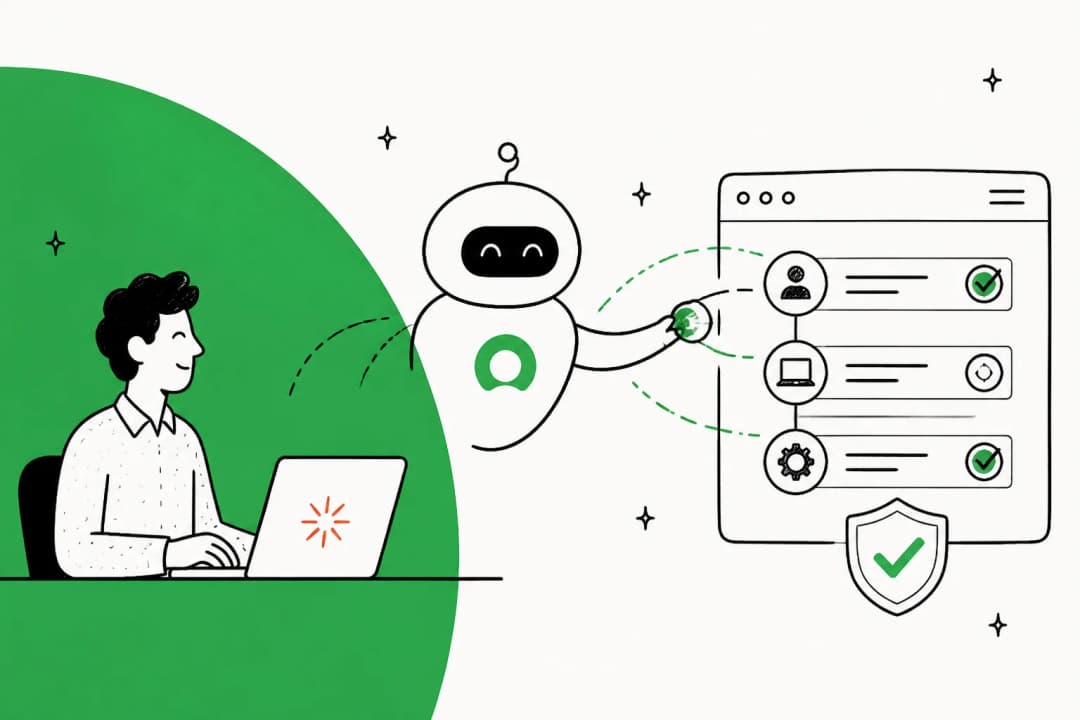
In 2026, the question stopped being "should our ITSM connect to Slack?" and started being "how much should an AI agent resolve before a ticket is even created?"
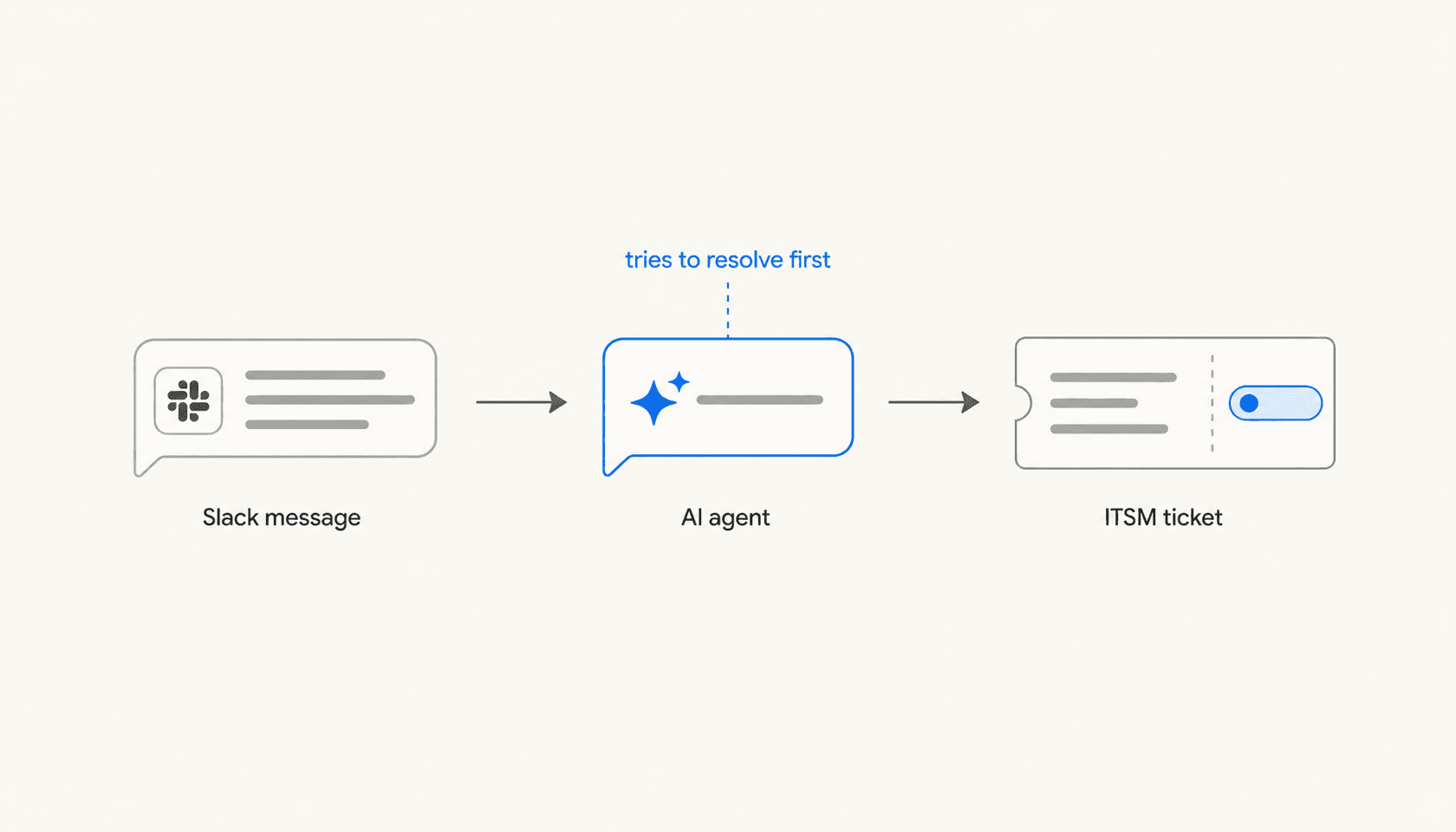
Slack itself has put real weight behind this pivot. Its AI agents pitch frames Agentforce and third-party agents as "intelligent teammates" that you @-mention in channels and DMs the same way you would a colleague. The IT use case Slack highlights is tier-one support: agents that recognize a request, search internal knowledge, take action, and only escalate to a human when they can't.
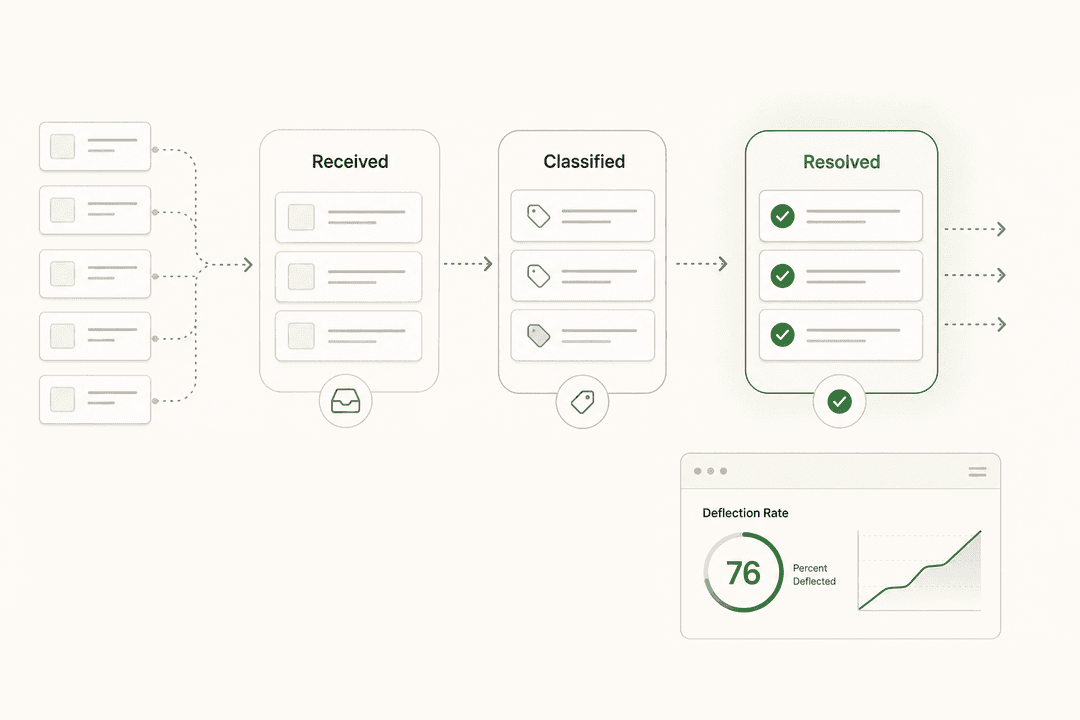
That's the gap a new wave of vendors has filled. Atomicwork sells what it calls "agentic ITSM" with a "no ticket" model: the AI agent in Slack tries to resolve the request first, and only generates a ticket when escalation is needed. It claims 50%+ auto-resolution from day one and customer outcomes including 60% deflection at one customer, a 52% reduction in MTTR within six weeks at another, and 50% less ticket volume plus 92% answer accuracy at Zuora. Console, Serval, and Konverso pitch similar deflection numbers in the same architecture.
The pattern across these tools is the same:
- The agent listens in a designated Slack channel or DM.
- It pulls context from your knowledge base, your wiki, your past tickets, and (where allowed) your identity provider.
- It either resolves the request directly (provisioning access, answering a how-to, fetching a status) or it routes to the right team and creates a ticket in your existing ITSM with full conversation context attached.
The native ITSM integrations don't disappear in this model. They sit underneath the AI layer as the system of record. What changes is the volume of tickets that ever surface to a human, and the speed at which the easy ones get closed.
This is the layer where eesel AI plays. If you're already running ServiceNow or Jira Service Management with Slack as your front door, the question is no longer how to wire them together (that part is solved by the official integrations). The question is how much of the inbound volume an AI agent can answer correctly before a ticket lands in the queue.
Common workflows worth modeling first
If you're scoping an ITSM-Slack integration project, these are the workflows that usually deliver value first, in order of difficulty.
Inbound request capture
Pick one channel (typically #it-help or #it-requests) and turn every message in it into a tracked ticket. JSM's automatic ticket creation is the cleanest version of this. ServiceNow can do it with a custom shortcut. Freshservice handles it through slash commands. The point is to stop losing requests in chat threads.
Approvals via DM
Route every approval that fits your simple-yes/no pattern to the assigned approver as a Slack DM with two buttons. JSM Assist does this best out of the box. Note the group-approval limitation and design around it.
Incident channels on auto-pilot
Configure an automation rule so that any P1 or P2 incident automatically creates a dedicated Slack channel, invites the right responders, posts the incident summary, and stays in sync with the JSM record. Atlassian's ChatOps documentation covers this in detail. ServiceNow has the equivalent through its alerts and message actions.
AI deflection on tier-one
Layer an AI agent that listens on the inbound channel, attempts a resolution from your knowledge base, and creates a ticket only when it can't. Measure deflection (percentage of conversations resolved without a ticket) and accuracy (percentage of resolutions the human team would have given). Decide which categories of request you trust the agent to resolve unsupervised vs which require a human review. The 2026 State of AI in IT report puts adoption at 74% of organizations with AI in at least one service-management workflow, and 82% of those reporting tangible results, so this is a measurable bet, not a speculative one.
Escalation hand-off
When the AI escalates or the user opts out, hand the conversation to the existing ITSM workflow with full context attached: the original message, the agent's attempted resolution, the knowledge articles it cited, and any actions it already took. This is where the difference between "Slack as a notification surface" and "Slack as the front door" becomes obvious. The latter requires the ITSM tool to accept rich context, not just a one-line ticket title.
Pricing, roughly
There's no single price tag for "ITSM in Slack" because it's almost always bundled into the underlying ITSM license. A rough orientation:
| Vendor | Slack integration cost | Underlying ITSM plan that unlocks it |
|---|---|---|
| ServiceNow | Included with ServiceNow ITSM | ITSM Standard or Pro license |
| Jira Service Management Assist | Included on Standard and above | JSM Standard, Premium, or Enterprise |
| Jira Service Management Virtual Agent | Included on Premium and Enterprise only | JSM Premium or Enterprise |
| Freshservice | Included with Freshservice | Freshservice Starter and above |
| Atomicwork, Console, Serval (AI agent layer) | Per-seat or per-resolution pricing on top of your ITSM | N/A (sits on top) |
The AI agent vendors are the cost line you actually have to think about. Most price either per employee per month (typical range $15-$50) or per resolved ticket. If you're evaluating, model the cost against your current ticket volume and your desired deflection rate, not against the headline number.
Common pitfalls
A few patterns we see go sideways:
Treating the integration like a notification feed. If your only use of ITSM-in-Slack is "post ticket updates into a channel," you're not getting much value. The action layer (creating, approving, resolving from Slack) is where time is actually saved.
Skipping the channel design step. A request channel that's open to the whole company without rules becomes a noisy mess. Decide who can post, what gets auto-converted, what gets DM'd, and what gets routed elsewhere. Document it before you turn it on.
Connecting too many ITSM instances. Atlassian Assist allows one Slack workspace per Jira site. Most companies don't realize this until they try to roll it out across acquired entities. Plan for one ITSM instance per Slack workspace, or accept that you'll need a third-party tool for the cross-instance case.
Letting the AI agent answer everything from day one. Even at 90% accuracy, a 10% error rate on a high-volume IT channel is hundreds of bad answers a week. Start with a narrow scope (password resets, software access requests, status questions), measure accuracy, expand from there.
Forgetting the audit trail. Compliance teams will ask where the conversation lives and whether it's auditable. Make sure the integration writes back to the ITSM record (not just to Slack), so the system of record is complete.
When ITSM-in-Slack actually pays off
The workflows that pay off the fastest share three traits. The ticket volume is high enough that even modest deflection saves real time. The request types are repetitive enough that an AI agent can learn them. And the population of users is already living in Slack, so the integration removes a context-switch they were already doing manually.
If those three are true at your company, ITSM-in-Slack stops being a nice-to-have and starts being a leverage point. Pick the integration that matches your existing ITSM, model one or two workflows seriously, and only then layer an AI agent on top once you have a baseline to measure against. If you want to see what that AI layer looks like sitting on top of your existing ServiceNow, Jira Service Management, or Freshservice setup, eesel AI is built for exactly that pattern.
Frequently Asked Questions
What does ITSM integration with Slack actually do?
Can I approve ITSM requests inside Slack?
Do I need an admin to set this up?
Where do AI agents fit into ITSM-in-Slack?
What's the difference between Atlassian Assist and ChatOps in JSM?


Article by
Alicia Kirana Utomo
Kira is a writer at eesel AI with a Computer Science background and over a year of hands-on experience evaluating AI-powered customer service tools. She focuses on breaking down how helpdesk platforms and AI agents actually work so that support teams can make better buying decisions.